

VOTING POWER100.00%
DOWNVOTE POWER100.00%
RESOURCE CREDITS100.00%
REPUTATION PROGRESS41.91%
Net Worth
0.230USD
STEEM
0.000STEEM
SBD
0.403SBD
Effective Power
5.008SP
├── Own SP
0.632SP
└── Incoming DelegationsDeleg
+4.376SP
Detailed Balance
| STEEM | ||
| balance | 0.000STEEM | STEEM |
| market_balance | 0.000STEEM | STEEM |
| savings_balance | 0.000STEEM | STEEM |
| reward_steem_balance | 0.000STEEM | STEEM |
| STEEM POWER | ||
| Own SP | 0.632SP | SP |
| Delegated Out | 0.000SP | SP |
| Delegation In | 4.376SP | SP |
| Effective Power | 5.008SP | SP |
| Reward SP (pending) | 0.445SP | SP |
| SBD | ||
| sbd_balance | 0.000SBD | SBD |
| sbd_conversions | 0.000SBD | SBD |
| sbd_market_balance | 0.000SBD | SBD |
| savings_sbd_balance | 0.000SBD | SBD |
| reward_sbd_balance | 0.403SBD | SBD |
{
  "balance": "0.000 STEEM",
  "savings_balance": "0.000 STEEM",
  "reward_steem_balance": "0.000 STEEM",
  "vesting_shares": "1027.059796 VESTS",
  "delegated_vesting_shares": "0.000000 VESTS",
  "received_vesting_shares": "7116.600010 VESTS",
  "sbd_balance": "0.000 SBD",
  "savings_sbd_balance": "0.000 SBD",
  "reward_sbd_balance": "0.403 SBD",
  "conversions": []
}
Account Info
| name | markam |
| id | 447093 |
| rank | 821,445 |
| reputation | 8618871261 |
| created | 2017-11-14T06:54:51 |
| recovery_account | steem |
| proxy | None |
| post_count | 31 |
| comment_count | 0 |
| lifetime_vote_count | 0 |
| witnesses_voted_for | 0 |
| last_post | 2017-11-19T08:15:21 |
| last_root_post | 2017-11-19T08:15:21 |
| last_vote_time | 2017-11-19T12:54:00 |
| proxied_vsf_votes | 0, 0, 0, 0 |
| can_vote | 1 |
| voting_power | 0 |
| delayed_votes | 0 |
| balance | 0.000 STEEM |
| savings_balance | 0.000 STEEM |
| sbd_balance | 0.000 SBD |
| savings_sbd_balance | 0.000 SBD |
| vesting_shares | 1027.059796 VESTS |
| delegated_vesting_shares | 0.000000 VESTS |
| received_vesting_shares | 7116.600010 VESTS |
| reward_vesting_balance | 913.723166 VESTS |
| vesting_balance | 0.000 STEEM |
| vesting_withdraw_rate | 0.000000 VESTS |
| next_vesting_withdrawal | 1969-12-31T23:59:59 |
| withdrawn | 0 |
| to_withdraw | 0 |
| withdraw_routes | 0 |
| savings_withdraw_requests | 0 |
| last_account_recovery | 1970-01-01T00:00:00 |
| reset_account | null |
| last_owner_update | 1970-01-01T00:00:00 |
| last_account_update | 1970-01-01T00:00:00 |
| mined | No |
| sbd_seconds | 0 |
| sbd_last_interest_payment | 1970-01-01T00:00:00 |
| savings_sbd_last_interest_payment | 1970-01-01T00:00:00 |
{
  "active": {
    "account_auths": [],
    "key_auths": [
      [
        "STM5grypfDpAnRACU1Yv5RD67iSFaCaqjHtyVgcn6G53DHG31VNeS",
        1
      ]
    ],
    "weight_threshold": 1
  },
  "balance": "0.000 STEEM",
  "can_vote": true,
  "comment_count": 0,
  "created": "2017-11-14T06:54:51",
  "curation_rewards": 1,
  "delegated_vesting_shares": "0.000000 VESTS",
  "downvote_manabar": {
    "current_mana": 2035914951,
    "last_update_time": 1779074775
  },
  "guest_bloggers": [],
  "id": 447093,
  "json_metadata": "",
  "last_account_recovery": "1970-01-01T00:00:00",
  "last_account_update": "1970-01-01T00:00:00",
  "last_owner_update": "1970-01-01T00:00:00",
  "last_post": "2017-11-19T08:15:21",
  "last_root_post": "2017-11-19T08:15:21",
  "last_vote_time": "2017-11-19T12:54:00",
  "lifetime_vote_count": 0,
  "market_history": [],
  "memo_key": "STM5eubunn4nFpSWpbd8ekvQrV514HgMWb97ox2ubxnpbpbM2DCg8",
  "mined": false,
  "name": "markam",
  "next_vesting_withdrawal": "1969-12-31T23:59:59",
  "other_history": [],
  "owner": {
    "account_auths": [],
    "key_auths": [
      [
        "STM7cfQNxxXyHgeBQy7E6KXttxpmGZbyjTp13v5ge1TBr5psmEoh3",
        1
      ]
    ],
    "weight_threshold": 1
  },
  "pending_claimed_accounts": 0,
  "post_bandwidth": 0,
  "post_count": 31,
  "post_history": [],
  "posting": {
    "account_auths": [],
    "key_auths": [
      [
        "STM7a252xPYaRNXpDVumiwdEfnBntHkQ7GUNsk8DAfwZS2QwXhhbu",
        1
      ]
    ],
    "weight_threshold": 1
  },
  "posting_json_metadata": "",
  "posting_rewards": 885,
  "proxied_vsf_votes": [
    0,
    0,
    0,
    0
  ],
  "proxy": "",
  "received_vesting_shares": "7116.600010 VESTS",
  "recovery_account": "steem",
  "reputation": "8618871261",
  "reset_account": "null",
  "reward_sbd_balance": "0.403 SBD",
  "reward_steem_balance": "0.000 STEEM",
  "reward_vesting_balance": "913.723166 VESTS",
  "reward_vesting_steem": "0.445 STEEM",
  "savings_balance": "0.000 STEEM",
  "savings_sbd_balance": "0.000 SBD",
  "savings_sbd_last_interest_payment": "1970-01-01T00:00:00",
  "savings_sbd_seconds": "0",
  "savings_sbd_seconds_last_update": "1970-01-01T00:00:00",
  "savings_withdraw_requests": 0,
  "sbd_balance": "0.000 SBD",
  "sbd_last_interest_payment": "1970-01-01T00:00:00",
  "sbd_seconds": "0",
  "sbd_seconds_last_update": "1970-01-01T00:00:00",
  "tags_usage": [],
  "to_withdraw": 0,
  "transfer_history": [],
  "vesting_balance": "0.000 STEEM",
  "vesting_shares": "1027.059796 VESTS",
  "vesting_withdraw_rate": "0.000000 VESTS",
  "vote_history": [],
  "voting_manabar": {
    "current_mana": "8143659806",
    "last_update_time": 1779074775
  },
  "voting_power": 0,
  "withdraw_routes": 0,
  "withdrawn": 0,
  "witness_votes": [],
  "witnesses_voted_for": 0,
  "rank": 821445
}
Withdraw Routes
| Incoming | Outgoing |
|---|---|
Empty | Empty |
{
  "incoming": [],
  "outgoing": []
}From Date
To Date
2026/05/18 03:26:15
2026/05/18 03:26:15
| delegatee | markam |
| delegator | steem |
| vesting shares | 7116.600010 VESTS |
| Transaction Info | Block #106147250/Trx db78033f73708d4960874f7af3a1664e26fe5534 |
View Raw JSON Data
{
  "block": 106147250,
  "op": [
    "delegate_vesting_shares",
    {
      "delegatee": "markam",
      "delegator": "steem",
      "vesting_shares": "7116.600010 VESTS"
    }
  ],
  "op_in_trx": 0,
  "timestamp": "2026-05-18T03:26:15",
  "trx_id": "db78033f73708d4960874f7af3a1664e26fe5534",
  "trx_in_block": 2,
  "virtual_op": 0
}2026/05/12 16:45:24
2026/05/12 16:45:24
| delegatee | markam |
| delegator | steem |
| vesting shares | 4404.389605 VESTS |
| Transaction Info | Block #105991178/Trx 4d3cbbc427f32f5902a5abc2acca7f26bd4d9104 |
View Raw JSON Data
{
  "block": 105991178,
  "op": [
    "delegate_vesting_shares",
    {
      "delegatee": "markam",
      "delegator": "steem",
      "vesting_shares": "4404.389605 VESTS"
    }
  ],
  "op_in_trx": 0,
  "timestamp": "2026-05-12T16:45:24",
  "trx_id": "4d3cbbc427f32f5902a5abc2acca7f26bd4d9104",
  "trx_in_block": 1,
  "virtual_op": 0
}2026/04/26 02:42:21
2026/04/26 02:42:21
| delegatee | markam |
| delegator | steem |
| vesting shares | 7129.115766 VESTS |
| Transaction Info | Block #105514815/Trx 55b4e9a001826d826a3a7166111e330ee12719ed |
View Raw JSON Data
{
  "block": 105514815,
  "op": [
    "delegate_vesting_shares",
    {
      "delegatee": "markam",
      "delegator": "steem",
      "vesting_shares": "7129.115766 VESTS"
    }
  ],
  "op_in_trx": 0,
  "timestamp": "2026-04-26T02:42:21",
  "trx_id": "55b4e9a001826d826a3a7166111e330ee12719ed",
  "trx_in_block": 1,
  "virtual_op": 0
}2026/01/23 16:20:42
2026/01/23 16:20:42
| delegatee | markam |
| delegator | steem |
| vesting shares | 4445.936424 VESTS |
| Transaction Info | Block #102862047/Trx 3152be8c12e76d3d34b517d2221bcec1a2692c65 |
View Raw JSON Data
{
  "block": 102862047,
  "op": [
    "delegate_vesting_shares",
    {
      "delegatee": "markam",
      "delegator": "steem",
      "vesting_shares": "4445.936424 VESTS"
    }
  ],
  "op_in_trx": 0,
  "timestamp": "2026-01-23T16:20:42",
  "trx_id": "3152be8c12e76d3d34b517d2221bcec1a2692c65",
  "trx_in_block": 0,
  "virtual_op": 0
}2024/12/17 11:34:00
2024/12/17 11:34:00
| delegatee | markam |
| delegator | steem |
| vesting shares | 4610.155621 VESTS |
| Transaction Info | Block #91308327/Trx 2d156b0f131c41ff60ee3b42a05b6369ce5033bb |
View Raw JSON Data
{
  "block": 91308327,
  "op": [
    "delegate_vesting_shares",
    {
      "delegatee": "markam",
      "delegator": "steem",
      "vesting_shares": "4610.155621 VESTS"
    }
  ],
  "op_in_trx": 0,
  "timestamp": "2024-12-17T11:34:00",
  "trx_id": "2d156b0f131c41ff60ee3b42a05b6369ce5033bb",
  "trx_in_block": 9,
  "virtual_op": 0
}2023/11/14 03:16:03
2023/11/14 03:16:03
| delegatee | markam |
| delegator | steem |
| vesting shares | 4779.289153 VESTS |
| Transaction Info | Block #79862506/Trx c02c1ff42847d7b054d3aca65017c80702fc3944 |
View Raw JSON Data
{
  "block": 79862506,
  "op": [
    "delegate_vesting_shares",
    {
      "delegatee": "markam",
      "delegator": "steem",
      "vesting_shares": "4779.289153 VESTS"
    }
  ],
  "op_in_trx": 0,
  "timestamp": "2023-11-14T03:16:03",
  "trx_id": "c02c1ff42847d7b054d3aca65017c80702fc3944",
  "trx_in_block": 7,
  "virtual_op": 0
}2023/09/22 01:34:27
2023/09/22 01:34:27
| delegatee | markam |
| delegator | steem |
| vesting shares | 7716.567939 VESTS |
| Transaction Info | Block #78352311/Trx 630756e76248b8ad8740f73f6ab3410d2798d8fc |
View Raw JSON Data
{
  "block": 78352311,
  "op": [
    "delegate_vesting_shares",
    {
      "delegatee": "markam",
      "delegator": "steem",
      "vesting_shares": "7716.567939 VESTS"
    }
  ],
  "op_in_trx": 0,
  "timestamp": "2023-09-22T01:34:27",
  "trx_id": "630756e76248b8ad8740f73f6ab3410d2798d8fc",
  "trx_in_block": 1,
  "virtual_op": 0
}2022/11/03 14:54:33
2022/11/03 14:54:33
| delegatee | markam |
| delegator | steem |
| vesting shares | 7938.249377 VESTS |
| Transaction Info | Block #69117087/Trx d86e743286b8a10e5eebf25175749dbbf87b9566 |
View Raw JSON Data
{
  "block": 69117087,
  "op": [
    "delegate_vesting_shares",
    {
      "delegatee": "markam",
      "delegator": "steem",
      "vesting_shares": "7938.249377 VESTS"
    }
  ],
  "op_in_trx": 0,
  "timestamp": "2022-11-03T14:54:33",
  "trx_id": "d86e743286b8a10e5eebf25175749dbbf87b9566",
  "trx_in_block": 5,
  "virtual_op": 0
}2022/01/17 18:10:00
2022/01/17 18:10:00
| delegatee | markam |
| delegator | steem |
| vesting shares | 8158.484513 VESTS |
| Transaction Info | Block #60818023/Trx 8f96435bcda1624735d562d4712994759ac1e22a |
View Raw JSON Data
{
  "block": 60818023,
  "op": [
    "delegate_vesting_shares",
    {
      "delegatee": "markam",
      "delegator": "steem",
      "vesting_shares": "8158.484513 VESTS"
    }
  ],
  "op_in_trx": 0,
  "timestamp": "2022-01-17T18:10:00",
  "trx_id": "8f96435bcda1624735d562d4712994759ac1e22a",
  "trx_in_block": 11,
  "virtual_op": 0
}2021/06/14 03:41:15
2021/06/14 03:41:15
| delegatee | markam |
| delegator | steem |
| vesting shares | 8342.551266 VESTS |
| Transaction Info | Block #54611151/Trx 5364b4e0f78c5e11f24b73e377f59f3f49bb52ef |
View Raw JSON Data
{
  "block": 54611151,
  "op": [
    "delegate_vesting_shares",
    {
      "delegatee": "markam",
      "delegator": "steem",
      "vesting_shares": "8342.551266 VESTS"
    }
  ],
  "op_in_trx": 0,
  "timestamp": "2021-06-14T03:41:15",
  "trx_id": "5364b4e0f78c5e11f24b73e377f59f3f49bb52ef",
  "trx_in_block": 0,
  "virtual_op": 0
}2020/12/11 13:56:36
2020/12/11 13:56:36
| delegatee | markam |
| delegator | steem |
| vesting shares | 8529.973240 VESTS |
| Transaction Info | Block #49358502/Trx 47a316236002f9af8e755b041e16e60fb9791c8d |
View Raw JSON Data
{
  "block": 49358502,
  "op": [
    "delegate_vesting_shares",
    {
      "delegatee": "markam",
      "delegator": "steem",
      "vesting_shares": "8529.973240 VESTS"
    }
  ],
  "op_in_trx": 0,
  "timestamp": "2020-12-11T13:56:36",
  "trx_id": "47a316236002f9af8e755b041e16e60fb9791c8d",
  "trx_in_block": 1,
  "virtual_op": 0
}2020/12/06 07:32:45
2020/12/06 07:32:45
| delegatee | markam |
| delegator | steem |
| vesting shares | 1912.543513 VESTS |
| Transaction Info | Block #49210041/Trx c45aacb8feb8b203c9be2793f5228d78b011062e |
View Raw JSON Data
{
  "block": 49210041,
  "op": [
    "delegate_vesting_shares",
    {
      "delegatee": "markam",
      "delegator": "steem",
      "vesting_shares": "1912.543513 VESTS"
    }
  ],
  "op_in_trx": 0,
  "timestamp": "2020-12-06T07:32:45",
  "trx_id": "c45aacb8feb8b203c9be2793f5228d78b011062e",
  "trx_in_block": 1,
  "virtual_op": 0
}2020/12/05 17:34:24
2020/12/05 17:34:24
| delegatee | markam |
| delegator | steem |
| vesting shares | 8536.181094 VESTS |
| Transaction Info | Block #49193588/Trx 6177063ed30007c1db58c3e30e7cc6a3600208a8 |
View Raw JSON Data
{
  "block": 49193588,
  "op": [
    "delegate_vesting_shares",
    {
      "delegatee": "markam",
      "delegator": "steem",
      "vesting_shares": "8536.181094 VESTS"
    }
  ],
  "op_in_trx": 0,
  "timestamp": "2020-12-05T17:34:24",
  "trx_id": "6177063ed30007c1db58c3e30e7cc6a3600208a8",
  "trx_in_block": 0,
  "virtual_op": 0
}2020/11/02 21:26:33
2020/11/02 21:26:33
| delegatee | markam |
| delegator | steem |
| vesting shares | 1920.017158 VESTS |
| Transaction Info | Block #48264638/Trx 50b58853199b6b09ec93c20ba1880879dd9b18b2 |
View Raw JSON Data
{
  "block": 48264638,
  "op": [
    "delegate_vesting_shares",
    {
      "delegatee": "markam",
      "delegator": "steem",
      "vesting_shares": "1920.017158 VESTS"
    }
  ],
  "op_in_trx": 0,
  "timestamp": "2020-11-02T21:26:33",
  "trx_id": "50b58853199b6b09ec93c20ba1880879dd9b18b2",
  "trx_in_block": 0,
  "virtual_op": 0
}2020/05/09 08:33:15
2020/05/09 08:33:15
| delegatee | markam |
| delegator | steem |
| vesting shares | 8738.986453 VESTS |
| Transaction Info | Block #43220330/Trx cced29e3c2bc57831df382e28d2ad91a1d4c02e4 |
View Raw JSON Data
{
  "block": 43220330,
  "op": [
    "delegate_vesting_shares",
    {
      "delegatee": "markam",
      "delegator": "steem",
      "vesting_shares": "8738.986453 VESTS"
    }
  ],
  "op_in_trx": 0,
  "timestamp": "2020-05-09T08:33:15",
  "trx_id": "cced29e3c2bc57831df382e28d2ad91a1d4c02e4",
  "trx_in_block": 11,
  "virtual_op": 0
}2020/05/08 12:35:06
2020/05/08 12:35:06
| delegatee | markam |
| delegator | steem |
| vesting shares | 1953.311140 VESTS |
| Transaction Info | Block #43196935/Trx 8175173d8ddd3886659ed1639e5e1350a5d49ac6 |
View Raw JSON Data
{
  "block": 43196935,
  "op": [
    "delegate_vesting_shares",
    {
      "delegatee": "markam",
      "delegator": "steem",
      "vesting_shares": "1953.311140 VESTS"
    }
  ],
  "op_in_trx": 0,
  "timestamp": "2020-05-08T12:35:06",
  "trx_id": "8175173d8ddd3886659ed1639e5e1350a5d49ac6",
  "trx_in_block": 16,
  "virtual_op": 0
}2020/04/16 01:41:27
2020/04/16 01:41:27
| delegatee | markam |
| delegator | steem |
| vesting shares | 8751.873901 VESTS |
| Transaction Info | Block #42567292/Trx fbc6c471749a922908415186c3e6768e3926e767 |
View Raw JSON Data
{
  "block": 42567292,
  "op": [
    "delegate_vesting_shares",
    {
      "delegatee": "markam",
      "delegator": "steem",
      "vesting_shares": "8751.873901 VESTS"
    }
  ],
  "op_in_trx": 0,
  "timestamp": "2020-04-16T01:41:27",
  "trx_id": "fbc6c471749a922908415186c3e6768e3926e767",
  "trx_in_block": 3,
  "virtual_op": 0
}2019/11/14 08:34:03
2019/11/14 08:34:03
| author | steemitboard |
| body | Congratulations @markam! You received a personal award! <table><tr><td>https://steemitimages.com/70x70/http://steemitboard.com/@markam/birthday2.png</td><td>Happy Birthday! - You are on the Steem blockchain for 2 years!</td></tr></table> <sub>_You can view [your badges on your Steem Board](https://steemitboard.com/@markam) and compare to others on the [Steem Ranking](https://steemitboard.com/ranking/index.php?name=markam)_</sub> ###### [Vote for @Steemitboard as a witness](https://v2.steemconnect.com/sign/account-witness-vote?witness=steemitboard&approve=1) to get one more award and increased upvotes! |
| json metadata | {"image":["https://steemitboard.com/img/notify.png"]} |
| parent author | markam |
| parent permlink | android-power-button-function-not-known-to-many-people |
| permlink | steemitboard-notify-markam-20191114t083403000z |
| title | |
| Transaction Info | Block #38162736/Trx 277a06d626d0e77609bb659fcb12442f766b0ce7 |
View Raw JSON Data
{
  "block": 38162736,
  "op": [
    "comment",
    {
      "author": "steemitboard",
      "body": "Congratulations @markam! You received a personal award!\n\n<table><tr><td>https://steemitimages.com/70x70/http://steemitboard.com/@markam/birthday2.png</td><td>Happy Birthday! - You are on the Steem blockchain for 2 years!</td></tr></table>\n\n<sub>_You can view [your badges on your Steem Board](https://steemitboard.com/@markam) and compare to others on the [Steem Ranking](https://steemitboard.com/ranking/index.php?name=markam)_</sub>\n\n\n###### [Vote for @Steemitboard as a witness](https://v2.steemconnect.com/sign/account-witness-vote?witness=steemitboard&approve=1) to get one more award and increased upvotes!",
      "json_metadata": "{\"image\":[\"https://steemitboard.com/img/notify.png\"]}",
      "parent_author": "markam",
      "parent_permlink": "android-power-button-function-not-known-to-many-people",
      "permlink": "steemitboard-notify-markam-20191114t083403000z",
      "title": ""
    }
  ],
  "op_in_trx": 0,
  "timestamp": "2019-11-14T08:34:03",
  "trx_id": "277a06d626d0e77609bb659fcb12442f766b0ce7",
  "trx_in_block": 16,
  "virtual_op": 0
}2019/05/12 18:47:33
2019/05/12 18:47:33
| delegatee | markam |
| delegator | steem |
| vesting shares | 8947.490714 VESTS |
| Transaction Info | Block #32850153/Trx ae39c89f8df34271eaafdc2c8e7e4fb00db39510 |
View Raw JSON Data
{
  "block": 32850153,
  "op": [
    "delegate_vesting_shares",
    {
      "delegatee": "markam",
      "delegator": "steem",
      "vesting_shares": "8947.490714 VESTS"
    }
  ],
  "op_in_trx": 0,
  "timestamp": "2019-05-12T18:47:33",
  "trx_id": "ae39c89f8df34271eaafdc2c8e7e4fb00db39510",
  "trx_in_block": 31,
  "virtual_op": 0
}2018/11/14 09:16:21
2018/11/14 09:16:21
| author | steemitboard |
| body | Congratulations @markam! You have received a personal award! [](http://steemitboard.com/@markam) 1 Year on Steemit <sub>_Click on the badge to view your Board of Honor._</sub> **Do not miss the last post from @steemitboard:** <table><tr><td><a href="https://steemit.com/steemfest/@steemitboard/the-meet-the-steemians-contest-is-over-results-are-coming-soon"><img src="https://steemitimages.com/64x128/https://cdn.steemitimages.com/DQmeLukvNFRsa7RURqsFpiLGEZZD49MiU52JtWmjS5S2wtW/image.png"></a></td><td><a href="https://steemit.com/steemfest/@steemitboard/the-meet-the-steemians-contest-is-over-results-are-coming-soon">The Meet the Steemians Contest is over - Results are coming soon ...</a></td></tr></table> > Support [SteemitBoard's project](https://steemit.com/@steemitboard)! **[Vote for its witness](https://v2.steemconnect.com/sign/account-witness-vote?witness=steemitboard&approve=1)** and **get one more award**! |
| json metadata | {"image":["https://steemitboard.com/img/notify.png"]} |
| parent author | markam |
| parent permlink | android-power-button-function-not-known-to-many-people |
| permlink | steemitboard-notify-markam-20181114t091620000z |
| title | |
| Transaction Info | Block #27688675/Trx 61f2709948934ce4a9ffccc1d5f7ba18773d7a91 |
View Raw JSON Data
{
"block": 27688675,
"op": [
"comment",
{
"author": "steemitboard",
"body": "Congratulations @markam! You have received a personal award!\n\n[](http://steemitboard.com/@markam) 1 Year on Steemit\n<sub>_Click on the badge to view your Board of Honor._</sub>\n\n\n**Do not miss the last post from @steemitboard:**\n<table><tr><td><a href=\"https://steemit.com/steemfest/@steemitboard/the-meet-the-steemians-contest-is-over-results-are-coming-soon\"><img src=\"https://steemitimages.com/64x128/https://cdn.steemitimages.com/DQmeLukvNFRsa7RURqsFpiLGEZZD49MiU52JtWmjS5S2wtW/image.png\"></a></td><td><a href=\"https://steemit.com/steemfest/@steemitboard/the-meet-the-steemians-contest-is-over-results-are-coming-soon\">The Meet the Steemians Contest is over - Results are coming soon ...</a></td></tr></table>\n\n> Support [SteemitBoard's project](https://steemit.com/@steemitboard)! **[Vote for its witness](https://v2.steemconnect.com/sign/account-witness-vote?witness=steemitboard&approve=1)** and **get one more award**!",
"json_metadata": "{\"image\":[\"https://steemitboard.com/img/notify.png\"]}",
"parent_author": "markam",
"parent_permlink": "android-power-button-function-not-known-to-many-people",
"permlink": "steemitboard-notify-markam-20181114t091620000z",
"title": ""
}
],
"op_in_trx": 0,
"timestamp": "2018-11-14T09:16:21",
"trx_id": "61f2709948934ce4a9ffccc1d5f7ba18773d7a91",
"trx_in_block": 5,
"virtual_op": 0
}2018/05/16 22:48:24
2018/05/16 22:48:24
| delegatee | markam |
| delegator | steem |
| vesting shares | 9147.101582 VESTS |
| Transaction Info | Block #22492869/Trx fbec2c0a67eb8f1cbf4f70544567af44ccd8a270 |
View Raw JSON Data
{
  "block": 22492869,
  "op": [
    "delegate_vesting_shares",
    {
      "delegatee": "markam",
      "delegator": "steem",
      "vesting_shares": "9147.101582 VESTS"
    }
  ],
  "op_in_trx": 0,
  "timestamp": "2018-05-16T22:48:24",
  "trx_id": "fbec2c0a67eb8f1cbf4f70544567af44ccd8a270",
  "trx_in_block": 0,
  "virtual_op": 0
}2018/04/21 20:47:45
2018/04/21 20:47:45
| delegatee | markam |
| delegator | steem |
| vesting shares | 29535.108152 VESTS |
| Transaction Info | Block #21771243/Trx 9d75f99c7c08ba1c9194ea331024c752ef127c81 |
View Raw JSON Data
{
  "block": 21771243,
  "op": [
    "delegate_vesting_shares",
    {
      "delegatee": "markam",
      "delegator": "steem",
      "vesting_shares": "29535.108152 VESTS"
    }
  ],
  "op_in_trx": 0,
  "timestamp": "2018-04-21T20:47:45",
  "trx_id": "9d75f99c7c08ba1c9194ea331024c752ef127c81",
  "trx_in_block": 22,
  "virtual_op": 0
}2017/12/12 22:21:42
2017/12/12 22:21:42
| delegatee | markam |
| delegator | steem |
| vesting shares | 29738.940204 VESTS |
| Transaction Info | Block #18032617/Trx 03fb3a66df82b6432ffc8241c73e138bd4e62bba |
View Raw JSON Data
{
  "block": 18032617,
  "op": [
    "delegate_vesting_shares",
    {
      "delegatee": "markam",
      "delegator": "steem",
      "vesting_shares": "29738.940204 VESTS"
    }
  ],
  "op_in_trx": 0,
  "timestamp": "2017-12-12T22:21:42",
  "trx_id": "03fb3a66df82b6432ffc8241c73e138bd4e62bba",
  "trx_in_block": 17,
  "virtual_op": 0
}mindsportsioupvoted (1.00%) @markam / this-is-a-smartphone-for-you-who-like-playing-games2017/12/08 23:05:00
mindsportsioupvoted (1.00%) @markam / this-is-a-smartphone-for-you-who-like-playing-games
2017/12/08 23:05:00
| author | markam |
| permlink | this-is-a-smartphone-for-you-who-like-playing-games |
| voter | mindsportsio |
| weight | 100 (1.00%) |
| Transaction Info | Block #17918315/Trx c574db1cc79975b46aa7d57bf8fa7c7bec38f8a0 |
View Raw JSON Data
{
  "block": 17918315,
  "op": [
    "vote",
    {
      "author": "markam",
      "permlink": "this-is-a-smartphone-for-you-who-like-playing-games",
      "voter": "mindsportsio",
      "weight": 100
    }
  ],
  "op_in_trx": 0,
  "timestamp": "2017-12-08T23:05:00",
  "trx_id": "c574db1cc79975b46aa7d57bf8fa7c7bec38f8a0",
  "trx_in_block": 28,
  "virtual_op": 0
}2017/12/02 10:52:45
2017/12/02 10:52:45
| author | markam |
| permlink | glance-at-the-country-of-a-thousand-coffee-shops-in-indonesian |
| voter | mindsportsio |
| weight | 100 (1.00%) |
| Transaction Info | Block #17731007/Trx d80490e7b439adc04828fd5c0b53155b2c60e215 |
View Raw JSON Data
{
  "block": 17731007,
  "op": [
    "vote",
    {
      "author": "markam",
      "permlink": "glance-at-the-country-of-a-thousand-coffee-shops-in-indonesian",
      "voter": "mindsportsio",
      "weight": 100
    }
  ],
  "op_in_trx": 0,
  "timestamp": "2017-12-02T10:52:45",
  "trx_id": "d80490e7b439adc04828fd5c0b53155b2c60e215",
  "trx_in_block": 9,
  "virtual_op": 0
}markamreceived 0.030 SBD, 0.039 SP author reward for @markam / did-you-know-the-smallest-cell-phone-in-the-world2017/11/25 18:07:00
markamreceived 0.030 SBD, 0.039 SP author reward for @markam / did-you-know-the-smallest-cell-phone-in-the-world
2017/11/25 18:07:00
| author | markam |
| permlink | did-you-know-the-smallest-cell-phone-in-the-world |
| sbd payout | 0.030 SBD |
| steem payout | 0.000 STEEM |
| vesting payout | 63.640636 VESTS |
| Transaction Info | Block #17538157/Virtual Operation #3 |
View Raw JSON Data
{
  "block": 17538157,
  "op": [
    "author_reward",
    {
      "author": "markam",
      "permlink": "did-you-know-the-smallest-cell-phone-in-the-world",
      "sbd_payout": "0.030 SBD",
      "steem_payout": "0.000 STEEM",
      "vesting_payout": "63.640636 VESTS"
    }
  ],
  "op_in_trx": 0,
  "timestamp": "2017-11-25T18:07:00",
  "trx_id": "0000000000000000000000000000000000000000",
  "trx_in_block": 4294967295,
  "virtual_op": 3
}markamreceived 0.013 SBD, 0.019 SP author reward for @markam / this-is-a-smartphone-for-you-who-like-playing-games2017/11/25 14:17:03
markamreceived 0.013 SBD, 0.019 SP author reward for @markam / this-is-a-smartphone-for-you-who-like-playing-games
2017/11/25 14:17:03
| author | markam |
| permlink | this-is-a-smartphone-for-you-who-like-playing-games |
| sbd payout | 0.013 SBD |
| steem payout | 0.000 STEEM |
| vesting payout | 30.794107 VESTS |
| Transaction Info | Block #17533559/Virtual Operation #2 |
View Raw JSON Data
{
  "block": 17533559,
  "op": [
    "author_reward",
    {
      "author": "markam",
      "permlink": "this-is-a-smartphone-for-you-who-like-playing-games",
      "sbd_payout": "0.013 SBD",
      "steem_payout": "0.000 STEEM",
      "vesting_payout": "30.794107 VESTS"
    }
  ],
  "op_in_trx": 0,
  "timestamp": "2017-11-25T14:17:03",
  "trx_id": "0000000000000000000000000000000000000000",
  "trx_in_block": 4294967295,
  "virtual_op": 2
}smartonelegalupvoted (1.00%) @markam / aceh-s-global-bag2017/11/25 04:33:36
smartonelegalupvoted (1.00%) @markam / aceh-s-global-bag
2017/11/25 04:33:36
| author | markam |
| permlink | aceh-s-global-bag |
| voter | smartonelegal |
| weight | 100 (1.00%) |
| Transaction Info | Block #17521893/Trx 8125258eedfcd8f7d404e33fa4e7a84584958954 |
View Raw JSON Data
{
  "block": 17521893,
  "op": [
    "vote",
    {
      "author": "markam",
      "permlink": "aceh-s-global-bag",
      "voter": "smartonelegal",
      "weight": 100
    }
  ],
  "op_in_trx": 0,
  "timestamp": "2017-11-25T04:33:36",
  "trx_id": "8125258eedfcd8f7d404e33fa4e7a84584958954",
  "trx_in_block": 0,
  "virtual_op": 0
}markamreceived 0.011 SBD, 0.016 SP author reward for @markam / teardrops-at-the-tsunami-museum2017/11/23 19:07:30
markamreceived 0.011 SBD, 0.016 SP author reward for @markam / teardrops-at-the-tsunami-museum
2017/11/23 19:07:30
| author | markam |
| permlink | teardrops-at-the-tsunami-museum |
| sbd payout | 0.011 SBD |
| steem payout | 0.000 STEEM |
| vesting payout | 26.690677 VESTS |
| Transaction Info | Block #17481777/Virtual Operation #3 |
View Raw JSON Data
{
  "block": 17481777,
  "op": [
    "author_reward",
    {
      "author": "markam",
      "permlink": "teardrops-at-the-tsunami-museum",
      "sbd_payout": "0.011 SBD",
      "steem_payout": "0.000 STEEM",
      "vesting_payout": "26.690677 VESTS"
    }
  ],
  "op_in_trx": 0,
  "timestamp": "2017-11-23T19:07:30",
  "trx_id": "0000000000000000000000000000000000000000",
  "trx_in_block": 4294967295,
  "virtual_op": 3
}markamreceived 0.001 SP curation reward for @afrao0 / steemit-open-mic-week-59-forgetting-time-original-song2017/11/23 16:40:09
markamreceived 0.001 SP curation reward for @afrao0 / steemit-open-mic-week-59-forgetting-time-original-song
2017/11/23 16:40:09
| comment author | afrao0 |
| comment permlink | steemit-open-mic-week-59-forgetting-time-original-song |
| curator | markam |
| reward | 2.053139 VESTS |
| Transaction Info | Block #17478830/Virtual Operation #112 |
View Raw JSON Data
{
  "block": 17478830,
  "op": [
    "curation_reward",
    {
      "comment_author": "afrao0",
      "comment_permlink": "steemit-open-mic-week-59-forgetting-time-original-song",
      "curator": "markam",
      "reward": "2.053139 VESTS"
    }
  ],
  "op_in_trx": 0,
  "timestamp": "2017-11-23T16:40:09",
  "trx_id": "0000000000000000000000000000000000000000",
  "trx_in_block": 4294967295,
  "virtual_op": 112
}2017/11/22 15:03:57
2017/11/22 15:03:57
| author | steemitboard |
| body | Congratulations @markam! You have completed some achievement on Steemit and have been rewarded with new badge(s) : [](http://steemitboard.com/@markam) You got your First payout Click on any badge to view your own Board of Honor on SteemitBoard. For more information about SteemitBoard, click [here](https://steemit.com/@steemitboard) If you no longer want to receive notifications, reply to this comment with the word `STOP` > By upvoting this notification, you can help all Steemit users. Learn how [here](https://steemit.com/steemitboard/@steemitboard/http-i-cubeupload-com-7ciqeo-png)! |
| json metadata | {"image":["https://steemitboard.com/img/notifications.png"]} |
| parent author | markam |
| parent permlink | android-power-button-function-not-known-to-many-people |
| permlink | steemitboard-notify-markam-20171122t150359000z |
| title | |
| Transaction Info | Block #17448141/Trx d9d18646f1cd17554b9a05135d1ac8ba6854bf0a |
View Raw JSON Data
{
"block": 17448141,
"op": [
"comment",
{
"author": "steemitboard",
"body": "Congratulations @markam! You have completed some achievement on Steemit and have been rewarded with new badge(s) :\n\n[](http://steemitboard.com/@markam) You got your First payout\n\nClick on any badge to view your own Board of Honor on SteemitBoard.\nFor more information about SteemitBoard, click [here](https://steemit.com/@steemitboard)\n\nIf you no longer want to receive notifications, reply to this comment with the word `STOP`\n\n> By upvoting this notification, you can help all Steemit users. Learn how [here](https://steemit.com/steemitboard/@steemitboard/http-i-cubeupload-com-7ciqeo-png)!",
"json_metadata": "{\"image\":[\"https://steemitboard.com/img/notifications.png\"]}",
"parent_author": "markam",
"parent_permlink": "android-power-button-function-not-known-to-many-people",
"permlink": "steemitboard-notify-markam-20171122t150359000z",
"title": ""
}
],
"op_in_trx": 0,
"timestamp": "2017-11-22T15:03:57",
"trx_id": "d9d18646f1cd17554b9a05135d1ac8ba6854bf0a",
"trx_in_block": 21,
"virtual_op": 0
}mindsportsioupvoted (1.00%) @markam / aceh-s-global-bag2017/11/22 12:36:24
mindsportsioupvoted (1.00%) @markam / aceh-s-global-bag
2017/11/22 12:36:24
| author | markam |
| permlink | aceh-s-global-bag |
| voter | mindsportsio |
| weight | 100 (1.00%) |
| Transaction Info | Block #17445192/Trx 2ba39fbc7744ca9599ac34a311161768c971b790 |
View Raw JSON Data
{
  "block": 17445192,
  "op": [
    "vote",
    {
      "author": "markam",
      "permlink": "aceh-s-global-bag",
      "voter": "mindsportsio",
      "weight": 100
    }
  ],
  "op_in_trx": 0,
  "timestamp": "2017-11-22T12:36:24",
  "trx_id": "2ba39fbc7744ca9599ac34a311161768c971b790",
  "trx_in_block": 8,
  "virtual_op": 0
}markamreceived 0.173 SBD, 0.241 SP author reward for @markam / wow-adult-photo-session-nikita-mirzani-paid-billions2017/11/21 14:11:45
markamreceived 0.173 SBD, 0.241 SP author reward for @markam / wow-adult-photo-session-nikita-mirzani-paid-billions
2017/11/21 14:11:45
| author | markam |
| permlink | wow-adult-photo-session-nikita-mirzani-paid-billions |
| sbd payout | 0.173 SBD |
| steem payout | 0.000 STEEM |
| vesting payout | 392.191858 VESTS |
| Transaction Info | Block #17418307/Virtual Operation #16 |
View Raw JSON Data
{
  "block": 17418307,
  "op": [
    "author_reward",
    {
      "author": "markam",
      "permlink": "wow-adult-photo-session-nikita-mirzani-paid-billions",
      "sbd_payout": "0.173 SBD",
      "steem_payout": "0.000 STEEM",
      "vesting_payout": "392.191858 VESTS"
    }
  ],
  "op_in_trx": 0,
  "timestamp": "2017-11-21T14:11:45",
  "trx_id": "0000000000000000000000000000000000000000",
  "trx_in_block": 4294967295,
  "virtual_op": 16
}markamreceived 0.176 SBD, 0.245 SP author reward for @markam / this-is-gaston-castano-news-after-the-death-of-julia-perez2017/11/21 13:14:33
markamreceived 0.176 SBD, 0.245 SP author reward for @markam / this-is-gaston-castano-news-after-the-death-of-julia-perez
2017/11/21 13:14:33
| author | markam |
| permlink | this-is-gaston-castano-news-after-the-death-of-julia-perez |
| sbd payout | 0.176 SBD |
| steem payout | 0.000 STEEM |
| vesting payout | 398.352749 VESTS |
| Transaction Info | Block #17417163/Virtual Operation #10 |
View Raw JSON Data
{
  "block": 17417163,
  "op": [
    "author_reward",
    {
      "author": "markam",
      "permlink": "this-is-gaston-castano-news-after-the-death-of-julia-perez",
      "sbd_payout": "0.176 SBD",
      "steem_payout": "0.000 STEEM",
      "vesting_payout": "398.352749 VESTS"
    }
  ],
  "op_in_trx": 0,
  "timestamp": "2017-11-21T13:14:33",
  "trx_id": "0000000000000000000000000000000000000000",
  "trx_in_block": 4294967295,
  "virtual_op": 10
}markamupvoted (100.00%) @heartwants / steem-a-blockchain-based-social-media-platform2017/11/19 12:54:00
markamupvoted (100.00%) @heartwants / steem-a-blockchain-based-social-media-platform
2017/11/19 12:54:00
| author | heartwants |
| permlink | steem-a-blockchain-based-social-media-platform |
| voter | markam |
| weight | 10000 (100.00%) |
| Transaction Info | Block #17359187/Trx 9ecd2e3e530b3a1adf21ae2e6252ff83f15d8e70 |
View Raw JSON Data
{
  "block": 17359187,
  "op": [
    "vote",
    {
      "author": "heartwants",
      "permlink": "steem-a-blockchain-based-social-media-platform",
      "voter": "markam",
      "weight": 10000
    }
  ],
  "op_in_trx": 0,
  "timestamp": "2017-11-19T12:54:00",
  "trx_id": "9ecd2e3e530b3a1adf21ae2e6252ff83f15d8e70",
  "trx_in_block": 17,
  "virtual_op": 0
}markamupvoted (100.00%) @heartwants / my-trip-1-to-kaghan-naran-part-1-video2017/11/19 12:53:57
markamupvoted (100.00%) @heartwants / my-trip-1-to-kaghan-naran-part-1-video
2017/11/19 12:53:57
| author | heartwants |
| permlink | my-trip-1-to-kaghan-naran-part-1-video |
| voter | markam |
| weight | 10000 (100.00%) |
| Transaction Info | Block #17359186/Trx c16468579e9df2337a53ecdad1a09cb878409556 |
View Raw JSON Data
{
  "block": 17359186,
  "op": [
    "vote",
    {
      "author": "heartwants",
      "permlink": "my-trip-1-to-kaghan-naran-part-1-video",
      "voter": "markam",
      "weight": 10000
    }
  ],
  "op_in_trx": 0,
  "timestamp": "2017-11-19T12:53:57",
  "trx_id": "c16468579e9df2337a53ecdad1a09cb878409556",
  "trx_in_block": 0,
  "virtual_op": 0
}markamupvoted (100.00%) @pox040 / freewallet-primer-monedero-para-btc-en-androit-gratuito2017/11/19 12:53:18
markamupvoted (100.00%) @pox040 / freewallet-primer-monedero-para-btc-en-androit-gratuito
2017/11/19 12:53:18
| author | pox040 |
| permlink | freewallet-primer-monedero-para-btc-en-androit-gratuito |
| voter | markam |
| weight | 10000 (100.00%) |
| Transaction Info | Block #17359173/Trx 55d83b9b83a0f2bf5bd49584d98cbeba21c77b2f |
View Raw JSON Data
{
  "block": 17359173,
  "op": [
    "vote",
    {
      "author": "pox040",
      "permlink": "freewallet-primer-monedero-para-btc-en-androit-gratuito",
      "voter": "markam",
      "weight": 10000
    }
  ],
  "op_in_trx": 0,
  "timestamp": "2017-11-19T12:53:18",
  "trx_id": "55d83b9b83a0f2bf5bd49584d98cbeba21c77b2f",
  "trx_in_block": 3,
  "virtual_op": 0
}markamupvoted (100.00%) @prayas870 / popular-coffe2017/11/19 12:53:15
markamupvoted (100.00%) @prayas870 / popular-coffe
2017/11/19 12:53:15
| author | prayas870 |
| permlink | popular-coffe |
| voter | markam |
| weight | 10000 (100.00%) |
| Transaction Info | Block #17359172/Trx a96ce7c49d92f1ce9f21243d1d4cf5b2b701f9c7 |
View Raw JSON Data
{
  "block": 17359172,
  "op": [
    "vote",
    {
      "author": "prayas870",
      "permlink": "popular-coffe",
      "voter": "markam",
      "weight": 10000
    }
  ],
  "op_in_trx": 0,
  "timestamp": "2017-11-19T12:53:15",
  "trx_id": "a96ce7c49d92f1ce9f21243d1d4cf5b2b701f9c7",
  "trx_in_block": 13,
  "virtual_op": 0
}2017/11/19 12:53:12
2017/11/19 12:53:12
| author | remixta |
| permlink | got-finally-my-new-pc-only-led-strip-is-missing-atm-but-still-looks-amazing |
| voter | markam |
| weight | 10000 (100.00%) |
| Transaction Info | Block #17359171/Trx b3ec9057555fcc69d0d8bab0057922fe0033c929 |
View Raw JSON Data
{
  "block": 17359171,
  "op": [
    "vote",
    {
      "author": "remixta",
      "permlink": "got-finally-my-new-pc-only-led-strip-is-missing-atm-but-still-looks-amazing",
      "voter": "markam",
      "weight": 10000
    }
  ],
  "op_in_trx": 0,
  "timestamp": "2017-11-19T12:53:12",
  "trx_id": "b3ec9057555fcc69d0d8bab0057922fe0033c929",
  "trx_in_block": 11,
  "virtual_op": 0
}markamupvoted (100.00%) @mdkawsar007 / tamim2017/11/19 12:53:00
markamupvoted (100.00%) @mdkawsar007 / tamim
2017/11/19 12:53:00
| author | mdkawsar007 |
| permlink | tamim |
| voter | markam |
| weight | 10000 (100.00%) |
| Transaction Info | Block #17359167/Trx 57b0bda47b1fe50ac26e2aa0d323af919ab29f13 |
View Raw JSON Data
{
  "block": 17359167,
  "op": [
    "vote",
    {
      "author": "mdkawsar007",
      "permlink": "tamim",
      "voter": "markam",
      "weight": 10000
    }
  ],
  "op_in_trx": 0,
  "timestamp": "2017-11-19T12:53:00",
  "trx_id": "57b0bda47b1fe50ac26e2aa0d323af919ab29f13",
  "trx_in_block": 6,
  "virtual_op": 0
}markamupvoted (100.00%) @cryptoocurrency / ethereum-and-a-dash-of-litecoin2017/11/19 12:52:57
markamupvoted (100.00%) @cryptoocurrency / ethereum-and-a-dash-of-litecoin
2017/11/19 12:52:57
| author | cryptoocurrency |
| permlink | ethereum-and-a-dash-of-litecoin |
| voter | markam |
| weight | 10000 (100.00%) |
| Transaction Info | Block #17359166/Trx 3897d26a45351729879aeaec25b073b2af772f7d |
View Raw JSON Data
{
  "block": 17359166,
  "op": [
    "vote",
    {
      "author": "cryptoocurrency",
      "permlink": "ethereum-and-a-dash-of-litecoin",
      "voter": "markam",
      "weight": 10000
    }
  ],
  "op_in_trx": 0,
  "timestamp": "2017-11-19T12:52:57",
  "trx_id": "3897d26a45351729879aeaec25b073b2af772f7d",
  "trx_in_block": 21,
  "virtual_op": 0
}markamupvoted (100.00%) @hursh / delicious-chicken-and-pumpkin-with-dumplings2017/11/19 12:52:54
markamupvoted (100.00%) @hursh / delicious-chicken-and-pumpkin-with-dumplings
2017/11/19 12:52:54
| author | hursh |
| permlink | delicious-chicken-and-pumpkin-with-dumplings |
| voter | markam |
| weight | 10000 (100.00%) |
| Transaction Info | Block #17359165/Trx a1502b845d32e24a5397018d649e94b52fffb139 |
View Raw JSON Data
{
  "block": 17359165,
  "op": [
    "vote",
    {
      "author": "hursh",
      "permlink": "delicious-chicken-and-pumpkin-with-dumplings",
      "voter": "markam",
      "weight": 10000
    }
  ],
  "op_in_trx": 0,
  "timestamp": "2017-11-19T12:52:54",
  "trx_id": "a1502b845d32e24a5397018d649e94b52fffb139",
  "trx_in_block": 8,
  "virtual_op": 0
}markamupvoted (100.00%) @digi5952 / day-6-of-my-sevendaybnwchallenge-photography-alywm-alsads-mn-altswyr2017/11/19 12:52:51
markamupvoted (100.00%) @digi5952 / day-6-of-my-sevendaybnwchallenge-photography-alywm-alsads-mn-altswyr
2017/11/19 12:52:51
| author | digi5952 |
| permlink | day-6-of-my-sevendaybnwchallenge-photography-alywm-alsads-mn-altswyr |
| voter | markam |
| weight | 10000 (100.00%) |
| Transaction Info | Block #17359164/Trx 887b1bd91c6e141f99c33b1069fe7845905443ca |
View Raw JSON Data
{
  "block": 17359164,
  "op": [
    "vote",
    {
      "author": "digi5952",
      "permlink": "day-6-of-my-sevendaybnwchallenge-photography-alywm-alsads-mn-altswyr",
      "voter": "markam",
      "weight": 10000
    }
  ],
  "op_in_trx": 0,
  "timestamp": "2017-11-19T12:52:51",
  "trx_id": "887b1bd91c6e141f99c33b1069fe7845905443ca",
  "trx_in_block": 8,
  "virtual_op": 0
}markamupvoted (100.00%) @yeasin111 / xiaomi-s-latest-us-ready-devices-include-an-action-cam2017/11/19 12:52:48
markamupvoted (100.00%) @yeasin111 / xiaomi-s-latest-us-ready-devices-include-an-action-cam
2017/11/19 12:52:48
| author | yeasin111 |
| permlink | xiaomi-s-latest-us-ready-devices-include-an-action-cam |
| voter | markam |
| weight | 10000 (100.00%) |
| Transaction Info | Block #17359163/Trx 28ceaddf2b7609f367745b0a991bc78c87f423a7 |
View Raw JSON Data
{
  "block": 17359163,
  "op": [
    "vote",
    {
      "author": "yeasin111",
      "permlink": "xiaomi-s-latest-us-ready-devices-include-an-action-cam",
      "voter": "markam",
      "weight": 10000
    }
  ],
  "op_in_trx": 0,
  "timestamp": "2017-11-19T12:52:48",
  "trx_id": "28ceaddf2b7609f367745b0a991bc78c87f423a7",
  "trx_in_block": 15,
  "virtual_op": 0
}markampublished a new post: android-power-button-function-not-known-to-many-people2017/11/19 08:50:30
markampublished a new post: android-power-button-function-not-known-to-many-people
2017/11/19 08:50:30
| author | markam |
| body | @@ -1203,11 +1203,8 @@ y?%0A%0A -2. Lock @@ -1226,16 +1226,16 @@ Screen%0A + %0AMake su @@ -1520,11 +1520,8 @@ n.%0A%0A -3. Take @@ -1534,16 +1534,16 @@ eenshot%0A + %0AScreens @@ -1909,10 +1909,8 @@ n.%0A%0A -4. Air @@ -1916,24 +1916,24 @@ rplane Mode%0A + %0ABy pressing @@ -2167,11 +2167,8 @@ s.%0A%0A -5. Reco @@ -2177,16 +2177,16 @@ ry Mode%0A + %0AFor tho @@ -2525,11 +2525,8 @@ e.%0A%0A -6. Safe @@ -2527,24 +2527,24 @@ %0A%0ASafe Mode%0A + %0ABy entering @@ -2853,11 +2853,8 @@ s.%0A%0A -7. Down @@ -2863,16 +2863,16 @@ ad Mode%0A + %0AOne of @@ -3801,11 +3801,8 @@ d.%0A%0A -8. End |
| json metadata | {"tags":["smartphone","technology","android","secret"],"image":["https://steemitimages.com/DQmdXWdAF7Bcwj6ZwHemiUHC4X14YjEQczLtnYkRuYeULX5/fungsi-tombol-power-yang-tidak-diketahui-5.jpeg"],"app":"steemit/0.1","format":"markdown"} |
| parent author | |
| parent permlink | smartphone |
| permlink | android-power-button-function-not-known-to-many-people |
| title | Android Power Button Function Not Known To Many People |
| Transaction Info | Block #17354321/Trx 370e67dc4b4080ea86e459b7ea3ef63bfa926107 |
View Raw JSON Data
{
  "block": 17354321,
  "op": [
    "comment",
    {
      "author": "markam",
      "body": "@@ -1203,11 +1203,8 @@\n y?%0A%0A\n-2. \n Lock\n@@ -1226,16 +1226,16 @@\n  Screen%0A\n+\n %0AMake su\n@@ -1520,11 +1520,8 @@\n n.%0A%0A\n-3. \n Take\n@@ -1534,16 +1534,16 @@\n eenshot%0A\n+\n %0AScreens\n@@ -1909,10 +1909,8 @@\n n.%0A%0A\n-4.\n  Air\n@@ -1916,24 +1916,24 @@\n rplane Mode%0A\n+\n %0ABy pressing\n@@ -2167,11 +2167,8 @@\n s.%0A%0A\n-5. \n Reco\n@@ -2177,16 +2177,16 @@\n ry Mode%0A\n+\n %0AFor tho\n@@ -2525,11 +2525,8 @@\n e.%0A%0A\n-6. \n Safe\n@@ -2527,24 +2527,24 @@\n %0A%0ASafe Mode%0A\n+\n %0ABy entering\n@@ -2853,11 +2853,8 @@\n s.%0A%0A\n-7. \n Down\n@@ -2863,16 +2863,16 @@\n ad Mode%0A\n+\n %0AOne of \n@@ -3801,11 +3801,8 @@\n d.%0A%0A\n-8. \n End \n",
      "json_metadata": "{\"tags\":[\"smartphone\",\"technology\",\"android\",\"secret\"],\"image\":[\"https://steemitimages.com/DQmdXWdAF7Bcwj6ZwHemiUHC4X14YjEQczLtnYkRuYeULX5/fungsi-tombol-power-yang-tidak-diketahui-5.jpeg\"],\"app\":\"steemit/0.1\",\"format\":\"markdown\"}",
      "parent_author": "",
      "parent_permlink": "smartphone",
      "permlink": "android-power-button-function-not-known-to-many-people",
      "title": "Android Power Button Function Not Known To Many People"
    }
  ],
  "op_in_trx": 0,
  "timestamp": "2017-11-19T08:50:30",
  "trx_id": "370e67dc4b4080ea86e459b7ea3ef63bfa926107",
  "trx_in_block": 15,
  "virtual_op": 0
}markampublished a new post: android-power-button-function-not-known-to-many-people2017/11/19 08:18:36
markampublished a new post: android-power-button-function-not-known-to-many-people
2017/11/19 08:18:36
| author | markam |
| body | 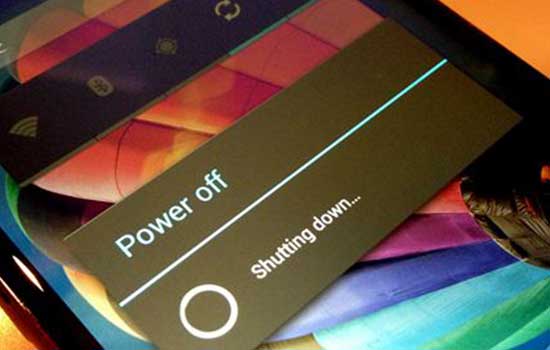 The Power button is an important key that exists on all smartphones. Both Android and iPhone, or Windows Phone though definitely need the Power button. With the Power button you can turn your smartphone on and off. You can imagine how much trouble if there is no Power button, right? But did you know that the Power button on Android has many functions, not just to turn the smartphone on or off? Well, here's the 8 function power button on Android actually you should know. Not just to turn off your smartphone, Power button has a myriad of other features that can be used with other key combinations. Here are some of the Power button functions and combinations with other buttons you should know. This is a Power button function that you definitely know. By pressing and holding the Power button for about 3 seconds, you can turn it on or your smartphone. Imagine if there is no Power button, you have to unplug the battery if you want to turn the smartphone on or off. What if your smartphone uses a non-removable battery? 2. Locking the Android Screen Make sure to always lock your Android screen so that no fun person plays Android yours. If you enable lockscreen on Android, by default your Android will be locked after the screen goes off for 5 seconds. But you can change it to be directly locked every time you press the Power button. 3. Take a Screenshot Screenshots or activities taking a screen display on Android usually use a combination of Power buttons with other buttons. The average way screenshots on Android are not provided with Home physical buttons using a combination of Power and Volume buttons. Meanwhile, if you have a physical button Home such as Samsung, is a combination of Power button and Home button. 4. Airplane Mode By pressing and holding the Power button for 3 seconds, you can not only turn off the smartphone, but also get into Airplane Mode. If you do not want to use the Power button function to enter Airplane Mode, you can enter via Quick Settings. 5. Recovery Mode For those of you who like ngoprek Android, Recovery Mode is a special mode that provides many options that the average other users do not know. To enter Recovery Mode, you typically have to press the combination key between Power button and Volume up, or Power + Volume up + Home button. But it all depends on the combination of each device. 6. Safe Mode By entering Safe Mode later on you can make your Android run lighter and smoother. Safe Mode can also be used to remove viruses on Android. On most of Android, you can enter Safe Mode by pressing Power button off, then pressing Volume key up and down alternately. But it all depends on each of your Android devices. 7. Download Mode One of the Power button functions owned by most Samsung smartphones is Download Mode. This mode is used to do everything related to software services owned by your android device. Download Mode can be used to perform a system restore in case of damage caused by the software. To enter Download Mode on Samsung devices is by pressing Power + Home button + Volume up at the same time in the state of the smartphone to death. If successfully appears Android robot icon that shows a variety of menus, it means you succeeded in Download Mode. Lots of Power button functions in addition to turning on and off the smartphone, right? Well, if you are lazy to use the Power button to do all the commands, you can loh using the help of a cool application called Quick Reboot. This application can replace all the Power button function that Jaka mentioned above. Unfortunately to be able to use Quick Reboot, your smartphone must be rooted. 8. End the Call If you used to make phone calls, you can end the phone call by pressing the Power button with a little adjusting on your Android. How to enter Settings - Accessibility menu. Then look for Power Button to Ends Call option. Do you have other Power button functions that can be done on your Android? Or is there another cool app you used to replace Power button on Android? |
| json metadata | {"tags":["smartphone","technology","android","secret"],"image":["https://steemitimages.com/DQmdXWdAF7Bcwj6ZwHemiUHC4X14YjEQczLtnYkRuYeULX5/fungsi-tombol-power-yang-tidak-diketahui-5.jpeg"],"app":"steemit/0.1","format":"markdown"} |
| parent author | |
| parent permlink | smartphone |
| permlink | android-power-button-function-not-known-to-many-people |
| title | Android Power Button Function Not Known To Many People |
| Transaction Info | Block #17353684/Trx 41be2def955bb7decfd812b084504c9f116ec800 |
View Raw JSON Data
{
"block": 17353684,
"op": [
"comment",
{
"author": "markam",
"body": "\n\nThe Power button is an important key that exists on all smartphones. Both Android and iPhone, or Windows Phone though definitely need the Power button. With the Power button you can turn your smartphone on and off. You can imagine how much trouble if there is no Power button, right?\n\nBut did you know that the Power button on Android has many functions, not just to turn the smartphone on or off? Well, here's the 8 function power button on Android actually you should know.\n\nNot just to turn off your smartphone, Power button has a myriad of other features that can be used with other key combinations. Here are some of the Power button functions and combinations with other buttons you should know.\n\nThis is a Power button function that you definitely know. By pressing and holding the Power button for about 3 seconds, you can turn it on or your smartphone. Imagine if there is no Power button, you have to unplug the battery if you want to turn the smartphone on or off. What if your smartphone uses a non-removable battery?\n\n2. Locking the Android Screen\n\nMake sure to always lock your Android screen so that no fun person plays Android yours. If you enable lockscreen on Android, by default your Android will be locked after the screen goes off for 5 seconds. But you can change it to be directly locked every time you press the Power button.\n\n3. Take a Screenshot\n\nScreenshots or activities taking a screen display on Android usually use a combination of Power buttons with other buttons. The average way screenshots on Android are not provided with Home physical buttons using a combination of Power and Volume buttons. Meanwhile, if you have a physical button Home such as Samsung, is a combination of Power button and Home button.\n\n4. Airplane Mode\n\nBy pressing and holding the Power button for 3 seconds, you can not only turn off the smartphone, but also get into Airplane Mode. If you do not want to use the Power button function to enter Airplane Mode, you can enter via Quick Settings.\n\n5. Recovery Mode\n\nFor those of you who like ngoprek Android, Recovery Mode is a special mode that provides many options that the average other users do not know. To enter Recovery Mode, you typically have to press the combination key between Power button and Volume up, or Power + Volume up + Home button. But it all depends on the combination of each device.\n\n6. Safe Mode\n\nBy entering Safe Mode later on you can make your Android run lighter and smoother. Safe Mode can also be used to remove viruses on Android. On most of Android, you can enter Safe Mode by pressing Power button off, then pressing Volume key up and down alternately. But it all depends on each of your Android devices.\n\n7. Download Mode\n\nOne of the Power button functions owned by most Samsung smartphones is Download Mode. This mode is used to do everything related to software services owned by your android device. Download Mode can be used to perform a system restore in case of damage caused by the software.\n\nTo enter Download Mode on Samsung devices is by pressing Power + Home button + Volume up at the same time in the state of the smartphone to death. If successfully appears Android robot icon that shows a variety of menus, it means you succeeded in Download Mode.\n\nLots of Power button functions in addition to turning on and off the smartphone, right? Well, if you are lazy to use the Power button to do all the commands, you can loh using the help of a cool application called Quick Reboot. This application can replace all the Power button function that Jaka mentioned above. Unfortunately to be able to use Quick Reboot, your smartphone must be rooted.\n\n8. End the Call\n\nIf you used to make phone calls, you can end the phone call by pressing the Power button with a little adjusting on your Android. How to enter Settings - Accessibility menu. Then look for Power Button to Ends Call option.\n\nDo you have other Power button functions that can be done on your Android? Or is there another cool app you used to replace Power button on Android?",
"json_metadata": "{\"tags\":[\"smartphone\",\"technology\",\"android\",\"secret\"],\"image\":[\"https://steemitimages.com/DQmdXWdAF7Bcwj6ZwHemiUHC4X14YjEQczLtnYkRuYeULX5/fungsi-tombol-power-yang-tidak-diketahui-5.jpeg\"],\"app\":\"steemit/0.1\",\"format\":\"markdown\"}",
"parent_author": "",
"parent_permlink": "smartphone",
"permlink": "android-power-button-function-not-known-to-many-people",
"title": "Android Power Button Function Not Known To Many People"
}
],
"op_in_trx": 0,
"timestamp": "2017-11-19T08:18:36",
"trx_id": "41be2def955bb7decfd812b084504c9f116ec800",
"trx_in_block": 4,
"virtual_op": 0
}markampublished a new post: android-power-button-function-not-known-to-many-people2017/11/19 08:18:03
markampublished a new post: android-power-button-function-not-known-to-many-people
2017/11/19 08:18:03
| author | markam |
| body |  The Power button is an important key that exists on all smartphones. Both Android and iPhone, or Windows Phone though definitely need the Power button. With the Power button you can turn your smartphone on and off. You can imagine how much trouble if there is no Power button, right? But did you know that the Power button on Android has many functions, not just to turn the smartphone on or off? Well, here's the 8 function power button on Android actually you should know. Not just to turn off your smartphone, Power button has a myriad of other features that can be used with other key combinations. Here are some of the Power button functions and combinations with other buttons you should know. This is a Power button function that you definitely know. By pressing and holding the Power button for about 3 seconds, you can turn it on or your smartphone. Imagine if there is no Power button, you have to unplug the battery if you want to turn the smartphone on or off. What if your smartphone uses a non-removable battery? 2. Locking the Android Screen Make sure to always lock your Android screen so that no fun person plays Android yours. If you enable lockscreen on Android, by default your Android will be locked after the screen goes off for 5 seconds. But you can change it to be directly locked every time you press the Power button. 3. Take a Screenshot Screenshots or activities taking a screen display on Android usually use a combination of Power buttons with other buttons. The average way screenshots on Android are not provided with Home physical buttons using a combination of Power and Volume buttons. Meanwhile, if you have a physical button Home such as Samsung, is a combination of Power button and Home button. 4. Airplane Mode By pressing and holding the Power button for 3 seconds, you can not only turn off the smartphone, but also get into Airplane Mode. If you do not want to use the Power button function to enter Airplane Mode, you can enter via Quick Settings. 5. Recovery Mode For those of you who like ngoprek Android, Recovery Mode is a special mode that provides many options that the average other users do not know. To enter Recovery Mode, you typically have to press the combination key between Power button and Volume up, or Power + Volume up + Home button. But it all depends on the combination of each device. 6. Safe Mode By entering Safe Mode later on you can make your Android run lighter and smoother. Safe Mode can also be used to remove viruses on Android. On most of Android, you can enter Safe Mode by pressing Power button off, then pressing Volume key up and down alternately. But it all depends on each of your Android devices. 7. Download Mode One of the Power button functions owned by most Samsung smartphones is Download Mode. This mode is used to do everything related to software services owned by your android device. Download Mode can be used to perform a system restore in case of damage caused by the software. To enter Download Mode on Samsung devices is by pressing Power + Home button + Volume up at the same time in the state of the smartphone to death. If successfully appears Android robot icon that shows a variety of menus, it means you succeeded in Download Mode. Lots of Power button functions in addition to turning on and off the smartphone, right? Well, if you are lazy to use the Power button to do all the commands, you can loh using the help of a cool application called Quick Reboot. This application can replace all the Power button function that Jaka mentioned above. Unfortunately to be able to use Quick Reboot, your smartphone must be rooted. 8. End the Call If you used to make phone calls, you can end the phone call by pressing the Power button with a little adjusting on your Android. How to enter Settings - Accessibility menu. Then look for Power Button to Ends Call option. Do you have other Power button functions that can be done on your Android? Or is there another cool app you used to replace Power button on Android? |
| json metadata | {"tags":["smartphone","technology","android","secret"],"image":["https://steemitimages.com/DQmdXWdAF7Bcwj6ZwHemiUHC4X14YjEQczLtnYkRuYeULX5/fungsi-tombol-power-yang-tidak-diketahui-5.jpeg"],"app":"steemit/0.1","format":"markdown"} |
| parent author | |
| parent permlink | smartphone |
| permlink | android-power-button-function-not-known-to-many-people |
| title | Android Power Button Function Not Known To Many People |
| Transaction Info | Block #17353673/Trx 22cc4beee3b8da7c9f097daa891b9ccf452be8a2 |
View Raw JSON Data
{
"block": 17353673,
"op": [
"comment",
{
"author": "markam",
"body": "\n\nThe Power button is an important key that exists on all smartphones. Both Android and iPhone, or Windows Phone though definitely need the Power button. With the Power button you can turn your smartphone on and off. You can imagine how much trouble if there is no Power button, right?\n\nBut did you know that the Power button on Android has many functions, not just to turn the smartphone on or off? Well, here's the 8 function power button on Android actually you should know.\n\nNot just to turn off your smartphone, Power button has a myriad of other features that can be used with other key combinations. Here are some of the Power button functions and combinations with other buttons you should know.\n\nThis is a Power button function that you definitely know. By pressing and holding the Power button for about 3 seconds, you can turn it on or your smartphone. Imagine if there is no Power button, you have to unplug the battery if you want to turn the smartphone on or off. What if your smartphone uses a non-removable battery?\n\n2. Locking the Android Screen\n\nMake sure to always lock your Android screen so that no fun person plays Android yours. If you enable lockscreen on Android, by default your Android will be locked after the screen goes off for 5 seconds. But you can change it to be directly locked every time you press the Power button.\n\n3. Take a Screenshot\n\nScreenshots or activities taking a screen display on Android usually use a combination of Power buttons with other buttons. The average way screenshots on Android are not provided with Home physical buttons using a combination of Power and Volume buttons. Meanwhile, if you have a physical button Home such as Samsung, is a combination of Power button and Home button.\n\n4. Airplane Mode\n\nBy pressing and holding the Power button for 3 seconds, you can not only turn off the smartphone, but also get into Airplane Mode. If you do not want to use the Power button function to enter Airplane Mode, you can enter via Quick Settings.\n\n5. Recovery Mode\n\nFor those of you who like ngoprek Android, Recovery Mode is a special mode that provides many options that the average other users do not know. To enter Recovery Mode, you typically have to press the combination key between Power button and Volume up, or Power + Volume up + Home button. But it all depends on the combination of each device.\n\n6. Safe Mode\n\nBy entering Safe Mode later on you can make your Android run lighter and smoother. Safe Mode can also be used to remove viruses on Android. On most of Android, you can enter Safe Mode by pressing Power button off, then pressing Volume key up and down alternately. But it all depends on each of your Android devices.\n\n7. Download Mode\n\nOne of the Power button functions owned by most Samsung smartphones is Download Mode. This mode is used to do everything related to software services owned by your android device. Download Mode can be used to perform a system restore in case of damage caused by the software.\n\nTo enter Download Mode on Samsung devices is by pressing Power + Home button + Volume up at the same time in the state of the smartphone to death. If successfully appears Android robot icon that shows a variety of menus, it means you succeeded in Download Mode.\n\nLots of Power button functions in addition to turning on and off the smartphone, right? Well, if you are lazy to use the Power button to do all the commands, you can loh using the help of a cool application called Quick Reboot. This application can replace all the Power button function that Jaka mentioned above. Unfortunately to be able to use Quick Reboot, your smartphone must be rooted.\n\n8. End the Call\n\nIf you used to make phone calls, you can end the phone call by pressing the Power button with a little adjusting on your Android. How to enter Settings - Accessibility menu. Then look for Power Button to Ends Call option.\n\nDo you have other Power button functions that can be done on your Android? Or is there another cool app you used to replace Power button on Android?",
"json_metadata": "{\"tags\":[\"smartphone\",\"technology\",\"android\",\"secret\"],\"image\":[\"https://steemitimages.com/DQmdXWdAF7Bcwj6ZwHemiUHC4X14YjEQczLtnYkRuYeULX5/fungsi-tombol-power-yang-tidak-diketahui-5.jpeg\"],\"app\":\"steemit/0.1\",\"format\":\"markdown\"}",
"parent_author": "",
"parent_permlink": "smartphone",
"permlink": "android-power-button-function-not-known-to-many-people",
"title": "Android Power Button Function Not Known To Many People"
}
],
"op_in_trx": 0,
"timestamp": "2017-11-19T08:18:03",
"trx_id": "22cc4beee3b8da7c9f097daa891b9ccf452be8a2",
"trx_in_block": 6,
"virtual_op": 0
}markampublished a new post: android-power-button-function-not-known-to-many-people2017/11/19 08:17:51
markampublished a new post: android-power-button-function-not-known-to-many-people
2017/11/19 08:17:51
| author | markam |
| body |  The Power button is an important key that exists on all smartphones. Both Android and iPhone, or Windows Phone though definitely need the Power button. With the Power button you can turn your smartphone on and off. You can imagine how much trouble if there is no Power button, right? But did you know that the Power button on Android has many functions, not just to turn the smartphone on or off? Well, here's the 8 function power button on Android actually you should know. Not just to turn off your smartphone, Power button has a myriad of other features that can be used with other key combinations. Here are some of the Power button functions and combinations with other buttons you should know. This is a Power button function that you definitely know. By pressing and holding the Power button for about 3 seconds, you can turn it on or your smartphone. Imagine if there is no Power button, you have to unplug the battery if you want to turn the smartphone on or off. What if your smartphone uses a non-removable battery? 2. Locking the Android Screen Make sure to always lock your Android screen so that no fun person plays Android yours. If you enable lockscreen on Android, by default your Android will be locked after the screen goes off for 5 seconds. But you can change it to be directly locked every time you press the Power button. 3. Take a Screenshot Screenshots or activities taking a screen display on Android usually use a combination of Power buttons with other buttons. The average way screenshots on Android are not provided with Home physical buttons using a combination of Power and Volume buttons. Meanwhile, if you have a physical button Home such as Samsung, is a combination of Power button and Home button. 4. Airplane Mode By pressing and holding the Power button for 3 seconds, you can not only turn off the smartphone, but also get into Airplane Mode. If you do not want to use the Power button function to enter Airplane Mode, you can enter via Quick Settings. 5. Recovery Mode For those of you who like ngoprek Android, Recovery Mode is a special mode that provides many options that the average other users do not know. To enter Recovery Mode, you typically have to press the combination key between Power button and Volume up, or Power + Volume up + Home button. But it all depends on the combination of each device. 6. Safe Mode By entering Safe Mode later on you can make your Android run lighter and smoother. Safe Mode can also be used to remove viruses on Android. On most of Android, you can enter Safe Mode by pressing Power button off, then pressing Volume key up and down alternately. But it all depends on each of your Android devices. 7. Download Mode One of the Power button functions owned by most Samsung smartphones is Download Mode. This mode is used to do everything related to software services owned by your android device. Download Mode can be used to perform a system restore in case of damage caused by the software. To enter Download Mode on Samsung devices is by pressing Power + Home button + Volume up at the same time in the state of the smartphone to death. If successfully appears Android robot icon that shows a variety of menus, it means you succeeded in Download Mode. Lots of Power button functions in addition to turning on and off the smartphone, right? Well, if you are lazy to use the Power button to do all the commands, you can loh using the help of a cool application called Quick Reboot. This application can replace all the Power button function that Jaka mentioned above. Unfortunately to be able to use Quick Reboot, your smartphone must be rooted. 8. End the Call If you used to make phone calls, you can end the phone call by pressing the Power button with a little adjusting on your Android. How to enter Settings - Accessibility menu. Then look for Power Button to Ends Call option. Do you have other Power button functions that can be done on your Android? Or is there another cool app you used to replace Power button on Android? |
| json metadata | {"tags":["smartphone","technology","android","secret"],"image":["https://steemitimages.com/DQmdXWdAF7Bcwj6ZwHemiUHC4X14YjEQczLtnYkRuYeULX5/fungsi-tombol-power-yang-tidak-diketahui-5.jpeg"],"app":"steemit/0.1","format":"markdown"} |
| parent author | |
| parent permlink | smartphone |
| permlink | android-power-button-function-not-known-to-many-people |
| title | Android Power Button Function Not Known To Many People |
| Transaction Info | Block #17353669/Trx cefa3e9112ce223084181e7da9510b4052a23a84 |
View Raw JSON Data
{
"block": 17353669,
"op": [
"comment",
{
"author": "markam",
"body": "\n\nThe Power button is an important key that exists on all smartphones. Both Android and iPhone, or Windows Phone though definitely need the Power button. With the Power button you can turn your smartphone on and off. You can imagine how much trouble if there is no Power button, right?\n\nBut did you know that the Power button on Android has many functions, not just to turn the smartphone on or off? Well, here's the 8 function power button on Android actually you should know.\n\nNot just to turn off your smartphone, Power button has a myriad of other features that can be used with other key combinations. Here are some of the Power button functions and combinations with other buttons you should know.\n\nThis is a Power button function that you definitely know. By pressing and holding the Power button for about 3 seconds, you can turn it on or your smartphone. Imagine if there is no Power button, you have to unplug the battery if you want to turn the smartphone on or off. What if your smartphone uses a non-removable battery?\n\n2. Locking the Android Screen\n\nMake sure to always lock your Android screen so that no fun person plays Android yours. If you enable lockscreen on Android, by default your Android will be locked after the screen goes off for 5 seconds. But you can change it to be directly locked every time you press the Power button.\n\n3. Take a Screenshot\n\nScreenshots or activities taking a screen display on Android usually use a combination of Power buttons with other buttons. The average way screenshots on Android are not provided with Home physical buttons using a combination of Power and Volume buttons. Meanwhile, if you have a physical button Home such as Samsung, is a combination of Power button and Home button.\n\n4. Airplane Mode\n\nBy pressing and holding the Power button for 3 seconds, you can not only turn off the smartphone, but also get into Airplane Mode. If you do not want to use the Power button function to enter Airplane Mode, you can enter via Quick Settings.\n\n5. Recovery Mode\n\nFor those of you who like ngoprek Android, Recovery Mode is a special mode that provides many options that the average other users do not know. To enter Recovery Mode, you typically have to press the combination key between Power button and Volume up, or Power + Volume up + Home button. But it all depends on the combination of each device.\n\n6. Safe Mode\n\nBy entering Safe Mode later on you can make your Android run lighter and smoother. Safe Mode can also be used to remove viruses on Android. On most of Android, you can enter Safe Mode by pressing Power button off, then pressing Volume key up and down alternately. But it all depends on each of your Android devices.\n\n7. Download Mode\n\nOne of the Power button functions owned by most Samsung smartphones is Download Mode. This mode is used to do everything related to software services owned by your android device. Download Mode can be used to perform a system restore in case of damage caused by the software.\n\nTo enter Download Mode on Samsung devices is by pressing Power + Home button + Volume up at the same time in the state of the smartphone to death. If successfully appears Android robot icon that shows a variety of menus, it means you succeeded in Download Mode.\n\nLots of Power button functions in addition to turning on and off the smartphone, right? Well, if you are lazy to use the Power button to do all the commands, you can loh using the help of a cool application called Quick Reboot. This application can replace all the Power button function that Jaka mentioned above. Unfortunately to be able to use Quick Reboot, your smartphone must be rooted.\n\n8. End the Call\n\nIf you used to make phone calls, you can end the phone call by pressing the Power button with a little adjusting on your Android. How to enter Settings - Accessibility menu. Then look for Power Button to Ends Call option.\n\nDo you have other Power button functions that can be done on your Android? Or is there another cool app you used to replace Power button on Android?",
"json_metadata": "{\"tags\":[\"smartphone\",\"technology\",\"android\",\"secret\"],\"image\":[\"https://steemitimages.com/DQmdXWdAF7Bcwj6ZwHemiUHC4X14YjEQczLtnYkRuYeULX5/fungsi-tombol-power-yang-tidak-diketahui-5.jpeg\"],\"app\":\"steemit/0.1\",\"format\":\"markdown\"}",
"parent_author": "",
"parent_permlink": "smartphone",
"permlink": "android-power-button-function-not-known-to-many-people",
"title": "Android Power Button Function Not Known To Many People"
}
],
"op_in_trx": 0,
"timestamp": "2017-11-19T08:17:51",
"trx_id": "cefa3e9112ce223084181e7da9510b4052a23a84",
"trx_in_block": 9,
"virtual_op": 0
}markampublished a new post: android-power-button-function-not-known-to-many-people2017/11/19 08:17:18
markampublished a new post: android-power-button-function-not-known-to-many-people
2017/11/19 08:17:18
| author | markam |
| body |  The Power button is an important key that exists on all smartphones. Both Android and iPhone, or Windows Phone though definitely need the Power button. With the Power button you can turn your smartphone on and off. You can imagine how much trouble if there is no Power button, right? But did you know that the Power button on Android has many functions, not just to turn the smartphone on or off? Well, here's the 8 function power button on Android actually you should know. Not just to turn off your smartphone, Power button has a myriad of other features that can be used with other key combinations. Here are some of the Power button functions and combinations with other buttons you should know. This is a Power button function that you definitely know. By pressing and holding the Power button for about 3 seconds, you can turn it on or your smartphone. Imagine if there is no Power button, you have to unplug the battery if you want to turn the smartphone on or off. What if your smartphone uses a non-removable battery? 2. Locking the Android Screen Make sure to always lock your Android screen so that no fun person plays Android yours. If you enable lockscreen on Android, by default your Android will be locked after the screen goes off for 5 seconds. But you can change it to be directly locked every time you press the Power button. 3. Take a Screenshot Screenshots or activities taking a screen display on Android usually use a combination of Power buttons with other buttons. The average way screenshots on Android are not provided with Home physical buttons using a combination of Power and Volume buttons. Meanwhile, if you have a physical button Home such as Samsung, is a combination of Power button and Home button. 4. Airplane Mode By pressing and holding the Power button for 3 seconds, you can not only turn off the smartphone, but also get into Airplane Mode. If you do not want to use the Power button function to enter Airplane Mode, you can enter via Quick Settings. 5. Recovery Mode For those of you who like ngoprek Android, Recovery Mode is a special mode that provides many options that the average other users do not know. To enter Recovery Mode, you typically have to press the combination key between Power button and Volume up, or Power + Volume up + Home button. But it all depends on the combination of each device. 6. Safe Mode By entering Safe Mode later on you can make your Android run lighter and smoother. Safe Mode can also be used to remove viruses on Android. On most of Android, you can enter Safe Mode by pressing Power button off, then pressing Volume key up and down alternately. But it all depends on each of your Android devices. 7. Download Mode One of the Power button functions owned by most Samsung smartphones is Download Mode. This mode is used to do everything related to software services owned by your android device. Download Mode can be used to perform a system restore in case of damage caused by the software. To enter Download Mode on Samsung devices is by pressing Power + Home button + Volume up at the same time in the state of the smartphone to death. If successfully appears Android robot icon that shows a variety of menus, it means you succeeded in Download Mode. Lots of Power button functions in addition to turning on and off the smartphone, right? Well, if you are lazy to use the Power button to do all the commands, you can loh using the help of a cool application called Quick Reboot. This application can replace all the Power button function that Jaka mentioned above. Unfortunately to be able to use Quick Reboot, your smartphone must be rooted. 8. End the Call If you used to make phone calls, you can end the phone call by pressing the Power button with a little adjusting on your Android. How to enter Settings - Accessibility menu. Then look for Power Button to Ends Call option. Do you have other Power button functions that can be done on your Android? Or is there another cool app you used to replace Power button on Android? |
| json metadata | {"tags":["smartphone","technology","android","secret"],"image":["https://steemitimages.com/DQmdXWdAF7Bcwj6ZwHemiUHC4X14YjEQczLtnYkRuYeULX5/fungsi-tombol-power-yang-tidak-diketahui-5.jpeg"],"app":"steemit/0.1","format":"markdown"} |
| parent author | |
| parent permlink | smartphone |
| permlink | android-power-button-function-not-known-to-many-people |
| title | Android Power Button Function Not Known To Many People |
| Transaction Info | Block #17353658/Trx 25ed78eb95562e3a42a4a32cf279734f823b7964 |
View Raw JSON Data
{
"block": 17353658,
"op": [
"comment",
{
"author": "markam",
"body": "\n\nThe Power button is an important key that exists on all smartphones. Both Android and iPhone, or Windows Phone though definitely need the Power button. With the Power button you can turn your smartphone on and off. You can imagine how much trouble if there is no Power button, right?\n\nBut did you know that the Power button on Android has many functions, not just to turn the smartphone on or off? Well, here's the 8 function power button on Android actually you should know.\n\nNot just to turn off your smartphone, Power button has a myriad of other features that can be used with other key combinations. Here are some of the Power button functions and combinations with other buttons you should know.\n\nThis is a Power button function that you definitely know. By pressing and holding the Power button for about 3 seconds, you can turn it on or your smartphone. Imagine if there is no Power button, you have to unplug the battery if you want to turn the smartphone on or off. What if your smartphone uses a non-removable battery?\n\n2. Locking the Android Screen\n\nMake sure to always lock your Android screen so that no fun person plays Android yours. If you enable lockscreen on Android, by default your Android will be locked after the screen goes off for 5 seconds. But you can change it to be directly locked every time you press the Power button.\n\n3. Take a Screenshot\n\nScreenshots or activities taking a screen display on Android usually use a combination of Power buttons with other buttons. The average way screenshots on Android are not provided with Home physical buttons using a combination of Power and Volume buttons. Meanwhile, if you have a physical button Home such as Samsung, is a combination of Power button and Home button.\n\n4. Airplane Mode\n\nBy pressing and holding the Power button for 3 seconds, you can not only turn off the smartphone, but also get into Airplane Mode. If you do not want to use the Power button function to enter Airplane Mode, you can enter via Quick Settings.\n\n5. Recovery Mode\n\nFor those of you who like ngoprek Android, Recovery Mode is a special mode that provides many options that the average other users do not know. To enter Recovery Mode, you typically have to press the combination key between Power button and Volume up, or Power + Volume up + Home button. But it all depends on the combination of each device.\n\n6. Safe Mode\n\nBy entering Safe Mode later on you can make your Android run lighter and smoother. Safe Mode can also be used to remove viruses on Android. On most of Android, you can enter Safe Mode by pressing Power button off, then pressing Volume key up and down alternately. But it all depends on each of your Android devices.\n\n7. Download Mode\n\nOne of the Power button functions owned by most Samsung smartphones is Download Mode. This mode is used to do everything related to software services owned by your android device. Download Mode can be used to perform a system restore in case of damage caused by the software.\n\nTo enter Download Mode on Samsung devices is by pressing Power + Home button + Volume up at the same time in the state of the smartphone to death. If successfully appears Android robot icon that shows a variety of menus, it means you succeeded in Download Mode.\n\nLots of Power button functions in addition to turning on and off the smartphone, right? Well, if you are lazy to use the Power button to do all the commands, you can loh using the help of a cool application called Quick Reboot. This application can replace all the Power button function that Jaka mentioned above. Unfortunately to be able to use Quick Reboot, your smartphone must be rooted.\n\n8. End the Call\n\nIf you used to make phone calls, you can end the phone call by pressing the Power button with a little adjusting on your Android. How to enter Settings - Accessibility menu. Then look for Power Button to Ends Call option.\n\nDo you have other Power button functions that can be done on your Android? Or is there another cool app you used to replace Power button on Android?",
"json_metadata": "{\"tags\":[\"smartphone\",\"technology\",\"android\",\"secret\"],\"image\":[\"https://steemitimages.com/DQmdXWdAF7Bcwj6ZwHemiUHC4X14YjEQczLtnYkRuYeULX5/fungsi-tombol-power-yang-tidak-diketahui-5.jpeg\"],\"app\":\"steemit/0.1\",\"format\":\"markdown\"}",
"parent_author": "",
"parent_permlink": "smartphone",
"permlink": "android-power-button-function-not-known-to-many-people",
"title": "Android Power Button Function Not Known To Many People"
}
],
"op_in_trx": 0,
"timestamp": "2017-11-19T08:17:18",
"trx_id": "25ed78eb95562e3a42a4a32cf279734f823b7964",
"trx_in_block": 15,
"virtual_op": 0
}markamupvoted (100.00%) @markam / android-power-button-function-not-known-to-many-people2017/11/19 08:15:21
markamupvoted (100.00%) @markam / android-power-button-function-not-known-to-many-people
2017/11/19 08:15:21
| author | markam |
| permlink | android-power-button-function-not-known-to-many-people |
| voter | markam |
| weight | 10000 (100.00%) |
| Transaction Info | Block #17353619/Trx 147c70429095b51bf9c3164fb76243d42c3cd634 |
View Raw JSON Data
{
  "block": 17353619,
  "op": [
    "vote",
    {
      "author": "markam",
      "permlink": "android-power-button-function-not-known-to-many-people",
      "voter": "markam",
      "weight": 10000
    }
  ],
  "op_in_trx": 0,
  "timestamp": "2017-11-19T08:15:21",
  "trx_id": "147c70429095b51bf9c3164fb76243d42c3cd634",
  "trx_in_block": 18,
  "virtual_op": 0
}markampublished a new post: android-power-button-function-not-known-to-many-people2017/11/19 08:15:21
markampublished a new post: android-power-button-function-not-known-to-many-people
2017/11/19 08:15:21
| author | markam |
| body |  The Power button is an important key that exists on all smartphones. Both Android and iPhone, or Windows Phone though definitely need the Power button. With the Power button you can turn your smartphone on and off. You can imagine how much trouble if there is no Power button, right? But did you know that the Power button on Android has many functions, not just to turn the smartphone on or off? Well, here's the 8 function power button on Android actually you should know. Not just to turn off your smartphone, Power button has a myriad of other features that can be used with other key combinations. Here are some of the Power button functions and combinations with other buttons you should know. This is a Power button function that you definitely know. By pressing and holding the Power button for about 3 seconds, you can turn it on or your smartphone. Imagine if there is no Power button, you have to unplug the battery if you want to turn the smartphone on or off. What if your smartphone uses a non-removable battery? 2. Locking the Android Screen Make sure to always lock your Android screen so that no fun person plays Android yours. If you enable lockscreen on Android, by default your Android will be locked after the screen goes off for 5 seconds. But you can change it to be directly locked every time you press the Power button. 3. Take a Screenshot Screenshots or activities taking a screen display on Android usually use a combination of Power buttons with other buttons. The average way screenshots on Android are not provided with Home physical buttons using a combination of Power and Volume buttons. Meanwhile, if you have a physical button Home such as Samsung, is a combination of Power button and Home button. 4. Airplane Mode By pressing and holding the Power button for 3 seconds, you can not only turn off the smartphone, but also get into Airplane Mode. If you do not want to use the Power button function to enter Airplane Mode, you can enter via Quick Settings. 5. Recovery Mode For those of you who like ngoprek Android, Recovery Mode is a special mode that provides many options that the average other users do not know. To enter Recovery Mode, you typically have to press the combination key between Power button and Volume up, or Power + Volume up + Home button. But it all depends on the combination of each device. 6. Safe Mode By entering Safe Mode later on you can make your Android run lighter and smoother. Safe Mode can also be used to remove viruses on Android. On most of Android, you can enter Safe Mode by pressing Power button off, then pressing Volume key up and down alternately. But it all depends on each of your Android devices. 7. Download Mode One of the Power button functions owned by most Samsung smartphones is Download Mode. This mode is used to do everything related to software services owned by your android device. Download Mode can be used to perform a system restore in case of damage caused by the software. To enter Download Mode on Samsung devices is by pressing Power + Home button + Volume up at the same time in the state of the smartphone to death. If successfully appears Android robot icon that shows a variety of menus, it means you succeeded in Download Mode. Lots of Power button functions in addition to turning on and off the smartphone, right? Well, if you are lazy to use the Power button to do all the commands, you can loh using the help of a cool application called Quick Reboot. This application can replace all the Power button function that Jaka mentioned above. Unfortunately to be able to use Quick Reboot, your smartphone must be rooted. 8. End the Call If you used to make phone calls, you can end the phone call by pressing the Power button with a little adjusting on your Android. How to enter Settings - Accessibility menu. Then look for Power Button to Ends Call option. Do you have other Power button functions that can be done on your Android? Or is there another cool app you used to replace Power button on Android? |
| json metadata | {"tags":["smartphone","technology","android","secret"],"image":["https://steemitimages.com/DQmdXWdAF7Bcwj6ZwHemiUHC4X14YjEQczLtnYkRuYeULX5/fungsi-tombol-power-yang-tidak-diketahui-5.jpeg"],"app":"steemit/0.1","format":"markdown"} |
| parent author | |
| parent permlink | smartphone |
| permlink | android-power-button-function-not-known-to-many-people |
| title | Android Power Button Function Not Known To Many People |
| Transaction Info | Block #17353619/Trx 147c70429095b51bf9c3164fb76243d42c3cd634 |
View Raw JSON Data
{
"block": 17353619,
"op": [
"comment",
{
"author": "markam",
"body": "\n\nThe Power button is an important key that exists on all smartphones. Both Android and iPhone, or Windows Phone though definitely need the Power button. With the Power button you can turn your smartphone on and off. You can imagine how much trouble if there is no Power button, right?\n\nBut did you know that the Power button on Android has many functions, not just to turn the smartphone on or off? Well, here's the 8 function power button on Android actually you should know.\n\nNot just to turn off your smartphone, Power button has a myriad of other features that can be used with other key combinations. Here are some of the Power button functions and combinations with other buttons you should know.\n\nThis is a Power button function that you definitely know. By pressing and holding the Power button for about 3 seconds, you can turn it on or your smartphone. Imagine if there is no Power button, you have to unplug the battery if you want to turn the smartphone on or off. What if your smartphone uses a non-removable battery?\n\n2. Locking the Android Screen\n\nMake sure to always lock your Android screen so that no fun person plays Android yours. If you enable lockscreen on Android, by default your Android will be locked after the screen goes off for 5 seconds. But you can change it to be directly locked every time you press the Power button.\n\n3. Take a Screenshot\n\nScreenshots or activities taking a screen display on Android usually use a combination of Power buttons with other buttons. The average way screenshots on Android are not provided with Home physical buttons using a combination of Power and Volume buttons. Meanwhile, if you have a physical button Home such as Samsung, is a combination of Power button and Home button.\n\n4. Airplane Mode\n\nBy pressing and holding the Power button for 3 seconds, you can not only turn off the smartphone, but also get into Airplane Mode. If you do not want to use the Power button function to enter Airplane Mode, you can enter via Quick Settings.\n\n5. Recovery Mode\n\nFor those of you who like ngoprek Android, Recovery Mode is a special mode that provides many options that the average other users do not know. To enter Recovery Mode, you typically have to press the combination key between Power button and Volume up, or Power + Volume up + Home button. But it all depends on the combination of each device.\n\n6. Safe Mode\n\nBy entering Safe Mode later on you can make your Android run lighter and smoother. Safe Mode can also be used to remove viruses on Android. On most of Android, you can enter Safe Mode by pressing Power button off, then pressing Volume key up and down alternately. But it all depends on each of your Android devices.\n\n7. Download Mode\n\nOne of the Power button functions owned by most Samsung smartphones is Download Mode. This mode is used to do everything related to software services owned by your android device. Download Mode can be used to perform a system restore in case of damage caused by the software.\n\nTo enter Download Mode on Samsung devices is by pressing Power + Home button + Volume up at the same time in the state of the smartphone to death. If successfully appears Android robot icon that shows a variety of menus, it means you succeeded in Download Mode.\n\nLots of Power button functions in addition to turning on and off the smartphone, right? Well, if you are lazy to use the Power button to do all the commands, you can loh using the help of a cool application called Quick Reboot. This application can replace all the Power button function that Jaka mentioned above. Unfortunately to be able to use Quick Reboot, your smartphone must be rooted.\n\n8. End the Call\n\nIf you used to make phone calls, you can end the phone call by pressing the Power button with a little adjusting on your Android. How to enter Settings - Accessibility menu. Then look for Power Button to Ends Call option.\n\nDo you have other Power button functions that can be done on your Android? Or is there another cool app you used to replace Power button on Android?",
"json_metadata": "{\"tags\":[\"smartphone\",\"technology\",\"android\",\"secret\"],\"image\":[\"https://steemitimages.com/DQmdXWdAF7Bcwj6ZwHemiUHC4X14YjEQczLtnYkRuYeULX5/fungsi-tombol-power-yang-tidak-diketahui-5.jpeg\"],\"app\":\"steemit/0.1\",\"format\":\"markdown\"}",
"parent_author": "",
"parent_permlink": "smartphone",
"permlink": "android-power-button-function-not-known-to-many-people",
"title": "Android Power Button Function Not Known To Many People"
}
],
"op_in_trx": 0,
"timestamp": "2017-11-19T08:15:21",
"trx_id": "147c70429095b51bf9c3164fb76243d42c3cd634",
"trx_in_block": 18,
"virtual_op": 0
}ezemtzovaupvoted (100.00%) @markam / before-buying-this-tips-on-choosing-a-smartphone-for-you2017/11/18 21:15:54
ezemtzovaupvoted (100.00%) @markam / before-buying-this-tips-on-choosing-a-smartphone-for-you
2017/11/18 21:15:54
| author | markam |
| permlink | before-buying-this-tips-on-choosing-a-smartphone-for-you |
| voter | ezemtzova |
| weight | 10000 (100.00%) |
| Transaction Info | Block #17340437/Trx d38ede3732cd89c21dcab8dc127976b3ec781854 |
View Raw JSON Data
{
  "block": 17340437,
  "op": [
    "vote",
    {
      "author": "markam",
      "permlink": "before-buying-this-tips-on-choosing-a-smartphone-for-you",
      "voter": "ezemtzova",
      "weight": 10000
    }
  ],
  "op_in_trx": 0,
  "timestamp": "2017-11-18T21:15:54",
  "trx_id": "d38ede3732cd89c21dcab8dc127976b3ec781854",
  "trx_in_block": 16,
  "virtual_op": 0
}anitchamichupvoted (100.00%) @markam / before-buying-this-tips-on-choosing-a-smartphone-for-you2017/11/18 21:15:54
anitchamichupvoted (100.00%) @markam / before-buying-this-tips-on-choosing-a-smartphone-for-you
2017/11/18 21:15:54
| author | markam |
| permlink | before-buying-this-tips-on-choosing-a-smartphone-for-you |
| voter | anitchamich |
| weight | 10000 (100.00%) |
| Transaction Info | Block #17340437/Trx 273a9d3a6d02418dc69927939e501349a1d2b682 |
View Raw JSON Data
{
  "block": 17340437,
  "op": [
    "vote",
    {
      "author": "markam",
      "permlink": "before-buying-this-tips-on-choosing-a-smartphone-for-you",
      "voter": "anitchamich",
      "weight": 10000
    }
  ],
  "op_in_trx": 0,
  "timestamp": "2017-11-18T21:15:54",
  "trx_id": "273a9d3a6d02418dc69927939e501349a1d2b682",
  "trx_in_block": 12,
  "virtual_op": 0
}anfishaniupvoted (100.00%) @markam / before-buying-this-tips-on-choosing-a-smartphone-for-you2017/11/18 21:15:54
anfishaniupvoted (100.00%) @markam / before-buying-this-tips-on-choosing-a-smartphone-for-you
2017/11/18 21:15:54
| author | markam |
| permlink | before-buying-this-tips-on-choosing-a-smartphone-for-you |
| voter | anfishani |
| weight | 10000 (100.00%) |
| Transaction Info | Block #17340437/Trx 2f7f048414710deda578d5ed70f56cc2a607074a |
View Raw JSON Data
{
  "block": 17340437,
  "op": [
    "vote",
    {
      "author": "markam",
      "permlink": "before-buying-this-tips-on-choosing-a-smartphone-for-you",
      "voter": "anfishani",
      "weight": 10000
    }
  ],
  "op_in_trx": 0,
  "timestamp": "2017-11-18T21:15:54",
  "trx_id": "2f7f048414710deda578d5ed70f56cc2a607074a",
  "trx_in_block": 6,
  "virtual_op": 0
}bogachupvoted (100.00%) @markam / did-you-know-the-smallest-cell-phone-in-the-world2017/11/18 20:53:39
bogachupvoted (100.00%) @markam / did-you-know-the-smallest-cell-phone-in-the-world
2017/11/18 20:53:39
| author | markam |
| permlink | did-you-know-the-smallest-cell-phone-in-the-world |
| voter | bogach |
| weight | 10000 (100.00%) |
| Transaction Info | Block #17339992/Trx 87f730164c7128a70e2502a67595c191c60df3f1 |
View Raw JSON Data
{
  "block": 17339992,
  "op": [
    "vote",
    {
      "author": "markam",
      "permlink": "did-you-know-the-smallest-cell-phone-in-the-world",
      "voter": "bogach",
      "weight": 10000
    }
  ],
  "op_in_trx": 0,
  "timestamp": "2017-11-18T20:53:39",
  "trx_id": "87f730164c7128a70e2502a67595c191c60df3f1",
  "trx_in_block": 2,
  "virtual_op": 0
}markamupvoted (100.00%) @markam / before-buying-this-tips-on-choosing-a-smartphone-for-you2017/11/18 18:29:00
markamupvoted (100.00%) @markam / before-buying-this-tips-on-choosing-a-smartphone-for-you
2017/11/18 18:29:00
| author | markam |
| permlink | before-buying-this-tips-on-choosing-a-smartphone-for-you |
| voter | markam |
| weight | 10000 (100.00%) |
| Transaction Info | Block #17337099/Trx 34d0df6d6f9e96e0595e9605ca8a14a91a51f9a8 |
View Raw JSON Data
{
  "block": 17337099,
  "op": [
    "vote",
    {
      "author": "markam",
      "permlink": "before-buying-this-tips-on-choosing-a-smartphone-for-you",
      "voter": "markam",
      "weight": 10000
    }
  ],
  "op_in_trx": 0,
  "timestamp": "2017-11-18T18:29:00",
  "trx_id": "34d0df6d6f9e96e0595e9605ca8a14a91a51f9a8",
  "trx_in_block": 20,
  "virtual_op": 0
}markampublished a new post: before-buying-this-tips-on-choosing-a-smartphone-for-you2017/11/18 18:29:00
markampublished a new post: before-buying-this-tips-on-choosing-a-smartphone-for-you
2017/11/18 18:29:00
| author | markam |
| body | 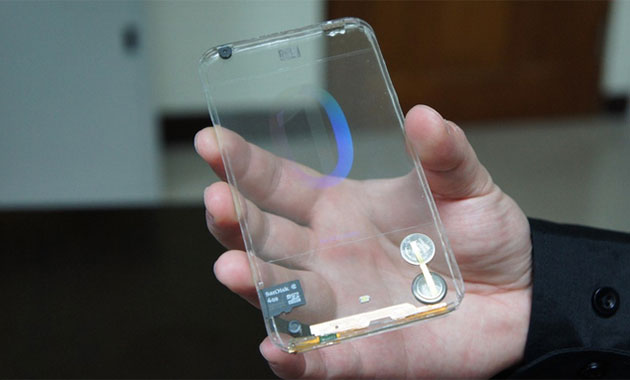 Smartphone android is a smart phone that can follow and obey what we want every day. Many Indonesian people are lulled to the sophistication of android smartphone that comes with interesting and varied features. Many smartphone manufacturers offer or sell their products at relatively cheaper prices like EverCross, Smartfreen Andromax, Lenovo, Advan, Axioo, Acer, Oppo and other android smartphone products. Cheap does not mean cheap? The existing features diponsel is not inferior to smartphones that have more expensive prices such as Samsung or Iphone. Starting from the body design, camera, RAM, Processor, and features that are inside it looks very tempting to buy such a smartphone. However, we as ordinary mobile users of course still feel confused as to what a good android phone it, what only seen from the body only or seen from the existing hardware features diproid android. 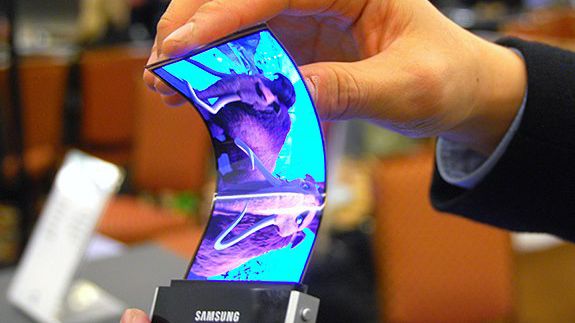 Overcome this let see some simple tips to choose a smartphone or tablet android a good and quality. Here are the tips. 1. CPU and RAM CPU or Central Processing Unit, you probably know this is on a computer or laptop, but actually a smartphone or tablet also has a CPU. Why is that? Because android smartphone as well as laptops, the difference is only small and large. Smartphones also use the operating system and computers also use the operating system. To choose a good CPU hardware (For Smartphone) is usually Dual-Core CPU. RAM or Random Access Memory is an important hardware that you should look after choosing the CPU. Opening applications, playing games, editing content, writing messages, and other activities also require RAM hardware. Lemot or not an android smartphone is usually caused due to small android RAM. Good smartphone RAM size is usually above 1 GB. 2. GPU GPU or (General Processing Unit) is a hardware that plays an important role in playing HD and 3D quality games. GPU is not Scrub Massage, but a graphics card that is the concern of gamers to choose the hardware specifications android smartphone. the higher the value of GPU then the better the graphical display of the game. Not only the game, but when you watch HD quality video will also look clear and very detailed if the graphics card does have a very good specifications. 3. Display Screen Display Android screen should also be a consideration when you want to buy a new smartphone. Starting from screen size, screen resolution, and screen sensitivity. Good screen technology for now at least must type IPS (in-Plane Switches) with a color combination of 16 million. In addition, choose a screen that has Multitouch support. What is Multitouch? Multitouch is a smartphone screen technology that can respond to touch with two or more fingers, this feature will make it easier for you to operate your android smartphone. For screen size, you should choose according to your needs. If viewed directly it is a wide screen is much better than a small screen, but you need to know that a smartphone with a wide screen of course feels more difficult to operate because it has to use two hands. So you should choose a screen size that suits your needs and is very easy to put into the bag. Not so big and not so small. 4. Camera Quality By choosing an android smartphone with good camera quality will certainly produce a beautiful and impressive shots. For the rear camera choose a camera with a minimum size of 5 MP complete with Flash. As for the front camera choose a camera with a minimum size of 1.5 or 3 MP. If you are a woman who likes to take pictures selfie ria may require a front camera equipped with Flash features to produce shots that are more leverage than the others. 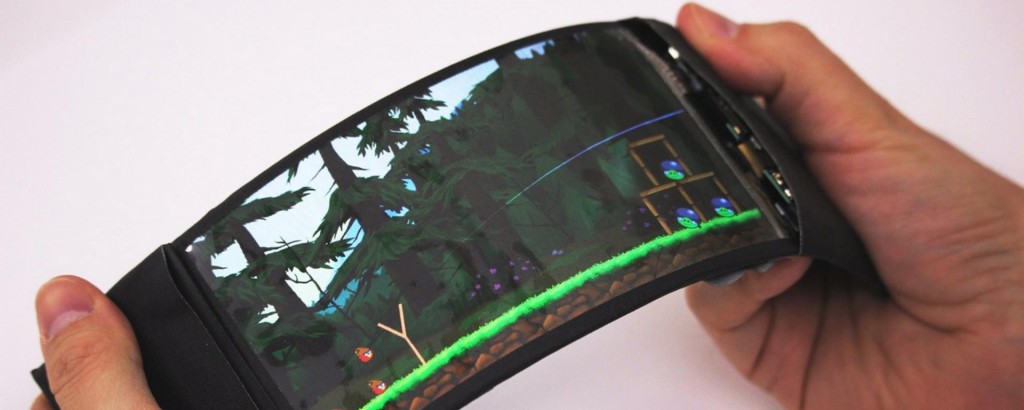 5. Battery Capacity Choosing a battery of android smartphone with a large capacity of course make the smartphone can last longer. For that choose a smartphone with a battery capacity of at least 2000 mAh, and if you like and often play games choose a smartphone with a battery capacity of at least 3000 mAh. 6. Network and Connectivity For network problems, maybe all smartphones already have a 3G or HSDPA network. And if you have more money, you can choose a smartphone with the latest network of Indonesia is 4G LTE. For connectivity must already support Wi-Fi, Bluetooth, USBport, and Headset. 7. Mobile Brand All kinds of android smartphones that circulate in Indonesia I think everything already knows, like Oppo, Smartfreen Andromax, Lenovo, Asus, Xiomi, Acer, Samsung, HTC and other android smartphone. Should choose a smartphone that is more you like and fit for your pocket. Pililah smartphone that suits your needs, not so cheap and not so expensive. Basically humans want to choose the best smartphone with features that are reliable and fast. However, it could happen damage in other times and days. Smartphone is arguably a smart phone, but without the user, the smartphone is not a smart product. So if reversed, we are the smart not the smartphone. Advice from me, choose a smartphone or tablet android that suits our daily needs. In addition, the price of smartphones should also be a consideration, so that your money does not run out just because of buying a smartphone. Similarly simple tips on How To Choose Smartphones Or Android Tablet Good And Qualified. Hopefully with this tips you can choose the best smartphone in accordance with your wishes. |
| json metadata | {"tags":["smartphone","technology","android","business","gamers"],"image":["https://steemitimages.com/DQmPZVSBbvSu6Lc8D7cKipkeMXcvq7cto5sywQqjoatJgNc/131587.jpg","https://steemitimages.com/DQmdAwEMvZb2tXePaScHqGdS56XwC9H285x5V5EYEhqzAC9/244c902d729604c690bd065f969c2111.jpg","https://steemitimages.com/DQmeqBszcXmFZ7zpNdsu27eoMsfFNyUJPWhjt1SP7EeGz8a/1.-Smartphone-Terbaru-Dengan-Layar-Dapat-Dilipat-2-1024x410.jpg"],"app":"steemit/0.1","format":"markdown"} |
| parent author | |
| parent permlink | smartphone |
| permlink | before-buying-this-tips-on-choosing-a-smartphone-for-you |
| title | before buying, this tips on choosing a smartphone for you |
| Transaction Info | Block #17337099/Trx 34d0df6d6f9e96e0595e9605ca8a14a91a51f9a8 |
View Raw JSON Data
{
"block": 17337099,
"op": [
"comment",
{
"author": "markam",
"body": "\n\nSmartphone android is a smart phone that can follow and obey what we want every day. Many Indonesian people are lulled to the sophistication of android smartphone that comes with interesting and varied features. Many smartphone manufacturers offer or sell their products at relatively cheaper prices like EverCross, Smartfreen Andromax, Lenovo, Advan, Axioo, Acer, Oppo and other android smartphone products.\n\nCheap does not mean cheap? The existing features diponsel is not inferior to smartphones that have more expensive prices such as Samsung or Iphone. Starting from the body design, camera, RAM, Processor, and features that are inside it looks very tempting to buy such a smartphone. However, we as ordinary mobile users of course still feel confused as to what a good android phone it, what only seen from the body only or seen from the existing hardware features diproid android.\n\n\n\nOvercome this let see some simple tips to choose a smartphone or tablet android a good and quality. Here are the tips.\n\n1. CPU and RAM\n\nCPU or Central Processing Unit, you probably know this is on a computer or laptop, but actually a smartphone or tablet also has a CPU. Why is that? Because android smartphone as well as laptops, the difference is only small and large. Smartphones also use the operating system and computers also use the operating system. To choose a good CPU hardware (For Smartphone) is usually Dual-Core CPU.\n\nRAM or Random Access Memory is an important hardware that you should look after choosing the CPU. Opening applications, playing games, editing content, writing messages, and other activities also require RAM hardware. Lemot or not an android smartphone is usually caused due to small android RAM. Good smartphone RAM size is usually above 1 GB.\n\n2. GPU\n\nGPU or (General Processing Unit) is a hardware that plays an important role in playing HD and 3D quality games. GPU is not Scrub Massage, but a graphics card that is the concern of gamers to choose the hardware specifications android smartphone. the higher the value of GPU then the better the graphical display of the game. Not only the game, but when you watch HD quality video will also look clear and very detailed if the graphics card does have a very good specifications.\n\n3. Display Screen\n\nDisplay Android screen should also be a consideration when you want to buy a new smartphone. Starting from screen size, screen resolution, and screen sensitivity. Good screen technology for now at least must type IPS (in-Plane Switches) with a color combination of 16 million. In addition, choose a screen that has Multitouch support. What is Multitouch? Multitouch is a smartphone screen technology that can respond to touch with two or more fingers, this feature will make it easier for you to operate your android smartphone.\n\nFor screen size, you should choose according to your needs. If viewed directly it is a wide screen is much better than a small screen, but you need to know that a smartphone with a wide screen of course feels more difficult to operate because it has to use two hands. So you should choose a screen size that suits your needs and is very easy to put into the bag. Not so big and not so small.\n\n4. Camera Quality\n\nBy choosing an android smartphone with good camera quality will certainly produce a beautiful and impressive shots. For the rear camera choose a camera with a minimum size of 5 MP complete with Flash. As for the front camera choose a camera with a minimum size of 1.5 or 3 MP. If you are a woman who likes to take pictures selfie ria may require a front camera equipped with Flash features to produce shots that are more leverage than the others.\n\n\n\n5. Battery Capacity\n\nChoosing a battery of android smartphone with a large capacity of course make the smartphone can last longer. For that choose a smartphone with a battery capacity of at least 2000 mAh, and if you like and often play games choose a smartphone with a battery capacity of at least 3000 mAh.\n\n6. Network and Connectivity\n\nFor network problems, maybe all smartphones already have a 3G or HSDPA network. And if you have more money, you can choose a smartphone with the latest network of Indonesia is 4G LTE. For connectivity must already support Wi-Fi, Bluetooth, USBport, and Headset.\n\n7. Mobile Brand\n\nAll kinds of android smartphones that circulate in Indonesia I think everything already knows, like Oppo, Smartfreen Andromax, Lenovo, Asus, Xiomi, Acer, Samsung, HTC and other android smartphone. Should choose a smartphone that is more you like and fit for your pocket. Pililah smartphone that suits your needs, not so cheap and not so expensive.\n\nBasically humans want to choose the best smartphone with features that are reliable and fast. However, it could happen damage in other times and days. Smartphone is arguably a smart phone, but without the user, the smartphone is not a smart product. So if reversed, we are the smart not the smartphone. Advice from me, choose a smartphone or tablet android that suits our daily needs. In addition, the price of smartphones should also be a consideration, so that your money does not run out just because of buying a smartphone.\n\nSimilarly simple tips on How To Choose Smartphones Or Android Tablet Good And Qualified. Hopefully with this tips you can choose the best smartphone in accordance with your wishes.",
"json_metadata": "{\"tags\":[\"smartphone\",\"technology\",\"android\",\"business\",\"gamers\"],\"image\":[\"https://steemitimages.com/DQmPZVSBbvSu6Lc8D7cKipkeMXcvq7cto5sywQqjoatJgNc/131587.jpg\",\"https://steemitimages.com/DQmdAwEMvZb2tXePaScHqGdS56XwC9H285x5V5EYEhqzAC9/244c902d729604c690bd065f969c2111.jpg\",\"https://steemitimages.com/DQmeqBszcXmFZ7zpNdsu27eoMsfFNyUJPWhjt1SP7EeGz8a/1.-Smartphone-Terbaru-Dengan-Layar-Dapat-Dilipat-2-1024x410.jpg\"],\"app\":\"steemit/0.1\",\"format\":\"markdown\"}",
"parent_author": "",
"parent_permlink": "smartphone",
"permlink": "before-buying-this-tips-on-choosing-a-smartphone-for-you",
"title": "before buying, this tips on choosing a smartphone for you"
}
],
"op_in_trx": 0,
"timestamp": "2017-11-18T18:29:00",
"trx_id": "34d0df6d6f9e96e0595e9605ca8a14a91a51f9a8",
"trx_in_block": 20,
"virtual_op": 0
}sarnalyupvoted (100.00%) @markam / between-iphone-x-versus-mi-mix-2-which-is-more-superior2017/11/18 18:21:18
sarnalyupvoted (100.00%) @markam / between-iphone-x-versus-mi-mix-2-which-is-more-superior
2017/11/18 18:21:18
| author | markam |
| permlink | between-iphone-x-versus-mi-mix-2-which-is-more-superior |
| voter | sarnaly |
| weight | 10000 (100.00%) |
| Transaction Info | Block #17336945/Trx 392419c1b16d84317962c8ddb3108df9743cab54 |
View Raw JSON Data
{
  "block": 17336945,
  "op": [
    "vote",
    {
      "author": "markam",
      "permlink": "between-iphone-x-versus-mi-mix-2-which-is-more-superior",
      "voter": "sarnaly",
      "weight": 10000
    }
  ],
  "op_in_trx": 0,
  "timestamp": "2017-11-18T18:21:18",
  "trx_id": "392419c1b16d84317962c8ddb3108df9743cab54",
  "trx_in_block": 7,
  "virtual_op": 0
}aldingtonupvoted (100.00%) @markam / between-iphone-x-versus-mi-mix-2-which-is-more-superior2017/11/18 18:20:51
aldingtonupvoted (100.00%) @markam / between-iphone-x-versus-mi-mix-2-which-is-more-superior
2017/11/18 18:20:51
| author | markam |
| permlink | between-iphone-x-versus-mi-mix-2-which-is-more-superior |
| voter | aldington |
| weight | 10000 (100.00%) |
| Transaction Info | Block #17336936/Trx 6cdd16ac686dcf214ff0fc5ac49e3998e9a252d7 |
View Raw JSON Data
{
  "block": 17336936,
  "op": [
    "vote",
    {
      "author": "markam",
      "permlink": "between-iphone-x-versus-mi-mix-2-which-is-more-superior",
      "voter": "aldington",
      "weight": 10000
    }
  ],
  "op_in_trx": 0,
  "timestamp": "2017-11-18T18:20:51",
  "trx_id": "6cdd16ac686dcf214ff0fc5ac49e3998e9a252d7",
  "trx_in_block": 9,
  "virtual_op": 0
}markamupvoted (100.00%) @markam / between-iphone-x-versus-mi-mix-2-which-is-more-superior2017/11/18 18:18:48
markamupvoted (100.00%) @markam / between-iphone-x-versus-mi-mix-2-which-is-more-superior
2017/11/18 18:18:48
| author | markam |
| permlink | between-iphone-x-versus-mi-mix-2-which-is-more-superior |
| voter | markam |
| weight | 10000 (100.00%) |
| Transaction Info | Block #17336895/Trx 966df93432d66bd14e2725c3909e6d8a4deb0433 |
View Raw JSON Data
{
  "block": 17336895,
  "op": [
    "vote",
    {
      "author": "markam",
      "permlink": "between-iphone-x-versus-mi-mix-2-which-is-more-superior",
      "voter": "markam",
      "weight": 10000
    }
  ],
  "op_in_trx": 0,
  "timestamp": "2017-11-18T18:18:48",
  "trx_id": "966df93432d66bd14e2725c3909e6d8a4deb0433",
  "trx_in_block": 5,
  "virtual_op": 0
}markampublished a new post: between-iphone-x-versus-mi-mix-2-which-is-more-superior2017/11/18 18:18:48
markampublished a new post: between-iphone-x-versus-mi-mix-2-which-is-more-superior
2017/11/18 18:18:48
| author | markam |
| body | 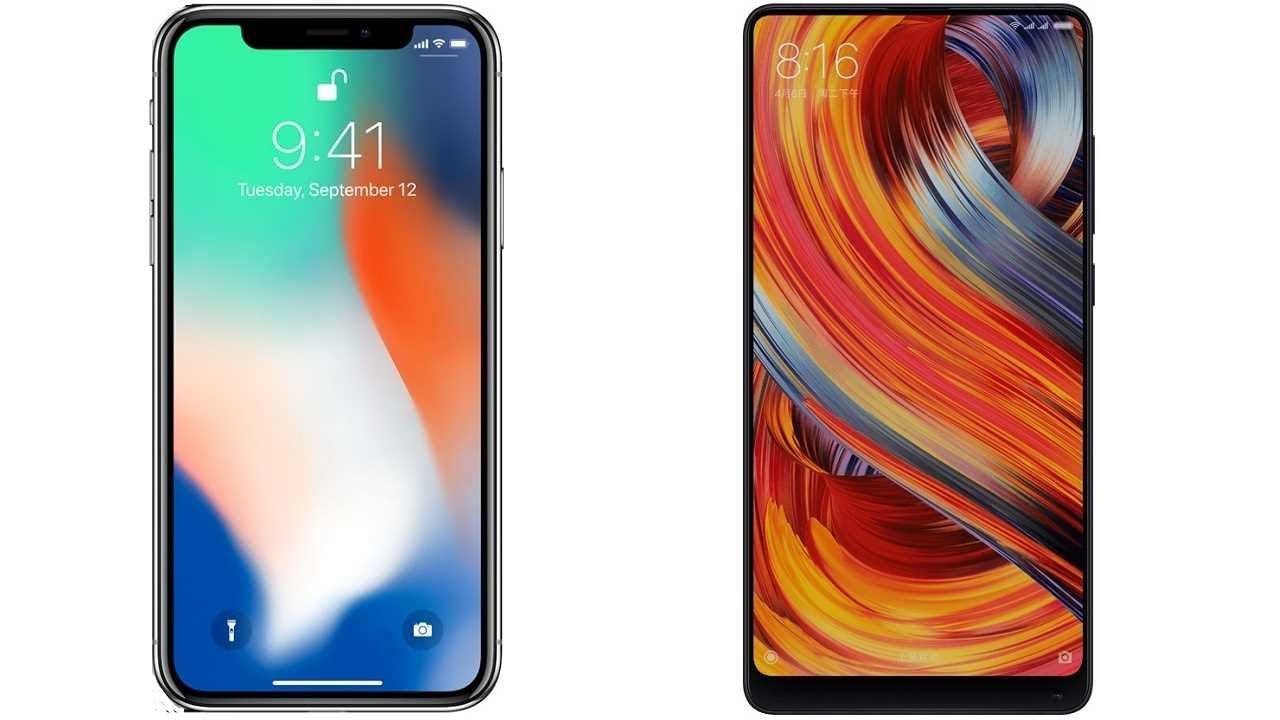 iPhone X has been announced after Mi Mix 2. Apple's device brings the body without a frame, similar to the device Xiaomi Mi Mix 2. The Gsmarena website shows the difference between the two handsets. From the side of the screen, Apple iPhone X carrying 5.8 inches, different thin with 5.99 inches on Xiaomi Mi Mix 2. If iPhone X comes up with a resolution of 1125 x 2436 pixels, Mi Mix 2 comes with 1080 x 2160 pixels. Sign in on the device hardware, the processor embedded in the iPhone X Apple A11 Bionic with Hexa-core CPU (2x Monsoon + 4x Mistral), while Mi Mix 2 with Qualcomm MSM8998 Snapdragon 835 (Octa-core CPU). RAM owned Mi Mix 2 seems superior because the company offers 6GB or 8GB option, while on the iPhone X with 3GB of RAM. Both handsets also offer storage options with a large capacity, ie from the lowest 64GB and the highest 256GB. In the camera sector, iPhone X comes with 12MP dual features, f / 1.8 & f / 2.4 equipped with autofocus capability, OIS, 2x optical zoom and quad-LED (dual tone) flash. For the front camera, Apple equip X with 7MP sensor with f / 2.2 openings. While Mi Mix 2 brings the main camera 12MP features OIS (4-axis), dual-LED (dual tone) flash. On the front camera, Xiaomi equip Mi Mix 2 with 5MP sharpness. For sensor completeness, Apple iPhone X features Face ID, while Mi Mix 2 with fingerprint sensor (fingerprint) located at the back of the phone body. Both handsets also both have the ability to fast charging, only iPhone X has wireless charging support (Qi wireless charging). Site Gsmarena write Mi Mix 2 supported 3,400 mAh battery. On the iPhone X is not known how much the battery capacity of the device, but Apple said that the battery of iPhone X can last two hours longer than the iPhone 7 |
| json metadata | {"tags":["smartphone","technology","android","xiaomimimix2","iphonex"],"image":["https://steemitimages.com/DQmSHAXUAii7e8ephNVog11xhtxRnoAPu7M8qZQj1Na8TJC/maxresdefault.jpg"],"app":"steemit/0.1","format":"markdown"} |
| parent author | |
| parent permlink | smartphone |
| permlink | between-iphone-x-versus-mi-mix-2-which-is-more-superior |
| title | Between iPhone X versus Mi Mix 2, Which Is More Superior? |
| Transaction Info | Block #17336895/Trx 966df93432d66bd14e2725c3909e6d8a4deb0433 |
View Raw JSON Data
{
"block": 17336895,
"op": [
"comment",
{
"author": "markam",
"body": "\niPhone X has been announced after Mi Mix 2. Apple's device brings the body without a frame, similar to the device Xiaomi Mi Mix 2.\n\nThe Gsmarena website shows the difference between the two handsets. From the side of the screen, Apple iPhone X carrying 5.8 inches, different thin with 5.99 inches on Xiaomi Mi Mix 2. If iPhone X comes up with a resolution of 1125 x 2436 pixels, Mi Mix 2 comes with 1080 x 2160 pixels.\n\nSign in on the device hardware, the processor embedded in the iPhone X Apple A11 Bionic with Hexa-core CPU (2x Monsoon + 4x Mistral), while Mi Mix 2 with Qualcomm MSM8998 Snapdragon 835 (Octa-core CPU).\n\nRAM owned Mi Mix 2 seems superior because the company offers 6GB or 8GB option, while on the iPhone X with 3GB of RAM. Both handsets also offer storage options with a large capacity, ie from the lowest 64GB and the highest 256GB.\n\nIn the camera sector, iPhone X comes with 12MP dual features, f / 1.8 & f / 2.4 equipped with autofocus capability, OIS, 2x optical zoom and quad-LED (dual tone) flash. For the front camera, Apple equip X with 7MP sensor with f / 2.2 openings.\n\nWhile Mi Mix 2 brings the main camera 12MP features OIS (4-axis), dual-LED (dual tone) flash. On the front camera, Xiaomi equip Mi Mix 2 with 5MP sharpness.\n\nFor sensor completeness, Apple iPhone X features Face ID, while Mi Mix 2 with fingerprint sensor (fingerprint) located at the back of the phone body. Both handsets also both have the ability to fast charging, only iPhone X has wireless charging support (Qi wireless charging).\n\nSite Gsmarena write Mi Mix 2 supported 3,400 mAh battery. On the iPhone X is not known how much the battery capacity of the device, but Apple said that the battery of iPhone X can last two hours longer than the iPhone 7",
"json_metadata": "{\"tags\":[\"smartphone\",\"technology\",\"android\",\"xiaomimimix2\",\"iphonex\"],\"image\":[\"https://steemitimages.com/DQmSHAXUAii7e8ephNVog11xhtxRnoAPu7M8qZQj1Na8TJC/maxresdefault.jpg\"],\"app\":\"steemit/0.1\",\"format\":\"markdown\"}",
"parent_author": "",
"parent_permlink": "smartphone",
"permlink": "between-iphone-x-versus-mi-mix-2-which-is-more-superior",
"title": "Between iPhone X versus Mi Mix 2, Which Is More Superior?"
}
],
"op_in_trx": 0,
"timestamp": "2017-11-18T18:18:48",
"trx_id": "966df93432d66bd14e2725c3909e6d8a4deb0433",
"trx_in_block": 5,
"virtual_op": 0
}bigpandaupvoted (5.00%) @markam / did-you-know-the-smallest-cell-phone-in-the-world2017/11/18 18:12:36
bigpandaupvoted (5.00%) @markam / did-you-know-the-smallest-cell-phone-in-the-world
2017/11/18 18:12:36
| author | markam |
| permlink | did-you-know-the-smallest-cell-phone-in-the-world |
| voter | bigpanda |
| weight | 500 (5.00%) |
| Transaction Info | Block #17336771/Trx 43c4269aad61427f36ddb398018733cf96a8b5c9 |
View Raw JSON Data
{
  "block": 17336771,
  "op": [
    "vote",
    {
      "author": "markam",
      "permlink": "did-you-know-the-smallest-cell-phone-in-the-world",
      "voter": "bigpanda",
      "weight": 500
    }
  ],
  "op_in_trx": 0,
  "timestamp": "2017-11-18T18:12:36",
  "trx_id": "43c4269aad61427f36ddb398018733cf96a8b5c9",
  "trx_in_block": 30,
  "virtual_op": 0
}2017/11/18 18:11:21
2017/11/18 18:11:21
| author | markam |
| body | could have been, because of its small shape |
| json metadata | {"tags":["technology"],"app":"steemit/0.1"} |
| parent author | heartwants |
| parent permlink | re-markam-did-you-know-the-smallest-cell-phone-in-the-world-20171118t181008581z |
| permlink | re-heartwants-re-markam-did-you-know-the-smallest-cell-phone-in-the-world-20171118t181119223z |
| title | |
| Transaction Info | Block #17336746/Trx aa7ad33cd54d0427c2febf56136b033a068fc39b |
View Raw JSON Data
{
  "block": 17336746,
  "op": [
    "comment",
    {
      "author": "markam",
      "body": "could have been, because of its small shape",
      "json_metadata": "{\"tags\":[\"technology\"],\"app\":\"steemit/0.1\"}",
      "parent_author": "heartwants",
      "parent_permlink": "re-markam-did-you-know-the-smallest-cell-phone-in-the-world-20171118t181008581z",
      "permlink": "re-heartwants-re-markam-did-you-know-the-smallest-cell-phone-in-the-world-20171118t181119223z",
      "title": ""
    }
  ],
  "op_in_trx": 0,
  "timestamp": "2017-11-18T18:11:21",
  "trx_id": "aa7ad33cd54d0427c2febf56136b033a068fc39b",
  "trx_in_block": 6,
  "virtual_op": 0
}2017/11/18 18:10:12
2017/11/18 18:10:12
| author | heartwants |
| body | Battery timing is much lower |
| json metadata | {"tags":["technology"],"app":"steemit/0.1"} |
| parent author | markam |
| parent permlink | did-you-know-the-smallest-cell-phone-in-the-world |
| permlink | re-markam-did-you-know-the-smallest-cell-phone-in-the-world-20171118t181008581z |
| title | |
| Transaction Info | Block #17336723/Trx 47a78956a0136b2ee33c1f4c38057c219d785f5d |
View Raw JSON Data
{
  "block": 17336723,
  "op": [
    "comment",
    {
      "author": "heartwants",
      "body": "Battery timing is much lower",
      "json_metadata": "{\"tags\":[\"technology\"],\"app\":\"steemit/0.1\"}",
      "parent_author": "markam",
      "parent_permlink": "did-you-know-the-smallest-cell-phone-in-the-world",
      "permlink": "re-markam-did-you-know-the-smallest-cell-phone-in-the-world-20171118t181008581z",
      "title": ""
    }
  ],
  "op_in_trx": 0,
  "timestamp": "2017-11-18T18:10:12",
  "trx_id": "47a78956a0136b2ee33c1f4c38057c219d785f5d",
  "trx_in_block": 12,
  "virtual_op": 0
}heartwantsupvoted (100.00%) @markam / did-you-know-the-smallest-cell-phone-in-the-world2017/11/18 18:10:00
heartwantsupvoted (100.00%) @markam / did-you-know-the-smallest-cell-phone-in-the-world
2017/11/18 18:10:00
| author | markam |
| permlink | did-you-know-the-smallest-cell-phone-in-the-world |
| voter | heartwants |
| weight | 10000 (100.00%) |
| Transaction Info | Block #17336719/Trx 56115e2ee9d934d89058fd997b77f5ad8904ca1d |
View Raw JSON Data
{
  "block": 17336719,
  "op": [
    "vote",
    {
      "author": "markam",
      "permlink": "did-you-know-the-smallest-cell-phone-in-the-world",
      "voter": "heartwants",
      "weight": 10000
    }
  ],
  "op_in_trx": 0,
  "timestamp": "2017-11-18T18:10:00",
  "trx_id": "56115e2ee9d934d89058fd997b77f5ad8904ca1d",
  "trx_in_block": 34,
  "virtual_op": 0
}psfarukupvoted (100.00%) @markam / did-you-know-the-smallest-cell-phone-in-the-world2017/11/18 18:07:24
psfarukupvoted (100.00%) @markam / did-you-know-the-smallest-cell-phone-in-the-world
2017/11/18 18:07:24
| author | markam |
| permlink | did-you-know-the-smallest-cell-phone-in-the-world |
| voter | psfaruk |
| weight | 10000 (100.00%) |
| Transaction Info | Block #17336667/Trx 795d6341067753040d4926544aedb6ad05595534 |
View Raw JSON Data
{
  "block": 17336667,
  "op": [
    "vote",
    {
      "author": "markam",
      "permlink": "did-you-know-the-smallest-cell-phone-in-the-world",
      "voter": "psfaruk",
      "weight": 10000
    }
  ],
  "op_in_trx": 0,
  "timestamp": "2017-11-18T18:07:24",
  "trx_id": "795d6341067753040d4926544aedb6ad05595534",
  "trx_in_block": 8,
  "virtual_op": 0
}markamupvoted (100.00%) @markam / did-you-know-the-smallest-cell-phone-in-the-world2017/11/18 18:07:00
markamupvoted (100.00%) @markam / did-you-know-the-smallest-cell-phone-in-the-world
2017/11/18 18:07:00
| author | markam |
| permlink | did-you-know-the-smallest-cell-phone-in-the-world |
| voter | markam |
| weight | 10000 (100.00%) |
| Transaction Info | Block #17336659/Trx 2aae1db43f7f160e68c9f73b2bd7c4b6c252a069 |
View Raw JSON Data
{
  "block": 17336659,
  "op": [
    "vote",
    {
      "author": "markam",
      "permlink": "did-you-know-the-smallest-cell-phone-in-the-world",
      "voter": "markam",
      "weight": 10000
    }
  ],
  "op_in_trx": 0,
  "timestamp": "2017-11-18T18:07:00",
  "trx_id": "2aae1db43f7f160e68c9f73b2bd7c4b6c252a069",
  "trx_in_block": 8,
  "virtual_op": 0
}markampublished a new post: did-you-know-the-smallest-cell-phone-in-the-world2017/11/18 18:07:00
markampublished a new post: did-you-know-the-smallest-cell-phone-in-the-world
2017/11/18 18:07:00
| author | markam |
| body | 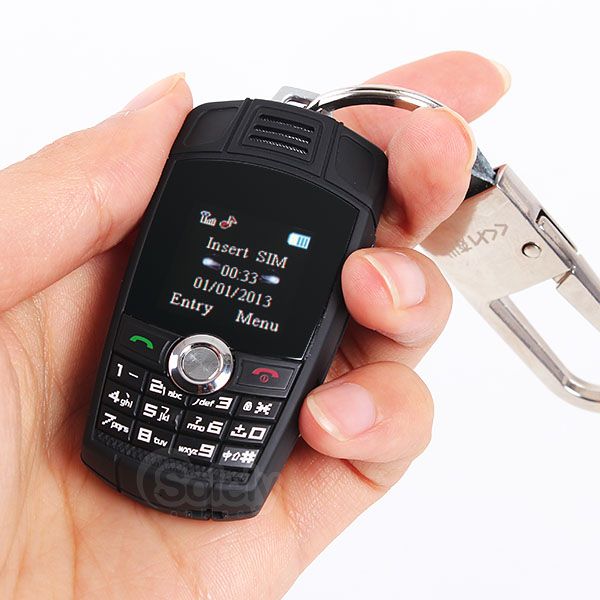 The position of the smallest mobile phone champion precisely achieved by the world's leading car manufacturer, BMW. Yes, BMW also penetrated the mobile phone industry by presenting a series of Key Fob Phone that the size is very small. Because of this tiny phone, various sources can not reveal how the weight and dimensions are accurate for mobile phones. However, there are unique facts that come from this series of phones, it was revealed that the BMW Key Fob Phone is often used by prisoners in British prisons because it has a small form of phone that looks like a key and easy to tuck. They often use mobile phones to contact their colleagues outside the prison. Whereas in British territory, if detainees are caught using a cell phone, they will be charged an additional two years in prison. 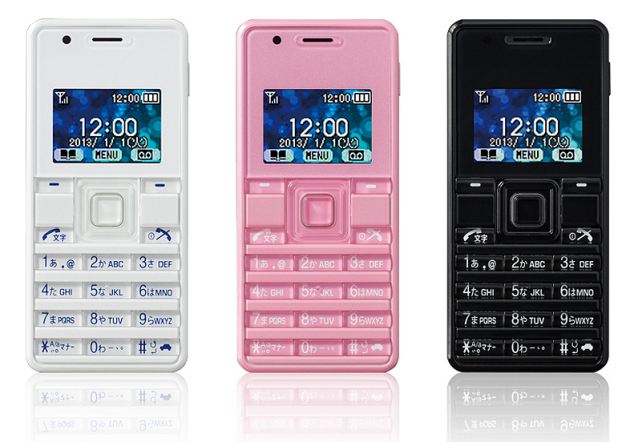 Japanese output phone has a weight of 32 grams and dimensions of 32 x 70 x 10.7 mm only. Willcom WX06A comes with three attractive colors, namely white, pink and black. Because pegged size is so tiny, unfortunately Willcom WX06A does not have a camera. The capacity of this phone battery is also just pegged up to 2 hours only. However, you can still send SMS messages, call, and even email. |
| json metadata | {"tags":["technology","smartphone","tiny"],"image":["https://steemitimages.com/DQmNPxcrzTGL2SUc7kFggVncr2LH1FRYK4vcQq22Ho9444f/MINIX6-B-04.jpg","https://steemitimages.com/DQmSAERqMg5hAvCQe4GqhooSdHtAGcjLDDeyTyTivbWtyzc/article-2288947-187908AE000005DC-573_634x442.jpg"],"app":"steemit/0.1","format":"markdown"} |
| parent author | |
| parent permlink | technology |
| permlink | did-you-know-the-smallest-cell-phone-in-the-world |
| title | Did you know the smallest cell phone in the world? |
| Transaction Info | Block #17336659/Trx 2aae1db43f7f160e68c9f73b2bd7c4b6c252a069 |
View Raw JSON Data
{
"block": 17336659,
"op": [
"comment",
{
"author": "markam",
"body": "\nThe position of the smallest mobile phone champion precisely achieved by the world's leading car manufacturer, BMW. Yes, BMW also penetrated the mobile phone industry by presenting a series of Key Fob Phone that the size is very small.\n\nBecause of this tiny phone, various sources can not reveal how the weight and dimensions are accurate for mobile phones.\n\nHowever, there are unique facts that come from this series of phones, it was revealed that the BMW Key Fob Phone is often used by prisoners in British prisons because it has a small form of phone that looks like a key and easy to tuck.\n\nThey often use mobile phones to contact their colleagues outside the prison. Whereas in British territory, if detainees are caught using a cell phone, they will be charged an additional two years in prison.\n\n\n\nJapanese output phone has a weight of 32 grams and dimensions of 32 x 70 x 10.7 mm only. Willcom WX06A comes with three attractive colors, namely white, pink and black.\n\nBecause pegged size is so tiny, unfortunately Willcom WX06A does not have a camera. The capacity of this phone battery is also just pegged up to 2 hours only. However, you can still send SMS messages, call, and even email.",
"json_metadata": "{\"tags\":[\"technology\",\"smartphone\",\"tiny\"],\"image\":[\"https://steemitimages.com/DQmNPxcrzTGL2SUc7kFggVncr2LH1FRYK4vcQq22Ho9444f/MINIX6-B-04.jpg\",\"https://steemitimages.com/DQmSAERqMg5hAvCQe4GqhooSdHtAGcjLDDeyTyTivbWtyzc/article-2288947-187908AE000005DC-573_634x442.jpg\"],\"app\":\"steemit/0.1\",\"format\":\"markdown\"}",
"parent_author": "",
"parent_permlink": "technology",
"permlink": "did-you-know-the-smallest-cell-phone-in-the-world",
"title": "Did you know the smallest cell phone in the world?"
}
],
"op_in_trx": 0,
"timestamp": "2017-11-18T18:07:00",
"trx_id": "2aae1db43f7f160e68c9f73b2bd7c4b6c252a069",
"trx_in_block": 8,
"virtual_op": 0
}osatnichevsupvoted (100.00%) @markam / this-is-a-smartphone-for-you-who-like-playing-games2017/11/18 17:04:03
osatnichevsupvoted (100.00%) @markam / this-is-a-smartphone-for-you-who-like-playing-games
2017/11/18 17:04:03
| author | markam |
| permlink | this-is-a-smartphone-for-you-who-like-playing-games |
| voter | osatnichevs |
| weight | 10000 (100.00%) |
| Transaction Info | Block #17335402/Trx dc501077bca5b65b665c5818229f9477ac4a3b77 |
View Raw JSON Data
{
  "block": 17335402,
  "op": [
    "vote",
    {
      "author": "markam",
      "permlink": "this-is-a-smartphone-for-you-who-like-playing-games",
      "voter": "osatnichevs",
      "weight": 10000
    }
  ],
  "op_in_trx": 0,
  "timestamp": "2017-11-18T17:04:03",
  "trx_id": "dc501077bca5b65b665c5818229f9477ac4a3b77",
  "trx_in_block": 30,
  "virtual_op": 0
}simmoneupvoted (100.00%) @markam / this-is-a-smartphone-for-you-who-like-playing-games2017/11/18 17:04:03
simmoneupvoted (100.00%) @markam / this-is-a-smartphone-for-you-who-like-playing-games
2017/11/18 17:04:03
| author | markam |
| permlink | this-is-a-smartphone-for-you-who-like-playing-games |
| voter | simmone |
| weight | 10000 (100.00%) |
| Transaction Info | Block #17335402/Trx befae443e54cdf5e6d170a1df2230c2e49db48d3 |
View Raw JSON Data
{
  "block": 17335402,
  "op": [
    "vote",
    {
      "author": "markam",
      "permlink": "this-is-a-smartphone-for-you-who-like-playing-games",
      "voter": "simmone",
      "weight": 10000
    }
  ],
  "op_in_trx": 0,
  "timestamp": "2017-11-18T17:04:03",
  "trx_id": "befae443e54cdf5e6d170a1df2230c2e49db48d3",
  "trx_in_block": 24,
  "virtual_op": 0
}semenkovupvoted (100.00%) @markam / this-is-a-smartphone-for-you-who-like-playing-games2017/11/18 17:04:03
semenkovupvoted (100.00%) @markam / this-is-a-smartphone-for-you-who-like-playing-games
2017/11/18 17:04:03
| author | markam |
| permlink | this-is-a-smartphone-for-you-who-like-playing-games |
| voter | semenkov |
| weight | 10000 (100.00%) |
| Transaction Info | Block #17335402/Trx 6fef2e64c227ec7b5f5bd703d3ae1cf8462db9b1 |
View Raw JSON Data
{
  "block": 17335402,
  "op": [
    "vote",
    {
      "author": "markam",
      "permlink": "this-is-a-smartphone-for-you-who-like-playing-games",
      "voter": "semenkov",
      "weight": 10000
    }
  ],
  "op_in_trx": 0,
  "timestamp": "2017-11-18T17:04:03",
  "trx_id": "6fef2e64c227ec7b5f5bd703d3ae1cf8462db9b1",
  "trx_in_block": 14,
  "virtual_op": 0
}ninaaximupvoted (100.00%) @markam / this-is-a-smartphone-for-you-who-like-playing-games2017/11/18 17:04:03
ninaaximupvoted (100.00%) @markam / this-is-a-smartphone-for-you-who-like-playing-games
2017/11/18 17:04:03
| author | markam |
| permlink | this-is-a-smartphone-for-you-who-like-playing-games |
| voter | ninaaxim |
| weight | 10000 (100.00%) |
| Transaction Info | Block #17335402/Trx 5b02153b7c9b060b2dc390e866e79cd8ccbdc6e4 |
View Raw JSON Data
{
  "block": 17335402,
  "op": [
    "vote",
    {
      "author": "markam",
      "permlink": "this-is-a-smartphone-for-you-who-like-playing-games",
      "voter": "ninaaxim",
      "weight": 10000
    }
  ],
  "op_in_trx": 0,
  "timestamp": "2017-11-18T17:04:03",
  "trx_id": "5b02153b7c9b060b2dc390e866e79cd8ccbdc6e4",
  "trx_in_block": 9,
  "virtual_op": 0
}marggaritupvoted (100.00%) @markam / this-is-a-smartphone-for-you-who-like-playing-games2017/11/18 17:04:00
marggaritupvoted (100.00%) @markam / this-is-a-smartphone-for-you-who-like-playing-games
2017/11/18 17:04:00
| author | markam |
| permlink | this-is-a-smartphone-for-you-who-like-playing-games |
| voter | marggarit |
| weight | 10000 (100.00%) |
| Transaction Info | Block #17335401/Trx 0c1ca51c316481a7acade86781590112a9c4e6be |
View Raw JSON Data
{
  "block": 17335401,
  "op": [
    "vote",
    {
      "author": "markam",
      "permlink": "this-is-a-smartphone-for-you-who-like-playing-games",
      "voter": "marggarit",
      "weight": 10000
    }
  ],
  "op_in_trx": 0,
  "timestamp": "2017-11-18T17:04:00",
  "trx_id": "0c1ca51c316481a7acade86781590112a9c4e6be",
  "trx_in_block": 16,
  "virtual_op": 0
}hihu555upvoted (100.00%) @markam / this-is-a-smartphone-for-you-who-like-playing-games2017/11/18 17:03:57
hihu555upvoted (100.00%) @markam / this-is-a-smartphone-for-you-who-like-playing-games
2017/11/18 17:03:57
| author | markam |
| permlink | this-is-a-smartphone-for-you-who-like-playing-games |
| voter | hihu555 |
| weight | 10000 (100.00%) |
| Transaction Info | Block #17335400/Trx ab807be6a808cf24e0c0b67d28ea9c2891702649 |
View Raw JSON Data
{
  "block": 17335400,
  "op": [
    "vote",
    {
      "author": "markam",
      "permlink": "this-is-a-smartphone-for-you-who-like-playing-games",
      "voter": "hihu555",
      "weight": 10000
    }
  ],
  "op_in_trx": 0,
  "timestamp": "2017-11-18T17:03:57",
  "trx_id": "ab807be6a808cf24e0c0b67d28ea9c2891702649",
  "trx_in_block": 33,
  "virtual_op": 0
}uslankhetsupvoted (100.00%) @markam / this-is-a-smartphone-for-you-who-like-playing-games2017/11/18 17:03:57
uslankhetsupvoted (100.00%) @markam / this-is-a-smartphone-for-you-who-like-playing-games
2017/11/18 17:03:57
| author | markam |
| permlink | this-is-a-smartphone-for-you-who-like-playing-games |
| voter | uslankhets |
| weight | 10000 (100.00%) |
| Transaction Info | Block #17335400/Trx 81278984bd25ec3252c12f768b0d13bbc6d8259c |
View Raw JSON Data
{
  "block": 17335400,
  "op": [
    "vote",
    {
      "author": "markam",
      "permlink": "this-is-a-smartphone-for-you-who-like-playing-games",
      "voter": "uslankhets",
      "weight": 10000
    }
  ],
  "op_in_trx": 0,
  "timestamp": "2017-11-18T17:03:57",
  "trx_id": "81278984bd25ec3252c12f768b0d13bbc6d8259c",
  "trx_in_block": 10,
  "virtual_op": 0
}Manabar
Voting Power100.00%
Downvote Power100.00%
Resource Credits100.00%
Reputation Progress41.91%
{
  "voting_manabar": {
    "current_mana": "8143659806",
    "last_update_time": 1779074775
  },
  "downvote_manabar": {
    "current_mana": 2035914951,
    "last_update_time": 1779074775
  },
  "rc_account": {
    "account": "markam",
    "max_rc": "10164408779",
    "max_rc_creation_adjustment": {
      "amount": "2020748973",
      "nai": "@@000000037",
      "precision": 6
    },
    "rc_manabar": {
      "current_mana": "10164408779",
      "last_update_time": 1779074775
    }
  }
}
Account Metadata
| POSTING JSON METADATA | |
| None | |
| JSON METADATA | |
| None |
{
  "posting_json_metadata": {},
  "json_metadata": {}
}
Auth Keys
Owner
Single Signature
Public Keys
STM7cfQNxxXyHgeBQy7E6KXttxpmGZbyjTp13v5ge1TBr5psmEoh31/1
Active
Single Signature
Public Keys
STM5grypfDpAnRACU1Yv5RD67iSFaCaqjHtyVgcn6G53DHG31VNeS1/1
Posting
Single Signature
Public Keys
STM7a252xPYaRNXpDVumiwdEfnBntHkQ7GUNsk8DAfwZS2QwXhhbu1/1
Memo
STM5eubunn4nFpSWpbd8ekvQrV514HgMWb97ox2ubxnpbpbM2DCg8
{
  "owner": {
    "account_auths": [],
    "key_auths": [
      [
        "STM7cfQNxxXyHgeBQy7E6KXttxpmGZbyjTp13v5ge1TBr5psmEoh3",
        1
      ]
    ],
    "weight_threshold": 1
  },
  "active": {
    "account_auths": [],
    "key_auths": [
      [
        "STM5grypfDpAnRACU1Yv5RD67iSFaCaqjHtyVgcn6G53DHG31VNeS",
        1
      ]
    ],
    "weight_threshold": 1
  },
  "posting": {
    "account_auths": [],
    "key_auths": [
      [
        "STM7a252xPYaRNXpDVumiwdEfnBntHkQ7GUNsk8DAfwZS2QwXhhbu",
        1
      ]
    ],
    "weight_threshold": 1
  },
  "memo": "STM5eubunn4nFpSWpbd8ekvQrV514HgMWb97ox2ubxnpbpbM2DCg8"
}
Witness Votes
0 / 30
No active witness votes.
[]