

VOTING POWER100.00%
DOWNVOTE POWER100.00%
RESOURCE CREDITS100.00%
REPUTATION PROGRESS38.13%
Net Worth
3.003USD
STEEM
0.422STEEM
SBD
0.484SBD
Own SP
47.349SP
Detailed Balance
| STEEM | ||
| balance | 0.397STEEM | STEEM |
| market_balance | 0.000STEEM | STEEM |
| savings_balance | 0.000STEEM | STEEM |
| reward_steem_balance | 0.025STEEM | STEEM |
| STEEM POWER | ||
| Own SP | 47.349SP | SP |
| Delegated Out | 0.000SP | SP |
| Delegation In | 0.000SP | SP |
| Effective Power | 47.349SP | SP |
| Reward SP (pending) | 0.943SP | SP |
| SBD | ||
| sbd_balance | 0.254SBD | SBD |
| sbd_conversions | 0.000SBD | SBD |
| sbd_market_balance | 0.000SBD | SBD |
| savings_sbd_balance | 0.000SBD | SBD |
| reward_sbd_balance | 0.230SBD | SBD |
{
  "balance": "0.397 STEEM",
  "savings_balance": "0.000 STEEM",
  "reward_steem_balance": "0.025 STEEM",
  "vesting_shares": "77010.197900 VESTS",
  "delegated_vesting_shares": "0.000000 VESTS",
  "received_vesting_shares": "0.000000 VESTS",
  "sbd_balance": "0.254 SBD",
  "savings_sbd_balance": "0.000 SBD",
  "reward_sbd_balance": "0.230 SBD",
  "conversions": []
}
Account Info
| name | abrienne3 |
| id | 133375 |
| rank | 42,534 |
| reputation | 66090562408 |
| created | 2017-02-20T10:37:27 |
| recovery_account | steem |
| proxy | None |
| post_count | 49 |
| comment_count | 0 |
| lifetime_vote_count | 0 |
| witnesses_voted_for | 0 |
| last_post | 2020-08-13T11:55:42 |
| last_root_post | 2020-08-13T11:55:42 |
| last_vote_time | 2019-02-21T05:55:12 |
| proxied_vsf_votes | 0, 0, 0, 0 |
| can_vote | 1 |
| voting_power | 9,800 |
| delayed_votes | 0 |
| balance | 0.397 STEEM |
| savings_balance | 0.000 STEEM |
| sbd_balance | 0.254 SBD |
| savings_sbd_balance | 0.000 SBD |
| vesting_shares | 77010.197900 VESTS |
| delegated_vesting_shares | 0.000000 VESTS |
| received_vesting_shares | 0.000000 VESTS |
| reward_vesting_balance | 1943.929349 VESTS |
| vesting_balance | 0.000 STEEM |
| vesting_withdraw_rate | 0.000000 VESTS |
| next_vesting_withdrawal | 1969-12-31T23:59:59 |
| withdrawn | 0 |
| to_withdraw | 0 |
| withdraw_routes | 0 |
| savings_withdraw_requests | 0 |
| last_account_recovery | 1970-01-01T00:00:00 |
| reset_account | null |
| last_owner_update | 1970-01-01T00:00:00 |
| last_account_update | 1970-01-01T00:00:00 |
| mined | No |
| sbd_seconds | 0 |
| sbd_last_interest_payment | 1970-01-01T00:00:00 |
| savings_sbd_last_interest_payment | 1970-01-01T00:00:00 |
{
  "active": {
    "account_auths": [],
    "key_auths": [
      [
        "STM7BfY3YZRoKTZ7Q7G28PDPkzTso72bpogTyp6udB83pQe1oSGFy",
        1
      ]
    ],
    "weight_threshold": 1
  },
  "balance": "0.397 STEEM",
  "can_vote": true,
  "comment_count": 0,
  "created": "2017-02-20T10:37:27",
  "curation_rewards": 0,
  "delegated_vesting_shares": "0.000000 VESTS",
  "downvote_manabar": {
    "current_mana": 0,
    "last_update_time": 1487587047
  },
  "guest_bloggers": [],
  "id": 133375,
  "json_metadata": "",
  "last_account_recovery": "1970-01-01T00:00:00",
  "last_account_update": "1970-01-01T00:00:00",
  "last_owner_update": "1970-01-01T00:00:00",
  "last_post": "2020-08-13T11:55:42",
  "last_root_post": "2020-08-13T11:55:42",
  "last_vote_time": "2019-02-21T05:55:12",
  "lifetime_vote_count": 0,
  "market_history": [],
  "memo_key": "STM5Za61V5UQgjyEkvG6gQvog3m3RhXY7HXyM8X5LqA79FhcZ8oJk",
  "mined": false,
  "name": "abrienne3",
  "next_vesting_withdrawal": "1969-12-31T23:59:59",
  "other_history": [],
  "owner": {
    "account_auths": [],
    "key_auths": [
      [
        "STM5AeDEAciHGbF2Y9K8ZX8erUWkDoJB9UuGjuD772vf716dB65ph",
        1
      ]
    ],
    "weight_threshold": 1
  },
  "pending_claimed_accounts": 0,
  "post_bandwidth": 10664,
  "post_count": 49,
  "post_history": [],
  "posting": {
    "account_auths": [],
    "key_auths": [
      [
        "STM6h7W4MrCsSzS5e8fcLBUQUrn6kRya3STsCEW74JHVBGgZoPxpB",
        1
      ]
    ],
    "weight_threshold": 1
  },
  "posting_json_metadata": "",
  "posting_rewards": 5834,
  "proxied_vsf_votes": [
    0,
    0,
    0,
    0
  ],
  "proxy": "",
  "received_vesting_shares": "0.000000 VESTS",
  "recovery_account": "steem",
  "reputation": "66090562408",
  "reset_account": "null",
  "reward_sbd_balance": "0.230 SBD",
  "reward_steem_balance": "0.025 STEEM",
  "reward_vesting_balance": "1943.929349 VESTS",
  "reward_vesting_steem": "0.943 STEEM",
  "savings_balance": "0.000 STEEM",
  "savings_sbd_balance": "0.000 SBD",
  "savings_sbd_last_interest_payment": "1970-01-01T00:00:00",
  "savings_sbd_seconds": "0",
  "savings_sbd_seconds_last_update": "1970-01-01T00:00:00",
  "savings_withdraw_requests": 0,
  "sbd_balance": "0.254 SBD",
  "sbd_last_interest_payment": "1970-01-01T00:00:00",
  "sbd_seconds": "0",
  "sbd_seconds_last_update": "2017-03-25T12:11:15",
  "tags_usage": [],
  "to_withdraw": 0,
  "transfer_history": [],
  "vesting_balance": "0.000 STEEM",
  "vesting_shares": "77010.197900 VESTS",
  "vesting_withdraw_rate": "0.000000 VESTS",
  "vote_history": [],
  "voting_manabar": {
    "current_mana": "75469993942",
    "last_update_time": 1550728512
  },
  "voting_power": 9800,
  "withdraw_routes": 0,
  "withdrawn": 0,
  "witness_votes": [],
  "witnesses_voted_for": 0,
  "rank": 42534
}
Withdraw Routes
| Incoming | Outgoing |
|---|---|
Empty | Empty |
{
  "incoming": [],
  "outgoing": []
}From Date
To Date
joestarjoreplied to @abrienne3 / teyjn92026/05/13 04:11:30
joestarjoreplied to @abrienne3 / teyjn9
2026/05/13 04:11:30
| author | joestarjo |
| body | I’ve had a couple of drives go weird on me, and what saved me was doing a clean low level format before running recovery again. I used https://hddformat.com for that part since it makes wiping and reinitializing a drive pretty foolproof, even for someone who doesn’t want to fiddle with command-line stuff. It helped me get a stubborn external drive usable enough for proper recovery. |
| json metadata | {"links":["https://hddformat.com"],"app":"steemit/0.2"} |
| parent author | abrienne3 |
| parent permlink | four-perfect-tools-to-recover-files-from-external-hard-drive-2020 |
| permlink | teyjn9 |
| title | |
| Transaction Info | Block #106004865/Trx 3deedaedaa3776c66020c6308ad181c06240474b |
View Raw JSON Data
{
  "block": 106004865,
  "op": [
    "comment",
    {
      "author": "joestarjo",
      "body": "I’ve had a couple of drives go weird on me, and what saved me was doing a clean low level format before running recovery again. I used https://hddformat.com for that part since it makes wiping and reinitializing a drive pretty foolproof, even for someone who doesn’t want to fiddle with command-line stuff. It helped me get a stubborn external drive usable enough for proper recovery.",
      "json_metadata": "{\"links\":[\"https://hddformat.com\"],\"app\":\"steemit/0.2\"}",
      "parent_author": "abrienne3",
      "parent_permlink": "four-perfect-tools-to-recover-files-from-external-hard-drive-2020",
      "permlink": "teyjn9",
      "title": ""
    }
  ],
  "op_in_trx": 0,
  "timestamp": "2026-05-13T04:11:30",
  "trx_id": "3deedaedaa3776c66020c6308ad181c06240474b",
  "trx_in_block": 7,
  "virtual_op": 0
}alberttaylorreplied to @abrienne3 / sfzldx2024/07/02 08:10:48
alberttaylorreplied to @abrienne3 / sfzldx
2024/07/02 08:10:48
| author | alberttaylor |
| body | Shoviv IMAP Backup and Restore tool allows users to easily export Maildir email data to PST format. It supports importing emails from various IMAP-based clients like Gmail, Yahoo, Outlook, and more. The tool offers advanced features like date range folder filtering and incremental backups. Read more - https://www.shoviv.com/imap-backup-and-restore.html |
| json metadata | {"links":["https://www.shoviv.com/imap-backup-and-restore.html"],"app":"steemit/0.2"} |
| parent author | abrienne3 |
| parent permlink | export-convert-maildir-to-pst-for-microsoft-outlook |
| permlink | sfzldx |
| title | |
| Transaction Info | Block #86483898/Trx bc9c1e07f4b06c31f256097fb034e0de250a8ff5 |
View Raw JSON Data
{
  "block": 86483898,
  "op": [
    "comment",
    {
      "author": "alberttaylor",
      "body": "Shoviv IMAP Backup and Restore tool allows users to easily export Maildir email data to PST format. It supports importing emails from various IMAP-based clients like Gmail, Yahoo, Outlook, and more. The tool offers advanced features like date range folder filtering and incremental backups.\n\nRead more - https://www.shoviv.com/imap-backup-and-restore.html",
      "json_metadata": "{\"links\":[\"https://www.shoviv.com/imap-backup-and-restore.html\"],\"app\":\"steemit/0.2\"}",
      "parent_author": "abrienne3",
      "parent_permlink": "export-convert-maildir-to-pst-for-microsoft-outlook",
      "permlink": "sfzldx",
      "title": ""
    }
  ],
  "op_in_trx": 0,
  "timestamp": "2024-07-02T08:10:48",
  "trx_id": "bc9c1e07f4b06c31f256097fb034e0de250a8ff5",
  "trx_in_block": 3,
  "virtual_op": 0
}jacksanjonsreplied to @abrienne3 / sepl022024/06/07 11:53:15
jacksanjonsreplied to @abrienne3 / sepl02
2024/06/07 11:53:15
| author | jacksanjons |
| body | Convert Maildir/Maildir++ to PST, PDF, MBOX, EML, MSG, & HTML format with help of the BetaVare Maildir Converter Tool, a professional solution, to convert Maildir files to PST files and other file formats. Maildir files can be converted to any type of file format, including HTML, PDF, MSG, PST, and MBOX. Without erasing any data, it converts Maildir files to other files. All Maildir messages are converted to Outlook PST files and stored with attachments. Maildir files are converted to other email clients, such as Apple Mail, Thunderbird, PocoMail, SeaMonkey, and Entourage. Read More:- https://www.betavare.com/maildir/ |
| json metadata | {"links":["https://www.betavare.com/maildir/"],"app":"steemit/0.2"} |
| parent author | abrienne3 |
| parent permlink | learn-how-to-convert-maildir-maildir-to-pst-pdf-mbox-eml-msg-and-html-format-online |
| permlink | sepl02 |
| title | |
| Transaction Info | Block #85770779/Trx b67f5e447d0059d699f90fefc63753bf1c1c6781 |
View Raw JSON Data
{
  "block": 85770779,
  "op": [
    "comment",
    {
      "author": "jacksanjons",
      "body": "Convert Maildir/Maildir++ to PST, PDF, MBOX, EML, MSG, & HTML format with help of the BetaVare Maildir Converter Tool, a professional solution, to convert Maildir files to PST files and other file formats. Maildir files can be converted to any type of file format, including HTML, PDF, MSG, PST, and MBOX. Without erasing any data, it converts Maildir files to other files. All Maildir messages are converted to Outlook PST files and stored with attachments. Maildir files are converted to other email clients, such as Apple Mail, Thunderbird, PocoMail, SeaMonkey, and Entourage.\n\nRead More:- https://www.betavare.com/maildir/",
      "json_metadata": "{\"links\":[\"https://www.betavare.com/maildir/\"],\"app\":\"steemit/0.2\"}",
      "parent_author": "abrienne3",
      "parent_permlink": "learn-how-to-convert-maildir-maildir-to-pst-pdf-mbox-eml-msg-and-html-format-online",
      "permlink": "sepl02",
      "title": ""
    }
  ],
  "op_in_trx": 0,
  "timestamp": "2024-06-07T11:53:15",
  "trx_id": "b67f5e447d0059d699f90fefc63753bf1c1c6781",
  "trx_in_block": 3,
  "virtual_op": 0
}jacksanjonsreplied to @abrienne3 / scsz4e2024/05/01 10:43:36
jacksanjonsreplied to @abrienne3 / scsz4e
2024/05/01 10:43:36
| author | jacksanjons |
| body | Export/convert Maildir to PST for Microsoft Outlook without any data loss. Utilizing a professional solution try the BetaVare Maildir Converter Tool to convert Maildir files to PST files and other file formats EML, MSG, MBOX, PST, PDF, and HTML formats. It converts Maildir files to Outlook PST files with no data loss. It stores all Maildir messages and easily converts them to Outlook PST files. You can save all Maildir data as an Outlook PST file with attachments. It can export Maildir files to PST fils and It supports all email clients like Thunderbird, PocoMal, Entourage, and other email clients. Visit Here:- https://www.betavare.com/maildir/ |
| json metadata | {"links":["https://www.betavare.com/maildir/"],"app":"steemit/0.2"} |
| parent author | abrienne3 |
| parent permlink | export-convert-maildir-to-pst-for-microsoft-outlook |
| permlink | scsz4e |
| title | |
| Transaction Info | Block #84709144/Trx 8b11fa37cb97511bc45cac13d14209f5c76e4c68 |
View Raw JSON Data
{
  "block": 84709144,
  "op": [
    "comment",
    {
      "author": "jacksanjons",
      "body": "Export/convert Maildir to PST for Microsoft Outlook without any data loss. Utilizing a professional solution try the BetaVare Maildir Converter Tool to convert Maildir files to PST files and other file formats EML, MSG, MBOX, PST, PDF, and HTML formats. It converts Maildir files to Outlook PST files with no data loss. It stores all Maildir messages and easily converts them to Outlook PST files. You can save all Maildir data as an Outlook PST file with attachments. It can export Maildir files to PST fils and It supports all email clients like Thunderbird, PocoMal, Entourage, and other email clients.\n\nVisit Here:- https://www.betavare.com/maildir/",
      "json_metadata": "{\"links\":[\"https://www.betavare.com/maildir/\"],\"app\":\"steemit/0.2\"}",
      "parent_author": "abrienne3",
      "parent_permlink": "export-convert-maildir-to-pst-for-microsoft-outlook",
      "permlink": "scsz4e",
      "title": ""
    }
  ],
  "op_in_trx": 0,
  "timestamp": "2024-05-01T10:43:36",
  "trx_id": "8b11fa37cb97511bc45cac13d14209f5c76e4c68",
  "trx_in_block": 0,
  "virtual_op": 0
}cigatisolreplied to @abrienne3 / s6zbbm2024/01/09 05:30:57
cigatisolreplied to @abrienne3 / s6zbbm
2024/01/09 05:30:57
| author | cigatisol |
| body | Recently, I have been trying to convert my Maildir files to PST format, and during my search, I came across this article. https://www.linkedin.com/pulse/convert-maildir-pst-switch-outlook-without-hassle-cigati-solutions-yfzuc/ |
| json metadata | {"links":["https://www.linkedin.com/pulse/convert-maildir-pst-switch-outlook-without-hassle-cigati-solutions-yfzuc/"],"app":"steemit/0.2"} |
| parent author | abrienne3 |
| parent permlink | export-convert-maildir-to-pst-for-microsoft-outlook |
| permlink | s6zbbm |
| title | |
| Transaction Info | Block #81464895/Trx c9414bd623c4120f907c917a029aaf210b5df8aa |
View Raw JSON Data
{
  "block": 81464895,
  "op": [
    "comment",
    {
      "author": "cigatisol",
      "body": "Recently, I have been trying to convert my Maildir files to PST format, and during my search, I came across this article.\n\nhttps://www.linkedin.com/pulse/convert-maildir-pst-switch-outlook-without-hassle-cigati-solutions-yfzuc/",
      "json_metadata": "{\"links\":[\"https://www.linkedin.com/pulse/convert-maildir-pst-switch-outlook-without-hassle-cigati-solutions-yfzuc/\"],\"app\":\"steemit/0.2\"}",
      "parent_author": "abrienne3",
      "parent_permlink": "export-convert-maildir-to-pst-for-microsoft-outlook",
      "permlink": "s6zbbm",
      "title": ""
    }
  ],
  "op_in_trx": 0,
  "timestamp": "2024-01-09T05:30:57",
  "trx_id": "c9414bd623c4120f907c917a029aaf210b5df8aa",
  "trx_in_block": 4,
  "virtual_op": 0
}cigatisolreplied to @abrienne3 / rbtn0h2023/12/20 09:11:42
cigatisolreplied to @abrienne3 / rbtn0h
2023/12/20 09:11:42
| author | cigatisol |
| body | @@ -57,16 +57,17 @@ MDK file +s , please @@ -201,9 +201,194 @@ MDK file -. +s.%0A%0AHere is the latest blog on repairing corrupt VMDK files without any data loss.%0A%0Ahttps://www.linkedin.com/pulse/proven-methods-repair-corrupt-vmdk-files-vmware-cigati-solutions-kwjxf/ |
| json metadata | {"links":["https://www.cigatisolutions.com/vmdk-recovery/","https://www.linkedin.com/pulse/proven-methods-repair-corrupt-vmdk-files-vmware-cigati-solutions-kwjxf/"],"app":"steemit/0.2"} |
| parent author | abrienne3 |
| parent permlink | methods-to-repair-corrupt-vmdk-file-in-vmware |
| permlink | rbtn0h |
| title | |
| Transaction Info | Block #80896225/Trx d6c27a90990e44ce86f9708bbeba108587328ef8 |
View Raw JSON Data
{
  "block": 80896225,
  "op": [
    "comment",
    {
      "author": "cigatisol",
      "body": "@@ -57,16 +57,17 @@\n MDK file\n+s\n , please\n@@ -201,9 +201,194 @@\n MDK file\n-.\n+s.%0A%0AHere is the latest blog on repairing corrupt VMDK files without any data loss.%0A%0Ahttps://www.linkedin.com/pulse/proven-methods-repair-corrupt-vmdk-files-vmware-cigati-solutions-kwjxf/\n",
      "json_metadata": "{\"links\":[\"https://www.cigatisolutions.com/vmdk-recovery/\",\"https://www.linkedin.com/pulse/proven-methods-repair-corrupt-vmdk-files-vmware-cigati-solutions-kwjxf/\"],\"app\":\"steemit/0.2\"}",
      "parent_author": "abrienne3",
      "parent_permlink": "methods-to-repair-corrupt-vmdk-file-in-vmware",
      "permlink": "rbtn0h",
      "title": ""
    }
  ],
  "op_in_trx": 0,
  "timestamp": "2023-12-20T09:11:42",
  "trx_id": "d6c27a90990e44ce86f9708bbeba108587328ef8",
  "trx_in_block": 2,
  "virtual_op": 0
}jyotisharmajsreplied to @abrienne3 / rnwg992023/01/03 07:48:42
jyotisharmajsreplied to @abrienne3 / rnwg99
2023/01/03 07:48:42
| author | jyotisharmajs |
| body | @@ -169,16 +169,64 @@ irectly. + It is also available for Mac & Windows both OS. I obser |
| json metadata | {"links":["https://www.cubexsoft.com/yahoo-mail-backup/"],"app":"steemit/0.2"} |
| parent author | abrienne3 |
| parent permlink | best-yahoo-email-backup-for-windows-and-mac |
| permlink | rnwg99 |
| title | |
| Transaction Info | Block #70854457/Trx 8c902f3baa61cd34b8942fe36c543577746c90cc |
View Raw JSON Data
{
  "block": 70854457,
  "op": [
    "comment",
    {
      "author": "jyotisharmajs",
      "body": "@@ -169,16 +169,64 @@\n irectly.\n+ It is also available for Mac & Windows both OS.\n  I obser\n",
      "json_metadata": "{\"links\":[\"https://www.cubexsoft.com/yahoo-mail-backup/\"],\"app\":\"steemit/0.2\"}",
      "parent_author": "abrienne3",
      "parent_permlink": "best-yahoo-email-backup-for-windows-and-mac",
      "permlink": "rnwg99",
      "title": ""
    }
  ],
  "op_in_trx": 0,
  "timestamp": "2023-01-03T07:48:42",
  "trx_id": "8c902f3baa61cd34b8942fe36c543577746c90cc",
  "trx_in_block": 0,
  "virtual_op": 0
}jyotisharmajsreplied to @abrienne3 / rnwg992023/01/03 07:46:24
jyotisharmajsreplied to @abrienne3 / rnwg99
2023/01/03 07:46:24
| author | jyotisharmajs |
| body | Thanks for suggestion but when I faced Yahoo Mail backup problem then I used CubexSoft Yahoo Mail Backup Software that saved my all Yahoo emails to Office 365 account directly. I observed that it can also convert Yahoo Mail data to PST, PDF, Gmail, Exchange Server, EML, EMLx, MBOX, Office 365, DOC, HTML, and many more options. Read more >> https://www.cubexsoft.com/yahoo-mail-backup/ |
| json metadata | {"links":["https://www.cubexsoft.com/yahoo-mail-backup/"],"app":"steemit/0.2"} |
| parent author | abrienne3 |
| parent permlink | best-yahoo-email-backup-for-windows-and-mac |
| permlink | rnwg99 |
| title | |
| Transaction Info | Block #70854412/Trx a9daf2b5dc273cedc4eb6035a78fd17d325230d9 |
View Raw JSON Data
{
  "block": 70854412,
  "op": [
    "comment",
    {
      "author": "jyotisharmajs",
      "body": "Thanks for suggestion but when I faced Yahoo Mail backup problem then I used CubexSoft Yahoo Mail Backup Software that saved my all Yahoo emails to Office 365 account directly. I observed that it can also convert Yahoo Mail data to PST, PDF, Gmail, Exchange Server, EML, EMLx, MBOX, Office 365, DOC, HTML, and many more options. Read more >> https://www.cubexsoft.com/yahoo-mail-backup/",
      "json_metadata": "{\"links\":[\"https://www.cubexsoft.com/yahoo-mail-backup/\"],\"app\":\"steemit/0.2\"}",
      "parent_author": "abrienne3",
      "parent_permlink": "best-yahoo-email-backup-for-windows-and-mac",
      "permlink": "rnwg99",
      "title": ""
    }
  ],
  "op_in_trx": 0,
  "timestamp": "2023-01-03T07:46:24",
  "trx_id": "a9daf2b5dc273cedc4eb6035a78fd17d325230d9",
  "trx_in_block": 1,
  "virtual_op": 0
}jordansandersreplied to @abrienne3 / re59l92022/06/27 16:24:24
jordansandersreplied to @abrienne3 / re59l9
2022/06/27 16:24:24
| author | jordansanders |
| body | - Put the database in emergency mode and force a repair. In the database EMERGENCY mode, the database is marked as READ ONLY, logging is disabled, and only system administrators have access. Simply, putting the database in this mode allows you to access an inaccessible database. After you've accessed the database in EMERGENCY mode, use the DBCC CHECKDB command with the 'REPAIR ALLOW DATA LOSS' option to fix it. To do so, launch SQL Server Management Studio and run the following queries: ALTER DATABASE [DBName] SET EMERGENCY; GO ALTER DATABASE [DBName] set single_user GO DBCC CHECKDB ([DBName], REPAIR_ALLOW_DATA_LOSS) WITH ALL_ERRORMSGS; GO ALTER DATABASE [DBName] set multi_user GO - Put the database in emergency mode, then detach and reattach the main database. This technique also implies the setting of db to EMERGENCY mode. After that, take the database offline (detach) before bringing it back online (re-attach). To accomplish so, use SSMS to run the following queries: ALTER DATABASE [DBName] SET EMERGENCY; ALTER DATABASE [DBName] set multi_user EXEC sp_detach_db ‘[DBName]’ EXEC sp_attach_single_file_db @DBName = ‘[DBName]’, @physname = N'[mdf path]’ - The easiest way to remove recovery pending in SQL server is to use <a href="https://www.devart.com/dbforge/sql/sql-tools/">SQL Tools</a>. |
| json metadata | {"users":["dbname","physname"],"links":["https://www.devart.com/dbforge/sql/sql-tools/"],"app":"steemit/0.2"} |
| parent author | abrienne3 |
| parent permlink | how-to-remove-recovery-pending-in-sql-server |
| permlink | re59l9 |
| title | |
| Transaction Info | Block #65427408/Trx 5225d00a84fb28f0331db3075f6df5bd713cb69a |
View Raw JSON Data
{
  "block": 65427408,
  "op": [
    "comment",
    {
      "author": "jordansanders",
      "body": "- Put the database in emergency mode and force a repair.\nIn the database  EMERGENCY mode, the database is marked as READ ONLY, logging is disabled, and only system administrators have access. Simply, putting the database in this mode allows you to access an inaccessible database.\nAfter you've accessed the database in EMERGENCY mode, use the DBCC CHECKDB command with the 'REPAIR ALLOW DATA LOSS' option to fix it. To do so, launch SQL Server Management Studio and run the following queries:\nALTER DATABASE [DBName] SET EMERGENCY;\nGO\nALTER DATABASE [DBName] set single_user\nGO\nDBCC CHECKDB ([DBName], REPAIR_ALLOW_DATA_LOSS) WITH ALL_ERRORMSGS;\nGO\nALTER DATABASE [DBName] set multi_user\nGO\n\n- Put the database in emergency mode, then detach and reattach the main database.\nThis technique also implies the setting of db to EMERGENCY mode. After that, take the database offline (detach) before bringing it back online (re-attach). To accomplish so, use SSMS to run the following queries:\nALTER DATABASE [DBName] SET EMERGENCY;\nALTER DATABASE [DBName] set multi_user\nEXEC sp_detach_db ‘[DBName]’\nEXEC sp_attach_single_file_db @DBName = ‘[DBName]’, @physname = N'[mdf path]’\n\n- The easiest way to remove recovery pending in SQL server is to use <a href=\"https://www.devart.com/dbforge/sql/sql-tools/\">SQL Tools</a>.",
      "json_metadata": "{\"users\":[\"dbname\",\"physname\"],\"links\":[\"https://www.devart.com/dbforge/sql/sql-tools/\"],\"app\":\"steemit/0.2\"}",
      "parent_author": "abrienne3",
      "parent_permlink": "how-to-remove-recovery-pending-in-sql-server",
      "permlink": "re59l9",
      "title": ""
    }
  ],
  "op_in_trx": 0,
  "timestamp": "2022-06-27T16:24:24",
  "trx_id": "5225d00a84fb28f0331db3075f6df5bd713cb69a",
  "trx_in_block": 5,
  "virtual_op": 0
}cigatisolreplied to @abrienne3 / rbtn0h2022/05/13 12:36:18
cigatisolreplied to @abrienne3 / rbtn0h
2022/05/13 12:36:18
| author | cigatisol |
| body | If you have any trouble with VMware Virtual disks like VMDK file, please download Cigati <a href="https://www.cigatisolutions.com/vmdk-recovery/">VMDK Recovery Tool</a> to repair corrupt or damaged VMDK file. |
| json metadata | {"links":["https://www.cigatisolutions.com/vmdk-recovery/"],"app":"steemit/0.2"} |
| parent author | abrienne3 |
| parent permlink | methods-to-repair-corrupt-vmdk-file-in-vmware |
| permlink | rbtn0h |
| title | |
| Transaction Info | Block #64132992/Trx db3fcf0f7fde2adde954db76494f59484d7aae85 |
View Raw JSON Data
{
  "block": 64132992,
  "op": [
    "comment",
    {
      "author": "cigatisol",
      "body": "If you have any trouble with VMware Virtual disks like VMDK file, please download Cigati <a href=\"https://www.cigatisolutions.com/vmdk-recovery/\">VMDK Recovery Tool</a> to repair corrupt or damaged VMDK file.",
      "json_metadata": "{\"links\":[\"https://www.cigatisolutions.com/vmdk-recovery/\"],\"app\":\"steemit/0.2\"}",
      "parent_author": "abrienne3",
      "parent_permlink": "methods-to-repair-corrupt-vmdk-file-in-vmware",
      "permlink": "rbtn0h",
      "title": ""
    }
  ],
  "op_in_trx": 0,
  "timestamp": "2022-05-13T12:36:18",
  "trx_id": "db3fcf0f7fde2adde954db76494f59484d7aae85",
  "trx_in_block": 3,
  "virtual_op": 0
}cigatisolreplied to @abrienne3 / r5c85e2022/01/07 11:34:27
cigatisolreplied to @abrienne3 / r5c85e
2022/01/07 11:34:27
| author | cigatisol |
| body | If you want to transfer emails from One Gmail Account to Another, then you can use the most professional utility Cigati <a href="https://www.cigatisolutions.com/gmail-backup-tool/">Gmail Backup Tool</a>. This tool can save your Gmail Backup into hard drive as many email clients. |
| json metadata | {"links":["https://www.cigatisolutions.com/gmail-backup-tool/"],"app":"steemit/0.2"} |
| parent author | abrienne3 |
| parent permlink | how-to-transfer-emails-from-one-gmail-account-to-another |
| permlink | r5c85e |
| title | |
| Transaction Info | Block #60523730/Trx 1db02ded22670fa5b9f8c2b6d150f13011cd37a0 |
View Raw JSON Data
{
  "block": 60523730,
  "op": [
    "comment",
    {
      "author": "cigatisol",
      "body": "If you want to transfer emails from One Gmail Account to Another, then you can use the most professional utility Cigati <a href=\"https://www.cigatisolutions.com/gmail-backup-tool/\">Gmail Backup Tool</a>. This tool can save your Gmail Backup into hard drive as many email clients.",
      "json_metadata": "{\"links\":[\"https://www.cigatisolutions.com/gmail-backup-tool/\"],\"app\":\"steemit/0.2\"}",
      "parent_author": "abrienne3",
      "parent_permlink": "how-to-transfer-emails-from-one-gmail-account-to-another",
      "permlink": "r5c85e",
      "title": ""
    }
  ],
  "op_in_trx": 0,
  "timestamp": "2022-01-07T11:34:27",
  "trx_id": "1db02ded22670fa5b9f8c2b6d150f13011cd37a0",
  "trx_in_block": 8,
  "virtual_op": 0
}cigatisolreplied to @abrienne3 / r3ug3r2021/12/09 10:35:51
cigatisolreplied to @abrienne3 / r3ug3r
2021/12/09 10:35:51
| author | cigatisol |
| body | Try the most recommended utility Cigati <a href="https://www.cigatisolutions.com/mbox-to-pst-converter/">MBOX to PST Converter</a> one of the best software to convert MBOX file into Outlook PST file format with all its attachments. Also, it can allows the users split the resultant PST file. |
| json metadata | {"links":["https://www.cigatisolutions.com/mbox-to-pst-converter/"],"app":"steemit/0.2"} |
| parent author | abrienne3 |
| parent permlink | convert-mbox-files-to-outlook-pst-format-mbox-to-pst-conversion |
| permlink | r3ug3r |
| title | |
| Transaction Info | Block #59697442/Trx 6303389c9aa372dbfd8f9a1c22fdf6ad22d28b67 |
View Raw JSON Data
{
  "block": 59697442,
  "op": [
    "comment",
    {
      "author": "cigatisol",
      "body": "Try the most recommended utility Cigati <a href=\"https://www.cigatisolutions.com/mbox-to-pst-converter/\">MBOX to PST Converter</a> one of the best software to convert MBOX file into Outlook PST file format with all its attachments. Also, it can allows the users split the resultant PST file.",
      "json_metadata": "{\"links\":[\"https://www.cigatisolutions.com/mbox-to-pst-converter/\"],\"app\":\"steemit/0.2\"}",
      "parent_author": "abrienne3",
      "parent_permlink": "convert-mbox-files-to-outlook-pst-format-mbox-to-pst-conversion",
      "permlink": "r3ug3r",
      "title": ""
    }
  ],
  "op_in_trx": 0,
  "timestamp": "2021-12-09T10:35:51",
  "trx_id": "6303389c9aa372dbfd8f9a1c22fdf6ad22d28b67",
  "trx_in_block": 4,
  "virtual_op": 0
}cigatisolreplied to @abrienne3 / r3qir92021/12/07 07:42:48
cigatisolreplied to @abrienne3 / r3qir9
2021/12/07 07:42:48
| author | cigatisol |
| body | I suggest you to use the most recommended utility Cigati <a href="https://www.cigatisolutions.com/pst-merge/">PST Merge Tool</a> to Combine Multiple PST Files into One without any data loss. Also, it can allows the users to combine all the Outlook data such as Emails, Calendars, Tasks, Journals, Notes, Contacts, etc. |
| json metadata | {"links":["https://www.cigatisolutions.com/pst-merge/"],"app":"steemit/0.2"} |
| parent author | abrienne3 |
| parent permlink | how-to-merge-pst-files-in-outlook-2016-with-two-different-methods |
| permlink | r3qir9 |
| title | |
| Transaction Info | Block #59636719/Trx c43f213c2272582256a53a15c65e5c07040c020f |
View Raw JSON Data
{
  "block": 59636719,
  "op": [
    "comment",
    {
      "author": "cigatisol",
      "body": "I suggest you to use the most recommended utility Cigati <a href=\"https://www.cigatisolutions.com/pst-merge/\">PST Merge Tool</a> to Combine Multiple PST Files into One without any data loss. Also, it can allows the users to combine all the Outlook data such as Emails, Calendars, Tasks, Journals, Notes, Contacts, etc.",
      "json_metadata": "{\"links\":[\"https://www.cigatisolutions.com/pst-merge/\"],\"app\":\"steemit/0.2\"}",
      "parent_author": "abrienne3",
      "parent_permlink": "how-to-merge-pst-files-in-outlook-2016-with-two-different-methods",
      "permlink": "r3qir9",
      "title": ""
    }
  ],
  "op_in_trx": 0,
  "timestamp": "2021-12-07T07:42:48",
  "trx_id": "c43f213c2272582256a53a15c65e5c07040c020f",
  "trx_in_block": 5,
  "virtual_op": 0
}cigatisolreplied to @abrienne3 / qyctix2021/08/24 17:21:00
cigatisolreplied to @abrienne3 / qyctix
2021/08/24 17:21:00
| author | cigatisol |
| body | Looking for a solution to migrate Yahoo Email to Outlook, then you can choose the highly proficient utility Cigati <a href="https://www.cigatisolutions.com/yahoo-email-backup-tool/">Yahoo Email Backup Software</a> to Backup Yahoo Emails to HardDrive as Outlook, Thunderbird, Gmail, AOL, IMAP, etc. |
| json metadata | {"links":["https://www.cigatisolutions.com/yahoo-email-backup-tool/"],"app":"steemit/0.2"} |
| parent author | abrienne3 |
| parent permlink | how-to-configure-yahoo-mail-in-outlook-2019-2016-2013-2010-2007 |
| permlink | qyctix |
| title | |
| Transaction Info | Block #56649961/Trx 7a31a8e2ddece0d15534c4ef03544f411640166e |
View Raw JSON Data
{
  "block": 56649961,
  "op": [
    "comment",
    {
      "author": "cigatisol",
      "body": "Looking for a solution to migrate Yahoo Email to Outlook, then you can choose the highly proficient utility Cigati <a href=\"https://www.cigatisolutions.com/yahoo-email-backup-tool/\">Yahoo Email Backup Software</a> to Backup Yahoo Emails to HardDrive as Outlook, Thunderbird, Gmail, AOL, IMAP, etc.",
      "json_metadata": "{\"links\":[\"https://www.cigatisolutions.com/yahoo-email-backup-tool/\"],\"app\":\"steemit/0.2\"}",
      "parent_author": "abrienne3",
      "parent_permlink": "how-to-configure-yahoo-mail-in-outlook-2019-2016-2013-2010-2007",
      "permlink": "qyctix",
      "title": ""
    }
  ],
  "op_in_trx": 0,
  "timestamp": "2021-08-24T17:21:00",
  "trx_id": "7a31a8e2ddece0d15534c4ef03544f411640166e",
  "trx_in_block": 2,
  "virtual_op": 0
}cigatisolreplied to @abrienne3 / quuho42021/06/17 12:07:18
cigatisolreplied to @abrienne3 / quuho4
2021/06/17 12:07:18
| author | cigatisol |
| body | Download and Use the <a href="https://www.cigatisolutions.com/ost-converter/">Cigati OST to PST Converter</a> Tool, it is easy to operate for convert OST files to PST file format without any data hassle. The user can save the OST files into several different formats like EML, EMLX, MSG, and MBOX. The software offers users the flexibility to transfer data from any version of Outlook. |
| json metadata | {"links":["https://www.cigatisolutions.com/ost-converter/"],"app":"steemit/0.2"} |
| parent author | abrienne3 |
| parent permlink | top-7-features-of-sysinfo-ost-to-pst-converter-useful-for-all-users |
| permlink | quuho4 |
| title | |
| Transaction Info | Block #54706930/Trx 76317d1520b2d71e2e7942fb43bd2cb6d7ca5527 |
View Raw JSON Data
{
  "block": 54706930,
  "op": [
    "comment",
    {
      "author": "cigatisol",
      "body": "Download and Use the <a href=\"https://www.cigatisolutions.com/ost-converter/\">Cigati OST to PST Converter</a> Tool, it is easy to operate for convert OST files to PST file format without any data hassle. The user can save the OST files into several different formats like EML, EMLX, MSG, and MBOX. The software offers users the flexibility to transfer data from any version of Outlook.",
      "json_metadata": "{\"links\":[\"https://www.cigatisolutions.com/ost-converter/\"],\"app\":\"steemit/0.2\"}",
      "parent_author": "abrienne3",
      "parent_permlink": "top-7-features-of-sysinfo-ost-to-pst-converter-useful-for-all-users",
      "permlink": "quuho4",
      "title": ""
    }
  ],
  "op_in_trx": 0,
  "timestamp": "2021-06-17T12:07:18",
  "trx_id": "76317d1520b2d71e2e7942fb43bd2cb6d7ca5527",
  "trx_in_block": 22,
  "virtual_op": 0
}leelanreplied to @abrienne3 / quuaq82021/06/17 09:37:21
leelanreplied to @abrienne3 / quuaq8
2021/06/17 09:37:21
| author | leelan |
| body | Users can easily open OST files in Outlook 2019 with the help of this OST to PST converter tool, which helps all versions of MS Outlook. All of this can fix all OST file data issues without any hassle. You can easily migrate OST files to PST data with one click. It exports emails, sent items, deleted items, drafts, outbox contacts, inbox, notes and more. It has a simple GUI which makes it easy to use for all. Using this you can access your infected or damaged offline data in MS Outlook. It is compatible with all versions of Windows operating. Before using this ATS OST Converter software you should use its free demo version to experience its features and functions. Read More: https://www.ayushtech.com/blog-post/free-unlimited-ost-to-pst.html |
| json metadata | {"links":["https://www.ayushtech.com/blog-post/free-unlimited-ost-to-pst.html"],"app":"steemit/0.2"} |
| parent author | abrienne3 |
| parent permlink | top-7-features-of-sysinfo-ost-to-pst-converter-useful-for-all-users |
| permlink | quuaq8 |
| title | |
| Transaction Info | Block #54703952/Trx 561a62fefdcc215ef5f737d6d22edf1c7203af01 |
View Raw JSON Data
{
  "block": 54703952,
  "op": [
    "comment",
    {
      "author": "leelan",
      "body": "Users can easily open OST files in Outlook 2019 with the help of this OST to PST converter tool, which helps all versions of MS Outlook. All of this can fix all OST file data issues without any hassle. You can easily migrate OST files to PST data with one click. It exports emails, sent items, deleted items, drafts, outbox contacts, inbox, notes and more. It has a simple GUI which makes it easy to use for all. Using this you can access your infected or damaged offline data in MS Outlook. It is compatible with all versions of Windows operating. Before using this ATS OST Converter software you should use its free demo version to experience its features and functions.\n\nRead More:  https://www.ayushtech.com/blog-post/free-unlimited-ost-to-pst.html",
      "json_metadata": "{\"links\":[\"https://www.ayushtech.com/blog-post/free-unlimited-ost-to-pst.html\"],\"app\":\"steemit/0.2\"}",
      "parent_author": "abrienne3",
      "parent_permlink": "top-7-features-of-sysinfo-ost-to-pst-converter-useful-for-all-users",
      "permlink": "quuaq8",
      "title": ""
    }
  ],
  "op_in_trx": 0,
  "timestamp": "2021-06-17T09:37:21",
  "trx_id": "561a62fefdcc215ef5f737d6d22edf1c7203af01",
  "trx_in_block": 7,
  "virtual_op": 0
}jaketaylorreplied to @abrienne3 / qpp58b2021/03/09 10:02:33
jaketaylorreplied to @abrienne3 / qpp58b
2021/03/09 10:02:33
| author | jaketaylor |
| body | If your are facing trouble to convert mbox to pst then you should use trial version of this MBOX to PST Converter Software which comes with well developed and advanced alogrithm which enable the users to easily convert mbox file into pst file without any data loss. It gave you option to convert individual mbox or multiple mbox files into pst format without any hassle. It provide two option to create resultant PST file after conversion according to different users requirement. It provide unique feature to split large resultant pst file in small manageable pst files. Technical or non technical both can easily use this software without any specific knowledge. It provide free demo version which enable the users to see the preview of convertible mbox files and save 25 items per folder. Read more info:- http://www.mbox-to-pst-converter.recoverfilesdata.com/ |
| json metadata | {"links":["http://www.mbox-to-pst-converter.recoverfilesdata.com/"],"app":"steemit/0.2"} |
| parent author | abrienne3 |
| parent permlink | convert-mbox-files-to-outlook-pst-format-mbox-to-pst-conversion |
| permlink | qpp58b |
| title | |
| Transaction Info | Block #51855406/Trx 301f272d3bce36ae32c3fb55013036ecfe506bdb |
View Raw JSON Data
{
  "block": 51855406,
  "op": [
    "comment",
    {
      "author": "jaketaylor",
      "body": "If your are facing trouble to convert mbox to pst then you should use trial version of this MBOX to PST Converter Software which comes with well developed and advanced alogrithm which enable the users to easily convert mbox file into pst file without any data loss. It gave you option to convert individual mbox or multiple mbox files into pst format without any hassle.\n\nIt provide two option to create resultant PST file after conversion according to different users requirement. It provide unique feature to split large resultant pst file in small manageable pst files.\n\nTechnical or non technical both can easily use this software without any specific knowledge. It provide free demo version which enable the users to see the preview of convertible mbox files and save 25 items per folder.    \n\nRead more info:- http://www.mbox-to-pst-converter.recoverfilesdata.com/",
      "json_metadata": "{\"links\":[\"http://www.mbox-to-pst-converter.recoverfilesdata.com/\"],\"app\":\"steemit/0.2\"}",
      "parent_author": "abrienne3",
      "parent_permlink": "convert-mbox-files-to-outlook-pst-format-mbox-to-pst-conversion",
      "permlink": "qpp58b",
      "title": ""
    }
  ],
  "op_in_trx": 0,
  "timestamp": "2021-03-09T10:02:33",
  "trx_id": "301f272d3bce36ae32c3fb55013036ecfe506bdb",
  "trx_in_block": 7,
  "virtual_op": 0
}blurtofficialsent 0.001 STEEM to @abrienne3- "CONGRATS! You have a 1:1 BLURT AIRDROP of 4.051 BLURT and 39.454000 BLURT POWER waiting for you. Check out https://blurtwallet.com/@abrienne3 and https://blurt.blog/ TODAY!"2020/12/15 09:56:51
blurtofficialsent 0.001 STEEM to @abrienne3- "CONGRATS! You have a 1:1 BLURT AIRDROP of 4.051 BLURT and 39.454000 BLURT POWER waiting for you. Check out https://blurtwallet.com/@abrienne3 and https://blurt.blog/ TODAY!"
2020/12/15 09:56:51
| amount | 0.001 STEEM |
| from | blurtofficial |
| memo | CONGRATS! You have a 1:1 BLURT AIRDROP of 4.051 BLURT and 39.454000 BLURT POWER waiting for you. Check out https://blurtwallet.com/@abrienne3 and https://blurt.blog/ TODAY! |
| to | abrienne3 |
| Transaction Info | Block #49466911/Trx eac83c1da2edf041ef8ea96ae039aa9e38f12b16 |
View Raw JSON Data
{
  "block": 49466911,
  "op": [
    "transfer",
    {
      "amount": "0.001 STEEM",
      "from": "blurtofficial",
      "memo": "CONGRATS! You have a 1:1 BLURT AIRDROP of 4.051 BLURT and 39.454000 BLURT POWER waiting for you. Check out https://blurtwallet.com/@abrienne3 and https://blurt.blog/ TODAY!",
      "to": "abrienne3"
    }
  ],
  "op_in_trx": 0,
  "timestamp": "2020-12-15T09:56:51",
  "trx_id": "eac83c1da2edf041ef8ea96ae039aa9e38f12b16",
  "trx_in_block": 4,
  "virtual_op": 0
}cigatisolreplied to @abrienne3 / qktah32020/12/04 10:58:18
cigatisolreplied to @abrienne3 / qktah3
2020/12/04 10:58:18
| author | cigatisol |
| body | If you are looking for the best Yahoo Email Backup for Windows and MAC, then you can use the highly professional Utility Cigati <a href="https://www.cigatisolutions.com/yahoo-email-backup-tool/">Yahoo Backup Software</a>. This Tool can backup and download Convert Yahoo mails in PST, PDF, EML, EMLX, MBOX, MSG, HTML, MHT, and TXT file formats quickly. |
| json metadata | {"links":["https://www.cigatisolutions.com/yahoo-email-backup-tool/"],"app":"steemit/0.2"} |
| parent author | abrienne3 |
| parent permlink | best-yahoo-email-backup-for-windows-and-mac |
| permlink | qktah3 |
| title | |
| Transaction Info | Block #49157549/Trx b0163563780ba2f891cf802ebee1ca42ff239a97 |
View Raw JSON Data
{
  "block": 49157549,
  "op": [
    "comment",
    {
      "author": "cigatisol",
      "body": "If you are looking for the best Yahoo Email Backup for Windows and MAC, then you can use the highly professional Utility Cigati <a href=\"https://www.cigatisolutions.com/yahoo-email-backup-tool/\">Yahoo Backup Software</a>. This Tool can backup and download Convert Yahoo mails in PST, PDF, EML, EMLX, MBOX, MSG, HTML, MHT, and TXT file formats quickly.",
      "json_metadata": "{\"links\":[\"https://www.cigatisolutions.com/yahoo-email-backup-tool/\"],\"app\":\"steemit/0.2\"}",
      "parent_author": "abrienne3",
      "parent_permlink": "best-yahoo-email-backup-for-windows-and-mac",
      "permlink": "qktah3",
      "title": ""
    }
  ],
  "op_in_trx": 0,
  "timestamp": "2020-12-04T10:58:18",
  "trx_id": "b0163563780ba2f891cf802ebee1ca42ff239a97",
  "trx_in_block": 2,
  "virtual_op": 0
}abrienne3published a new post: explore-bkf-file-with-the-best-bkf-explorer2020/08/13 11:55:42
abrienne3published a new post: explore-bkf-file-with-the-best-bkf-explorer
2020/08/13 11:55:42
| author | abrienne3 |
| body |  <p>BKF documents are Windows backup documents that store its backup information. Windows usually utilize Windows NTBackup and Symantec Backup Exec to back up their files. This backup files will then be stored BKF file extension. If the file is damaged, then the backup itself is of no use. At that time, the BKF file will come into action. To view damaged .bkf file utilize the best BKF Explorer tool.</p> <h2>How to Generate Windows Backup .bkf file utilizing NTBackup</h2> <p>To generate a backup of Windows doc. on Windows 7, 8 and 10, you first require to install the following files.</p> <ol> <li>Ntmsapi.dll</li> <li>Ntbackup.exe</li> <li>Vssapi.dll</li> </ol> <p>Now, follow the instructions to generate a Windows backup .bkf file using the best BKF Explore tool:</p> <ul> <li>First, <b>Download and launch Ntbackup.exe.</b></li> <li>Secondly, a <b>Backup and Restore Window</b> will appear on the screen. Tap the <b>Next button to proceed.</b></li> <li>Then, pick <b>Back up files and setting options</b> and then hit the <B>Next button to continue.</b></li> <li><b>Next, </b>You can restore all the email messages in your local Pc or external storage media as well. <b>Press Next.</b></li> <li>Now, <b>choose</b> Let me choose what to backup option, then pick the files you want a backup for.</li> <li>Then, provide the desired path for the .bkf file and name it. <b>Hit</b> the Next button to continue.</li> <li>Next, the <b>BKF file</b> will now be ready.</li> <li>Lastly, tap the <b>Finish button</b> to exit the wizard.</li> </ol> <p>This backup file can then be opened using BKF explorer.</p> <p>If the above manual solution does not provide justified results to <a href="https://www.sysinfotools.com/blog/recover-corrupt-windows-backup-files/">backup BKF File,</a> then utilize the Best BKF Explore Tool. The tool is designed especially for opening corrupt Windows backup .bkf files. It permits an individual to view huge sized BKF files with their actual content and comfortable to read BKF file content.</p> <p><b>Features:</b></p> <ol> <li>It permits an individual to view, read, and open a corrupt Windows .bkf file.</li> <li>View BKF files from normal as well as damage BKF files.</li> <li>It is compatible for the reading of backup files, data generated by Windows NTBackup and Symantec Backup Exec.</li> <li>An alternative to fix .bkf file and read your damaged Windows backup files of any size limit.</li> <li>No alteration can be done in your backup files during the .bkf scanning procedure.</li> <li>Two scanning factor options possible to manage different types of BKF file corruption.</li> <li>Offers to preview 200 various file formats of BKF files.</li> <li>Advanced search features help to explore the particular BKF file from your system for the reading of .bkf file.</li> <li>It offers you the best intuitive GUI that helps novice users to read or access BKF files.</li> <li>It is compatible with all variants of MS Windows OS such as Windows 2007, 2008, XP, 2003, 2010, etc. for opening the BKF file.</li> </ol> <p><b>Working Of the Utility :</b></p> <ul> <li>Firstly, <b>Download BKF explorer</b> on your local PC.</li> <li>Secondly, tap the <b>"Open"</b> button and <b>choose the desired BKF File.</b></li> <li>Thirdly, <b>tick either "Set Complete Range" or "Set Partial Range"</b> alternative and hit the OK button.</li> <li>Next, scan the BKF file and then <b>press the OK button.</b></li> <li>Lastly, <b>choose recovered BKF file items</b> you wish to view, read and open.</li> </ul> <h4>Conclusion:</h4> <p>The Best BKF Explorer Tool allows an individual to view, open and read damaged .bkf files. In the above blog, we have mentioned relevant strategies to view corrupt .bkf files. Although, manual strategies might not give you an accurate result, due to messy length. In this case, somehow automated solutions are of a more profound nature. They provide more accurate results without worrying about missing a step. A profound utility is designed with advanced algorithms to fulfill user requirements digitally.</p> |
| json metadata | {"tags":["best","bkf","explore","tool"],"image":["https://cdn.steemitimages.com/DQmbpnZyxbQw2RdztMtAwGsBZ5mNqfA8EaYysc4JJQA6rk1/Explore-BKF-File-with-the-best-BKF-Explorer.png"],"links":["https://www.sysinfotools.com/blog/recover-corrupt-windows-backup-files/"],"app":"steemit/0.2","format":"markdown"} |
| parent author | |
| parent permlink | best |
| permlink | explore-bkf-file-with-the-best-bkf-explorer |
| title | Explore BKF File with the best BKF Explorer |
| Transaction Info | Block #45951882/Trx d9f0e17eed2e9851b74a17c103bf233016b44dea |
View Raw JSON Data
{
"block": 45951882,
"op": [
"comment",
{
"author": "abrienne3",
"body": "\n\n<p>BKF documents are Windows backup documents that store its backup information. Windows usually utilize Windows NTBackup and Symantec Backup Exec to back up their files. This backup files will then be stored BKF file extension. If the file is damaged, then the backup itself is of no use. At that time, the BKF file will come into action. To view damaged .bkf file utilize the best BKF Explorer tool.</p>\n\n<h2>How to Generate Windows Backup .bkf file utilizing NTBackup</h2>\n\n<p>To generate a backup of Windows doc. on Windows 7, 8 and 10, you first require to install the following files.</p>\n<ol>\n<li>Ntmsapi.dll</li>\n<li>Ntbackup.exe</li>\n<li>Vssapi.dll</li>\n</ol>\n<p>Now, follow the instructions to generate a Windows backup .bkf file using the best BKF Explore tool:</p>\n<ul>\n<li>First, <b>Download and launch Ntbackup.exe.</b></li>\n<li>Secondly, a <b>Backup and Restore Window</b> will appear on the screen. Tap the <b>Next button to proceed.</b></li>\n<li>Then, pick <b>Back up files and setting options</b> and then hit the <B>Next button to continue.</b></li>\n<li><b>Next, </b>You can restore all the email messages in your local Pc or external storage media as well. <b>Press Next.</b></li>\n<li>Now, <b>choose</b> Let me choose what to backup option, then pick the files you want a backup for.</li>\n<li>Then, provide the desired path for the .bkf file and name it. <b>Hit</b> the Next button to continue.</li>\n<li>Next, the <b>BKF file</b> will now be ready.</li>\n<li>Lastly, tap the <b>Finish button</b> to exit the wizard.</li>\n</ol>\n<p>This backup file can then be opened using BKF explorer.</p>\n\n<p>If the above manual solution does not provide justified results to <a href=\"https://www.sysinfotools.com/blog/recover-corrupt-windows-backup-files/\">backup BKF File,</a> then utilize the Best BKF Explore Tool. The tool is designed especially for opening corrupt Windows backup .bkf files. It permits an individual to view huge sized BKF files with their actual content and comfortable to read BKF file content.</p>\n\n<p><b>Features:</b></p>\n<ol>\n<li>It permits an individual to view, read, and open a corrupt Windows .bkf file.</li>\n<li>View BKF files from normal as well as damage BKF files.</li>\n<li>It is compatible for the reading of backup files, data generated by Windows NTBackup and Symantec Backup Exec.</li>\n<li>An alternative to fix .bkf file and read your damaged Windows backup files of any size limit.</li>\n<li>No alteration can be done in your backup files during the .bkf scanning procedure.</li>\n<li>Two scanning factor options possible to manage different types of BKF file corruption.</li>\n<li>Offers to preview 200 various file formats of BKF files.</li>\n<li>Advanced search features help to explore the particular BKF file from your system for the reading of .bkf file.</li>\n<li>It offers you the best intuitive GUI that helps novice users to read or access BKF files.</li>\n<li>It is compatible with all variants of MS Windows OS such as Windows 2007, 2008, XP, 2003, 2010, etc. for opening the BKF file.</li>\n</ol>\n<p><b>Working Of the Utility :</b></p>\n<ul>\n<li>Firstly, <b>Download BKF explorer</b> on your local PC.</li>\n<li>Secondly, tap the <b>\"Open\"</b> button and <b>choose the desired BKF File.</b></li>\n<li>Thirdly, <b>tick either \"Set Complete Range\" or \"Set Partial Range\"</b> alternative and hit the OK button.</li>\n<li>Next, scan the BKF file and then <b>press the OK button.</b></li>\n<li>Lastly, <b>choose recovered BKF file items</b> you wish to view, read and open.</li>\n </ul>\n<h4>Conclusion:</h4>\n<p>The Best BKF Explorer Tool allows an individual to view, open and read damaged .bkf files. In the above blog, we have mentioned relevant strategies to view corrupt .bkf files. Although, manual strategies might not give you an accurate result, due to messy length. In this case, somehow automated solutions are of a more profound nature. They provide more accurate results without worrying about missing a step. A profound utility is designed with advanced algorithms to fulfill user requirements digitally.</p>",
"json_metadata": "{\"tags\":[\"best\",\"bkf\",\"explore\",\"tool\"],\"image\":[\"https://cdn.steemitimages.com/DQmbpnZyxbQw2RdztMtAwGsBZ5mNqfA8EaYysc4JJQA6rk1/Explore-BKF-File-with-the-best-BKF-Explorer.png\"],\"links\":[\"https://www.sysinfotools.com/blog/recover-corrupt-windows-backup-files/\"],\"app\":\"steemit/0.2\",\"format\":\"markdown\"}",
"parent_author": "",
"parent_permlink": "best",
"permlink": "explore-bkf-file-with-the-best-bkf-explorer",
"title": "Explore BKF File with the best BKF Explorer"
}
],
"op_in_trx": 0,
"timestamp": "2020-08-13T11:55:42",
"trx_id": "d9f0e17eed2e9851b74a17c103bf233016b44dea",
"trx_in_block": 2,
"virtual_op": 0
}abrienne3published a new post: how-to-configure-yahoo-mail-in-outlook-2019-2016-2013-2010-20072020/07/28 11:40:18
abrienne3published a new post: how-to-configure-yahoo-mail-in-outlook-2019-2016-2013-2010-2007
2020/07/28 11:40:18
| author | abrienne3 |
| body |  <p>Are you tired of managing multiple email accounts at the same time? Many users don’t know the procedure on how to configure Yahoo Mail in Outlook? If you are one of them who is searching the way, then, this guide is only for you. The user can combine their entire email accounts into Microsoft Outlook. So that they can receive their messages in the same spot. Now, if one has a Yahoo account then the user can learn the procedure to set up a Yahoo account in Outlook.</p> <p>First, you have to arrange the Yahoo account to initiate the process. These arrangements are-</p> <p>Arrange your Yahoo mail IMAP settings so that it gets linked to your Outlook account. This process depends on whether the two-step verification has been enabled or not by the user on their Yahoo account or not. </p> <h2>Manual Procedures to Configure Yahoo Account in Outlook:</h2> <p>The manual procedure helps the user to easily understand the whole process of how to configure Yahoo Mail in Outlook. But, before going to the manual solutions, first, you should follow some instructions as follows:</p> <p><b>Case-1 Turn on the Two-Step Verification</b></p> <p>In case, you have encrypted your Yahoo account with two-step verification, the next procedure is to create a Yahoo mail app password. </p> <ol> <li>First, visit the <b>Yahoo Account Security Page.</b></li> <li>Then, tap on the option <b>‘Account Security’</b> from the left side of the page.</li> <li>Now, move down to the bottom and choose the option <b>‘Manage app passwords’.</b></li> <li>After that, <b>choose ‘Outlook Desktop’</b> in the ‘Select your App’ section and then tap on ‘Generate’.</li> <li>Make the replica of the code and <b>press ‘Done’.</b></li> </ol> <p><b>Case- 2 In case, if there is no two-step verification</b></p> <p>In case, you don’t turn on the two-step verification then, set the Yahoo account to permit Outlook to access it. Follow these instructions :</p> <ul> <li>First, start the process by <b>signing into your Yahoo account.</b></li> <li>Then, <b>tap</b> on the profile name and select Account Info from the <b>upper right corner</b> of the page. </li> <li>Now, tap on<b> ‘Account Security’ </b>and enable the option stating ‘Allow apps that use less secure sign’.</li> <li>Finally, your Yahoo account will allow <b>sign-ins from Outlook. </b></li> </ul> <p>By following these instructions, your Yahoo account is ready. Now, we should learn the process to set up Yahoo mail in Outlook.</p> <h3>Method 1: Establish Yahoo Mail in Outlook 2016, 2019 and Office 365</h3> <p>If you want to configure yahoo mail in Outlook then, follow this procedure that is given below:</p> <ol> <li>Visit the File tab, tap on the Info and then <b>choose Add Account.</b></li> <li>Then, <b>enter the Yahoo email address,</b> and tap on Connect.</li> <li>Now, type and enter the <b>Yahoo account password or app password.</b></li> <li>Finally, tap on Connect as this will directly <b>add your Yahoo Mail account to Outlook.</b></li> </ol> <h3>Method 2: Establish Yahoo mail in Outlook 2013 and 2010</h3> <p>You can follow these instructions to set up Yahoo mail settings for Outlook 2013 and 2010:</p> <ul> <li>First, tap on the <b>‘File’ </b>menu and <b>choose Info.</b> </li> <li>Then, tap on ‘Add Account’ and <b>choose ‘Manual setup or additional server types’</b> and <b>press ‘Next’. </b>For Outlook 2010, choose <b>‘Manually configure server settings or additional server types’.</b></li> <li>Now, tap on <b>‘POP or IMAP’, </b>then press ‘Next’. For Outlook 2010, choose the <b>‘Internet Email’ option.</b></li> <li>In the <b>‘Server Information’</b> section, tap on the ‘Account Type’ drop-down menu and then <b>choose ‘IMAP’.</b></li> <li>Now, in the <b>‘User Information’ section, </b>type and enter your name and Yahoo email address.</li> <li>Now, In the <b>Server Information section, </b></li> </ul> <p>For Incoming mail server, type and enter imap.mail.yahoo.com.</p> <p>For Outgoing mail server (SMTP), type and enter smtp.mail.yahoo.com.</p> <ol> <li>Now move to the Login Information section, the ‘User Name’ text box has your user name from the Yahoo address. In the Password text box, type and enter the password or the app password. That you have created if you turned on the two-step verification.</li> <li>Now, tap on the ‘More Settings’ option and tap on the Outgoing Server tab. Choose ‘My outgoing server (SMTP) requires authentication’ checkbox, then select ‘Use same settings as my incoming mail server’.</li> <li>Then, tap on the ‘Advanced’ tab.</li> <li>Now, for Incoming server (IMAP) and Outgoing server (SMTP), tap on the ‘Use the following type of encrypted connection dropdown arrow’ and select the SSL.</li> </ol> <p>For Incoming server (IMAP), enter 993.</p> <p>For the Outgoing server (SMTP), enter 465.</p> <ul> <li>First,<b> choose ‘Ok’</b> to return to the POP and IMAP Settings window.</li> <li>Then, <b>press ‘Next’</b> and if every setting is right then, it will be <b>finished.</b></li> <li>Now, <b>tap on Close,</b> and your Yahoo Mail account will be joined to Outlook.</li> </ul> <h3>Method 3: Establish Yahoo Mail in Outlook 2007</h3> <p>Yahoo mail settings for Outlook 2007 have been discussed below:</p> <ul> <li>First, tap on the ‘Tools’ option and <b>choose ‘Account Settings’.</b></li> <li>Visit the <b>‘Email’</b> tab and tap on <b>‘New’.</b></li> <li>Then, select <b>MS Exchange, POP3, IMAP, or HTTP and press ‘Next’.</b></li> <li>Choose the <b>‘Manually configure server settings or additional server types’</b> box then, press ‘Next’.</li> <li>After that, <b>choose</b> the Internet E-mail and tap on <b>‘Next’.</b></li> <li>Now, tap on the <b>‘Account Type’</b> dropdown menu and choose ‘IMAP’.</li> <li>Then, Fill the account details that are given below:</li> </ul> <p>Your name: Name that will display in the messages you send.</p> <p><b>E-Mail Address:</b> Yahoo email address.</p> <p><b>User Name:</b> Yahoo ID.</p> <p><b>Password: </b>Yahoo account sign-in password or app password if two-step verification has been turned on.</p> <p>When you are done, tap on ‘More Settings’.</p> <ol> <li>First, tap on the ‘Outgoing Server’ tab, examine ‘My outgoing server (SMTP) requires authentication’ box and pick ‘Use same settings as my incoming mail server’. <li>Then, snap on the ‘Advanced Tab’ and in the drop-down menu to ‘Use the following type of encrypted connection’, choose the SSL. <li>For <b>Incoming server (IMAP),</b> type and enter 993 and for Outgoing server (SMTP), type and enter 465.</li> <li><b>Tap ‘Ok’</b> to return to <b>‘Internet Email Settings’.</b></li> <li>Finally, <b>tap ‘Next’</b> and press on <b>‘Finish’. </b>This will join your Yahoo Mail account to Outlook 2007.</li> </ol> <h3>Method 4: Establish Yahoo Mail in Outlook 2003</h3> <p>Yahoo mail outlook settings can be configured as discussed here for Outlook 2003:</p> <ul> <li>First, tap on the <b>‘Tools’</b> option and choose <b>‘Email Accounts’.</b></li> <li>Choose <b>‘Add a new email account’ </b>and tap on ‘Next’.</li> <li><b>Select IMAP</b> and press ‘Next’.</li> <li>Now, <b>enter</b> the account and Yahoo Mail server details.</li> </ul> <p><b>Your name:</b> The name you want to show in the messages you send.</p> <p><b>E-Mail Address:</b> Your Yahoo Mail email address.</p> <p><b>User Name:</b> Your Yahoo ID.</p> <p><b>Password:</b> whether your Yahoo account sign-in password or your app password if your account is encrypted with two-step verification.</p> <p><b>Incoming mail server (IMAP): Enter imap.mail.yahoo.com.</b></p> <p><b>Outgoing mail server (SMTP): Enter smtp.mail.yahoo.com.</b></p> <ol> <li>Now, tap on the <b>‘More Settings’ </b>option.</li> <li>Tap on the <b>Outgoing Server tab,</b> examine the My outgoing server (SMTP) needs an authentication checkbox and <b>pick</b> to Use the same settings as my incoming mail server.</li> <li>Tap on the <b>‘Advanced’</b> tab and choose the checkbox ‘This server requires an encrypted connection (SSL)’ for <b>Incoming and Outgoing Server.</b></li> </ol> <p><b>Yahoo IMAP settings:</b></p> <ol> <li>For Incoming server (IMAP), enter 993.</li> <li>For the Outgoing server (SMTP), enter 465.</li> <li>Then, press ‘Ok’ to return to the Internet E-mail Settings (IMAP) settings window.</li> <li>Tap on ‘Next’ then press ‘Finish’. Your Yahoo account will get linked to Outlook 2003.</li> </ol> <p>By using these procedures, one can easily configure Yahoo Outlook settings to access their entire emails in one place. In case you want any short and quick procedure then use the third-party tool.</p> <p>Users can use the <a href="https://www.sysinfotools.com/yahoo-backup.php">Yahoo Backup Tool</a> to directly set up the Yahoo mail account into Outlook. It will help the user in downloading Emails & store it on Desktop, Hard Drive, or External Storage drive. The software is available to run on Mac OS & Windows OS.</p> <h4>Wrap up</h4> <p>In this blog, I have explained detailed procedures to the users on how to configure Yahoo Mail in Outlook. Users are free to opt for one of the following methods given above. In case they face difficulty while using manual procedures. Then, users advised to use the alternative tool as this is a safe and secure procedure to configure Yahoo account in Outlook.</p> |
| json metadata | {"tags":["yahoo","backup","tool","mail","in","outlook"],"image":["https://cdn.steemitimages.com/DQmaAv8KFf2HeMhuV5TujwmRrb9g3avcjQQiK75dytmLUFU/How-To-Configure-Yahoo-Mail-In-Outlook-2019,-2016,-2013,-2010,-2007.png"],"links":["https://www.sysinfotools.com/yahoo-backup.php"],"app":"steemit/0.2","format":"markdown"} |
| parent author | |
| parent permlink | yahoo |
| permlink | how-to-configure-yahoo-mail-in-outlook-2019-2016-2013-2010-2007 |
| title | How To Configure Yahoo Mail In Outlook 2019, 2016, 2013, 2010, 2007 |
| Transaction Info | Block #45496570/Trx 98b6c2ce834d1ba974f7cc65de34ca0fa6b5c129 |
View Raw JSON Data
{
"block": 45496570,
"op": [
"comment",
{
"author": "abrienne3",
"body": "\n\n<p>Are you tired of managing multiple email accounts at the same time? Many users don’t know the procedure on how to configure Yahoo Mail in Outlook? If you are one of them who is searching the way, then, this guide is only for you. The user can combine their entire email accounts into Microsoft Outlook. So that they can receive their messages in the same spot. Now, if one has a Yahoo account then the user can learn the procedure to set up a Yahoo account in Outlook.</p>\n\n<p>First, you have to arrange the Yahoo account to initiate the process. These arrangements are-</p>\n\n<p>Arrange your Yahoo mail IMAP settings so that it gets linked to your Outlook account. This process depends on whether the two-step verification has been enabled or not by the user on their Yahoo account or not. </p>\n\n<h2>Manual Procedures to Configure Yahoo Account in Outlook:</h2>\n\n<p>The manual procedure helps the user to easily understand the whole process of how to configure Yahoo Mail in Outlook. But, before going to the manual solutions, first, you should follow some instructions as follows:</p>\n\n<p><b>Case-1 Turn on the Two-Step Verification</b></p>\n<p>In case, you have encrypted your Yahoo account with two-step verification, the next procedure is to create a Yahoo mail app password. </p>\n<ol>\n<li>First, visit the <b>Yahoo Account Security Page.</b></li>\n<li>Then, tap on the option <b>‘Account Security’</b> from the left side of the page.</li>\n<li>Now, move down to the bottom and choose the option <b>‘Manage app passwords’.</b></li>\n<li>After that, <b>choose ‘Outlook Desktop’</b> in the ‘Select your App’ section and then tap on ‘Generate’.</li>\n<li>Make the replica of the code and <b>press ‘Done’.</b></li>\n</ol>\n<p><b>Case- 2 In case, if there is no two-step verification</b></p>\n\n<p>In case, you don’t turn on the two-step verification then, set the Yahoo account to permit Outlook to access it. Follow these instructions :</p>\n<ul>\n<li>First, start the process by <b>signing into your Yahoo account.</b></li>\n<li>Then, <b>tap</b> on the profile name and select Account Info from the <b>upper right corner</b> of the page. </li>\n<li>Now, tap on<b> ‘Account Security’ </b>and enable the option stating ‘Allow apps that use less secure sign’.</li>\n<li>Finally, your Yahoo account will allow <b>sign-ins from Outlook. </b></li>\n</ul>\n<p>By following these instructions, your Yahoo account is ready. Now, we should learn the process to set up Yahoo mail in Outlook.</p>\n\n<h3>Method 1: Establish Yahoo Mail in Outlook 2016, 2019 and Office 365</h3>\n\n<p>If you want to configure yahoo mail in Outlook then, follow this procedure that is given below:</p>\n<ol>\n<li>Visit the File tab, tap on the Info and then <b>choose Add Account.</b></li>\n<li>Then, <b>enter the Yahoo email address,</b> and tap on Connect.</li>\n<li>Now, type and enter the <b>Yahoo account password or app password.</b></li>\n<li>Finally, tap on Connect as this will directly <b>add your Yahoo Mail account to Outlook.</b></li>\n</ol>\n<h3>Method 2: Establish Yahoo mail in Outlook 2013 and 2010</h3>\n<p>You can follow these instructions to set up Yahoo mail settings for Outlook 2013 and 2010:</p>\n<ul>\n<li>First, tap on the <b>‘File’ </b>menu and <b>choose Info.</b> </li>\n<li>Then, tap on ‘Add Account’ and <b>choose ‘Manual setup or additional server types’</b> and <b>press ‘Next’. </b>For Outlook 2010, choose <b>‘Manually configure server settings or additional server types’.</b></li>\n<li>Now, tap on <b>‘POP or IMAP’, </b>then press ‘Next’. For Outlook 2010, choose the <b>‘Internet Email’ option.</b></li>\n<li>In the <b>‘Server Information’</b> section, tap on the ‘Account Type’ drop-down menu and then <b>choose ‘IMAP’.</b></li>\n<li>Now, in the <b>‘User Information’ section, </b>type and enter your name and Yahoo email address.</li>\n<li>Now, In the <b>Server Information section, </b></li>\n</ul>\n<p>For Incoming mail server, type and enter imap.mail.yahoo.com.</p>\n<p>For Outgoing mail server (SMTP), type and enter smtp.mail.yahoo.com.</p>\n<ol>\n<li>Now move to the Login Information section, the ‘User Name’ text box has your user name from the Yahoo address. In the Password text box, type and enter the password or the app password. That you have created if you turned on the two-step verification.</li>\n<li>Now, tap on the ‘More Settings’ option and tap on the Outgoing Server tab. Choose ‘My outgoing server (SMTP) requires authentication’ checkbox, then select ‘Use same settings as my incoming mail server’.</li>\n<li>Then, tap on the ‘Advanced’ tab.</li>\n<li>Now, for Incoming server (IMAP) and Outgoing server (SMTP), tap on the ‘Use the following type of encrypted connection dropdown arrow’ and select the SSL.</li>\n</ol>\n <p>For Incoming server (IMAP), enter 993.</p>\n <p>For the Outgoing server (SMTP), enter 465.</p>\n<ul>\n<li>First,<b> choose ‘Ok’</b> to return to the POP and IMAP Settings window.</li>\n<li>Then, <b>press ‘Next’</b> and if every setting is right then, it will be <b>finished.</b></li>\n<li>Now, <b>tap on Close,</b> and your Yahoo Mail account will be joined to Outlook.</li>\n</ul>\n<h3>Method 3: Establish Yahoo Mail in Outlook 2007</h3>\n<p>Yahoo mail settings for Outlook 2007 have been discussed below:</p>\n<ul>\n<li>First, tap on the ‘Tools’ option and <b>choose ‘Account Settings’.</b></li>\n<li>Visit the <b>‘Email’</b> tab and tap on <b>‘New’.</b></li>\n<li>Then, select <b>MS Exchange, POP3, IMAP, or HTTP and press ‘Next’.</b></li>\n<li>Choose the <b>‘Manually configure server settings or additional server types’</b> box then, press ‘Next’.</li>\n<li>After that, <b>choose</b> the Internet E-mail and tap on <b>‘Next’.</b></li>\n<li>Now, tap on the <b>‘Account Type’</b> dropdown menu and choose ‘IMAP’.</li>\n<li>Then, Fill the account details that are given below:</li>\n</ul>\n<p>Your name: Name that will display in the messages you send.</p>\n<p><b>E-Mail Address:</b> Yahoo email address.</p>\n<p><b>User Name:</b> Yahoo ID.</p>\n<p><b>Password: </b>Yahoo account sign-in password or app password if two-step verification has been turned on.</p>\n<p>When you are done, tap on ‘More Settings’.</p>\n<ol>\n<li>First, tap on the ‘Outgoing Server’ tab, examine ‘My outgoing server (SMTP) requires authentication’ box and pick ‘Use same settings as my incoming mail server’.\n<li>Then, snap on the ‘Advanced Tab’ and in the drop-down menu to ‘Use the following type of encrypted connection’, choose the SSL.\n<li>For <b>Incoming server (IMAP),</b> type and enter 993 and for Outgoing server (SMTP), type and enter 465.</li>\n<li><b>Tap ‘Ok’</b> to return to <b>‘Internet Email Settings’.</b></li>\n<li>Finally, <b>tap ‘Next’</b> and press on <b>‘Finish’. </b>This will join your Yahoo Mail account to Outlook 2007.</li>\n</ol>\n<h3>Method 4: Establish Yahoo Mail in Outlook 2003</h3>\n<p>Yahoo mail outlook settings can be configured as discussed here for Outlook 2003:</p>\n<ul>\n<li>First, tap on the <b>‘Tools’</b> option and choose <b>‘Email Accounts’.</b></li>\n<li>Choose <b>‘Add a new email account’ </b>and tap on ‘Next’.</li>\n<li><b>Select IMAP</b> and press ‘Next’.</li>\n<li>Now, <b>enter</b> the account and Yahoo Mail server details.</li>\n</ul>\n<p><b>Your name:</b> The name you want to show in the messages you send.</p>\n<p><b>E-Mail Address:</b> Your Yahoo Mail email address.</p>\n<p><b>User Name:</b> Your Yahoo ID.</p>\n<p><b>Password:</b> whether your Yahoo account sign-in password or your app password if your account is encrypted with two-step verification.</p>\n<p><b>Incoming mail server (IMAP): Enter imap.mail.yahoo.com.</b></p>\n<p><b>Outgoing mail server (SMTP): Enter smtp.mail.yahoo.com.</b></p>\n<ol>\n<li>Now, tap on the <b>‘More Settings’ </b>option.</li>\n<li>Tap on the <b>Outgoing Server tab,</b> examine the My outgoing server (SMTP) needs an authentication checkbox and <b>pick</b> to Use the same settings as my incoming mail server.</li>\n<li>Tap on the <b>‘Advanced’</b> tab and choose the checkbox ‘This server requires an encrypted connection (SSL)’ for <b>Incoming and Outgoing Server.</b></li>\n</ol> \n<p><b>Yahoo IMAP settings:</b></p>\n<ol>\n<li>For Incoming server (IMAP), enter 993.</li>\n<li>For the Outgoing server (SMTP), enter 465.</li>\n<li>Then, press ‘Ok’ to return to the Internet E-mail Settings (IMAP) settings window.</li>\n<li>Tap on ‘Next’ then press ‘Finish’. Your Yahoo account will get linked to Outlook 2003.</li>\n</ol>\n<p>By using these procedures, one can easily configure Yahoo Outlook settings to access their entire emails in one place. In case you want any short and quick procedure then use the third-party tool.</p>\n<p>Users can use the <a href=\"https://www.sysinfotools.com/yahoo-backup.php\">Yahoo Backup Tool</a> to directly set up the Yahoo mail account into Outlook. It will help the user in downloading Emails & store it on Desktop, Hard Drive, or External Storage drive. The software is available to run on Mac OS & Windows OS.</p>\n\n<h4>Wrap up</h4>\n<p>In this blog, I have explained detailed procedures to the users on how to configure Yahoo Mail in Outlook. Users are free to opt for one of the following methods given above. In case they face difficulty while using manual procedures. Then, users advised to use the alternative tool as this is a safe and secure procedure to configure Yahoo account in Outlook.</p>",
"json_metadata": "{\"tags\":[\"yahoo\",\"backup\",\"tool\",\"mail\",\"in\",\"outlook\"],\"image\":[\"https://cdn.steemitimages.com/DQmaAv8KFf2HeMhuV5TujwmRrb9g3avcjQQiK75dytmLUFU/How-To-Configure-Yahoo-Mail-In-Outlook-2019,-2016,-2013,-2010,-2007.png\"],\"links\":[\"https://www.sysinfotools.com/yahoo-backup.php\"],\"app\":\"steemit/0.2\",\"format\":\"markdown\"}",
"parent_author": "",
"parent_permlink": "yahoo",
"permlink": "how-to-configure-yahoo-mail-in-outlook-2019-2016-2013-2010-2007",
"title": "How To Configure Yahoo Mail In Outlook 2019, 2016, 2013, 2010, 2007"
}
],
"op_in_trx": 0,
"timestamp": "2020-07-28T11:40:18",
"trx_id": "98b6c2ce834d1ba974f7cc65de34ca0fa6b5c129",
"trx_in_block": 0,
"virtual_op": 0
}abrienne3published a new post: with-two-easy-method-convert-edb-to-pdf-file2020/07/20 11:36:12
abrienne3published a new post: with-two-easy-method-convert-edb-to-pdf-file
2020/07/20 11:36:12
| author | abrienne3 |
| body |  <p>Searching simple approaches to convert EDB to PDF? Then, guess what? You find the one. Read this article carefully and learn simple and easy means to perform the conversion process.</p> <p>Begin with the known facts about both EDB and PDF files briefly. </p> <p><b>EDB vs PDF</b></p> <p><b>EDB files:</b></p> <p>Exchange Server is an email application and known for its internal connectivity. Exchange Server keeps the database that includes the entire user mailboxes. Thus, if a user wants to access emails, then the user needs to be on active Exchange Server Network. This feature limits the access of emails on various platforms or offline mode. Database header file error, exchange server dirty shutdown, power failure, etc. lead to corruption in the Exchange EDB files. </p> <p><b>PDF Files:</b></p> <p>Whereas, PDF files are an independent platform and its attractive features. It is one of the safest and protected files that mainly stores documents for sharing and communication purposes. In this blog, I will discuss the simple and easy procedures i.e manual and alternative approaches. But first, let’s understand the reasons for conversion.</p> <h2>Feasible Reasons for Converting EDB Mailbox to PDF</h2> <p>PDF files work as an independent file format. Thus, users aren't required to have any particular proprietary mail formats. The independent feature of PDF files helps users to view the files on any system just you need to install adobe reader on it. This makes the users convenient to access emails at any time and anywhere. Therefore, many users are moving EDB Mailbox to PDF as they want to keep their documents in the PDF format. So, let's talk about the manual methods for this conversion in the next section.</p> <h3>Use the Manual procedure to Convert EDB to PDF</h3> <p><b>Method 1: Try Adobe Acrobat Add-in</b></p> <p>There is no direct <a href="https://www.sysinfotools.com/converter/edb-to-pst.php">method to export EDB into PDF files.</a> But, you can use the indirect procedure to perform the conversion procedure. First, download MS Outlook, then install Acrobat add-in in it. It will help the users in converting EDB to PDF. To perform this method, it is mandatory to have Adobe Acrobat installed in your system. These steps are: First, launch MS Outlook.</p> <ul> <li>Then, visit the <b>File menu</b>, then tap on the Options button.</li> <li>After that, tap on the <b>Add-ins option.</b></li> <li>At the bottom, move to Manage: <b>Com Add-ins.</b> Tap on the Go button.</li> <li>Then, inspect the <b>Acrobat PDFMaker</b> add-in box in the Com Add-ins window.</li> <li>Finally, return to the messages then <b>choose</b> messages or folder and move EDB to PDF file.</li> </ul> <p>By following these steps users can perform this manual procedure. But this manual procedure have some flaws or drawbacks as follows:</p> <h3>Drawbacks of the manual procedure while Converting EDB Mailbox to PDF</h3> <ol> <li>Higher chances of <b>data loss</b> while operating the Manual Process.</li> <li>The manual approach is quite elongated and a <b>time-consuming</b> process.</li> <li><b>Novice</b> users need help from the expert while operating the Manual Process.</li> <li>During the conversion process, the manual approach does not prove to be 100% <b>reliable and efficient.</b></li> </ol> <p>Through this manual approach, a user can perform their conversion. Still, if a user is unable to perform this method then the user is advised to use an alternative tool. This alternative tool will help the user in performing the conversion process.</p> <p>You can use the EDB Converter that allows users to secure Exchange mailboxes and transports them in different file formats. The software runs with all MS Exchange 2019 and Windows 10 OS versions from the latest to previous ones.</p> <h4>Conclusion</h4> <p>Users face several problems to convert EDB to PDF files. But they still want to convert it. The main reason behind this conversion is that the PDF files are considered as a fully encrypted medium. It mainly stores information and collects precious email storage. You can see that there is no direct manual approach for transferring EDB Mailbox to PDF files. Hence, Users can use an alternative tool that will smoothly cover the whole process in less time. Also, this tool guides you in the conversion procedure in the easiest manner.</p> |
| json metadata | {"tags":["exportedbtopst","edbtopstconverter","edbtopst"],"image":["https://cdn.steemitimages.com/DQmXndgcGFRzWzh4Fn1SfphR622oYhhL9Q4Jay7quMtg5FX/With-Two-Easy-Method-Convert-EDB-To-PDF-File.png"],"links":["https://www.sysinfotools.com/converter/edb-to-pst.php"],"app":"steemit/0.2","format":"markdown"} |
| parent author | |
| parent permlink | exportedbtopst |
| permlink | with-two-easy-method-convert-edb-to-pdf-file |
| title | With Two Easy Method Convert EDB To PDF File |
| Transaction Info | Block #45268049/Trx 0e040b0ed155b46474d1a50b14f1b43822207b51 |
View Raw JSON Data
{
"block": 45268049,
"op": [
"comment",
{
"author": "abrienne3",
"body": "\n\n<p>Searching simple approaches to convert EDB to PDF? Then, guess what? You find the one. Read this article carefully and learn simple and easy means to perform the conversion process.</p>\n\n<p>Begin with the known facts about both EDB and PDF files briefly. </p>\n\n<p><b>EDB vs PDF</b></p>\n\n<p><b>EDB files:</b></p>\n\n<p>Exchange Server is an email application and known for its internal connectivity. Exchange Server keeps the database that includes the entire user mailboxes. Thus, if a user wants to access emails, then the user needs to be on active Exchange Server Network. This feature limits the access of emails on various platforms or offline mode. Database header file error, exchange server dirty shutdown, power failure, etc. lead to corruption in the Exchange EDB files. </p>\n\n<p><b>PDF Files:</b></p>\n\n<p>Whereas, PDF files are an independent platform and its attractive features. It is one of the safest and protected files that mainly stores documents for sharing and communication purposes. \nIn this blog, I will discuss the simple and easy procedures i.e manual and alternative approaches. But first, let’s understand the reasons for conversion.</p>\n\n<h2>Feasible Reasons for Converting EDB Mailbox to PDF</h2>\n\n<p>PDF files work as an independent file format. Thus, users aren't required to have any particular proprietary mail formats. The independent feature of PDF files helps users to view the files on any system just you need to install adobe reader on it. This makes the users convenient to access emails at any time and anywhere. Therefore, many users are moving EDB Mailbox to PDF as they want to keep their documents in the PDF format. So, let's talk about the manual methods for this conversion in the next section.</p>\n\n<h3>Use the Manual procedure to Convert EDB to PDF</h3>\n\n<p><b>Method 1: Try Adobe Acrobat Add-in</b></p>\n\n<p>There is no direct <a href=\"https://www.sysinfotools.com/converter/edb-to-pst.php\">method to export EDB into PDF files.</a> But, you can use the indirect procedure to perform the conversion procedure. First, download MS Outlook, then install Acrobat add-in in it. It will help the users in converting EDB to PDF. To perform this method, it is mandatory to have Adobe Acrobat installed in your system. These steps are:\nFirst, launch MS Outlook.</p>\n<ul>\n<li>Then, visit the <b>File menu</b>, then tap on the Options button.</li>\n<li>After that, tap on the <b>Add-ins option.</b></li>\n<li>At the bottom, move to Manage: <b>Com Add-ins.</b> Tap on the Go button.</li>\n<li>Then, inspect the <b>Acrobat PDFMaker</b> add-in box in the Com Add-ins window.</li>\n<li>Finally, return to the messages then <b>choose</b> messages or folder and move EDB to PDF file.</li>\n</ul>\n<p>By following these steps users can perform this manual procedure. But this manual procedure have some flaws or drawbacks as follows:</p>\n\n<h3>Drawbacks of the manual procedure while Converting EDB Mailbox to PDF</h3>\n<ol>\n<li>Higher chances of <b>data loss</b> while operating the Manual Process.</li>\n<li>The manual approach is quite elongated and a <b>time-consuming</b> process.</li>\n<li><b>Novice</b> users need help from the expert while operating the Manual Process.</li>\n<li>During the conversion process, the manual approach does not prove to be 100% <b>reliable and efficient.</b></li>\n</ol>\n<p>Through this manual approach, a user can perform their conversion. Still, if a user is unable to perform this method then the user is advised to use an alternative tool. This alternative tool will help the user in performing the conversion process.</p>\n\n<p>You can use the EDB Converter that allows users to secure Exchange mailboxes and transports them in different file formats. The software runs with all MS Exchange 2019 and Windows 10 OS versions from the latest to previous ones.</p>\n\n<h4>Conclusion</h4>\n\n<p>Users face several problems to convert EDB to PDF files. But they still want to convert it. The main reason behind this conversion is that the PDF files are considered as a fully encrypted medium. It mainly stores information and collects precious email storage. You can see that there is no direct manual approach for transferring EDB Mailbox to PDF files. Hence, Users can use an alternative tool that will smoothly cover the whole process in less time. Also, this tool guides you in the conversion procedure in the easiest manner.</p>",
"json_metadata": "{\"tags\":[\"exportedbtopst\",\"edbtopstconverter\",\"edbtopst\"],\"image\":[\"https://cdn.steemitimages.com/DQmXndgcGFRzWzh4Fn1SfphR622oYhhL9Q4Jay7quMtg5FX/With-Two-Easy-Method-Convert-EDB-To-PDF-File.png\"],\"links\":[\"https://www.sysinfotools.com/converter/edb-to-pst.php\"],\"app\":\"steemit/0.2\",\"format\":\"markdown\"}",
"parent_author": "",
"parent_permlink": "exportedbtopst",
"permlink": "with-two-easy-method-convert-edb-to-pdf-file",
"title": "With Two Easy Method Convert EDB To PDF File"
}
],
"op_in_trx": 0,
"timestamp": "2020-07-20T11:36:12",
"trx_id": "0e040b0ed155b46474d1a50b14f1b43822207b51",
"trx_in_block": 4,
"virtual_op": 0
}teamupvoted (10.00%) @abrienne3 / how-to-save-a-yahoo-email-to-my-documents2020/07/18 09:00:51
teamupvoted (10.00%) @abrienne3 / how-to-save-a-yahoo-email-to-my-documents
2020/07/18 09:00:51
| author | abrienne3 |
| permlink | how-to-save-a-yahoo-email-to-my-documents |
| voter | team |
| weight | 1000 (10.00%) |
| Transaction Info | Block #45207866/Trx c528db234d163c8f5dfeeae2438f80d34486a733 |
View Raw JSON Data
{
  "block": 45207866,
  "op": [
    "vote",
    {
      "author": "abrienne3",
      "permlink": "how-to-save-a-yahoo-email-to-my-documents",
      "voter": "team",
      "weight": 1000
    }
  ],
  "op_in_trx": 0,
  "timestamp": "2020-07-18T09:00:51",
  "trx_id": "c528db234d163c8f5dfeeae2438f80d34486a733",
  "trx_in_block": 4,
  "virtual_op": 0
}abrienne3published a new post: how-to-save-a-yahoo-email-to-my-documents2020/07/18 07:47:36
abrienne3published a new post: how-to-save-a-yahoo-email-to-my-documents
2020/07/18 07:47:36
| author | abrienne3 |
| body |  <p><b>How to save a Yahoo email to my documents?</b> How to download all the yahoo emails to the computer? Can I make a backup Yahoo email to a hard disk? These are some user’s queries that are asked by them day by day. So, here we come up with all of these in detail.</p> <p>Well, Yahoo Mail is the most popular free email service provider across the world. Today, millions of users access Yahoo services like Yahoo Mail, Yahoo Finance, etc. Yahoo creates changes as time changes according to modern requirements. But now, Yahoo has to face a lot of security hacks and data loss.</p> <p>Recently, Yahoo Mail has updated its security policies. Now, support setting a strong password, app password generations, account recovery, and two-step verification. But users worry about their data and want some more security so their data is safe from hackers. Therefore, most users prefer to copy Yahoo email to the documents, computer, pen drive, hard disk, etc.</p> <p>In this blog, we will derive the methods to save Yahoo emails to computer/hard drive. Basically, there are two methods to export Yahoo emails to the computer. One is the manual method and the other is the automated approach. In this article, we will explain both methods. So, here are the steps you can follow to backup emails to computer. </p> <h2>How to Save a Yahoo Email to My Documents- Manual Methods</h2> <h3>Method1: Download Yahoo Emails to Computer- With Mozilla Thunderbird</h3> <p>If you want to move Yahoo emails to computers, then the best way is to use Mozilla thunderbird. Yahoo mail saves an email to a computer with the help of the configuration of Thunderbird. Follow the steps:</p> <ol> <li><b>Go to</b> the Menu option and hit on Add Account settings.</li> <li>In the account <b>settings screen press</b> on Server settings and fill account details.</li> 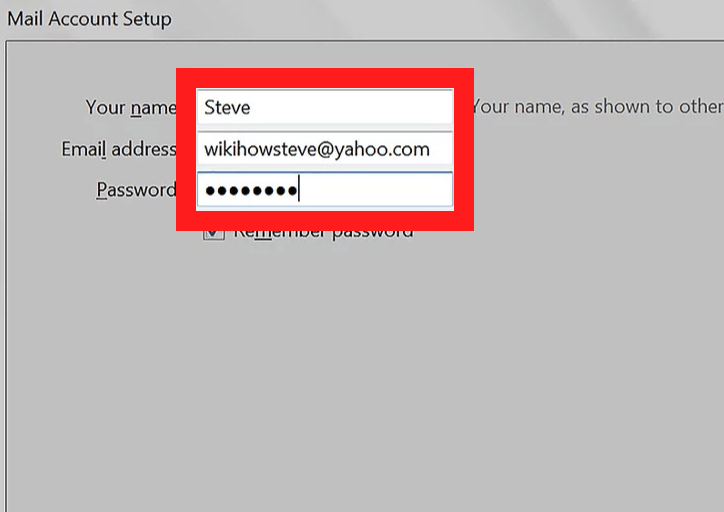.png) <li>Give details of above <b>POP and IAMP</b> settings with username and password.</li> 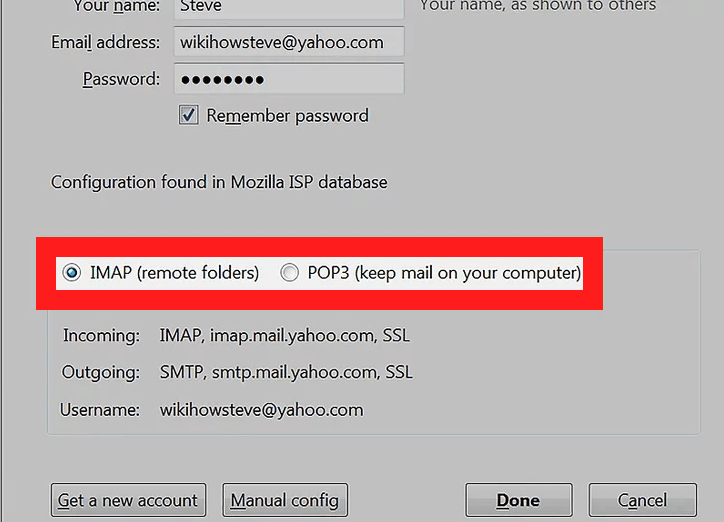.png) <li>Now, enter the Port number filed and check the <b>security options SSL/TLS</b> and the authentication.</li> <li>Yahoo Mail account now configured and save all the emails from Yahoo to Computer.</li> </ol> <p>Once the users can configure yahoo mail on the above email client. It will give a certain option to download emails from Yahoo to hard disk. However, you can also use another method to export Yahoo mail folders into different formats.</p> <h3>Method2: How to Save Yahoo Emails to Computer- with MS Outlook</h3> <p>Save emails from Yahoo mail to hard disk with the help of MS Outlook email client application. Easily transfer Yahoo mail to PC with Yahoo Outlook configuration Follow the steps to configure Yahoo mail to MS Outlook:-</p> <ul> <li>Firstly,<b> hit on the Account option</b> and open add account, and then pick Yahoo mail option.</li> <li>Now, enter details of Yahoo mail account using <b>Server configuration information</b> above.</li> <li>Then, enter the server details with POP & IMAP settings and Port number and the security <b>SSL, TLC, and etc.</b></li> <li>Now, the Yahoo mail account is configured in MS Outlook. And the process of moving emails from <B>Yahoo mail to Hard disk/computer</b> successfully complete.</li> </ul> <p>These are the manual methods as we discussed above to save the emails of Yahoo to the computer. If these manual methods work properly then go with it nor you can use third-party professional software. </p> <p><b>Automated MethodThird-Party Professional Software</b></p> <p>This professional <a href="https://www.sysinfotools.com/yahoo-backup.php">Yahoo Mail Backup software</a> helps you to download Yahoo emails to documents. You can make a backup with this professional software and can save the emails easily. By saving emails with making backup you can access the mails anytime. This software comes with an advanced algorithm and it is easy to handle. It can save time as the manual method consumes a lot of time. And by using this there is no chance to data loss.</p> <h4>Wrapping-Up</h4> <p>In this article, we discussed the best possible methods on how to save a Yahoo email to my documents as well as on hard disk. As well as, we explained the manual method approach and also third-party software. Users can choose any option according to which is suitable for saving Yahoo emails. With the Yahoo Mail Backup software, users can easily move emails from Yahoo to documents and <a href="https://www.sysinfotools.com/blog/yahoo-email-backup-on-computer/">backup Yahoo mails to computer.</a> We always preferred the best and secure solution, so use the Yahoo Backup tool software for downloading Yahoo emails to PC.</p> |
| json metadata | {"tags":["saveyahooemailstcomputer","downloadyahooemail"],"image":["https://cdn.steemitimages.com/DQmZ9nuqiaabQSdkTfSTiMhrf3CVEfaJ2KakLwpr269ritW/how-to-save-a-yahoo-email-to-my-documents.png","https://cdn.steemitimages.com/DQmV49DCzcnfkJmeT3EdJG3wW2GvYG8MtAviP89dMEKucUL/image%20(4).png","https://cdn.steemitimages.com/DQmPjSbwvvnDMvYLk1Fy1rCChLpggeoBxdMxxaRndRA7G4T/image%20(3).png"],"links":["https://www.sysinfotools.com/yahoo-backup.php","https://www.sysinfotools.com/blog/yahoo-email-backup-on-computer/"],"app":"steemit/0.2","format":"markdown"} |
| parent author | |
| parent permlink | saveyahooemailstcomputer |
| permlink | how-to-save-a-yahoo-email-to-my-documents |
| title | How to Save a Yahoo Email to My Documents? |
| Transaction Info | Block #45206417/Trx 16a087f58211802843d817ce41eb3f4b90630e23 |
View Raw JSON Data
{
"block": 45206417,
"op": [
"comment",
{
"author": "abrienne3",
"body": "\n\n<p><b>How to save a Yahoo email to my documents?</b> How to download all the yahoo emails to the computer? Can I make a backup Yahoo email to a hard disk? These are some user’s queries that are asked by them day by day. So, here we come up with all of these in detail.</p>\n\n<p>Well, Yahoo Mail is the most popular free email service provider across the world. Today, millions of users access Yahoo services like Yahoo Mail, Yahoo Finance, etc. Yahoo creates changes as time changes according to modern requirements. But now, Yahoo has to face a lot of security hacks and data loss.</p>\n\n<p>Recently, Yahoo Mail has updated its security policies. Now, support setting a strong password, app password generations, account recovery, and two-step verification. But users worry about their data and want some more security so their data is safe from hackers. Therefore, most users prefer to copy Yahoo email to the documents, computer, pen drive, hard disk, etc.</p>\n\n<p>In this blog, we will derive the methods to save Yahoo emails to computer/hard drive. Basically, there are two methods to export Yahoo emails to the computer. One is the manual method and the other is the automated approach. In this article, we will explain both methods. So, here are the steps you can follow to backup emails to computer. </p>\n\n<h2>How to Save a Yahoo Email to My Documents- Manual Methods</h2>\n\n<h3>Method1: Download Yahoo Emails to Computer- With Mozilla Thunderbird</h3>\n\n<p>If you want to move Yahoo emails to computers, then the best way is to use Mozilla thunderbird. Yahoo mail saves an email to a computer with the help of the configuration of Thunderbird. Follow the steps:</p>\n<ol>\n<li><b>Go to</b> the Menu option and hit on Add Account settings.</li>\n<li>In the account <b>settings screen press</b> on Server settings and fill account details.</li>\n\n.png)\n\n<li>Give details of above <b>POP and IAMP</b> settings with username and password.</li>\n\n.png)\n\n<li>Now, enter the Port number filed and check the <b>security options SSL/TLS</b> and the authentication.</li>\n<li>Yahoo Mail account now configured and save all the emails from Yahoo to Computer.</li>\n</ol>\n<p>Once the users can configure yahoo mail on the above email client. It will give a certain option to download emails from Yahoo to hard disk. However, you can also use another method to export Yahoo mail folders into different formats.</p>\n\n<h3>Method2: How to Save Yahoo Emails to Computer- with MS Outlook</h3>\n\n<p>Save emails from Yahoo mail to hard disk with the help of MS Outlook email client application. Easily transfer Yahoo mail to PC with Yahoo Outlook configuration Follow the steps to configure Yahoo mail to MS Outlook:-</p>\n<ul>\n<li>Firstly,<b> hit on the Account option</b> and open add account, and then pick Yahoo mail option.</li>\n<li>Now, enter details of Yahoo mail account using <b>Server configuration information</b> above.</li>\n<li>Then, enter the server details with POP & IMAP settings and Port number and the security <b>SSL, TLC, and etc.</b></li>\n<li>Now, the Yahoo mail account is configured in MS Outlook. And the process of moving emails from <B>Yahoo mail to Hard disk/computer</b> successfully complete.</li>\n</ul>\n<p>These are the manual methods as we discussed above to save the emails of Yahoo to the computer. If these manual methods work properly then go with it nor you can use third-party professional software. </p>\n\n<p><b>Automated MethodThird-Party Professional Software</b></p>\n\n<p>This professional <a href=\"https://www.sysinfotools.com/yahoo-backup.php\">Yahoo Mail Backup software</a> helps you to download Yahoo emails to documents. You can make a backup with this professional software and can save the emails easily. By saving emails with making backup you can access the mails anytime. This software comes with an advanced algorithm and it is easy to handle. It can save time as the manual method consumes a lot of time. And by using this there is no chance to data loss.</p>\n\n<h4>Wrapping-Up</h4>\n<p>In this article, we discussed the best possible methods on how to save a Yahoo email to my documents as well as on hard disk. As well as, we explained the manual method approach and also third-party software. Users can choose any option according to which is suitable for saving Yahoo emails. With the Yahoo Mail Backup software, users can easily move emails from Yahoo to documents and <a href=\"https://www.sysinfotools.com/blog/yahoo-email-backup-on-computer/\">backup Yahoo mails to computer.</a> We always preferred the best and secure solution, so use the Yahoo Backup tool software for downloading Yahoo emails to PC.</p>",
"json_metadata": "{\"tags\":[\"saveyahooemailstcomputer\",\"downloadyahooemail\"],\"image\":[\"https://cdn.steemitimages.com/DQmZ9nuqiaabQSdkTfSTiMhrf3CVEfaJ2KakLwpr269ritW/how-to-save-a-yahoo-email-to-my-documents.png\",\"https://cdn.steemitimages.com/DQmV49DCzcnfkJmeT3EdJG3wW2GvYG8MtAviP89dMEKucUL/image%20(4).png\",\"https://cdn.steemitimages.com/DQmPjSbwvvnDMvYLk1Fy1rCChLpggeoBxdMxxaRndRA7G4T/image%20(3).png\"],\"links\":[\"https://www.sysinfotools.com/yahoo-backup.php\",\"https://www.sysinfotools.com/blog/yahoo-email-backup-on-computer/\"],\"app\":\"steemit/0.2\",\"format\":\"markdown\"}",
"parent_author": "",
"parent_permlink": "saveyahooemailstcomputer",
"permlink": "how-to-save-a-yahoo-email-to-my-documents",
"title": "How to Save a Yahoo Email to My Documents?"
}
],
"op_in_trx": 0,
"timestamp": "2020-07-18T07:47:36",
"trx_id": "16a087f58211802843d817ce41eb3f4b90630e23",
"trx_in_block": 0,
"virtual_op": 0
}teamupvoted (10.00%) @abrienne3 / two-ways-to-convert-emlx-files-to-mbox2020/07/14 09:22:15
teamupvoted (10.00%) @abrienne3 / two-ways-to-convert-emlx-files-to-mbox
2020/07/14 09:22:15
| author | abrienne3 |
| permlink | two-ways-to-convert-emlx-files-to-mbox |
| voter | team |
| weight | 1000 (10.00%) |
| Transaction Info | Block #45094143/Trx 4f81b7718e2420f908a067c5e4c3d8ca6ac23071 |
View Raw JSON Data
{
  "block": 45094143,
  "op": [
    "vote",
    {
      "author": "abrienne3",
      "permlink": "two-ways-to-convert-emlx-files-to-mbox",
      "voter": "team",
      "weight": 1000
    }
  ],
  "op_in_trx": 0,
  "timestamp": "2020-07-14T09:22:15",
  "trx_id": "4f81b7718e2420f908a067c5e4c3d8ca6ac23071",
  "trx_in_block": 0,
  "virtual_op": 0
}payrollupvoted (2.00%) @abrienne3 / two-ways-to-convert-emlx-files-to-mbox2020/07/14 08:43:33
payrollupvoted (2.00%) @abrienne3 / two-ways-to-convert-emlx-files-to-mbox
2020/07/14 08:43:33
| author | abrienne3 |
| permlink | two-ways-to-convert-emlx-files-to-mbox |
| voter | payroll |
| weight | 200 (2.00%) |
| Transaction Info | Block #45093374/Trx 6931528e2f241fbc68b8760159c20d908e635589 |
View Raw JSON Data
{
  "block": 45093374,
  "op": [
    "vote",
    {
      "author": "abrienne3",
      "permlink": "two-ways-to-convert-emlx-files-to-mbox",
      "voter": "payroll",
      "weight": 200
    }
  ],
  "op_in_trx": 0,
  "timestamp": "2020-07-14T08:43:33",
  "trx_id": "6931528e2f241fbc68b8760159c20d908e635589",
  "trx_in_block": 0,
  "virtual_op": 0
}abrienne3published a new post: two-ways-to-convert-emlx-files-to-mbox2020/07/14 08:23:27
abrienne3published a new post: two-ways-to-convert-emlx-files-to-mbox
2020/07/14 08:23:27
| author | abrienne3 |
| body |  <p>Are you searching for various methods that will convert EMLX Files to MBOX? If yes, then your search stops here as I will explain to you different procedures that will be proved useful to you. So keep reading…. </p> <p>EMLX is used to save a single email message in a single file whereas MBOX is used to save several email messages irrespective of the size limit. The main drawback of the EMLX file is that it is restricted for accessing the data in the client. If you want to backup your EMLX files, then you need to shift them into MBOX format.</p> <p>Apple mail includes separate mail messages is commonly known as the EMLX files. These files do not open in any other email client due to some restrictions. Therefore, if you want those file data then it becomes necessary to convert it into a different file format. In this way, you can approach them easily. </p> <p>There are many reasons that influence the users to convert their EMLX into MBOX format as shown below.</p> <h2>Various Possibilities due to which users need to Convert EMLX to MBOX</h2> <ol> <li><b>To transfer the files into Mac OS -</b> If the user wishes to access the .emlx files in Mac OS, then it is necessary to transfer it to the Apple Mail.</li> <li><b>For migrating the files in another Email-client -</b> If the user needs to access the EMLX files in different email client applications for example - Apple Mail.</li> <li><b>To take a backup -</b> If the user wants to take a backup to your important EMLX files.</li> </ol> <p>As we have learned the reasons behind the conversion process. Now, we should proceed with the different methods that will be beneficial for them.</p> <h3>Manual Tips and Tricks: Convert EMLX to MBOX </h3> <h4>Migrate your EMLX into MBOX format</h4> <ul> <li>First, take an exit from your <b>Apple OS X Mail.</b></li> <li>After that, type in the <b>search bar /Library/Mail/Mailboxes</b> then, click on the Enter button.</li> <li>Now, create a new folder with extension <b>.mbox(importemlx.mbox).</b></li> <li>After that under the <b>MBOX folder,</b> create a message folder.</li> <li>Then, paste all the <b>.emlx files</b> in the Message folder</li> <li>Open the <b>Mac OS X Mail.</b></li> <li>Here, you will get the <b>local mailbox</b> of the same name that you have created before.</li> <li>The probability of having the folder empty is quite higher. In case, go to the Mailbox menu and <b>click on the Rebuilt option.</b></li> <li>As soon as the process accomplished, then the <b>messages'</b> will be showed in the mailbox.</li> </ul> <p>This method will successfully <a href="https://www.sysinfotools.com/how-to/convert-emlx-to-mbox.html">convert EMLX files to MBOX format.</a></p> <p>Although the manual method is free to use, it still has some limitations that restrict it during the conversion process.</p> <p><b>Drawbacks of the Manual Method:</b></p> <ol> <li>The manual method is prolonged & Tiresome process.</li> <li>There is always a probability of data loss while performing manual methods.</li> <li>Corruption or damage to the local EMLX files is higher.</li> <li>The manual procedure requires to have some technical knowledge while performing. Therefore, it is hard for the novice or non-technical user to perform the process. </li> </ol> <p>As you can see, there are so many complications while performing manual approaches. One may find it difficult or want to have another way by which the user can perform the whole process. Then, you can use the alternative method which will transform the process quickly and smoothly. </p> <p><b>An Alternative Tool</b></p> <p>You can use the EMLX Converter that can store the EMLX files into MBOX, PST, PDF, TXT, HTML, MHT, and so on. The tool can support EMLX files that are generated on Mac OS.</p> <p><b>Last words</b></p> <p>This blog offers detailed information to convert EMLX files to MBOX. A user can operate the conversion process with any of the following approaches. As you know the limitations of the manual procedure, it will be better for them to choose the alternative tool in place of the manual procedure.</p> |
| json metadata | {"tags":["sql","data","recovery","backup"],"image":["https://cdn.steemitimages.com/DQmcrpmP858aVEhvKYTSjs4iUZz2mQ3a9uVzfswJ8pF6sxW/how-to-copy-table-data-from-one-database-to-another-in-sql-server.png"],"links":["https://www.sysinfotools.com/how-to/convert-emlx-to-mbox.html"],"app":"steemit/0.2","format":"markdown"} |
| parent author | |
| parent permlink | sql |
| permlink | two-ways-to-convert-emlx-files-to-mbox |
| title | Two Ways to Convert EMLX Files To MBOX |
| Transaction Info | Block #45092977/Trx 34cf9c2aa7ab8ae9309be6e887c29f9d1613c240 |
View Raw JSON Data
{
"block": 45092977,
"op": [
"comment",
{
"author": "abrienne3",
"body": "\n\n<p>Are you searching for various methods that will convert EMLX Files to MBOX? If yes, then your search stops here as I will explain to you different procedures that will be proved useful to you. So keep reading…. </p>\n\n<p>EMLX is used to save a single email message in a single file whereas MBOX is used to save several email messages irrespective of the size limit. The main drawback of the EMLX file is that it is restricted for accessing the data in the client. If you want to backup your EMLX files, then you need to shift them into MBOX format.</p>\n\n<p>Apple mail includes separate mail messages is commonly known as the EMLX files. These files do not open in any other email client due to some restrictions. Therefore, if you want those file data then it becomes necessary to convert it into a different file format. In this way, you can approach them easily. </p>\n\n<p>There are many reasons that influence the users to convert their EMLX into MBOX format as shown below.</p>\n\n<h2>Various Possibilities due to which users need to Convert EMLX to MBOX</h2>\n<ol>\n<li><b>To transfer the files into Mac OS -</b> If the user wishes to access the .emlx files in Mac OS, then it is necessary to transfer it to the Apple Mail.</li>\n<li><b>For migrating the files in another Email-client -</b> If the user needs to access the EMLX files in different email client applications for example - Apple Mail.</li>\n<li><b>To take a backup -</b> If the user wants to take a backup to your important EMLX files.</li>\n</ol>\n<p>As we have learned the reasons behind the conversion process. Now, we should proceed with the different methods that will be beneficial for them.</p>\n\n<h3>Manual Tips and Tricks: Convert EMLX to MBOX </h3> \n\n <h4>Migrate your EMLX into MBOX format</h4>\n<ul>\n<li>First, take an exit from your <b>Apple OS X Mail.</b></li>\n<li>After that, type in the <b>search bar /Library/Mail/Mailboxes</b> then, click on the Enter button.</li>\n<li>Now, create a new folder with extension <b>.mbox(importemlx.mbox).</b></li>\n<li>After that under the <b>MBOX folder,</b> create a message folder.</li>\n<li>Then, paste all the <b>.emlx files</b> in the Message folder</li>\n<li>Open the <b>Mac OS X Mail.</b></li>\n<li>Here, you will get the <b>local mailbox</b> of the same name that you have created before.</li>\n<li>The probability of having the folder empty is quite higher. In case, go to the Mailbox menu and <b>click on the Rebuilt option.</b></li>\n<li>As soon as the process accomplished, then the <b>messages'</b> will be showed in the mailbox.</li>\n</ul>\n<p>This method will successfully <a href=\"https://www.sysinfotools.com/how-to/convert-emlx-to-mbox.html\">convert EMLX files to MBOX format.</a></p>\n\n<p>Although the manual method is free to use, it still has some limitations that restrict it during the conversion process.</p> \n\n<p><b>Drawbacks of the Manual Method:</b></p>\n<ol>\n<li>The manual method is prolonged & Tiresome process.</li>\n<li>There is always a probability of data loss while performing manual methods.</li>\n<li>Corruption or damage to the local EMLX files is higher.</li>\n<li>The manual procedure requires to have some technical knowledge while performing. Therefore, it is hard for the novice or non-technical user to perform the process. </li>\n</ol>\n<p>As you can see, there are so many complications while performing manual approaches. One may find it difficult or want to have another way by which the user can perform the whole process. Then, you can use the alternative method which will transform the process quickly and smoothly. </p>\n\n<p><b>An Alternative Tool</b></p>\n\n<p>You can use the EMLX Converter that can store the EMLX files into MBOX, PST, PDF, TXT, HTML, MHT, and so on. The tool can support EMLX files that are generated on Mac OS.</p>\n\n<p><b>Last words</b></p>\n\n<p>This blog offers detailed information to convert EMLX files to MBOX. A user can operate the conversion process with any of the following approaches. As you know the limitations of the manual procedure, it will be better for them to choose the alternative tool in place of the manual procedure.</p>",
"json_metadata": "{\"tags\":[\"sql\",\"data\",\"recovery\",\"backup\"],\"image\":[\"https://cdn.steemitimages.com/DQmcrpmP858aVEhvKYTSjs4iUZz2mQ3a9uVzfswJ8pF6sxW/how-to-copy-table-data-from-one-database-to-another-in-sql-server.png\"],\"links\":[\"https://www.sysinfotools.com/how-to/convert-emlx-to-mbox.html\"],\"app\":\"steemit/0.2\",\"format\":\"markdown\"}",
"parent_author": "",
"parent_permlink": "sql",
"permlink": "two-ways-to-convert-emlx-files-to-mbox",
"title": "Two Ways to Convert EMLX Files To MBOX"
}
],
"op_in_trx": 0,
"timestamp": "2020-07-14T08:23:27",
"trx_id": "34cf9c2aa7ab8ae9309be6e887c29f9d1613c240",
"trx_in_block": 4,
"virtual_op": 0
}jasondaruloreplied to @abrienne3 / qd91v92020/07/10 10:45:03
jasondaruloreplied to @abrienne3 / qd91v9
2020/07/10 10:45:03
| author | jasondarulo |
| body |  You want to convert mbox to pst because you want to widely use your data in outlook. There are many mbox to pst converter available which claim best and reliable conversion. But before using any software you should use free demo version first which help you to choose the reliable one. Here I'll suggest you MBOX to PST Converter which can easily export their data into several interesting file formats like PST, EML, MBOX, HTML, vCal, vCard, MSG and EMLX. By using this converter you can easily convert single or multiple mbox files into PST Format in few clicks. Read more info:- http://www.tools4recovery.com/mbox-to-pst-converter.html |
| json metadata | {"image":["https://cdn.steemitimages.com/DQmXuU5eSZ3TPTBxtQdQHiLP7iLbxvTVEG8bcwwGCHCoVrs/convert-mbox-to-pst-free.png"],"links":["http://www.tools4recovery.com/mbox-to-pst-converter.html"],"app":"steemit/0.2"} |
| parent author | abrienne3 |
| parent permlink | convert-mbox-files-to-outlook-pst-format-mbox-to-pst-conversion |
| permlink | qd91v9 |
| title | |
| Transaction Info | Block #44981689/Trx afdf5e648ecebe9d84d7f9029960465761124a48 |
View Raw JSON Data
{
"block": 44981689,
"op": [
"comment",
{
"author": "jasondarulo",
"body": "\nYou want to convert mbox to pst because you want to widely use your data in outlook. There are many mbox to pst converter available which claim best and reliable conversion. But before using any software you should use free demo version first which help you to choose the reliable one.\n\nHere I'll suggest you MBOX to PST Converter which can easily export their data into several interesting file formats like PST, EML, MBOX, HTML, vCal, vCard, MSG and EMLX. By using this converter you can easily convert single or multiple mbox files into PST Format in few clicks.\n\n\nRead more info:- http://www.tools4recovery.com/mbox-to-pst-converter.html",
"json_metadata": "{\"image\":[\"https://cdn.steemitimages.com/DQmXuU5eSZ3TPTBxtQdQHiLP7iLbxvTVEG8bcwwGCHCoVrs/convert-mbox-to-pst-free.png\"],\"links\":[\"http://www.tools4recovery.com/mbox-to-pst-converter.html\"],\"app\":\"steemit/0.2\"}",
"parent_author": "abrienne3",
"parent_permlink": "convert-mbox-files-to-outlook-pst-format-mbox-to-pst-conversion",
"permlink": "qd91v9",
"title": ""
}
],
"op_in_trx": 0,
"timestamp": "2020-07-10T10:45:03",
"trx_id": "afdf5e648ecebe9d84d7f9029960465761124a48",
"trx_in_block": 2,
"virtual_op": 0
}abrienne3published a new post: how-to-remove-recovery-pending-in-sql-server2020/07/04 07:01:27
abrienne3published a new post: how-to-remove-recovery-pending-in-sql-server
2020/07/04 07:01:27
| author | abrienne3 |
| body | .png) <p>Being a SQL server user everybody must have faced Recovery Pending state at least once as this issue occurs at a regular interval. But many of us are unaware of the reason that leads to this error. Here we will discuss how to remove recovery pending in SQL server and the reasons responsible for this error. Sometimes when the data partition gets full then this error occurs in the SQL server. And SQL is not able to view the database and cannot lock the database file that is the same as the database in offline mode. It also prevents the server from initializing. Before we discuss solutions to the Recovery Pending State in SQL Server Lets understand the states of the SQL Server Database. </p> <h2>SQL Server Database States</h2> <p>A SQL database is said to be damaged or corrupted if one or more of its core files are in an unstable state. According to how critical the damage is, the DB is kept in different states. Here are states of SQL Server Database: Online – At this online state one of the data files is corrupted while running a query or some other operation, the database remains online and accessible.</p> <p><b>Suspect –</b> If the database is not able to recover while starting the SQL Server, then the database is termed as Suspect.</p> <p><b>Recovery Pending – </b>If the SQL Server is well known that database recovery requires to be run but is prevented from starting due to some issues, then the Server called the DB in the ‘Recovery Pending’ state. But this is distinct from the suspect mode because the recovery does not fail here, it is not started. After understanding the knowledge Let’s see how to remove recovery pending in SQL server by checking the database states.</p> <h2>How to Check the Database State?</h2> <p>To find the current state of an SQL DB, execute the below query:</p> <p>SELECT name, state_desc from sys.databases</p> <p>GO</p> <p>This way you can easily find the database state and will be able to fix the issue of how to remove recovery pending in SQL. But before that let’s discuss the reasons responsible for such errors. </p> <h3>Causes of Recovery Pending State in SQL Server Issue</h3> <p>Some of the common reasons due to which such issue is faced and we need to perform SQL recovery process are listed below: </p> <ol> <li>Improper shutdown of Database with uncommitted transaction active results in the deletion of the active transaction log file. </li> <li>The user moves the log files to a new drive to defeat the server performance issues but ends up corrupted the log files in the procedure. </li> <li>Database Recovery is not able to initiate due to inadequate memory space or disk storage. </li> </ol> <h3> Manual methods to solve the Database in Pending State</h3> <p>Here are the two manual methods to recover SQL database in recovery mode to normal mode:</p> <p><b>Mark or Assign Database in Emergency Mode and start Forceful Repair</b></p> <p>Database EMERGENCY mode assigns the database as READ_ONLY disables sign in and allows access only to the administrator system. So, by setting the DB in this mode can take out the inaccessible database online. </p> <p>After you view the DB in EMERGENCY mode, try to repair the database with the DBCC CHECKDB command using the ‘REPAIR_ALLOW_DATA_LOSS’ option. To do so, View SSMS and run the following set of queries:</p> <ul> <li><em>ALTER DATABASE [DBName] SET EMERGENCY;</li> <li>GO</li> <li>ALTER DATABASE [DBName] set single_user</li> <li>GO</li> <li>DBCC CHECKDB ([DBName], REPAIR_ALLOW_DATA_LOSS) WITH ALL_ERRORMSGS;</li> <li>GO</li> <li>ALTER DATABASE [DBName] set multi_user</li> <li>GO</em></li> </ul> <p><b>Mark or Assign Database in Emergency Mode, Disconnect the Main Database and Reconnect It</b></p> <p>This solution also requires to assign DB in EMERGENCY mode. Once it gets assigned offline the database and then gets online (re-attach). To do so, run the following set of queries in SSMS:</p> <ul> <li><em>ALTER DATABASE [DBName] SET EMERGENCY;</li> <li>ALTER DATABASE [DBName] set multi_user</li> <li>EXEC sp_detach_db ‘[DBName]’</li> <li>EXEC sp_attach_single_file_db @DBName = ‘[DBName]’, @physname = N'[mdf path]’</em></li> </ul> <p>This set of queries will help you to overcome the damage or corrupt log and a new one will be created automatically. The above-discussed methods are the manual method and a complete technical process so if you belong to a non-technical background then don’t use this solution. In some cases, users have to face critical data loss. But don’t panic you can use a third-party tool such as <a href="https://www.sysinfotools.com/sql-backup-recovery.php">SQL Recovery tool</a> to resolve the query recovery Pending State in SQL database Server. This is an exclusive software based on the Windows platform that executes the constant recovery of the Damaged SQL database.</p> <h4>Conclusions</h4> <p>Here, in this write-up, we discussed how to remove recovery pending in SQL server. Hope after reading this blog you will be able to resolve your issue.</p> |
| json metadata | {"tags":["sql","data","recovery","backup"],"users":["dbname","physname"],"image":["https://cdn.steemitimages.com/DQmYgUEkGW8maM5iGxhrG8dTGKM3vDQFTRmjUbxjrX8mJDS/how-to-remove-recovery-pending-in-sql-server%20(1).png"],"links":["https://www.sysinfotools.com/sql-backup-recovery.php"],"app":"steemit/0.2","format":"markdown"} |
| parent author | |
| parent permlink | sql |
| permlink | how-to-remove-recovery-pending-in-sql-server |
| title | How to remove recovery pending in SQL server |
| Transaction Info | Block #44806063/Trx deb031e63cfc08c1fa5e9e0994bc408792cc825e |
View Raw JSON Data
{
"block": 44806063,
"op": [
"comment",
{
"author": "abrienne3",
"body": ".png)\n\n\n<p>Being a SQL server user everybody must have faced Recovery Pending state at least once as this issue occurs at a regular interval. But many of us are unaware of the reason that leads to this error. Here we will discuss how to remove recovery pending in SQL server and the reasons responsible for this error. Sometimes when the data partition gets full then this error occurs in the SQL server. And SQL is not able to view the database and cannot lock the database file that is the same as the database in offline mode. It also prevents the server from initializing. Before we discuss solutions to the Recovery Pending State in SQL Server Lets understand the states of the SQL Server Database. </p>\n\n<h2>SQL Server Database States</h2>\n\n<p>A SQL database is said to be damaged or corrupted if one or more of its core files are in an unstable state. According to how critical the damage is, the DB is kept in different states. Here are states of SQL Server Database: \nOnline – At this online state one of the data files is corrupted while running a query or some other operation, the database remains online and accessible.</p>\n\n<p><b>Suspect –</b> If the database is not able to recover while starting the SQL Server, then the database is termed as Suspect.</p>\n<p><b>Recovery Pending – </b>If the SQL Server is well known that database recovery requires to be run but is prevented from starting due to some issues, then the Server called the DB in the ‘Recovery Pending’ state. But this is distinct from the suspect mode because the recovery does not fail here, it is not started. After understanding the knowledge Let’s see how to remove recovery pending in SQL server by checking the database states.</p>\n\n<h2>How to Check the Database State?</h2>\n<p>To find the current state of an SQL DB, execute the below query:</p>\n<p>SELECT name, state_desc from sys.databases</p>\n<p>GO</p>\n<p>This way you can easily find the database state and will be able to fix the issue of how to remove recovery pending in SQL. But before that let’s discuss the reasons responsible for such errors. </p>\n\n<h3>Causes of Recovery Pending State in SQL Server Issue</h3>\n<p>Some of the common reasons due to which such issue is faced and we need to perform SQL recovery process are listed below: </p>\n<ol>\n<li>Improper shutdown of Database with uncommitted transaction active results in the deletion of the active transaction log file. </li>\n<li>The user moves the log files to a new drive to defeat the server performance issues but ends up corrupted the log files in the procedure. </li>\n<li>Database Recovery is not able to initiate due to inadequate memory space or disk storage. </li>\n</ol>\n\n<h3> Manual methods to solve the Database in Pending State</h3>\n\n<p>Here are the two manual methods to recover SQL database in recovery mode to normal mode:</p>\n<p><b>Mark or Assign Database in Emergency Mode and start Forceful Repair</b></p>\n<p>Database EMERGENCY mode assigns the database as READ_ONLY disables sign in and allows access only to the administrator system. So, by setting the DB in this mode can take out the inaccessible database online. </p>\n<p>After you view the DB in EMERGENCY mode, try to repair the database with the DBCC CHECKDB command using the ‘REPAIR_ALLOW_DATA_LOSS’ option. To do so, View SSMS and run the following set of queries:</p>\n <ul>\n<li><em>ALTER DATABASE [DBName] SET EMERGENCY;</li>\n<li>GO</li>\n<li>ALTER DATABASE [DBName] set single_user</li>\n<li>GO</li>\n<li>DBCC CHECKDB ([DBName], REPAIR_ALLOW_DATA_LOSS) WITH ALL_ERRORMSGS;</li>\n<li>GO</li>\n<li>ALTER DATABASE [DBName] set multi_user</li>\n<li>GO</em></li>\n </ul>\n<p><b>Mark or Assign Database in Emergency Mode, Disconnect the Main Database and Reconnect It</b></p>\n\n<p>This solution also requires to assign DB in EMERGENCY mode. Once it gets assigned offline the database and then gets online (re-attach). To do so, run the following set of queries in SSMS:</p>\n<ul>\n<li><em>ALTER DATABASE [DBName] SET EMERGENCY;</li>\n<li>ALTER DATABASE [DBName] set multi_user</li>\n<li>EXEC sp_detach_db ‘[DBName]’</li>\n<li>EXEC sp_attach_single_file_db @DBName = ‘[DBName]’, @physname = N'[mdf path]’</em></li>\n</ul>\n\n<p>This set of queries will help you to overcome the damage or corrupt log and a new one will be created automatically. \nThe above-discussed methods are the manual method and a complete technical process so if you belong to a non-technical background then don’t use this solution. In some cases, users have to face critical data loss. But don’t panic you can use a third-party tool such as <a href=\"https://www.sysinfotools.com/sql-backup-recovery.php\">SQL Recovery tool</a> to resolve the query recovery Pending State in SQL database Server. This is an exclusive software based on the Windows platform that executes the constant recovery of the Damaged SQL database.</p>\n\n<h4>Conclusions</h4>\n<p>Here, in this write-up, we discussed how to remove recovery pending in SQL server. Hope after reading this blog you will be able to resolve your issue.</p>",
"json_metadata": "{\"tags\":[\"sql\",\"data\",\"recovery\",\"backup\"],\"users\":[\"dbname\",\"physname\"],\"image\":[\"https://cdn.steemitimages.com/DQmYgUEkGW8maM5iGxhrG8dTGKM3vDQFTRmjUbxjrX8mJDS/how-to-remove-recovery-pending-in-sql-server%20(1).png\"],\"links\":[\"https://www.sysinfotools.com/sql-backup-recovery.php\"],\"app\":\"steemit/0.2\",\"format\":\"markdown\"}",
"parent_author": "",
"parent_permlink": "sql",
"permlink": "how-to-remove-recovery-pending-in-sql-server",
"title": "How to remove recovery pending in SQL server"
}
],
"op_in_trx": 0,
"timestamp": "2020-07-04T07:01:27",
"trx_id": "deb031e63cfc08c1fa5e9e0994bc408792cc825e",
"trx_in_block": 5,
"virtual_op": 0
}teamupvoted (10.00%) @abrienne3 / easy-methods-to-increase-attachment-size-in-office-3652020/06/29 13:40:54
teamupvoted (10.00%) @abrienne3 / easy-methods-to-increase-attachment-size-in-office-365
2020/06/29 13:40:54
| author | abrienne3 |
| permlink | easy-methods-to-increase-attachment-size-in-office-365 |
| voter | team |
| weight | 1000 (10.00%) |
| Transaction Info | Block #44671392/Trx 9f2de9818203a516785fa56991a5c0c50018c3db |
View Raw JSON Data
{
  "block": 44671392,
  "op": [
    "vote",
    {
      "author": "abrienne3",
      "permlink": "easy-methods-to-increase-attachment-size-in-office-365",
      "voter": "team",
      "weight": 1000
    }
  ],
  "op_in_trx": 0,
  "timestamp": "2020-06-29T13:40:54",
  "trx_id": "9f2de9818203a516785fa56991a5c0c50018c3db",
  "trx_in_block": 5,
  "virtual_op": 0
}abrienne3published a new post: easy-methods-to-increase-attachment-size-in-office-3652020/06/29 11:30:27
abrienne3published a new post: easy-methods-to-increase-attachment-size-in-office-365
2020/06/29 11:30:27
| author | abrienne3 |
| body |  <p>In this blog, we will state some extraordinary techniques to ‘’Increase mail attachment size in Office 365’’. Microsoft has built up the best cloud-based application named as Office 365, which develops the user business and association. Furthermore, it is accompanied by all MS Office suite, some extra applications and highlights.</p> <p>In the inbuilt utility, the email size is set to 25 Mb, that states a user can fetch attachments of size up to 25 Mb. If the user wishes to enlarge the mail attachment size limit, then the user can increment it via Exchange Server. Here, the user can set out the max size up to 150 GB.</p> <p><b>Three ways to increment attachment size</p></b> <ol> <li>Utilize O365 Admin Center to expand email attachment size in Exchange server.</li> <li>Utilize PowerShell to increment email attachment size in Exchange Online.</li> <li>By utilizing Third-party Solution.</li> </ol> <h2>How to Increase Email Attachment Size in Office 365 Manually?</h2> <p>The below-mentioned methods will help Increase mail attachment size in Office 365.</p> <h3>Method 1: Utilize O365 Admin Center to expand email attachment size in Exchange server</h3> <p><b> For All Clients User profile</b></p> <ul> <li>First, launch Microsoft office 365 admin account and then hit on the Admin Option.</li> <li>Redirect to the Admin Center and select the Exchange Admin Center.</li> <li>Go to the Recipients tab, select mailboxes option and tap More option -> hit on the set default message size restrictions. </li> <li>Now, type in the max size limit for sending & receiving messages and then click OK.</li> </ul> <p><b>Enabling access for the single user email account</b></p> <ol> <li>After changing the settings in recipients tab, go to the <b>Mailbox tab -> select</b> the Mail id user wish to increase and manage the email size for. </li> <li>Tap the <b>Edit tab -> redirect to the mailbox feature >> opt Message Size Restrictions (view details) option.</b></li> <li>Now, allot a size limit for the email messages and then press the <b>OK button.</b></li> </ol> <p><b>A batch selection of user mail profiles </b></p> <ol> <li>Redirect to Recipients tab -> tap the Mailbox option -> select multiple emails accounts and then hit the Update option, in Message Size Restrictions.</li> <li>Now, allot the size limit on all incoming and outgoing messages, then press the <b>OK button.</b></li> </ol> <h3>Method 2: Utilize PowerShell to increment email attachment size in Exchange Online</h3> <p>If you have about 1,000 clients in your association, then you can take help to utilize the Exchange Admin Center. If you are a part of a bigger association, then utilize PowerShell. Either way, you can expand the email attachment size of the user profile.</p> <p><b>Follow below-mentioned instructions step by step:</b></p> <p><b>Synchronize the Office 365 account with the Windows PowerShell with the help of the following command:-</b></p> <ul> <li>$Cred = Get-Credential</li> <li>$Session=New-PSSession–ConfigurationNameMicrosoft.Exchange–ConnectionUri https://ps.outlook.com/powershell/ -Credential $Cred –Authentication Basic –AllowRedirection</li> </ul> <p><b>Utilize the command given below to generate a PowerShell Session to Exchange Online:-</b></p> <ol> <li>Import-PSSession $Session</li> </ol> <p><b>Now, type in the given command as per users preference to handle the maximum size of outgoing messages:-</b></p> <p>ACTION-COMMAND</p> <p>For Single User-Set-Mailbox –Identity [email protected] –MaxSendSize 75MB – MaxReceiveSize 100MB</p> <p>Updating Multiple Mailbox=(“alias1”,” alias2”,” alias3”)|%{Set-Mailbox –Identity $_-MaxSendSize 75MB-MaxReceiveSize 100MB}</p> <p>Updating all mailboxes -Get-Mailbox | Set-Mailbox –MaxSendSize 75 MB –MaxReceiveSize 100MB</p> <p>For Updating the default settings-For mailboxes, the user generates in the future. Get-MailboxPlan | Set-MailboxPlan –MaxSendSize 75MB –MaxReceiveSize 100MB</p> <h3>Method 3: By utilizing Third Party solution</h3> <p>If the above solution is irrelevant to maintain mailbox size accordingly, then you can take help of the ultimate utility to reinstate the issue. One such ultimate solution is <a href="https://www.sysinfotools.com/office365-backup.php">Office 365 Backup Tool.</a> It is necessary for the user to always keep the backup of O365 emails for emergency scenarios as it is difficult to view the files that are permanently erased from the O365 mailboxes. Let’s take a look at some of the ultimate features the utility comprises.</p> <b>Features:</b> <ol> <li>Affirmatively stores the O365 Mailbox items such as EMLX, MSG, MBOX, EML, PST, MHTML and HTML. </li> <li>It migrates Office365 content to mail clients such as Gmail, Yahoo, IMAP, Zimbra, and Hotmail.</li> <li>The software re-establishes Office365 Mailbox into the client's profile.</li> <li>Facilitates option to rename resultant file utilizing naming convention.</li> <li>The utility allows deleting empty files from the resultant folder.</li> <li>Improvised with Date Range feature to exclude unnecessary emails based on similar range.</li> </ol> <h4>Conclusion:</h4> <p>As we discussed above the how-to solutions to increase mail attachment size in Office 365, we must understand the alternative approach is always considered a better option. The approach recommended by experts is more promising than the approach stated by a random individual. The manual approach may include some beneficial solutions as well but, due to a lack of data integrity, choosing such an option will highly downgrade your crucial files.</p> |
| json metadata | {"tags":["office365","backuptool"],"image":["https://cdn.steemitimages.com/DQmQqXfbrPPz2XnkAnj1EhSNaMW8aCcwaAk2BHG6wj93qTY/easy-methods-to-increase-attachment-size-in-office-365.png"],"links":["https://ps.outlook.com/powershell/","https://www.sysinfotools.com/office365-backup.php"],"app":"steemit/0.2","format":"markdown"} |
| parent author | |
| parent permlink | office365 |
| permlink | easy-methods-to-increase-attachment-size-in-office-365 |
| title | Easy Methods to Increase Attachment Size in Office 365 |
| Transaction Info | Block #44668809/Trx a87a31f5efd4c6244fce532ae1a23d6c7f5631fd |
View Raw JSON Data
{
"block": 44668809,
"op": [
"comment",
{
"author": "abrienne3",
"body": "\n\n<p>In this blog, we will state some extraordinary techniques to ‘’Increase mail attachment size in Office 365’’. Microsoft has built up the best cloud-based application named as Office 365, which develops the user business and association. Furthermore, it is accompanied by all MS Office suite, some extra applications and highlights.</p>\n\n<p>In the inbuilt utility, the email size is set to 25 Mb, that states a user can fetch attachments of size up to 25 Mb. If the user wishes to enlarge the mail attachment size limit, then the user can increment it via Exchange Server. Here, the user can set out the max size up to 150 GB.</p>\n\n<p><b>Three ways to increment attachment size</p></b>\n<ol>\n<li>Utilize O365 Admin Center to expand email attachment size in Exchange server.</li>\n<li>Utilize PowerShell to increment email attachment size in Exchange Online.</li>\n<li>By utilizing Third-party Solution.</li>\n </ol>\n \n<h2>How to Increase Email Attachment Size in Office 365 Manually?</h2>\n\n<p>The below-mentioned methods will help Increase mail attachment size in Office 365.</p>\n \n<h3>Method 1: Utilize O365 Admin Center to expand email attachment size in Exchange server</h3>\n \n<p><b> For All Clients User profile</b></p>\n<ul>\n<li>First, launch Microsoft office 365 admin account and then hit on the Admin Option.</li>\n<li>Redirect to the Admin Center and select the Exchange Admin Center.</li>\n\n <li>Go to the Recipients tab, select mailboxes option and tap More option -> hit on the set default message size restrictions. </li>\n\n<li>Now, type in the max size limit for sending & receiving messages and then click OK.</li>\n </ul>\n\n <p><b>Enabling access for the single user email account</b></p>\n<ol>\n<li>After changing the settings in recipients tab, go to the <b>Mailbox tab -> select</b> the Mail id user wish to increase and manage the email size for. </li>\n<li>Tap the <b>Edit tab -> redirect to the mailbox feature >> opt Message Size Restrictions (view details) option.</b></li>\n<li>Now, allot a size limit for the email messages and then press the <b>OK button.</b></li>\n </ol>\n<p><b>A batch selection of user mail profiles </b></p>\n<ol>\n<li>Redirect to Recipients tab -> tap the Mailbox option -> select multiple emails accounts and then hit the Update option, in Message Size Restrictions.</li>\n \n\n<li>Now, allot the size limit on all incoming and outgoing messages, then press the <b>OK button.</b></li>\n </ol>\n<h3>Method 2: Utilize PowerShell to increment email attachment size in Exchange Online</h3>\n<p>If you have about 1,000 clients in your association, then you can take help to utilize the Exchange Admin Center. If you are a part of a bigger association, then utilize PowerShell. Either way, you can expand the email attachment size of the user profile.</p>\n\n<p><b>Follow below-mentioned instructions step by step:</b></p>\n\n<p><b>Synchronize the Office 365 account with the Windows PowerShell with the help of the following command:-</b></p>\n<ul>\n<li>$Cred = Get-Credential</li>\n<li>$Session=New-PSSession–ConfigurationNameMicrosoft.Exchange–ConnectionUri https://ps.outlook.com/powershell/ -Credential $Cred –Authentication Basic –AllowRedirection</li>\n</ul>\n<p><b>Utilize the command given below to generate a PowerShell Session to Exchange Online:-</b></p>\n<ol>\n<li>Import-PSSession $Session</li>\n</ol>\n\n<p><b>Now, type in the given command as per users preference to handle the maximum size of outgoing messages:-</b></p>\n\n<p>ACTION-COMMAND</p>\n<p>For Single User-Set-Mailbox –Identity [email protected] –MaxSendSize 75MB – MaxReceiveSize 100MB</p>\n<p>Updating Multiple Mailbox=(“alias1”,” alias2”,” alias3”)|%{Set-Mailbox –Identity $_-MaxSendSize 75MB-MaxReceiveSize 100MB}</p>\n<p>Updating all mailboxes -Get-Mailbox | Set-Mailbox –MaxSendSize 75 MB –MaxReceiveSize 100MB</p>\n<p>For Updating the default settings-For mailboxes, the user generates in the future. Get-MailboxPlan | Set-MailboxPlan –MaxSendSize 75MB –MaxReceiveSize 100MB</p>\n\n<h3>Method 3: By utilizing Third Party solution</h3>\n\n<p>If the above solution is irrelevant to maintain mailbox size accordingly, then you can take help of the ultimate utility to reinstate the issue. One such ultimate solution is <a href=\"https://www.sysinfotools.com/office365-backup.php\">Office 365 Backup Tool.</a> It is necessary for the user to always keep the backup of O365 emails for emergency scenarios as it is difficult to view the files that are permanently erased from the O365 mailboxes. Let’s take a look at some of the ultimate features the utility comprises.</p>\n\n<b>Features:</b>\n<ol>\n<li>Affirmatively stores the O365 Mailbox items such as EMLX, MSG, MBOX, EML, PST, MHTML and HTML. </li>\n<li>It migrates Office365 content to mail clients such as Gmail, Yahoo, IMAP, Zimbra, and Hotmail.</li>\n<li>The software re-establishes Office365 Mailbox into the client's profile.</li>\n<li>Facilitates option to rename resultant file utilizing naming convention.</li>\n<li>The utility allows deleting empty files from the resultant folder.</li>\n<li>Improvised with Date Range feature to exclude unnecessary emails based on similar range.</li>\n</ol>\n<h4>Conclusion:</h4>\n\n<p>As we discussed above the how-to solutions to increase mail attachment size in Office 365, we must understand the alternative approach is always considered a better option. The approach recommended by experts is more promising than the approach stated by a random individual. The manual approach may include some beneficial solutions as well but, due to a lack of data integrity, choosing such an option will highly downgrade your crucial files.</p>",
"json_metadata": "{\"tags\":[\"office365\",\"backuptool\"],\"image\":[\"https://cdn.steemitimages.com/DQmQqXfbrPPz2XnkAnj1EhSNaMW8aCcwaAk2BHG6wj93qTY/easy-methods-to-increase-attachment-size-in-office-365.png\"],\"links\":[\"https://ps.outlook.com/powershell/\",\"https://www.sysinfotools.com/office365-backup.php\"],\"app\":\"steemit/0.2\",\"format\":\"markdown\"}",
"parent_author": "",
"parent_permlink": "office365",
"permlink": "easy-methods-to-increase-attachment-size-in-office-365",
"title": "Easy Methods to Increase Attachment Size in Office 365"
}
],
"op_in_trx": 0,
"timestamp": "2020-06-29T11:30:27",
"trx_id": "a87a31f5efd4c6244fce532ae1a23d6c7f5631fd",
"trx_in_block": 6,
"virtual_op": 0
}teamupvoted (10.00%) @abrienne3 / best-yahoo-email-backup-for-windows-and-mac2020/06/24 09:30:06
teamupvoted (10.00%) @abrienne3 / best-yahoo-email-backup-for-windows-and-mac
2020/06/24 09:30:06
| author | abrienne3 |
| permlink | best-yahoo-email-backup-for-windows-and-mac |
| voter | team |
| weight | 1000 (10.00%) |
| Transaction Info | Block #44523874/Trx 1a0f76e798978bec40168cd353fc94ff2777aeba |
View Raw JSON Data
{
  "block": 44523874,
  "op": [
    "vote",
    {
      "author": "abrienne3",
      "permlink": "best-yahoo-email-backup-for-windows-and-mac",
      "voter": "team",
      "weight": 1000
    }
  ],
  "op_in_trx": 0,
  "timestamp": "2020-06-24T09:30:06",
  "trx_id": "1a0f76e798978bec40168cd353fc94ff2777aeba",
  "trx_in_block": 7,
  "virtual_op": 0
}abrienne3published a new post: best-yahoo-email-backup-for-windows-and-mac2020/06/24 08:13:24
abrienne3published a new post: best-yahoo-email-backup-for-windows-and-mac
2020/06/24 08:13:24
| author | abrienne3 |
| body |  <p>Are you confused when searching for the best Yahoo Backup Softwares? Then, take the help of this helpful guide and find the best Yahoo email backup software for retrieving lost Yahoo data to your system. Here, we will cover all about the softwares, their importance and which one is the best suit for you. </p> <p>Yahoo Mail is used by most of the organizations for communication purposes. Most of the organizations use this email client for saving their important data in its database. So, it is a very essential part to take a Yahoo mail backup. Therefore, we are suggesting here top most Yahoo backup software. </p> <h2>Best Yahoo Email Backup Software for Windows & Mac</h2> <p>The best and top-ranked Yahoo Backup Tool is <a href="https://www.sysinfotools.com/yahoo-backup.php">SynInfoTool Yahoo Backup Software.</a> It is one of the best ways to generate the backup of Yahoo mailbox items into the system’s Hard Drive, USB Drive, and other destinations. This tool has an easy to use interface which makes users attracted towards it. It can be operated by any novice user easily without facing any trouble during the backup process. Let's look out other its amazing features below:</p> <p><b>Features:</b></p> <ol> <li>Backup all the Yahoo emails with attachments in <b>computer, hard drive, PC, and USB Drives.</b></li> <li>Store Yahoo Emails in different file formats like <b>PST, MBOX, CSV, EML, PDF, EML, EMLX, MSG and HTML.</b></li> <li>Move Yahoo emails into <b>Office 365, Outlook, Gmail, Thunderbird etc.</b></li> <li>During <b>uploading or importing</b> not one single data is lost.</li> <li>Yahoo Backup Software retains the Hierarchy of <b>Folders and Subfolders.</b></li> <li>Outfitted with <b>Date Range Filter</b> to pick selective emails from thousands of emails.</li> <li>Choice to remove emails from your Yahoo account after they've been <b>downloaded to your Mac.</b></li> <li>Easily operate in <b>Windows and Mac all versions easily.</b></li> </ol> <p>Now, let's check how this tool can help in backing up all Yahoo mailbox items successfully.</p> <h2>How to Backup Yahoo mails using Yahoo Backup Tool?</h2> <ul> <li>Launch the Tool first and then <b>open the tool.</b> Now, add your Yahoo Backup using your <b>credentials.</b></li> <li>Then pick any Email format in which you want to save <b>backup of Yahoo emails.</b></li> <li>Pick the destination path to save the <b>resultant Yahoo backup of emails. </b></li> <li>Pick the folders for mail to be copied as a backup file. Also, you can save the selected mails using the <b>date filter option.</b></li> <li>Pick the name from the various options offered. To delete emails after downloading, tick the <b>"Delete after download" button.</b></li> <li>The saving cycle will be completed in just a few minutes. <b>Press Ok.</b></li> <li>Once completed, then hit OK.</li> <h3>Why do users prefer Yahoo Email Backup?</h3> <ul> <li>Due to severe loss of Yahoo mail data.</li> <li>Sudden shutdown of the system causes loss of Yahoo mail data.</li> <li>Unknowingly a malicious virus attack causes data corruption.</li> <li>Unintentionally deletion of mail data by a user from Yahoo account.</li> </ul> <h4>Endings!!</h4> <p>A lot of issues arise which causes Yahoo mail data to be corrupted. So, it is the most important thing to take a Yahoo backup before working on the account. Here we have discussed an appropriate Yahoo Email Backup Software that will help in taking backup of all the Yahoo account data securely. So, why are you waiting for, just go and download this intelligent tool offered by SysInfoTools. </p> |
| json metadata | {"tags":["yahoobackuptoolmac"],"image":["https://cdn.steemitimages.com/DQmWCrvT5A4NL3Xir6h9wTfLnLjHvV23Qv7znh3PpnvVtNG/Best-yahoo-email-backup-for-Windows-and-MAC.png"],"links":["https://www.sysinfotools.com/yahoo-backup.php"],"app":"steemit/0.2","format":"markdown"} |
| parent author | |
| parent permlink | yahoobackuptoolmac |
| permlink | best-yahoo-email-backup-for-windows-and-mac |
| title | Best Yahoo Email Backup for Windows and MAC |
| Transaction Info | Block #44522358/Trx e08b992082f7d42bf635dccedef8f82daca64de6 |
View Raw JSON Data
{
"block": 44522358,
"op": [
"comment",
{
"author": "abrienne3",
"body": "\n\n<p>Are you confused when searching for the best Yahoo Backup Softwares? Then, take the help of this helpful guide and find the best Yahoo email backup software for retrieving lost Yahoo data to your system. Here, we will cover all about the softwares, their importance and which one is the best suit for you. </p>\n\n<p>Yahoo Mail is used by most of the organizations for communication purposes. Most of the organizations use this email client for saving their important data in its database. So, it is a very essential part to take a Yahoo mail backup. Therefore, we are suggesting here top most Yahoo backup software. </p>\n\n<h2>Best Yahoo Email Backup Software for Windows & Mac</h2>\n\n<p>The best and top-ranked Yahoo Backup Tool is <a href=\"https://www.sysinfotools.com/yahoo-backup.php\">SynInfoTool Yahoo Backup Software.</a> It is one of the best ways to generate the backup of Yahoo mailbox items into the system’s Hard Drive, USB Drive, and other destinations. This tool has an easy to use interface which makes users attracted towards it. It can be operated by any novice user easily without facing any trouble during the backup process. Let's look out other its amazing features below:</p>\n\n<p><b>Features:</b></p>\n<ol>\n<li>Backup all the Yahoo emails with attachments in <b>computer, hard drive, PC, and USB Drives.</b></li>\n<li>Store Yahoo Emails in different file formats like <b>PST, MBOX, CSV, EML, PDF, EML, EMLX, MSG and HTML.</b></li>\n<li>Move Yahoo emails into <b>Office 365, Outlook, Gmail, Thunderbird etc.</b></li>\n<li>During <b>uploading or importing</b> not one single data is lost.</li>\n<li>Yahoo Backup Software retains the Hierarchy of <b>Folders and Subfolders.</b></li>\n<li>Outfitted with <b>Date Range Filter</b> to pick selective emails from thousands of emails.</li>\n<li>Choice to remove emails from your Yahoo account after they've been <b>downloaded to your Mac.</b></li>\n<li>Easily operate in <b>Windows and Mac all versions easily.</b></li>\n</ol>\n<p>Now, let's check how this tool can help in backing up all Yahoo mailbox items successfully.</p>\n\n<h2>How to Backup Yahoo mails using Yahoo Backup Tool?</h2>\n<ul>\n<li>Launch the Tool first and then <b>open the tool.</b> Now, add your Yahoo Backup using your <b>credentials.</b></li>\n\n<li>Then pick any Email format in which you want to save <b>backup of Yahoo emails.</b></li>\n\n<li>Pick the destination path to save the <b>resultant Yahoo backup of emails. </b></li>\n\n<li>Pick the folders for mail to be copied as a backup file. Also, you can save the selected mails using the <b>date filter option.</b></li>\n\n<li>Pick the name from the various options offered. To delete emails after downloading, tick the <b>\"Delete after download\" button.</b></li>\n\n<li>The saving cycle will be completed in just a few minutes. <b>Press Ok.</b></li>\n\n<li>Once completed, then hit OK.</li>\n\n<h3>Why do users prefer Yahoo Email Backup?</h3>\n<ul>\n<li>Due to severe loss of Yahoo mail data.</li>\n<li>Sudden shutdown of the system causes loss of Yahoo mail data.</li>\n<li>Unknowingly a malicious virus attack causes data corruption.</li>\n<li>Unintentionally deletion of mail data by a user from Yahoo account.</li>\n</ul>\n\n<h4>Endings!!</h4>\n<p>A lot of issues arise which causes Yahoo mail data to be corrupted. So, it is the most important thing to take a Yahoo backup before working on the account. Here we have discussed an appropriate Yahoo Email Backup Software that will help in taking backup of all the Yahoo account data securely. So, why are you waiting for, just go and download this intelligent tool offered by SysInfoTools. </p>",
"json_metadata": "{\"tags\":[\"yahoobackuptoolmac\"],\"image\":[\"https://cdn.steemitimages.com/DQmWCrvT5A4NL3Xir6h9wTfLnLjHvV23Qv7znh3PpnvVtNG/Best-yahoo-email-backup-for-Windows-and-MAC.png\"],\"links\":[\"https://www.sysinfotools.com/yahoo-backup.php\"],\"app\":\"steemit/0.2\",\"format\":\"markdown\"}",
"parent_author": "",
"parent_permlink": "yahoobackuptoolmac",
"permlink": "best-yahoo-email-backup-for-windows-and-mac",
"title": "Best Yahoo Email Backup for Windows and MAC"
}
],
"op_in_trx": 0,
"timestamp": "2020-06-24T08:13:24",
"trx_id": "e08b992082f7d42bf635dccedef8f82daca64de6",
"trx_in_block": 0,
"virtual_op": 0
}abrienne3published a new post: suffering-from-shortage-of-space-in-gmail2020/06/18 05:13:57
abrienne3published a new post: suffering-from-shortage-of-space-in-gmail
2020/06/18 05:13:57
| author | abrienne3 |
| body | @@ -3663,16 +3663,173 @@ nd HTML. + User can easily %3Ca href=%22https://steemit.com/gamailbackup/@abrienne3/how-to-transfer-emails-from-gmail-to-outlook%22%3Econvert Gmail data to outlook%3C/a%3E easily. This ba |
| json metadata | {"tags":["emailmigration"],"image":["https://cdn.steemitimages.com/DQmfUgyzfYjWTBTepRYBLTewQ611F3GDYHihoNhjQMVjFZM/Suffering-from-Shortage-of-Space-in-Gmail.png"],"links":["https://www.sysinfotools.com/gmail-backup.php","https://steemit.com/gamailbackup/@abrienne3/how-to-transfer-emails-from-gmail-to-outlook"],"app":"steemit/0.2","format":"markdown"} |
| parent author | |
| parent permlink | gmailbackup |
| permlink | suffering-from-shortage-of-space-in-gmail |
| title | Suffering from Shortage of Space in Gmail? |
| Transaction Info | Block #44347827/Trx c1e034c31c16f146e3b09329b5799d1d86447054 |
View Raw JSON Data
{
  "block": 44347827,
  "op": [
    "comment",
    {
      "author": "abrienne3",
      "body": "@@ -3663,16 +3663,173 @@\n nd HTML.\n+ User can easily %3Ca href=%22https://steemit.com/gamailbackup/@abrienne3/how-to-transfer-emails-from-gmail-to-outlook%22%3Econvert Gmail data to outlook%3C/a%3E easily.\n  This ba\n",
      "json_metadata": "{\"tags\":[\"emailmigration\"],\"image\":[\"https://cdn.steemitimages.com/DQmfUgyzfYjWTBTepRYBLTewQ611F3GDYHihoNhjQMVjFZM/Suffering-from-Shortage-of-Space-in-Gmail.png\"],\"links\":[\"https://www.sysinfotools.com/gmail-backup.php\",\"https://steemit.com/gamailbackup/@abrienne3/how-to-transfer-emails-from-gmail-to-outlook\"],\"app\":\"steemit/0.2\",\"format\":\"markdown\"}",
      "parent_author": "",
      "parent_permlink": "gmailbackup",
      "permlink": "suffering-from-shortage-of-space-in-gmail",
      "title": "Suffering from Shortage of Space in Gmail?"
    }
  ],
  "op_in_trx": 0,
  "timestamp": "2020-06-18T05:13:57",
  "trx_id": "c1e034c31c16f146e3b09329b5799d1d86447054",
  "trx_in_block": 7,
  "virtual_op": 0
}abrienne3published a new post: how-to-transfer-emails-from-one-gmail-account-to-another2020/06/15 09:46:51
abrienne3published a new post: how-to-transfer-emails-from-one-gmail-account-to-another
2020/06/15 09:46:51
| author | abrienne3 |
| body |  <p>Gmail account is one of the widely used email accounts, available to everyone as it is needed in every field such as Organizations, registrations, examinations, etc. Whenever somebody starts a new business or switches the job then they require a new Gmail Account. But the Email store in an older account keeps a value, as they can have important and crucial information and data. So, it is important to save them in the newer account. Here in this article, we will discuss <a href="https://www.sysinfotools.com/gmail-backup.php">methods to Transfer Emails from one Gmail Account to another. </a></p> <p>Moving Emails from one Gmail account to another is not that simple. Google does not provide any default or inbuilt method to transfer the Emails. Before we move further Let’s start with understanding the need to move Emails from one account to another.</p> <h2>Why do we need to move Emails from one Gmail account to another</h2> <p>There are several reasons due to which we require to move Emails from one Gmail Account to another given below:</p> <ol> <li>When users create a new account and older accounts have some valuable emails that may be required for the future.</li> <li>Whenever someone starts a new business or joins a new Email ID then they are required to move emails from the older account to the newer account.</li> </ol> <p>After understanding the reasons, Let’s discuss some methods to Transfer Emails from One Gmail Account to Another.</p> <h2>How to Move Emails from One Gmail account to another with manual techniques</h2> <p> To move the Emails from one account to the other, first of all, we have to activate the POP i.e, post office protocol for the old account. Then we will be able to export the emails to the newer account. Just go through the below steps carefully to transfer emails</p> <ul> <li>Activate POP settings on Access your <b>old Gmail account and activate the POP settings</b> then after log out the account. </li> <li>Access Gmail and <b>Sign in to the new Gmail account.</b></li> <li>Tap on the <b>Settings(gear) icon.</b></li> <li>Go to the Accounts and <b>import > Check mail from other accounts.</b></li> <li><b>Tap</b> on Add a Mail account.</li> <li>Provide the old Gmail profiles address and <b>Hit the Next button.</b></li> <li>Choose <b>‘Import emails from my other account (POP3)’</b> and then Hit the Next button.</li> <li>Now, Put the password of the old Gmail account. And under <b>“POP Server”, </b>Choose pop.gmail.com, <b>select port 995.</b></li> <li>Uncheck <b>“Leave a copy of retrieved messages on the server”.</b></li> <li><b>Check Tick</b> “Always use a secure connection (SSL) when retrieving mail’.</li> <li>Tap on the <b>‘Add account’</b> button.</li> <li>Choose your preferences when you get the option as “Would you also like to be able to send mail as <b>[email protected]?”.</b> If you opt the Yes, then set up everything as per instructed. If you opt for not, then you are done and all the emails get imported.</li> </ul> <p>The newer Gmail account will be updated regularly and the entire emails of the linked Account. Wait till the entire emails get moved from the old account to a newer account.</p> <p><b>Consequences/Limitations of manual Methods:</b></p> <p>For a manual method, you do not require to pay so it is good to go. But at the same time users have to face its consequences. Some of the major consequences when users move Emails from on Gmail account to another are mentioned below:-</p> <ol> <li>Time-consuming and lengthy procedure.</li> <li>Requires technical expertise.</li> <li>Data-loss is a severe issue with manual methods.</li> <li>Novice users can not use this method as it involves complicated technical steps.</li> </ol> <h3>Automated Solution:</h3> <p>An automated solution is a professional suggested method that involves the use of automated tools. This method is recommended as emails contain important information and data of an individual or organization. If this data gets lost the users will enter into a hassle condition. Numbers of tools are available that can help you to transfer Emails from one Gmail Account to another securely. One such tool is the Gmail Backup Tool. This software is developed with an exclusive algorithm that directly imports emails from one account to another. This tool has several unique features some of them are mentioned below:</p> <ul> <li>Gmail backup software allows its users to backup Gmail to <b>computers, external hard drives, USB, etc.</b> </li> <li>Users can backup Gmail emails into distinct file formats as <b>PST, PDF, EMLX, EML, TXT, MBOX, and HTML.</b></li> <li>Supported by all the versions of <b>Mac and Windows OS.</b> </li> <li>This tool has a <b>simple and self-intuitive GUI.</b></li> <li>Consumes <b>no time to back up the Gmail.</b></li> </ul> <h4>Final Verdicts:</h4> <p>Both the solutions i.e, manual and automated for how to move Emails from One Gmail Account to another are discussed. The manual method is a free method to go but at the same time, has to face its limitations. While an automated solution prevents all the consequences and gives you a hassle-free solution. You can independently choose any of the methods that meet your need.</p> |
| json metadata | {"tags":["gmail","backup","tool","email","migration"],"image":["https://cdn.steemitimages.com/DQmTqFG4jmZpGmhGLe5LhcZsdT8GzPh6tsrEenSM5rSgt36/How-to-Transfer-Emails-from-One-Gmail-Account-to-Another.png"],"links":["https://www.sysinfotools.com/gmail-backup.php"],"app":"steemit/0.2","format":"markdown"} |
| parent author | |
| parent permlink | gmail |
| permlink | how-to-transfer-emails-from-one-gmail-account-to-another |
| title | How to Transfer Emails from One Gmail Account to Another |
| Transaction Info | Block #44267816/Trx 7bcae4141cbcbe5d42c1d3fe6d0cd81ed900bcf3 |
View Raw JSON Data
{
"block": 44267816,
"op": [
"comment",
{
"author": "abrienne3",
"body": "\n\n<p>Gmail account is one of the widely used email accounts, available to everyone as it is needed in every field such as Organizations, registrations, examinations, etc. Whenever somebody starts a new business or switches the job then they require a new Gmail Account. But the Email store in an older account keeps a value, as they can have important and crucial information and data. So, it is important to save them in the newer account. Here in this article, we will discuss <a href=\"https://www.sysinfotools.com/gmail-backup.php\">methods to Transfer Emails from one Gmail Account to another. </a></p>\n\n<p>Moving Emails from one Gmail account to another is not that simple. Google does not provide any default or inbuilt method to transfer the Emails. Before we move further Let’s start with understanding the need to move Emails from one account to another.</p>\n\n<h2>Why do we need to move Emails from one Gmail account to another</h2>\n<p>There are several reasons due to which we require to move Emails from one Gmail Account to another given below:</p>\n<ol>\n<li>When users create a new account and older accounts have some valuable emails that may be required for the future.</li>\n<li>Whenever someone starts a new business or joins a new Email ID then they are required to move emails from the older account to the newer account.</li>\n</ol>\n<p>After understanding the reasons, Let’s discuss some methods to Transfer Emails from One Gmail Account to Another.</p>\n<h2>How to Move Emails from One Gmail account to another with manual techniques</h2>\n<p>\nTo move the Emails from one account to the other, first of all, we have to activate the POP i.e, post office protocol for the old account. Then we will be able to export the emails to the newer account. Just go through the below steps carefully to transfer emails</p>\n<ul>\n<li>Activate POP settings on Access your <b>old Gmail account and activate the POP settings</b> then after log out the account. </li>\n<li>Access Gmail and <b>Sign in to the new Gmail account.</b></li>\n<li>Tap on the <b>Settings(gear) icon.</b></li>\n<li>Go to the Accounts and <b>import > Check mail from other accounts.</b></li>\n<li><b>Tap</b> on Add a Mail account.</li>\n<li>Provide the old Gmail profiles address and <b>Hit the Next button.</b></li>\n<li>Choose <b>‘Import emails from my other account (POP3)’</b> and then Hit the Next button.</li>\n<li>Now, Put the password of the old Gmail account. And under <b>“POP Server”, </b>Choose pop.gmail.com, <b>select port 995.</b></li>\n<li>Uncheck <b>“Leave a copy of retrieved messages on the server”.</b></li>\n<li><b>Check Tick</b> “Always use a secure connection (SSL) when retrieving mail’.</li>\n<li>Tap on the <b>‘Add account’</b> button.</li>\n<li>Choose your preferences when you get the option as “Would you also like to be able to send mail as <b>[email protected]?”.</b> If you opt the Yes, then set up everything as per instructed. If you opt for not, then you are done and all the emails get imported.</li>\n</ul>\n<p>The newer Gmail account will be updated regularly and the entire emails of the linked Account. Wait till the entire emails get moved from the old account to a newer account.</p>\n\n<p><b>Consequences/Limitations of manual Methods:</b></p>\n\n<p>For a manual method, you do not require to pay so it is good to go. But at the same time users have to face its consequences. Some of the major consequences when users move Emails from on Gmail account to another are mentioned below:-</p>\n<ol>\n<li>Time-consuming and lengthy procedure.</li>\n<li>Requires technical expertise.</li>\n<li>Data-loss is a severe issue with manual methods.</li>\n<li>Novice users can not use this method as it involves complicated technical steps.</li>\n</ol>\n\n<h3>Automated Solution:</h3>\n\n<p>An automated solution is a professional suggested method that involves the use of automated tools. This method is recommended as emails contain important information and data of an individual or organization. If this data gets lost the users will enter into a hassle condition. Numbers of tools are available that can help you to transfer Emails from one Gmail Account to another securely. One such tool is the Gmail Backup Tool. This software is developed with an exclusive algorithm that directly imports emails from one account to another. This tool has several unique features some of them are mentioned below:</p>\n<ul>\n<li>Gmail backup software allows its users to backup Gmail to <b>computers, external hard drives, USB, etc.</b> </li>\n<li>Users can backup Gmail emails into distinct file formats as <b>PST, PDF, EMLX, EML, TXT, MBOX, and HTML.</b></li>\n<li>Supported by all the versions of <b>Mac and Windows OS.</b> </li>\n<li>This tool has a <b>simple and self-intuitive GUI.</b></li>\n<li>Consumes <b>no time to back up the Gmail.</b></li>\n</ul>\n\n<h4>Final Verdicts:</h4>\n\n<p>Both the solutions i.e, manual and automated for how to move Emails from One Gmail Account to another are discussed. The manual method is a free method to go but at the same time, has to face its limitations. While an automated solution prevents all the consequences and gives you a hassle-free solution. You can independently choose any of the methods that meet your need.</p>",
"json_metadata": "{\"tags\":[\"gmail\",\"backup\",\"tool\",\"email\",\"migration\"],\"image\":[\"https://cdn.steemitimages.com/DQmTqFG4jmZpGmhGLe5LhcZsdT8GzPh6tsrEenSM5rSgt36/How-to-Transfer-Emails-from-One-Gmail-Account-to-Another.png\"],\"links\":[\"https://www.sysinfotools.com/gmail-backup.php\"],\"app\":\"steemit/0.2\",\"format\":\"markdown\"}",
"parent_author": "",
"parent_permlink": "gmail",
"permlink": "how-to-transfer-emails-from-one-gmail-account-to-another",
"title": "How to Transfer Emails from One Gmail Account to Another"
}
],
"op_in_trx": 0,
"timestamp": "2020-06-15T09:46:51",
"trx_id": "7bcae4141cbcbe5d42c1d3fe6d0cd81ed900bcf3",
"trx_in_block": 0,
"virtual_op": 0
}teamupvoted (10.00%) @abrienne3 / suffering-from-shortage-of-space-in-gmail2020/06/08 12:34:21
teamupvoted (10.00%) @abrienne3 / suffering-from-shortage-of-space-in-gmail
2020/06/08 12:34:21
| author | abrienne3 |
| permlink | suffering-from-shortage-of-space-in-gmail |
| voter | team |
| weight | 1000 (10.00%) |
| Transaction Info | Block #44072055/Trx e6c618f2abe9ba7b2717b3eb32000c5fd0412d1f |
View Raw JSON Data
{
  "block": 44072055,
  "op": [
    "vote",
    {
      "author": "abrienne3",
      "permlink": "suffering-from-shortage-of-space-in-gmail",
      "voter": "team",
      "weight": 1000
    }
  ],
  "op_in_trx": 0,
  "timestamp": "2020-06-08T12:34:21",
  "trx_id": "e6c618f2abe9ba7b2717b3eb32000c5fd0412d1f",
  "trx_in_block": 2,
  "virtual_op": 0
}abrienne3published a new post: suffering-from-shortage-of-space-in-gmail2020/06/08 11:40:54
abrienne3published a new post: suffering-from-shortage-of-space-in-gmail
2020/06/08 11:40:54
| author | abrienne3 |
| body |  <p>Are you fed up with your Gmail account space? Then look here in this guide and find different ways to free up storage space for your Gmail account easily. It's good to go with the given methods if you need a proper and stable solution. So, let's start with some <a href="https://www.sysinfotools.com/gmail-backup.php">Gmail storage space points.</a> </p> <p>The storage size of Google accounts generally is 15 GB for free users which includes Google Drive and other Google services (except Google Photos). 15 GB would seem a pretty fair size, right? Alright, if you're a frequent user of Gmail for several years, the answer is no. Consequently, it's prevalent to have alerts that tell the storage is full and you can't send or receive any messages. </p> <p>So, if you are also a regular user of Gmail and facing such storage issues then here is the perfect solution for you.</p> <h2>How to free up storage space in Gmail with some quick manual Tricks?</h2> <h3>Method 1: Filter Out Banking Emails</h3> <p>Most of us continue to receive financial data, OTPs and payment receipts on emails, which are not important to us. Still, users are keeping those emails and forget to delete those emails, which often includes images of high resolution and large attachments. So, delete those emails from your Gmail inbox. </p> <ul> <li>For this, open one of these emails and hit the icon with three dots.</li> <li>Pick Filter messages from like this option to filter all emails from the same sender. </li> <li>Always, take care not to subscribe to unwanted newsletters in potential instances.</li> </ul> <h3>Method 2: Remove Unused Attachments of Gmail</h3> <p>There is no doubt that the attachments with each email consume the larger proportion of your Gmail data. But one limitation of Gmail is that it doesn't allow users to only delete the attachments and preserve emails. Chrome extension Dittach has been introduced to fix this issue. This will allow users to delete attachments from Gmail without removing the emails.</p? <p><b>Alert:</b> Dittach is an extension made available to Google Chrome users by a third party. It is not associated with or supported by Google in any way. As it will be allowed to view all your emails and erase the attachments, do it at your own expense.</p> <h3>Method 3: Clean the Trash Folder</h3> <p>Most of the users never do the regular trash folder or spam folder cleanup. But it is important to do regular cleanup. At least, do a cleanup of the trash folder one time in a week. You know that all emails by default get permanently deleted from the trash folder and spam folder after 30 days. But why keep those unwanted emails for 30 days which occupies Gmail storage space. So, make a tidy trash folder and free up storage space in Gmail account.</p> <h3>Method 4: Unsubscribe Subscriptions Long</h3> <p>Many of us intentionally and unintentionally subscribed to one or more sites for their frequent newsletters. These emails continue to pile up in the Inbox and bring load to storage. So, unsubscribe those subscriptions to free up your Gmail storage. </p> <h3>Method 5: Use Gmail Backup</h3> <p>You can use Gmail Backup utility to backup all the required data from Gmail and then delete them from Gmail after downloading them. This tool provides an option of “Delete after download” for it which automatically free Gmail storage. Gmail emails can be conveniently backed up in different file formats, such as PST, PDF, EMLX, EML, TXT, MBOX, and HTML. This backup tool is fast, and safe to back up Gmail emails to a hard drive along with its attachments.</p> <h4>Endings!!</h4> <p>Gmail Storage can easily get filled up with so many unwanted emails. So, here we have discussed many methods to make storage free Gmail accounts easily. Hope, you liked these given methods. </p> |
| json metadata | {"tags":["gmailbackup","emailmigration"],"image":["https://cdn.steemitimages.com/DQmfUgyzfYjWTBTepRYBLTewQ611F3GDYHihoNhjQMVjFZM/Suffering-from-Shortage-of-Space-in-Gmail.png"],"links":["https://www.sysinfotools.com/gmail-backup.php"],"app":"steemit/0.2","format":"markdown"} |
| parent author | |
| parent permlink | gmailbackup |
| permlink | suffering-from-shortage-of-space-in-gmail |
| title | Suffering from Shortage of Space in Gmail? |
| Transaction Info | Block #44070999/Trx ed4bf4ff1aaa122ebf99fc2bf59cf9da51f4506b |
View Raw JSON Data
{
"block": 44070999,
"op": [
"comment",
{
"author": "abrienne3",
"body": "\n\n<p>Are you fed up with your Gmail account space? Then look here in this guide and find different ways to free up storage space for your Gmail account easily. It's good to go with the given methods if you need a proper and stable solution. So, let's start with some <a href=\"https://www.sysinfotools.com/gmail-backup.php\">Gmail storage space points.</a> </p>\n\n<p>The storage size of Google accounts generally is 15 GB for free users which includes Google Drive and other Google services (except Google Photos). 15 GB would seem a pretty fair size, right? Alright, if you're a frequent user of Gmail for several years, the answer is no. Consequently, it's prevalent to have alerts that tell the storage is full and you can't send or receive any messages. </p>\n\n<p>So, if you are also a regular user of Gmail and facing such storage issues then here is the perfect solution for you.</p>\n\n<h2>How to free up storage space in Gmail with some quick manual Tricks?</h2>\n\n<h3>Method 1: Filter Out Banking Emails</h3>\n\n<p>Most of us continue to receive financial data, OTPs and payment receipts on emails, which are not important to us. Still, users are keeping those emails and forget to delete those emails, which often includes images of high resolution and large attachments. So, delete those emails from your Gmail inbox. </p>\n<ul>\n<li>For this, open one of these emails and hit the icon with three dots.</li>\n<li>Pick Filter messages from like this option to filter all emails from the same sender. </li>\n<li>Always, take care not to subscribe to unwanted newsletters in potential instances.</li>\n</ul>\n\n<h3>Method 2: Remove Unused Attachments of Gmail</h3>\n\n<p>There is no doubt that the attachments with each email consume the larger proportion of your Gmail data. But one limitation of Gmail is that it doesn't allow users to only delete the attachments and preserve emails. Chrome extension Dittach has been introduced to fix this issue. This will allow users to delete attachments from Gmail without removing the emails.</p?\n\n<p><b>Alert:</b> Dittach is an extension made available to Google Chrome users by a third party. It is not associated with or supported by Google in any way. As it will be allowed to view all your emails and erase the attachments, do it at your own expense.</p>\n\n<h3>Method 3: Clean the Trash Folder</h3>\n\n<p>Most of the users never do the regular trash folder or spam folder cleanup. But it is important to do regular cleanup. At least, do a cleanup of the trash folder one time in a week. You know that all emails by default get permanently deleted from the trash folder and spam folder after 30 days. But why keep those unwanted emails for 30 days which occupies Gmail storage space. So, make a tidy trash folder and free up storage space in Gmail account.</p>\n\n<h3>Method 4: Unsubscribe Subscriptions Long</h3>\n\n<p>Many of us intentionally and unintentionally subscribed to one or more sites for their frequent newsletters. These emails continue to pile up in the Inbox and bring load to storage. So, unsubscribe those subscriptions to free up your Gmail storage. </p>\n\n<h3>Method 5: Use Gmail Backup</h3>\n<p>You can use Gmail Backup utility to backup all the required data from Gmail and then delete them from Gmail after downloading them. This tool provides an option of “Delete after download” for it which automatically free Gmail storage. Gmail emails can be conveniently backed up in different file formats, such as PST, PDF, EMLX, EML, TXT, MBOX, and HTML. This backup tool is fast, and safe to back up Gmail emails to a hard drive along with its attachments.</p>\n\n<h4>Endings!!</h4>\n\n<p>Gmail Storage can easily get filled up with so many unwanted emails. So, here we have discussed many methods to make storage free Gmail accounts easily. Hope, you liked these given methods. </p>",
"json_metadata": "{\"tags\":[\"gmailbackup\",\"emailmigration\"],\"image\":[\"https://cdn.steemitimages.com/DQmfUgyzfYjWTBTepRYBLTewQ611F3GDYHihoNhjQMVjFZM/Suffering-from-Shortage-of-Space-in-Gmail.png\"],\"links\":[\"https://www.sysinfotools.com/gmail-backup.php\"],\"app\":\"steemit/0.2\",\"format\":\"markdown\"}",
"parent_author": "",
"parent_permlink": "gmailbackup",
"permlink": "suffering-from-shortage-of-space-in-gmail",
"title": "Suffering from Shortage of Space in Gmail?"
}
],
"op_in_trx": 0,
"timestamp": "2020-06-08T11:40:54",
"trx_id": "ed4bf4ff1aaa122ebf99fc2bf59cf9da51f4506b",
"trx_in_block": 3,
"virtual_op": 0
}executive-boardsent 0.001 STEEM to @abrienne3- "❗ Hello abrienne3, great that you are using the STEEM blockchain. The Executive Board invites you to visit https://discord.gg/KyBbmhh where you will get some insider infos on how you will earn the mos..."2020/06/02 12:19:03
executive-boardsent 0.001 STEEM to @abrienne3- "❗ Hello abrienne3, great that you are using the STEEM blockchain. The Executive Board invites you to visit https://discord.gg/KyBbmhh where you will get some insider infos on how you will earn the mos..."
2020/06/02 12:19:03
| amount | 0.001 STEEM |
| from | executive-board |
| memo | ❗ Hello abrienne3, great that you are using the STEEM blockchain. The Executive Board invites you to visit https://discord.gg/KyBbmhh where you will get some insider infos on how you will earn the most coins. It's easy, just follow the instructions. Warm regards, The Executive Board. |
| to | abrienne3 |
| Transaction Info | Block #43901821/Trx 2e61aa3016ea187975dcaca077e51c5e51324315 |
View Raw JSON Data
{
  "block": 43901821,
  "op": [
    "transfer",
    {
      "amount": "0.001 STEEM",
      "from": "executive-board",
      "memo": "❗ Hello abrienne3, great that you are using the STEEM blockchain. The Executive Board invites you to visit https://discord.gg/KyBbmhh where you will get some insider infos on how you will earn the most coins. It's easy, just follow the instructions. Warm regards, The Executive Board.",
      "to": "abrienne3"
    }
  ],
  "op_in_trx": 0,
  "timestamp": "2020-06-02T12:19:03",
  "trx_id": "2e61aa3016ea187975dcaca077e51c5e51324315",
  "trx_in_block": 6,
  "virtual_op": 0
}abrienne3published a new post: methods-to-convert-pst-to-ics2020/06/02 12:17:39
abrienne3published a new post: methods-to-convert-pst-to-ics
2020/06/02 12:17:39
| author | abrienne3 |
| body |  <p>MS Outlook stores its data like emails, contacts or other attachments like the calendar in the PST file format. All the items of the Outlook application are saved on our local storage devices in the Outlook compatible format. But PST file format is not compatible with other email clients. And hence this makes a question, how to access the PST file calendar data inside the other email applications. Or we can say that, how to convert PST to ICS file?</p> <p>Some users want to export their PST calendar data in the ICS file format. If you are one of them, then you land on the right page. Manual methods are mentioned below, so it is a suggestion to read it carefully, otherwise, you miss the track.</p> <p>But before we know about the manual process let’s know about ICS format in brief.</p> <h2>What is ICS file format?</h2> <p>ICS is a calendar file format that is saved in a universal calendar format used by many different email calendars programs. The list of email applications that use this is very big and some of the big names are Microsoft Outlook, Google Calendar, and Apple Calendar etc. It allows the user to publish and share the calendar information over the email over the web. ICS files are shared between the employees of the institution in order to share the internal events of the company.</p> <h2>Why do users prefer PST to ICS Conversion?</h2> <ol> <li>ICS is the universal file format that allows their user to store all the information about the calendar but if we compare this PST then PST is very restricted.</li> <li>Many email services and email clients support the ICS file format. Hence it is easy for users to open this file on any email application.</li> <li>Several programs give access to import the internet calendar ICS file which can not be in PST file format. ICS file format supports more information within very less space.</li> </ol> <h3>Manual Method to Convert PST to ICS</h3> <p>MS Outlook itself provides an in-built utility to convert your calendar in the ICS file format with some other additional features. The steps to transfer PST to ICS are as follows:</p> <ul> <li>Open <b>Microsoft Outlook</b> application in your system.</li> <li>Go to calendar button and <b>click</b> on it.</li> 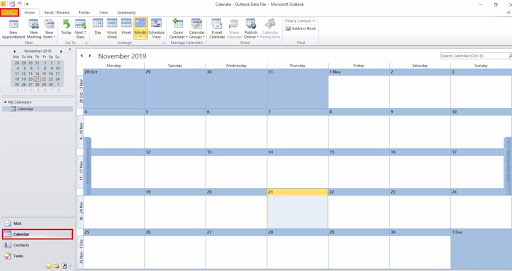 <li>Now <b>select</b> that calendar whose you want to convert in the ICS file format.</li> <li>After that, <b>open</b> the File menu.</li> <li><b>Choose</b> the save Calendar option.</li> 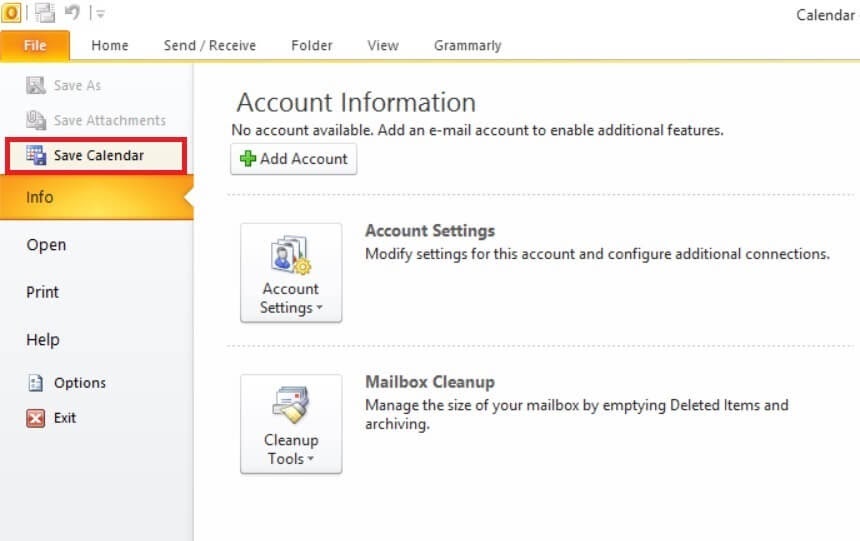 <li>Next, type Filename in the Save As the type and <b>choose</b> your desired location where you want to <b>save the file.</b></li> <li>If you want some more details then you can <b>click</b> on the More Options.</li> 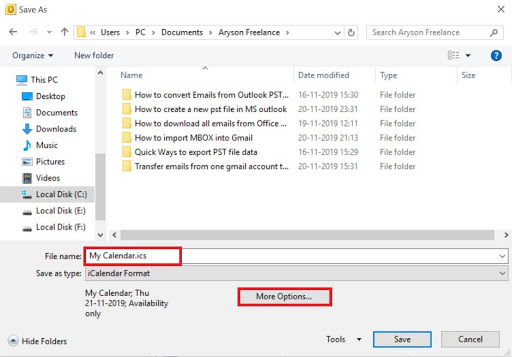 <li>In the <b>Date Range</b> drop-down menu, you can filter out the calendar details according to the date and the range.</li> <li>In the second last step, you have to apply the required configuration and then click on the <b>OK button.</b></li> <li>Finally, <b>press</b> the Save button.</li> 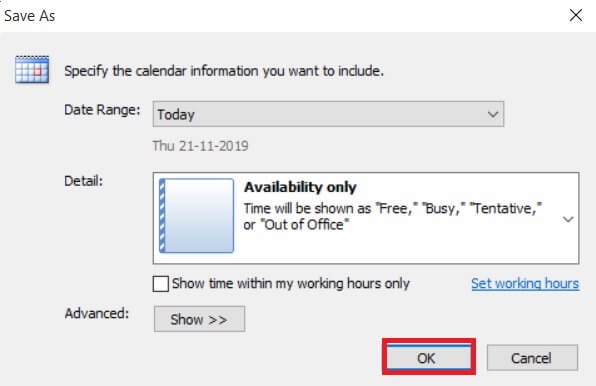 </ul> <h3>Professional Method to Export PST to ICS</h3> <p>As we have already got to know about how to transfer PST to ICS manually in the details. But these methods are quite long and time-consuming. Hence we have professional PST to ICS Converter utility that can help the user to achieve the task. The methods to conversion through this utility are given below:</p> <ol> <li><b>Launch</b> the utility.</li> <li>Click on the <b>Add File option.</b></li> <li><b>Choose</b> that file and click on the open button.</li> <li>After this, select the <b>single-mode</b> from the PST modes.</li> <li>Then go to <b>Save</b>as another Format from the drop-down menu.</li> <li>And click on the <b>Next button.</b></li> <li><b>Select</b> the Inbox folder before you click on the Convert option given below.</li> <li>Then a new window will open, here you have to <b>choose Save</b> as ICS in the Output option.</li> <li>Here, provide some significant changes you want to do to the Select folder path to <b>save you files.</b></li> <li>Press the <b>Apply button.</b></li> <li>Now your file is converted into the <b>ICS file format.</b></li> <li>Finally, press the <b>OK button</b> to get out of utility. </li> </ol> <b>Features of Professional Utility</b> <ul> <li>It can import PST files directly into several different email clients like <b>Gmail, Thunderbird, Zimbra, Yahoo etc.</b></li> <li>Users can convert the <b>batch files</b> of single as well as multiple personal files and folder.</li> <li>It is one of the <b>safer and smoother ways</b> of converting the PST file.</li> <li>It offers the smart <b>Date-Range</b> feature to their users in order to sort the emails and fetch it rapidly.</li> </ul> <p><b>Final Words</b></p> <p>In order to convert PST to ICS file, you can use the Outlook built-in utility. But utility sometimes creates an unwanted error in our calendar items and the user may face data loss from the calendar items. Hence, it is a recommendation by the professionals to take the help of PST to ICS Converter that guarantees that your data will remain safe. Also, one utility is enough to convert your PST files into the various different file formats which are plus points of this utility. </p> |
| json metadata | {"tags":["pst","converter","to","ics"],"image":["https://cdn.steemitimages.com/DQmZ5dccbfvkkuN2RELAQwANbHogbq25MueUPw9ecPXSkFV/pst-to-ics.png","https://cdn.steemitimages.com/DQmbzzmtjewCYXL7RntDBb2Ja1G6GtBqVj67nSDHXBpm9u9/click%20ok.jpg","https://cdn.steemitimages.com/DQmZM7ST3P8PYxFx7szAKvpkb86nxMfadDGW1FbxJ6rxzUb/save%20calendar%20option.jpg","https://cdn.steemitimages.com/DQmQQk1wRMGLfTPVh1kXjueE61HhngEbaYwpxUgAdQXak6A/save.jpg","https://cdn.steemitimages.com/DQmSXbHPCcEkQBrpC4cbmFHUoAm6jhenXtcaooxvxHTb4Hv/click%20k.jpg"],"app":"steemit/0.2","format":"markdown"} |
| parent author | |
| parent permlink | pst |
| permlink | methods-to-convert-pst-to-ics |
| title | Methods to Convert PST to ICS |
| Transaction Info | Block #43901793/Trx bcc9ea2cff00742143fc04ea410cf88c6993c546 |
View Raw JSON Data
{
"block": 43901793,
"op": [
"comment",
{
"author": "abrienne3",
"body": "\n\n<p>MS Outlook stores its data like emails, contacts or other attachments like the calendar in the PST file format. All the items of the Outlook application are saved on our local storage devices in the Outlook compatible format. But PST file format is not compatible with other email clients. And hence this makes a question, how to access the PST file calendar data inside the other email applications. Or we can say that, how to convert PST to ICS file?</p>\n\n<p>Some users want to export their PST calendar data in the ICS file format. If you are one of them, then you land on the right page. Manual methods are mentioned below, so it is a suggestion to read it carefully, otherwise, you miss the track.</p>\n\n<p>But before we know about the manual process let’s know about ICS format in brief.</p>\n\n<h2>What is ICS file format?</h2>\n\n<p>ICS is a calendar file format that is saved in a universal calendar format used by many different email calendars programs. The list of email applications that use this is very big and some of the big names are Microsoft Outlook, Google Calendar, and Apple Calendar etc. It allows the user to publish and share the calendar information over the email over the web. ICS files are shared between the employees of the institution in order to share the internal events of the company.</p>\n\n<h2>Why do users prefer PST to ICS Conversion?</h2>\n<ol>\n<li>ICS is the universal file format that allows their user to store all the information about the calendar but if we compare this PST then PST is very restricted.</li>\n<li>Many email services and email clients support the ICS file format. Hence it is easy for users to open this file on any email application.</li>\n<li>Several programs give access to import the internet calendar ICS file which can not be in PST file format.\nICS file format supports more information within very less space.</li>\n</ol>\n\n<h3>Manual Method to Convert PST to ICS</h3>\n\n<p>MS Outlook itself provides an in-built utility to convert your calendar in the ICS file format with some other additional features. The steps to transfer PST to ICS are as follows:</p>\n<ul>\n<li>Open <b>Microsoft Outlook</b> application in your system.</li>\n<li>Go to calendar button and <b>click</b> on it.</li>\n\n<li>Now <b>select</b> that calendar whose you want to convert in the ICS file format.</li>\n<li>After that, <b>open</b> the File menu.</li>\n<li><b>Choose</b> the save Calendar option.</li>\n\n<li>Next, type Filename in the Save As the type and <b>choose</b> your desired location where you want to <b>save the file.</b></li>\n<li>If you want some more details then you can <b>click</b> on the More Options.</li>\n\n<li>In the <b>Date Range</b> drop-down menu, you can filter out the calendar details according to the date and the range.</li>\n<li>In the second last step, you have to apply the required configuration and then click on the <b>OK button.</b></li>\n<li>Finally, <b>press</b> the Save button.</li>\n\n\n</ul>\n\n<h3>Professional Method to Export PST to ICS</h3>\n\n<p>As we have already got to know about how to transfer PST to ICS manually in the details. But these methods are quite long and time-consuming. Hence we have professional PST to ICS Converter utility that can help the user to achieve the task. The methods to conversion through this utility are given below:</p>\n<ol>\n<li><b>Launch</b> the utility.</li>\n<li>Click on the <b>Add File option.</b></li>\n<li><b>Choose</b> that file and click on the open button.</li>\n<li>After this, select the <b>single-mode</b> from the PST modes.</li>\n<li>Then go to <b>Save</b>as another Format from the drop-down menu.</li>\n<li>And click on the <b>Next button.</b></li>\n<li><b>Select</b> the Inbox folder before you click on the Convert option given below.</li>\n<li>Then a new window will open, here you have to <b>choose Save</b> as ICS in the Output option.</li>\n<li>Here, provide some significant changes you want to do to the Select folder path to <b>save you files.</b></li>\n<li>Press the <b>Apply button.</b></li>\n<li>Now your file is converted into the <b>ICS file format.</b></li>\n<li>Finally, press the <b>OK button</b> to get out of utility. </li>\n</ol>\n<b>Features of Professional Utility</b>\n<ul>\n<li>It can import PST files directly into several different email clients like <b>Gmail, Thunderbird, Zimbra, Yahoo etc.</b></li>\n<li>Users can convert the <b>batch files</b> of single as well as multiple personal files and folder.</li>\n<li>It is one of the <b>safer and smoother ways</b> of converting the PST file.</li>\n<li>It offers the smart <b>Date-Range</b> feature to their users in order to sort the emails and fetch it rapidly.</li>\n</ul>\n<p><b>Final Words</b></p>\n\n<p>In order to convert PST to ICS file, you can use the Outlook built-in utility. But utility sometimes creates an unwanted error in our calendar items and the user may face data loss from the calendar items. Hence, it is a recommendation by the professionals to take the help of PST to ICS Converter that guarantees that your data will remain safe. Also, one utility is enough to convert your PST files into the various different file formats which are plus points of this utility. </p>",
"json_metadata": "{\"tags\":[\"pst\",\"converter\",\"to\",\"ics\"],\"image\":[\"https://cdn.steemitimages.com/DQmZ5dccbfvkkuN2RELAQwANbHogbq25MueUPw9ecPXSkFV/pst-to-ics.png\",\"https://cdn.steemitimages.com/DQmbzzmtjewCYXL7RntDBb2Ja1G6GtBqVj67nSDHXBpm9u9/click%20ok.jpg\",\"https://cdn.steemitimages.com/DQmZM7ST3P8PYxFx7szAKvpkb86nxMfadDGW1FbxJ6rxzUb/save%20calendar%20option.jpg\",\"https://cdn.steemitimages.com/DQmQQk1wRMGLfTPVh1kXjueE61HhngEbaYwpxUgAdQXak6A/save.jpg\",\"https://cdn.steemitimages.com/DQmSXbHPCcEkQBrpC4cbmFHUoAm6jhenXtcaooxvxHTb4Hv/click%20k.jpg\"],\"app\":\"steemit/0.2\",\"format\":\"markdown\"}",
"parent_author": "",
"parent_permlink": "pst",
"permlink": "methods-to-convert-pst-to-ics",
"title": "Methods to Convert PST to ICS"
}
],
"op_in_trx": 0,
"timestamp": "2020-06-02T12:17:39",
"trx_id": "bcc9ea2cff00742143fc04ea410cf88c6993c546",
"trx_in_block": 3,
"virtual_op": 0
}abrienne3published a new post: how-to-open-ost-file-into-outlook-2013-2016-2010-and-20072020/05/26 11:18:15
abrienne3published a new post: how-to-open-ost-file-into-outlook-2013-2016-2010-and-2007
2020/05/26 11:18:15
| author | abrienne3 |
| body |  <p>To open OST file into Outlook 2013, 2016, 2010, and 2007- one might need to know <a href="http://www.sysinfotools.com/blog/difference-between-ost-and-pst/">what an OST file is?</a> OST(Offline Storage Table) is a file format supported by Windows Outlook. This data file is cannot be accessed straight away without having access to Outlook or Exchange server. AN OST file automatically generates when a user opens Outlook application. The file is therefore connected to the profile account and the PC on which it has been generated. A user might need to convert these files to PST file format, to open Outlook data file(.ost).</p> <h2>When the user requires a solution to open OST file in Outlook?</h2> <ol> <li>If the OST file is disconnected from Exchange server( orphan OST), it becomes inaccessible and therefore, cannot open OST file in Outlook.</li> <li>To view OST files without Outlook( when a person receives an OST file through an attachment and cannot open it due to no Outlook access.</li> <li>Let’s take a look at how-to solutions to solve these situation faced by users.</li> </ol> <h2>How to open OST File by converting the OST File to PST file format </h2> <p><b>Method 1: Outlook Data file Import/Export Wizard</b></p> <p><b>Steps to do before starting the procedure.</b></p> <ul> <li>Install <b>MS Outlook application.</b></li> <li>Have an active <b>Outlook profile.</b></li> </ul> <p><b>NOTE:</b> Outlook does not export meta-data to PST such as message rules, blocked lists, and folder properties. Also, you can only export mailbox items from your accessible Outlook account. It can’t convert an orphaned or inaccessible OST to PST.</p> <p><b>Follow these steps to Open OST File into Outlook 2013, 2016, 2010, and 2007.</b></p> <ul> <li><b>Open</b> Outlook application in your system.</li> <li>In the File menu, go to the open & export tab then <b>hit Import/Export.</b></li> <li>In the Import/Export options, select <b>‘Export to a file’ and then hit Next.</b></li> <li><b>Select</b> Outlook Data File (.pst) option from the options tab then <b>press Next to proceed.</b></li> <li><b>Choose</b> the mail account or select individual mailbox folders like <b>Inbox, Sent Items, etc. you wish to export (choose one at a time).</b></li> <li>Tick ‘Include subfolders’ checkbox and <b>press Next to continue.</b></li> <li>Next,<b> browse</b> a location in PC or external media where you wish to save the file. </li> <li>Click <b>Finish to exit</b> the application.</li> </ul> <p>A user might need to type in the password to prevent unauthorised importation of Outlook OST mailbox folders. The above step is totally optional. Sometimes, the user might hit Ok without even entering the password.</p> <p>This will then export OST mailbox content to Outlook PST.</p> <p><b>NOTE:</b> You might need to retype the password for verification and then hit OK to start the Exporting process.</p> <p><b>Instructions to follow for importing an OST file in Outlook: </b></p> <ul> <li>Go to Outlook application and log in using valid credentials.</li> </ul> <h3>How to open OST file in Outlook 2016, 2013, and 2019</h3> <ol> <li>Now, Go to the <b>File menu -> Open & Export -> Open Outlook Data File.</b></li> <li>Search and select the converted PST file and <b>hit ‘OK’</b> to view the OST mailbox.</li> </ol> <p><b>For Outlook version 2010</b></p> <ul> <li>Go to the <b>File menu -> Open -> Open Outlook Data File.</b></li> <li>Navigate and <b>choose</b> the Outlook PST to view OST file contents. </li> </ul> <p><b>For Outlook versions 2007 & 2003</b></p> <ul> <li>Direct to the <b>File menu -> Open -> Outlook Data File.</b></li> <li>Browse the PST file and <b>select</b> it to open Outlook OST mailbox files. </li> </ul> <p><b>To Access PST file in your Outlook Account</b></p> <ul> <li>Choose <b>Import/Export</b> option in Outlook versions 2019, 2016 & 2013.</li> <li><b>Select</b> the Import tab in Outlook version 2010.</li> <li>Press <b>‘Import and Export’</b> option in Outlook versions 2007 & 2003. </li> <ul> <p>Later, that PST file can be accessed into Outlook to Open/view OST files.</p> <p>Other than converting <a href="https://www.sysinfotools.com/ost-to-pst-converter.php">OST files to PST</a> manually to view OST content, one can simply use an automated tool to view Outlook OST files. One such utility is OST File Viewer. The utility main purpose is to access/view/open OST files without Outlook. Let’s take a look at some of the utility promising features.</p> <p><b>Features:</b></p> <ol> <li>Helps to open/view OST files without the help of Outlook and Exchange server.</li> <li>Allows accessing mailbox content like emails, tasks, journal notes, calendars, and contacts.</li> <li>Auto-detect the OST files in the system directory.</li> <li>Option to export OST file to HTML file format.</li> <li>Creates log files of Outlook OST at user-defined location.</li> <li>The utility is fully compatible and supported by Windows version 2000, 2003, XP, Vista, 8, 7, 10, etc.</li> </ol> <h4>Conclusion:</h4> <p>As we discussed above the manual solution to open OST file in Outlook and Automated solution to do the same. To open OST file into Outlook 2013, 2016, 2010, and 2007, it is understood that the portable measure is messier and time-consuming than the automated approach. Experts usually advise profession solutions to solve problems like this. I hope you find this tip helpful.</p> |
| json metadata | {"tags":["osttopst","osttopstconverter"],"image":["https://cdn.steemitimages.com/DQmXdt3DoVbn9799SJjChzkZgjwsDLwYCzFqzcYaRjhDZbh/How-to-Open-OST-File-into-Outlook-2013,-2016,-2010,-and-2007.png"],"links":["http://www.sysinfotools.com/blog/difference-between-ost-and-pst/","https://www.sysinfotools.com/ost-to-pst-converter.php"],"app":"steemit/0.2","format":"markdown"} |
| parent author | |
| parent permlink | osttopst |
| permlink | how-to-open-ost-file-into-outlook-2013-2016-2010-and-2007 |
| title | How to Open OST File into Outlook 2013, 2016, 2010, and 2007? |
| Transaction Info | Block #43702620/Trx 9ad346d05cba4f99a594fc16c4a78f7d3e17a3e7 |
View Raw JSON Data
{
"block": 43702620,
"op": [
"comment",
{
"author": "abrienne3",
"body": "\n\n<p>To open OST file into Outlook 2013, 2016, 2010, and 2007- one might need to know <a href=\"http://www.sysinfotools.com/blog/difference-between-ost-and-pst/\">what an OST file is?</a> OST(Offline Storage Table) is a file format supported by Windows Outlook. This data file is cannot be accessed straight away without having access to Outlook or Exchange server. AN OST file automatically generates when a user opens Outlook application. The file is therefore connected to the profile account and the PC on which it has been generated. A user might need to convert these files to PST file format, to open Outlook data file(.ost).</p>\n\n<h2>When the user requires a solution to open OST file in Outlook?</h2>\n<ol>\n<li>If the OST file is disconnected from Exchange server( orphan OST), it becomes inaccessible and therefore, cannot open OST file in Outlook.</li>\n<li>To view OST files without Outlook( when a person receives an OST file through an attachment and cannot open it due to no Outlook access.</li>\n<li>Let’s take a look at how-to solutions to solve these situation faced by users.</li>\n</ol>\n<h2>How to open OST File by converting the OST File to PST file format </h2>\n\n<p><b>Method 1: Outlook Data file Import/Export Wizard</b></p>\n\n<p><b>Steps to do before starting the procedure.</b></p>\n<ul>\n<li>Install <b>MS Outlook application.</b></li>\n<li>Have an active <b>Outlook profile.</b></li>\n</ul>\n<p><b>NOTE:</b> Outlook does not export meta-data to PST such as message rules, blocked lists, and folder properties. Also, you can only export mailbox items from your accessible Outlook account. It can’t convert an orphaned or inaccessible OST to PST.</p>\n \n<p><b>Follow these steps to Open OST File into Outlook 2013, 2016, 2010, and 2007.</b></p>\n<ul>\n<li><b>Open</b> Outlook application in your system.</li>\n<li>In the File menu, go to the open & export tab then <b>hit Import/Export.</b></li>\n<li>In the Import/Export options, select <b>‘Export to a file’ and then hit Next.</b></li>\n<li><b>Select</b> Outlook Data File (.pst) option from the options tab then <b>press Next to proceed.</b></li>\n<li><b>Choose</b> the mail account or select individual mailbox folders like <b>Inbox, Sent Items, etc. you wish to export (choose one at a time).</b></li>\n<li>Tick ‘Include subfolders’ checkbox and <b>press Next to continue.</b></li>\n<li>Next,<b> browse</b> a location in PC or external media where you wish to save the file. </li>\n<li>Click <b>Finish to exit</b> the application.</li>\n</ul>\n<p>A user might need to type in the password to prevent unauthorised importation of Outlook OST mailbox folders. The above step is totally optional. Sometimes, the user might hit Ok without even entering the password.</p>\n\n<p>This will then export OST mailbox content to Outlook PST.</p>\n\n<p><b>NOTE:</b> You might need to retype the password for verification and then hit OK to start the Exporting process.</p> \n \n<p><b>Instructions to follow for importing an OST file in Outlook: </b></p>\n<ul>\n<li>Go to Outlook application and log in using valid credentials.</li>\n</ul>\n<h3>How to open OST file in Outlook 2016, 2013, and 2019</h3>\n<ol>\n<li>Now, Go to the <b>File menu -> Open & Export -> Open Outlook Data File.</b></li>\n<li>Search and select the converted PST file and <b>hit ‘OK’</b> to view the OST mailbox.</li>\n</ol>\n<p><b>For Outlook version 2010</b></p>\n<ul>\n<li>Go to the <b>File menu -> Open -> Open Outlook Data File.</b></li>\n<li>Navigate and <b>choose</b> the Outlook PST to view OST file contents. </li>\n</ul>\n\n<p><b>For Outlook versions 2007 & 2003</b></p>\n<ul>\n<li>Direct to the <b>File menu -> Open -> Outlook Data File.</b></li>\n<li>Browse the PST file and <b>select</b> it to open Outlook OST mailbox files. </li>\n</ul>\n<p><b>To Access PST file in your Outlook Account</b></p>\n<ul>\n<li>Choose <b>Import/Export</b> option in Outlook versions 2019, 2016 & 2013.</li>\n<li><b>Select</b> the Import tab in Outlook version 2010.</li>\n<li>Press <b>‘Import and Export’</b> option in Outlook versions 2007 & 2003. </li>\n<ul>\n<p>Later, that PST file can be accessed into Outlook to Open/view OST files.</p>\n\n<p>Other than converting <a href=\"https://www.sysinfotools.com/ost-to-pst-converter.php\">OST files to PST</a> manually to view OST content, one can simply use an automated tool to view Outlook OST files. One such utility is OST File Viewer. The utility main purpose is to access/view/open OST files without Outlook. Let’s take a look at some of the utility promising features.</p>\n\n<p><b>Features:</b></p>\n<ol>\n<li>Helps to open/view OST files without the help of Outlook and Exchange server.</li>\n<li>Allows accessing mailbox content like emails, tasks, journal notes, calendars, and contacts.</li>\n<li>Auto-detect the OST files in the system directory.</li>\n<li>Option to export OST file to HTML file format.</li>\n<li>Creates log files of Outlook OST at user-defined location.</li>\n<li>The utility is fully compatible and supported by Windows version 2000, 2003, XP, Vista, 8, 7, 10, etc.</li>\n</ol>\n<h4>Conclusion:</h4>\n<p>As we discussed above the manual solution to open OST file in Outlook and Automated solution to do the same. To open OST file into Outlook 2013, 2016, 2010, and 2007, it is understood that the portable measure is messier and time-consuming than the automated approach. Experts usually advise profession solutions to solve problems like this. I hope you find this tip helpful.</p>",
"json_metadata": "{\"tags\":[\"osttopst\",\"osttopstconverter\"],\"image\":[\"https://cdn.steemitimages.com/DQmXdt3DoVbn9799SJjChzkZgjwsDLwYCzFqzcYaRjhDZbh/How-to-Open-OST-File-into-Outlook-2013,-2016,-2010,-and-2007.png\"],\"links\":[\"http://www.sysinfotools.com/blog/difference-between-ost-and-pst/\",\"https://www.sysinfotools.com/ost-to-pst-converter.php\"],\"app\":\"steemit/0.2\",\"format\":\"markdown\"}",
"parent_author": "",
"parent_permlink": "osttopst",
"permlink": "how-to-open-ost-file-into-outlook-2013-2016-2010-and-2007",
"title": "How to Open OST File into Outlook 2013, 2016, 2010, and 2007?"
}
],
"op_in_trx": 0,
"timestamp": "2020-05-26T11:18:15",
"trx_id": "9ad346d05cba4f99a594fc16c4a78f7d3e17a3e7",
"trx_in_block": 7,
"virtual_op": 0
}techkenupvoted (1.00%) @abrienne3 / how-to-repair-innodb-tables-in-mysql2020/05/20 15:22:30
techkenupvoted (1.00%) @abrienne3 / how-to-repair-innodb-tables-in-mysql
2020/05/20 15:22:30
| author | abrienne3 |
| permlink | how-to-repair-innodb-tables-in-mysql |
| voter | techken |
| weight | 100 (1.00%) |
| Transaction Info | Block #43537903/Trx 062f677b627231864737d972a8bac3ce569c2fa0 |
View Raw JSON Data
{
  "block": 43537903,
  "op": [
    "vote",
    {
      "author": "abrienne3",
      "permlink": "how-to-repair-innodb-tables-in-mysql",
      "voter": "techken",
      "weight": 100
    }
  ],
  "op_in_trx": 0,
  "timestamp": "2020-05-20T15:22:30",
  "trx_id": "062f677b627231864737d972a8bac3ce569c2fa0",
  "trx_in_block": 4,
  "virtual_op": 0
}teamupvoted (10.00%) @abrienne3 / how-to-repair-innodb-tables-in-mysql2020/05/20 15:22:24
teamupvoted (10.00%) @abrienne3 / how-to-repair-innodb-tables-in-mysql
2020/05/20 15:22:24
| author | abrienne3 |
| permlink | how-to-repair-innodb-tables-in-mysql |
| voter | team |
| weight | 1000 (10.00%) |
| Transaction Info | Block #43537901/Trx bb15123767ebf50f86853a791541509e0f3dadfd |
View Raw JSON Data
{
  "block": 43537901,
  "op": [
    "vote",
    {
      "author": "abrienne3",
      "permlink": "how-to-repair-innodb-tables-in-mysql",
      "voter": "team",
      "weight": 1000
    }
  ],
  "op_in_trx": 0,
  "timestamp": "2020-05-20T15:22:24",
  "trx_id": "bb15123767ebf50f86853a791541509e0f3dadfd",
  "trx_in_block": 18,
  "virtual_op": 0
}abrienne3published a new post: how-to-repair-innodb-tables-in-mysql2020/05/20 12:24:39
abrienne3published a new post: how-to-repair-innodb-tables-in-mysql
2020/05/20 12:24:39
| author | abrienne3 |
| body |  <p>Do you ever face issues in InnoDB Tables of MYSQL? Then you have to immediately repair them so that you can perform other operations. So, this blog provides methods to repair InnoDB tables in MySQL. Just rea d the given solutions to immediately fix the issue.</p> <p>InnoDB is a MySQL storage engine which is used in MySQL 5.5 and older editions by default. It is considered to have functionality for crash recovery and is also considered as a crash-safe storage device. Although under situations, however, it seems the InnoDB pages will turn malicious during a failure. </p> <p>InnoDB crash is a huge issue that is very rare but can lead to severe problems if it has happened. One might even lose their data entirely. Repairing InnoDB Tables is very challenging, so one must always keep a backup of all the files. Let's check the main causes behind this issue.</p> <h2>Causes for the Crashing of InnoDB Tables in MySQL</h2> <ol> <li>Any power failure suddenly occurs.</li> <li>Due to the huge load on the server.</li> <li>If memory storage gets full.</li> <li>Shutdown of MySQL applications unexpectedly.</li> <li>A software bug can cause crashing of InnoDB Tables.</li> </ol> <p>Now, after looking at the causes for the crashing of InnoDB tables, let's start manual ways to fix this issue. </p> <h2>Manual Ways to Repair InnoDB Tables in MySQL</h2> <ul> <li>The first action to start during the crashing of InnoDB is to avoid the MySQL Server.</li> <li>If any cycle is still going, then violently terminate it.</li> <li>Take backup of InnoDB files.</li> <li>Afterwards, open my.inifile on the server.</li> <li>Now, the recovery process will start. To start the recovery mode, use InnoDB Recovery. It normally avoids different parts of the InnoDB cycle where crashes happened.</li> <p><b>innodb_force_recovery=1</p></b> <p><b>skip-grant-tables</p></b> <li>The innodb force recovery value could vary from 1 to 6. If the result is given in value 1 then no data is lost. It can be used for any slight crashing, but if there is no recovery, the value will be increased to 6. This will yield the outcome but data can be lost at a huge amount.</li> <li>Again try to restart MySQL server.</li> <li>If you can access InnoDB tables then build a database dump using mysqldump utility to a new file.</li> <li>Then stop the running MySQL service.</li> <li>Erase the innodb_force_recovery and skip-grant-tables from my.inifile and then again start the MySQL.</li> <li>Now, you can easily repair InnoDB Tables from MySQL.</li> </ul> <p>Configuring InnoDB tables requires detailed technical knowledge on all values associated with them. So, if you don’t have technical knowledge then you cannot understand the above steps. At that time, you should use MySQL Database Repair Tool to fix and restore damaged InnoDB tables if you encounter some trouble when restoring the MySQL database.</p> <h3>A Quick Way to Repair InnoDB Tables: MySQL Database Repair</h3> <p>This tool works very fast in recovering data from damaged InnoDB tables and restoring the maximum data without losing any original data. The MySQL Repair tool provides an intuitive user interface. This can also be used by a novice user as it does not need any technical experience.</p> <b>Features:</b> <li>Filled with a smart <b>preview feature</b> to preview recovered files.</li> <li>Auto-generates <b>Log file</b> in your device at your given location</li> <li>It successfully fixes MySQL databases and restores database objects such as <b>tables, keys, table properties, data types, views, triggers, etc.</b> </li> <li>Quick to use its <b>GUI.</b></li> <li><b>Support</b> all MySQL major Versions.</li> <li>Goes smoothly on all <b>MS Windows OS editions.</b></li> <h3>Working of the tool to Repair corrupted InnoDB Tables in MySQL</h3> <p><b>These Steps must be followed:</b></p> <ul> <li>First,<b> install the tool</b> and run it.</li> <li>Go to the Open button and <b>hit it and pick</b> the corrupted InnoDB Table.</li> <li>Then the scanning process will <b>start.</b> It will take sometime. After this, press the <b>OK button.</b></li> <li>Now, make a <b>right-click</b> on Save as Script and <b>tap OK.</b></li> <li>A message will pop up of a script created successfully, then hit the <b>OK button.</b> Exit the tool.</li> </ul> <p>This way, you will be able to successfully and quickly repair the corrupted InnoDB table. </p> <h4>Verdict!!</h4> <p>MySQL is used by every user nowadays. But one issue arises with InnoDB tables which cannot be solved easily. So, here in this guide, we provided the best and quick methods that help in repairing the corrupted tables. Used the appropriate methods to repair InnoDB tables in MySQL that suit your needs. Hope, this guide assists you with every solution related to this issue. </p> |
| json metadata | {"tags":["accessdatabaserecovery","datarecovery","backupandrestore"],"image":["https://cdn.steemitimages.com/DQmZkEmtErfsKMa8ZS9AdYuEoiKKEvzxpbG4PDqLse2vQKh/How-to-Repair-InnoDB-Tables-in-MySQL.png"],"app":"steemit/0.2","format":"markdown"} |
| parent author | |
| parent permlink | accessdatabaserecovery |
| permlink | how-to-repair-innodb-tables-in-mysql |
| title | How to Repair InnoDB Tables in MySQL |
| Transaction Info | Block #43534410/Trx e6ed1ac9be8e50039f214846c66baf8e60840bb1 |
View Raw JSON Data
{
"block": 43534410,
"op": [
"comment",
{
"author": "abrienne3",
"body": "\n\n<p>Do you ever face issues in InnoDB Tables of MYSQL? Then you have to immediately repair them so that you can perform other operations. So, this blog provides methods to repair InnoDB tables in MySQL. Just rea \nd the given solutions to immediately fix the issue.</p>\n\n<p>InnoDB is a MySQL storage engine which is used in MySQL 5.5 and older editions by default. It is considered to have functionality for crash recovery and is also considered as a crash-safe storage device. Although under situations, however, it seems the InnoDB pages will turn malicious during a failure. </p>\n\n<p>InnoDB crash is a huge issue that is very rare but can lead to severe problems if it has happened. One might even lose their data entirely. Repairing InnoDB Tables is very challenging, so one must always keep a backup of all the files. Let's check the main causes behind this issue.</p>\n\n<h2>Causes for the Crashing of InnoDB Tables in MySQL</h2>\n<ol>\n<li>Any power failure suddenly occurs.</li>\n<li>Due to the huge load on the server.</li>\n<li>If memory storage gets full.</li>\n<li>Shutdown of MySQL applications unexpectedly.</li>\n<li>A software bug can cause crashing of InnoDB Tables.</li>\n</ol>\n<p>Now, after looking at the causes for the crashing of InnoDB tables, let's start manual ways to fix this issue. </p>\n\n<h2>Manual Ways to Repair InnoDB Tables in MySQL</h2>\n<ul>\n<li>The first action to start during the crashing of InnoDB is to avoid the MySQL Server.</li>\n<li>If any cycle is still going, then violently terminate it.</li>\n<li>Take backup of InnoDB files.</li>\n<li>Afterwards, open my.inifile on the server.</li>\n<li>Now, the recovery process will start. To start the recovery mode, use InnoDB Recovery. It normally avoids different parts of the InnoDB cycle where crashes happened.</li>\n<p><b>innodb_force_recovery=1</p></b>\n<p><b>skip-grant-tables</p></b>\n<li>The innodb force recovery value could vary from 1 to 6. If the result is given in value 1 then no data is lost. It can be used for any slight crashing, but if there is no recovery, the value will be increased to 6. This will yield the outcome but data can be lost at a huge amount.</li>\n<li>Again try to restart MySQL server.</li>\n<li>If you can access InnoDB tables then build a database dump using mysqldump utility to a new file.</li>\n<li>Then stop the running MySQL service.</li>\n<li>Erase the innodb_force_recovery and skip-grant-tables from my.inifile and then again start the MySQL.</li>\n<li>Now, you can easily repair InnoDB Tables from MySQL.</li>\n</ul>\n<p>Configuring InnoDB tables requires detailed technical knowledge on all values associated with them. So, if you don’t have technical knowledge then you cannot understand the above steps. At that time, you should use MySQL Database Repair Tool to fix and restore damaged InnoDB tables if you encounter some trouble when restoring the MySQL database.</p>\n\n<h3>A Quick Way to Repair InnoDB Tables: MySQL Database Repair</h3>\n\n<p>This tool works very fast in recovering data from damaged InnoDB tables and restoring the maximum data without losing any original data. The MySQL Repair tool provides an intuitive user interface. This can also be used by a novice user as it does not need any technical experience.</p>\n\n<b>Features:</b>\n\n<li>Filled with a smart <b>preview feature</b> to preview recovered files.</li>\n<li>Auto-generates <b>Log file</b> in your device at your given location</li>\n<li>It successfully fixes MySQL databases and restores database objects such as <b>tables, keys, table properties, data types, views, triggers, etc.</b> </li>\n<li>Quick to use its <b>GUI.</b></li>\n<li><b>Support</b> all MySQL major Versions.</li>\n<li>Goes smoothly on all <b>MS Windows OS editions.</b></li>\n\n<h3>Working of the tool to Repair corrupted InnoDB Tables in MySQL</h3>\n\n<p><b>These Steps must be followed:</b></p>\n<ul>\n<li>First,<b> install the tool</b> and run it.</li>\n<li>Go to the Open button and <b>hit it and pick</b> the corrupted InnoDB Table.</li>\n<li>Then the scanning process will <b>start.</b> It will take sometime. After this, press the <b>OK button.</b></li>\n<li>Now, make a <b>right-click</b> on Save as Script and <b>tap OK.</b></li>\n<li>A message will pop up of a script created successfully, then hit the <b>OK button.</b> Exit the tool.</li>\n</ul>\n<p>This way, you will be able to successfully and quickly repair the corrupted InnoDB table. </p>\n\n<h4>Verdict!!</h4>\n\n<p>MySQL is used by every user nowadays. But one issue arises with InnoDB tables which cannot be solved easily. So, here in this guide, we provided the best and quick methods that help in repairing the corrupted tables. Used the appropriate methods to repair InnoDB tables in MySQL that suit your needs. Hope, this guide assists you with every solution related to this issue. </p>",
"json_metadata": "{\"tags\":[\"accessdatabaserecovery\",\"datarecovery\",\"backupandrestore\"],\"image\":[\"https://cdn.steemitimages.com/DQmZkEmtErfsKMa8ZS9AdYuEoiKKEvzxpbG4PDqLse2vQKh/How-to-Repair-InnoDB-Tables-in-MySQL.png\"],\"app\":\"steemit/0.2\",\"format\":\"markdown\"}",
"parent_author": "",
"parent_permlink": "accessdatabaserecovery",
"permlink": "how-to-repair-innodb-tables-in-mysql",
"title": "How to Repair InnoDB Tables in MySQL"
}
],
"op_in_trx": 0,
"timestamp": "2020-05-20T12:24:39",
"trx_id": "e6ed1ac9be8e50039f214846c66baf8e60840bb1",
"trx_in_block": 24,
"virtual_op": 0
}rubinkaupvoted (100.00%) @abrienne3 / fixed-how-to-free-up-space-in-gmail2020/05/14 11:09:33
rubinkaupvoted (100.00%) @abrienne3 / fixed-how-to-free-up-space-in-gmail
2020/05/14 11:09:33
| author | abrienne3 |
| permlink | fixed-how-to-free-up-space-in-gmail |
| voter | rubinka |
| weight | 10000 (100.00%) |
| Transaction Info | Block #43364141/Trx 346071c16f6476c9d233f4b3f9406aaad798fa1d |
View Raw JSON Data
{
  "block": 43364141,
  "op": [
    "vote",
    {
      "author": "abrienne3",
      "permlink": "fixed-how-to-free-up-space-in-gmail",
      "voter": "rubinka",
      "weight": 10000
    }
  ],
  "op_in_trx": 0,
  "timestamp": "2020-05-14T11:09:33",
  "trx_id": "346071c16f6476c9d233f4b3f9406aaad798fa1d",
  "trx_in_block": 4,
  "virtual_op": 0
}abrienne3published a new post: fixed-how-to-free-up-space-in-gmail2020/05/14 10:28:09
abrienne3published a new post: fixed-how-to-free-up-space-in-gmail
2020/05/14 10:28:09
| author | abrienne3 |
| body |  <p>To free up space in Gmail- one needs to understand why Gmail memory gets full and what happens when Gmail memory overflows. This will give the user the idea of why he/she must keep their <a href="https://www.sysinfotools.com/gmail-backup.php">Gmail space free.</a></p> <p>The Gmail memory gets full due to not clearing up the Gmail mails regularly. Remember, even the mails stored in the archive file or junks store space in Gmail memory. To free up Gmail space one must remove the mails from junk files and import the important mails to either other email client or save it in the system as a backup.</p> <p>Furthermore, When Gmail Memory overflows then Gmail gives warning notifications to the user. Also, it doesn’t allow the user to send/receive mails until memory is freed up.</p> <p><b>Let’s take a look at how-to methods to solve the situation.</b></p> <h2>How to free up Space in Gmail Account Manually?</h2> <h3>Step 1: Categorize Emails with Attachments</h3> <ol> <li>Sign in to your Gmail account by entering the <b>login id and Password.</b></li> <li>In the search bar, <b>go to drop down</b> arrows and check the option <b>'Has Attachments'</b> in the search field. <b>Next, hit</b> the search button.</li>  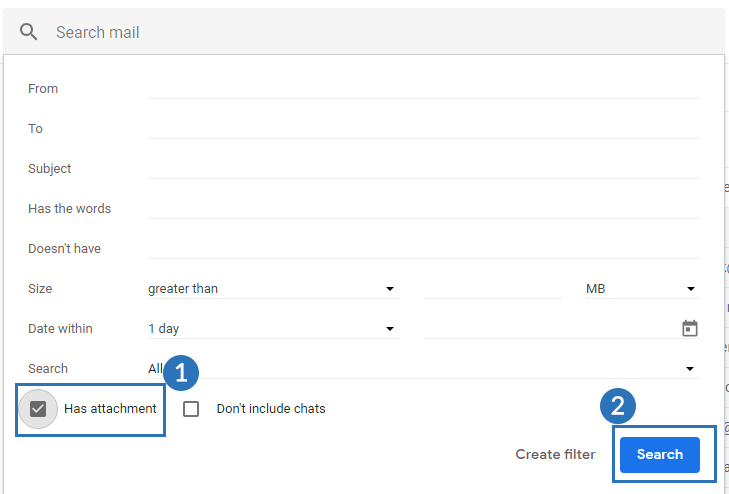 <li>Now, all the emails with attachments will appear on the screen. <b>Select</b> them all.</li> 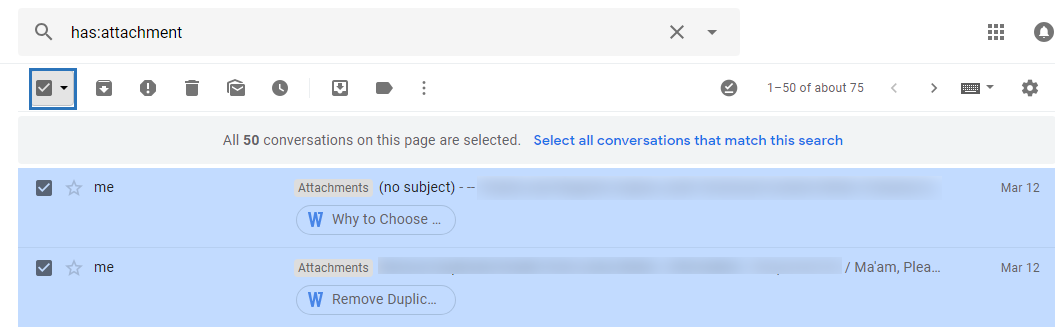 <li>Next, <b>hit the Label icon,</b> then click Create a new Label.</li> 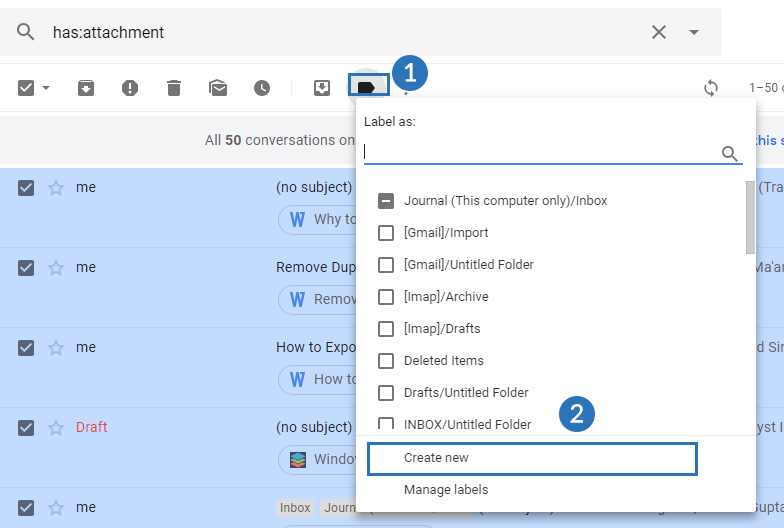 <li>In the end, name the label and press the <b>Create button.</b></li> 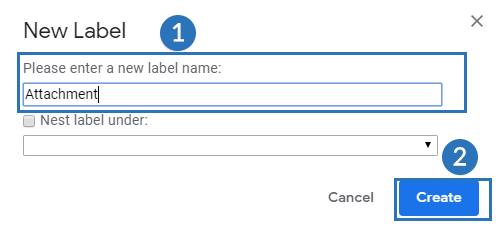 </ol> <p>A new label with all required emails is created. Now, it's time to use Google Takeout to archive all of these.</p> <h3>Step 2: Archive Google Mails using Google Takeout</h3> <ol> <li>Login to Google Takeout using your <b>Gmail account credentials.</b></li> <li>Next,<b> hit</b> on the Create Archive tab.</li> 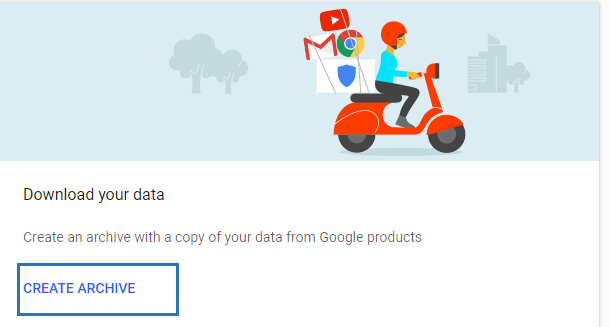 <li>In the <b>Select</b> data to Include dialogue box, turn on Mail option.</li> <li>Now, in the Mail drop-down menu, hit the <b>Select label option. </b></li> 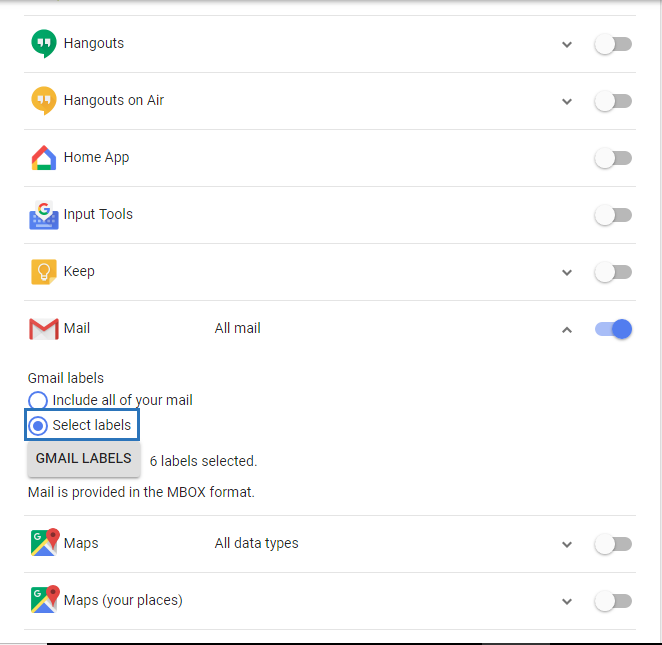 <li>All the labels from your <b>Gmail account</b> will appear on your screen. Now, check the attachment you created in step 1.</li> 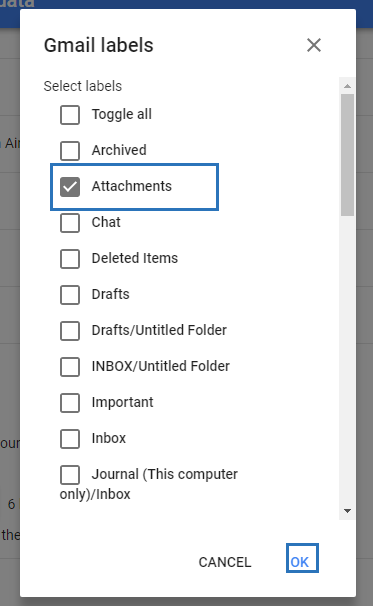 <li>Now, hit the <b>Next button</b> to personalize the archive file.</li> <li>Here, <b>select the ZIP file</b> as the archive file format. </li> 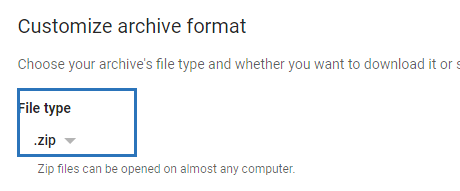 <li>In the Archive size limit, <b>select 2 GB.</b></li> <li>Now, <b>select the Send download link</b> via email as Delivery Method.</li> 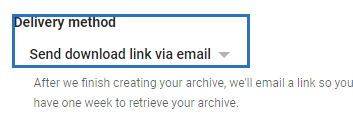 <li>Next, hit the <b>Create Archive button</b> to continue the archiving process.</li>  <li>After process <b>successful completion,</b> tick the checkbox near the mailbox for the <b>download link.</b></li> <li>Open the mailbox using <b>Google Takeout and press</b> the Download Archive button.</li> <li>In the Google Takeout application, download the archive label in ZIP file format and store it in the <b>local computer.</b></li> </ol> <h3>Step 3: Delete Downloaded Mails from Gmail</h3> <p>After saving the email with attachments it is up to a user to delete the files from Gmail or not. Follow the steps mentioned below.</p> <ol> <li>Login to your Gmail account and <b>jump to search bar.</b></li> <li>Click the <b>drop-down arrow,</b> check the option ‘Has attachments’ at the bottom and <b>press Search button.</b></li> <li>Next, all the emails with attachments will appear in the <b>right pane</b> then you can either delete them either by selecting them and deleting one by one or <b>selecting all and deleting</b> them all at once. </li> </ol> <p><b>This is how a user can easily fix the issue ‘’how to free up space in Gmail?’’.</b></p> <p>The above approach is too time-consuming and seems lengthy. It is obvious if any of the above steps are missed the problem won’t be solved. Hence., it is necessary to have the technical experience to work on solutions like these. Apart from this method, the market offers more promising solutions that guarantee data integrity as well as full data recovery. One such utility is the Gmail Backup Tool. One way the utility can help is an individual can save the Gmail files into other file formats and allows to delete the old files after generating the resultant file. Let’s take a look at the features of the utility.</p> <p><b>Features:</b></p> <ul> <li>Download and backup Gmail mailbox items like <b>G-drive files/folders, Calendars, Emails, Contacts, etc.</b></li> <li>Save Gmail emails in <b>MBOX, PDF, EML,TXT, HTML, MSG, TXT, etc. </b></li> <li>Allows <b>renaming resultant files</b> using a naming convention.</li> <li>Migrate Gmail Contacts to <b>Outlook, Thunderbird, Yahoo, etc.</b></li> <li>Widely compatible with all versions of <b>Mac OS and Windows OS.</b></li> <li><b>Interactive user interface</b> for better understandability.</li> <li>Allows <b>deleting old emails</b> after conversion.</li> </ul> <h4>Conclusion:</h4> <p>We have discussed the working of how-to methods as well as the features to free up space in Gmail. It is said that the third party utility offers more prominent features than the manual approach. It is furthermore filled with promising and optimized solutions to solve the problem. I hope you find this tip helpful</p> |
| json metadata | {"tags":["gmailbackup","emailbackup"],"image":["https://cdn.steemitimages.com/DQmYk8BHYE9kouDo2QxiyBiab9oMMvqqyqJyoU6t91VsT9i/How-to-Free-Up-Space-In-Gmail.png","https://cdn.steemitimages.com/DQmSoAbuhcEMKmQvkGZgViEgaEDKKs6niH8zY7owgHL6xAW/search.png","https://cdn.steemitimages.com/DQmUB6ofrbLLwVLrJHjmCpLQgxCxBb45BcZzxaDVCkM9pnD/dropdown.png","https://cdn.steemitimages.com/DQmSixLerbS5Z8DdhHxDN7Htv7VA5JLx4h82tDduk76Xapg/select%20image.png","https://cdn.steemitimages.com/DQmP6ZWpEzoQvcecuC72H3PQEZDZu5o5HEZZH5yBc7NGhKH/create%20table.png","https://cdn.steemitimages.com/DQmWmSxaPfVAuZ3NHo7HBYZobGUXPC7AgbfJzvwEBqFDBKf/name%20table.png","https://cdn.steemitimages.com/DQmcKxqfbc6RmZHqn1G6foQ2xQpyN4r6pvDghBJW2YJWsw9/createarxhivetab.png","https://cdn.steemitimages.com/DQmZs9rVeMWK6GcfyFhkrvTxhvv8fJj4BVgSBgCGYNNJJge/create%20lable.png","https://cdn.steemitimages.com/DQmVmAoFveJGn5mCMVVDJb86fgLBJumM3FSyiavd783kmbX/tik%20attachments'.png","https://cdn.steemitimages.com/DQmQoNB8MGtSMFk5h1qovSd31gV9gDfqYDR5GWDNBkNSKrh/customize%20archive%20format.png","https://cdn.steemitimages.com/DQmUWEETkXibPzwspdaBPNg5aGaXwgtaAKfMfTSCF7mUnUL/dowload%20link.png","https://cdn.steemitimages.com/DQmc9hpvhnzNX7qtwhjgTA5FEZSU5Vsrmdz8qxj26pjPu83/create%20archive.png"],"links":["https://www.sysinfotools.com/gmail-backup.php"],"app":"steemit/0.2","format":"markdown"} |
| parent author | |
| parent permlink | gmailbackup |
| permlink | fixed-how-to-free-up-space-in-gmail |
| title | Fixed: How to Free Up Space In Gmail? |
| Transaction Info | Block #43363328/Trx 5c8a2cb61f9866ba0bba502ba16634983d722c50 |
View Raw JSON Data
{
"block": 43363328,
"op": [
"comment",
{
"author": "abrienne3",
"body": "\n\n<p>To free up space in Gmail- one needs to understand why Gmail memory gets full and what happens when Gmail memory overflows. This will give the user the idea of why he/she must keep their <a href=\"https://www.sysinfotools.com/gmail-backup.php\">Gmail space free.</a></p>\n\n<p>The Gmail memory gets full due to not clearing up the Gmail mails regularly. Remember, even the mails stored in the archive file or junks store space in Gmail memory. To free up Gmail space one must remove the mails from junk files and import the important mails to either other email client or save it in the system as a backup.</p>\n\n<p>Furthermore, When Gmail Memory overflows then Gmail gives warning notifications to the user. Also, it doesn’t allow the user to send/receive mails until memory is freed up.</p>\n\n<p><b>Let’s take a look at how-to methods to solve the situation.</b></p>\n\n<h2>How to free up Space in Gmail Account Manually?</h2>\n\n<h3>Step 1: Categorize Emails with Attachments</h3>\n<ol>\n<li>Sign in to your Gmail account by entering the <b>login id and Password.</b></li>\n<li>In the search bar, <b>go to drop down</b> arrows and check the option <b>'Has Attachments'</b> in the search field. <b>Next, hit</b> the search button.</li>\n\n\n\n\n\n\n<li>Now, all the emails with attachments will appear on the screen. <b>Select</b> them all.</li>\n\n\n\n<li>Next, <b>hit the Label icon,</b> then click Create a new Label.</li>\n\n\n\n\n<li>In the end, name the label and press the <b>Create button.</b></li>\n\n\n\n</ol>\n<p>A new label with all required emails is created. Now, it's time to use Google Takeout to archive all of these.</p>\n\n<h3>Step 2: Archive Google Mails using Google Takeout</h3>\n<ol>\n<li>Login to Google Takeout using your <b>Gmail account credentials.</b></li>\n<li>Next,<b> hit</b> on the Create Archive tab.</li>\n\n\n\n\n<li>In the <b>Select</b> data to Include dialogue box, turn on Mail option.</li>\n<li>Now, in the Mail drop-down menu, hit the <b>Select label option. </b></li>\n\n\n\n\n\n<li>All the labels from your <b>Gmail account</b> will appear on your screen. Now, check the attachment you created in step 1.</li>\n\n\n\n\n\n<li>Now, hit the <b>Next button</b> to personalize the archive file.</li>\n<li>Here, <b>select the ZIP file</b> as the archive file format. </li>\n\n\n\n\n\n<li>In the Archive size limit, <b>select 2 GB.</b></li>\n<li>Now, <b>select the Send download link</b> via email as Delivery Method.</li>\n\n\n\n\n\n\n<li>Next, hit the <b>Create Archive button</b> to continue the archiving process.</li>\n\n\n\n\n\n<li>After process <b>successful completion,</b> tick the checkbox near the mailbox for the <b>download link.</b></li>\n<li>Open the mailbox using <b>Google Takeout and press</b> the Download Archive button.</li>\n<li>In the Google Takeout application, download the archive label in ZIP file format and store it in the <b>local computer.</b></li>\n</ol>\n<h3>Step 3: Delete Downloaded Mails from Gmail</h3>\n\n<p>After saving the email with attachments it is up to a user to delete the files from Gmail or not. Follow the steps mentioned below.</p>\n<ol>\n<li>Login to your Gmail account and <b>jump to search bar.</b></li>\n<li>Click the <b>drop-down arrow,</b> check the option ‘Has attachments’ at the bottom and <b>press Search button.</b></li>\n<li>Next, all the emails with attachments will appear in the <b>right pane</b> then you can either delete them either by selecting them and deleting one by one or <b>selecting all and deleting</b> them all at once. </li>\n</ol>\n <p><b>This is how a user can easily fix the issue ‘’how to free up space in Gmail?’’.</b></p>\n\n<p>The above approach is too time-consuming and seems lengthy. It is obvious if any of the above steps are missed the problem won’t be solved. Hence., it is necessary to have the technical experience to work on solutions like these. Apart from this method, the market offers more promising solutions that guarantee data integrity as well as full data recovery. One such utility is the Gmail Backup Tool. One way the utility can help is an individual can save the Gmail files into other file formats and allows to delete the old files after generating the resultant file. Let’s take a look at the features of the utility.</p>\n\n<p><b>Features:</b></p>\n<ul>\n<li>Download and backup Gmail mailbox items like <b>G-drive files/folders, Calendars, Emails, Contacts, etc.</b></li>\n<li>Save Gmail emails in <b>MBOX, PDF, EML,TXT, HTML, MSG, TXT, etc. </b></li>\n<li>Allows <b>renaming resultant files</b> using a naming convention.</li>\n<li>Migrate Gmail Contacts to <b>Outlook, Thunderbird, Yahoo, etc.</b></li>\n<li>Widely compatible with all versions of <b>Mac OS and Windows OS.</b></li>\n<li><b>Interactive user interface</b> for better understandability.</li>\n<li>Allows <b>deleting old emails</b> after conversion.</li>\n</ul>\n\n<h4>Conclusion:</h4>\n<p>We have discussed the working of how-to methods as well as the features to free up space in Gmail. It is said that the third party utility offers more prominent features than the manual approach. It is furthermore filled with promising and optimized solutions to solve the problem. I hope you find this tip helpful</p>",
"json_metadata": "{\"tags\":[\"gmailbackup\",\"emailbackup\"],\"image\":[\"https://cdn.steemitimages.com/DQmYk8BHYE9kouDo2QxiyBiab9oMMvqqyqJyoU6t91VsT9i/How-to-Free-Up-Space-In-Gmail.png\",\"https://cdn.steemitimages.com/DQmSoAbuhcEMKmQvkGZgViEgaEDKKs6niH8zY7owgHL6xAW/search.png\",\"https://cdn.steemitimages.com/DQmUB6ofrbLLwVLrJHjmCpLQgxCxBb45BcZzxaDVCkM9pnD/dropdown.png\",\"https://cdn.steemitimages.com/DQmSixLerbS5Z8DdhHxDN7Htv7VA5JLx4h82tDduk76Xapg/select%20image.png\",\"https://cdn.steemitimages.com/DQmP6ZWpEzoQvcecuC72H3PQEZDZu5o5HEZZH5yBc7NGhKH/create%20table.png\",\"https://cdn.steemitimages.com/DQmWmSxaPfVAuZ3NHo7HBYZobGUXPC7AgbfJzvwEBqFDBKf/name%20table.png\",\"https://cdn.steemitimages.com/DQmcKxqfbc6RmZHqn1G6foQ2xQpyN4r6pvDghBJW2YJWsw9/createarxhivetab.png\",\"https://cdn.steemitimages.com/DQmZs9rVeMWK6GcfyFhkrvTxhvv8fJj4BVgSBgCGYNNJJge/create%20lable.png\",\"https://cdn.steemitimages.com/DQmVmAoFveJGn5mCMVVDJb86fgLBJumM3FSyiavd783kmbX/tik%20attachments'.png\",\"https://cdn.steemitimages.com/DQmQoNB8MGtSMFk5h1qovSd31gV9gDfqYDR5GWDNBkNSKrh/customize%20archive%20format.png\",\"https://cdn.steemitimages.com/DQmUWEETkXibPzwspdaBPNg5aGaXwgtaAKfMfTSCF7mUnUL/dowload%20link.png\",\"https://cdn.steemitimages.com/DQmc9hpvhnzNX7qtwhjgTA5FEZSU5Vsrmdz8qxj26pjPu83/create%20archive.png\"],\"links\":[\"https://www.sysinfotools.com/gmail-backup.php\"],\"app\":\"steemit/0.2\",\"format\":\"markdown\"}",
"parent_author": "",
"parent_permlink": "gmailbackup",
"permlink": "fixed-how-to-free-up-space-in-gmail",
"title": "Fixed: How to Free Up Space In Gmail?"
}
],
"op_in_trx": 0,
"timestamp": "2020-05-14T10:28:09",
"trx_id": "5c8a2cb61f9866ba0bba502ba16634983d722c50",
"trx_in_block": 20,
"virtual_op": 0
}abrienne3published a new post: how-to-save-outlook-email-as-pdf-file-for-mac-and-windows2020/05/08 04:03:57
abrienne3published a new post: how-to-save-outlook-email-as-pdf-file-for-mac-and-windows
2020/05/08 04:03:57
| author | abrienne3 |
| body | @@ -1,12 +1,225 @@ +!%5BHow-to-Save-Outlook-Email-as-PDF-File-for-Mac-&-Windows (1).png%5D(https://cdn.steemitimages.com/DQmSeo3c7nq6DPT6okd7pcumL4wKqcviJwbvz6xyAP3Crrg/How-to-Save-Outlook-Email-as-PDF-File-for-Mac-&-Windows%2520(1).png)%0A%0A %3Cp%3EAs we all |
| json metadata | {"tags":["conversion","pst","converter"],"links":["How to Save Outlook Email as PDF File for Mac & Windows"],"app":"steemit/0.2","format":"markdown","image":["https://cdn.steemitimages.com/DQmSeo3c7nq6DPT6okd7pcumL4wKqcviJwbvz6xyAP3Crrg/How-to-Save-Outlook-Email-as-PDF-File-for-Mac-&-Windows%20(1).png"]} |
| parent author | |
| parent permlink | file |
| permlink | how-to-save-outlook-email-as-pdf-file-for-mac-and-windows |
| title | How to Save Outlook Email as PDF File for Mac & Windows |
| Transaction Info | Block #43186946/Trx c57aef544e54152a713bac54027723fc3afbf75f |
View Raw JSON Data
{
  "block": 43186946,
  "op": [
    "comment",
    {
      "author": "abrienne3",
      "body": "@@ -1,12 +1,225 @@\n+!%5BHow-to-Save-Outlook-Email-as-PDF-File-for-Mac-&-Windows (1).png%5D(https://cdn.steemitimages.com/DQmSeo3c7nq6DPT6okd7pcumL4wKqcviJwbvz6xyAP3Crrg/How-to-Save-Outlook-Email-as-PDF-File-for-Mac-&-Windows%2520(1).png)%0A%0A\n %3Cp%3EAs we all\n",
      "json_metadata": "{\"tags\":[\"conversion\",\"pst\",\"converter\"],\"links\":[\"How to Save Outlook Email as PDF File for Mac & Windows\"],\"app\":\"steemit/0.2\",\"format\":\"markdown\",\"image\":[\"https://cdn.steemitimages.com/DQmSeo3c7nq6DPT6okd7pcumL4wKqcviJwbvz6xyAP3Crrg/How-to-Save-Outlook-Email-as-PDF-File-for-Mac-&-Windows%20(1).png\"]}",
      "parent_author": "",
      "parent_permlink": "file",
      "permlink": "how-to-save-outlook-email-as-pdf-file-for-mac-and-windows",
      "title": "How to Save Outlook Email as PDF File for Mac & Windows"
    }
  ],
  "op_in_trx": 0,
  "timestamp": "2020-05-08T04:03:57",
  "trx_id": "c57aef544e54152a713bac54027723fc3afbf75f",
  "trx_in_block": 17,
  "virtual_op": 0
}abrienne3published a new post: how-to-save-outlook-email-as-pdf-file-for-mac-and-windows2020/05/08 04:02:30
abrienne3published a new post: how-to-save-outlook-email-as-pdf-file-for-mac-and-windows
2020/05/08 04:02:30
| author | abrienne3 |
| body | @@ -1,12 +1,215 @@ +!%5BHow-to-Save-Outlook-Email-as-PDF-File-for-Mac-&-Windows.png%5D(https://cdn.steemitimages.com/DQmSeo3c7nq6DPT6okd7pcumL4wKqcviJwbvz6xyAP3Crrg/How-to-Save-Outlook-Email-as-PDF-File-for-Mac-&-Windows.png)%0A%0A %3Cp%3EAs we all |
| json metadata | {"tags":["pstconvertre","fileconversion"],"links":["How to Save Outlook Email as PDF File for Mac & Windows"],"app":"steemit/0.2","format":"markdown","image":["https://cdn.steemitimages.com/DQmSeo3c7nq6DPT6okd7pcumL4wKqcviJwbvz6xyAP3Crrg/How-to-Save-Outlook-Email-as-PDF-File-for-Mac-&-Windows.png"]} |
| parent author | |
| parent permlink | file |
| permlink | how-to-save-outlook-email-as-pdf-file-for-mac-and-windows |
| title | How to Save Outlook Email as PDF File for Mac & Windows |
| Transaction Info | Block #43186917/Trx 8491d6f0ac6a8bc9904a4f5cbb5f9b3b7a76c847 |
View Raw JSON Data
{
  "block": 43186917,
  "op": [
    "comment",
    {
      "author": "abrienne3",
      "body": "@@ -1,12 +1,215 @@\n+!%5BHow-to-Save-Outlook-Email-as-PDF-File-for-Mac-&-Windows.png%5D(https://cdn.steemitimages.com/DQmSeo3c7nq6DPT6okd7pcumL4wKqcviJwbvz6xyAP3Crrg/How-to-Save-Outlook-Email-as-PDF-File-for-Mac-&-Windows.png)%0A%0A\n %3Cp%3EAs we all\n",
      "json_metadata": "{\"tags\":[\"pstconvertre\",\"fileconversion\"],\"links\":[\"How to Save Outlook Email as PDF File for Mac & Windows\"],\"app\":\"steemit/0.2\",\"format\":\"markdown\",\"image\":[\"https://cdn.steemitimages.com/DQmSeo3c7nq6DPT6okd7pcumL4wKqcviJwbvz6xyAP3Crrg/How-to-Save-Outlook-Email-as-PDF-File-for-Mac-&-Windows.png\"]}",
      "parent_author": "",
      "parent_permlink": "file",
      "permlink": "how-to-save-outlook-email-as-pdf-file-for-mac-and-windows",
      "title": "How to Save Outlook Email as PDF File for Mac & Windows"
    }
  ],
  "op_in_trx": 0,
  "timestamp": "2020-05-08T04:02:30",
  "trx_id": "8491d6f0ac6a8bc9904a4f5cbb5f9b3b7a76c847",
  "trx_in_block": 1,
  "virtual_op": 0
}techkenupvoted (1.00%) @abrienne3 / how-to-save-outlook-email-as-pdf-file-for-mac-and-windows2020/05/07 13:16:12
techkenupvoted (1.00%) @abrienne3 / how-to-save-outlook-email-as-pdf-file-for-mac-and-windows
2020/05/07 13:16:12
| author | abrienne3 |
| permlink | how-to-save-outlook-email-as-pdf-file-for-mac-and-windows |
| voter | techken |
| weight | 100 (1.00%) |
| Transaction Info | Block #43169619/Trx f85cbb0360be6ab96df3d9e61ae0720430af5a90 |
View Raw JSON Data
{
  "block": 43169619,
  "op": [
    "vote",
    {
      "author": "abrienne3",
      "permlink": "how-to-save-outlook-email-as-pdf-file-for-mac-and-windows",
      "voter": "techken",
      "weight": 100
    }
  ],
  "op_in_trx": 0,
  "timestamp": "2020-05-07T13:16:12",
  "trx_id": "f85cbb0360be6ab96df3d9e61ae0720430af5a90",
  "trx_in_block": 13,
  "virtual_op": 0
}teamupvoted (10.00%) @abrienne3 / how-to-save-outlook-email-as-pdf-file-for-mac-and-windows2020/05/07 13:16:06
teamupvoted (10.00%) @abrienne3 / how-to-save-outlook-email-as-pdf-file-for-mac-and-windows
2020/05/07 13:16:06
| author | abrienne3 |
| permlink | how-to-save-outlook-email-as-pdf-file-for-mac-and-windows |
| voter | team |
| weight | 1000 (10.00%) |
| Transaction Info | Block #43169617/Trx 8d42b5cbbe428adfb1685c84adab08b05993b0a7 |
View Raw JSON Data
{
  "block": 43169617,
  "op": [
    "vote",
    {
      "author": "abrienne3",
      "permlink": "how-to-save-outlook-email-as-pdf-file-for-mac-and-windows",
      "voter": "team",
      "weight": 1000
    }
  ],
  "op_in_trx": 0,
  "timestamp": "2020-05-07T13:16:06",
  "trx_id": "8d42b5cbbe428adfb1685c84adab08b05993b0a7",
  "trx_in_block": 43,
  "virtual_op": 0
}abrienne3published a new post: how-to-save-outlook-email-as-pdf-file-for-mac-and-windows2020/05/07 13:00:48
abrienne3published a new post: how-to-save-outlook-email-as-pdf-file-for-mac-and-windows
2020/05/07 13:00:48
| author | abrienne3 |
| body | <p>As we all know that PDF file format is the most secure way that cannot be modified easily. Every document can be converted into PDF files. Same of the email formats can also be moved into a PDF document. So, if you also want to know <a href="How to Save Outlook Email as PDF File for Mac & Windows">how to save Outlook Email as PDF file</a> in your Mac or Windows system then follow this guide till the end. </p> <p>A PDF file may also be kept in a standard document folder alongside Text, Excel, and other types of documents, and can be exchanged and accessed by others irrespective of the type of device or software that they have. The permissions and passwords can also secure PDF files.</p> <p><b>Now, let's start with the process of saving email messages of Outlook in PDF format.</b></p> <h2>How to save Outlook Email as PDF File on Mac & Windows?</h2> <h3>Steps to save email as PDF in Outlook 2016 or its later Versions:</h3> <p> If you have Windows 2010 installed then follow these steps:</p> <ol> <li><b></b>Open the message which you want to <b>convert to PDF in Outlook.</b></li> <li> Press the tab File, and <b>pick Print.</b></li> <li>Tap the <b>drop-down menu</b> under Printer, and pick Microsoft Print to PDF option.</li> <li>Hit the<b> Print tab.</b></li> <li>Browse to the folder where you want to save the PDF file in the <b>Save Print Output dialog box.</b></li> <li>If you wish to update the <b>file name, update name in the field File Name, then press Save.</b></li> <li>The file is saved to the folder you have <b>selected.</b></li> </ol> <h3>Steps to Save Previous Version of Outlook:</h3> <p>For Windows versions older than 2010, you will have to save the email message as an HTML file, then convert it to PDF. Follow these steps below:</p> <ol> <li>Open the message you want to <b>convert to in Outlook.</b></li> <li>Tap on the tab <b>File, and pick Save As.</b></li> <li><b>Navigate</b> to the folder where you want to <b>save the file, in the Save As dialog box.</b></li> <li>If you want to <b>modify</b> the file name, do so in the field <b>File Name.</b></li> <li>Tap the <b>drop-down menu</b> Save as Type, and choose HTML, then <b>press Save.</b></li> <li>Then open Word, and b>tap on the tab File,</b> then <b>select Open.</b> Pick the file you have saved to HTML.</li> <li><b>Press</b> on the tab File, and <b>pick Save As.</b></li> <li>Navigate to wherever the file you want to save is stored. <b>Tap the Save as</b> Type dropdown menu in the Save As <b>dialog box, and pick PDF.</b></li> <li>Press <b>Save button.</b></li> <li>The PDF file is saved to the folder that you have<b>picked.</b></li> </ol> <h3>Steps to Convert Email to PDF on a Mac System:</h3> <p>If you are using Outlook on a Mac, follow these steps:</p> <ol> <li><b>Open</b> the message you want to migrate to<b> PDF in Outlook.</b></li> <li>Pick <b>File > Print.</b></li> <li><b>Press</b> the drop-down menu in PDF and pick <b>Save as PDF.</b></li> <li>Type the <b>PDF file name</b> in the text field.</li> <li><b>Press</b> the arrow next to the Save As an area, and go to the folder where you want the <b>file to be saved.</b></li> <li>Tap the Save<b>button.</b></li> <li>The PDF file is <b>saved</b> to the folder that you have picked.</li> </ol> <p>After seeing this long manual procedure, you may get bored. If you're tired and want a quick conversion, then choose another method as shown below:</p> <h3>Alternative Way to Save Outlook Email as PDF</h3> <p>To make your work easier and simpler, this method can complete conversion in a short period of time. One such tool is PST Converter Tool which is a highly powerful tool for converting your personal file folder to the PDF file format. It can convert PST file format to different types of files such as EML, Email, MBOX, TXT, HTML, Gmail, Yahoo, etc. as well. A demo version is available if you want to know its function in depth.</p> <h4>Verdict!!</h4> <p>This article explains how to save Outlook email as PDF file on your Mac & Windows system. Manual Methods are discussed here for this conversion. As the manual procedures are very long and complicated. Therefore, to help users for making their work easier, an alternative way is also given here to save the emails as a PDF file. It's up to you which method you prefer or would like to use, hopefully, it helps you out. Thanks for reading.</p> |
| json metadata | {"tags":["file","conversion","pst","converter"],"links":["How to Save Outlook Email as PDF File for Mac & Windows"],"app":"steemit/0.2","format":"markdown"} |
| parent author | |
| parent permlink | file |
| permlink | how-to-save-outlook-email-as-pdf-file-for-mac-and-windows |
| title | How to Save Outlook Email as PDF File for Mac & Windows |
| Transaction Info | Block #43169317/Trx 490ab99ac3093320d77641d0a1c5831d07529bd5 |
View Raw JSON Data
{
  "block": 43169317,
  "op": [
    "comment",
    {
      "author": "abrienne3",
      "body": "<p>As we all know that PDF file format is the most secure way that cannot be modified easily. Every document can be converted into PDF files. Same of the email formats can also be moved into a PDF document. So, if you also want to know <a href=\"How to Save Outlook Email as PDF File for Mac & Windows\">how to save Outlook Email as PDF file</a> in your Mac or Windows system then follow this guide till the end. </p>\n\n<p>A PDF file may also be kept in a standard document folder alongside Text, Excel, and other types of documents, and can be exchanged and accessed by others irrespective of the type of device or software that they have. The permissions and passwords can also secure PDF files.</p>\n\n<p><b>Now, let's start with the process of saving email messages of Outlook in PDF format.</b></p>\n\n<h2>How to save Outlook Email as PDF File on Mac & Windows?</h2>\n\n<h3>Steps to save email as PDF in Outlook 2016 or its later Versions:</h3>\n\n<p> If you have Windows 2010 installed then follow these steps:</p>\n<ol>\n<li><b></b>Open the message which you want to <b>convert to PDF in Outlook.</b></li>\n<li> Press the tab File, and <b>pick Print.</b></li>\n<li>Tap the <b>drop-down menu</b> under Printer, and pick Microsoft Print to PDF option.</li>\n<li>Hit the<b> Print tab.</b></li>\n<li>Browse to the folder where you want to save the PDF file in the <b>Save Print Output dialog box.</b></li>\n<li>If you wish to update the <b>file name, update name in the field File Name, then press Save.</b></li>\n<li>The file is saved to the folder you have <b>selected.</b></li>\n</ol>\n<h3>Steps to Save Previous Version of Outlook:</h3>\n\n<p>For Windows versions older than 2010, you will have to save the email message as an HTML file, then convert it to PDF. Follow these steps below:</p>\n<ol>\n<li>Open the message you want to <b>convert to in Outlook.</b></li>\n<li>Tap on the tab <b>File, and pick Save As.</b></li>\n<li><b>Navigate</b> to the folder where you want to <b>save the file, in the Save As dialog box.</b></li>\n<li>If you want to <b>modify</b> the file name, do so in the field <b>File Name.</b></li>\n<li>Tap the <b>drop-down menu</b> Save as Type, and choose HTML, then <b>press Save.</b></li>\n<li>Then open Word, and b>tap on the tab File,</b> then <b>select Open.</b> Pick the file you have saved to HTML.</li>\n<li><b>Press</b> on the tab File, and <b>pick Save As.</b></li>\n<li>Navigate to wherever the file you want to save is stored. <b>Tap the Save as</b> Type dropdown menu in the Save As <b>dialog box, and pick PDF.</b></li>\n<li>Press <b>Save button.</b></li>\n<li>The PDF file is saved to the folder that you have<b>picked.</b></li>\n</ol>\n\n<h3>Steps to Convert Email to PDF on a Mac System:</h3>\n\n<p>If you are using Outlook on a Mac, follow these steps:</p> \n<ol>\n<li><b>Open</b> the message you want to migrate to<b> PDF in Outlook.</b></li>\n<li>Pick <b>File > Print.</b></li>\n<li><b>Press</b> the drop-down menu in PDF and pick <b>Save as PDF.</b></li>\n<li>Type the <b>PDF file name</b> in the text field.</li>\n<li><b>Press</b> the arrow next to the Save As an area, and go to the folder where you want the <b>file to be saved.</b></li>\n<li>Tap the  Save<b>button.</b></li>\n<li>The PDF file is <b>saved</b> to the folder that you have picked.</li>\n</ol>\n<p>After seeing this long manual procedure, you may get bored. If you're tired and want a quick conversion, then choose another method as shown below:</p>\n\n<h3>Alternative Way to Save Outlook Email as PDF</h3>\n\n<p>To make your work easier and simpler, this method can complete conversion in a short period of time. \nOne such tool is PST Converter Tool which is a highly powerful tool for converting your personal file folder to the PDF file format. It can convert PST file format to different types of files such as EML, Email, MBOX, TXT, HTML, Gmail, Yahoo, etc. as well. A demo version is available if you want to know its function in depth.</p>\n\n<h4>Verdict!!</h4>\n\n<p>This article explains how to save Outlook email as PDF file on your Mac & Windows system. Manual Methods are discussed here for this conversion. As the manual procedures are very long and complicated. Therefore, to help users for making their work easier, an alternative way is also given here to save the emails as a PDF file. It's up to you which method you prefer or would like to use, hopefully, it helps you out. Thanks for reading.</p>",
      "json_metadata": "{\"tags\":[\"file\",\"conversion\",\"pst\",\"converter\"],\"links\":[\"How to Save Outlook Email as PDF File for Mac & Windows\"],\"app\":\"steemit/0.2\",\"format\":\"markdown\"}",
      "parent_author": "",
      "parent_permlink": "file",
      "permlink": "how-to-save-outlook-email-as-pdf-file-for-mac-and-windows",
      "title": "How to Save Outlook Email as PDF File for Mac & Windows"
    }
  ],
  "op_in_trx": 0,
  "timestamp": "2020-05-07T13:00:48",
  "trx_id": "490ab99ac3093320d77641d0a1c5831d07529bd5",
  "trx_in_block": 22,
  "virtual_op": 0
}beemenginesent 0.001 STEEM to @abrienne3- "💎 Best Community Service: auto post booster, tens extra votes 24/24, passive earnings and more.
Checkout https://www.steembeem.com 🤙 or try it one month FOR ONLY 1 STEEM 🤯 to @beemengine with memo:..."2020/04/22 05:43:15
beemenginesent 0.001 STEEM to @abrienne3- "💎 Best Community Service: auto post booster, tens extra votes 24/24, passive earnings and more.
Checkout https://www.steembeem.com 🤙 or try it one month FOR ONLY 1 STEEM 🤯 to @beemengine with memo:..."
2020/04/22 05:43:15
| amount | 0.001 STEEM |
| from | beemengine |
| memo | 💎 Best Community Service: auto post booster, tens extra votes 24/24, passive earnings and more. Checkout https://www.steembeem.com 🤙 or try it one month FOR ONLY 1 STEEM 🤯 to @beemengine with memo: subscribe |
| to | abrienne3 |
| Transaction Info | Block #42739723/Trx ec83aac8a88bf62ca9644d98577b3672a68371f8 |
View Raw JSON Data
{
  "block": 42739723,
  "op": [
    "transfer",
    {
      "amount": "0.001 STEEM",
      "from": "beemengine",
      "memo": "💎 Best Community Service: auto post booster, tens extra votes 24/24, passive earnings and more.\nCheckout https://www.steembeem.com 🤙 or try it one month FOR ONLY 1 STEEM 🤯 to @beemengine with memo: subscribe",
      "to": "abrienne3"
    }
  ],
  "op_in_trx": 0,
  "timestamp": "2020-04-22T05:43:15",
  "trx_id": "ec83aac8a88bf62ca9644d98577b3672a68371f8",
  "trx_in_block": 17,
  "virtual_op": 0
}abrienne3replied to @jonsonrude1 / q96d6h2020/04/22 05:42:24
abrienne3replied to @jonsonrude1 / q96d6h
2020/04/22 05:42:24
| author | abrienne3 |
| body | I am here with one of the most reliable solution that will help you out to perform easy OST to PST conversion. <b><a href="https://www.sysinfotools.com/ost-to-pst-converter.php">SysInfo OST to PST converter</a></b> allow users to store exchange OST file to Outlook <b>PST, MSG, DBX, EML, MBOX & Archive</b> and offers <b>Date Range Filter option</b>. Permit users to migrate <b>emails, contacts, journals, tasks, and to-dos</b> from Exchange OST to PST. Along with this, the best thing is it provides <b>free demo version</b> so that the user can have an idea about the utility. You may watch youtube video also to know the working of utility. Watch here: <a href="https://www.youtube.com/watch?v=eDni50ujq8o">https://www.youtube.com/watch?v=eDni50ujq8o</a> |
| json metadata | {"links":["https://www.sysinfotools.com/ost-to-pst-converter.php","https://www.youtube.com/watch?v=eDni50ujq8o"],"app":"steemit/0.2"} |
| parent author | jonsonrude1 |
| parent permlink | how-to-export-outlook-ost-to-pst-and-migrate-ost-to-eml-msg |
| permlink | q96d6h |
| title | |
| Transaction Info | Block #42739706/Trx 670cf3d2967e8b41dd765ede51920a35a05674f6 |
View Raw JSON Data
{
  "block": 42739706,
  "op": [
    "comment",
    {
      "author": "abrienne3",
      "body": "I am here with one of the most reliable solution that will help you out to perform easy OST to PST conversion. <b><a href=\"https://www.sysinfotools.com/ost-to-pst-converter.php\">SysInfo OST to PST converter</a></b> allow users to store exchange OST file to Outlook <b>PST, MSG, DBX, EML, MBOX & Archive</b> and offers <b>Date Range Filter option</b>.\n\nPermit users to migrate <b>emails, contacts, journals, tasks, and to-dos</b> from Exchange OST to PST. Along with this, the best thing is it provides <b>free demo version</b> so that the user can have an idea about the utility. You may watch youtube video also to know the working of utility.\n\nWatch  here: <a href=\"https://www.youtube.com/watch?v=eDni50ujq8o\">https://www.youtube.com/watch?v=eDni50ujq8o</a>",
      "json_metadata": "{\"links\":[\"https://www.sysinfotools.com/ost-to-pst-converter.php\",\"https://www.youtube.com/watch?v=eDni50ujq8o\"],\"app\":\"steemit/0.2\"}",
      "parent_author": "jonsonrude1",
      "parent_permlink": "how-to-export-outlook-ost-to-pst-and-migrate-ost-to-eml-msg",
      "permlink": "q96d6h",
      "title": ""
    }
  ],
  "op_in_trx": 0,
  "timestamp": "2020-04-22T05:42:24",
  "trx_id": "670cf3d2967e8b41dd765ede51920a35a05674f6",
  "trx_in_block": 9,
  "virtual_op": 0
}abrienne3received 0.025 STEEM, 0.003 SBD, 0.055 SP author reward for @abrienne3 / how-to-transfer-emails-from-gmail-to-outlook2020/04/20 07:46:21
abrienne3received 0.025 STEEM, 0.003 SBD, 0.055 SP author reward for @abrienne3 / how-to-transfer-emails-from-gmail-to-outlook
2020/04/20 07:46:21
| author | abrienne3 |
| permlink | how-to-transfer-emails-from-gmail-to-outlook |
| sbd payout | 0.003 SBD |
| steem payout | 0.025 STEEM |
| vesting payout | 89.947530 VESTS |
| Transaction Info | Block #42686128/Virtual Operation #3 |
View Raw JSON Data
{
  "block": 42686128,
  "op": [
    "author_reward",
    {
      "author": "abrienne3",
      "permlink": "how-to-transfer-emails-from-gmail-to-outlook",
      "sbd_payout": "0.003 SBD",
      "steem_payout": "0.025 STEEM",
      "vesting_payout": "89.947530 VESTS"
    }
  ],
  "op_in_trx": 0,
  "timestamp": "2020-04-20T07:46:21",
  "trx_id": "0000000000000000000000000000000000000000",
  "trx_in_block": 4294967295,
  "virtual_op": 3
}raise-me-upupvoted (0.01%) @abrienne3 / how-to-transfer-emails-from-gmail-to-outlook2020/04/13 08:24:30
raise-me-upupvoted (0.01%) @abrienne3 / how-to-transfer-emails-from-gmail-to-outlook
2020/04/13 08:24:30
| author | abrienne3 |
| permlink | how-to-transfer-emails-from-gmail-to-outlook |
| voter | raise-me-up |
| weight | 1 (0.01%) |
| Transaction Info | Block #42490862/Trx c51f9f150c665d2e5ae28b752e205f772ad58a2a |
View Raw JSON Data
{
  "block": 42490862,
  "op": [
    "vote",
    {
      "author": "abrienne3",
      "permlink": "how-to-transfer-emails-from-gmail-to-outlook",
      "voter": "raise-me-up",
      "weight": 1
    }
  ],
  "op_in_trx": 0,
  "timestamp": "2020-04-13T08:24:30",
  "trx_id": "c51f9f150c665d2e5ae28b752e205f772ad58a2a",
  "trx_in_block": 2,
  "virtual_op": 0
}payrollupvoted (4.00%) @abrienne3 / how-to-transfer-emails-from-gmail-to-outlook2020/04/13 08:07:24
payrollupvoted (4.00%) @abrienne3 / how-to-transfer-emails-from-gmail-to-outlook
2020/04/13 08:07:24
| author | abrienne3 |
| permlink | how-to-transfer-emails-from-gmail-to-outlook |
| voter | payroll |
| weight | 400 (4.00%) |
| Transaction Info | Block #42490530/Trx 47084a482d01ca6395e72b94e46a8db27f4b7b2b |
View Raw JSON Data
{
  "block": 42490530,
  "op": [
    "vote",
    {
      "author": "abrienne3",
      "permlink": "how-to-transfer-emails-from-gmail-to-outlook",
      "voter": "payroll",
      "weight": 400
    }
  ],
  "op_in_trx": 0,
  "timestamp": "2020-04-13T08:07:24",
  "trx_id": "47084a482d01ca6395e72b94e46a8db27f4b7b2b",
  "trx_in_block": 4,
  "virtual_op": 0
}abrienne3published a new post: how-to-transfer-emails-from-gmail-to-outlook2020/04/13 07:46:21
abrienne3published a new post: how-to-transfer-emails-from-gmail-to-outlook
2020/04/13 07:46:21
| author | abrienne3 |
| body |  <p>There are many reasons that users want to switch from the Gmail application to Outlook.com. In this situation, it becomes problematic for the user to figure out the perfect method to transfer emails from <a href="https://www.sysinfotools.com/gmail-backup.php">Gmail to Outlook</a> without any difficulty. Here we will provide you the complete guide on how you can securely transfer all your Gmail emails to Outlook 2007, 2010, 2016 and 2019.</p> <p><b>Before performing the migration, let’s have a look on the possible reasons why users want to transfer Gmail data to Outlook.</b></p> <h2>Reasons to Migrate Gmail to Outlook</h2> <p>There are many reasons that users want to transfer mails from Gmail to Outlook. Some of the situation where user looks for a solution to import Gmail to Outlook </p> <ul> <li><b>If the user wants to merge Gmail emails into another account.</b> Creating a PST file of Gmail email and then configuring it with MS Outlook would merge Gmail account’s database into the new account.</li> <li><b>If the company is terminating Gmail services and migrating to Outlook</b> The only option is to create a backup of Gmail emails and then transfer them to Microsoft Outlook.</li> </ul> <p>After discussing the possible situations to migrate gmail data to MS Outlook application. We will now move forward and see how the migration process occurs.</p> <h3>Manual method to transfer emails from Gmail to Outlook </h3> <p>Users can perform migration process manually by following the below steps - </p> <p><b>Step 1: Settings in Gmail</b></p> <ol> <li>Sign in to <b>Gmail</b> and Go to gear icon.</li> <li><b>Select</b> settings option.</li> <li><b>Click</b> on the Forwarding and POP/IMAP, and then <b>select</b> Enable IMAP.</li> <li><b>Hit</b> Save Changes.</li> </ol> <p><b>Step 2: Settings in Outlook</b></p> <ol> <li><b>Launch MS Outlook,</b> Go to the File tab and select Add account</li> <li>Popup Auto Account Setup appears, enter all the credentials such as your <b>Name, Gmail username and password.</b> Then <b>click on Next .</b></li> <li>Once the process is completed, click on finish. Gmail data will automatically be synchronised with Outlook and users can now easily access Gmail items in Outlook account.</li> <li>Again go to the file section and then go to Open & Export. Select <b>Import/Export option</b></b> <li><b>Choose </b>Export to a file and then <b>click on Next</b></li> <li>Select Outlook Data file<b> (.pst).</b></li> <li><b>Select</b> account to convert to PST format.</li> <li>Define the destination path and<b> click on finish.</b></li> <b>There are several limitations to migrate Gmail to Outlook manually.</b> <h3>Limitations</h3> <ol> <li>Proper <b>technical knowledge</b> is required to perform the migration.</li> <li>Users cannot transfer <b>contacts, calendars & emails at the same time.</b></li> <li><b>Installing MS Outlook</b> application to the system is required to perform the migration.</li> <li>If any email is deleted from Gmail then, it would <b>automatically</b> delete from Outlook. </li> <li>There is a high risk of <b>Data loss.</b></li> </ol> <p>To overcome these limitations, users can go with the automated solution to import Gmail to Outlook. We will now discuss the Automated solution.</p> <h3>Automated Solution to transfer emails from Gmail to Outlook</h3> <p>Users can easily and securely perform the migration of Gmail data to MS Outlook with the help of third-party professional software. I suggest you <b>SysInfoTools Gmail Backup Software</b> which is the most reliable and trusted software. And also offers some amazing features that will make your migration process much easier. Some of the features are listed below.</p> <b>Features</b> <ul> <li>No technical expertise is required to run the software i.e, user-friendly graphical interface.</li> <li>You can easily create a backup of your Gmail emails in various file formats like PDF, MSG, EML, MBOX, etc.</li> <li>Also provides options to backup Spreadsheets, Google Docs, Slides, images.</li> <li>Easily performs the Bulk conversion.</li> <li>Directly exports Gmail emails to Yahoo, Outlook, Thunderbird and other email client applications.</li> <li>Provides Date range filter to sort specific files providing the dates.</li> <li>The demo version of the software allows users to migrate 50 emails for free.</li> </ul> <h4>Conclusion</h4> <p>Above, we have discussed how users can easily transfer emails from Gmail to Outlook. We have discussed a manual method and by using a third-party professional automated software. It can be concluded that manual method is quite risky and there might be some chances of error that can lead to severe data loss. So, I suggest you go with the Automated software to migrate Gmail emails securely and more easily within a few minutes depending upon the file size.</p> |
| json metadata | {"tags":["gamailbackup","transfer","emails","from","gmail","to","outlook"],"image":["https://cdn.steemitimages.com/DQmS6X1q2EoMPRqfdEupdmwDpxbXkCUnggQk9Pw12Ew3v2t/How-to-transfer-emails-from-gmail-to-outlook.png"],"links":["https://www.sysinfotools.com/gmail-backup.php"],"app":"steemit/0.2","format":"markdown"} |
| parent author | |
| parent permlink | gamailbackup |
| permlink | how-to-transfer-emails-from-gmail-to-outlook |
| title | How to transfer emails from gmail to outlook |
| Transaction Info | Block #42490115/Trx 8b76434c45f632abe00da1c7b134d11a35716cbe |
View Raw JSON Data
{
"block": 42490115,
"op": [
"comment",
{
"author": "abrienne3",
"body": "\n\n<p>There are many reasons that users want to switch from the Gmail application to Outlook.com. In this situation, it becomes problematic for the user to figure out the perfect method to transfer emails from <a href=\"https://www.sysinfotools.com/gmail-backup.php\">Gmail to Outlook</a> without any difficulty. Here we will provide you the complete guide on how you can securely transfer all your Gmail emails to Outlook 2007, 2010, 2016 and 2019.</p>\n\n<p><b>Before performing the migration, let’s have a look on the possible reasons why users want to transfer Gmail data to Outlook.</b></p>\n\n<h2>Reasons to Migrate Gmail to Outlook</h2>\n\n<p>There are many reasons that users want to transfer mails from Gmail to Outlook. Some of the situation where user looks for a solution to import Gmail to Outlook </p>\n<ul>\n<li><b>If the user wants to merge Gmail emails into another account.</b>\nCreating a PST file of Gmail email and then configuring it with MS Outlook would merge Gmail account’s database into the new account.</li>\n\n<li><b>If the company is terminating Gmail services and migrating to Outlook</b>\nThe only option is to create a backup of Gmail emails and then transfer them to Microsoft Outlook.</li>\n</ul>\n\n<p>After discussing the possible situations to migrate gmail data to MS Outlook application. We will now move forward and see how the migration process occurs.</p>\n\n<h3>Manual method to transfer emails from Gmail to Outlook </h3>\n\n<p>Users can perform migration process manually by following the below steps - </p>\n\n<p><b>Step 1: Settings in Gmail</b></p>\n<ol>\n<li>Sign in to <b>Gmail</b> and Go to gear icon.</li>\n<li><b>Select</b> settings option.</li>\n<li><b>Click</b> on the Forwarding and POP/IMAP, and then <b>select</b> Enable IMAP.</li>\n<li><b>Hit</b> Save Changes.</li>\n</ol>\n\n<p><b>Step 2: Settings in Outlook</b></p>\n<ol>\n<li><b>Launch MS Outlook,</b> Go to the File tab and select Add account</li>\n<li>Popup Auto Account Setup appears, enter all the credentials such as your <b>Name, Gmail username and password.</b> Then <b>click on Next .</b></li>\n<li>Once the process is completed, click on finish. Gmail data will automatically be synchronised with Outlook and users can now easily access Gmail items in Outlook account.</li>\n<li>Again go to the file section and then go to Open & Export. Select <b>Import/Export option</b></b>\n<li><b>Choose </b>Export to a file and then <b>click on Next</b></li>\n<li>Select Outlook Data file<b> (.pst).</b></li>\n<li><b>Select</b> account to convert to PST format.</li>\n<li>Define the destination path and<b> click on finish.</b></li>\n\n<b>There are several limitations to migrate Gmail to Outlook manually.</b>\n\n<h3>Limitations</h3>\n<ol>\n<li>Proper <b>technical knowledge</b> is required to perform the migration.</li>\n<li>Users cannot transfer <b>contacts, calendars & emails at the same time.</b></li>\n<li><b>Installing MS Outlook</b> application to the system is required to perform the migration.</li>\n<li>If any email is deleted from Gmail then, it would <b>automatically</b> delete from Outlook. </li>\n<li>There is a high risk of <b>Data loss.</b></li>\n</ol>\n\n<p>To overcome these limitations, users can go with the automated solution to import Gmail to Outlook. We will now discuss the Automated solution.</p>\n\n<h3>Automated Solution to transfer emails from Gmail to Outlook</h3>\n\n<p>Users can easily and securely perform the migration of Gmail data to MS Outlook with the help of third-party professional software. I suggest you <b>SysInfoTools Gmail Backup Software</b> which is the most reliable and trusted software. And also offers some amazing features that will make your migration process much easier. Some of the features are listed below.</p>\n\n<b>Features</b>\n<ul>\n<li>No technical expertise is required to run the software i.e, user-friendly graphical interface.</li>\n<li>You can easily create a backup of your Gmail emails in various file formats like PDF, MSG, EML, MBOX, etc.</li>\n<li>Also provides options to backup Spreadsheets, Google Docs, Slides, images.</li>\n<li>Easily performs the Bulk conversion.</li>\n<li>Directly exports Gmail emails to Yahoo, Outlook, Thunderbird and other email client applications.</li>\n<li>Provides Date range filter to sort specific files providing the dates.</li>\n<li>The demo version of the software allows users to migrate 50 emails for free.</li>\n</ul>\n\n<h4>Conclusion</h4>\n\n<p>Above, we have discussed how users can easily transfer emails from Gmail to Outlook. We have discussed a manual method and by using a third-party professional automated software. It can be concluded that manual method is quite risky and there might be some chances of error that can lead to severe data loss. So, I suggest you go with the Automated software to migrate Gmail emails securely and more easily within a few minutes depending upon the file size.</p>",
"json_metadata": "{\"tags\":[\"gamailbackup\",\"transfer\",\"emails\",\"from\",\"gmail\",\"to\",\"outlook\"],\"image\":[\"https://cdn.steemitimages.com/DQmS6X1q2EoMPRqfdEupdmwDpxbXkCUnggQk9Pw12Ew3v2t/How-to-transfer-emails-from-gmail-to-outlook.png\"],\"links\":[\"https://www.sysinfotools.com/gmail-backup.php\"],\"app\":\"steemit/0.2\",\"format\":\"markdown\"}",
"parent_author": "",
"parent_permlink": "gamailbackup",
"permlink": "how-to-transfer-emails-from-gmail-to-outlook",
"title": "How to transfer emails from gmail to outlook"
}
],
"op_in_trx": 0,
"timestamp": "2020-04-13T07:46:21",
"trx_id": "8b76434c45f632abe00da1c7b134d11a35716cbe",
"trx_in_block": 18,
"virtual_op": 0
}somitreplied to @abrienne3 / q8961x2020/04/04 07:29:51
somitreplied to @abrienne3 / q8961x
2020/04/04 07:29:51
| author | somit |
| body | Visit the Official site of MailsDaddy Software and download MBOX to PST Converter to export single or multiple MBOX based email clients data to Window Outlook. It supports more than 25+ email clients mailbox such as Thunderbird, Apple Mail, SeaMonkey, Entourage, Gmail, WebMail, Netscape, Eudora & others. This efficient tool has many different features to convert and import MBOX file into MS Outlook PST format without any hurdle. You can also use the demo version first and convert first 20 emails from each mailbox. For more detail visit: https://www.mailsdaddy.com/mbox-to-pst-converter/ |
| json metadata | {"links":["https://www.mailsdaddy.com/mbox-to-pst-converter/"],"app":"steemit/0.2"} |
| parent author | abrienne3 |
| parent permlink | convert-mbox-files-to-outlook-pst-format-mbox-to-pst-conversion |
| permlink | q8961x |
| title | |
| Transaction Info | Block #42236678/Trx 2c7d4bd6ad056bf61ccbd04d5be3ce314e185a6c |
View Raw JSON Data
{
  "block": 42236678,
  "op": [
    "comment",
    {
      "author": "somit",
      "body": "Visit the Official site of MailsDaddy Software and download MBOX to PST Converter to export single or multiple MBOX based email clients data to Window Outlook. It supports more than 25+ email clients mailbox such as Thunderbird, Apple Mail, SeaMonkey, Entourage, Gmail, WebMail, Netscape, Eudora & others. This efficient tool has many different features to convert and import MBOX file into MS Outlook PST format without any hurdle. You can also use the demo version first and convert first 20 emails from each mailbox.\nFor more detail visit: https://www.mailsdaddy.com/mbox-to-pst-converter/",
      "json_metadata": "{\"links\":[\"https://www.mailsdaddy.com/mbox-to-pst-converter/\"],\"app\":\"steemit/0.2\"}",
      "parent_author": "abrienne3",
      "parent_permlink": "convert-mbox-files-to-outlook-pst-format-mbox-to-pst-conversion",
      "permlink": "q8961x",
      "title": ""
    }
  ],
  "op_in_trx": 0,
  "timestamp": "2020-04-04T07:29:51",
  "trx_id": "2c7d4bd6ad056bf61ccbd04d5be3ce314e185a6c",
  "trx_in_block": 1,
  "virtual_op": 0
}abrienne3published a new post: four-perfect-tools-to-recover-files-from-external-hard-drive-20202020/03/30 11:24:54
abrienne3published a new post: four-perfect-tools-to-recover-files-from-external-hard-drive-2020
2020/03/30 11:24:54
| author | abrienne3 |
| body |  In the modern era, where every work requires technical help to store all these files, hard drive’s storage capacity is not a joke. Hence the role of hard drive plays a crucial part. It is easy to carry, contains terabytes of data and shares these files to other devices easily; therefore, slowly, it became the need of our daily life. <b>Have you ever thought about what will you do if you accidentally delete or lost your files?</b> And how many people know how to do it? If you are one of them, then you came in the right place as I will tell you four best tools by which you can <a href=" https://www.sysinfotools.com/blog/recover-data-from-external-hard-disk/ ">recover your files from an external hard drive.</a> When users stuck in this situation, they start panicking and then install any available tool without even knowing whether it works or not. But first, we must know the possibilities by which hard drive fails to work correctly. <h2>Causes of hard drive failure</h2> The leading cause of the hard drive is mainly divided into two parts- Software failure and hardware failure <b>* Software failure</b> It is primarily caused by a virus or malware attack, which gives damages to the hard disk by deleting the store data. These types of attacks were common during the window XP era. Now, these viruses and malware are in control due to the availability of recovery tools in the market. As one can use these tools and restore their data. Still, many novice users lose their data because they delete the recycle bin without noticing it. <b>* Hardware failure</b> It is further divided into four symptoms which show that if your hard disk is not performing well. These are – <b>* When the hard drive is not spinning</b> It mainly occurs after a sudden voltage spike which makes the diode present inside the hard disk blow and it seems like it was dead and has lost their data. You can replace them by using a printed circuit board (PCB) without opening a hard disk. <b>* When Hard drive is inaccessible</b> This condition arises when your computer recognizes your hard drive, but you cannot access the files which are stored in it or boost into the operating system. <b>* When Hard drive is not detected</b> This condition arises due to the incompatibility with the motherboard, or it can occur when you are dealing with older hardware or exotic hard disk. <b>* When it produces clicking or beeping sound</b> This condition arises when the hard disk is unable to return the rear head to its position. As this rear head got stuck in the platter and scratching the platter violently, which results in irreversible data loss. <h3>Four Best Tools to Use For Data Recovery</h3> You can quickly recover your file if you know which tool you should use. So here I have listed four tools which can be your life saviour <b>1. <a href="https://www.sysinfotools.com/recovery/windows-data-recovery.php">SysInfo Windows Data Recovery v 1.0</a></b> It is a complete solution for restoring maximum data from damaged or corrupted hard drives. It contains multiple recovery modes, a preview option to view recovered data. It can scan a corrupted physical drive in two different ways, i.e. standard and advance mode and is compatible with all Window version. All these features make this tool more reliable and trusted one. Hence I put this tool at the top of my list. <b>2. Test disk</b> * This open-source data recovery helps to restore the lost part and give a boost to non-bootable drive. * It operates in Linux, DOS, Windows, Open BSD, etc. * It runs in the command line, therefore not recommended to normal users. * If you can operate the command line than it is a fantastic, lightweight tool. <b>3. R - Studio</b> It is a complete package of data recovery tool for any data recovery related problems. It can recover data from all major file systems, fix startup issues perform data recovery over LAN, do raw file searches. But its main drawback is that it can be handled by technical and network experts only. <b>4. Photo Rec</b> It is used to recover Images, Videos and other standard file formats from hard drive, memory cards and digital cameras. The software works for multimedia file formats such as JPG, AVI, PNG or MP3. It is a command-line with no graphical interface. <h4>Summary</h4> In this blog, I have discussed the causes and best tools to counter the hard disk failure. In my opinion, you should use the Sysinfo Window Data Recovery tool as it is one of the best tools for this year to solve this problem. |
| json metadata | {"tags":["datarecovery","datarecoverytool","recoverdata"],"image":["https://lh3.googleusercontent.com/AQNbZOKC2DIBVdoBRZXs8pGXHjdckWPmn9bxwtekr14nY7a_fu46hv-867VfTLx3XLxLPPjeYi0F3T8WW3NHk3lv6Ref0laZT5xLGJ--"],"links":[" https://www.sysinfotools.com/blog/recover-data-from-external-hard-disk/\n","https://www.sysinfotools.com/recovery/windows-data-recovery.php"],"app":"steemit/0.2","format":"markdown"} |
| parent author | |
| parent permlink | datarecovery |
| permlink | four-perfect-tools-to-recover-files-from-external-hard-drive-2020 |
| title | Four perfect tools to Recover Files from External Hard Drive 2020 |
| Transaction Info | Block #42099489/Trx a4e526669f2ea857c08f5813bbfd4f2313ab1520 |
View Raw JSON Data
{
"block": 42099489,
"op": [
"comment",
{
"author": "abrienne3",
"body": "\nIn the modern era, where every work requires technical help to store all these files, hard drive’s storage capacity is not a joke. Hence the role of hard drive plays a crucial part. It is easy to carry, contains terabytes of data and shares these files to other devices easily; therefore, slowly, it became the need of our daily life.\n\n<b>Have you ever thought about what will you do if you accidentally delete or lost your files?</b> And how many people know how to do it? If you are one of them, then you came in the right place as I will tell you four best tools by which you can <a href=\" https://www.sysinfotools.com/blog/recover-data-from-external-hard-disk/\n\">recover your files from an external hard drive.</a>\n\nWhen users stuck in this situation, they start panicking and then install any available tool without even knowing whether it works or not. \nBut first, we must know the possibilities by which hard drive fails to work correctly.\n\n<h2>Causes of hard drive failure</h2>\n\nThe leading cause of the hard drive is mainly divided into two parts- \nSoftware failure and hardware failure\n\n<b>* Software failure</b>\n\nIt is primarily caused by a virus or malware attack, which gives damages to the hard disk by deleting the store data. These types of attacks were common during the window XP era. Now, these viruses and malware are in control due to the availability of recovery tools in the market. As one can use these tools and restore their data. Still, many novice users lose their data because they delete the recycle bin without noticing it. \n\n<b>* Hardware failure</b>\n\nIt is further divided into four symptoms which show that if your hard disk is not performing well. These are –\n\n<b>* When the hard drive is not spinning</b>\n\n It mainly occurs after a sudden voltage spike which makes the diode present inside the hard disk blow and it seems like it was dead and has lost their data. You can replace them by using a printed circuit board (PCB) without opening a hard disk.\n\n<b>* When Hard drive is inaccessible</b>\n\nThis condition arises when your computer recognizes your hard drive, but you cannot access the files which are stored in it or boost into the operating system.\n\n<b>* When Hard drive is not detected</b>\n\nThis condition arises due to the incompatibility with the motherboard, or it can occur when you are dealing with older hardware or exotic hard disk.\n\n<b>* When it produces clicking or beeping sound</b>\n\nThis condition arises when the hard disk is unable to return the rear head to its position. As this rear head got stuck in the platter and scratching the platter violently, which results in irreversible data loss.\n\n<h3>Four Best Tools to Use For Data Recovery</h3>\n\nYou can quickly recover your file if you know which tool you should use. So here I have listed four tools which can be your life saviour\n\n<b>1. <a href=\"https://www.sysinfotools.com/recovery/windows-data-recovery.php\">SysInfo Windows Data Recovery v 1.0</a></b>\n\nIt is a complete solution for restoring maximum data from damaged or corrupted hard drives. It contains multiple recovery modes, a preview option to view recovered data. It can scan a corrupted physical drive in two different ways, i.e. standard and advance mode and is compatible with all Window version. All these features make this tool more reliable and trusted one. Hence I put this tool at the top of my list.\n\n<b>2. Test disk</b>\n* This open-source data recovery helps to restore the lost part and give a boost to non-bootable drive.\n* It operates in Linux, DOS, Windows, Open BSD, etc.\n* It runs in the command line, therefore not recommended to normal users.\n* If you can operate the command line than it is a fantastic, lightweight tool.\n\n<b>3. R - Studio</b>\n\nIt is a complete package of data recovery tool for any data recovery related problems. It can recover data from all major file systems, fix startup issues perform data recovery over LAN, do raw file searches. But its main drawback is that it can be handled by technical and network experts only.\n\n<b>4. Photo Rec</b>\n\nIt is used to recover Images, Videos and other standard file formats from hard drive, memory cards and digital cameras.\nThe software works for multimedia file formats such as JPG, AVI, PNG or MP3. It is a command-line with no graphical interface.\n\n<h4>Summary</h4>\n\nIn this blog, I have discussed the causes and best tools to counter the hard disk failure. In my opinion, you should use the Sysinfo Window Data Recovery tool as it is one of the best tools for this year to solve this problem.",
"json_metadata": "{\"tags\":[\"datarecovery\",\"datarecoverytool\",\"recoverdata\"],\"image\":[\"https://lh3.googleusercontent.com/AQNbZOKC2DIBVdoBRZXs8pGXHjdckWPmn9bxwtekr14nY7a_fu46hv-867VfTLx3XLxLPPjeYi0F3T8WW3NHk3lv6Ref0laZT5xLGJ--\"],\"links\":[\" https://www.sysinfotools.com/blog/recover-data-from-external-hard-disk/\\n\",\"https://www.sysinfotools.com/recovery/windows-data-recovery.php\"],\"app\":\"steemit/0.2\",\"format\":\"markdown\"}",
"parent_author": "",
"parent_permlink": "datarecovery",
"permlink": "four-perfect-tools-to-recover-files-from-external-hard-drive-2020",
"title": "Four perfect tools to Recover Files from External Hard Drive 2020"
}
],
"op_in_trx": 0,
"timestamp": "2020-03-30T11:24:54",
"trx_id": "a4e526669f2ea857c08f5813bbfd4f2313ab1520",
"trx_in_block": 6,
"virtual_op": 0
}abrienne3deleted a comment or post2020/03/30 10:54:27
abrienne3deleted a comment or post
2020/03/30 10:54:27
| author | abrienne3 |
| permlink | 3g9egg-yahoo-email-backup-software-takes-backup-and-export-to-outlook-pst |
| Transaction Info | Block #42098884/Trx 9076e579bc9f6ea6e0055ed5d0b3d2437601363c |
View Raw JSON Data
{
  "block": 42098884,
  "op": [
    "delete_comment",
    {
      "author": "abrienne3",
      "permlink": "3g9egg-yahoo-email-backup-software-takes-backup-and-export-to-outlook-pst"
    }
  ],
  "op_in_trx": 0,
  "timestamp": "2020-03-30T10:54:27",
  "trx_id": "9076e579bc9f6ea6e0055ed5d0b3d2437601363c",
  "trx_in_block": 9,
  "virtual_op": 0
}abrienne3published a new post: 3g9egg-yahoo-email-backup-software-takes-backup-and-export-to-outlook-pst2020/03/30 10:53:54
abrienne3published a new post: 3g9egg-yahoo-email-backup-software-takes-backup-and-export-to-outlook-pst
2020/03/30 10:53:54
| author | abrienne3 |
| body | The main feature of every email client is to send and receive emails either with attachments or without. Sometimes, emails are not secure due to low server security. Urls starting with HTTPS have secured connection. Therefore, Yahoo mail is not as secured as compared to Gmail and other mail clients. The Yahoo network can be easily hacked and disabled by intruders. For security purposes, the user must always have a backup of his/her mailboxes in case of emergency. Yahoo email backup software takes backup & export to Outlook PST without any doubt. <h2>Reasons to export Yahoo mail to PST</h2> * tends to store data in system hard disks instead of storing directly on the server. So, data can be accessed from anywhere even when offline. * Storing data on servers may act as a portal for hackers to intrude in. Users must always keep the backup of mails by opting to export Yahoo mail to PST file. * The data can be easily shared with other recipients. Storing data in hard disks is a much efficient option for emergencies. * Some Important Features of Yahoo Backup Tool Backup Yahoo Emails The utility helps to store the Yahoo mailbox items into a portable drive or to other mail clients. With this user can use the backup data in case of original data loss. Convert Yahoo mail in Different File Extensions The backup software helps to convert Yahoo mailbox into different file extensions. It allows conversion to file formats like PST, EML, EMLX, MSG, HTML, MBOX, MHT, TXT, PDF, etc. Keeps original Data Hierarchy After conversion, the tool often converts the data into a hierarchical form and makes it more organized. Delete after Download It gives users the option to delete the mails after it is converted. Users can do so by checking the checkbox adjacent to 'Delete After Download'. Date-Range filter The main feature of this tool is the Date-range feature. In manual methods, users have to choose mails one by one for conversion. Whereas Yahoo backup utility allows you to choose mail by entering a date range and then emails from a certain range will appear on the screen. This method makes it easier to choose emails accordingly. Compatibility The backup utility is compatible with all versions of windows that are as follows: 2000, 2003, XP, Vista, 7, 8, 8.1, 10, and 12 . Furthermore, it is also compatible with all versions of Yahoo mail application. Installation of Software Method 1: Import Yahoo Mailbox to Other Email Clients Follow the step by step guide to import Yahoo mail to other email clients. This way a user can create backup of the existing Yahoo mailbox at different locations for emergencies. Follow the below-given steps. Download and Install the Yahoo Backup Tool and enter the login details to access your Yahoo profile. Import Yahoo email to other mail clients like Zimbra, Thunderbird, Gmail, etc. by following the below method: To save Yahoo mailbox as Gmail, choose Gmail from the drop-down list. Select the mails from Yahoo mailbox. Users can opt for a date- range filter feature to sort mails. If you want to delete emails after downloading, you can check the checkbox adjacent to it. Before saving the files, rename them by retyping the name in the 'Naming Convention' field. To proceed further, click the Next button. Enter your Gmail login credentials and then hit the Login button to access your Gmail account. Wait for the migration process to complete. After successful completion, click on the Ok button. Now, you can access your Yahoo mailbox in Gmail. Method 2: Export Yahoo Mail To different File Extensions Do the step by step process export Yahoo emails to PST file format. Follow the below-mentioned steps. Download and Install Yahoo Backup Tool. Enter the login details of your yahoo mail to access your email account. Export Yahoo mail To PST Choose the PST file format and then give the temporary path and destination path. Then, click on the Next button. Next, choose the folders from Yahoo mailbox. Sort the folders using a Date-range filter. Must rename the folder before saving it. Check the checkbox "delete after download" if needed. At last, click the Next button to continue further. Wait for the conversion process to complete. Click Ok to exit the software after Yahoo mail successfully exports to the PST file. We conclude that Yahoo email backup software takes backup & export to Outlook PST by following the above method. We have discussed all the possible reasons why a mail client should be migrated to a PST file. Users must note that they must always have backup of their important mails in case they need one. |
| json metadata | {"tags":["email","backup"],"app":"steemit/0.2","format":"markdown"} |
| parent author | |
| parent permlink | |
| permlink | 3g9egg-yahoo-email-backup-software-takes-backup-and-export-to-outlook-pst |
| title | Yahoo Email Backup Software takes Backup & Export to Outlook PST |
| Transaction Info | Block #42098873/Trx 43ef912147005354b417323fe9f62c7e8ba0431a |
View Raw JSON Data
{
  "block": 42098873,
  "op": [
    "comment",
    {
      "author": "abrienne3",
      "body": "The main feature of every email client is to send and receive emails either with attachments or without. Sometimes, emails are not secure due to low server security. Urls starting with HTTPS have secured connection. Therefore, Yahoo mail is not as secured as compared to Gmail and other mail clients. The Yahoo network can be easily hacked and disabled by intruders. For security purposes, the user must always have a backup of his/her mailboxes in case of emergency. Yahoo email backup software takes backup & export to Outlook PST without any doubt.\n\n<h2>Reasons to export Yahoo mail to PST</h2>\n\n* tends to store data in system hard disks instead of storing directly on the server. So, data can be accessed from anywhere even when offline.\n* Storing data on servers may act as a portal for hackers to intrude in. Users must always keep the backup of mails by opting to export Yahoo mail to PST file.\n* The data can be easily shared with other recipients. Storing data in hard disks is a much efficient option for emergencies.\n* Some Important Features of Yahoo Backup Tool\nBackup Yahoo Emails\nThe utility helps to store the Yahoo mailbox items into a portable drive or to other mail clients. With this user can use the backup data in case of original data loss. \n\nConvert Yahoo mail in Different File Extensions\nThe backup software helps to convert Yahoo mailbox into different file extensions. It allows conversion to file formats like PST, EML, EMLX, MSG, HTML, MBOX, MHT, TXT, PDF, etc.\n\nKeeps original Data Hierarchy\nAfter conversion, the tool often converts the data into a hierarchical form and makes it more organized.\n\nDelete after Download\nIt gives users the option to delete the mails after it is converted. Users can do so by checking the checkbox adjacent to 'Delete After Download'.\n\nDate-Range filter\nThe main feature of this tool is the Date-range feature. In manual methods, users have to choose mails one by one for conversion. Whereas Yahoo backup utility allows you to choose mail by entering a date range and then emails from a certain range will appear on the screen. This method makes it easier to choose emails accordingly.\n\nCompatibility \nThe backup utility is compatible with all versions of windows that are as follows: 2000, 2003, XP, Vista, 7, 8, 8.1, 10, and 12 . Furthermore, it is also compatible with all versions of Yahoo mail application.\n\nInstallation of Software\nMethod 1: Import Yahoo Mailbox to Other Email Clients\n\nFollow the step by step guide to import Yahoo mail to other email clients. This way a user can create backup of the existing Yahoo mailbox at different locations for emergencies. Follow the below-given steps.\nDownload and Install the Yahoo Backup Tool and enter the login details to access your Yahoo profile.\n\nImport Yahoo email to other mail clients like Zimbra, Thunderbird, Gmail, etc. by following the below method:\nTo save Yahoo mailbox as Gmail, choose Gmail from the drop-down list.\nSelect the mails from Yahoo mailbox.\nUsers can opt for a date- range filter feature to sort mails.\nIf you want to delete emails after downloading, you can check the checkbox adjacent to it.\nBefore saving the files, rename them by retyping the name in the 'Naming Convention' field.\nTo proceed further, click the Next button.\n Enter your Gmail login credentials and then hit the Login button to access your Gmail account.\nWait for the migration process to complete.\nAfter successful completion, click on the Ok button. Now, you can access your Yahoo mailbox in Gmail.\n\nMethod 2: Export Yahoo Mail To different File Extensions\nDo the step by step process export Yahoo emails to PST file format. Follow the below-mentioned steps.\nDownload and Install Yahoo Backup Tool. Enter the login details of your yahoo mail to access your email account.\n\nExport Yahoo mail To PST\nChoose the PST file format and then give the temporary path and destination path. Then, click on the Next button.\nNext, choose the folders from Yahoo mailbox.\nSort the folders using a Date-range filter.\nMust rename the folder before saving it.\nCheck the checkbox \"delete after download\" if needed.\nAt last, click the Next button to continue further.\n Wait for the conversion process to complete.\nClick Ok to exit the software after Yahoo mail successfully exports to the PST file.\n\n We conclude that Yahoo email backup software takes backup & export to Outlook PST by following the above method. We have discussed all the possible reasons why a mail client should be migrated to a PST file. Users must note that they must always have backup of their important mails in case they need one.",
      "json_metadata": "{\"tags\":[\"email\",\"backup\"],\"app\":\"steemit/0.2\",\"format\":\"markdown\"}",
      "parent_author": "",
      "parent_permlink": "email",
      "permlink": "3g9egg-yahoo-email-backup-software-takes-backup-and-export-to-outlook-pst",
      "title": "Yahoo Email Backup Software takes Backup & Export to Outlook PST"
    }
  ],
  "op_in_trx": 0,
  "timestamp": "2020-03-30T10:53:54",
  "trx_id": "43ef912147005354b417323fe9f62c7e8ba0431a",
  "trx_in_block": 15,
  "virtual_op": 0
}2020/03/18 08:04:27
2020/03/18 08:04:27
| author | abrienne3 |
| permlink | yahoo-email-backup-software-takes-backup-and-export-to-outlook-pst |
| voter | shares |
| weight | 500 (5.00%) |
| Transaction Info | Block #41754141/Trx 31fa2bd2a58e18909d9ad85142d89e815aaf18cb |
View Raw JSON Data
{
  "block": 41754141,
  "op": [
    "vote",
    {
      "author": "abrienne3",
      "permlink": "yahoo-email-backup-software-takes-backup-and-export-to-outlook-pst",
      "voter": "shares",
      "weight": 500
    }
  ],
  "op_in_trx": 0,
  "timestamp": "2020-03-18T08:04:27",
  "trx_id": "31fa2bd2a58e18909d9ad85142d89e815aaf18cb",
  "trx_in_block": 16,
  "virtual_op": 0
}2020/03/18 08:04:24
2020/03/18 08:04:24
| author | abrienne3 |
| permlink | yahoo-email-backup-software-takes-backup-and-export-to-outlook-pst |
| voter | yehey |
| weight | 1000 (10.00%) |
| Transaction Info | Block #41754140/Trx 63a5ed8fc29594bee4b667d0ecc67b0ce97e84ea |
View Raw JSON Data
{
  "block": 41754140,
  "op": [
    "vote",
    {
      "author": "abrienne3",
      "permlink": "yahoo-email-backup-software-takes-backup-and-export-to-outlook-pst",
      "voter": "yehey",
      "weight": 1000
    }
  ],
  "op_in_trx": 0,
  "timestamp": "2020-03-18T08:04:24",
  "trx_id": "63a5ed8fc29594bee4b667d0ecc67b0ce97e84ea",
  "trx_in_block": 0,
  "virtual_op": 0
}abrienne3published a new post: yahoo-email-backup-software-takes-backup-and-export-to-outlook-pst2020/03/18 07:14:09
abrienne3published a new post: yahoo-email-backup-software-takes-backup-and-export-to-outlook-pst
2020/03/18 07:14:09
| author | abrienne3 |
| body | @@ -1,28 +1,222 @@ +!%5Byahoo-email-backup%5D(https://lh4.googleusercontent.com/o2Q9S-fxtVBS0V0wFAO8CMwmLfQE3hs7cbOJsLqD0Hr6DkQ-aXYnDHOQUqAbmOC6Q3VBRjWrta4m9kCVT1MkAgPDgHmNT2Ej0vRuefG7BUpuR9mKwMf89x2YLPdjkqY9ct03eZPb)%0A The main feature of every em |
| json metadata | {"tags":["email","backup","software"],"links":["https://www.sysinfotools.com/yahoo-backup.php"],"app":"steemit/0.2","format":"markdown","image":["https://lh4.googleusercontent.com/o2Q9S-fxtVBS0V0wFAO8CMwmLfQE3hs7cbOJsLqD0Hr6DkQ-aXYnDHOQUqAbmOC6Q3VBRjWrta4m9kCVT1MkAgPDgHmNT2Ej0vRuefG7BUpuR9mKwMf89x2YLPdjkqY9ct03eZPb"]} |
| parent author | |
| parent permlink | export |
| permlink | yahoo-email-backup-software-takes-backup-and-export-to-outlook-pst |
| title | Yahoo Email Backup Software takes Backup & Export to Outlook PST |
| Transaction Info | Block #41753136/Trx 7a1e35eaec13ab9130daf9d6d7948d5dcf963bb4 |
View Raw JSON Data
{
  "block": 41753136,
  "op": [
    "comment",
    {
      "author": "abrienne3",
      "body": "@@ -1,28 +1,222 @@\n+!%5Byahoo-email-backup%5D(https://lh4.googleusercontent.com/o2Q9S-fxtVBS0V0wFAO8CMwmLfQE3hs7cbOJsLqD0Hr6DkQ-aXYnDHOQUqAbmOC6Q3VBRjWrta4m9kCVT1MkAgPDgHmNT2Ej0vRuefG7BUpuR9mKwMf89x2YLPdjkqY9ct03eZPb)%0A\n The main feature of every em\n",
      "json_metadata": "{\"tags\":[\"email\",\"backup\",\"software\"],\"links\":[\"https://www.sysinfotools.com/yahoo-backup.php\"],\"app\":\"steemit/0.2\",\"format\":\"markdown\",\"image\":[\"https://lh4.googleusercontent.com/o2Q9S-fxtVBS0V0wFAO8CMwmLfQE3hs7cbOJsLqD0Hr6DkQ-aXYnDHOQUqAbmOC6Q3VBRjWrta4m9kCVT1MkAgPDgHmNT2Ej0vRuefG7BUpuR9mKwMf89x2YLPdjkqY9ct03eZPb\"]}",
      "parent_author": "",
      "parent_permlink": "export",
      "permlink": "yahoo-email-backup-software-takes-backup-and-export-to-outlook-pst",
      "title": "Yahoo Email Backup Software takes Backup & Export to Outlook PST"
    }
  ],
  "op_in_trx": 0,
  "timestamp": "2020-03-18T07:14:09",
  "trx_id": "7a1e35eaec13ab9130daf9d6d7948d5dcf963bb4",
  "trx_in_block": 2,
  "virtual_op": 0
}abrienne3custom json: follow2020/03/18 07:07:33
abrienne3custom json: follow
2020/03/18 07:07:33
| id | follow |
| json | ["reblog",{"account":"abrienne3","author":"abrienne3","permlink":"yahoo-email-backup-software-takes-backup-and-export-to-outlook-pst"}] |
| required auths | [] |
| required posting auths | ["abrienne3"] |
| Transaction Info | Block #41753004/Trx 533e4c489c79def9ed53a5dcbc9dcbd48a9fe0b5 |
View Raw JSON Data
{
  "block": 41753004,
  "op": [
    "custom_json",
    {
      "id": "follow",
      "json": "[\"reblog\",{\"account\":\"abrienne3\",\"author\":\"abrienne3\",\"permlink\":\"yahoo-email-backup-software-takes-backup-and-export-to-outlook-pst\"}]",
      "required_auths": [],
      "required_posting_auths": [
        "abrienne3"
      ]
    }
  ],
  "op_in_trx": 0,
  "timestamp": "2020-03-18T07:07:33",
  "trx_id": "533e4c489c79def9ed53a5dcbc9dcbd48a9fe0b5",
  "trx_in_block": 14,
  "virtual_op": 0
}abrienne3published a new post: yahoo-email-backup-software-takes-backup-and-export-to-outlook-pst2020/03/18 07:06:03
abrienne3published a new post: yahoo-email-backup-software-takes-backup-and-export-to-outlook-pst
2020/03/18 07:06:03
| author | abrienne3 |
| body | The main feature of every email client is to send and receive emails either with attachments or without. Sometimes, emails are not secure due to low server security. Urls starting with HTTPS have secured connection. Therefore, Yahoo mail is not as secured as compared to Gmail and other mail clients. The Yahoo network can be easily hacked and disabled by intruders. For security purposes, the user must always have a backup of his/her mailboxes in case of emergency. <a href="https://www.sysinfotools.com/yahoo-backup.php">Yahoo email backup software</a> takes backup & export to Outlook PST without any doubt. <h2>Reasons to export Yahoo mail to PST</h2> * tends to store data in system hard disks instead of storing directly on the server. So, data can be accessed from anywhere even when offline. * Storing data on servers may act as a portal for hackers to intrude in. Users must always keep the backup of mails by opting to export Yahoo mail to PST file. * The data can be easily shared with other recipients. Storing data in hard disks is a much efficient option for emergencies. <h2>Some Important Features of Yahoo Backup Tool</h2> <b>* Backup Yahoo Emails</b> The utility helps to store the Yahoo mailbox items into a portable drive or to other mail clients. With this user can use the backup data in case of original data loss. <b>* Convert Yahoo mail in Different File Extensions</b> The backup software helps to convert Yahoo mailbox into different file extensions. It allows conversion to file formats like PST, EML, EMLX, MSG, HTML, MBOX, MHT, TXT, PDF, etc. <b>* Keeps original Data Hierarchy</b> After conversion, the tool often converts the data into a hierarchical form and makes it more organized. <b>* Delete after Download</b> It gives users the option to delete the mails after it is converted. Users can do so by checking the checkbox adjacent to 'Delete After Download'. <b> *Date-Range filter</b> The main feature of this tool is the Date-range feature. In manual methods, users have to choose mails one by one for conversion. Whereas Yahoo backup utility allows you to choose mail by entering a date range and then emails from a certain range will appear on the screen. This method makes it easier to choose emails accordingly. <b>* Compatibility </b> The backup utility is compatible with all versions of windows that are as follows: <b>2000, 2003, XP, Vista, 7, 8, 8.1, 10, and 12 .</b> Furthermore, it is also compatible with all versions of Yahoo mail application. <b>Installation of Software</b> <h3>Method 1: Import Yahoo Mailbox to Other Email Clients</h3> Follow the step by step guide to import Yahoo mail to other email clients. This way a user can create backup of the existing Yahoo mailbox at different locations for emergencies. Follow the below-given steps. * <b>Download and Install</b> the Yahoo Backup Tool and enter the login details to access your Yahoo profile. Import Yahoo email to other mail clients like <b>Zimbra, Thunderbird, Gmail, etc.</b> by following the below method: * To save Yahoo mailbox as Gmail, <b>choose Gmail</b> from the <b>drop-down list.</b> 1. <b>Select</b> the mails from Yahoo mailbox. 2. Users can opt for a <b>date- range filter</b> feature to sort mails. 3. If you want to delete emails after downloading, you can check the checkbox adjacent to it. 4. Before saving the files, rename them by retyping the name in the <b>'Naming Convention' field.</b> 5. To proceed further, <b>click</b> the Next button. * Enter your Gmail <b>login credentials</b> and then <b>hit</b> the Login button to access your <b>Gmail account.</b> * Wait for the migration process to <b>complete.</b> * After successful completion, <b>click</b> on the <b>Ok button.</b> Now, you can access your Yahoo mailbox in Gmail. <h3>Method 2: Export Yahoo Mail To different File Extensions</h3> Do the step by step process export Yahoo emails to PST file format. Follow the below-mentioned steps. * <b>Download and Install</b> Yahoo Backup Tool. Enter the <b>login details</b> of your yahoo mail to access your email account. <b>Export Yahoo mail To PST</b> * <b>Choose</b> the PST file format and then give the <b>temporary path and destination path.</b> Then, <b>click</b> on the Next button. * Next, <<b>choose</b> the folders from Yahoo mailbox. 1. Sort the folders using a <b>Date-range filter.</b> 2. Must <b>rename</b> the folder before saving it. 3. Check the checkbox <b>"delete after download"</b> if needed. 4. At last, <b>click</b>the Next button to continue further. * Wait for the conversion process to <b>complete.</b> * <b>Click Ok</b> to exit the software after Yahoo mail successfully exports to the PST file. <h4>Conclusion</h4> We conclude that Yahoo email backup software takes backup & export to Outlook PST by following the above method. We have discussed all the possible reasons why a mail client should be migrated to a PST file. Users must note that they must always have a backup of their important mails in case they need one. |
| json metadata | {"tags":["export","yahoo","mail","to","pst"],"links":["https://www.sysinfotools.com/yahoo-backup.php"],"app":"steemit/0.2","format":"markdown"} |
| parent author | |
| parent permlink | export |
| permlink | yahoo-email-backup-software-takes-backup-and-export-to-outlook-pst |
| title | Yahoo Email Backup Software takes Backup & Export to Outlook PST |
| Transaction Info | Block #41752974/Trx 30cdb6ea5bbedc863a30f9043f422eabcca61aba |
View Raw JSON Data
{
  "block": 41752974,
  "op": [
    "comment",
    {
      "author": "abrienne3",
      "body": "The main feature of every email client is to send and receive emails either with attachments or without. Sometimes, emails are not secure due to low server security. Urls starting with HTTPS have secured connection. Therefore, Yahoo mail is not as secured as compared to Gmail and other mail clients. The Yahoo network can be easily hacked and disabled by intruders. For security purposes, the user must always have a backup of his/her mailboxes in case of emergency. <a href=\"https://www.sysinfotools.com/yahoo-backup.php\">Yahoo email backup software</a> takes backup & export to Outlook PST without any doubt.\n\n<h2>Reasons to export Yahoo mail to PST</h2>\n\n* tends to store data in system hard disks instead of storing directly on the server. So, data can be accessed from anywhere even when offline.\n* Storing data on servers may act as a portal for hackers to intrude in. Users must always keep the backup of mails by opting to export Yahoo mail to PST file.\n* The data can be easily shared with other recipients. Storing data in hard disks is a much efficient option for emergencies.\n\n<h2>Some Important Features of Yahoo Backup Tool</h2>\n\n<b>* Backup Yahoo Emails</b>\n\nThe utility helps to store the Yahoo mailbox items into a portable drive or to other mail clients. With this user can use the backup data in case of original data loss. \n\n<b>* Convert Yahoo mail in Different File Extensions</b>\n\nThe backup software helps to convert Yahoo mailbox into different file extensions. It allows conversion to file formats like PST, EML, EMLX, MSG, HTML, MBOX, MHT, TXT, PDF, etc.\n\n<b>* Keeps original Data Hierarchy</b>\n\nAfter conversion, the tool often converts the data into a hierarchical form and makes it more organized.\n\n<b>* Delete after Download</b>\n\nIt gives users the option to delete the mails after it is converted. Users can do so by checking the checkbox adjacent to 'Delete After Download'.\n\n<b> *Date-Range filter</b>\n\nThe main feature of this tool is the Date-range feature. In manual methods, users have to choose mails one by one for conversion. Whereas Yahoo backup utility allows you to choose mail by entering a date range and then emails from a certain range will appear on the screen. This method makes it easier to choose emails accordingly.\n\n<b>* Compatibility </b>\n\nThe backup utility is compatible with all versions of windows that are as follows: <b>2000, 2003, XP, Vista, 7, 8, 8.1, 10, and 12 .</b> Furthermore, it is also compatible with all versions of Yahoo mail application.\n\n<b>Installation of Software</b>\n\n<h3>Method 1: Import Yahoo Mailbox to Other Email Clients</h3>\n\nFollow the step by step guide to import Yahoo mail to other email clients. This way a user can create backup of the existing Yahoo mailbox at different locations for emergencies. Follow the below-given steps.\n\n* <b>Download and Install</b> the Yahoo Backup Tool and enter the login details to access your Yahoo profile.\n\nImport Yahoo email to other mail clients like <b>Zimbra, Thunderbird, Gmail, etc.</b> by following the below method:\n\n* To save Yahoo mailbox as Gmail, <b>choose Gmail</b> from the <b>drop-down list.</b>\n1.  <b>Select</b> the mails from Yahoo mailbox.\n2.  Users can opt for a <b>date- range filter</b> feature to sort mails.\n3.  If you want to delete emails after downloading, you can check the checkbox adjacent to it.\n4.  Before saving the files, rename them by retyping the name in the <b>'Naming Convention' field.</b>\n5.  To proceed further, <b>click</b> the Next button.\n* Enter your Gmail <b>login credentials</b> and then <b>hit</b> the Login button to access your <b>Gmail account.</b>\n* Wait for the migration process to <b>complete.</b>\n* After successful completion, <b>click</b> on the <b>Ok button.</b> Now, you can access your Yahoo mailbox in Gmail.\n\n<h3>Method 2: Export Yahoo Mail To different File Extensions</h3>\n\nDo the step by step process export Yahoo emails to PST file format. Follow the below-mentioned steps.\n\n* <b>Download and Install</b> Yahoo Backup Tool. Enter the <b>login details</b> of your yahoo mail to access your email account.\n\n<b>Export Yahoo mail To PST</b>\n\n* <b>Choose</b> the PST file format and then give the <b>temporary path and destination path.</b> Then, <b>click</b> on the Next button.\n* Next, <<b>choose</b> the folders from Yahoo mailbox.\n1. Sort the folders using a <b>Date-range filter.</b>\n2. Must <b>rename</b> the folder before saving it.\n3. Check the checkbox <b>\"delete after download\"</b> if needed.\n4. At last, <b>click</b>the Next button to continue further.\n * Wait for the conversion process to <b>complete.</b>\n* <b>Click Ok</b> to exit the software after Yahoo mail successfully exports to the PST file.\n\n<h4>Conclusion</h4>\n\n We conclude that Yahoo email backup software takes backup & export to Outlook PST by following the above method. We have discussed all the possible reasons why a mail client should be migrated to a PST file. Users must note that they must always have a backup of their important mails in case they need one.",
      "json_metadata": "{\"tags\":[\"export\",\"yahoo\",\"mail\",\"to\",\"pst\"],\"links\":[\"https://www.sysinfotools.com/yahoo-backup.php\"],\"app\":\"steemit/0.2\",\"format\":\"markdown\"}",
      "parent_author": "",
      "parent_permlink": "export",
      "permlink": "yahoo-email-backup-software-takes-backup-and-export-to-outlook-pst",
      "title": "Yahoo Email Backup Software takes Backup & Export to Outlook PST"
    }
  ],
  "op_in_trx": 0,
  "timestamp": "2020-03-18T07:06:03",
  "trx_id": "30cdb6ea5bbedc863a30f9043f422eabcca61aba",
  "trx_in_block": 21,
  "virtual_op": 0
}2020/02/20 11:12:33
2020/02/20 11:12:33
| author | steemitboard |
| body | Congratulations @abrienne3! You received a personal award! <table><tr><td>https://steemitimages.com/70x70/http://steemitboard.com/@abrienne3/birthday3.png</td><td>Happy Birthday! - You are on the Steem blockchain for 3 years!</td></tr></table> <sub>_You can view [your badges on your Steem Board](https://steemitboard.com/@abrienne3) and compare to others on the [Steem Ranking](https://steemitboard.com/ranking/index.php?name=abrienne3)_</sub> ###### [Vote for @Steemitboard as a witness](https://v2.steemconnect.com/sign/account-witness-vote?witness=steemitboard&approve=1) to get one more award and increased upvotes! |
| json metadata | {"image":["https://steemitboard.com/img/notify.png"]} |
| parent author | abrienne3 |
| parent permlink | how-to-merge-pst-files-in-outlook-2016-with-two-different-methods |
| permlink | steemitboard-notify-abrienne3-20200220t111232000z |
| title | |
| Transaction Info | Block #40982860/Trx fc7fbe55978238e689c73d1fcc8ba6edfc3cb66f |
View Raw JSON Data
{
  "block": 40982860,
  "op": [
    "comment",
    {
      "author": "steemitboard",
      "body": "Congratulations @abrienne3! You received a personal award!\n\n<table><tr><td>https://steemitimages.com/70x70/http://steemitboard.com/@abrienne3/birthday3.png</td><td>Happy Birthday! - You are on the Steem blockchain for 3 years!</td></tr></table>\n\n<sub>_You can view [your badges on your Steem Board](https://steemitboard.com/@abrienne3) and compare to others on the [Steem Ranking](https://steemitboard.com/ranking/index.php?name=abrienne3)_</sub>\n\n\n###### [Vote for @Steemitboard as a witness](https://v2.steemconnect.com/sign/account-witness-vote?witness=steemitboard&approve=1) to get one more award and increased upvotes!",
      "json_metadata": "{\"image\":[\"https://steemitboard.com/img/notify.png\"]}",
      "parent_author": "abrienne3",
      "parent_permlink": "how-to-merge-pst-files-in-outlook-2016-with-two-different-methods",
      "permlink": "steemitboard-notify-abrienne3-20200220t111232000z",
      "title": ""
    }
  ],
  "op_in_trx": 0,
  "timestamp": "2020-02-20T11:12:33",
  "trx_id": "fc7fbe55978238e689c73d1fcc8ba6edfc3cb66f",
  "trx_in_block": 23,
  "virtual_op": 0
}abrienne3published a new post: how-to-merge-pst-files-in-outlook-2016-with-two-different-methods2020/02/17 09:09:21
abrienne3published a new post: how-to-merge-pst-files-in-outlook-2016-with-two-different-methods
2020/02/17 09:09:21
| author | abrienne3 |
| body |  Managing multiple PST data files is very difficult and it becomes more critical when Outlook PST files are in bulk. Then we need to find out how to manage the Outlook PST files without missing any data. In this article, we will tell about the manual guide to merge PST files in Outlook with the alternative method of you fail to get the appropriate results. Full Manual Guide to Combine PST files into one The combining Outlook files with the manual solution is really hard, at the time it becomes complicated and requires technical expertise. However, successfully consolidate PST file by the two different methods involved in combining PST files in Outlook 2016 and 2013. <b>1st Process</b> * <b>Open</b> Outlook Program. * <b>Hit</b> New Items. * <b>Choose</b> More Items. * Select Outlook <b>Data File option.</b> * Define the <b>location to store</b> the PST File. * Name the <b>PST File.</b> * Click <b>Ok.</b> <b>2nd Process</b> * In Outlook, <b>Choose File tab > Open > Import.</b> * In ImportExport Wizard, <b>select</b> Import from another program or file option. * Click on <b>Next.</b> * <b>Select</b> file type to import * Click on <b>Outlook Data File (.pst).</b> * Click on <b>Next.</b> * Click <b>Browse.</b> * <b>Choose</b> the file to import * Check the Do not import <b>Duplicates option.</b> * Click on <b>Next.</b> * Now, click on <b>select</b> the folder to import * Also, Include <b>subfolders/Import items</b> into the same folder. * Click on <b>Finish</b> After the above-explained steps are finished you will get the resultant combined Outlook PST file. The same process must be run again for each Outlook PST folders like contacts, calendar, etc that you have. Now, we will tell the instant solution to Merge PST files into one in Outlook 2013, 2013, 2010, 2007, and so on. <h2>Professional Method to Combine Multiple PST Files into One: Instant Solution</h2> <b>Step1:</b> Download and install <a href="https://www.sysinfotools.com/recovery/pst-merge.php">SysInfoTools PST Merge Software.</a> <b>Step2:</b> Click on Add file Button; choose multiple files to merge.  <b> Step3:</b> Now choose any options to merge Outlook data files such as Merge, Join, and Merge Contacts. <b> Step4:</b> Option required; like remove duplicates, exclude or include deleted items, or attach Outlook data file Select them. <b> Step5:</b> Browse for a location to Store the resultant Outlook data after the fulfilment of the merging process. <b> Step6:</b> Lastly, click on the merge pst files option to begin the process. <h3>Key Features of PST File Merge Software</h3> This alternative method is suggested over the first one to Merge PST files into one. As with this PST file merger software, you can get a safe and secure tool to consolidate PST files in Outlook 2016, 2013, and 2010. <b>Three options to merge Outlook data files.</b> * Option to remove duplicate items * Permits inclusion or exclusion of Outlook data files. * Split an Outlook data file. * No limitation on PST file size. <h4>Last Words</h4> We have explained the two different ways to <a href="http://www.how2repairoutlookpst.com/blog/how-to-merge-outlook-pst-file/">merge Outlook data files</a> with attachments. The Outlook user has the option to choose either method as per the requirement and Merge PST files in Outlook 2007, 2010, 2013, and 2016. Both methods work fine and are examined under suitable conditions and apparatus. But as per expert suggestion, PST Merge is the better choice. |
| json metadata | {"tags":["outlook","merge","pst","file"],"image":["https://lh3.googleusercontent.com/O1QHBNFqKWmt3Jpp5VcpKOYvULU1L5CBJgl-Va_jDus7mn9SmzJ9w3FPU-uw2no-KptSTnXjHn7ZqaKjntM4HWU1VrcFLKW3BqXkqADm","https://lh4.googleusercontent.com/8JJrdsq1Zv7CFrg_GysrpE9ZYT18bo1O0QonmEMJjzS_2Z4l_9QC1I1VAXwVRGQKN3_ooSX04ziPAh1CrtXJSoNSohgI1hlwYQirsMzD"],"links":["https://www.sysinfotools.com/recovery/pst-merge.php","http://www.how2repairoutlookpst.com/blog/how-to-merge-outlook-pst-file/"],"app":"steemit/0.1","format":"markdown"} |
| parent author | |
| parent permlink | outlook |
| permlink | how-to-merge-pst-files-in-outlook-2016-with-two-different-methods |
| title | How to merge pst files in outlook 2016 with Two Different Methods |
| Transaction Info | Block #40894173/Trx 30ce1dd1ef8002842da54c9e6f0c9e5dcba6b95f |
View Raw JSON Data
{
"block": 40894173,
"op": [
"comment",
{
"author": "abrienne3",
"body": "\nManaging multiple PST data files is very difficult and it becomes more critical when Outlook PST files are in bulk. Then we need to find out how to manage the Outlook PST files without missing any data. In this article, we will tell about the manual guide to merge PST files in Outlook with the alternative method of you fail to get the appropriate results.\nFull Manual Guide to Combine PST files into one\n\nThe combining Outlook files with the manual solution is really hard, at the time it becomes complicated and requires technical expertise. However, successfully consolidate PST file by the two different methods involved in combining PST files in Outlook 2016 and 2013.\n\n<b>1st Process</b>\n\n* <b>Open</b> Outlook Program.\n* <b>Hit</b> New Items.\n* <b>Choose</b> More Items.\n* Select Outlook <b>Data File option.</b>\n* Define the <b>location to store</b> the PST File.\n* Name the <b>PST File.</b>\n* Click <b>Ok.</b>\n\n<b>2nd Process</b>\n\n* In Outlook, <b>Choose File tab > Open > Import.</b>\n* In ImportExport Wizard, <b>select</b> Import from another program or file option.\n* Click on <b>Next.</b>\n* <b>Select</b> file type to import\n* Click on <b>Outlook Data File (.pst).</b>\n* Click on <b>Next.</b>\n* Click <b>Browse.</b>\n* <b>Choose</b> the file to import\n* Check the Do not import <b>Duplicates option.</b>\n* Click on <b>Next.</b>\n* Now, click on <b>select</b> the folder to import\n* Also, Include <b>subfolders/Import items</b> into the same folder.\n* Click on <b>Finish</b>\n\nAfter the above-explained steps are finished you will get the resultant combined Outlook PST file. The same process must be run again for each Outlook PST folders like contacts, calendar, etc that you have.\nNow, we will tell the instant solution to Merge PST files into one in Outlook 2013, 2013, 2010, 2007, and so on.\n\n<h2>Professional Method to Combine Multiple PST Files into One: Instant Solution</h2>\n\n<b>Step1:</b> Download and install <a href=\"https://www.sysinfotools.com/recovery/pst-merge.php\">SysInfoTools PST Merge Software.</a>\n<b>Step2:</b> Click on Add file Button; choose multiple files to merge.\n\n<b> Step3:</b> Now choose any options to merge Outlook data files such as Merge, Join, and Merge Contacts.\n<b> Step4:</b> Option required; like remove duplicates, exclude or include deleted items, or attach Outlook data file Select them.\n<b> Step5:</b> Browse for a location to Store the resultant Outlook data after the fulfilment of the merging process.\n<b> Step6:</b> Lastly, click on the merge pst files option to begin the process.\n\n<h3>Key Features of PST File Merge Software</h3>\n\nThis alternative method is suggested over the first one to Merge PST files into one. As with this PST file merger software, you can get a safe and secure tool to consolidate PST files in Outlook 2016, 2013, and 2010.\n\n<b>Three options to merge Outlook data files.</b>\n* Option to remove duplicate items\n* Permits inclusion or exclusion of Outlook data files.\n* Split an Outlook data file.\n* No limitation on PST file size.\n\n<h4>Last Words</h4>\nWe have explained the two different ways to <a href=\"http://www.how2repairoutlookpst.com/blog/how-to-merge-outlook-pst-file/\">merge Outlook data files</a> with attachments. The Outlook user has the option to choose either method as per the requirement and Merge PST files in Outlook 2007, 2010, 2013, and 2016. Both methods work fine and are examined under suitable conditions and apparatus. But as per expert suggestion, PST Merge is the better choice.",
"json_metadata": "{\"tags\":[\"outlook\",\"merge\",\"pst\",\"file\"],\"image\":[\"https://lh3.googleusercontent.com/O1QHBNFqKWmt3Jpp5VcpKOYvULU1L5CBJgl-Va_jDus7mn9SmzJ9w3FPU-uw2no-KptSTnXjHn7ZqaKjntM4HWU1VrcFLKW3BqXkqADm\",\"https://lh4.googleusercontent.com/8JJrdsq1Zv7CFrg_GysrpE9ZYT18bo1O0QonmEMJjzS_2Z4l_9QC1I1VAXwVRGQKN3_ooSX04ziPAh1CrtXJSoNSohgI1hlwYQirsMzD\"],\"links\":[\"https://www.sysinfotools.com/recovery/pst-merge.php\",\"http://www.how2repairoutlookpst.com/blog/how-to-merge-outlook-pst-file/\"],\"app\":\"steemit/0.1\",\"format\":\"markdown\"}",
"parent_author": "",
"parent_permlink": "outlook",
"permlink": "how-to-merge-pst-files-in-outlook-2016-with-two-different-methods",
"title": "How to merge pst files in outlook 2016 with Two Different Methods"
}
],
"op_in_trx": 0,
"timestamp": "2020-02-17T09:09:21",
"trx_id": "30ce1dd1ef8002842da54c9e6f0c9e5dcba6b95f",
"trx_in_block": 12,
"virtual_op": 0
}abrienne3published a new post: how-to-convert-olm-to-pst-manual-tricks-and-techniques2020/02/03 12:43:45
abrienne3published a new post: how-to-convert-olm-to-pst-manual-tricks-and-techniques
2020/02/03 12:43:45
| author | abrienne3 |
| body |  Are you looking for solutions to convert OLM to PST? If yes, then here you will get to know all the possible approaches for OLM to PST conversion. So, keep reading this write-up till the end of this. Mac Outlook saves mail data of users in OLM format and Windows Outlook saves mail data in PST format. OLM files cannot open in the Outlook version of Windows. That’s why there is a need to <a href="https://www.sysinfotools.com/recovery/olm-to-pst-converter.php">export OLM to PST. </a> Let’s discuss its needs in detail. <h2>Why is it necessary to convert OLM file to PST?</h2> * Whenever someone switches from Mac to Windows, they first need to move from Mac Outlook to Windows Outlook. Then OLM to PST conversion is needed. * If you are unable to access and open OLM file after converting OLM to PST file, you can easily view the data in the OLM file. Now, you are curious to know the methods to migrate Outlook OLM to PST. So, just follow the next section. <h2>Technical Tricks & Methods to Convert OLM to PST</h2> <h3>Manual Method</h3> <b>This method contains 4 steps:</b> * Establishing an IMAP account mail * Using IMAP mail account to set up Outlook for Mac * Moving emails from Outlook mail account to IMAP mail account. * Synchronizing the IMAP account with Windows MS Outlook <h3>Step 1: Establishing an IMAP account mail</h3> <b>Follow the below steps:</b> * Initially, make a new Gmail account. * Go to “Gears” icon and choose “Settings”. * Now, hit on Forwarding and POP/IMAP option. * Allow IMAP Access. * By default, Google may block third-party mail clients like e.g. Outlook. So, to allow Third-Party Mail Clients, enable the “Less secure apps” by visiting: <b>My Account >> Sign-in & security >> Connected apps & sites >> “Allow less secure apps.</b> * Now, enter the following data in the IMAP account settings of your mail client: <b>Server:</b>your gmail.com <b>Encryption/Authentication:</b> SSL <b>Port:</b> 993 <b>Username:</b> Your Gmail account email address <b>Password:</b> Your Gmail account password <h3>Step 2: Using IMAP mail account to set up Outlook for Mac</h3> * Initially, open Outlook for Mac. * Hit on Menu >>Tools >> Accounts. * Then press Email. After this, enter an email address, password, and other detail that is asked. Then hit on Add Account. * Wait for its completion, then verify the IMAP mail account. <h3>Step 3: Moving emails from Outlook mail account to IMAP mail account.</h3> After setting up the Outlook for Mac with an IMAP account, now follow the steps to transfer mails from Outlook to IMAP account: * Firstly, open Outlook for Mac. * Then choose any mailbox item that you want to move and right-click on it. Hit on Move >> Copy to Folder. * Then type the name of your IMAP folder and hit on Copy. * This will copy the selected mailbox data to IMAP mailbox then hit on the Send/Receive button to update your Outlook for Mac IMAP folder. <h3>Step 4: Synchronizing the IMAP account with Windows MS Outlook</h3> Last step to synchronize your Outlook on Windows PC using the same IMAP account that you have created in Gmail. * First, setting up the same Gmail IMAP account that you have created on your Windows Outlook client. * Now, by dragging and dropping, move the emails from the IMAP account to your Windows Outlook Inbox Folder. <h3>II. Automatic Method</h3> Use OLM Converter for directly converting OLM to PST file format. It also recovers corrupted OLM files. This software export all the content from Mac Outlook including email messages, calendar, contacts, journals, task, etc. into Windows Outlook. No data loss occurs during the conversion process. It supports all MS Outlook versions including 2019, 2016, 2013, 2010, 2007 (both 32 and 64 Bit Versions). <h4>Final Verdict</h4> We have described here about OLM and PST files with the reasons for conversion. Then all the manual solutions have been discussed to convert OLM to PST files. As manual solutions have many drawbacks, so to avoid these an automated tool also given. Hopefully, you will be able to export OLM to PST quickly with these mention steps. |
| json metadata | {"tags":["converter","olm","solution"],"image":["https://lh6.googleusercontent.com/T3KhCTSTqSmSvPtOX2nDBBjH4FFnqgivLGYYfzYwdaYesQZuMZA194IemcnGsksbOspBP4SU7prxVT37eiQWM7r6U8-_sFerTaT1XRaG---nDtfE1jppRNdt7IoKcUjtCRpMuSz6"],"links":["https://www.sysinfotools.com/recovery/olm-to-pst-converter.php"],"app":"steemit/0.1","format":"markdown"} |
| parent author | |
| parent permlink | converter |
| permlink | how-to-convert-olm-to-pst-manual-tricks-and-techniques |
| title | How to Convert OLM to PST - Manual Tricks & Techniques |
| Transaction Info | Block #40496110/Trx 4d0bd4e43fa05d08f2713fd8476be6680e3096a5 |
View Raw JSON Data
{
"block": 40496110,
"op": [
"comment",
{
"author": "abrienne3",
"body": "\nAre you looking for solutions to convert OLM to PST? If yes, then here you will get to know all the possible approaches for OLM to PST conversion. So, keep reading this write-up till the end of this.\n\nMac Outlook saves mail data of users in OLM format and Windows Outlook saves mail data in PST format. OLM files cannot open in the Outlook version of Windows. That’s why there is a need to <a href=\"https://www.sysinfotools.com/recovery/olm-to-pst-converter.php\">export OLM to PST. </a>\n\nLet’s discuss its needs in detail.\n\n<h2>Why is it necessary to convert OLM file to PST?</h2>\n\n* Whenever someone switches from Mac to Windows, they first need to move from Mac Outlook to Windows Outlook. Then OLM to PST conversion is needed.\n* If you are unable to access and open OLM file after converting OLM to PST file, you can easily view the data in the OLM file.\n\nNow, you are curious to know the methods to migrate Outlook OLM to PST. So, just follow the next section.\n\n<h2>Technical Tricks & Methods to Convert OLM to PST</h2>\n\n<h3>Manual Method</h3>\n\n<b>This method contains 4 steps:</b>\n* Establishing an IMAP account mail\n* Using IMAP mail account to set up Outlook for Mac\n* Moving emails from Outlook mail account to IMAP mail account.\n* Synchronizing the IMAP account with Windows MS Outlook\n\n<h3>Step 1: Establishing an IMAP account mail</h3>\n\n<b>Follow the below steps:</b>\n\n* Initially, make a new Gmail account.\n* Go to “Gears” icon and choose “Settings”.\n* Now, hit on Forwarding and POP/IMAP option.\n* Allow IMAP Access.\n* By default, Google may block third-party mail clients like e.g. Outlook. So, to allow Third-Party Mail Clients, enable the “Less secure apps” by visiting:\n<b>My Account >> Sign-in & security >> Connected apps & sites >> “Allow less secure apps.</b>\n* Now, enter the following data in the IMAP account settings of your mail client:\n<b>Server:</b>your gmail.com\n<b>Encryption/Authentication:</b> SSL\n<b>Port:</b> 993\n<b>Username:</b> Your Gmail account email address\n <b>Password:</b> Your Gmail account password\n \n<h3>Step 2: Using IMAP mail account to set up Outlook for Mac</h3>\n\n* Initially, open Outlook for Mac.\n* Hit on Menu >>Tools >> Accounts.\n* Then press Email. After this, enter an email address, password, and other detail that is asked. Then hit on Add Account.\n* Wait for its completion, then verify the IMAP mail account.\n\n<h3>Step 3: Moving emails from Outlook mail account to IMAP mail account.</h3>\n\nAfter setting up the Outlook for Mac with an IMAP account, now follow the steps to transfer mails from Outlook to IMAP account:\n\n* Firstly, open Outlook for Mac.\n* Then choose any mailbox item that you want to move and right-click on it. Hit on Move >> Copy to Folder.\n* Then type the name of your IMAP folder and hit on Copy.\n* This will copy the selected mailbox data to IMAP mailbox then hit on the Send/Receive button to update your Outlook for Mac IMAP folder.\n\n<h3>Step 4: Synchronizing the IMAP account with Windows MS Outlook</h3>\n\nLast step to synchronize your Outlook on Windows PC using the same IMAP account that you have created in Gmail.\n\n* First, setting up the same Gmail IMAP account that you have created on your Windows Outlook client.\n* Now, by dragging and dropping, move the emails from the IMAP account to your Windows Outlook Inbox Folder.\n\n<h3>II. Automatic Method</h3>\n\nUse OLM Converter for directly converting OLM to PST file format. It also recovers corrupted OLM files. This software export all the content from Mac Outlook including email messages, calendar, contacts, journals, task, etc. into Windows Outlook. No data loss occurs during the conversion process. It supports all MS Outlook versions including 2019, 2016, 2013, 2010, 2007 (both 32 and 64 Bit Versions).\n\n<h4>Final Verdict</h4>\n\nWe have described here about OLM and PST files with the reasons for conversion. Then all the manual solutions have been discussed to convert OLM to PST files. As manual solutions have many drawbacks, so to avoid these an automated tool also given. Hopefully, you will be able to export OLM to PST quickly with these mention steps.",
"json_metadata": "{\"tags\":[\"converter\",\"olm\",\"solution\"],\"image\":[\"https://lh6.googleusercontent.com/T3KhCTSTqSmSvPtOX2nDBBjH4FFnqgivLGYYfzYwdaYesQZuMZA194IemcnGsksbOspBP4SU7prxVT37eiQWM7r6U8-_sFerTaT1XRaG---nDtfE1jppRNdt7IoKcUjtCRpMuSz6\"],\"links\":[\"https://www.sysinfotools.com/recovery/olm-to-pst-converter.php\"],\"app\":\"steemit/0.1\",\"format\":\"markdown\"}",
"parent_author": "",
"parent_permlink": "converter",
"permlink": "how-to-convert-olm-to-pst-manual-tricks-and-techniques",
"title": "How to Convert OLM to PST - Manual Tricks & Techniques"
}
],
"op_in_trx": 0,
"timestamp": "2020-02-03T12:43:45",
"trx_id": "4d0bd4e43fa05d08f2713fd8476be6680e3096a5",
"trx_in_block": 3,
"virtual_op": 0
}abrienne3published a new post: export-emails-from-microsoft-outlook-to-thunderbird2020/02/03 11:34:57
abrienne3published a new post: export-emails-from-microsoft-outlook-to-thunderbird
2020/02/03 11:34:57
| author | abrienne3 |
| body | @@ -741,25 +741,16 @@ ird%3C/h2%3E -%3Cbr%3E%3C/br%3E + %0A%0A%3Cp%3EMan @@ -1218,34 +1218,24 @@ /h%3E%3Cbr%3E%3C/br%3E -%0A%3Cbr%3E%3C/br%3E %0A%0A%3Cb%3EThere a @@ -1295,25 +1295,16 @@ ow:%3C/b%3E%0A -%3Cbr%3E%3C/br%3E + %0A%3Cb%3E1. E @@ -1358,25 +1358,16 @@ r%3E%3C/br%3E%0A -%3Cbr%3E%3C/br%3E + %0A* %3Cb%3EHi @@ -2017,25 +2017,16 @@ r%3E%3C/br%3E%0A -%3Cbr%3E%3C/br%3E + %0AThis ap @@ -2465,34 +2465,24 @@ rd:%3Cbr%3E%3C/br%3E -%0A%3Cbr%3E%3C/br%3E %0A%0A* %3Cb%3EGo to @@ -2891,26 +2891,16 @@ br%3E%3C/br%3E -%0A%3Cbr%3E%3C/br%3E %0A%0A%3Cb%3ENot @@ -3000,34 +3000,24 @@ ns:%3Cbr%3E%3C/br%3E -%0A%3Cbr%3E%3C/br%3E %0A%0A* %3Cb%3E Visi @@ -3635,27 +3635,18 @@ r%3E%3C/br%3E%0A -%3Cbr%3E%3C/br%3E%0A%0A +* Now, Ins @@ -3760,27 +3760,16 @@ r%3E%3C/br%3E%0A -%3Cbr%3E%3C/br%3E%0A%0A * Select @@ -4425,26 +4425,16 @@ br%3E%3C/br%3E -%0A%3Cbr%3E%3C/br%3E %0A%0AThese @@ -4908,18 +4908,8 @@ /br%3E -%0A%3Cbr%3E%3C/br%3E %0A%0A%3Ch |
| json metadata | {"tags":["thunderbird","outlook","email","conversion"],"links":["https://www.shdatarescue.com/mbox-converter/"],"app":"steemit/0.1","format":"markdown","image":["https://lh4.googleusercontent.com/nN2VDcTpw4pm_JoZ9NNnyCZ5fgycD_GhSM4r298yafOhHeUAORkrVrRlu2gJM6NfCxq44LZ4LuaIg-CeK2A3h5oRgzoQCZNA-EWEOCC4mPxmq7iWhyNaq3SD0hCW2RBEPxj7SsPe"]} |
| parent author | |
| parent permlink | migration |
| permlink | export-emails-from-microsoft-outlook-to-thunderbird |
| title | Export Emails from Microsoft Outlook to Thunderbird |
| Transaction Info | Block #40494739/Trx 329c3b603ea008af8377af8a0fc4ec717fa5dabe |
View Raw JSON Data
{
  "block": 40494739,
  "op": [
    "comment",
    {
      "author": "abrienne3",
      "body": "@@ -741,25 +741,16 @@\n ird%3C/h2%3E\n-%3Cbr%3E%3C/br%3E\n \n+\n %0A%0A%3Cp%3EMan\n@@ -1218,34 +1218,24 @@\n /h%3E%3Cbr%3E%3C/br%3E\n-%0A%3Cbr%3E%3C/br%3E\n %0A%0A%3Cb%3EThere a\n@@ -1295,25 +1295,16 @@\n ow:%3C/b%3E%0A\n-%3Cbr%3E%3C/br%3E\n \n+\n %0A%3Cb%3E1. E\n@@ -1358,25 +1358,16 @@\n r%3E%3C/br%3E%0A\n-%3Cbr%3E%3C/br%3E\n \n+\n %0A* %3Cb%3EHi\n@@ -2017,25 +2017,16 @@\n r%3E%3C/br%3E%0A\n-%3Cbr%3E%3C/br%3E\n \n+\n %0AThis ap\n@@ -2465,34 +2465,24 @@\n rd:%3Cbr%3E%3C/br%3E\n-%0A%3Cbr%3E%3C/br%3E\n %0A%0A* %3Cb%3EGo to\n@@ -2891,26 +2891,16 @@\n br%3E%3C/br%3E\n-%0A%3Cbr%3E%3C/br%3E\n %0A%0A%3Cb%3ENot\n@@ -3000,34 +3000,24 @@\n ns:%3Cbr%3E%3C/br%3E\n-%0A%3Cbr%3E%3C/br%3E\n %0A%0A* %3Cb%3E Visi\n@@ -3635,27 +3635,18 @@\n r%3E%3C/br%3E%0A\n-%3Cbr%3E%3C/br%3E%0A%0A\n+* \n Now, Ins\n@@ -3760,27 +3760,16 @@\n r%3E%3C/br%3E%0A\n-%3Cbr%3E%3C/br%3E%0A%0A\n * Select\n@@ -4425,26 +4425,16 @@\n br%3E%3C/br%3E\n-%0A%3Cbr%3E%3C/br%3E\n %0A%0AThese \n@@ -4908,18 +4908,8 @@\n /br%3E\n-%0A%3Cbr%3E%3C/br%3E\n %0A%0A%3Ch\n",
      "json_metadata": "{\"tags\":[\"thunderbird\",\"outlook\",\"email\",\"conversion\"],\"links\":[\"https://www.shdatarescue.com/mbox-converter/\"],\"app\":\"steemit/0.1\",\"format\":\"markdown\",\"image\":[\"https://lh4.googleusercontent.com/nN2VDcTpw4pm_JoZ9NNnyCZ5fgycD_GhSM4r298yafOhHeUAORkrVrRlu2gJM6NfCxq44LZ4LuaIg-CeK2A3h5oRgzoQCZNA-EWEOCC4mPxmq7iWhyNaq3SD0hCW2RBEPxj7SsPe\"]}",
      "parent_author": "",
      "parent_permlink": "migration",
      "permlink": "export-emails-from-microsoft-outlook-to-thunderbird",
      "title": "Export Emails from Microsoft Outlook to Thunderbird"
    }
  ],
  "op_in_trx": 0,
  "timestamp": "2020-02-03T11:34:57",
  "trx_id": "329c3b603ea008af8377af8a0fc4ec717fa5dabe",
  "trx_in_block": 0,
  "virtual_op": 0
}abrienne3published a new post: export-emails-from-microsoft-outlook-to-thunderbird2020/02/03 11:29:48
abrienne3published a new post: export-emails-from-microsoft-outlook-to-thunderbird
2020/02/03 11:29:48
| author | abrienne3 |
| body | @@ -1,8 +1,234 @@ +!%5Bexport-image-from-microsoft-outlook-to-thunderbird%5D(https://lh4.googleusercontent.com/nN2VDcTpw4pm_JoZ9NNnyCZ5fgycD_GhSM4r298yafOhHeUAORkrVrRlu2gJM6NfCxq44LZ4LuaIg-CeK2A3h5oRgzoQCZNA-EWEOCC4mPxmq7iWhyNaq3SD0hCW2RBEPxj7SsPe)%0A %3Cp%3EWould @@ -1324,26 +1324,16 @@ r%3E%3C/br%3E%0A -%3Cbr%3E%3C/br%3E%0A %3Cb%3E1. Ex @@ -1392,25 +1392,24 @@ %3E%0A%3Cbr%3E%3C/br%3E%0A -%0A * %3Cb%3EHit%3C/b%3E @@ -2064,17 +2064,16 @@ r%3E%3C/br%3E%0A -%0A This app |
| json metadata | {"tags":["thunderbird","outlook","email","conversion"],"links":["https://www.shdatarescue.com/mbox-converter/"],"app":"steemit/0.1","format":"markdown","image":["https://lh4.googleusercontent.com/nN2VDcTpw4pm_JoZ9NNnyCZ5fgycD_GhSM4r298yafOhHeUAORkrVrRlu2gJM6NfCxq44LZ4LuaIg-CeK2A3h5oRgzoQCZNA-EWEOCC4mPxmq7iWhyNaq3SD0hCW2RBEPxj7SsPe"]} |
| parent author | |
| parent permlink | migration |
| permlink | export-emails-from-microsoft-outlook-to-thunderbird |
| title | Export Emails from Microsoft Outlook to Thunderbird |
| Transaction Info | Block #40494636/Trx f3902ecb45ebd06f3af12cddbb80c83da72ca0c7 |
View Raw JSON Data
{
  "block": 40494636,
  "op": [
    "comment",
    {
      "author": "abrienne3",
      "body": "@@ -1,8 +1,234 @@\n+!%5Bexport-image-from-microsoft-outlook-to-thunderbird%5D(https://lh4.googleusercontent.com/nN2VDcTpw4pm_JoZ9NNnyCZ5fgycD_GhSM4r298yafOhHeUAORkrVrRlu2gJM6NfCxq44LZ4LuaIg-CeK2A3h5oRgzoQCZNA-EWEOCC4mPxmq7iWhyNaq3SD0hCW2RBEPxj7SsPe)%0A\n %3Cp%3EWould\n@@ -1324,26 +1324,16 @@\n r%3E%3C/br%3E%0A\n-%3Cbr%3E%3C/br%3E%0A\n %3Cb%3E1. Ex\n@@ -1392,25 +1392,24 @@\n %3E%0A%3Cbr%3E%3C/br%3E%0A\n-%0A\n * %3Cb%3EHit%3C/b%3E\n@@ -2064,17 +2064,16 @@\n r%3E%3C/br%3E%0A\n-%0A\n This app\n",
      "json_metadata": "{\"tags\":[\"thunderbird\",\"outlook\",\"email\",\"conversion\"],\"links\":[\"https://www.shdatarescue.com/mbox-converter/\"],\"app\":\"steemit/0.1\",\"format\":\"markdown\",\"image\":[\"https://lh4.googleusercontent.com/nN2VDcTpw4pm_JoZ9NNnyCZ5fgycD_GhSM4r298yafOhHeUAORkrVrRlu2gJM6NfCxq44LZ4LuaIg-CeK2A3h5oRgzoQCZNA-EWEOCC4mPxmq7iWhyNaq3SD0hCW2RBEPxj7SsPe\"]}",
      "parent_author": "",
      "parent_permlink": "migration",
      "permlink": "export-emails-from-microsoft-outlook-to-thunderbird",
      "title": "Export Emails from Microsoft Outlook to Thunderbird"
    }
  ],
  "op_in_trx": 0,
  "timestamp": "2020-02-03T11:29:48",
  "trx_id": "f3902ecb45ebd06f3af12cddbb80c83da72ca0c7",
  "trx_in_block": 2,
  "virtual_op": 0
}2020/02/01 10:32:03
2020/02/01 10:32:03
| author | abrienne3 |
| permlink | learn-how-to-convert-maildir-maildir-to-pst-pdf-mbox-eml-msg-and-html-format-online |
| voter | filipino |
| weight | 1000 (10.00%) |
| Transaction Info | Block #40435996/Trx 6e2b0b90ed43922b0a7ec652466fc88206c67697 |
View Raw JSON Data
{
  "block": 40435996,
  "op": [
    "vote",
    {
      "author": "abrienne3",
      "permlink": "learn-how-to-convert-maildir-maildir-to-pst-pdf-mbox-eml-msg-and-html-format-online",
      "voter": "filipino",
      "weight": 1000
    }
  ],
  "op_in_trx": 0,
  "timestamp": "2020-02-01T10:32:03",
  "trx_id": "6e2b0b90ed43922b0a7ec652466fc88206c67697",
  "trx_in_block": 2,
  "virtual_op": 0
}2020/02/01 10:02:33
2020/02/01 10:02:33
| author | abrienne3 |
| permlink | learn-how-to-convert-maildir-maildir-to-pst-pdf-mbox-eml-msg-and-html-format-online |
| voter | yehey |
| weight | 1000 (10.00%) |
| Transaction Info | Block #40435407/Trx c37cd2c50c15647068f906b7f9ec8ab57b2632bd |
View Raw JSON Data
{
  "block": 40435407,
  "op": [
    "vote",
    {
      "author": "abrienne3",
      "permlink": "learn-how-to-convert-maildir-maildir-to-pst-pdf-mbox-eml-msg-and-html-format-online",
      "voter": "yehey",
      "weight": 1000
    }
  ],
  "op_in_trx": 0,
  "timestamp": "2020-02-01T10:02:33",
  "trx_id": "c37cd2c50c15647068f906b7f9ec8ab57b2632bd",
  "trx_in_block": 5,
  "virtual_op": 0
}2020/02/01 09:51:21
2020/02/01 09:51:21
| author | abrienne3 |
| permlink | learn-how-to-convert-maildir-maildir-to-pst-pdf-mbox-eml-msg-and-html-format-online |
| voter | leduc1984 |
| weight | 8000 (80.00%) |
| Transaction Info | Block #40435183/Trx ca7437868212c1742e6193e9b0944ed134630b4d |
View Raw JSON Data
{
  "block": 40435183,
  "op": [
    "vote",
    {
      "author": "abrienne3",
      "permlink": "learn-how-to-convert-maildir-maildir-to-pst-pdf-mbox-eml-msg-and-html-format-online",
      "voter": "leduc1984",
      "weight": 8000
    }
  ],
  "op_in_trx": 0,
  "timestamp": "2020-02-01T09:51:21",
  "trx_id": "ca7437868212c1742e6193e9b0944ed134630b4d",
  "trx_in_block": 22,
  "virtual_op": 0
}2020/02/01 09:31:00
2020/02/01 09:31:00
| author | abrienne3 |
| permlink | learn-how-to-convert-maildir-maildir-to-pst-pdf-mbox-eml-msg-and-html-format-online |
| voter | laissez-faire |
| weight | 10000 (100.00%) |
| Transaction Info | Block #40434777/Trx 0d2c224dc84a95d7a200ec153b57a2778538a44b |
View Raw JSON Data
{
  "block": 40434777,
  "op": [
    "vote",
    {
      "author": "abrienne3",
      "permlink": "learn-how-to-convert-maildir-maildir-to-pst-pdf-mbox-eml-msg-and-html-format-online",
      "voter": "laissez-faire",
      "weight": 10000
    }
  ],
  "op_in_trx": 0,
  "timestamp": "2020-02-01T09:31:00",
  "trx_id": "0d2c224dc84a95d7a200ec153b57a2778538a44b",
  "trx_in_block": 24,
  "virtual_op": 0
}2020/02/01 09:30:57
2020/02/01 09:30:57
| author | abrienne3 |
| permlink | learn-how-to-convert-maildir-maildir-to-pst-pdf-mbox-eml-msg-and-html-format-online |
| voter | raise-me-up |
| weight | 1 (0.01%) |
| Transaction Info | Block #40434776/Trx b3addae897f1c62d14088853281dbbd963f27548 |
View Raw JSON Data
{
  "block": 40434776,
  "op": [
    "vote",
    {
      "author": "abrienne3",
      "permlink": "learn-how-to-convert-maildir-maildir-to-pst-pdf-mbox-eml-msg-and-html-format-online",
      "voter": "raise-me-up",
      "weight": 1
    }
  ],
  "op_in_trx": 0,
  "timestamp": "2020-02-01T09:30:57",
  "trx_id": "b3addae897f1c62d14088853281dbbd963f27548",
  "trx_in_block": 1,
  "virtual_op": 0
}Manabar
Voting Power100.00%
Downvote Power100.00%
Resource Credits100.00%
Reputation Progress38.13%
{
  "voting_manabar": {
    "current_mana": "75469993942",
    "last_update_time": 1550728512
  },
  "downvote_manabar": {
    "current_mana": 0,
    "last_update_time": 1487587047
  },
  "rc_account": {
    "account": "abrienne3",
    "max_rc": "79030946873",
    "max_rc_creation_adjustment": {
      "amount": "2020748973",
      "nai": "@@000000037",
      "precision": 6
    },
    "rc_manabar": {
      "current_mana": "76999679494",
      "last_update_time": 1597319742
    }
  }
}
Account Metadata
| POSTING JSON METADATA | |
| None | |
| JSON METADATA | |
| None |
{
  "posting_json_metadata": {},
  "json_metadata": {}
}
Auth Keys
Owner
Single Signature
Public Keys
STM5AeDEAciHGbF2Y9K8ZX8erUWkDoJB9UuGjuD772vf716dB65ph1/1
Active
Single Signature
Public Keys
STM7BfY3YZRoKTZ7Q7G28PDPkzTso72bpogTyp6udB83pQe1oSGFy1/1
Posting
Single Signature
Public Keys
STM6h7W4MrCsSzS5e8fcLBUQUrn6kRya3STsCEW74JHVBGgZoPxpB1/1
Memo
STM5Za61V5UQgjyEkvG6gQvog3m3RhXY7HXyM8X5LqA79FhcZ8oJk
{
  "owner": {
    "account_auths": [],
    "key_auths": [
      [
        "STM5AeDEAciHGbF2Y9K8ZX8erUWkDoJB9UuGjuD772vf716dB65ph",
        1
      ]
    ],
    "weight_threshold": 1
  },
  "active": {
    "account_auths": [],
    "key_auths": [
      [
        "STM7BfY3YZRoKTZ7Q7G28PDPkzTso72bpogTyp6udB83pQe1oSGFy",
        1
      ]
    ],
    "weight_threshold": 1
  },
  "posting": {
    "account_auths": [],
    "key_auths": [
      [
        "STM6h7W4MrCsSzS5e8fcLBUQUrn6kRya3STsCEW74JHVBGgZoPxpB",
        1
      ]
    ],
    "weight_threshold": 1
  },
  "memo": "STM5Za61V5UQgjyEkvG6gQvog3m3RhXY7HXyM8X5LqA79FhcZ8oJk"
}
Witness Votes
0 / 30
No active witness votes.
[]