

VOTING POWER100.00%
DOWNVOTE POWER100.00%
RESOURCE CREDITS100.00%
REPUTATION PROGRESS5.99%
Net Worth
13.186USD
STEEM
0.072STEEM
SBD
26.044SBD
Own SP
11.733SP
Detailed Balance
| STEEM | ||
| balance | 0.072STEEM | STEEM |
| market_balance | 0.000STEEM | STEEM |
| savings_balance | 0.000STEEM | STEEM |
| reward_steem_balance | 0.000STEEM | STEEM |
| STEEM POWER | ||
| Own SP | 11.733SP | SP |
| Delegated Out | 0.000SP | SP |
| Delegation In | 0.000SP | SP |
| Effective Power | 11.733SP | SP |
| Reward SP (pending) | 0.000SP | SP |
| SBD | ||
| sbd_balance | 26.044SBD | SBD |
| sbd_conversions | 0.000SBD | SBD |
| sbd_market_balance | 0.000SBD | SBD |
| savings_sbd_balance | 0.000SBD | SBD |
| reward_sbd_balance | 0.000SBD | SBD |
{
  "balance": "0.072 STEEM",
  "savings_balance": "0.000 STEEM",
  "reward_steem_balance": "0.000 STEEM",
  "vesting_shares": "19084.152062 VESTS",
  "delegated_vesting_shares": "0.000000 VESTS",
  "received_vesting_shares": "0.000000 VESTS",
  "sbd_balance": "26.044 SBD",
  "savings_sbd_balance": "0.000 SBD",
  "reward_sbd_balance": "0.000 SBD",
  "conversions": []
}
Account Info
| name | bluetegu |
| id | 539894 |
| rank | 112,857 |
| reputation | 218772918053 |
| created | 2017-12-30T11:39:24 |
| recovery_account | steem |
| proxy | None |
| post_count | 15 |
| comment_count | 0 |
| lifetime_vote_count | 0 |
| witnesses_voted_for | 0 |
| last_post | 2018-07-07T12:47:06 |
| last_root_post | 2018-05-28T19:47:09 |
| last_vote_time | 2018-03-28T09:53:06 |
| proxied_vsf_votes | 0, 0, 0, 0 |
| can_vote | 1 |
| voting_power | 0 |
| delayed_votes | 0 |
| balance | 0.072 STEEM |
| savings_balance | 0.000 STEEM |
| sbd_balance | 26.044 SBD |
| savings_sbd_balance | 0.000 SBD |
| vesting_shares | 19084.152062 VESTS |
| delegated_vesting_shares | 0.000000 VESTS |
| received_vesting_shares | 0.000000 VESTS |
| reward_vesting_balance | 0.000000 VESTS |
| vesting_balance | 0.000 STEEM |
| vesting_withdraw_rate | 0.000000 VESTS |
| next_vesting_withdrawal | 1969-12-31T23:59:59 |
| withdrawn | 0 |
| to_withdraw | 0 |
| withdraw_routes | 0 |
| savings_withdraw_requests | 0 |
| last_account_recovery | 1970-01-01T00:00:00 |
| reset_account | null |
| last_owner_update | 1970-01-01T00:00:00 |
| last_account_update | 2018-03-24T18:33:57 |
| mined | No |
| sbd_seconds | 0 |
| sbd_last_interest_payment | 1970-01-01T00:00:00 |
| savings_sbd_last_interest_payment | 1970-01-01T00:00:00 |
{
  "id": 539894,
  "name": "bluetegu",
  "owner": {
    "weight_threshold": 1,
    "account_auths": [],
    "key_auths": [
      [
        "STM5dVypR7xAJJNuy16PJcNuLKvRaprE3tR6u5YUbJkqEEnJWdaG7",
        1
      ]
    ]
  },
  "active": {
    "weight_threshold": 1,
    "account_auths": [],
    "key_auths": [
      [
        "STM5fqELSjTgPUmednuLQpLunZN83Nu2a7MsaFvVFbCiS51j1rJkG",
        1
      ]
    ]
  },
  "posting": {
    "weight_threshold": 1,
    "account_auths": [],
    "key_auths": [
      [
        "STM8RG13UVPENV9ds83pvDccbs8T1kJuEbjpSr3dnGAqUAw21H2Ug",
        1
      ]
    ]
  },
  "memo_key": "STM6iF1ctLRmAqNP1AFFzE2Zkw9Gmu2q48svoPDTy63TSfw6V15FT",
  "json_metadata": "{\"profile\":{\"name\":\"Ron Cohen\"}}",
  "posting_json_metadata": "{\"profile\":{\"name\":\"Ron Cohen\"}}",
  "proxy": "",
  "last_owner_update": "1970-01-01T00:00:00",
  "last_account_update": "2018-03-24T18:33:57",
  "created": "2017-12-30T11:39:24",
  "mined": false,
  "recovery_account": "steem",
  "last_account_recovery": "1970-01-01T00:00:00",
  "reset_account": "null",
  "comment_count": 0,
  "lifetime_vote_count": 0,
  "post_count": 15,
  "can_vote": true,
  "voting_manabar": {
    "current_mana": "19084152062",
    "last_update_time": 1588921860
  },
  "downvote_manabar": {
    "current_mana": "4771038016",
    "last_update_time": 1588921860
  },
  "voting_power": 0,
  "balance": "0.072 STEEM",
  "savings_balance": "0.000 STEEM",
  "sbd_balance": "26.044 SBD",
  "sbd_seconds": "0",
  "sbd_seconds_last_update": "2018-07-04T09:44:03",
  "sbd_last_interest_payment": "1970-01-01T00:00:00",
  "savings_sbd_balance": "0.000 SBD",
  "savings_sbd_seconds": "0",
  "savings_sbd_seconds_last_update": "1970-01-01T00:00:00",
  "savings_sbd_last_interest_payment": "1970-01-01T00:00:00",
  "savings_withdraw_requests": 0,
  "reward_sbd_balance": "0.000 SBD",
  "reward_steem_balance": "0.000 STEEM",
  "reward_vesting_balance": "0.000000 VESTS",
  "reward_vesting_steem": "0.000 STEEM",
  "vesting_shares": "19084.152062 VESTS",
  "delegated_vesting_shares": "0.000000 VESTS",
  "received_vesting_shares": "0.000000 VESTS",
  "vesting_withdraw_rate": "0.000000 VESTS",
  "next_vesting_withdrawal": "1969-12-31T23:59:59",
  "withdrawn": 0,
  "to_withdraw": 0,
  "withdraw_routes": 0,
  "curation_rewards": 0,
  "posting_rewards": 17726,
  "proxied_vsf_votes": [
    0,
    0,
    0,
    0
  ],
  "witnesses_voted_for": 0,
  "last_post": "2018-07-07T12:47:06",
  "last_root_post": "2018-05-28T19:47:09",
  "last_vote_time": "2018-03-28T09:53:06",
  "post_bandwidth": 0,
  "pending_claimed_accounts": 0,
  "vesting_balance": "0.000 STEEM",
  "reputation": "218772918053",
  "transfer_history": [],
  "market_history": [],
  "post_history": [],
  "vote_history": [],
  "other_history": [],
  "witness_votes": [],
  "tags_usage": [],
  "guest_bloggers": [],
  "rank": 112857
}
Withdraw Routes
| Incoming | Outgoing |
|---|---|
Empty | Empty |
{
  "incoming": [],
  "outgoing": []
}From Date
To Date
2020/05/08 07:11:00
2020/05/08 07:11:00
| delegator | steem |
| delegatee | bluetegu |
| vesting shares | 0.000000 VESTS |
| Transaction Info | Block #43190603/Trx 0dcf422bfa8d86ac198883e1f9c2eec8aab4a3f3 |
View Raw JSON Data
{
  "trx_id": "0dcf422bfa8d86ac198883e1f9c2eec8aab4a3f3",
  "block": 43190603,
  "trx_in_block": 9,
  "op_in_trx": 0,
  "virtual_op": 0,
  "timestamp": "2020-05-08T07:11:00",
  "op": [
    "delegate_vesting_shares",
    {
      "delegator": "steem",
      "delegatee": "bluetegu",
      "vesting_shares": "0.000000 VESTS"
    }
  ]
}2019/12/30 12:27:30
2019/12/30 12:27:30
| parent author | bluetegu |
| parent permlink | lighting-network-import-the-topology-to-the-neo4j-graph-database |
| author | steemitboard |
| permlink | steemitboard-notify-bluetegu-20191230t122729000z |
| title | |
| body | Congratulations @bluetegu! You received a personal award! <table><tr><td>https://steemitimages.com/70x70/http://steemitboard.com/@bluetegu/birthday2.png</td><td>Happy Birthday! - You are on the Steem blockchain for 2 years!</td></tr></table> <sub>_You can view [your badges on your Steem Board](https://steemitboard.com/@bluetegu) and compare to others on the [Steem Ranking](https://steemitboard.com/ranking/index.php?name=bluetegu)_</sub> ###### [Vote for @Steemitboard as a witness](https://v2.steemconnect.com/sign/account-witness-vote?witness=steemitboard&approve=1) to get one more award and increased upvotes! |
| json metadata | {"image":["https://steemitboard.com/img/notify.png"]} |
| Transaction Info | Block #39489754/Trx 0978a4e8c77117ea0f13adb1dc6e8bb359b39bad |
View Raw JSON Data
{
  "trx_id": "0978a4e8c77117ea0f13adb1dc6e8bb359b39bad",
  "block": 39489754,
  "trx_in_block": 13,
  "op_in_trx": 0,
  "virtual_op": 0,
  "timestamp": "2019-12-30T12:27:30",
  "op": [
    "comment",
    {
      "parent_author": "bluetegu",
      "parent_permlink": "lighting-network-import-the-topology-to-the-neo4j-graph-database",
      "author": "steemitboard",
      "permlink": "steemitboard-notify-bluetegu-20191230t122729000z",
      "title": "",
      "body": "Congratulations @bluetegu! You received a personal award!\n\n<table><tr><td>https://steemitimages.com/70x70/http://steemitboard.com/@bluetegu/birthday2.png</td><td>Happy Birthday! - You are on the Steem blockchain for 2 years!</td></tr></table>\n\n<sub>_You can view [your badges on your Steem Board](https://steemitboard.com/@bluetegu) and compare to others on the [Steem Ranking](https://steemitboard.com/ranking/index.php?name=bluetegu)_</sub>\n\n\n###### [Vote for @Steemitboard as a witness](https://v2.steemconnect.com/sign/account-witness-vote?witness=steemitboard&approve=1) to get one more award and increased upvotes!",
      "json_metadata": "{\"image\":[\"https://steemitboard.com/img/notify.png\"]}"
    }
  ]
}2018/12/30 13:20:30
2018/12/30 13:20:30
| parent author | bluetegu |
| parent permlink | lighting-network-import-the-topology-to-the-neo4j-graph-database |
| author | steemitboard |
| permlink | steemitboard-notify-bluetegu-20181230t132029000z |
| title | |
| body | Congratulations @bluetegu! You received a personal award! <table><tr><td>https://steemitimages.com/70x70/http://steemitboard.com/@bluetegu/birthday1.png</td><td>1 Year on Steemit</td></tr></table> <sub>_[Click here to view your Board](https://steemitboard.com/@bluetegu)_</sub> **Do not miss the last post from @steemitboard:** <table><tr><td><a href="https://steemit.com/christmas/@steemitboard/christmas-challenge-send-a-gift-to-to-your-friends-the-party-continues"><img src="https://steemitimages.com/64x128/http://i.cubeupload.com/kf4SJb.png"></a></td><td><a href="https://steemit.com/christmas/@steemitboard/christmas-challenge-send-a-gift-to-to-your-friends-the-party-continues">Christmas Challenge - The party continues</a></td></tr></table> > Support [SteemitBoard's project](https://steemit.com/@steemitboard)! **[Vote for its witness](https://v2.steemconnect.com/sign/account-witness-vote?witness=steemitboard&approve=1)** and **get one more award**! |
| json metadata | {"image":["https://steemitboard.com/img/notify.png"]} |
| Transaction Info | Block #29017634/Trx c25ab1c7e031c3dbe94b801afc5b950795c1f815 |
View Raw JSON Data
{
  "trx_id": "c25ab1c7e031c3dbe94b801afc5b950795c1f815",
  "block": 29017634,
  "trx_in_block": 5,
  "op_in_trx": 0,
  "virtual_op": 0,
  "timestamp": "2018-12-30T13:20:30",
  "op": [
    "comment",
    {
      "parent_author": "bluetegu",
      "parent_permlink": "lighting-network-import-the-topology-to-the-neo4j-graph-database",
      "author": "steemitboard",
      "permlink": "steemitboard-notify-bluetegu-20181230t132029000z",
      "title": "",
      "body": "Congratulations @bluetegu! You received a personal award!\n\n<table><tr><td>https://steemitimages.com/70x70/http://steemitboard.com/@bluetegu/birthday1.png</td><td>1 Year on Steemit</td></tr></table>\n\n<sub>_[Click here to view your Board](https://steemitboard.com/@bluetegu)_</sub>\n\n\n**Do not miss the last post from @steemitboard:**\n<table><tr><td><a href=\"https://steemit.com/christmas/@steemitboard/christmas-challenge-send-a-gift-to-to-your-friends-the-party-continues\"><img src=\"https://steemitimages.com/64x128/http://i.cubeupload.com/kf4SJb.png\"></a></td><td><a href=\"https://steemit.com/christmas/@steemitboard/christmas-challenge-send-a-gift-to-to-your-friends-the-party-continues\">Christmas Challenge - The party continues</a></td></tr></table>\n\n> Support [SteemitBoard's project](https://steemit.com/@steemitboard)! **[Vote for its witness](https://v2.steemconnect.com/sign/account-witness-vote?witness=steemitboard&approve=1)** and **get one more award**!",
      "json_metadata": "{\"image\":[\"https://steemitboard.com/img/notify.png\"]}"
    }
  ]
}2018/10/08 15:55:00
2018/10/08 15:55:00
| delegator | steem |
| delegatee | bluetegu |
| vesting shares | 2019.336318 VESTS |
| Transaction Info | Block #26631824/Trx e945d92f484e152be7b4c0422965034414251213 |
View Raw JSON Data
{
  "trx_id": "e945d92f484e152be7b4c0422965034414251213",
  "block": 26631824,
  "trx_in_block": 2,
  "op_in_trx": 0,
  "virtual_op": 0,
  "timestamp": "2018-10-08T15:55:00",
  "op": [
    "delegate_vesting_shares",
    {
      "delegator": "steem",
      "delegatee": "bluetegu",
      "vesting_shares": "2019.336318 VESTS"
    }
  ]
}smitopblockchain operation: transfer from savings2018/08/31 18:18:15
smitopblockchain operation: transfer from savings
2018/08/31 18:18:15
| from | smitop |
| request id | 12073 |
| to | bluetegu |
| amount | 3.333 SBD |
| memo | Hi, it looks like you're not voting for any witnesses. Witnesses help secure the Steem network. You should vote for some, at https://steemit.com/~witnesses, or by pressing 'Vote for witnesses' in the Steemit sidebar (top right corner). I'm a bot. |
| Transaction Info | Block #25556668/Trx 3c37c1115b1b4aaa67ebf4568ccb7cfa1cddd5c8 |
View Raw JSON Data
{
  "trx_id": "3c37c1115b1b4aaa67ebf4568ccb7cfa1cddd5c8",
  "block": 25556668,
  "trx_in_block": 0,
  "op_in_trx": 0,
  "virtual_op": 0,
  "timestamp": "2018-08-31T18:18:15",
  "op": [
    "transfer_from_savings",
    {
      "from": "smitop",
      "request_id": 12073,
      "to": "bluetegu",
      "amount": "3.333 SBD",
      "memo": "Hi, it looks like you're not voting for any witnesses. Witnesses help secure the Steem network. You should vote for some, at https://steemit.com/~witnesses, or by pressing 'Vote for witnesses' in the Steemit sidebar (top right corner). I'm a bot."
    }
  ]
}smitopblockchain operation: transfer from savings2018/08/31 18:17:15
smitopblockchain operation: transfer from savings
2018/08/31 18:17:15
| from | smitop |
| request id | 12073 |
| to | bluetegu |
| amount | 3.333 SBD |
| memo | Hi, it looks like you're not voting for any witnesses. Witnesses help secure the Steem network. You should vote for some, at https://steemit.com/~witnesses, or by pressing 'Vote for witnesses' in the Steemit sidebar (top right corner). I'm a bot. |
| Transaction Info | Block #25556648/Trx cc9ddd6bdad950242fd36815621c88ee80bb05ba |
View Raw JSON Data
{
  "trx_id": "cc9ddd6bdad950242fd36815621c88ee80bb05ba",
  "block": 25556648,
  "trx_in_block": 1,
  "op_in_trx": 0,
  "virtual_op": 0,
  "timestamp": "2018-08-31T18:17:15",
  "op": [
    "transfer_from_savings",
    {
      "from": "smitop",
      "request_id": 12073,
      "to": "bluetegu",
      "amount": "3.333 SBD",
      "memo": "Hi, it looks like you're not voting for any witnesses. Witnesses help secure the Steem network. You should vote for some, at https://steemit.com/~witnesses, or by pressing 'Vote for witnesses' in the Steemit sidebar (top right corner). I'm a bot."
    }
  ]
}2018/08/01 07:42:21
2018/08/01 07:42:21
| voter | allthesatoshis |
| author | bluetegu |
| permlink | re-bluetegu-lightning-network-get-your-sticker-a-detailed-howto-20180707t124706072z |
| weight | 10000 (100.00%) |
| Transaction Info | Block #24680313/Trx d84483ccc569c59eefa491387eee9505667c3cd0 |
View Raw JSON Data
{
  "trx_id": "d84483ccc569c59eefa491387eee9505667c3cd0",
  "block": 24680313,
  "trx_in_block": 7,
  "op_in_trx": 0,
  "virtual_op": 0,
  "timestamp": "2018-08-01T07:42:21",
  "op": [
    "vote",
    {
      "voter": "allthesatoshis",
      "author": "bluetegu",
      "permlink": "re-bluetegu-lightning-network-get-your-sticker-a-detailed-howto-20180707t124706072z",
      "weight": 10000
    }
  ]
}allthesatoshisupvoted (100.00%) @bluetegu / lightning-network-get-your-sticker-a-detailed-howto2018/08/01 07:41:12
allthesatoshisupvoted (100.00%) @bluetegu / lightning-network-get-your-sticker-a-detailed-howto
2018/08/01 07:41:12
| voter | allthesatoshis |
| author | bluetegu |
| permlink | lightning-network-get-your-sticker-a-detailed-howto |
| weight | 10000 (100.00%) |
| Transaction Info | Block #24680290/Trx debcedef9e84fae28362de2ffb8430e122f00456 |
View Raw JSON Data
{
  "trx_id": "debcedef9e84fae28362de2ffb8430e122f00456",
  "block": 24680290,
  "trx_in_block": 12,
  "op_in_trx": 0,
  "virtual_op": 0,
  "timestamp": "2018-08-01T07:41:12",
  "op": [
    "vote",
    {
      "voter": "allthesatoshis",
      "author": "bluetegu",
      "permlink": "lightning-network-get-your-sticker-a-detailed-howto",
      "weight": 10000
    }
  ]
}2018/07/07 12:47:06
2018/07/07 12:47:06
| parent author | bluetegu |
| parent permlink | lightning-network-get-your-sticker-a-detailed-howto |
| author | bluetegu |
| permlink | re-bluetegu-lightning-network-get-your-sticker-a-detailed-howto-20180707t124706072z |
| title | |
| body | The cost of the setup above is high. Especially the memory part, which charges $50 for 500G per month. Since the LN node eventually doesn't use the btcd Bitcoin node, there is no need for such a large disk. I believe 8G is enough, and also a micro instance with 1G RAM is enough for LN. Decreasing memory in AWS is a pain. I used MATT BERTHER's 'How to Resize AWS EC2 EBS volumes' for that, but make sure to take the advice in the comments. The other more troubling aspect is the payment for data traffic. I got charged almost $60 for the last month, with around 800GB download. I suspect that it was mostly new Bitcoin nodes asking for download of the whole blockchain. To try and limit the possible traffic I added maxuploadtarget=144 to bitcoin.conf and restarted the daemon. This limits the number of full-blockchain downloads in a smart way. I'm hoping this will keep the bills somewhat sain. |
| json metadata | {"tags":["lightning"],"app":"steemit/0.1"} |
| Transaction Info | Block #23967240/Trx cc2fd577701464673c87081539f657298f6a55df |
View Raw JSON Data
{
  "trx_id": "cc2fd577701464673c87081539f657298f6a55df",
  "block": 23967240,
  "trx_in_block": 36,
  "op_in_trx": 0,
  "virtual_op": 0,
  "timestamp": "2018-07-07T12:47:06",
  "op": [
    "comment",
    {
      "parent_author": "bluetegu",
      "parent_permlink": "lightning-network-get-your-sticker-a-detailed-howto",
      "author": "bluetegu",
      "permlink": "re-bluetegu-lightning-network-get-your-sticker-a-detailed-howto-20180707t124706072z",
      "title": "",
      "body": "The cost of the setup above is high. Especially the memory part, which charges $50 for 500G per month.\nSince the LN node eventually doesn't use the btcd Bitcoin node, there is no need for such a large disk. I believe 8G is enough, and also a micro instance with 1G RAM is enough for LN. \nDecreasing memory in AWS is a pain. I used MATT BERTHER's 'How to Resize AWS EC2 EBS volumes' for that, but make sure to take the advice in the comments.\nThe other more troubling aspect is the payment for data traffic. I got charged almost $60 for the last month, with around 800GB download. I suspect that it was mostly new Bitcoin nodes asking for download of the whole blockchain.\nTo try and limit the possible traffic I added maxuploadtarget=144 to bitcoin.conf and restarted the daemon. This limits the number of full-blockchain downloads in a smart way. I'm hoping this will keep the bills somewhat sain.",
      "json_metadata": "{\"tags\":[\"lightning\"],\"app\":\"steemit/0.1\"}"
    }
  ]
}2018/07/04 11:14:51
2018/07/04 11:14:51
| delegator | steem |
| delegatee | bluetegu |
| vesting shares | 11361.239533 VESTS |
| Transaction Info | Block #23879072/Trx c7b789c3e354dc74d49a6c0ea4a86136982ffd39 |
View Raw JSON Data
{
  "trx_id": "c7b789c3e354dc74d49a6c0ea4a86136982ffd39",
  "block": 23879072,
  "trx_in_block": 23,
  "op_in_trx": 0,
  "virtual_op": 0,
  "timestamp": "2018-07-04T11:14:51",
  "op": [
    "delegate_vesting_shares",
    {
      "delegator": "steem",
      "delegatee": "bluetegu",
      "vesting_shares": "11361.239533 VESTS"
    }
  ]
}blueteguclaimed reward balance: 0.072 STEEM, 26.044 SBD, 11.103 SP2018/07/04 09:44:03
blueteguclaimed reward balance: 0.072 STEEM, 26.044 SBD, 11.103 SP
2018/07/04 09:44:03
| account | bluetegu |
| reward steem | 0.072 STEEM |
| reward sbd | 26.044 SBD |
| reward vests | 18059.484436 VESTS |
| Transaction Info | Block #23877258/Trx d403ec7db4653a9e81f6e2a1881d64a8b0c70edd |
View Raw JSON Data
{
  "trx_id": "d403ec7db4653a9e81f6e2a1881d64a8b0c70edd",
  "block": 23877258,
  "trx_in_block": 14,
  "op_in_trx": 0,
  "virtual_op": 0,
  "timestamp": "2018-07-04T09:44:03",
  "op": [
    "claim_reward_balance",
    {
      "account": "bluetegu",
      "reward_steem": "0.072 STEEM",
      "reward_sbd": "26.044 SBD",
      "reward_vests": "18059.484436 VESTS"
    }
  ]
}bluetegureceived 0.002 STEEM, 0.059 SBD, 0.032 SP author reward for @bluetegu / lighting-network-import-the-topology-to-the-neo4j-graph-database2018/06/04 19:47:09
bluetegureceived 0.002 STEEM, 0.059 SBD, 0.032 SP author reward for @bluetegu / lighting-network-import-the-topology-to-the-neo4j-graph-database
2018/06/04 19:47:09
| author | bluetegu |
| permlink | lighting-network-import-the-topology-to-the-neo4j-graph-database |
| sbd payout | 0.059 SBD |
| steem payout | 0.002 STEEM |
| vesting payout | 52.853927 VESTS |
| Transaction Info | Block #23035948/Virtual Operation #6 |
View Raw JSON Data
{
  "trx_id": "0000000000000000000000000000000000000000",
  "block": 23035948,
  "trx_in_block": 4294967295,
  "op_in_trx": 0,
  "virtual_op": 6,
  "timestamp": "2018-06-04T19:47:09",
  "op": [
    "author_reward",
    {
      "author": "bluetegu",
      "permlink": "lighting-network-import-the-topology-to-the-neo4j-graph-database",
      "sbd_payout": "0.059 SBD",
      "steem_payout": "0.002 STEEM",
      "vesting_payout": "52.853927 VESTS"
    }
  ]
}bluetegupublished a new post: lighting-network-import-the-topology-to-the-neo4j-graph-database2018/05/29 08:33:00
bluetegupublished a new post: lighting-network-import-the-topology-to-the-neo4j-graph-database
2018/05/29 08:33:00
| parent author | |
| parent permlink | lightning |
| author | bluetegu |
| permlink | lighting-network-import-the-topology-to-the-neo4j-graph-database |
| title | Lighting Network: Import the topology to the Neo4j Graph database |
| body | @@ -8689,24 +8689,16 @@ version -use the follow t |
| json metadata | {"tags":["lightning","routing","neo4j"],"image":["https://cdn.steemitimages.com/DQmTBexBveU4ZC1n5gzgnGivYGeduaqRtW4zsqxcZB4hF6N/neo4jfatpipes3-federalreserve.png","https://cdn.steemitimages.com/DQme5o1uXfAXraabLScBuxiv1aZMiK6x8Y3txAnUnjBk62a/allshortestpaths-bluetegu-blockstream.png","https://cdn.steemitimages.com/DQmYGFBNjtv5riy1mLRX1usEq8VhWoaWZzWuwRN7VJVGuwa/neo4jbrowserlogin.png","https://cdn.steemitimages.com/DQmdBqytKzR8nYGstoz5yEHdPsZKQdc9X9zEJ4mNbcA2HXL/neo4jjumpintocode.png","https://cdn.steemitimages.com/DQmf5vDRVMTW5wfvyAJCxuwDtZDoykjXRZJLsguNXVo7gDS/neo4jguide1.png"],"links":["https://neo4j.com/developer/graph-database","https://neo4j.com/developer/graph-db-vs-rdbms","https://github.com/lightningnetwork/lnd","https://github.com/bluetegu/lnd/tree/neo4j","https://neo4j.com/docs/developer-manual/current/cypher/","https://neo4j.com/docs/cypher-refcard/current/","https://neo4j.com/developer/guide-create-neo4j-browser-guide","https://github.com/neo4j-contrib/neo4j-guides","https://steemit.com/lightning/@bluetegu/lightning-network-get-your-sticker-a-detailed-howto"],"app":"steemit/0.1","format":"markdown"} |
| Transaction Info | Block #22849728/Trx 88d4dc96e75b374409114355cde16e126378e059 |
View Raw JSON Data
{
  "trx_id": "88d4dc96e75b374409114355cde16e126378e059",
  "block": 22849728,
  "trx_in_block": 0,
  "op_in_trx": 0,
  "virtual_op": 0,
  "timestamp": "2018-05-29T08:33:00",
  "op": [
    "comment",
    {
      "parent_author": "",
      "parent_permlink": "lightning",
      "author": "bluetegu",
      "permlink": "lighting-network-import-the-topology-to-the-neo4j-graph-database",
      "title": "Lighting Network: Import the topology to the Neo4j Graph database",
      "body": "@@ -8689,24 +8689,16 @@\n version \n-use the \n follow t\n",
      "json_metadata": "{\"tags\":[\"lightning\",\"routing\",\"neo4j\"],\"image\":[\"https://cdn.steemitimages.com/DQmTBexBveU4ZC1n5gzgnGivYGeduaqRtW4zsqxcZB4hF6N/neo4jfatpipes3-federalreserve.png\",\"https://cdn.steemitimages.com/DQme5o1uXfAXraabLScBuxiv1aZMiK6x8Y3txAnUnjBk62a/allshortestpaths-bluetegu-blockstream.png\",\"https://cdn.steemitimages.com/DQmYGFBNjtv5riy1mLRX1usEq8VhWoaWZzWuwRN7VJVGuwa/neo4jbrowserlogin.png\",\"https://cdn.steemitimages.com/DQmdBqytKzR8nYGstoz5yEHdPsZKQdc9X9zEJ4mNbcA2HXL/neo4jjumpintocode.png\",\"https://cdn.steemitimages.com/DQmf5vDRVMTW5wfvyAJCxuwDtZDoykjXRZJLsguNXVo7gDS/neo4jguide1.png\"],\"links\":[\"https://neo4j.com/developer/graph-database\",\"https://neo4j.com/developer/graph-db-vs-rdbms\",\"https://github.com/lightningnetwork/lnd\",\"https://github.com/bluetegu/lnd/tree/neo4j\",\"https://neo4j.com/docs/developer-manual/current/cypher/\",\"https://neo4j.com/docs/cypher-refcard/current/\",\"https://neo4j.com/developer/guide-create-neo4j-browser-guide\",\"https://github.com/neo4j-contrib/neo4j-guides\",\"https://steemit.com/lightning/@bluetegu/lightning-network-get-your-sticker-a-detailed-howto\"],\"app\":\"steemit/0.1\",\"format\":\"markdown\"}"
    }
  ]
}bluetegupublished a new post: lighting-network-import-the-topology-to-the-neo4j-graph-database2018/05/29 08:21:21
bluetegupublished a new post: lighting-network-import-the-topology-to-the-neo4j-graph-database
2018/05/29 08:21:21
| parent author | |
| parent permlink | lightning |
| author | bluetegu |
| permlink | lighting-network-import-the-topology-to-the-neo4j-graph-database |
| title | Lighting Network: Import the topology to the Neo4j Graph database |
| body | @@ -8643,12 +8643,883 @@ t the guide. +%0A%0A## Installing %0A%0ATo install this version use the follow the instructions of the LND project, but use the neo4j branch from my repository. My detailed installation instructions %5Bhere%5D(https://steemit.com/lightning/@bluetegu/lightning-network-get-your-sticker-a-detailed-howto) may be helpful. %0A%0A%60%60%60%0Aubuntu@x:~$ git clone https://github.com/bluetegu/lnd $GOPATH/src/github.com/lightningnetwork/lnd%0Aubuntu@x:~$ cd $GOPATH/src/github.com/lightningnetwork/lnd%0Aubuntu@x:~/go/src/github.com/lightningnetwork/lnd$ git checkout neo4j%0ABranch neo4j set up to track remote branch neo4j from origin.%0ASwitched to a new branch 'neo4j'%0Aubuntu@x:~/go/src/github.com/lightningnetwork/lnd$ %0Aubuntu@x:~/go/src/github.com/lightningnetwork/lnd$ dep ensure%0Aubuntu@x:~/go/src/github.com/lightningnetwork/lnd$ go install . ./cmd/...%0Aubuntu@x:~/go/src/github.com/lightningnetwork/lnd$ %0A%60%60%60%0A%0A%0A%60%60%60 |
| json metadata | {"tags":["lightning","routing","neo4j"],"image":["https://cdn.steemitimages.com/DQmTBexBveU4ZC1n5gzgnGivYGeduaqRtW4zsqxcZB4hF6N/neo4jfatpipes3-federalreserve.png","https://cdn.steemitimages.com/DQme5o1uXfAXraabLScBuxiv1aZMiK6x8Y3txAnUnjBk62a/allshortestpaths-bluetegu-blockstream.png","https://cdn.steemitimages.com/DQmYGFBNjtv5riy1mLRX1usEq8VhWoaWZzWuwRN7VJVGuwa/neo4jbrowserlogin.png","https://cdn.steemitimages.com/DQmdBqytKzR8nYGstoz5yEHdPsZKQdc9X9zEJ4mNbcA2HXL/neo4jjumpintocode.png","https://cdn.steemitimages.com/DQmf5vDRVMTW5wfvyAJCxuwDtZDoykjXRZJLsguNXVo7gDS/neo4jguide1.png"],"links":["https://neo4j.com/developer/graph-database","https://neo4j.com/developer/graph-db-vs-rdbms","https://github.com/lightningnetwork/lnd","https://github.com/bluetegu/lnd/tree/neo4j","https://neo4j.com/docs/developer-manual/current/cypher/","https://neo4j.com/docs/cypher-refcard/current/","https://neo4j.com/developer/guide-create-neo4j-browser-guide","https://github.com/neo4j-contrib/neo4j-guides","https://steemit.com/lightning/@bluetegu/lightning-network-get-your-sticker-a-detailed-howto"],"app":"steemit/0.1","format":"markdown"} |
| Transaction Info | Block #22849495/Trx 0cc28a811ad337ab68762f3efcbb1e04605631e3 |
View Raw JSON Data
{
  "trx_id": "0cc28a811ad337ab68762f3efcbb1e04605631e3",
  "block": 22849495,
  "trx_in_block": 13,
  "op_in_trx": 0,
  "virtual_op": 0,
  "timestamp": "2018-05-29T08:21:21",
  "op": [
    "comment",
    {
      "parent_author": "",
      "parent_permlink": "lightning",
      "author": "bluetegu",
      "permlink": "lighting-network-import-the-topology-to-the-neo4j-graph-database",
      "title": "Lighting Network: Import the topology to the Neo4j Graph database",
      "body": "@@ -8643,12 +8643,883 @@\n t the guide.\n+%0A%0A## Installing %0A%0ATo install this version use the follow the instructions of the LND project, but use the neo4j branch from my repository.  My detailed installation instructions %5Bhere%5D(https://steemit.com/lightning/@bluetegu/lightning-network-get-your-sticker-a-detailed-howto) may be helpful. %0A%0A%60%60%60%0Aubuntu@x:~$ git clone https://github.com/bluetegu/lnd $GOPATH/src/github.com/lightningnetwork/lnd%0Aubuntu@x:~$ cd $GOPATH/src/github.com/lightningnetwork/lnd%0Aubuntu@x:~/go/src/github.com/lightningnetwork/lnd$ git checkout neo4j%0ABranch neo4j set up to track remote branch neo4j from origin.%0ASwitched to a new branch 'neo4j'%0Aubuntu@x:~/go/src/github.com/lightningnetwork/lnd$ %0Aubuntu@x:~/go/src/github.com/lightningnetwork/lnd$ dep ensure%0Aubuntu@x:~/go/src/github.com/lightningnetwork/lnd$ go install . ./cmd/...%0Aubuntu@x:~/go/src/github.com/lightningnetwork/lnd$ %0A%60%60%60%0A%0A%0A%60%60%60\n",
      "json_metadata": "{\"tags\":[\"lightning\",\"routing\",\"neo4j\"],\"image\":[\"https://cdn.steemitimages.com/DQmTBexBveU4ZC1n5gzgnGivYGeduaqRtW4zsqxcZB4hF6N/neo4jfatpipes3-federalreserve.png\",\"https://cdn.steemitimages.com/DQme5o1uXfAXraabLScBuxiv1aZMiK6x8Y3txAnUnjBk62a/allshortestpaths-bluetegu-blockstream.png\",\"https://cdn.steemitimages.com/DQmYGFBNjtv5riy1mLRX1usEq8VhWoaWZzWuwRN7VJVGuwa/neo4jbrowserlogin.png\",\"https://cdn.steemitimages.com/DQmdBqytKzR8nYGstoz5yEHdPsZKQdc9X9zEJ4mNbcA2HXL/neo4jjumpintocode.png\",\"https://cdn.steemitimages.com/DQmf5vDRVMTW5wfvyAJCxuwDtZDoykjXRZJLsguNXVo7gDS/neo4jguide1.png\"],\"links\":[\"https://neo4j.com/developer/graph-database\",\"https://neo4j.com/developer/graph-db-vs-rdbms\",\"https://github.com/lightningnetwork/lnd\",\"https://github.com/bluetegu/lnd/tree/neo4j\",\"https://neo4j.com/docs/developer-manual/current/cypher/\",\"https://neo4j.com/docs/cypher-refcard/current/\",\"https://neo4j.com/developer/guide-create-neo4j-browser-guide\",\"https://github.com/neo4j-contrib/neo4j-guides\",\"https://steemit.com/lightning/@bluetegu/lightning-network-get-your-sticker-a-detailed-howto\"],\"app\":\"steemit/0.1\",\"format\":\"markdown\"}"
    }
  ]
}bluetegupublished a new post: lighting-network-import-the-topology-to-the-neo4j-graph-database2018/05/29 03:38:45
bluetegupublished a new post: lighting-network-import-the-topology-to-the-neo4j-graph-database
2018/05/29 03:38:45
| parent author | |
| parent permlink | lightning |
| author | bluetegu |
| permlink | lighting-network-import-the-topology-to-the-neo4j-graph-database |
| title | Lighting Network: Import the topology to the Neo4j Graph database |
| body | @@ -1250,16 +1250,27 @@ tegu/lnd +/tree/neo4j ) and in |
| json metadata | {"tags":["lightning","routing","neo4j"],"image":["https://cdn.steemitimages.com/DQmTBexBveU4ZC1n5gzgnGivYGeduaqRtW4zsqxcZB4hF6N/neo4jfatpipes3-federalreserve.png","https://cdn.steemitimages.com/DQme5o1uXfAXraabLScBuxiv1aZMiK6x8Y3txAnUnjBk62a/allshortestpaths-bluetegu-blockstream.png","https://cdn.steemitimages.com/DQmYGFBNjtv5riy1mLRX1usEq8VhWoaWZzWuwRN7VJVGuwa/neo4jbrowserlogin.png","https://cdn.steemitimages.com/DQmdBqytKzR8nYGstoz5yEHdPsZKQdc9X9zEJ4mNbcA2HXL/neo4jjumpintocode.png","https://cdn.steemitimages.com/DQmf5vDRVMTW5wfvyAJCxuwDtZDoykjXRZJLsguNXVo7gDS/neo4jguide1.png"],"links":["https://neo4j.com/developer/graph-database","https://neo4j.com/developer/graph-db-vs-rdbms","https://github.com/lightningnetwork/lnd","https://github.com/bluetegu/lnd/tree/neo4j","https://neo4j.com/docs/developer-manual/current/cypher/","https://neo4j.com/docs/cypher-refcard/current/","https://neo4j.com/developer/guide-create-neo4j-browser-guide","https://github.com/neo4j-contrib/neo4j-guides"],"app":"steemit/0.1","format":"markdown"} |
| Transaction Info | Block #22843844/Trx a3f0724382032be613bedee64ab8c0741e3cd8f3 |
View Raw JSON Data
{
  "trx_id": "a3f0724382032be613bedee64ab8c0741e3cd8f3",
  "block": 22843844,
  "trx_in_block": 4,
  "op_in_trx": 0,
  "virtual_op": 0,
  "timestamp": "2018-05-29T03:38:45",
  "op": [
    "comment",
    {
      "parent_author": "",
      "parent_permlink": "lightning",
      "author": "bluetegu",
      "permlink": "lighting-network-import-the-topology-to-the-neo4j-graph-database",
      "title": "Lighting Network: Import the topology to the Neo4j Graph database",
      "body": "@@ -1250,16 +1250,27 @@\n tegu/lnd\n+/tree/neo4j\n ) and in\n",
      "json_metadata": "{\"tags\":[\"lightning\",\"routing\",\"neo4j\"],\"image\":[\"https://cdn.steemitimages.com/DQmTBexBveU4ZC1n5gzgnGivYGeduaqRtW4zsqxcZB4hF6N/neo4jfatpipes3-federalreserve.png\",\"https://cdn.steemitimages.com/DQme5o1uXfAXraabLScBuxiv1aZMiK6x8Y3txAnUnjBk62a/allshortestpaths-bluetegu-blockstream.png\",\"https://cdn.steemitimages.com/DQmYGFBNjtv5riy1mLRX1usEq8VhWoaWZzWuwRN7VJVGuwa/neo4jbrowserlogin.png\",\"https://cdn.steemitimages.com/DQmdBqytKzR8nYGstoz5yEHdPsZKQdc9X9zEJ4mNbcA2HXL/neo4jjumpintocode.png\",\"https://cdn.steemitimages.com/DQmf5vDRVMTW5wfvyAJCxuwDtZDoykjXRZJLsguNXVo7gDS/neo4jguide1.png\"],\"links\":[\"https://neo4j.com/developer/graph-database\",\"https://neo4j.com/developer/graph-db-vs-rdbms\",\"https://github.com/lightningnetwork/lnd\",\"https://github.com/bluetegu/lnd/tree/neo4j\",\"https://neo4j.com/docs/developer-manual/current/cypher/\",\"https://neo4j.com/docs/cypher-refcard/current/\",\"https://neo4j.com/developer/guide-create-neo4j-browser-guide\",\"https://github.com/neo4j-contrib/neo4j-guides\"],\"app\":\"steemit/0.1\",\"format\":\"markdown\"}"
    }
  ]
}rnevetupvoted (100.00%) @bluetegu / lighting-network-import-the-topology-to-the-neo4j-graph-database2018/05/28 21:16:48
rnevetupvoted (100.00%) @bluetegu / lighting-network-import-the-topology-to-the-neo4j-graph-database
2018/05/28 21:16:48
| voter | rnevet |
| author | bluetegu |
| permlink | lighting-network-import-the-topology-to-the-neo4j-graph-database |
| weight | 10000 (100.00%) |
| Transaction Info | Block #22836205/Trx c17af076e013e3eb4d5c458064b12d47f0fcfb6a |
View Raw JSON Data
{
  "trx_id": "c17af076e013e3eb4d5c458064b12d47f0fcfb6a",
  "block": 22836205,
  "trx_in_block": 38,
  "op_in_trx": 0,
  "virtual_op": 0,
  "timestamp": "2018-05-28T21:16:48",
  "op": [
    "vote",
    {
      "voter": "rnevet",
      "author": "bluetegu",
      "permlink": "lighting-network-import-the-topology-to-the-neo4j-graph-database",
      "weight": 10000
    }
  ]
}sensationupvoted (100.00%) @bluetegu / lighting-network-import-the-topology-to-the-neo4j-graph-database2018/05/28 20:53:30
sensationupvoted (100.00%) @bluetegu / lighting-network-import-the-topology-to-the-neo4j-graph-database
2018/05/28 20:53:30
| voter | sensation |
| author | bluetegu |
| permlink | lighting-network-import-the-topology-to-the-neo4j-graph-database |
| weight | 10000 (100.00%) |
| Transaction Info | Block #22835739/Trx 8483ed855e8b0dc12db21ac5001f512f80b391dc |
View Raw JSON Data
{
  "trx_id": "8483ed855e8b0dc12db21ac5001f512f80b391dc",
  "block": 22835739,
  "trx_in_block": 17,
  "op_in_trx": 0,
  "virtual_op": 0,
  "timestamp": "2018-05-28T20:53:30",
  "op": [
    "vote",
    {
      "voter": "sensation",
      "author": "bluetegu",
      "permlink": "lighting-network-import-the-topology-to-the-neo4j-graph-database",
      "weight": 10000
    }
  ]
}2018/05/28 20:16:24
2018/05/28 20:16:24
| voter | lionindayard |
| author | bluetegu |
| permlink | lighting-network-import-the-topology-to-the-neo4j-graph-database |
| weight | 49 (0.49%) |
| Transaction Info | Block #22834997/Trx c41f2596bd0e523975f0111db7481405a0bb8030 |
View Raw JSON Data
{
  "trx_id": "c41f2596bd0e523975f0111db7481405a0bb8030",
  "block": 22834997,
  "trx_in_block": 17,
  "op_in_trx": 0,
  "virtual_op": 0,
  "timestamp": "2018-05-28T20:16:24",
  "op": [
    "vote",
    {
      "voter": "lionindayard",
      "author": "bluetegu",
      "permlink": "lighting-network-import-the-topology-to-the-neo4j-graph-database",
      "weight": 49
    }
  ]
}2018/05/28 20:16:18
2018/05/28 20:16:18
| voter | dick.sledge |
| author | bluetegu |
| permlink | lighting-network-import-the-topology-to-the-neo4j-graph-database |
| weight | 49 (0.49%) |
| Transaction Info | Block #22834995/Trx 49c20bfaacbeeb8b4c8b24e127c47a36f7789b06 |
View Raw JSON Data
{
  "trx_id": "49c20bfaacbeeb8b4c8b24e127c47a36f7789b06",
  "block": 22834995,
  "trx_in_block": 45,
  "op_in_trx": 0,
  "virtual_op": 0,
  "timestamp": "2018-05-28T20:16:18",
  "op": [
    "vote",
    {
      "voter": "dick.sledge",
      "author": "bluetegu",
      "permlink": "lighting-network-import-the-topology-to-the-neo4j-graph-database",
      "weight": 49
    }
  ]
}bluetegupublished a new post: lighting-network-import-the-topology-to-the-neo4j-graph-database2018/05/28 19:47:09
bluetegupublished a new post: lighting-network-import-the-topology-to-the-neo4j-graph-database
2018/05/28 19:47:09
| parent author | |
| parent permlink | lightning |
| author | bluetegu |
| permlink | lighting-network-import-the-topology-to-the-neo4j-graph-database |
| title | Lighting Network: Import the topology to the Neo4j Graph database |
| body | # Overview Each node in the Lightning network use channel discovery to create and maintain a local view of the network's topology, so that it can discover routes to desired destinations. Source-routing is utilized in order to give nodes full control over the route their payment follows within the network. Routes are selected based on total cumulative fee and other criteria. Route selection algorithms is an area of active research. Graph databases are optimized to represent a set of nodes connected to each other by relationships, and for queries that transverse the graph, i.e. start from a (set of) specific nodes and search for patterns across the graph, and in particular to find paths between two nodes, i.e. for route calculations. Neo4j is one of the prominent open source Graph database out there. See [What is a Graph database?](https://neo4j.com/developer/graph-database) and [From Relational to Neo4j](https://neo4j.com/developer/graph-db-vs-rdbms) for more details. Here we describe how to export a node's local view of the network topology to a Neo4j database. The Lightning Network Daemon ([LND](https://github.com/lightningnetwork/lnd)) implementation is used. The branch is currently available [here](https://github.com/bluetegu/lnd) and includes three components: 1. A new command added to the command line tool **lncli** to create a snapshot of the channels database (the node's local view of the network's topology) 1. A new command line tool **lnneo4j** to import the snapshot to the Neo4j database 1. A tutorial LN guide that can be loaded on the Neo4j browser to investigate the Lightning Network snapshot. This is work in progress, and hopefully some of this will be useful enough to be merged to the main LND code. Comments, corrections and contributions are welcomed. # Examples These examples are taken from the LN guide (item 3 above) for the Neo4j browser. Graph databases use the Cypher query language (similar to SQL in relational databases). [Cypher](https://neo4j.com/docs/developer-manual/current/cypher/) is a declarative graph query language that allows for expressive and efficient querying and updating of the graph store. The first example uses the following query: `MATCH p = (s:LNNode)-[*1..3]-(n:LNNode) WHERE s.alias = "FederalReserve" AND ALL (c IN relationships(p) WHERE c.capacity > 10000000) RETURN DISTINCT n, s LIMIT 20` The query looks for all nodes connected to the 'FederalReserve' node with 'fat' channels with capacity larger than 0.1BTC up to 3 hops away. It selects all paths up to 3 hops from the node, and filters those paths without enough capacity. The Neo4j browser displays the results graphically below. 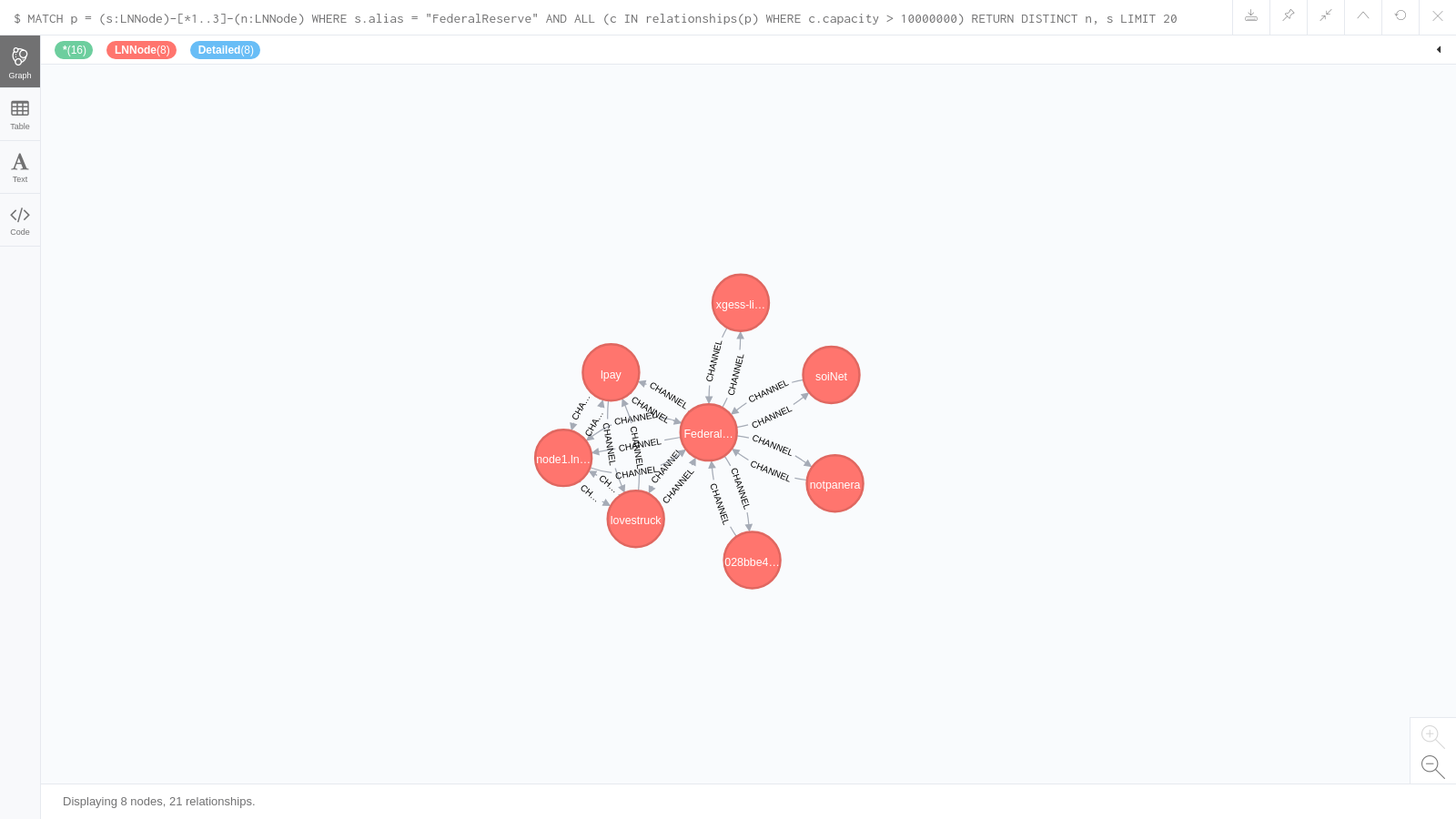 The browser allows you to modify the query and resubmit it, which is ideal for experimentation. [Neo4j Cypher Refcard](https://neo4j.com/docs/cypher-refcard/current/) may be useful for that. The second example uses the build-in shortest path query to calculate all the shortest paths between the the node LN.BLUETEGU.CC and the Blockstream Store node. The query used is: `MATCH (s:LNNode { alias: 'SLEEPYARK-6-11-21-2612-gf083a699' }),(t:LNNode { alias: 'LN.BLUETEGU.CC' }), p = allShortestPaths((s)-[:CHANNEL*]-(t)) WHERE ALL (c IN relationships(p) WHERE c.disabled = false) RETURN p` And the resulting graph (after some manual stretching) looks as follows: 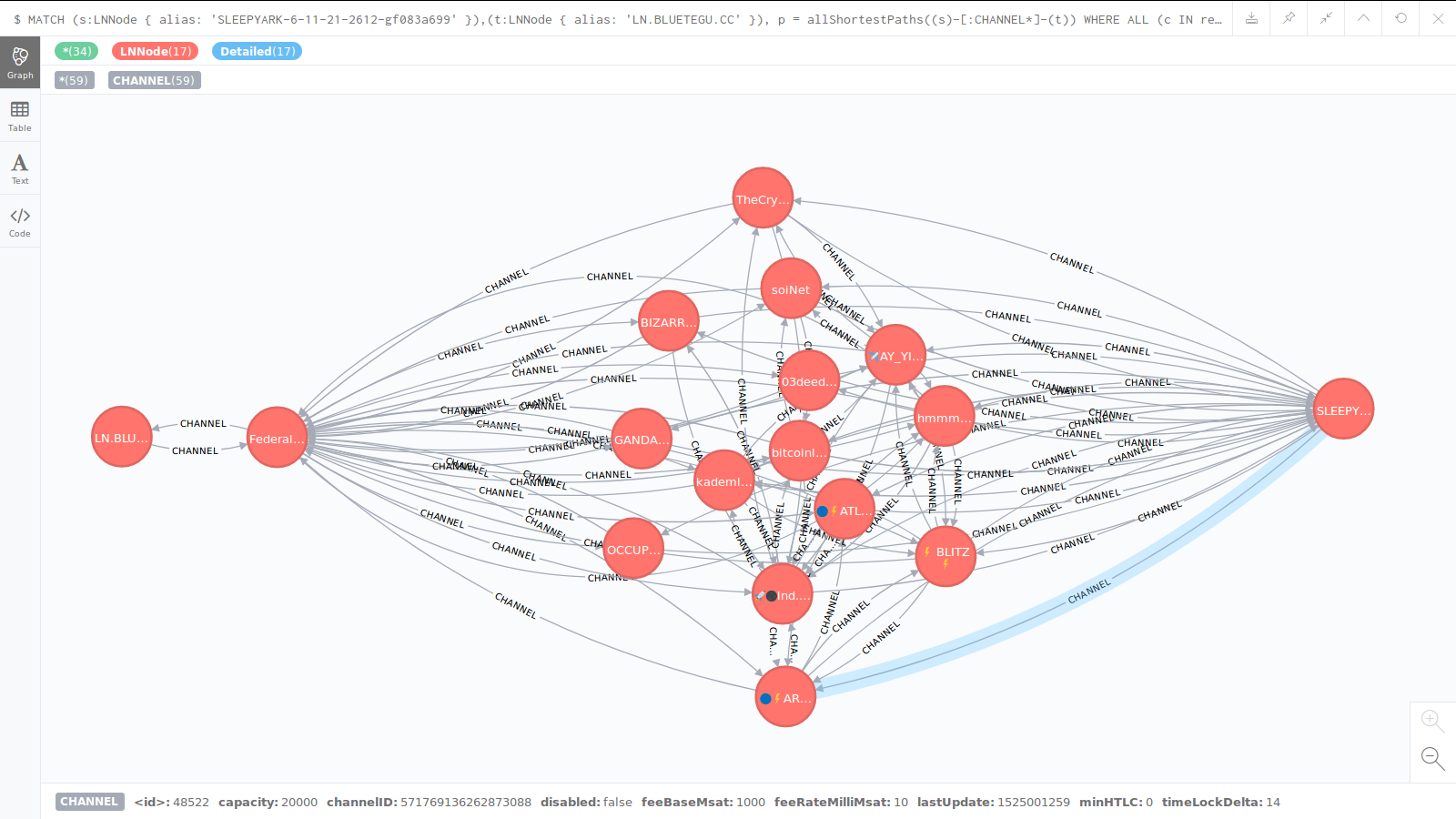 Note that the browser has limitations; it is slow to present graphs with many nodes and relationships, and hence its always advised to add a **LIMIT** clause. It has a built in limit on the number of nodes it retrieves, and in order to present graphs, it 'complements' queries to get information about relationships between nodes, even if you don't include those in the **RETURN** clause. # Try it yourself Installing Neo4j is straight forward, so it shouldn't be too hard to span an instance, take a snapshot of the channels database and import it to Neo4j, and run the guide through the browser. But at least for a limited period, you can try out the browser at my server at: `http://ln.bluetegu.cc:7474/browser/` And use user 'guest' and password 'guest'. Unfortunately the open source edition of Neo4j doesn't allow controlling access per user so the guest user can also modify or delete data, so please play nice, and understand that the server may be down or slow. Below is the login screen. 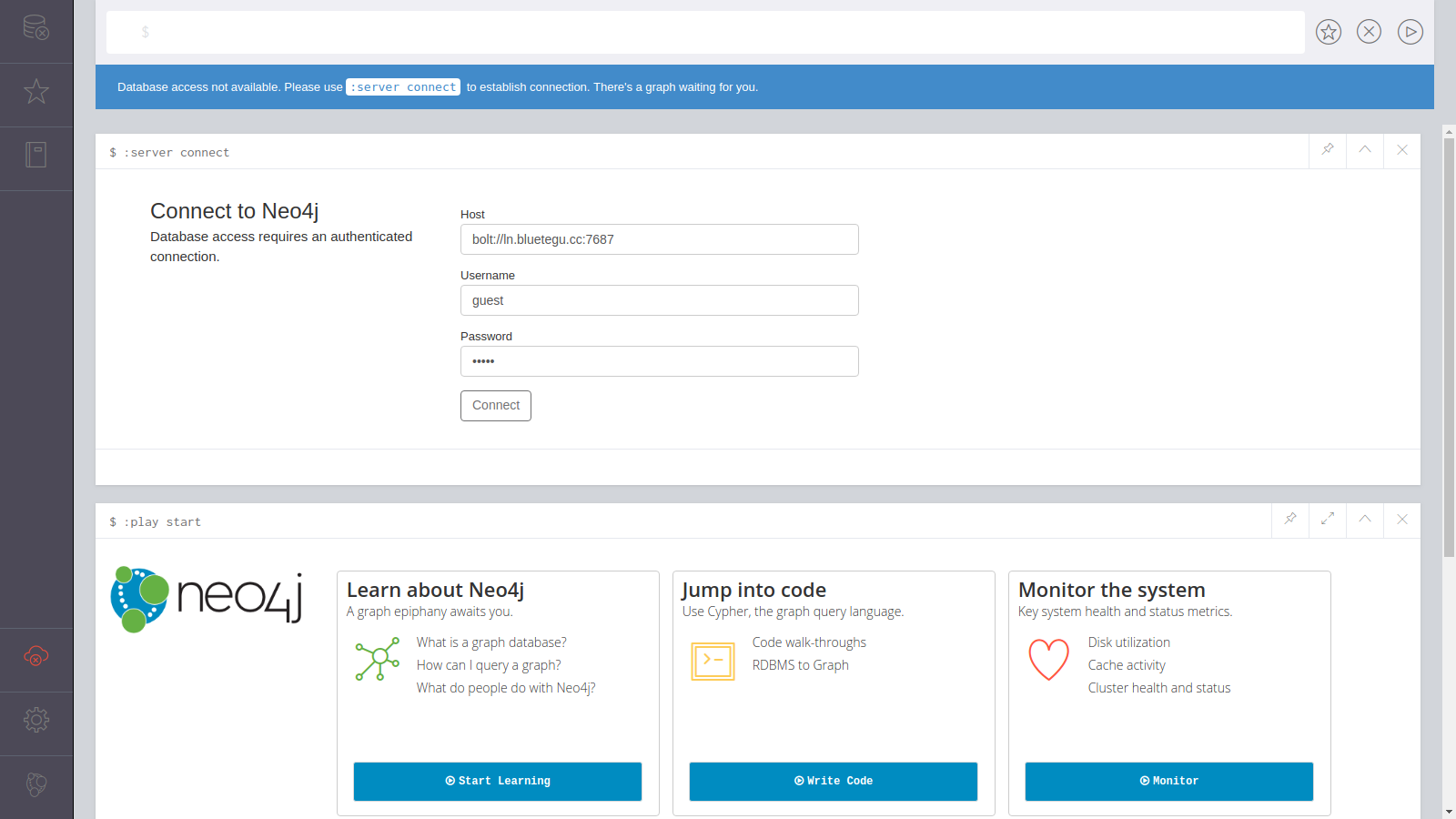 Once in, you have several guides you can run. If you press 'Jump into Code', you'll see two guides. You can run the 'Movie Graph' guide that walk you through Cypher basics. No need to do the 'Create' commands, as the database will probably be already populated with the movie graph nodes. Similarly, no need to do the 'Drop' command at end. Below is a screen capture of the available guides. 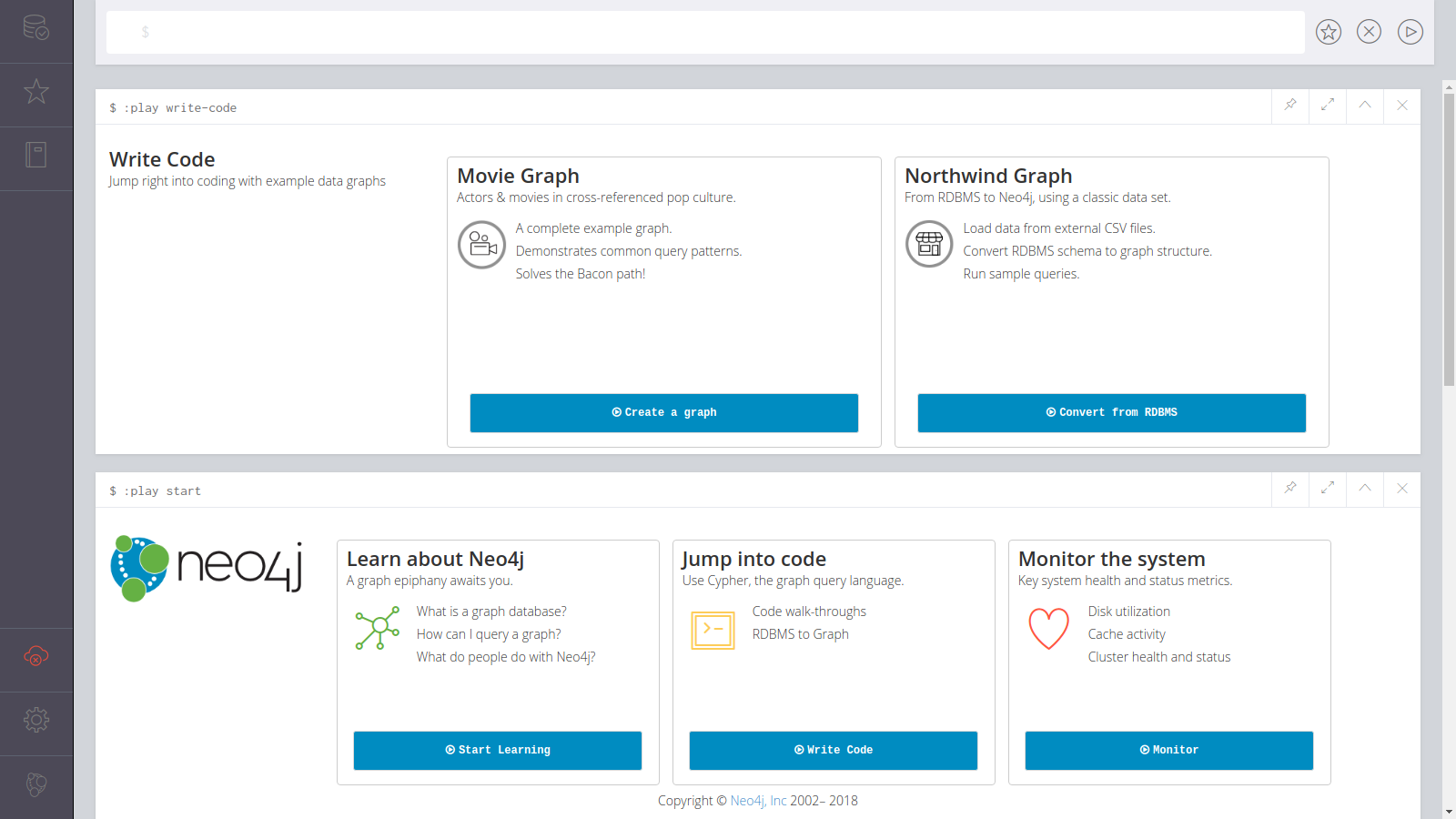 You can run the Lightning Network guide, by entering the following play command and pressing run (like any other command on the browser): `:play http://ln.bluetegu.cc:80/html/ln.html` To start the Lightning Networks guide. The first page of the guide looks as follows: 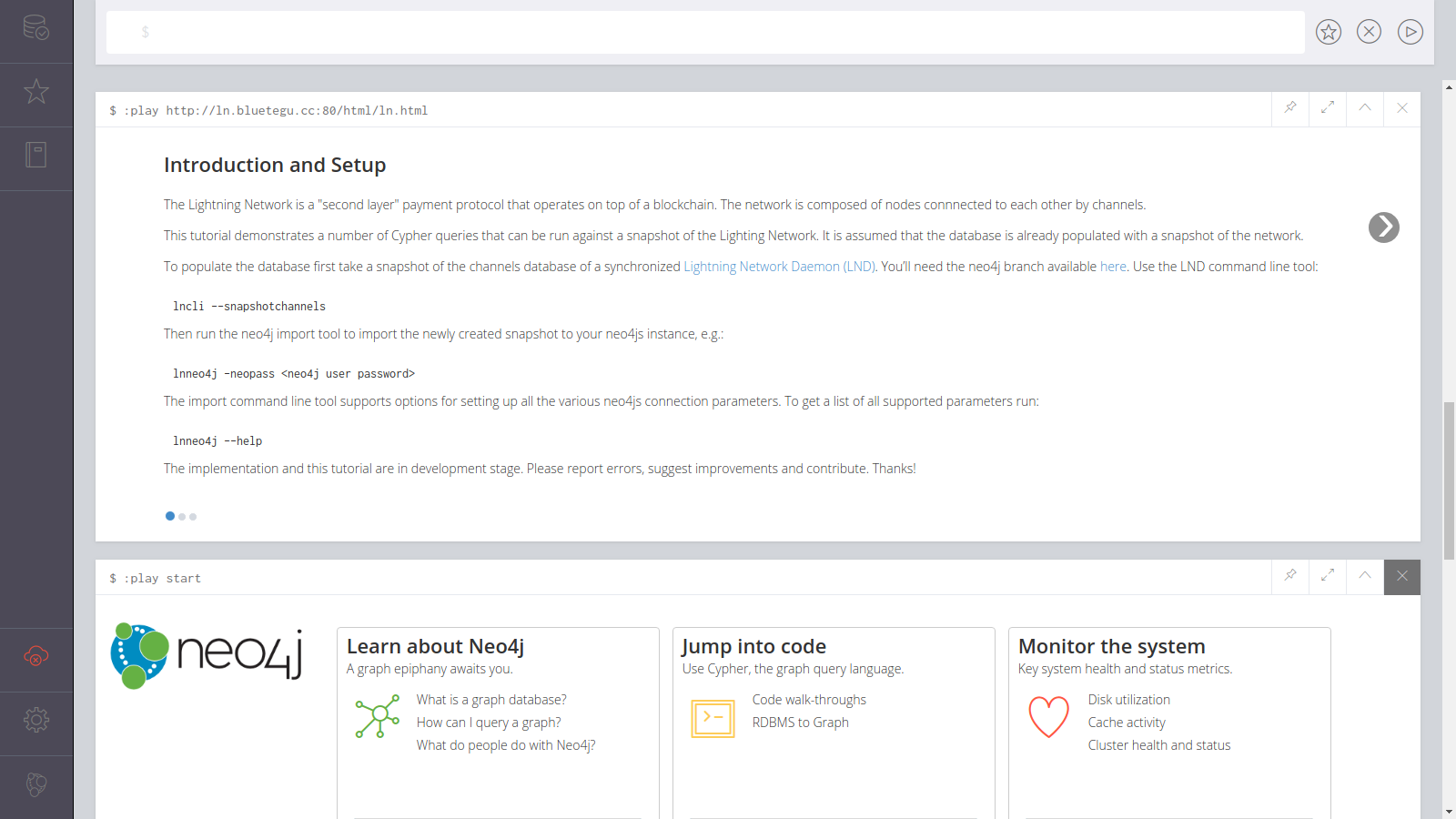 # Technical Details ## Creating snapshots The command to create a snapshot of the channels database is: `$ lncli snapshotchannels` It creates, or overwrites the previous snapshot of the channels database at **[lnddir]/snapshot/graph/[network]/channel.db**. For example, **~/.lnd/snapshot/graph/mainnet/channel.db** in Linux when the Bitcoin mainnet network is used. ## Importing to Neo4j The Neo4j command line tool first empties the Neo4j database from previous snapshot, and then imports the nodes and channels to the Neo4j database. The tool has the following configuration options: ``` ubuntu@ln:~$ lnneo4j --help NAME: lnneo4j - import a snapshot of your channel databse to neo4js USAGE: lnneo4j [global options] command [command options] [arguments...] VERSION: 0.1.1 commit= COMMANDS: help, h Shows a list of commands or help for one command GLOBAL OPTIONS: --lnddir value path to lnd's base directory (default: "/home/ubuntu/.lnd") --network value either mainnet, testnet, simnet, regtest, etc. (default: "mainnet") --neouser value neo4j user for authentication (default: "neo4j") --neopass value neo4j password for authentication. Required unless neo4j authentication is disabled, e.g. dbms.security.auth_enabled=false is set in neo4j.conf --neohost value neo4j hostname (default: "localhost") --neoport value neo4j port number (default: "7687") --help, -h show help --version, -v print the version ``` \ When run, it provides the following output. Note that it takes a while for the import process to complete: ``` ubuntu@ln:~$ lnneo4j -neopass <password> [lnneo4j] 15615 nodes and channels deleted. [lnneo4j] Added 2313 detailed nodes and 6 nodes known only by public key. [lnneo4j] Added 6541 bi-directional channels, 314 uni-directional channels and 0 channels without edges dropped. ubuntu@ln:~$ ``` \ Nodes are assigned the **LNNode** label. A node for which an announcement was received is also labeled with **Detailed** label. The following properties are modelled per detailed node: * pubKey * alias * addresses * color * lastUpdate Only open channels are included in the database (not pending or waiting-to-close). Channels are modelled as **CHANNEL** relationships with the following properties: * channelID * capacity * lastUpdate * disabled * minHTLC * feeBaseMsat * timeLockDelta * feeRateMilliMsat ## Neo4j Guide The guide is written according to [Create a Custom Neo4j Browser Guide](https://neo4j.com/developer/guide-create-neo4j-browser-guide). In particular, the guide is written in adoc format, and is compiled to html form. The minimal set of files required for the compilation of the guide from the [neo4j-guides repository](https://github.com/neo4j-contrib/neo4j-guides) are copied to the project. The readme.doc at **/lnd/cmd/lnneo4j/guide/readme.adoc** includes all details on how to edit, compile and host the guide. |
| json metadata | {"tags":["lightning","routing","neo4j"],"image":["https://cdn.steemitimages.com/DQmTBexBveU4ZC1n5gzgnGivYGeduaqRtW4zsqxcZB4hF6N/neo4jfatpipes3-federalreserve.png","https://cdn.steemitimages.com/DQme5o1uXfAXraabLScBuxiv1aZMiK6x8Y3txAnUnjBk62a/allshortestpaths-bluetegu-blockstream.png","https://cdn.steemitimages.com/DQmYGFBNjtv5riy1mLRX1usEq8VhWoaWZzWuwRN7VJVGuwa/neo4jbrowserlogin.png","https://cdn.steemitimages.com/DQmdBqytKzR8nYGstoz5yEHdPsZKQdc9X9zEJ4mNbcA2HXL/neo4jjumpintocode.png","https://cdn.steemitimages.com/DQmf5vDRVMTW5wfvyAJCxuwDtZDoykjXRZJLsguNXVo7gDS/neo4jguide1.png"],"links":["https://neo4j.com/developer/graph-database","https://neo4j.com/developer/graph-db-vs-rdbms","https://github.com/lightningnetwork/lnd","https://github.com/bluetegu/lnd","https://neo4j.com/docs/developer-manual/current/cypher/","https://neo4j.com/docs/cypher-refcard/current/","https://neo4j.com/developer/guide-create-neo4j-browser-guide","https://github.com/neo4j-contrib/neo4j-guides"],"app":"steemit/0.1","format":"markdown"} |
| Transaction Info | Block #22834412/Trx 8a0155a40de5c5bec267fcf29e39be3284410587 |
View Raw JSON Data
{
"trx_id": "8a0155a40de5c5bec267fcf29e39be3284410587",
"block": 22834412,
"trx_in_block": 58,
"op_in_trx": 0,
"virtual_op": 0,
"timestamp": "2018-05-28T19:47:09",
"op": [
"comment",
{
"parent_author": "",
"parent_permlink": "lightning",
"author": "bluetegu",
"permlink": "lighting-network-import-the-topology-to-the-neo4j-graph-database",
"title": "Lighting Network: Import the topology to the Neo4j Graph database",
"body": "# Overview\n\nEach node in the Lightning network use channel discovery to create and maintain a local view of the network's topology, so that it can discover routes to desired destinations. Source-routing is utilized in order to give nodes full control over the route their payment follows within the network. Routes are selected based on total cumulative fee and other criteria. Route selection algorithms is an area of active research. \n\nGraph databases are optimized to represent a set of nodes connected to each other by relationships, and for queries that transverse the graph, i.e. start from a (set of) specific nodes and search for patterns across the graph, and in particular to find paths between two nodes, i.e. for route calculations. Neo4j is one of the prominent open source Graph database out there. See [What is a Graph database?](https://neo4j.com/developer/graph-database) and [From Relational to Neo4j](https://neo4j.com/developer/graph-db-vs-rdbms) for more details.\n\nHere we describe how to export a node's local view of the network topology to a Neo4j database. The Lightning Network Daemon ([LND](https://github.com/lightningnetwork/lnd)) implementation is used. The branch is currently available [here](https://github.com/bluetegu/lnd) and includes three components:\n1. A new command added to the command line tool **lncli** to create a snapshot of the channels database (the node's local view of the network's topology)\n\n1. A new command line tool **lnneo4j** to import the snapshot to the Neo4j database\n\n1. A tutorial LN guide that can be loaded on the Neo4j browser to investigate the Lightning Network snapshot.\n\nThis is work in progress, and hopefully some of this will be useful enough to be merged to the main LND code. Comments, corrections and contributions are welcomed.\n\n # Examples\n\nThese examples are taken from the LN guide (item 3 above) for the Neo4j browser. \n\nGraph databases use the Cypher query language (similar to SQL in relational databases). [Cypher](https://neo4j.com/docs/developer-manual/current/cypher/) is a declarative graph query language that allows for expressive and efficient querying and updating of the graph store. The first example uses the following query:\n\n`MATCH p = (s:LNNode)-[*1..3]-(n:LNNode) WHERE s.alias = \"FederalReserve\" AND ALL (c IN relationships(p) WHERE c.capacity > 10000000) RETURN DISTINCT n, s LIMIT 20`\n\nThe query looks for all nodes connected to the 'FederalReserve' node with 'fat' channels with capacity larger than 0.1BTC up to 3 hops away. It selects all paths up to 3 hops from the node, and filters those paths without enough capacity. The Neo4j browser displays the results graphically below.\n\n\n\nThe browser allows you to modify the query and resubmit it, which is ideal for experimentation. [Neo4j Cypher Refcard](https://neo4j.com/docs/cypher-refcard/current/) may be useful for that.\n\nThe second example uses the build-in shortest path query to calculate all the shortest paths between the the node LN.BLUETEGU.CC and the Blockstream Store node. The query used is:\n\n`MATCH (s:LNNode { alias: 'SLEEPYARK-6-11-21-2612-gf083a699' }),(t:LNNode { alias: 'LN.BLUETEGU.CC' }), p = allShortestPaths((s)-[:CHANNEL*]-(t))\n WHERE ALL (c IN relationships(p) WHERE c.disabled = false)\n RETURN p`\n\n\nAnd the resulting graph (after some manual stretching) looks as follows:\n\n\n\nNote that the browser has limitations; it is slow to present graphs with many nodes and relationships, and hence its always advised to add a **LIMIT** clause. It has a built in limit on the number of nodes it retrieves, and in order to present graphs, it 'complements' queries to get information about relationships between nodes, even if you don't include those in the **RETURN** clause. \n\n# Try it yourself\n\nInstalling Neo4j is straight forward, so it shouldn't be too hard to span an instance, take a snapshot of the channels database and import it to Neo4j, and run the guide through the browser. But at least for a limited period, you can try out the browser at my server at: \n\n`http://ln.bluetegu.cc:7474/browser/`\n\nAnd use user 'guest' and password 'guest'. Unfortunately the open source edition of Neo4j doesn't allow controlling access per user so the guest user can also modify or delete data, so please play nice, and understand that the server may be down or slow. Below is the login screen.\n\n\n\nOnce in, you have several guides you can run. If you press 'Jump into Code', you'll see two guides. You can run the 'Movie Graph' guide that walk you through Cypher basics. No need to do the 'Create' commands, as the database will probably be already populated with the movie graph nodes. Similarly, no need to do the 'Drop' command at end. Below is a screen capture of the available guides.\n\n\n\nYou can run the Lightning Network guide, by entering the following play command and pressing run (like any other command on the browser):\n\n`:play http://ln.bluetegu.cc:80/html/ln.html`\n\nTo start the Lightning Networks guide. The first page of the guide looks as follows:\n\n\n\n# Technical Details\n\n## Creating snapshots\n\nThe command to create a snapshot of the channels database is:\n\n`$ lncli snapshotchannels`\n\nIt creates, or overwrites the previous snapshot of the channels database at **[lnddir]/snapshot/graph/[network]/channel.db**. For example, **~/.lnd/snapshot/graph/mainnet/channel.db** in Linux when the Bitcoin mainnet network is used.\n\n## Importing to Neo4j\n\nThe Neo4j command line tool first empties the Neo4j database from previous snapshot, and then imports the nodes and channels to the Neo4j database. The tool has the following configuration options:\n\n```\nubuntu@ln:~$ lnneo4j --help\nNAME:\n lnneo4j - import a snapshot of your channel databse to neo4js\n\nUSAGE:\n lnneo4j [global options] command [command options] [arguments...]\n \nVERSION:\n 0.1.1 commit=\n \nCOMMANDS:\n help, h Shows a list of commands or help for one command\n\nGLOBAL OPTIONS:\n --lnddir value path to lnd's base directory (default: \"/home/ubuntu/.lnd\")\n --network value either mainnet, testnet, simnet, regtest, etc. (default: \"mainnet\")\n --neouser value neo4j user for authentication (default: \"neo4j\")\n --neopass value neo4j password for authentication. Required unless neo4j authentication is disabled, e.g. dbms.security.auth_enabled=false is set in neo4j.conf\n --neohost value neo4j hostname (default: \"localhost\")\n --neoport value neo4j port number (default: \"7687\")\n --help, -h show help\n --version, -v print the version\n ```\n\\\nWhen run, it provides the following output. Note that it takes a while for the import process to complete:\n\n```\nubuntu@ln:~$ lnneo4j -neopass <password>\n[lnneo4j] 15615 nodes and channels deleted.\n[lnneo4j] Added 2313 detailed nodes and 6 nodes known only by public key.\n[lnneo4j] Added 6541 bi-directional channels, 314 uni-directional channels and 0 channels without edges dropped.\nubuntu@ln:~$ \n```\n\\\nNodes are assigned the **LNNode** label. A node for which an announcement was received is also labeled with **Detailed** label. The following properties are modelled per detailed node:\n* pubKey\n* alias \n* addresses\n* color\n* lastUpdate\n\nOnly open channels are included in the database (not pending or waiting-to-close). Channels are modelled as **CHANNEL** relationships with the following properties:\n* channelID\n* capacity\n* lastUpdate\n* disabled\n* minHTLC\n* feeBaseMsat\n* timeLockDelta\n* feeRateMilliMsat\n\n## Neo4j Guide\n\nThe guide is written according to [Create a Custom Neo4j Browser Guide](https://neo4j.com/developer/guide-create-neo4j-browser-guide). In particular, the guide is written in adoc format, and is compiled to html form. The minimal set of files required for the compilation of the guide from the [neo4j-guides repository](https://github.com/neo4j-contrib/neo4j-guides) are copied to the project. The readme.doc at **/lnd/cmd/lnneo4j/guide/readme.adoc** includes all details on how to edit, compile and host the guide.",
"json_metadata": "{\"tags\":[\"lightning\",\"routing\",\"neo4j\"],\"image\":[\"https://cdn.steemitimages.com/DQmTBexBveU4ZC1n5gzgnGivYGeduaqRtW4zsqxcZB4hF6N/neo4jfatpipes3-federalreserve.png\",\"https://cdn.steemitimages.com/DQme5o1uXfAXraabLScBuxiv1aZMiK6x8Y3txAnUnjBk62a/allshortestpaths-bluetegu-blockstream.png\",\"https://cdn.steemitimages.com/DQmYGFBNjtv5riy1mLRX1usEq8VhWoaWZzWuwRN7VJVGuwa/neo4jbrowserlogin.png\",\"https://cdn.steemitimages.com/DQmdBqytKzR8nYGstoz5yEHdPsZKQdc9X9zEJ4mNbcA2HXL/neo4jjumpintocode.png\",\"https://cdn.steemitimages.com/DQmf5vDRVMTW5wfvyAJCxuwDtZDoykjXRZJLsguNXVo7gDS/neo4jguide1.png\"],\"links\":[\"https://neo4j.com/developer/graph-database\",\"https://neo4j.com/developer/graph-db-vs-rdbms\",\"https://github.com/lightningnetwork/lnd\",\"https://github.com/bluetegu/lnd\",\"https://neo4j.com/docs/developer-manual/current/cypher/\",\"https://neo4j.com/docs/cypher-refcard/current/\",\"https://neo4j.com/developer/guide-create-neo4j-browser-guide\",\"https://github.com/neo4j-contrib/neo4j-guides\"],\"app\":\"steemit/0.1\",\"format\":\"markdown\"}"
}
]
}2018/05/18 18:52:21
2018/05/18 18:52:21
| delegator | steem |
| delegatee | bluetegu |
| vesting shares | 29494.852299 VESTS |
| Transaction Info | Block #22545739/Trx 6b740b7e22752febf6910301981f39ae21b759ed |
View Raw JSON Data
{
  "trx_id": "6b740b7e22752febf6910301981f39ae21b759ed",
  "block": 22545739,
  "trx_in_block": 47,
  "op_in_trx": 0,
  "virtual_op": 0,
  "timestamp": "2018-05-18T18:52:21",
  "op": [
    "delegate_vesting_shares",
    {
      "delegator": "steem",
      "delegatee": "bluetegu",
      "vesting_shares": "29494.852299 VESTS"
    }
  ]
}ripper234upvoted (100.00%) @bluetegu / lightning-network-get-your-sticker-a-detailed-howto2018/05/09 13:25:27
ripper234upvoted (100.00%) @bluetegu / lightning-network-get-your-sticker-a-detailed-howto
2018/05/09 13:25:27
| voter | ripper234 |
| author | bluetegu |
| permlink | lightning-network-get-your-sticker-a-detailed-howto |
| weight | 10000 (100.00%) |
| Transaction Info | Block #22280036/Trx 996b26574874ecca2b278e5f7df2066fdb29d42d |
View Raw JSON Data
{
  "trx_id": "996b26574874ecca2b278e5f7df2066fdb29d42d",
  "block": 22280036,
  "trx_in_block": 16,
  "op_in_trx": 0,
  "virtual_op": 0,
  "timestamp": "2018-05-09T13:25:27",
  "op": [
    "vote",
    {
      "voter": "ripper234",
      "author": "bluetegu",
      "permlink": "lightning-network-get-your-sticker-a-detailed-howto",
      "weight": 10000
    }
  ]
}2018/04/26 17:16:00
2018/04/26 17:16:00
| parent author | bluetegu |
| parent permlink | lightning-network-get-your-sticker-a-detailed-howto |
| author | bluetegu |
| permlink | re-bluetegu-lightning-network-get-your-sticker-a-detailed-howto-20180426t171559986z |
| title | |
| body | Got them! Nice touch on the envelope. 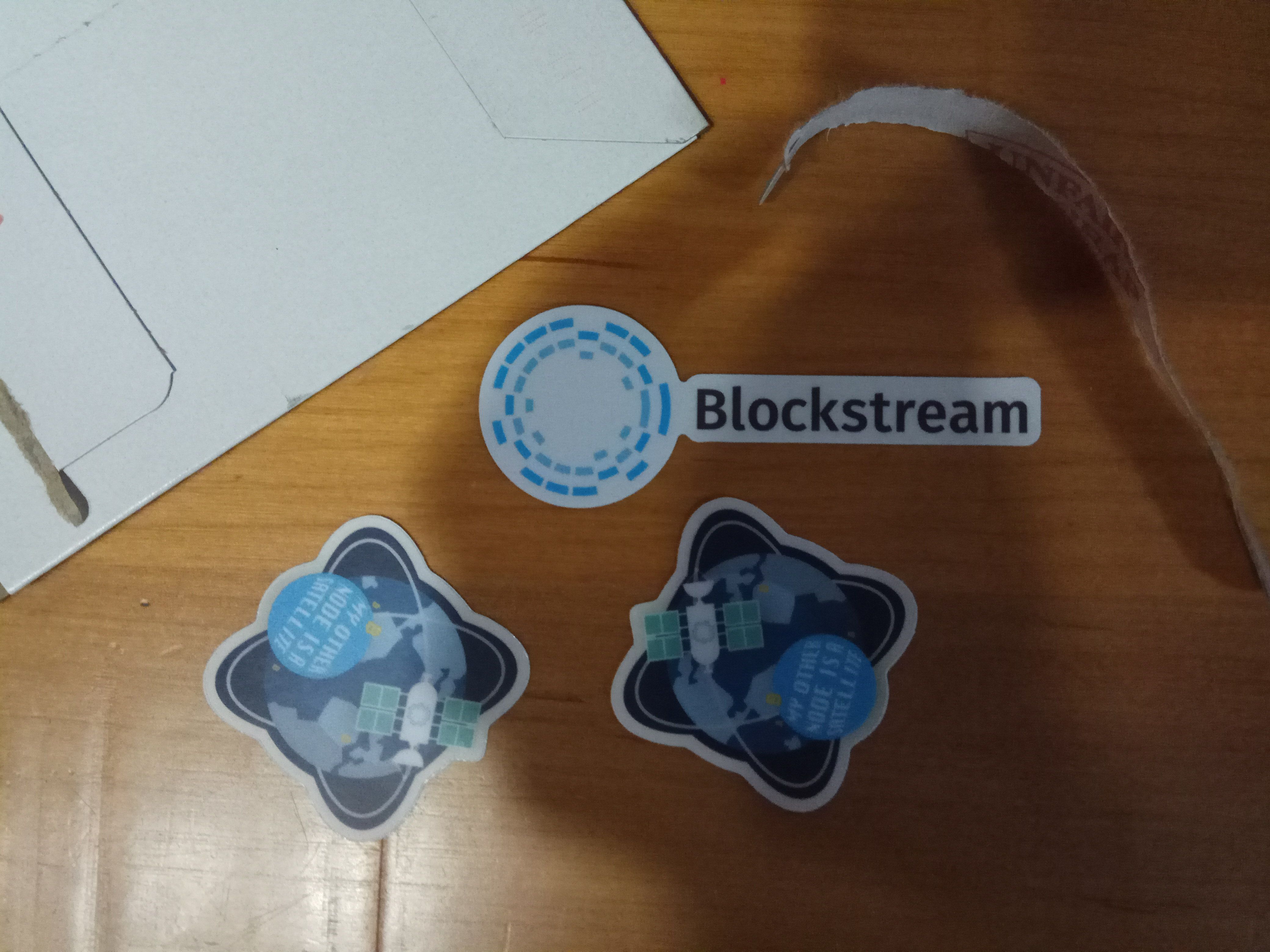 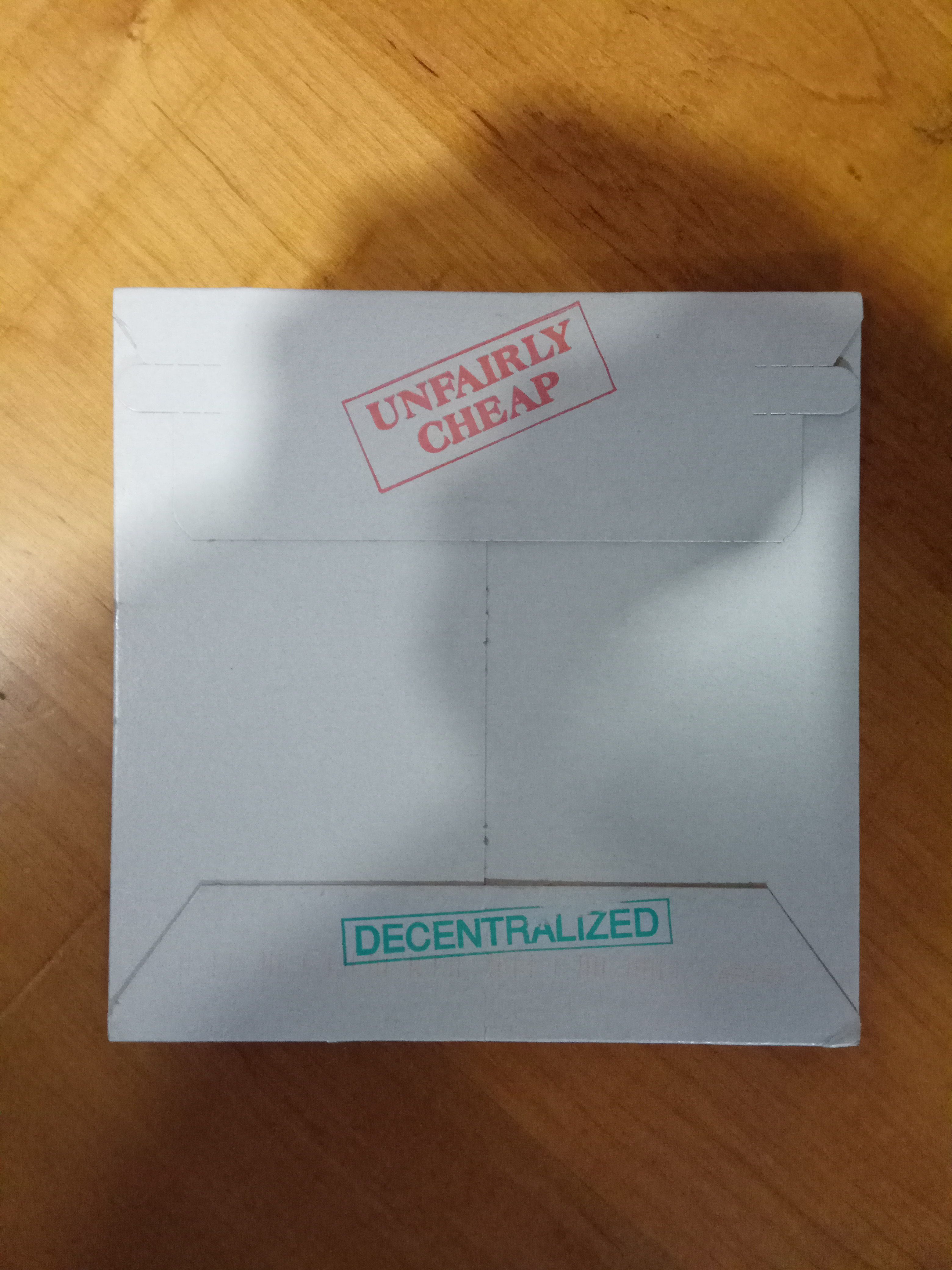 |
| json metadata | {"tags":["lightning"],"image":["https://steemitimages.com/DQmVqZ7BgEtnzUNpwdyobPn8Pv1qbKorXG7Ga8jDHRUjUgX/Blockstreamstickers.jpg","https://steemitimages.com/DQmP91t9T8JecoWa9F3ETSahgDLxpDMUhCRe5hjVM8xQe3d/Blockstreamenvelope.jpg"],"app":"steemit/0.1"} |
| Transaction Info | Block #21910347/Trx b9ea56dd52902e3c477c60f545f9d874afba3ff3 |
View Raw JSON Data
{
"trx_id": "b9ea56dd52902e3c477c60f545f9d874afba3ff3",
"block": 21910347,
"trx_in_block": 30,
"op_in_trx": 0,
"virtual_op": 0,
"timestamp": "2018-04-26T17:16:00",
"op": [
"comment",
{
"parent_author": "bluetegu",
"parent_permlink": "lightning-network-get-your-sticker-a-detailed-howto",
"author": "bluetegu",
"permlink": "re-bluetegu-lightning-network-get-your-sticker-a-detailed-howto-20180426t171559986z",
"title": "",
"body": "Got them! Nice touch on the envelope.\n\n",
"json_metadata": "{\"tags\":[\"lightning\"],\"image\":[\"https://steemitimages.com/DQmVqZ7BgEtnzUNpwdyobPn8Pv1qbKorXG7Ga8jDHRUjUgX/Blockstreamstickers.jpg\",\"https://steemitimages.com/DQmP91t9T8JecoWa9F3ETSahgDLxpDMUhCRe5hjVM8xQe3d/Blockstreamenvelope.jpg\"],\"app\":\"steemit/0.1\"}"
}
]
}bluetegureceived 25.458 SBD, 10.574 SP author reward for @bluetegu / lightning-network-get-your-sticker-a-detailed-howto2018/04/23 16:00:06
bluetegureceived 25.458 SBD, 10.574 SP author reward for @bluetegu / lightning-network-get-your-sticker-a-detailed-howto
2018/04/23 16:00:06
| author | bluetegu |
| permlink | lightning-network-get-your-sticker-a-detailed-howto |
| sbd payout | 25.458 SBD |
| steem payout | 0.000 STEEM |
| vesting payout | 17198.890590 VESTS |
| Transaction Info | Block #21823083/Virtual Operation #20 |
View Raw JSON Data
{
  "trx_id": "0000000000000000000000000000000000000000",
  "block": 21823083,
  "trx_in_block": 4294967295,
  "op_in_trx": 0,
  "virtual_op": 20,
  "timestamp": "2018-04-23T16:00:06",
  "op": [
    "author_reward",
    {
      "author": "bluetegu",
      "permlink": "lightning-network-get-your-sticker-a-detailed-howto",
      "sbd_payout": "25.458 SBD",
      "steem_payout": "0.000 STEEM",
      "vesting_payout": "17198.890590 VESTS"
    }
  ]
}elifeldmanupvoted (100.00%) @bluetegu / lightning-network-get-your-sticker-a-detailed-howto2018/04/18 19:44:18
elifeldmanupvoted (100.00%) @bluetegu / lightning-network-get-your-sticker-a-detailed-howto
2018/04/18 19:44:18
| voter | elifeldman |
| author | bluetegu |
| permlink | lightning-network-get-your-sticker-a-detailed-howto |
| weight | 10000 (100.00%) |
| Transaction Info | Block #21683589/Trx 2ec456ee33c100cda06dc4f24da232c2d7dfdd7c |
View Raw JSON Data
{
  "trx_id": "2ec456ee33c100cda06dc4f24da232c2d7dfdd7c",
  "block": 21683589,
  "trx_in_block": 8,
  "op_in_trx": 0,
  "virtual_op": 0,
  "timestamp": "2018-04-18T19:44:18",
  "op": [
    "vote",
    {
      "voter": "elifeldman",
      "author": "bluetegu",
      "permlink": "lightning-network-get-your-sticker-a-detailed-howto",
      "weight": 10000
    }
  ]
}truedwellupvoted (100.00%) @bluetegu / lightning-network-get-your-sticker-a-detailed-howto2018/04/17 09:50:30
truedwellupvoted (100.00%) @bluetegu / lightning-network-get-your-sticker-a-detailed-howto
2018/04/17 09:50:30
| voter | truedwell |
| author | bluetegu |
| permlink | lightning-network-get-your-sticker-a-detailed-howto |
| weight | 10000 (100.00%) |
| Transaction Info | Block #21642913/Trx 1f42e3be7d16f8c4711253057de95d35f61ae962 |
View Raw JSON Data
{
  "trx_id": "1f42e3be7d16f8c4711253057de95d35f61ae962",
  "block": 21642913,
  "trx_in_block": 37,
  "op_in_trx": 0,
  "virtual_op": 0,
  "timestamp": "2018-04-17T09:50:30",
  "op": [
    "vote",
    {
      "voter": "truedwell",
      "author": "bluetegu",
      "permlink": "lightning-network-get-your-sticker-a-detailed-howto",
      "weight": 10000
    }
  ]
}2018/04/17 07:11:39
2018/04/17 07:11:39
| required auths | [] |
| required posting auths | ["bluetegu"] |
| id | follow |
| json | ["follow",{"follower":"bluetegu","following":"siltb","what":["blog"]}] |
| Transaction Info | Block #21639738/Trx d587c2fc358b2dbac30c4ecd255a3b31d8a593ca |
View Raw JSON Data
{
  "trx_id": "d587c2fc358b2dbac30c4ecd255a3b31d8a593ca",
  "block": 21639738,
  "trx_in_block": 25,
  "op_in_trx": 0,
  "virtual_op": 0,
  "timestamp": "2018-04-17T07:11:39",
  "op": [
    "custom_json",
    {
      "required_auths": [],
      "required_posting_auths": [
        "bluetegu"
      ],
      "id": "follow",
      "json": "[\"follow\",{\"follower\":\"bluetegu\",\"following\":\"siltb\",\"what\":[\"blog\"]}]"
    }
  ]
}2018/04/17 07:11:06
2018/04/17 07:11:06
| required auths | [] |
| required posting auths | ["bluetegu"] |
| id | follow |
| json | ["follow",{"follower":"bluetegu","following":"yoram","what":["blog"]}] |
| Transaction Info | Block #21639727/Trx 9b8fc2fdf704d36ff356dce14535d93852a35e22 |
View Raw JSON Data
{
  "trx_id": "9b8fc2fdf704d36ff356dce14535d93852a35e22",
  "block": 21639727,
  "trx_in_block": 32,
  "op_in_trx": 0,
  "virtual_op": 0,
  "timestamp": "2018-04-17T07:11:06",
  "op": [
    "custom_json",
    {
      "required_auths": [],
      "required_posting_auths": [
        "bluetegu"
      ],
      "id": "follow",
      "json": "[\"follow\",{\"follower\":\"bluetegu\",\"following\":\"yoram\",\"what\":[\"blog\"]}]"
    }
  ]
}fminertenupvoted (100.00%) @bluetegu / lightning-network-get-your-sticker-a-detailed-howto2018/04/17 05:20:15
fminertenupvoted (100.00%) @bluetegu / lightning-network-get-your-sticker-a-detailed-howto
2018/04/17 05:20:15
| voter | fminerten |
| author | bluetegu |
| permlink | lightning-network-get-your-sticker-a-detailed-howto |
| weight | 10000 (100.00%) |
| Transaction Info | Block #21637513/Trx 34ecbbce00fe5d8fcfbd7ecb47352576787e204f |
View Raw JSON Data
{
  "trx_id": "34ecbbce00fe5d8fcfbd7ecb47352576787e204f",
  "block": 21637513,
  "trx_in_block": 4,
  "op_in_trx": 0,
  "virtual_op": 0,
  "timestamp": "2018-04-17T05:20:15",
  "op": [
    "vote",
    {
      "voter": "fminerten",
      "author": "bluetegu",
      "permlink": "lightning-network-get-your-sticker-a-detailed-howto",
      "weight": 10000
    }
  ]
}steemptyupvoted (100.00%) @bluetegu / lightning-network-get-your-sticker-a-detailed-howto2018/04/17 05:19:15
steemptyupvoted (100.00%) @bluetegu / lightning-network-get-your-sticker-a-detailed-howto
2018/04/17 05:19:15
| voter | steempty |
| author | bluetegu |
| permlink | lightning-network-get-your-sticker-a-detailed-howto |
| weight | 10000 (100.00%) |
| Transaction Info | Block #21637493/Trx 3ddcfeeae7c8a016a42a1a31bad2919d74aba8a9 |
View Raw JSON Data
{
  "trx_id": "3ddcfeeae7c8a016a42a1a31bad2919d74aba8a9",
  "block": 21637493,
  "trx_in_block": 5,
  "op_in_trx": 0,
  "virtual_op": 0,
  "timestamp": "2018-04-17T05:19:15",
  "op": [
    "vote",
    {
      "voter": "steempty",
      "author": "bluetegu",
      "permlink": "lightning-network-get-your-sticker-a-detailed-howto",
      "weight": 10000
    }
  ]
}sensationupvoted (100.00%) @bluetegu / lightning-network-get-your-sticker-a-detailed-howto2018/04/16 19:00:36
sensationupvoted (100.00%) @bluetegu / lightning-network-get-your-sticker-a-detailed-howto
2018/04/16 19:00:36
| voter | sensation |
| author | bluetegu |
| permlink | lightning-network-get-your-sticker-a-detailed-howto |
| weight | 10000 (100.00%) |
| Transaction Info | Block #21625129/Trx 186a7ab544f51c095281788b6526f3efef35bfa1 |
View Raw JSON Data
{
  "trx_id": "186a7ab544f51c095281788b6526f3efef35bfa1",
  "block": 21625129,
  "trx_in_block": 2,
  "op_in_trx": 0,
  "virtual_op": 0,
  "timestamp": "2018-04-16T19:00:36",
  "op": [
    "vote",
    {
      "voter": "sensation",
      "author": "bluetegu",
      "permlink": "lightning-network-get-your-sticker-a-detailed-howto",
      "weight": 10000
    }
  ]
}2018/04/16 18:38:48
2018/04/16 18:38:48
| parent author | bluetegu |
| parent permlink | lightning-network-get-your-sticker-a-detailed-howto |
| author | siltb |
| permlink | re-bluetegu-lightning-network-get-your-sticker-a-detailed-howto-20180416t183537166z |
| title | |
| body | Easy peasy. Mass adoption in 3..2..1... .... .... .... .... |
| json metadata | {"tags":["lightning"],"app":"steemit/0.1"} |
| Transaction Info | Block #21624693/Trx 3574170ff9a64becc1e1c3cf0f1cb8fabd0b8717 |
View Raw JSON Data
{
  "trx_id": "3574170ff9a64becc1e1c3cf0f1cb8fabd0b8717",
  "block": 21624693,
  "trx_in_block": 61,
  "op_in_trx": 0,
  "virtual_op": 0,
  "timestamp": "2018-04-16T18:38:48",
  "op": [
    "comment",
    {
      "parent_author": "bluetegu",
      "parent_permlink": "lightning-network-get-your-sticker-a-detailed-howto",
      "author": "siltb",
      "permlink": "re-bluetegu-lightning-network-get-your-sticker-a-detailed-howto-20180416t183537166z",
      "title": "",
      "body": "Easy peasy.\nMass adoption in 3..2..1... .... .... .... ....",
      "json_metadata": "{\"tags\":[\"lightning\"],\"app\":\"steemit/0.1\"}"
    }
  ]
}grunchupvoted (100.00%) @bluetegu / lightning-network-get-your-sticker-a-detailed-howto2018/04/16 18:06:24
grunchupvoted (100.00%) @bluetegu / lightning-network-get-your-sticker-a-detailed-howto
2018/04/16 18:06:24
| voter | grunch |
| author | bluetegu |
| permlink | lightning-network-get-your-sticker-a-detailed-howto |
| weight | 10000 (100.00%) |
| Transaction Info | Block #21624045/Trx 61c1210e7c3e91562df8f4e4ac230062fe0eb42d |
View Raw JSON Data
{
  "trx_id": "61c1210e7c3e91562df8f4e4ac230062fe0eb42d",
  "block": 21624045,
  "trx_in_block": 42,
  "op_in_trx": 0,
  "virtual_op": 0,
  "timestamp": "2018-04-16T18:06:24",
  "op": [
    "vote",
    {
      "voter": "grunch",
      "author": "bluetegu",
      "permlink": "lightning-network-get-your-sticker-a-detailed-howto",
      "weight": 10000
    }
  ]
}2018/04/16 17:05:06
2018/04/16 17:05:06
| parent author | bluetegu |
| parent permlink | lightning-network-get-your-sticker-a-detailed-howto |
| author | yoram |
| permlink | re-bluetegu-lightning-network-get-your-sticker-a-detailed-howto-20180416t170458323z |
| title | |
| body | well done. Hope this article will get the curation rewards it deserves on steemit. |
| json metadata | {"tags":["lightning"],"app":"steemit/0.1"} |
| Transaction Info | Block #21622819/Trx f14c9867b747eb47be7b4758b0966a2a3969080c |
View Raw JSON Data
{
  "trx_id": "f14c9867b747eb47be7b4758b0966a2a3969080c",
  "block": 21622819,
  "trx_in_block": 19,
  "op_in_trx": 0,
  "virtual_op": 0,
  "timestamp": "2018-04-16T17:05:06",
  "op": [
    "comment",
    {
      "parent_author": "bluetegu",
      "parent_permlink": "lightning-network-get-your-sticker-a-detailed-howto",
      "author": "yoram",
      "permlink": "re-bluetegu-lightning-network-get-your-sticker-a-detailed-howto-20180416t170458323z",
      "title": "",
      "body": "well done. \nHope this article will get the curation rewards it deserves on steemit.",
      "json_metadata": "{\"tags\":[\"lightning\"],\"app\":\"steemit/0.1\"}"
    }
  ]
}yoramupvoted (100.00%) @bluetegu / lightning-network-get-your-sticker-a-detailed-howto2018/04/16 16:56:36
yoramupvoted (100.00%) @bluetegu / lightning-network-get-your-sticker-a-detailed-howto
2018/04/16 16:56:36
| voter | yoram |
| author | bluetegu |
| permlink | lightning-network-get-your-sticker-a-detailed-howto |
| weight | 10000 (100.00%) |
| Transaction Info | Block #21622649/Trx a29ebf14449aaa2fab962502e79f460f662c42b1 |
View Raw JSON Data
{
  "trx_id": "a29ebf14449aaa2fab962502e79f460f662c42b1",
  "block": 21622649,
  "trx_in_block": 4,
  "op_in_trx": 0,
  "virtual_op": 0,
  "timestamp": "2018-04-16T16:56:36",
  "op": [
    "vote",
    {
      "voter": "yoram",
      "author": "bluetegu",
      "permlink": "lightning-network-get-your-sticker-a-detailed-howto",
      "weight": 10000
    }
  ]
}bluetegupublished a new post: lightning-network-get-your-sticker-a-detailed-howto2018/04/16 16:00:06
bluetegupublished a new post: lightning-network-get-your-sticker-a-detailed-howto
2018/04/16 16:00:06
| parent author | |
| parent permlink | lightning |
| author | bluetegu |
| permlink | lightning-network-get-your-sticker-a-detailed-howto |
| title | Lightning network: get your sticker, a detailed howto. |
| body | ## Overview I document how to setup a Lightning node on mainnet and purchase a sticker from Blockstream's store. This is not necessarily the recommended approach, the cheapest or most efficient one. The figure below describes the final setup. 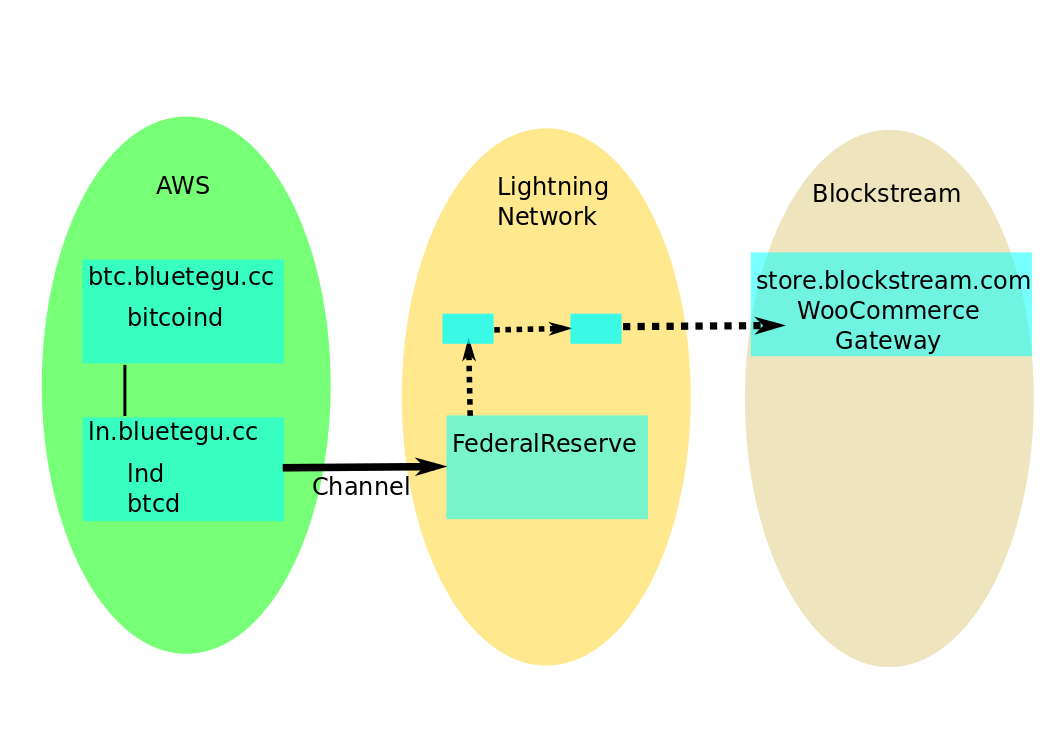 The setup is composed of two AWS virtual machines, one running Bitcoin's core node, *bitcoind*, and one running Lightning Lab's node, *lnd*. A Lightning channel to a well connected LN node (FederalReserve) is opened, which facilitates the payment of the invoice (QR code) provide by Blockstream's store. Please comment so I can improve the tutorial. All commands shown on servers are run on top of the terminal multiplexer tmux. ## Setup ### Setting up the VMs I use two VMs, one for running the lightning node *lnd* and the special 'roastbeef' branch of the Go Bitcoin daemon *btcd* (which I didn't use eventually), and one for Bitcoin's core *bitcoind* server. If you don't have an account with Amazon's AWS, open one and add a payment method. Login to the AWS console. Select the region you'd like to install the servers on the right top of the AWS amazon (N. Virginia in my setup). Select the EC2 service on the services menu to open the EC2 dashboard. Here we do 3 things; define a security group, add two VMs (instances) and buy two Elastic IPs. Select the *Security group* section, add a security group, and add rules until you get something similar to: 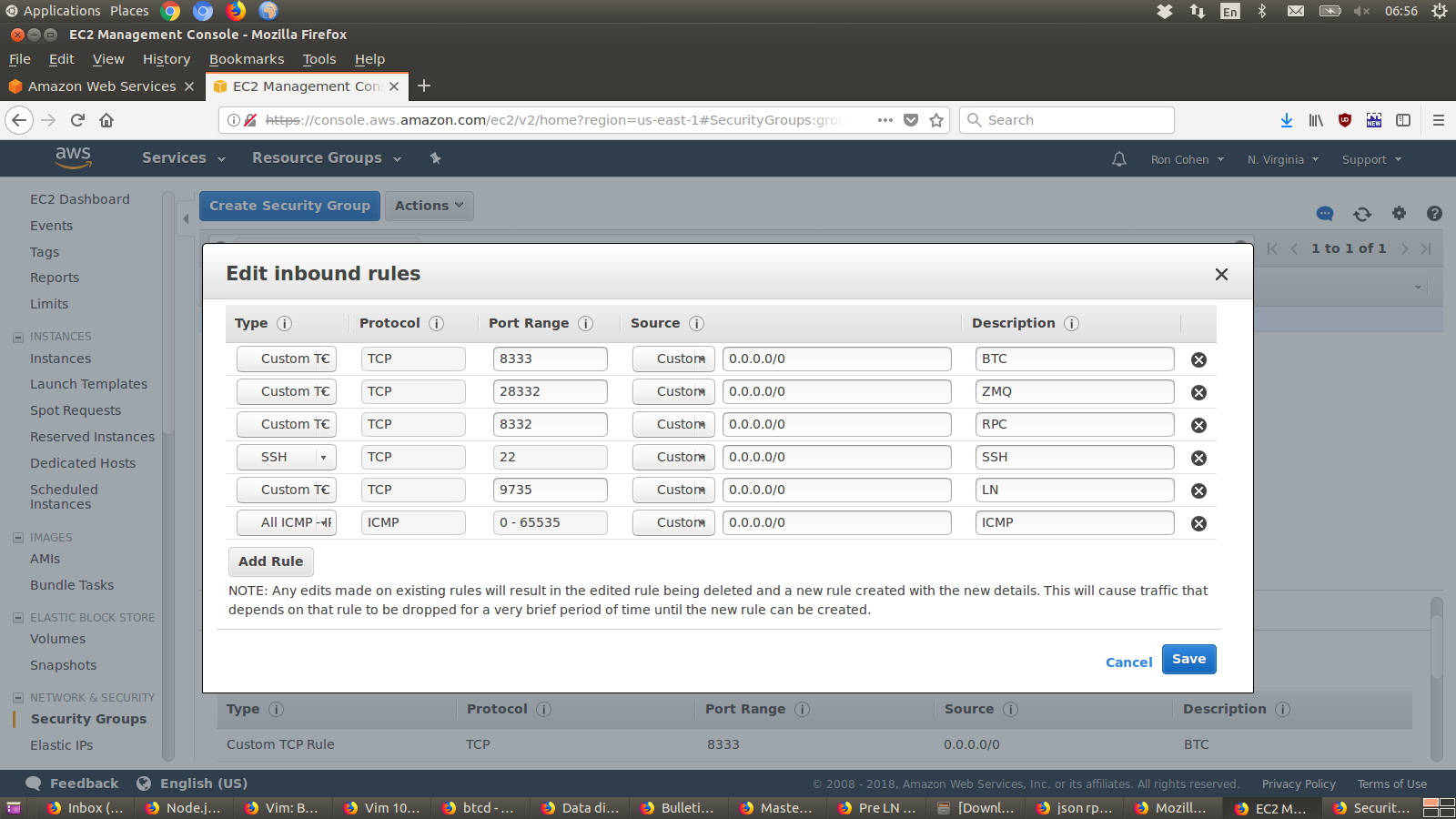 BTC and LN ports are necessary to communicate with the nework. RPC and ZMQ ports are for local communication between your LN and BTC servers, therefore can be left out if you run a single VM running both. It is not a good practice to leave RPC and ZMQ ports open for everyone to connect. To close those, it is possible to define a Network Access List. I left that for later. Give the group a meaningful name, e.g. 'LN and BTC network'. Select the *Instances* section, and launch an instance for the LN node. Choose 'Ubuntu Server 16.04 LTS (HVM), SSD Volume Type' AMI. Select 'General Purpose' t2.small instance type. This is the cheapest instance type that has 2G memory, the minimum recommended for running *bitcoind*. Leave the instance details at their default. Choose to 'Add Storage' and change the default (8G) to 500G. The Blockchain size is over 160G and we need at least twice. No need to add tags in 'Add tags'. Select the security group created before on the 'Configure Security Group' step. Select Launch the instance. Before launching it'll ask you to select and existing pair or a new key pair. Create a new key pair and save the downloaded pem file as *ln.pem*. The instance will then start the launch process. To easily identify the instance, add a name for the instance by inline editing the 'Name' left most column of the instance in the instance list (e.g. LN node). Select the *Elastic IPs* section and allocate new address. Select the address and select *Associate address* from the action menu. Associate the IP address to the new instance created. Repeat this process for the second VM for the BTC node. You can reuse the key pair if you wish. ### Setup domain names Its not mandatory to have a domain name associated with your servers. I purchased bluetegu.cc domain through [Namecheap](https://www.namecheap.com). Namecheap are cheap, accept payments in Bitcoin, and are easy to use. I moved the actual domain name work to AWS, using their Route 53 domain name service. From AWS' services menu select Route 53 under 'Networking & Content Delivery' section. Select 'Hosted Zones' and 'Create Hosted Zone'. Add the domain name (bluetegu.cc) and create a public hosted zone. An NS (Name Server) and SOA records will be created automatically. Create A records for both ln.bluetegu.cc and btc.bluetegu.cc, mapping each to its Elastic IP. Add an A record for the domain itself, pointing to one of the Elastic IPs (at this point not really important which). Use [How can I change the nameservers for my domain?](https://www.namecheap.com/support/knowledgebase/article.aspx/767/10/how-can-i-change-the-nameservers-for-my-domain) to set Route 53 names servers as the names servers of the bluetegu.cc domain. Basically its selecting the DOMAIN tab on namecheap for the domain, changing 'Nameservers' to 'Custom DNS', and copying the name servers from AWS to the list here. In AWS Route 53 screens, select the domain name (don't go into the record details) and the list of nameservers are available on the right. It takes a few minutes for the domain names to propagate across the Internet. ### Setup access to servers The pem key file downloaded from AWS should be used to access the servers. To easily access the servers without referencing the pem file each time, shortcuts should be added to the ssh configuration. The commands below are for unix. Similar commands are available for window-based or Mac-based machines. Move the downloaded key file and make sure its read only by the system. ``` ronc@laptop:~/.ssh$ mv ~/Downloads/ln.pem . ronc@laptop:~/.ssh$ chmod 400 ln.pem ``` Now add entries mapping the domain name to its IP and the pem file for each of the servers in config file in this directory. ``` ronc@laptop:~/.ssh$ tail -n 5 config Host ln.bluetegu.cc *.bluetegu.cc HostName 18.233.54.241 User ubuntu IdentityFile "~/.ssh/ln.pem" ``` Once its done you should be able to open a terminal (ssh) or copy files from/to the servers (scp) mentioning only their domain names. ``` ronc@laptop:~$ ssh btc.bluetegu.cc Welcome to Ubuntu 16.04.4 LTS (GNU/Linux 4.4.0-1052-aws x86_64) * Documentation: https://help.ubuntu.com * Management: https://landscape.canonical.com * Support: https://ubuntu.com/advantage Get cloud support with Ubuntu Advantage Cloud Guest: http://www.ubuntu.com/business/services/cloud 8 packages can be updated. 0 updates are security updates. *** System restart required *** Last login: Wed Apr 11 11:45:40 2018 from 109.186.111.9 ubuntu@btc:~$ ubuntu@btc:~$ tmux attach -t 0 ``` Two things to note here. The server prompt by default is not *btc*, rather it'll be the IP address assigned to it. Its quite confusing to have the internal IP addresses as the prompts. Fortunately its easy to change the prompt as described [here](https://aws.amazon.com/premiumsupport/knowledge-center/linux-static-hostname/). Change the loopback hostname: ``` ubuntu@ip-172-31-80-222:~$ sudo vim /etc/hosts ubuntu@ip-172-31-80-222:~$ ubuntu@ip-172-31-80-222:~$ head -n 2 /etc/hosts #127.0.0.1 localhost 127.0.0.1 btc.bluetegu.cc ``` Change the hostname: ``` ubuntu@ip-172-31-80-222:~$ sudo vim /etc/hostname ubuntu@ip-172-31-80-222:~$ cat /etc/hostname btc.bluetegu.cc ``` Use hostname without restart: ``` ubuntu@ip-172-31-80-222:~$ sudo hostname btc.bluetegu.cc ``` exit and ssh again, and now the prompt is: ``` ubuntu@btc:~$ ``` Once this is set, use tmux to multiplex terminals to each server, and run all commands over tmux. The tmux command 'tmux attach -t 0' reattached the already open tmux session. Learn to love tmux; its great. ## Installation ### BTC node Installing Bitcoin's core on Ubuntu is a breeze. it is well documented on [Running a full node](https://bitcoin.org/en/full-node) Add the repository and install it. No need for the GUI part. All commands are entered over tmux. ``` ubuntu@btc:~$ sudo apt-add-repository ppa:bitcoin/bitcoin ubuntu@btc:~$ sudo apt-get update ubuntu@btc:~$ sudo apt-get install bitcoind ``` *bitcoind* options can be controlled through a bitcoin.conf configuration file. [Running Bitcoin](https://en.bitcoin.it/wiki/Running_Bitcoin#Bitcoin.conf_Configuration_File) explains the available options. The bitcoin.conf in linux should be placed in ~/.bitcoin/ . It is not automatically created if you run the daemon. Create the file and add something similar to the commands below ``` ubuntu@btc:~/.bitcoin$ tail -n 14 bitcoin.conf daemon=1 # Enable RPC server=1 rpcbind=0.0.0.0 # Must list IP addresses (subnets) that are allowed to access RPC # Unfortunately rpcallowip doesn't support hostnames (rpcallowip=ln.bluetegu.cc) # hence Elastic IP of LN node must be specified here explicitly rpcallowip=18.233.54.241 rpcuser=<YOUR RPC USERNAME> rpcpassword=<YOUR RPC PASSWORD> zmqpubrawblock=tcp://0.0.0.0:28332 zmqpubrawtx=tcp://0.0.0.0:28332 txindex=1 ``` Set the RPC username and password, and change the IP address of LN node accordingly. The rpcallowip is not needed if you run *bitcoind* together with *lnd* on the same node. bitcoin-cli is a command line tool to access *bitcoind* daemon (through RPC). The list of available commands can be found [here](https://en.bitcoin.it/wiki/Original_Bitcoin_client/API_calls_list). In particular the daemon is stopped via the bitcoin-cli interface: ``` ubuntu@btc:~/.bitcoin$ bitcoind Bitcoin server starting ubuntu@btc:~/.bitcoin$ bitcoin-cli stop Bitcoin server stopping ``` As well as getting basic status, e.g. figuring out the current block height (check if synchronized) ``` ubuntu@btc:~/.bitcoin$ bitcoin-cli getblockchaininfo | head { "chain": "main", "blocks": 518447, "headers": 518447, "bestblockhash": "0000000000000000001a604a691af594c65dd8dd86d35ff75215b8ee09e823b8", "difficulty": 3839316899029.672, "mediantime": 1523865116, "verificationprogress": 0.999989053864647, "initialblockdownload": false, "chainwork": "0000000000000000000000000000000000000000018380ba95e0067cdbd9a690", ``` Note though that LN commands, even those commands that eventually are fulfilled by the Bitcoin daemon are all controlled via the LN node and its cli, so there isn't a real need to get familiar with the bitcoin-cli for the purpose of LN operations. ### LN node Installation and other relevant information are available on Lightning Lab's site [installation guide](https://dev.lightning.community/guides/installation/) and [release notes](https://github.com/lightningnetwork/lnd/releases/tag/v0.4.1-beta). All commands are entered over tmux. Install Golang to usr/local: ``` ubuntu@ln:~$ mkdir tmp ubuntu@ln:~$ cd tmp ubuntu@ln:~/tmp$ wget https://dl.google.com/go/go1.10.linux-amd64.tar.gz ubuntu@ln:~/tmp$ sudo tar -C /usr/local -xzf go1.10.linux-amd64.tar.gz ``` Set the path to golang globally (as su and exit mode at end) by adding golang.sh file. ``` ubuntu@ln:/etc/profile.d$ sudo su root@ln:/etc/profile.d# vim golang.sh root@ln:/etc/profile.d# cat golang.sh #!/bin/sh export PATH=$PATH:/usr/local/go/bin root@ln:/etc/profile.d# exit ubuntu@ln:/etc/profile.d$ source golang.sh ``` Add $GOPATH by editing .bashrc file. ``` ubuntu@ln:~$ vim .bashrc ubuntu@ln:~$ tail -n 4 .bashrc export GOPATH=~/go export PATH=$PATH:$GOPATH/bin ubuntu@ln:~$ source .bashrc ubuntu@ln:~$ echo $GOPATH /home/ubuntu/go ``` Get *lnd* Lightning node code: ``` ubuntu@ln:~$ git clone https://github.com/lightningnetwork/lnd $GOPATH/src/github.com/lightningnetwork/lnd ubuntu@ln:~$ cd $GOPATH/src/github.com/lightningnetwork/lnd ``` Get (new) dependency manager, *dep*, and run it to get all *lnd* dependencies ``` ubuntu@ln:~/go/src/github.com/lightningnetwork/lnd$ go get -u github.com/golang/dep/cmd/dep ubuntu@ln:~/go/src/github.com/lightningnetwork/lnd$ dep ensure ``` Compile code (takes a while...) ``` ubuntu@ln:~/go/src/github.com/lightningnetwork/lnd$ go install . ./cmd/... ``` You can use git pull to update the code, and rerun dep and the installation to update *lnd*. *lnd* options can be controlled through a lnd.conf configuration file. A sample configuration file is available [here](https://github.com/lightningnetwork/lnd/blob/master/sample-lnd.conf). Copy the sample file and make similar changes to the ones below to connect it to the *bitcoind* daemon. ``` ubuntu@ln:~$ mkdir .lnd ubuntu@ln:~$ cd .lnd ubuntu@ln:~/.lnd$ wget https://raw.githubusercontent.com/lightningnetwork/lnd/master/sample-lnd.conf ubuntu@ln:~/.lnd$ cp sample-lnd.conf lnd.conf ``` Now edit the various configuration such that the following options are set: ``` ubuntu@ln:~/.lnd$ diff sample-lnd.conf lnd.conf | grep '>' > externalip=ln.bluetegu.cc > alias=LN.BLUETEGU.CC > color=#003366 > ; bitcoin.simnet=1 > bitcoin.mainnet=1 > ; bitcoin.node=btcd > bitcoin.node=bitcoind > bitcoind.rpchost=btc.bluetegu.cc > bitcoind.rpcuser=<YOUR RPC USERNAME> > bitcoind.rpcpass=<YOUR RPC PASSWORD> > bitcoind.zmqpath=tcp://btc.bluetegu.cc:28332 ``` Note that the settings supports using hostnames instead of explicit IP addresses, which is nice. externalip, alias and color are not mandatory. I did not enable autopilot and similar. lncli is a command line tool to access *lnd* process (through RPC). Use "lncli --help" to get a list of available commands and options. There isn't much point in running *lnd* before it can be connected to a synchronized Bitcoin node. Running and further setup of *lnd* is documented in a later section (after sync). Initially I thought of using *btcd* as the Bitcoin node, so below are the installation instruction for it too, although I haven't used it yet with the LN network. Install older dependency manager, glide: ``` ubuntu@ln:~/go$ go get -u github.com/Masterminds/glide ``` Install *btcd* (relevant roastbeaf and dependencies): ``` ubuntu@ln:~$ git clone https://github.com/roasbeef/btcd $GOPATH/src/github.com/roasbeef/btcd ubuntu@ln:~/go$ cd src/github.com/roasbeef/btcd ubuntu@ln:~/go/src/github.com/roasbeef/btcd$ glide install ubuntu@ln:~/go/src/github.com/roasbeef/btcd$ go install . ./cmd/... ``` *btcd* options can be controlled through a btcd.conf configuration file. A sample configuration file is available [here](https://github.com/btcsuite/btcd/blob/master/sample-btcd.conf). btcctl is a command line tool to access *btcd* process (through RPC). Use "btcctl -l" to get a list of available commands. The minimal configuration files I am using include only the RPC username and password. ``` ubuntu@ln:~/.btcd$ cat btcd.conf [Application Options] rpcuser=<YOUR RPC USERNAME> rpcpass=<YOUR RPC PASSWORD> ubuntu@ln:~/.btcd$ cat btcctl.conf [Application Options] rpcuser=<YOUR RPC USERNAME> rpcpass=<YOUR RPC PASSWORD> ``` For LN to work btcd should be run with the --txindex. ## Blockchain sync ### Overview Before LN node can start operating, it has to have access to a fully synchronized Bitcoin node. This step can be frustrating. What I eventually did was install *bitcoind*, Bitcoin core's implementation, and let it sync with the network for 4 days. Initially I planned to use *btcd*, as it supports also LN light client, the neutrino mode, and various other LN specific optimization, but synchronization took so long to complete that I ended up using *bitcoind* instead. I document below the synchronization of both *btcd* and *bitcoind*. I had several failed attempts to synchronize both, each attempt took hours to several days before I realized its going nowhere, which added to the frustration.  Picture by [Dez](https://www.flickr.com/photos/botunda/) ### Download or Sync The blockchain size is over 160GB. If you simply hook up your new Bitcoin node it'll request from its peers the entire +160G. Both *bitcoind* and *btcd* implementations support initial bootstraping using a file that contains the blockchain data from the genesis block through a relatively recent one, leaving only few GB of recent blocks to be actively synced from the network. The approach differs though. For *btcd*, [bootstraping](https://github.com/btcsuite/btcd/blob/master/docs/using_bootstrap_dat.md) an addblock utility is used to import the blocks from a file to the database. You don't need to worry that someone tampered with the bootstrap file, as the "addblock utility verifies every block using the same rules that are used when downloading the block chain normally through the Bitcoin protocol". *bitcoind* doesn't have a special utility for import, rather you can [simply copy the database files](https://en.bitcoin.it/wiki/Data_directory) from the bootstap files to the *bitcoind*'s home directory, and it'll work from there. Unlike btcd, here you must have full trust in the bootstrap files "The database files in the "blocks" and "chainstate" directories are cross-platform, and can be copied between different installations. These files, known collectively as a node's "block database", represent all of the information downloaded by a node during the syncing process. In other words, if you copy installation A's block database into installation B, installation B will then have the same syncing percentage as installation A. This is usually far faster than doing the normal initial sync over again. However, when you copy someone's database in this way, you are trusting them absolutely. Bitcoin Core treats its block database files as 100% accurate and trustworthy, whereas during the normal initial sync it treats each block offered by a peer as invalid until proven otherwise." ### Synchronizing *btcd* I started out setting *btcd* per LN documentation and tried to sync to the network. I monitored the advance of the block height and soon enough advance almost halted. I googled and found an issue and discussion on slow sync [here](https://github.com/btcsuite/btcd/issues/1024). The title of the issue is "Bad sync peer stalls sync". It describes situations were bad or malfunctioning peers halt the sync process. It is suggested there to limit the number of peers and manually connect to a trusted peer, etc. Other reasons for slow sync are discussed in this issue as well. Since the issue was not resolved, I decided to try out the bootstrap approach instead. In hindsight I don't think that was the problem for my sync, as I got the same crawling synchronization using the bootstrap file attempt, as described below. I got the bootstrap file from [Blockchain download](https://www.blockchaindownload.eu/). I selected bootstrap.rar (for btcd), paid around $5.5 in Bitcoin and got instructions, file signatures and a download link. 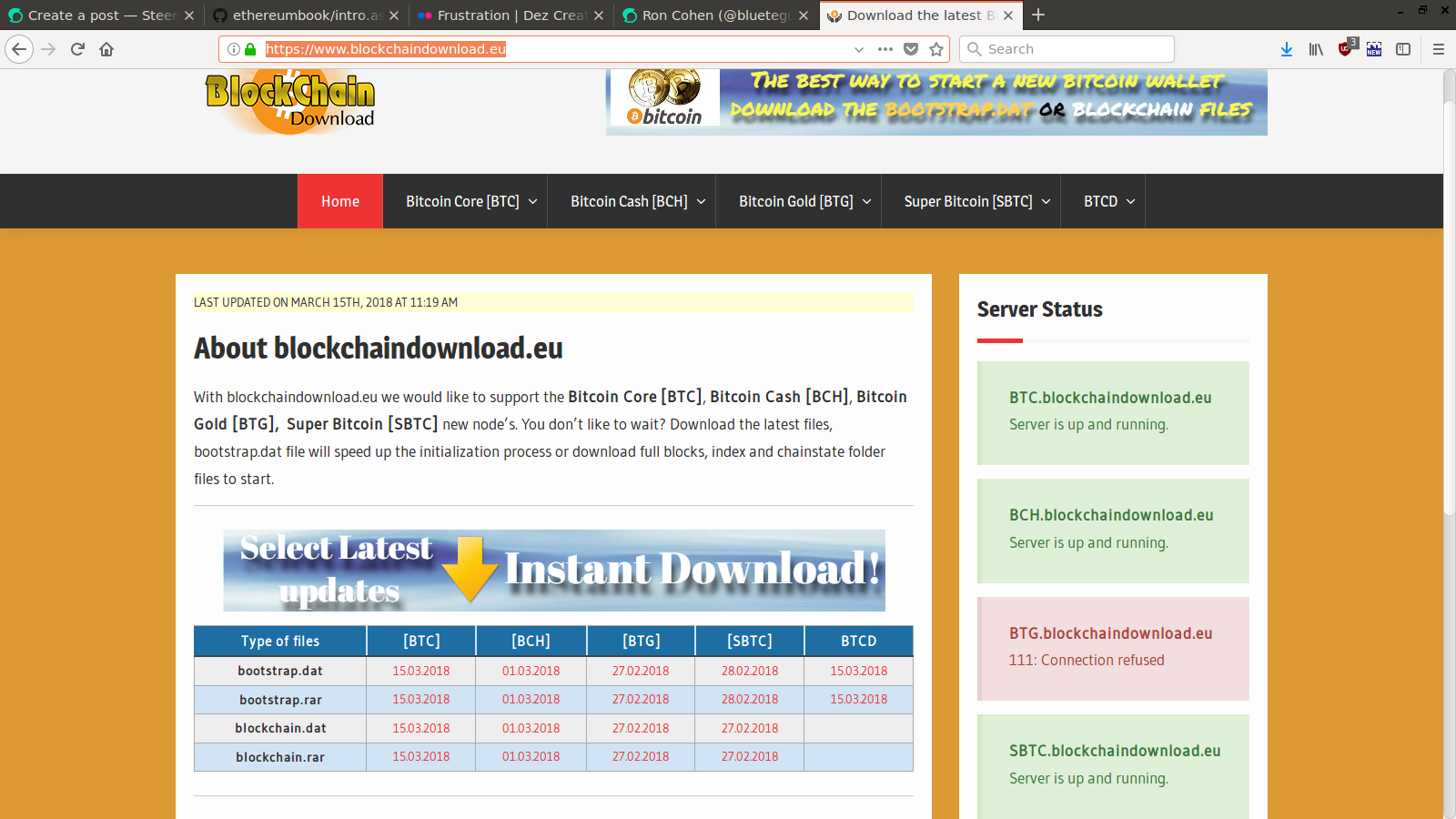 I downloaded the giant file and started importing using addblock (see detailed instructions below). At the beginning blocks were added in a rapid pace, yet after a while the rate trickled to approximately 2 block per 10 seconds. 7days later it finished import at block 513601. Unfortunately, the instruction I followed for importing the blocks did not include creating a transaction index, and hence once I started the daemon with transaction indexing enabled (required for LN), it started indexing the imported blockchain data for another 5 days, and then synchronized the rest of the blocks online for another 2 days. This convinced me that the slowness of synchronization is not related to network affects, its an implementation issue handling big data. I'm going to guess here that its related to the SQlite database. The guess is based on a [comment from 2013 by Dave Collins](https://blog.conformal.com/btcd-not-your-moms-bitcoin-daemon/) explaining the database optimization they did in order to improve performance. I think that further optimizations are required. Here are the detailed commands I used: Blockchaindownload provide a torrent link to download the file. Something of the sort: https://www.blockchaindownload.eu/download-btcd-bootstrap-rar/?gourldownload_file=<A number here> Since the file is huge, it should be download directly to the server. I downloaded the torrent file, moved it to the server, and used a torrent client to download it to the server. Moving the torrent file from local Download folder to move it to the remote server: ``` ronc@laptop:~/Downloads$ scp btc.bootstrap.rar.torrent [email protected]://home/ubuntu/tmp/btc.bootstrap.rar.torrent btc.bootstrap.rar.torrent 100% 142KB 142.0KB/s 00:00 ``` Install aria2 torrent client and use it to download the file to the tmp directory. Create the tmp directory if not already created. ``` ubuntu@ln:~/tmp$ sudo apt install aria2 ubuntu@ln:~/tmp$ aria2c btc.bootstrap.rar.torrent ``` The download takes +3 hours. aria provides progress report. Once done, cntr-C once to exit. Verify that file's checksum is as written on the download page ``` ubuntu@ln:~/tmp$ sha256sum btc.bootstrap.rar 57a98efa8f51298c9c13f0c41b2a3f8660dab7aad275a09aa348939c07a46bab btc.bootstrap.rar ``` Unpack ``` ubuntu@ln:~/tmp$ sudo apt-get install unrar ubuntu@ln:~/tmp$ unrar x btc.bootstrap.rar Creating btc.bootstrap OK Creating btc.bootstrap/bootstrap OK Extracting btc.bootstrap/bootstrap/hashlist.txt OK Extracting btc.bootstrap/bootstrap/bootstrap.dat OK Extracting btc.bootstrap/bootstrap/hashlist.txt.sha256.txt OK Extracting btc.bootstrap/bootstrap/bootstrap.dat.sha256.txt OK All OK ``` And import to the database **Note: you may want to use --txindex option here to create the transaction index during import and save time when running the daemon. If you do, please share your experience in the comments** ``` ubuntu@ln:~/tmp$ $GOPATH/bin/addblock -i btc.bootstrap/bootstrap/bootstrap.dat 2018-03-22 07:48:08.614 [INF] MAIN: Loading block database from '/home/ubuntu/.btcd/data/mainnet/blocks_ffldb' 2018-03-22 07:48:08.849 [INF] MAIN: Block database loaded 2018-03-22 07:48:08.849 [INF] CHAN: Loading block index. This might take a while... 2018-03-22 07:48:34.393 [INF] CHAN: Chain state (height 260958, hash 0000000000000017b6133e976a69bb25c1c5dd8539b85ee8a9f9555f8c5b6824, totaltx 24665326, work 6011413434372599859916) 2018-03-22 07:48:34.393 [INF] MAIN: Starting import 2018-03-22 07:48:44.394 [INF] MAIN: Processed 148713 blocks in the last 10s (1659268 transactions, height 148713, 2011-10-09 18:05:08 +0000 UTC) 2018-03-22 07:48:54.398 [INF] MAIN: Processed 30609 blocks in the last 10s (1404164 transactions, height 179322, 2012-05-08 21:28:11 +0000 UTC) ... ``` Import completed after 7 days. ``` 2018-03-29 18:15:52.087 [INF] MAIN: Processed 5 blocks in the last 10.31s (4742 transactions, height 513597, 2018-03-15 06:12:38 +0000 UTC) 2018-03-29 18:15:57.675 [INF] MAIN: Processed a total of 513601 blocks (252642 imported, 260959 already known) ubuntu@ln:~/tmp$ ``` Since I didn't use the --txindex option during import, running *btcd* indexed all blocks, and then completed synchronization with the network, taking another extra 7 days. ``` ubuntu@ln:~/tmp$ btcd --txindex 2018-03-30 10:00:38.785 [INF] BTCD: Version 0.12.0-beta 2018-03-30 10:00:38.791 [INF] BTCD: Loading block database from '/home/ubuntu/.btcd/data/mainnet/blocks_ffldb' 2018-03-30 10:00:42.528 [INF] BTCD: Block database loaded 2018-03-30 10:00:42.556 [INF] INDX: Transaction index is enabled 2018-03-30 10:00:42.556 [INF] INDX: cf index is enabled 2018-03-30 10:00:42.556 [INF] CHAN: Loading block index. This might take a while... 2018-03-30 10:01:34.081 [INF] INDX: Catching up indexes from height 260958 to 513600 2018-03-30 10:01:44.161 [INF] INDX: Indexed 196 blocks in the last 10.08s (56791 transactions, height 261154, 2013-10-01 20:42:48 +0000 UTC) 2018-03-30 10:01:54.240 [INF] INDX: Indexed 158 blocks in the last 10.07s (52408 transactions, height 261312, 2013-10-02 17:47:04 +0000 UTC) ... ``` But finally it is synchronized. Compare the blocks to the block height available in blockchain.info. ``` ubuntu@ln:~/.btcd$ btcctl getinfo { "version": 120000, "protocolversion": 70002, "blocks": 518456, "timeoffset": 0, "connections": 8, "proxy": "", "difficulty": 3839316899029.672, "testnet": false, "relayfee": 0.00001, "errors": "" } ``` ### Synchronizing *bitcoind* I did attempt to bootstrap *bitcoind* too, but failed miserably. I believe the failure is due to my incompetence. Each attempt lasted days until I gave up. Eventually I simply run the daemon until after 4 days it synchronized directly from the network. ## LN finally ### Initialize Run the LN node. A wallet must be defined at the first run, or unlcoked whenever the node is rerun. The LN node will not connect to the network beforehand. Here I'm running *lnd* with higher debug level. This is not required. ``` ubuntu@ln:~/.lnd$ lnd --debuglevel=debug 2018-04-08 17:45:40.404 [INF] LTND: Version 0.4.1-beta commit= 2018-04-08 17:45:40.404 [INF] LTND: Active chain: Bitcoin (network=mainnet) 2018-04-08 17:45:40.406 [INF] CHDB: Checking for schema update: latest_version=0, db_version=0 2018-04-08 17:45:40.460 [INF] RPCS: password RPC server listening on 127.0.0.1:10009 2018-04-08 17:45:40.462 [INF] RPCS: password gRPC proxy started at 127.0.0.1:8080 2018-04-08 17:45:40.462 [INF] LTND: Waiting for wallet encryption password. Use `lncli create` to create wallet, or `lncli unlock` to unlock already created wallet. ``` On a different tmux terminal create the wallet, insert a password, and write down the menemonics in a safe place. The password is needed each time the *lnd* node is reset or restarted, i.e. whenever the wallet needs to be unlocked. ``` ubuntu@ln:~$ lncli create Input wallet password: Confirm wallet password: Do you have an existing cipher seed mnemonic you want to use? (Enter y/n): n Your cipher seed can optionally be encrypted. Input your passphrase you wish to encrypt it (or press enter to proceed without a cipher seed passphrase): Generating fresh cipher seed... !!!YOU MUST WRITE DOWN THIS SEED TO BE ABLE TO RESTORE THE WALLET!!! ---------------BEGIN LND CIPHER SEED--------------- <THIS PART REMOVED> ---------------END LND CIPHER SEED----------------- !!!YOU MUST WRITE DOWN THIS SEED TO BE ABLE TO RESTORE THE WALLET!!! lnd successfully initialized! ubuntu@ln:~$ ``` Once the wallet is created (or unlocked), *lnd* will attempt to connect to the Bitcoin node and to its peers. ### Check Sync Check the connection to the bitcoin node is working and the bitcoin node is synchronized. ``` ubuntu@ln:~$ lncli getinfo { "identity_pubkey": "03c42d3b66012697d078eae412c3b4806df274b7e6a18dacac474cd7c4bfa28849", "alias": "03c42d3b66012697d078", "num_pending_channels": 0, "num_active_channels": 0, "num_peers": 3, "block_height": 517400, "block_hash": "0000000000000000000f76b44f8d4c27586259b3460d41a88e5d7c39a76d0dca", "synced_to_chain": true, "testnet": false, "chains": [ "bitcoin" ], "uris": [ ], "best_header_timestamp": "1523282595" } ``` Indeed "synced_to_chain" indicates the Bitcoin node is connected and synced. 3 peers are already connected. Those were added automatically. ### Create address and fund wallet Let's now add an address, and send some bitcoins. ``` ubuntu@ln:~$ lncli newaddress np2wkh { "address": "3FvDCiAa7BWDfCU93zccdPynrpFpsqHX9w" } ``` An address starting with 3 can be funded also by wallets that do not support Segwit. I sent $10 from my wallet to this address. ``` ubuntu@ln:~$ lncli walletbalance { "total_balance": "147654", "confirmed_balance": "0", "unconfirmed_balance": "147654" } ``` Now we have to wait a bit for it to be confirmed. ``` ubuntu@ln:~$ lncli walletbalance { "total_balance": "147654", "confirmed_balance": "147654", "unconfirmed_balance": "0" } ``` ### Opening a channel I did not enabled 'autopilot' mode that is supposed to open channels and manage them automatically. Instead I opened a channel to a major LN node, in the hope that it'll be able to route my payment to Blockstream. Fortunately this naive approach worked. To select a major LN hub I used [1ML](https://1ml.com/), Lightning Network Search and Analysis Engine. 1ML lists the latest nodes and channels, and if you scroll further down, also lists the largest nodes and channels. I selected one of the largest nodes; [Federval Reserve](https://1ml.com/node/0327049d8d63f0c40193cdf3afc61817c8647808a4e482de0716fcef74e6d92ebf ). 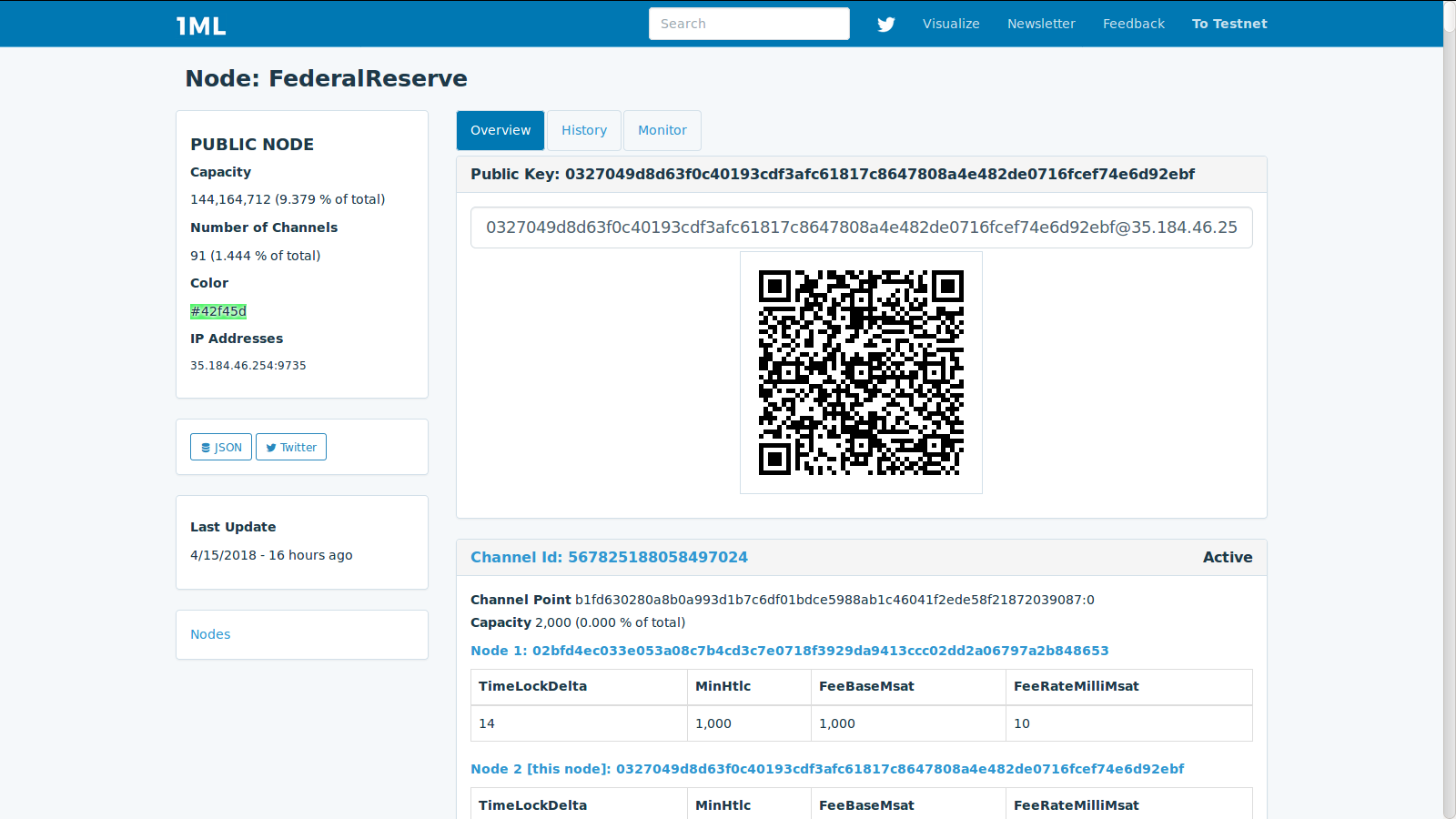 The information needed is the public key and IP address (and port) of the node: ``` 0327049d8d63f0c40193cdf3afc61817c8647808a4e482de0716fcef74e6d92ebf@35.184.46.254:9735 ``` To open a channel to a node you have to first connected to it as a peer. ``` ubuntu@ln:~$ lncli connect 0327049d8d63f0c40193cdf3afc61817c8647808a4e482de0716fcef74e6d92ebf@35.184.46.254:9735 { } ``` And indeed it was added to the other 3 peers that were already auto-connected. ``` ubuntu@ln:~$ lncli listpeers { "peers": [ { "pub_key": "0327049d8d63f0c40193cdf3afc61817c8647808a4e482de0716fcef74e6d92ebf", "address": "35.184.46.254:9735", "bytes_sent": "6", "bytes_recv": "6", "sat_sent": "0", "sat_recv": "0", "inbound": false, "ping_time": "0" }, ``` When a channel is opened in LN, a funding transaction is sent to the Bitcoin network. The transaction takes times to confirm, and requires a miners fee. Hence it wasn't possible to commit my entire $10 to the channel. ``` ubuntu@ln:~$ lncli openchannel --node_key=0327049d8d63f0c40193cdf3afc61817c8647808a4e482de0716fcef74e6d92ebf --local_amt=147654 [lncli] rpc error: code = Unknown desc = not enough witness outputs to create funding transaction, need 0.00148534 BTC only have 0.00147654 BTC available ``` The difference, 880 satoshies, is required for the funding transaction fee. Committing the rest to the channel worked: ``` ubuntu@ln:~$ lncli openchannel --node_key=0327049d8d63f0c40193cdf3afc61817c8647808a4e482de0716fcef74e6d92ebf --local_amt=146774 { "funding_txid": "a9ec8645c78415dad54a600fba7eb70212b1dfe793b13bfa44ba55554c7a9143" } ``` And the channel moved to pending to wait for confirmations. ``` ubuntu@ln:~$ lncli pendingchannels { "total_limbo_balance": "0", "pending_open_channels": [ { "channel": { "remote_node_pub": "0327049d8d63f0c40193cdf3afc61817c8647808a4e482de0716fcef74e6d92ebf", "channel_point": "a9ec8645c78415dad54a600fba7eb70212b1dfe793b13bfa44ba55554c7a9143:0", "capacity": "146774", "local_balance": "145688", "remote_balance": "0" }, "confirmation_height": 0, "commit_fee": "1086", "commit_weight": "600", "fee_per_kw": "1500" } ], "pending_closing_channels": [ ], "pending_force_closing_channels": [ ] } ``` After two confirmations, the channel became active. ``` ubuntu@ln:~$ lncli listchannels { "channels": [ { "active": true, "remote_pubkey": "0327049d8d63f0c40193cdf3afc61817c8647808a4e482de0716fcef74e6d92ebf", "channel_point": "a9ec8645c78415dad54a600fba7eb70212b1dfe793b13bfa44ba55554c7a9143:0", "chan_id": "569235861522219008", "capacity": "146774", "local_balance": "145507", "remote_balance": "0", "commit_fee": "1267", "commit_weight": "600", "fee_per_kw": "1750", "unsettled_balance": "0", "total_satoshis_sent": "0", "total_satoshis_received": "0", "num_updates": "1", "pending_htlcs": [ ], "csv_delay": 144, "private": false } ] } ``` The difference between the capacity and the local balance is 1086 which is the commit_fee. The commit fee is reserved as the fee to paid to miners for the Bitcoin transaction that will be used to close the channel. Once a channel is enabled. The LN node is able to calculate routes to destinations. ## Buying the sticker Finally we can buy a sticker or two. Go to the [Blockstream Shop](https://store.blockstream.com/), and press the 'Shop' tab. Select the sticker and add it to the cart. Each sticker is $1.99 plus mailing for $3. 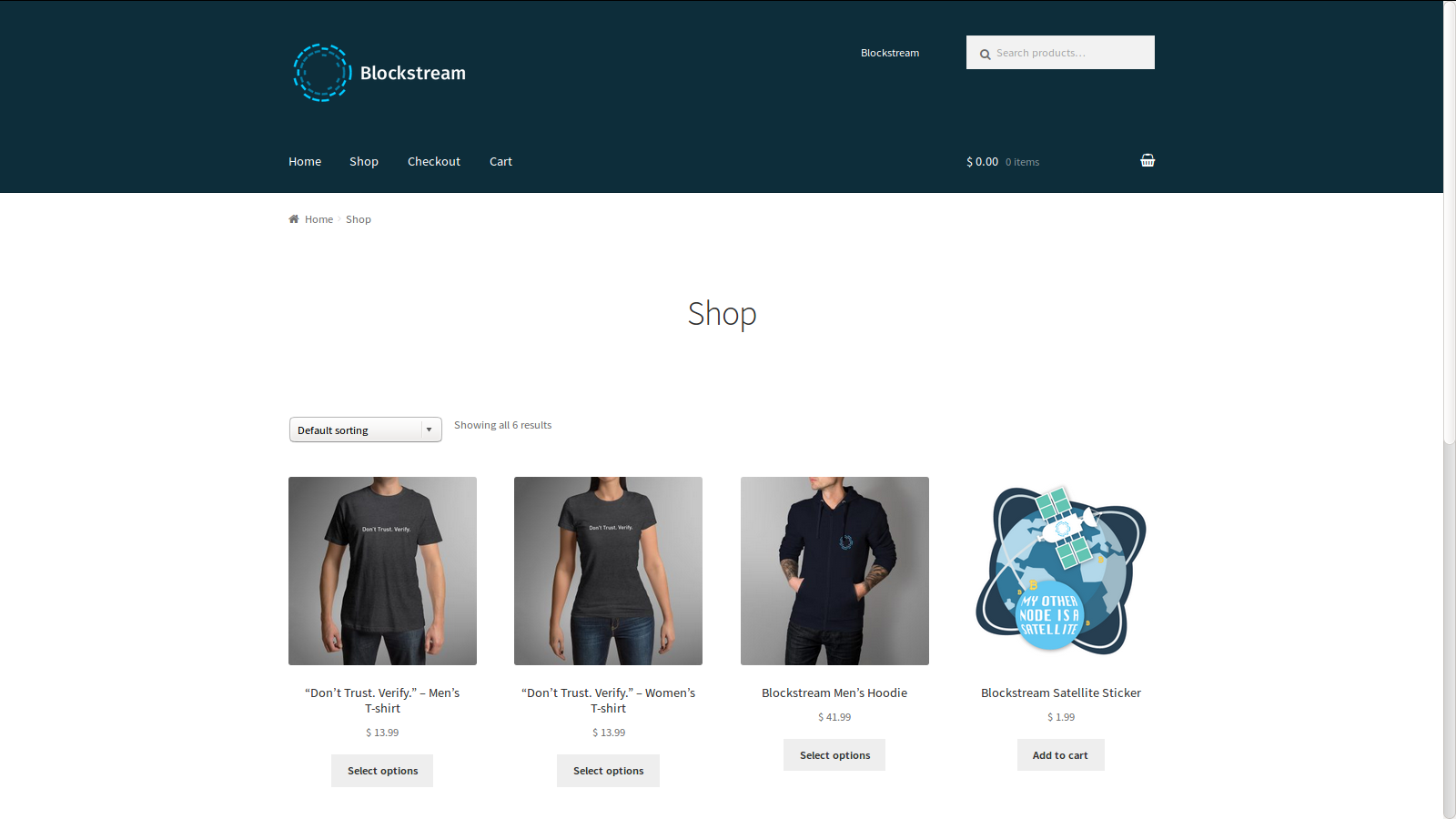 Press 'view cart', and then proceed to checkout. Fill in your mail details and proceed to 'Proceed to Lightning Payment'. An invoice will be presented with a one hour expiration timer to complete payment. 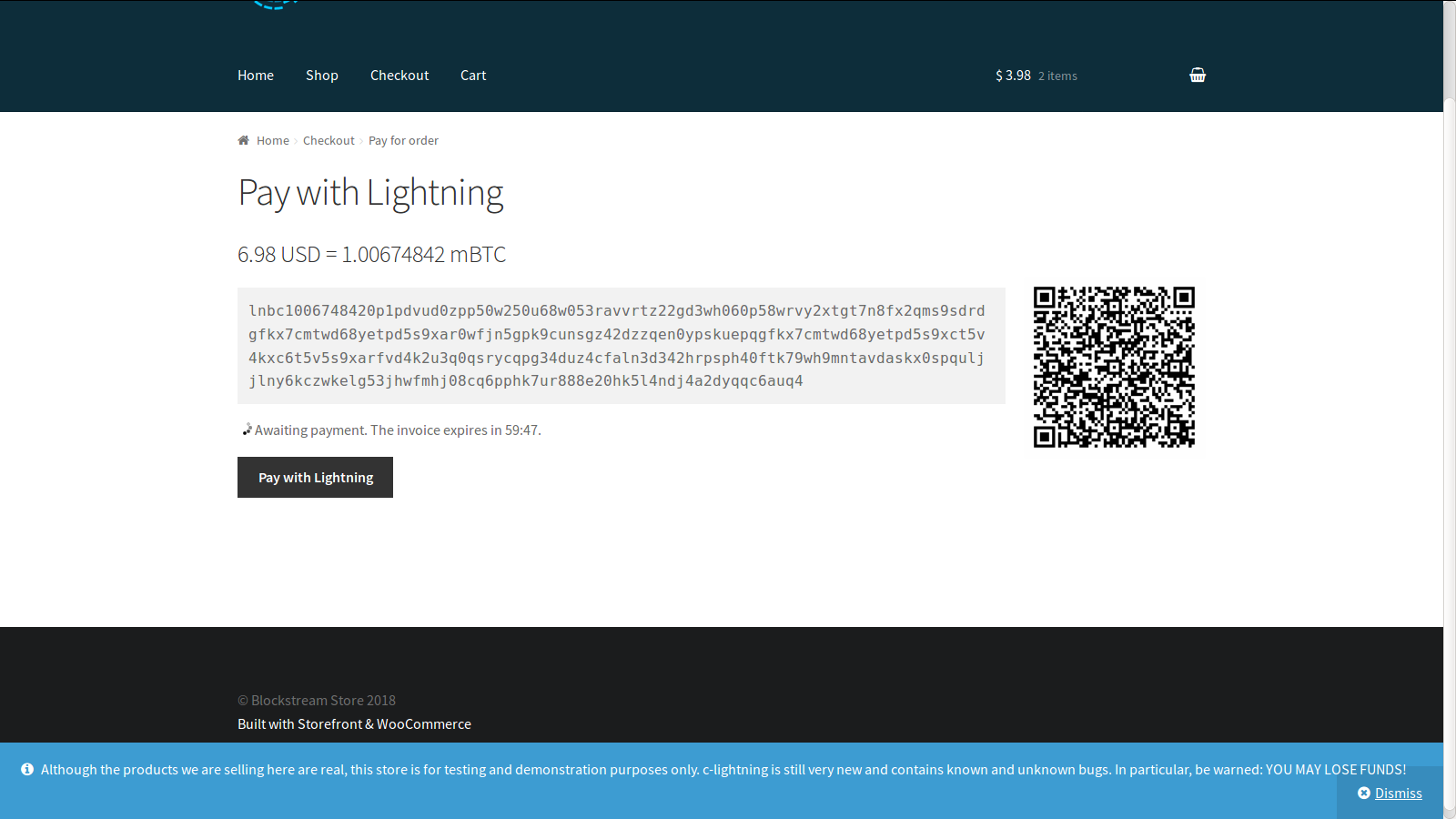 Copy the invoice. You can decode the invoice locally. ``` ubuntu@ln:~$ lncli decodepayreq lnbc738842420p1pdvhthapp5p74hlu02z7v0nns22dk7f9wn6y8j6tkez5dxlvz59a4kyfrz9hkqdrdgfkx7cmtwd68yetpd5s9xar0wfjn5gp59cunjgz42dzzqen0ypskuepqgfkx7cmtwd68yetpd5s9xct5v4kxc6t5v5s9xarfvd4k2u3q0qsrzcqpgtdnykkcrc6guwr8kxvmt50swc06ef520hldja5kj9u522ujra36kk762xvj8kyn4r6rs6438d29j2068umenn5pdflgm988t7u6f9gcp6amw9q { "destination": "02f6725f9c1c40333b67faea92fd211c183050f28df32cac3f9d69685fe9665432", "payment_hash": "7b9547f34773e911f58c1ac4a521b175dfa7868770d84519685fa6749940dc0b", "num_satoshis": "100674", "timestamp": "1523463650", "expiry": "3600", "description": "Blockstream Store: 6.98 USD fo and Blockstream Satellite Sticker x 2", "description_hash": "", "fallback_addr": "", "cltv_expiry": "8" } ``` And now the payment itself. ``` ubuntu@ln:~$ lncli payinvoice --pay_req lnbc1006748420p1pdvud0zpp50w250u68w053ravvrtz22gd3wh060p58wrvy2xtgt7n8fx2qms9sdrdgfkx7cmtwd68yetpd5s9xar0wfjn5gpk9cunsgz42dzzqen0ypskuepqgfkx7cmtwd68yetpd5s9xct5v4kxc6t5v5s9xarfvd4k2u3q0qsrycqpg34duz4cfaln3d342hrpsph40ftk79wh9mntavdaskx0spquljjlny6kczwkelg53jhwfmhj08cq6pphk7ur888e20hk5l4ndj4a2dyqqc6auq4 ``` And it went through. No need to wait for confirmation. I almost immediately got an invoice email from Blockstream. 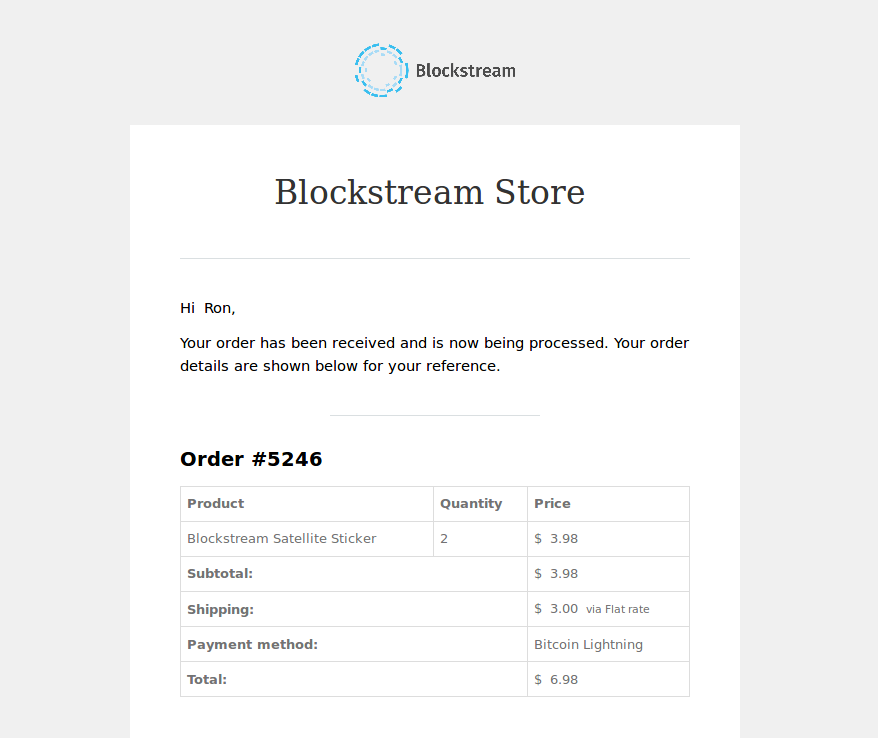 It is interesting to check the channel balance now. ``` ubuntu@ln:~$ lncli listchannels { "channels": [ { "active": true, "remote_pubkey": "0327049d8d63f0c40193cdf3afc61817c8647808a4e482de0716fcef74e6d92ebf", "channel_point": "a9ec8645c78415dad54a600fba7eb70212b1dfe793b13bfa44ba55554c7a9143:0", "chan_id": "569235861522219008", "capacity": "146774", "local_balance": "45010", "remote_balance": "100677", "commit_fee": "1087", "commit_weight": "724", "fee_per_kw": "1500", "unsettled_balance": "0", "total_satoshis_sent": "100677", "total_satoshis_received": "0", "num_updates": "92", "pending_htlcs": [ ], "csv_delay": 144, "private": false } ] } ``` The channel capacity stayed the same. The total Satoshis sent, is equal to the remote balance, and is 3 Satoshis higher than the price of the sticker. I believe these 3 Satoshis were paid to the routing LN nodes. ## That it! Now I'm waiting for the sticker. Let me know if you have comments, improvements suggestions or questions. |
| json metadata | {"tags":["lightning"],"image":["https://steemitimages.com/DQmTMNiH2m5iTdimmkXqXrRHHbZC4BAK7L5oWHnLB69cVxm/ln-setup1.png","https://steemitimages.com/DQmdN2C6njXzurCrHYCSM6SmFy4XcVBRuQENnA4Qg1tzw3g/ln-policy-group.png","https://steemitimages.com/DQmNNg3nRkHk15ZHS45qMhvcAucfkSFfx7Lnh4CDefN9iWa/7587865942_76679d8450_z.jpg","https://steemitimages.com/DQmZDbM8swiSYqCQZJJxWcHDRChmiiPsrZMWp7Q1r8xNxe1/Screenshot%20from%202018-03-28%2006%3A55%3A39.png","https://steemitimages.com/DQmeNLqgauAR4DR8D4db65pVLBAdwpjgmjkXWUFHWzxagPZ/federalReserve.png","https://steemitimages.com/DQmVinxqTAFPWGKhP699txikhhjQgZFEGWa1rZfENbm1on6/blockstream-front-shop.png","https://steemitimages.com/DQmf7iw2VLkcdmyVbkGtSRX848Ws8WesLAHUNK49XUsn3QW/lightning-network-sell-sticker.png","https://steemitimages.com/DQmc5fx53MedDo4viTCFW9Mr8CsMepDNaa4Rn8ZKtbG6B4i/blocstream-invoice.png"],"links":["https://www.namecheap.com","https://www.namecheap.com/support/knowledgebase/article.aspx/767/10/how-can-i-change-the-nameservers-for-my-domain","https://aws.amazon.com/premiumsupport/knowledge-center/linux-static-hostname/","https://bitcoin.org/en/full-node","https://en.bitcoin.it/wiki/Running_Bitcoin#Bitcoin.conf_Configuration_File","https://en.bitcoin.it/wiki/Original_Bitcoin_client/API_calls_list","https://dev.lightning.community/guides/installation/","https://github.com/lightningnetwork/lnd/releases/tag/v0.4.1-beta","https://github.com/lightningnetwork/lnd/blob/master/sample-lnd.conf","https://github.com/btcsuite/btcd/blob/master/sample-btcd.conf","https://www.flickr.com/photos/botunda/","https://github.com/btcsuite/btcd/blob/master/docs/using_bootstrap_dat.md","https://en.bitcoin.it/wiki/Data_directory","https://github.com/btcsuite/btcd/issues/1024","https://www.blockchaindownload.eu/","https://blog.conformal.com/btcd-not-your-moms-bitcoin-daemon/","https://www.blockchaindownload.eu/download-btcd-bootstrap-rar/?gourldownload_file=","https://1ml.com/","https://1ml.com/node/0327049d8d63f0c40193cdf3afc61817c8647808a4e482de0716fcef74e6d92ebf","https://store.blockstream.com/"],"app":"steemit/0.1","format":"markdown"} |
| Transaction Info | Block #21621519/Trx 7a13b9d873b2e26da5c28f3f9fadc873ea252dd9 |
View Raw JSON Data
{
"trx_id": "7a13b9d873b2e26da5c28f3f9fadc873ea252dd9",
"block": 21621519,
"trx_in_block": 40,
"op_in_trx": 0,
"virtual_op": 0,
"timestamp": "2018-04-16T16:00:06",
"op": [
"comment",
{
"parent_author": "",
"parent_permlink": "lightning",
"author": "bluetegu",
"permlink": "lightning-network-get-your-sticker-a-detailed-howto",
"title": "Lightning network: get your sticker, a detailed howto.",
"body": "## Overview\n\nI document how to setup a Lightning node on mainnet and purchase a sticker from Blockstream's store. This is not necessarily the recommended approach, the cheapest or most efficient one. The figure below describes the final setup.\n\n\n\nThe setup is composed of two AWS virtual machines, one running Bitcoin's core node, *bitcoind*, and one running Lightning Lab's node, *lnd*. A Lightning channel to a well connected LN node (FederalReserve) is opened, which facilitates the payment of the invoice (QR code) provide by Blockstream's store.\n\nPlease comment so I can improve the tutorial. \n\nAll commands shown on servers are run on top of the terminal multiplexer tmux. \n\n## Setup\n### Setting up the VMs\nI use two VMs, one for running the lightning node *lnd* and the special 'roastbeef' branch of the Go Bitcoin daemon *btcd* (which I didn't use eventually), and one for Bitcoin's core *bitcoind* server. \n\nIf you don't have an account with Amazon's AWS, open one and add a payment method. Login to the AWS console.\nSelect the region you'd like to install the servers on the right top of the AWS amazon (N. Virginia in my setup).\nSelect the EC2 service on the services menu to open the EC2 dashboard. Here we do 3 things; define a security group, add two VMs (instances) and buy two Elastic IPs. \n\nSelect the *Security group* section, add a security group, and add rules until you get something similar to:\n\n\n\nBTC and LN ports are necessary to communicate with the nework. RPC and ZMQ ports are for local communication between your LN and BTC servers, therefore can be left out if you run a single VM running both.\nIt is not a good practice to leave RPC and ZMQ ports open for everyone to connect. To close those, it is possible to define a Network Access List. I left that for later. Give the group a meaningful name, e.g. 'LN and BTC network'. \n\nSelect the *Instances* section, and launch an instance for the LN node. Choose 'Ubuntu Server 16.04 LTS (HVM), SSD Volume Type' AMI. Select 'General Purpose' t2.small instance type. This is the cheapest instance type that has 2G memory, the minimum recommended for running *bitcoind*. Leave the instance details at their default. Choose to 'Add Storage' and change the default (8G) to 500G. The Blockchain size is over 160G and we need at least twice. No need to add tags in 'Add tags'. Select the security group created before on the 'Configure Security Group' step. Select Launch the instance. Before launching it'll ask you to select and existing pair or a new key pair. Create a new key pair and save the downloaded pem file as *ln.pem*. The instance will then start the launch process. To easily identify the instance, add a name for the instance by inline editing the 'Name' left most column of the instance in the instance list (e.g. LN node).\n\nSelect the *Elastic IPs* section and allocate new address. Select the address and select *Associate address* from the action menu. Associate the IP address to the new instance created.\n\nRepeat this process for the second VM for the BTC node. You can reuse the key pair if you wish. \n\n### Setup domain names\nIts not mandatory to have a domain name associated with your servers. I purchased bluetegu.cc domain through [Namecheap](https://www.namecheap.com). Namecheap are cheap, accept payments in Bitcoin, and are easy to use. I moved the actual domain name work to AWS, using their Route 53 domain name service.\nFrom AWS' services menu select Route 53 under 'Networking & Content Delivery' section. Select 'Hosted Zones' and 'Create Hosted Zone'. Add the domain name (bluetegu.cc) and create a public hosted zone. An NS (Name Server) and SOA records will be created automatically. Create A records for both ln.bluetegu.cc and btc.bluetegu.cc, mapping each to its Elastic IP. Add an A record for the domain itself, pointing to one of the Elastic IPs (at this point not really important which). \nUse [How can I change the nameservers for my domain?](https://www.namecheap.com/support/knowledgebase/article.aspx/767/10/how-can-i-change-the-nameservers-for-my-domain) to set Route 53 names servers as the names servers of the bluetegu.cc domain. Basically its selecting the DOMAIN tab on namecheap for the domain, changing 'Nameservers' to 'Custom DNS', and copying the name servers from AWS to the list here. In AWS Route 53 screens, select the domain name (don't go into the record details) and the list of nameservers are available on the right.\nIt takes a few minutes for the domain names to propagate across the Internet. \n\n### Setup access to servers\nThe pem key file downloaded from AWS should be used to access the servers. To easily access the servers without referencing the pem file each time, shortcuts should be added to the ssh configuration. The commands below are for unix. Similar commands are available for window-based or Mac-based machines. \nMove the downloaded key file and make sure its read only by the system.\n```\nronc@laptop:~/.ssh$ mv ~/Downloads/ln.pem .\nronc@laptop:~/.ssh$ chmod 400 ln.pem\n```\nNow add entries mapping the domain name to its IP and the pem file for each of the servers in config file in this directory.\n```\nronc@laptop:~/.ssh$ tail -n 5 config\n\nHost ln.bluetegu.cc *.bluetegu.cc\n HostName 18.233.54.241\n User ubuntu\n IdentityFile \"~/.ssh/ln.pem\"\n```\nOnce its done you should be able to open a terminal (ssh) or copy files from/to the servers (scp) mentioning only their domain names.\n```\nronc@laptop:~$ ssh btc.bluetegu.cc\nWelcome to Ubuntu 16.04.4 LTS (GNU/Linux 4.4.0-1052-aws x86_64)\n\n * Documentation: https://help.ubuntu.com\n * Management: https://landscape.canonical.com\n * Support: https://ubuntu.com/advantage\n\n Get cloud support with Ubuntu Advantage Cloud Guest:\n http://www.ubuntu.com/business/services/cloud\n\n8 packages can be updated.\n0 updates are security updates.\n\n\n*** System restart required ***\nLast login: Wed Apr 11 11:45:40 2018 from 109.186.111.9\nubuntu@btc:~$ \nubuntu@btc:~$ tmux attach -t 0\n```\nTwo things to note here. The server prompt by default is not *btc*, rather it'll be the IP address assigned to it. Its quite confusing to have the internal IP addresses as the prompts. Fortunately its easy to change the prompt as described [here](https://aws.amazon.com/premiumsupport/knowledge-center/linux-static-hostname/).\n\nChange the loopback hostname:\n```\nubuntu@ip-172-31-80-222:~$ sudo vim /etc/hosts\nubuntu@ip-172-31-80-222:~$ \nubuntu@ip-172-31-80-222:~$ head -n 2 /etc/hosts\n#127.0.0.1 localhost\n127.0.0.1 btc.bluetegu.cc\n```\nChange the hostname:\n```\nubuntu@ip-172-31-80-222:~$ sudo vim /etc/hostname\nubuntu@ip-172-31-80-222:~$ cat /etc/hostname\nbtc.bluetegu.cc\n```\nUse hostname without restart:\n```\nubuntu@ip-172-31-80-222:~$ sudo hostname btc.bluetegu.cc\n```\nexit and ssh again, and now the prompt is:\n```\nubuntu@btc:~$ \n```\nOnce this is set, use tmux to multiplex terminals to each server, and run all commands over tmux. The tmux command 'tmux attach -t 0' reattached the already open tmux session. Learn to love tmux; its great.\n\n## Installation\n\n### BTC node\n\nInstalling Bitcoin's core on Ubuntu is a breeze. it is well documented on [Running a full node](https://bitcoin.org/en/full-node) Add the repository and install it. No need for the GUI part. All commands are entered over tmux.\n```\nubuntu@btc:~$ sudo apt-add-repository ppa:bitcoin/bitcoin\nubuntu@btc:~$ sudo apt-get update\nubuntu@btc:~$ sudo apt-get install bitcoind\n```\n\n*bitcoind* options can be controlled through a bitcoin.conf configuration file. [Running Bitcoin](https://en.bitcoin.it/wiki/Running_Bitcoin#Bitcoin.conf_Configuration_File) explains the available options. The bitcoin.conf in linux should be placed in ~/.bitcoin/ . It is not automatically created if you run the daemon. Create the file and add something similar to the commands below\n\n```\nubuntu@btc:~/.bitcoin$ tail -n 14 bitcoin.conf\ndaemon=1\n# Enable RPC\nserver=1\nrpcbind=0.0.0.0\n# Must list IP addresses (subnets) that are allowed to access RPC\n# Unfortunately rpcallowip doesn't support hostnames (rpcallowip=ln.bluetegu.cc) \n# hence Elastic IP of LN node must be specified here explicitly\nrpcallowip=18.233.54.241\nrpcuser=<YOUR RPC USERNAME>\nrpcpassword=<YOUR RPC PASSWORD>\nzmqpubrawblock=tcp://0.0.0.0:28332\nzmqpubrawtx=tcp://0.0.0.0:28332\ntxindex=1\n```\nSet the RPC username and password, and change the IP address of LN node accordingly. The rpcallowip is not needed if you run *bitcoind* together with *lnd* on the same node.\n \nbitcoin-cli is a command line tool to access *bitcoind* daemon (through RPC). The list of available commands can be found [here](https://en.bitcoin.it/wiki/Original_Bitcoin_client/API_calls_list). In particular the daemon is stopped via the bitcoin-cli interface:\n```\nubuntu@btc:~/.bitcoin$ bitcoind\nBitcoin server starting\nubuntu@btc:~/.bitcoin$ bitcoin-cli stop\nBitcoin server stopping\n```\nAs well as getting basic status, e.g. figuring out the current block height (check if synchronized)\n```\nubuntu@btc:~/.bitcoin$ bitcoin-cli getblockchaininfo | head\n{\n \"chain\": \"main\",\n \"blocks\": 518447,\n \"headers\": 518447,\n \"bestblockhash\": \"0000000000000000001a604a691af594c65dd8dd86d35ff75215b8ee09e823b8\",\n \"difficulty\": 3839316899029.672,\n \"mediantime\": 1523865116,\n \"verificationprogress\": 0.999989053864647,\n \"initialblockdownload\": false,\n \"chainwork\": \"0000000000000000000000000000000000000000018380ba95e0067cdbd9a690\",\n```\n\nNote though that LN commands, even those commands that eventually are fulfilled by the Bitcoin daemon are all controlled via the LN node and its cli, so there isn't a real need to get familiar with the bitcoin-cli for the purpose of LN operations.\n\n### LN node\nInstallation and other relevant information are available on Lightning Lab's site [installation guide](https://dev.lightning.community/guides/installation/) and [release notes](https://github.com/lightningnetwork/lnd/releases/tag/v0.4.1-beta). All commands are entered over tmux.\n\nInstall Golang to usr/local:\n```\nubuntu@ln:~$ mkdir tmp\nubuntu@ln:~$ cd tmp\nubuntu@ln:~/tmp$ wget https://dl.google.com/go/go1.10.linux-amd64.tar.gz\nubuntu@ln:~/tmp$ sudo tar -C /usr/local -xzf go1.10.linux-amd64.tar.gz\n```\nSet the path to golang globally (as su and exit mode at end) by adding golang.sh file.\n```\nubuntu@ln:/etc/profile.d$ sudo su\nroot@ln:/etc/profile.d# vim golang.sh\nroot@ln:/etc/profile.d# cat golang.sh \n#!/bin/sh\nexport PATH=$PATH:/usr/local/go/bin\nroot@ln:/etc/profile.d# exit\nubuntu@ln:/etc/profile.d$ source golang.sh \n```\nAdd $GOPATH by editing .bashrc file. \n```\nubuntu@ln:~$ vim .bashrc \nubuntu@ln:~$ tail -n 4 .bashrc \nexport GOPATH=~/go\nexport PATH=$PATH:$GOPATH/bin\n\nubuntu@ln:~$ source .bashrc \nubuntu@ln:~$ echo $GOPATH\n/home/ubuntu/go\n```\n\nGet *lnd* Lightning node code:\n```\nubuntu@ln:~$ git clone https://github.com/lightningnetwork/lnd $GOPATH/src/github.com/lightningnetwork/lnd\nubuntu@ln:~$ cd $GOPATH/src/github.com/lightningnetwork/lnd\n```\n\nGet (new) dependency manager, *dep*, and run it to get all *lnd* dependencies\n```\nubuntu@ln:~/go/src/github.com/lightningnetwork/lnd$ go get -u github.com/golang/dep/cmd/dep\nubuntu@ln:~/go/src/github.com/lightningnetwork/lnd$ dep ensure\n```\n\nCompile code (takes a while...)\n```\nubuntu@ln:~/go/src/github.com/lightningnetwork/lnd$ go install . ./cmd/...\n```\n\nYou can use git pull to update the code, and rerun dep and the installation to update *lnd*. \n\n*lnd* options can be controlled through a lnd.conf configuration file. A sample configuration file is available [here](https://github.com/lightningnetwork/lnd/blob/master/sample-lnd.conf). Copy the sample file and make similar changes to the ones below to connect it to the *bitcoind* daemon. \n```\nubuntu@ln:~$ mkdir .lnd\nubuntu@ln:~$ cd .lnd\nubuntu@ln:~/.lnd$ wget https://raw.githubusercontent.com/lightningnetwork/lnd/master/sample-lnd.conf\nubuntu@ln:~/.lnd$ cp sample-lnd.conf lnd.conf\n```\n\nNow edit the various configuration such that the following options are set:\n```\nubuntu@ln:~/.lnd$ diff sample-lnd.conf lnd.conf | grep '>'\n> externalip=ln.bluetegu.cc\n> alias=LN.BLUETEGU.CC\n> color=#003366\n> ; bitcoin.simnet=1\n> bitcoin.mainnet=1\n> ; bitcoin.node=btcd\n> bitcoin.node=bitcoind \n> bitcoind.rpchost=btc.bluetegu.cc\n> bitcoind.rpcuser=<YOUR RPC USERNAME>\n> bitcoind.rpcpass=<YOUR RPC PASSWORD>\n> bitcoind.zmqpath=tcp://btc.bluetegu.cc:28332 \n```\nNote that the settings supports using hostnames instead of explicit IP addresses, which is nice. externalip, alias and color are not mandatory. I did not enable autopilot and similar. \n\nlncli is a command line tool to access *lnd* process (through RPC). Use \"lncli --help\" to get a list of available commands and options.\nThere isn't much point in running *lnd* before it can be connected to a synchronized Bitcoin node. Running and further setup of *lnd* is documented in a later section (after sync).\n\nInitially I thought of using *btcd* as the Bitcoin node, so below are the installation instruction for it too, although I haven't used it yet with the LN network.\n\nInstall older dependency manager, glide: \n```\nubuntu@ln:~/go$ go get -u github.com/Masterminds/glide\n```\n\nInstall *btcd* (relevant roastbeaf and dependencies):\n```\nubuntu@ln:~$ git clone https://github.com/roasbeef/btcd $GOPATH/src/github.com/roasbeef/btcd\nubuntu@ln:~/go$ cd src/github.com/roasbeef/btcd\nubuntu@ln:~/go/src/github.com/roasbeef/btcd$ glide install\nubuntu@ln:~/go/src/github.com/roasbeef/btcd$ go install . ./cmd/...\n```\n\n*btcd* options can be controlled through a btcd.conf configuration file. A sample configuration file is available [here](https://github.com/btcsuite/btcd/blob/master/sample-btcd.conf).\nbtcctl is a command line tool to access *btcd* process (through RPC). Use \"btcctl -l\" to get a list of available commands.\nThe minimal configuration files I am using include only the RPC username and password.\n```\nubuntu@ln:~/.btcd$ cat btcd.conf \n[Application Options]\nrpcuser=<YOUR RPC USERNAME>\nrpcpass=<YOUR RPC PASSWORD>\n\nubuntu@ln:~/.btcd$ cat btcctl.conf\n[Application Options]\nrpcuser=<YOUR RPC USERNAME>\nrpcpass=<YOUR RPC PASSWORD>\n```\n\nFor LN to work btcd should be run with the --txindex. \n\n## Blockchain sync\n### Overview\n\nBefore LN node can start operating, it has to have access to a fully synchronized Bitcoin node. This step can be frustrating. What I eventually did was install *bitcoind*, Bitcoin core's implementation, and let it sync with the network for 4 days. Initially I planned to use *btcd*, as it supports also LN light client, the neutrino mode, and various other LN specific optimization, but synchronization took so long to complete that I ended up using *bitcoind* instead.\n\nI document below the synchronization of both *btcd* and *bitcoind*. I had several failed attempts to synchronize both, each attempt took hours to several days before I realized its going nowhere, which added to the frustration.\n\n\nPicture by [Dez](https://www.flickr.com/photos/botunda/)\n\n### Download or Sync\nThe blockchain size is over 160GB. If you simply hook up your new Bitcoin node it'll request from its peers the entire +160G. Both *bitcoind* and *btcd* implementations support initial bootstraping using a file that contains the blockchain data from the genesis block through a relatively recent one, leaving only few GB of recent blocks to be actively synced from the network.\n\nThe approach differs though. For *btcd*, [bootstraping](https://github.com/btcsuite/btcd/blob/master/docs/using_bootstrap_dat.md) an addblock utility is used to import the blocks from a file to the database. You don't need to worry that someone tampered with the bootstrap file, as the \"addblock utility verifies every block using the same rules that are used when downloading the block chain normally through the Bitcoin protocol\". \n\n*bitcoind* doesn't have a special utility for import, rather you can [simply copy the database files](https://en.bitcoin.it/wiki/Data_directory) from the bootstap files to the *bitcoind*'s home directory, and it'll work from there. Unlike btcd, here you must have full trust in the bootstrap files \"The database files in the \"blocks\" and \"chainstate\" directories are cross-platform, and can be copied between different installations. These files, known collectively as a node's \"block database\", represent all of the information downloaded by a node during the syncing process. In other words, if you copy installation A's block database into installation B, installation B will then have the same syncing percentage as installation A. This is usually far faster than doing the normal initial sync over again. However, when you copy someone's database in this way, you are trusting them absolutely. Bitcoin Core treats its block database files as 100% accurate and trustworthy, whereas during the normal initial sync it treats each block offered by a peer as invalid until proven otherwise.\" \n\n### Synchronizing *btcd*\n\nI started out setting *btcd* per LN documentation and tried to sync to the network. I monitored the advance of the block height and soon enough advance almost halted. I googled and found an issue and discussion on slow sync [here](https://github.com/btcsuite/btcd/issues/1024). The title of the issue is \"Bad sync peer stalls sync\". It describes situations were bad or malfunctioning peers halt the sync process. It is suggested there to limit the number of peers and manually connect to a trusted peer, etc. Other reasons for slow sync are discussed in this issue as well. Since the issue was not resolved, I decided to try out the bootstrap approach instead. In hindsight I don't think that was the problem for my sync, as I got the same crawling synchronization using the bootstrap file attempt, as described below.\n\nI got the bootstrap file from [Blockchain download](https://www.blockchaindownload.eu/). I selected bootstrap.rar (for btcd), paid around $5.5 in Bitcoin and got instructions, file signatures and a download link. \n\n\n\nI downloaded the giant file and started importing using addblock (see detailed instructions below). At the beginning blocks were added in a rapid pace, yet after a while the rate trickled to approximately 2 block per 10 seconds. 7days later it finished import at block 513601. Unfortunately, the instruction I followed for importing the blocks did not include creating a transaction index, and hence once I started the daemon with transaction indexing enabled (required for LN), it started indexing the imported blockchain data for another 5 days, and then synchronized the rest of the blocks online for another 2 days.\nThis convinced me that the slowness of synchronization is not related to network affects, its an implementation issue handling big data. I'm going to guess here that its related to the SQlite database. The guess is based on a [comment from 2013 by Dave Collins](https://blog.conformal.com/btcd-not-your-moms-bitcoin-daemon/) explaining the database optimization they did in order to improve performance. I think that further optimizations are required.\n\nHere are the detailed commands I used:\n\nBlockchaindownload provide a torrent link to download the file. Something of the sort:\nhttps://www.blockchaindownload.eu/download-btcd-bootstrap-rar/?gourldownload_file=<A number here>\n\nSince the file is huge, it should be download directly to the server. I downloaded the torrent file, moved it to the server, and used a torrent client to download it to the server.\n\nMoving the torrent file from local Download folder to move it to the remote server:\n```\nronc@laptop:~/Downloads$ scp btc.bootstrap.rar.torrent [email protected]://home/ubuntu/tmp/btc.bootstrap.rar.torrent \nbtc.bootstrap.rar.torrent 100% 142KB 142.0KB/s 00:00 \n```\n\nInstall aria2 torrent client and use it to download the file to the tmp directory. Create the tmp directory if not already created. \n```\nubuntu@ln:~/tmp$ sudo apt install aria2\nubuntu@ln:~/tmp$ aria2c btc.bootstrap.rar.torrent \n```\nThe download takes +3 hours. aria provides progress report. Once done, cntr-C once to exit. \n\nVerify that file's checksum is as written on the download page\n```\nubuntu@ln:~/tmp$ sha256sum btc.bootstrap.rar\n57a98efa8f51298c9c13f0c41b2a3f8660dab7aad275a09aa348939c07a46bab btc.bootstrap.rar\n```\n\nUnpack\n```\nubuntu@ln:~/tmp$ sudo apt-get install unrar\nubuntu@ln:~/tmp$ unrar x btc.bootstrap.rar \nCreating btc.bootstrap OK\nCreating btc.bootstrap/bootstrap OK\nExtracting btc.bootstrap/bootstrap/hashlist.txt OK \nExtracting btc.bootstrap/bootstrap/bootstrap.dat OK \nExtracting btc.bootstrap/bootstrap/hashlist.txt.sha256.txt OK \nExtracting btc.bootstrap/bootstrap/bootstrap.dat.sha256.txt OK \nAll OK\n```\n\nAnd import to the database\n**Note: you may want to use --txindex option here to create the transaction index during import and save time when running the daemon. If you do, please share your experience in the comments**\n```\nubuntu@ln:~/tmp$ $GOPATH/bin/addblock -i btc.bootstrap/bootstrap/bootstrap.dat\n2018-03-22 07:48:08.614 [INF] MAIN: Loading block database from '/home/ubuntu/.btcd/data/mainnet/blocks_ffldb'\n2018-03-22 07:48:08.849 [INF] MAIN: Block database loaded\n2018-03-22 07:48:08.849 [INF] CHAN: Loading block index. This might take a while...\n2018-03-22 07:48:34.393 [INF] CHAN: Chain state (height 260958, hash 0000000000000017b6133e976a69bb25c1c5dd8539b85ee8a9f9555f8c5b6824, totaltx 24665326, work 6011413434372599859916)\n2018-03-22 07:48:34.393 [INF] MAIN: Starting import\n2018-03-22 07:48:44.394 [INF] MAIN: Processed 148713 blocks in the last 10s (1659268 transactions, height 148713, 2011-10-09 18:05:08 +0000 UTC)\n2018-03-22 07:48:54.398 [INF] MAIN: Processed 30609 blocks in the last 10s (1404164 transactions, height 179322, 2012-05-08 21:28:11 +0000 UTC)\n...\n```\nImport completed after 7 days.\n```\n2018-03-29 18:15:52.087 [INF] MAIN: Processed 5 blocks in the last 10.31s (4742 transactions, height 513597, 2018-03-15 06:12:38 +0000 UTC)\n2018-03-29 18:15:57.675 [INF] MAIN: Processed a total of 513601 blocks (252642 imported, 260959 already known)\nubuntu@ln:~/tmp$ \n```\n\nSince I didn't use the --txindex option during import, running *btcd* indexed all blocks, and then completed synchronization with the network, taking another extra 7 days.\n```\nubuntu@ln:~/tmp$ btcd --txindex \n2018-03-30 10:00:38.785 [INF] BTCD: Version 0.12.0-beta\n2018-03-30 10:00:38.791 [INF] BTCD: Loading block database from '/home/ubuntu/.btcd/data/mainnet/blocks_ffldb'\n2018-03-30 10:00:42.528 [INF] BTCD: Block database loaded\n2018-03-30 10:00:42.556 [INF] INDX: Transaction index is enabled\n2018-03-30 10:00:42.556 [INF] INDX: cf index is enabled\n2018-03-30 10:00:42.556 [INF] CHAN: Loading block index. This might take a while...\n2018-03-30 10:01:34.081 [INF] INDX: Catching up indexes from height 260958 to 513600\n2018-03-30 10:01:44.161 [INF] INDX: Indexed 196 blocks in the last 10.08s (56791 transactions, height 261154, 2013-10-01 20:42:48 +0000 UTC)\n2018-03-30 10:01:54.240 [INF] INDX: Indexed 158 blocks in the last 10.07s (52408 transactions, height 261312, 2013-10-02 17:47:04 +0000 UTC)\n...\n```\n\nBut finally it is synchronized. Compare the blocks to the block height available in blockchain.info.\n```\nubuntu@ln:~/.btcd$ btcctl getinfo\n{\n \"version\": 120000,\n \"protocolversion\": 70002,\n \"blocks\": 518456,\n \"timeoffset\": 0,\n \"connections\": 8,\n \"proxy\": \"\",\n \"difficulty\": 3839316899029.672,\n \"testnet\": false,\n \"relayfee\": 0.00001,\n \"errors\": \"\"\n}\n```\n\n### Synchronizing *bitcoind*\n\nI did attempt to bootstrap *bitcoind* too, but failed miserably. I believe the failure is due to my incompetence. Each attempt lasted days until I gave up. Eventually I simply run the daemon until after 4 days it synchronized directly from the network.\n\n## LN finally\n### Initialize\nRun the LN node. A wallet must be defined at the first run, or unlcoked whenever the node is rerun. The LN node will not connect to the network beforehand.\nHere I'm running *lnd* with higher debug level. This is not required.\n```\nubuntu@ln:~/.lnd$ lnd --debuglevel=debug\n2018-04-08 17:45:40.404 [INF] LTND: Version 0.4.1-beta commit=\n2018-04-08 17:45:40.404 [INF] LTND: Active chain: Bitcoin (network=mainnet)\n2018-04-08 17:45:40.406 [INF] CHDB: Checking for schema update: latest_version=0, db_version=0\n2018-04-08 17:45:40.460 [INF] RPCS: password RPC server listening on 127.0.0.1:10009\n2018-04-08 17:45:40.462 [INF] RPCS: password gRPC proxy started at 127.0.0.1:8080\n2018-04-08 17:45:40.462 [INF] LTND: Waiting for wallet encryption password. Use `lncli create` to create wallet, or `lncli unlock` to unlock already created wallet.\n```\n\nOn a different tmux terminal create the wallet, insert a password, and write down the menemonics in a safe place. The password is needed each time the *lnd* node is reset or restarted, i.e. whenever the wallet needs to be unlocked.\n```\nubuntu@ln:~$ lncli create\nInput wallet password: \nConfirm wallet password: \n\nDo you have an existing cipher seed mnemonic you want to use? (Enter y/n): n\nYour cipher seed can optionally be encrypted.\nInput your passphrase you wish to encrypt it (or press enter to proceed without a cipher seed passphrase): \n\nGenerating fresh cipher seed...\n!!!YOU MUST WRITE DOWN THIS SEED TO BE ABLE TO RESTORE THE WALLET!!!\n---------------BEGIN LND CIPHER SEED--------------- \n\n<THIS PART REMOVED>\n\n---------------END LND CIPHER SEED-----------------\n!!!YOU MUST WRITE DOWN THIS SEED TO BE ABLE TO RESTORE THE WALLET!!!\nlnd successfully initialized!\nubuntu@ln:~$ \n```\n\nOnce the wallet is created (or unlocked), *lnd* will attempt to connect to the Bitcoin node and to its peers. \n\n### Check Sync\nCheck the connection to the bitcoin node is working and the bitcoin node is synchronized.\n```\nubuntu@ln:~$ lncli getinfo\n{\n \"identity_pubkey\": \"03c42d3b66012697d078eae412c3b4806df274b7e6a18dacac474cd7c4bfa28849\",\n \"alias\": \"03c42d3b66012697d078\",\n \"num_pending_channels\": 0,\n \"num_active_channels\": 0,\n \"num_peers\": 3,\n \"block_height\": 517400,\n \"block_hash\": \"0000000000000000000f76b44f8d4c27586259b3460d41a88e5d7c39a76d0dca\",\n \"synced_to_chain\": true,\n \"testnet\": false,\n \"chains\": [\n \"bitcoin\"\n ],\n \"uris\": [\n ],\n \"best_header_timestamp\": \"1523282595\"\n}\n```\nIndeed \"synced_to_chain\" indicates the Bitcoin node is connected and synced. 3 peers are already connected. Those were added automatically. \n\n### Create address and fund wallet\n\nLet's now add an address, and send some bitcoins.\n```\nubuntu@ln:~$ lncli newaddress np2wkh\n{\n \"address\": \"3FvDCiAa7BWDfCU93zccdPynrpFpsqHX9w\"\n}\n```\nAn address starting with 3 can be funded also by wallets that do not support Segwit. \n\nI sent $10 from my wallet to this address. \n```\nubuntu@ln:~$ lncli walletbalance\n{\n \"total_balance\": \"147654\",\n \"confirmed_balance\": \"0\",\n \"unconfirmed_balance\": \"147654\"\n}\n```\nNow we have to wait a bit for it to be confirmed. \n```\nubuntu@ln:~$ lncli walletbalance\n{\n \"total_balance\": \"147654\",\n \"confirmed_balance\": \"147654\",\n \"unconfirmed_balance\": \"0\"\n}\n```\n\n### Opening a channel\n\nI did not enabled 'autopilot' mode that is supposed to open channels and manage them automatically. Instead I opened a channel to a major LN node, in the hope that it'll be able to route my payment to Blockstream. Fortunately this naive approach worked. \n\nTo select a major LN hub I used [1ML](https://1ml.com/), Lightning Network Search and Analysis Engine. 1ML lists the latest nodes and channels, and if you scroll further down, also lists the largest nodes and channels. I selected one of the largest nodes; [Federval Reserve](https://1ml.com/node/0327049d8d63f0c40193cdf3afc61817c8647808a4e482de0716fcef74e6d92ebf\n). \n\n \n\nThe information needed is the public key and IP address (and port) of the node:\n```\n0327049d8d63f0c40193cdf3afc61817c8647808a4e482de0716fcef74e6d92ebf@35.184.46.254:9735\n```\n\nTo open a channel to a node you have to first connected to it as a peer. \n```\nubuntu@ln:~$ lncli connect 0327049d8d63f0c40193cdf3afc61817c8647808a4e482de0716fcef74e6d92ebf@35.184.46.254:9735\n{\n\n}\n```\n\nAnd indeed it was added to the other 3 peers that were already auto-connected.\n```\nubuntu@ln:~$ lncli listpeers\n{\n \"peers\": [\n {\n \"pub_key\": \"0327049d8d63f0c40193cdf3afc61817c8647808a4e482de0716fcef74e6d92ebf\",\n \"address\": \"35.184.46.254:9735\",\n \"bytes_sent\": \"6\",\n \"bytes_recv\": \"6\",\n \"sat_sent\": \"0\",\n \"sat_recv\": \"0\",\n \"inbound\": false,\n \"ping_time\": \"0\"\n },\n```\n\nWhen a channel is opened in LN, a funding transaction is sent to the Bitcoin network. The transaction takes times to confirm, and requires a miners fee. Hence it wasn't possible to commit my entire $10 to the channel. \n```\nubuntu@ln:~$ lncli openchannel --node_key=0327049d8d63f0c40193cdf3afc61817c8647808a4e482de0716fcef74e6d92ebf --local_amt=147654\n[lncli] rpc error: code = Unknown desc = not enough witness outputs to create funding transaction, need 0.00148534 BTC only have 0.00147654 BTC available\n```\n\nThe difference, 880 satoshies, is required for the funding transaction fee. Committing the rest to the channel worked:\n```\nubuntu@ln:~$ lncli openchannel --node_key=0327049d8d63f0c40193cdf3afc61817c8647808a4e482de0716fcef74e6d92ebf --local_amt=146774\n{\n \"funding_txid\": \"a9ec8645c78415dad54a600fba7eb70212b1dfe793b13bfa44ba55554c7a9143\"\n}\n```\n\nAnd the channel moved to pending to wait for confirmations.\n```\nubuntu@ln:~$ lncli pendingchannels \n{\n \"total_limbo_balance\": \"0\",\n \"pending_open_channels\": [\n {\n \"channel\": {\n \"remote_node_pub\": \"0327049d8d63f0c40193cdf3afc61817c8647808a4e482de0716fcef74e6d92ebf\",\n \"channel_point\": \"a9ec8645c78415dad54a600fba7eb70212b1dfe793b13bfa44ba55554c7a9143:0\",\n \"capacity\": \"146774\",\n \"local_balance\": \"145688\",\n \"remote_balance\": \"0\"\n },\n \"confirmation_height\": 0,\n \"commit_fee\": \"1086\",\n \"commit_weight\": \"600\",\n \"fee_per_kw\": \"1500\"\n }\n ],\n \"pending_closing_channels\": [\n ],\n \"pending_force_closing_channels\": [\n ]\n}\n```\n\nAfter two confirmations, the channel became active. \n```\nubuntu@ln:~$ lncli listchannels\n{\n \"channels\": [\n {\n \"active\": true,\n \"remote_pubkey\": \"0327049d8d63f0c40193cdf3afc61817c8647808a4e482de0716fcef74e6d92ebf\",\n \"channel_point\": \"a9ec8645c78415dad54a600fba7eb70212b1dfe793b13bfa44ba55554c7a9143:0\",\n \"chan_id\": \"569235861522219008\",\n \"capacity\": \"146774\",\n \"local_balance\": \"145507\",\n \"remote_balance\": \"0\",\n \"commit_fee\": \"1267\",\n \"commit_weight\": \"600\",\n \"fee_per_kw\": \"1750\",\n \"unsettled_balance\": \"0\",\n \"total_satoshis_sent\": \"0\",\n \"total_satoshis_received\": \"0\",\n \"num_updates\": \"1\",\n \"pending_htlcs\": [\n ],\n \"csv_delay\": 144,\n \"private\": false\n }\n ]\n}\n```\n\nThe difference between the capacity and the local balance is 1086 which is the commit_fee. The commit fee is reserved as the fee to paid to miners for the Bitcoin transaction that will be used to close the channel. \n\nOnce a channel is enabled. The LN node is able to calculate routes to destinations.\n\n## Buying the sticker\n\nFinally we can buy a sticker or two. Go to the [Blockstream Shop](https://store.blockstream.com/), and press the 'Shop' tab. Select the sticker and add it to the cart. Each sticker is $1.99 plus mailing for $3. \n\n\n\nPress 'view cart', and then proceed to checkout. Fill in your mail details and proceed to 'Proceed to Lightning Payment'. An invoice will be presented with a one hour expiration timer to complete payment.\n\n\n\nCopy the invoice. You can decode the invoice locally. \n```\nubuntu@ln:~$ lncli decodepayreq lnbc738842420p1pdvhthapp5p74hlu02z7v0nns22dk7f9wn6y8j6tkez5dxlvz59a4kyfrz9hkqdrdgfkx7cmtwd68yetpd5s9xar0wfjn5gp59cunjgz42dzzqen0ypskuepqgfkx7cmtwd68yetpd5s9xct5v4kxc6t5v5s9xarfvd4k2u3q0qsrzcqpgtdnykkcrc6guwr8kxvmt50swc06ef520hldja5kj9u522ujra36kk762xvj8kyn4r6rs6438d29j2068umenn5pdflgm988t7u6f9gcp6amw9q\n{\n \"destination\": \"02f6725f9c1c40333b67faea92fd211c183050f28df32cac3f9d69685fe9665432\",\n \"payment_hash\": \"7b9547f34773e911f58c1ac4a521b175dfa7868770d84519685fa6749940dc0b\",\n \"num_satoshis\": \"100674\",\n \"timestamp\": \"1523463650\",\n \"expiry\": \"3600\",\n \"description\": \"Blockstream Store: 6.98 USD fo and Blockstream Satellite Sticker x 2\",\n \"description_hash\": \"\",\n \"fallback_addr\": \"\",\n \"cltv_expiry\": \"8\"\n}\n```\n\nAnd now the payment itself. \n```\nubuntu@ln:~$ lncli payinvoice --pay_req lnbc1006748420p1pdvud0zpp50w250u68w053ravvrtz22gd3wh060p58wrvy2xtgt7n8fx2qms9sdrdgfkx7cmtwd68yetpd5s9xar0wfjn5gpk9cunsgz42dzzqen0ypskuepqgfkx7cmtwd68yetpd5s9xct5v4kxc6t5v5s9xarfvd4k2u3q0qsrycqpg34duz4cfaln3d342hrpsph40ftk79wh9mntavdaskx0spquljjlny6kczwkelg53jhwfmhj08cq6pphk7ur888e20hk5l4ndj4a2dyqqc6auq4\n\n```\n\nAnd it went through. No need to wait for confirmation. I almost immediately got an invoice email from Blockstream. \n\n\nIt is interesting to check the channel balance now.\n\n```\nubuntu@ln:~$ lncli listchannels\n{\n \"channels\": [\n {\n \"active\": true,\n \"remote_pubkey\": \"0327049d8d63f0c40193cdf3afc61817c8647808a4e482de0716fcef74e6d92ebf\",\n \"channel_point\": \"a9ec8645c78415dad54a600fba7eb70212b1dfe793b13bfa44ba55554c7a9143:0\",\n \"chan_id\": \"569235861522219008\",\n \"capacity\": \"146774\",\n \"local_balance\": \"45010\",\n \"remote_balance\": \"100677\",\n \"commit_fee\": \"1087\",\n \"commit_weight\": \"724\",\n \"fee_per_kw\": \"1500\",\n \"unsettled_balance\": \"0\",\n \"total_satoshis_sent\": \"100677\",\n \"total_satoshis_received\": \"0\",\n \"num_updates\": \"92\",\n \"pending_htlcs\": [\n ],\n \"csv_delay\": 144,\n \"private\": false\n }\n ]\n}\n```\nThe channel capacity stayed the same. The total Satoshis sent, is equal to the remote balance, and is 3 Satoshis higher than the price of the sticker. I believe these 3 Satoshis were paid to the routing LN nodes. \n\n## That it!\n\nNow I'm waiting for the sticker. \nLet me know if you have comments, improvements suggestions or questions.",
"json_metadata": "{\"tags\":[\"lightning\"],\"image\":[\"https://steemitimages.com/DQmTMNiH2m5iTdimmkXqXrRHHbZC4BAK7L5oWHnLB69cVxm/ln-setup1.png\",\"https://steemitimages.com/DQmdN2C6njXzurCrHYCSM6SmFy4XcVBRuQENnA4Qg1tzw3g/ln-policy-group.png\",\"https://steemitimages.com/DQmNNg3nRkHk15ZHS45qMhvcAucfkSFfx7Lnh4CDefN9iWa/7587865942_76679d8450_z.jpg\",\"https://steemitimages.com/DQmZDbM8swiSYqCQZJJxWcHDRChmiiPsrZMWp7Q1r8xNxe1/Screenshot%20from%202018-03-28%2006%3A55%3A39.png\",\"https://steemitimages.com/DQmeNLqgauAR4DR8D4db65pVLBAdwpjgmjkXWUFHWzxagPZ/federalReserve.png\",\"https://steemitimages.com/DQmVinxqTAFPWGKhP699txikhhjQgZFEGWa1rZfENbm1on6/blockstream-front-shop.png\",\"https://steemitimages.com/DQmf7iw2VLkcdmyVbkGtSRX848Ws8WesLAHUNK49XUsn3QW/lightning-network-sell-sticker.png\",\"https://steemitimages.com/DQmc5fx53MedDo4viTCFW9Mr8CsMepDNaa4Rn8ZKtbG6B4i/blocstream-invoice.png\"],\"links\":[\"https://www.namecheap.com\",\"https://www.namecheap.com/support/knowledgebase/article.aspx/767/10/how-can-i-change-the-nameservers-for-my-domain\",\"https://aws.amazon.com/premiumsupport/knowledge-center/linux-static-hostname/\",\"https://bitcoin.org/en/full-node\",\"https://en.bitcoin.it/wiki/Running_Bitcoin#Bitcoin.conf_Configuration_File\",\"https://en.bitcoin.it/wiki/Original_Bitcoin_client/API_calls_list\",\"https://dev.lightning.community/guides/installation/\",\"https://github.com/lightningnetwork/lnd/releases/tag/v0.4.1-beta\",\"https://github.com/lightningnetwork/lnd/blob/master/sample-lnd.conf\",\"https://github.com/btcsuite/btcd/blob/master/sample-btcd.conf\",\"https://www.flickr.com/photos/botunda/\",\"https://github.com/btcsuite/btcd/blob/master/docs/using_bootstrap_dat.md\",\"https://en.bitcoin.it/wiki/Data_directory\",\"https://github.com/btcsuite/btcd/issues/1024\",\"https://www.blockchaindownload.eu/\",\"https://blog.conformal.com/btcd-not-your-moms-bitcoin-daemon/\",\"https://www.blockchaindownload.eu/download-btcd-bootstrap-rar/?gourldownload_file=\",\"https://1ml.com/\",\"https://1ml.com/node/0327049d8d63f0c40193cdf3afc61817c8647808a4e482de0716fcef74e6d92ebf\",\"https://store.blockstream.com/\"],\"app\":\"steemit/0.1\",\"format\":\"markdown\"}"
}
]
}blueteguupvoted (100.00%) @amarie / post-title2018/04/16 15:54:57
blueteguupvoted (100.00%) @amarie / post-title
2018/04/16 15:54:57
| voter | bluetegu |
| author | amarie |
| permlink | post-title |
| weight | 10000 (100.00%) |
| Transaction Info | Block #21621416/Trx 2e79ea1392222ca04aff105f8974f911e1644822 |
View Raw JSON Data
{
  "trx_id": "2e79ea1392222ca04aff105f8974f911e1644822",
  "block": 21621416,
  "trx_in_block": 7,
  "op_in_trx": 0,
  "virtual_op": 0,
  "timestamp": "2018-04-16T15:54:57",
  "op": [
    "vote",
    {
      "voter": "bluetegu",
      "author": "amarie",
      "permlink": "post-title",
      "weight": 10000
    }
  ]
}bluetegureceived 0.070 STEEM, 0.527 SBD, 0.497 SP author reward for @bluetegu / a-few-words-about-myself2018/03/31 18:39:27
bluetegureceived 0.070 STEEM, 0.527 SBD, 0.497 SP author reward for @bluetegu / a-few-words-about-myself
2018/03/31 18:39:27
| author | bluetegu |
| permlink | a-few-words-about-myself |
| sbd payout | 0.527 SBD |
| steem payout | 0.070 STEEM |
| vesting payout | 807.739919 VESTS |
| Transaction Info | Block #21163965/Virtual Operation #37 |
View Raw JSON Data
{
  "trx_id": "0000000000000000000000000000000000000000",
  "block": 21163965,
  "trx_in_block": 4294967295,
  "op_in_trx": 0,
  "virtual_op": 37,
  "timestamp": "2018-03-31T18:39:27",
  "op": [
    "author_reward",
    {
      "author": "bluetegu",
      "permlink": "a-few-words-about-myself",
      "sbd_payout": "0.527 SBD",
      "steem_payout": "0.070 STEEM",
      "vesting_payout": "807.739919 VESTS"
    }
  ]
}blueteguupvoted (100.00%) @donkelly / nigerians-and-their-typical-humility2018/03/28 09:53:06
blueteguupvoted (100.00%) @donkelly / nigerians-and-their-typical-humility
2018/03/28 09:53:06
| voter | bluetegu |
| author | donkelly |
| permlink | nigerians-and-their-typical-humility |
| weight | 10000 (100.00%) |
| Transaction Info | Block #21067080/Trx b30b6703da6cccdd6d0ce6658bff3f5c4ac17a44 |
View Raw JSON Data
{
  "trx_id": "b30b6703da6cccdd6d0ce6658bff3f5c4ac17a44",
  "block": 21067080,
  "trx_in_block": 5,
  "op_in_trx": 0,
  "virtual_op": 0,
  "timestamp": "2018-03-28T09:53:06",
  "op": [
    "vote",
    {
      "voter": "bluetegu",
      "author": "donkelly",
      "permlink": "nigerians-and-their-typical-humility",
      "weight": 10000
    }
  ]
}marketstackupvoted (0.85%) @bluetegu / pre-ln-setup-tools-i-decided-to-use2018/03/26 07:55:24
marketstackupvoted (0.85%) @bluetegu / pre-ln-setup-tools-i-decided-to-use
2018/03/26 07:55:24
| voter | marketstack |
| author | bluetegu |
| permlink | pre-ln-setup-tools-i-decided-to-use |
| weight | 85 (0.85%) |
| Transaction Info | Block #21007140/Trx 0b4d0e7a4893ca755daa61142606328d57882c6a |
View Raw JSON Data
{
  "trx_id": "0b4d0e7a4893ca755daa61142606328d57882c6a",
  "block": 21007140,
  "trx_in_block": 33,
  "op_in_trx": 0,
  "virtual_op": 0,
  "timestamp": "2018-03-26T07:55:24",
  "op": [
    "vote",
    {
      "voter": "marketstack",
      "author": "bluetegu",
      "permlink": "pre-ln-setup-tools-i-decided-to-use",
      "weight": 85
    }
  ]
}bluetegupublished a new post: pre-ln-setup-tools-i-decided-to-use2018/03/26 07:26:06
bluetegupublished a new post: pre-ln-setup-tools-i-decided-to-use
2018/03/26 07:26:06
| parent author | |
| parent permlink | lightning |
| author | bluetegu |
| permlink | pre-ln-setup-tools-i-decided-to-use |
| title | Pre LN setup. Tools I decided to use |
| body | @@ -3496,16 +3496,17 @@ se Tmux* +: %0AIf you |
| json metadata | {"tags":["lightning"],"links":["https://blog.lightning.engineering/announcement/2018/03/15/lnd-beta.html","https://bitcoin.org/en/full-node","https://blockchain.info/charts/blocks-size","https://aws.amazon.com/ec2/pricing/on-demand/","https://www.youtube.com/watch?v=7BqJ8dzygtU","https://github.com/fatih/vim-go-tutorial","https://www.linux.com/learn/vim-101-beginners-guide-vim","https://anuragpeshne.github.io/essays/vim/8.html","https://seesparkbox.com/foundry/demystifying_multi_file_searches_in_vim_and_the_command_line","https://www.youtube.com/watch?v=3TX3kV3TICU","https://gist.github.com/MohamedAlaa/2961058"],"app":"steemit/0.1","format":"markdown"} |
| Transaction Info | Block #21006554/Trx d38ddf50b8d89eff2fc25e1eb7dc3e2b8f36a533 |
View Raw JSON Data
{
  "trx_id": "d38ddf50b8d89eff2fc25e1eb7dc3e2b8f36a533",
  "block": 21006554,
  "trx_in_block": 35,
  "op_in_trx": 0,
  "virtual_op": 0,
  "timestamp": "2018-03-26T07:26:06",
  "op": [
    "comment",
    {
      "parent_author": "",
      "parent_permlink": "lightning",
      "author": "bluetegu",
      "permlink": "pre-ln-setup-tools-i-decided-to-use",
      "title": "Pre LN setup. Tools I decided to use",
      "body": "@@ -3496,16 +3496,17 @@\n se Tmux*\n+:\n %0AIf you \n",
      "json_metadata": "{\"tags\":[\"lightning\"],\"links\":[\"https://blog.lightning.engineering/announcement/2018/03/15/lnd-beta.html\",\"https://bitcoin.org/en/full-node\",\"https://blockchain.info/charts/blocks-size\",\"https://aws.amazon.com/ec2/pricing/on-demand/\",\"https://www.youtube.com/watch?v=7BqJ8dzygtU\",\"https://github.com/fatih/vim-go-tutorial\",\"https://www.linux.com/learn/vim-101-beginners-guide-vim\",\"https://anuragpeshne.github.io/essays/vim/8.html\",\"https://seesparkbox.com/foundry/demystifying_multi_file_searches_in_vim_and_the_command_line\",\"https://www.youtube.com/watch?v=3TX3kV3TICU\",\"https://gist.github.com/MohamedAlaa/2961058\"],\"app\":\"steemit/0.1\",\"format\":\"markdown\"}"
    }
  ]
}bluetegupublished a new post: pre-ln-setup-tools-i-decided-to-use2018/03/26 07:24:33
bluetegupublished a new post: pre-ln-setup-tools-i-decided-to-use
2018/03/26 07:24:33
| parent author | |
| parent permlink | lightning |
| author | bluetegu |
| permlink | pre-ln-setup-tools-i-decided-to-use |
| title | Pre LN setup. Tools I decided to use |
| body | Once Lightning Lab announced (and surprised many) that they are [releasing a beta version for mainnet](https://blog.lightning.engineering/announcement/2018/03/15/lnd-beta.html), I decided that I want to deploy a node and work from there. My thoughts were to document the progress here once I successfully run the LN node and experiment with paying and receiving money across the network. Turns out its going much slower for me than I anticipated, hence I decided to break the log and document each decision and step I'm doing separately. I'm not sure whether there would be much interest in each blog post separately, but I'm hoping that overall it'll be of use to someone. I'm not a Linux, Devops or Bitcoin/LN expert, so any of the decisions or operations I'm going to describe here and in future post are necessarily the right way to go. If you have comments on any, I would really appreciate it, and update the posts as they go along. *Run a full Bitcoin node*: LN server requires RPC access to a full Bitcoin node. So for practical reasons I should run one. I would easily allow some dude to have RPC access to my Bitcoin node, so I shouldn't expect other to do that too. *Run on AWS*: First I plan to run all servers on AWS. LN and Bitcoin servers need to be online. I'm using small instances in N. Virginia region. I selected this region as I don't have in mind any requirement for proximity to my location, all new AWS features are always available (at least historically) in this region first, and pricing wise its among the cheaper regions. I'm deploying t2.small instances with 500G EBS memory. Per [Bitcoin Core recommendation for running a full node](https://bitcoin.org/en/full-node), the minimum RAM needed is 2G. Memory wise the [blockchain size](https://blockchain.info/charts/blocks-size) now is more than 160G, and for sync (and maybe other) operations you should have at least double the size in memory. In AWS small general purpose instances are the cheapest available that have 2G memory. [The on-demand price](https://aws.amazon.com/ec2/pricing/on-demand/) for the instance only is $0.023 per hour, which is about $17 per month. Bandwidth and memory would add to this price, but that's the ballpark. If use of this instance is successful, its always possible to pay in advance and have cheaper prices per month using a reserved instance. *Use VIM as editor*: I'd like to be able to contribute to the LN open source code. I'd like to be able to develop on the same environment I'm deploying. I may be able to use docker on my laptop for that, but for now I want to use an editor I can run on remote instances as well, and can be operated fully using the keyboard. I'm usually more inclined to use emacs, but the vim-go package by Fatih Arslan looks like the right tool I should use. He has a [Go development with vim-go](https://www.youtube.com/watch?v=7BqJ8dzygtU) Youtube video, and a [tutorial](https://github.com/fatih/vim-go-tutorial). Learning the vim-way takes practice. I have [vim 101 beginners guide](https://www.linux.com/learn/vim-101-beginners-guide-vim), [vim buffers, windows and tabs](https://anuragpeshne.github.io/essays/vim/8.html), [Demystifying Multi-file Searches in Vim](https://seesparkbox.com/foundry/demystifying_multi_file_searches_in_vim_and_the_command_line) and [Let vim do the typing](https://www.youtube.com/watch?v=3TX3kV3TICU) Youtube video open. Hopefully these resources are enough, together with the vim-go resources above. *Use Tmux* If you need to open multiple terminals to a remote node, or do any operation for a period of time, you must use a terminal multiplexer. Otherwise it becomes unmanageable and each time you move your laptop or have a network disconnect you have to setup everything from the beginning. I've done some reading and decided to use tmux, which is installed by default on ubuntu 16.04. [tmux shortcut & cheatshit](https://gist.github.com/MohamedAlaa/2961058) is opened on my tabs. Those are the tools and decisions I made. Comments and suggestions are welcome. |
| json metadata | {"tags":["lightning"],"links":["https://blog.lightning.engineering/announcement/2018/03/15/lnd-beta.html","https://bitcoin.org/en/full-node","https://blockchain.info/charts/blocks-size","https://aws.amazon.com/ec2/pricing/on-demand/","https://www.youtube.com/watch?v=7BqJ8dzygtU","https://github.com/fatih/vim-go-tutorial","https://www.linux.com/learn/vim-101-beginners-guide-vim","https://anuragpeshne.github.io/essays/vim/8.html","https://seesparkbox.com/foundry/demystifying_multi_file_searches_in_vim_and_the_command_line","https://www.youtube.com/watch?v=3TX3kV3TICU","https://gist.github.com/MohamedAlaa/2961058"],"app":"steemit/0.1","format":"markdown"} |
| Transaction Info | Block #21006523/Trx 8a55bc3b2e2b6a922a78b63ee67dff7c9fdaa1ac |
View Raw JSON Data
{
  "trx_id": "8a55bc3b2e2b6a922a78b63ee67dff7c9fdaa1ac",
  "block": 21006523,
  "trx_in_block": 3,
  "op_in_trx": 0,
  "virtual_op": 0,
  "timestamp": "2018-03-26T07:24:33",
  "op": [
    "comment",
    {
      "parent_author": "",
      "parent_permlink": "lightning",
      "author": "bluetegu",
      "permlink": "pre-ln-setup-tools-i-decided-to-use",
      "title": "Pre LN setup. Tools I decided to use",
      "body": "Once Lightning Lab announced (and surprised many) that they are [releasing a beta version for mainnet](https://blog.lightning.engineering/announcement/2018/03/15/lnd-beta.html), I decided that I want to deploy a node and work from there. My thoughts were to document the progress here once I successfully run the LN node and experiment with paying and receiving money across the network. Turns out its going much slower for me than I anticipated, hence I decided to break the log and document each decision and step I'm doing separately. I'm not sure whether there would be much interest in each blog post separately, but I'm hoping that overall it'll be of use to someone. \n\nI'm not a Linux, Devops or Bitcoin/LN expert, so any of the decisions or operations I'm going to describe here and in future post are necessarily the right way to go. If you have comments on any, I would really appreciate it, and update the posts as they go along.\n\n*Run a full Bitcoin node*:\nLN server requires RPC access to a full Bitcoin node. So for practical reasons I should run one. I would easily allow some dude to have RPC access to my Bitcoin node, so I shouldn't expect other to do that too.\n\n*Run on AWS*:\nFirst I plan to run all servers on AWS. LN and Bitcoin servers need to be online. I'm using small instances in N. Virginia region. I selected this region as I don't have in mind any requirement for proximity to my location, all new AWS features are always available (at least historically) in this region first, and pricing wise its among the cheaper regions.\nI'm deploying t2.small instances with 500G EBS memory. Per [Bitcoin Core recommendation for running a full node](https://bitcoin.org/en/full-node), the minimum RAM needed is 2G. Memory wise the [blockchain size](https://blockchain.info/charts/blocks-size) now is more than 160G, and for sync (and maybe other) operations you should have at least double the size in memory. \nIn AWS small general purpose instances are the cheapest available that have 2G memory. [The on-demand price](https://aws.amazon.com/ec2/pricing/on-demand/) for the instance only is $0.023 per hour, which is about $17 per month. Bandwidth and memory would add to this price, but that's the ballpark. If use of this instance is successful, its always possible to pay in advance and have cheaper prices per month using a reserved instance. \n\n*Use VIM as editor*:\n I'd like to be able to contribute to the LN open source code. I'd like to be able to develop on the same environment I'm deploying. I may be able to use docker on my laptop for that, but for now I want to use an editor I can run on remote instances as well, and can be operated fully using the keyboard. I'm usually more inclined to use emacs, but the vim-go package by Fatih Arslan looks like the right tool I should use. He has a [Go development with vim-go](https://www.youtube.com/watch?v=7BqJ8dzygtU) Youtube video, and a [tutorial](https://github.com/fatih/vim-go-tutorial). \nLearning the vim-way takes practice. I have [vim 101 beginners guide](https://www.linux.com/learn/vim-101-beginners-guide-vim), [vim buffers, windows and tabs](https://anuragpeshne.github.io/essays/vim/8.html), [Demystifying Multi-file Searches in Vim](https://seesparkbox.com/foundry/demystifying_multi_file_searches_in_vim_and_the_command_line) and [Let vim do the typing](https://www.youtube.com/watch?v=3TX3kV3TICU) Youtube video open. Hopefully these resources are enough, together with the vim-go resources above.\n\n*Use Tmux*\nIf you need to open multiple terminals to a remote node, or do any operation for a period of time, you must use a terminal multiplexer. Otherwise it becomes unmanageable and each time you move your laptop or have a network disconnect you have to setup everything from the beginning. I've done some reading and decided to use tmux, which is installed by default on ubuntu 16.04. [tmux shortcut & cheatshit](https://gist.github.com/MohamedAlaa/2961058) is opened on my tabs. \n\nThose are the tools and decisions I made. Comments and suggestions are welcome.",
      "json_metadata": "{\"tags\":[\"lightning\"],\"links\":[\"https://blog.lightning.engineering/announcement/2018/03/15/lnd-beta.html\",\"https://bitcoin.org/en/full-node\",\"https://blockchain.info/charts/blocks-size\",\"https://aws.amazon.com/ec2/pricing/on-demand/\",\"https://www.youtube.com/watch?v=7BqJ8dzygtU\",\"https://github.com/fatih/vim-go-tutorial\",\"https://www.linux.com/learn/vim-101-beginners-guide-vim\",\"https://anuragpeshne.github.io/essays/vim/8.html\",\"https://seesparkbox.com/foundry/demystifying_multi_file_searches_in_vim_and_the_command_line\",\"https://www.youtube.com/watch?v=3TX3kV3TICU\",\"https://gist.github.com/MohamedAlaa/2961058\"],\"app\":\"steemit/0.1\",\"format\":\"markdown\"}"
    }
  ]
}2018/03/25 11:52:48
2018/03/25 11:52:48
| parent author | bluetegu |
| parent permlink | re-donkelly-re-bluetegu-a-few-words-about-myself-20180325t063206885z |
| author | donkelly |
| permlink | re-bluetegu-re-donkelly-re-bluetegu-a-few-words-about-myself-20180325t115231713z |
| title | |
| body | Thanks bro,i feel encouraged |
| json metadata | {"tags":["introduceyourself"],"app":"steemit/0.1"} |
| Transaction Info | Block #20983100/Trx f5a8caec9760cdf56bd51469e6c4da74a512969a |
View Raw JSON Data
{
  "trx_id": "f5a8caec9760cdf56bd51469e6c4da74a512969a",
  "block": 20983100,
  "trx_in_block": 25,
  "op_in_trx": 0,
  "virtual_op": 0,
  "timestamp": "2018-03-25T11:52:48",
  "op": [
    "comment",
    {
      "parent_author": "bluetegu",
      "parent_permlink": "re-donkelly-re-bluetegu-a-few-words-about-myself-20180325t063206885z",
      "author": "donkelly",
      "permlink": "re-bluetegu-re-donkelly-re-bluetegu-a-few-words-about-myself-20180325t115231713z",
      "title": "",
      "body": "Thanks bro,i feel encouraged",
      "json_metadata": "{\"tags\":[\"introduceyourself\"],\"app\":\"steemit/0.1\"}"
    }
  ]
}2018/03/25 06:59:39
2018/03/25 06:59:39
| parent author | bluetegu |
| parent permlink | re-utomobong-re-bluetegu-a-few-words-about-myself-20180325t064939578z |
| author | utomobong |
| permlink | re-bluetegu-re-utomobong-re-bluetegu-a-few-words-about-myself-20180325t065934640z |
| title | |
| body | See you there. We will get to communicate more. |
| json metadata | {"tags":["introduceyourself"],"app":"steemit/0.1"} |
| Transaction Info | Block #20977237/Trx 83f6cc4ce542ac8998f4918dd01826cca41be07c |
View Raw JSON Data
{
  "trx_id": "83f6cc4ce542ac8998f4918dd01826cca41be07c",
  "block": 20977237,
  "trx_in_block": 19,
  "op_in_trx": 0,
  "virtual_op": 0,
  "timestamp": "2018-03-25T06:59:39",
  "op": [
    "comment",
    {
      "parent_author": "bluetegu",
      "parent_permlink": "re-utomobong-re-bluetegu-a-few-words-about-myself-20180325t064939578z",
      "author": "utomobong",
      "permlink": "re-bluetegu-re-utomobong-re-bluetegu-a-few-words-about-myself-20180325t065934640z",
      "title": "",
      "body": "See you there.\nWe will get to communicate more.",
      "json_metadata": "{\"tags\":[\"introduceyourself\"],\"app\":\"steemit/0.1\"}"
    }
  ]
}bluetegupublished a new post: a-few-words-about-myself2018/03/25 06:59:12
bluetegupublished a new post: a-few-words-about-myself
2018/03/25 06:59:12
| parent author | |
| parent permlink | introduceyourself |
| author | bluetegu |
| permlink | a-few-words-about-myself |
| title | A few words about myself |
| body | @@ -914,17 +914,17 @@ sting st -a +u ff. Howe |
| json metadata | {"tags":["introduceyourself"],"image":["https://steemitimages.com/DQmfNDRnUicyBCuzDA1dc3NbAbuzhTCtEVf4K4Yhskx8sTW/akko.jpg"],"app":"steemit/0.1","format":"markdown"} |
| Transaction Info | Block #20977228/Trx 54f023a46c08968e18da16506dfaaffa5a7231ae |
View Raw JSON Data
{
  "trx_id": "54f023a46c08968e18da16506dfaaffa5a7231ae",
  "block": 20977228,
  "trx_in_block": 13,
  "op_in_trx": 0,
  "virtual_op": 0,
  "timestamp": "2018-03-25T06:59:12",
  "op": [
    "comment",
    {
      "parent_author": "",
      "parent_permlink": "introduceyourself",
      "author": "bluetegu",
      "permlink": "a-few-words-about-myself",
      "title": "A few words about myself",
      "body": "@@ -914,17 +914,17 @@\n sting st\n-a\n+u\n ff. Howe\n",
      "json_metadata": "{\"tags\":[\"introduceyourself\"],\"image\":[\"https://steemitimages.com/DQmfNDRnUicyBCuzDA1dc3NbAbuzhTCtEVf4K4Yhskx8sTW/akko.jpg\"],\"app\":\"steemit/0.1\",\"format\":\"markdown\"}"
    }
  ]
}2018/03/25 06:49:42
2018/03/25 06:49:42
| parent author | utomobong |
| parent permlink | re-bluetegu-a-few-words-about-myself-20180324t184023968z |
| author | bluetegu |
| permlink | re-utomobong-re-bluetegu-a-few-words-about-myself-20180325t064939578z |
| title | |
| body | Thanks! |
| json metadata | {"tags":["introduceyourself"],"app":"steemit/0.1"} |
| Transaction Info | Block #20977038/Trx 75bd03c87086b5da56df15f8c3b03b925344ec26 |
View Raw JSON Data
{
  "trx_id": "75bd03c87086b5da56df15f8c3b03b925344ec26",
  "block": 20977038,
  "trx_in_block": 17,
  "op_in_trx": 0,
  "virtual_op": 0,
  "timestamp": "2018-03-25T06:49:42",
  "op": [
    "comment",
    {
      "parent_author": "utomobong",
      "parent_permlink": "re-bluetegu-a-few-words-about-myself-20180324t184023968z",
      "author": "bluetegu",
      "permlink": "re-utomobong-re-bluetegu-a-few-words-about-myself-20180325t064939578z",
      "title": "",
      "body": "Thanks!",
      "json_metadata": "{\"tags\":[\"introduceyourself\"],\"app\":\"steemit/0.1\"}"
    }
  ]
}2018/03/25 06:39:42
2018/03/25 06:39:42
| parent author | steemladder |
| parent permlink | re-bluetegu-a-few-words-about-myself-20180324t183933809z |
| author | bluetegu |
| permlink | re-steemladder-re-bluetegu-a-few-words-about-myself-20180325t063941899z |
| title | |
| body | Thanks! |
| json metadata | {"tags":["introduceyourself"],"app":"steemit/0.1"} |
| Transaction Info | Block #20976838/Trx 244677d907dc2483eed5b5a10a9b5805760b75fd |
View Raw JSON Data
{
  "trx_id": "244677d907dc2483eed5b5a10a9b5805760b75fd",
  "block": 20976838,
  "trx_in_block": 19,
  "op_in_trx": 0,
  "virtual_op": 0,
  "timestamp": "2018-03-25T06:39:42",
  "op": [
    "comment",
    {
      "parent_author": "steemladder",
      "parent_permlink": "re-bluetegu-a-few-words-about-myself-20180324t183933809z",
      "author": "bluetegu",
      "permlink": "re-steemladder-re-bluetegu-a-few-words-about-myself-20180325t063941899z",
      "title": "",
      "body": "Thanks!",
      "json_metadata": "{\"tags\":[\"introduceyourself\"],\"app\":\"steemit/0.1\"}"
    }
  ]
}2018/03/25 06:39:18
2018/03/25 06:39:18
| parent author | cryptomoneymade |
| parent permlink | re-bluetegu-a-few-words-about-myself-20180324t192239365z |
| author | bluetegu |
| permlink | re-cryptomoneymade-re-bluetegu-a-few-words-about-myself-20180325t063916363z |
| title | |
| body | Thanks! |
| json metadata | {"tags":["introduceyourself"],"app":"steemit/0.1"} |
| Transaction Info | Block #20976830/Trx 1403d86d7ee2f302d8ec48fdb5867d1faa51944f |
View Raw JSON Data
{
  "trx_id": "1403d86d7ee2f302d8ec48fdb5867d1faa51944f",
  "block": 20976830,
  "trx_in_block": 1,
  "op_in_trx": 0,
  "virtual_op": 0,
  "timestamp": "2018-03-25T06:39:18",
  "op": [
    "comment",
    {
      "parent_author": "cryptomoneymade",
      "parent_permlink": "re-bluetegu-a-few-words-about-myself-20180324t192239365z",
      "author": "bluetegu",
      "permlink": "re-cryptomoneymade-re-bluetegu-a-few-words-about-myself-20180325t063916363z",
      "title": "",
      "body": "Thanks!",
      "json_metadata": "{\"tags\":[\"introduceyourself\"],\"app\":\"steemit/0.1\"}"
    }
  ]
}2018/03/25 06:37:21
2018/03/25 06:37:21
| parent author | brittandjosie |
| parent permlink | re-bluetegu-a-few-words-about-myself-20180324t210520112z |
| author | bluetegu |
| permlink | re-brittandjosie-re-bluetegu-a-few-words-about-myself-20180325t063720264z |
| title | |
| body | Thanks Britt and Josie for the welcome. Thanks for the tips! |
| json metadata | {"tags":["introduceyourself"],"app":"steemit/0.1"} |
| Transaction Info | Block #20976791/Trx 5841576710573e18ad6f8da5a15c9a8975843ddc |
View Raw JSON Data
{
  "trx_id": "5841576710573e18ad6f8da5a15c9a8975843ddc",
  "block": 20976791,
  "trx_in_block": 11,
  "op_in_trx": 0,
  "virtual_op": 0,
  "timestamp": "2018-03-25T06:37:21",
  "op": [
    "comment",
    {
      "parent_author": "brittandjosie",
      "parent_permlink": "re-bluetegu-a-few-words-about-myself-20180324t210520112z",
      "author": "bluetegu",
      "permlink": "re-brittandjosie-re-bluetegu-a-few-words-about-myself-20180325t063720264z",
      "title": "",
      "body": "Thanks Britt and Josie for the welcome. Thanks for the tips!",
      "json_metadata": "{\"tags\":[\"introduceyourself\"],\"app\":\"steemit/0.1\"}"
    }
  ]
}bluetegufollowed @brittandjosie2018/03/25 06:36:57
bluetegufollowed @brittandjosie
2018/03/25 06:36:57
| required auths | [] |
| required posting auths | ["bluetegu"] |
| id | follow |
| json | ["follow",{"follower":"bluetegu","following":"brittandjosie","what":["blog"]}] |
| Transaction Info | Block #20976783/Trx 67c7207365654e9366713134b0298d0ccf767aa4 |
View Raw JSON Data
{
  "trx_id": "67c7207365654e9366713134b0298d0ccf767aa4",
  "block": 20976783,
  "trx_in_block": 33,
  "op_in_trx": 0,
  "virtual_op": 0,
  "timestamp": "2018-03-25T06:36:57",
  "op": [
    "custom_json",
    {
      "required_auths": [],
      "required_posting_auths": [
        "bluetegu"
      ],
      "id": "follow",
      "json": "[\"follow\",{\"follower\":\"bluetegu\",\"following\":\"brittandjosie\",\"what\":[\"blog\"]}]"
    }
  ]
}2018/03/25 06:33:00
2018/03/25 06:33:00
| parent author | steemsociety |
| parent permlink | re-bluetegu-a-few-words-about-myself-20180324t212633564z |
| author | bluetegu |
| permlink | re-steemsociety-re-bluetegu-a-few-words-about-myself-20180325t063301134z |
| title | |
| body | Thanks for the tips! |
| json metadata | {"tags":["introduceyourself"],"app":"steemit/0.1"} |
| Transaction Info | Block #20976704/Trx 097b8f8e2fc13a9bd771a2d57eba505082a6eb71 |
View Raw JSON Data
{
  "trx_id": "097b8f8e2fc13a9bd771a2d57eba505082a6eb71",
  "block": 20976704,
  "trx_in_block": 27,
  "op_in_trx": 0,
  "virtual_op": 0,
  "timestamp": "2018-03-25T06:33:00",
  "op": [
    "comment",
    {
      "parent_author": "steemsociety",
      "parent_permlink": "re-bluetegu-a-few-words-about-myself-20180324t212633564z",
      "author": "bluetegu",
      "permlink": "re-steemsociety-re-bluetegu-a-few-words-about-myself-20180325t063301134z",
      "title": "",
      "body": "Thanks for the tips!",
      "json_metadata": "{\"tags\":[\"introduceyourself\"],\"app\":\"steemit/0.1\"}"
    }
  ]
}2018/03/25 06:32:06
2018/03/25 06:32:06
| parent author | donkelly |
| parent permlink | re-bluetegu-a-few-words-about-myself-20180325t014759599z |
| author | bluetegu |
| permlink | re-donkelly-re-bluetegu-a-few-words-about-myself-20180325t063206885z |
| title | |
| body | Hi Don, thanks for the welcome. Interesting posts you've got on your blog! |
| json metadata | {"tags":["introduceyourself"],"app":"steemit/0.1"} |
| Transaction Info | Block #20976686/Trx fcaccf87623672deaf6bc21ea32c125ee0035b77 |
View Raw JSON Data
{
  "trx_id": "fcaccf87623672deaf6bc21ea32c125ee0035b77",
  "block": 20976686,
  "trx_in_block": 22,
  "op_in_trx": 0,
  "virtual_op": 0,
  "timestamp": "2018-03-25T06:32:06",
  "op": [
    "comment",
    {
      "parent_author": "donkelly",
      "parent_permlink": "re-bluetegu-a-few-words-about-myself-20180325t014759599z",
      "author": "bluetegu",
      "permlink": "re-donkelly-re-bluetegu-a-few-words-about-myself-20180325t063206885z",
      "title": "",
      "body": "Hi Don, thanks for the welcome. Interesting posts you've got on your blog!",
      "json_metadata": "{\"tags\":[\"introduceyourself\"],\"app\":\"steemit/0.1\"}"
    }
  ]
}2018/03/25 06:31:24
2018/03/25 06:31:24
| required auths | [] |
| required posting auths | ["bluetegu"] |
| id | follow |
| json | ["follow",{"follower":"bluetegu","following":"donkelly","what":["blog"]}] |
| Transaction Info | Block #20976672/Trx 41edb78255ac2b2c3536e92b6315aa073ce24af4 |
View Raw JSON Data
{
  "trx_id": "41edb78255ac2b2c3536e92b6315aa073ce24af4",
  "block": 20976672,
  "trx_in_block": 37,
  "op_in_trx": 0,
  "virtual_op": 0,
  "timestamp": "2018-03-25T06:31:24",
  "op": [
    "custom_json",
    {
      "required_auths": [],
      "required_posting_auths": [
        "bluetegu"
      ],
      "id": "follow",
      "json": "[\"follow\",{\"follower\":\"bluetegu\",\"following\":\"donkelly\",\"what\":[\"blog\"]}]"
    }
  ]
}2018/03/25 06:29:09
2018/03/25 06:29:09
| parent author | veseloff |
| parent permlink | re-bluetegu-a-few-words-about-myself-20180324t185815780z |
| author | bluetegu |
| permlink | re-veseloff-re-bluetegu-a-few-words-about-myself-20180325t062907171z |
| title | |
| body | Hi Dmitry, thanks for the welcome. I see we have common interests. I'm following you too. |
| json metadata | {"tags":["introduceyourself"],"app":"steemit/0.1"} |
| Transaction Info | Block #20976627/Trx e68dbdbbc1151fd13d8acf95f528d9a9aac9815c |
View Raw JSON Data
{
  "trx_id": "e68dbdbbc1151fd13d8acf95f528d9a9aac9815c",
  "block": 20976627,
  "trx_in_block": 0,
  "op_in_trx": 0,
  "virtual_op": 0,
  "timestamp": "2018-03-25T06:29:09",
  "op": [
    "comment",
    {
      "parent_author": "veseloff",
      "parent_permlink": "re-bluetegu-a-few-words-about-myself-20180324t185815780z",
      "author": "bluetegu",
      "permlink": "re-veseloff-re-bluetegu-a-few-words-about-myself-20180325t062907171z",
      "title": "",
      "body": "Hi Dmitry, thanks for the welcome. I see we have common interests. I'm following you too.",
      "json_metadata": "{\"tags\":[\"introduceyourself\"],\"app\":\"steemit/0.1\"}"
    }
  ]
}2018/03/25 06:28:21
2018/03/25 06:28:21
| required auths | [] |
| required posting auths | ["bluetegu"] |
| id | follow |
| json | ["follow",{"follower":"bluetegu","following":"veseloff","what":["blog"]}] |
| Transaction Info | Block #20976611/Trx 0d6d0d5d788981b0b0e0e904e1b36005a43dcce4 |
View Raw JSON Data
{
  "trx_id": "0d6d0d5d788981b0b0e0e904e1b36005a43dcce4",
  "block": 20976611,
  "trx_in_block": 2,
  "op_in_trx": 0,
  "virtual_op": 0,
  "timestamp": "2018-03-25T06:28:21",
  "op": [
    "custom_json",
    {
      "required_auths": [],
      "required_posting_auths": [
        "bluetegu"
      ],
      "id": "follow",
      "json": "[\"follow\",{\"follower\":\"bluetegu\",\"following\":\"veseloff\",\"what\":[\"blog\"]}]"
    }
  ]
}2018/03/25 06:26:36
2018/03/25 06:26:36
| parent author | raseliche |
| parent permlink | re-bluetegu-a-few-words-about-myself-20180324t185738457z |
| author | bluetegu |
| permlink | re-raseliche-re-bluetegu-a-few-words-about-myself-20180325t062634972z |
| title | |
| body | Hi raseliche, Thanks for the welcome. Great dog posts! Swifto unfortunately provides service only in NY. Late January this year, SoftBank, the giant Japanese investment fund invested $300M in a dog walking company, wag labs, which started in 2015, and copied what they could from us. I guess they'll be providing services around the world in the coming year. I hope with this amount of money they'll be able to improve their services too... |
| json metadata | {"tags":["introduceyourself"],"app":"steemit/0.1"} |
| Transaction Info | Block #20976576/Trx 938f6e046331ae83be43aca2d7d5038f503adc44 |
View Raw JSON Data
{
  "trx_id": "938f6e046331ae83be43aca2d7d5038f503adc44",
  "block": 20976576,
  "trx_in_block": 17,
  "op_in_trx": 0,
  "virtual_op": 0,
  "timestamp": "2018-03-25T06:26:36",
  "op": [
    "comment",
    {
      "parent_author": "raseliche",
      "parent_permlink": "re-bluetegu-a-few-words-about-myself-20180324t185738457z",
      "author": "bluetegu",
      "permlink": "re-raseliche-re-bluetegu-a-few-words-about-myself-20180325t062634972z",
      "title": "",
      "body": "Hi raseliche, Thanks for the welcome. Great dog posts! Swifto unfortunately provides service only in NY. Late January this year, SoftBank, the giant Japanese investment fund invested $300M in a dog walking company, wag labs, which started in 2015, and copied what they could from us. I guess they'll be providing services around the world in the coming year. I hope with this amount of money they'll be able to improve their services too...",
      "json_metadata": "{\"tags\":[\"introduceyourself\"],\"app\":\"steemit/0.1\"}"
    }
  ]
}bluetegufollowed @raseliche2018/03/25 06:18:48
bluetegufollowed @raseliche
2018/03/25 06:18:48
| required auths | [] |
| required posting auths | ["bluetegu"] |
| id | follow |
| json | ["follow",{"follower":"bluetegu","following":"raseliche","what":["blog"]}] |
| Transaction Info | Block #20976420/Trx a5a57a59f548e74b63e5798b9b1b1897347595e3 |
View Raw JSON Data
{
  "trx_id": "a5a57a59f548e74b63e5798b9b1b1897347595e3",
  "block": 20976420,
  "trx_in_block": 55,
  "op_in_trx": 0,
  "virtual_op": 0,
  "timestamp": "2018-03-25T06:18:48",
  "op": [
    "custom_json",
    {
      "required_auths": [],
      "required_posting_auths": [
        "bluetegu"
      ],
      "id": "follow",
      "json": "[\"follow\",{\"follower\":\"bluetegu\",\"following\":\"raseliche\",\"what\":[\"blog\"]}]"
    }
  ]
}2018/03/25 06:15:57
2018/03/25 06:15:57
| parent author | danielshortell |
| parent permlink | re-bluetegu-a-few-words-about-myself-20180324t184631314z |
| author | bluetegu |
| permlink | re-danielshortell-re-bluetegu-a-few-words-about-myself-20180325t061558410z |
| title | |
| body | Hi Daniel, thanks for the welcome. I'll be following your story telling! |
| json metadata | {"tags":["introduceyourself"],"app":"steemit/0.1"} |
| Transaction Info | Block #20976363/Trx 20bf0765e91daeceb75223dd3d7ea05a86430613 |
View Raw JSON Data
{
  "trx_id": "20bf0765e91daeceb75223dd3d7ea05a86430613",
  "block": 20976363,
  "trx_in_block": 30,
  "op_in_trx": 0,
  "virtual_op": 0,
  "timestamp": "2018-03-25T06:15:57",
  "op": [
    "comment",
    {
      "parent_author": "danielshortell",
      "parent_permlink": "re-bluetegu-a-few-words-about-myself-20180324t184631314z",
      "author": "bluetegu",
      "permlink": "re-danielshortell-re-bluetegu-a-few-words-about-myself-20180325t061558410z",
      "title": "",
      "body": "Hi Daniel, thanks for the welcome. I'll be following your story telling!",
      "json_metadata": "{\"tags\":[\"introduceyourself\"],\"app\":\"steemit/0.1\"}"
    }
  ]
}bluetegufollowed @danielshortell2018/03/25 06:12:12
bluetegufollowed @danielshortell
2018/03/25 06:12:12
| required auths | [] |
| required posting auths | ["bluetegu"] |
| id | follow |
| json | ["follow",{"follower":"bluetegu","following":"danielshortell","what":["blog"]}] |
| Transaction Info | Block #20976288/Trx 9c73eb5d0e78d3d16e6b402f5de27ff482326a99 |
View Raw JSON Data
{
  "trx_id": "9c73eb5d0e78d3d16e6b402f5de27ff482326a99",
  "block": 20976288,
  "trx_in_block": 27,
  "op_in_trx": 0,
  "virtual_op": 0,
  "timestamp": "2018-03-25T06:12:12",
  "op": [
    "custom_json",
    {
      "required_auths": [],
      "required_posting_auths": [
        "bluetegu"
      ],
      "id": "follow",
      "json": "[\"follow\",{\"follower\":\"bluetegu\",\"following\":\"danielshortell\",\"what\":[\"blog\"]}]"
    }
  ]
}blueteguupvoted (100.00%) @danielshortell / re-bluetegu-a-few-words-about-myself-20180324t184631314z2018/03/25 06:11:51
blueteguupvoted (100.00%) @danielshortell / re-bluetegu-a-few-words-about-myself-20180324t184631314z
2018/03/25 06:11:51
| voter | bluetegu |
| author | danielshortell |
| permlink | re-bluetegu-a-few-words-about-myself-20180324t184631314z |
| weight | 10000 (100.00%) |
| Transaction Info | Block #20976281/Trx eb93ff8b0e89dd621de190268fe56f79b4fa4847 |
View Raw JSON Data
{
  "trx_id": "eb93ff8b0e89dd621de190268fe56f79b4fa4847",
  "block": 20976281,
  "trx_in_block": 20,
  "op_in_trx": 0,
  "virtual_op": 0,
  "timestamp": "2018-03-25T06:11:51",
  "op": [
    "vote",
    {
      "voter": "bluetegu",
      "author": "danielshortell",
      "permlink": "re-bluetegu-a-few-words-about-myself-20180324t184631314z",
      "weight": 10000
    }
  ]
}donkellyupvoted (100.00%) @bluetegu / a-few-words-about-myself2018/03/25 01:48:06
donkellyupvoted (100.00%) @bluetegu / a-few-words-about-myself
2018/03/25 01:48:06
| voter | donkelly |
| author | bluetegu |
| permlink | a-few-words-about-myself |
| weight | 10000 (100.00%) |
| Transaction Info | Block #20971007/Trx 1c2455a30076496acce24966ac57b41e47d573d9 |
View Raw JSON Data
{
  "trx_id": "1c2455a30076496acce24966ac57b41e47d573d9",
  "block": 20971007,
  "trx_in_block": 39,
  "op_in_trx": 0,
  "virtual_op": 0,
  "timestamp": "2018-03-25T01:48:06",
  "op": [
    "vote",
    {
      "voter": "donkelly",
      "author": "bluetegu",
      "permlink": "a-few-words-about-myself",
      "weight": 10000
    }
  ]
}2018/03/25 01:48:03
2018/03/25 01:48:03
| parent author | bluetegu |
| parent permlink | a-few-words-about-myself |
| author | donkelly |
| permlink | re-bluetegu-a-few-words-about-myself-20180325t014759599z |
| title | |
| body | Welcome to steemit,a community for positive people just like you,trust me you'll enjoy every bit of it,It takes patience,commitment,perseverance and dedication to succeed on steemit.you can follow me @donkelly |
| json metadata | {"tags":["introduceyourself"],"users":["donkelly"],"app":"steemit/0.1"} |
| Transaction Info | Block #20971006/Trx b623563e3139ab2369f496678a454f87d25004a9 |
View Raw JSON Data
{
  "trx_id": "b623563e3139ab2369f496678a454f87d25004a9",
  "block": 20971006,
  "trx_in_block": 23,
  "op_in_trx": 0,
  "virtual_op": 0,
  "timestamp": "2018-03-25T01:48:03",
  "op": [
    "comment",
    {
      "parent_author": "bluetegu",
      "parent_permlink": "a-few-words-about-myself",
      "author": "donkelly",
      "permlink": "re-bluetegu-a-few-words-about-myself-20180325t014759599z",
      "title": "",
      "body": "Welcome to steemit,a community for positive people just like you,trust me you'll enjoy every bit of it,It takes patience,commitment,perseverance and dedication to succeed on steemit.you can follow me @donkelly",
      "json_metadata": "{\"tags\":[\"introduceyourself\"],\"users\":[\"donkelly\"],\"app\":\"steemit/0.1\"}"
    }
  ]
}shellyduncanupvoted (0.10%) @bluetegu / a-few-words-about-myself2018/03/24 23:06:30
shellyduncanupvoted (0.10%) @bluetegu / a-few-words-about-myself
2018/03/24 23:06:30
| voter | shellyduncan |
| author | bluetegu |
| permlink | a-few-words-about-myself |
| weight | 10 (0.10%) |
| Transaction Info | Block #20967775/Trx 10ee690b6d48a218179b5387595354de8259e939 |
View Raw JSON Data
{
  "trx_id": "10ee690b6d48a218179b5387595354de8259e939",
  "block": 20967775,
  "trx_in_block": 10,
  "op_in_trx": 0,
  "virtual_op": 0,
  "timestamp": "2018-03-24T23:06:30",
  "op": [
    "vote",
    {
      "voter": "shellyduncan",
      "author": "bluetegu",
      "permlink": "a-few-words-about-myself",
      "weight": 10
    }
  ]
}ausbitbankupvoted (1.00%) @bluetegu / a-few-words-about-myself2018/03/24 23:04:54
ausbitbankupvoted (1.00%) @bluetegu / a-few-words-about-myself
2018/03/24 23:04:54
| voter | ausbitbank |
| author | bluetegu |
| permlink | a-few-words-about-myself |
| weight | 100 (1.00%) |
| Transaction Info | Block #20967743/Trx 003f200ab8c282ca3fc094c5dd6cf166ed93d9b5 |
View Raw JSON Data
{
  "trx_id": "003f200ab8c282ca3fc094c5dd6cf166ed93d9b5",
  "block": 20967743,
  "trx_in_block": 42,
  "op_in_trx": 0,
  "virtual_op": 0,
  "timestamp": "2018-03-24T23:04:54",
  "op": [
    "vote",
    {
      "voter": "ausbitbank",
      "author": "bluetegu",
      "permlink": "a-few-words-about-myself",
      "weight": 100
    }
  ]
}pharesimupvoted (0.41%) @bluetegu / a-few-words-about-myself2018/03/24 23:04:54
pharesimupvoted (0.41%) @bluetegu / a-few-words-about-myself
2018/03/24 23:04:54
| voter | pharesim |
| author | bluetegu |
| permlink | a-few-words-about-myself |
| weight | 41 (0.41%) |
| Transaction Info | Block #20967743/Trx 7076f94900af0d6bb9a196e102d7208d5f4d9110 |
View Raw JSON Data
{
  "trx_id": "7076f94900af0d6bb9a196e102d7208d5f4d9110",
  "block": 20967743,
  "trx_in_block": 22,
  "op_in_trx": 0,
  "virtual_op": 0,
  "timestamp": "2018-03-24T23:04:54",
  "op": [
    "vote",
    {
      "voter": "pharesim",
      "author": "bluetegu",
      "permlink": "a-few-words-about-myself",
      "weight": 41
    }
  ]
}welcomingupvoted (41.00%) @bluetegu / a-few-words-about-myself2018/03/24 23:04:00
welcomingupvoted (41.00%) @bluetegu / a-few-words-about-myself
2018/03/24 23:04:00
| voter | welcoming |
| author | bluetegu |
| permlink | a-few-words-about-myself |
| weight | 4100 (41.00%) |
| Transaction Info | Block #20967725/Trx 623eb8d3dfb83a88bfd26034e6f2de7417f88b0d |
View Raw JSON Data
{
  "trx_id": "623eb8d3dfb83a88bfd26034e6f2de7417f88b0d",
  "block": 20967725,
  "trx_in_block": 25,
  "op_in_trx": 0,
  "virtual_op": 0,
  "timestamp": "2018-03-24T23:04:00",
  "op": [
    "vote",
    {
      "voter": "welcoming",
      "author": "bluetegu",
      "permlink": "a-few-words-about-myself",
      "weight": 4100
    }
  ]
}2018/03/24 21:26:33
2018/03/24 21:26:33
| parent author | bluetegu |
| parent permlink | a-few-words-about-myself |
| author | steemsociety |
| permlink | re-bluetegu-a-few-words-about-myself-20180324t212633564z |
| title | re-bluetegu-a-few-words-about-myself-20180324t212633564z |
| body | Hello bluetegu! Welcome to Steemit! We believe you'll like the great community here. Here are 5 essential tips that will help facilitate your onboarding process: 1. **Keep your passwords safe:** Steemit has 4 types of passwords. Each offers varying degrees of access to your account so keep all 4 keys safe and secured. 2. **Get Steem rewards:** You can earn 2 types of rewards: author rewards and curation rewards. You can also choose how to receive your author reward: "Default 50%/50%" or "Power Up 100%". Which option is preferred can change over time. 3. **Upvote wisely:** When upvoting, wait at least 30 minutes after the post is published. Also make sure not to upvote too much too fast so as not to drain your voting power. 4. **Know your Steem, Steem Dollars and Steem Power:** Steem and Steem Dollars are the 2 main currencies here. Convert your Steem into Steem Power to have greater upvote values. 5. **Have Fun and Enjoy!** _For a detailed writeup, check our post [Getting Started: 5 Essential Tips for New Users](https://steemit.com/@steemsociety/getting-started-5-essential-tips-for-new-users)._ Good luck on your Steem journey! Follow us if you like to receive more helpful tips and maximize your Steemit experience. |
| json metadata | { "app":"steemsociety/0.2.1" } |
| Transaction Info | Block #20965777/Trx 51f977901984d9db0bc37e6611865f4af8709beb |
View Raw JSON Data
{
  "trx_id": "51f977901984d9db0bc37e6611865f4af8709beb",
  "block": 20965777,
  "trx_in_block": 12,
  "op_in_trx": 0,
  "virtual_op": 0,
  "timestamp": "2018-03-24T21:26:33",
  "op": [
    "comment",
    {
      "parent_author": "bluetegu",
      "parent_permlink": "a-few-words-about-myself",
      "author": "steemsociety",
      "permlink": "re-bluetegu-a-few-words-about-myself-20180324t212633564z",
      "title": "re-bluetegu-a-few-words-about-myself-20180324t212633564z",
      "body": "Hello bluetegu! Welcome to Steemit! We believe you'll like the great community here. Here are 5 essential tips that will help facilitate your onboarding process:\n1. **Keep your passwords safe:** Steemit has 4 types of passwords.  Each offers varying degrees of access to your account so keep all 4 keys safe and secured.\n2. **Get Steem rewards:** You can earn 2 types of rewards: author rewards and curation rewards. You can also choose how to receive your author reward: \"Default 50%/50%\" or \"Power Up 100%\". Which option is preferred can change over time.\n3. **Upvote wisely:** When upvoting, wait at least 30 minutes after the post is published. Also make sure not to upvote too much too fast so as not to drain your voting power.\n4. **Know your Steem, Steem Dollars and Steem Power:** Steem and Steem Dollars are the 2 main currencies here. Convert your Steem into Steem Power to have greater upvote values.\n5. **Have Fun and Enjoy!**\n\n_For a detailed writeup, check our post [Getting Started: 5 Essential Tips for New Users](https://steemit.com/@steemsociety/getting-started-5-essential-tips-for-new-users)._\n\nGood luck on your Steem journey! Follow us if you like to receive more helpful tips and maximize your Steemit experience.\n",
      "json_metadata": "{ \"app\":\"steemsociety/0.2.1\" }"
    }
  ]
}steemsocietyupvoted (20.00%) @bluetegu / a-few-words-about-myself2018/03/24 21:26:33
steemsocietyupvoted (20.00%) @bluetegu / a-few-words-about-myself
2018/03/24 21:26:33
| voter | steemsociety |
| author | bluetegu |
| permlink | a-few-words-about-myself |
| weight | 2000 (20.00%) |
| Transaction Info | Block #20965777/Trx 9dcfdc3fe6144158eb9a701a32c5766dd56c42e5 |
View Raw JSON Data
{
  "trx_id": "9dcfdc3fe6144158eb9a701a32c5766dd56c42e5",
  "block": 20965777,
  "trx_in_block": 10,
  "op_in_trx": 0,
  "virtual_op": 0,
  "timestamp": "2018-03-24T21:26:33",
  "op": [
    "vote",
    {
      "voter": "steemsociety",
      "author": "bluetegu",
      "permlink": "a-few-words-about-myself",
      "weight": 2000
    }
  ]
}cosmophobiaupvoted (100.00%) @bluetegu / a-few-words-about-myself2018/03/24 21:15:00
cosmophobiaupvoted (100.00%) @bluetegu / a-few-words-about-myself
2018/03/24 21:15:00
| voter | cosmophobia |
| author | bluetegu |
| permlink | a-few-words-about-myself |
| weight | 10000 (100.00%) |
| Transaction Info | Block #20965546/Trx 6d9ed381e979abb719f610617d3978e4339d2127 |
View Raw JSON Data
{
  "trx_id": "6d9ed381e979abb719f610617d3978e4339d2127",
  "block": 20965546,
  "trx_in_block": 41,
  "op_in_trx": 0,
  "virtual_op": 0,
  "timestamp": "2018-03-24T21:15:00",
  "op": [
    "vote",
    {
      "voter": "cosmophobia",
      "author": "bluetegu",
      "permlink": "a-few-words-about-myself",
      "weight": 10000
    }
  ]
}2018/03/24 21:05:21
2018/03/24 21:05:21
| parent author | bluetegu |
| parent permlink | a-few-words-about-myself |
| author | brittandjosie |
| permlink | re-bluetegu-a-few-words-about-myself-20180324t210520112z |
| title | |
| body | Welcome Your #introduceyourself blog is very nice. Thats what its All about on this platform and this blockchain. Blogging is it, blog on and you Will be succesfull! 🤛 and You Will earn money. 💴💸💰be carefull with all your passwords !! Never give that up! For very good safety tips visit https://steemit.com/steem/@verhp11/safety-first-first-aid-kit-for-steemians-who-are-just-beginning-this-great-journey from Our fellow steemy @verhp11 I blog every day and love it!❤️ Helpfull is the Steemify App , its Free in the Appstore go cheque it out. And good luck steeming and I Will See you around🍀 Greetings from Brittandjosie - Holland |
| json metadata | {"tags":["introduceyourself"],"users":["verhp11"],"links":["https://steemit.com/steem/@verhp11/safety-first-first-aid-kit-for-steemians-who-are-just-beginning-this-great-journey"],"app":"steemit/0.1"} |
| Transaction Info | Block #20965353/Trx 76441f1761c5d66e0432fbc905e1039ecfe3b001 |
View Raw JSON Data
{
  "trx_id": "76441f1761c5d66e0432fbc905e1039ecfe3b001",
  "block": 20965353,
  "trx_in_block": 5,
  "op_in_trx": 0,
  "virtual_op": 0,
  "timestamp": "2018-03-24T21:05:21",
  "op": [
    "comment",
    {
      "parent_author": "bluetegu",
      "parent_permlink": "a-few-words-about-myself",
      "author": "brittandjosie",
      "permlink": "re-bluetegu-a-few-words-about-myself-20180324t210520112z",
      "title": "",
      "body": "Welcome \nYour #introduceyourself blog is very nice.\nThats what its All about on this platform and this blockchain. Blogging is it, blog on and you Will be succesfull! 🤛 and You Will earn money. 💴💸💰be carefull with all your passwords !! Never give that up!\nFor very good safety tips visit https://steemit.com/steem/@verhp11/safety-first-first-aid-kit-for-steemians-who-are-just-beginning-this-great-journey from Our fellow steemy @verhp11 \nI blog every day and love it!❤️\nHelpfull is the Steemify App , its Free in the Appstore go cheque it out. And good luck steeming and I Will See you around🍀 \nGreetings from Brittandjosie - Holland",
      "json_metadata": "{\"tags\":[\"introduceyourself\"],\"users\":[\"verhp11\"],\"links\":[\"https://steemit.com/steem/@verhp11/safety-first-first-aid-kit-for-steemians-who-are-just-beginning-this-great-journey\"],\"app\":\"steemit/0.1\"}"
    }
  ]
}looptylouupvoted (100.00%) @bluetegu / a-few-words-about-myself2018/03/24 20:28:15
looptylouupvoted (100.00%) @bluetegu / a-few-words-about-myself
2018/03/24 20:28:15
| voter | looptylou |
| author | bluetegu |
| permlink | a-few-words-about-myself |
| weight | 10000 (100.00%) |
| Transaction Info | Block #20964613/Trx 874f0d2f79cce3c0ff001aa6b03fbff677e350b6 |
View Raw JSON Data
{
  "trx_id": "874f0d2f79cce3c0ff001aa6b03fbff677e350b6",
  "block": 20964613,
  "trx_in_block": 8,
  "op_in_trx": 0,
  "virtual_op": 0,
  "timestamp": "2018-03-24T20:28:15",
  "op": [
    "vote",
    {
      "voter": "looptylou",
      "author": "bluetegu",
      "permlink": "a-few-words-about-myself",
      "weight": 10000
    }
  ]
}2018/03/24 20:06:03
2018/03/24 20:06:03
| parent author | bluetegu |
| parent permlink | a-few-words-about-myself |
| author | ryan12a |
| permlink | re-bluetegu-a-few-words-about-myself-20180324t200601338z |
| title | |
| body | Hola que tal, muy buena tu presentación, sera un gusto seguirte y ver el desarrollo .éxitos en los que emprendas. |
| json metadata | {"tags":["introduceyourself"],"app":"steemit/0.1"} |
| Transaction Info | Block #20964169/Trx f25fabcff38669e246d4186133d01676e845816a |
View Raw JSON Data
{
  "trx_id": "f25fabcff38669e246d4186133d01676e845816a",
  "block": 20964169,
  "trx_in_block": 30,
  "op_in_trx": 0,
  "virtual_op": 0,
  "timestamp": "2018-03-24T20:06:03",
  "op": [
    "comment",
    {
      "parent_author": "bluetegu",
      "parent_permlink": "a-few-words-about-myself",
      "author": "ryan12a",
      "permlink": "re-bluetegu-a-few-words-about-myself-20180324t200601338z",
      "title": "",
      "body": "Hola que tal, muy buena tu presentación, sera un gusto seguirte y ver el desarrollo .éxitos en los que emprendas.",
      "json_metadata": "{\"tags\":[\"introduceyourself\"],\"app\":\"steemit/0.1\"}"
    }
  ]
}ryan12aupvoted (100.00%) @bluetegu / a-few-words-about-myself2018/03/24 20:04:57
ryan12aupvoted (100.00%) @bluetegu / a-few-words-about-myself
2018/03/24 20:04:57
| voter | ryan12a |
| author | bluetegu |
| permlink | a-few-words-about-myself |
| weight | 10000 (100.00%) |
| Transaction Info | Block #20964147/Trx d16e557160f955294911f5cf14fb29f088663350 |
View Raw JSON Data
{
  "trx_id": "d16e557160f955294911f5cf14fb29f088663350",
  "block": 20964147,
  "trx_in_block": 11,
  "op_in_trx": 0,
  "virtual_op": 0,
  "timestamp": "2018-03-24T20:04:57",
  "op": [
    "vote",
    {
      "voter": "ryan12a",
      "author": "bluetegu",
      "permlink": "a-few-words-about-myself",
      "weight": 10000
    }
  ]
}2018/03/24 19:22:39
2018/03/24 19:22:39
| parent author | bluetegu |
| parent permlink | a-few-words-about-myself |
| author | cryptomoneymade |
| permlink | re-bluetegu-a-few-words-about-myself-20180324t192239365z |
| title | |
| body | Hi and welcome to Steemit. Love your introduction post. If you have some questions or need any help, feel free to follow me @cryptomoneymade. Best regards :) |
| json metadata | {"tags":["introduceyourself"],"users":["cryptomoneymade"],"app":"steemit/0.1"} |
| Transaction Info | Block #20963301/Trx 4ddc84e289f8f255e9ce390432b7d621f7d41087 |
View Raw JSON Data
{
  "trx_id": "4ddc84e289f8f255e9ce390432b7d621f7d41087",
  "block": 20963301,
  "trx_in_block": 45,
  "op_in_trx": 0,
  "virtual_op": 0,
  "timestamp": "2018-03-24T19:22:39",
  "op": [
    "comment",
    {
      "parent_author": "bluetegu",
      "parent_permlink": "a-few-words-about-myself",
      "author": "cryptomoneymade",
      "permlink": "re-bluetegu-a-few-words-about-myself-20180324t192239365z",
      "title": "",
      "body": "Hi and welcome to Steemit. Love your introduction post. If you have some questions or need any help, feel free to follow me @cryptomoneymade. Best regards :)",
      "json_metadata": "{\"tags\":[\"introduceyourself\"],\"users\":[\"cryptomoneymade\"],\"app\":\"steemit/0.1\"}"
    }
  ]
}oncyfiaupvoted (100.00%) @bluetegu / a-few-words-about-myself2018/03/24 19:11:27
oncyfiaupvoted (100.00%) @bluetegu / a-few-words-about-myself
2018/03/24 19:11:27
| voter | oncyfia |
| author | bluetegu |
| permlink | a-few-words-about-myself |
| weight | 10000 (100.00%) |
| Transaction Info | Block #20963077/Trx d1b62f9d584d0adcb207b1b576c08b6e697812ce |
View Raw JSON Data
{
  "trx_id": "d1b62f9d584d0adcb207b1b576c08b6e697812ce",
  "block": 20963077,
  "trx_in_block": 40,
  "op_in_trx": 0,
  "virtual_op": 0,
  "timestamp": "2018-03-24T19:11:27",
  "op": [
    "vote",
    {
      "voter": "oncyfia",
      "author": "bluetegu",
      "permlink": "a-few-words-about-myself",
      "weight": 10000
    }
  ]
}Manabar
Voting Power100.00%
Downvote Power100.00%
Resource Credits100.00%
Reputation Progress5.99%
{
  "voting_manabar": {
    "current_mana": "19084152062",
    "last_update_time": 1588921860
  },
  "downvote_manabar": {
    "current_mana": "4771038016",
    "last_update_time": 1588921860
  },
  "rc_account": {
    "account": "bluetegu",
    "rc_manabar": {
      "current_mana": "23124237353",
      "last_update_time": 1588921860
    },
    "max_rc_creation_adjustment": {
      "amount": "2020748973",
      "precision": 6,
      "nai": "@@000000037"
    },
    "max_rc": "21104901035"
  }
}
Account Metadata
| POSTING JSON METADATA | |
| profile | {"name":"Ron Cohen"} |
| JSON METADATA | |
| profile | {"name":"Ron Cohen"} |
{
  "posting_json_metadata": {
    "profile": {
      "name": "Ron Cohen"
    }
  },
  "json_metadata": {
    "profile": {
      "name": "Ron Cohen"
    }
  }
}
Auth Keys
Owner
Single Signature
Public Keys
STM5dVypR7xAJJNuy16PJcNuLKvRaprE3tR6u5YUbJkqEEnJWdaG71/1
Active
Single Signature
Public Keys
STM5fqELSjTgPUmednuLQpLunZN83Nu2a7MsaFvVFbCiS51j1rJkG1/1
Posting
Single Signature
Public Keys
STM8RG13UVPENV9ds83pvDccbs8T1kJuEbjpSr3dnGAqUAw21H2Ug1/1
Memo
STM6iF1ctLRmAqNP1AFFzE2Zkw9Gmu2q48svoPDTy63TSfw6V15FT
{
  "owner": {
    "weight_threshold": 1,
    "account_auths": [],
    "key_auths": [
      [
        "STM5dVypR7xAJJNuy16PJcNuLKvRaprE3tR6u5YUbJkqEEnJWdaG7",
        1
      ]
    ]
  },
  "active": {
    "weight_threshold": 1,
    "account_auths": [],
    "key_auths": [
      [
        "STM5fqELSjTgPUmednuLQpLunZN83Nu2a7MsaFvVFbCiS51j1rJkG",
        1
      ]
    ]
  },
  "posting": {
    "weight_threshold": 1,
    "account_auths": [],
    "key_auths": [
      [
        "STM8RG13UVPENV9ds83pvDccbs8T1kJuEbjpSr3dnGAqUAw21H2Ug",
        1
      ]
    ]
  },
  "memo": "STM6iF1ctLRmAqNP1AFFzE2Zkw9Gmu2q48svoPDTy63TSfw6V15FT"
}
Witness Votes
0 / 30
No active witness votes.
[]