

VOTING POWER100.00%
DOWNVOTE POWER100.00%
RESOURCE CREDITS100.00%
REPUTATION PROGRESS0.00%
Net Worth
0.000USD
STEEM
0.005STEEM
SBD
0.000SBD
Effective Power
3.365SP
├── Own SP
0.000SP
└── Incoming DelegationsDeleg
+3.365SP
Detailed Balance
| STEEM | ||
| balance | 0.005STEEM | STEEM |
| market_balance | 0.000STEEM | STEEM |
| savings_balance | 0.000STEEM | STEEM |
| reward_steem_balance | 0.000STEEM | STEEM |
| STEEM POWER | ||
| Own SP | 0.000SP | SP |
| Delegated Out | 0.000SP | SP |
| Delegation In | 3.365SP | SP |
| Effective Power | 3.365SP | SP |
| Reward SP (pending) | 0.000SP | SP |
| SBD | ||
| sbd_balance | 0.000SBD | SBD |
| sbd_conversions | 0.000SBD | SBD |
| sbd_market_balance | 0.000SBD | SBD |
| savings_sbd_balance | 0.000SBD | SBD |
| reward_sbd_balance | 0.000SBD | SBD |
{
  "balance": "0.005 STEEM",
  "savings_balance": "0.000 STEEM",
  "reward_steem_balance": "0.000 STEEM",
  "vesting_shares": "0.000000 VESTS",
  "delegated_vesting_shares": "0.000000 VESTS",
  "received_vesting_shares": "5472.996220 VESTS",
  "sbd_balance": "0.000 SBD",
  "savings_sbd_balance": "0.000 SBD",
  "reward_sbd_balance": "0.000 SBD",
  "conversions": []
}
Account Info
| name | ellajonson |
| id | 1504960 |
| rank | 1,197,565 |
| reputation | 22210660 |
| created | 2021-04-14T11:47:03 |
| recovery_account | steem |
| proxy | None |
| post_count | 12 |
| comment_count | 0 |
| lifetime_vote_count | 0 |
| witnesses_voted_for | 0 |
| last_post | 2022-01-24T13:02:12 |
| last_root_post | 2022-01-24T13:02:12 |
| last_vote_time | 2021-05-19T05:59:36 |
| proxied_vsf_votes | 0, 0, 0, 0 |
| can_vote | 1 |
| voting_power | 0 |
| delayed_votes | 0 |
| balance | 0.005 STEEM |
| savings_balance | 0.000 STEEM |
| sbd_balance | 0.000 SBD |
| savings_sbd_balance | 0.000 SBD |
| vesting_shares | 0.000000 VESTS |
| delegated_vesting_shares | 0.000000 VESTS |
| received_vesting_shares | 5472.996220 VESTS |
| reward_vesting_balance | 0.000000 VESTS |
| vesting_balance | 0.000 STEEM |
| vesting_withdraw_rate | 0.000000 VESTS |
| next_vesting_withdrawal | 1969-12-31T23:59:59 |
| withdrawn | 0 |
| to_withdraw | 0 |
| withdraw_routes | 0 |
| savings_withdraw_requests | 0 |
| last_account_recovery | 1970-01-01T00:00:00 |
| reset_account | null |
| last_owner_update | 1970-01-01T00:00:00 |
| last_account_update | 1970-01-01T00:00:00 |
| mined | No |
| sbd_seconds | 0 |
| sbd_last_interest_payment | 1970-01-01T00:00:00 |
| savings_sbd_last_interest_payment | 1970-01-01T00:00:00 |
{
  "id": 1504960,
  "name": "ellajonson",
  "owner": {
    "weight_threshold": 1,
    "account_auths": [],
    "key_auths": [
      [
        "STM59Vph9LGMdmmuh656nxHAu5VeiEmAWnodxydtgS2FRRbCynrdY",
        1
      ]
    ]
  },
  "active": {
    "weight_threshold": 1,
    "account_auths": [],
    "key_auths": [
      [
        "STM5KwHwcJJNAqRKG7wgGSiEa4sNwHbfaHBULrwvwNBR8S4HFnSb3",
        1
      ]
    ]
  },
  "posting": {
    "weight_threshold": 1,
    "account_auths": [],
    "key_auths": [
      [
        "STM5ahJbcbTvoyuFHLj6zhR33VUkQXi2i2iejK3jhFM9aiQHMS7fu",
        1
      ]
    ]
  },
  "memo_key": "STM4yGnYYREyMMo9NqRTPvRqQTVKteeRiBgEYKcFFETnmt9SpHHXY",
  "json_metadata": "{}",
  "posting_json_metadata": "",
  "proxy": "",
  "last_owner_update": "1970-01-01T00:00:00",
  "last_account_update": "1970-01-01T00:00:00",
  "created": "2021-04-14T11:47:03",
  "mined": false,
  "recovery_account": "steem",
  "last_account_recovery": "1970-01-01T00:00:00",
  "reset_account": "null",
  "comment_count": 0,
  "lifetime_vote_count": 0,
  "post_count": 12,
  "can_vote": true,
  "voting_manabar": {
    "current_mana": "5472996220",
    "last_update_time": 1769151258
  },
  "downvote_manabar": {
    "current_mana": 1368249055,
    "last_update_time": 1769151258
  },
  "voting_power": 0,
  "balance": "0.005 STEEM",
  "savings_balance": "0.000 STEEM",
  "sbd_balance": "0.000 SBD",
  "sbd_seconds": "0",
  "sbd_seconds_last_update": "1970-01-01T00:00:00",
  "sbd_last_interest_payment": "1970-01-01T00:00:00",
  "savings_sbd_balance": "0.000 SBD",
  "savings_sbd_seconds": "0",
  "savings_sbd_seconds_last_update": "1970-01-01T00:00:00",
  "savings_sbd_last_interest_payment": "1970-01-01T00:00:00",
  "savings_withdraw_requests": 0,
  "reward_sbd_balance": "0.000 SBD",
  "reward_steem_balance": "0.000 STEEM",
  "reward_vesting_balance": "0.000000 VESTS",
  "reward_vesting_steem": "0.000 STEEM",
  "vesting_shares": "0.000000 VESTS",
  "delegated_vesting_shares": "0.000000 VESTS",
  "received_vesting_shares": "5472.996220 VESTS",
  "vesting_withdraw_rate": "0.000000 VESTS",
  "next_vesting_withdrawal": "1969-12-31T23:59:59",
  "withdrawn": 0,
  "to_withdraw": 0,
  "withdraw_routes": 0,
  "curation_rewards": 0,
  "posting_rewards": 0,
  "proxied_vsf_votes": [
    0,
    0,
    0,
    0
  ],
  "witnesses_voted_for": 0,
  "last_post": "2022-01-24T13:02:12",
  "last_root_post": "2022-01-24T13:02:12",
  "last_vote_time": "2021-05-19T05:59:36",
  "post_bandwidth": 0,
  "pending_claimed_accounts": 0,
  "vesting_balance": "0.000 STEEM",
  "reputation": 22210660,
  "transfer_history": [],
  "market_history": [],
  "post_history": [],
  "vote_history": [],
  "other_history": [],
  "witness_votes": [],
  "tags_usage": [],
  "guest_bloggers": [],
  "rank": 1197565
}
Withdraw Routes
| Incoming | Outgoing |
|---|---|
Empty | Empty |
{
  "incoming": [],
  "outgoing": []
}From Date
To Date
steemdelegated 3.365 SP to @ellajonson2026/01/23 06:54:18
steemdelegated 3.365 SP to @ellajonson
2026/01/23 06:54:18
| delegator | steem |
| delegatee | ellajonson |
| vesting shares | 5472.996220 VESTS |
| Transaction Info | Block #102850734/Trx ffc32f36698f4b2ce9315bc59e4898b76adeeeef |
View Raw JSON Data
{
  "trx_id": "ffc32f36698f4b2ce9315bc59e4898b76adeeeef",
  "block": 102850734,
  "trx_in_block": 1,
  "op_in_trx": 0,
  "virtual_op": 0,
  "timestamp": "2026-01-23T06:54:18",
  "op": [
    "delegate_vesting_shares",
    {
      "delegator": "steem",
      "delegatee": "ellajonson",
      "vesting_shares": "5472.996220 VESTS"
    }
  ]
}steemdelegated 3.466 SP to @ellajonson2024/12/17 02:13:48
steemdelegated 3.466 SP to @ellajonson
2024/12/17 02:13:48
| delegator | steem |
| delegatee | ellajonson |
| vesting shares | 5637.215417 VESTS |
| Transaction Info | Block #91297154/Trx 8bb04a5e6e65156880fb1b45c0099b0eaa28d91b |
View Raw JSON Data
{
  "trx_id": "8bb04a5e6e65156880fb1b45c0099b0eaa28d91b",
  "block": 91297154,
  "trx_in_block": 8,
  "op_in_trx": 0,
  "virtual_op": 0,
  "timestamp": "2024-12-17T02:13:48",
  "op": [
    "delegate_vesting_shares",
    {
      "delegator": "steem",
      "delegatee": "ellajonson",
      "vesting_shares": "5637.215417 VESTS"
    }
  ]
}steemdelegated 3.570 SP to @ellajonson2023/11/13 17:56:33
steemdelegated 3.570 SP to @ellajonson
2023/11/13 17:56:33
| delegator | steem |
| delegatee | ellajonson |
| vesting shares | 5806.348949 VESTS |
| Transaction Info | Block #79851355/Trx 16edd8d370474a2ea9cfa6346ff5ed1ef85e319d |
View Raw JSON Data
{
  "trx_id": "16edd8d370474a2ea9cfa6346ff5ed1ef85e319d",
  "block": 79851355,
  "trx_in_block": 8,
  "op_in_trx": 0,
  "virtual_op": 0,
  "timestamp": "2023-11-13T17:56:33",
  "op": [
    "delegate_vesting_shares",
    {
      "delegator": "steem",
      "delegatee": "ellajonson",
      "vesting_shares": "5806.348949 VESTS"
    }
  ]
}steemdelegated 5.377 SP to @ellajonson2023/09/21 21:26:09
steemdelegated 5.377 SP to @ellajonson
2023/09/21 21:26:09
| delegator | steem |
| delegatee | ellajonson |
| vesting shares | 8743.627735 VESTS |
| Transaction Info | Block #78347355/Trx 11ef647c975cc386b9a422ce59c1e1573289a6c6 |
View Raw JSON Data
{
  "trx_id": "11ef647c975cc386b9a422ce59c1e1573289a6c6",
  "block": 78347355,
  "trx_in_block": 0,
  "op_in_trx": 0,
  "virtual_op": 0,
  "timestamp": "2023-09-21T21:26:09",
  "op": [
    "delegate_vesting_shares",
    {
      "delegator": "steem",
      "delegatee": "ellajonson",
      "vesting_shares": "8743.627735 VESTS"
    }
  ]
}steemdelegated 5.576 SP to @ellajonson2022/06/18 17:10:39
steemdelegated 5.576 SP to @ellajonson
2022/06/18 17:10:39
| delegator | steem |
| delegatee | ellajonson |
| vesting shares | 9068.350628 VESTS |
| Transaction Info | Block #65170606/Trx eae3e7796214783bca1a80bcd369e0047c7a7ffd |
View Raw JSON Data
{
  "trx_id": "eae3e7796214783bca1a80bcd369e0047c7a7ffd",
  "block": 65170606,
  "trx_in_block": 5,
  "op_in_trx": 0,
  "virtual_op": 0,
  "timestamp": "2022-06-18T17:10:39",
  "op": [
    "delegate_vesting_shares",
    {
      "delegator": "steem",
      "delegatee": "ellajonson",
      "vesting_shares": "9068.350628 VESTS"
    }
  ]
}ellajonsonpublished a new post: how-to-save-a-jfif-file-as-a-jpeg-using-secured-solution2022/02/03 09:55:06
ellajonsonpublished a new post: how-to-save-a-jfif-file-as-a-jpeg-using-secured-solution
2022/02/03 09:55:06
| parent author | |
| parent permlink | jfiftojpeg |
| author | ellajonson |
| permlink | how-to-save-a-jfif-file-as-a-jpeg-using-secured-solution |
| title | deleted |
| body | Deleted |
| json metadata | {"app":"steemit/0.2","format":"markdown"} |
| Transaction Info | Block #61295204/Trx 4f875ef4e3e42a9110e4d721929a6fabfc0a4f38 |
View Raw JSON Data
{
  "trx_id": "4f875ef4e3e42a9110e4d721929a6fabfc0a4f38",
  "block": 61295204,
  "trx_in_block": 3,
  "op_in_trx": 0,
  "virtual_op": 0,
  "timestamp": "2022-02-03T09:55:06",
  "op": [
    "comment",
    {
      "parent_author": "",
      "parent_permlink": "jfiftojpeg",
      "author": "ellajonson",
      "permlink": "how-to-save-a-jfif-file-as-a-jpeg-using-secured-solution",
      "title": "deleted",
      "body": "Deleted",
      "json_metadata": "{\"app\":\"steemit/0.2\",\"format\":\"markdown\"}"
    }
  ]
}gangstalkingupvoted (1.00%) @ellajonson / jfif-to-pdf-converter2022/01/31 13:01:42
gangstalkingupvoted (1.00%) @ellajonson / jfif-to-pdf-converter
2022/01/31 13:01:42
| voter | gangstalking |
| author | ellajonson |
| permlink | jfif-to-pdf-converter |
| weight | 100 (1.00%) |
| Transaction Info | Block #61212950/Trx ccf0b9c410f7af01a9383b9b1541e4692562fd21 |
View Raw JSON Data
{
  "trx_id": "ccf0b9c410f7af01a9383b9b1541e4692562fd21",
  "block": 61212950,
  "trx_in_block": 15,
  "op_in_trx": 0,
  "virtual_op": 0,
  "timestamp": "2022-01-31T13:01:42",
  "op": [
    "vote",
    {
      "voter": "gangstalking",
      "author": "ellajonson",
      "permlink": "jfif-to-pdf-converter",
      "weight": 100
    }
  ]
}ellajonsonpublished a new post: jfif-to-pdf-converter2022/01/31 13:01:36
ellajonsonpublished a new post: jfif-to-pdf-converter
2022/01/31 13:01:36
| parent author | |
| parent permlink | jfifconverter |
| author | ellajonson |
| permlink | jfif-to-pdf-converter |
| title | [Deleted] |
| body | Deleted |
| json metadata | {"app":"steemit/0.2","format":"markdown"} |
| Transaction Info | Block #61212948/Trx b8ae44322032751f1e0349706768d35f7b0bc712 |
View Raw JSON Data
{
  "trx_id": "b8ae44322032751f1e0349706768d35f7b0bc712",
  "block": 61212948,
  "trx_in_block": 7,
  "op_in_trx": 0,
  "virtual_op": 0,
  "timestamp": "2022-01-31T13:01:36",
  "op": [
    "comment",
    {
      "parent_author": "",
      "parent_permlink": "jfifconverter",
      "author": "ellajonson",
      "permlink": "jfif-to-pdf-converter",
      "title": "[Deleted]",
      "body": "Deleted",
      "json_metadata": "{\"app\":\"steemit/0.2\",\"format\":\"markdown\"}"
    }
  ]
}ellajonsonpublished a new post: extract-email-address-from-body-of-message2022/01/29 12:58:24
ellajonsonpublished a new post: extract-email-address-from-body-of-message
2022/01/29 12:58:24
| parent author | |
| parent permlink | extractemailaddress |
| author | ellajonson |
| permlink | extract-email-address-from-body-of-message |
| title | Deleted |
| body | [Deleted] |
| json metadata | {"app":"steemit/0.2","format":"markdown"} |
| Transaction Info | Block #61155585/Trx b3c01cdd6d26c18087a4ddfcbe2d45a700d68b09 |
View Raw JSON Data
{
  "trx_id": "b3c01cdd6d26c18087a4ddfcbe2d45a700d68b09",
  "block": 61155585,
  "trx_in_block": 16,
  "op_in_trx": 0,
  "virtual_op": 0,
  "timestamp": "2022-01-29T12:58:24",
  "op": [
    "comment",
    {
      "parent_author": "",
      "parent_permlink": "extractemailaddress",
      "author": "ellajonson",
      "permlink": "extract-email-address-from-body-of-message",
      "title": "Deleted",
      "body": "[Deleted]",
      "json_metadata": "{\"app\":\"steemit/0.2\",\"format\":\"markdown\"}"
    }
  ]
}ellajonsonpublished a new post: import-pst-to-yahoo2022/01/27 13:00:06
ellajonsonpublished a new post: import-pst-to-yahoo
2022/01/27 13:00:06
| parent author | |
| parent permlink | importpsttoyahoo |
| author | ellajonson |
| permlink | import-pst-to-yahoo |
| title | [Deleted] |
| body | Deleted |
| json metadata | {"app":"steemit/0.2","format":"markdown","tags":["delete"]} |
| Transaction Info | Block #61098324/Trx fcc0ccf36deb94dde65ea86f6eace9eb3a44c7f8 |
View Raw JSON Data
{
  "trx_id": "fcc0ccf36deb94dde65ea86f6eace9eb3a44c7f8",
  "block": 61098324,
  "trx_in_block": 71,
  "op_in_trx": 0,
  "virtual_op": 0,
  "timestamp": "2022-01-27T13:00:06",
  "op": [
    "comment",
    {
      "parent_author": "",
      "parent_permlink": "importpsttoyahoo",
      "author": "ellajonson",
      "permlink": "import-pst-to-yahoo",
      "title": "[Deleted]",
      "body": "Deleted",
      "json_metadata": "{\"app\":\"steemit/0.2\",\"format\":\"markdown\",\"tags\":[\"delete\"]}"
    }
  ]
}gangstalkingupvoted (0.01%) @ellajonson / mac-mail-export-mailbox-not-working2022/01/24 13:06:09
gangstalkingupvoted (0.01%) @ellajonson / mac-mail-export-mailbox-not-working
2022/01/24 13:06:09
| voter | gangstalking |
| author | ellajonson |
| permlink | mac-mail-export-mailbox-not-working |
| weight | 1 (0.01%) |
| Transaction Info | Block #61012507/Trx 2bc14914050afca6753835e24070f31e43823719 |
View Raw JSON Data
{
  "trx_id": "2bc14914050afca6753835e24070f31e43823719",
  "block": 61012507,
  "trx_in_block": 4,
  "op_in_trx": 0,
  "virtual_op": 0,
  "timestamp": "2022-01-24T13:06:09",
  "op": [
    "vote",
    {
      "voter": "gangstalking",
      "author": "ellajonson",
      "permlink": "mac-mail-export-mailbox-not-working",
      "weight": 1
    }
  ]
}ellajonsonpublished a new post: mac-mail-export-mailbox-not-working2022/01/24 13:05:57
ellajonsonpublished a new post: mac-mail-export-mailbox-not-working
2022/01/24 13:05:57
| parent author | |
| parent permlink | macmailexportmailbox |
| author | ellajonson |
| permlink | mac-mail-export-mailbox-not-working |
| title | Mac Mail Export Mailbox not Working – Resolve Query |
| body | Are you hassling with the problem of ‘Mac Mail export mailbox not working’? Want to know how to export Mac Mail email messages? Here we have described how to can an individual export Mac Mail mailbox in an accurate manner. So, let’s start! <h2><strong>My Mac Mail Export Mailbox not Working – How to Solve this Issue? </strong></h2> The Mac Mail export mailbox problem can be resolved by following some steps which are mentioned below. So, initially, you need to extract the MBOX messages from the Apple Mail account. <h2><strong>STEP-1: Export Mac Mail Mailbox with these Steps</strong></h2> 1. Firstly, open Apple Mail and choose the desired message which you want to migrate into Outlook 365. 2. Now, hit on the Mailbox button and choose the Export Mailbox option. 3. Then, select a saving location by clicking on the Choose tab. 4. At last, open the destination path for seeing the exported Apple Mail emails. 5. Now, you have exported Mac Mail messages at the specified location. Many users also demand a solution wherein they need to export Mac Mail mailbox to some other email platforms. So, you can do this with the help of automated software. <h3><strong>How can you Export Mac Mail Messages to Other Email Apps?</strong></h3> If you have Mac Mail exported mailboxes and now you need to migrate them to another place then we suggest you take the help of automated software. The name of the solution is <a href="https://www.bitrecover.com/mbox-converter/" target="_blank">BitRecover MBOX Converter</a>. This expert-recommended tool is a reliable utility to export Mac Mail emails. It gives batch as well as single conversion options so that the users can perform <a href="https://www.bitrecover.com/apple-mail-converter/" target="_blank">Apple mail conversion</a> as per their needs. The tool has vast compatibility with all latest and earlier versions of MS Windows Operating Systems. Also, the software has the capability to directly export Mac Mail messages to other email accounts. It will only need the Mac Mail emails and the destination account credentials. That’s it! Let’s see the actual processing of this software. <h3><strong>Mac Mail Export to PST – Complete Working of Tool</strong></h3> First of all, download and install the Mac Mail export mailbox utility on your computer. Now, choose single or multiple Apple Mail extracted MBOX emails for conversion. 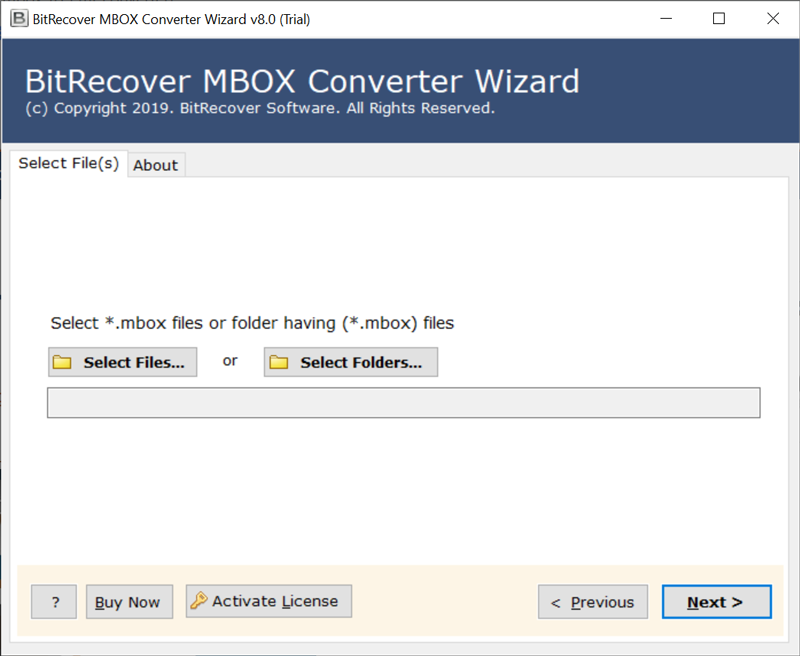 Then, specify the desired emails which you want to export from Mac Mail to PST. 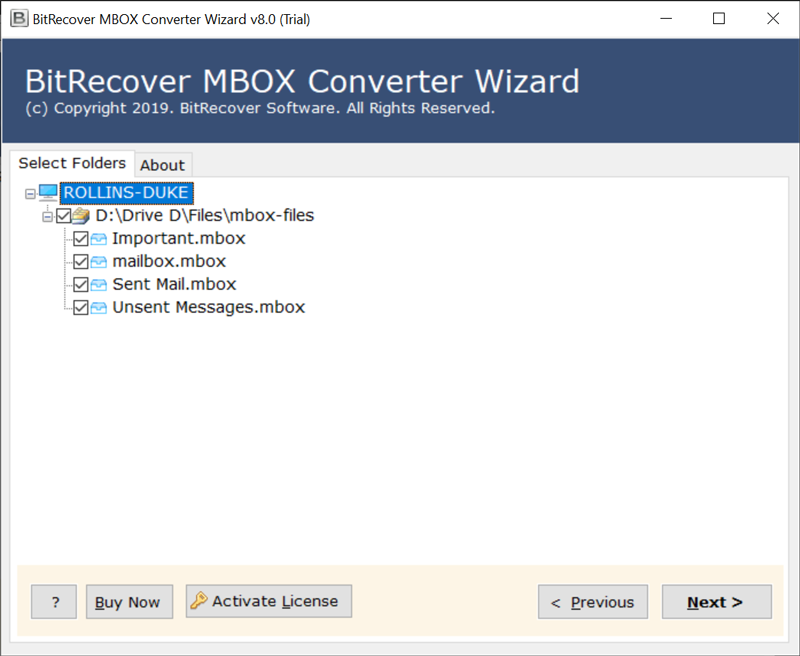 Thereafter, select PST as a saving option. 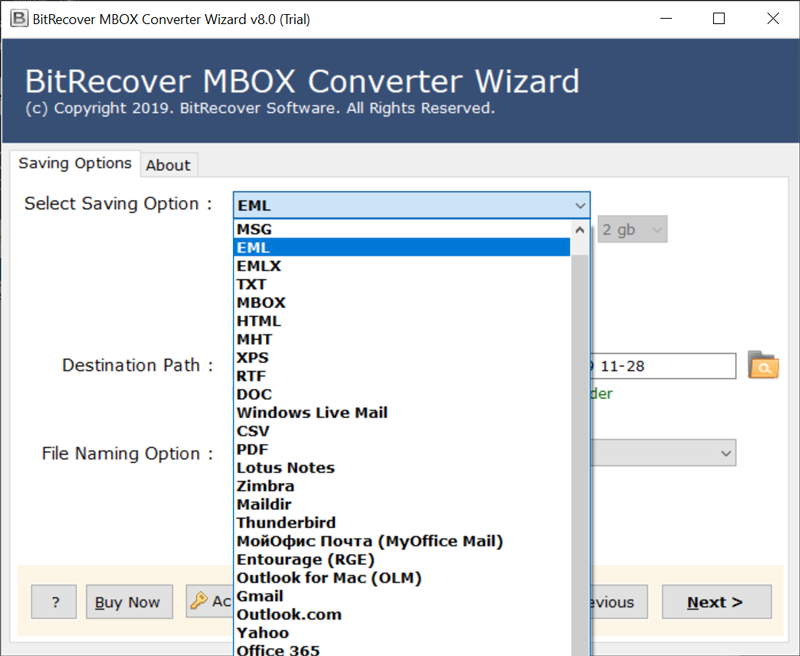 Lastly, click on the Next button to start Mac Mail export to PST process. 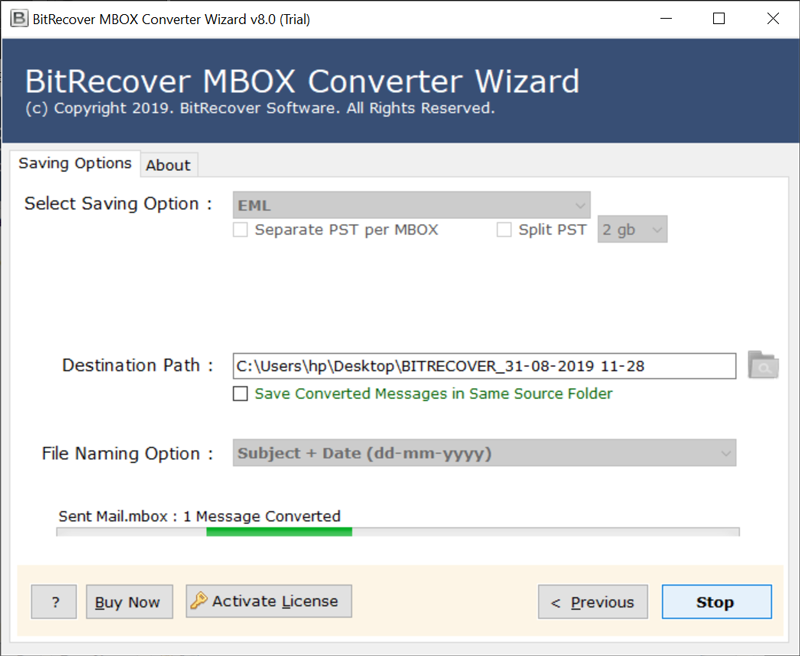 Once the conversion completes, you will get a conversion completed message. Click on OK to end the task. <h3><strong>Features of Software — Mac Mail Export Mailbox Tool</strong></h3> • Batch convert or single conversion of Mac Mail email messages. • Export Mac Mail messages along with associated attachments. • Vast compatibility with Windows OS versions — Windows 10, 8.1, 8, 7, XP, Vista, etc. • A standalone application that does not require an external app for system installation. • Users can Migrate selective Apple Mail messages to the desired email account. • You can choose a specific location for saving the output on your Windows PC. • Preserves the email attributes, attachments, images, hyperlinks throughout the conversion. • It maintains the on-disk folder hierarchy during the export of emails from the Mac Mail account. <strong>Lets’ Conclude </strong> In the above blog, we have explained a complete solution to resolve the problem of the Mac Mail export mailbox not working. Along with that, we have also suggested the solution for the users who wants to export Mac Mail messages with attachments to other file formats, email platforms. The software comes with a free demo version which you can use for trial purposes. It allows converting a few Mac Mail emails. Later you can upgrade the license keys for unlimited conversion. |
| json metadata | {"image":["https://cdn.steemitimages.com/DQme2aZN7XkRXUNZLzPJT649uTr38zGDdZYRBnpapjR8uem/start-bitrecover-mbox-to-eml-converter.png","https://cdn.steemitimages.com/DQmfA7paQQdzQnxiMB56KE5ffFnxDMPMuwMXJMtc7btjPqj/selected-mbox-files.png","https://cdn.steemitimages.com/DQmQJoNE99aqc9SLX4XTrztZVwynmQ8A83jfcsqrdRB2jNf/choose-eml-as-saving-format.png","https://cdn.steemitimages.com/DQmRSCy59C8T4pWbrMxfTj17E3Y2fcdmQbR7DTTtJ54QWeb/thunderbird-mbox-to-eml.png"],"links":["https://www.bitrecover.com/mbox-converter/","https://www.bitrecover.com/apple-mail-converter/"],"app":"steemit/0.2","format":"markdown"} |
| Transaction Info | Block #61012503/Trx 27dc6c300b52a701a22ad01ea88793ebd9227da1 |
View Raw JSON Data
{
"trx_id": "27dc6c300b52a701a22ad01ea88793ebd9227da1",
"block": 61012503,
"trx_in_block": 49,
"op_in_trx": 0,
"virtual_op": 0,
"timestamp": "2022-01-24T13:05:57",
"op": [
"comment",
{
"parent_author": "",
"parent_permlink": "macmailexportmailbox",
"author": "ellajonson",
"permlink": "mac-mail-export-mailbox-not-working",
"title": "Mac Mail Export Mailbox not Working – Resolve Query",
"body": "Are you hassling with the problem of ‘Mac Mail export mailbox not working’? Want to know how to export Mac Mail email messages? Here we have described how to can an individual export Mac Mail mailbox in an accurate manner. So, let’s start! \n\n<h2><strong>My Mac Mail Export Mailbox not Working – How to Solve this Issue? </strong></h2>\nThe Mac Mail export mailbox problem can be resolved by following some steps which are mentioned below. \nSo, initially, you need to extract the MBOX messages from the Apple Mail account. \n\n<h2><strong>STEP-1: Export Mac Mail Mailbox with these Steps</strong></h2>\n1.\tFirstly, open Apple Mail and choose the desired message which you want to migrate into Outlook 365. \n2.\tNow, hit on the Mailbox button and choose the Export Mailbox option. \n3.\tThen, select a saving location by clicking on the Choose tab. \n4.\tAt last, open the destination path for seeing the exported Apple Mail emails. \n5.\tNow, you have exported Mac Mail messages at the specified location. \n\nMany users also demand a solution wherein they need to export Mac Mail mailbox to some other email platforms. So, you can do this with the help of automated software. \n\n<h3><strong>How can you Export Mac Mail Messages to Other Email Apps?</strong></h3>\n\nIf you have Mac Mail exported mailboxes and now you need to migrate them to another place then we suggest you take the help of automated software. The name of the solution is <a href=\"https://www.bitrecover.com/mbox-converter/\" target=\"_blank\">BitRecover MBOX Converter</a>. This expert-recommended tool is a reliable utility to export Mac Mail emails. It gives batch as well as single conversion options so that the users can perform <a href=\"https://www.bitrecover.com/apple-mail-converter/\" target=\"_blank\">Apple mail conversion</a> as per their needs. The tool has vast compatibility with all latest and earlier versions of MS Windows Operating Systems. Also, the software has the capability to directly export Mac Mail messages to other email accounts. It will only need the Mac Mail emails and the destination account credentials. That’s it! Let’s see the actual processing of this software. \n\n<h3><strong>Mac Mail Export to PST – Complete Working of Tool</strong></h3>\n\nFirst of all, download and install the Mac Mail export mailbox utility on your computer. \n\nNow, choose single or multiple Apple Mail extracted MBOX emails for conversion.\n\n\n\nThen, specify the desired emails which you want to export from Mac Mail to PST.\n\n\n\nThereafter, select PST as a saving option.\n\n\n\nLastly, click on the Next button to start Mac Mail export to PST process.\n\n\n\nOnce the conversion completes, you will get a conversion completed message. Click on OK to end the task. \n\n<h3><strong>Features of Software — Mac Mail Export Mailbox Tool</strong></h3>\n•\tBatch convert or single conversion of Mac Mail email messages. \n•\tExport Mac Mail messages along with associated attachments. \n•\tVast compatibility with Windows OS versions — Windows 10, 8.1, 8, 7, XP, Vista, etc. \n•\tA standalone application that does not require an external app for system installation. \n•\tUsers can Migrate selective Apple Mail messages to the desired email account. \n•\tYou can choose a specific location for saving the output on your Windows PC. \n•\tPreserves the email attributes, attachments, images, hyperlinks throughout the conversion. \n•\tIt maintains the on-disk folder hierarchy during the export of emails from the Mac Mail account. \n\n<strong>Lets’ Conclude </strong>\nIn the above blog, we have explained a complete solution to resolve the problem of the Mac Mail export mailbox not working. Along with that, we have also suggested the solution for the users who wants to export Mac Mail messages with attachments to other file formats, email platforms. The software comes with a free demo version which you can use for trial purposes. It allows converting a few Mac Mail emails. Later you can upgrade the license keys for unlimited conversion.",
"json_metadata": "{\"image\":[\"https://cdn.steemitimages.com/DQme2aZN7XkRXUNZLzPJT649uTr38zGDdZYRBnpapjR8uem/start-bitrecover-mbox-to-eml-converter.png\",\"https://cdn.steemitimages.com/DQmfA7paQQdzQnxiMB56KE5ffFnxDMPMuwMXJMtc7btjPqj/selected-mbox-files.png\",\"https://cdn.steemitimages.com/DQmQJoNE99aqc9SLX4XTrztZVwynmQ8A83jfcsqrdRB2jNf/choose-eml-as-saving-format.png\",\"https://cdn.steemitimages.com/DQmRSCy59C8T4pWbrMxfTj17E3Y2fcdmQbR7DTTtJ54QWeb/thunderbird-mbox-to-eml.png\"],\"links\":[\"https://www.bitrecover.com/mbox-converter/\",\"https://www.bitrecover.com/apple-mail-converter/\"],\"app\":\"steemit/0.2\",\"format\":\"markdown\"}"
}
]
}squbeupvoted (1.00%) @ellajonson / mac-mail-export-mailbox-not-working2022/01/24 13:02:18
squbeupvoted (1.00%) @ellajonson / mac-mail-export-mailbox-not-working
2022/01/24 13:02:18
| voter | sqube |
| author | ellajonson |
| permlink | mac-mail-export-mailbox-not-working |
| weight | 100 (1.00%) |
| Transaction Info | Block #61012430/Trx 55c68056bd220474a512051f87e4a388bb03e94e |
View Raw JSON Data
{
  "trx_id": "55c68056bd220474a512051f87e4a388bb03e94e",
  "block": 61012430,
  "trx_in_block": 60,
  "op_in_trx": 0,
  "virtual_op": 0,
  "timestamp": "2022-01-24T13:02:18",
  "op": [
    "vote",
    {
      "voter": "sqube",
      "author": "ellajonson",
      "permlink": "mac-mail-export-mailbox-not-working",
      "weight": 100
    }
  ]
}ellajonsonpublished a new post: mac-mail-export-mailbox-not-working2022/01/24 13:02:12
ellajonsonpublished a new post: mac-mail-export-mailbox-not-working
2022/01/24 13:02:12
| parent author | |
| parent permlink | macmailexportmailbox |
| author | ellajonson |
| permlink | mac-mail-export-mailbox-not-working |
| title | mac mail export mailbox not working |
| body | Are you hassling with the problem of ‘Mac Mail export mailbox not working’? Want to know how to export Mac Mail email messages? Here we have described how to can an individual export Mac Mail mailbox in an accurate manner. So, let’s start! <h2><strong>My Mac Mail Export Mailbox not Working – How to Solve this Issue? </strong></h2> The Mac Mail export mailbox problem can be resolved by following some steps which are mentioned below. So, initially, you need to extract the MBOX messages from the Apple Mail account. <h2><strong>STEP-1: Export Mac Mail Mailbox with these Steps</strong></h2> 1. Firstly, open Apple Mail and choose the desired message which you want to migrate into Outlook 365. 2. Now, hit on the Mailbox button and choose the Export Mailbox option. 3. Then, select a saving location by clicking on the Choose tab. 4. At last, open the destination path for seeing the exported Apple Mail emails. 5. Now, you have exported Mac Mail messages at the specified location. Many users also demand a solution wherein they need to export Mac Mail mailbox to some other email platforms. So, you can do this with the help of automated software. <h3><strong>How can you Export Mac Mail Messages to Other Email Apps?</strong></h3> If you have Mac Mail exported mailboxes and now you need to migrate them to another place then we suggest you take the help of automated software. The name of the solution is <a href="https://www.bitrecover.com/mbox-converter/" target="_blank">BitRecover MBOX Converter</a>. This expert-recommended tool is a reliable utility to export Mac Mail emails. It gives batch as well as single conversion options so that the users can perform <a href="https://www.bitrecover.com/apple-mail-converter/" target="_blank">Apple mail conversion</a> as per their needs. The tool has vast compatibility with all latest and earlier versions of MS Windows Operating Systems. Also, the software has the capability to directly export Mac Mail messages to other email accounts. It will only need the Mac Mail emails and the destination account credentials. That’s it! Let’s see the actual processing of this software. <h3><strong>Mac Mail Export to PST – Complete Working of Tool</strong></h3> First of all, download and install the Mac Mail export mailbox utility on your computer. Now, choose single or multiple Apple Mail extracted MBOX emails for conversion.  Then, specify the desired emails which you want to export from Mac Mail to PST.  Thereafter, select PST as a saving option.  Lastly, click on the Next button to start Mac Mail export to PST process.  Once the conversion completes, you will get a conversion completed message. Click on OK to end the task. <h3><strong>Features of Software — Mac Mail Export Mailbox Tool</strong></h3> • Batch convert or single conversion of Mac Mail email messages. • Export Mac Mail messages along with associated attachments. • Vast compatibility with Windows OS versions — Windows 10, 8.1, 8, 7, XP, Vista, etc. • A standalone application that does not require an external app for system installation. • Users can Migrate selective Apple Mail messages to the desired email account. • You can choose a specific location for saving the output on your Windows PC. • Preserves the email attributes, attachments, images, hyperlinks throughout the conversion. • It maintains the on-disk folder hierarchy during the export of emails from the Mac Mail account. <strong>Lets’ Conclude </strong> In the above blog, we have explained a complete solution to resolve the problem of the Mac Mail export mailbox not working. Along with that, we have also suggested the solution for the users who wants to export Mac Mail messages with attachments to other file formats, email platforms. The software comes with a free demo version which you can use for trial purposes. It allows converting a few Mac Mail emails. Later you can upgrade the license keys for unlimited conversion. |
| json metadata | {"tags":["macmailexportmailbox"],"image":["https://cdn.steemitimages.com/DQme2aZN7XkRXUNZLzPJT649uTr38zGDdZYRBnpapjR8uem/start-bitrecover-mbox-to-eml-converter.png","https://cdn.steemitimages.com/DQmfA7paQQdzQnxiMB56KE5ffFnxDMPMuwMXJMtc7btjPqj/selected-mbox-files.png","https://cdn.steemitimages.com/DQmQJoNE99aqc9SLX4XTrztZVwynmQ8A83jfcsqrdRB2jNf/choose-eml-as-saving-format.png","https://cdn.steemitimages.com/DQmRSCy59C8T4pWbrMxfTj17E3Y2fcdmQbR7DTTtJ54QWeb/thunderbird-mbox-to-eml.png"],"links":["https://www.bitrecover.com/mbox-converter/","https://www.bitrecover.com/apple-mail-converter/"],"app":"steemit/0.2","format":"markdown"} |
| Transaction Info | Block #61012428/Trx d57dabd3ea2cefbb7970cfe01d21de3fa4a50ee3 |
View Raw JSON Data
{
"trx_id": "d57dabd3ea2cefbb7970cfe01d21de3fa4a50ee3",
"block": 61012428,
"trx_in_block": 37,
"op_in_trx": 0,
"virtual_op": 0,
"timestamp": "2022-01-24T13:02:12",
"op": [
"comment",
{
"parent_author": "",
"parent_permlink": "macmailexportmailbox",
"author": "ellajonson",
"permlink": "mac-mail-export-mailbox-not-working",
"title": "mac mail export mailbox not working",
"body": "Are you hassling with the problem of ‘Mac Mail export mailbox not working’? Want to know how to export Mac Mail email messages? Here we have described how to can an individual export Mac Mail mailbox in an accurate manner. So, let’s start! \n\n<h2><strong>My Mac Mail Export Mailbox not Working – How to Solve this Issue? </strong></h2>\nThe Mac Mail export mailbox problem can be resolved by following some steps which are mentioned below. \nSo, initially, you need to extract the MBOX messages from the Apple Mail account. \n\n<h2><strong>STEP-1: Export Mac Mail Mailbox with these Steps</strong></h2>\n1.\tFirstly, open Apple Mail and choose the desired message which you want to migrate into Outlook 365. \n2.\tNow, hit on the Mailbox button and choose the Export Mailbox option. \n3.\tThen, select a saving location by clicking on the Choose tab. \n4.\tAt last, open the destination path for seeing the exported Apple Mail emails. \n5.\tNow, you have exported Mac Mail messages at the specified location. \n\nMany users also demand a solution wherein they need to export Mac Mail mailbox to some other email platforms. So, you can do this with the help of automated software. \n\n<h3><strong>How can you Export Mac Mail Messages to Other Email Apps?</strong></h3>\n\nIf you have Mac Mail exported mailboxes and now you need to migrate them to another place then we suggest you take the help of automated software. The name of the solution is <a href=\"https://www.bitrecover.com/mbox-converter/\" target=\"_blank\">BitRecover MBOX Converter</a>. This expert-recommended tool is a reliable utility to export Mac Mail emails. It gives batch as well as single conversion options so that the users can perform <a href=\"https://www.bitrecover.com/apple-mail-converter/\" target=\"_blank\">Apple mail conversion</a> as per their needs. The tool has vast compatibility with all latest and earlier versions of MS Windows Operating Systems. Also, the software has the capability to directly export Mac Mail messages to other email accounts. It will only need the Mac Mail emails and the destination account credentials. That’s it! Let’s see the actual processing of this software. \n\n<h3><strong>Mac Mail Export to PST – Complete Working of Tool</strong></h3>\n\nFirst of all, download and install the Mac Mail export mailbox utility on your computer. \n\nNow, choose single or multiple Apple Mail extracted MBOX emails for conversion.\n\n\n\nThen, specify the desired emails which you want to export from Mac Mail to PST.\n\n\n\nThereafter, select PST as a saving option.\n\n\n\nLastly, click on the Next button to start Mac Mail export to PST process.\n\n\n\nOnce the conversion completes, you will get a conversion completed message. Click on OK to end the task. \n\n<h3><strong>Features of Software — Mac Mail Export Mailbox Tool</strong></h3>\n•\tBatch convert or single conversion of Mac Mail email messages. \n•\tExport Mac Mail messages along with associated attachments. \n•\tVast compatibility with Windows OS versions — Windows 10, 8.1, 8, 7, XP, Vista, etc. \n•\tA standalone application that does not require an external app for system installation. \n•\tUsers can Migrate selective Apple Mail messages to the desired email account. \n•\tYou can choose a specific location for saving the output on your Windows PC. \n•\tPreserves the email attributes, attachments, images, hyperlinks throughout the conversion. \n•\tIt maintains the on-disk folder hierarchy during the export of emails from the Mac Mail account. \n\n<strong>Lets’ Conclude </strong>\nIn the above blog, we have explained a complete solution to resolve the problem of the Mac Mail export mailbox not working. Along with that, we have also suggested the solution for the users who wants to export Mac Mail messages with attachments to other file formats, email platforms. The software comes with a free demo version which you can use for trial purposes. It allows converting a few Mac Mail emails. Later you can upgrade the license keys for unlimited conversion.",
"json_metadata": "{\"tags\":[\"macmailexportmailbox\"],\"image\":[\"https://cdn.steemitimages.com/DQme2aZN7XkRXUNZLzPJT649uTr38zGDdZYRBnpapjR8uem/start-bitrecover-mbox-to-eml-converter.png\",\"https://cdn.steemitimages.com/DQmfA7paQQdzQnxiMB56KE5ffFnxDMPMuwMXJMtc7btjPqj/selected-mbox-files.png\",\"https://cdn.steemitimages.com/DQmQJoNE99aqc9SLX4XTrztZVwynmQ8A83jfcsqrdRB2jNf/choose-eml-as-saving-format.png\",\"https://cdn.steemitimages.com/DQmRSCy59C8T4pWbrMxfTj17E3Y2fcdmQbR7DTTtJ54QWeb/thunderbird-mbox-to-eml.png\"],\"links\":[\"https://www.bitrecover.com/mbox-converter/\",\"https://www.bitrecover.com/apple-mail-converter/\"],\"app\":\"steemit/0.2\",\"format\":\"markdown\"}"
}
]
}ellajonsonpublished a new post: bulk-download-email-attachments2022/01/20 12:05:24
ellajonsonpublished a new post: bulk-download-email-attachments
2022/01/20 12:05:24
| parent author | |
| parent permlink | bulkdownloadattachment |
| author | ellajonson |
| permlink | bulk-download-email-attachments |
| title | Deleted |
| body | [Empty] |
| json metadata | {"app":"steemit/0.2","format":"markdown"} |
| Transaction Info | Block #60896706/Trx c9f9c5e7e35b6ed588e64378662b8e598453b8a3 |
View Raw JSON Data
{
  "trx_id": "c9f9c5e7e35b6ed588e64378662b8e598453b8a3",
  "block": 60896706,
  "trx_in_block": 10,
  "op_in_trx": 0,
  "virtual_op": 0,
  "timestamp": "2022-01-20T12:05:24",
  "op": [
    "comment",
    {
      "parent_author": "",
      "parent_permlink": "bulkdownloadattachment",
      "author": "ellajonson",
      "permlink": "bulk-download-email-attachments",
      "title": "Deleted",
      "body": "[Empty]",
      "json_metadata": "{\"app\":\"steemit/0.2\",\"format\":\"markdown\"}"
    }
  ]
}ellajonsonpublished a new post: how-to-export-kerio-connect-mailbox-easily2022/01/19 09:47:21
ellajonsonpublished a new post: how-to-export-kerio-connect-mailbox-easily
2022/01/19 09:47:21
| parent author | |
| parent permlink | exportkeriomailbox |
| author | ellajonson |
| permlink | how-to-export-kerio-connect-mailbox-easily |
| title | How to Export Kerio Connect Mailbox Easily - The Complete Guide |
| body | @@ -1,12 +1,29 @@ -SUMMARY- +%3Cstrong%3ESUMMARY-%3C/strong%3E Thi |
| json metadata | {"image":["https://cdn.steemitimages.com/DQmZkgAfLD5bT9tyrsbXDWALrXMBEtxvGH3Qp3ufba9acyS/kerio-converter-toolkit.jpg","https://cdn.steemitimages.com/DQmRNhM8ohAVTUNqofh5mBWzF5i9j4hPx3mJbJodhhirJMK/converting-multiple-users.jpg","https://cdn.steemitimages.com/DQmTtKQRU1k7Jctf9JcwXeBDQ9t9BCKxu5LNYkwHboXBSgT/select-kerio-profile.jpg","https://cdn.steemitimages.com/DQmP2f5JZsdUCiBahpcUsNYnjU2xkpk4tknf7EMhJCSSccQ/choose-a-saving-format.jpg","https://cdn.steemitimages.com/DQmSy7QVJWVYDiw36ruDj1ZRViGKB1DnzzNMNLDXduoWz8Y/file-naming-option.jpg","https://cdn.steemitimages.com/DQmbaCdV1gtoF1W4Ze3iz8YPuayviFNR43GT6chqXpgXvFV/kerio-conversion.jpg","https://cdn.steemitimages.com/DQmZaeEHWavaWbDSrwSuquC1nf5bU17hVEhFu3RYVZba78F/completed-successfully.jpg"],"links":["https://www.bitrecover.com/kerio/converter.html"],"app":"steemit/0.2","format":"markdown"} |
| Transaction Info | Block #60865316/Trx 5c4ca5a17134bb00f323c396239cabb474991b1a |
View Raw JSON Data
{
  "trx_id": "5c4ca5a17134bb00f323c396239cabb474991b1a",
  "block": 60865316,
  "trx_in_block": 11,
  "op_in_trx": 0,
  "virtual_op": 0,
  "timestamp": "2022-01-19T09:47:21",
  "op": [
    "comment",
    {
      "parent_author": "",
      "parent_permlink": "exportkeriomailbox",
      "author": "ellajonson",
      "permlink": "how-to-export-kerio-connect-mailbox-easily",
      "title": "How to Export Kerio Connect Mailbox Easily - The Complete Guide",
      "body": "@@ -1,12 +1,29 @@\n-SUMMARY-\n+%3Cstrong%3ESUMMARY-%3C/strong%3E\n  Thi\n",
      "json_metadata": "{\"image\":[\"https://cdn.steemitimages.com/DQmZkgAfLD5bT9tyrsbXDWALrXMBEtxvGH3Qp3ufba9acyS/kerio-converter-toolkit.jpg\",\"https://cdn.steemitimages.com/DQmRNhM8ohAVTUNqofh5mBWzF5i9j4hPx3mJbJodhhirJMK/converting-multiple-users.jpg\",\"https://cdn.steemitimages.com/DQmTtKQRU1k7Jctf9JcwXeBDQ9t9BCKxu5LNYkwHboXBSgT/select-kerio-profile.jpg\",\"https://cdn.steemitimages.com/DQmP2f5JZsdUCiBahpcUsNYnjU2xkpk4tknf7EMhJCSSccQ/choose-a-saving-format.jpg\",\"https://cdn.steemitimages.com/DQmSy7QVJWVYDiw36ruDj1ZRViGKB1DnzzNMNLDXduoWz8Y/file-naming-option.jpg\",\"https://cdn.steemitimages.com/DQmbaCdV1gtoF1W4Ze3iz8YPuayviFNR43GT6chqXpgXvFV/kerio-conversion.jpg\",\"https://cdn.steemitimages.com/DQmZaeEHWavaWbDSrwSuquC1nf5bU17hVEhFu3RYVZba78F/completed-successfully.jpg\"],\"links\":[\"https://www.bitrecover.com/kerio/converter.html\"],\"app\":\"steemit/0.2\",\"format\":\"markdown\"}"
    }
  ]
}ellajonsonpublished a new post: how-to-export-kerio-connect-mailbox-easily2022/01/19 09:45:27
ellajonsonpublished a new post: how-to-export-kerio-connect-mailbox-easily
2022/01/19 09:45:27
| parent author | |
| parent permlink | exportkeriomailbox |
| author | ellajonson |
| permlink | how-to-export-kerio-connect-mailbox-easily |
| title | how to export kerio connect mailbox easily |
| body | SUMMARY- This write-up brings about summarized information about how to export multiple user mailboxes from Kerio Connect to all manner of email platforms. It comprises proper guidance about preparing the Source (Kerio Connect Mailboxes) and Target email messages/ platforms/ Servers to make certain that accurate Kerio migration is in place. In-depth information and Step-by-step instructions are provided here to perform the migration of Kerio Connect mailboxes with the help of <a href="https://www.bitrecover.com/kerio/converter.html" target="_blank"><strong>Kerio Converter Wizard</strong></a>. <strong>A Brief Abstract of Kerio Mail-</strong> Kerio Technologies, Inc. is a former Information Technology Company that was launched in 2001 (in San Jose, California). The focal point of Kerio was on Network and Firewall Security and produced Kerio Personal Firewall & Kerio WinRoute Firewall. Later, it changed its focus on Kerio mail Server Collaboration Software for small and medium-scale organizations. In the year 2010, Kerio was designated as Kerio Connect and Kerio Control. It gave various features including archiving, multi-user webmail, effective administration, in-built anti-spam functions. Also, it benefits its user by offering useful features like contact management, calendaring, tasks, notes, emails, etc. But, the Kerio Connect Server never gave an option to convert or migrate the Kerio user data to an external storage location or to other email platforms/ Servers. So, due to various commercial or business-specific reasons, there is a multitude of users who demand a Kerio converter tool. The reason could be any- job replacement, for efficient data management, or for the different business environment, etc. <strong>Introduction to Kerio Converter Wizard</strong> If you are on this page, it’s certain that you must have researched various Kerio conversion products on the internet. But, none of them gives proper reliability as well as fulfills immediate email migration needs with cost-effectiveness. Here, we have the best Kerio Connect Converter that not only assures to export Kerio Connect mailbox email data but also guarantees to safeguard each bit of migrating data. This technical guide details how to implement a single or batch migration of mailboxes using Kerio Connect Converter. The Kerio mail Converter will help you to migrate the following data types: 1. Single/ Multiple Email Messages or Folders 2. Address Books 3. Calendar Items 4. Tasks or To Do Items <h2><strong>Instructions to Export Kerio Connect Mailbox</strong></h2> <strong>User Interface Overview of Kerio Mailbox Converter</strong> The Graphical User Interface of the Kerio export tool is made to simplify the migration experience while permitting supreme flexibility. By Setting up this software you will be able to convert Kerio Connect mailbox messages, address books, calendar entries, tasks within a single user interface and can rapidly finish the migration in one run. <strong>Run Kerio Migration Tool on Windows PC</strong> The initial step to implement the Kerio email conversion is to download the setup file of the software. Then, install it and start the software. Here, you will see a list of options before starting the conversion. Read them carefully and thereafter proceed further by clicking on the Next tab. <strong>Select Kerio Mailbox Files</strong> The Select Files option allows you to load a single or multiple Kerio Connect file(s) into the toolkit. <strong>Setup Batch Migration</strong> Setting up a bulk migration of Kerio mailboxes is nearly as easy as setting up migration for single-user data. Once you have chosen the Select Folder option, you will be prompted to a pop-up box of “I am converting multiple users”. Here, you can pick any Kerio mailbox folder from your computer. Compare the following two screenshots to see how you can load single or multiple Kerio mailbox data <strong>Single User Migration</strong> 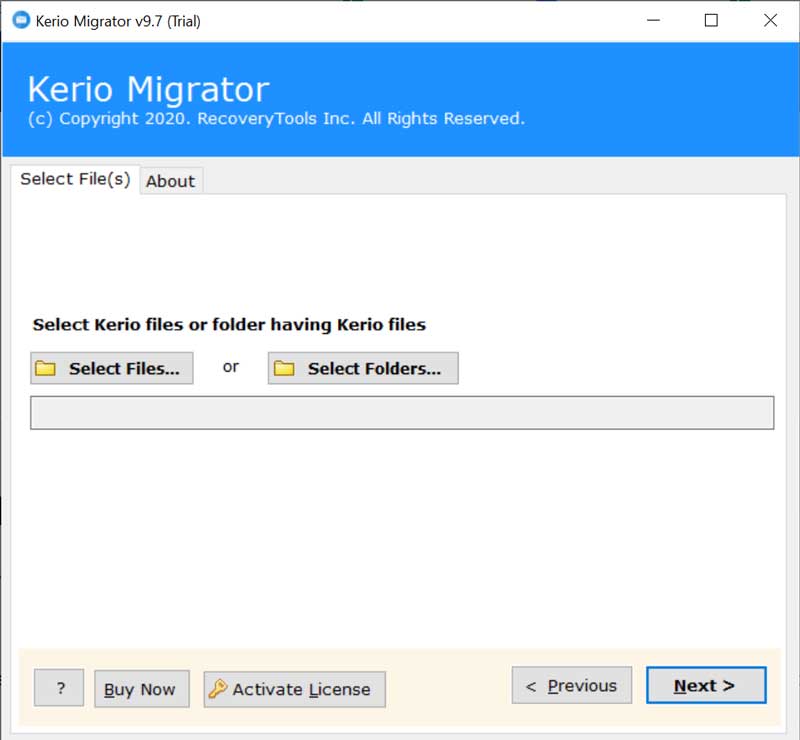 <strong>Multiple Users Migration</strong> 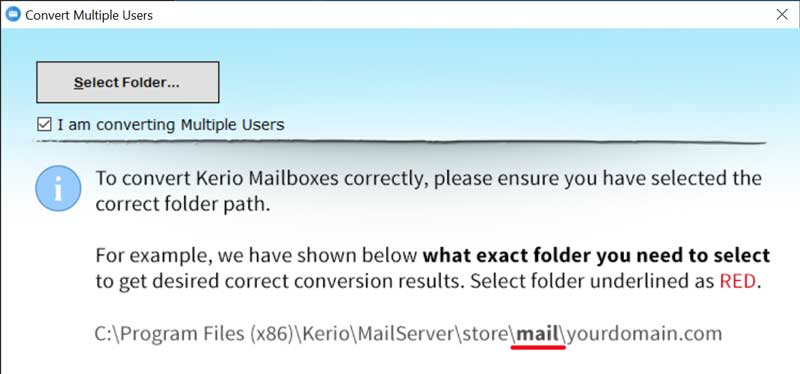 <strong>Exclude/ Include Necessary User Data</strong> Here, you need to enable the required data which you want to convert. Notice, a black checkmark will appear on the appropriate box. Remove a checkmark if you don’t wish to convert a specific email item. 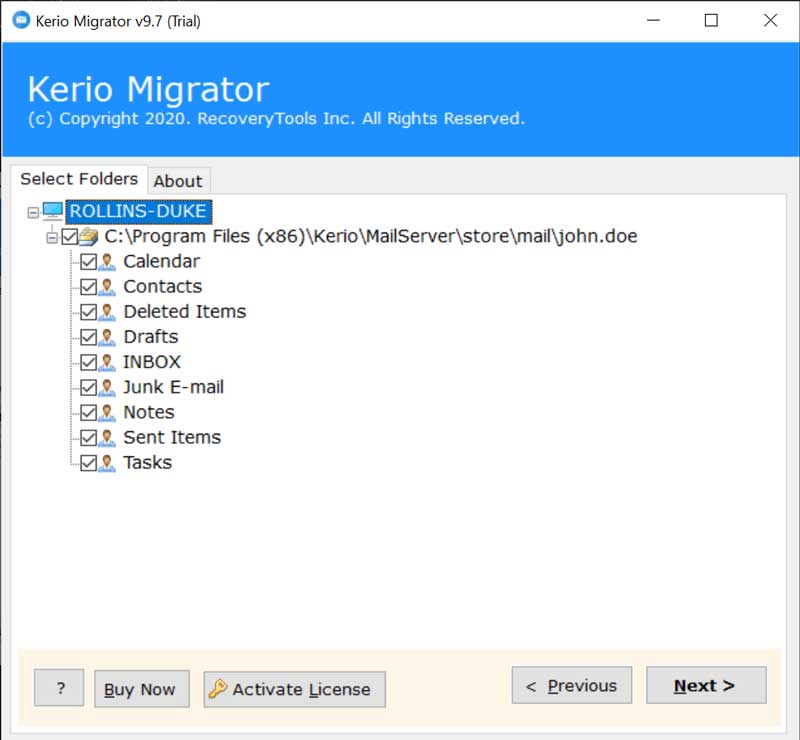 <strong>Prepare Destination Saving Option</strong> There are numerous ways in which a user can export Kerio Connect mailbox. Either you can convert Kerio emails into other file formats or you can migrate Kerio Connect to mail Servers, Webmail. So, select the desired saving option as per your preference. 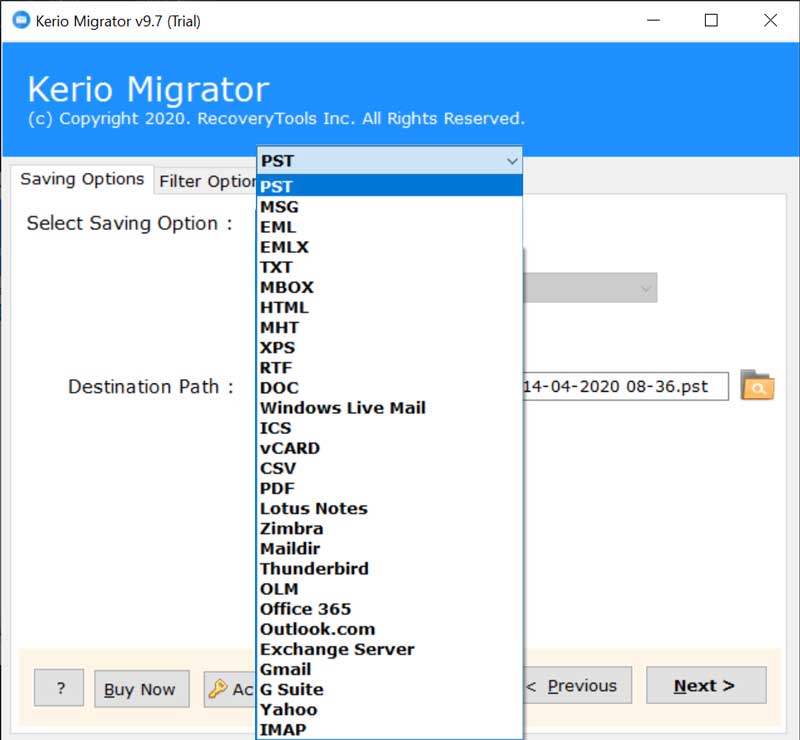 <strong>Navigate to Data Filters</strong> By default, all the chosen Kerio mailbox folders will be migrated to the destination. You can alter this behavior by picking the distinctive folders you intend to convert. This is possible with the data filter options in which you can sort out your emails as per Date Range, Subject, From, To, Exclude Folders, Organizer, Root Folder, etc. <strong>Locate/ Browse Target Saving Location</strong> The Kerio Connect converter is designed in such a manner that it will save the resultant converted information at the desktop location by default. However, it’s completely up to you to change it whenever you need. For this, you can browse a location from the folder selection option in the toolkit. 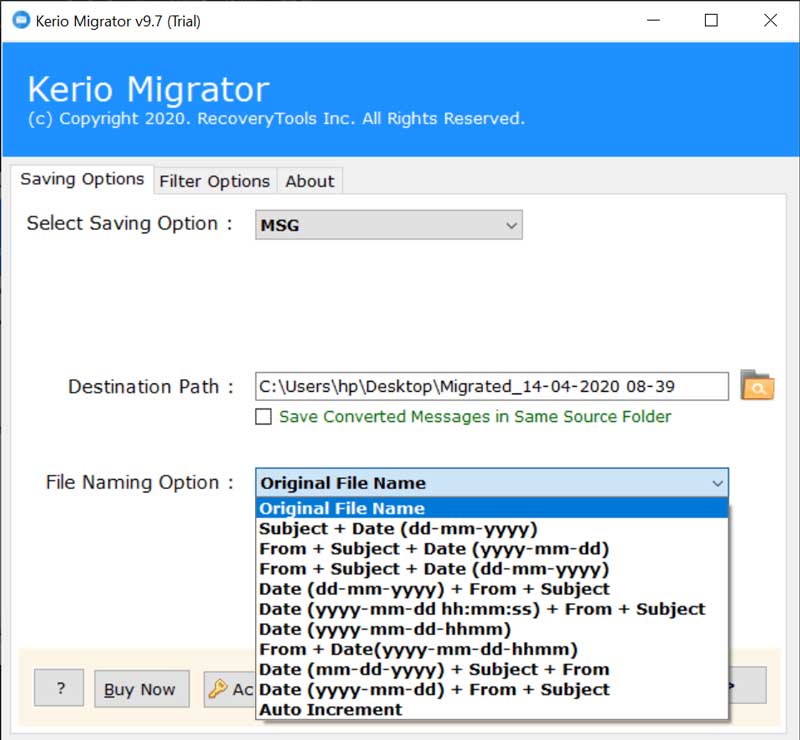 <strong>Commence Kerio Mail Conversion</strong> Lastly, tap on the Convert button. This begins the process to export Kerio Connect mailboxes to the selected format. You can see the live conversion of Kerio emails in the Kerio Connect converter toolkit. 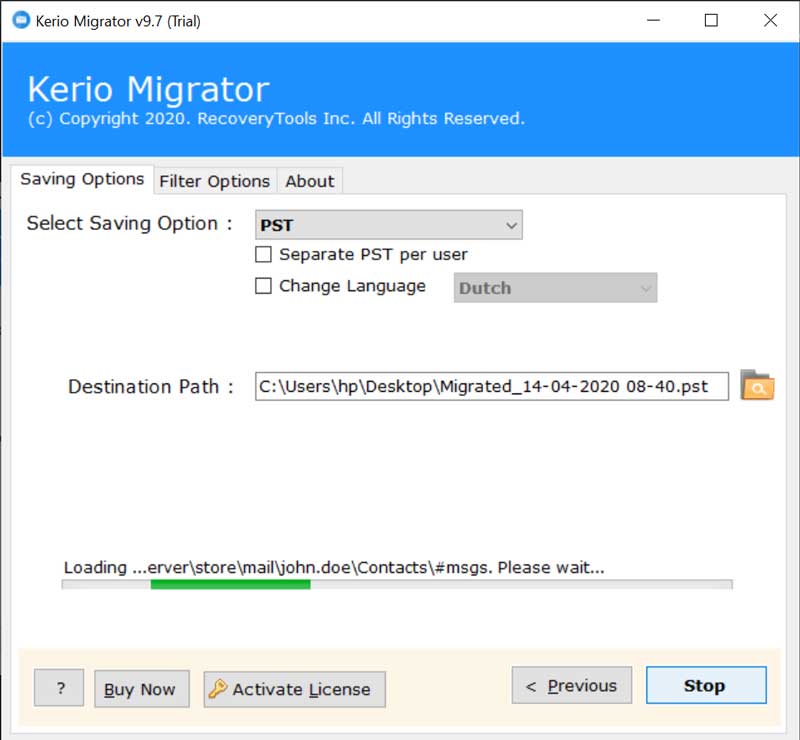 <strong>Migration Process Logs</strong> A complete conversion summary report will be created after each successful run and can be viewed with Notepad. It is suggested to go through this file in order to ensure that no blunders occur and that all Kerio Connect user emails have been transferred correctly. 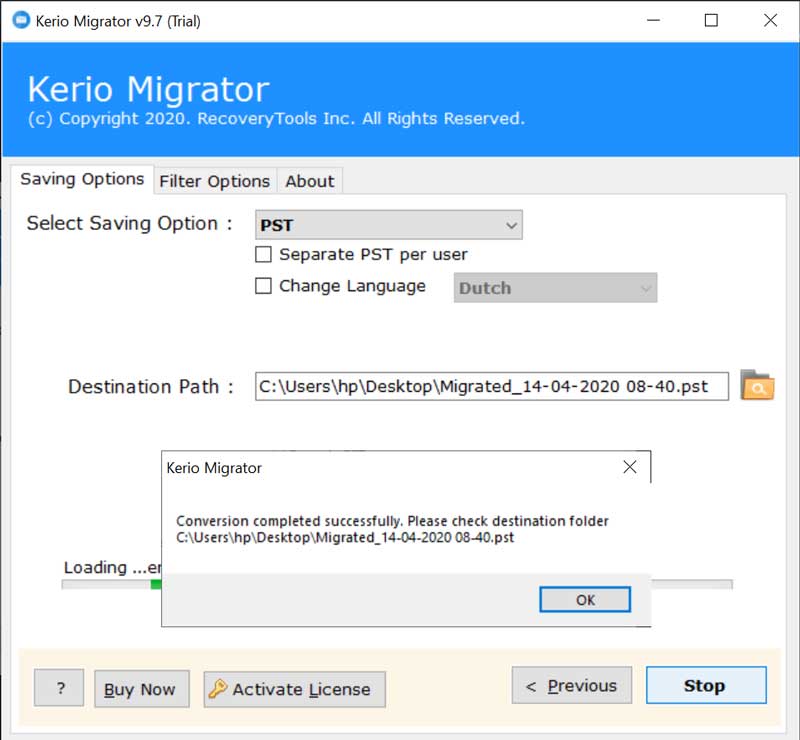 The default detail contained in the log report comprises the following information: Saving Type, Path, Items Converted, Start Date and Time, Destination Path, Status. <strong>Move your Kerio Connect Data in Multiple Ways</strong> <strong>Kerio to Hard Drive File Formats-</strong> PST, MSG, EML, EMLX, TXT, MBOX, HTML, MHT, XPS, RTF, DOC, ICS, vCard, CSV, PDF. <strong>Kerio to Cloud-Based Services-</strong> Office 365, Outlook.com, Exchange Server, Gmail, G Suite, Yahoo, IMAP, etc. <strong>Kerio to Desktop Email Clients-</strong> Outlook for Mac, Windows Live Mail, Lotus Notes, Zimbra, Thunderbird. <strong>What are the Benefits of Software?</strong> 1. A user can export Kerio Connect mailbox directly to another email account without any hassle. 2. There is no mailbox size issue while implementing the conversion of Kerio Connect emails. 3. The software supports large-scale files and mailboxes to upload into a toolkit for migration. 4. During the process to migrate Kerio Connect emails, the tool preserves all email properties. 5. The utility also keeps intact the on-disk folder hierarchy while converting Kerio Connect database. 6. The batch operations of Kerio mail migration can be done in a single round of processing. 7. The software offers a dual selection mode for choosing single or multiple Kerio Connect mailboxes. 8. It’s a safe application that never saves the details of users into the database of software. 9. The Kerio Connect converter is compatible to work on Windows 10, 8.1, 8, 7, XP, Vista, etc. 10. There is full freedom for the users to store the resultant files at any location on the computer. <strong>Over to you</strong> Generally speaking, it’s not a rapid and convenient thing to export Kerio Connect Server mailbox. Various solutions promise you to export all data from Kerio Server but fail to prove their assurance. But, here we have provided you a no.1 platform to convert Kerio Connect mailboxes without disturbing the originality of data. You can test this Kerio converter software by using the demo version. It will not cost a single penny but allows to convert a few Kerio mailboxes to supported formats. Later, after getting full satisfaction with the product, you can move on you buy the license keys for unlimited Kerio Connect migration. For any further assistance or queries, please contact our technical support team via live chat or email. We are available for you 24*7. |
| json metadata | {"tags":["exportkeriomailbox"],"image":["https://cdn.steemitimages.com/DQmZkgAfLD5bT9tyrsbXDWALrXMBEtxvGH3Qp3ufba9acyS/kerio-converter-toolkit.jpg","https://cdn.steemitimages.com/DQmRNhM8ohAVTUNqofh5mBWzF5i9j4hPx3mJbJodhhirJMK/converting-multiple-users.jpg","https://cdn.steemitimages.com/DQmTtKQRU1k7Jctf9JcwXeBDQ9t9BCKxu5LNYkwHboXBSgT/select-kerio-profile.jpg","https://cdn.steemitimages.com/DQmP2f5JZsdUCiBahpcUsNYnjU2xkpk4tknf7EMhJCSSccQ/choose-a-saving-format.jpg","https://cdn.steemitimages.com/DQmSy7QVJWVYDiw36ruDj1ZRViGKB1DnzzNMNLDXduoWz8Y/file-naming-option.jpg","https://cdn.steemitimages.com/DQmbaCdV1gtoF1W4Ze3iz8YPuayviFNR43GT6chqXpgXvFV/kerio-conversion.jpg","https://cdn.steemitimages.com/DQmZaeEHWavaWbDSrwSuquC1nf5bU17hVEhFu3RYVZba78F/completed-successfully.jpg"],"links":["https://www.bitrecover.com/kerio/converter.html"],"app":"steemit/0.2","format":"markdown"} |
| Transaction Info | Block #60865278/Trx 69fa13a6bc9a858ec4307625d358f0693913d138 |
View Raw JSON Data
{
"trx_id": "69fa13a6bc9a858ec4307625d358f0693913d138",
"block": 60865278,
"trx_in_block": 8,
"op_in_trx": 0,
"virtual_op": 0,
"timestamp": "2022-01-19T09:45:27",
"op": [
"comment",
{
"parent_author": "",
"parent_permlink": "exportkeriomailbox",
"author": "ellajonson",
"permlink": "how-to-export-kerio-connect-mailbox-easily",
"title": "how to export kerio connect mailbox easily",
"body": "SUMMARY- This write-up brings about summarized information about how to export multiple user mailboxes from Kerio Connect to all manner of email platforms.\n\nIt comprises proper guidance about preparing the Source (Kerio Connect Mailboxes) and Target email messages/ platforms/ Servers to make certain that accurate Kerio migration is in place.\n\nIn-depth information and Step-by-step instructions are provided here to perform the migration of Kerio Connect mailboxes with the help of <a href=\"https://www.bitrecover.com/kerio/converter.html\" target=\"_blank\"><strong>Kerio Converter Wizard</strong></a>.\n\n<strong>A Brief Abstract of Kerio Mail-</strong>\n\nKerio Technologies, Inc. is a former Information Technology Company that was launched in 2001 (in San Jose, California). The focal point of Kerio was on Network and Firewall Security and produced Kerio Personal Firewall & Kerio WinRoute Firewall. Later, it changed its focus on Kerio mail Server Collaboration Software for small and medium-scale organizations.\n\nIn the year 2010, Kerio was designated as Kerio Connect and Kerio Control. It gave various features including archiving, multi-user webmail, effective administration, in-built anti-spam functions. Also, it benefits its user by offering useful features like contact management, calendaring, tasks, notes, emails, etc.\n\nBut, the Kerio Connect Server never gave an option to convert or migrate the Kerio user data to an external storage location or to other email platforms/ Servers.\n\nSo, due to various commercial or business-specific reasons, there is a multitude of users who demand a Kerio converter tool. The reason could be any- job replacement, for efficient data management, or for the different business environment, etc.\n\n<strong>Introduction to Kerio Converter Wizard</strong>\nIf you are on this page, it’s certain that you must have researched various Kerio conversion products on the internet. But, none of them gives proper reliability as well as fulfills immediate email migration needs with cost-effectiveness.\n\nHere, we have the best Kerio Connect Converter that not only assures to export Kerio Connect mailbox email data but also guarantees to safeguard each bit of migrating data.\n\nThis technical guide details how to implement a single or batch migration of mailboxes using Kerio Connect Converter.\nThe Kerio mail Converter will help you to migrate the following data types:\n\n1.\tSingle/ Multiple Email Messages or Folders\n2.\tAddress Books\n3.\tCalendar Items\n4.\tTasks or To Do Items\n\n<h2><strong>Instructions to Export Kerio Connect Mailbox</strong></h2>\n\n<strong>User Interface Overview of Kerio Mailbox Converter</strong>\nThe Graphical User Interface of the Kerio export tool is made to simplify the migration experience while permitting supreme flexibility. By Setting up this software you will be able to convert Kerio Connect mailbox messages, address books, calendar entries, tasks within a single user interface and can rapidly finish the migration in one run.\n\n<strong>Run Kerio Migration Tool on Windows PC</strong>\nThe initial step to implement the Kerio email conversion is to download the setup file of the software. Then, install it and start the software. Here, you will see a list of options before starting the conversion.\n\nRead them carefully and thereafter proceed further by clicking on the Next tab.\n\n<strong>Select Kerio Mailbox Files</strong>\nThe Select Files option allows you to load a single or multiple Kerio Connect file(s) into the toolkit.\n\n<strong>Setup Batch Migration</strong>\n\nSetting up a bulk migration of Kerio mailboxes is nearly as easy as setting up migration for single-user data. Once you have chosen the Select Folder option, you will be prompted to a pop-up box of “I am converting multiple users”. Here, you can pick any Kerio mailbox folder from your computer.\n\nCompare the following two screenshots to see how you can load single or multiple Kerio mailbox data\n\n<strong>Single User Migration</strong>\n \n\n\n<strong>Multiple Users Migration</strong>\n \n\n\n<strong>Exclude/ Include Necessary User Data</strong>\nHere, you need to enable the required data which you want to convert. Notice, a black checkmark will appear on the appropriate box. Remove a checkmark if you don’t wish to convert a specific email item.\n\n\n \n\n<strong>Prepare Destination Saving Option</strong>\nThere are numerous ways in which a user can export Kerio Connect mailbox. Either you can convert Kerio emails into other file formats or you can migrate Kerio Connect to mail Servers, Webmail. So, select the desired saving option as per your preference.\n\n\n\n \n<strong>Navigate to Data Filters</strong>\nBy default, all the chosen Kerio mailbox folders will be migrated to the destination. You can alter this behavior by picking the distinctive folders you intend to convert. This is possible with the data filter options in which you can sort out your emails as per Date Range, Subject, From, To, Exclude Folders, Organizer, Root Folder, etc.\n\n<strong>Locate/ Browse Target Saving Location</strong>\nThe Kerio Connect converter is designed in such a manner that it will save the resultant converted information at the desktop location by default. However, it’s completely up to you to change it whenever you need. For this, you can browse a location from the folder selection option in the toolkit.\n\n\n \n\n<strong>Commence Kerio Mail Conversion</strong>\nLastly, tap on the Convert button. This begins the process to export Kerio Connect mailboxes to the selected format. You can see the live conversion of Kerio emails in the Kerio Connect converter toolkit.\n\n\n \n\n<strong>Migration Process Logs</strong>\nA complete conversion summary report will be created after each successful run and can be viewed with Notepad. It is suggested to go through this file in order to ensure that no blunders occur and that all Kerio Connect user emails have been transferred correctly.\n\n\n \n\nThe default detail contained in the log report comprises the following information: Saving Type, Path, Items Converted, Start Date and Time, Destination Path, Status.\n\n<strong>Move your Kerio Connect Data in Multiple Ways</strong>\n\n<strong>Kerio to Hard Drive File Formats-</strong> PST, MSG, EML, EMLX, TXT, MBOX, HTML, MHT, XPS, RTF, DOC, ICS, vCard, CSV, PDF.\n<strong>Kerio to Cloud-Based Services-</strong> Office 365, Outlook.com, Exchange Server, Gmail, G Suite, Yahoo, IMAP, etc.\n<strong>Kerio to Desktop Email Clients-</strong> Outlook for Mac, Windows Live Mail, Lotus Notes, Zimbra, Thunderbird.\n\n<strong>What are the Benefits of Software?</strong>\n1.\tA user can export Kerio Connect mailbox directly to another email account without any hassle.\n2.\tThere is no mailbox size issue while implementing the conversion of Kerio Connect emails.\n3.\tThe software supports large-scale files and mailboxes to upload into a toolkit for migration.\n4.\tDuring the process to migrate Kerio Connect emails, the tool preserves all email properties.\n5.\tThe utility also keeps intact the on-disk folder hierarchy while converting Kerio Connect database.\n6.\tThe batch operations of Kerio mail migration can be done in a single round of processing.\n7.\tThe software offers a dual selection mode for choosing single or multiple Kerio Connect mailboxes.\n8.\tIt’s a safe application that never saves the details of users into the database of software.\n9.\tThe Kerio Connect converter is compatible to work on Windows 10, 8.1, 8, 7, XP, Vista, etc.\n10.\tThere is full freedom for the users to store the resultant files at any location on the computer.\n\n<strong>Over to you</strong>\n\nGenerally speaking, it’s not a rapid and convenient thing to export Kerio Connect Server mailbox. Various solutions promise you to export all data from Kerio Server but fail to prove their assurance. But, here we have provided you a no.1 platform to convert Kerio Connect mailboxes without disturbing the originality of data. You can test this Kerio converter software by using the demo version. It will not cost a single penny but allows to convert a few Kerio mailboxes to supported formats. Later, after getting full satisfaction with the product, you can move on you buy the license keys for unlimited Kerio Connect migration.\n\nFor any further assistance or queries, please contact our technical support team via live chat or email. We are available for you 24*7.",
"json_metadata": "{\"tags\":[\"exportkeriomailbox\"],\"image\":[\"https://cdn.steemitimages.com/DQmZkgAfLD5bT9tyrsbXDWALrXMBEtxvGH3Qp3ufba9acyS/kerio-converter-toolkit.jpg\",\"https://cdn.steemitimages.com/DQmRNhM8ohAVTUNqofh5mBWzF5i9j4hPx3mJbJodhhirJMK/converting-multiple-users.jpg\",\"https://cdn.steemitimages.com/DQmTtKQRU1k7Jctf9JcwXeBDQ9t9BCKxu5LNYkwHboXBSgT/select-kerio-profile.jpg\",\"https://cdn.steemitimages.com/DQmP2f5JZsdUCiBahpcUsNYnjU2xkpk4tknf7EMhJCSSccQ/choose-a-saving-format.jpg\",\"https://cdn.steemitimages.com/DQmSy7QVJWVYDiw36ruDj1ZRViGKB1DnzzNMNLDXduoWz8Y/file-naming-option.jpg\",\"https://cdn.steemitimages.com/DQmbaCdV1gtoF1W4Ze3iz8YPuayviFNR43GT6chqXpgXvFV/kerio-conversion.jpg\",\"https://cdn.steemitimages.com/DQmZaeEHWavaWbDSrwSuquC1nf5bU17hVEhFu3RYVZba78F/completed-successfully.jpg\"],\"links\":[\"https://www.bitrecover.com/kerio/converter.html\"],\"app\":\"steemit/0.2\",\"format\":\"markdown\"}"
}
]
}ellajonsonpublished a new post: import-pst-to-thunderbird2022/01/13 12:41:03
ellajonsonpublished a new post: import-pst-to-thunderbird
2022/01/13 12:41:03
| parent author | |
| parent permlink | import |
| author | ellajonson |
| permlink | import-pst-to-thunderbird |
| title | [Deleted] |
| body | [Empty] |
| json metadata | {"tags":["deleted"],"app":"steemit/0.2","format":"markdown"} |
| Transaction Info | Block #60696884/Trx 7999b1e55fae773f01ecab8e219ab5fd6266738c |
View Raw JSON Data
{
  "trx_id": "7999b1e55fae773f01ecab8e219ab5fd6266738c",
  "block": 60696884,
  "trx_in_block": 7,
  "op_in_trx": 0,
  "virtual_op": 0,
  "timestamp": "2022-01-13T12:41:03",
  "op": [
    "comment",
    {
      "parent_author": "",
      "parent_permlink": "import",
      "author": "ellajonson",
      "permlink": "import-pst-to-thunderbird",
      "title": "[Deleted]",
      "body": "[Empty]",
      "json_metadata": "{\"tags\":[\"deleted\"],\"app\":\"steemit/0.2\",\"format\":\"markdown\"}"
    }
  ]
}ellajonsonremoved vote from (0.00%) @ellajonson / import-pst-to-thunderbird2022/01/13 12:38:21
ellajonsonremoved vote from (0.00%) @ellajonson / import-pst-to-thunderbird
2022/01/13 12:38:21
| voter | ellajonson |
| author | ellajonson |
| permlink | import-pst-to-thunderbird |
| weight | 0 (0.00%) |
| Transaction Info | Block #60696830/Trx ce75f70715f3d9682edb39cdeaba14006a5c41ed |
View Raw JSON Data
{
  "trx_id": "ce75f70715f3d9682edb39cdeaba14006a5c41ed",
  "block": 60696830,
  "trx_in_block": 16,
  "op_in_trx": 0,
  "virtual_op": 0,
  "timestamp": "2022-01-13T12:38:21",
  "op": [
    "vote",
    {
      "voter": "ellajonson",
      "author": "ellajonson",
      "permlink": "import-pst-to-thunderbird",
      "weight": 0
    }
  ]
}ellajonsonpublished a new post: zimbra-to-o365-email-migration-in-few-simple-steps2022/01/03 12:33:39
ellajonsonpublished a new post: zimbra-to-o365-email-migration-in-few-simple-steps
2022/01/03 12:33:39
| parent author | |
| parent permlink | zimbraconverter |
| author | ellajonson |
| permlink | zimbra-to-o365-email-migration-in-few-simple-steps |
| title | Zimbra to O365 email migration in Few Simple Steps - Learn the Complete Method |
| body | @@ -3691,22 +3691,16 @@ bra to O -ffice 365 you |
| json metadata | {"image":["https://cdn.steemitimages.com/DQmQnEQ9t35KPsDJPVGLw64WKouQrJSySMsjJBG7jwFSPnL/step1.png","https://cdn.steemitimages.com/DQmSHnPwQNMNKedQAZhnxL69xKHcYAw2vhMVj1Njhi55Hr9/step2.png","https://cdn.steemitimages.com/DQmPCGPKAd8cGJuY2rkZVEb7bXUn4DX6og92kqDkkPRRZgS/image-2021-09-10T105424.957.png","https://cdn.steemitimages.com/DQmZEykaZa9r57H1XjivfLdTaRKV3AuvkGnTnHA23nT1F17/image-2021-09-10T110011.632.png","https://cdn.steemitimages.com/DQmYzZEgnstWZBJKEQDTfQeqT9dFUTamuUvZTZaj6HNxpQw/imported-maildir-files-into-office-365.png"],"links":["https://www.bitrecover.com/zimbra/converter/","https://www.bitrecover.com/blog/migrate-zimbra-to-office-365/"],"app":"steemit/0.2","format":"markdown"} |
| Transaction Info | Block #60410421/Trx 5cdc2ef7a3d30257a01b020ac0d4dd688ae6335c |
View Raw JSON Data
{
  "trx_id": "5cdc2ef7a3d30257a01b020ac0d4dd688ae6335c",
  "block": 60410421,
  "trx_in_block": 6,
  "op_in_trx": 0,
  "virtual_op": 0,
  "timestamp": "2022-01-03T12:33:39",
  "op": [
    "comment",
    {
      "parent_author": "",
      "parent_permlink": "zimbraconverter",
      "author": "ellajonson",
      "permlink": "zimbra-to-o365-email-migration-in-few-simple-steps",
      "title": "Zimbra to O365 email migration in Few Simple Steps - Learn the Complete Method",
      "body": "@@ -3691,22 +3691,16 @@\n bra to O\n-ffice \n 365 you \n",
      "json_metadata": "{\"image\":[\"https://cdn.steemitimages.com/DQmQnEQ9t35KPsDJPVGLw64WKouQrJSySMsjJBG7jwFSPnL/step1.png\",\"https://cdn.steemitimages.com/DQmSHnPwQNMNKedQAZhnxL69xKHcYAw2vhMVj1Njhi55Hr9/step2.png\",\"https://cdn.steemitimages.com/DQmPCGPKAd8cGJuY2rkZVEb7bXUn4DX6og92kqDkkPRRZgS/image-2021-09-10T105424.957.png\",\"https://cdn.steemitimages.com/DQmZEykaZa9r57H1XjivfLdTaRKV3AuvkGnTnHA23nT1F17/image-2021-09-10T110011.632.png\",\"https://cdn.steemitimages.com/DQmYzZEgnstWZBJKEQDTfQeqT9dFUTamuUvZTZaj6HNxpQw/imported-maildir-files-into-office-365.png\"],\"links\":[\"https://www.bitrecover.com/zimbra/converter/\",\"https://www.bitrecover.com/blog/migrate-zimbra-to-office-365/\"],\"app\":\"steemit/0.2\",\"format\":\"markdown\"}"
    }
  ]
}ellajonsonpublished a new post: zimbra-to-o365-email-migration-in-few-simple-steps2022/01/03 12:32:06
ellajonsonpublished a new post: zimbra-to-o365-email-migration-in-few-simple-steps
2022/01/03 12:32:06
| parent author | |
| parent permlink | zimbraconverter |
| author | ellajonson |
| permlink | zimbra-to-o365-email-migration-in-few-simple-steps |
| title | Zimbra to O365 email migration in Few Simple Steps - Learn the Complete Method |
| body | Due to the amazing benefits provided by Outlook 365(now Microsoft 365), I immediately bought a new plan. But, then there occur some problem which actually made me very tense. My Zimbra desktop emails carry some important database that I also wanted in my Outlook 365 account. So, I started my journey for finding a reliable solution to migrate email from Zimbra to O365. Fortunately, I got this product- <a href="https://www.bitrecover.com/zimbra/converter/" target="_blank">Zimbra Converter</a>. As I expected and read from the various forums, I had huge trust in this software, So, after taking a quick analysis of the free demo version of Zimbra to Outlook 365 migrator, I bought the license keys. Today I will elaborate to your how you can also get rid of the problem while <a href="https://www.bitrecover.com/blog/migrate-zimbra-to-office-365/" target="_blank">migrating Zimbra TGZ data to Office 365</a> account. So, keep reading this article. Important Note:- There is two crucial steps which is involved in migrating emails from Zimbra to Outlook 365 account. These are: (1) Backup of Zimbra account emails on your computer desktop. (2) Migrate email from Zimbra to Outlook 365 with the suggested solution. <h2><strong>How to Take a Backup of All Zimbra Emails to Computer ?</strong></h2> #1. Open your Zimbra application and then move to the Preference option. #2. Thereafter, select the Import/Export option to reach to the Export section. #3. Now, quickly choose those Zimbra emails which you want to migrate from Zimbra to O365 #4. After doing this, choose a final location where emails will be saved and click on the Export button. Thus, with these four simple steps, you can save your Zimbra emails to your computer in a TGZ format. <h2><strong>How to Migrate Emails from Zimbra to O365 Along with All Email Components ?</strong></h2> Step 1: Open the Zimbra to Outlook 365 tool on any Windows machine. Step 2: Now, select files/ folders/ extracted folders ( exported .tgz files). 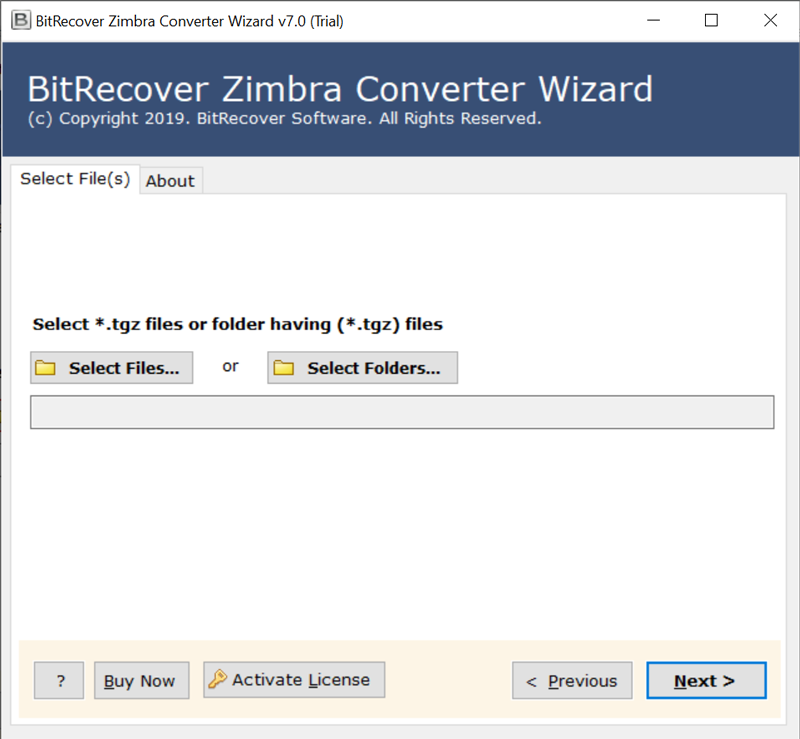 Step 3: Click on the desired Zimbra folders which you want to open in Outlook 365. 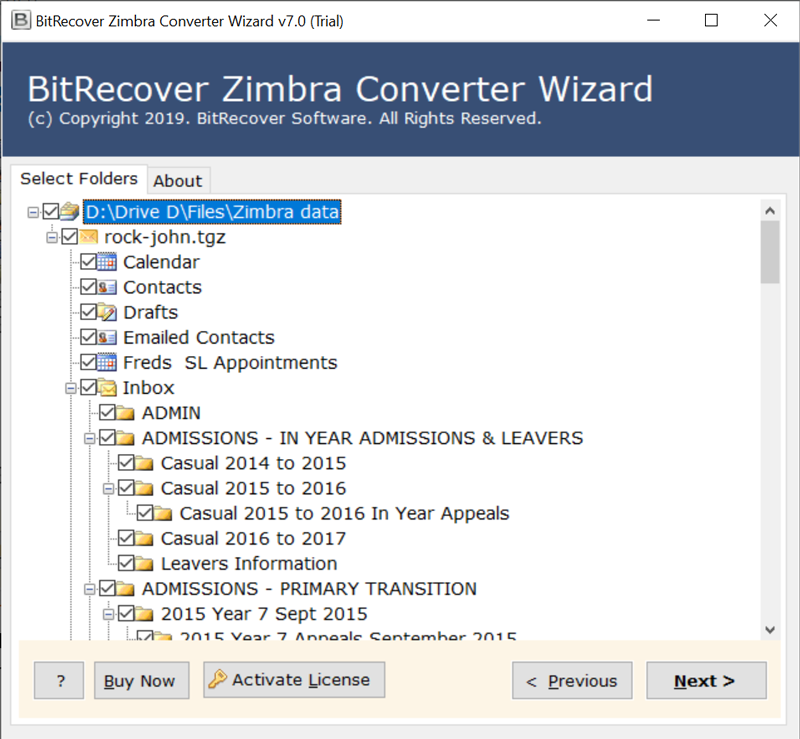 Step 4: Choose Office 365 from file saving options. 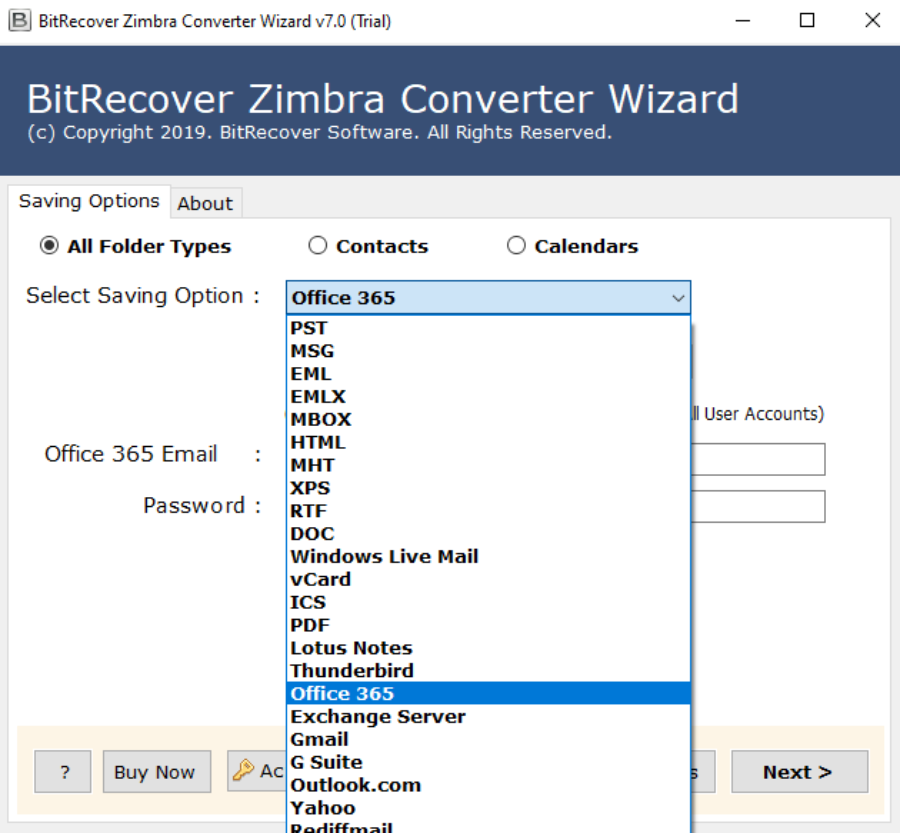 Step 5: Enter the credentials of Office 365 account such as email address and password. 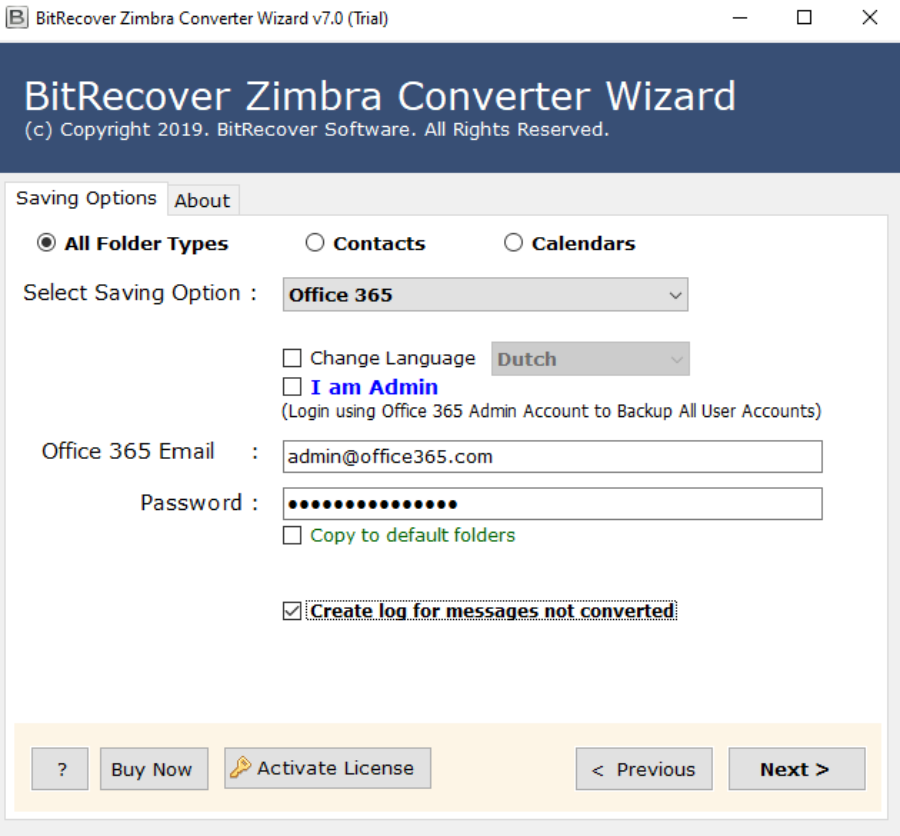 Click on the Next tab to start the process to open Zimbra mail in O365 Now, check into your Outlook 365 account to view the extracted Zimbra email folders. 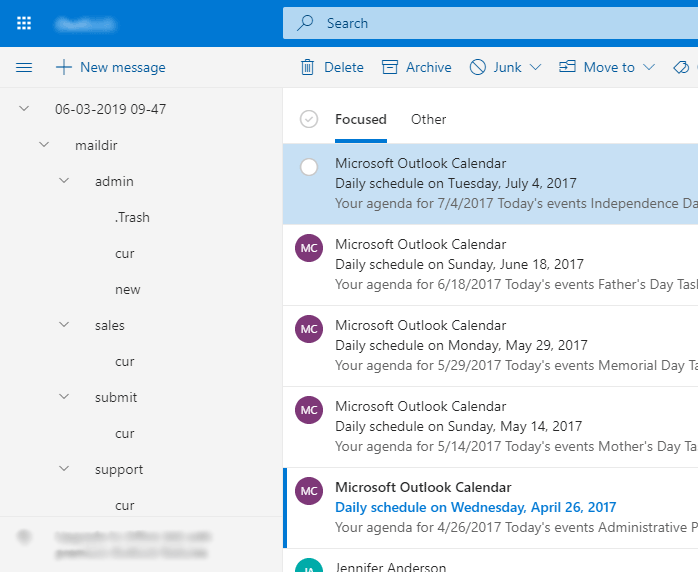 <h3><strong>Amazing Benefits of Zimbra to Outlook 365 Converter</strong></h3> 1. It facilitates dual options to migrate emails from Zimbra to O365. 2. There are no restrictions to convert Zimbra TGZ files to O365. 3. The users can bulk migrate Zimbra data to Microsoft 365. 4. It comes with a simple and well-interactive interface and thus can be used by any user. 5. The tool can be downloaded on all the latest and earlier versions of Windows OS. 6. The users can easily migrate Zimbra emails to O365 in a selective manner. <h3><strong>Time to Conclude</strong></h3> In the above blog, it is clear that in order to migrate Zimbra to Office 365 you required a trustworthy application. And Zimbra to Outlook 365 migration tool is best among all the online utilities for converting Zimbra files to Outlook 365 account. You can use the free demo version for tool’s evaluation and thereafter, switch to the full pro version for unlimited email migration. |
| json metadata | {"image":["https://cdn.steemitimages.com/DQmQnEQ9t35KPsDJPVGLw64WKouQrJSySMsjJBG7jwFSPnL/step1.png","https://cdn.steemitimages.com/DQmSHnPwQNMNKedQAZhnxL69xKHcYAw2vhMVj1Njhi55Hr9/step2.png","https://cdn.steemitimages.com/DQmPCGPKAd8cGJuY2rkZVEb7bXUn4DX6og92kqDkkPRRZgS/image-2021-09-10T105424.957.png","https://cdn.steemitimages.com/DQmZEykaZa9r57H1XjivfLdTaRKV3AuvkGnTnHA23nT1F17/image-2021-09-10T110011.632.png","https://cdn.steemitimages.com/DQmYzZEgnstWZBJKEQDTfQeqT9dFUTamuUvZTZaj6HNxpQw/imported-maildir-files-into-office-365.png"],"links":["https://www.bitrecover.com/zimbra/converter/","https://www.bitrecover.com/blog/migrate-zimbra-to-office-365/"],"app":"steemit/0.2","format":"markdown"} |
| Transaction Info | Block #60410390/Trx 9d4f96f89362fcc1c265abd99a8de5f9169533fc |
View Raw JSON Data
{
"trx_id": "9d4f96f89362fcc1c265abd99a8de5f9169533fc",
"block": 60410390,
"trx_in_block": 5,
"op_in_trx": 0,
"virtual_op": 0,
"timestamp": "2022-01-03T12:32:06",
"op": [
"comment",
{
"parent_author": "",
"parent_permlink": "zimbraconverter",
"author": "ellajonson",
"permlink": "zimbra-to-o365-email-migration-in-few-simple-steps",
"title": "Zimbra to O365 email migration in Few Simple Steps - Learn the Complete Method",
"body": "Due to the amazing benefits provided by Outlook 365(now Microsoft 365), I immediately bought a new plan. But, then there occur some problem which actually made me very tense. My Zimbra desktop emails carry some important database that I also wanted in my Outlook 365 account. So, I started my journey for finding a reliable solution to migrate email from Zimbra to O365.\n\nFortunately, I got this product- <a href=\"https://www.bitrecover.com/zimbra/converter/\" target=\"_blank\">Zimbra Converter</a>. As I expected and read from the various forums, I had huge trust in this software, So, after taking a quick analysis of the free demo version of Zimbra to Outlook 365 migrator, I bought the license keys.\n\nToday I will elaborate to your how you can also get rid of the problem while <a href=\"https://www.bitrecover.com/blog/migrate-zimbra-to-office-365/\" target=\"_blank\">migrating Zimbra TGZ data to Office 365</a> account. So, keep reading this article.\n\nImportant Note:- There is two crucial steps which is involved in migrating emails from Zimbra to Outlook 365 account. These are:\n(1) Backup of Zimbra account emails on your computer desktop.\n(2) Migrate email from Zimbra to Outlook 365 with the suggested solution.\n\n<h2><strong>How to Take a Backup of All Zimbra Emails to Computer ?</strong></h2>\n\n#1. Open your Zimbra application and then move to the Preference option.\n#2. Thereafter, select the Import/Export option to reach to the Export section.\n#3. Now, quickly choose those Zimbra emails which you want to migrate from Zimbra to O365\n#4. After doing this, choose a final location where emails will be saved and click on the Export button.\n \nThus, with these four simple steps, you can save your Zimbra emails to your computer in a TGZ format.\n\n<h2><strong>How to Migrate Emails from Zimbra to O365 Along with All Email Components ?</strong></h2>\n\nStep 1: Open the Zimbra to Outlook 365 tool on any Windows machine.\nStep 2: Now, select files/ folders/ extracted folders ( exported .tgz files).\n\n\n\nStep 3: Click on the desired Zimbra folders which you want to open in Outlook 365. \n\n\n\nStep 4: Choose Office 365 from file saving options.\n \n\n\nStep 5: Enter the credentials of Office 365 account such as email address and password.\n \n\n\nClick on the Next tab to start the process to open Zimbra mail in O365 Now, check into your Outlook 365 account to view the extracted Zimbra email folders.\n \n\n\n<h3><strong>Amazing Benefits of Zimbra to Outlook 365 Converter</strong></h3>\n1.\tIt facilitates dual options to migrate emails from Zimbra to O365.\n2.\tThere are no restrictions to convert Zimbra TGZ files to O365.\n3.\tThe users can bulk migrate Zimbra data to Microsoft 365.\n4.\tIt comes with a simple and well-interactive interface and thus can be used by any user.\n5.\tThe tool can be downloaded on all the latest and earlier versions of Windows OS.\n6.\tThe users can easily migrate Zimbra emails to O365 in a selective manner.\n\n<h3><strong>Time to Conclude</strong></h3>\nIn the above blog, it is clear that in order to migrate Zimbra to Office 365 you required a trustworthy application. And Zimbra to Outlook 365 migration tool is best among all the online utilities for converting Zimbra files to Outlook 365 account. You can use the free demo version for tool’s evaluation and thereafter, switch to the full pro version for unlimited email migration.",
"json_metadata": "{\"image\":[\"https://cdn.steemitimages.com/DQmQnEQ9t35KPsDJPVGLw64WKouQrJSySMsjJBG7jwFSPnL/step1.png\",\"https://cdn.steemitimages.com/DQmSHnPwQNMNKedQAZhnxL69xKHcYAw2vhMVj1Njhi55Hr9/step2.png\",\"https://cdn.steemitimages.com/DQmPCGPKAd8cGJuY2rkZVEb7bXUn4DX6og92kqDkkPRRZgS/image-2021-09-10T105424.957.png\",\"https://cdn.steemitimages.com/DQmZEykaZa9r57H1XjivfLdTaRKV3AuvkGnTnHA23nT1F17/image-2021-09-10T110011.632.png\",\"https://cdn.steemitimages.com/DQmYzZEgnstWZBJKEQDTfQeqT9dFUTamuUvZTZaj6HNxpQw/imported-maildir-files-into-office-365.png\"],\"links\":[\"https://www.bitrecover.com/zimbra/converter/\",\"https://www.bitrecover.com/blog/migrate-zimbra-to-office-365/\"],\"app\":\"steemit/0.2\",\"format\":\"markdown\"}"
}
]
}ellajonsonpublished a new post: zimbra-to-o365-email-migration-in-few-simple-steps2022/01/03 12:31:18
ellajonsonpublished a new post: zimbra-to-o365-email-migration-in-few-simple-steps
2022/01/03 12:31:18
| parent author | |
| parent permlink | zimbraconverter |
| author | ellajonson |
| permlink | zimbra-to-o365-email-migration-in-few-simple-steps |
| title | zimbra to o365 email migration in few simple steps |
| body | Due to the amazing benefits provided by Outlook 365(now Microsoft 365), I immediately bought a new plan. But, then there occur some problem which actually made me very tense. My Zimbra desktop emails carry some important database that I also wanted in my Outlook 365 account. So, I started my journey for finding a reliable solution to migrate email from Zimbra to O365. Fortunately, I got this product- <a href="https://www.bitrecover.com/zimbra/converter/" target="_blank">Zimbra Converter</a>. As I expected and read from the various forums, I had huge trust in this software, So, after taking a quick analysis of the free demo version of Zimbra to Outlook 365 migrator, I bought the license keys. Today I will elaborate to your how you can also get rid of the problem while <a href="https://www.bitrecover.com/blog/migrate-zimbra-to-office-365/" target="_blank">migrating Zimbra TGZ data to Office 365</a> account. So, keep reading this article. Important Note:- There is two crucial steps which is involved in migrating emails from Zimbra to Outlook 365 account. These are: (1) Backup of Zimbra account emails on your computer desktop. (2) Migrate email from Zimbra to Outlook 365 with the suggested solution. <h2><strong>How to Take a Backup of All Zimbra Emails to Computer ?</strong></h2> #1. Open your Zimbra application and then move to the Preference option. #2. Thereafter, select the Import/Export option to reach to the Export section. #3. Now, quickly choose those Zimbra emails which you want to migrate from Zimbra to O365 #4. After doing this, choose a final location where emails will be saved and click on the Export button. Thus, with these four simple steps, you can save your Zimbra emails to your computer in a TGZ format. <h2><strong>How to Migrate Emails from Zimbra to O365 Along with All Email Components ?</strong></h2> Step 1: Open the Zimbra to Outlook 365 tool on any Windows machine. Step 2: Now, select files/ folders/ extracted folders ( exported .tgz files).  Step 3: Click on the desired Zimbra folders which you want to open in Outlook 365.  Step 4: Choose Office 365 from file saving options.  Step 5: Enter the credentials of Office 365 account such as email address and password.  Click on the Next tab to start the process to open Zimbra mail in O365 Now, check into your Outlook 365 account to view the extracted Zimbra email folders.  <h3><strong>Amazing Benefits of Zimbra to Outlook 365 Converter</strong></h3> 1. It facilitates dual options to migrate emails from Zimbra to O365. 2. There are no restrictions to convert Zimbra TGZ files to O365. 3. The users can bulk migrate Zimbra data to Microsoft 365. 4. It comes with a simple and well-interactive interface and thus can be used by any user. 5. The tool can be downloaded on all the latest and earlier versions of Windows OS. 6. The users can easily migrate Zimbra emails to O365 in a selective manner. <h3><strong>Time to Conclude</strong></h3> In the above blog, it is clear that in order to migrate Zimbra to Office 365 you required a trustworthy application. And Zimbra to Outlook 365 migration tool is best among all the online utilities for converting Zimbra files to Outlook 365 account. You can use the free demo version for tool’s evaluation and thereafter, switch to the full pro version for unlimited email migration. |
| json metadata | {"tags":["zimbraconverter"],"image":["https://cdn.steemitimages.com/DQmQnEQ9t35KPsDJPVGLw64WKouQrJSySMsjJBG7jwFSPnL/step1.png","https://cdn.steemitimages.com/DQmSHnPwQNMNKedQAZhnxL69xKHcYAw2vhMVj1Njhi55Hr9/step2.png","https://cdn.steemitimages.com/DQmPCGPKAd8cGJuY2rkZVEb7bXUn4DX6og92kqDkkPRRZgS/image-2021-09-10T105424.957.png","https://cdn.steemitimages.com/DQmZEykaZa9r57H1XjivfLdTaRKV3AuvkGnTnHA23nT1F17/image-2021-09-10T110011.632.png","https://cdn.steemitimages.com/DQmYzZEgnstWZBJKEQDTfQeqT9dFUTamuUvZTZaj6HNxpQw/imported-maildir-files-into-office-365.png"],"links":["https://www.bitrecover.com/zimbra/converter/","https://www.bitrecover.com/blog/migrate-zimbra-to-office-365/"],"app":"steemit/0.2","format":"markdown"} |
| Transaction Info | Block #60410374/Trx 95d052d020b4aff1e5832e7e70f2b736bbfe0891 |
View Raw JSON Data
{
"trx_id": "95d052d020b4aff1e5832e7e70f2b736bbfe0891",
"block": 60410374,
"trx_in_block": 22,
"op_in_trx": 0,
"virtual_op": 0,
"timestamp": "2022-01-03T12:31:18",
"op": [
"comment",
{
"parent_author": "",
"parent_permlink": "zimbraconverter",
"author": "ellajonson",
"permlink": "zimbra-to-o365-email-migration-in-few-simple-steps",
"title": "zimbra to o365 email migration in few simple steps",
"body": "Due to the amazing benefits provided by Outlook 365(now Microsoft 365), I immediately bought a new plan. But, then there occur some problem which actually made me very tense. My Zimbra desktop emails carry some important database that I also wanted in my Outlook 365 account. So, I started my journey for finding a reliable solution to migrate email from Zimbra to O365.\n\nFortunately, I got this product- <a href=\"https://www.bitrecover.com/zimbra/converter/\" target=\"_blank\">Zimbra Converter</a>. As I expected and read from the various forums, I had huge trust in this software, So, after taking a quick analysis of the free demo version of Zimbra to Outlook 365 migrator, I bought the license keys.\n\nToday I will elaborate to your how you can also get rid of the problem while <a href=\"https://www.bitrecover.com/blog/migrate-zimbra-to-office-365/\" target=\"_blank\">migrating Zimbra TGZ data to Office 365</a> account. So, keep reading this article.\n\nImportant Note:- There is two crucial steps which is involved in migrating emails from Zimbra to Outlook 365 account. These are:\n(1) Backup of Zimbra account emails on your computer desktop.\n(2) Migrate email from Zimbra to Outlook 365 with the suggested solution.\n\n<h2><strong>How to Take a Backup of All Zimbra Emails to Computer ?</strong></h2>\n\n#1. Open your Zimbra application and then move to the Preference option.\n#2. Thereafter, select the Import/Export option to reach to the Export section.\n#3. Now, quickly choose those Zimbra emails which you want to migrate from Zimbra to O365\n#4. After doing this, choose a final location where emails will be saved and click on the Export button.\n \nThus, with these four simple steps, you can save your Zimbra emails to your computer in a TGZ format.\n\n<h2><strong>How to Migrate Emails from Zimbra to O365 Along with All Email Components ?</strong></h2>\n\nStep 1: Open the Zimbra to Outlook 365 tool on any Windows machine.\nStep 2: Now, select files/ folders/ extracted folders ( exported .tgz files).\n\n\n\nStep 3: Click on the desired Zimbra folders which you want to open in Outlook 365. \n\n\n\nStep 4: Choose Office 365 from file saving options.\n \n\n\nStep 5: Enter the credentials of Office 365 account such as email address and password.\n \n\n\nClick on the Next tab to start the process to open Zimbra mail in O365 Now, check into your Outlook 365 account to view the extracted Zimbra email folders.\n \n\n\n<h3><strong>Amazing Benefits of Zimbra to Outlook 365 Converter</strong></h3>\n1.\tIt facilitates dual options to migrate emails from Zimbra to O365.\n2.\tThere are no restrictions to convert Zimbra TGZ files to O365.\n3.\tThe users can bulk migrate Zimbra data to Microsoft 365.\n4.\tIt comes with a simple and well-interactive interface and thus can be used by any user.\n5.\tThe tool can be downloaded on all the latest and earlier versions of Windows OS.\n6.\tThe users can easily migrate Zimbra emails to O365 in a selective manner.\n\n<h3><strong>Time to Conclude</strong></h3>\nIn the above blog, it is clear that in order to migrate Zimbra to Office 365 you required a trustworthy application. And Zimbra to Outlook 365 migration tool is best among all the online utilities for converting Zimbra files to Outlook 365 account. You can use the free demo version for tool’s evaluation and thereafter, switch to the full pro version for unlimited email migration.",
"json_metadata": "{\"tags\":[\"zimbraconverter\"],\"image\":[\"https://cdn.steemitimages.com/DQmQnEQ9t35KPsDJPVGLw64WKouQrJSySMsjJBG7jwFSPnL/step1.png\",\"https://cdn.steemitimages.com/DQmSHnPwQNMNKedQAZhnxL69xKHcYAw2vhMVj1Njhi55Hr9/step2.png\",\"https://cdn.steemitimages.com/DQmPCGPKAd8cGJuY2rkZVEb7bXUn4DX6og92kqDkkPRRZgS/image-2021-09-10T105424.957.png\",\"https://cdn.steemitimages.com/DQmZEykaZa9r57H1XjivfLdTaRKV3AuvkGnTnHA23nT1F17/image-2021-09-10T110011.632.png\",\"https://cdn.steemitimages.com/DQmYzZEgnstWZBJKEQDTfQeqT9dFUTamuUvZTZaj6HNxpQw/imported-maildir-files-into-office-365.png\"],\"links\":[\"https://www.bitrecover.com/zimbra/converter/\",\"https://www.bitrecover.com/blog/migrate-zimbra-to-office-365/\"],\"app\":\"steemit/0.2\",\"format\":\"markdown\"}"
}
]
}ellajonsonpublished a new post: how-to-save-a-jfif-file-as-a-jpeg-using-secured-solution2021/11/17 09:34:48
ellajonsonpublished a new post: how-to-save-a-jfif-file-as-a-jpeg-using-secured-solution
2021/11/17 09:34:48
| parent author | |
| parent permlink | jfiftojpeg |
| author | ellajonson |
| permlink | how-to-save-a-jfif-file-as-a-jpeg-using-secured-solution |
| title | How to Save a JFIF File as a JPEG using Secured Solution ? |
| body | As of late it's been seen that while downloading photographs from WhatsApp, or hauling pictures out of web browsers, it saves itself as a JFIF picture on Windows 10, rather than JPG. Despite the fact that JFIF is likewise a graphic format, it makes a great deal of difficulty to the users. JFIF is the JPEG File Interchange Format. Clearly, it's been around us since 1991, however, it is a peculiar format to most of the people. The JFIF file format characterizes various details that had been left vague in the initial JPEG format. Characterizing these details, including a standard header, resolution and aspect proportion, and shading model, permitted users to really save and share files utilizing JPEG format. For quite a while, numerous digital cameras saved pictures in the JFIF format. However, over a long time, extra upgrades to the JPEG format delivered the JFIF file extension mostly obsolete. In this blog post, you will learn the technique to save JFIF as JPEG. <h2><strong>How to Save JFIF File as JPEG Format ?</strong></h2> If you are going around the internet regarding the best method to save JFIF as JPEG then try using an automated solution. Because there is no as such manual solution for this conversion. Try using the <a href="https://www.bitrecover.com/jfif/converter/" target="_blank"><strong>robust solution of JFIF File Converter</strong></a>. It is meant for all professionals, graphic designers, artisans who wants to convert multiple JFIF files to jpg format. This image converter solution is highly beneficial for saving bulk JFIF pictures as JPEG format. You can check out the free trial edition to evaluate the performance of this software. <h2><strong>Save JFIF as JPEG File Extension with these Steps-</strong></h2> First of all download and run JFIF to JPEG Converter on your machine. Now, select files or folder having (*.JFIF ) files from your database. 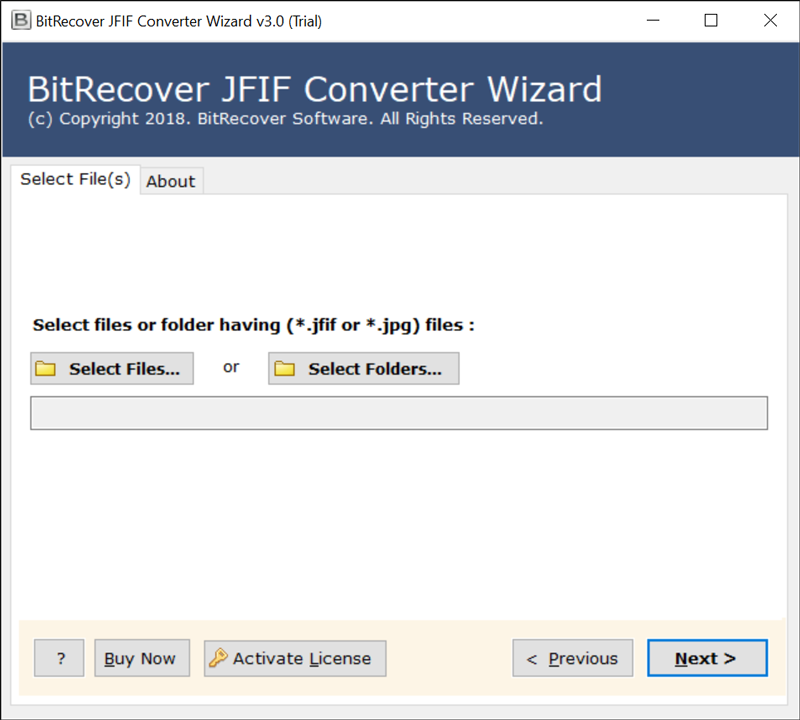.png) Then, from the preview list, check all those files which you wish to save as JPEG. 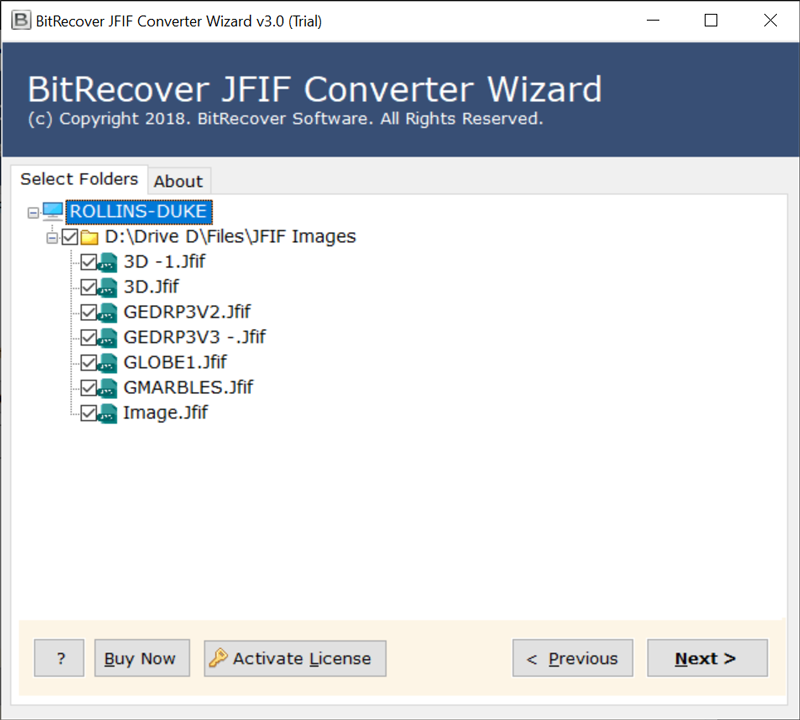 Thereafter, from the saving options list, choose JPG. 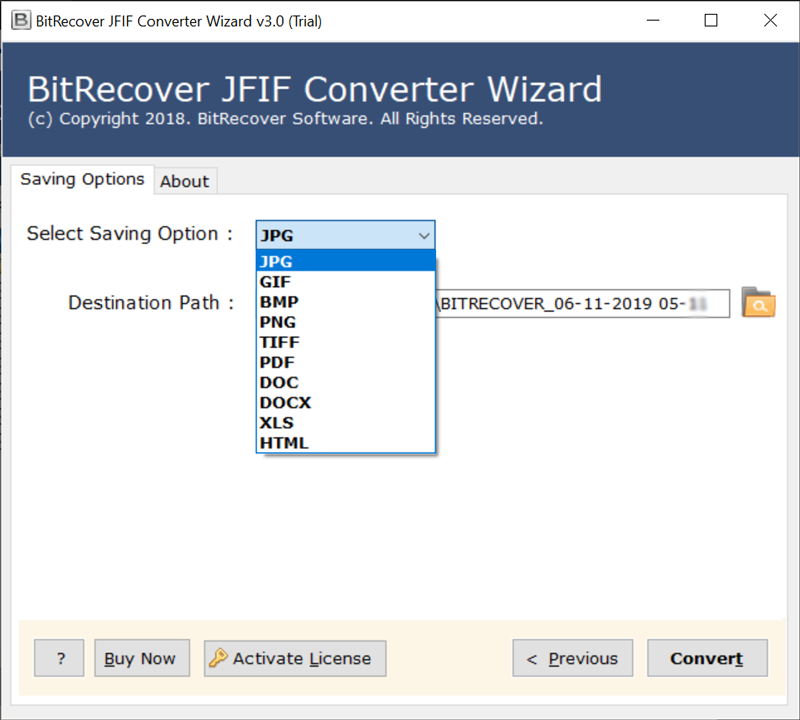 Specify a destination location to store the resultant files on your computer. 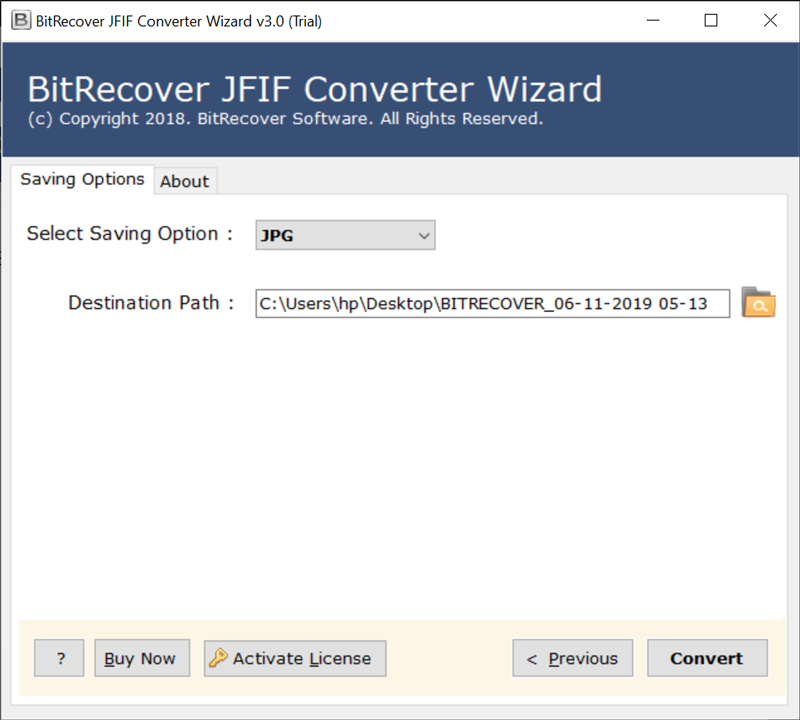 Finally, click on the convert button to start the conversion of jiff images as JPEG. 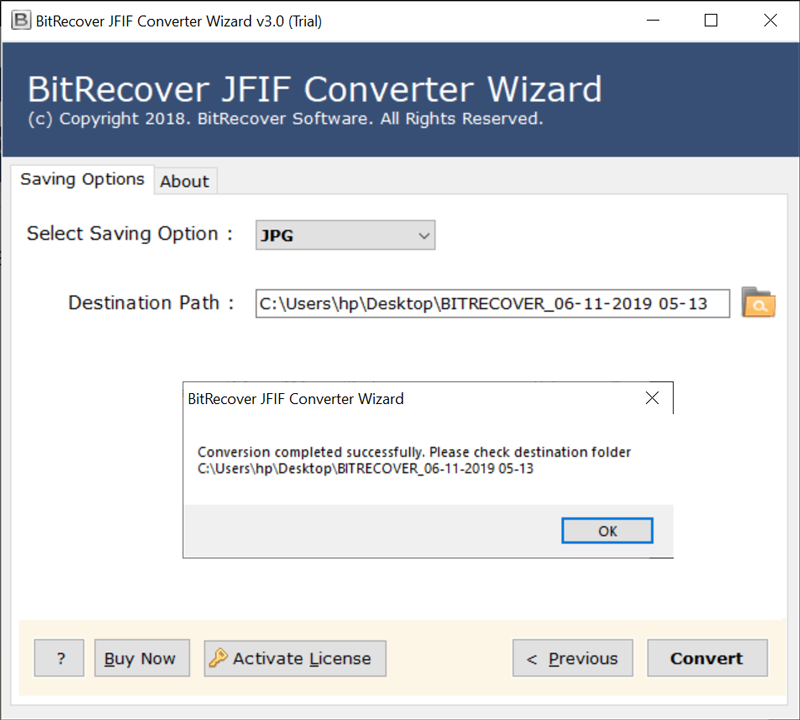 <h3><strong>Peculiar Features of JFIF to JPEG Converter Solution</strong></h3> <b>Easy and simple GUI-</b> This tool is made with technical algorithms in such a manner that you don’t need to have any expertise to use it. <b>Any saving location-</b> Users can save the JFIF files as JPEG converted images at any storage location on their computer. <b>Preserves image properties-</b> During the process of saving JFIF as JPEG, there will be no change to the integrity of JFIF files. Its properties remain intact. <b>Compatible with all Windows machine-</b> This software can be run on all Windows OS such as the Windows 11, 10, 8.1, 8, 7, XP, Vista, etc. <b>Bulk save JFIF files as JPE-</b>: By using this application, you will have the benefit of converting multiple JFIF files to JPEG without any hassle. <strong>Conclusion</strong> In the above blog, we have explained the detailed solution regarding the saving of JFIF files as JPEG. You can try the free demo edition of this tool in order to test the performance of this application. It will enable you to <a href="https://www.bitrecover.com/blog/convert-jfif-to-jpg/" target="_blank"><strong>convert few JFIF files to JPG</strong></a>. For bulk conversion, you need to buy the license keys of the tool. |
| json metadata | {"image":["https://cdn.steemitimages.com/DQmXaj1UmnraoKcfAuFeZXCXiyax84A8931A6EYSCypWmKG/run-jfif-to-jpeg-converter%20(1).png","https://cdn.steemitimages.com/DQmNmCRMh88iFFpYVv1ZjuSNWV2BKdyH3SLZeNBapHGkV4j/select-jfif-files.png","https://cdn.steemitimages.com/DQmcYmFtBuA5iFgM23ttEp6XBD37am3gfFqNHKgm5uZF5ZS/choose-jpg.png","https://cdn.steemitimages.com/DQmXakxq3es1xH6EgnA1adx7kjTCEB8qDmGBxJcabNcGWbS/confirm-the-destination-path.png","https://cdn.steemitimages.com/DQmYLUVjZvwzimpdPouyZGEnqoTnsHZbR1hqxHAtmX8S7Ug/jfif-to-jpeg-conversion.png"],"links":["https://www.bitrecover.com/jfif/converter/","https://www.bitrecover.com/blog/convert-jfif-to-jpg/"],"app":"steemit/0.2","format":"markdown"} |
| Transaction Info | Block #59071541/Trx 028486f7e4d537515a8ce9cbb7898d44426d9463 |
View Raw JSON Data
{
"trx_id": "028486f7e4d537515a8ce9cbb7898d44426d9463",
"block": 59071541,
"trx_in_block": 0,
"op_in_trx": 0,
"virtual_op": 0,
"timestamp": "2021-11-17T09:34:48",
"op": [
"comment",
{
"parent_author": "",
"parent_permlink": "jfiftojpeg",
"author": "ellajonson",
"permlink": "how-to-save-a-jfif-file-as-a-jpeg-using-secured-solution",
"title": "How to Save a JFIF File as a JPEG using Secured Solution ?",
"body": "As of late it's been seen that while downloading photographs from WhatsApp, or hauling pictures out of web browsers, it saves itself as a JFIF picture on Windows 10, rather than JPG. Despite the fact that JFIF is likewise a graphic format, it makes a great deal of difficulty to the users.\n\nJFIF is the JPEG File Interchange Format. Clearly, it's been around us since 1991, however, it is a peculiar format to most of the people.\n\nThe JFIF file format characterizes various details that had been left vague in the initial JPEG format. Characterizing these details, including a standard header, resolution and aspect proportion, and shading model, permitted users to really save and share files utilizing JPEG format.\n\nFor quite a while, numerous digital cameras saved pictures in the JFIF format. However, over a long time, extra upgrades to the JPEG format delivered the JFIF file extension mostly obsolete.\n\nIn this blog post, you will learn the technique to save JFIF as JPEG.\n\n<h2><strong>How to Save JFIF File as JPEG Format ?</strong></h2>\n\nIf you are going around the internet regarding the best method to save JFIF as JPEG then try using an automated solution. Because there is no as such manual solution for this conversion.\n\nTry using the <a href=\"https://www.bitrecover.com/jfif/converter/\" target=\"_blank\"><strong>robust solution of JFIF File Converter</strong></a>. It is meant for all professionals, graphic designers, artisans who wants to convert multiple JFIF files to jpg format. \n\nThis image converter solution is highly beneficial for saving bulk JFIF pictures as JPEG format. You can check out the free trial edition to evaluate the performance of this software.\n\n<h2><strong>Save JFIF as JPEG File Extension with these Steps-</strong></h2>\n\nFirst of all download and run JFIF to JPEG Converter on your machine.\n\nNow, select files or folder having (*.JFIF ) files from your database.\n\n.png)\n\nThen, from the preview list, check all those files which you wish to save as JPEG.\n\n\n\nThereafter, from the saving options list, choose JPG.\n\n\n\nSpecify a destination location to store the resultant files on your computer.\n\n\n\nFinally, click on the convert button to start the conversion of jiff images as JPEG.\n\n\n\n<h3><strong>Peculiar Features of JFIF to JPEG Converter Solution</strong></h3>\n\n<b>Easy and simple GUI-</b> This tool is made with technical algorithms in such a manner that you don’t need to have any expertise to use it. \n\n<b>Any saving location-</b> Users can save the JFIF files as JPEG converted images at any storage location on their computer.\n\n<b>Preserves image properties-</b> During the process of saving JFIF as JPEG, there will be no change to the integrity of JFIF files. Its properties remain intact.\n\n<b>Compatible with all Windows machine-</b> This software can be run on all Windows OS such as the Windows 11, 10, 8.1, 8, 7, XP, Vista, etc.\n\n<b>Bulk save JFIF files as JPE-</b>: By using this application, you will have the benefit of converting multiple JFIF files to JPEG without any hassle.\n\n<strong>Conclusion</strong>\n\nIn the above blog, we have explained the detailed solution regarding the saving of JFIF files as JPEG. You can try the free demo edition of this tool in order to test the performance of this application. It will enable you to <a href=\"https://www.bitrecover.com/blog/convert-jfif-to-jpg/\" target=\"_blank\"><strong>convert few JFIF files to JPG</strong></a>. For bulk conversion, you need to buy the license keys of the tool.",
"json_metadata": "{\"image\":[\"https://cdn.steemitimages.com/DQmXaj1UmnraoKcfAuFeZXCXiyax84A8931A6EYSCypWmKG/run-jfif-to-jpeg-converter%20(1).png\",\"https://cdn.steemitimages.com/DQmNmCRMh88iFFpYVv1ZjuSNWV2BKdyH3SLZeNBapHGkV4j/select-jfif-files.png\",\"https://cdn.steemitimages.com/DQmcYmFtBuA5iFgM23ttEp6XBD37am3gfFqNHKgm5uZF5ZS/choose-jpg.png\",\"https://cdn.steemitimages.com/DQmXakxq3es1xH6EgnA1adx7kjTCEB8qDmGBxJcabNcGWbS/confirm-the-destination-path.png\",\"https://cdn.steemitimages.com/DQmYLUVjZvwzimpdPouyZGEnqoTnsHZbR1hqxHAtmX8S7Ug/jfif-to-jpeg-conversion.png\"],\"links\":[\"https://www.bitrecover.com/jfif/converter/\",\"https://www.bitrecover.com/blog/convert-jfif-to-jpg/\"],\"app\":\"steemit/0.2\",\"format\":\"markdown\"}"
}
]
}ellajonsonpublished a new post: how-to-save-a-jfif-file-as-a-jpeg-using-secured-solution2021/11/17 09:34:00
ellajonsonpublished a new post: how-to-save-a-jfif-file-as-a-jpeg-using-secured-solution
2021/11/17 09:34:00
| parent author | |
| parent permlink | jfiftojpeg |
| author | ellajonson |
| permlink | how-to-save-a-jfif-file-as-a-jpeg-using-secured-solution |
| title | how to save a jfif file as a jpeg using secured solution |
| body | As of late it's been seen that while downloading photographs from WhatsApp, or hauling pictures out of web browsers, it saves itself as a JFIF picture on Windows 10, rather than JPG. Despite the fact that JFIF is likewise a graphic format, it makes a great deal of difficulty to the users. JFIF is the JPEG File Interchange Format. Clearly, it's been around us since 1991, however, it is a peculiar format to most of the people. The JFIF file format characterizes various details that had been left vague in the initial JPEG format. Characterizing these details, including a standard header, resolution and aspect proportion, and shading model, permitted users to really save and share files utilizing JPEG format. For quite a while, numerous digital cameras saved pictures in the JFIF format. However, over a long time, extra upgrades to the JPEG format delivered the JFIF file extension mostly obsolete. In this blog post, you will learn the technique to save JFIF as JPEG. <h2><strong>How to Save JFIF File as JPEG Format ?</strong></h2> If you are going around the internet regarding the best method to save JFIF as JPEG then try using an automated solution. Because there is no as such manual solution for this conversion. Try using the <a href="https://www.bitrecover.com/jfif/converter/" target="_blank"><strong>robust solution of JFIF File Converter</strong></a>. It is meant for all professionals, graphic designers, artisans who wants to convert multiple JFIF files to jpg format. This image converter solution is highly beneficial for saving bulk JFIF pictures as JPEG format. You can check out the free trial edition to evaluate the performance of this software. <h2><strong>Save JFIF as JPEG File Extension with these Steps-</strong></h2> First of all download and run JFIF to JPEG Converter on your machine. Now, select files or folder having (*.JFIF ) files from your database. .png) Then, from the preview list, check all those files which you wish to save as JPEG.  Thereafter, from the saving options list, choose JPG.  Specify a destination location to store the resultant files on your computer.  Finally, click on the convert button to start the conversion of jiff images as JPEG.  <h3><strong>Peculiar Features of JFIF to JPEG Converter Solution</strong></h3> <b>Easy and simple GUI-</b> This tool is made with technical algorithms in such a manner that you don’t need to have any expertise to use it. <b>Any saving location-</b> Users can save the JFIF files as JPEG converted images at any storage location on their computer. <b>Preserves image properties-</b> During the process of saving JFIF as JPEG, there will be no change to the integrity of JFIF files. Its properties remain intact. <b>Compatible with all Windows machine-</b> This software can be run on all Windows OS such as the Windows 11, 10, 8.1, 8, 7, XP, Vista, etc. <b>Bulk save JFIF files as JPE-</b>: By using this application, you will have the benefit of converting multiple JFIF files to JPEG without any hassle. <strong>Conclusion</strong> In the above blog, we have explained the detailed solution regarding the saving of JFIF files as JPEG. You can try the free demo edition of this tool in order to test the performance of this application. It will enable you to <a href="https://www.bitrecover.com/blog/convert-jfif-to-jpg/" target="_blank"><strong>convert few JFIF files to JPG</strong></a>. For bulk conversion, you need to buy the license keys of the tool. |
| json metadata | {"tags":["jfiftojpeg"],"image":["https://cdn.steemitimages.com/DQmXaj1UmnraoKcfAuFeZXCXiyax84A8931A6EYSCypWmKG/run-jfif-to-jpeg-converter%20(1).png","https://cdn.steemitimages.com/DQmNmCRMh88iFFpYVv1ZjuSNWV2BKdyH3SLZeNBapHGkV4j/select-jfif-files.png","https://cdn.steemitimages.com/DQmcYmFtBuA5iFgM23ttEp6XBD37am3gfFqNHKgm5uZF5ZS/choose-jpg.png","https://cdn.steemitimages.com/DQmXakxq3es1xH6EgnA1adx7kjTCEB8qDmGBxJcabNcGWbS/confirm-the-destination-path.png","https://cdn.steemitimages.com/DQmYLUVjZvwzimpdPouyZGEnqoTnsHZbR1hqxHAtmX8S7Ug/jfif-to-jpeg-conversion.png"],"links":["https://www.bitrecover.com/jfif/converter/","https://www.bitrecover.com/blog/convert-jfif-to-jpg/"],"app":"steemit/0.2","format":"markdown"} |
| Transaction Info | Block #59071525/Trx c7a3d2c3366f491dcc4f6d34fc34d4f595bac47e |
View Raw JSON Data
{
"trx_id": "c7a3d2c3366f491dcc4f6d34fc34d4f595bac47e",
"block": 59071525,
"trx_in_block": 9,
"op_in_trx": 0,
"virtual_op": 0,
"timestamp": "2021-11-17T09:34:00",
"op": [
"comment",
{
"parent_author": "",
"parent_permlink": "jfiftojpeg",
"author": "ellajonson",
"permlink": "how-to-save-a-jfif-file-as-a-jpeg-using-secured-solution",
"title": "how to save a jfif file as a jpeg using secured solution",
"body": "As of late it's been seen that while downloading photographs from WhatsApp, or hauling pictures out of web browsers, it saves itself as a JFIF picture on Windows 10, rather than JPG. Despite the fact that JFIF is likewise a graphic format, it makes a great deal of difficulty to the users.\n\nJFIF is the JPEG File Interchange Format. Clearly, it's been around us since 1991, however, it is a peculiar format to most of the people.\n\nThe JFIF file format characterizes various details that had been left vague in the initial JPEG format. Characterizing these details, including a standard header, resolution and aspect proportion, and shading model, permitted users to really save and share files utilizing JPEG format.\n\nFor quite a while, numerous digital cameras saved pictures in the JFIF format. However, over a long time, extra upgrades to the JPEG format delivered the JFIF file extension mostly obsolete.\n\nIn this blog post, you will learn the technique to save JFIF as JPEG.\n\n<h2><strong>How to Save JFIF File as JPEG Format ?</strong></h2>\n\nIf you are going around the internet regarding the best method to save JFIF as JPEG then try using an automated solution. Because there is no as such manual solution for this conversion.\n\nTry using the <a href=\"https://www.bitrecover.com/jfif/converter/\" target=\"_blank\"><strong>robust solution of JFIF File Converter</strong></a>. It is meant for all professionals, graphic designers, artisans who wants to convert multiple JFIF files to jpg format. \n\nThis image converter solution is highly beneficial for saving bulk JFIF pictures as JPEG format. You can check out the free trial edition to evaluate the performance of this software.\n\n<h2><strong>Save JFIF as JPEG File Extension with these Steps-</strong></h2>\n\nFirst of all download and run JFIF to JPEG Converter on your machine.\n\nNow, select files or folder having (*.JFIF ) files from your database.\n\n.png)\n\nThen, from the preview list, check all those files which you wish to save as JPEG.\n\n\n\nThereafter, from the saving options list, choose JPG.\n\n\n\nSpecify a destination location to store the resultant files on your computer.\n\n\n\nFinally, click on the convert button to start the conversion of jiff images as JPEG.\n\n\n\n<h3><strong>Peculiar Features of JFIF to JPEG Converter Solution</strong></h3>\n\n<b>Easy and simple GUI-</b> This tool is made with technical algorithms in such a manner that you don’t need to have any expertise to use it. \n\n<b>Any saving location-</b> Users can save the JFIF files as JPEG converted images at any storage location on their computer.\n\n<b>Preserves image properties-</b> During the process of saving JFIF as JPEG, there will be no change to the integrity of JFIF files. Its properties remain intact.\n\n<b>Compatible with all Windows machine-</b> This software can be run on all Windows OS such as the Windows 11, 10, 8.1, 8, 7, XP, Vista, etc.\n\n<b>Bulk save JFIF files as JPE-</b>: By using this application, you will have the benefit of converting multiple JFIF files to JPEG without any hassle.\n\n<strong>Conclusion</strong>\n\nIn the above blog, we have explained the detailed solution regarding the saving of JFIF files as JPEG. You can try the free demo edition of this tool in order to test the performance of this application. It will enable you to <a href=\"https://www.bitrecover.com/blog/convert-jfif-to-jpg/\" target=\"_blank\"><strong>convert few JFIF files to JPG</strong></a>. For bulk conversion, you need to buy the license keys of the tool.",
"json_metadata": "{\"tags\":[\"jfiftojpeg\"],\"image\":[\"https://cdn.steemitimages.com/DQmXaj1UmnraoKcfAuFeZXCXiyax84A8931A6EYSCypWmKG/run-jfif-to-jpeg-converter%20(1).png\",\"https://cdn.steemitimages.com/DQmNmCRMh88iFFpYVv1ZjuSNWV2BKdyH3SLZeNBapHGkV4j/select-jfif-files.png\",\"https://cdn.steemitimages.com/DQmcYmFtBuA5iFgM23ttEp6XBD37am3gfFqNHKgm5uZF5ZS/choose-jpg.png\",\"https://cdn.steemitimages.com/DQmXakxq3es1xH6EgnA1adx7kjTCEB8qDmGBxJcabNcGWbS/confirm-the-destination-path.png\",\"https://cdn.steemitimages.com/DQmYLUVjZvwzimpdPouyZGEnqoTnsHZbR1hqxHAtmX8S7Ug/jfif-to-jpeg-conversion.png\"],\"links\":[\"https://www.bitrecover.com/jfif/converter/\",\"https://www.bitrecover.com/blog/convert-jfif-to-jpg/\"],\"app\":\"steemit/0.2\",\"format\":\"markdown\"}"
}
]
}ellajonsonpublished a new post: unable-to-download-attachments-from-gmail-resolve-issue2021/11/11 13:30:21
ellajonsonpublished a new post: unable-to-download-attachments-from-gmail-resolve-issue
2021/11/11 13:30:21
| parent author | |
| parent permlink | downloadgmailattachments |
| author | ellajonson |
| permlink | unable-to-download-attachments-from-gmail-resolve-issue |
| title | Download emails |
| body | a |
| json metadata | {"app":"steemit/0.2","format":"markdown","tags":["downloadattachments"]} |
| Transaction Info | Block #58905337/Trx edf4a67fe9e2e8146832d42e9fbaf245516eb007 |
View Raw JSON Data
{
  "trx_id": "edf4a67fe9e2e8146832d42e9fbaf245516eb007",
  "block": 58905337,
  "trx_in_block": 12,
  "op_in_trx": 0,
  "virtual_op": 0,
  "timestamp": "2021-11-11T13:30:21",
  "op": [
    "comment",
    {
      "parent_author": "",
      "parent_permlink": "downloadgmailattachments",
      "author": "ellajonson",
      "permlink": "unable-to-download-attachments-from-gmail-resolve-issue",
      "title": "Download emails",
      "body": "a",
      "json_metadata": "{\"app\":\"steemit/0.2\",\"format\":\"markdown\",\"tags\":[\"downloadattachments\"]}"
    }
  ]
}ellajonsonflagged (-100.00%) @ellajonson / unable-to-download-attachments-from-gmail-resolve-issue2021/11/11 13:22:42
ellajonsonflagged (-100.00%) @ellajonson / unable-to-download-attachments-from-gmail-resolve-issue
2021/11/11 13:22:42
| voter | ellajonson |
| author | ellajonson |
| permlink | unable-to-download-attachments-from-gmail-resolve-issue |
| weight | -10000 (-100.00%) |
| Transaction Info | Block #58905185/Trx 5b81ecd20db7b4ac23dfbcdcd4d5b2c97e889562 |
View Raw JSON Data
{
  "trx_id": "5b81ecd20db7b4ac23dfbcdcd4d5b2c97e889562",
  "block": 58905185,
  "trx_in_block": 5,
  "op_in_trx": 0,
  "virtual_op": 0,
  "timestamp": "2021-11-11T13:22:42",
  "op": [
    "vote",
    {
      "voter": "ellajonson",
      "author": "ellajonson",
      "permlink": "unable-to-download-attachments-from-gmail-resolve-issue",
      "weight": -10000
    }
  ]
}ellajonsonpublished a new post: jfif-to-pdf-converter2021/11/11 12:43:24
ellajonsonpublished a new post: jfif-to-pdf-converter
2021/11/11 12:43:24
| parent author | |
| parent permlink | jfifconverter |
| author | ellajonson |
| permlink | jfif-to-pdf-converter |
| title | jfif to pdf converter |
| body | @@ -1499,11 +1499,17 @@ h2%3E%0A -%0A1. +%3Cul%3E%0A%3Cli%3E Sta @@ -1561,13 +1561,19 @@ ine. -%0A%0A2. +%3C/li%3E%0A%0A%3Cli%3E Sele @@ -1620,24 +1620,29 @@ rt into PDF. +%3C/li%3E %0A%0A!%5Bjfif-ima @@ -1768,11 +1768,12 @@ g)%0A%0A -3. +%3Cli%3E Enab @@ -1807,24 +1807,29 @@ conversion. +%3C/li%3E %0A%0A!%5Bselect-j @@ -1949,11 +1949,12 @@ g)%0A%0A -4. +%3Cli%3E Go t @@ -1990,16 +1990,21 @@ option. +%3C/li%3E %0A%0A!%5Bjfif @@ -2116,11 +2116,12 @@ g)%0A%0A -5. +%3Cli%3E Ente @@ -2179,16 +2179,21 @@ to PDF. +%3C/li%3E %0A%0A!%5Bjpeg @@ -2353,11 +2353,12 @@ g)%0A%0A -6. +%3Cli%3E Open @@ -2396,16 +2396,21 @@ F files. +%3C/li%3E %0A%0A!%5Bconv @@ -2541,16 +2541,21 @@ ts.png)%0A +%3C/ul%3E %0AThese w |
| json metadata | {"image":["https://cdn.steemitimages.com/DQmPgwg9FaurTeFqsPDbWch9TDjVnP4PkbyUF11YZzmFMqU/convert-multiple-jfif-to-pdf.png","https://cdn.steemitimages.com/DQma3wycCSCqLgKpBL6ooh3xrY3gXFHBSQFaJLJzy48HL3t/jfif-image-converter.png","https://cdn.steemitimages.com/DQmcAt3xX5UKzqjwo568z7BGpzc3NQRErHeVwSvx7JgQrjh/select-jfif-files.png","https://cdn.steemitimages.com/DQmcSuwD13XuXBmXpfXd3HSm6aMH998qZAtdX62MMgzEbD8/jfif-in-pdf.png","https://cdn.steemitimages.com/DQmU8LD2AVLhdTnZhTSzQEo5rhBoEErrz1Cn5VYAjstRzhu/jpeg-file-interchange-format-to-pdf.png","https://cdn.steemitimages.com/DQmSjWvuYmw8hvF7aPrn8o1vGmkpFDb9nA3yRxFZdp2E2uS/converted-pdf-documents.png"],"links":["https://www.bitrecover.com/blog/jfif-to-pdf-converter/"],"app":"steemit/0.2","format":"markdown"} |
| Transaction Info | Block #58904403/Trx c13e71b618453b40f340abae3279ddabd55bd605 |
View Raw JSON Data
{
  "trx_id": "c13e71b618453b40f340abae3279ddabd55bd605",
  "block": 58904403,
  "trx_in_block": 24,
  "op_in_trx": 0,
  "virtual_op": 0,
  "timestamp": "2021-11-11T12:43:24",
  "op": [
    "comment",
    {
      "parent_author": "",
      "parent_permlink": "jfifconverter",
      "author": "ellajonson",
      "permlink": "jfif-to-pdf-converter",
      "title": "jfif to pdf converter",
      "body": "@@ -1499,11 +1499,17 @@\n h2%3E%0A\n-%0A1.\n+%3Cul%3E%0A%3Cli%3E\n  Sta\n@@ -1561,13 +1561,19 @@\n ine.\n-%0A%0A2. \n+%3C/li%3E%0A%0A%3Cli%3E\n Sele\n@@ -1620,24 +1620,29 @@\n rt into PDF.\n+%3C/li%3E\n %0A%0A!%5Bjfif-ima\n@@ -1768,11 +1768,12 @@\n g)%0A%0A\n-3. \n+%3Cli%3E\n Enab\n@@ -1807,24 +1807,29 @@\n  conversion.\n+%3C/li%3E\n %0A%0A!%5Bselect-j\n@@ -1949,11 +1949,12 @@\n g)%0A%0A\n-4. \n+%3Cli%3E\n Go t\n@@ -1990,16 +1990,21 @@\n  option.\n+%3C/li%3E\n %0A%0A!%5Bjfif\n@@ -2116,11 +2116,12 @@\n g)%0A%0A\n-5. \n+%3Cli%3E\n Ente\n@@ -2179,16 +2179,21 @@\n  to PDF.\n+%3C/li%3E\n %0A%0A!%5Bjpeg\n@@ -2353,11 +2353,12 @@\n g)%0A%0A\n-6. \n+%3Cli%3E\n Open\n@@ -2396,16 +2396,21 @@\n F files.\n+%3C/li%3E\n %0A%0A!%5Bconv\n@@ -2541,16 +2541,21 @@\n ts.png)%0A\n+%3C/ul%3E\n %0AThese w\n",
      "json_metadata": "{\"image\":[\"https://cdn.steemitimages.com/DQmPgwg9FaurTeFqsPDbWch9TDjVnP4PkbyUF11YZzmFMqU/convert-multiple-jfif-to-pdf.png\",\"https://cdn.steemitimages.com/DQma3wycCSCqLgKpBL6ooh3xrY3gXFHBSQFaJLJzy48HL3t/jfif-image-converter.png\",\"https://cdn.steemitimages.com/DQmcAt3xX5UKzqjwo568z7BGpzc3NQRErHeVwSvx7JgQrjh/select-jfif-files.png\",\"https://cdn.steemitimages.com/DQmcSuwD13XuXBmXpfXd3HSm6aMH998qZAtdX62MMgzEbD8/jfif-in-pdf.png\",\"https://cdn.steemitimages.com/DQmU8LD2AVLhdTnZhTSzQEo5rhBoEErrz1Cn5VYAjstRzhu/jpeg-file-interchange-format-to-pdf.png\",\"https://cdn.steemitimages.com/DQmSjWvuYmw8hvF7aPrn8o1vGmkpFDb9nA3yRxFZdp2E2uS/converted-pdf-documents.png\"],\"links\":[\"https://www.bitrecover.com/blog/jfif-to-pdf-converter/\"],\"app\":\"steemit/0.2\",\"format\":\"markdown\"}"
    }
  ]
}ellajonsonpublished a new post: jfif-to-pdf-converter2021/11/11 12:39:45
ellajonsonpublished a new post: jfif-to-pdf-converter
2021/11/11 12:39:45
| parent author | |
| parent permlink | jfifconverter |
| author | ellajonson |
| permlink | jfif-to-pdf-converter |
| title | jfif to pdf converter |
| body |  In case you are scratching head over how to convert JFIF to PDF, then just follow this guide to ease your process. If you convert JFIF file (.jFIF) to PDF, there are two benefits – you get the option to compress the PDF file. Thus, you get a smaller file size than JFIF. In doing so, the best part is that the image quality will also get preserved. If you are editing a JFIF file, then for sure, some of the image quality gets distorted. Hence, it’s best to convert JFIF image to PDF. PDF files are not only a good option as a file-saving format but also for storing images. You must have observed that whenever you save an image to a PDF document, the quality remains the same as that of the original. Additionally, PDF files come with a file locking facility. Hence, you can secure your JFIF images and keep them locked against unauthorized use. Converting JFIF file to PDF isn’t a difficult thing. You can do so with a third-party application such as <a href="https://www.bitrecover.com/blog/jfif-to-pdf-converter/" target="_blank"><strong>BitRecover JFIF to PDF Converter</strong></a>. The best thing about this application – it’s an offline utility so you don’t require to upload your sensitive information present in images to the web just like the online software does. Let’s start- <h2><strong>How to Convert JFIF to PDF ?</strong></h2> 1. Start JFIF to PDF Converter on your Windows machine. 2. Select JFIF files from the database to convert into PDF. 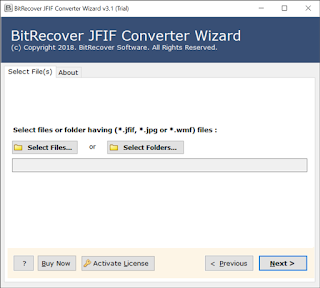 3. Enable required JFIF images for conversion. 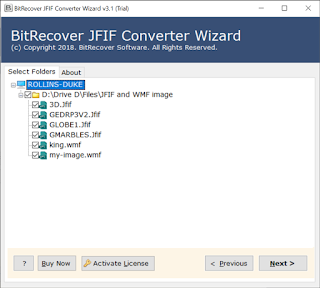 4. Go to saving options and pick PDF option. 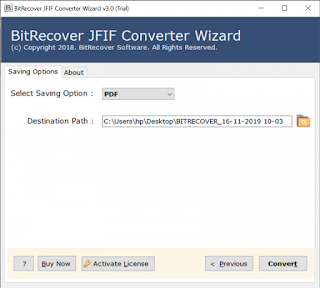 5. Enter a destination path and start to convert JFIF file to PDF. 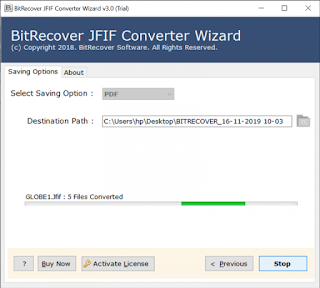 6. Open resultant folder containing PDF files. 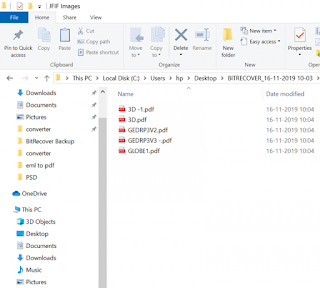 These were the basic steps involved in JFIF to PDF transformation. Now, what makes this utility a best product in the market for image conversion? Read the tool’s benefits for converting JFIF image to PDF. <h2><strong>Read the Highlighted Features of JFIF to PDF Converter</strong></h2> <strong>A rich-featured and risk-free software</strong> If you have invested in this application, we guarantee you that you won’t regret your choice! This product of JFIF to PDF file conversion utility is the best utility available in the digital market for image conversion. It is 100% risk-free and does not carries any bugs or errors. You can trust on this software for turning JFIF pictures to PDF format. The tool will gives absolutely precise results with minimum of user’s time and efforts. Moreover, having a simple and intuitive interface enhances its working. The tool comes with a very easy to understood Graphical User Interface. So, any technical or non-technical user can access it for converting JFIF images to PDF. <strong>Transforms corrupted and virus-affected images into healthy output</strong> This utility has been programmed in such a way that the user can even convert corrupted or damaged JFIF images. Your pictures are very precious and you can’t let them go off after you come to now that they have got corrupted. The online image conversion tools can distort your pictures. While transferring JFIF images to PDF, you don’t need to worry about the damaged or broken JFIF images. The inaccessible JFIF pictures can easily be opened in PDF format with the help of this software. <strong>Convert JFIF images in multiple ways</strong> It’s a powerful application that gives ability to the users to export JPEG File Interchange Format (JFIF) to PDF format in different ways. With this utility, you can convert single JFIF File, multiple JFIF files, 3D JFIF files. The Microsoft PowerPoint application offers to save images in JPEG format. So, you can utilize this software to convert PowerPoint JFIF images to PDF format easily. No further installation of any other software is required to do the conversion. <strong>Change JFIF pictures to PDF in batch</strong> If you have downloaded thousands of JFIF pictures from web and wish to print JFIF as PDF format. Then, this software will be your best bet! The tool gives dual options to upload JFIF images into the software panel for conversion. You can convert single as well as multiple JFIF files/ folders to turn into PDF files. The software is proficient enough to change JFIF images to PDF format in batch. This in way saves your crucial time and efforts. <strong>Windows-compatibility</strong> Irrespective of what version of Windows OS you are currently working on, this tool will run on all. It is Windows-compatible utility that can easily be launched on all old and new versions of Windows Operating System. Download it on Windows 10, Windows 8.1, Windows 8, Windows 7, Windows XP, Windows Vista, Windows Server 2019, Windows Server 2016, Windows Server 2012, etc. <strong>Time to Conclude</strong> After reading the above article, anyone can easily convert JFIF file to PDF format without any hassle. The demo version of tool gives facility to convert maximum of 5 images to supportable file format. Grab the license keys of the product to convert unlimited JFIF images to PDF files. Hope, you liked ths blog and now JFIF to PDF conversion is easy for you! |
| json metadata | {"tags":["jfifconverter"],"image":["https://cdn.steemitimages.com/DQmPgwg9FaurTeFqsPDbWch9TDjVnP4PkbyUF11YZzmFMqU/convert-multiple-jfif-to-pdf.png","https://cdn.steemitimages.com/DQma3wycCSCqLgKpBL6ooh3xrY3gXFHBSQFaJLJzy48HL3t/jfif-image-converter.png","https://cdn.steemitimages.com/DQmcAt3xX5UKzqjwo568z7BGpzc3NQRErHeVwSvx7JgQrjh/select-jfif-files.png","https://cdn.steemitimages.com/DQmcSuwD13XuXBmXpfXd3HSm6aMH998qZAtdX62MMgzEbD8/jfif-in-pdf.png","https://cdn.steemitimages.com/DQmU8LD2AVLhdTnZhTSzQEo5rhBoEErrz1Cn5VYAjstRzhu/jpeg-file-interchange-format-to-pdf.png","https://cdn.steemitimages.com/DQmSjWvuYmw8hvF7aPrn8o1vGmkpFDb9nA3yRxFZdp2E2uS/converted-pdf-documents.png"],"links":["https://www.bitrecover.com/blog/jfif-to-pdf-converter/"],"app":"steemit/0.2","format":"markdown"} |
| Transaction Info | Block #58904330/Trx 636765c568ac2b4a2c16dbceb7c86b8debff5730 |
View Raw JSON Data
{
"trx_id": "636765c568ac2b4a2c16dbceb7c86b8debff5730",
"block": 58904330,
"trx_in_block": 17,
"op_in_trx": 0,
"virtual_op": 0,
"timestamp": "2021-11-11T12:39:45",
"op": [
"comment",
{
"parent_author": "",
"parent_permlink": "jfifconverter",
"author": "ellajonson",
"permlink": "jfif-to-pdf-converter",
"title": "jfif to pdf converter",
"body": "\n\nIn case you are scratching head over how to convert JFIF to PDF, then just follow this guide to ease your process.\n\n\nIf you convert JFIF file (.jFIF) to PDF, there are two benefits – you get the option to compress the PDF file. Thus, you get a smaller file size than JFIF. In doing so, the best part is that the image quality will also get preserved. If you are editing a JFIF file, then for sure, some of the image quality gets distorted.\n\nHence, it’s best to convert JFIF image to PDF. PDF files are not only a good option as a file-saving format but also for storing images.\n\nYou must have observed that whenever you save an image to a PDF document, the quality remains the same as that of the original. Additionally, PDF files come with a file locking facility. Hence, you can secure your JFIF images and keep them locked against unauthorized use.\n\nConverting JFIF file to PDF isn’t a difficult thing. You can do so with a third-party application such as <a href=\"https://www.bitrecover.com/blog/jfif-to-pdf-converter/\" target=\"_blank\"><strong>BitRecover JFIF to PDF Converter</strong></a>. The best thing about this application – it’s an offline utility so you don’t require to upload your sensitive information present in images to the web just like the online software does.\n\nLet’s start-\n\n<h2><strong>How to Convert JFIF to PDF ?</strong></h2>\n\n1. Start JFIF to PDF Converter on your Windows machine.\n\n2. Select JFIF files from the database to convert into PDF.\n\n\n\n3. Enable required JFIF images for conversion.\n\n\n\n4. Go to saving options and pick PDF option.\n\n\n\n5. Enter a destination path and start to convert JFIF file to PDF.\n\n\n\n6. Open resultant folder containing PDF files.\n\n\n\nThese were the basic steps involved in JFIF to PDF transformation.\n\nNow, what makes this utility a best product in the market for image conversion? Read the tool’s benefits for converting JFIF image to PDF.\n\n<h2><strong>Read the Highlighted Features of JFIF to PDF Converter</strong></h2>\n\n<strong>A rich-featured and risk-free software</strong>\nIf you have invested in this application, we guarantee you that you won’t regret your choice! This product of JFIF to PDF file conversion utility is the best utility available in the digital market for image conversion. It is 100% risk-free and does not carries any bugs or errors. You can trust on this software for turning JFIF pictures to PDF format. The tool will gives absolutely precise results with minimum of user’s time and efforts. Moreover, having a simple and intuitive interface enhances its working. The tool comes with a very easy to understood Graphical User Interface. So, any technical or non-technical user can access it for converting JFIF images to PDF.\n\n<strong>Transforms corrupted and virus-affected images into healthy output</strong>\nThis utility has been programmed in such a way that the user can even convert corrupted or damaged JFIF images. Your pictures are very precious and you can’t let them go off after you come to now that they have got corrupted. The online image conversion tools can distort your pictures. While transferring JFIF images to PDF, you don’t need to worry about the damaged or broken JFIF images. The inaccessible JFIF pictures can easily be opened in PDF format with the help of this software.\n\n<strong>Convert JFIF images in multiple ways</strong>\nIt’s a powerful application that gives ability to the users to export JPEG File Interchange Format (JFIF) to PDF format in different ways. With this utility, you can convert single JFIF File, multiple JFIF files, 3D JFIF files. The Microsoft PowerPoint application offers to save images in JPEG format. So, you can utilize this software to convert PowerPoint JFIF images to PDF format easily. No further installation of any other software is required to do the conversion.\n\n<strong>Change JFIF pictures to PDF in batch</strong>\nIf you have downloaded thousands of JFIF pictures from web and wish to print JFIF as PDF format. Then, this software will be your best bet! The tool gives dual options to upload JFIF images into the software panel for conversion. You can convert single as well as multiple JFIF files/ folders to turn into PDF files. The software is proficient enough to change JFIF images to PDF format in batch. This in way saves your crucial time and efforts.\n\n<strong>Windows-compatibility</strong>\nIrrespective of what version of Windows OS you are currently working on, this tool will run on all. It is Windows-compatible utility that can easily be launched on all old and new versions of Windows Operating System. Download it on Windows 10, Windows 8.1, Windows 8, Windows 7, Windows XP, Windows Vista, Windows Server 2019, Windows Server 2016, Windows Server 2012, etc.\n\n<strong>Time to Conclude</strong>\nAfter reading the above article, anyone can easily convert JFIF file to PDF format without any hassle. The demo version of tool gives facility to convert maximum of 5 images to supportable file format. Grab the license keys of the product to convert unlimited JFIF images to PDF files. Hope, you liked ths blog and now JFIF to PDF conversion is easy for you!",
"json_metadata": "{\"tags\":[\"jfifconverter\"],\"image\":[\"https://cdn.steemitimages.com/DQmPgwg9FaurTeFqsPDbWch9TDjVnP4PkbyUF11YZzmFMqU/convert-multiple-jfif-to-pdf.png\",\"https://cdn.steemitimages.com/DQma3wycCSCqLgKpBL6ooh3xrY3gXFHBSQFaJLJzy48HL3t/jfif-image-converter.png\",\"https://cdn.steemitimages.com/DQmcAt3xX5UKzqjwo568z7BGpzc3NQRErHeVwSvx7JgQrjh/select-jfif-files.png\",\"https://cdn.steemitimages.com/DQmcSuwD13XuXBmXpfXd3HSm6aMH998qZAtdX62MMgzEbD8/jfif-in-pdf.png\",\"https://cdn.steemitimages.com/DQmU8LD2AVLhdTnZhTSzQEo5rhBoEErrz1Cn5VYAjstRzhu/jpeg-file-interchange-format-to-pdf.png\",\"https://cdn.steemitimages.com/DQmSjWvuYmw8hvF7aPrn8o1vGmkpFDb9nA3yRxFZdp2E2uS/converted-pdf-documents.png\"],\"links\":[\"https://www.bitrecover.com/blog/jfif-to-pdf-converter/\"],\"app\":\"steemit/0.2\",\"format\":\"markdown\"}"
}
]
}steemdelegated 5.688 SP to @ellajonson2021/10/29 14:29:33
steemdelegated 5.688 SP to @ellajonson
2021/10/29 14:29:33
| delegator | steem |
| delegatee | ellajonson |
| vesting shares | 9249.840332 VESTS |
| Transaction Info | Block #58534433/Trx 438f95d6dae2618514a32d2f3c73ac9fa65661f3 |
View Raw JSON Data
{
  "trx_id": "438f95d6dae2618514a32d2f3c73ac9fa65661f3",
  "block": 58534433,
  "trx_in_block": 3,
  "op_in_trx": 0,
  "virtual_op": 0,
  "timestamp": "2021-10-29T14:29:33",
  "op": [
    "delegate_vesting_shares",
    {
      "delegator": "steem",
      "delegatee": "ellajonson",
      "vesting_shares": "9249.840332 VESTS"
    }
  ]
}steemdelegated 17.164 SP to @ellajonson2021/08/24 21:03:42
steemdelegated 17.164 SP to @ellajonson
2021/08/24 21:03:42
| delegator | steem |
| delegatee | ellajonson |
| vesting shares | 27912.332745 VESTS |
| Transaction Info | Block #56654388/Trx 72e2a6a879545747f44353e97e922f8fe3ad6906 |
View Raw JSON Data
{
  "trx_id": "72e2a6a879545747f44353e97e922f8fe3ad6906",
  "block": 56654388,
  "trx_in_block": 9,
  "op_in_trx": 0,
  "virtual_op": 0,
  "timestamp": "2021-08-24T21:03:42",
  "op": [
    "delegate_vesting_shares",
    {
      "delegator": "steem",
      "delegatee": "ellajonson",
      "vesting_shares": "27912.332745 VESTS"
    }
  ]
}ellajonsonpublished a new post: export-thunderbird-emails-to-outlook-pst2021/07/30 12:17:30
ellajonsonpublished a new post: export-thunderbird-emails-to-outlook-pst
2021/07/30 12:17:30
| parent author | |
| parent permlink | thunderbirdtopst |
| author | ellajonson |
| permlink | export-thunderbird-emails-to-outlook-pst |
| title | A Prominent Method to Export Thunderbird Emails to Outlook PST |
| body | @@ -4066,11 +4066,8 @@ r.%0A%0A -3. Emai |
| json metadata | {"image":["https://cdn.steemitimages.com/DQmP7v1HrHtokHnYGuhuH5DxQdSZbiWRbvwzacbSaE7xYDb/thunderbird-converter.jpg","https://cdn.steemitimages.com/DQmSMQXVyJJjJXSkb9XYNDt9MPM6XwVNunanbEbsYBk7yKp/thunderbird-profile-folders.jpg","https://cdn.steemitimages.com/DQmepQhJNbAzdAv2QwPSfMmXLLZZKmYkemqGro7uJTDRjqN/download-thunderbird-profile-converter%20(1).jpg","https://cdn.steemitimages.com/DQmbLKwaURCXcV5JAe9FVekmRoDzUh2NCz9x9a4tBdfvn43/choose-pst.jpg"],"links":["https://www.bitrecover.com/pst-converter/","https://www.bitrecover.com/thunderbird-converter/"],"app":"steemit/0.2","format":"markdown"} |
| Transaction Info | Block #55928621/Trx fb09381457e2c3123e766cc1d7fcf4db555b3beb |
View Raw JSON Data
{
  "trx_id": "fb09381457e2c3123e766cc1d7fcf4db555b3beb",
  "block": 55928621,
  "trx_in_block": 7,
  "op_in_trx": 0,
  "virtual_op": 0,
  "timestamp": "2021-07-30T12:17:30",
  "op": [
    "comment",
    {
      "parent_author": "",
      "parent_permlink": "thunderbirdtopst",
      "author": "ellajonson",
      "permlink": "export-thunderbird-emails-to-outlook-pst",
      "title": "A Prominent Method to Export Thunderbird Emails to Outlook PST",
      "body": "@@ -4066,11 +4066,8 @@\n r.%0A%0A\n-3. \n Emai\n",
      "json_metadata": "{\"image\":[\"https://cdn.steemitimages.com/DQmP7v1HrHtokHnYGuhuH5DxQdSZbiWRbvwzacbSaE7xYDb/thunderbird-converter.jpg\",\"https://cdn.steemitimages.com/DQmSMQXVyJJjJXSkb9XYNDt9MPM6XwVNunanbEbsYBk7yKp/thunderbird-profile-folders.jpg\",\"https://cdn.steemitimages.com/DQmepQhJNbAzdAv2QwPSfMmXLLZZKmYkemqGro7uJTDRjqN/download-thunderbird-profile-converter%20(1).jpg\",\"https://cdn.steemitimages.com/DQmbLKwaURCXcV5JAe9FVekmRoDzUh2NCz9x9a4tBdfvn43/choose-pst.jpg\"],\"links\":[\"https://www.bitrecover.com/pst-converter/\",\"https://www.bitrecover.com/thunderbird-converter/\"],\"app\":\"steemit/0.2\",\"format\":\"markdown\"}"
    }
  ]
}ellajonsonpublished a new post: export-thunderbird-emails-to-outlook-pst2021/07/30 12:15:18
ellajonsonpublished a new post: export-thunderbird-emails-to-outlook-pst
2021/07/30 12:15:18
| parent author | |
| parent permlink | thunderbirdtopst |
| author | ellajonson |
| permlink | export-thunderbird-emails-to-outlook-pst |
| title | export thunderbird emails to outlook pst |
| body | @@ -1309,24 +1309,12 @@ d's -MBOX file format +file to @@ -2016,20 +2016,27 @@ d-party -MBOX +Thunderbird to PST @@ -5866,21 +5866,16 @@ rbird's -MBOX file to @@ -6122,16 +6122,16 @@ egrity.%0A + Follow t @@ -6827,21 +6827,16 @@ elected -MBOX file is @@ -7918,19 +7918,23 @@ ac. -If the MBOX +The Thunderbird to @@ -7955,30 +7955,33 @@ ion -is only required +software is best for -a +both Win @@ -7989,94 +7989,14 @@ ows -environment, third-party software such as Thunderbird to PST Converter is the best option. +and Mac OS |
| json metadata | {"image":["https://cdn.steemitimages.com/DQmP7v1HrHtokHnYGuhuH5DxQdSZbiWRbvwzacbSaE7xYDb/thunderbird-converter.jpg","https://cdn.steemitimages.com/DQmSMQXVyJJjJXSkb9XYNDt9MPM6XwVNunanbEbsYBk7yKp/thunderbird-profile-folders.jpg","https://cdn.steemitimages.com/DQmepQhJNbAzdAv2QwPSfMmXLLZZKmYkemqGro7uJTDRjqN/download-thunderbird-profile-converter%20(1).jpg","https://cdn.steemitimages.com/DQmbLKwaURCXcV5JAe9FVekmRoDzUh2NCz9x9a4tBdfvn43/choose-pst.jpg"],"links":["https://www.bitrecover.com/pst-converter/","https://www.bitrecover.com/thunderbird-converter/"],"app":"steemit/0.2","format":"markdown"} |
| Transaction Info | Block #55928577/Trx 35cf890de8a7a345a27f2f2fcee50f22e0af907c |
View Raw JSON Data
{
  "trx_id": "35cf890de8a7a345a27f2f2fcee50f22e0af907c",
  "block": 55928577,
  "trx_in_block": 18,
  "op_in_trx": 0,
  "virtual_op": 0,
  "timestamp": "2021-07-30T12:15:18",
  "op": [
    "comment",
    {
      "parent_author": "",
      "parent_permlink": "thunderbirdtopst",
      "author": "ellajonson",
      "permlink": "export-thunderbird-emails-to-outlook-pst",
      "title": "export thunderbird emails to outlook pst",
      "body": "@@ -1309,24 +1309,12 @@\n d's \n-MBOX file format\n+file\n  to \n@@ -2016,20 +2016,27 @@\n d-party \n-MBOX\n+Thunderbird\n  to PST \n@@ -5866,21 +5866,16 @@\n rbird's \n-MBOX \n file to \n@@ -6122,16 +6122,16 @@\n egrity.%0A\n+\n Follow t\n@@ -6827,21 +6827,16 @@\n elected \n-MBOX \n file is \n@@ -7918,19 +7918,23 @@\n ac. \n-If the MBOX\n+The Thunderbird\n  to \n@@ -7955,30 +7955,33 @@\n ion \n-is only required\n+software is best\n  for \n-a\n+both\n  Win\n@@ -7989,94 +7989,14 @@\n ows \n-environment, third-party software such as Thunderbird to PST Converter is the best option.\n+and Mac OS\n",
      "json_metadata": "{\"image\":[\"https://cdn.steemitimages.com/DQmP7v1HrHtokHnYGuhuH5DxQdSZbiWRbvwzacbSaE7xYDb/thunderbird-converter.jpg\",\"https://cdn.steemitimages.com/DQmSMQXVyJJjJXSkb9XYNDt9MPM6XwVNunanbEbsYBk7yKp/thunderbird-profile-folders.jpg\",\"https://cdn.steemitimages.com/DQmepQhJNbAzdAv2QwPSfMmXLLZZKmYkemqGro7uJTDRjqN/download-thunderbird-profile-converter%20(1).jpg\",\"https://cdn.steemitimages.com/DQmbLKwaURCXcV5JAe9FVekmRoDzUh2NCz9x9a4tBdfvn43/choose-pst.jpg\"],\"links\":[\"https://www.bitrecover.com/pst-converter/\",\"https://www.bitrecover.com/thunderbird-converter/\"],\"app\":\"steemit/0.2\",\"format\":\"markdown\"}"
    }
  ]
}ellajonsonpublished a new post: export-thunderbird-emails-to-outlook-pst2021/07/30 12:12:27
ellajonsonpublished a new post: export-thunderbird-emails-to-outlook-pst
2021/07/30 12:12:27
| parent author | |
| parent permlink | thunderbirdtopst |
| author | ellajonson |
| permlink | export-thunderbird-emails-to-outlook-pst |
| title | export thunderbird emails to outlook pst |
| body | Mozilla Thunderbird is an open-source email client that includes features such as RSS Feeds, Junk Filtering, Client Chat, and more. Thunderbird client is cross-platform, which means it is free to download and install on all major operating systems, including Windows, Mac, Ubuntu, and Linux. Although Thunderbird is a modern email client, many professionals nowadays prefer to use a more secure and advanced platform such as MS Outlook. Users who want to migrate from Thunderbird to Microsoft Outlook must use either manual or automated methods for the Thunderbird to <a href="https://www.bitrecover.com/pst-converter/" target="_blank">PST Converter software</a>. <h2><strong>The Reasons to Export Thunderbird Emails to PST</strong></h2> Users are prompted to migrate their Thunderbird mailbox data to Outlook for a variety of reasons. Many Thunderbird users, for example, have repeatedly reported problems with error messages, email deletion, and user profile display, among other things. <h2><strong>Thunderbird Emails to Outlook PST Export (Windows, Mac, and Linux Versions)</strong></h2> Both Thunderbird and Outlook have completely different native file formats that prevent data from being shared. As a result, before migrating emails from Thunderbird to Outlook, you must first convert Thunderbird's MBOX file format to PST. <strong>Note:</strong> Outlook's default file format for Windows is PST, while for Mac it is OLM. We've gone over the Thunderbird to Outlook conversion process in detail in the following sections. <h3><strong>Migration from Thunderbird to Outlook on a Mac</strong></h3> Assume you're a Mac user who uses both Thunderbird and Outlook and wants to migrate Thunderbird emails to Outlook for Mac. What are the steps you must take to accomplish this? Thunderbird, on the other hand, has no built-in feature for exporting emails to Outlook. To migrate Thunderbird emails to OLM format on a Mac, you must first convert Thunderbird emails to OLM format. You can do this with the help of a third-party MBOX to PST Converter. Though OLM is Outlook for Mac's native file format, it can also import PST files, so you can manually import the converted PST file into your Outlook for Mac mailbox without any additional steps. <h3><strong>Migration from Thunderbird to Outlook on a Windows Machine</strong></h3> The most recommended method for migrating Thunderbird emails to Outlook on Windows is to use dependable third-party software to perform the conversion for you. If you don't want to use any third-party software, you can also go the manual route. On the Windows platform, you can migrate Thunderbird to Outlook by following these three steps: Emails in MBOX format can be converted to EML format. EML files can be imported into Windows Live Mail. Emails from Windows Live Mail can be exported to an Outlook PST file. We'll go over each step in greater depth later. <strong>1. Exporting Thunderbird Emails to Outlook PST</strong> The first step in converting MBOX files to EML format is to manually locate the required email messages using the Thunderbird client. Once you've found it, carefully follow the instructions. Step 1: Choose the messages you want to export. You can either select individual messages or use the Ctrl + A keyboard shortcut to select all emails in a folder. Step 2: Right-click the items you want to save and choose Save As >> EML files. Step 3: Click the Save button after selecting a location to save the EML files. With the extension, selected emails will be saved to the specified location (.eml). <strong>2. EML to Windows Live Mail Import</strong> The saved EML files must then be imported into Live Mail's mailbox in the second step. You can do it by hand if you follow these steps: Step 1: On your Windows computer, open Live Mail. To move the data, create a new folder or select an existing one. Step 2: Open Windows Explorer and navigate to the EML files folder. Step 3: Select the EML files that need to be exported to PST and drag and drop them into the appropriate Live Mail folder. 3. Emails from Live Mail can be exported to an Outlook PST file Finally, you must export the imported data from Live Mail to an Outlook PST file. Follow these instructions to accomplish this: Step 1: Open Live Mail and select File >> Export emails >> Email messages from the File menu. Step 2: Select Microsoft Exchange from the Live Mail export wizard and click Next. Step 3: Select Outlook as the profile in the Choose Profile dialogue box and click OK. Step 4: Next, click OK to select the EML folder that needs to be exported to Outlook. <h3><strong>Migration from Thunderbird to Outlook on Linux</strong></h3> Linux, like Thunderbird, is an open-source platform that supports a variety of email clients. Thunderbird, on the other hand, is the most popular email client among Linux users. Whether you're using Thunderbird on Windows, Mac, or Linux, the data is stored in MBOX format. To migrate Thunderbird (Linux) emails to Outlook (Windows), you must first locate Thunderbird mailbox data on Linux. Thunderbird emails are usually saved in the following folder on your Linux machine. Once you have the Thunderbird mailbox data source location, all you have to do is: To unhide hidden files, go to the Home directory, press Ctrl + H, then copy and paste the entire directory to an external storage device. The data on the external hard drive is then transferred to Windows and converted to PST. Until now, it has been clear that manually migrating data from Thunderbird to Outlook PST necessitates a great deal of precision and skill. Without proper guidance, performing the migration is difficult for a novice user. As a result, looking for third-party resources to make the migration process easier and faster is always a good idea. The most recommended tool for converting Thunderbird's MBOX file to Outlook PST is the <a href="https://www.bitrecover.com/thunderbird-converter/" targte="_blank"><strong>reliable Thunderbird email Converter tool</strong></a>. This third-party software converts the data while maintaining its quality and integrity. Follow these simple steps to convert Thunderbird files to PST format: 1. On your computer, run Thunderbird to Outlook Converter. 2. To add files to the conversion task, select the mode. Choose the “Select File(s)” option to add more than one Thunderbird file, or the “Select Folder” option to import an entire folder containing Thunderbird files. After you've chosen the mode, click Browse to find the Thunderbird files folder. 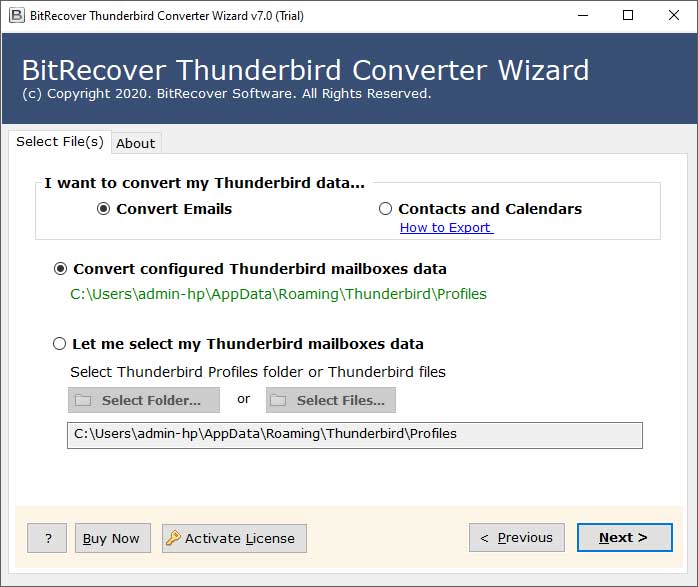 You can also choose the automatic option of ‘Convert configured Thunderbird mailboxes data’. The mailbox data associated with the selected MBOX file is displayed in the next window. On the left panel, you can see the mailbox folders. After you've finished previewing the information, click the Next button. 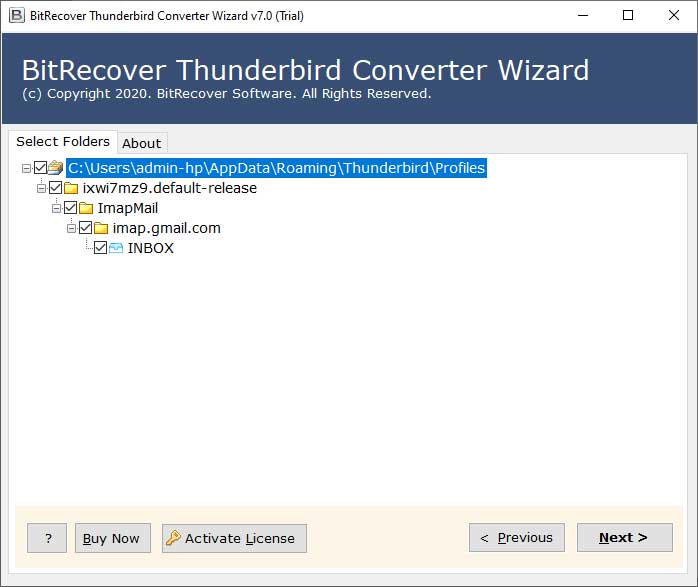 A new window will appear on your screen as soon as you click the Next button. Select PST file (MS Outlook) as the output format. 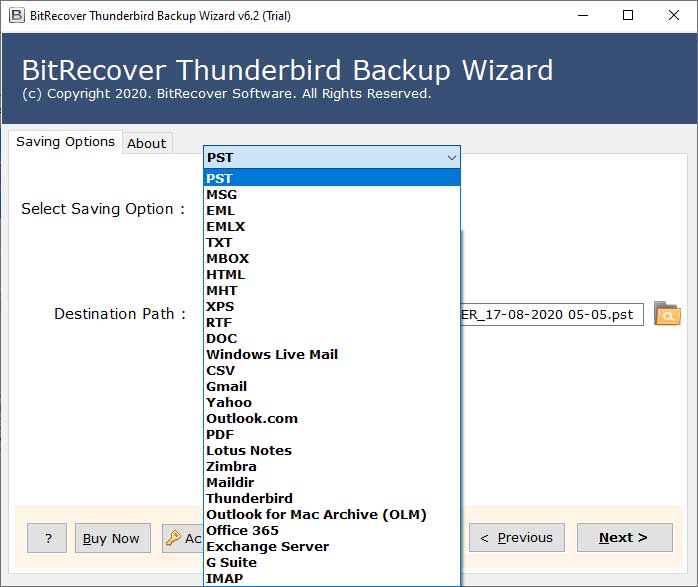.jpg) Click the Convert button after selecting a destination path to save the converted PST. To complete the conversion, click OK. 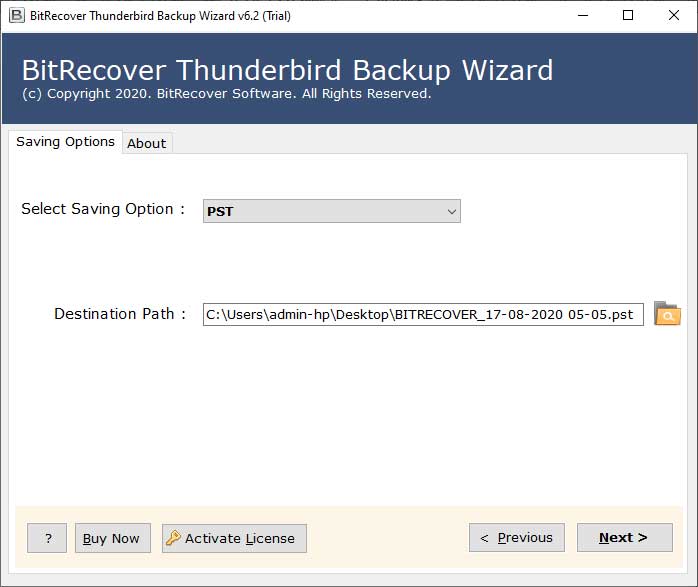 <strong>Final Thoughts</strong> Thunderbird saves its data in a standard file format, regardless of whether it is installed on a Windows, Mac, or Linux machine, whereas Outlook saves its data in PST on Windows and OLM on Mac. If the MBOX to Outlook migration is only required for a Windows environment, third-party software such as Thunderbird to PST Converter is the best option. |
| json metadata | {"tags":["thunderbirdtopst"],"image":["https://cdn.steemitimages.com/DQmP7v1HrHtokHnYGuhuH5DxQdSZbiWRbvwzacbSaE7xYDb/thunderbird-converter.jpg","https://cdn.steemitimages.com/DQmSMQXVyJJjJXSkb9XYNDt9MPM6XwVNunanbEbsYBk7yKp/thunderbird-profile-folders.jpg","https://cdn.steemitimages.com/DQmepQhJNbAzdAv2QwPSfMmXLLZZKmYkemqGro7uJTDRjqN/download-thunderbird-profile-converter%20(1).jpg","https://cdn.steemitimages.com/DQmbLKwaURCXcV5JAe9FVekmRoDzUh2NCz9x9a4tBdfvn43/choose-pst.jpg"],"links":["https://www.bitrecover.com/pst-converter/","https://www.bitrecover.com/thunderbird-converter/"],"app":"steemit/0.2","format":"markdown"} |
| Transaction Info | Block #55928520/Trx a75a9d1be6f130ad9d6fd2ede575c100791688ad |
View Raw JSON Data
{
"trx_id": "a75a9d1be6f130ad9d6fd2ede575c100791688ad",
"block": 55928520,
"trx_in_block": 2,
"op_in_trx": 0,
"virtual_op": 0,
"timestamp": "2021-07-30T12:12:27",
"op": [
"comment",
{
"parent_author": "",
"parent_permlink": "thunderbirdtopst",
"author": "ellajonson",
"permlink": "export-thunderbird-emails-to-outlook-pst",
"title": "export thunderbird emails to outlook pst",
"body": "Mozilla Thunderbird is an open-source email client that includes features such as RSS Feeds, Junk Filtering, Client Chat, and more. Thunderbird client is cross-platform, which means it is free to download and install on all major operating systems, including Windows, Mac, Ubuntu, and Linux.\n\nAlthough Thunderbird is a modern email client, many professionals nowadays prefer to use a more secure and advanced platform such as MS Outlook. Users who want to migrate from Thunderbird to Microsoft Outlook must use either manual or automated methods for the Thunderbird to <a href=\"https://www.bitrecover.com/pst-converter/\" target=\"_blank\">PST Converter software</a>.\n\n<h2><strong>The Reasons to Export Thunderbird Emails to PST</strong></h2>\n\nUsers are prompted to migrate their Thunderbird mailbox data to Outlook for a variety of reasons. Many Thunderbird users, for example, have repeatedly reported problems with error messages, email deletion, and user profile display, among other things.\n\n<h2><strong>Thunderbird Emails to Outlook PST Export (Windows, Mac, and Linux Versions)</strong></h2>\n\nBoth Thunderbird and Outlook have completely different native file formats that prevent data from being shared. As a result, before migrating emails from Thunderbird to Outlook, you must first convert Thunderbird's MBOX file format to PST.\n\n<strong>Note:</strong> Outlook's default file format for Windows is PST, while for Mac it is OLM.\n\nWe've gone over the Thunderbird to Outlook conversion process in detail in the following sections.\n\n<h3><strong>Migration from Thunderbird to Outlook on a Mac</strong></h3>\n\nAssume you're a Mac user who uses both Thunderbird and Outlook and wants to migrate Thunderbird emails to Outlook for Mac. What are the steps you must take to accomplish this?\n\nThunderbird, on the other hand, has no built-in feature for exporting emails to Outlook. To migrate Thunderbird emails to OLM format on a Mac, you must first convert Thunderbird emails to OLM format. You can do this with the help of a third-party MBOX to PST Converter. Though OLM is Outlook for Mac's native file format, it can also import PST files, so you can manually import the converted PST file into your Outlook for Mac mailbox without any additional steps.\n\n<h3><strong>Migration from Thunderbird to Outlook on a Windows Machine</strong></h3>\n\nThe most recommended method for migrating Thunderbird emails to Outlook on Windows is to use dependable third-party software to perform the conversion for you. If you don't want to use any third-party software, you can also go the manual route.\n\nOn the Windows platform, you can migrate Thunderbird to Outlook by following these three steps:\n\nEmails in MBOX format can be converted to EML format.\nEML files can be imported into Windows Live Mail.\nEmails from Windows Live Mail can be exported to an Outlook PST file.\n\nWe'll go over each step in greater depth later.\n\n<strong>1. Exporting Thunderbird Emails to Outlook PST</strong>\n\nThe first step in converting MBOX files to EML format is to manually locate the required email messages using the Thunderbird client. Once you've found it, carefully follow the instructions.\n\nStep 1: Choose the messages you want to export. You can either select individual messages or use the Ctrl + A keyboard shortcut to select all emails in a folder.\n\nStep 2: Right-click the items you want to save and choose Save As >> EML files.\n\nStep 3: Click the Save button after selecting a location to save the EML files.\n\nWith the extension, selected emails will be saved to the specified location (.eml).\n\n<strong>2. EML to Windows Live Mail Import</strong>\n\nThe saved EML files must then be imported into Live Mail's mailbox in the second step. You can do it by hand if you follow these steps:\n\nStep 1: On your Windows computer, open Live Mail. To move the data, create a new folder or select an existing one.\n\nStep 2: Open Windows Explorer and navigate to the EML files folder.\n\nStep 3: Select the EML files that need to be exported to PST and drag and drop them into the appropriate Live Mail folder.\n\n3. Emails from Live Mail can be exported to an Outlook PST file\n\nFinally, you must export the imported data from Live Mail to an Outlook PST file. Follow these instructions to accomplish this:\n\nStep 1: Open Live Mail and select File >> Export emails >> Email messages from the File menu.\n\nStep 2: Select Microsoft Exchange from the Live Mail export wizard and click Next.\n\nStep 3: Select Outlook as the profile in the Choose Profile dialogue box and click OK.\n\nStep 4: Next, click OK to select the EML folder that needs to be exported to Outlook.\n\n<h3><strong>Migration from Thunderbird to Outlook on Linux</strong></h3>\n\nLinux, like Thunderbird, is an open-source platform that supports a variety of email clients. Thunderbird, on the other hand, is the most popular email client among Linux users.\n\nWhether you're using Thunderbird on Windows, Mac, or Linux, the data is stored in MBOX format. To migrate Thunderbird (Linux) emails to Outlook (Windows), you must first locate Thunderbird mailbox data on Linux. Thunderbird emails are usually saved in the following folder on your Linux machine.\nOnce you have the Thunderbird mailbox data source location, all you have to do is: To unhide hidden files, go to the Home directory, press Ctrl + H, then copy and paste the entire directory to an external storage device. The data on the external hard drive is then transferred to Windows and converted to PST.\n\nUntil now, it has been clear that manually migrating data from Thunderbird to Outlook PST necessitates a great deal of precision and skill. Without proper guidance, performing the migration is difficult for a novice user. As a result, looking for third-party resources to make the migration process easier and faster is always a good idea.\n\nThe most recommended tool for converting Thunderbird's MBOX file to Outlook PST is the <a href=\"https://www.bitrecover.com/thunderbird-converter/\" targte=\"_blank\"><strong>reliable Thunderbird email Converter tool</strong></a>. This third-party software converts the data while maintaining its quality and integrity.\nFollow these simple steps to convert Thunderbird files to PST format:\n\n1. On your computer, run Thunderbird to Outlook Converter.\n\n2. To add files to the conversion task, select the mode. Choose the “Select File(s)” option to add more than one Thunderbird file, or the “Select Folder” option to import an entire folder containing Thunderbird files. After you've chosen the mode, click Browse to find the Thunderbird files folder.\n\n\n\nYou can also choose the automatic option of ‘Convert configured Thunderbird mailboxes data’.\nThe mailbox data associated with the selected MBOX file is displayed in the next window. On the left panel, you can see the mailbox folders. After you've finished previewing the information, click the Next button.\n\n\n\nA new window will appear on your screen as soon as you click the Next button. Select PST file (MS Outlook) as the output format.\n\n.jpg)\n\nClick the Convert button after selecting a destination path to save the converted PST.\nTo complete the conversion, click OK.\n\n\n\n\n<strong>Final Thoughts</strong>\n\nThunderbird saves its data in a standard file format, regardless of whether it is installed on a Windows, Mac, or Linux machine, whereas Outlook saves its data in PST on Windows and OLM on Mac. If the MBOX to Outlook migration is only required for a Windows environment, third-party software such as Thunderbird to PST Converter is the best option.",
"json_metadata": "{\"tags\":[\"thunderbirdtopst\"],\"image\":[\"https://cdn.steemitimages.com/DQmP7v1HrHtokHnYGuhuH5DxQdSZbiWRbvwzacbSaE7xYDb/thunderbird-converter.jpg\",\"https://cdn.steemitimages.com/DQmSMQXVyJJjJXSkb9XYNDt9MPM6XwVNunanbEbsYBk7yKp/thunderbird-profile-folders.jpg\",\"https://cdn.steemitimages.com/DQmepQhJNbAzdAv2QwPSfMmXLLZZKmYkemqGro7uJTDRjqN/download-thunderbird-profile-converter%20(1).jpg\",\"https://cdn.steemitimages.com/DQmbLKwaURCXcV5JAe9FVekmRoDzUh2NCz9x9a4tBdfvn43/choose-pst.jpg\"],\"links\":[\"https://www.bitrecover.com/pst-converter/\",\"https://www.bitrecover.com/thunderbird-converter/\"],\"app\":\"steemit/0.2\",\"format\":\"markdown\"}"
}
]
}ellajonsonpublished a new post: import-pst-to-yahoo2021/07/27 12:04:39
ellajonsonpublished a new post: import-pst-to-yahoo
2021/07/27 12:04:39
| parent author | |
| parent permlink | importpsttoyahoo |
| author | ellajonson |
| permlink | import-pst-to-yahoo |
| title | The Beginner's Guide to Import PST Files into Yahoo Account |
| body | @@ -304,16 +304,17 @@ target= +%22 _blank%22%3E |
| json metadata | {"image":["https://cdn.steemitimages.com/DQmczpdw26nnzk8VyFbaeBwp1TzaaRoTpudZ2S8Rbnko4te/step1.png","https://cdn.steemitimages.com/DQmTMDCcftUWCMdgFgSM62mUuaqP86rZSaMx2EFYTWQUCfb/step2.png","https://cdn.steemitimages.com/DQmeoN4gLGguMGkYmWxhv2Gch4QMM4uRNjKxGGpLc4BZcVv/step3.png","https://cdn.steemitimages.com/DQmd1NcGfELLXDUxxQZiibDDUnmsJYiGKa6g26jCtRGpn1j/step4.png","https://cdn.steemitimages.com/DQmRHdUdZPRqxn3HMUo6TZXdyP21gzqnxYJBeJh9LYC1vWh/step5.png","https://cdn.steemitimages.com/DQmYoib2x8j65UCzr8HbdBmRBoARoZV4qqNHKyNnmRS7Xy3/step6.png","https://cdn.steemitimages.com/DQmebnftAh2XDTr1rUcVLq79T4qJDM1sibdgTanXrMyAyFA/step7.png"],"app":"steemit/0.2","format":"markdown","links":["https://www.bitrecover.com/pst-converter/yahoo/"]} |
| Transaction Info | Block #55842506/Trx a71b09e9652de7ac728f4d7175c369e9ac3ff63c |
View Raw JSON Data
{
  "trx_id": "a71b09e9652de7ac728f4d7175c369e9ac3ff63c",
  "block": 55842506,
  "trx_in_block": 2,
  "op_in_trx": 0,
  "virtual_op": 0,
  "timestamp": "2021-07-27T12:04:39",
  "op": [
    "comment",
    {
      "parent_author": "",
      "parent_permlink": "importpsttoyahoo",
      "author": "ellajonson",
      "permlink": "import-pst-to-yahoo",
      "title": "The Beginner's Guide to Import PST Files into Yahoo Account",
      "body": "@@ -304,16 +304,17 @@\n  target=\n+%22\n _blank%22%3E\n",
      "json_metadata": "{\"image\":[\"https://cdn.steemitimages.com/DQmczpdw26nnzk8VyFbaeBwp1TzaaRoTpudZ2S8Rbnko4te/step1.png\",\"https://cdn.steemitimages.com/DQmTMDCcftUWCMdgFgSM62mUuaqP86rZSaMx2EFYTWQUCfb/step2.png\",\"https://cdn.steemitimages.com/DQmeoN4gLGguMGkYmWxhv2Gch4QMM4uRNjKxGGpLc4BZcVv/step3.png\",\"https://cdn.steemitimages.com/DQmd1NcGfELLXDUxxQZiibDDUnmsJYiGKa6g26jCtRGpn1j/step4.png\",\"https://cdn.steemitimages.com/DQmRHdUdZPRqxn3HMUo6TZXdyP21gzqnxYJBeJh9LYC1vWh/step5.png\",\"https://cdn.steemitimages.com/DQmYoib2x8j65UCzr8HbdBmRBoARoZV4qqNHKyNnmRS7Xy3/step6.png\",\"https://cdn.steemitimages.com/DQmebnftAh2XDTr1rUcVLq79T4qJDM1sibdgTanXrMyAyFA/step7.png\"],\"app\":\"steemit/0.2\",\"format\":\"markdown\",\"links\":[\"https://www.bitrecover.com/pst-converter/yahoo/\"]}"
    }
  ]
}ellajonsonpublished a new post: import-pst-to-yahoo2021/07/27 12:04:12
ellajonsonpublished a new post: import-pst-to-yahoo
2021/07/27 12:04:12
| parent author | |
| parent permlink | importpsttoyahoo |
| author | ellajonson |
| permlink | import-pst-to-yahoo |
| title | The Beginner's Guide to Import PST Files into Yahoo Account |
| body | @@ -245,16 +245,17 @@ e %3Ca hre +f =%22https: |
| json metadata | {"image":["https://cdn.steemitimages.com/DQmczpdw26nnzk8VyFbaeBwp1TzaaRoTpudZ2S8Rbnko4te/step1.png","https://cdn.steemitimages.com/DQmTMDCcftUWCMdgFgSM62mUuaqP86rZSaMx2EFYTWQUCfb/step2.png","https://cdn.steemitimages.com/DQmeoN4gLGguMGkYmWxhv2Gch4QMM4uRNjKxGGpLc4BZcVv/step3.png","https://cdn.steemitimages.com/DQmd1NcGfELLXDUxxQZiibDDUnmsJYiGKa6g26jCtRGpn1j/step4.png","https://cdn.steemitimages.com/DQmRHdUdZPRqxn3HMUo6TZXdyP21gzqnxYJBeJh9LYC1vWh/step5.png","https://cdn.steemitimages.com/DQmYoib2x8j65UCzr8HbdBmRBoARoZV4qqNHKyNnmRS7Xy3/step6.png","https://cdn.steemitimages.com/DQmebnftAh2XDTr1rUcVLq79T4qJDM1sibdgTanXrMyAyFA/step7.png"],"app":"steemit/0.2","format":"markdown","links":["https://www.bitrecover.com/pst-converter/yahoo/"]} |
| Transaction Info | Block #55842498/Trx 325e471870e41552d1fb28d03e80526baec00829 |
View Raw JSON Data
{
  "trx_id": "325e471870e41552d1fb28d03e80526baec00829",
  "block": 55842498,
  "trx_in_block": 24,
  "op_in_trx": 0,
  "virtual_op": 0,
  "timestamp": "2021-07-27T12:04:12",
  "op": [
    "comment",
    {
      "parent_author": "",
      "parent_permlink": "importpsttoyahoo",
      "author": "ellajonson",
      "permlink": "import-pst-to-yahoo",
      "title": "The Beginner's Guide to Import PST Files into Yahoo Account",
      "body": "@@ -245,16 +245,17 @@\n e %3Ca hre\n+f\n =%22https:\n",
      "json_metadata": "{\"image\":[\"https://cdn.steemitimages.com/DQmczpdw26nnzk8VyFbaeBwp1TzaaRoTpudZ2S8Rbnko4te/step1.png\",\"https://cdn.steemitimages.com/DQmTMDCcftUWCMdgFgSM62mUuaqP86rZSaMx2EFYTWQUCfb/step2.png\",\"https://cdn.steemitimages.com/DQmeoN4gLGguMGkYmWxhv2Gch4QMM4uRNjKxGGpLc4BZcVv/step3.png\",\"https://cdn.steemitimages.com/DQmd1NcGfELLXDUxxQZiibDDUnmsJYiGKa6g26jCtRGpn1j/step4.png\",\"https://cdn.steemitimages.com/DQmRHdUdZPRqxn3HMUo6TZXdyP21gzqnxYJBeJh9LYC1vWh/step5.png\",\"https://cdn.steemitimages.com/DQmYoib2x8j65UCzr8HbdBmRBoARoZV4qqNHKyNnmRS7Xy3/step6.png\",\"https://cdn.steemitimages.com/DQmebnftAh2XDTr1rUcVLq79T4qJDM1sibdgTanXrMyAyFA/step7.png\"],\"app\":\"steemit/0.2\",\"format\":\"markdown\",\"links\":[\"https://www.bitrecover.com/pst-converter/yahoo/\"]}"
    }
  ]
}ellajonsonpublished a new post: import-pst-to-yahoo2021/07/27 12:03:51
ellajonsonpublished a new post: import-pst-to-yahoo
2021/07/27 12:03:51
| parent author | |
| parent permlink | importpsttoyahoo |
| author | ellajonson |
| permlink | import-pst-to-yahoo |
| title | The Beginner's Guide to Import PST Files into Yahoo Account |
| body | @@ -239,19 +239,108 @@ e.%0A%0AThe -PST +%3Ca hre=%22https://www.bitrecover.com/pst-converter/yahoo/%22 target=_blank%22%3E%3Cstrong%3EPST to Yahoo Convert @@ -346,16 +346,29 @@ ter tool +%3C/strong%3E%3C/a%3E saves P |
| json metadata | {"image":["https://cdn.steemitimages.com/DQmczpdw26nnzk8VyFbaeBwp1TzaaRoTpudZ2S8Rbnko4te/step1.png","https://cdn.steemitimages.com/DQmTMDCcftUWCMdgFgSM62mUuaqP86rZSaMx2EFYTWQUCfb/step2.png","https://cdn.steemitimages.com/DQmeoN4gLGguMGkYmWxhv2Gch4QMM4uRNjKxGGpLc4BZcVv/step3.png","https://cdn.steemitimages.com/DQmd1NcGfELLXDUxxQZiibDDUnmsJYiGKa6g26jCtRGpn1j/step4.png","https://cdn.steemitimages.com/DQmRHdUdZPRqxn3HMUo6TZXdyP21gzqnxYJBeJh9LYC1vWh/step5.png","https://cdn.steemitimages.com/DQmYoib2x8j65UCzr8HbdBmRBoARoZV4qqNHKyNnmRS7Xy3/step6.png","https://cdn.steemitimages.com/DQmebnftAh2XDTr1rUcVLq79T4qJDM1sibdgTanXrMyAyFA/step7.png"],"app":"steemit/0.2","format":"markdown","links":["https://www.bitrecover.com/pst-converter/yahoo/"]} |
| Transaction Info | Block #55842491/Trx 8deca69a2fe5222b6d750919dcb9f00c93934699 |
View Raw JSON Data
{
  "trx_id": "8deca69a2fe5222b6d750919dcb9f00c93934699",
  "block": 55842491,
  "trx_in_block": 10,
  "op_in_trx": 0,
  "virtual_op": 0,
  "timestamp": "2021-07-27T12:03:51",
  "op": [
    "comment",
    {
      "parent_author": "",
      "parent_permlink": "importpsttoyahoo",
      "author": "ellajonson",
      "permlink": "import-pst-to-yahoo",
      "title": "The Beginner's Guide to Import PST Files into Yahoo Account",
      "body": "@@ -239,19 +239,108 @@\n e.%0A%0AThe \n-PST\n+%3Ca hre=%22https://www.bitrecover.com/pst-converter/yahoo/%22 target=_blank%22%3E%3Cstrong%3EPST to Yahoo\n  Convert\n@@ -346,16 +346,29 @@\n ter tool\n+%3C/strong%3E%3C/a%3E\n  saves P\n",
      "json_metadata": "{\"image\":[\"https://cdn.steemitimages.com/DQmczpdw26nnzk8VyFbaeBwp1TzaaRoTpudZ2S8Rbnko4te/step1.png\",\"https://cdn.steemitimages.com/DQmTMDCcftUWCMdgFgSM62mUuaqP86rZSaMx2EFYTWQUCfb/step2.png\",\"https://cdn.steemitimages.com/DQmeoN4gLGguMGkYmWxhv2Gch4QMM4uRNjKxGGpLc4BZcVv/step3.png\",\"https://cdn.steemitimages.com/DQmd1NcGfELLXDUxxQZiibDDUnmsJYiGKa6g26jCtRGpn1j/step4.png\",\"https://cdn.steemitimages.com/DQmRHdUdZPRqxn3HMUo6TZXdyP21gzqnxYJBeJh9LYC1vWh/step5.png\",\"https://cdn.steemitimages.com/DQmYoib2x8j65UCzr8HbdBmRBoARoZV4qqNHKyNnmRS7Xy3/step6.png\",\"https://cdn.steemitimages.com/DQmebnftAh2XDTr1rUcVLq79T4qJDM1sibdgTanXrMyAyFA/step7.png\"],\"app\":\"steemit/0.2\",\"format\":\"markdown\",\"links\":[\"https://www.bitrecover.com/pst-converter/yahoo/\"]}"
    }
  ]
}ellajonsonpublished a new post: import-pst-to-yahoo2021/07/27 12:02:09
ellajonsonpublished a new post: import-pst-to-yahoo
2021/07/27 12:02:09
| parent author | |
| parent permlink | importpsttoyahoo |
| author | ellajonson |
| permlink | import-pst-to-yahoo |
| title | import pst to yahoo |
| body | Yahoo is a popular webmail service, and Outlook is an excellent email client. Yahoo mail users may occasionally need to import Outlook PST files into their accounts. This can be done by hand or with the help of PST to Yahoo import software. The PST Converter tool saves PST file data to a variety of formats and destinations, including Yahoo. The tool can access your PST file and import emails that you might find useful in Yahoo. Although Outlook is an excellent email platform, there are several other advantages to using Yahoo. <h2><strong>Importing PST to Yahoo has a lot of advantages</strong></h2> The first and most important reason to use Yahoo mail instead of Outlook is that it is free and easy to use. You must purchase the entire Microsoft Office Suite in order to use Outlook. 1. You can use Yahoo to explore and experience well-known social networking sites such as Tumblr and Flickr. Not to mention that they are also free. 2. Its Norton Antivirus software safeguards your data against virus attacks. As a result, there's no need to be concerned about data corruption or loss as a result of malware. 3. There is no need to delete emails because Yahoo offers 1TB of storage. You can store bulk emails for free with this much storage capacity. 4. PST takes up space on your computer, which has an impact on your hard drive. Yahoo, on the other hand, is entirely web-based and stores all of its emails in the cloud. So, whether it's Yahoo's emails or a PST file you import into Yahoo, it's all saved in the cloud and doesn't take up space on your hard drive. 5. Yahoo allows you to search the internet for anything. With Yahoo's search tab, you can look up news, technology, questions, or anything else. <h2><strong>How do I import my PST files into Yahoo Mail ?</strong></h2> (1) Using the Import Outlook Method, import PST to Yahoo. (2) An automated method to import PST into Yahoo. <h3><strong>Using the Import Outlook Method, import PST to Yahoo</strong></h3> To manually import PST files from Outlook into Yahoo Mail, you must first link your Yahoo account to Outlook. After you've finished connecting both accounts, proceed to the steps below: <ol> <li> <li>Select Open & Export from the File menu in the upper left corner of Outlook.</li> <li>Click Next after selecting the action "Import from another program or file."</li> <li>Choose PST as the file format. So, choose Outlook Data File (.pst) and then click Next.</li> <li>Select your file from the location by clicking the Browse button. Choose the most appropriate option from the list based on your needs. To continue, click Next.</li> <li>Choose where you want to import your items and then choose the linked Yahoo email address from the drop-down menu. Finish by pressing the Finish button.</li> </ol> <h3><strong>Automated Method to Import PST into Yahoo</strong></h3> Manual methods are always time-consuming and tedious, whereas automated methods can save you a significant amount of time and effort. Import PST to Yahoo tool is a simple and easy way to import Outlook data into Yahoo. Let's take a look at how: Choose PST files either manually or automatically. For automatic selection, click on ‘Convert configured Outlook mailbox data. Otherwise, hit on the Select file or Select Folder option. So, select the PST file and then click Open. 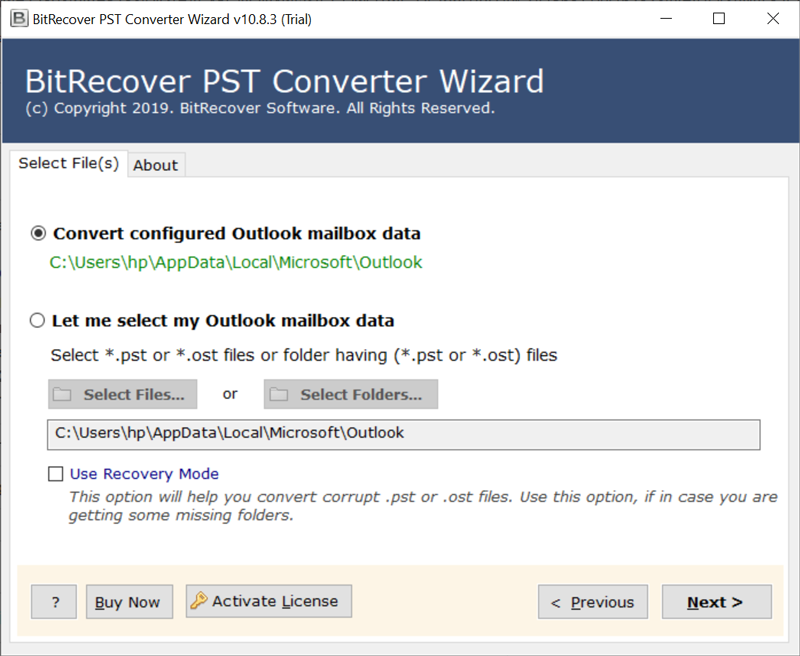 Next, enable desired PST folders to import into Yahoo. 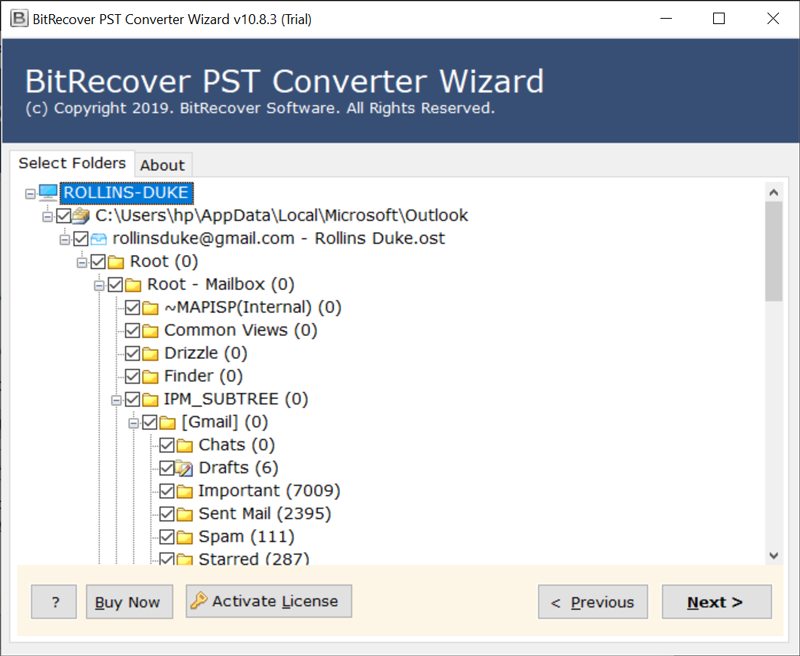 Now, on the software screen, click on Yahoo in the saving options. 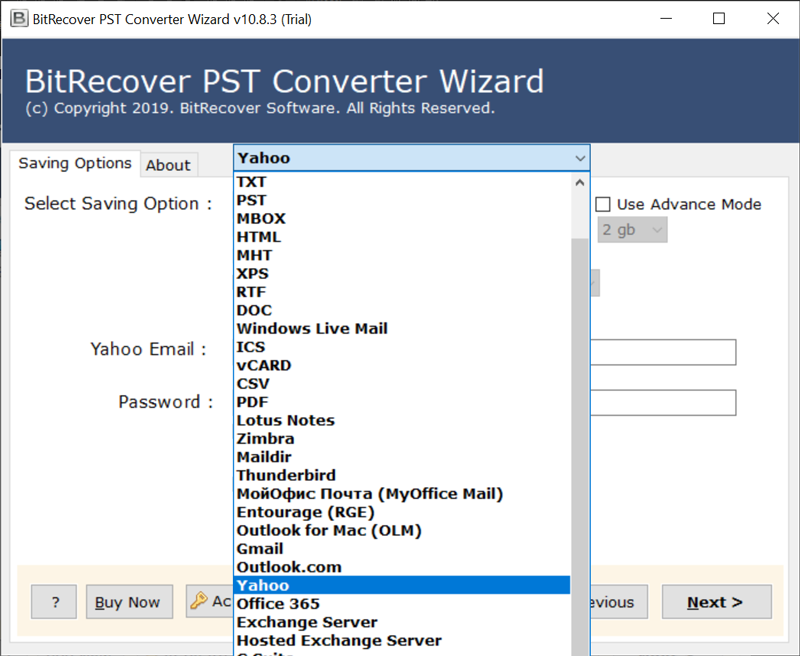 Apply the filter in the next step according to your needs. However, it is not required; click Next to proceed. Enter your login credentials of your Yahoo account. To complete the process, click backup. 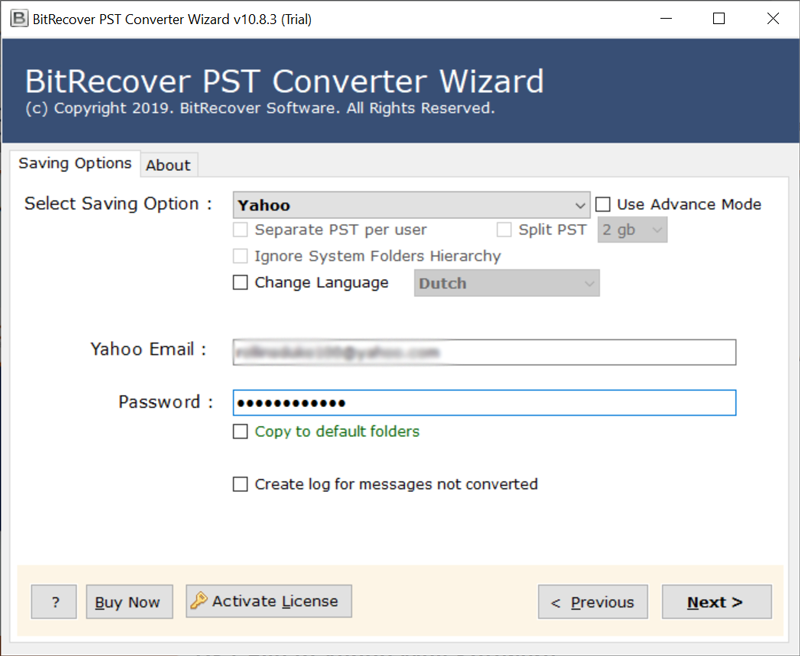 You will be able to see how your data is being processed. 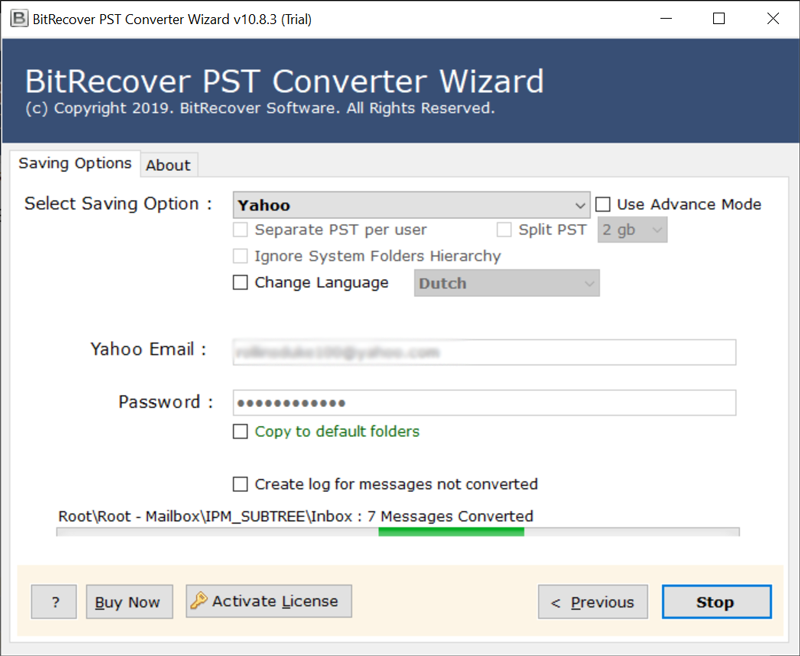 To finish, click OK. 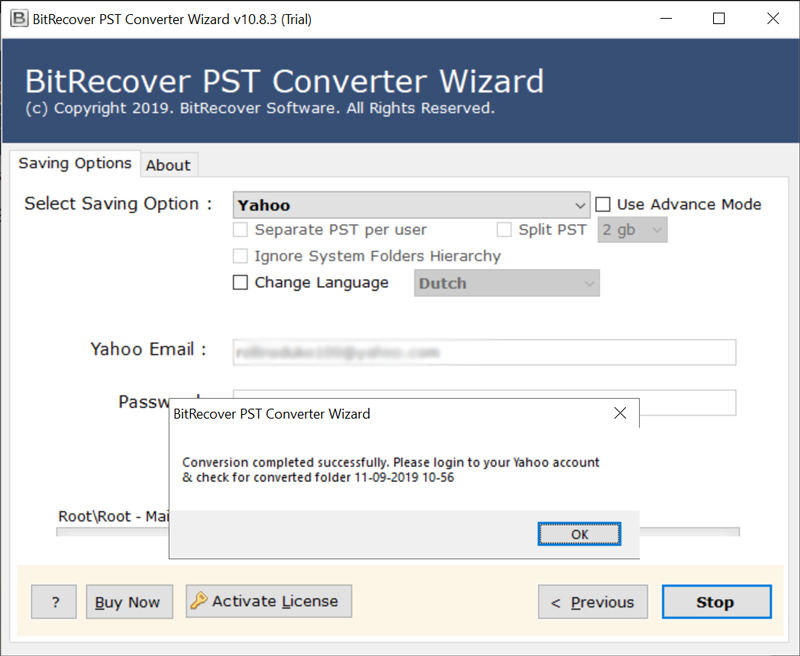 Now, open your Yahoo account to view PST files. 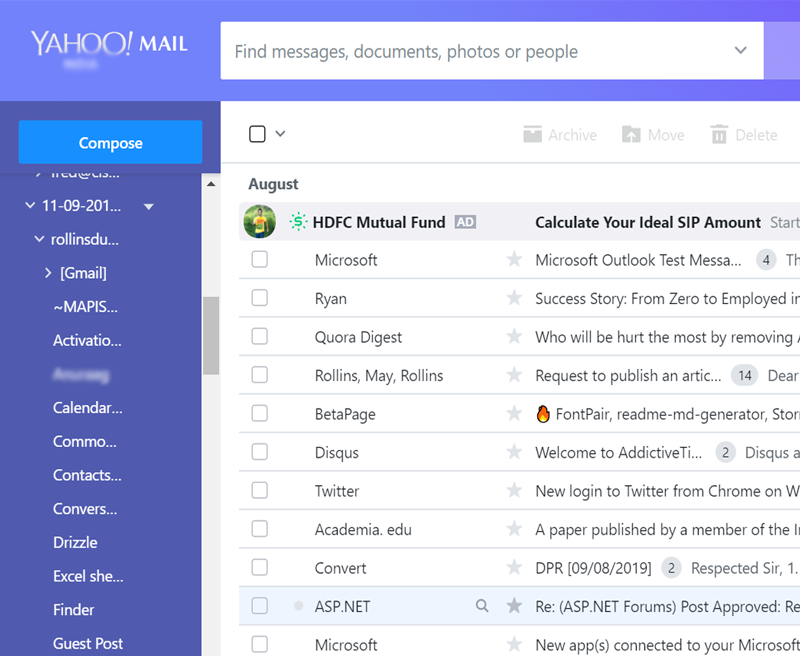 <strong>Conclusion</strong> We've already talked about the importance of Yahoo mail and how to import PST files into Yahoo. After putting both manual and automated methods to the test, I discovered that the automated method was much easier and faster. Before I could perform a manual export, I had to first link my Yahoo mail to Outlook, and only then could I proceed. I had no such issues while using PST to Yahoo import tool. It was a simple and painless process, and it also helps with other PST issues, making it one of the best PST repair tools for restoring corrupt PST files. The trial version allows you to get a better understanding of the software before purchasing it. |
| json metadata | {"tags":["importpsttoyahoo"],"image":["https://cdn.steemitimages.com/DQmczpdw26nnzk8VyFbaeBwp1TzaaRoTpudZ2S8Rbnko4te/step1.png","https://cdn.steemitimages.com/DQmTMDCcftUWCMdgFgSM62mUuaqP86rZSaMx2EFYTWQUCfb/step2.png","https://cdn.steemitimages.com/DQmeoN4gLGguMGkYmWxhv2Gch4QMM4uRNjKxGGpLc4BZcVv/step3.png","https://cdn.steemitimages.com/DQmd1NcGfELLXDUxxQZiibDDUnmsJYiGKa6g26jCtRGpn1j/step4.png","https://cdn.steemitimages.com/DQmRHdUdZPRqxn3HMUo6TZXdyP21gzqnxYJBeJh9LYC1vWh/step5.png","https://cdn.steemitimages.com/DQmYoib2x8j65UCzr8HbdBmRBoARoZV4qqNHKyNnmRS7Xy3/step6.png","https://cdn.steemitimages.com/DQmebnftAh2XDTr1rUcVLq79T4qJDM1sibdgTanXrMyAyFA/step7.png"],"app":"steemit/0.2","format":"markdown"} |
| Transaction Info | Block #55842458/Trx 1fdedb07c74153194b9a08c8e4f21b03c4494c07 |
View Raw JSON Data
{
"trx_id": "1fdedb07c74153194b9a08c8e4f21b03c4494c07",
"block": 55842458,
"trx_in_block": 3,
"op_in_trx": 0,
"virtual_op": 0,
"timestamp": "2021-07-27T12:02:09",
"op": [
"comment",
{
"parent_author": "",
"parent_permlink": "importpsttoyahoo",
"author": "ellajonson",
"permlink": "import-pst-to-yahoo",
"title": "import pst to yahoo",
"body": "Yahoo is a popular webmail service, and Outlook is an excellent email client. Yahoo mail users may occasionally need to import Outlook PST files into their accounts. This can be done by hand or with the help of PST to Yahoo import software.\n\nThe PST Converter tool saves PST file data to a variety of formats and destinations, including Yahoo. The tool can access your PST file and import emails that you might find useful in Yahoo.\n\nAlthough Outlook is an excellent email platform, there are several other advantages to using Yahoo.\n\n<h2><strong>Importing PST to Yahoo has a lot of advantages</strong></h2>\n\nThe first and most important reason to use Yahoo mail instead of Outlook is that it is free and easy to use. You must purchase the entire Microsoft Office Suite in order to use Outlook.\n\n1. You can use Yahoo to explore and experience well-known social networking sites such as Tumblr and Flickr. Not to mention that they are also free.\n\n2. Its Norton Antivirus software safeguards your data against virus attacks. As a result, there's no need to be concerned about data corruption or loss as a result of malware.\n\n3. There is no need to delete emails because Yahoo offers 1TB of storage. You can store bulk emails for free with this much storage capacity.\n\n4. PST takes up space on your computer, which has an impact on your hard drive. Yahoo, on the other hand, is entirely web-based and stores all of its emails in the cloud. So, whether it's Yahoo's emails or a PST file you import into Yahoo, it's all saved in the cloud and doesn't take up space on your hard drive.\n\n5. Yahoo allows you to search the internet for anything. With Yahoo's search tab, you can look up news, technology, questions, or anything else.\n\n<h2><strong>How do I import my PST files into Yahoo Mail ?</strong></h2>\n\n(1) Using the Import Outlook Method, import PST to Yahoo.\n(2) An automated method to import PST into Yahoo.\n\n<h3><strong>Using the Import Outlook Method, import PST to Yahoo</strong></h3>\n\nTo manually import PST files from Outlook into Yahoo Mail, you must first link your Yahoo account to Outlook. After you've finished connecting both accounts, proceed to the steps below:\n<ol>\n<li>\n<li>Select Open & Export from the File menu in the upper left corner of Outlook.</li>\n<li>Click Next after selecting the action \"Import from another program or file.\"</li>\n<li>Choose PST as the file format. So, choose Outlook Data File (.pst) and then click Next.</li>\n<li>Select your file from the location by clicking the Browse button. Choose the most appropriate option from the list based on your needs. To continue, click Next.</li>\n<li>Choose where you want to import your items and then choose the linked Yahoo email address from the drop-down menu. Finish by pressing the Finish button.</li>\n</ol>\n\n<h3><strong>Automated Method to Import PST into Yahoo</strong></h3>\n\nManual methods are always time-consuming and tedious, whereas automated methods can save you a significant amount of time and effort. Import PST to Yahoo tool is a simple and easy way to import Outlook data into Yahoo. Let's take a look at how:\n\nChoose PST files either manually or automatically. For automatic selection, click on ‘Convert configured Outlook mailbox data. Otherwise, hit on the Select file or Select Folder option. So, select the PST file and then click Open.\n\n\n\nNext, enable desired PST folders to import into Yahoo.\n\n\n\nNow, on the software screen, click on Yahoo in the saving options.\n\n\n\nApply the filter in the next step according to your needs. However, it is not required; click Next to proceed.\n\nEnter your login credentials of your Yahoo account. To complete the process, click backup.\n\n\n\nYou will be able to see how your data is being processed.\n\n\nTo finish, click OK.\n\n\n\nNow, open your Yahoo account to view PST files.\n\n\n\n<strong>Conclusion</strong>\n\nWe've already talked about the importance of Yahoo mail and how to import PST files into Yahoo. After putting both manual and automated methods to the test, I discovered that the automated method was much easier and faster. Before I could perform a manual export, I had to first link my Yahoo mail to Outlook, and only then could I proceed. I had no such issues while using PST to Yahoo import tool. It was a simple and painless process, and it also helps with other PST issues, making it one of the best PST repair tools for restoring corrupt PST files. The trial version allows you to get a better understanding of the software before purchasing it.",
"json_metadata": "{\"tags\":[\"importpsttoyahoo\"],\"image\":[\"https://cdn.steemitimages.com/DQmczpdw26nnzk8VyFbaeBwp1TzaaRoTpudZ2S8Rbnko4te/step1.png\",\"https://cdn.steemitimages.com/DQmTMDCcftUWCMdgFgSM62mUuaqP86rZSaMx2EFYTWQUCfb/step2.png\",\"https://cdn.steemitimages.com/DQmeoN4gLGguMGkYmWxhv2Gch4QMM4uRNjKxGGpLc4BZcVv/step3.png\",\"https://cdn.steemitimages.com/DQmd1NcGfELLXDUxxQZiibDDUnmsJYiGKa6g26jCtRGpn1j/step4.png\",\"https://cdn.steemitimages.com/DQmRHdUdZPRqxn3HMUo6TZXdyP21gzqnxYJBeJh9LYC1vWh/step5.png\",\"https://cdn.steemitimages.com/DQmYoib2x8j65UCzr8HbdBmRBoARoZV4qqNHKyNnmRS7Xy3/step6.png\",\"https://cdn.steemitimages.com/DQmebnftAh2XDTr1rUcVLq79T4qJDM1sibdgTanXrMyAyFA/step7.png\"],\"app\":\"steemit/0.2\",\"format\":\"markdown\"}"
}
]
}ellajonsonpublished a new post: unable-to-download-attachments-from-gmail-resolve-issue2021/06/30 04:38:27
ellajonsonpublished a new post: unable-to-download-attachments-from-gmail-resolve-issue
2021/06/30 04:38:27
| parent author | |
| parent permlink | downloadgmailattachments |
| author | ellajonson |
| permlink | unable-to-download-attachments-from-gmail-resolve-issue |
| title | Unable to Download Attachments from Gmail to Computer ? — Resolve this Issue Now! |
| body | Last Monday, I was on a flight and utilized the downtime to catch up some important emails in my Google Mail. I couldn’t turn on my phone’s data connection, but since I have already configured my phone to download emails as they arrive, I figured out that I can read and respond to my Gmail emails even without internet. But, some of those messages also included some Word and Excel attached documents. When I tried to open them, they were not downloading. What can I do when “Gmail couldn’t save attachment”? The time to discover you cannot save attachments from Google Gmail is undesirable. And the situation becomes worse, when you don’t have the right approach to <a href="https://www.bitrecover.com/blog/download-all-attachments-from-gmail/" target="_blank"><strong>download all attachments from Gmail</strong></a>. So, go through this article and we assure you that at the end of the write-up you will fix the issue of “Unable to Download attachments from Gmail” without any hassle. <h2><strong>What to Do If you are Unable to Download Attachments from Gmail in Windows 10 ?</strong></h2> Your email accounts like Gmail can give you headaches when you are unable to download all attachments from Gmail. We are describing some of the tips that can help you to resolve the issue of Gmail won’t download attachments. 1. Cross-check whether Gmail supports your browser 2. Take a quick update of your web browser 3. Disable the “Don not save Encrypted pages to Disk” setting 4. Switch-off a third-party antivirus software 5. Clear the Browser cache These are the few tricks that might fix the Gmail attachments are not downloading issue. But, even if these resolutions don’t work out, then what to do? What if you are a complete novice and unaware of the technical things. <h2><strong>Why I’m Unable to Download Attachments from Gmail Messages ? — User Query</strong></h2> Few hours ago, I got some mails from my team leader in which there were some *.doc files attached to it. But, when I am trying to open the Gmail attachment, I got the message “Cannot save attachments from Gmail”. Manually, I have tried clearing the cache, clearing database, uninstalled and reinstalled applications, toggling permissions for storage, but end up getting no desired results. I want to know how can I troubleshoot this issue of “Unable to Download Attachments from Gmail”. Please guide me an expert solution to get rid of this problem of unable to download Gmail email attachments. Thus, it is clear now that every time these tactics don’t work. So, we have the best workaround for you to resolve the issue of “Couldn’t download Gmail attachments”. <a href="https://www.bitrecover.com/email-attachment-downloader/" target="_blank"><strong>Email Attachment Downloader</strong></a> is an advanced utility that gives facility to save all attachments from Gmail account. Irrespective how many Gmail accounts are you managing, the utility will quickly take a backup of all attached files from it. So, let’s move on to how to use this software to fix “Unable to Download Attachments from Gmail” problem. Following Steps Let You to resolve issue “Gmail won’t download attachments” Step 1: At first, download and launch the software. Step 2: Now, from the email source list, choose Gmail option and enter the credentials of your Gmail account. Press on the login button. Step 3: Then, check on the required folders from which you wish to extract attachments. Step 4: Go to the “Filter options list” and enable the “Use Selective Export settings for Extracting Attachments”. Step 5: Now, confirm the destination path where you intend to save the downloaded attachments of Gmail account. Step 6: Start the process by hitting on Backup button. The processing is running and will end giving a completion message. That’s it! These were some basic steps involved in extracting Gmail mailbox attachments to local storage. <h3><strong>Salient Features of Software</strong></h3> <strong>Save attachments from 90+cloud-based services:-</strong> This utility is proficient not only to overcome this issue “Unable to Download Attachments from Gmail”. But, also, it can easily download attachments from webmail services like Outlook.com, Office 365, Gmail, G Suite, Yahoo Mail, Exchange Server, MDaemon Cloud, Amazon WorkMail, Zoho Mail, Rediffmail, IBM Verse, FTP Email Accounts, GMX, GoDaddy, Horde Webmail, HostGator, HostMonster, Rackspace, Europe.com, DreamHost, IMAP, 1 & 1 Mail, Amazon WorkMail, AOL, Arcor, Aruba, Asia.com, Axigen, etc. <strong>Extract attached files of particular subject:</strong>- Enable the “Use Advance Mode for Selective backup” option to selectively save email attachments from Gmail account. <strong>Download attachments of multiple email accounts together:-</strong> With this tool, you can easily fix this issue “Couldn’t download Gmail attachments” as well as move all attachments of multiple Gmail accounts together to PC. <strong>Windows-compatibility:-</strong> The software works smoothly on all versions of Windows OS such as Windows 10, 8.1, 8, 7, XP, Vista, Windows Server. <strong>Preserves email properties of attachments:-</strong> The application assure you to maintain all the Metadata properties of attached files of Google Mail. By concluding, we would like to say that it is a very simple process to overcome the problem of “Couldn’t download Gmail attachments”. The above suggested software is efficient, reliable and never uploads your data anywhere. Plus, you can save bulk of Gmail email attachments to local storage. So, enjoy now and resolve the Gmail isn’t downloading attachments in few moments. |
| json metadata | {"links":["https://www.bitrecover.com/blog/download-all-attachments-from-gmail/","https://www.bitrecover.com/email-attachment-downloader/"],"app":"steemit/0.2","format":"markdown"} |
| Transaction Info | Block #55065650/Trx 9a5e5d9e9ff5ebc226b482ce5ea5238659b6d0e8 |
View Raw JSON Data
{
  "trx_id": "9a5e5d9e9ff5ebc226b482ce5ea5238659b6d0e8",
  "block": 55065650,
  "trx_in_block": 7,
  "op_in_trx": 0,
  "virtual_op": 0,
  "timestamp": "2021-06-30T04:38:27",
  "op": [
    "comment",
    {
      "parent_author": "",
      "parent_permlink": "downloadgmailattachments",
      "author": "ellajonson",
      "permlink": "unable-to-download-attachments-from-gmail-resolve-issue",
      "title": "Unable to Download Attachments from Gmail to Computer ? — Resolve this Issue Now!",
      "body": "Last Monday, I was on a flight and utilized the downtime to catch up some important emails in my Google Mail. I couldn’t turn on my phone’s data connection, but since I have already configured my phone to download emails as they arrive, I figured out that I can read and respond to my Gmail emails even without internet. But, some of those messages also included some Word and Excel attached documents. When I tried to open them, they were not downloading. What can I do when “Gmail couldn’t save attachment”?\n\nThe time to discover you cannot save attachments from Google Gmail is undesirable. And the situation becomes worse, when you don’t have the right approach to <a href=\"https://www.bitrecover.com/blog/download-all-attachments-from-gmail/\" target=\"_blank\"><strong>download all attachments from Gmail</strong></a>. So, go through this article and we assure you that at the end of the write-up you will fix the issue of “Unable to Download attachments from Gmail” without any hassle.\n\n<h2><strong>What to Do If you are Unable to Download Attachments from Gmail in Windows 10 ?</strong></h2>\n\nYour email accounts like Gmail can give you headaches when you are unable to download all attachments from Gmail. We are describing some of the tips that can help you to resolve the issue of Gmail won’t download attachments.\n\n1. Cross-check whether Gmail supports your browser\n2. Take a quick update of your web browser\n3. Disable the “Don not save Encrypted pages to Disk” setting\n4. Switch-off a third-party antivirus software\n5. Clear the Browser cache\n\nThese are the few tricks that might fix the Gmail attachments are not downloading issue. But, even if these resolutions don’t work out, then what to do? What if you are a complete novice and unaware of the technical things.\n\n<h2><strong>Why I’m Unable to Download Attachments from Gmail Messages ? — User Query</strong></h2>\n\nFew hours ago, I got some mails from my team leader in which there were some *.doc files attached to it. But, when I am trying to open the Gmail attachment, I got the message “Cannot save attachments from Gmail”. Manually, I have tried clearing the cache, clearing database, uninstalled and reinstalled applications, toggling permissions for storage, but end up getting no desired results. I want to know how can I troubleshoot this issue of “Unable to Download Attachments from Gmail”. Please guide me an expert solution to get rid of this problem of unable to download Gmail email attachments.\n\nThus, it is clear now that every time these tactics don’t work. So, we have the best workaround for you to resolve the issue of “Couldn’t download Gmail attachments”.\n\n<a href=\"https://www.bitrecover.com/email-attachment-downloader/\" target=\"_blank\"><strong>Email Attachment Downloader</strong></a> is an advanced utility that gives facility to save all attachments from Gmail account. Irrespective how many Gmail accounts are you managing, the utility will quickly take a backup of all attached files from it.\n\nSo, let’s move on to how to use this software to fix “Unable to Download Attachments from Gmail” problem.\n\nFollowing Steps Let You to resolve issue “Gmail won’t download attachments”\n\nStep 1: At first, download and launch the software.\n\nStep 2: Now, from the email source list, choose Gmail option and enter the credentials of your Gmail account. Press on the login button.\n\nStep 3: Then, check on the required folders from which you wish to extract attachments.\n\nStep 4: Go to the “Filter options list” and enable the “Use Selective Export settings for Extracting Attachments”.\n\nStep 5: Now, confirm the destination path where you intend to save the downloaded attachments of Gmail account.\n\nStep 6: Start the process by hitting on Backup button. The processing is running and will end giving a completion message.\n\nThat’s it! These were some basic steps involved in extracting Gmail mailbox attachments to local storage.\n\n<h3><strong>Salient Features of Software</strong></h3>\n\n<strong>Save attachments from 90+cloud-based services:-</strong> This utility is proficient not only to overcome this issue “Unable to Download Attachments from Gmail”. But, also, it can easily download attachments from webmail services like Outlook.com, Office 365, Gmail, G Suite, Yahoo Mail, Exchange Server, MDaemon Cloud, Amazon WorkMail, Zoho Mail, Rediffmail, IBM Verse, FTP Email Accounts, GMX, GoDaddy, Horde Webmail, HostGator, HostMonster, Rackspace, Europe.com, DreamHost, IMAP, 1 & 1 Mail, Amazon WorkMail, AOL, Arcor, Aruba, Asia.com, Axigen, etc.\n\n<strong>Extract attached files of particular subject:</strong>- Enable the “Use Advance Mode for Selective backup” option to selectively save email attachments from Gmail account.\n\n<strong>Download attachments of multiple email accounts together:-</strong> With this tool, you can easily fix this issue “Couldn’t download Gmail attachments” as well as move all attachments of multiple Gmail accounts together to PC.\n\n<strong>Windows-compatibility:-</strong> The software works smoothly on all versions of Windows OS such as Windows 10, 8.1, 8, 7, XP, Vista, Windows Server.\n\n<strong>Preserves email properties of attachments:-</strong> The application assure you to maintain all the Metadata properties of attached files of Google Mail.\n\nBy concluding, we would like to say that it is a very simple process to overcome the problem of “Couldn’t download Gmail attachments”. The above suggested software is efficient, reliable and never uploads your data anywhere. Plus, you can save bulk of Gmail email attachments to local storage. So, enjoy now and resolve the Gmail isn’t downloading attachments in few moments.",
      "json_metadata": "{\"links\":[\"https://www.bitrecover.com/blog/download-all-attachments-from-gmail/\",\"https://www.bitrecover.com/email-attachment-downloader/\"],\"app\":\"steemit/0.2\",\"format\":\"markdown\"}"
    }
  ]
}ellajonsonpublished a new post: unable-to-download-attachments-from-gmail-resolve-issue2021/06/30 04:37:15
ellajonsonpublished a new post: unable-to-download-attachments-from-gmail-resolve-issue
2021/06/30 04:37:15
| parent author | |
| parent permlink | downloadgmailattachments |
| author | ellajonson |
| permlink | unable-to-download-attachments-from-gmail-resolve-issue |
| title | unable to download attachments from gmail resolve issue |
| body | Last Monday, I was on a flight and utilized the downtime to catch up some important emails in my Google Mail. I couldn’t turn on my phone’s data connection, but since I have already configured my phone to download emails as they arrive, I figured out that I can read and respond to my Gmail emails even without internet. But, some of those messages also included some Word and Excel attached documents. When I tried to open them, they were not downloading. What can I do when “Gmail couldn’t save attachment”? The time to discover you cannot save attachments from Google Gmail is undesirable. And the situation becomes worse, when you don’t have the right approach to <a href="https://www.bitrecover.com/blog/download-all-attachments-from-gmail/" target="_blank"><strong>download all attachments from Gmail</strong></a>. So, go through this article and we assure you that at the end of the write-up you will fix the issue of “Unable to Download attachments from Gmail” without any hassle. <h2><strong>What to Do If you are Unable to Download Attachments from Gmail in Windows 10 ?</strong></h2> Your email accounts like Gmail can give you headaches when you are unable to download all attachments from Gmail. We are describing some of the tips that can help you to resolve the issue of Gmail won’t download attachments. 1. Cross-check whether Gmail supports your browser 2. Take a quick update of your web browser 3. Disable the “Don not save Encrypted pages to Disk” setting 4. Switch-off a third-party antivirus software 5. Clear the Browser cache These are the few tricks that might fix the Gmail attachments are not downloading issue. But, even if these resolutions don’t work out, then what to do? What if you are a complete novice and unaware of the technical things. <h2><strong>Why I’m Unable to Download Attachments from Gmail Messages ? — User Query</strong></h2> Few hours ago, I got some mails from my team leader in which there were some *.doc files attached to it. But, when I am trying to open the Gmail attachment, I got the message “Cannot save attachments from Gmail”. Manually, I have tried clearing the cache, clearing database, uninstalled and reinstalled applications, toggling permissions for storage, but end up getting no desired results. I want to know how can I troubleshoot this issue of “Unable to Download Attachments from Gmail”. Please guide me an expert solution to get rid of this problem of unable to download Gmail email attachments. Thus, it is clear now that every time these tactics don’t work. So, we have the best workaround for you to resolve the issue of “Couldn’t download Gmail attachments”. <a href="https://www.bitrecover.com/email-attachment-downloader/" target="_blank"><strong>Email Attachment Downloader</strong></a> is an advanced utility that gives facility to save all attachments from Gmail account. Irrespective how many Gmail accounts are you managing, the utility will quickly take a backup of all attached files from it. So, let’s move on to how to use this software to fix “Unable to Download Attachments from Gmail” problem. Following Steps Let You to resolve issue “Gmail won’t download attachments” Step 1: At first, download and launch the software. Step 2: Now, from the email source list, choose Gmail option and enter the credentials of your Gmail account. Press on the login button. Step 3: Then, check on the required folders from which you wish to extract attachments. Step 4: Go to the “Filter options list” and enable the “Use Selective Export settings for Extracting Attachments”. Step 5: Now, confirm the destination path where you intend to save the downloaded attachments of Gmail account. Step 6: Start the process by hitting on Backup button. The processing is running and will end giving a completion message. That’s it! These were some basic steps involved in extracting Gmail mailbox attachments to local storage. <h3><strong>Salient Features of Software</strong></h3> <strong>Save attachments from 90+cloud-based services:-</strong> This utility is proficient not only to overcome this issue “Unable to Download Attachments from Gmail”. But, also, it can easily download attachments from webmail services like Outlook.com, Office 365, Gmail, G Suite, Yahoo Mail, Exchange Server, MDaemon Cloud, Amazon WorkMail, Zoho Mail, Rediffmail, IBM Verse, FTP Email Accounts, GMX, GoDaddy, Horde Webmail, HostGator, HostMonster, Rackspace, Europe.com, DreamHost, IMAP, 1 & 1 Mail, Amazon WorkMail, AOL, Arcor, Aruba, Asia.com, Axigen, etc. <strong>Extract attached files of particular subject:</strong>- Enable the “Use Advance Mode for Selective backup” option to selectively save email attachments from Gmail account. <strong>Download attachments of multiple email accounts together:-</strong> With this tool, you can easily fix this issue “Couldn’t download Gmail attachments” as well as move all attachments of multiple Gmail accounts together to PC. <strong>Windows-compatibility:-</strong> The software works smoothly on all versions of Windows OS such as Windows 10, 8.1, 8, 7, XP, Vista, Windows Server. <strong>Preserves email properties of attachments:-</strong> The application assure you to maintain all the Metadata properties of attached files of Google Mail. By concluding, we would like to say that it is a very simple process to overcome the problem of “Couldn’t download Gmail attachments”. The above suggested software is efficient, reliable and never uploads your data anywhere. Plus, you can save bulk of Gmail email attachments to local storage. So, enjoy now and resolve the Gmail isn’t downloading attachments in few moments. |
| json metadata | {"tags":["downloadgmailattachments"],"links":["https://www.bitrecover.com/blog/download-all-attachments-from-gmail/","https://www.bitrecover.com/email-attachment-downloader/"],"app":"steemit/0.2","format":"markdown"} |
| Transaction Info | Block #55065627/Trx f4f7314efc1adcc6f91d0a6d9517f34f61685dc2 |
View Raw JSON Data
{
  "trx_id": "f4f7314efc1adcc6f91d0a6d9517f34f61685dc2",
  "block": 55065627,
  "trx_in_block": 5,
  "op_in_trx": 0,
  "virtual_op": 0,
  "timestamp": "2021-06-30T04:37:15",
  "op": [
    "comment",
    {
      "parent_author": "",
      "parent_permlink": "downloadgmailattachments",
      "author": "ellajonson",
      "permlink": "unable-to-download-attachments-from-gmail-resolve-issue",
      "title": "unable to download attachments from gmail resolve issue",
      "body": "Last Monday, I was on a flight and utilized the downtime to catch up some important emails in my Google Mail. I couldn’t turn on my phone’s data connection, but since I have already configured my phone to download emails as they arrive, I figured out that I can read and respond to my Gmail emails even without internet. But, some of those messages also included some Word and Excel attached documents. When I tried to open them, they were not downloading. What can I do when “Gmail couldn’t save attachment”?\n\nThe time to discover you cannot save attachments from Google Gmail is undesirable. And the situation becomes worse, when you don’t have the right approach to <a href=\"https://www.bitrecover.com/blog/download-all-attachments-from-gmail/\" target=\"_blank\"><strong>download all attachments from Gmail</strong></a>. So, go through this article and we assure you that at the end of the write-up you will fix the issue of “Unable to Download attachments from Gmail” without any hassle.\n\n<h2><strong>What to Do If you are Unable to Download Attachments from Gmail in Windows 10 ?</strong></h2>\n\nYour email accounts like Gmail can give you headaches when you are unable to download all attachments from Gmail. We are describing some of the tips that can help you to resolve the issue of Gmail won’t download attachments.\n\n1. Cross-check whether Gmail supports your browser\n2. Take a quick update of your web browser\n3. Disable the “Don not save Encrypted pages to Disk” setting\n4. Switch-off a third-party antivirus software\n5. Clear the Browser cache\n\nThese are the few tricks that might fix the Gmail attachments are not downloading issue. But, even if these resolutions don’t work out, then what to do? What if you are a complete novice and unaware of the technical things.\n\n<h2><strong>Why I’m Unable to Download Attachments from Gmail Messages ? — User Query</strong></h2>\n\nFew hours ago, I got some mails from my team leader in which there were some *.doc files attached to it. But, when I am trying to open the Gmail attachment, I got the message “Cannot save attachments from Gmail”. Manually, I have tried clearing the cache, clearing database, uninstalled and reinstalled applications, toggling permissions for storage, but end up getting no desired results. I want to know how can I troubleshoot this issue of “Unable to Download Attachments from Gmail”. Please guide me an expert solution to get rid of this problem of unable to download Gmail email attachments.\n\nThus, it is clear now that every time these tactics don’t work. So, we have the best workaround for you to resolve the issue of “Couldn’t download Gmail attachments”.\n\n<a href=\"https://www.bitrecover.com/email-attachment-downloader/\" target=\"_blank\"><strong>Email Attachment Downloader</strong></a> is an advanced utility that gives facility to save all attachments from Gmail account. Irrespective how many Gmail accounts are you managing, the utility will quickly take a backup of all attached files from it.\n\nSo, let’s move on to how to use this software to fix “Unable to Download Attachments from Gmail” problem.\n\nFollowing Steps Let You to resolve issue “Gmail won’t download attachments”\n\nStep 1: At first, download and launch the software.\n\nStep 2: Now, from the email source list, choose Gmail option and enter the credentials of your Gmail account. Press on the login button.\n\nStep 3: Then, check on the required folders from which you wish to extract attachments.\n\nStep 4: Go to the “Filter options list” and enable the “Use Selective Export settings for Extracting Attachments”.\n\nStep 5: Now, confirm the destination path where you intend to save the downloaded attachments of Gmail account.\n\nStep 6: Start the process by hitting on Backup button. The processing is running and will end giving a completion message.\n\nThat’s it! These were some basic steps involved in extracting Gmail mailbox attachments to local storage.\n\n<h3><strong>Salient Features of Software</strong></h3>\n\n<strong>Save attachments from 90+cloud-based services:-</strong> This utility is proficient not only to overcome this issue “Unable to Download Attachments from Gmail”. But, also, it can easily download attachments from webmail services like Outlook.com, Office 365, Gmail, G Suite, Yahoo Mail, Exchange Server, MDaemon Cloud, Amazon WorkMail, Zoho Mail, Rediffmail, IBM Verse, FTP Email Accounts, GMX, GoDaddy, Horde Webmail, HostGator, HostMonster, Rackspace, Europe.com, DreamHost, IMAP, 1 & 1 Mail, Amazon WorkMail, AOL, Arcor, Aruba, Asia.com, Axigen, etc.\n\n<strong>Extract attached files of particular subject:</strong>- Enable the “Use Advance Mode for Selective backup” option to selectively save email attachments from Gmail account.\n\n<strong>Download attachments of multiple email accounts together:-</strong> With this tool, you can easily fix this issue “Couldn’t download Gmail attachments” as well as move all attachments of multiple Gmail accounts together to PC.\n\n<strong>Windows-compatibility:-</strong> The software works smoothly on all versions of Windows OS such as Windows 10, 8.1, 8, 7, XP, Vista, Windows Server.\n\n<strong>Preserves email properties of attachments:-</strong> The application assure you to maintain all the Metadata properties of attached files of Google Mail.\n\nBy concluding, we would like to say that it is a very simple process to overcome the problem of “Couldn’t download Gmail attachments”. The above suggested software is efficient, reliable and never uploads your data anywhere. Plus, you can save bulk of Gmail email attachments to local storage. So, enjoy now and resolve the Gmail isn’t downloading attachments in few moments.",
      "json_metadata": "{\"tags\":[\"downloadgmailattachments\"],\"links\":[\"https://www.bitrecover.com/blog/download-all-attachments-from-gmail/\",\"https://www.bitrecover.com/email-attachment-downloader/\"],\"app\":\"steemit/0.2\",\"format\":\"markdown\"}"
    }
  ]
}steemdelegated 17.279 SP to @ellajonson2021/06/17 10:40:15
steemdelegated 17.279 SP to @ellajonson
2021/06/17 10:40:15
| delegator | steem |
| delegatee | ellajonson |
| vesting shares | 28098.620826 VESTS |
| Transaction Info | Block #54705201/Trx af0d19fb0232bbaf74af3627ed46bab69773d0ea |
View Raw JSON Data
{
  "trx_id": "af0d19fb0232bbaf74af3627ed46bab69773d0ea",
  "block": 54705201,
  "trx_in_block": 1,
  "op_in_trx": 0,
  "virtual_op": 0,
  "timestamp": "2021-06-17T10:40:15",
  "op": [
    "delegate_vesting_shares",
    {
      "delegator": "steem",
      "delegatee": "ellajonson",
      "vesting_shares": "28098.620826 VESTS"
    }
  ]
}crypto.piotrsent 0.003 STEEM to @ellajonson- "Regarding the latest information and development of Steemauto. Old SteemAuto is already being switched off. Today, I would like to introduce you to new version of SteemAuto launched by one of most rep..."2021/06/12 10:21:57
crypto.piotrsent 0.003 STEEM to @ellajonson- "Regarding the latest information and development of Steemauto. Old SteemAuto is already being switched off. Today, I would like to introduce you to new version of SteemAuto launched by one of most rep..."
2021/06/12 10:21:57
| from | crypto.piotr |
| to | ellajonson |
| amount | 0.003 STEEM |
| memo | Regarding the latest information and development of Steemauto. Old SteemAuto is already being switched off. Today, I would like to introduce you to new version of SteemAuto launched by one of most reputable witness. You can find it here: https://worldofxpilar.com/dash.php . I've helped testing it and it's WORKING GREAT so far (In case if you would have any questions, consider joining their discord channel: https://discord.com/invite/VAHHsmnNaJ ) |
| Transaction Info | Block #54561927/Trx 73487476cc4cf99201ae83b7d810e53ee6941812 |
View Raw JSON Data
{
  "trx_id": "73487476cc4cf99201ae83b7d810e53ee6941812",
  "block": 54561927,
  "trx_in_block": 2,
  "op_in_trx": 0,
  "virtual_op": 0,
  "timestamp": "2021-06-12T10:21:57",
  "op": [
    "transfer",
    {
      "from": "crypto.piotr",
      "to": "ellajonson",
      "amount": "0.003 STEEM",
      "memo": "Regarding the latest information and development of Steemauto. Old SteemAuto is already being switched off. Today, I would like to introduce you to new version of SteemAuto launched by one of most reputable witness. You can find it here: https://worldofxpilar.com/dash.php . I've helped testing it and it's WORKING GREAT so far (In case if you would have any questions, consider joining their discord channel: https://discord.com/invite/VAHHsmnNaJ )"
    }
  ]
}ellajonsonpublished a new post: repair-outlook-express-dbx-file2021/05/28 11:29:09
ellajonsonpublished a new post: repair-outlook-express-dbx-file
2021/05/28 11:29:09
| parent author | |
| parent permlink | repairoutlookexpressdbx |
| author | ellajonson |
| permlink | repair-outlook-express-dbx-file |
| title | How to Repair Outlook Express DBX File Easily ? |
| body | Are you looking for a smart solution to repair Outlook Express dbx file? Get a quick and safe solution by using the <a href="https://www.bitrecover.com/dbx-repair/" target="_blank"><strong>BitRecover DBX Repair Tool</strong></a>. It is the most reliable solution available on the online market to restore emails from the corrupted Outlook Express database. After restoring Outlook Express dbx file, the users can convert them into a new file format such as PST, MSG, EML, MBOX, DOC, PDF, etc. It’s a handy application that executes an intuitive interface for both technical as well as the novice. You can check the free demo version of this software to check the preview of all emails before you actually recover them. Well, before we start to explain to you how to repair Outlook Express dbx file, you must be knowing the factors that led to the corruption of the Outlook Express database. <h2><strong>Some Reasons Behind the Corruption of Outlook Express DBX Files</strong></h2> 1. When DBX file crosses its storage limits. 2. Due to Malware attacks. 3. Sudden Power interruptions. 4. Unexpected Hard Disk failure. 5. Human Errors. <h2><strong>How to Repair Outlook Express DBX File ?</strong></h2> Download and start the software on your Windows machine. 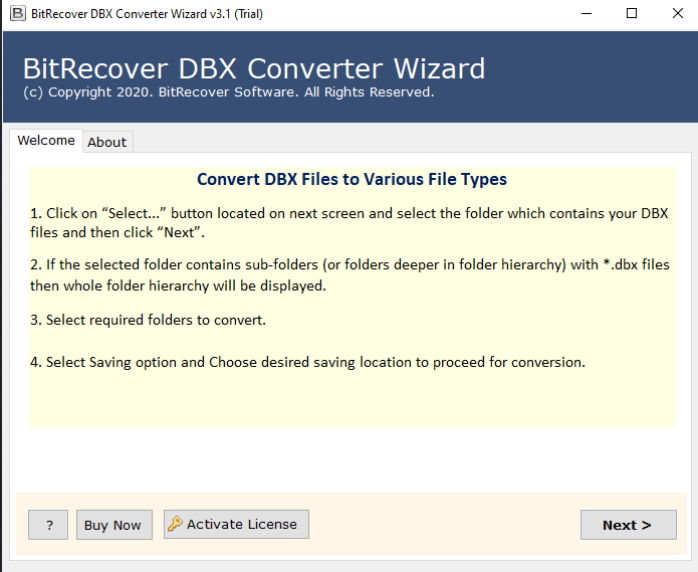 Choose DBX files/ folders from your database. 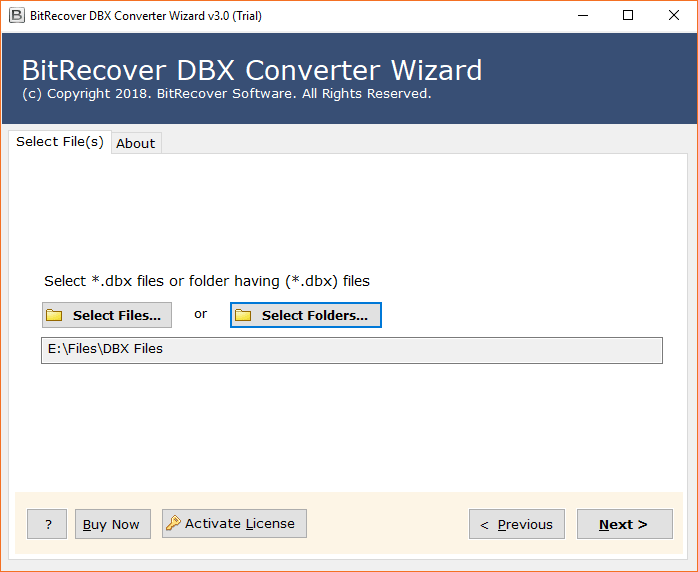 Enable desired Outlook Express email folders for the process. 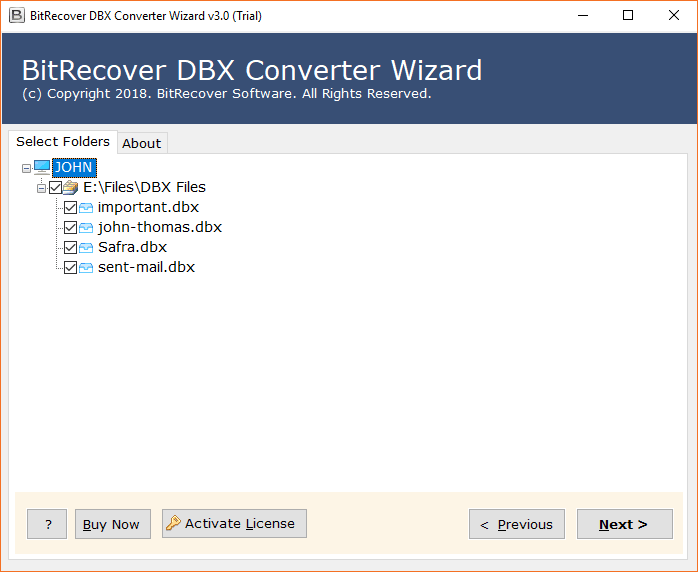 Select any file saving format as per you choice. 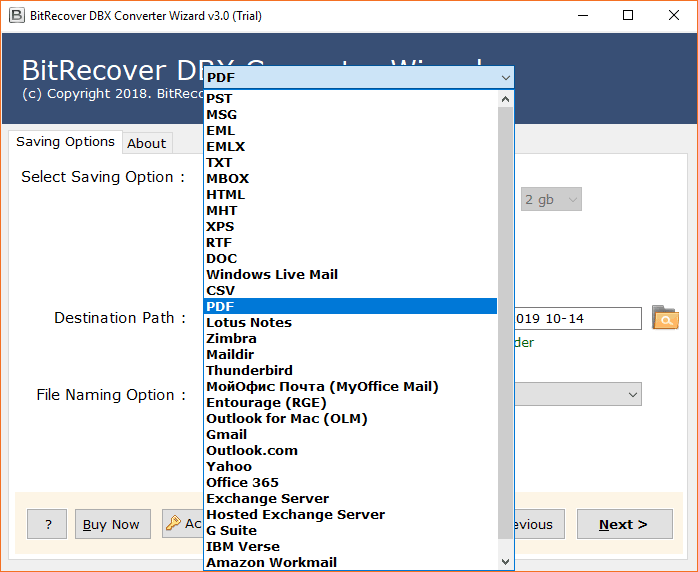 Enter a required file naming option as well as a destination path for saving the output. 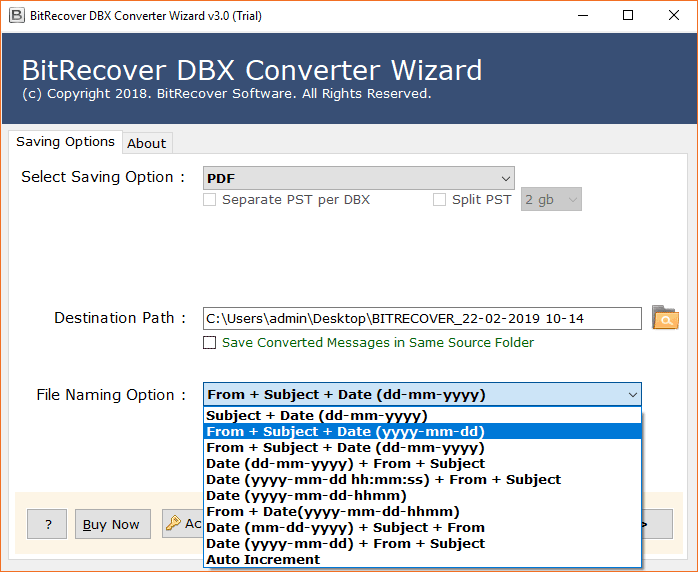 Start the process to repair Outlook Express dbx files. 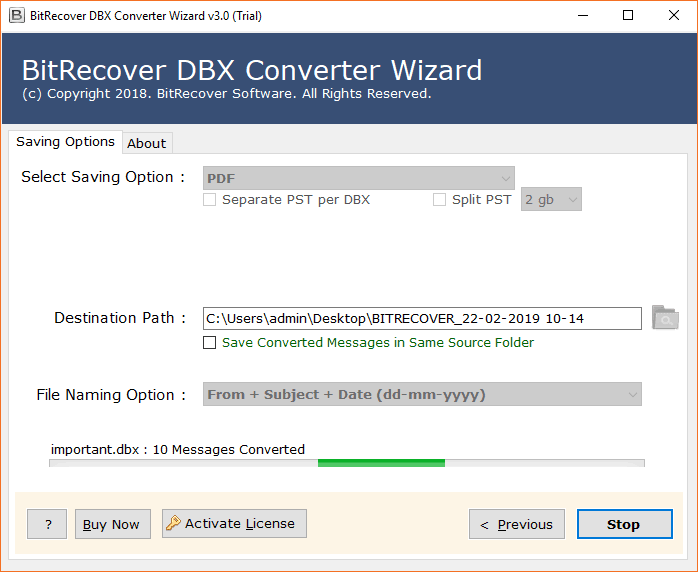 Check your output at the chosen location on your computer. 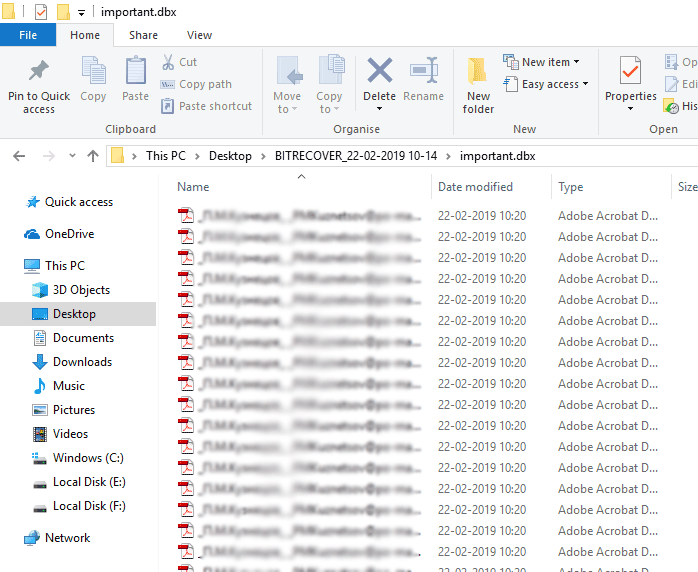 With this application, you will get a wide range of amazing features. Some of them are listed below. <h3><strong>Highlights of the Software — Restore All Outlook Express DBX Files</strong></h3> If you wish to repair multiple Outlook Express files or corrupted DBX database and you are facing errors in accessing the emails as well as attachments. Then, you need an efficient DBX Recovery software that has the proficiency to restore all your important emails. This application is one of the most trustworthy utility. It is designed with advanced algorithms and it maintains the integrity of data throughout the recovery process. There are many smart features of this software. 1. You can repair Outlook Express dbx file which has been corrupted due to any reason. 2. Any kind of Outlook Express email folder i.e. sent items, personal folders, etc can be restored with this software. 3. Restore all Metadata properties of the Outlook Express email messages. 4. Save repaired emails in different file formats and email platforms — PST, MSG, EML, EMLX, MBOX, PDF, HTML, MHT, XPS, RTF, DOC, Windows Live Mail, Thunderbird, Gmail, and many more. 5. You can install this application on any Windows Operating Systems. 6. It offers so may file naming options for arranging the email database. 7. No technical knowledge is required for accessing the application. 8. Recover any sort of inaccessible Outlook Express email messages. <strong>Conclusion</strong> In this blog we have explained how to repair Outlook Express dbx files with the help of an automated solution. This advanced utility is beneficial for both home users as well as enterprises. So, if you are hassling to repair your corrupted Outlook Express database then quickly download this application and enjoy its benefits. |
| json metadata | {"image":["https://cdn.steemitimages.com/DQmXvzy26L2zWiJTWmgZqRMuUM13UvfoCbYGgHLBxkzDiWo/1_mo_fJdcldw4b4nXumGafZw.png","https://cdn.steemitimages.com/DQmQwb88Lh2apTKvprzsh3NqweUXja6XF6RJkB98NSPAu1K/1_jlUPlD3BF1l31OARlZ4khw.png","https://cdn.steemitimages.com/DQmd45V7GA7FsWyyc6uEU8DqapPP6t2iv2FJKuurdAaREmw/1_WPC1el9RV1POfucFZnaUOA.png","https://cdn.steemitimages.com/DQmbvQYoBTCotgLaHLGxCQ7mEzuw3ZrZxFu2FFNY4nzFPGk/1_LdK3xmblbrtWVfOqVsWorA.png","https://cdn.steemitimages.com/DQmNRJuQ4jqjQPqdW3TCzAkZz6rA7Jqz3M8ezeAzqDfmFqQ/1_jUF0E4448zYZanw53hDypA.png","https://cdn.steemitimages.com/DQmQeQds9R6CBLi2KJnM3JCVQspyDLb8LvtTVT39HTR6gST/1_wIAk1N7tj58TD4Rc78kfDg.png","https://cdn.steemitimages.com/DQmPaUoWbTqj1avwE3cgywey9PsdfF9Ujt7ZcX5kPvPQgnm/1_qEUoamKul9tq2oDbzZ0tDQ.png"],"links":["https://www.bitrecover.com/dbx-repair/"],"app":"steemit/0.2","format":"markdown"} |
| Transaction Info | Block #54134471/Trx 62e3da85e5667dfb9c7a7d920fd7f62eeaa503b3 |
View Raw JSON Data
{
"trx_id": "62e3da85e5667dfb9c7a7d920fd7f62eeaa503b3",
"block": 54134471,
"trx_in_block": 8,
"op_in_trx": 0,
"virtual_op": 0,
"timestamp": "2021-05-28T11:29:09",
"op": [
"comment",
{
"parent_author": "",
"parent_permlink": "repairoutlookexpressdbx",
"author": "ellajonson",
"permlink": "repair-outlook-express-dbx-file",
"title": "How to Repair Outlook Express DBX File Easily ?",
"body": "Are you looking for a smart solution to repair Outlook Express dbx file? Get a quick and safe solution by using the <a href=\"https://www.bitrecover.com/dbx-repair/\" target=\"_blank\"><strong>BitRecover DBX Repair Tool</strong></a>. It is the most reliable solution available on the online market to restore emails from the corrupted Outlook Express database. After restoring Outlook Express dbx file, the users can convert them into a new file format such as PST, MSG, EML, MBOX, DOC, PDF, etc. It’s a handy application that executes an intuitive interface for both technical as well as the novice. You can check the free demo version of this software to check the preview of all emails before you actually recover them.\n\nWell, before we start to explain to you how to repair Outlook Express dbx file, you must be knowing the factors that led to the corruption of the Outlook Express database.\n\n<h2><strong>Some Reasons Behind the Corruption of Outlook Express DBX Files</strong></h2>\n\n1. When DBX file crosses its storage limits.\n2. Due to Malware attacks.\n3. Sudden Power interruptions.\n4. Unexpected Hard Disk failure.\n5. Human Errors.\n\n<h2><strong>How to Repair Outlook Express DBX File ?</strong></h2>\n\nDownload and start the software on your Windows machine.\n\n\n\nChoose DBX files/ folders from your database.\n\n\n\nEnable desired Outlook Express email folders for the process.\n\n\n\nSelect any file saving format as per you choice.\n\n\n\nEnter a required file naming option as well as a destination path for saving the output.\n\n\n\nStart the process to repair Outlook Express dbx files.\n\n\n\nCheck your output at the chosen location on your computer.\n\n\n\nWith this application, you will get a wide range of amazing features. Some of them are listed below.\n\n<h3><strong>Highlights of the Software — Restore All Outlook Express DBX Files</strong></h3>\n\nIf you wish to repair multiple Outlook Express files or corrupted DBX database and you are facing errors in accessing the emails as well as attachments. Then, you need an efficient DBX Recovery software that has the proficiency to restore all your important emails. This application is one of the most trustworthy utility. It is designed with advanced algorithms and it maintains the integrity of data throughout the recovery process. There are many smart features of this software.\n\n1. You can repair Outlook Express dbx file which has been corrupted due to any reason.\n2. Any kind of Outlook Express email folder i.e. sent items, personal folders, etc can be restored with this software.\n3. Restore all Metadata properties of the Outlook Express email messages.\n4. Save repaired emails in different file formats and email platforms — PST, MSG, EML, EMLX, MBOX, PDF, HTML, MHT, XPS, RTF, DOC, Windows Live Mail, Thunderbird, Gmail, and many more.\n5. You can install this application on any Windows Operating Systems.\n6. It offers so may file naming options for arranging the email database.\n7. No technical knowledge is required for accessing the application.\n8. Recover any sort of inaccessible Outlook Express email messages.\n\n<strong>Conclusion</strong>\n\nIn this blog we have explained how to repair Outlook Express dbx files with the help of an automated solution. This advanced utility is beneficial for both home users as well as enterprises. So, if you are hassling to repair your corrupted Outlook Express database then quickly download this application and enjoy its benefits.",
"json_metadata": "{\"image\":[\"https://cdn.steemitimages.com/DQmXvzy26L2zWiJTWmgZqRMuUM13UvfoCbYGgHLBxkzDiWo/1_mo_fJdcldw4b4nXumGafZw.png\",\"https://cdn.steemitimages.com/DQmQwb88Lh2apTKvprzsh3NqweUXja6XF6RJkB98NSPAu1K/1_jlUPlD3BF1l31OARlZ4khw.png\",\"https://cdn.steemitimages.com/DQmd45V7GA7FsWyyc6uEU8DqapPP6t2iv2FJKuurdAaREmw/1_WPC1el9RV1POfucFZnaUOA.png\",\"https://cdn.steemitimages.com/DQmbvQYoBTCotgLaHLGxCQ7mEzuw3ZrZxFu2FFNY4nzFPGk/1_LdK3xmblbrtWVfOqVsWorA.png\",\"https://cdn.steemitimages.com/DQmNRJuQ4jqjQPqdW3TCzAkZz6rA7Jqz3M8ezeAzqDfmFqQ/1_jUF0E4448zYZanw53hDypA.png\",\"https://cdn.steemitimages.com/DQmQeQds9R6CBLi2KJnM3JCVQspyDLb8LvtTVT39HTR6gST/1_wIAk1N7tj58TD4Rc78kfDg.png\",\"https://cdn.steemitimages.com/DQmPaUoWbTqj1avwE3cgywey9PsdfF9Ujt7ZcX5kPvPQgnm/1_qEUoamKul9tq2oDbzZ0tDQ.png\"],\"links\":[\"https://www.bitrecover.com/dbx-repair/\"],\"app\":\"steemit/0.2\",\"format\":\"markdown\"}"
}
]
}ellajonsonpublished a new post: repair-outlook-express-dbx-file2021/05/28 11:28:09
ellajonsonpublished a new post: repair-outlook-express-dbx-file
2021/05/28 11:28:09
| parent author | |
| parent permlink | repairoutlookexpressdbx |
| author | ellajonson |
| permlink | repair-outlook-express-dbx-file |
| title | repair outlook express dbx file |
| body | Are you looking for a smart solution to repair Outlook Express dbx file? Get a quick and safe solution by using the <a href="https://www.bitrecover.com/dbx-repair/" target="_blank"><strong>BitRecover DBX Repair Tool</strong></a>. It is the most reliable solution available on the online market to restore emails from the corrupted Outlook Express database. After restoring Outlook Express dbx file, the users can convert them into a new file format such as PST, MSG, EML, MBOX, DOC, PDF, etc. It’s a handy application that executes an intuitive interface for both technical as well as the novice. You can check the free demo version of this software to check the preview of all emails before you actually recover them. Well, before we start to explain to you how to repair Outlook Express dbx file, you must be knowing the factors that led to the corruption of the Outlook Express database. <h2><strong>Some Reasons Behind the Corruption of Outlook Express DBX Files</strong></h2> 1. When DBX file crosses its storage limits. 2. Due to Malware attacks. 3. Sudden Power interruptions. 4. Unexpected Hard Disk failure. 5. Human Errors. <h2><strong>How to Repair Outlook Express DBX File ?</strong></h2> Download and start the software on your Windows machine.  Choose DBX files/ folders from your database.  Enable desired Outlook Express email folders for the process.  Select any file saving format as per you choice.  Enter a required file naming option as well as a destination path for saving the output.  Start the process to repair Outlook Express dbx files.  Check your output at the chosen location on your computer.  With this application, you will get a wide range of amazing features. Some of them are listed below. <h3><strong>Highlights of the Software — Restore All Outlook Express DBX Files</strong></h3> If you wish to repair multiple Outlook Express files or corrupted DBX database and you are facing errors in accessing the emails as well as attachments. Then, you need an efficient DBX Recovery software that has the proficiency to restore all your important emails. This application is one of the most trustworthy utility. It is designed with advanced algorithms and it maintains the integrity of data throughout the recovery process. There are many smart features of this software. 1. You can repair Outlook Express dbx file which has been corrupted due to any reason. 2. Any kind of Outlook Express email folder i.e. sent items, personal folders, etc can be restored with this software. 3. Restore all Metadata properties of the Outlook Express email messages. 4. Save repaired emails in different file formats and email platforms — PST, MSG, EML, EMLX, MBOX, PDF, HTML, MHT, XPS, RTF, DOC, Windows Live Mail, Thunderbird, Gmail, and many more. 5. You can install this application on any Windows Operating Systems. 6. It offers so may file naming options for arranging the email database. 7. No technical knowledge is required for accessing the application. 8. Recover any sort of inaccessible Outlook Express email messages. <strong>Conclusion</strong> In this blog we have explained how to repair Outlook Express dbx files with the help of an automated solution. This advanced utility is beneficial for both home users as well as enterprises. So, if you are hassling to repair your corrupted Outlook Express database then quickly download this application and enjoy its benefits. |
| json metadata | {"tags":["repairoutlookexpressdbx"],"image":["https://cdn.steemitimages.com/DQmXvzy26L2zWiJTWmgZqRMuUM13UvfoCbYGgHLBxkzDiWo/1_mo_fJdcldw4b4nXumGafZw.png","https://cdn.steemitimages.com/DQmQwb88Lh2apTKvprzsh3NqweUXja6XF6RJkB98NSPAu1K/1_jlUPlD3BF1l31OARlZ4khw.png","https://cdn.steemitimages.com/DQmd45V7GA7FsWyyc6uEU8DqapPP6t2iv2FJKuurdAaREmw/1_WPC1el9RV1POfucFZnaUOA.png","https://cdn.steemitimages.com/DQmbvQYoBTCotgLaHLGxCQ7mEzuw3ZrZxFu2FFNY4nzFPGk/1_LdK3xmblbrtWVfOqVsWorA.png","https://cdn.steemitimages.com/DQmNRJuQ4jqjQPqdW3TCzAkZz6rA7Jqz3M8ezeAzqDfmFqQ/1_jUF0E4448zYZanw53hDypA.png","https://cdn.steemitimages.com/DQmQeQds9R6CBLi2KJnM3JCVQspyDLb8LvtTVT39HTR6gST/1_wIAk1N7tj58TD4Rc78kfDg.png","https://cdn.steemitimages.com/DQmPaUoWbTqj1avwE3cgywey9PsdfF9Ujt7ZcX5kPvPQgnm/1_qEUoamKul9tq2oDbzZ0tDQ.png"],"links":["https://www.bitrecover.com/dbx-repair/"],"app":"steemit/0.2","format":"markdown"} |
| Transaction Info | Block #54134451/Trx 678c1ed80048aa2031e34494bd71f579ff625e45 |
View Raw JSON Data
{
"trx_id": "678c1ed80048aa2031e34494bd71f579ff625e45",
"block": 54134451,
"trx_in_block": 0,
"op_in_trx": 0,
"virtual_op": 0,
"timestamp": "2021-05-28T11:28:09",
"op": [
"comment",
{
"parent_author": "",
"parent_permlink": "repairoutlookexpressdbx",
"author": "ellajonson",
"permlink": "repair-outlook-express-dbx-file",
"title": "repair outlook express dbx file",
"body": "Are you looking for a smart solution to repair Outlook Express dbx file? Get a quick and safe solution by using the <a href=\"https://www.bitrecover.com/dbx-repair/\" target=\"_blank\"><strong>BitRecover DBX Repair Tool</strong></a>. It is the most reliable solution available on the online market to restore emails from the corrupted Outlook Express database. After restoring Outlook Express dbx file, the users can convert them into a new file format such as PST, MSG, EML, MBOX, DOC, PDF, etc. It’s a handy application that executes an intuitive interface for both technical as well as the novice. You can check the free demo version of this software to check the preview of all emails before you actually recover them.\n\nWell, before we start to explain to you how to repair Outlook Express dbx file, you must be knowing the factors that led to the corruption of the Outlook Express database.\n\n<h2><strong>Some Reasons Behind the Corruption of Outlook Express DBX Files</strong></h2>\n\n1. When DBX file crosses its storage limits.\n2. Due to Malware attacks.\n3. Sudden Power interruptions.\n4. Unexpected Hard Disk failure.\n5. Human Errors.\n\n<h2><strong>How to Repair Outlook Express DBX File ?</strong></h2>\n\nDownload and start the software on your Windows machine.\n\n\n\nChoose DBX files/ folders from your database.\n\n\n\nEnable desired Outlook Express email folders for the process.\n\n\n\nSelect any file saving format as per you choice.\n\n\n\nEnter a required file naming option as well as a destination path for saving the output.\n\n\n\nStart the process to repair Outlook Express dbx files.\n\n\n\nCheck your output at the chosen location on your computer.\n\n\n\nWith this application, you will get a wide range of amazing features. Some of them are listed below.\n\n<h3><strong>Highlights of the Software — Restore All Outlook Express DBX Files</strong></h3>\n\nIf you wish to repair multiple Outlook Express files or corrupted DBX database and you are facing errors in accessing the emails as well as attachments. Then, you need an efficient DBX Recovery software that has the proficiency to restore all your important emails. This application is one of the most trustworthy utility. It is designed with advanced algorithms and it maintains the integrity of data throughout the recovery process. There are many smart features of this software.\n\n1. You can repair Outlook Express dbx file which has been corrupted due to any reason.\n2. Any kind of Outlook Express email folder i.e. sent items, personal folders, etc can be restored with this software.\n3. Restore all Metadata properties of the Outlook Express email messages.\n4. Save repaired emails in different file formats and email platforms — PST, MSG, EML, EMLX, MBOX, PDF, HTML, MHT, XPS, RTF, DOC, Windows Live Mail, Thunderbird, Gmail, and many more.\n5. You can install this application on any Windows Operating Systems.\n6. It offers so may file naming options for arranging the email database.\n7. No technical knowledge is required for accessing the application.\n8. Recover any sort of inaccessible Outlook Express email messages.\n\n<strong>Conclusion</strong>\n\nIn this blog we have explained how to repair Outlook Express dbx files with the help of an automated solution. This advanced utility is beneficial for both home users as well as enterprises. So, if you are hassling to repair your corrupted Outlook Express database then quickly download this application and enjoy its benefits.",
"json_metadata": "{\"tags\":[\"repairoutlookexpressdbx\"],\"image\":[\"https://cdn.steemitimages.com/DQmXvzy26L2zWiJTWmgZqRMuUM13UvfoCbYGgHLBxkzDiWo/1_mo_fJdcldw4b4nXumGafZw.png\",\"https://cdn.steemitimages.com/DQmQwb88Lh2apTKvprzsh3NqweUXja6XF6RJkB98NSPAu1K/1_jlUPlD3BF1l31OARlZ4khw.png\",\"https://cdn.steemitimages.com/DQmd45V7GA7FsWyyc6uEU8DqapPP6t2iv2FJKuurdAaREmw/1_WPC1el9RV1POfucFZnaUOA.png\",\"https://cdn.steemitimages.com/DQmbvQYoBTCotgLaHLGxCQ7mEzuw3ZrZxFu2FFNY4nzFPGk/1_LdK3xmblbrtWVfOqVsWorA.png\",\"https://cdn.steemitimages.com/DQmNRJuQ4jqjQPqdW3TCzAkZz6rA7Jqz3M8ezeAzqDfmFqQ/1_jUF0E4448zYZanw53hDypA.png\",\"https://cdn.steemitimages.com/DQmQeQds9R6CBLi2KJnM3JCVQspyDLb8LvtTVT39HTR6gST/1_wIAk1N7tj58TD4Rc78kfDg.png\",\"https://cdn.steemitimages.com/DQmPaUoWbTqj1avwE3cgywey9PsdfF9Ujt7ZcX5kPvPQgnm/1_qEUoamKul9tq2oDbzZ0tDQ.png\"],\"links\":[\"https://www.bitrecover.com/dbx-repair/\"],\"app\":\"steemit/0.2\",\"format\":\"markdown\"}"
}
]
}ellajonsonpublished a new post: bulk-download-email-attachments2021/05/25 04:31:27
ellajonsonpublished a new post: bulk-download-email-attachments
2021/05/25 04:31:27
| parent author | |
| parent permlink | bulkdownloadattachment |
| author | ellajonson |
| permlink | bulk-download-email-attachments |
| title | How to Bulk Download Email Attachments on Computer ? |
| body | Do you know how to bulk download email attachments on your local machine? If your answer is no, then today you will get to know a complete method how to download email attachments from a webmail in bulk at once. So keep reading! <h2><strong>Bulk Email Attachment Downloader Solution</strong></h2> <a href="https://www.bitrecover.com/email-attachment-downloader/" target="_blank"><strong>BitRecover Email Attachment Downloader</strong></a> is an automated solution that provides a direct method to bulk download email attachments to computer. It is a comprehensive package of useful features that makes the complete saving process of email attachments an easier one. This software is error-free and comes with a user-friendly interface. A user can bulk download email attachments of any webmail such as *.doc, *.xls with this application. Moreover, there are no limitations to download attached files of webmail services with this utility. <h2><strong>How to Bulk Download Email Attachments on Windows Computer in a Single Processing ?</strong></h2> Follow these guidelines to download attachments from webmail in bulk with this application. Step 1- After downloading and installing the tool, choose any webmail source from the software panel. Step 2- Now, choose any email source as per your requirement. 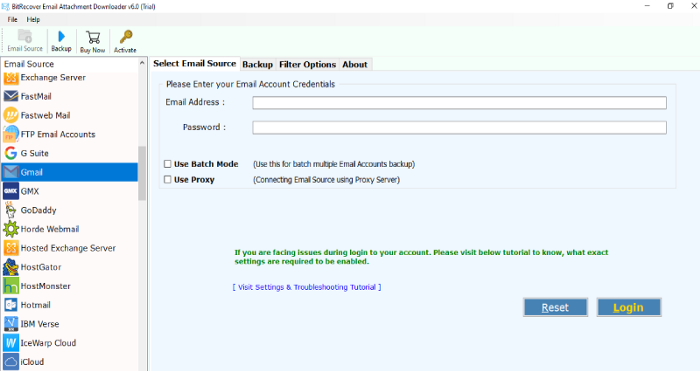 Step 3- Thereafter, enter the credentials of your webmail account and hit on the login button to continue. 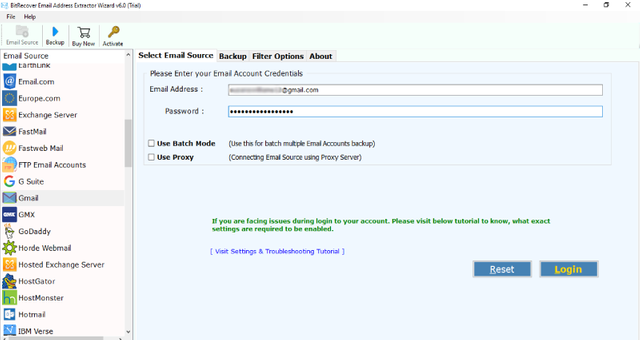 Step 4- Then, enable the desired email folders from which you want to extract email addresses. 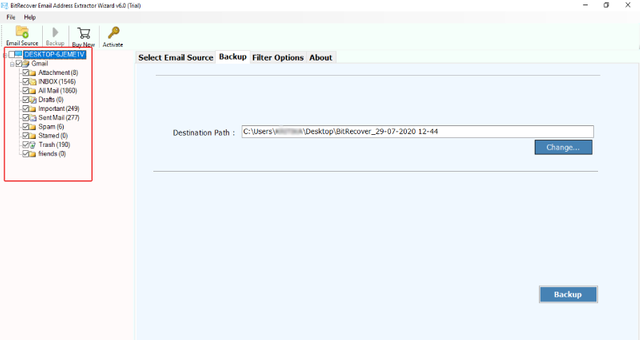 Step 5- Now, go to the Email filter options and enable the “Use Selective Export Settings for Extracting Email Address”. With this option, one can extract email address from the body of message, From, To, Cc, Bcc. 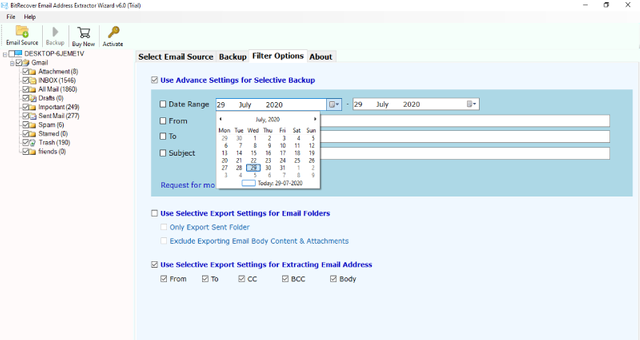 Step 6- Choose the saving location where you wish to save the extracted email addresses. 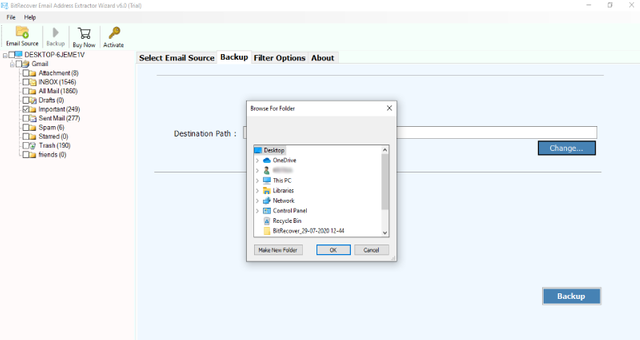 Step 7- Now, hit on the backup button to start to extract email address from body of message. After the conversion ends, the tool will give a completion message. 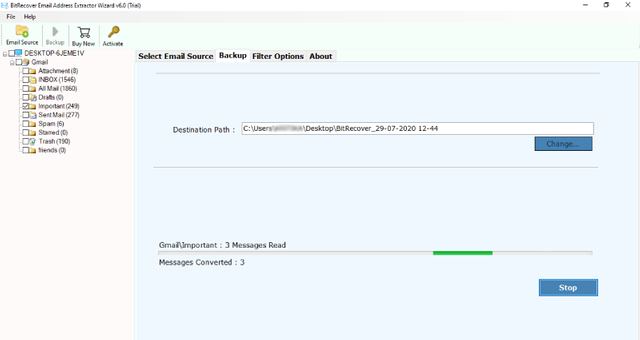 <h3><strong>Automated Approach for Extracting Email IDs — Benefits of Software</strong></h3> This application various benefits to its users for a hassle-free extraction of email addresses from webmail. <strong>Extract email address in a selective manner -</strong> This utility offers advanced functionality by providing option to extract email addresses in a selective manner. For this, the user needs to enable the “Use advance settings for selective backup” and efficiently extract all email IDs. <strong>Extract email address from particular fields -</strong> Use this application to pull email addresses with selective fields. You can easily extract email address from body of message, From, To, Cc, Bcc. <strong>Standalone utility —</strong> This software does not require the installation of any external application to carry out the process to extract email address from body of message. <strong>Retrieve email addresses on computer in batch —</strong> Now, you can swiftly extract email addresses in batch mode with the help of this automated solution. You can choose a bunch of email folders from which you wish to extract the email IDs. <strong>Compatible with all Windows OS —</strong> The program supports all Windows versions such as Windows 10, 8.1, 8, 7, XP, Vista, Windows Server versions etc. <strong>Harvest email addresses from multiple email accounts —</strong> If you have more than one email account and intend to extract email address from body of message. Then, don’t worry. Use this utility to extract all addresses of multiple email accounts. <h3><strong>Concluding Words</strong></h3> In the above blog, we have explained how one can extract email address from body of message in an easiest manner. You can use the free demo version of the software for trial purpose. It will help you to extract few email IDs. But, if you want to extract unlimited email addresses then you need to upgrade the license keys of the product for this. It’s a fast and reliable tool that can efficiently pull multiple email addresses from content of message in a single go. |
| json metadata | {"image":["https://cdn.steemitimages.com/DQmeVdV3abLugjnEQQh6v9MZLYPZm1scMBrR1Qib7VDXgzW/1_eKDf82reI0SDNZgt54jLsQ.png","https://cdn.steemitimages.com/DQmb8bLzrqJXMPUkzbuzYRndX78K2PSFLk5ous6HaYA89Ti/7258xSVeJbKkzXhyseBP4PYz11eBDT8sW2oR1a4vfVFS6JRTkqpWN3igSXFcGjTLoeMPyHUg2iNRrz2sz398UHTdvVrUoabfUpi5qL4bHkkgikzckAfB3jnAihZDgtMhLdUYZD2tYp5Bk.png","https://cdn.steemitimages.com/DQmT4FEQQRZdtEdq3iC3UcGuJLYoUMJPRix5WzhAwJ6W2cB/7b4bio5hobgskW8qdPdvSqcwwJTvbiCMpGmRey1Rtd8H5qfUPRj6asJbVgUdR4rZT2a6NvQGrWxMuRb1kqkFmjrA3cspiAp8e3SMui4cmaf1TLQJd9gRS2kaYbgitovbSPaRQMAvi8etQ5JpzxoSUsNCLFCi.png","https://cdn.steemitimages.com/DQmXZtBr94Qo1akMtA5mJpPkq3oHF7iERe4N1PZVMMWaca9/3DLAmCsuTe3bV13dhrdWmiiTzq9WMPZDTkYuSGyZVu3GHrAi4FgHyz3nBat98HPWHuRP8VuGn4VxG7pjErHvfhJ8wHABWYGLLr64CuNhF5ELkcNH2mRgnmbsKUwbYsdfvHaiENJhQ4nkPeADBfFnF5Satr8KAcN.png","https://cdn.steemitimages.com/DQmVvc16itgz7PPmZJJBX98PRTNiUbLeGLogXyZrdN4goBz/vM1pGHgNcyCXUWJECrZbvn1NMPj1oFGUo3gYfF3NNPRD9U5PuaydWcWJEzVh4cUsDevXT4cX6sKsnJAVGzxiJQNx3qCJNn6uuXQ82gr7zCvKY3kfbskMG9fXCwAuLNEsLdnVpFp.png","https://cdn.steemitimages.com/DQmVQVM82Haq98GGqtsRa6gq7dSf2m5xE8HxaMRo36iQFwh/LcTxR7u1XKaa3e4T1EBuBP18JezPvjFFo8gNuE9CiKHBn5jf3B7iotD9K6wBpDTqDv1wBFn2pDKMPjQFeuL5Z35P79NuC2ivAFWx5SgtjxPp5swRpS9t8bqD5Qyrj5FgGdxRChJoBSVpjUbCUuk4E6nkW.png"],"links":["https://www.bitrecover.com/email-attachment-downloader/"],"app":"steemit/0.2","format":"markdown"} |
| Transaction Info | Block #54040431/Trx 43a6346d661cbd9e48c228402445c55bdb95c4c0 |
View Raw JSON Data
{
"trx_id": "43a6346d661cbd9e48c228402445c55bdb95c4c0",
"block": 54040431,
"trx_in_block": 1,
"op_in_trx": 0,
"virtual_op": 0,
"timestamp": "2021-05-25T04:31:27",
"op": [
"comment",
{
"parent_author": "",
"parent_permlink": "bulkdownloadattachment",
"author": "ellajonson",
"permlink": "bulk-download-email-attachments",
"title": "How to Bulk Download Email Attachments on Computer ?",
"body": "Do you know how to bulk download email attachments on your local machine? If your answer is no, then today you will get to know a complete method how to download email attachments from a webmail in bulk at once. So keep reading!\n\n<h2><strong>Bulk Email Attachment Downloader Solution</strong></h2>\n\n<a href=\"https://www.bitrecover.com/email-attachment-downloader/\" target=\"_blank\"><strong>BitRecover Email Attachment Downloader</strong></a> is an automated solution that provides a direct method to bulk download email attachments to computer. It is a comprehensive package of useful features that makes the complete saving process of email attachments an easier one. This software is error-free and comes with a user-friendly interface. A user can bulk download email attachments of any webmail such as *.doc, *.xls with this application. Moreover, there are no limitations to download attached files of webmail services with this utility. \n\n<h2><strong>How to Bulk Download Email Attachments on Windows Computer in a Single Processing ?</strong></h2>\n\nFollow these guidelines to download attachments from webmail in bulk with this application.\n\nStep 1- After downloading and installing the tool, choose any webmail source from the software panel.\n\nStep 2- Now, choose any email source as per your requirement.\n\n\n\nStep 3- Thereafter, enter the credentials of your webmail account and hit on the login button to continue.\n\n\n\nStep 4- Then, enable the desired email folders from which you want to extract email addresses.\n\n\n\nStep 5- Now, go to the Email filter options and enable the “Use Selective Export Settings for Extracting Email Address”. With this option, one can extract email address from the body of message, From, To, Cc, Bcc.\n\n\n\nStep 6- Choose the saving location where you wish to save the extracted email addresses.\n\n\n\nStep 7- Now, hit on the backup button to start to extract email address from body of message. After the conversion ends, the tool will give a completion message.\n\n\n\n<h3><strong>Automated Approach for Extracting Email IDs — Benefits of Software</strong></h3>\nThis application various benefits to its users for a hassle-free extraction of email addresses from webmail.\n\n<strong>Extract email address in a selective manner -</strong> This utility offers advanced functionality by providing option to extract email addresses in a selective manner. For this, the user needs to enable the “Use advance settings for selective backup” and efficiently extract all email IDs.\n\n<strong>Extract email address from particular fields -</strong> Use this application to pull email addresses with selective fields. You can easily extract email address from body of message, From, To, Cc, Bcc.\n\n<strong>Standalone utility —</strong> This software does not require the installation of any external application to carry out the process to extract email address from body of message.\n\n<strong>Retrieve email addresses on computer in batch —</strong> Now, you can swiftly extract email addresses in batch mode with the help of this automated solution. You can choose a bunch of email folders from which you wish to extract the email IDs.\n\n<strong>Compatible with all Windows OS —</strong> The program supports all Windows versions such as Windows 10, 8.1, 8, 7, XP, Vista, Windows Server versions etc.\n\n<strong>Harvest email addresses from multiple email accounts —</strong> If you have more than one email account and intend to extract email address from body of message. Then, don’t worry. Use this utility to extract all addresses of multiple email accounts.\n\n<h3><strong>Concluding Words</strong></h3>\n\nIn the above blog, we have explained how one can extract email address from body of message in an easiest manner. You can use the free demo version of the software for trial purpose. It will help you to extract few email IDs. But, if you want to extract unlimited email addresses then you need to upgrade the license keys of the product for this. It’s a fast and reliable tool that can efficiently pull multiple email addresses from content of message in a single go.",
"json_metadata": "{\"image\":[\"https://cdn.steemitimages.com/DQmeVdV3abLugjnEQQh6v9MZLYPZm1scMBrR1Qib7VDXgzW/1_eKDf82reI0SDNZgt54jLsQ.png\",\"https://cdn.steemitimages.com/DQmb8bLzrqJXMPUkzbuzYRndX78K2PSFLk5ous6HaYA89Ti/7258xSVeJbKkzXhyseBP4PYz11eBDT8sW2oR1a4vfVFS6JRTkqpWN3igSXFcGjTLoeMPyHUg2iNRrz2sz398UHTdvVrUoabfUpi5qL4bHkkgikzckAfB3jnAihZDgtMhLdUYZD2tYp5Bk.png\",\"https://cdn.steemitimages.com/DQmT4FEQQRZdtEdq3iC3UcGuJLYoUMJPRix5WzhAwJ6W2cB/7b4bio5hobgskW8qdPdvSqcwwJTvbiCMpGmRey1Rtd8H5qfUPRj6asJbVgUdR4rZT2a6NvQGrWxMuRb1kqkFmjrA3cspiAp8e3SMui4cmaf1TLQJd9gRS2kaYbgitovbSPaRQMAvi8etQ5JpzxoSUsNCLFCi.png\",\"https://cdn.steemitimages.com/DQmXZtBr94Qo1akMtA5mJpPkq3oHF7iERe4N1PZVMMWaca9/3DLAmCsuTe3bV13dhrdWmiiTzq9WMPZDTkYuSGyZVu3GHrAi4FgHyz3nBat98HPWHuRP8VuGn4VxG7pjErHvfhJ8wHABWYGLLr64CuNhF5ELkcNH2mRgnmbsKUwbYsdfvHaiENJhQ4nkPeADBfFnF5Satr8KAcN.png\",\"https://cdn.steemitimages.com/DQmVvc16itgz7PPmZJJBX98PRTNiUbLeGLogXyZrdN4goBz/vM1pGHgNcyCXUWJECrZbvn1NMPj1oFGUo3gYfF3NNPRD9U5PuaydWcWJEzVh4cUsDevXT4cX6sKsnJAVGzxiJQNx3qCJNn6uuXQ82gr7zCvKY3kfbskMG9fXCwAuLNEsLdnVpFp.png\",\"https://cdn.steemitimages.com/DQmVQVM82Haq98GGqtsRa6gq7dSf2m5xE8HxaMRo36iQFwh/LcTxR7u1XKaa3e4T1EBuBP18JezPvjFFo8gNuE9CiKHBn5jf3B7iotD9K6wBpDTqDv1wBFn2pDKMPjQFeuL5Z35P79NuC2ivAFWx5SgtjxPp5swRpS9t8bqD5Qyrj5FgGdxRChJoBSVpjUbCUuk4E6nkW.png\"],\"links\":[\"https://www.bitrecover.com/email-attachment-downloader/\"],\"app\":\"steemit/0.2\",\"format\":\"markdown\"}"
}
]
}ellajonsonpublished a new post: bulk-download-email-attachments2021/05/25 04:30:00
ellajonsonpublished a new post: bulk-download-email-attachments
2021/05/25 04:30:00
| parent author | |
| parent permlink | bulkdownloadattachment |
| author | ellajonson |
| permlink | bulk-download-email-attachments |
| title | bulk download email attachments |
| body | Do you know how to bulk download email attachments on your local machine? If your answer is no, then today you will get to know a complete method how to download email attachments from a webmail in bulk at once. So keep reading! <h2><strong>Bulk Email Attachment Downloader Solution</strong></h2> <a href="https://www.bitrecover.com/email-attachment-downloader/" target="_blank"><strong>BitRecover Email Attachment Downloader</strong></a> is an automated solution that provides a direct method to bulk download email attachments to computer. It is a comprehensive package of useful features that makes the complete saving process of email attachments an easier one. This software is error-free and comes with a user-friendly interface. A user can bulk download email attachments of any webmail such as *.doc, *.xls with this application. Moreover, there are no limitations to download attached files of webmail services with this utility. <h2><strong>How to Bulk Download Email Attachments on Windows Computer in a Single Processing ?</strong></h2> Follow these guidelines to download attachments from webmail in bulk with this application. Step 1- After downloading and installing the tool, choose any webmail source from the software panel. Step 2- Now, choose any email source as per your requirement.  Step 3- Thereafter, enter the credentials of your webmail account and hit on the login button to continue.  Step 4- Then, enable the desired email folders from which you want to extract email addresses.  Step 5- Now, go to the Email filter options and enable the “Use Selective Export Settings for Extracting Email Address”. With this option, one can extract email address from the body of message, From, To, Cc, Bcc.  Step 6- Choose the saving location where you wish to save the extracted email addresses.  Step 7- Now, hit on the backup button to start to extract email address from body of message. After the conversion ends, the tool will give a completion message.  <h3><strong>Automated Approach for Extracting Email IDs — Benefits of Software</strong></h3> This application various benefits to its users for a hassle-free extraction of email addresses from webmail. <strong>Extract email address in a selective manner -</strong> This utility offers advanced functionality by providing option to extract email addresses in a selective manner. For this, the user needs to enable the “Use advance settings for selective backup” and efficiently extract all email IDs. <strong>Extract email address from particular fields -</strong> Use this application to pull email addresses with selective fields. You can easily extract email address from body of message, From, To, Cc, Bcc. <strong>Standalone utility —</strong> This software does not require the installation of any external application to carry out the process to extract email address from body of message. <strong>Retrieve email addresses on computer in batch —</strong> Now, you can swiftly extract email addresses in batch mode with the help of this automated solution. You can choose a bunch of email folders from which you wish to extract the email IDs. <strong>Compatible with all Windows OS —</strong> The program supports all Windows versions such as Windows 10, 8.1, 8, 7, XP, Vista, Windows Server versions etc. <strong>Harvest email addresses from multiple email accounts —</strong> If you have more than one email account and intend to extract email address from body of message. Then, don’t worry. Use this utility to extract all addresses of multiple email accounts. <h3><strong>Concluding Words</strong></h3> In the above blog, we have explained how one can extract email address from body of message in an easiest manner. You can use the free demo version of the software for trial purpose. It will help you to extract few email IDs. But, if you want to extract unlimited email addresses then you need to upgrade the license keys of the product for this. It’s a fast and reliable tool that can efficiently pull multiple email addresses from content of message in a single go. |
| json metadata | {"tags":["bulkdownloadattachment"],"image":["https://cdn.steemitimages.com/DQmeVdV3abLugjnEQQh6v9MZLYPZm1scMBrR1Qib7VDXgzW/1_eKDf82reI0SDNZgt54jLsQ.png","https://cdn.steemitimages.com/DQmb8bLzrqJXMPUkzbuzYRndX78K2PSFLk5ous6HaYA89Ti/7258xSVeJbKkzXhyseBP4PYz11eBDT8sW2oR1a4vfVFS6JRTkqpWN3igSXFcGjTLoeMPyHUg2iNRrz2sz398UHTdvVrUoabfUpi5qL4bHkkgikzckAfB3jnAihZDgtMhLdUYZD2tYp5Bk.png","https://cdn.steemitimages.com/DQmT4FEQQRZdtEdq3iC3UcGuJLYoUMJPRix5WzhAwJ6W2cB/7b4bio5hobgskW8qdPdvSqcwwJTvbiCMpGmRey1Rtd8H5qfUPRj6asJbVgUdR4rZT2a6NvQGrWxMuRb1kqkFmjrA3cspiAp8e3SMui4cmaf1TLQJd9gRS2kaYbgitovbSPaRQMAvi8etQ5JpzxoSUsNCLFCi.png","https://cdn.steemitimages.com/DQmXZtBr94Qo1akMtA5mJpPkq3oHF7iERe4N1PZVMMWaca9/3DLAmCsuTe3bV13dhrdWmiiTzq9WMPZDTkYuSGyZVu3GHrAi4FgHyz3nBat98HPWHuRP8VuGn4VxG7pjErHvfhJ8wHABWYGLLr64CuNhF5ELkcNH2mRgnmbsKUwbYsdfvHaiENJhQ4nkPeADBfFnF5Satr8KAcN.png","https://cdn.steemitimages.com/DQmVvc16itgz7PPmZJJBX98PRTNiUbLeGLogXyZrdN4goBz/vM1pGHgNcyCXUWJECrZbvn1NMPj1oFGUo3gYfF3NNPRD9U5PuaydWcWJEzVh4cUsDevXT4cX6sKsnJAVGzxiJQNx3qCJNn6uuXQ82gr7zCvKY3kfbskMG9fXCwAuLNEsLdnVpFp.png","https://cdn.steemitimages.com/DQmVQVM82Haq98GGqtsRa6gq7dSf2m5xE8HxaMRo36iQFwh/LcTxR7u1XKaa3e4T1EBuBP18JezPvjFFo8gNuE9CiKHBn5jf3B7iotD9K6wBpDTqDv1wBFn2pDKMPjQFeuL5Z35P79NuC2ivAFWx5SgtjxPp5swRpS9t8bqD5Qyrj5FgGdxRChJoBSVpjUbCUuk4E6nkW.png"],"links":["https://www.bitrecover.com/email-attachment-downloader/"],"app":"steemit/0.2","format":"markdown"} |
| Transaction Info | Block #54040402/Trx 9c5a96c4bd57ec5f3c0e02f589c2bc76bb0bade6 |
View Raw JSON Data
{
"trx_id": "9c5a96c4bd57ec5f3c0e02f589c2bc76bb0bade6",
"block": 54040402,
"trx_in_block": 5,
"op_in_trx": 0,
"virtual_op": 0,
"timestamp": "2021-05-25T04:30:00",
"op": [
"comment",
{
"parent_author": "",
"parent_permlink": "bulkdownloadattachment",
"author": "ellajonson",
"permlink": "bulk-download-email-attachments",
"title": "bulk download email attachments",
"body": "Do you know how to bulk download email attachments on your local machine? If your answer is no, then today you will get to know a complete method how to download email attachments from a webmail in bulk at once. So keep reading!\n\n<h2><strong>Bulk Email Attachment Downloader Solution</strong></h2>\n\n<a href=\"https://www.bitrecover.com/email-attachment-downloader/\" target=\"_blank\"><strong>BitRecover Email Attachment Downloader</strong></a> is an automated solution that provides a direct method to bulk download email attachments to computer. It is a comprehensive package of useful features that makes the complete saving process of email attachments an easier one. This software is error-free and comes with a user-friendly interface. A user can bulk download email attachments of any webmail such as *.doc, *.xls with this application. Moreover, there are no limitations to download attached files of webmail services with this utility. \n\n<h2><strong>How to Bulk Download Email Attachments on Windows Computer in a Single Processing ?</strong></h2>\n\nFollow these guidelines to download attachments from webmail in bulk with this application.\n\nStep 1- After downloading and installing the tool, choose any webmail source from the software panel.\n\nStep 2- Now, choose any email source as per your requirement.\n\n\n\nStep 3- Thereafter, enter the credentials of your webmail account and hit on the login button to continue.\n\n\n\nStep 4- Then, enable the desired email folders from which you want to extract email addresses.\n\n\n\nStep 5- Now, go to the Email filter options and enable the “Use Selective Export Settings for Extracting Email Address”. With this option, one can extract email address from the body of message, From, To, Cc, Bcc.\n\n\n\nStep 6- Choose the saving location where you wish to save the extracted email addresses.\n\n\n\nStep 7- Now, hit on the backup button to start to extract email address from body of message. After the conversion ends, the tool will give a completion message.\n\n\n\n<h3><strong>Automated Approach for Extracting Email IDs — Benefits of Software</strong></h3>\nThis application various benefits to its users for a hassle-free extraction of email addresses from webmail.\n\n<strong>Extract email address in a selective manner -</strong> This utility offers advanced functionality by providing option to extract email addresses in a selective manner. For this, the user needs to enable the “Use advance settings for selective backup” and efficiently extract all email IDs.\n\n<strong>Extract email address from particular fields -</strong> Use this application to pull email addresses with selective fields. You can easily extract email address from body of message, From, To, Cc, Bcc.\n\n<strong>Standalone utility —</strong> This software does not require the installation of any external application to carry out the process to extract email address from body of message.\n\n<strong>Retrieve email addresses on computer in batch —</strong> Now, you can swiftly extract email addresses in batch mode with the help of this automated solution. You can choose a bunch of email folders from which you wish to extract the email IDs.\n\n<strong>Compatible with all Windows OS —</strong> The program supports all Windows versions such as Windows 10, 8.1, 8, 7, XP, Vista, Windows Server versions etc.\n\n<strong>Harvest email addresses from multiple email accounts —</strong> If you have more than one email account and intend to extract email address from body of message. Then, don’t worry. Use this utility to extract all addresses of multiple email accounts.\n\n<h3><strong>Concluding Words</strong></h3>\n\nIn the above blog, we have explained how one can extract email address from body of message in an easiest manner. You can use the free demo version of the software for trial purpose. It will help you to extract few email IDs. But, if you want to extract unlimited email addresses then you need to upgrade the license keys of the product for this. It’s a fast and reliable tool that can efficiently pull multiple email addresses from content of message in a single go.",
"json_metadata": "{\"tags\":[\"bulkdownloadattachment\"],\"image\":[\"https://cdn.steemitimages.com/DQmeVdV3abLugjnEQQh6v9MZLYPZm1scMBrR1Qib7VDXgzW/1_eKDf82reI0SDNZgt54jLsQ.png\",\"https://cdn.steemitimages.com/DQmb8bLzrqJXMPUkzbuzYRndX78K2PSFLk5ous6HaYA89Ti/7258xSVeJbKkzXhyseBP4PYz11eBDT8sW2oR1a4vfVFS6JRTkqpWN3igSXFcGjTLoeMPyHUg2iNRrz2sz398UHTdvVrUoabfUpi5qL4bHkkgikzckAfB3jnAihZDgtMhLdUYZD2tYp5Bk.png\",\"https://cdn.steemitimages.com/DQmT4FEQQRZdtEdq3iC3UcGuJLYoUMJPRix5WzhAwJ6W2cB/7b4bio5hobgskW8qdPdvSqcwwJTvbiCMpGmRey1Rtd8H5qfUPRj6asJbVgUdR4rZT2a6NvQGrWxMuRb1kqkFmjrA3cspiAp8e3SMui4cmaf1TLQJd9gRS2kaYbgitovbSPaRQMAvi8etQ5JpzxoSUsNCLFCi.png\",\"https://cdn.steemitimages.com/DQmXZtBr94Qo1akMtA5mJpPkq3oHF7iERe4N1PZVMMWaca9/3DLAmCsuTe3bV13dhrdWmiiTzq9WMPZDTkYuSGyZVu3GHrAi4FgHyz3nBat98HPWHuRP8VuGn4VxG7pjErHvfhJ8wHABWYGLLr64CuNhF5ELkcNH2mRgnmbsKUwbYsdfvHaiENJhQ4nkPeADBfFnF5Satr8KAcN.png\",\"https://cdn.steemitimages.com/DQmVvc16itgz7PPmZJJBX98PRTNiUbLeGLogXyZrdN4goBz/vM1pGHgNcyCXUWJECrZbvn1NMPj1oFGUo3gYfF3NNPRD9U5PuaydWcWJEzVh4cUsDevXT4cX6sKsnJAVGzxiJQNx3qCJNn6uuXQ82gr7zCvKY3kfbskMG9fXCwAuLNEsLdnVpFp.png\",\"https://cdn.steemitimages.com/DQmVQVM82Haq98GGqtsRa6gq7dSf2m5xE8HxaMRo36iQFwh/LcTxR7u1XKaa3e4T1EBuBP18JezPvjFFo8gNuE9CiKHBn5jf3B7iotD9K6wBpDTqDv1wBFn2pDKMPjQFeuL5Z35P79NuC2ivAFWx5SgtjxPp5swRpS9t8bqD5Qyrj5FgGdxRChJoBSVpjUbCUuk4E6nkW.png\"],\"links\":[\"https://www.bitrecover.com/email-attachment-downloader/\"],\"app\":\"steemit/0.2\",\"format\":\"markdown\"}"
}
]
}ellajonsonpublished a new post: extract-email-address-from-body-of-message2021/05/19 06:00:57
ellajonsonpublished a new post: extract-email-address-from-body-of-message
2021/05/19 06:00:57
| parent author | |
| parent permlink | extractemailaddress |
| author | ellajonson |
| permlink | extract-email-address-from-body-of-message |
| title | How to Extract Email Address from Body of Message ? |
| body | Our organization wanted to extract some email addresses from the company’s Gmail account. It was quite a tough situation as there were some specific old messages whose email addresses that were to be taken out for the commercial purpose. After good research on the internet, finally, I found the solution about “how to extract email address from body of message”. We founded tutorial that nicely explained how to extract particular email IDs from message body. So, in today’s blog, I am going to explain to you how you can also extract email address from body of message of any webmail service. But, before that let’s first see the professional approach to deal with this problem. <h2><strong>Extract Email Addresses from Email Body in a Webmail — Finest Solution!</strong></h2> The <a href="https://www.bitrecover.com/email-address-extractor/" target="_blank"><strong>BitRecover Email Address Extractor</strong></a> is the easiest solution that gives the ability to create one mailing list by extracting email address from body of message. You can save the email IDs from body of message at any location on your computer. This advanced application quickly scans the chosen webmail service and extract email address from body of message in a neat way without any duplicates. Plus, you can install this application on any version of the Microsoft Windows Operating System. So, quickly download the software and avail all its benefits. <h2><strong>How to Extract Email Address from Body of Message ?</strong></h2> Step 1- First of all download and launch the application on your Windows machine. Step 2- Now, choose any email source as per your requirement. 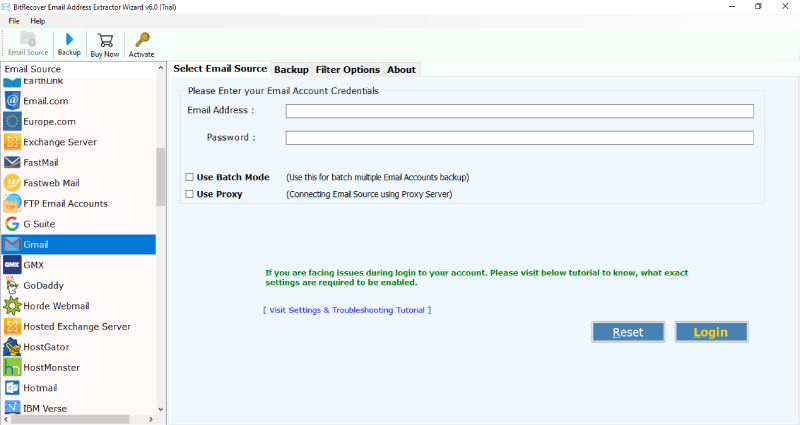 Step 3- Thereafter, enter the credentials of your webmail account and hit on the login button to continue. 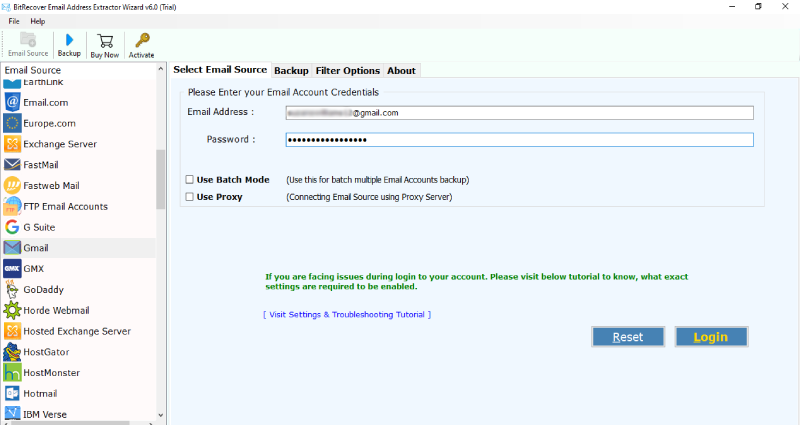 Step 4- Then, enable the desired email folders from which you want to extract email addresses. 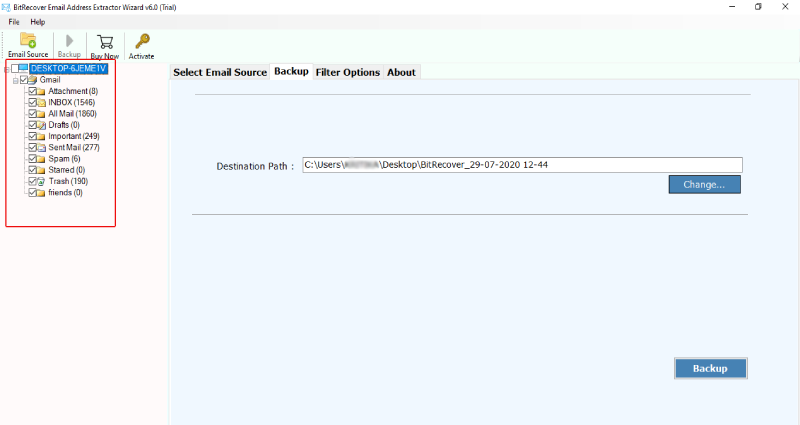 Step 5- Now, go to the Email filter options and enable the “Use Selective Export Settings for Extracting Email Address”. With this option, one can extract email address from the body of message, From, To, Cc, Bcc. 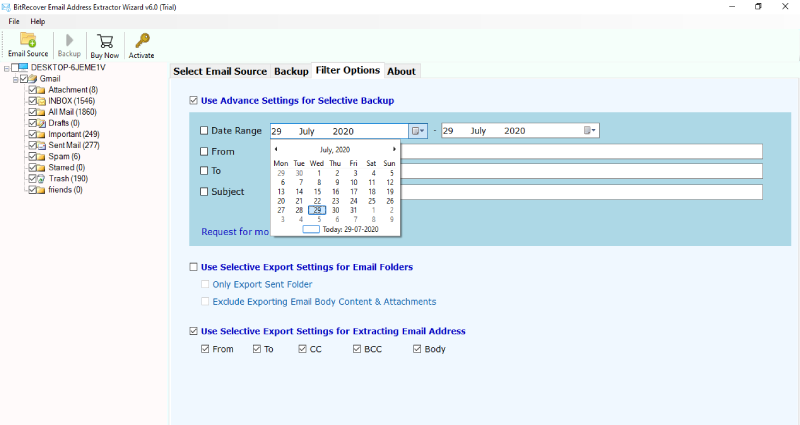 Step 6- Choose the saving location where you wish to save the extracted email addresses. 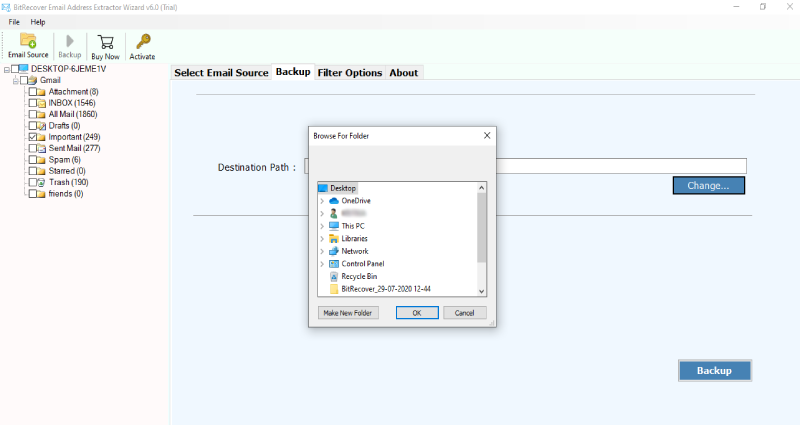 Step 7- Now, hit on the backup button to start to extract email address from body of message. After the conversion ends, the tool will give a completion message. 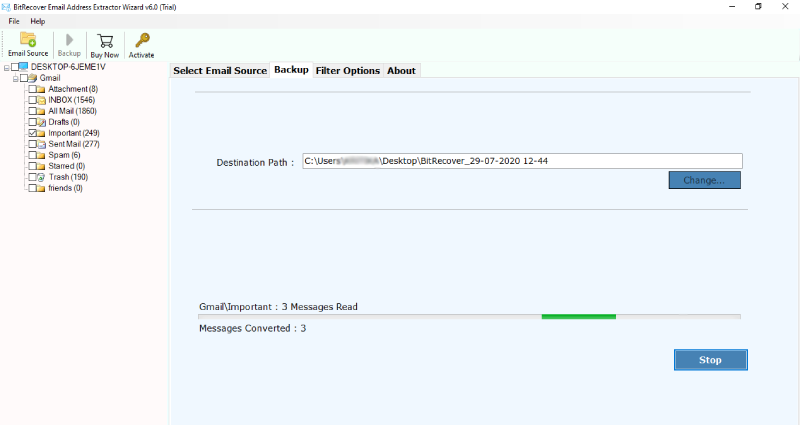 <h3><strong>Automated Approach for Extracting Email IDs — Benefits of Software</strong></h3> This application various benefits to its users for a hassle-free extraction of email addresses from webmail. <strong>Extract email address in a selective manner - </strong>This utility offers advanced functionality by providing option to extract email addresses in a selective manner. For this, the user needs to enable the “Use advance settings for selective backup” and efficiently extract all email IDs. <strong>Extract email address from particular fields -</strong> Use this application to pull email addresses with selective fields. You can easily extract email address from body of message, From, To, Cc, Bcc. <strong>Standalone utility —</strong> This software does not require the installation of any external application to carry out the process to extract email address from body of message. <strong>Retrieve email addresses on computer in batch —</strong> Now, you can swiftly extract email addresses in batch mode with the help of this automated solution. You can choose a bunch of email folders from which you wish to extract the email IDs. <strong>Compatible with all Windows OS —</strong> The program supports all Windows versions such as Windows 10, 8.1, 8, 7, XP, Vista, Windows Server versions etc. <strong>Harvest email addresses from multiple email accounts —</strong> If you have more than one email account and intend to extract email address from body of message. Then, don’t worry. Use this utility to extract all addresses of multiple email accounts. <strong>Concluding Words</strong> In the above blog, we have explained how one can extract email address from body of message in an easiest manner. You can use the free demo version of the software for trial purpose. It will help you to extract few email IDs. But, if you want to extract unlimited email addresses then you need to upgrade the license keys of the product for this. It’s a fast and reliable tool that can efficiently pull multiple email addresses from content of message in a single go. |
| json metadata | {"image":["https://cdn.steemitimages.com/DQmQXZ2Jz2uozt7DPzZ18XfnBFdq1g9duyVi6YAPBmD2WQL/start-email-address-extractor.png","https://cdn.steemitimages.com/DQmdTckhJhWjsewoYUAK3rTKnTBc2phUtCaxq5hQbeK9MBA/enter-webmail-details.png","https://cdn.steemitimages.com/DQmQv8SMJUhpPetcPXJfVbMo1DhKUqmQzfc7WktpZ6dKCmE/specify-required-webmail-folders.png","https://cdn.steemitimages.com/DQmQgwXo64TqKcLGvvvBQEW9sYTuwP6RPGbUC3XGKkfzENu/selective-email-address-extraction.png","https://cdn.steemitimages.com/DQmRr44mYhja5kxG9qiwL3GM89pi9rYKdHm7fRcYcqQRL67/enter-destination.png","https://cdn.steemitimages.com/DQmdXn81sBKTsTACFPhMQFTuP8XLa4Eg8rgLhpsvgj9My1k/start-email-address-extraction.png"],"links":["https://www.bitrecover.com/email-address-extractor/"],"app":"steemit/0.2","format":"markdown"} |
| Transaction Info | Block #53870677/Trx 8171b9c6fd9bd04cd153ea6d7ca5ac53998139a8 |
View Raw JSON Data
{
"trx_id": "8171b9c6fd9bd04cd153ea6d7ca5ac53998139a8",
"block": 53870677,
"trx_in_block": 7,
"op_in_trx": 0,
"virtual_op": 0,
"timestamp": "2021-05-19T06:00:57",
"op": [
"comment",
{
"parent_author": "",
"parent_permlink": "extractemailaddress",
"author": "ellajonson",
"permlink": "extract-email-address-from-body-of-message",
"title": "How to Extract Email Address from Body of Message ?",
"body": "Our organization wanted to extract some email addresses from the company’s Gmail account. It was quite a tough situation as there were some specific old messages whose email addresses that were to be taken out for the commercial purpose. After good research on the internet, finally, I found the solution about “how to extract email address from body of message”. We founded tutorial that nicely explained how to extract particular email IDs from message body.\n\nSo, in today’s blog, I am going to explain to you how you can also extract email address from body of message of any webmail service.\n\nBut, before that let’s first see the professional approach to deal with this problem.\n\n<h2><strong>Extract Email Addresses from Email Body in a Webmail — Finest Solution!</strong></h2>\n\nThe <a href=\"https://www.bitrecover.com/email-address-extractor/\" target=\"_blank\"><strong>BitRecover Email Address Extractor</strong></a> is the easiest solution that gives the ability to create one mailing list by extracting email address from body of message. You can save the email IDs from body of message at any location on your computer. This advanced application quickly scans the chosen webmail service and extract email address from body of message in a neat way without any duplicates. Plus, you can install this application on any version of the Microsoft Windows Operating System. So, quickly download the software and avail all its benefits.\n\n<h2><strong>How to Extract Email Address from Body of Message ?</strong></h2>\n\nStep 1- First of all download and launch the application on your Windows machine.\n\nStep 2- Now, choose any email source as per your requirement.\n\n\n\nStep 3- Thereafter, enter the credentials of your webmail account and hit on the login button to continue.\n \n\n\nStep 4- Then, enable the desired email folders from which you want to extract email addresses.\n\n\n\nStep 5- Now, go to the Email filter options and enable the “Use Selective Export Settings for Extracting Email Address”. With this option, one can extract email address from the body of message, From, To, Cc, Bcc.\n\n\n\nStep 6- Choose the saving location where you wish to save the extracted email addresses.\n\n\n\nStep 7- Now, hit on the backup button to start to extract email address from body of message. After the conversion ends, the tool will give a completion message.\n \n\n\n\n<h3><strong>Automated Approach for Extracting Email IDs — Benefits of Software</strong></h3>\n\nThis application various benefits to its users for a hassle-free extraction of email addresses from webmail.\n\n<strong>Extract email address in a selective manner - </strong>This utility offers advanced functionality by providing option to extract email addresses in a selective manner. For this, the user needs to enable the “Use advance settings for selective backup” and efficiently extract all email IDs.\n\n<strong>Extract email address from particular fields -</strong> Use this application to pull email addresses with selective fields. You can easily extract email address from body of message, From, To, Cc, Bcc.\n\n<strong>Standalone utility —</strong> This software does not require the installation of any external application to carry out the process to extract email address from body of message.\n\n<strong>Retrieve email addresses on computer in batch —</strong> Now, you can swiftly extract email addresses in batch mode with the help of this automated solution. You can choose a bunch of email folders from which you wish to extract the email IDs.\n\n<strong>Compatible with all Windows OS —</strong> The program supports all Windows versions such as Windows 10, 8.1, 8, 7, XP, Vista, Windows Server versions etc.\n\n<strong>Harvest email addresses from multiple email accounts —</strong> If you have more than one email account and intend to extract email address from body of message. Then, don’t worry. Use this utility to extract all addresses of multiple email accounts.\n\n<strong>Concluding Words</strong>\n\nIn the above blog, we have explained how one can extract email address from body of message in an easiest manner. You can use the free demo version of the software for trial purpose. It will help you to extract few email IDs. But, if you want to extract unlimited email addresses then you need to upgrade the license keys of the product for this. It’s a fast and reliable tool that can efficiently pull multiple email addresses from content of message in a single go.",
"json_metadata": "{\"image\":[\"https://cdn.steemitimages.com/DQmQXZ2Jz2uozt7DPzZ18XfnBFdq1g9duyVi6YAPBmD2WQL/start-email-address-extractor.png\",\"https://cdn.steemitimages.com/DQmdTckhJhWjsewoYUAK3rTKnTBc2phUtCaxq5hQbeK9MBA/enter-webmail-details.png\",\"https://cdn.steemitimages.com/DQmQv8SMJUhpPetcPXJfVbMo1DhKUqmQzfc7WktpZ6dKCmE/specify-required-webmail-folders.png\",\"https://cdn.steemitimages.com/DQmQgwXo64TqKcLGvvvBQEW9sYTuwP6RPGbUC3XGKkfzENu/selective-email-address-extraction.png\",\"https://cdn.steemitimages.com/DQmRr44mYhja5kxG9qiwL3GM89pi9rYKdHm7fRcYcqQRL67/enter-destination.png\",\"https://cdn.steemitimages.com/DQmdXn81sBKTsTACFPhMQFTuP8XLa4Eg8rgLhpsvgj9My1k/start-email-address-extraction.png\"],\"links\":[\"https://www.bitrecover.com/email-address-extractor/\"],\"app\":\"steemit/0.2\",\"format\":\"markdown\"}"
}
]
}ellajonsonpublished a new post: extract-email-address-from-body-of-message2021/05/19 06:00:24
ellajonsonpublished a new post: extract-email-address-from-body-of-message
2021/05/19 06:00:24
| parent author | |
| parent permlink | extractemailaddress |
| author | ellajonson |
| permlink | extract-email-address-from-body-of-message |
| title | How to Extract Email Address from Body of Message ? |
| body | Our organization wanted to extract some email addresses from the company’s Gmail account. It was quite a tough situation as there were some specific old messages whose email addresses that were to be taken out for the commercial purpose. After good research on the internet, finally, I found the solution about “how to extract email address from body of message”. We founded tutorial that nicely explained how to extract particular email IDs from message body. So, in today’s blog, I am going to explain to you how you can also extract email address from body of message of any webmail service. But, before that let’s first see the professional approach to deal with this problem. <h2><strong>Extract Email Addresses from Email Body in a Webmail — Finest Solution!</strong></h2> The <a href="https://www.bitrecover.com/email-address-extractor/" target="_blank"><strong>BitRecover Email Address Extractor</strong></a> is the easiest solution that gives the ability to create one mailing list by extracting email address from body of message. You can save the email IDs from body of message at any location on your computer. This advanced application quickly scans the chosen webmail service and extract email address from body of message in a neat way without any duplicates. Plus, you can install this application on any version of the Microsoft Windows Operating System. So, quickly download the software and avail all its benefits. <h2><strong>How to Extract Email Address from Body of Message ?</strong></h2> Step 1- First of all download and launch the application on your Windows machine. Step 2- Now, choose any email source as per your requirement.  Step 3- Thereafter, enter the credentials of your webmail account and hit on the login button to continue.  Step 4- Then, enable the desired email folders from which you want to extract email addresses.  Step 5- Now, go to the Email filter options and enable the “Use Selective Export Settings for Extracting Email Address”. With this option, one can extract email address from the body of message, From, To, Cc, Bcc.  Step 6- Choose the saving location where you wish to save the extracted email addresses.  Step 7- Now, hit on the backup button to start to extract email address from body of message. After the conversion ends, the tool will give a completion message.  <h3><strong>Automated Approach for Extracting Email IDs — Benefits of Software</strong></h3> This application various benefits to its users for a hassle-free extraction of email addresses from webmail. <strong>Extract email address in a selective manner - </strong>This utility offers advanced functionality by providing option to extract email addresses in a selective manner. For this, the user needs to enable the “Use advance settings for selective backup” and efficiently extract all email IDs. <strong>Extract email address from particular fields -</strong> Use this application to pull email addresses with selective fields. You can easily extract email address from body of message, From, To, Cc, Bcc. <strong>Standalone utility —</strong> This software does not require the installation of any external application to carry out the process to extract email address from body of message. <strong>Retrieve email addresses on computer in batch —</strong> Now, you can swiftly extract email addresses in batch mode with the help of this automated solution. You can choose a bunch of email folders from which you wish to extract the email IDs. <strong>Compatible with all Windows OS —</strong> The program supports all Windows versions such as Windows 10, 8.1, 8, 7, XP, Vista, Windows Server versions etc. <strong>Harvest email addresses from multiple email accounts —</strong> If you have more than one email account and intend to extract email address from body of message. Then, don’t worry. Use this utility to extract all addresses of multiple email accounts. <strong>Concluding Words</strong> In the above blog, we have explained how one can extract email address from body of message in an easiest manner. You can use the free demo version of the software for trial purpose. It will help you to extract few email IDs. But, if you want to extract unlimited email addresses then you need to upgrade the license keys of the product for this. It’s a fast and reliable tool that can efficiently pull multiple email addresses from content of message in a single go. |
| json metadata | {"image":["https://cdn.steemitimages.com/DQmQXZ2Jz2uozt7DPzZ18XfnBFdq1g9duyVi6YAPBmD2WQL/start-email-address-extractor.png","https://cdn.steemitimages.com/DQmdTckhJhWjsewoYUAK3rTKnTBc2phUtCaxq5hQbeK9MBA/enter-webmail-details.png","https://cdn.steemitimages.com/DQmQv8SMJUhpPetcPXJfVbMo1DhKUqmQzfc7WktpZ6dKCmE/specify-required-webmail-folders.png","https://cdn.steemitimages.com/DQmQgwXo64TqKcLGvvvBQEW9sYTuwP6RPGbUC3XGKkfzENu/selective-email-address-extraction.png","https://cdn.steemitimages.com/DQmRr44mYhja5kxG9qiwL3GM89pi9rYKdHm7fRcYcqQRL67/enter-destination.png","https://cdn.steemitimages.com/DQmdXn81sBKTsTACFPhMQFTuP8XLa4Eg8rgLhpsvgj9My1k/start-email-address-extraction.png"],"links":["https://www.bitrecover.com/email-address-extractor/"],"app":"steemit/0.2","format":"markdown"} |
| Transaction Info | Block #53870666/Trx 5628f327d12b03f3227f01886d92d56a349609c5 |
View Raw JSON Data
{
"trx_id": "5628f327d12b03f3227f01886d92d56a349609c5",
"block": 53870666,
"trx_in_block": 3,
"op_in_trx": 0,
"virtual_op": 0,
"timestamp": "2021-05-19T06:00:24",
"op": [
"comment",
{
"parent_author": "",
"parent_permlink": "extractemailaddress",
"author": "ellajonson",
"permlink": "extract-email-address-from-body-of-message",
"title": "How to Extract Email Address from Body of Message ?",
"body": "Our organization wanted to extract some email addresses from the company’s Gmail account. It was quite a tough situation as there were some specific old messages whose email addresses that were to be taken out for the commercial purpose. After good research on the internet, finally, I found the solution about “how to extract email address from body of message”. We founded tutorial that nicely explained how to extract particular email IDs from message body.\n\nSo, in today’s blog, I am going to explain to you how you can also extract email address from body of message of any webmail service.\n\nBut, before that let’s first see the professional approach to deal with this problem.\n\n<h2><strong>Extract Email Addresses from Email Body in a Webmail — Finest Solution!</strong></h2>\n\nThe <a href=\"https://www.bitrecover.com/email-address-extractor/\" target=\"_blank\"><strong>BitRecover Email Address Extractor</strong></a> is the easiest solution that gives the ability to create one mailing list by extracting email address from body of message. You can save the email IDs from body of message at any location on your computer. This advanced application quickly scans the chosen webmail service and extract email address from body of message in a neat way without any duplicates. Plus, you can install this application on any version of the Microsoft Windows Operating System. So, quickly download the software and avail all its benefits.\n\n<h2><strong>How to Extract Email Address from Body of Message ?</strong></h2>\n\nStep 1- First of all download and launch the application on your Windows machine.\n\nStep 2- Now, choose any email source as per your requirement.\n\n\n\nStep 3- Thereafter, enter the credentials of your webmail account and hit on the login button to continue.\n \n\n\nStep 4- Then, enable the desired email folders from which you want to extract email addresses.\n\n\n\nStep 5- Now, go to the Email filter options and enable the “Use Selective Export Settings for Extracting Email Address”. With this option, one can extract email address from the body of message, From, To, Cc, Bcc.\n\n\n\nStep 6- Choose the saving location where you wish to save the extracted email addresses.\n\n\n\nStep 7- Now, hit on the backup button to start to extract email address from body of message. After the conversion ends, the tool will give a completion message.\n \n\n\n\n<h3><strong>Automated Approach for Extracting Email IDs — Benefits of Software</strong></h3>\n\nThis application various benefits to its users for a hassle-free extraction of email addresses from webmail.\n\n<strong>Extract email address in a selective manner - </strong>This utility offers advanced functionality by providing option to extract email addresses in a selective manner. For this, the user needs to enable the “Use advance settings for selective backup” and efficiently extract all email IDs.\n\n<strong>Extract email address from particular fields -</strong> Use this application to pull email addresses with selective fields. You can easily extract email address from body of message, From, To, Cc, Bcc.\n\n<strong>Standalone utility —</strong> This software does not require the installation of any external application to carry out the process to extract email address from body of message.\n\n<strong>Retrieve email addresses on computer in batch —</strong> Now, you can swiftly extract email addresses in batch mode with the help of this automated solution. You can choose a bunch of email folders from which you wish to extract the email IDs.\n\n<strong>Compatible with all Windows OS —</strong> The program supports all Windows versions such as Windows 10, 8.1, 8, 7, XP, Vista, Windows Server versions etc.\n\n<strong>Harvest email addresses from multiple email accounts —</strong> If you have more than one email account and intend to extract email address from body of message. Then, don’t worry. Use this utility to extract all addresses of multiple email accounts.\n\n<strong>Concluding Words</strong>\n\nIn the above blog, we have explained how one can extract email address from body of message in an easiest manner. You can use the free demo version of the software for trial purpose. It will help you to extract few email IDs. But, if you want to extract unlimited email addresses then you need to upgrade the license keys of the product for this. It’s a fast and reliable tool that can efficiently pull multiple email addresses from content of message in a single go.",
"json_metadata": "{\"image\":[\"https://cdn.steemitimages.com/DQmQXZ2Jz2uozt7DPzZ18XfnBFdq1g9duyVi6YAPBmD2WQL/start-email-address-extractor.png\",\"https://cdn.steemitimages.com/DQmdTckhJhWjsewoYUAK3rTKnTBc2phUtCaxq5hQbeK9MBA/enter-webmail-details.png\",\"https://cdn.steemitimages.com/DQmQv8SMJUhpPetcPXJfVbMo1DhKUqmQzfc7WktpZ6dKCmE/specify-required-webmail-folders.png\",\"https://cdn.steemitimages.com/DQmQgwXo64TqKcLGvvvBQEW9sYTuwP6RPGbUC3XGKkfzENu/selective-email-address-extraction.png\",\"https://cdn.steemitimages.com/DQmRr44mYhja5kxG9qiwL3GM89pi9rYKdHm7fRcYcqQRL67/enter-destination.png\",\"https://cdn.steemitimages.com/DQmdXn81sBKTsTACFPhMQFTuP8XLa4Eg8rgLhpsvgj9My1k/start-email-address-extraction.png\"],\"links\":[\"https://www.bitrecover.com/email-address-extractor/\"],\"app\":\"steemit/0.2\",\"format\":\"markdown\"}"
}
]
}ellajonsonupvoted (100.00%) @ellajonson / extract-email-address-from-body-of-message2021/05/19 05:59:36
ellajonsonupvoted (100.00%) @ellajonson / extract-email-address-from-body-of-message
2021/05/19 05:59:36
| voter | ellajonson |
| author | ellajonson |
| permlink | extract-email-address-from-body-of-message |
| weight | 10000 (100.00%) |
| Transaction Info | Block #53870650/Trx aefb1538dc2739a87485aff4c6a2ec5ba708c66d |
View Raw JSON Data
{
  "trx_id": "aefb1538dc2739a87485aff4c6a2ec5ba708c66d",
  "block": 53870650,
  "trx_in_block": 2,
  "op_in_trx": 0,
  "virtual_op": 0,
  "timestamp": "2021-05-19T05:59:36",
  "op": [
    "vote",
    {
      "voter": "ellajonson",
      "author": "ellajonson",
      "permlink": "extract-email-address-from-body-of-message",
      "weight": 10000
    }
  ]
}ellajonsonpublished a new post: extract-email-address-from-body-of-message2021/05/19 05:57:57
ellajonsonpublished a new post: extract-email-address-from-body-of-message
2021/05/19 05:57:57
| parent author | |
| parent permlink | extractemailaddress |
| author | ellajonson |
| permlink | extract-email-address-from-body-of-message |
| title | extract email address from body of message |
| body | Our organization wanted to extract some email addresses from the company’s Gmail account. It was quite a tough situation as there were some specific old messages whose email addresses that were to be taken out for the commercial purpose. After good research on the internet, finally, I found the solution about “how to extract email address from body of message”. We founded tutorial that nicely explained how to extract particular email IDs from message body. So, in today’s blog, I am going to explain to you how you can also extract email address from body of message of any webmail service. But, before that let’s first see the professional approach to deal with this problem. <h2><strong>Extract Email Addresses from Email Body in a Webmail — Finest Solution!</strong></h2> The <a href="https://www.bitrecover.com/email-address-extractor/" target="_blank"><strong>BitRecover Email Address Extractor</strong></a> is the easiest solution that gives the ability to create one mailing list by extracting email address from body of message. You can save the email IDs from body of message at any location on your computer. This advanced application quickly scans the chosen webmail service and extract email address from body of message in a neat way without any duplicates. Plus, you can install this application on any version of the Microsoft Windows Operating System. So, quickly download the software and avail all its benefits. <h2><strong>How to Extract Email Address from Body of Message ?</strong></h2> Step 1- First of all download and launch the application on your Windows machine. Step 2- Now, choose any email source as per your requirement.  Step 3- Thereafter, enter the credentials of your webmail account and hit on the login button to continue.  Step 4- Then, enable the desired email folders from which you want to extract email addresses.  Step 5- Now, go to the Email filter options and enable the “Use Selective Export Settings for Extracting Email Address”. With this option, one can extract email address from the body of message, From, To, Cc, Bcc.  Step 6- Choose the saving location where you wish to save the extracted email addresses.  Step 7- Now, hit on the backup button to start to extract email address from body of message. After the conversion ends, the tool will give a completion message.  <h3><strong>Automated Approach for Extracting Email IDs — Benefits of Software</strong></h3> This application various benefits to its users for a hassle-free extraction of email addresses from webmail. <strong>Extract email address in a selective manner - </strong>This utility offers advanced functionality by providing option to extract email addresses in a selective manner. For this, the user needs to enable the “Use advance settings for selective backup” and efficiently extract all email IDs. <strong>Extract email address from particular fields -</strong> Use this application to pull email addresses with selective fields. You can easily extract email address from body of message, From, To, Cc, Bcc. <strong>Standalone utility —</strong> This software does not require the installation of any external application to carry out the process to extract email address from body of message. <strong>Retrieve email addresses on computer in batch —</strong> Now, you can swiftly extract email addresses in batch mode with the help of this automated solution. You can choose a bunch of email folders from which you wish to extract the email IDs. <strong>Compatible with all Windows OS —</strong> The program supports all Windows versions such as Windows 10, 8.1, 8, 7, XP, Vista, Windows Server versions etc. <strong>Harvest email addresses from multiple email accounts —</strong> If you have more than one email account and intend to extract email address from body of message. Then, don’t worry. Use this utility to extract all addresses of multiple email accounts. <strong>Concluding Words</strong> In the above blog, we have explained how one can extract email address from body of message in an easiest manner. You can use the free demo version of the software for trial purpose. It will help you to extract few email IDs. But, if you want to extract unlimited email addresses then you need to upgrade the license keys of the product for this. It’s a fast and reliable tool that can efficiently pull multiple email addresses from content of message in a single go. |
| json metadata | {"tags":["extractemailaddress"],"image":["https://cdn.steemitimages.com/DQmQXZ2Jz2uozt7DPzZ18XfnBFdq1g9duyVi6YAPBmD2WQL/start-email-address-extractor.png","https://cdn.steemitimages.com/DQmdTckhJhWjsewoYUAK3rTKnTBc2phUtCaxq5hQbeK9MBA/enter-webmail-details.png","https://cdn.steemitimages.com/DQmQv8SMJUhpPetcPXJfVbMo1DhKUqmQzfc7WktpZ6dKCmE/specify-required-webmail-folders.png","https://cdn.steemitimages.com/DQmQgwXo64TqKcLGvvvBQEW9sYTuwP6RPGbUC3XGKkfzENu/selective-email-address-extraction.png","https://cdn.steemitimages.com/DQmRr44mYhja5kxG9qiwL3GM89pi9rYKdHm7fRcYcqQRL67/enter-destination.png","https://cdn.steemitimages.com/DQmdXn81sBKTsTACFPhMQFTuP8XLa4Eg8rgLhpsvgj9My1k/start-email-address-extraction.png"],"links":["https://www.bitrecover.com/email-address-extractor/"],"app":"steemit/0.2","format":"markdown"} |
| Transaction Info | Block #53870617/Trx 05cc67b260c417a44f2aa27a0399a845e1a25a90 |
View Raw JSON Data
{
"trx_id": "05cc67b260c417a44f2aa27a0399a845e1a25a90",
"block": 53870617,
"trx_in_block": 11,
"op_in_trx": 0,
"virtual_op": 0,
"timestamp": "2021-05-19T05:57:57",
"op": [
"comment",
{
"parent_author": "",
"parent_permlink": "extractemailaddress",
"author": "ellajonson",
"permlink": "extract-email-address-from-body-of-message",
"title": "extract email address from body of message",
"body": "Our organization wanted to extract some email addresses from the company’s Gmail account. It was quite a tough situation as there were some specific old messages whose email addresses that were to be taken out for the commercial purpose. After good research on the internet, finally, I found the solution about “how to extract email address from body of message”. We founded tutorial that nicely explained how to extract particular email IDs from message body.\n\nSo, in today’s blog, I am going to explain to you how you can also extract email address from body of message of any webmail service.\n\nBut, before that let’s first see the professional approach to deal with this problem.\n\n<h2><strong>Extract Email Addresses from Email Body in a Webmail — Finest Solution!</strong></h2>\n\nThe <a href=\"https://www.bitrecover.com/email-address-extractor/\" target=\"_blank\"><strong>BitRecover Email Address Extractor</strong></a> is the easiest solution that gives the ability to create one mailing list by extracting email address from body of message. You can save the email IDs from body of message at any location on your computer. This advanced application quickly scans the chosen webmail service and extract email address from body of message in a neat way without any duplicates. Plus, you can install this application on any version of the Microsoft Windows Operating System. So, quickly download the software and avail all its benefits.\n\n<h2><strong>How to Extract Email Address from Body of Message ?</strong></h2>\n\nStep 1- First of all download and launch the application on your Windows machine.\n\nStep 2- Now, choose any email source as per your requirement.\n\n\n\nStep 3- Thereafter, enter the credentials of your webmail account and hit on the login button to continue.\n \n\n\nStep 4- Then, enable the desired email folders from which you want to extract email addresses.\n\n\n\nStep 5- Now, go to the Email filter options and enable the “Use Selective Export Settings for Extracting Email Address”. With this option, one can extract email address from the body of message, From, To, Cc, Bcc.\n\n\n\nStep 6- Choose the saving location where you wish to save the extracted email addresses.\n\n\n\nStep 7- Now, hit on the backup button to start to extract email address from body of message. After the conversion ends, the tool will give a completion message.\n \n\n\n\n<h3><strong>Automated Approach for Extracting Email IDs — Benefits of Software</strong></h3>\n\nThis application various benefits to its users for a hassle-free extraction of email addresses from webmail.\n\n<strong>Extract email address in a selective manner - </strong>This utility offers advanced functionality by providing option to extract email addresses in a selective manner. For this, the user needs to enable the “Use advance settings for selective backup” and efficiently extract all email IDs.\n\n<strong>Extract email address from particular fields -</strong> Use this application to pull email addresses with selective fields. You can easily extract email address from body of message, From, To, Cc, Bcc.\n\n<strong>Standalone utility —</strong> This software does not require the installation of any external application to carry out the process to extract email address from body of message.\n\n<strong>Retrieve email addresses on computer in batch —</strong> Now, you can swiftly extract email addresses in batch mode with the help of this automated solution. You can choose a bunch of email folders from which you wish to extract the email IDs.\n\n<strong>Compatible with all Windows OS —</strong> The program supports all Windows versions such as Windows 10, 8.1, 8, 7, XP, Vista, Windows Server versions etc.\n\n<strong>Harvest email addresses from multiple email accounts —</strong> If you have more than one email account and intend to extract email address from body of message. Then, don’t worry. Use this utility to extract all addresses of multiple email accounts.\n\n<strong>Concluding Words</strong>\n\nIn the above blog, we have explained how one can extract email address from body of message in an easiest manner. You can use the free demo version of the software for trial purpose. It will help you to extract few email IDs. But, if you want to extract unlimited email addresses then you need to upgrade the license keys of the product for this. It’s a fast and reliable tool that can efficiently pull multiple email addresses from content of message in a single go.",
"json_metadata": "{\"tags\":[\"extractemailaddress\"],\"image\":[\"https://cdn.steemitimages.com/DQmQXZ2Jz2uozt7DPzZ18XfnBFdq1g9duyVi6YAPBmD2WQL/start-email-address-extractor.png\",\"https://cdn.steemitimages.com/DQmdTckhJhWjsewoYUAK3rTKnTBc2phUtCaxq5hQbeK9MBA/enter-webmail-details.png\",\"https://cdn.steemitimages.com/DQmQv8SMJUhpPetcPXJfVbMo1DhKUqmQzfc7WktpZ6dKCmE/specify-required-webmail-folders.png\",\"https://cdn.steemitimages.com/DQmQgwXo64TqKcLGvvvBQEW9sYTuwP6RPGbUC3XGKkfzENu/selective-email-address-extraction.png\",\"https://cdn.steemitimages.com/DQmRr44mYhja5kxG9qiwL3GM89pi9rYKdHm7fRcYcqQRL67/enter-destination.png\",\"https://cdn.steemitimages.com/DQmdXn81sBKTsTACFPhMQFTuP8XLa4Eg8rgLhpsvgj9My1k/start-email-address-extraction.png\"],\"links\":[\"https://www.bitrecover.com/email-address-extractor/\"],\"app\":\"steemit/0.2\",\"format\":\"markdown\"}"
}
]
}coventryyouflagged (-100.00%) @ellajonson / import-pst-to-thunderbird2021/04/15 19:10:57
coventryyouflagged (-100.00%) @ellajonson / import-pst-to-thunderbird
2021/04/15 19:10:57
| voter | coventryyou |
| author | ellajonson |
| permlink | import-pst-to-thunderbird |
| weight | -10000 (-100.00%) |
| Transaction Info | Block #52916228/Trx cf442f2cd1dd50ec12da5d9bf8139c99b37b58ee |
View Raw JSON Data
{
  "trx_id": "cf442f2cd1dd50ec12da5d9bf8139c99b37b58ee",
  "block": 52916228,
  "trx_in_block": 8,
  "op_in_trx": 0,
  "virtual_op": 0,
  "timestamp": "2021-04-15T19:10:57",
  "op": [
    "vote",
    {
      "voter": "coventryyou",
      "author": "ellajonson",
      "permlink": "import-pst-to-thunderbird",
      "weight": -10000
    }
  ]
}steemdelegated 17.394 SP to @ellajonson2021/04/14 13:41:54
steemdelegated 17.394 SP to @ellajonson
2021/04/14 13:41:54
| delegator | steem |
| delegatee | ellajonson |
| vesting shares | 28286.070087 VESTS |
| Transaction Info | Block #52881188/Trx 73a66ef39ed66b6d6600d625efddf754482d9721 |
View Raw JSON Data
{
  "trx_id": "73a66ef39ed66b6d6600d625efddf754482d9721",
  "block": 52881188,
  "trx_in_block": 5,
  "op_in_trx": 0,
  "virtual_op": 0,
  "timestamp": "2021-04-14T13:41:54",
  "op": [
    "delegate_vesting_shares",
    {
      "delegator": "steem",
      "delegatee": "ellajonson",
      "vesting_shares": "28286.070087 VESTS"
    }
  ]
}beemenginesent 0.001 STEEM to @ellajonson- "🚀 Auto Voting Your New Posts 24/24. Community Curation, Passive Earnings & Support. Checkout http://beemengine.live to subscribe, or get a one month subscription for a reply of 1 STEEM with memo: sub..."2021/04/14 12:11:54
beemenginesent 0.001 STEEM to @ellajonson- "🚀 Auto Voting Your New Posts 24/24. Community Curation, Passive Earnings & Support. Checkout http://beemengine.live to subscribe, or get a one month subscription for a reply of 1 STEEM with memo: sub..."
2021/04/14 12:11:54
| from | beemengine |
| to | ellajonson |
| amount | 0.001 STEEM |
| memo | 🚀 Auto Voting Your New Posts 24/24. Community Curation, Passive Earnings & Support. Checkout http://beemengine.live to subscribe, or get a one month subscription for a reply of 1 STEEM with memo: subscribe |
| Transaction Info | Block #52879419/Trx 28062716551c924a71c84915b8f0117c26aa623a |
View Raw JSON Data
{
  "trx_id": "28062716551c924a71c84915b8f0117c26aa623a",
  "block": 52879419,
  "trx_in_block": 7,
  "op_in_trx": 0,
  "virtual_op": 0,
  "timestamp": "2021-04-14T12:11:54",
  "op": [
    "transfer",
    {
      "from": "beemengine",
      "to": "ellajonson",
      "amount": "0.001 STEEM",
      "memo": "🚀 Auto Voting Your New Posts 24/24. Community Curation, Passive Earnings & Support. Checkout http://beemengine.live to subscribe, or get a one month subscription for a reply of 1 STEEM with memo: subscribe"
    }
  ]
}ellajonsonpublished a new post: import-pst-to-thunderbird2021/04/14 12:10:03
ellajonsonpublished a new post: import-pst-to-thunderbird
2021/04/14 12:10:03
| parent author | |
| parent permlink | import |
| author | ellajonson |
| permlink | import-pst-to-thunderbird |
| title | Most Effective Method to Import PST to Thunderbird without Outlook Application ? |
| body | @@ -1,85 +1,4 @@ -Most Effective Method to Import PST to Thunderbird without Outlook Application ?%0A With |
| json metadata | {"tags":["pst","to","thunderbird"],"image":["https://cdn.steemitimages.com/DQmR6kucL26MpSXeSEkKyhcBShn4MHX4DN9uvn7qWK6GaCh/select%20pst%20files.png","https://cdn.steemitimages.com/DQmYgNN9r5QCL3o5CKD4ZqPVMczVUPBYKYKD8B3RkR5DeEB/enable%20outlook%20folders.png","https://cdn.steemitimages.com/DQmYJztEc5rDFvaHuf9Pq7sTttdWRR17psu5hw4mZjLrGgr/choose%20thunderbird.png","https://cdn.steemitimages.com/DQmRtcjVB75oBQqnMLvYyutenshRBpofmThHycD7Wq2KW8n/import%20pst%20to%20thunderbird.png","https://cdn.steemitimages.com/DQme67DJXmZVULzAxUBoaChJMkLGWzzBGBXon6JC6XWXJDG/run-mozilla-thunderbird.png"],"links":["https://www.bitrecover.com/pst-to-thunderbird/","https://www.bitrecover.com/pst-converter/"],"app":"steemit/0.2","format":"markdown"} |
| Transaction Info | Block #52879382/Trx 491cb033e8f1f6199ef79d86a262b8e89120777c |
View Raw JSON Data
{
  "trx_id": "491cb033e8f1f6199ef79d86a262b8e89120777c",
  "block": 52879382,
  "trx_in_block": 2,
  "op_in_trx": 0,
  "virtual_op": 0,
  "timestamp": "2021-04-14T12:10:03",
  "op": [
    "comment",
    {
      "parent_author": "",
      "parent_permlink": "import",
      "author": "ellajonson",
      "permlink": "import-pst-to-thunderbird",
      "title": "Most Effective Method to Import PST to Thunderbird without Outlook Application ?",
      "body": "@@ -1,85 +1,4 @@\n-Most Effective Method to Import PST to Thunderbird without Outlook Application ?%0A\n With\n",
      "json_metadata": "{\"tags\":[\"pst\",\"to\",\"thunderbird\"],\"image\":[\"https://cdn.steemitimages.com/DQmR6kucL26MpSXeSEkKyhcBShn4MHX4DN9uvn7qWK6GaCh/select%20pst%20files.png\",\"https://cdn.steemitimages.com/DQmYgNN9r5QCL3o5CKD4ZqPVMczVUPBYKYKD8B3RkR5DeEB/enable%20outlook%20folders.png\",\"https://cdn.steemitimages.com/DQmYJztEc5rDFvaHuf9Pq7sTttdWRR17psu5hw4mZjLrGgr/choose%20thunderbird.png\",\"https://cdn.steemitimages.com/DQmRtcjVB75oBQqnMLvYyutenshRBpofmThHycD7Wq2KW8n/import%20pst%20to%20thunderbird.png\",\"https://cdn.steemitimages.com/DQme67DJXmZVULzAxUBoaChJMkLGWzzBGBXon6JC6XWXJDG/run-mozilla-thunderbird.png\"],\"links\":[\"https://www.bitrecover.com/pst-to-thunderbird/\",\"https://www.bitrecover.com/pst-converter/\"],\"app\":\"steemit/0.2\",\"format\":\"markdown\"}"
    }
  ]
}ellajonsonupvoted (100.00%) @ellajonson / import-pst-to-thunderbird2021/04/14 12:08:30
ellajonsonupvoted (100.00%) @ellajonson / import-pst-to-thunderbird
2021/04/14 12:08:30
| voter | ellajonson |
| author | ellajonson |
| permlink | import-pst-to-thunderbird |
| weight | 10000 (100.00%) |
| Transaction Info | Block #52879352/Trx 299fbcd78afd277be9574494f0b76426d69ac1a4 |
View Raw JSON Data
{
  "trx_id": "299fbcd78afd277be9574494f0b76426d69ac1a4",
  "block": 52879352,
  "trx_in_block": 11,
  "op_in_trx": 0,
  "virtual_op": 0,
  "timestamp": "2021-04-14T12:08:30",
  "op": [
    "vote",
    {
      "voter": "ellajonson",
      "author": "ellajonson",
      "permlink": "import-pst-to-thunderbird",
      "weight": 10000
    }
  ]
}ellajonsonpublished a new post: import-pst-to-thunderbird2021/04/14 12:07:42
ellajonsonpublished a new post: import-pst-to-thunderbird
2021/04/14 12:07:42
| parent author | |
| parent permlink | import |
| author | ellajonson |
| permlink | import-pst-to-thunderbird |
| title | import pst to thunderbird |
| body | Most Effective Method to Import PST to Thunderbird without Outlook Application ? With the progression in the innovation, the mailing is not, at this point restricted to the web browsers. Most email clients permit users to read their messages and make drafts when there is no association with the internet. Because of this, each organization attempts to achieve an amazing work process by utilizing an email client with straightforwardness and impressive features. One such case is when users have numerous Outlook accounts, they have a great deal of PST documents and search for a straightforward method to import PST to Thunderbird without Outlook since Thunderbird is having some intuitive and remarkable features. <h2><strong>Reliable and Smartest Approach to Import PST Files to Thunderbird</strong></h2> There is one and only one easiest method to import Outlook emails to Thunderbird. You will have to use an automated PST to Thunderbird converter tool. This software comes with the feature to <a href="https://www.bitrecover.com/pst-to-thunderbird/" target="_blank">import PST to Thunderbird</a> without installing Outlook on the machine. This function is really great for those users who don’t have even Outlook on their computer but have certain old or important PST files which are needed to be imported into Thunderbird. This software is compatible to migrate Outlook 2010 to Thunderbird, Outlook 2013 to Thunderbird, Outlook 2016 to Thunderbird, Outlook 2019 to Thunderbird, etc. Moreover, in a single attempt, any individual can bulk convert PST files to Thunderbird without any hassle. In the below section, let us see the complete process to export Outlook emails to Thunderbird client. <h2><strong>How to Import Outlook PST Data to Mozilla Thunderbird ?</strong></h2> This section covers the step-by-step guidelines to export Outlook database file that is PST into Thunderbird. First of all launch this <a href="https://www.bitrecover.com/pst-converter/" target="_blank">PST Converter</a> on your computer by clicking on this download link: https://www.bitrecover.com/dl/bitrecover-pst-converter-wizard.exe Now, import Outlook data files into the toolkit with the dual options. 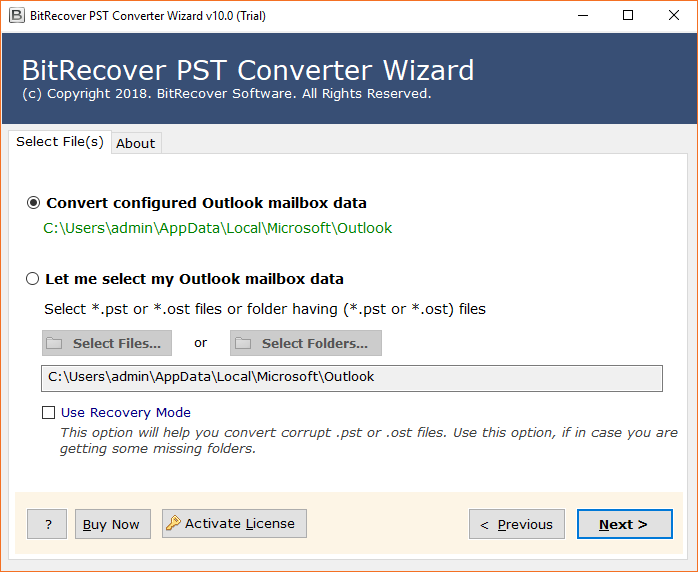 Next, select desired Outlook mailboxes from where you need to import PST to Thunderbird. 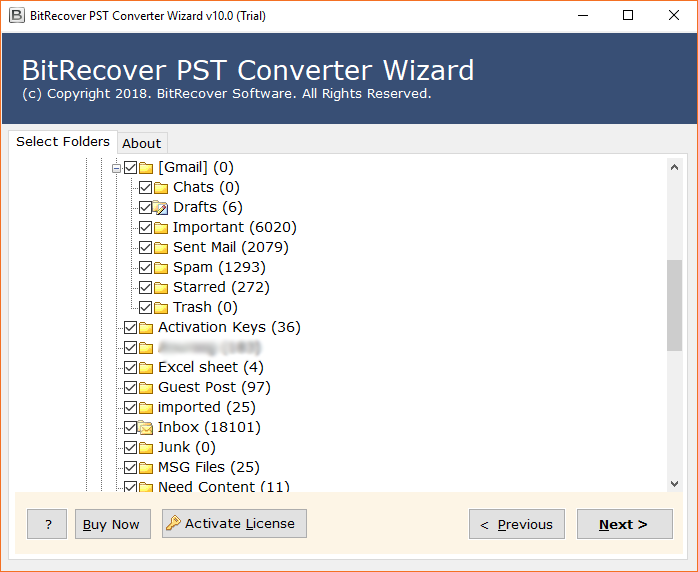 Then, select Thunderbird as a destination saving option. Along with this, browse a required location where you need to save the output. 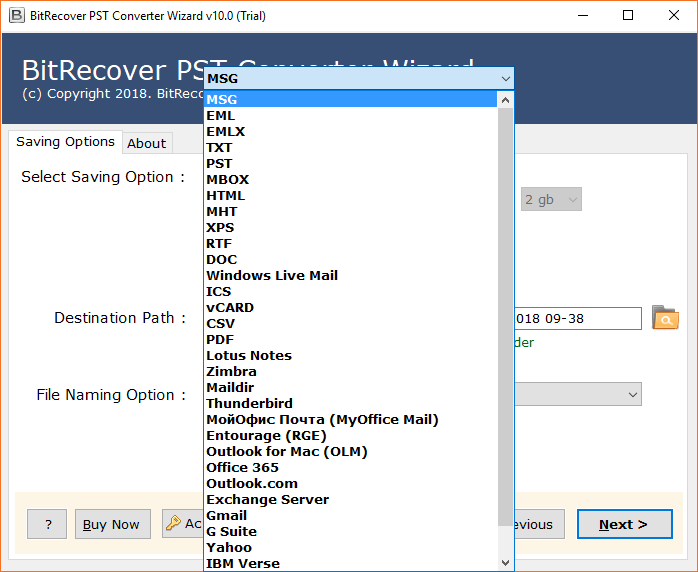 Lastly, click on the Convert button to begin the conversion task. Soon the process to import Outlook PST files to Thunderbird will start. 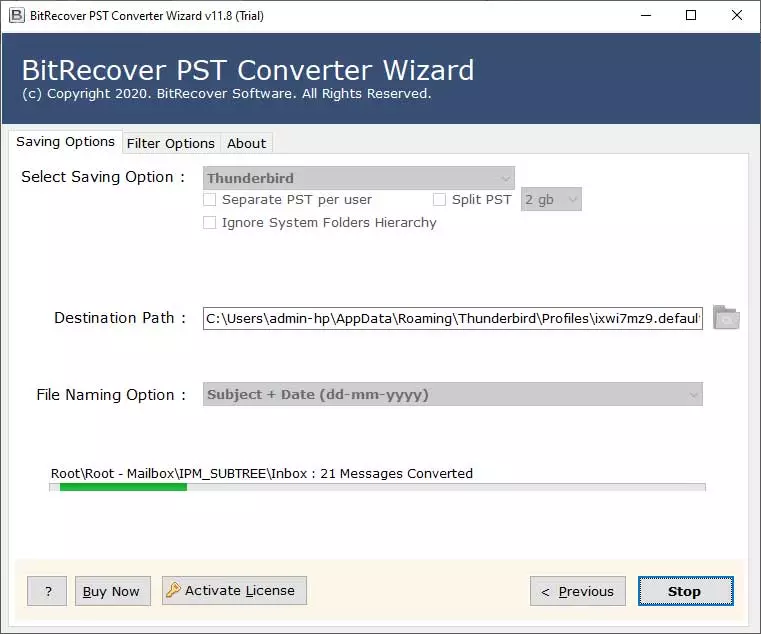 Go to your Thunderbird account for viewing all Outlook email messages. 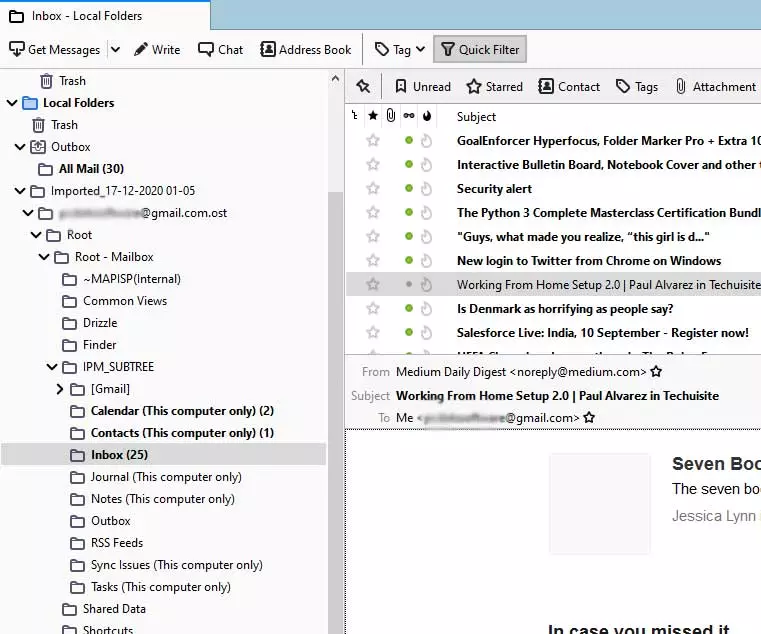 <h3><strong>Important Highlights of Outlook to Thunderbird Migrator</strong></h3> 1. It has the proficiency to automatically load Outlook mail data from configured storage location. 2. Along with emails, the tool has the ability to migrate all Outlook emails to Thunderbird with attachments. 3. Users can also export Outlook contacts as well as calendar to Thunderbird with complete details. 4. The tool provides a recovery mode option which is quite helpful for transferring corrupted Outlook data to Thunderbird in a healthy format. 5. After converting PST to Thunderbird, users have complete freedom to browse a desired destination path for output. 6. Once the process to import PST files to Thunderbird ends, users can see the live conversion report. 7. The utility comes with a multilingual product setup so you can install it in languages like English, Deutsch, Francais, Italiano, Nederlands, etc. 8. There is no need for Microsoft Outlook installation in order to import Outlook PST emails to Mozilla Thunderbird. 9. Users can install this software on any Windows machine such as Windows 10, Windows 8, Windows 8.1, Windows 7, Windows XP, Windows Vista, etc. 10. Throughout the export of Outlook emails to Thunderbird, this application maintains the integrity of data as well as the original folder hierarchy. 11. Users can selectively migrate PST data to Thunderbird with this software. <strong>Conclusion</strong> At last, we would like to say that importing Outlook PST emails to Mozilla Thunderbird is a daunting task for any user who does not know how to do it. But, the solution discussed in this blog that is the Outlook to Thunderbird converter software is a completely effective tool for accomplishing such conversions in less time. It is a comprehensive package of attractive features and has the ability to migrate all data from Outlook to Thunderbird. So, quickly download this software today and avail all its benefits. We hope that now you can effectively import PST to Thunderbird without any hassle. |
| json metadata | {"tags":["import","pst","to","thunderbird"],"image":["https://cdn.steemitimages.com/DQmR6kucL26MpSXeSEkKyhcBShn4MHX4DN9uvn7qWK6GaCh/select%20pst%20files.png","https://cdn.steemitimages.com/DQmYgNN9r5QCL3o5CKD4ZqPVMczVUPBYKYKD8B3RkR5DeEB/enable%20outlook%20folders.png","https://cdn.steemitimages.com/DQmYJztEc5rDFvaHuf9Pq7sTttdWRR17psu5hw4mZjLrGgr/choose%20thunderbird.png","https://cdn.steemitimages.com/DQmRtcjVB75oBQqnMLvYyutenshRBpofmThHycD7Wq2KW8n/import%20pst%20to%20thunderbird.png","https://cdn.steemitimages.com/DQme67DJXmZVULzAxUBoaChJMkLGWzzBGBXon6JC6XWXJDG/run-mozilla-thunderbird.png"],"links":["https://www.bitrecover.com/pst-to-thunderbird/","https://www.bitrecover.com/pst-converter/"],"app":"steemit/0.2","format":"markdown"} |
| Transaction Info | Block #52879336/Trx fb158af7a11c95679632c3c5e199c6e789423d99 |
View Raw JSON Data
{
"trx_id": "fb158af7a11c95679632c3c5e199c6e789423d99",
"block": 52879336,
"trx_in_block": 18,
"op_in_trx": 0,
"virtual_op": 0,
"timestamp": "2021-04-14T12:07:42",
"op": [
"comment",
{
"parent_author": "",
"parent_permlink": "import",
"author": "ellajonson",
"permlink": "import-pst-to-thunderbird",
"title": "import pst to thunderbird",
"body": "Most Effective Method to Import PST to Thunderbird without Outlook Application ?\nWith the progression in the innovation, the mailing is not, at this point restricted to the web browsers. Most email clients permit users to read their messages and make drafts when there is no association with the internet. Because of this, each organization attempts to achieve an amazing work process by utilizing an email client with straightforwardness and impressive features. One such case is when users have numerous Outlook accounts, they have a great deal of PST documents and search for a straightforward method to import PST to Thunderbird without Outlook since Thunderbird is having some intuitive and remarkable features.\n\n<h2><strong>Reliable and Smartest Approach to Import PST Files to Thunderbird</strong></h2>\n\nThere is one and only one easiest method to import Outlook emails to Thunderbird. You will have to use an automated PST to Thunderbird converter tool. This software comes with the feature to <a href=\"https://www.bitrecover.com/pst-to-thunderbird/\" target=\"_blank\">import PST to Thunderbird</a> without installing Outlook on the machine.\n\nThis function is really great for those users who don’t have even Outlook on their computer but have certain old or important PST files which are needed to be imported into Thunderbird.\n\nThis software is compatible to migrate Outlook 2010 to Thunderbird, Outlook 2013 to Thunderbird, Outlook 2016 to Thunderbird, Outlook 2019 to Thunderbird, etc. Moreover, in a single attempt, any individual can bulk convert PST files to Thunderbird without any hassle.\n\nIn the below section, let us see the complete process to export Outlook emails to Thunderbird client.\n\n<h2><strong>How to Import Outlook PST Data to Mozilla Thunderbird ?</strong></h2>\n\nThis section covers the step-by-step guidelines to export Outlook database file that is PST into Thunderbird. \n\nFirst of all launch this <a href=\"https://www.bitrecover.com/pst-converter/\" target=\"_blank\">PST Converter</a> on your computer by clicking on this download link: https://www.bitrecover.com/dl/bitrecover-pst-converter-wizard.exe\n\nNow, import Outlook data files into the toolkit with the dual options.\n\n\n\n\nNext, select desired Outlook mailboxes from where you need to import PST to Thunderbird.\n\n\n\n\nThen, select Thunderbird as a destination saving option. Along with this, browse a required location where you need to save the output.\n\n\n\n\nLastly, click on the Convert button to begin the conversion task. Soon the process to import Outlook PST files to Thunderbird will start.\n\n\n\n\nGo to your Thunderbird account for viewing all Outlook email messages.\n\n\n\n\n<h3><strong>Important Highlights of Outlook to Thunderbird Migrator</strong></h3>\n\n1.\tIt has the proficiency to automatically load Outlook mail data from configured storage location.\n2.\tAlong with emails, the tool has the ability to migrate all Outlook emails to Thunderbird with attachments.\n3.\tUsers can also export Outlook contacts as well as calendar to Thunderbird with complete details.\n4.\tThe tool provides a recovery mode option which is quite helpful for transferring corrupted Outlook data to Thunderbird in a healthy format.\n5.\tAfter converting PST to Thunderbird, users have complete freedom to browse a desired destination path for output.\n6.\tOnce the process to import PST files to Thunderbird ends, users can see the live conversion report.\n7.\tThe utility comes with a multilingual product setup so you can install it in languages like English, Deutsch, Francais, Italiano, Nederlands, etc.\n8.\tThere is no need for Microsoft Outlook installation in order to import Outlook PST emails to Mozilla Thunderbird.\n9.\tUsers can install this software on any Windows machine such as Windows 10, Windows 8, Windows 8.1, Windows 7, Windows XP, Windows Vista, etc.\n10.\tThroughout the export of Outlook emails to Thunderbird, this application maintains the integrity of data as well as the original folder hierarchy.\n11.\tUsers can selectively migrate PST data to Thunderbird with this software.\n\n\n<strong>Conclusion</strong>\n\nAt last, we would like to say that importing Outlook PST emails to Mozilla Thunderbird is a daunting task for any user who does not know how to do it. But, the solution discussed in this blog that is the Outlook to Thunderbird converter software is a completely effective tool for accomplishing such conversions in less time. It is a comprehensive package of attractive features and has the ability to migrate all data from Outlook to Thunderbird. So, quickly download this software today and avail all its benefits. We hope that now you can effectively import PST to Thunderbird without any hassle.",
"json_metadata": "{\"tags\":[\"import\",\"pst\",\"to\",\"thunderbird\"],\"image\":[\"https://cdn.steemitimages.com/DQmR6kucL26MpSXeSEkKyhcBShn4MHX4DN9uvn7qWK6GaCh/select%20pst%20files.png\",\"https://cdn.steemitimages.com/DQmYgNN9r5QCL3o5CKD4ZqPVMczVUPBYKYKD8B3RkR5DeEB/enable%20outlook%20folders.png\",\"https://cdn.steemitimages.com/DQmYJztEc5rDFvaHuf9Pq7sTttdWRR17psu5hw4mZjLrGgr/choose%20thunderbird.png\",\"https://cdn.steemitimages.com/DQmRtcjVB75oBQqnMLvYyutenshRBpofmThHycD7Wq2KW8n/import%20pst%20to%20thunderbird.png\",\"https://cdn.steemitimages.com/DQme67DJXmZVULzAxUBoaChJMkLGWzzBGBXon6JC6XWXJDG/run-mozilla-thunderbird.png\"],\"links\":[\"https://www.bitrecover.com/pst-to-thunderbird/\",\"https://www.bitrecover.com/pst-converter/\"],\"app\":\"steemit/0.2\",\"format\":\"markdown\"}"
}
]
}executive-boardsent 0.001 STEEM to @ellajonson- "❗ Hello ellajonson, welcome to the STEEM ecosystem. The Executive Board is publishing insider infos at https://discord.gg/KyBbmhh on how you will be earning the most coins. It's easy, just follow the ..."2021/04/14 11:48:15
executive-boardsent 0.001 STEEM to @ellajonson- "❗ Hello ellajonson, welcome to the STEEM ecosystem. The Executive Board is publishing insider infos at https://discord.gg/KyBbmhh on how you will be earning the most coins. It's easy, just follow the ..."
2021/04/14 11:48:15
| from | executive-board |
| to | ellajonson |
| amount | 0.001 STEEM |
| memo | ❗ Hello ellajonson, welcome to the STEEM ecosystem. The Executive Board is publishing insider infos at https://discord.gg/KyBbmhh on how you will be earning the most coins. It's easy, just follow the instructions. THE 1000X BOOSTER KEY is already waiting for you over there too. 😉 Warm regards, The Executive Board. |
| Transaction Info | Block #52878949/Trx 7070b5a2d4f3465826f4c6c148d4a823d677df74 |
View Raw JSON Data
{
  "trx_id": "7070b5a2d4f3465826f4c6c148d4a823d677df74",
  "block": 52878949,
  "trx_in_block": 12,
  "op_in_trx": 0,
  "virtual_op": 0,
  "timestamp": "2021-04-14T11:48:15",
  "op": [
    "transfer",
    {
      "from": "executive-board",
      "to": "ellajonson",
      "amount": "0.001 STEEM",
      "memo": "❗ Hello ellajonson, welcome to the STEEM ecosystem. The Executive Board is publishing insider infos at https://discord.gg/KyBbmhh on how you will be earning the most coins. It's easy, just follow the instructions. THE 1000X BOOSTER KEY is already waiting for you over there too. 😉 Warm regards, The Executive Board."
    }
  ]
}steemdelegated 18.632 SP to @ellajonson2021/04/14 11:47:03
steemdelegated 18.632 SP to @ellajonson
2021/04/14 11:47:03
| delegator | steem |
| delegatee | ellajonson |
| vesting shares | 30300.000000 VESTS |
| Transaction Info | Block #52878925/Trx 00c505f578e923d6db2e603c57e172d7e8084b0b |
View Raw JSON Data
{
  "trx_id": "00c505f578e923d6db2e603c57e172d7e8084b0b",
  "block": 52878925,
  "trx_in_block": 10,
  "op_in_trx": 0,
  "virtual_op": 0,
  "timestamp": "2021-04-14T11:47:03",
  "op": [
    "delegate_vesting_shares",
    {
      "delegator": "steem",
      "delegatee": "ellajonson",
      "vesting_shares": "30300.000000 VESTS"
    }
  ]
}steemcreated a new account: @ellajonson2021/04/14 11:47:03
steemcreated a new account: @ellajonson
2021/04/14 11:47:03
| creator | steem |
| new account name | ellajonson |
| owner | {"weight_threshold":1,"account_auths":[],"key_auths":[["STM59Vph9LGMdmmuh656nxHAu5VeiEmAWnodxydtgS2FRRbCynrdY",1]]} |
| active | {"weight_threshold":1,"account_auths":[],"key_auths":[["STM5KwHwcJJNAqRKG7wgGSiEa4sNwHbfaHBULrwvwNBR8S4HFnSb3",1]]} |
| posting | {"weight_threshold":1,"account_auths":[],"key_auths":[["STM5ahJbcbTvoyuFHLj6zhR33VUkQXi2i2iejK3jhFM9aiQHMS7fu",1]]} |
| memo key | STM4yGnYYREyMMo9NqRTPvRqQTVKteeRiBgEYKcFFETnmt9SpHHXY |
| json metadata | {} |
| extensions | [] |
| Transaction Info | Block #52878925/Trx 00c505f578e923d6db2e603c57e172d7e8084b0b |
View Raw JSON Data
{
  "trx_id": "00c505f578e923d6db2e603c57e172d7e8084b0b",
  "block": 52878925,
  "trx_in_block": 10,
  "op_in_trx": 0,
  "virtual_op": 0,
  "timestamp": "2021-04-14T11:47:03",
  "op": [
    "create_claimed_account",
    {
      "creator": "steem",
      "new_account_name": "ellajonson",
      "owner": {
        "weight_threshold": 1,
        "account_auths": [],
        "key_auths": [
          [
            "STM59Vph9LGMdmmuh656nxHAu5VeiEmAWnodxydtgS2FRRbCynrdY",
            1
          ]
        ]
      },
      "active": {
        "weight_threshold": 1,
        "account_auths": [],
        "key_auths": [
          [
            "STM5KwHwcJJNAqRKG7wgGSiEa4sNwHbfaHBULrwvwNBR8S4HFnSb3",
            1
          ]
        ]
      },
      "posting": {
        "weight_threshold": 1,
        "account_auths": [],
        "key_auths": [
          [
            "STM5ahJbcbTvoyuFHLj6zhR33VUkQXi2i2iejK3jhFM9aiQHMS7fu",
            1
          ]
        ]
      },
      "memo_key": "STM4yGnYYREyMMo9NqRTPvRqQTVKteeRiBgEYKcFFETnmt9SpHHXY",
      "json_metadata": "{}",
      "extensions": []
    }
  ]
}Manabar
Voting Power100.00%
Downvote Power100.00%
Resource Credits100.00%
Reputation Progress0.00%
{
  "voting_manabar": {
    "current_mana": "5472996220",
    "last_update_time": 1769151258
  },
  "downvote_manabar": {
    "current_mana": 1368249055,
    "last_update_time": 1769151258
  },
  "rc_account": {
    "account": "ellajonson",
    "rc_manabar": {
      "current_mana": "11294474532",
      "last_update_time": 1769151258
    },
    "max_rc_creation_adjustment": {
      "amount": "5657259115",
      "precision": 6,
      "nai": "@@000000037"
    },
    "max_rc": "11130255335"
  }
}
Account Metadata
| POSTING JSON METADATA | |
| None | |
| JSON METADATA | |
| None |
{
  "posting_json_metadata": {},
  "json_metadata": {}
}
Auth Keys
Owner
Single Signature
Public Keys
STM59Vph9LGMdmmuh656nxHAu5VeiEmAWnodxydtgS2FRRbCynrdY1/1
Active
Single Signature
Public Keys
STM5KwHwcJJNAqRKG7wgGSiEa4sNwHbfaHBULrwvwNBR8S4HFnSb31/1
Posting
Single Signature
Public Keys
STM5ahJbcbTvoyuFHLj6zhR33VUkQXi2i2iejK3jhFM9aiQHMS7fu1/1
Memo
STM4yGnYYREyMMo9NqRTPvRqQTVKteeRiBgEYKcFFETnmt9SpHHXY
{
  "owner": {
    "weight_threshold": 1,
    "account_auths": [],
    "key_auths": [
      [
        "STM59Vph9LGMdmmuh656nxHAu5VeiEmAWnodxydtgS2FRRbCynrdY",
        1
      ]
    ]
  },
  "active": {
    "weight_threshold": 1,
    "account_auths": [],
    "key_auths": [
      [
        "STM5KwHwcJJNAqRKG7wgGSiEa4sNwHbfaHBULrwvwNBR8S4HFnSb3",
        1
      ]
    ]
  },
  "posting": {
    "weight_threshold": 1,
    "account_auths": [],
    "key_auths": [
      [
        "STM5ahJbcbTvoyuFHLj6zhR33VUkQXi2i2iejK3jhFM9aiQHMS7fu",
        1
      ]
    ]
  },
  "memo": "STM4yGnYYREyMMo9NqRTPvRqQTVKteeRiBgEYKcFFETnmt9SpHHXY"
}
Witness Votes
0 / 30
No active witness votes.
[]