

VOTING POWER100.00%
DOWNVOTE POWER100.00%
RESOURCE CREDITS100.00%
REPUTATION PROGRESS0.00%
Net Worth
0.616USD
STEEM
4.265STEEM
SBD
0.010SBD
Effective Power
7.306SP
├── Own SP
6.277SP
└── Incoming DelegationsDeleg
+1.029SP
Detailed Balance
| STEEM | ||
| balance | 4.265STEEM | STEEM |
| market_balance | 0.000STEEM | STEEM |
| savings_balance | 0.000STEEM | STEEM |
| reward_steem_balance | 0.000STEEM | STEEM |
| STEEM POWER | ||
| Own SP | 6.277SP | SP |
| Delegated Out | 0.000SP | SP |
| Delegation In | 1.029SP | SP |
| Effective Power | 7.306SP | SP |
| Reward SP (pending) | 0.000SP | SP |
| SBD | ||
| sbd_balance | 0.010SBD | SBD |
| sbd_conversions | 0.000SBD | SBD |
| sbd_market_balance | 0.000SBD | SBD |
| savings_sbd_balance | 0.000SBD | SBD |
| reward_sbd_balance | 0.000SBD | SBD |
{
  "balance": "4.265 STEEM",
  "savings_balance": "0.000 STEEM",
  "reward_steem_balance": "0.000 STEEM",
  "vesting_shares": "10209.054886 VESTS",
  "delegated_vesting_shares": "0.000000 VESTS",
  "received_vesting_shares": "1674.102999 VESTS",
  "sbd_balance": "0.010 SBD",
  "savings_sbd_balance": "0.000 SBD",
  "reward_sbd_balance": "0.000 SBD",
  "conversions": []
}
Account Info
| name | floki86 |
| id | 633681 |
| rank | 165,796 |
| reputation | 80664719 |
| created | 2018-01-20T20:35:33 |
| recovery_account | steem |
| proxy | None |
| post_count | 7 |
| comment_count | 0 |
| lifetime_vote_count | 0 |
| witnesses_voted_for | 0 |
| last_post | 2018-03-10T05:31:12 |
| last_root_post | 2018-02-09T03:40:57 |
| last_vote_time | 2018-03-10T05:31:39 |
| proxied_vsf_votes | 0, 0, 0, 0 |
| can_vote | 1 |
| voting_power | 0 |
| delayed_votes | 0 |
| balance | 4.265 STEEM |
| savings_balance | 0.000 STEEM |
| sbd_balance | 0.010 SBD |
| savings_sbd_balance | 0.000 SBD |
| vesting_shares | 10209.054886 VESTS |
| delegated_vesting_shares | 0.000000 VESTS |
| received_vesting_shares | 1674.102999 VESTS |
| reward_vesting_balance | 0.000000 VESTS |
| vesting_balance | 0.000 STEEM |
| vesting_withdraw_rate | 0.000000 VESTS |
| next_vesting_withdrawal | 1969-12-31T23:59:59 |
| withdrawn | 11272405075 |
| to_withdraw | 11272405075 |
| withdraw_routes | 0 |
| savings_withdraw_requests | 0 |
| last_account_recovery | 1970-01-01T00:00:00 |
| reset_account | null |
| last_owner_update | 2018-03-16T11:34:06 |
| last_account_update | 2018-03-16T11:34:06 |
| mined | No |
| sbd_seconds | 0 |
| sbd_last_interest_payment | 1970-01-01T00:00:00 |
| savings_sbd_last_interest_payment | 1970-01-01T00:00:00 |
{
  "id": 633681,
  "name": "floki86",
  "owner": {
    "weight_threshold": 1,
    "account_auths": [],
    "key_auths": [
      [
        "STM7McmJbFyjiDpyU7WKEqVWc1NFgAz223akSFTkseEqGSx4WmTsx",
        1
      ]
    ]
  },
  "active": {
    "weight_threshold": 1,
    "account_auths": [],
    "key_auths": [
      [
        "STM7cxAxVK1rZt89B8MZrcUAYeogH4f4JAvYWS93ZndN5QuuhLxW7",
        1
      ]
    ]
  },
  "posting": {
    "weight_threshold": 1,
    "account_auths": [
      [
        "dtube.app",
        1
      ]
    ],
    "key_auths": [
      [
        "STM7ViQyq5gexvi3CVqDmpEG8F94aUVJsKWfN9BaMKYG42RTuyKPY",
        1
      ]
    ]
  },
  "memo_key": "STM8eQwTacZEEdydqXoa1LKcSjGorsxsGwQtvu83npiYQXKGmwocC",
  "json_metadata": "",
  "posting_json_metadata": "",
  "proxy": "",
  "last_owner_update": "2018-03-16T11:34:06",
  "last_account_update": "2018-03-16T11:34:06",
  "created": "2018-01-20T20:35:33",
  "mined": false,
  "recovery_account": "steem",
  "last_account_recovery": "1970-01-01T00:00:00",
  "reset_account": "null",
  "comment_count": 0,
  "lifetime_vote_count": 0,
  "post_count": 7,
  "can_vote": true,
  "voting_manabar": {
    "current_mana": "11883157885",
    "last_update_time": 1746165543
  },
  "downvote_manabar": {
    "current_mana": 2970789471,
    "last_update_time": 1746165543
  },
  "voting_power": 0,
  "balance": "4.265 STEEM",
  "savings_balance": "0.000 STEEM",
  "sbd_balance": "0.010 SBD",
  "sbd_seconds": "0",
  "sbd_seconds_last_update": "2018-04-20T12:32:24",
  "sbd_last_interest_payment": "1970-01-01T00:00:00",
  "savings_sbd_balance": "0.000 SBD",
  "savings_sbd_seconds": "0",
  "savings_sbd_seconds_last_update": "1970-01-01T00:00:00",
  "savings_sbd_last_interest_payment": "1970-01-01T00:00:00",
  "savings_withdraw_requests": 0,
  "reward_sbd_balance": "0.000 SBD",
  "reward_steem_balance": "0.000 STEEM",
  "reward_vesting_balance": "0.000000 VESTS",
  "reward_vesting_steem": "0.000 STEEM",
  "vesting_shares": "10209.054886 VESTS",
  "delegated_vesting_shares": "0.000000 VESTS",
  "received_vesting_shares": "1674.102999 VESTS",
  "vesting_withdraw_rate": "0.000000 VESTS",
  "next_vesting_withdrawal": "1969-12-31T23:59:59",
  "withdrawn": "11272405075",
  "to_withdraw": "11272405075",
  "withdraw_routes": 0,
  "curation_rewards": 0,
  "posting_rewards": 5,
  "proxied_vsf_votes": [
    0,
    0,
    0,
    0
  ],
  "witnesses_voted_for": 0,
  "last_post": "2018-03-10T05:31:12",
  "last_root_post": "2018-02-09T03:40:57",
  "last_vote_time": "2018-03-10T05:31:39",
  "post_bandwidth": 0,
  "pending_claimed_accounts": 0,
  "vesting_balance": "0.000 STEEM",
  "reputation": 80664719,
  "transfer_history": [],
  "market_history": [],
  "post_history": [],
  "vote_history": [],
  "other_history": [],
  "witness_votes": [],
  "tags_usage": [],
  "guest_bloggers": [],
  "rank": 165796
}
Withdraw Routes
| Incoming | Outgoing |
|---|---|
Empty | Empty |
{
  "incoming": [],
  "outgoing": []
}From Date
To Date
2025/05/02 05:59:03
2025/05/02 05:59:03
| delegator | steem |
| delegatee | floki86 |
| vesting shares | 1674.102999 VESTS |
| Transaction Info | Block #95207746/Trx 620b12fa8b4bd67be3873fbdb208e7c71b3a0552 |
View Raw JSON Data
{
  "trx_id": "620b12fa8b4bd67be3873fbdb208e7c71b3a0552",
  "block": 95207746,
  "trx_in_block": 2,
  "op_in_trx": 0,
  "virtual_op": 0,
  "timestamp": "2025-05-02T05:59:03",
  "op": [
    "delegate_vesting_shares",
    {
      "delegator": "steem",
      "delegatee": "floki86",
      "vesting_shares": "1674.102999 VESTS"
    }
  ]
}2021/12/21 12:26:27
2021/12/21 12:26:27
| delegator | steem |
| delegatee | floki86 |
| vesting shares | 1841.523553 VESTS |
| Transaction Info | Block #60037944/Trx 49fb75be4c0bbfa86ec1bbb54e5a633e67ab42fd |
View Raw JSON Data
{
  "trx_id": "49fb75be4c0bbfa86ec1bbb54e5a633e67ab42fd",
  "block": 60037944,
  "trx_in_block": 18,
  "op_in_trx": 0,
  "virtual_op": 0,
  "timestamp": "2021-12-21T12:26:27",
  "op": [
    "delegate_vesting_shares",
    {
      "delegator": "steem",
      "delegatee": "floki86",
      "vesting_shares": "1841.523553 VESTS"
    }
  ]
}2020/01/20 21:12:27
2020/01/20 21:12:27
| parent author | floki86 |
| parent permlink | introducing-masternode-coin-stack-secret |
| author | steemitboard |
| permlink | steemitboard-notify-floki86-20200120t211226000z |
| title | |
| body | Congratulations @floki86! You received a personal award! <table><tr><td>https://steemitimages.com/70x70/http://steemitboard.com/@floki86/birthday2.png</td><td>Happy Birthday! - You are on the Steem blockchain for 2 years!</td></tr></table> <sub>_You can view [your badges on your Steem Board](https://steemitboard.com/@floki86) and compare to others on the [Steem Ranking](https://steemitboard.com/ranking/index.php?name=floki86)_</sub> ###### [Vote for @Steemitboard as a witness](https://v2.steemconnect.com/sign/account-witness-vote?witness=steemitboard&approve=1) to get one more award and increased upvotes! |
| json metadata | {"image":["https://steemitboard.com/img/notify.png"]} |
| Transaction Info | Block #40103876/Trx 118859cf5db8ff5d292ba10dbc7575b9a7b64466 |
View Raw JSON Data
{
  "trx_id": "118859cf5db8ff5d292ba10dbc7575b9a7b64466",
  "block": 40103876,
  "trx_in_block": 25,
  "op_in_trx": 0,
  "virtual_op": 0,
  "timestamp": "2020-01-20T21:12:27",
  "op": [
    "comment",
    {
      "parent_author": "floki86",
      "parent_permlink": "introducing-masternode-coin-stack-secret",
      "author": "steemitboard",
      "permlink": "steemitboard-notify-floki86-20200120t211226000z",
      "title": "",
      "body": "Congratulations @floki86! You received a personal award!\n\n<table><tr><td>https://steemitimages.com/70x70/http://steemitboard.com/@floki86/birthday2.png</td><td>Happy Birthday! - You are on the Steem blockchain for 2 years!</td></tr></table>\n\n<sub>_You can view [your badges on your Steem Board](https://steemitboard.com/@floki86) and compare to others on the [Steem Ranking](https://steemitboard.com/ranking/index.php?name=floki86)_</sub>\n\n\n###### [Vote for @Steemitboard as a witness](https://v2.steemconnect.com/sign/account-witness-vote?witness=steemitboard&approve=1) to get one more award and increased upvotes!",
      "json_metadata": "{\"image\":[\"https://steemitboard.com/img/notify.png\"]}"
    }
  ]
}2019/08/22 17:21:45
2019/08/22 17:21:45
| from | dtube |
| to | floki86 |
| amount | 0.001 STEEM |
| memo | Time is running out, claim your DTube account now before anyone else can! Login at https://d.tube |
| Transaction Info | Block #35780843/Trx 4d5d51e1218b96ff99fc167da651c0d04f586086 |
View Raw JSON Data
{
  "trx_id": "4d5d51e1218b96ff99fc167da651c0d04f586086",
  "block": 35780843,
  "trx_in_block": 30,
  "op_in_trx": 0,
  "virtual_op": 0,
  "timestamp": "2019-08-22T17:21:45",
  "op": [
    "transfer",
    {
      "from": "dtube",
      "to": "floki86",
      "amount": "0.001 STEEM",
      "memo": "Time is running out, claim your DTube account now before anyone else can! Login at https://d.tube"
    }
  ]
}2019/01/20 21:48:36
2019/01/20 21:48:36
| parent author | floki86 |
| parent permlink | introducing-masternode-coin-stack-secret |
| author | steemitboard |
| permlink | steemitboard-notify-floki86-20190120t214835000z |
| title | |
| body | Congratulations @floki86! You received a personal award! <table><tr><td>https://steemitimages.com/70x70/http://steemitboard.com/@floki86/birthday1.png</td><td>Happy Birthday! - You are on the Steem blockchain for 1 year!</td></tr></table> <sub>_[Click here to view your Board](https://steemitboard.com/@floki86)_</sub> > Support [SteemitBoard's project](https://steemit.com/@steemitboard)! **[Vote for its witness](https://v2.steemconnect.com/sign/account-witness-vote?witness=steemitboard&approve=1)** and **get one more award**! |
| json metadata | {"image":["https://steemitboard.com/img/notify.png"]} |
| Transaction Info | Block #29632014/Trx 118125c32fbb47228ecc899cdd731104cf251f15 |
View Raw JSON Data
{
  "trx_id": "118125c32fbb47228ecc899cdd731104cf251f15",
  "block": 29632014,
  "trx_in_block": 12,
  "op_in_trx": 0,
  "virtual_op": 0,
  "timestamp": "2019-01-20T21:48:36",
  "op": [
    "comment",
    {
      "parent_author": "floki86",
      "parent_permlink": "introducing-masternode-coin-stack-secret",
      "author": "steemitboard",
      "permlink": "steemitboard-notify-floki86-20190120t214835000z",
      "title": "",
      "body": "Congratulations @floki86! You received a personal award!\n\n<table><tr><td>https://steemitimages.com/70x70/http://steemitboard.com/@floki86/birthday1.png</td><td>Happy Birthday! - You are on the Steem blockchain for 1 year!</td></tr></table>\n\n<sub>_[Click here to view your Board](https://steemitboard.com/@floki86)_</sub>\n\n\n> Support [SteemitBoard's project](https://steemit.com/@steemitboard)! **[Vote for its witness](https://v2.steemconnect.com/sign/account-witness-vote?witness=steemitboard&approve=1)** and **get one more award**!",
      "json_metadata": "{\"image\":[\"https://steemitboard.com/img/notify.png\"]}"
    }
  ]
}2018/08/10 16:14:30
2018/08/10 16:14:30
| delegator | steem |
| delegatee | floki86 |
| vesting shares | 2025.693581 VESTS |
| Transaction Info | Block #24949642/Trx 467f2ae8880e84d0b6628f79602f14aec4f0abe2 |
View Raw JSON Data
{
  "trx_id": "467f2ae8880e84d0b6628f79602f14aec4f0abe2",
  "block": 24949642,
  "trx_in_block": 8,
  "op_in_trx": 0,
  "virtual_op": 0,
  "timestamp": "2018-08-10T16:14:30",
  "op": [
    "delegate_vesting_shares",
    {
      "delegator": "steem",
      "delegatee": "floki86",
      "vesting_shares": "2025.693581 VESTS"
    }
  ]
}floki86received 0.000 STEEM from power down installment (0.000 SP)2018/07/27 12:21:51
floki86received 0.000 STEEM from power down installment (0.000 SP)
2018/07/27 12:21:51
| from account | floki86 |
| to account | floki86 |
| withdrawn | 0.000009 VESTS |
| deposited | 0.000 STEEM |
| Transaction Info | Block #24542381/Virtual Operation #8 |
View Raw JSON Data
{
  "trx_id": "0000000000000000000000000000000000000000",
  "block": 24542381,
  "trx_in_block": 4294967295,
  "op_in_trx": 0,
  "virtual_op": 8,
  "timestamp": "2018-07-27T12:21:51",
  "op": [
    "fill_vesting_withdraw",
    {
      "from_account": "floki86",
      "to_account": "floki86",
      "withdrawn": "0.000009 VESTS",
      "deposited": "0.000 STEEM"
    }
  ]
}floki86received 0.427 STEEM from power down installment (0.533 SP)2018/07/20 12:21:51
floki86received 0.427 STEEM from power down installment (0.533 SP)
2018/07/20 12:21:51
| from account | floki86 |
| to account | floki86 |
| withdrawn | 867.108082 VESTS |
| deposited | 0.427 STEEM |
| Transaction Info | Block #24340964/Virtual Operation #5 |
View Raw JSON Data
{
  "trx_id": "0000000000000000000000000000000000000000",
  "block": 24340964,
  "trx_in_block": 4294967295,
  "op_in_trx": 0,
  "virtual_op": 5,
  "timestamp": "2018-07-20T12:21:51",
  "op": [
    "fill_vesting_withdraw",
    {
      "from_account": "floki86",
      "to_account": "floki86",
      "withdrawn": "867.108082 VESTS",
      "deposited": "0.427 STEEM"
    }
  ]
}floki86received 0.427 STEEM from power down installment (0.533 SP)2018/07/13 12:21:51
floki86received 0.427 STEEM from power down installment (0.533 SP)
2018/07/13 12:21:51
| from account | floki86 |
| to account | floki86 |
| withdrawn | 867.108082 VESTS |
| deposited | 0.427 STEEM |
| Transaction Info | Block #24139475/Virtual Operation #14 |
View Raw JSON Data
{
  "trx_id": "0000000000000000000000000000000000000000",
  "block": 24139475,
  "trx_in_block": 4294967295,
  "op_in_trx": 0,
  "virtual_op": 14,
  "timestamp": "2018-07-13T12:21:51",
  "op": [
    "fill_vesting_withdraw",
    {
      "from_account": "floki86",
      "to_account": "floki86",
      "withdrawn": "867.108082 VESTS",
      "deposited": "0.427 STEEM"
    }
  ]
}floki86received 0.427 STEEM from power down installment (0.533 SP)2018/07/06 12:21:51
floki86received 0.427 STEEM from power down installment (0.533 SP)
2018/07/06 12:21:51
| from account | floki86 |
| to account | floki86 |
| withdrawn | 867.108082 VESTS |
| deposited | 0.427 STEEM |
| Transaction Info | Block #23937954/Virtual Operation #17 |
View Raw JSON Data
{
  "trx_id": "0000000000000000000000000000000000000000",
  "block": 23937954,
  "trx_in_block": 4294967295,
  "op_in_trx": 0,
  "virtual_op": 17,
  "timestamp": "2018-07-06T12:21:51",
  "op": [
    "fill_vesting_withdraw",
    {
      "from_account": "floki86",
      "to_account": "floki86",
      "withdrawn": "867.108082 VESTS",
      "deposited": "0.427 STEEM"
    }
  ]
}floki86received 0.427 STEEM from power down installment (0.533 SP)2018/06/29 12:21:51
floki86received 0.427 STEEM from power down installment (0.533 SP)
2018/06/29 12:21:51
| from account | floki86 |
| to account | floki86 |
| withdrawn | 867.108082 VESTS |
| deposited | 0.427 STEEM |
| Transaction Info | Block #23746262/Virtual Operation #12 |
View Raw JSON Data
{
  "trx_id": "0000000000000000000000000000000000000000",
  "block": 23746262,
  "trx_in_block": 4294967295,
  "op_in_trx": 0,
  "virtual_op": 12,
  "timestamp": "2018-06-29T12:21:51",
  "op": [
    "fill_vesting_withdraw",
    {
      "from_account": "floki86",
      "to_account": "floki86",
      "withdrawn": "867.108082 VESTS",
      "deposited": "0.427 STEEM"
    }
  ]
}floki86received 0.426 STEEM from power down installment (0.533 SP)2018/06/22 12:21:51
floki86received 0.426 STEEM from power down installment (0.533 SP)
2018/06/22 12:21:51
| from account | floki86 |
| to account | floki86 |
| withdrawn | 867.108082 VESTS |
| deposited | 0.426 STEEM |
| Transaction Info | Block #23544733/Virtual Operation #22 |
View Raw JSON Data
{
  "trx_id": "0000000000000000000000000000000000000000",
  "block": 23544733,
  "trx_in_block": 4294967295,
  "op_in_trx": 0,
  "virtual_op": 22,
  "timestamp": "2018-06-22T12:21:51",
  "op": [
    "fill_vesting_withdraw",
    {
      "from_account": "floki86",
      "to_account": "floki86",
      "withdrawn": "867.108082 VESTS",
      "deposited": "0.426 STEEM"
    }
  ]
}floki86received 0.426 STEEM from power down installment (0.533 SP)2018/06/15 12:21:51
floki86received 0.426 STEEM from power down installment (0.533 SP)
2018/06/15 12:21:51
| from account | floki86 |
| to account | floki86 |
| withdrawn | 867.108082 VESTS |
| deposited | 0.426 STEEM |
| Transaction Info | Block #23343197/Virtual Operation #22 |
View Raw JSON Data
{
  "trx_id": "0000000000000000000000000000000000000000",
  "block": 23343197,
  "trx_in_block": 4294967295,
  "op_in_trx": 0,
  "virtual_op": 22,
  "timestamp": "2018-06-15T12:21:51",
  "op": [
    "fill_vesting_withdraw",
    {
      "from_account": "floki86",
      "to_account": "floki86",
      "withdrawn": "867.108082 VESTS",
      "deposited": "0.426 STEEM"
    }
  ]
}floki86received 0.426 STEEM from power down installment (0.533 SP)2018/06/08 12:21:51
floki86received 0.426 STEEM from power down installment (0.533 SP)
2018/06/08 12:21:51
| from account | floki86 |
| to account | floki86 |
| withdrawn | 867.108082 VESTS |
| deposited | 0.426 STEEM |
| Transaction Info | Block #23142205/Virtual Operation #12 |
View Raw JSON Data
{
  "trx_id": "0000000000000000000000000000000000000000",
  "block": 23142205,
  "trx_in_block": 4294967295,
  "op_in_trx": 0,
  "virtual_op": 12,
  "timestamp": "2018-06-08T12:21:51",
  "op": [
    "fill_vesting_withdraw",
    {
      "from_account": "floki86",
      "to_account": "floki86",
      "withdrawn": "867.108082 VESTS",
      "deposited": "0.426 STEEM"
    }
  ]
}floki86received 0.426 STEEM from power down installment (0.533 SP)2018/06/01 12:21:51
floki86received 0.426 STEEM from power down installment (0.533 SP)
2018/06/01 12:21:51
| from account | floki86 |
| to account | floki86 |
| withdrawn | 867.108082 VESTS |
| deposited | 0.426 STEEM |
| Transaction Info | Block #22940684/Virtual Operation #34 |
View Raw JSON Data
{
  "trx_id": "0000000000000000000000000000000000000000",
  "block": 22940684,
  "trx_in_block": 4294967295,
  "op_in_trx": 0,
  "virtual_op": 34,
  "timestamp": "2018-06-01T12:21:51",
  "op": [
    "fill_vesting_withdraw",
    {
      "from_account": "floki86",
      "to_account": "floki86",
      "withdrawn": "867.108082 VESTS",
      "deposited": "0.426 STEEM"
    }
  ]
}waynetvaupvoted (100.00%) @floki86 / shekel-remote-masternode-setup-on-ubuntu-14-04-64-bit-for-noobs2018/05/26 10:38:48
waynetvaupvoted (100.00%) @floki86 / shekel-remote-masternode-setup-on-ubuntu-14-04-64-bit-for-noobs
2018/05/26 10:38:48
| voter | waynetva |
| author | floki86 |
| permlink | shekel-remote-masternode-setup-on-ubuntu-14-04-64-bit-for-noobs |
| weight | 10000 (100.00%) |
| Transaction Info | Block #22765857/Trx e6e22515303673f15d367ece05d6ff8e9813c226 |
View Raw JSON Data
{
  "trx_id": "e6e22515303673f15d367ece05d6ff8e9813c226",
  "block": 22765857,
  "trx_in_block": 56,
  "op_in_trx": 0,
  "virtual_op": 0,
  "timestamp": "2018-05-26T10:38:48",
  "op": [
    "vote",
    {
      "voter": "waynetva",
      "author": "floki86",
      "permlink": "shekel-remote-masternode-setup-on-ubuntu-14-04-64-bit-for-noobs",
      "weight": 10000
    }
  ]
}floki86received 0.426 STEEM from power down installment (0.533 SP)2018/05/25 12:21:51
floki86received 0.426 STEEM from power down installment (0.533 SP)
2018/05/25 12:21:51
| from account | floki86 |
| to account | floki86 |
| withdrawn | 867.108082 VESTS |
| deposited | 0.426 STEEM |
| Transaction Info | Block #22739124/Virtual Operation #10 |
View Raw JSON Data
{
  "trx_id": "0000000000000000000000000000000000000000",
  "block": 22739124,
  "trx_in_block": 4294967295,
  "op_in_trx": 0,
  "virtual_op": 10,
  "timestamp": "2018-05-25T12:21:51",
  "op": [
    "fill_vesting_withdraw",
    {
      "from_account": "floki86",
      "to_account": "floki86",
      "withdrawn": "867.108082 VESTS",
      "deposited": "0.426 STEEM"
    }
  ]
}floki86received 0.426 STEEM from power down installment (0.533 SP)2018/05/18 12:21:51
floki86received 0.426 STEEM from power down installment (0.533 SP)
2018/05/18 12:21:51
| from account | floki86 |
| to account | floki86 |
| withdrawn | 867.108082 VESTS |
| deposited | 0.426 STEEM |
| Transaction Info | Block #22537929/Virtual Operation #13 |
View Raw JSON Data
{
  "trx_id": "0000000000000000000000000000000000000000",
  "block": 22537929,
  "trx_in_block": 4294967295,
  "op_in_trx": 0,
  "virtual_op": 13,
  "timestamp": "2018-05-18T12:21:51",
  "op": [
    "fill_vesting_withdraw",
    {
      "from_account": "floki86",
      "to_account": "floki86",
      "withdrawn": "867.108082 VESTS",
      "deposited": "0.426 STEEM"
    }
  ]
}floki86sent 64.874 STEEM to @blocktrades- "eb669063-c55e-46e3-b80f-9080539da647"2018/05/11 16:08:24
floki86sent 64.874 STEEM to @blocktrades- "eb669063-c55e-46e3-b80f-9080539da647"
2018/05/11 16:08:24
| from | floki86 |
| to | blocktrades |
| amount | 64.874 STEEM |
| memo | eb669063-c55e-46e3-b80f-9080539da647 |
| Transaction Info | Block #22340883/Trx dad3ac91ec2f640d9f5449458c7a38167328e017 |
View Raw JSON Data
{
  "trx_id": "dad3ac91ec2f640d9f5449458c7a38167328e017",
  "block": 22340883,
  "trx_in_block": 36,
  "op_in_trx": 0,
  "virtual_op": 0,
  "timestamp": "2018-05-11T16:08:24",
  "op": [
    "transfer",
    {
      "from": "floki86",
      "to": "blocktrades",
      "amount": "64.874 STEEM",
      "memo": "eb669063-c55e-46e3-b80f-9080539da647"
    }
  ]
}floki86received 0.426 STEEM from power down installment (0.533 SP)2018/05/11 12:21:51
floki86received 0.426 STEEM from power down installment (0.533 SP)
2018/05/11 12:21:51
| from account | floki86 |
| to account | floki86 |
| withdrawn | 867.108082 VESTS |
| deposited | 0.426 STEEM |
| Transaction Info | Block #22336351/Virtual Operation #12 |
View Raw JSON Data
{
  "trx_id": "0000000000000000000000000000000000000000",
  "block": 22336351,
  "trx_in_block": 4294967295,
  "op_in_trx": 0,
  "virtual_op": 12,
  "timestamp": "2018-05-11T12:21:51",
  "op": [
    "fill_vesting_withdraw",
    {
      "from_account": "floki86",
      "to_account": "floki86",
      "withdrawn": "867.108082 VESTS",
      "deposited": "0.426 STEEM"
    }
  ]
}floki86received 0.425 STEEM from power down installment (0.533 SP)2018/05/04 12:21:51
floki86received 0.425 STEEM from power down installment (0.533 SP)
2018/05/04 12:21:51
| from account | floki86 |
| to account | floki86 |
| withdrawn | 867.108082 VESTS |
| deposited | 0.425 STEEM |
| Transaction Info | Block #22134807/Virtual Operation #44 |
View Raw JSON Data
{
  "trx_id": "0000000000000000000000000000000000000000",
  "block": 22134807,
  "trx_in_block": 4294967295,
  "op_in_trx": 0,
  "virtual_op": 44,
  "timestamp": "2018-05-04T12:21:51",
  "op": [
    "fill_vesting_withdraw",
    {
      "from_account": "floki86",
      "to_account": "floki86",
      "withdrawn": "867.108082 VESTS",
      "deposited": "0.425 STEEM"
    }
  ]
}floki86received 0.425 STEEM from power down installment (0.533 SP)2018/04/27 12:21:51
floki86received 0.425 STEEM from power down installment (0.533 SP)
2018/04/27 12:21:51
| from account | floki86 |
| to account | floki86 |
| withdrawn | 867.108082 VESTS |
| deposited | 0.425 STEEM |
| Transaction Info | Block #21933253/Virtual Operation #18 |
View Raw JSON Data
{
  "trx_id": "0000000000000000000000000000000000000000",
  "block": 21933253,
  "trx_in_block": 4294967295,
  "op_in_trx": 0,
  "virtual_op": 18,
  "timestamp": "2018-04-27T12:21:51",
  "op": [
    "fill_vesting_withdraw",
    {
      "from_account": "floki86",
      "to_account": "floki86",
      "withdrawn": "867.108082 VESTS",
      "deposited": "0.425 STEEM"
    }
  ]
}floki86claimed reward balance: 0.010 SBD, 0.004 SP2018/04/20 12:32:24
floki86claimed reward balance: 0.010 SBD, 0.004 SP
2018/04/20 12:32:24
| account | floki86 |
| reward steem | 0.000 STEEM |
| reward sbd | 0.010 SBD |
| reward vests | 6.137959 VESTS |
| Transaction Info | Block #21732544/Trx 41efebf7af6f9cd364806f4ebc9c32fb327cf77b |
View Raw JSON Data
{
  "trx_id": "41efebf7af6f9cd364806f4ebc9c32fb327cf77b",
  "block": 21732544,
  "trx_in_block": 30,
  "op_in_trx": 0,
  "virtual_op": 0,
  "timestamp": "2018-04-20T12:32:24",
  "op": [
    "claim_reward_balance",
    {
      "account": "floki86",
      "reward_steem": "0.000 STEEM",
      "reward_sbd": "0.010 SBD",
      "reward_vests": "6.137959 VESTS"
    }
  ]
}floki86started power down of 6.931 SP2018/04/20 12:21:51
floki86started power down of 6.931 SP
2018/04/20 12:21:51
| account | floki86 |
| vesting shares | 11272.405075 VESTS |
| Transaction Info | Block #21732333/Trx 4134a4d7f0d382c71a686cd7ab9baba6456a100f |
View Raw JSON Data
{
  "trx_id": "4134a4d7f0d382c71a686cd7ab9baba6456a100f",
  "block": 21732333,
  "trx_in_block": 52,
  "op_in_trx": 0,
  "virtual_op": 0,
  "timestamp": "2018-04-20T12:21:51",
  "op": [
    "withdraw_vesting",
    {
      "account": "floki86",
      "vesting_shares": "11272.405075 VESTS"
    }
  ]
}floki86updated their account properties2018/03/16 11:34:06
floki86updated their account properties
2018/03/16 11:34:06
| account | floki86 |
| owner | {"weight_threshold":1,"account_auths":[],"key_auths":[["STM7McmJbFyjiDpyU7WKEqVWc1NFgAz223akSFTkseEqGSx4WmTsx",1]]} |
| active | {"weight_threshold":1,"account_auths":[],"key_auths":[["STM7cxAxVK1rZt89B8MZrcUAYeogH4f4JAvYWS93ZndN5QuuhLxW7",1]]} |
| posting | {"weight_threshold":1,"account_auths":[["dtube.app",1]],"key_auths":[["STM7ViQyq5gexvi3CVqDmpEG8F94aUVJsKWfN9BaMKYG42RTuyKPY",1]]} |
| memo key | STM8eQwTacZEEdydqXoa1LKcSjGorsxsGwQtvu83npiYQXKGmwocC |
| json metadata | |
| Transaction Info | Block #20724389/Trx bbd6ac33f68e4ecd91aaa5f814bef35931eba2c1 |
View Raw JSON Data
{
  "trx_id": "bbd6ac33f68e4ecd91aaa5f814bef35931eba2c1",
  "block": 20724389,
  "trx_in_block": 34,
  "op_in_trx": 0,
  "virtual_op": 0,
  "timestamp": "2018-03-16T11:34:06",
  "op": [
    "account_update",
    {
      "account": "floki86",
      "owner": {
        "weight_threshold": 1,
        "account_auths": [],
        "key_auths": [
          [
            "STM7McmJbFyjiDpyU7WKEqVWc1NFgAz223akSFTkseEqGSx4WmTsx",
            1
          ]
        ]
      },
      "active": {
        "weight_threshold": 1,
        "account_auths": [],
        "key_auths": [
          [
            "STM7cxAxVK1rZt89B8MZrcUAYeogH4f4JAvYWS93ZndN5QuuhLxW7",
            1
          ]
        ]
      },
      "posting": {
        "weight_threshold": 1,
        "account_auths": [
          [
            "dtube.app",
            1
          ]
        ],
        "key_auths": [
          [
            "STM7ViQyq5gexvi3CVqDmpEG8F94aUVJsKWfN9BaMKYG42RTuyKPY",
            1
          ]
        ]
      },
      "memo_key": "STM8eQwTacZEEdydqXoa1LKcSjGorsxsGwQtvu83npiYQXKGmwocC",
      "json_metadata": ""
    }
  ]
}2018/03/10 13:01:12
2018/03/10 13:01:12
| parent author | floki86 |
| parent permlink | re-dustinface-update-1-1-smartnodemonitorbot-20180310t053110376z |
| author | dustinface |
| permlink | re-floki86-re-dustinface-update-1-1-smartnodemonitorbot-20180310t130110525z |
| title | |
| body | You are rate limited for the SmartCash discord? Honestly now idea how this can happen lol. Do you try to do SMS verification?! |
| json metadata | {"tags":["smartcash"],"app":"steemit/0.1"} |
| Transaction Info | Block #20553572/Trx 8f1d1f70728f99bad67a5c4bb72935534bb6555b |
View Raw JSON Data
{
  "trx_id": "8f1d1f70728f99bad67a5c4bb72935534bb6555b",
  "block": 20553572,
  "trx_in_block": 4,
  "op_in_trx": 0,
  "virtual_op": 0,
  "timestamp": "2018-03-10T13:01:12",
  "op": [
    "comment",
    {
      "parent_author": "floki86",
      "parent_permlink": "re-dustinface-update-1-1-smartnodemonitorbot-20180310t053110376z",
      "author": "dustinface",
      "permlink": "re-floki86-re-dustinface-update-1-1-smartnodemonitorbot-20180310t130110525z",
      "title": "",
      "body": "You are rate limited for the SmartCash discord? Honestly now idea how this can happen lol. Do you try to do SMS verification?!",
      "json_metadata": "{\"tags\":[\"smartcash\"],\"app\":\"steemit/0.1\"}"
    }
  ]
}floki86upvoted (100.00%) @floki86 / re-dustinface-update-1-1-smartnodemonitorbot-20180310t053110376z2018/03/10 05:31:39
floki86upvoted (100.00%) @floki86 / re-dustinface-update-1-1-smartnodemonitorbot-20180310t053110376z
2018/03/10 05:31:39
| voter | floki86 |
| author | floki86 |
| permlink | re-dustinface-update-1-1-smartnodemonitorbot-20180310t053110376z |
| weight | 10000 (100.00%) |
| Transaction Info | Block #20544616/Trx dedabf315db052f226d1df2aa513970bdd196bb7 |
View Raw JSON Data
{
  "trx_id": "dedabf315db052f226d1df2aa513970bdd196bb7",
  "block": 20544616,
  "trx_in_block": 8,
  "op_in_trx": 0,
  "virtual_op": 0,
  "timestamp": "2018-03-10T05:31:39",
  "op": [
    "vote",
    {
      "voter": "floki86",
      "author": "floki86",
      "permlink": "re-dustinface-update-1-1-smartnodemonitorbot-20180310t053110376z",
      "weight": 10000
    }
  ]
}2018/03/10 05:31:12
2018/03/10 05:31:12
| parent author | dustinface |
| parent permlink | update-1-1-smartnodemonitorbot |
| author | floki86 |
| permlink | re-dustinface-update-1-1-smartnodemonitorbot-20180310t053110376z |
| title | |
| body | hey admin. How do i get on the discord channel i cant seem to verify my Identity it says i am rated limited. what do i do? |
| json metadata | {"tags":["smartcash"],"app":"steemit/0.1"} |
| Transaction Info | Block #20544607/Trx eeaa37f6f2e89c97aa697da6f7b27455f7d776de |
View Raw JSON Data
{
  "trx_id": "eeaa37f6f2e89c97aa697da6f7b27455f7d776de",
  "block": 20544607,
  "trx_in_block": 1,
  "op_in_trx": 0,
  "virtual_op": 0,
  "timestamp": "2018-03-10T05:31:12",
  "op": [
    "comment",
    {
      "parent_author": "dustinface",
      "parent_permlink": "update-1-1-smartnodemonitorbot",
      "author": "floki86",
      "permlink": "re-dustinface-update-1-1-smartnodemonitorbot-20180310t053110376z",
      "title": "",
      "body": "hey admin. How do i get on the discord channel i cant seem to verify my Identity it says i am rated limited. what do i do?",
      "json_metadata": "{\"tags\":[\"smartcash\"],\"app\":\"steemit/0.1\"}"
    }
  ]
}floki86blockchain operation: limit order cancel2018/02/26 02:46:30
floki86blockchain operation: limit order cancel
2018/02/26 02:46:30
| owner | floki86 |
| orderid | 1518149202 |
| Transaction Info | Block #20196133/Trx 7a4fdcb1f25ef2259674e53cc9ec6adf9e1584f5 |
View Raw JSON Data
{
  "trx_id": "7a4fdcb1f25ef2259674e53cc9ec6adf9e1584f5",
  "block": 20196133,
  "trx_in_block": 19,
  "op_in_trx": 0,
  "virtual_op": 0,
  "timestamp": "2018-02-26T02:46:30",
  "op": [
    "limit_order_cancel",
    {
      "owner": "floki86",
      "orderid": 1518149202
    }
  ]
}2018/02/09 04:20:00
2018/02/09 04:20:00
| delegator | steem |
| delegatee | floki86 |
| vesting shares | 9202.260335 VESTS |
| Transaction Info | Block #19708669/Trx 40206058a4b8ad73f5cddf6063df2a7cb5aea6d5 |
View Raw JSON Data
{
  "trx_id": "40206058a4b8ad73f5cddf6063df2a7cb5aea6d5",
  "block": 19708669,
  "trx_in_block": 3,
  "op_in_trx": 0,
  "virtual_op": 0,
  "timestamp": "2018-02-09T04:20:00",
  "op": [
    "delegate_vesting_shares",
    {
      "delegator": "steem",
      "delegatee": "floki86",
      "vesting_shares": "9202.260335 VESTS"
    }
  ]
}floki86blockchain operation: limit order create2018/02/09 04:06:45
floki86blockchain operation: limit order create
2018/02/09 04:06:45
| owner | floki86 |
| orderid | 1518149202 |
| amount to sell | 10.000 STEEM |
| min to receive | 12.987 SBD |
| fill or kill | false |
| expiration | 1969-12-31T23:59:59 |
| Transaction Info | Block #19708404/Trx de6679b3aca0da9c5f1c9b011a93409665648ec5 |
View Raw JSON Data
{
  "trx_id": "de6679b3aca0da9c5f1c9b011a93409665648ec5",
  "block": 19708404,
  "trx_in_block": 27,
  "op_in_trx": 0,
  "virtual_op": 0,
  "timestamp": "2018-02-09T04:06:45",
  "op": [
    "limit_order_create",
    {
      "owner": "floki86",
      "orderid": 1518149202,
      "amount_to_sell": "10.000 STEEM",
      "min_to_receive": "12.987 SBD",
      "fill_or_kill": false,
      "expiration": "1969-12-31T23:59:59"
    }
  ]
}2018/02/09 04:01:12
2018/02/09 04:01:12
| from | floki86 |
| to | floki86 |
| amount | 10.000 STEEM |
| Transaction Info | Block #19708293/Trx a5b9a703d2dc1a8de548ad0e66a04a3f424844a3 |
View Raw JSON Data
{
  "trx_id": "a5b9a703d2dc1a8de548ad0e66a04a3f424844a3",
  "block": 19708293,
  "trx_in_block": 27,
  "op_in_trx": 0,
  "virtual_op": 0,
  "timestamp": "2018-02-09T04:01:12",
  "op": [
    "transfer_to_vesting",
    {
      "from": "floki86",
      "to": "floki86",
      "amount": "10.000 STEEM"
    }
  ]
}blocktradessent 73.598 STEEM to @floki862018/02/09 03:58:54
blocktradessent 73.598 STEEM to @floki86
2018/02/09 03:58:54
| from | blocktrades |
| to | floki86 |
| amount | 73.598 STEEM |
| memo | |
| Transaction Info | Block #19708247/Trx f46daf656f2a1f3c09a552b0ca2221550095c6b2 |
View Raw JSON Data
{
  "trx_id": "f46daf656f2a1f3c09a552b0ca2221550095c6b2",
  "block": 19708247,
  "trx_in_block": 9,
  "op_in_trx": 0,
  "virtual_op": 0,
  "timestamp": "2018-02-09T03:58:54",
  "op": [
    "transfer",
    {
      "from": "blocktrades",
      "to": "floki86",
      "amount": "73.598 STEEM",
      "memo": ""
    }
  ]
}floki86published a new post: introducing-masternode-coin-stack-secret2018/02/09 03:42:54
floki86published a new post: introducing-masternode-coin-stack-secret
2018/02/09 03:42:54
| parent author | |
| parent permlink | nigeria |
| author | floki86 |
| permlink | introducing-masternode-coin-stack-secret |
| title | Introducing Masternode coin stack secret |
| body | 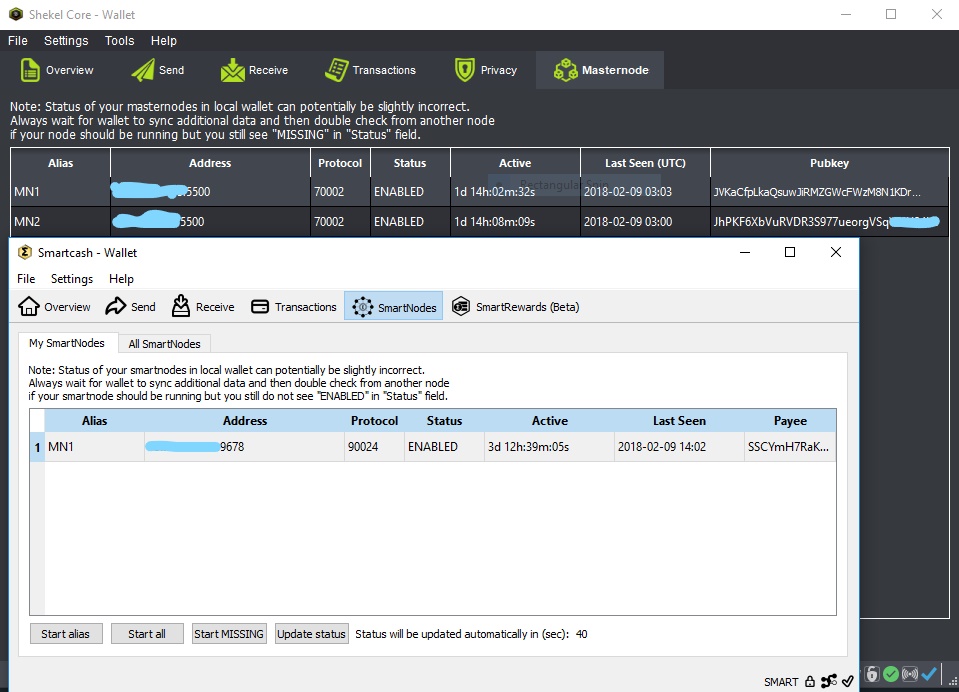 We have come up with a creative way to earn passive income through sared Masternodes. # Now what is a Masternode? masternodes are computers that run a client wallet and make decisions, such as locking transactions with instant send coordinating coinmixing and voting on budget funding.....Typically running a masternode gets the masternode owner or owners in rewards daily or every few days depending on the coin. # What is a Shared Masternode? Considering how expensive most masternode are worth. A shared masternode make a lot of sense. A shared masternode is contribution of resource from multiple people to set up a single masternode, and earn the rewards of that masternode in proportion to their respective contribution. Join the discord channel to learn more and get more info about the shared masternode. https://discord.gg/kFvC4Cp |
| json metadata | {"tags":["steemit","cryptocurency","nigeria","bitcoin","africa"],"image":["https://steemitimages.com/DQmPbkSa2rTcZ18GLPyfr4hXjCffvzBuqQbVSpN7h4ULshR/Inkedmn_LI.jpg"],"links":["https://discord.gg/kFvC4Cp"],"app":"steemit/0.1","format":"markdown"} |
| Transaction Info | Block #19707928/Trx f064cfe8bea9c47e5991f2b69c78779cf87bef44 |
View Raw JSON Data
{
"trx_id": "f064cfe8bea9c47e5991f2b69c78779cf87bef44",
"block": 19707928,
"trx_in_block": 9,
"op_in_trx": 0,
"virtual_op": 0,
"timestamp": "2018-02-09T03:42:54",
"op": [
"comment",
{
"parent_author": "",
"parent_permlink": "nigeria",
"author": "floki86",
"permlink": "introducing-masternode-coin-stack-secret",
"title": "Introducing Masternode coin stack secret",
"body": "\n\n\nWe have come up with a creative way to earn passive income through sared Masternodes. \n\n# Now what is a Masternode?\nmasternodes are computers that run a client wallet and make decisions, such as locking transactions with instant send coordinating coinmixing and voting on budget funding.....Typically running a masternode gets the masternode owner or owners in rewards daily or every few days depending on the coin.\n\n# What is a Shared Masternode?\nConsidering how expensive most masternode are worth. A shared masternode make a lot of sense. A shared masternode is contribution of resource from multiple people to set up a single masternode, and earn the rewards of that masternode in proportion to their respective contribution.\n\nJoin the discord channel to learn more and get more info about the shared masternode. https://discord.gg/kFvC4Cp",
"json_metadata": "{\"tags\":[\"steemit\",\"cryptocurency\",\"nigeria\",\"bitcoin\",\"africa\"],\"image\":[\"https://steemitimages.com/DQmPbkSa2rTcZ18GLPyfr4hXjCffvzBuqQbVSpN7h4ULshR/Inkedmn_LI.jpg\"],\"links\":[\"https://discord.gg/kFvC4Cp\"],\"app\":\"steemit/0.1\",\"format\":\"markdown\"}"
}
]
}floki86published a new post: introducing-masternode-coin-stack-secret2018/02/09 03:41:48
floki86published a new post: introducing-masternode-coin-stack-secret
2018/02/09 03:41:48
| parent author | |
| parent permlink | nigeria |
| author | floki86 |
| permlink | introducing-masternode-coin-stack-secret |
| title | Introducing Masternode coin stack secret |
| body |  We have come up with a creative way to earn passive income through sared Masternodes. # Now what is a Masternode? masternodes are computers that run a client wallet and make decisions, such as locking transactions with instant send coordinating coinmixing and voting on budget funding.....Typically running a masternode gets the masternode owner or owners in rewards daily or every few days depending on the coin. # What is a Shared Masternode? Considering how expensive most masternode are worth. A shared masternode make a lot of sense. A shared masternode is contribution of resource from multiple people to set up a single masternode, and earn the rewards of that masternode in proportion to their respective contribution. Join the discord channel to learn more and get more info about the shared masternode. https://discord.gg/kFvC4Cp |
| json metadata | {"tags":["steemit","nigeria","cryptocurency","bitcoin","africa"],"image":["https://steemitimages.com/DQmPbkSa2rTcZ18GLPyfr4hXjCffvzBuqQbVSpN7h4ULshR/Inkedmn_LI.jpg"],"links":["https://discord.gg/kFvC4Cp"],"app":"steemit/0.1","format":"markdown"} |
| Transaction Info | Block #19707906/Trx f1d15abc6e19258f98607115f97482ec14c67895 |
View Raw JSON Data
{
"trx_id": "f1d15abc6e19258f98607115f97482ec14c67895",
"block": 19707906,
"trx_in_block": 30,
"op_in_trx": 0,
"virtual_op": 0,
"timestamp": "2018-02-09T03:41:48",
"op": [
"comment",
{
"parent_author": "",
"parent_permlink": "nigeria",
"author": "floki86",
"permlink": "introducing-masternode-coin-stack-secret",
"title": "Introducing Masternode coin stack secret",
"body": "\n\n\nWe have come up with a creative way to earn passive income through sared Masternodes. \n\n# Now what is a Masternode?\nmasternodes are computers that run a client wallet and make decisions, such as locking transactions with instant send coordinating coinmixing and voting on budget funding.....Typically running a masternode gets the masternode owner or owners in rewards daily or every few days depending on the coin.\n\n# What is a Shared Masternode?\nConsidering how expensive most masternode are worth. A shared masternode make a lot of sense. A shared masternode is contribution of resource from multiple people to set up a single masternode, and earn the rewards of that masternode in proportion to their respective contribution.\n\nJoin the discord channel to learn more and get more info about the shared masternode. https://discord.gg/kFvC4Cp",
"json_metadata": "{\"tags\":[\"steemit\",\"nigeria\",\"cryptocurency\",\"bitcoin\",\"africa\"],\"image\":[\"https://steemitimages.com/DQmPbkSa2rTcZ18GLPyfr4hXjCffvzBuqQbVSpN7h4ULshR/Inkedmn_LI.jpg\"],\"links\":[\"https://discord.gg/kFvC4Cp\"],\"app\":\"steemit/0.1\",\"format\":\"markdown\"}"
}
]
}floki86published a new post: introducing-masternode-coin-stack-secret2018/02/09 03:40:57
floki86published a new post: introducing-masternode-coin-stack-secret
2018/02/09 03:40:57
| parent author | |
| parent permlink | nigeria |
| author | floki86 |
| permlink | introducing-masternode-coin-stack-secret |
| title | Introducing Masternode coin stack secret |
| body |  We have come up with a creative way to earn passive income through sared Masternodes. # Now what is a Masternode? masternodes are computers that run a client wallet and make decisions, such as locking transactions with instant send coordinating coinmixing and voting on budget funding.....Typically running a masternode gets the masternode owner or owners in rewards daily or every few days depending on the coin. # What is a Shared Masternode? Considering how expensive most masternode are worth. A shared masternode make a lot of sense. A shared masternode is contribution of resource from multiple people to set up a single masternode, and earn the rewards of that masternode in proportion to their respective contribution. Join the discord channel to learn more and get more info about the shared masternode. https://discord.gg/kFvC4Cp |
| json metadata | {"tags":["nigeria","steemit","cryptocurency","bitcoin","africa"],"image":["https://steemitimages.com/DQmPbkSa2rTcZ18GLPyfr4hXjCffvzBuqQbVSpN7h4ULshR/Inkedmn_LI.jpg"],"links":["https://discord.gg/kFvC4Cp"],"app":"steemit/0.1","format":"markdown"} |
| Transaction Info | Block #19707889/Trx 7fa64124aa62c00212ed2ced69ce81971a55428c |
View Raw JSON Data
{
"trx_id": "7fa64124aa62c00212ed2ced69ce81971a55428c",
"block": 19707889,
"trx_in_block": 20,
"op_in_trx": 0,
"virtual_op": 0,
"timestamp": "2018-02-09T03:40:57",
"op": [
"comment",
{
"parent_author": "",
"parent_permlink": "nigeria",
"author": "floki86",
"permlink": "introducing-masternode-coin-stack-secret",
"title": "Introducing Masternode coin stack secret",
"body": "\n\n\nWe have come up with a creative way to earn passive income through sared Masternodes. \n\n# Now what is a Masternode?\nmasternodes are computers that run a client wallet and make decisions, such as locking transactions with instant send coordinating coinmixing and voting on budget funding.....Typically running a masternode gets the masternode owner or owners in rewards daily or every few days depending on the coin.\n\n# What is a Shared Masternode?\nConsidering how expensive most masternode are worth. A shared masternode make a lot of sense. A shared masternode is contribution of resource from multiple people to set up a single masternode, and earn the rewards of that masternode in proportion to their respective contribution.\n\nJoin the discord channel to learn more and get more info about the shared masternode. https://discord.gg/kFvC4Cp",
"json_metadata": "{\"tags\":[\"nigeria\",\"steemit\",\"cryptocurency\",\"bitcoin\",\"africa\"],\"image\":[\"https://steemitimages.com/DQmPbkSa2rTcZ18GLPyfr4hXjCffvzBuqQbVSpN7h4ULshR/Inkedmn_LI.jpg\"],\"links\":[\"https://discord.gg/kFvC4Cp\"],\"app\":\"steemit/0.1\",\"format\":\"markdown\"}"
}
]
}floki86upvoted (100.00%) @binanceexchange / ieo-ifo-iao-ico-token-issuing-considerations2018/02/09 02:40:24
floki86upvoted (100.00%) @binanceexchange / ieo-ifo-iao-ico-token-issuing-considerations
2018/02/09 02:40:24
| voter | floki86 |
| author | binanceexchange |
| permlink | ieo-ifo-iao-ico-token-issuing-considerations |
| weight | 10000 (100.00%) |
| Transaction Info | Block #19706680/Trx b7e9bc7b5b1b28f28bb95a0f3d0e6878bdd0a725 |
View Raw JSON Data
{
  "trx_id": "b7e9bc7b5b1b28f28bb95a0f3d0e6878bdd0a725",
  "block": 19706680,
  "trx_in_block": 20,
  "op_in_trx": 0,
  "virtual_op": 0,
  "timestamp": "2018-02-09T02:40:24",
  "op": [
    "vote",
    {
      "voter": "floki86",
      "author": "binanceexchange",
      "permlink": "ieo-ifo-iao-ico-token-issuing-considerations",
      "weight": 10000
    }
  ]
}floki86followed @binanceexchange2018/02/09 02:36:48
floki86followed @binanceexchange
2018/02/09 02:36:48
| required auths | [] |
| required posting auths | ["floki86"] |
| id | follow |
| json | ["follow",{"follower":"floki86","following":"binanceexchange","what":["blog"]}] |
| Transaction Info | Block #19706608/Trx 738e8409f2f76535d05da99cc9415738ec389e23 |
View Raw JSON Data
{
  "trx_id": "738e8409f2f76535d05da99cc9415738ec389e23",
  "block": 19706608,
  "trx_in_block": 9,
  "op_in_trx": 0,
  "virtual_op": 0,
  "timestamp": "2018-02-09T02:36:48",
  "op": [
    "custom_json",
    {
      "required_auths": [],
      "required_posting_auths": [
        "floki86"
      ],
      "id": "follow",
      "json": "[\"follow\",{\"follower\":\"floki86\",\"following\":\"binanceexchange\",\"what\":[\"blog\"]}]"
    }
  ]
}floki86published a new post: shekel-remote-masternode-setup-on-ubuntu-14-04-64-bit-for-noobs2018/02/07 12:47:36
floki86published a new post: shekel-remote-masternode-setup-on-ubuntu-14-04-64-bit-for-noobs
2018/02/07 12:47:36
| parent author | |
| parent permlink | bitcoin |
| author | floki86 |
| permlink | shekel-remote-masternode-setup-on-ubuntu-14-04-64-bit-for-noobs |
| title | SHEKEL REMOTE MASTERNODE SETUP ON Ubuntu 14.04, 64 bit for NOOBS |
| body | @@ -4377,16 +4377,64 @@ ack it%0A%0A +apt-get install libzmq3-dev libminiupnpc-dev -y%0A wget htt @@ -4438,68 +4438,103 @@ http +s :// -files.gyservers.com/index.php/s/Ob6jeLQE8zj226E/download +github.com/shekeltechnologies/JewNew/releases/download/1.3.0.0/shekel-Ubuntu16.04-1.3.0.zip %0Amv @@ -4545,35 +4545,41 @@ load shekel- -linux-16.04 +Ubuntu16.04-1.3.0 .zip%0Aunzip s @@ -4588,66 +4588,61 @@ kel- -linux-16.04.zip%0Arm shekel-linux-16.04.zip%0Acd Ubuntu%5C 1604/ +Ubuntu16.04-1.3.0.zip%0Arm shekel-Ubuntu16.04-1.3.0.zip %0Achm @@ -4708,35 +4708,14 @@ in/%0A + cd ..%0A -rm -rf Ubuntu%5C 1604/%0A shek |
| json metadata | {"tags":["bitcoin","blockchain","blog","cryptocurrency","nigeria"],"image":["https://steemitimages.com/DQmW1syS3HyVLo15UGEJu5aamXxY4Swhaopn7tJc7q6EcyA/jew%20mn.PNG"],"links":["https://github.com/shekeltechnologies/JewNew/releases","http://shekel.mn.zone"],"app":"steemit/0.1","format":"markdown"} |
| Transaction Info | Block #19661459/Trx 8675f165c97ba8d035c936946134682f6b63f358 |
View Raw JSON Data
{
  "trx_id": "8675f165c97ba8d035c936946134682f6b63f358",
  "block": 19661459,
  "trx_in_block": 2,
  "op_in_trx": 0,
  "virtual_op": 0,
  "timestamp": "2018-02-07T12:47:36",
  "op": [
    "comment",
    {
      "parent_author": "",
      "parent_permlink": "bitcoin",
      "author": "floki86",
      "permlink": "shekel-remote-masternode-setup-on-ubuntu-14-04-64-bit-for-noobs",
      "title": "SHEKEL REMOTE MASTERNODE SETUP ON Ubuntu 14.04, 64 bit for NOOBS",
      "body": "@@ -4377,16 +4377,64 @@\n ack it%0A%0A\n+apt-get install libzmq3-dev libminiupnpc-dev -y%0A\n wget htt\n@@ -4438,68 +4438,103 @@\n http\n+s\n ://\n-files.gyservers.com/index.php/s/Ob6jeLQE8zj226E/download \n+github.com/shekeltechnologies/JewNew/releases/download/1.3.0.0/shekel-Ubuntu16.04-1.3.0.zip\n %0Amv \n@@ -4545,35 +4545,41 @@\n load shekel-\n-linux-16.04\n+Ubuntu16.04-1.3.0\n .zip%0Aunzip s\n@@ -4588,66 +4588,61 @@\n kel-\n-linux-16.04.zip%0Arm shekel-linux-16.04.zip%0Acd Ubuntu%5C 1604/\n+Ubuntu16.04-1.3.0.zip%0Arm shekel-Ubuntu16.04-1.3.0.zip\n %0Achm\n@@ -4708,35 +4708,14 @@\n in/%0A\n+\n cd ..%0A\n-rm -rf Ubuntu%5C 1604/%0A\n shek\n",
      "json_metadata": "{\"tags\":[\"bitcoin\",\"blockchain\",\"blog\",\"cryptocurrency\",\"nigeria\"],\"image\":[\"https://steemitimages.com/DQmW1syS3HyVLo15UGEJu5aamXxY4Swhaopn7tJc7q6EcyA/jew%20mn.PNG\"],\"links\":[\"https://github.com/shekeltechnologies/JewNew/releases\",\"http://shekel.mn.zone\"],\"app\":\"steemit/0.1\",\"format\":\"markdown\"}"
    }
  ]
}floki86published a new post: shekel-remote-masternode-setup-on-ubuntu-14-04-64-bit-for-noobs2018/02/07 01:57:45
floki86published a new post: shekel-remote-masternode-setup-on-ubuntu-14-04-64-bit-for-noobs
2018/02/07 01:57:45
| parent author | |
| parent permlink | bitcoin |
| author | floki86 |
| permlink | shekel-remote-masternode-setup-on-ubuntu-14-04-64-bit-for-noobs |
| title | SHEKEL REMOTE MASTERNODE SETUP ON Ubuntu 14.04, 64 bit for NOOBS |
| body | @@ -2641,17 +2641,17 @@ UBUNTU 1 -4 +6 .04, 64b |
| json metadata | {"tags":["bitcoin","blockchain","blog","cryptocurrency","nigeria"],"image":["https://steemitimages.com/DQmW1syS3HyVLo15UGEJu5aamXxY4Swhaopn7tJc7q6EcyA/jew%20mn.PNG"],"links":["https://github.com/shekeltechnologies/JewNew/releases","http://files.gyservers.com/index.php/s/Ob6jeLQE8zj226E/download","http://shekel.mn.zone"],"app":"steemit/0.1","format":"markdown"} |
| Transaction Info | Block #19648482/Trx 4a72782edb94900c0bc02356bb1de3ee63b7e3ab |
View Raw JSON Data
{
  "trx_id": "4a72782edb94900c0bc02356bb1de3ee63b7e3ab",
  "block": 19648482,
  "trx_in_block": 0,
  "op_in_trx": 0,
  "virtual_op": 0,
  "timestamp": "2018-02-07T01:57:45",
  "op": [
    "comment",
    {
      "parent_author": "",
      "parent_permlink": "bitcoin",
      "author": "floki86",
      "permlink": "shekel-remote-masternode-setup-on-ubuntu-14-04-64-bit-for-noobs",
      "title": "SHEKEL REMOTE MASTERNODE SETUP ON Ubuntu 14.04, 64 bit for NOOBS",
      "body": "@@ -2641,17 +2641,17 @@\n UBUNTU 1\n-4\n+6\n .04, 64b\n",
      "json_metadata": "{\"tags\":[\"bitcoin\",\"blockchain\",\"blog\",\"cryptocurrency\",\"nigeria\"],\"image\":[\"https://steemitimages.com/DQmW1syS3HyVLo15UGEJu5aamXxY4Swhaopn7tJc7q6EcyA/jew%20mn.PNG\"],\"links\":[\"https://github.com/shekeltechnologies/JewNew/releases\",\"http://files.gyservers.com/index.php/s/Ob6jeLQE8zj226E/download\",\"http://shekel.mn.zone\"],\"app\":\"steemit/0.1\",\"format\":\"markdown\"}"
    }
  ]
}floki86published a new post: shekel-remote-masternode-setup-on-ubuntu-14-04-64-bit-for-noobs2018/02/06 06:45:06
floki86published a new post: shekel-remote-masternode-setup-on-ubuntu-14-04-64-bit-for-noobs
2018/02/06 06:45:06
| parent author | |
| parent permlink | bitcoin |
| author | floki86 |
| permlink | shekel-remote-masternode-setup-on-ubuntu-14-04-64-bit-for-noobs |
| title | SHEKEL REMOTE MASTERNODE SETUP ON Ubuntu 14.04, 64 bit for NOOBS |
| body | @@ -4390,101 +4390,111 @@ http -s :// -github.com/shekeltechnologies/JewNew/releases/download/1.2.1.0/Shekel-linux.rar%0Aunrar x S +files.gyservers.com/index.php/s/Ob6jeLQE8zj226E/download %0Amv download shekel-linux-16.04.zip%0Aunzip s heke @@ -4504,17 +4504,23 @@ inux -.rar +-16.04.zip %0Arm -S +s heke @@ -4530,12 +4530,35 @@ inux -.rar +-16.04.zip%0Acd Ubuntu%5C 1604/ %0Achm @@ -4620,16 +4620,43 @@ al/bin/%0A +cd ..%0Arm -rf Ubuntu%5C 1604/%0A shekeld%0A |
| json metadata | {"tags":["bitcoin","blockchain","blog","cryptocurrency","nigeria"],"image":["https://steemitimages.com/DQmW1syS3HyVLo15UGEJu5aamXxY4Swhaopn7tJc7q6EcyA/jew%20mn.PNG"],"links":["https://github.com/shekeltechnologies/JewNew/releases","http://files.gyservers.com/index.php/s/Ob6jeLQE8zj226E/download","http://shekel.mn.zone"],"app":"steemit/0.1","format":"markdown"} |
| Transaction Info | Block #19625443/Trx 6473d604ae16131c20124ed1d18c7e2f6b149bcb |
View Raw JSON Data
{
  "trx_id": "6473d604ae16131c20124ed1d18c7e2f6b149bcb",
  "block": 19625443,
  "trx_in_block": 16,
  "op_in_trx": 0,
  "virtual_op": 0,
  "timestamp": "2018-02-06T06:45:06",
  "op": [
    "comment",
    {
      "parent_author": "",
      "parent_permlink": "bitcoin",
      "author": "floki86",
      "permlink": "shekel-remote-masternode-setup-on-ubuntu-14-04-64-bit-for-noobs",
      "title": "SHEKEL REMOTE MASTERNODE SETUP ON Ubuntu 14.04, 64 bit for NOOBS",
      "body": "@@ -4390,101 +4390,111 @@\n http\n-s\n ://\n-github.com/shekeltechnologies/JewNew/releases/download/1.2.1.0/Shekel-linux.rar%0Aunrar x S\n+files.gyservers.com/index.php/s/Ob6jeLQE8zj226E/download %0Amv download shekel-linux-16.04.zip%0Aunzip s\n heke\n@@ -4504,17 +4504,23 @@\n inux\n-.rar\n+-16.04.zip\n %0Arm \n-S\n+s\n heke\n@@ -4530,12 +4530,35 @@\n inux\n-.rar\n+-16.04.zip%0Acd Ubuntu%5C 1604/\n %0Achm\n@@ -4620,16 +4620,43 @@\n al/bin/%0A\n+cd ..%0Arm -rf Ubuntu%5C 1604/%0A\n shekeld%0A\n",
      "json_metadata": "{\"tags\":[\"bitcoin\",\"blockchain\",\"blog\",\"cryptocurrency\",\"nigeria\"],\"image\":[\"https://steemitimages.com/DQmW1syS3HyVLo15UGEJu5aamXxY4Swhaopn7tJc7q6EcyA/jew%20mn.PNG\"],\"links\":[\"https://github.com/shekeltechnologies/JewNew/releases\",\"http://files.gyservers.com/index.php/s/Ob6jeLQE8zj226E/download\",\"http://shekel.mn.zone\"],\"app\":\"steemit/0.1\",\"format\":\"markdown\"}"
    }
  ]
}bitcoinboxupvoted (100.00%) @floki86 / shekel-remote-masternode-setup-on-ubuntu-14-04-64-bit-for-noobs2018/02/04 00:12:12
bitcoinboxupvoted (100.00%) @floki86 / shekel-remote-masternode-setup-on-ubuntu-14-04-64-bit-for-noobs
2018/02/04 00:12:12
| voter | bitcoinbox |
| author | floki86 |
| permlink | shekel-remote-masternode-setup-on-ubuntu-14-04-64-bit-for-noobs |
| weight | 10000 (100.00%) |
| Transaction Info | Block #19560011/Trx fcd40f3809f3977f32d7ea4bb30576403ac57329 |
View Raw JSON Data
{
  "trx_id": "fcd40f3809f3977f32d7ea4bb30576403ac57329",
  "block": 19560011,
  "trx_in_block": 22,
  "op_in_trx": 0,
  "virtual_op": 0,
  "timestamp": "2018-02-04T00:12:12",
  "op": [
    "vote",
    {
      "voter": "bitcoinbox",
      "author": "floki86",
      "permlink": "shekel-remote-masternode-setup-on-ubuntu-14-04-64-bit-for-noobs",
      "weight": 10000
    }
  ]
}floki86published a new post: shekel-remote-masternode-setup-on-ubuntu-14-04-64-bit-for-noobs2018/02/04 00:02:30
floki86published a new post: shekel-remote-masternode-setup-on-ubuntu-14-04-64-bit-for-noobs
2018/02/04 00:02:30
| parent author | |
| parent permlink | bitcoin |
| author | floki86 |
| permlink | shekel-remote-masternode-setup-on-ubuntu-14-04-64-bit-for-noobs |
| title | SHEKEL REMOTE MASTERNODE SETUP ON Ubuntu 14.04, 64 bit for NOOBS |
| body | 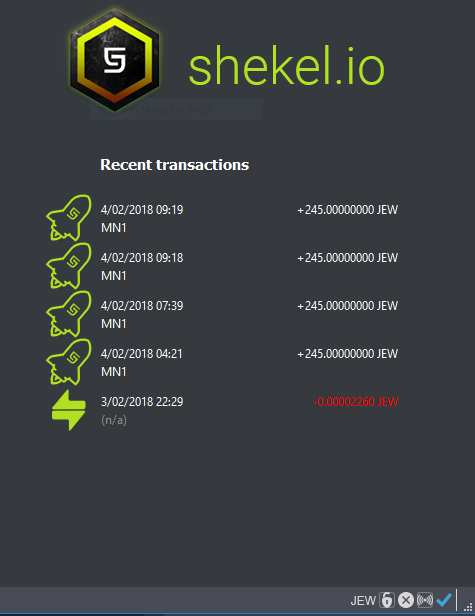 # COLD WALLET SETUP USING QT GUI WALLET ON WINDOWS (PART 1) This is the wallet where the MasterNode collateral of 25000 JEW coins will have to be transferred and stored. After the setup is complete, this wallet doesn't have to run 24/7 and will be the one receiving the rewards. wallet: https://github.com/shekeltechnologies/JewNew/releases 1. Install and open the Shekel-Qt wallet on your machine. 2. Create a receiving address for the Masternode collateral funds. Go to File -> Receiving addresses... Click New, type in a label and press Ok. 3. Select the row of the newly added address and click Copy to store the destination address in the clipboard. 4. Send exactly 25000 JEW coins to the address you just copied. Double check you've got the correct address before transferring the funds. After sending, you can verify the balance in the Transactions tab. This can take a few minutes to be confirmed by the network. 5. Open the debug console of the wallet in order to type a few commands. Go to Tools -> Debug console 6. Run the following command: masternode genkey You should see a long key that looks like: 3HaYBVUCYjEMeeH1Y4sBGLALQZE1Yc1K64xiqgX37tGBDQL8Xg We will use this later on both cold and hot wallets. 7. Run masternode outputs command to retrieve the transaction ID of the collateral transfer. You should see an output that looks like this: [ { "txhash" : "6782efab3a76fa557370ec3b9c13bf0d0df3d4df63adc018e1dd90e1c8da088e", "outputidx" : 1 } ] Both txhash and outputidx will be used in the next step. outputidx can be 0 or 1, both are valid values 8. Go to Tools -> Open Masternode Configuration File and add a line in the newly opened masternode.conf file. The file will contain an example that is commented out, but based on the above values, I would add this line in: MN1 45.76.33.125:5500 3HaYBVUCYjEMeeH1Y4sBGLALQZE1Yc1K64xiqgX37tGBDQL8Xg 6782efab3a76fa557370ec3b9c13bf0d0df3d4df63adc018e1dd90e1c8da088e 1 Where 45.76.33.125 is the external IP of the masternode server that will provide services to the network. If you want to control multiple hot wallets from this cold wallet, you will need to repeat the previous 2-10 steps. The masternode.conf file will contain an entry for each masternode that will be added to the network. 9. Restart the Qt wallet to pick up the masternode.conf changes. 10. Go to Masternodes tab and check if your newly added masternode is listed. At this point, we are going to configure our remote Masternode server. # HOT WALLET MASTERNODE VPS SETUP ON UBUNTU 14.04, 64bit only (Part 2) Requires details from (Part 1). This will run 24/7 and provide services to the network via TCP port 5500 for which it will be rewarded with coins. It will run with an empty wallet reducing the risk of loosing the funds in the event of an attack. 1. Get a VPS server from a provider like Vultr, DigitalOcean, Linode, Amazon AWS, etc. Requirements: Linux VPS (Ubuntu 14.04, 64 bit) Dedicated Public IP Address Recommended at least 1GB of RAM 2. Login via SSH into the server and type the following command in the console as root: If you are using Windows, PuTTY is a very good SSH client that you can use to connect to a remote Linux server. Update and Install new packages by running these commands one by one: remember if you are not using root always put sudo before any command apt-get update -y apt-get upgrade -y apt-get install wget nano unrar unzip -y apt-get install libboost-all-dev libevent-dev software-properties-common -y add-apt-repository ppa:bitcoin/bitcoin -y apt-get update apt-get install libdb4.8-dev libdb4.8++-dev -y 3. Configure swap to avoid running out of memory: fallocate -l 1500M /mnt/1500MB.swap dd if=/dev/zero of=/mnt/1500MB.swap bs=1024 count=1572864 mkswap /mnt/1500MB.swap swapon /mnt/1500MB.swap chmod 600 /mnt/1500MB.swap echo '/mnt/1500MB.swap none swap sw 0 0' >> /etc/fstab 4. Allow the MasterNode p2p communication port through the OS firewall: ufw allow 5500/tcp ufw logging on ufw --force enable If you are running the MasterNode server in Amazon AWS or another place where additional firewalls are in place, you need to allow incoming connections on port 5500/TCP 5. Install the Shekel CLI wallet. Always download the latest release available, unpack it wget https://github.com/shekeltechnologies/JewNew/releases/download/1.2.1.0/Shekel-linux.rar unrar x Shekel-linux.rar rm Shekel-linux.rar chmod +x shekel-cli shekeld mv shekel-cli shekeld /usr/local/bin/ shekeld You'll get a start error like Error: To use shekeld, or the -server option to shekel-qt, you must set an rpcpassword in the configuration file. It's expected because we haven't created the config file yet. The service will only start for a second and create the initial data directory(~/.shekel/). 6. Edit the MasterNode main wallet configuration file: nano /root/.shekel/shekel.conf Enter this wallet configuration data and change accordingly: rpcuser=(alphanumeric_rpc_username) rpcpassword=(alphanumeric_rpc_password) rpcport=5501 listen=1 server=1 daemon=1 maxconnections=250 masternode=1 externalip=(ip_address_here):5500 masternodeaddr=(ip_address_here):5500 masternodeprivkey=(the_cold_wallet_genkey_value_here) Exit the editor by CTRL+X and hit Y + ENTER to commit your changes. 7. Start the service with: shekeld 8. Wait until is synced with the blockchain network: Run this command every few mins until the block count stopped increasing fast. shekel-cli getinfo Give it 30 mins now for this node to "get social" with the other nodes in the network. Once it peers up with a good number of other masternodes, the following activation steps should work fine. # ENABLING MASTERNODE (Part 3) 1. Go back to the local(cold) wallet and open Tools > Wallet conf. type in these rpcuser=(alphanumeric_rpc_username) same as the one you used on the vps rpcpassword=(alphanumeric_rpc_password) same as the one you used on the vps rpcallowip=127.0.0.1 listen=1 server=1 daemon=1 staking=1 logtimestamps=1 Save and exit 2. Go back to the local(cold) wallet and open Tools - debug console. Type this command to see all the MasterNodes loaded from the masternode.conf file with their current status: masternode list-conf You should now see the newly added MasterNode with a status of MISSING. Run the following command, in order to enable it: startmasternode alias false MN1 In this ^ case, the alias of my MasterNode was MN1, in your case, it might be different. 3. Verify that the MasterNode is enabled and contributing to the network. Give it a few minutes and go to the Linux VPS console() and check the status of the masternode with this command: shekel-cli masternode status If you see status Masternode successfully started, you've done it, congratulations. Go hug someone now :) It will take a few hours until the first rewards start coming in. Instead, if you get status Masternode not found in the list of available masternodes, you need a bit more patience. Distributed systems take a bit of time to reach consensus. Restarting the wallets and retrying the start has been reported to help by community members. This is how you restart the Linux wallet from the CLI: shekel-cli stop wait 30 seconds or so for the wallet to gracefully stop and then start it again shekeld Rerun the startmasternode command again in the Qt (Cold) wallet. The masternode debug log (/root/.shekel/debug.log) will contain this line on a successful activation: 2018-02-02 02:07:12 CActiveMasternode::EnableHotColdMasterNode() - Enabled! You may shut down the cold daemon. You can watch the log as it's being written by using this command: tail -f /root/.shekel/debug.log Stop watching the log by pressing CTRL+C As the log entry says, your MasterNode is up and running and the hot wallet that holds the collateral can be closed without impacting the operation of the MasterNode in the network. You should now be able to see your MasterNode(s) on this web page: http://shekel.mn.zone Cheers ! |
| json metadata | {"tags":["bitcoin","blockchain","blog","cryptocurrency","nigeria"],"image":["https://steemitimages.com/DQmW1syS3HyVLo15UGEJu5aamXxY4Swhaopn7tJc7q6EcyA/jew%20mn.PNG"],"links":["https://github.com/shekeltechnologies/JewNew/releases","https://github.com/shekeltechnologies/JewNew/releases/download/1.2.1.0/Shekel-linux.rar","http://shekel.mn.zone"],"app":"steemit/0.1","format":"markdown"} |
| Transaction Info | Block #19559817/Trx 22c9c28167da8a2560969bf1c34af76f480de08d |
View Raw JSON Data
{
"trx_id": "22c9c28167da8a2560969bf1c34af76f480de08d",
"block": 19559817,
"trx_in_block": 29,
"op_in_trx": 0,
"virtual_op": 0,
"timestamp": "2018-02-04T00:02:30",
"op": [
"comment",
{
"parent_author": "",
"parent_permlink": "bitcoin",
"author": "floki86",
"permlink": "shekel-remote-masternode-setup-on-ubuntu-14-04-64-bit-for-noobs",
"title": "SHEKEL REMOTE MASTERNODE SETUP ON Ubuntu 14.04, 64 bit for NOOBS",
"body": "\n\n\n# COLD WALLET SETUP USING QT GUI WALLET ON WINDOWS (PART 1)\n\nThis is the wallet where the MasterNode collateral of 25000 JEW coins will have to be transferred and stored. After the setup is complete, this wallet doesn't have to run 24/7 and will be the one receiving the rewards. wallet: https://github.com/shekeltechnologies/JewNew/releases \n\n1. Install and open the Shekel-Qt wallet on your machine.\n2. Create a receiving address for the Masternode collateral funds.\nGo to File -> Receiving addresses...\n\nClick New, type in a label and press Ok.\n3. Select the row of the newly added address and click Copy to store the destination address in the clipboard.\n4. Send exactly 25000 JEW coins to the address you just copied. Double check you've got the correct address before transferring the funds.\n After sending, you can verify the balance in the Transactions tab. This can take a few minutes to be confirmed by the network.\n5. Open the debug console of the wallet in order to type a few commands.\nGo to Tools -> Debug console\n\n6. Run the following command: masternode genkey\n\nYou should see a long key that looks like:\n3HaYBVUCYjEMeeH1Y4sBGLALQZE1Yc1K64xiqgX37tGBDQL8Xg\n\nWe will use this later on both cold and hot wallets.\n\n7. Run masternode outputs command to retrieve the transaction ID of the collateral transfer.\nYou should see an output that looks like this:\n\n[\n {\n \"txhash\" : \"6782efab3a76fa557370ec3b9c13bf0d0df3d4df63adc018e1dd90e1c8da088e\",\n \"outputidx\" : 1\n }\n]\nBoth txhash and outputidx will be used in the next step. outputidx can be 0 or 1, both are valid values\n\n8. Go to Tools -> Open Masternode Configuration File and add a line in the newly opened masternode.conf file. The file will contain an example that is commented out, but based on the above values, I would add this line in:\n\nMN1 45.76.33.125:5500 3HaYBVUCYjEMeeH1Y4sBGLALQZE1Yc1K64xiqgX37tGBDQL8Xg 6782efab3a76fa557370ec3b9c13bf0d0df3d4df63adc018e1dd90e1c8da088e 1\n\nWhere 45.76.33.125 is the external IP of the masternode server that will provide services to the network.\n\nIf you want to control multiple hot wallets from this cold wallet, you will need to repeat the previous 2-10 steps. The masternode.conf file will contain an entry for each masternode that will be added to the network.\n\n9. Restart the Qt wallet to pick up the masternode.conf changes.\n10. Go to Masternodes tab and check if your newly added masternode is listed.\nAt this point, we are going to configure our remote Masternode server.\n\n\n# HOT WALLET MASTERNODE VPS SETUP ON UBUNTU 14.04, 64bit only (Part 2)\n\nRequires details from (Part 1).\n\nThis will run 24/7 and provide services to the network via TCP port 5500 for which it will be rewarded with coins. It will run with an empty wallet reducing the risk of loosing the funds in the event of an attack.\n\n1. Get a VPS server from a provider like Vultr, DigitalOcean, Linode, Amazon AWS, etc.\nRequirements:\n\nLinux VPS (Ubuntu 14.04, 64 bit)\nDedicated Public IP Address\nRecommended at least 1GB of RAM\n2. Login via SSH into the server and type the following command in the console as root:\nIf you are using Windows, PuTTY is a very good SSH client that you can use to connect to a remote Linux server.\n\nUpdate and Install new packages by running these commands one by one: remember if you are not using root always put sudo before any command\n\napt-get update -y\napt-get upgrade -y\napt-get install wget nano unrar unzip -y\napt-get install libboost-all-dev libevent-dev software-properties-common -y\nadd-apt-repository ppa:bitcoin/bitcoin -y\napt-get update\napt-get install libdb4.8-dev libdb4.8++-dev -y\n\n3. Configure swap to avoid running out of memory:\n\nfallocate -l 1500M /mnt/1500MB.swap\ndd if=/dev/zero of=/mnt/1500MB.swap bs=1024 count=1572864\nmkswap /mnt/1500MB.swap\nswapon /mnt/1500MB.swap\nchmod 600 /mnt/1500MB.swap\necho '/mnt/1500MB.swap none swap sw 0 0' >> /etc/fstab\n4. Allow the MasterNode p2p communication port through the OS firewall:\nufw allow 5500/tcp\nufw logging on\nufw --force enable\nIf you are running the MasterNode server in Amazon AWS or another place where additional firewalls are in place, you need to allow incoming connections on port 5500/TCP\n\n5. Install the Shekel CLI wallet. Always download the latest release available, unpack it\n\nwget https://github.com/shekeltechnologies/JewNew/releases/download/1.2.1.0/Shekel-linux.rar\nunrar x Shekel-linux.rar\nrm Shekel-linux.rar\nchmod +x shekel-cli shekeld\nmv shekel-cli shekeld /usr/local/bin/\nshekeld\nYou'll get a start error like Error: To use shekeld, or the -server option to shekel-qt, you must set an rpcpassword in the configuration file. It's expected because we haven't created the config file yet. \n\nThe service will only start for a second and create the initial data directory(~/.shekel/).\n\n6. Edit the MasterNode main wallet configuration file:\n\nnano /root/.shekel/shekel.conf\n\nEnter this wallet configuration data and change accordingly:\n\nrpcuser=(alphanumeric_rpc_username)\nrpcpassword=(alphanumeric_rpc_password)\nrpcport=5501\nlisten=1\nserver=1\ndaemon=1\nmaxconnections=250\nmasternode=1\nexternalip=(ip_address_here):5500\nmasternodeaddr=(ip_address_here):5500\nmasternodeprivkey=(the_cold_wallet_genkey_value_here)\n\nExit the editor by CTRL+X and hit Y + ENTER to commit your changes.\n\n7. Start the service with:\nshekeld\n8. Wait until is synced with the blockchain network:\nRun this command every few mins until the block count stopped increasing fast.\n\nshekel-cli getinfo\nGive it 30 mins now for this node to \"get social\" with the other nodes in the network. Once it peers up with a good number of other masternodes, the following activation steps should work fine.\n\n# ENABLING MASTERNODE (Part 3)\n\n1. Go back to the local(cold) wallet and open Tools > Wallet conf.\n\ntype in these\n\nrpcuser=(alphanumeric_rpc_username) same as the one you used on the vps\nrpcpassword=(alphanumeric_rpc_password) same as the one you used on the vps\nrpcallowip=127.0.0.1 \nlisten=1 \nserver=1 \ndaemon=1 \nstaking=1 \nlogtimestamps=1\n\nSave and exit\n\n2. Go back to the local(cold) wallet and open Tools - debug console.\n\nType this command to see all the MasterNodes loaded from the masternode.conf file with their current status:\n\nmasternode list-conf\n\nYou should now see the newly added MasterNode with a status of MISSING.\n\nRun the following command, in order to enable it:\n\nstartmasternode alias false MN1\nIn this ^ case, the alias of my MasterNode was MN1, in your case, it might be different.\n\n3. Verify that the MasterNode is enabled and contributing to the network.\n\nGive it a few minutes and go to the Linux VPS console() and check the status of the masternode with this command:\n\nshekel-cli masternode status\n\nIf you see status Masternode successfully started, you've done it, congratulations. Go hug someone now :) It will take a few hours until the first rewards start coming in.\n\nInstead, if you get status Masternode not found in the list of available masternodes, you need a bit more patience. Distributed systems take a bit of time to reach consensus. Restarting the wallets and retrying the start has been reported to help by community members. This is how you restart the Linux wallet from the CLI:\n\nshekel-cli stop\n\nwait 30 seconds or so for the wallet to gracefully stop and then start it again\nshekeld\n\nRerun the startmasternode command again in the Qt (Cold) wallet.\n\nThe masternode debug log (/root/.shekel/debug.log) will contain this line on a successful activation:\n\n2018-02-02 02:07:12 CActiveMasternode::EnableHotColdMasterNode() - Enabled! You may shut down the cold daemon.\nYou can watch the log as it's being written by using this command:\n\ntail -f /root/.shekel/debug.log\n\nStop watching the log by pressing CTRL+C\n\nAs the log entry says, your MasterNode is up and running and the hot wallet that holds the collateral can be closed without impacting the operation of the MasterNode in the network.\n\nYou should now be able to see your MasterNode(s) on this web page: http://shekel.mn.zone\n\nCheers !",
"json_metadata": "{\"tags\":[\"bitcoin\",\"blockchain\",\"blog\",\"cryptocurrency\",\"nigeria\"],\"image\":[\"https://steemitimages.com/DQmW1syS3HyVLo15UGEJu5aamXxY4Swhaopn7tJc7q6EcyA/jew%20mn.PNG\"],\"links\":[\"https://github.com/shekeltechnologies/JewNew/releases\",\"https://github.com/shekeltechnologies/JewNew/releases/download/1.2.1.0/Shekel-linux.rar\",\"http://shekel.mn.zone\"],\"app\":\"steemit/0.1\",\"format\":\"markdown\"}"
}
]
}floki86published a new post: shekel-remote-masternode-setup-on-ubuntu-14-04-64-bit-for-noobs2018/02/03 23:59:18
floki86published a new post: shekel-remote-masternode-setup-on-ubuntu-14-04-64-bit-for-noobs
2018/02/03 23:59:18
| parent author | |
| parent permlink | bitcoin |
| author | floki86 |
| permlink | shekel-remote-masternode-setup-on-ubuntu-14-04-64-bit-for-noobs |
| title | SHEKEL REMOTE MASTERNODE SETUP ON Ubuntu 14.04, 64 bit for NOOBS |
| body |  # COLD WALLET SETUP USING QT GUI WALLET ON WINDOWS (PART 1) This is the wallet where the MasterNode collateral of 25000 JEW coins will have to be transferred and stored. After the setup is complete, this wallet doesn't have to run 24/7 and will be the one receiving the rewards. wallet: https://github.com/shekeltechnologies/JewNew/releases 1. Install and open the Shekel-Qt wallet on your machine. 2. Create a receiving address for the Masternode collateral funds. Go to File -> Receiving addresses... Click New, type in a label and press Ok. 3. Select the row of the newly added address and click Copy to store the destination address in the clipboard. 4. Send exactly 25000 JEW coins to the address you just copied. Double check you've got the correct address before transferring the funds. After sending, you can verify the balance in the Transactions tab. This can take a few minutes to be confirmed by the network. 5. Open the debug console of the wallet in order to type a few commands. Go to Tools -> Debug console 6. Run the following command: masternode genkey You should see a long key that looks like: 3HaYBVUCYjEMeeH1Y4sBGLALQZE1Yc1K64xiqgX37tGBDQL8Xg We will use this later on both cold and hot wallets. 7. Run masternode outputs command to retrieve the transaction ID of the collateral transfer. You should see an output that looks like this: [ { "txhash" : "6782efab3a76fa557370ec3b9c13bf0d0df3d4df63adc018e1dd90e1c8da088e", "outputidx" : 1 } ] Both txhash and outputidx will be used in the next step. outputidx can be 0 or 1, both are valid values 8. Go to Tools -> Open Masternode Configuration File and add a line in the newly opened masternode.conf file. The file will contain an example that is commented out, but based on the above values, I would add this line in: MN1 45.76.33.125:5500 3HaYBVUCYjEMeeH1Y4sBGLALQZE1Yc1K64xiqgX37tGBDQL8Xg 6782efab3a76fa557370ec3b9c13bf0d0df3d4df63adc018e1dd90e1c8da088e 1 Where 45.76.33.125 is the external IP of the masternode server that will provide services to the network. If you want to control multiple hot wallets from this cold wallet, you will need to repeat the previous 2-10 steps. The masternode.conf file will contain an entry for each masternode that will be added to the network. 9. Restart the Qt wallet to pick up the masternode.conf changes. 10. Go to Masternodes tab and check if your newly added masternode is listed. At this point, we are going to configure our remote Masternode server. # HOT WALLET MASTERNODE VPS SETUP ON UBUNTU 14.04, 64bit only (Part 2) Requires details from (Part 1). This will run 24/7 and provide services to the network via TCP port 5500 for which it will be rewarded with coins. It will run with an empty wallet reducing the risk of loosing the funds in the event of an attack. 1. Get a VPS server from a provider like Vultr, DigitalOcean, Linode, Amazon AWS, etc. Requirements: Linux VPS (Ubuntu 14.04, 64 bit) Dedicated Public IP Address Recommended at least 1GB of RAM 2. Login via SSH into the server and type the following command in the console as root: If you are using Windows, PuTTY is a very good SSH client that you can use to connect to a remote Linux server. Update and Install new packages by running these commands one by one: remember if you are not using root always put sudo before any command apt-get update -y apt-get upgrade -y apt-get install wget nano unrar unzip -y apt-get install libboost-all-dev libevent-dev software-properties-common -y add-apt-repository ppa:bitcoin/bitcoin -y apt-get update apt-get install libdb4.8-dev libdb4.8++-dev -y 3. Configure swap to avoid running out of memory: fallocate -l 1500M /mnt/1500MB.swap dd if=/dev/zero of=/mnt/1500MB.swap bs=1024 count=1572864 mkswap /mnt/1500MB.swap swapon /mnt/1500MB.swap chmod 600 /mnt/1500MB.swap echo '/mnt/1500MB.swap none swap sw 0 0' >> /etc/fstab 4. Allow the MasterNode p2p communication port through the OS firewall: ufw allow 5500/tcp ufw logging on ufw --force enable If you are running the MasterNode server in Amazon AWS or another place where additional firewalls are in place, you need to allow incoming connections on port 5500/TCP 5. Install the Shekel CLI wallet. Always download the latest release available, unpack it wget https://github.com/shekeltechnologies/JewNew/releases/download/1.2.1.0/Shekel-linux.rar unrar x Shekel-linux.rar rm Shekel-linux.rar chmod +x shekel-cli shekeld mv shekel-cli shekeld /usr/local/bin/ shekeld You'll get a start error like Error: To use shekeld, or the -server option to shekel-qt, you must set an rpcpassword in the configuration file. It's expected because we haven't created the config file yet. The service will only start for a second and create the initial data directory(~/.shekel/). 6. Edit the MasterNode main wallet configuration file: nano /root/.shekel/shekel.conf Enter this wallet configuration data and change accordingly: rpcuser=(alphanumeric_rpc_username) rpcpassword=(alphanumeric_rpc_password) rpcport=5501 listen=1 server=1 daemon=1 maxconnections=250 masternode=1 externalip=(ip_address_here):5500 masternodeaddr=(ip_address_here):5500 masternodeprivkey=(the_cold_wallet_genkey_value_here) Exit the editor by CTRL+X and hit Y + ENTER to commit your changes. 7. Start the service with: shekeld 8. Wait until is synced with the blockchain network: Run this command every few mins until the block count stopped increasing fast. shekel-cli getinfo Give it 30 mins now for this node to "get social" with the other nodes in the network. Once it peers up with a good number of other masternodes, the following activation steps should work fine. # ENABLING MASTERNODE (Part 3) 1. Go back to the local(cold) wallet and open Tools > Wallet conf. type in these rpcuser=(alphanumeric_rpc_username) same as the one you used on the vps rpcpassword=(alphanumeric_rpc_password) same as the one you used on the vps rpcallowip=127.0.0.1 listen=1 server=1 daemon=1 staking=1 logtimestamps=1 Save and exit 2. Go back to the local(cold) wallet and open Tools - debug console. Type this command to see all the MasterNodes loaded from the masternode.conf file with their current status: masternode list-conf You should now see the newly added MasterNode with a status of MISSING. Run the following command, in order to enable it: startmasternode alias false MN1 In this ^ case, the alias of my MasterNode was MN1, in your case, it might be different. 3. Verify that the MasterNode is enabled and contributing to the network. Give it a few minutes and go to the Linux VPS console() and check the status of the masternode with this command: shekel-cli masternode status If you see status Masternode successfully started, you've done it, congratulations. Go hug someone now :) It will take a few hours until the first rewards start coming in. Instead, if you get status Masternode not found in the list of available masternodes, you need a bit more patience. Distributed systems take a bit of time to reach consensus. Restarting the wallets and retrying the start has been reported to help by community members. This is how you restart the Linux wallet from the CLI: shekel-cli stop wait 30 seconds or so for the wallet to gracefully stop and then start it again shekeld Rerun the startmasternode command again in the Qt (Cold) wallet. The masternode debug log (/root/.shekel/debug.log) will contain this line on a successful activation: 2018-02-02 02:07:12 CActiveMasternode::EnableHotColdMasterNode() - Enabled! You may shut down the cold daemon. You can watch the log as it's being written by using this command: tail -f /root/.shekel/debug.log Stop watching the log by pressing CTRL+C As the log entry says, your MasterNode is up and running and the hot wallet that holds the collateral can be closed without impacting the operation of the MasterNode in the network. You should now be able to see your MasterNode(s) on this web page: http://shekel.mn.zone Cheers ! |
| json metadata | {"tags":["bitcoin","blockchain","blog","cryptocurrency","dtube"],"image":["https://steemitimages.com/DQmW1syS3HyVLo15UGEJu5aamXxY4Swhaopn7tJc7q6EcyA/jew%20mn.PNG"],"links":["https://github.com/shekeltechnologies/JewNew/releases","https://github.com/shekeltechnologies/JewNew/releases/download/1.2.1.0/Shekel-linux.rar","http://shekel.mn.zone"],"app":"steemit/0.1","format":"markdown"} |
| Transaction Info | Block #19559753/Trx a4ca54e51615863b1b920e9328c677b819d9cf99 |
View Raw JSON Data
{
"trx_id": "a4ca54e51615863b1b920e9328c677b819d9cf99",
"block": 19559753,
"trx_in_block": 25,
"op_in_trx": 0,
"virtual_op": 0,
"timestamp": "2018-02-03T23:59:18",
"op": [
"comment",
{
"parent_author": "",
"parent_permlink": "bitcoin",
"author": "floki86",
"permlink": "shekel-remote-masternode-setup-on-ubuntu-14-04-64-bit-for-noobs",
"title": "SHEKEL REMOTE MASTERNODE SETUP ON Ubuntu 14.04, 64 bit for NOOBS",
"body": "\n\n\n# COLD WALLET SETUP USING QT GUI WALLET ON WINDOWS (PART 1)\n\nThis is the wallet where the MasterNode collateral of 25000 JEW coins will have to be transferred and stored. After the setup is complete, this wallet doesn't have to run 24/7 and will be the one receiving the rewards. wallet: https://github.com/shekeltechnologies/JewNew/releases \n\n1. Install and open the Shekel-Qt wallet on your machine.\n2. Create a receiving address for the Masternode collateral funds.\nGo to File -> Receiving addresses...\n\nClick New, type in a label and press Ok.\n3. Select the row of the newly added address and click Copy to store the destination address in the clipboard.\n4. Send exactly 25000 JEW coins to the address you just copied. Double check you've got the correct address before transferring the funds.\n After sending, you can verify the balance in the Transactions tab. This can take a few minutes to be confirmed by the network.\n5. Open the debug console of the wallet in order to type a few commands.\nGo to Tools -> Debug console\n\n6. Run the following command: masternode genkey\n\nYou should see a long key that looks like:\n3HaYBVUCYjEMeeH1Y4sBGLALQZE1Yc1K64xiqgX37tGBDQL8Xg\n\nWe will use this later on both cold and hot wallets.\n\n7. Run masternode outputs command to retrieve the transaction ID of the collateral transfer.\nYou should see an output that looks like this:\n\n[\n {\n \"txhash\" : \"6782efab3a76fa557370ec3b9c13bf0d0df3d4df63adc018e1dd90e1c8da088e\",\n \"outputidx\" : 1\n }\n]\nBoth txhash and outputidx will be used in the next step. outputidx can be 0 or 1, both are valid values\n\n8. Go to Tools -> Open Masternode Configuration File and add a line in the newly opened masternode.conf file. The file will contain an example that is commented out, but based on the above values, I would add this line in:\n\nMN1 45.76.33.125:5500 3HaYBVUCYjEMeeH1Y4sBGLALQZE1Yc1K64xiqgX37tGBDQL8Xg 6782efab3a76fa557370ec3b9c13bf0d0df3d4df63adc018e1dd90e1c8da088e 1\n\nWhere 45.76.33.125 is the external IP of the masternode server that will provide services to the network.\n\nIf you want to control multiple hot wallets from this cold wallet, you will need to repeat the previous 2-10 steps. The masternode.conf file will contain an entry for each masternode that will be added to the network.\n\n9. Restart the Qt wallet to pick up the masternode.conf changes.\n10. Go to Masternodes tab and check if your newly added masternode is listed.\nAt this point, we are going to configure our remote Masternode server.\n\n\n# HOT WALLET MASTERNODE VPS SETUP ON UBUNTU 14.04, 64bit only (Part 2)\n\nRequires details from (Part 1).\n\nThis will run 24/7 and provide services to the network via TCP port 5500 for which it will be rewarded with coins. It will run with an empty wallet reducing the risk of loosing the funds in the event of an attack.\n\n1. Get a VPS server from a provider like Vultr, DigitalOcean, Linode, Amazon AWS, etc.\nRequirements:\n\nLinux VPS (Ubuntu 14.04, 64 bit)\nDedicated Public IP Address\nRecommended at least 1GB of RAM\n2. Login via SSH into the server and type the following command in the console as root:\nIf you are using Windows, PuTTY is a very good SSH client that you can use to connect to a remote Linux server.\n\nUpdate and Install new packages by running these commands one by one: remember if you are not using root always put sudo before any command\n\napt-get update -y\napt-get upgrade -y\napt-get install wget nano unrar unzip -y\napt-get install libboost-all-dev libevent-dev software-properties-common -y\nadd-apt-repository ppa:bitcoin/bitcoin -y\napt-get update\napt-get install libdb4.8-dev libdb4.8++-dev -y\n\n3. Configure swap to avoid running out of memory:\n\nfallocate -l 1500M /mnt/1500MB.swap\ndd if=/dev/zero of=/mnt/1500MB.swap bs=1024 count=1572864\nmkswap /mnt/1500MB.swap\nswapon /mnt/1500MB.swap\nchmod 600 /mnt/1500MB.swap\necho '/mnt/1500MB.swap none swap sw 0 0' >> /etc/fstab\n4. Allow the MasterNode p2p communication port through the OS firewall:\nufw allow 5500/tcp\nufw logging on\nufw --force enable\nIf you are running the MasterNode server in Amazon AWS or another place where additional firewalls are in place, you need to allow incoming connections on port 5500/TCP\n\n5. Install the Shekel CLI wallet. Always download the latest release available, unpack it\n\nwget https://github.com/shekeltechnologies/JewNew/releases/download/1.2.1.0/Shekel-linux.rar\nunrar x Shekel-linux.rar\nrm Shekel-linux.rar\nchmod +x shekel-cli shekeld\nmv shekel-cli shekeld /usr/local/bin/\nshekeld\nYou'll get a start error like Error: To use shekeld, or the -server option to shekel-qt, you must set an rpcpassword in the configuration file. It's expected because we haven't created the config file yet. \n\nThe service will only start for a second and create the initial data directory(~/.shekel/).\n\n6. Edit the MasterNode main wallet configuration file:\n\nnano /root/.shekel/shekel.conf\n\nEnter this wallet configuration data and change accordingly:\n\nrpcuser=(alphanumeric_rpc_username)\nrpcpassword=(alphanumeric_rpc_password)\nrpcport=5501\nlisten=1\nserver=1\ndaemon=1\nmaxconnections=250\nmasternode=1\nexternalip=(ip_address_here):5500\nmasternodeaddr=(ip_address_here):5500\nmasternodeprivkey=(the_cold_wallet_genkey_value_here)\n\nExit the editor by CTRL+X and hit Y + ENTER to commit your changes.\n\n7. Start the service with:\nshekeld\n8. Wait until is synced with the blockchain network:\nRun this command every few mins until the block count stopped increasing fast.\n\nshekel-cli getinfo\nGive it 30 mins now for this node to \"get social\" with the other nodes in the network. Once it peers up with a good number of other masternodes, the following activation steps should work fine.\n\n# ENABLING MASTERNODE (Part 3)\n\n1. Go back to the local(cold) wallet and open Tools > Wallet conf.\n\ntype in these\n\nrpcuser=(alphanumeric_rpc_username) same as the one you used on the vps\nrpcpassword=(alphanumeric_rpc_password) same as the one you used on the vps\nrpcallowip=127.0.0.1 \nlisten=1 \nserver=1 \ndaemon=1 \nstaking=1 \nlogtimestamps=1\n\nSave and exit\n\n2. Go back to the local(cold) wallet and open Tools - debug console.\n\nType this command to see all the MasterNodes loaded from the masternode.conf file with their current status:\n\nmasternode list-conf\n\nYou should now see the newly added MasterNode with a status of MISSING.\n\nRun the following command, in order to enable it:\n\nstartmasternode alias false MN1\nIn this ^ case, the alias of my MasterNode was MN1, in your case, it might be different.\n\n3. Verify that the MasterNode is enabled and contributing to the network.\n\nGive it a few minutes and go to the Linux VPS console() and check the status of the masternode with this command:\n\nshekel-cli masternode status\n\nIf you see status Masternode successfully started, you've done it, congratulations. Go hug someone now :) It will take a few hours until the first rewards start coming in.\n\nInstead, if you get status Masternode not found in the list of available masternodes, you need a bit more patience. Distributed systems take a bit of time to reach consensus. Restarting the wallets and retrying the start has been reported to help by community members. This is how you restart the Linux wallet from the CLI:\n\nshekel-cli stop\n\nwait 30 seconds or so for the wallet to gracefully stop and then start it again\nshekeld\n\nRerun the startmasternode command again in the Qt (Cold) wallet.\n\nThe masternode debug log (/root/.shekel/debug.log) will contain this line on a successful activation:\n\n2018-02-02 02:07:12 CActiveMasternode::EnableHotColdMasterNode() - Enabled! You may shut down the cold daemon.\nYou can watch the log as it's being written by using this command:\n\ntail -f /root/.shekel/debug.log\n\nStop watching the log by pressing CTRL+C\n\nAs the log entry says, your MasterNode is up and running and the hot wallet that holds the collateral can be closed without impacting the operation of the MasterNode in the network.\n\nYou should now be able to see your MasterNode(s) on this web page: http://shekel.mn.zone\n\nCheers !",
"json_metadata": "{\"tags\":[\"bitcoin\",\"blockchain\",\"blog\",\"cryptocurrency\",\"dtube\"],\"image\":[\"https://steemitimages.com/DQmW1syS3HyVLo15UGEJu5aamXxY4Swhaopn7tJc7q6EcyA/jew%20mn.PNG\"],\"links\":[\"https://github.com/shekeltechnologies/JewNew/releases\",\"https://github.com/shekeltechnologies/JewNew/releases/download/1.2.1.0/Shekel-linux.rar\",\"http://shekel.mn.zone\"],\"app\":\"steemit/0.1\",\"format\":\"markdown\"}"
}
]
}2018/02/02 23:20:48
2018/02/02 23:20:48
| parent author | floki86 |
| parent permlink | chaincoin-masternode-setup |
| author | steemitboard |
| permlink | steemitboard-notify-floki86-20180202t232050000z |
| title | |
| body | Congratulations @floki86! You have completed some achievement on Steemit and have been rewarded with new badge(s) : [](http://steemitboard.com/@floki86) Award for the number of upvotes Click on any badge to view your own Board of Honor on SteemitBoard. For more information about SteemitBoard, click [here](https://steemit.com/@steemitboard) If you no longer want to receive notifications, reply to this comment with the word `STOP` > By upvoting this notification, you can help all Steemit users. Learn how [here](https://steemit.com/steemitboard/@steemitboard/http-i-cubeupload-com-7ciqeo-png)! |
| json metadata | {"image":["https://steemitboard.com/img/notifications.png"]} |
| Transaction Info | Block #19530300/Trx fdfe55b14e0b1778f997e00dea2bf5a7082857e8 |
View Raw JSON Data
{
"trx_id": "fdfe55b14e0b1778f997e00dea2bf5a7082857e8",
"block": 19530300,
"trx_in_block": 41,
"op_in_trx": 0,
"virtual_op": 0,
"timestamp": "2018-02-02T23:20:48",
"op": [
"comment",
{
"parent_author": "floki86",
"parent_permlink": "chaincoin-masternode-setup",
"author": "steemitboard",
"permlink": "steemitboard-notify-floki86-20180202t232050000z",
"title": "",
"body": "Congratulations @floki86! You have completed some achievement on Steemit and have been rewarded with new badge(s) :\n\n[](http://steemitboard.com/@floki86) Award for the number of upvotes\n\nClick on any badge to view your own Board of Honor on SteemitBoard.\nFor more information about SteemitBoard, click [here](https://steemit.com/@steemitboard)\n\nIf you no longer want to receive notifications, reply to this comment with the word `STOP`\n\n> By upvoting this notification, you can help all Steemit users. Learn how [here](https://steemit.com/steemitboard/@steemitboard/http-i-cubeupload-com-7ciqeo-png)!",
"json_metadata": "{\"image\":[\"https://steemitboard.com/img/notifications.png\"]}"
}
]
}lavchensckupvoted (100.00%) @floki86 / chaincoin-masternode-setup2018/02/02 22:11:51
lavchensckupvoted (100.00%) @floki86 / chaincoin-masternode-setup
2018/02/02 22:11:51
| voter | lavchensck |
| author | floki86 |
| permlink | chaincoin-masternode-setup |
| weight | 10000 (100.00%) |
| Transaction Info | Block #19528923/Trx 304a9f46b3684cd979965cadaf0faaabc248355b |
View Raw JSON Data
{
  "trx_id": "304a9f46b3684cd979965cadaf0faaabc248355b",
  "block": 19528923,
  "trx_in_block": 48,
  "op_in_trx": 0,
  "virtual_op": 0,
  "timestamp": "2018-02-02T22:11:51",
  "op": [
    "vote",
    {
      "voter": "lavchensck",
      "author": "floki86",
      "permlink": "chaincoin-masternode-setup",
      "weight": 10000
    }
  ]
}ratuwalovupvoted (100.00%) @floki86 / chaincoin-masternode-setup2018/02/02 22:11:15
ratuwalovupvoted (100.00%) @floki86 / chaincoin-masternode-setup
2018/02/02 22:11:15
| voter | ratuwalov |
| author | floki86 |
| permlink | chaincoin-masternode-setup |
| weight | 10000 (100.00%) |
| Transaction Info | Block #19528911/Trx 7cacb076a0c39fa64f8807af9d3f7607bce461f7 |
View Raw JSON Data
{
  "trx_id": "7cacb076a0c39fa64f8807af9d3f7607bce461f7",
  "block": 19528911,
  "trx_in_block": 28,
  "op_in_trx": 0,
  "virtual_op": 0,
  "timestamp": "2018-02-02T22:11:15",
  "op": [
    "vote",
    {
      "voter": "ratuwalov",
      "author": "floki86",
      "permlink": "chaincoin-masternode-setup",
      "weight": 10000
    }
  ]
}floki86published a new post: chaincoin-masternode-setup2018/02/02 12:32:03
floki86published a new post: chaincoin-masternode-setup
2018/02/02 12:32:03
| parent author | |
| parent permlink | crypto |
| author | floki86 |
| permlink | chaincoin-masternode-setup |
| title | CHAINCOIN MASTERNODE SETUP |
| body | 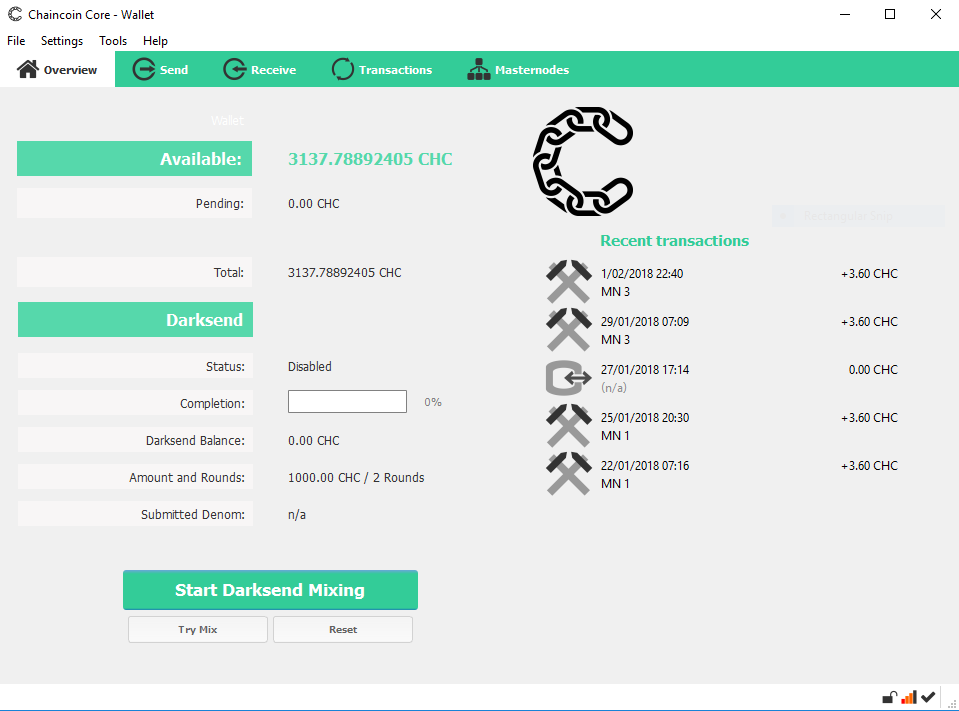 ============================== LIVE TECH SUPPORT BY CHAO ============================== https://www.youtube.com/channel/UCdIQ... ======================================= Desktop Wallet Chaincoin.conf File ======================================= rpcuser=XXXXXXXXXXXX rpcpassword=XXXXXXXXXXXXXXXXXXXXXXXXXXXXXXXXXXX rpcallowip=127.0.0.1 listen=0 server=1 daemon=1 logtimestamps=1 maxconnections=256 mnconflock=0 ======================================= Desktop Wallet Masternode.conf File ======================================= MN1 [SERVER IP ADDRESS]:11994 [MASTERNODE GENKEY] [TXID] [TX OUTPUT] MN2 XX.XXX.XX.XXX:11994 XXXXXXXXXXXXXXXXXXXX XXXXXXXXXXXXXXXXXXXXX X ======================================= VPS Chaincoin Wallet Setup ======================================= sudo apt-get update sudo apt-get upgrade sudo apt-get install software-properties-common python-software-properties sudo add-apt-repository ppa:git-core/ppa sudo apt-get update sudo apt-get install git sudo apt-get install -y pkg-config sudo apt-get install build-essential sudo apt-get install libtool autotools-dev autoconf automake sudo apt-get install libssl-dev sudo add-apt-repository ppa:bitcoin/bitcoin sudo apt-get update sudo apt-get install libboost-all-dev sudo apt-get install libdb4.8-dev sudo apt-get install libdb4.8++-dev sudo apt-get install libevent-dev dd if=/dev/zero of=/var/swap.img bs=1024k count=1000 mkswap /var/swap.img swapon /var/swap.img git clone https://github.com/chaincoin/chaincoin cd chaincoin ./autogen.sh ./configure --without-gui make make install cd cd ~/.chaincoin/ mkdir ~/.chaincoin/ cd ~/.chaincoin/ ls touch chaincoin.conf nano chaincoin.conf chaincoind --daemon ======================================= VPS Chaincoin.conf ======================================= rpcuser=XXXXXXXXXXXX rpcpassword=XXXXXXXXXXXXXXXXXXXXXXXXXXXXXXXXXXX rpcallowip=127.0.0.1 listen=1 server=1 daemon=1 logtimestamps=1 maxconnections=256 rpcport=11995 externalip=[SERVER IP ADDRESS] bind=[SERVER IP ADDRESS] masternode=1 masternodeprivkey=[MASTERNODE GENKEY] masternodeaddr=[SERVER IP ADDRESS]:11994 ======================================= Useful Commands in Debug Console ======================================= masternode start-many [PASSPHRASE] masternode list status [SERVER IP ADDRESS] masternode list activeseconds [SERVER IP ADDRESS] masternode outputs masternode list-conf masternode count masternode genkey =========================== Thanks for watching! ========================== |
| json metadata | {"tags":["crypto","blockchain","bitcoin","ethereum","cryptocurrency"],"image":["https://steemitimages.com/DQmSTfHChm2U63vD3ZoZHhVqjYtYgkAQa4zbQgMUsYQaXJt/CHC.PNG"],"links":["https://www.youtube.com/channel/UCdIQ","https://github.com/chaincoin/chaincoin"],"app":"steemit/0.1","format":"markdown"} |
| Transaction Info | Block #19517352/Trx 0581e048f54552509b8f78420f726f9edf03d695 |
View Raw JSON Data
{
"trx_id": "0581e048f54552509b8f78420f726f9edf03d695",
"block": 19517352,
"trx_in_block": 15,
"op_in_trx": 0,
"virtual_op": 0,
"timestamp": "2018-02-02T12:32:03",
"op": [
"comment",
{
"parent_author": "",
"parent_permlink": "crypto",
"author": "floki86",
"permlink": "chaincoin-masternode-setup",
"title": "CHAINCOIN MASTERNODE SETUP",
"body": "\n\n\n==============================\nLIVE TECH SUPPORT BY CHAO\n==============================\nhttps://www.youtube.com/channel/UCdIQ...\n\n=======================================\nDesktop Wallet Chaincoin.conf File\n=======================================\n\nrpcuser=XXXXXXXXXXXX\nrpcpassword=XXXXXXXXXXXXXXXXXXXXXXXXXXXXXXXXXXX\nrpcallowip=127.0.0.1\nlisten=0\nserver=1\ndaemon=1\nlogtimestamps=1\nmaxconnections=256\n\nmnconflock=0\n\n=======================================\nDesktop Wallet Masternode.conf File\n=======================================\n\nMN1 [SERVER IP ADDRESS]:11994 [MASTERNODE GENKEY] [TXID] [TX OUTPUT]\nMN2 XX.XXX.XX.XXX:11994 XXXXXXXXXXXXXXXXXXXX XXXXXXXXXXXXXXXXXXXXX X\n\n=======================================\nVPS Chaincoin Wallet Setup\n=======================================\nsudo apt-get update\nsudo apt-get upgrade\nsudo apt-get install software-properties-common python-software-properties\nsudo add-apt-repository ppa:git-core/ppa\n\nsudo apt-get update\nsudo apt-get install git\nsudo apt-get install -y pkg-config\n\nsudo apt-get install build-essential\nsudo apt-get install libtool autotools-dev autoconf automake\nsudo apt-get install libssl-dev\nsudo add-apt-repository ppa:bitcoin/bitcoin\nsudo apt-get update\nsudo apt-get install libboost-all-dev\nsudo apt-get install libdb4.8-dev\nsudo apt-get install libdb4.8++-dev\nsudo apt-get install libevent-dev\n\ndd if=/dev/zero of=/var/swap.img bs=1024k count=1000\nmkswap /var/swap.img\nswapon /var/swap.img\n\ngit clone https://github.com/chaincoin/chaincoin\ncd chaincoin\n./autogen.sh\n./configure --without-gui\nmake\nmake install\n\ncd\ncd ~/.chaincoin/\nmkdir ~/.chaincoin/\ncd ~/.chaincoin/\nls\ntouch chaincoin.conf\nnano chaincoin.conf\n\nchaincoind --daemon\n\n=======================================\nVPS Chaincoin.conf\n=======================================\nrpcuser=XXXXXXXXXXXX\nrpcpassword=XXXXXXXXXXXXXXXXXXXXXXXXXXXXXXXXXXX\nrpcallowip=127.0.0.1\nlisten=1\nserver=1\ndaemon=1\nlogtimestamps=1\nmaxconnections=256\nrpcport=11995\nexternalip=[SERVER IP ADDRESS]\nbind=[SERVER IP ADDRESS]\nmasternode=1\n\nmasternodeprivkey=[MASTERNODE GENKEY]\nmasternodeaddr=[SERVER IP ADDRESS]:11994\n\n=======================================\nUseful Commands in Debug Console\n=======================================\nmasternode start-many [PASSPHRASE]\nmasternode list status [SERVER IP ADDRESS]\nmasternode list activeseconds [SERVER IP ADDRESS]\nmasternode outputs\nmasternode list-conf\nmasternode count\nmasternode genkey\n\n===========================\nThanks for watching!\n==========================",
"json_metadata": "{\"tags\":[\"crypto\",\"blockchain\",\"bitcoin\",\"ethereum\",\"cryptocurrency\"],\"image\":[\"https://steemitimages.com/DQmSTfHChm2U63vD3ZoZHhVqjYtYgkAQa4zbQgMUsYQaXJt/CHC.PNG\"],\"links\":[\"https://www.youtube.com/channel/UCdIQ\",\"https://github.com/chaincoin/chaincoin\"],\"app\":\"steemit/0.1\",\"format\":\"markdown\"}"
}
]
}floki86upvoted (100.00%) @floki86 / flokimasternode-service2018/02/02 12:26:15
floki86upvoted (100.00%) @floki86 / flokimasternode-service
2018/02/02 12:26:15
| voter | floki86 |
| author | floki86 |
| permlink | flokimasternode-service |
| weight | 10000 (100.00%) |
| Transaction Info | Block #19517236/Trx 153a11466a3631d20f0395618e65942f2c4a7d2b |
View Raw JSON Data
{
  "trx_id": "153a11466a3631d20f0395618e65942f2c4a7d2b",
  "block": 19517236,
  "trx_in_block": 17,
  "op_in_trx": 0,
  "virtual_op": 0,
  "timestamp": "2018-02-02T12:26:15",
  "op": [
    "vote",
    {
      "voter": "floki86",
      "author": "floki86",
      "permlink": "flokimasternode-service",
      "weight": 10000
    }
  ]
}floki86received 0.010 SBD, 0.004 SP author reward for @floki86 / scorecoin-masternode-complete-setup-on-vultr-vps2018/02/01 09:38:30
floki86received 0.010 SBD, 0.004 SP author reward for @floki86 / scorecoin-masternode-complete-setup-on-vultr-vps
2018/02/01 09:38:30
| author | floki86 |
| permlink | scorecoin-masternode-complete-setup-on-vultr-vps |
| sbd payout | 0.010 SBD |
| steem payout | 0.000 STEEM |
| vesting payout | 6.137959 VESTS |
| Transaction Info | Block #19485134/Virtual Operation #18 |
View Raw JSON Data
{
  "trx_id": "0000000000000000000000000000000000000000",
  "block": 19485134,
  "trx_in_block": 4294967295,
  "op_in_trx": 0,
  "virtual_op": 18,
  "timestamp": "2018-02-01T09:38:30",
  "op": [
    "author_reward",
    {
      "author": "floki86",
      "permlink": "scorecoin-masternode-complete-setup-on-vultr-vps",
      "sbd_payout": "0.010 SBD",
      "steem_payout": "0.000 STEEM",
      "vesting_payout": "6.137959 VESTS"
    }
  ]
}floki86published a new post: flokimasternode-service2018/02/01 07:51:12
floki86published a new post: flokimasternode-service
2018/02/01 07:51:12
| parent author | |
| parent permlink | bitcoin |
| author | floki86 |
| permlink | flokimasternode-service |
| title | FLOKIMASTERNODE SERVICE |
| body |  Announcing a newly opened shared masternode service called FlokiMasterNode Service. We value transparency, honesty and fairness. No Setup Fee Consistent Payout 3% Admin fee on payouts Transparent Service come check us out at https://discord.gg/3tmnB |
| json metadata | {"tags":["bitcoin","cryptocurrency","blockchain","staking","money"],"image":["https://steemitimages.com/DQme9sVhWPBAMa2T4MGKtpxrKuTvFRXSRpuLXzWFyM6FdTZ/fmns.jpeg"],"links":["https://discord.gg/3tmnB"],"app":"steemit/0.1","format":"markdown"} |
| Transaction Info | Block #19482995/Trx 5386ee7d6c1cbfdc58c8b7ca3209e7128d10c34f |
View Raw JSON Data
{
"trx_id": "5386ee7d6c1cbfdc58c8b7ca3209e7128d10c34f",
"block": 19482995,
"trx_in_block": 58,
"op_in_trx": 0,
"virtual_op": 0,
"timestamp": "2018-02-01T07:51:12",
"op": [
"comment",
{
"parent_author": "",
"parent_permlink": "bitcoin",
"author": "floki86",
"permlink": "flokimasternode-service",
"title": "FLOKIMASTERNODE SERVICE",
"body": "\nAnnouncing a newly opened shared masternode service called FlokiMasterNode Service. We value transparency, honesty and fairness. \n No Setup Fee\nConsistent Payout\n3% Admin fee on payouts\nTransparent Service\ncome check us out at https://discord.gg/3tmnB",
"json_metadata": "{\"tags\":[\"bitcoin\",\"cryptocurrency\",\"blockchain\",\"staking\",\"money\"],\"image\":[\"https://steemitimages.com/DQme9sVhWPBAMa2T4MGKtpxrKuTvFRXSRpuLXzWFyM6FdTZ/fmns.jpeg\"],\"links\":[\"https://discord.gg/3tmnB\"],\"app\":\"steemit/0.1\",\"format\":\"markdown\"}"
}
]
}floki86followed @smartcash2018/01/31 03:11:36
floki86followed @smartcash
2018/01/31 03:11:36
| required auths | [] |
| required posting auths | ["floki86"] |
| id | follow |
| json | ["follow",{"follower":"floki86","following":"smartcash","what":["blog"]}] |
| Transaction Info | Block #19448636/Trx e97a9fa7c1c2ddc0d1d61eb6ee7cce7b55f49ba2 |
View Raw JSON Data
{
  "trx_id": "e97a9fa7c1c2ddc0d1d61eb6ee7cce7b55f49ba2",
  "block": 19448636,
  "trx_in_block": 52,
  "op_in_trx": 0,
  "virtual_op": 0,
  "timestamp": "2018-01-31T03:11:36",
  "op": [
    "custom_json",
    {
      "required_auths": [],
      "required_posting_auths": [
        "floki86"
      ],
      "id": "follow",
      "json": "[\"follow\",{\"follower\":\"floki86\",\"following\":\"smartcash\",\"what\":[\"blog\"]}]"
    }
  ]
}floki86upvoted (100.00%) @floki86 / scorecoin-masternode-complete-setup-on-vultr-vps2018/01/26 09:13:33
floki86upvoted (100.00%) @floki86 / scorecoin-masternode-complete-setup-on-vultr-vps
2018/01/26 09:13:33
| voter | floki86 |
| author | floki86 |
| permlink | scorecoin-masternode-complete-setup-on-vultr-vps |
| weight | 10000 (100.00%) |
| Transaction Info | Block #19311981/Trx e709a34b2d9736ff8a8ec771c71c5855988ec559 |
View Raw JSON Data
{
  "trx_id": "e709a34b2d9736ff8a8ec771c71c5855988ec559",
  "block": 19311981,
  "trx_in_block": 25,
  "op_in_trx": 0,
  "virtual_op": 0,
  "timestamp": "2018-01-26T09:13:33",
  "op": [
    "vote",
    {
      "voter": "floki86",
      "author": "floki86",
      "permlink": "scorecoin-masternode-complete-setup-on-vultr-vps",
      "weight": 10000
    }
  ]
}floki86published a new post: scorecoin-masternode-complete-setup-on-vultr-vps2018/01/25 09:43:54
floki86published a new post: scorecoin-masternode-complete-setup-on-vultr-vps
2018/01/25 09:43:54
| parent author | |
| parent permlink | altcoin |
| author | floki86 |
| permlink | scorecoin-masternode-complete-setup-on-vultr-vps |
| title | SCORECOIN MASTERNODE COMPLETE SETUP ON VULTR VPS |
| body | @@ -1,12 +1,106 @@ +!%5BSCR.PNG%5D(https://steemitimages.com/DQmSPxUJSSASZsrjigExNxivkZwi9srZZFQwLZMLwSMPJ7M/SCR.PNG)%0A The VPS prov |
| json metadata | {"tags":["altcoin","cryptocurrency","mining","bitcoin","blockchain"],"links":["https://www.digitalocean.com/community/tutorials/initial-server-setup-with-ubuntu-16-04","https://github.com/marksteven2017/Scorecoin.git"],"app":"steemit/0.1","format":"markdown","image":["https://steemitimages.com/DQmSPxUJSSASZsrjigExNxivkZwi9srZZFQwLZMLwSMPJ7M/SCR.PNG"]} |
| Transaction Info | Block #19283798/Trx e8e8111e85dd4f7cf2e7769d4cc1fb1ccbc7d735 |
View Raw JSON Data
{
  "trx_id": "e8e8111e85dd4f7cf2e7769d4cc1fb1ccbc7d735",
  "block": 19283798,
  "trx_in_block": 51,
  "op_in_trx": 0,
  "virtual_op": 0,
  "timestamp": "2018-01-25T09:43:54",
  "op": [
    "comment",
    {
      "parent_author": "",
      "parent_permlink": "altcoin",
      "author": "floki86",
      "permlink": "scorecoin-masternode-complete-setup-on-vultr-vps",
      "title": "SCORECOIN MASTERNODE COMPLETE SETUP ON VULTR VPS",
      "body": "@@ -1,12 +1,106 @@\n+!%5BSCR.PNG%5D(https://steemitimages.com/DQmSPxUJSSASZsrjigExNxivkZwi9srZZFQwLZMLwSMPJ7M/SCR.PNG)%0A\n The VPS prov\n",
      "json_metadata": "{\"tags\":[\"altcoin\",\"cryptocurrency\",\"mining\",\"bitcoin\",\"blockchain\"],\"links\":[\"https://www.digitalocean.com/community/tutorials/initial-server-setup-with-ubuntu-16-04\",\"https://github.com/marksteven2017/Scorecoin.git\"],\"app\":\"steemit/0.1\",\"format\":\"markdown\",\"image\":[\"https://steemitimages.com/DQmSPxUJSSASZsrjigExNxivkZwi9srZZFQwLZMLwSMPJ7M/SCR.PNG\"]}"
    }
  ]
}2018/01/25 09:39:09
2018/01/25 09:39:09
| parent author | floki86 |
| parent permlink | scorecoin-masternode-complete-setup-on-vultr-vps |
| author | cheetah |
| permlink | cheetah-re-floki86scorecoin-masternode-complete-setup-on-vultr-vps |
| title | |
| body | Hi! I am a robot. I just upvoted you! I found similar content that readers might be interested in: https://www.digitalocean.com/community/tutorials/how-to-add-swap-on-ubuntu-14-04 |
| json metadata | |
| Transaction Info | Block #19283703/Trx ef78321c3c6f2462c1ccb7b8a8f38ac524f3bc86 |
View Raw JSON Data
{
  "trx_id": "ef78321c3c6f2462c1ccb7b8a8f38ac524f3bc86",
  "block": 19283703,
  "trx_in_block": 37,
  "op_in_trx": 0,
  "virtual_op": 0,
  "timestamp": "2018-01-25T09:39:09",
  "op": [
    "comment",
    {
      "parent_author": "floki86",
      "parent_permlink": "scorecoin-masternode-complete-setup-on-vultr-vps",
      "author": "cheetah",
      "permlink": "cheetah-re-floki86scorecoin-masternode-complete-setup-on-vultr-vps",
      "title": "",
      "body": "Hi! I am a robot. I just upvoted you! I found similar content that readers might be interested in:\nhttps://www.digitalocean.com/community/tutorials/how-to-add-swap-on-ubuntu-14-04",
      "json_metadata": ""
    }
  ]
}cheetahupvoted (0.08%) @floki86 / scorecoin-masternode-complete-setup-on-vultr-vps2018/01/25 09:39:06
cheetahupvoted (0.08%) @floki86 / scorecoin-masternode-complete-setup-on-vultr-vps
2018/01/25 09:39:06
| voter | cheetah |
| author | floki86 |
| permlink | scorecoin-masternode-complete-setup-on-vultr-vps |
| weight | 8 (0.08%) |
| Transaction Info | Block #19283702/Trx 1bc91bd0fa855232e2da33533299a77fe27c4e54 |
View Raw JSON Data
{
  "trx_id": "1bc91bd0fa855232e2da33533299a77fe27c4e54",
  "block": 19283702,
  "trx_in_block": 21,
  "op_in_trx": 0,
  "virtual_op": 0,
  "timestamp": "2018-01-25T09:39:06",
  "op": [
    "vote",
    {
      "voter": "cheetah",
      "author": "floki86",
      "permlink": "scorecoin-masternode-complete-setup-on-vultr-vps",
      "weight": 8
    }
  ]
}floki86removed vote from (0.00%) @floki86 / scorecoin-masternode-complete-setup-on-vultr-vps2018/01/25 09:39:03
floki86removed vote from (0.00%) @floki86 / scorecoin-masternode-complete-setup-on-vultr-vps
2018/01/25 09:39:03
| voter | floki86 |
| author | floki86 |
| permlink | scorecoin-masternode-complete-setup-on-vultr-vps |
| weight | 0 (0.00%) |
| Transaction Info | Block #19283701/Trx e716948cbea52b50576b95a159bff7456a9e3037 |
View Raw JSON Data
{
  "trx_id": "e716948cbea52b50576b95a159bff7456a9e3037",
  "block": 19283701,
  "trx_in_block": 47,
  "op_in_trx": 0,
  "virtual_op": 0,
  "timestamp": "2018-01-25T09:39:03",
  "op": [
    "vote",
    {
      "voter": "floki86",
      "author": "floki86",
      "permlink": "scorecoin-masternode-complete-setup-on-vultr-vps",
      "weight": 0
    }
  ]
}floki86upvoted (100.00%) @floki86 / scorecoin-masternode-complete-setup-on-vultr-vps2018/01/25 09:38:54
floki86upvoted (100.00%) @floki86 / scorecoin-masternode-complete-setup-on-vultr-vps
2018/01/25 09:38:54
| voter | floki86 |
| author | floki86 |
| permlink | scorecoin-masternode-complete-setup-on-vultr-vps |
| weight | 10000 (100.00%) |
| Transaction Info | Block #19283698/Trx e3ff50f057f1bb94c52b73336cbbca07453de78b |
View Raw JSON Data
{
  "trx_id": "e3ff50f057f1bb94c52b73336cbbca07453de78b",
  "block": 19283698,
  "trx_in_block": 43,
  "op_in_trx": 0,
  "virtual_op": 0,
  "timestamp": "2018-01-25T09:38:54",
  "op": [
    "vote",
    {
      "voter": "floki86",
      "author": "floki86",
      "permlink": "scorecoin-masternode-complete-setup-on-vultr-vps",
      "weight": 10000
    }
  ]
}floki86published a new post: scorecoin-masternode-complete-setup-on-vultr-vps2018/01/25 09:38:30
floki86published a new post: scorecoin-masternode-complete-setup-on-vultr-vps
2018/01/25 09:38:30
| parent author | |
| parent permlink | altcoin |
| author | floki86 |
| permlink | scorecoin-masternode-complete-setup-on-vultr-vps |
| title | SCORECOIN MASTERNODE COMPLETE SETUP ON VULTR VPS |
| body | The VPS provider give the user and password to get access to the VPS. 1.1. Initial Setup It is need to the the VPS up to date, to get this: sudo apt-get update sudo apt-get upgrade 1.2. Create a new user and get more security in SSH connection To create a new user in the VPS with root access permission: adduser score adduser score sudo Change from “root” user to the new user “score”: sudo score Now, we are going to generate keys to SSH connection: ssh-keygen -b 4096 We need to install “nano”: sudo apt-get install nano Go to folder ssh: cd .ssh nano id_rsa.pub )) authorized_keys Now save the private key “id_rsa” to your clients computer so you can authenticate to the server with the SSH Certificate. (You must convert id_rsa to a “.ppk file in order to use the privatekey with Putty). Restart the SSH Server and test if the authentication with the private key works. sudo service ssh restart If it works, edit the SSH config file to disable password authentication & root login. sudo nano /etc/ssh/sshd_config Change following Values in the file: PasswordAuthentication no UsePAM no PermitRootLogin no More info in: https://www.digitalocean.com/community/tutorials/initial-server-setup-with-ubuntu-16-04 1.3. SWAP Memory configuration In the case the VPS has only 1GB of RAM, we need to create a 2-4GB of SWAP Memory. Before we begin, we will take a look at our operating system to see if we already have some swap space available. We can have multiple swap files or swap partitions, but generally one should be enough. We can see if the system has any configured swap by typing: sudo swapon –s Filename Type Size Used Priority If you only get back the header of the table, as I've shown above, you do not currently have any swap space enabled. Another, more familiar way of checking for swap space is with the free utility, which shows us system memory usage. We can see our current memory and swap usage in Megabytes by typing: free -m Check Available Space on the Hard Drive Partition. The typical way of allocating space for swap is to use a separate partition devoted to the task. However, altering the partitioning scheme is not always possible. We can just as easily create a swap file that resides on an existing partition. Before we do this, we should be aware of our current disk usage. We can get this information by typing: df -h As you can see on the first line, our hard drive partition has 55 Gigabytes available, so we have a huge amount of space to work with. This is on a fresh, medium-sized VPS instance, however, so your actual usage might be very different. Although there are many opinions about the appropriate size of a swap space, it really depends on your personal preferences and your application requirements. Generally, an amount equal to or double the amount of RAM on your system is a good starting point. Since my system has 4 Gigabytes of RAM, and doubling that would take a significant chunk of my disk space that I'm not willing to part with, I will create a swap space of 4 Gigabytes to match my system's RAM. To create the Swap file in the root directory: sudo fallocate -l 4G /swapfile The prompt will be returned to you almost immediately. We can verify that the correct amount of space was reserved by typing: ls -lh /swapfile As you can see, our file is created with the correct amount of space set aside. Now it is need to enable swap file. Right now, our file is created, but our system does not know that this is supposed to be used for swap. We need to tell our system to format this file as swap and then enable it. Before we do that though, we need to adjust the permissions on our file so that it isn't readable by anyone besides root. Allowing other users to read or write to this file would be a huge security risk. We can lock down the permissions by typing: sudo chmod 600 /swapfile Verify that the file has the correct permissions by typing: As you can see, only the columns for the root user have the read and write flags enabled. Now that our file is more secure, we can tell our system to set up the swap space by typing: sudo mkswap /swapfile Our file is now ready to be used as a swap space. We can enable this by typing: sudo swapon /swapfile We have a new swap file here. We can use the free utility again to corroborate our findings: free -m Our swap has been set up successfully and our operating system will begin to use it as necessary. Now, it is need to make this swap file permanent. We have our swap file enabled, but when we reboot, the server will not automatically enable the file. We can change that though by modifying the fstab file. Edit the file with root privileges in your text editor: sudo nano /etc/fstab At the bottom of the file, you need to add a line that will tell the operating system to automatically use the file you created: /swapfile none swap sw 0 0 Save and close the file when you are finished 2.1. Install dependencies In the command line of VPS and with the user created before: sudo apt-get -y install libboost-all-dev sudo apt-get -y install libcrypto++-dev sudo apt-get -y install libqrencode-dev sudo apt-get -y install libminiupnpc-dev sudo apt-get -y install libgmp-dev sudo apt-get -y install libgmp3-dev sudo apt-get update sudo apt-get install build-essential sudo apt-get install libssl-dev sudo apt-get install libdb++-dev sudo apt-get install libboost-all-dev sudo apt-get install build-essential libtool autotools-dev automake pkg-config libssl-dev libevent-dev bsdmainutils sudo apt-get install libzmq3-dev sudo apt-get install libgmp3-dev sudo apt-get install libboost1.55-all-dev boost1.55 will most likely fail(Not a problem) sudo add-apt-repository ppa:bitcoin/bitcoin Now we need to clone the Scorecoin.git, and compile the file: git clone https://github.com/marksteven2017/Scorecoin.git cd /Scorecoin/src/ sudo make -f makefile.unix This process takes some time; we need to wait to finish it. When the process is finished we need to give executable permissions: chmod +x Scored ls –l 2.2. Configure Score coin MN After that we need to configure the “score-conf”: nano $HOME/.Score/Score.conf rpcuser=”Any user” rpcpassword=”Any password” Now, we need to execute the daemon: cd ~/Scorecoin/src$/ ./Scored –daemon Wait until the blockchain is synchronized. To view this information: ./Scored getinfo Once synced, generate the private key. “./Scored masternode genkey” save this key in a notepad because we need later: ./Scored masternode genkey Now we have to stop the daemon: ./Scored stop Update the “score.conf” as rpcuser=(ANY user) rpcpassword=(ANY password) The default port is 17075. Start the daemon again: ./Scored –daemon To get info: ./Scored masternode status 2.3. Configure Firewall to allow the correct ports To get more security in the VPS: sudo ufw app list We need to make sure that the firewall allows SSH connections so that we can log back in next time. We can allow these connections by typing: sudo ufw allow OpenSSH Afterwards, we can enable the firewall by typing: sudo ufw enable To allow the port of Scorecoin MN: sudo ufw allow 17075 sudo ufw enable sudo ufw status Status: active To Action From -- ------ ---- 22 ALLOW Anywhere 17075 ALLOW Anywhere 22 (v6) ALLOW Anywhere (v6) 17075 (v6) ALLOW Anywhere (v6) 5. Configure Windows Cold Wallet We need to generate a new address for MN: Send 25000 Score coins to this new address be sure to have a few extra coins in your wallet for the fees. The exact amount of 25000 coins is required for the masternode. Meanwhile, you have to edit your “score.conf” file which is in “%appdata%“. Open the file with notepad and filled with: rpcuser=(any user) rpcpassword=(any user) rpcallowip=127.0.0.1 listen=1 server=1 daemon=1 staking=0 logtimestamps=1 Close the windows wallet and start again. Once the transactions of 25000 Score coins reach more than 15 confirmations, go to wallet, in debug console: And type “masternode outputs”: You will get trx hash like this: “aa7c6c173f7b691e5a070a37aeazd23557636ad1b4b43680ace39d522e1d4493” “1” . The first part is your transaction hash, the “1” is the index. In case you did multiple transactions, you will get a list. Save this values in a text file. Now we are going to configure the Masternode. Go to Score wallet, go to MN tab and click in create a new one: It will be appearing a window like this: It needs to fill using the following date got before: a) Alias - (any name eg MN1) b) Address - (VPS IP and PORT ) X.X.X.X:17075 c) Privkey - ( private key generated on VPS) d) TX hash - (the hash generated on windows wallet) e) Txid -( the second part generated on windows wallet, either 0 or 1) The last boxes will leave in blanck. Press OK to save this and unlock the wallet before start the MN: In the tab of My Master Nodes, click on Start All: You get the message: “Masternode successfully started”. The MN will be appearing in the Score Network Masternode, take into account it takes some time to sycn: Your MN is fully configured. |
| json metadata | {"tags":["altcoin","cryptocurrency","mining","bitcoin","blockchain"],"links":["https://www.digitalocean.com/community/tutorials/initial-server-setup-with-ubuntu-16-04","https://github.com/marksteven2017/Scorecoin.git"],"app":"steemit/0.1","format":"markdown"} |
| Transaction Info | Block #19283690/Trx c04ff35fe9c0df2c1116dd822838a195cad60ae7 |
View Raw JSON Data
{
"trx_id": "c04ff35fe9c0df2c1116dd822838a195cad60ae7",
"block": 19283690,
"trx_in_block": 45,
"op_in_trx": 0,
"virtual_op": 0,
"timestamp": "2018-01-25T09:38:30",
"op": [
"comment",
{
"parent_author": "",
"parent_permlink": "altcoin",
"author": "floki86",
"permlink": "scorecoin-masternode-complete-setup-on-vultr-vps",
"title": "SCORECOIN MASTERNODE COMPLETE SETUP ON VULTR VPS",
"body": "The VPS provider give the user and password to get access to the VPS.\n\n1.1.\tInitial Setup\n\nIt is need to the the VPS up to date, to get this:\nsudo apt-get update\nsudo apt-get upgrade\n\n1.2.\tCreate a new user and get more security in SSH connection\n\nTo create a new user in the VPS with root access permission:\nadduser score\nadduser score sudo\n\nChange from “root” user to the new user “score”:\n\t\tsudo score\n\nNow, we are going to generate keys to SSH connection:\nssh-keygen -b 4096\n\nWe need to install “nano”:\n\t\tsudo apt-get install nano\n\nGo to folder ssh:\ncd .ssh\nnano id_rsa.pub )) authorized_keys\n\nNow save the private key “id_rsa” to your clients computer so you can authenticate to the server with the SSH Certificate. (You must convert id_rsa to a “.ppk file in order to use the privatekey with Putty).\nRestart the SSH Server and test if the authentication with the private key works.\nsudo service ssh restart\n\nIf it works, edit the SSH config file to disable password authentication & root login.\nsudo nano /etc/ssh/sshd_config\n\nChange following Values in the file:\nPasswordAuthentication no\nUsePAM no\nPermitRootLogin no\n\nMore info in: https://www.digitalocean.com/community/tutorials/initial-server-setup-with-ubuntu-16-04\n\n\n1.3.\tSWAP Memory configuration\nIn the case the VPS has only 1GB of RAM, we need to create a 2-4GB of SWAP Memory.\n\nBefore we begin, we will take a look at our operating system to see if we already have some swap space available. We can have multiple swap files or swap partitions, but generally one should be enough.\n\nWe can see if the system has any configured swap by typing:\nsudo swapon –s\nFilename Type Size Used Priority\n\nIf you only get back the header of the table, as I've shown above, you do not currently have any swap space enabled.\n\nAnother, more familiar way of checking for swap space is with the free utility, which shows us system memory usage. We can see our current memory and swap usage in Megabytes by typing:\nfree -m\n\n \n\nCheck Available Space on the Hard Drive Partition.\n\nThe typical way of allocating space for swap is to use a separate partition devoted to the task. However, altering the partitioning scheme is not always possible. We can just as easily create a swap file that resides on an existing partition.\n\nBefore we do this, we should be aware of our current disk usage. We can get this information by typing:\ndf -h\t\n \nAs you can see on the first line, our hard drive partition has 55 Gigabytes available, so we have a huge amount of space to work with. This is on a fresh, medium-sized VPS instance, however, so your actual usage might be very different.\n\nAlthough there are many opinions about the appropriate size of a swap space, it really depends on your personal preferences and your application requirements. Generally, an amount equal to or double the amount of RAM on your system is a good starting point.\n\nSince my system has 4 Gigabytes of RAM, and doubling that would take a significant chunk of my disk space that I'm not willing to part with, I will create a swap space of 4 Gigabytes to match my system's RAM.\n\nTo create the Swap file in the root directory:\nsudo fallocate -l 4G /swapfile\n\nThe prompt will be returned to you almost immediately. We can verify that the correct amount of space was reserved by typing:\nls -lh /swapfile\n\n \nAs you can see, our file is created with the correct amount of space set aside.\n\nNow it is need to enable swap file.\nRight now, our file is created, but our system does not know that this is supposed to be used for swap. We need to tell our system to format this file as swap and then enable it.\n\nBefore we do that though, we need to adjust the permissions on our file so that it isn't readable by anyone besides root. Allowing other users to read or write to this file would be a huge security risk. We can lock down the permissions by typing:\nsudo chmod 600 /swapfile\n\nVerify that the file has the correct permissions by typing:\n \nAs you can see, only the columns for the root user have the read and write flags enabled.\nNow that our file is more secure, we can tell our system to set up the swap space by typing:\nsudo mkswap /swapfile\n\n \nOur file is now ready to be used as a swap space. We can enable this by typing:\nsudo swapon /swapfile\n \nWe have a new swap file here. We can use the free utility again to corroborate our findings:\nfree -m\n\n \nOur swap has been set up successfully and our operating system will begin to use it as necessary.\n\nNow, it is need to make this swap file permanent. \nWe have our swap file enabled, but when we reboot, the server will not automatically enable the file. We can change that though by modifying the fstab file.\n\nEdit the file with root privileges in your text editor:\nsudo nano /etc/fstab\n\nAt the bottom of the file, you need to add a line that will tell the operating system to automatically use the file you created:\n\t\t/swapfile none swap sw 0 0\n\nSave and close the file when you are finished\n\n\n2.1.\tInstall dependencies\nIn the command line of VPS and with the user created before:\nsudo apt-get -y install libboost-all-dev\nsudo apt-get -y install libcrypto++-dev \nsudo apt-get -y install libqrencode-dev \nsudo apt-get -y install libminiupnpc-dev \nsudo apt-get -y install libgmp-dev \nsudo apt-get -y install libgmp3-dev \n\nsudo apt-get update\nsudo apt-get install build-essential\nsudo apt-get install libssl-dev\nsudo apt-get install libdb++-dev\nsudo apt-get install libboost-all-dev\nsudo apt-get install build-essential libtool autotools-dev automake pkg-config libssl-dev libevent-dev bsdmainutils\n\nsudo apt-get install libzmq3-dev\nsudo apt-get install libgmp3-dev\nsudo apt-get install libboost1.55-all-dev\n\nboost1.55 will most likely fail(Not a problem)\nsudo add-apt-repository ppa:bitcoin/bitcoin\n\nNow we need to clone the Scorecoin.git, and compile the file:\ngit clone https://github.com/marksteven2017/Scorecoin.git\ncd /Scorecoin/src/\nsudo make -f makefile.unix\nThis process takes some time; we need to wait to finish it. When the process is finished we need to give executable permissions:\nchmod +x Scored\nls –l\n\n\n2.2.\tConfigure Score coin MN\nAfter that we need to configure the “score-conf”:\nnano $HOME/.Score/Score.conf\n\trpcuser=”Any user”\n\trpcpassword=”Any password”\n\nNow, we need to execute the daemon:\ncd ~/Scorecoin/src$/\n./Scored –daemon\n \nWait until the blockchain is synchronized. To view this information:\n\t\t./Scored getinfo\n \n\n\n\nOnce synced, generate the private key. “./Scored masternode genkey” save this key in a notepad because we need later:\n./Scored masternode genkey\n\n \nNow we have to stop the daemon:\n./Scored stop\n\nUpdate the “score.conf” as rpcuser=(ANY user) rpcpassword=(ANY password)\n\n \n\nThe default port is 17075.\n\nStart the daemon again:\n./Scored –daemon\n \nTo get info:\n./Scored masternode status\n \n\n\n2.3.\tConfigure Firewall to allow the correct ports\nTo get more security in the VPS:\nsudo ufw app list\n\n \nWe need to make sure that the firewall allows SSH connections so that we can log back in next time. We can allow these connections by typing:\nsudo ufw allow OpenSSH\n\nAfterwards, we can enable the firewall by typing:\nsudo ufw enable\n \nTo allow the port of Scorecoin MN:\nsudo ufw allow 17075\nsudo ufw enable\n\nsudo ufw status\nStatus: active\n\nTo Action From\n-- ------ ----\n22 ALLOW Anywhere \n17075 ALLOW Anywhere \n22 (v6) ALLOW Anywhere (v6) \n17075 (v6) ALLOW Anywhere (v6) \n\n\n\n\n\n\n\n\n\n\n\n\n\n\n5.\tConfigure Windows Cold Wallet\n\nWe need to generate a new address for MN:\n \nSend 25000 Score coins to this new address be sure to have a few extra coins in your wallet for the fees. The exact amount of 25000 coins is required for the masternode.\n\nMeanwhile, you have to edit your “score.conf” file which is in “%appdata%“. Open the file with notepad and filled with:\nrpcuser=(any user) \nrpcpassword=(any user) \nrpcallowip=127.0.0.1 \nlisten=1 \nserver=1 \ndaemon=1 \nstaking=0 \nlogtimestamps=1\n\nClose the windows wallet and start again.\nOnce the transactions of 25000 Score coins reach more than 15 confirmations, go to wallet, in debug console:\n \n\n\n\n\n\n\n\n\nAnd type “masternode outputs”:\n \nYou will get trx hash like this:\n“aa7c6c173f7b691e5a070a37aeazd23557636ad1b4b43680ace39d522e1d4493” “1” . \nThe first part is your transaction hash, the “1” is the index. In case you did multiple transactions, you will get a list.\nSave this values in a text file.\n\nNow we are going to configure the Masternode. Go to Score wallet, go to MN tab and click in create a new one:\n\n \n \nIt will be appearing a window like this:\n \n\nIt needs to fill using the following date got before:\na) Alias - (any name eg MN1)\nb) Address - (VPS IP and PORT ) X.X.X.X:17075\nc) Privkey - ( private key generated on VPS)\nd) TX hash - (the hash generated on windows wallet)\ne) Txid -( the second part generated on windows wallet, either 0 or 1)\nThe last boxes will leave in blanck.\nPress OK to save this and unlock the wallet before start the MN:\n \nIn the tab of My Master Nodes, click on Start All:\n\n \nYou get the message: “Masternode successfully started”.\n\nThe MN will be appearing in the Score Network Masternode, take into account it takes some time to sycn:\n \n\nYour MN is fully configured.",
"json_metadata": "{\"tags\":[\"altcoin\",\"cryptocurrency\",\"mining\",\"bitcoin\",\"blockchain\"],\"links\":[\"https://www.digitalocean.com/community/tutorials/initial-server-setup-with-ubuntu-16-04\",\"https://github.com/marksteven2017/Scorecoin.git\"],\"app\":\"steemit/0.1\",\"format\":\"markdown\"}"
}
]
}floki86upvoted (100.00%) @tatchcapital / re-floki86-bitcoin-about-to-go-bullish-20180120t220608624z2018/01/21 22:00:30
floki86upvoted (100.00%) @tatchcapital / re-floki86-bitcoin-about-to-go-bullish-20180120t220608624z
2018/01/21 22:00:30
| voter | floki86 |
| author | tatchcapital |
| permlink | re-floki86-bitcoin-about-to-go-bullish-20180120t220608624z |
| weight | 10000 (100.00%) |
| Transaction Info | Block #19183370/Trx 402d4c43c0a6b97bc14a4c44fa37e370e1958d42 |
View Raw JSON Data
{
  "trx_id": "402d4c43c0a6b97bc14a4c44fa37e370e1958d42",
  "block": 19183370,
  "trx_in_block": 5,
  "op_in_trx": 0,
  "virtual_op": 0,
  "timestamp": "2018-01-21T22:00:30",
  "op": [
    "vote",
    {
      "voter": "floki86",
      "author": "tatchcapital",
      "permlink": "re-floki86-bitcoin-about-to-go-bullish-20180120t220608624z",
      "weight": 10000
    }
  ]
}floki86upvoted (100.00%) @tatchcapital / tatch-trading-analysis-btc-gear-up-to-shoot-it-more-down2018/01/21 22:00:12
floki86upvoted (100.00%) @tatchcapital / tatch-trading-analysis-btc-gear-up-to-shoot-it-more-down
2018/01/21 22:00:12
| voter | floki86 |
| author | tatchcapital |
| permlink | tatch-trading-analysis-btc-gear-up-to-shoot-it-more-down |
| weight | 10000 (100.00%) |
| Transaction Info | Block #19183364/Trx 6e6a7ae6d869d17cbf5cc6ded42090354003668a |
View Raw JSON Data
{
  "trx_id": "6e6a7ae6d869d17cbf5cc6ded42090354003668a",
  "block": 19183364,
  "trx_in_block": 20,
  "op_in_trx": 0,
  "virtual_op": 0,
  "timestamp": "2018-01-21T22:00:12",
  "op": [
    "vote",
    {
      "voter": "floki86",
      "author": "tatchcapital",
      "permlink": "tatch-trading-analysis-btc-gear-up-to-shoot-it-more-down",
      "weight": 10000
    }
  ]
}floki86upvoted (100.00%) @themarkymark / why-you-should-vote-for-themarkymark-as-witness2018/01/21 04:23:09
floki86upvoted (100.00%) @themarkymark / why-you-should-vote-for-themarkymark-as-witness
2018/01/21 04:23:09
| voter | floki86 |
| author | themarkymark |
| permlink | why-you-should-vote-for-themarkymark-as-witness |
| weight | 10000 (100.00%) |
| Transaction Info | Block #19162229/Trx 17efbfe473f4c1848a8018f6119288cd602bc5ec |
View Raw JSON Data
{
  "trx_id": "17efbfe473f4c1848a8018f6119288cd602bc5ec",
  "block": 19162229,
  "trx_in_block": 3,
  "op_in_trx": 0,
  "virtual_op": 0,
  "timestamp": "2018-01-21T04:23:09",
  "op": [
    "vote",
    {
      "voter": "floki86",
      "author": "themarkymark",
      "permlink": "why-you-should-vote-for-themarkymark-as-witness",
      "weight": 10000
    }
  ]
}floki86upvoted (100.00%) @adsactly / adsactly-short-stories-let-nothing-put-asunder2018/01/20 22:45:15
floki86upvoted (100.00%) @adsactly / adsactly-short-stories-let-nothing-put-asunder
2018/01/20 22:45:15
| voter | floki86 |
| author | adsactly |
| permlink | adsactly-short-stories-let-nothing-put-asunder |
| weight | 10000 (100.00%) |
| Transaction Info | Block #19155473/Trx 46784011d6c3fda400cea2ea7a2c06baeda61340 |
View Raw JSON Data
{
  "trx_id": "46784011d6c3fda400cea2ea7a2c06baeda61340",
  "block": 19155473,
  "trx_in_block": 55,
  "op_in_trx": 0,
  "virtual_op": 0,
  "timestamp": "2018-01-20T22:45:15",
  "op": [
    "vote",
    {
      "voter": "floki86",
      "author": "adsactly",
      "permlink": "adsactly-short-stories-let-nothing-put-asunder",
      "weight": 10000
    }
  ]
}2018/01/20 22:06:09
2018/01/20 22:06:09
| parent author | floki86 |
| parent permlink | bitcoin-about-to-go-bullish |
| author | tatchcapital |
| permlink | re-floki86-bitcoin-about-to-go-bullish-20180120t220608624z |
| title | |
| body | Not just yet https://media.giphy.com/media/gnE4FFhtFoLKM/giphy.gif https://steemit.com/bitcoin/@tatchcapital/tatch-trading-analysis-btc-gear-up-to-shoot-it-more-down 👊 |
| json metadata | {"tags":["crypto"],"image":["https://media.giphy.com/media/gnE4FFhtFoLKM/giphy.gif"],"links":["https://steemit.com/bitcoin/@tatchcapital/tatch-trading-analysis-btc-gear-up-to-shoot-it-more-down"],"app":"steemit/0.1"} |
| Transaction Info | Block #19154692/Trx 498611941d948cbe08f7acd0f162cdae2402b08b |
View Raw JSON Data
{
  "trx_id": "498611941d948cbe08f7acd0f162cdae2402b08b",
  "block": 19154692,
  "trx_in_block": 8,
  "op_in_trx": 0,
  "virtual_op": 0,
  "timestamp": "2018-01-20T22:06:09",
  "op": [
    "comment",
    {
      "parent_author": "floki86",
      "parent_permlink": "bitcoin-about-to-go-bullish",
      "author": "tatchcapital",
      "permlink": "re-floki86-bitcoin-about-to-go-bullish-20180120t220608624z",
      "title": "",
      "body": "Not just yet \nhttps://media.giphy.com/media/gnE4FFhtFoLKM/giphy.gif\nhttps://steemit.com/bitcoin/@tatchcapital/tatch-trading-analysis-btc-gear-up-to-shoot-it-more-down 👊",
      "json_metadata": "{\"tags\":[\"crypto\"],\"image\":[\"https://media.giphy.com/media/gnE4FFhtFoLKM/giphy.gif\"],\"links\":[\"https://steemit.com/bitcoin/@tatchcapital/tatch-trading-analysis-btc-gear-up-to-shoot-it-more-down\"],\"app\":\"steemit/0.1\"}"
    }
  ]
}roylearnupvoted (100.00%) @floki86 / bitcoin-about-to-go-bullish2018/01/20 21:59:33
roylearnupvoted (100.00%) @floki86 / bitcoin-about-to-go-bullish
2018/01/20 21:59:33
| voter | roylearn |
| author | floki86 |
| permlink | bitcoin-about-to-go-bullish |
| weight | 10000 (100.00%) |
| Transaction Info | Block #19154560/Trx 9a89375f5f9ad6b3125312cf31272d6be6205e83 |
View Raw JSON Data
{
  "trx_id": "9a89375f5f9ad6b3125312cf31272d6be6205e83",
  "block": 19154560,
  "trx_in_block": 79,
  "op_in_trx": 0,
  "virtual_op": 0,
  "timestamp": "2018-01-20T21:59:33",
  "op": [
    "vote",
    {
      "voter": "roylearn",
      "author": "floki86",
      "permlink": "bitcoin-about-to-go-bullish",
      "weight": 10000
    }
  ]
}praisegeeupvoted (100.00%) @floki86 / bitcoin-about-to-go-bullish2018/01/20 21:55:45
praisegeeupvoted (100.00%) @floki86 / bitcoin-about-to-go-bullish
2018/01/20 21:55:45
| voter | praisegee |
| author | floki86 |
| permlink | bitcoin-about-to-go-bullish |
| weight | 10000 (100.00%) |
| Transaction Info | Block #19154484/Trx 9e72154a46731a877841beb54d0a48570ded0228 |
View Raw JSON Data
{
  "trx_id": "9e72154a46731a877841beb54d0a48570ded0228",
  "block": 19154484,
  "trx_in_block": 3,
  "op_in_trx": 0,
  "virtual_op": 0,
  "timestamp": "2018-01-20T21:55:45",
  "op": [
    "vote",
    {
      "voter": "praisegee",
      "author": "floki86",
      "permlink": "bitcoin-about-to-go-bullish",
      "weight": 10000
    }
  ]
}floki86updated their account properties2018/01/20 21:37:45
floki86updated their account properties
2018/01/20 21:37:45
| account | floki86 |
| posting | {"weight_threshold":1,"account_auths":[["dtube.app",1]],"key_auths":[["STM7pHBPGmEn4nE2Mg4NPWdkWtJxNcM7SDcFUBYC81NMfnEQFiwjQ",1]]} |
| memo key | STM77mNxMabtg6ek6jwhqUgMgj1gqVVB4a4X6ZZeEiK5WpEtDF3J4 |
| json metadata | |
| Transaction Info | Block #19154124/Trx 8f4c4f2761642a724fdeebd6a2476095f7cdf03c |
View Raw JSON Data
{
  "trx_id": "8f4c4f2761642a724fdeebd6a2476095f7cdf03c",
  "block": 19154124,
  "trx_in_block": 29,
  "op_in_trx": 0,
  "virtual_op": 0,
  "timestamp": "2018-01-20T21:37:45",
  "op": [
    "account_update",
    {
      "account": "floki86",
      "posting": {
        "weight_threshold": 1,
        "account_auths": [
          [
            "dtube.app",
            1
          ]
        ],
        "key_auths": [
          [
            "STM7pHBPGmEn4nE2Mg4NPWdkWtJxNcM7SDcFUBYC81NMfnEQFiwjQ",
            1
          ]
        ]
      },
      "memo_key": "STM77mNxMabtg6ek6jwhqUgMgj1gqVVB4a4X6ZZeEiK5WpEtDF3J4",
      "json_metadata": ""
    }
  ]
}2018/01/20 21:36:27
2018/01/20 21:36:27
| required auths | [] |
| required posting auths | ["floki86"] |
| id | follow |
| json | ["follow",{"follower":"floki86","following":"dtube","what":["blog"]}] |
| Transaction Info | Block #19154098/Trx 0c381e6d6933be236dd97f29cfea8ee954a19916 |
View Raw JSON Data
{
  "trx_id": "0c381e6d6933be236dd97f29cfea8ee954a19916",
  "block": 19154098,
  "trx_in_block": 52,
  "op_in_trx": 0,
  "virtual_op": 0,
  "timestamp": "2018-01-20T21:36:27",
  "op": [
    "custom_json",
    {
      "required_auths": [],
      "required_posting_auths": [
        "floki86"
      ],
      "id": "follow",
      "json": "[\"follow\",{\"follower\":\"floki86\",\"following\":\"dtube\",\"what\":[\"blog\"]}]"
    }
  ]
}2018/01/20 21:27:24
2018/01/20 21:27:24
| required auths | [] |
| required posting auths | ["floki86"] |
| id | follow |
| json | ["follow",{"follower":"floki86","following":"trevonjb","what":["blog"]}] |
| Transaction Info | Block #19153917/Trx ff0be6d7a95def7a498b96ba7f50aabf01d83930 |
View Raw JSON Data
{
  "trx_id": "ff0be6d7a95def7a498b96ba7f50aabf01d83930",
  "block": 19153917,
  "trx_in_block": 34,
  "op_in_trx": 0,
  "virtual_op": 0,
  "timestamp": "2018-01-20T21:27:24",
  "op": [
    "custom_json",
    {
      "required_auths": [],
      "required_posting_auths": [
        "floki86"
      ],
      "id": "follow",
      "json": "[\"follow\",{\"follower\":\"floki86\",\"following\":\"trevonjb\",\"what\":[\"blog\"]}]"
    }
  ]
}floki86removed vote from (0.00%) @floki86 / bitcoin-about-to-go-bullish2018/01/20 21:26:42
floki86removed vote from (0.00%) @floki86 / bitcoin-about-to-go-bullish
2018/01/20 21:26:42
| voter | floki86 |
| author | floki86 |
| permlink | bitcoin-about-to-go-bullish |
| weight | 0 (0.00%) |
| Transaction Info | Block #19153903/Trx ba0798f090db519cc49593c361844cbf25416085 |
View Raw JSON Data
{
  "trx_id": "ba0798f090db519cc49593c361844cbf25416085",
  "block": 19153903,
  "trx_in_block": 34,
  "op_in_trx": 0,
  "virtual_op": 0,
  "timestamp": "2018-01-20T21:26:42",
  "op": [
    "vote",
    {
      "voter": "floki86",
      "author": "floki86",
      "permlink": "bitcoin-about-to-go-bullish",
      "weight": 0
    }
  ]
}floki86upvoted (100.00%) @floki86 / bitcoin-about-to-go-bullish2018/01/20 21:26:12
floki86upvoted (100.00%) @floki86 / bitcoin-about-to-go-bullish
2018/01/20 21:26:12
| voter | floki86 |
| author | floki86 |
| permlink | bitcoin-about-to-go-bullish |
| weight | 10000 (100.00%) |
| Transaction Info | Block #19153893/Trx 105188332e4d29d927c4c2819043ce1fffe870f0 |
View Raw JSON Data
{
  "trx_id": "105188332e4d29d927c4c2819043ce1fffe870f0",
  "block": 19153893,
  "trx_in_block": 41,
  "op_in_trx": 0,
  "virtual_op": 0,
  "timestamp": "2018-01-20T21:26:12",
  "op": [
    "vote",
    {
      "voter": "floki86",
      "author": "floki86",
      "permlink": "bitcoin-about-to-go-bullish",
      "weight": 10000
    }
  ]
}mirkmarvelupvoted (1.00%) @floki86 / bitcoin-about-to-go-bullish2018/01/20 21:23:09
mirkmarvelupvoted (1.00%) @floki86 / bitcoin-about-to-go-bullish
2018/01/20 21:23:09
| voter | mirkmarvel |
| author | floki86 |
| permlink | bitcoin-about-to-go-bullish |
| weight | 100 (1.00%) |
| Transaction Info | Block #19153832/Trx cc72a5515fd1434cd3c50a89611cbcd39977f105 |
View Raw JSON Data
{
  "trx_id": "cc72a5515fd1434cd3c50a89611cbcd39977f105",
  "block": 19153832,
  "trx_in_block": 26,
  "op_in_trx": 0,
  "virtual_op": 0,
  "timestamp": "2018-01-20T21:23:09",
  "op": [
    "vote",
    {
      "voter": "mirkmarvel",
      "author": "floki86",
      "permlink": "bitcoin-about-to-go-bullish",
      "weight": 100
    }
  ]
}floki86published a new post: bitcoin-about-to-go-bullish2018/01/20 21:21:33
floki86published a new post: bitcoin-about-to-go-bullish
2018/01/20 21:21:33
| parent author | |
| parent permlink | crypto |
| author | floki86 |
| permlink | bitcoin-about-to-go-bullish |
| title | Bitcoin about to go bullish |
| body | 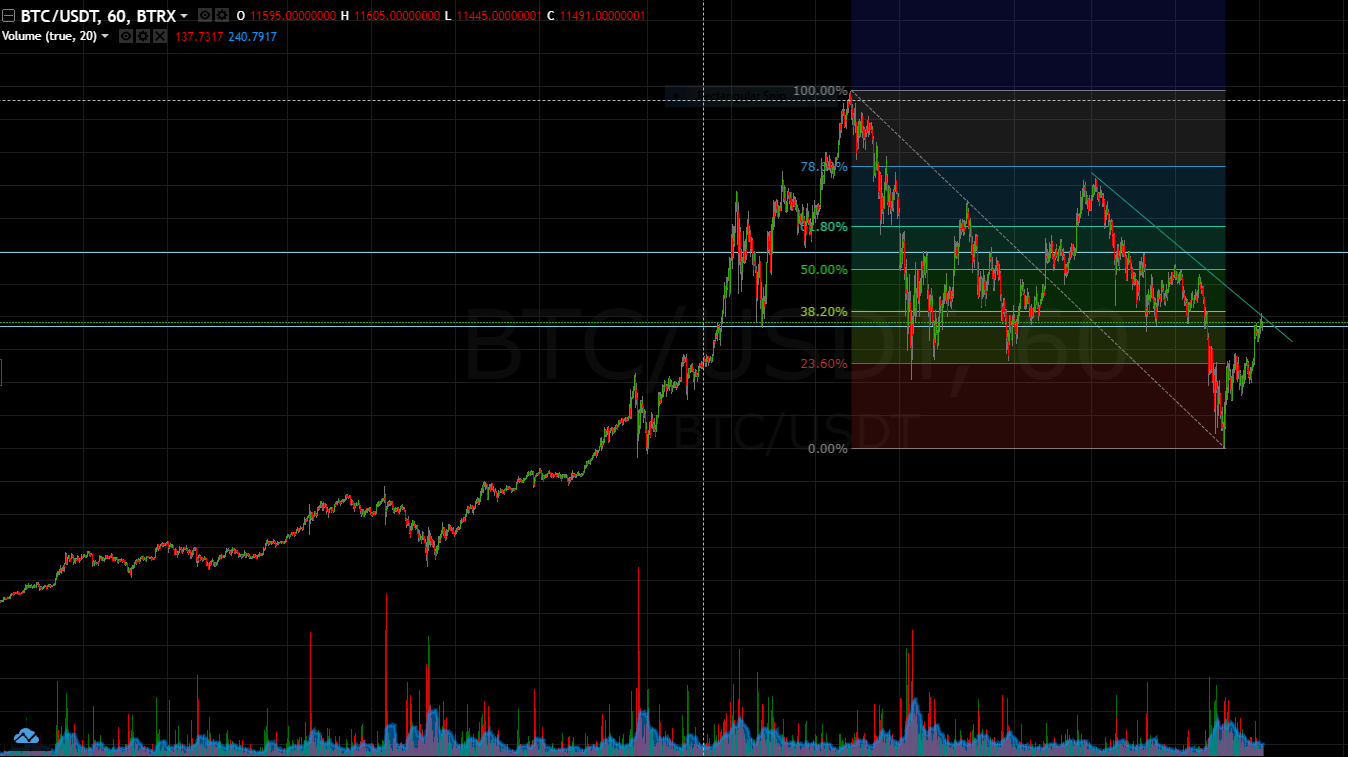 What's you take on the BTC chart....... I would say rolling up for a bull run |
| json metadata | {"tags":["crypto","blockchain","money","technicalanalysis"],"image":["https://steemitimages.com/DQmZq88rRHv7yttvFStBbymkyx53KAZ5Y5dpHEpv5vKLrL3/btcusd.PNG"],"app":"steemit/0.1","format":"markdown"} |
| Transaction Info | Block #19153800/Trx b67ca708b4c2f5211b75dd47c389def342903fcd |
View Raw JSON Data
{
"trx_id": "b67ca708b4c2f5211b75dd47c389def342903fcd",
"block": 19153800,
"trx_in_block": 49,
"op_in_trx": 0,
"virtual_op": 0,
"timestamp": "2018-01-20T21:21:33",
"op": [
"comment",
{
"parent_author": "",
"parent_permlink": "crypto",
"author": "floki86",
"permlink": "bitcoin-about-to-go-bullish",
"title": "Bitcoin about to go bullish",
"body": "\n\nWhat's you take on the BTC chart....... I would say rolling up for a bull run",
"json_metadata": "{\"tags\":[\"crypto\",\"blockchain\",\"money\",\"technicalanalysis\"],\"image\":[\"https://steemitimages.com/DQmZq88rRHv7yttvFStBbymkyx53KAZ5Y5dpHEpv5vKLrL3/btcusd.PNG\"],\"app\":\"steemit/0.1\",\"format\":\"markdown\"}"
}
]
}2018/01/20 20:35:33
2018/01/20 20:35:33
| fee | 0.500 STEEM |
| delegation | 29700.000000 VESTS |
| creator | steem |
| new account name | floki86 |
| owner | {"weight_threshold":1,"account_auths":[],"key_auths":[["STM75XyVwGdD9Zra9i6LayTXtHSGAaFLUGgqBN6HM6ZGwHwz4NPtP",1]]} |
| active | {"weight_threshold":1,"account_auths":[],"key_auths":[["STM6Q9aS9ZNz35zML61UyRiMXogKQvYERREH9Ed49Tv8NLQe7pXCD",1]]} |
| posting | {"weight_threshold":1,"account_auths":[],"key_auths":[["STM7pHBPGmEn4nE2Mg4NPWdkWtJxNcM7SDcFUBYC81NMfnEQFiwjQ",1]]} |
| memo key | STM77mNxMabtg6ek6jwhqUgMgj1gqVVB4a4X6ZZeEiK5WpEtDF3J4 |
| json metadata | |
| extensions | [] |
| Transaction Info | Block #19152880/Trx 295e83824a8fc4e6999fb62c131afdf71840903f |
View Raw JSON Data
{
  "trx_id": "295e83824a8fc4e6999fb62c131afdf71840903f",
  "block": 19152880,
  "trx_in_block": 11,
  "op_in_trx": 0,
  "virtual_op": 0,
  "timestamp": "2018-01-20T20:35:33",
  "op": [
    "account_create_with_delegation",
    {
      "fee": "0.500 STEEM",
      "delegation": "29700.000000 VESTS",
      "creator": "steem",
      "new_account_name": "floki86",
      "owner": {
        "weight_threshold": 1,
        "account_auths": [],
        "key_auths": [
          [
            "STM75XyVwGdD9Zra9i6LayTXtHSGAaFLUGgqBN6HM6ZGwHwz4NPtP",
            1
          ]
        ]
      },
      "active": {
        "weight_threshold": 1,
        "account_auths": [],
        "key_auths": [
          [
            "STM6Q9aS9ZNz35zML61UyRiMXogKQvYERREH9Ed49Tv8NLQe7pXCD",
            1
          ]
        ]
      },
      "posting": {
        "weight_threshold": 1,
        "account_auths": [],
        "key_auths": [
          [
            "STM7pHBPGmEn4nE2Mg4NPWdkWtJxNcM7SDcFUBYC81NMfnEQFiwjQ",
            1
          ]
        ]
      },
      "memo_key": "STM77mNxMabtg6ek6jwhqUgMgj1gqVVB4a4X6ZZeEiK5WpEtDF3J4",
      "json_metadata": "",
      "extensions": []
    }
  ]
}Manabar
Voting Power100.00%
Downvote Power100.00%
Resource Credits100.00%
Reputation Progress0.00%
{
  "voting_manabar": {
    "current_mana": "11883157885",
    "last_update_time": 1746165543
  },
  "downvote_manabar": {
    "current_mana": 2970789471,
    "last_update_time": 1746165543
  },
  "rc_account": {
    "account": "floki86",
    "rc_manabar": {
      "current_mana": "14071327412",
      "last_update_time": 1746165543
    },
    "max_rc_creation_adjustment": {
      "amount": "2020748973",
      "precision": 6,
      "nai": "@@000000037"
    },
    "max_rc": "13903906858"
  }
}
Account Metadata
| POSTING JSON METADATA | |
| None | |
| JSON METADATA | |
| None |
{
  "posting_json_metadata": {},
  "json_metadata": {}
}
Auth Keys
Owner
Single Signature
Public Keys
STM7McmJbFyjiDpyU7WKEqVWc1NFgAz223akSFTkseEqGSx4WmTsx1/1
Active
Single Signature
Public Keys
STM7cxAxVK1rZt89B8MZrcUAYeogH4f4JAvYWS93ZndN5QuuhLxW71/1
Posting
Single Signature
Public Keys
STM7ViQyq5gexvi3CVqDmpEG8F94aUVJsKWfN9BaMKYG42RTuyKPY1/1
App Permissions
@dtube.app1/1
Memo
STM8eQwTacZEEdydqXoa1LKcSjGorsxsGwQtvu83npiYQXKGmwocC
{
  "owner": {
    "weight_threshold": 1,
    "account_auths": [],
    "key_auths": [
      [
        "STM7McmJbFyjiDpyU7WKEqVWc1NFgAz223akSFTkseEqGSx4WmTsx",
        1
      ]
    ]
  },
  "active": {
    "weight_threshold": 1,
    "account_auths": [],
    "key_auths": [
      [
        "STM7cxAxVK1rZt89B8MZrcUAYeogH4f4JAvYWS93ZndN5QuuhLxW7",
        1
      ]
    ]
  },
  "posting": {
    "weight_threshold": 1,
    "account_auths": [
      [
        "dtube.app",
        1
      ]
    ],
    "key_auths": [
      [
        "STM7ViQyq5gexvi3CVqDmpEG8F94aUVJsKWfN9BaMKYG42RTuyKPY",
        1
      ]
    ]
  },
  "memo": "STM8eQwTacZEEdydqXoa1LKcSjGorsxsGwQtvu83npiYQXKGmwocC"
}
Witness Votes
0 / 30
No active witness votes.
[]