

VOTING POWER100.00%
DOWNVOTE POWER100.00%
RESOURCE CREDITS100.00%
REPUTATION PROGRESS1.22%
Net Worth
0.050USD
STEEM
0.005STEEM
SBD
0.028SBD
Effective Power
5.007SP
├── Own SP
0.629SP
└── Incoming DelegationsDeleg
+4.378SP
Detailed Balance
| STEEM | ||
| balance | 0.005STEEM | STEEM |
| market_balance | 0.000STEEM | STEEM |
| savings_balance | 0.000STEEM | STEEM |
| reward_steem_balance | 0.000STEEM | STEEM |
| STEEM POWER | ||
| Own SP | 0.629SP | SP |
| Delegated Out | 0.000SP | SP |
| Delegation In | 4.378SP | SP |
| Effective Power | 5.007SP | SP |
| Reward SP (pending) | 0.122SP | SP |
| SBD | ||
| sbd_balance | 0.000SBD | SBD |
| sbd_conversions | 0.000SBD | SBD |
| sbd_market_balance | 0.000SBD | SBD |
| savings_sbd_balance | 0.000SBD | SBD |
| reward_sbd_balance | 0.028SBD | SBD |
{
  "balance": "0.005 STEEM",
  "savings_balance": "0.000 STEEM",
  "reward_steem_balance": "0.000 STEEM",
  "vesting_shares": "1023.424630 VESTS",
  "delegated_vesting_shares": "0.000000 VESTS",
  "received_vesting_shares": "7120.235176 VESTS",
  "sbd_balance": "0.000 SBD",
  "savings_sbd_balance": "0.000 SBD",
  "reward_sbd_balance": "0.028 SBD",
  "conversions": []
}
Account Info
| name | sliven |
| id | 653297 |
| rank | 650,282 |
| reputation | 7766779770 |
| created | 2018-01-24T01:51:18 |
| recovery_account | steem |
| proxy | None |
| post_count | 42 |
| comment_count | 0 |
| lifetime_vote_count | 0 |
| witnesses_voted_for | 0 |
| last_post | 2023-01-23T16:58:12 |
| last_root_post | 2023-01-23T16:58:12 |
| last_vote_time | 2019-01-01T04:11:45 |
| proxied_vsf_votes | 0, 0, 0, 0 |
| can_vote | 1 |
| voting_power | 0 |
| delayed_votes | 0 |
| balance | 0.005 STEEM |
| savings_balance | 0.000 STEEM |
| sbd_balance | 0.000 SBD |
| savings_sbd_balance | 0.000 SBD |
| vesting_shares | 1023.424630 VESTS |
| delegated_vesting_shares | 0.000000 VESTS |
| received_vesting_shares | 7120.235176 VESTS |
| reward_vesting_balance | 238.964292 VESTS |
| vesting_balance | 0.000 STEEM |
| vesting_withdraw_rate | 0.000000 VESTS |
| next_vesting_withdrawal | 1969-12-31T23:59:59 |
| withdrawn | 0 |
| to_withdraw | 0 |
| withdraw_routes | 0 |
| savings_withdraw_requests | 0 |
| last_account_recovery | 1970-01-01T00:00:00 |
| reset_account | null |
| last_owner_update | 1970-01-01T00:00:00 |
| last_account_update | 1970-01-01T00:00:00 |
| mined | No |
| sbd_seconds | 0 |
| sbd_last_interest_payment | 1970-01-01T00:00:00 |
| savings_sbd_last_interest_payment | 1970-01-01T00:00:00 |
{
  "active": {
    "account_auths": [],
    "key_auths": [
      [
        "STM5uRamgcPyg9oqb3H9eh2PsWACDC9AZ4LwYhTpPqM2FP1QGUh89",
        1
      ]
    ],
    "weight_threshold": 1
  },
  "balance": "0.005 STEEM",
  "can_vote": true,
  "comment_count": 0,
  "created": "2018-01-24T01:51:18",
  "curation_rewards": 0,
  "delegated_vesting_shares": "0.000000 VESTS",
  "downvote_manabar": {
    "current_mana": 2035914951,
    "last_update_time": 1779086304
  },
  "guest_bloggers": [],
  "id": 653297,
  "json_metadata": "",
  "last_account_recovery": "1970-01-01T00:00:00",
  "last_account_update": "1970-01-01T00:00:00",
  "last_owner_update": "1970-01-01T00:00:00",
  "last_post": "2023-01-23T16:58:12",
  "last_root_post": "2023-01-23T16:58:12",
  "last_vote_time": "2019-01-01T04:11:45",
  "lifetime_vote_count": 0,
  "market_history": [],
  "memo_key": "STM8bhSoT5cuzghZuKKDgvTLwpjPKoSYQyWfFT4hwUzSNogTrrjSY",
  "mined": false,
  "name": "sliven",
  "next_vesting_withdrawal": "1969-12-31T23:59:59",
  "other_history": [],
  "owner": {
    "account_auths": [],
    "key_auths": [
      [
        "STM5UCs5zfnjL4qbVMZ4APky4sEATy9HAaqFmhQGrrWtLGTHxUCYm",
        1
      ]
    ],
    "weight_threshold": 1
  },
  "pending_claimed_accounts": 0,
  "post_bandwidth": 0,
  "post_count": 42,
  "post_history": [],
  "posting": {
    "account_auths": [],
    "key_auths": [
      [
        "STM5wGvsa6ZXbEfuvQWmNJPbhcT6oxu5vAcjQifenxaEeUfy5SgG6",
        1
      ]
    ],
    "weight_threshold": 1
  },
  "posting_json_metadata": "",
  "posting_rewards": 243,
  "proxied_vsf_votes": [
    0,
    0,
    0,
    0
  ],
  "proxy": "",
  "received_vesting_shares": "7120.235176 VESTS",
  "recovery_account": "steem",
  "reputation": "7766779770",
  "reset_account": "null",
  "reward_sbd_balance": "0.028 SBD",
  "reward_steem_balance": "0.000 STEEM",
  "reward_vesting_balance": "238.964292 VESTS",
  "reward_vesting_steem": "0.122 STEEM",
  "savings_balance": "0.000 STEEM",
  "savings_sbd_balance": "0.000 SBD",
  "savings_sbd_last_interest_payment": "1970-01-01T00:00:00",
  "savings_sbd_seconds": "0",
  "savings_sbd_seconds_last_update": "1970-01-01T00:00:00",
  "savings_withdraw_requests": 0,
  "sbd_balance": "0.000 SBD",
  "sbd_last_interest_payment": "1970-01-01T00:00:00",
  "sbd_seconds": "0",
  "sbd_seconds_last_update": "1970-01-01T00:00:00",
  "tags_usage": [],
  "to_withdraw": 0,
  "transfer_history": [],
  "vesting_balance": "0.000 STEEM",
  "vesting_shares": "1023.424630 VESTS",
  "vesting_withdraw_rate": "0.000000 VESTS",
  "vote_history": [],
  "voting_manabar": {
    "current_mana": "8143659806",
    "last_update_time": 1779086304
  },
  "voting_power": 0,
  "withdraw_routes": 0,
  "withdrawn": 0,
  "witness_votes": [],
  "witnesses_voted_for": 0,
  "rank": 650282
}
Withdraw Routes
| Incoming | Outgoing |
|---|---|
Empty | Empty |
{
  "incoming": [],
  "outgoing": []
}From Date
To Date
2026/05/18 06:38:24
2026/05/18 06:38:24
| delegatee | sliven |
| delegator | steem |
| vesting shares | 7120.235176 VESTS |
| Transaction Info | Block #106151079/Trx 1852db8b7daf3c1e2dd7b6dfb93fdef398c28d9b |
View Raw JSON Data
{
  "block": 106151079,
  "op": [
    "delegate_vesting_shares",
    {
      "delegatee": "sliven",
      "delegator": "steem",
      "vesting_shares": "7120.235176 VESTS"
    }
  ],
  "op_in_trx": 0,
  "timestamp": "2026-05-18T06:38:24",
  "trx_id": "1852db8b7daf3c1e2dd7b6dfb93fdef398c28d9b",
  "trx_in_block": 2,
  "virtual_op": 0
}2026/05/13 05:50:15
2026/05/13 05:50:15
| delegatee | sliven |
| delegator | steem |
| vesting shares | 4408.024771 VESTS |
| Transaction Info | Block #106006834/Trx 01a72dbb245f9a2a4659ef5ce2c0e9ac3d3c1012 |
View Raw JSON Data
{
  "block": 106006834,
  "op": [
    "delegate_vesting_shares",
    {
      "delegatee": "sliven",
      "delegator": "steem",
      "vesting_shares": "4408.024771 VESTS"
    }
  ],
  "op_in_trx": 0,
  "timestamp": "2026-05-13T05:50:15",
  "trx_id": "01a72dbb245f9a2a4659ef5ce2c0e9ac3d3c1012",
  "trx_in_block": 1,
  "virtual_op": 0
}2026/04/26 05:49:42
2026/04/26 05:49:42
| delegatee | sliven |
| delegator | steem |
| vesting shares | 7132.750932 VESTS |
| Transaction Info | Block #105518554/Trx 294777d9d7da23e546fccc6fadc1d13abacbc3df |
View Raw JSON Data
{
  "block": 105518554,
  "op": [
    "delegate_vesting_shares",
    {
      "delegatee": "sliven",
      "delegator": "steem",
      "vesting_shares": "7132.750932 VESTS"
    }
  ],
  "op_in_trx": 0,
  "timestamp": "2026-04-26T05:49:42",
  "trx_id": "294777d9d7da23e546fccc6fadc1d13abacbc3df",
  "trx_in_block": 0,
  "virtual_op": 0
}2026/01/24 01:00:48
2026/01/24 01:00:48
| delegatee | sliven |
| delegator | steem |
| vesting shares | 4449.571590 VESTS |
| Transaction Info | Block #102872428/Trx bb3da5abd25aca53ab868e57661fd4d183893fab |
View Raw JSON Data
{
  "block": 102872428,
  "op": [
    "delegate_vesting_shares",
    {
      "delegatee": "sliven",
      "delegator": "steem",
      "vesting_shares": "4449.571590 VESTS"
    }
  ],
  "op_in_trx": 0,
  "timestamp": "2026-01-24T01:00:48",
  "trx_id": "bb3da5abd25aca53ab868e57661fd4d183893fab",
  "trx_in_block": 5,
  "virtual_op": 0
}2024/12/17 20:10:33
2024/12/17 20:10:33
| delegatee | sliven |
| delegator | steem |
| vesting shares | 4613.790787 VESTS |
| Transaction Info | Block #91318638/Trx 88cfffb93267755b93627e82a773f3dc5ab8c7cc |
View Raw JSON Data
{
  "block": 91318638,
  "op": [
    "delegate_vesting_shares",
    {
      "delegatee": "sliven",
      "delegator": "steem",
      "vesting_shares": "4613.790787 VESTS"
    }
  ],
  "op_in_trx": 0,
  "timestamp": "2024-12-17T20:10:33",
  "trx_id": "88cfffb93267755b93627e82a773f3dc5ab8c7cc",
  "trx_in_block": 3,
  "virtual_op": 0
}2023/11/14 11:51:12
2023/11/14 11:51:12
| delegatee | sliven |
| delegator | steem |
| vesting shares | 4782.924319 VESTS |
| Transaction Info | Block #79872773/Trx d5e3b0618f468e3b6688adc641af356d61961ed0 |
View Raw JSON Data
{
  "block": 79872773,
  "op": [
    "delegate_vesting_shares",
    {
      "delegatee": "sliven",
      "delegator": "steem",
      "vesting_shares": "4782.924319 VESTS"
    }
  ],
  "op_in_trx": 0,
  "timestamp": "2023-11-14T11:51:12",
  "trx_id": "d5e3b0618f468e3b6688adc641af356d61961ed0",
  "trx_in_block": 4,
  "virtual_op": 0
}2023/09/22 10:49:21
2023/09/22 10:49:21
| delegatee | sliven |
| delegator | steem |
| vesting shares | 7719.833105 VESTS |
| Transaction Info | Block #78363382/Trx 2a78b7da252b08b10e77a8e624ecf6041a9a1322 |
View Raw JSON Data
{
  "block": 78363382,
  "op": [
    "delegate_vesting_shares",
    {
      "delegatee": "sliven",
      "delegator": "steem",
      "vesting_shares": "7719.833105 VESTS"
    }
  ],
  "op_in_trx": 0,
  "timestamp": "2023-09-22T10:49:21",
  "trx_id": "2a78b7da252b08b10e77a8e624ecf6041a9a1322",
  "trx_in_block": 1,
  "virtual_op": 0
}2023/01/23 18:03:12
2023/01/23 18:03:12
| delegatee | sliven |
| delegator | steem |
| vesting shares | 26209.920140 VESTS |
| Transaction Info | Block #71439924/Trx 3dc413909857af5e8caa285bdff052bc75fd2de1 |
View Raw JSON Data
{
  "block": 71439924,
  "op": [
    "delegate_vesting_shares",
    {
      "delegatee": "sliven",
      "delegator": "steem",
      "vesting_shares": "26209.920140 VESTS"
    }
  ],
  "op_in_trx": 0,
  "timestamp": "2023-01-23T18:03:12",
  "trx_id": "3dc413909857af5e8caa285bdff052bc75fd2de1",
  "trx_in_block": 1,
  "virtual_op": 0
}alexmove.witnesssent 0.001 STEEM to @sliven- "Please support me @alexmove.witness as witness on site https://steemitwallet.com/~witnesses. I send daily Witness vote STEEM reward and voted for some posts of those who voted. Your vote is very impor..."2023/01/23 17:10:09
alexmove.witnesssent 0.001 STEEM to @sliven- "Please support me @alexmove.witness as witness on site https://steemitwallet.com/~witnesses. I send daily Witness vote STEEM reward and voted for some posts of those who voted. Your vote is very impor..."
2023/01/23 17:10:09
| amount | 0.001 STEEM |
| from | alexmove.witness |
| memo | Please support me @alexmove.witness as witness on site https://steemitwallet.com/~witnesses. I send daily Witness vote STEEM reward and voted for some posts of those who voted. Your vote is very important to me, sliven! Good luck! 20230123 |
| to | sliven |
| Transaction Info | Block #71438869/Trx 3fa6c9deb36cada8f2fd07009c0a7ce79f2648ab |
View Raw JSON Data
{
  "block": 71438869,
  "op": [
    "transfer",
    {
      "amount": "0.001 STEEM",
      "from": "alexmove.witness",
      "memo": "Please support me @alexmove.witness as witness on site https://steemitwallet.com/~witnesses. I send daily Witness vote STEEM reward and voted for some posts of those who voted. Your vote is very important to me, sliven! Good luck! 20230123",
      "to": "sliven"
    }
  ],
  "op_in_trx": 0,
  "timestamp": "2023-01-23T17:10:09",
  "trx_id": "3fa6c9deb36cada8f2fd07009c0a7ce79f2648ab",
  "trx_in_block": 6,
  "virtual_op": 0
}slivenpublished a new post: bluehost-wordpress2023/01/23 16:58:12
slivenpublished a new post: bluehost-wordpress
2023/01/23 16:58:12
| author | sliven |
| body | 首先我們前往 [Bluehost](https://techmoon.xyz/go/bluehost) 的頁面,在首頁當中你可以看到使用我的[專屬優惠連結](https://techmoon.xyz/go/bluehost),可以獲得高達 60% 的首購優惠,在畫面中可點選「**Get Started**」即可前往方案選擇頁面。 因此,你可以看到,此時 Bluehost 主機價格就會從原價 $8.99 美元(相當於台幣 275 元)折扣至只要 $2.95 美元(相當於台幣 87 元)。  透過優惠連結前往頁面後點選 Get Started 進入方案選擇頁面 [Bluehost $2.95 專屬優惠連結](https://techmoon.xyz/go/bluehost) ### 挑選主機方案 接著你會抵達 Bluehost 方案選擇頁面,目前有提供 4 種不同方案,分別是:BASIC 方案、PLUS 方案、CHOICE PLUS 方案與 PRO 方案。只有透過我的專屬優惠連結前往購買,才能夠享有圖中的優惠價格。 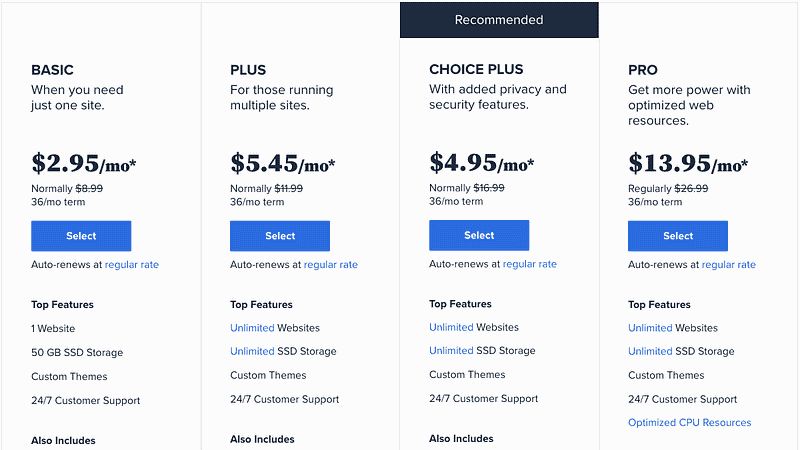 Bluehost 各主機方案價目表與方案內容 上圖為 Bluehost 全年最低的優惠價目表,只有在 [Bluehost Black Friday Deal](https://techmoon.xyz/bluehost-black-friday-cyber-monday/) 的優惠期間,搭配我的[專屬優惠連結](https://techmoon.xyz/go/bluehost)才能享有這種優惠。 根據你的需求,選擇相對應的價格方案,從最便宜的 $2.95 美元~$13.95 美元,各個方案都有提供不同的內容。而所有的方案內容都包括了:WordPress 一鍵安裝功能、免費 1 年網域註冊、免費 SSL 憑證申請、免費網站搬家服務、免費 24/7 線上客戶支援服務與免費 CDN 服務。 - 如果你是新手 or 只有一個網站的需求:適合 [**Basic 方案**](https://techmoon.xyz/go/bluehost)。 - 如果你是中手 or 你有多個網站的需求:適合 [**Choice Plus 方案**](https://techmoon.xyz/go/bluehost)。 如果你是新手,想要入門架設網站的領域,那麼便宜絕對是你的首選。因此[**最便宜的 Basic 方案**](https://techmoon.xyz/go/bluehost)就是你最佳的夥伴,其 50GB 的容量也絕對綽綽有餘,搭配無限量的頻寬流量,非常適合新手。 如果你不是新手,或是你有建立多個網站的需求,那麼 Choice Plus 就是你最佳的首選。由於你是透過我的專屬優惠前往購買,因此 Choice Plus 方案會與 Plus 方案價格相同,但是卻多了域名隱私保護與免費網站自動備份的功能,那麼[**當然是選擇 Choice Plus 方案**](https://techmoon.xyz/go/bluehost)。 [Bluehost $2.95 專屬優惠連結](https://techmoon.xyz/go/bluehost) ### Bluehost 價格比較 [Bluehost 主機](https://techmoon.xyz/bluehost/)方案價格最便宜的是 Basic 方案的 $2.95 美元(約台幣 87 元),最划算的方案是 Choice Plus 方案的 $5.45 美元(約台幣 161 元)。請注意,這個優惠價格只有透過本站連結前往購買,才能夠享有的。 當你購買期限越長,所獲能獲得的價格最優惠,因此最低的每月優惠價格是一次購買 36 個月的方案。 但是,若你不確定是否一次需要購買到 36 個月的時間,那麼可以選擇 12 個月的期限,那麼最便宜的價格一年就僅需 $59.4 美元(約台幣 1752 元)。 **Bluehost 的每個方案當中都有贈送免費 1 年網域名稱的優惠**,因此在 Bluehost 申請網域以及購買主機,最短可以購買 1 年 1779 台幣就可以建議一個線上 WordPress 網站,這個價格即便對於學生來說,都是輕易可以負擔的。 [Bluehost $2.95 專屬優惠連結](https://techmoon.xyz/go/bluehost) ### 設定主機網域 接下來我將會以總金額最低的 Basic 購買 12 個月方案做範例介紹。 下一個畫面會請你設定要綁定主機的網域名稱。由於「[**Basic 方案**](https://techmoon.xyz/go/bluehost)」中有提供免費網域名稱,因此你可以在「**Create a new domain**」欄位中,註冊一個免費的新網域。 但是,如果你不想要/不需要這個免費的網域名稱,你想要使用自己在其他網域註冊商所購買的網域名稱來設定在主機當中,那麼就請填寫你自己的網域名稱到「**Use a domain you own**」欄位當中。填寫完畢後點選下方的「**Next**」按鈕,即可進入下一步的最終結帳頁面: 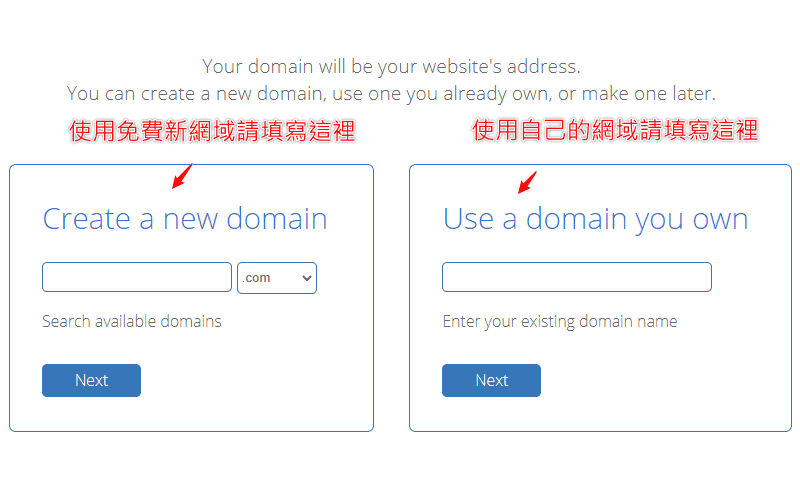 使用免費註冊新網域或是已註冊網域來綁定主機網域名稱 ### 註冊帳號資訊 到了最後一個頁面了。首先最上方你會看到一個 Google 登入的按鈕,上方說明寫著「**Use Google Single Sign-On to make creating your account even easier.**」你可以透過點選「**Sign in with Google**」按鈕,使用你的 Google 帳號綁定進入你的 Bluehost 帳號。 接著下方就是你註冊帳號所需的個人資料,所有的內容請使用英文填寫,其中姓名英文可以參考外交部領事事務局的[外文姓名中譯英系統](https://www.boca.gov.tw/sp-natr-singleform-1.html),地址英文可以使用中華郵政全球資訊網的[中文地址英譯系統](https://www.post.gov.tw/post/internet/SearchZone/index.jsp?ID=130112)。 從上而下請你依序輸入名子 (First Name)、姓氏 (Last Name)、公司名稱 (Business Name)、國家/地區 (Country)、Street Address (居住地址)、City (居住城市)、Postal Code (居住地郵遞區號)、Phone Number (連絡電話)、Email Address (Email 信箱地址): 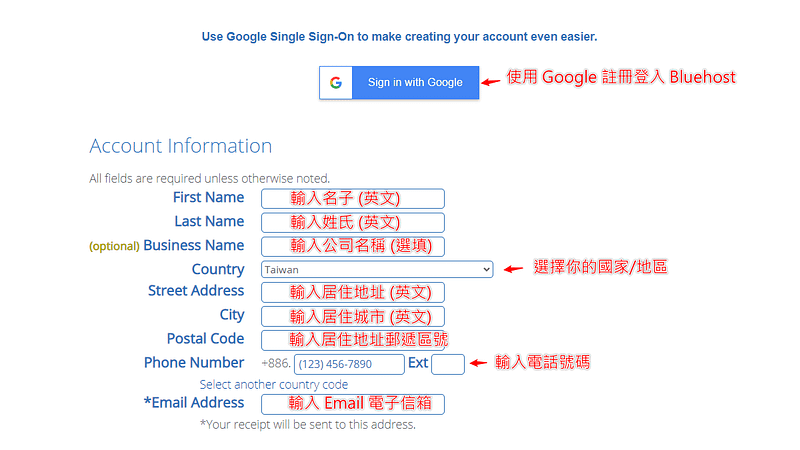 輸入註冊帳號的個人資訊內容 其中 Email Address 是絕對必填的項目,**這個 Email 地址就是你未來要登入 Bluehost 的帳號**,且當你購買完成後,**Bluehost 會自動寄送你的密碼到這個信箱當中**,因此你不會在這個頁面中看到輸入密碼的欄位,所以 Email 地址要再三確認是否正確。 ### 確認最終方案金額 接著下方請確認你的方案與金額。在 **Account Plan** 的部分請確認所選的方案為「**Basic 12 Month Price — $4.95/mo.**」,**Hosting Price** 的部分金額為「**$59.40 ($4.95 for 12 months)**」。 在預設情況下,「**Codeguard Basic**」與「**SiteLock Security — Essential**」選項會被勾選,因此這邊要注意別忘記將這兩個欄位的選項取消勾選,以免增加不必要的服務以及費用。 最後請確認「**Total**」欄位的數值是否為「**$59.40**」,若金額正確的話就沒問題了! 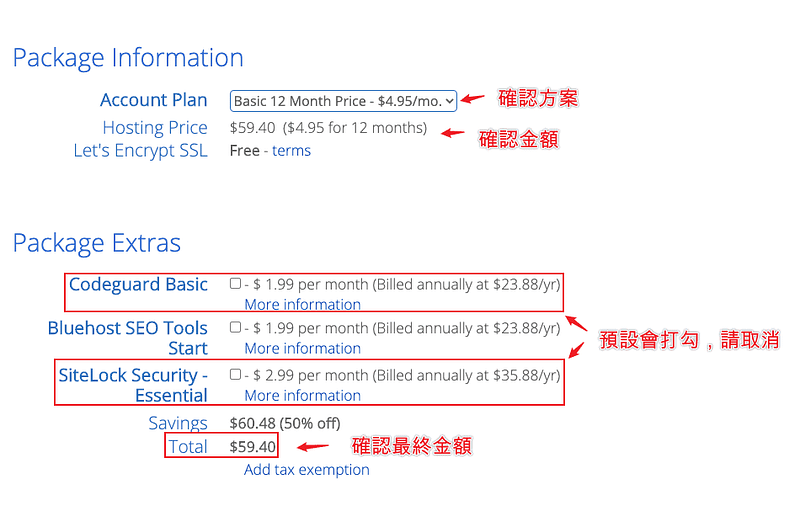 確認方案與最終金額是否正確 ### 輸入信用卡資訊 最後是選擇你的付款方式。Bluehost 提供 2 種支付方式,分別是「**Credit Card**」與「**PayPal**」。在預設的情況下,只會顯示信用卡的輸入選項,你可以根據欄位,在「**Credit Card Number**」欄位中填入你的信用卡卡號,在「**Signature/CVV2 Code**」欄位中輸入信用卡的驗證碼,在「**Expiration Date**」欄位中點選信用卡的到期日: 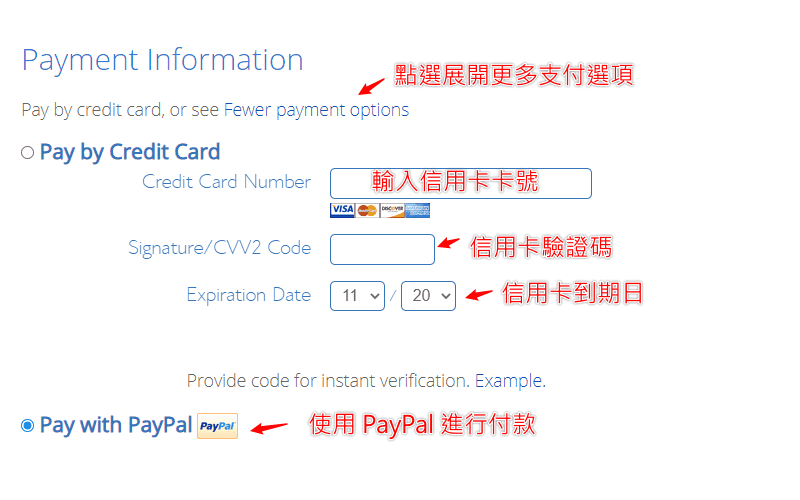 **輸入信用卡資訊付款或選擇 PayPal 支付** 在預設情況下,只會出現信用卡的付款方式,此時只要點選「**More payment options**」的連結,就會出現「**Pay With PayPal**」的選項。 完成後將最下方的「**I have read and agree to Bluehost’s Auto Renewal Terms, Terms of Service and Cancellation Policy and acknowledge receipt of the Privacy Notice.**」選項打勾,最後點選「**submit**」按鈕,就可以完成 Bluehost 主機的購買了。 [Bluehost $2.95 專屬優惠連結](https://techmoon.xyz/go/bluehost) ### Bluehost WordPress 安裝教學 #### 前往產品頁面 購買完成後,你就會收到購買成功的通知,同時 Bluehost 也會送登入的密碼給你。接著你就可以在 Bluehost 登入頁面中,使用你的 Email 信箱與密碼登入。 登入到 Bluehost 後台後,有時可能會是空白的,這時可以點選右上角的圖示,在下拉選單中點選「**Products**」連結,先前往產品頁面: 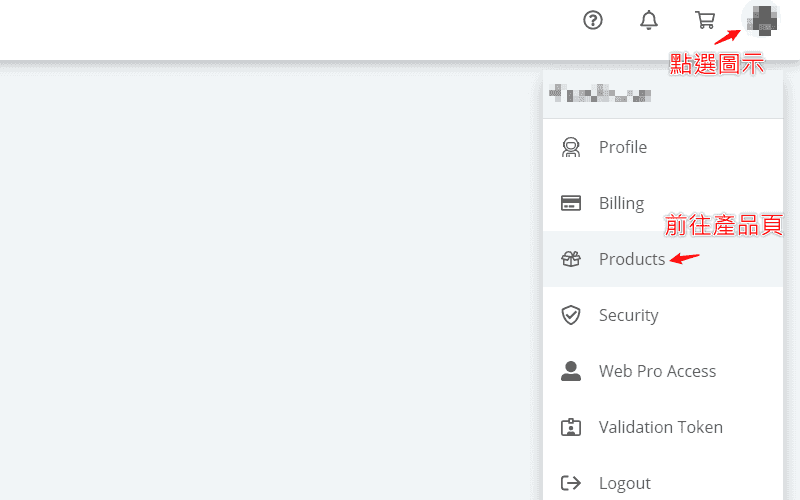 點選右上角圖示前往產品頁面 #### 前往網站管理頁面 到了產品頁面後,此時你會看到左側出現許多功能列表。這時點選「**My Sites**」功能列表連結,就可以前往至網站管理的頁面當中: 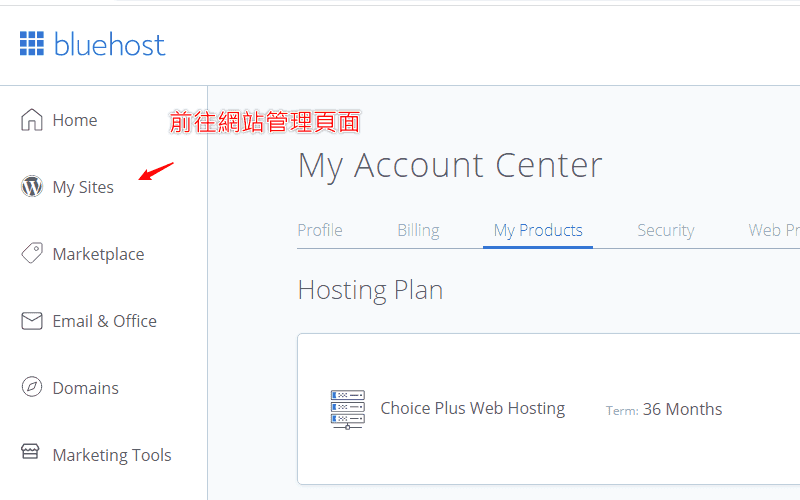 點擊 My Sites 連結前往網站管理頁面 #### 建立新 WordPress 網站 到了網站管理頁面後,在這裡會能夠查看與管理所有你所建立的 WordPress 網站。在一開始的時候都是空白的。此時在畫面中點選「**Add Site**」按鈕,即可開始新增一個新的 WordPress 網站: 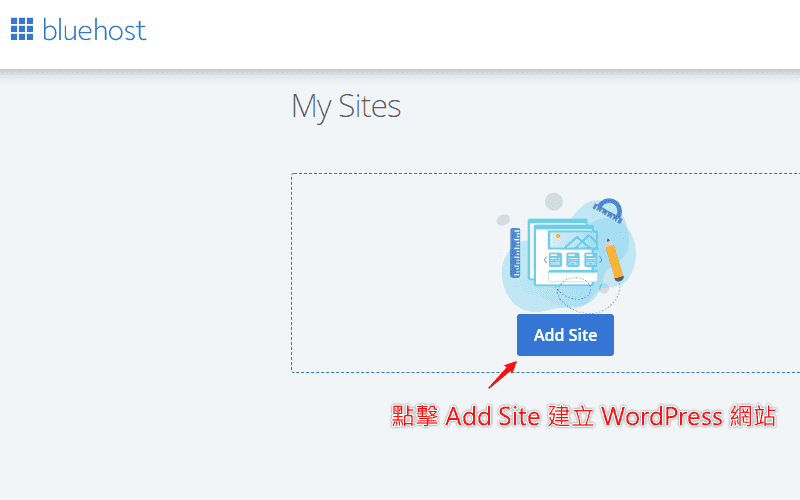 點選 Add Site 開始建立一個新的 WordPress 網站 #### 選擇 WordPress 安裝方式 下一個頁面會提供你兩個 WordPress 的安裝方法。一個是基本的 WordPress 安裝,選擇這個方式所安裝的 WordPress 就會跟預設的安裝一樣,適合你本身知道該如何操作的使用者。另一個是由 Bluehost 自己專門提供的 Builder 方式,其中會幫助你安裝一些 Bluehost 所開發的主題與外掛功能,對於非常新手的使用者來說,或許能夠有一些幫助。 如果你習慣或想要安裝原始的 WordPress 網站,請選擇左邊的「**Use WordPress**」按鈕新增網站;如果你想要嘗試 Bluehost 所開發的 Bluehost Builder,那麼請選擇右邊的「**Use Bluehost Builder**」。我個人會比較推薦你選擇安裝左邊原始的 WordPress 網站: 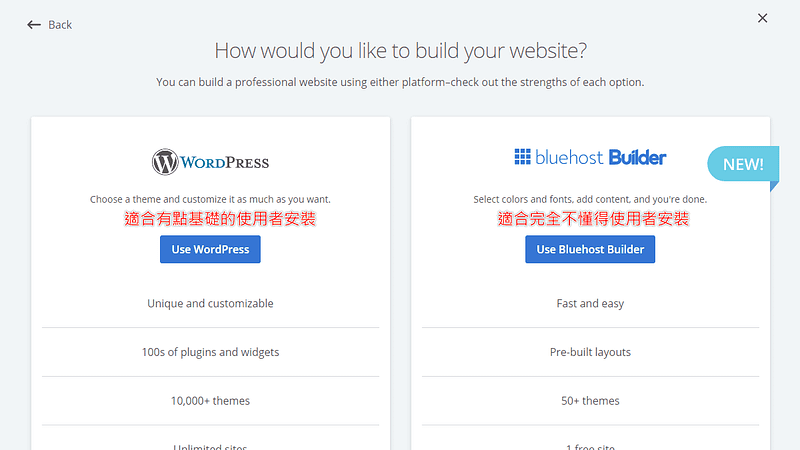 選擇 WordPress 的安裝方法 #### 設定 WordPress 網站與登入帳號密碼 下一步就是設定 WordPress 的網站標題、網站說明,這兩個地方之後在後台還是可以任意更改的,因此不用擔心這裡打錯,也可以先暫時用替代名稱填入即可。 接著點選下方的「**Advanced**」按鈕,點選後就會展開 **Email Address、WordPress Admin Username 與 WordPress Admin Password** 的欄位,在這三個欄位中依序輸入你未來要登入的 **Email 地址、使用者名稱與使用者密碼**,這是未來系統管理員的登入權限設定: 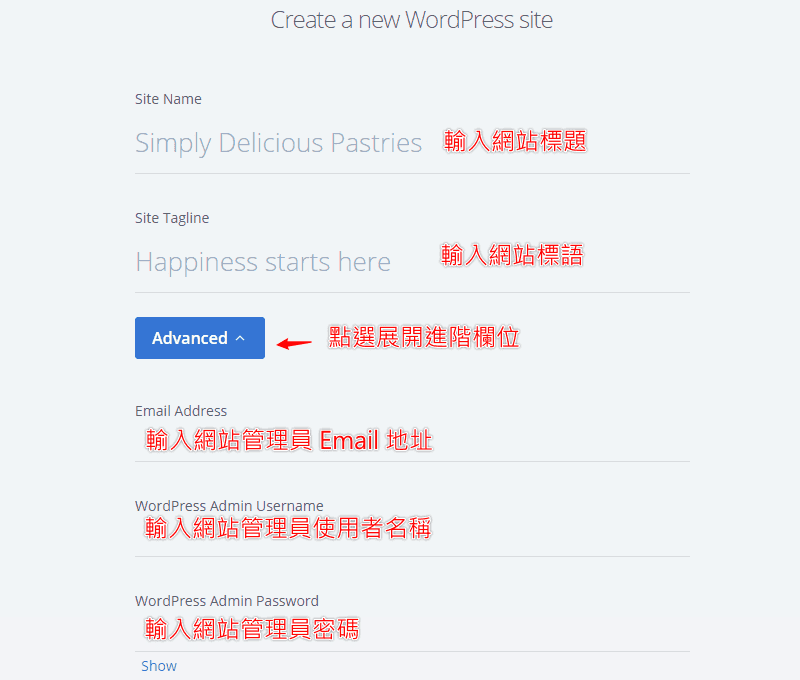 輸次網站標題與設定網站管理員登入權限 完成後點選右下角的「**Next**」即可前往下一步。 #### 選擇建立的網域名稱 最後要選擇你要使用哪個網域名稱來建立 WordPress 網站。在你的下拉選單當中挑選你要綁定的網域名稱。由於我們是使用「[**CHOICE PLUS**](https://techmoon.xyz/go/bluehost)」方案,因此你可以添加許多附加網域,在當中建立多個網域、多個網站。 除此之外,Bluehost 也能提供你臨時的網域名稱,讓你用來建立一個臨時的網站。這樣的好處在於,你能夠先使用它的臨時網域建立網站,在編輯完成之後,再從後台去更改網域名稱,將其變更成為你的正式網域。如此一來,就不會遇到網站需要先關閉,或是有一段時間使用者所看到的網站是不完全的狀態。 選擇好網域之後,後方的「**Directory**」欄位基本上是留空不用填,除非你希望你所建立的網站是使用「**子目錄**」顯示,如果你聽不懂,那基本上就代表你不需要動到該欄位。 下方預設會提供並幫你勾選三個外掛,分別是:WP Forms、Opt-in Monster 與 Monster Insight。它們的功能分別是:表單外掛、訂閱外掛,以及流量統計外掛。你可以依據你的喜好,選擇是否在安裝 WordPress 時就預先裝好這些外掛。 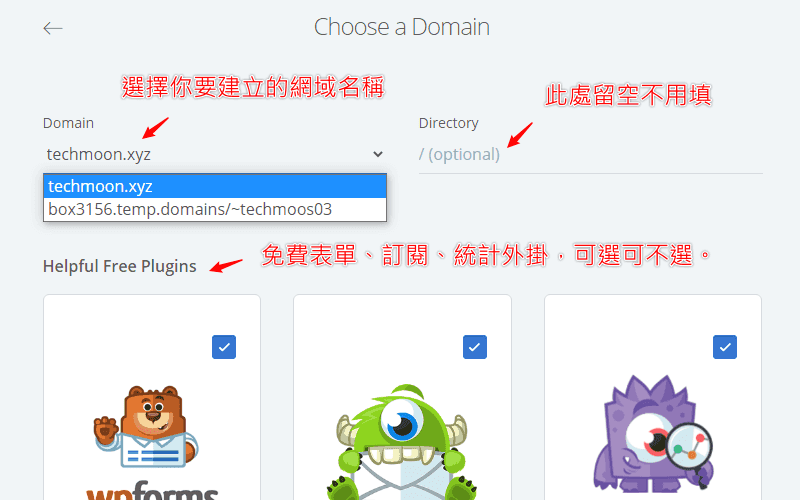 選擇要建立 WordPress 網站的網域名稱 完成後點選右下角的「**Next**」按鈕,即可開始建立網站。 #### 登入網站後台 網站建立完成後,就會跳轉至建立成功畫面。當中會顯示你的網站管理者登入名稱、登入密碼、網站網址與登入的後台網址。此時這裡會顯示 Bluehost 提供給你的專屬臨時網址,請不用擔心,這是為了避免使用者直接看到赤裸裸的空白網站,因此即便你剛剛所選擇的是正確的網址 (例如:techmoon.xyz),Bluehost 都會自動先幫你先使用臨時網址建立,這個後續再從後台進行修改即可。 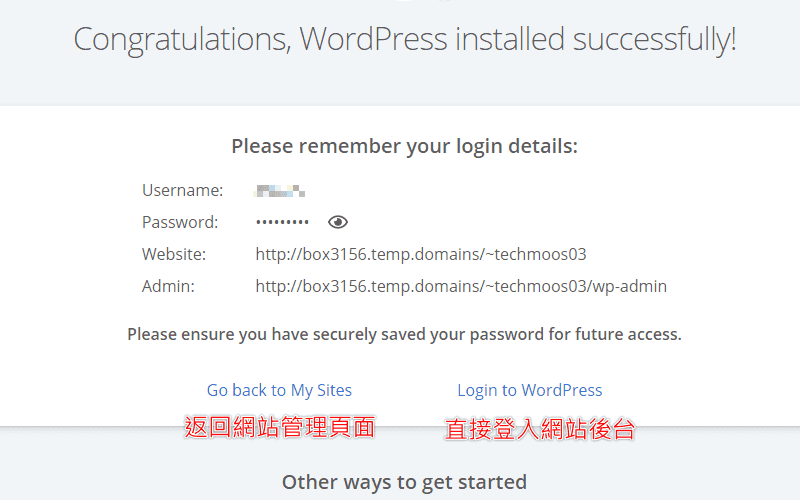 成功建立 WordPress 網站可直接登入後台 下方你可以直接點選「**Login to WordPress**」連結,直接登入 WordPress 網站後台,也可以點選「**Go back to My Sites**」返回網站管理頁面。 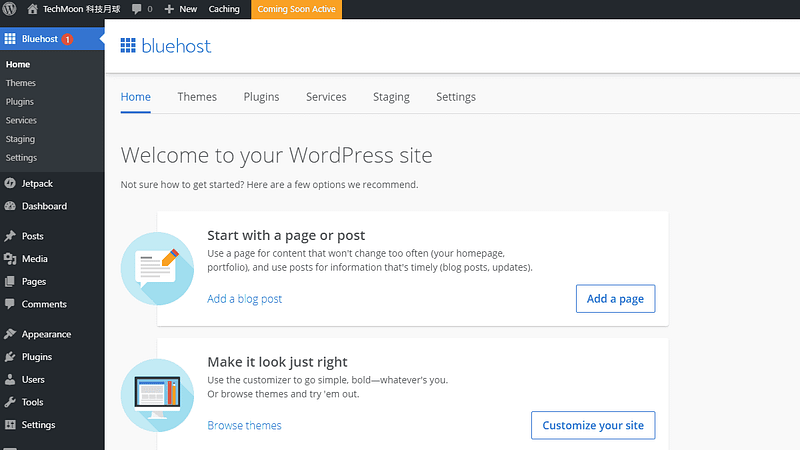 登入 WordPress 後台後即可開始進行新增與編輯操作 現在,你就可以盡情開始打造你的網站! 後續你可以參考[使用 Cloudflare 作為你的網站 DNS 代管](https://techmoon.xyz/cloudflare/),並且後續再[透過 Cloudflare 將網址指向至 Bluehost 主機的 IP 位置](https://techmoon.xyz/bluehost/#lwptoc50)。 如果你在建立 WordPress 網站或是有任何相關的問題,除了能夠在下方留言或是透過 Email、Facebook 聯繫我之外,也可以加入 TechMoon 社團,我都會盡力的幫助你解決問題。 如果你還想了解更多適合建立 [WordPress 虛擬主機](https://techmoon.xyz/hosting-reviews/),可以參考:[Kinsta](https://techmoon.xyz/kinsta/)、[Bluehost WordPress 教學](https://techmoon.xyz/bluehost-wordpress/)、[A2 Hosting](https://techmoon.xyz/a2hosting/)、[Bluehost](https://techmoon.xyz/bluehost/)、[Hostinger](https://techmoon.xyz/hostinger-wordpress/)、[HostGator](https://techmoon.xyz/hostgator/)、[DreamHost](https://techmoon.xyz/dreamhost/)、[SugarHosts](https://techmoon.xyz/sugarhosts/)、[SiteGround](https://techmoon.xyz/siteground/)、[WPWebHost](https://techmoon.xyz/wpwebhost/)、[GreenGeeks](https://techmoon.xyz/greengeeks/)、[HostPapa](https://techmoon.xyz/hostpapa/)、[WPX Hosting](https://techmoon.xyz/wpxhosting/)、[SiteGround](https://techmoon.xyz/siteground-wordpress/)、[iPage Hosting](https://techmoon.xyz/ipage/)、[WPWebHost](https://techmoon.xyz/wpwebhost-wordpress/)、[FastComet](https://techmoon.xyz/fastcomet/)、[WP Hosting Australia](https://techmoon.xyz/wp-hosting-australia/)…等等其他優秀的 WordPress 虛擬主機供應商。 更多完整 Bluehost WordPress 教學可以參考:[Bluehost WordPress 教學 — 詳細圖文教你如何從購買主機到安裝 WordPress 網站 Bluehost 中文教學](https://techmoon.xyz/bluehost-wordpress/) |
| json metadata | {"tags":["bluehost","wordpress"],"image":["https://cdn-images-1.medium.com/max/800/0*476_FVSN06g_eJRM.png","https://cdn-images-1.medium.com/max/800/0*3pZ1TFWN-nc3Wkwp.png","https://cdn-images-1.medium.com/max/800/0*GQ6I1FMTN2uyD6N2.png","https://cdn-images-1.medium.com/max/800/0*d1uNpk9NN0L7Czb2.png","https://cdn-images-1.medium.com/max/800/0*6qOzmwNNKVdD03kv.png","https://cdn-images-1.medium.com/max/800/0*3THXFL7gp5E6Dr37.png","https://cdn-images-1.medium.com/max/800/0*TK6e3LH6-DoLUj7J.png","https://cdn-images-1.medium.com/max/800/0*rZjIH3goBn5nM-sR.png","https://cdn-images-1.medium.com/max/800/0*5Wxw2wW68m_SS7gN.png","https://cdn-images-1.medium.com/max/800/0*ZglGxdBzbZCRXpFk.png","https://cdn-images-1.medium.com/max/800/0*7vwzxa4LJiQE15aL.png","https://cdn-images-1.medium.com/max/800/0*Mob5V7kGovBq6Q9n.png","https://cdn-images-1.medium.com/max/800/0*Gvy1YaUqs_NgjKJS.png","https://cdn-images-1.medium.com/max/800/0*XeH3rJNnurw7shgZ.png"],"links":["https://techmoon.xyz/go/bluehost","https://techmoon.xyz/bluehost-black-friday-cyber-monday/","https://techmoon.xyz/bluehost/","https://www.boca.gov.tw/sp-natr-singleform-1.html","https://www.post.gov.tw/post/internet/SearchZone/index.jsp?ID=130112","https://techmoon.xyz/cloudflare/","https://techmoon.xyz/bluehost/#lwptoc50","https://techmoon.xyz/hosting-reviews/","https://techmoon.xyz/kinsta/","https://techmoon.xyz/bluehost-wordpress/","https://techmoon.xyz/a2hosting/","https://techmoon.xyz/hostinger-wordpress/","https://techmoon.xyz/hostgator/","https://techmoon.xyz/dreamhost/","https://techmoon.xyz/sugarhosts/","https://techmoon.xyz/siteground/","https://techmoon.xyz/wpwebhost/","https://techmoon.xyz/greengeeks/","https://techmoon.xyz/hostpapa/","https://techmoon.xyz/wpxhosting/","https://techmoon.xyz/siteground-wordpress/","https://techmoon.xyz/ipage/","https://techmoon.xyz/wpwebhost-wordpress/","https://techmoon.xyz/fastcomet/","https://techmoon.xyz/wp-hosting-australia/"],"app":"steemit/0.2","format":"markdown"} |
| parent author | |
| parent permlink | bluehost |
| permlink | bluehost-wordpress |
| title | Bluehost 主機購買+WordPress 建立教學 |
| Transaction Info | Block #71438631/Trx 50fbe8cb0df7117b7829db923b897e43c46daef0 |
View Raw JSON Data
{
"block": 71438631,
"op": [
"comment",
{
"author": "sliven",
"body": "首先我們前往 [Bluehost](https://techmoon.xyz/go/bluehost) 的頁面,在首頁當中你可以看到使用我的[專屬優惠連結](https://techmoon.xyz/go/bluehost),可以獲得高達 60% 的首購優惠,在畫面中可點選「**Get Started**」即可前往方案選擇頁面。\n\n因此,你可以看到,此時 Bluehost 主機價格就會從原價 $8.99 美元(相當於台幣 275 元)折扣至只要 $2.95 美元(相當於台幣 87 元)。\n\n\n\n透過優惠連結前往頁面後點選 Get Started 進入方案選擇頁面\n\n[Bluehost $2.95 專屬優惠連結](https://techmoon.xyz/go/bluehost)\n\n### 挑選主機方案\n\n接著你會抵達 Bluehost 方案選擇頁面,目前有提供 4 種不同方案,分別是:BASIC 方案、PLUS 方案、CHOICE PLUS 方案與 PRO 方案。只有透過我的專屬優惠連結前往購買,才能夠享有圖中的優惠價格。\n\n\n\nBluehost 各主機方案價目表與方案內容\n\n上圖為 Bluehost 全年最低的優惠價目表,只有在 [Bluehost Black Friday Deal](https://techmoon.xyz/bluehost-black-friday-cyber-monday/) 的優惠期間,搭配我的[專屬優惠連結](https://techmoon.xyz/go/bluehost)才能享有這種優惠。\n\n根據你的需求,選擇相對應的價格方案,從最便宜的 $2.95 美元~$13.95 美元,各個方案都有提供不同的內容。而所有的方案內容都包括了:WordPress 一鍵安裝功能、免費 1 年網域註冊、免費 SSL 憑證申請、免費網站搬家服務、免費 24/7 線上客戶支援服務與免費 CDN 服務。\n\n- 如果你是新手 or 只有一個網站的需求:適合 [**Basic 方案**](https://techmoon.xyz/go/bluehost)。\n- 如果你是中手 or 你有多個網站的需求:適合 [**Choice Plus 方案**](https://techmoon.xyz/go/bluehost)。\n\n如果你是新手,想要入門架設網站的領域,那麼便宜絕對是你的首選。因此[**最便宜的 Basic 方案**](https://techmoon.xyz/go/bluehost)就是你最佳的夥伴,其 50GB 的容量也絕對綽綽有餘,搭配無限量的頻寬流量,非常適合新手。\n\n如果你不是新手,或是你有建立多個網站的需求,那麼 Choice Plus 就是你最佳的首選。由於你是透過我的專屬優惠前往購買,因此 Choice Plus 方案會與 Plus 方案價格相同,但是卻多了域名隱私保護與免費網站自動備份的功能,那麼[**當然是選擇 Choice Plus 方案**](https://techmoon.xyz/go/bluehost)。\n\n[Bluehost $2.95 專屬優惠連結](https://techmoon.xyz/go/bluehost)\n\n### Bluehost 價格比較\n\n[Bluehost 主機](https://techmoon.xyz/bluehost/)方案價格最便宜的是 Basic 方案的 $2.95 美元(約台幣 87 元),最划算的方案是 Choice Plus 方案的 $5.45 美元(約台幣 161 元)。請注意,這個優惠價格只有透過本站連結前往購買,才能夠享有的。\n\n當你購買期限越長,所獲能獲得的價格最優惠,因此最低的每月優惠價格是一次購買 36 個月的方案。\n\n但是,若你不確定是否一次需要購買到 36 個月的時間,那麼可以選擇 12 個月的期限,那麼最便宜的價格一年就僅需 $59.4 美元(約台幣 1752 元)。\n\n**Bluehost 的每個方案當中都有贈送免費 1 年網域名稱的優惠**,因此在 Bluehost 申請網域以及購買主機,最短可以購買 1 年 1779 台幣就可以建議一個線上 WordPress 網站,這個價格即便對於學生來說,都是輕易可以負擔的。\n\n[Bluehost $2.95 專屬優惠連結](https://techmoon.xyz/go/bluehost)\n\n### 設定主機網域\n\n接下來我將會以總金額最低的 Basic 購買 12 個月方案做範例介紹。\n\n下一個畫面會請你設定要綁定主機的網域名稱。由於「[**Basic 方案**](https://techmoon.xyz/go/bluehost)」中有提供免費網域名稱,因此你可以在「**Create a new domain**」欄位中,註冊一個免費的新網域。\n\n但是,如果你不想要/不需要這個免費的網域名稱,你想要使用自己在其他網域註冊商所購買的網域名稱來設定在主機當中,那麼就請填寫你自己的網域名稱到「**Use a domain you own**」欄位當中。填寫完畢後點選下方的「**Next**」按鈕,即可進入下一步的最終結帳頁面:\n\n\n\n使用免費註冊新網域或是已註冊網域來綁定主機網域名稱\n\n### 註冊帳號資訊\n\n到了最後一個頁面了。首先最上方你會看到一個 Google 登入的按鈕,上方說明寫著「**Use Google Single Sign-On to make creating your account even easier.**」你可以透過點選「**Sign in with Google**」按鈕,使用你的 Google 帳號綁定進入你的 Bluehost 帳號。\n\n接著下方就是你註冊帳號所需的個人資料,所有的內容請使用英文填寫,其中姓名英文可以參考外交部領事事務局的[外文姓名中譯英系統](https://www.boca.gov.tw/sp-natr-singleform-1.html),地址英文可以使用中華郵政全球資訊網的[中文地址英譯系統](https://www.post.gov.tw/post/internet/SearchZone/index.jsp?ID=130112)。\n\n從上而下請你依序輸入名子 (First Name)、姓氏 (Last Name)、公司名稱 (Business Name)、國家/地區 (Country)、Street Address (居住地址)、City (居住城市)、Postal Code (居住地郵遞區號)、Phone Number (連絡電話)、Email Address (Email 信箱地址):\n\n\n\n輸入註冊帳號的個人資訊內容\n\n其中 Email Address 是絕對必填的項目,**這個 Email 地址就是你未來要登入 Bluehost 的帳號**,且當你購買完成後,**Bluehost 會自動寄送你的密碼到這個信箱當中**,因此你不會在這個頁面中看到輸入密碼的欄位,所以 Email 地址要再三確認是否正確。\n\n### 確認最終方案金額\n\n接著下方請確認你的方案與金額。在 **Account Plan** 的部分請確認所選的方案為「**Basic 12 Month Price — $4.95/mo.**」,**Hosting Price** 的部分金額為「**$59.40 ($4.95 for 12 months)**」。\n\n在預設情況下,「**Codeguard Basic**」與「**SiteLock Security — Essential**」選項會被勾選,因此這邊要注意別忘記將這兩個欄位的選項取消勾選,以免增加不必要的服務以及費用。\n\n最後請確認「**Total**」欄位的數值是否為「**$59.40**」,若金額正確的話就沒問題了!\n\n\n\n確認方案與最終金額是否正確\n\n### 輸入信用卡資訊\n\n最後是選擇你的付款方式。Bluehost 提供 2 種支付方式,分別是「**Credit Card**」與「**PayPal**」。在預設的情況下,只會顯示信用卡的輸入選項,你可以根據欄位,在「**Credit Card Number**」欄位中填入你的信用卡卡號,在「**Signature/CVV2 Code**」欄位中輸入信用卡的驗證碼,在「**Expiration Date**」欄位中點選信用卡的到期日:\n\n\n\n**輸入信用卡資訊付款或選擇 PayPal 支付**\n\n在預設情況下,只會出現信用卡的付款方式,此時只要點選「**More payment options**」的連結,就會出現「**Pay With PayPal**」的選項。\n\n完成後將最下方的「**I have read and agree to Bluehost’s Auto Renewal Terms, Terms of Service and Cancellation Policy and acknowledge receipt of the Privacy Notice.**」選項打勾,最後點選「**submit**」按鈕,就可以完成 Bluehost 主機的購買了。\n\n[Bluehost $2.95 專屬優惠連結](https://techmoon.xyz/go/bluehost)\n\n### Bluehost WordPress 安裝教學\n\n#### 前往產品頁面\n\n購買完成後,你就會收到購買成功的通知,同時 Bluehost 也會送登入的密碼給你。接著你就可以在 Bluehost 登入頁面中,使用你的 Email 信箱與密碼登入。\n\n登入到 Bluehost 後台後,有時可能會是空白的,這時可以點選右上角的圖示,在下拉選單中點選「**Products**」連結,先前往產品頁面:\n\n\n\n點選右上角圖示前往產品頁面\n\n#### 前往網站管理頁面\n\n到了產品頁面後,此時你會看到左側出現許多功能列表。這時點選「**My Sites**」功能列表連結,就可以前往至網站管理的頁面當中:\n\n\n\n點擊 My Sites 連結前往網站管理頁面\n\n#### 建立新 WordPress 網站\n\n到了網站管理頁面後,在這裡會能夠查看與管理所有你所建立的 WordPress 網站。在一開始的時候都是空白的。此時在畫面中點選「**Add Site**」按鈕,即可開始新增一個新的 WordPress 網站:\n\n\n\n點選 Add Site 開始建立一個新的 WordPress 網站\n\n#### 選擇 WordPress 安裝方式\n\n下一個頁面會提供你兩個 WordPress 的安裝方法。一個是基本的 WordPress 安裝,選擇這個方式所安裝的 WordPress 就會跟預設的安裝一樣,適合你本身知道該如何操作的使用者。另一個是由 Bluehost 自己專門提供的 Builder 方式,其中會幫助你安裝一些 Bluehost 所開發的主題與外掛功能,對於非常新手的使用者來說,或許能夠有一些幫助。\n\n如果你習慣或想要安裝原始的 WordPress 網站,請選擇左邊的「**Use WordPress**」按鈕新增網站;如果你想要嘗試 Bluehost 所開發的 Bluehost Builder,那麼請選擇右邊的「**Use Bluehost Builder**」。我個人會比較推薦你選擇安裝左邊原始的 WordPress 網站:\n\n\n\n選擇 WordPress 的安裝方法\n\n#### 設定 WordPress 網站與登入帳號密碼\n\n下一步就是設定 WordPress 的網站標題、網站說明,這兩個地方之後在後台還是可以任意更改的,因此不用擔心這裡打錯,也可以先暫時用替代名稱填入即可。\n\n接著點選下方的「**Advanced**」按鈕,點選後就會展開 **Email Address、WordPress Admin Username 與 WordPress Admin Password** 的欄位,在這三個欄位中依序輸入你未來要登入的 **Email 地址、使用者名稱與使用者密碼**,這是未來系統管理員的登入權限設定:\n\n\n\n輸次網站標題與設定網站管理員登入權限\n\n完成後點選右下角的「**Next**」即可前往下一步。\n\n#### 選擇建立的網域名稱\n\n最後要選擇你要使用哪個網域名稱來建立 WordPress 網站。在你的下拉選單當中挑選你要綁定的網域名稱。由於我們是使用「[**CHOICE PLUS**](https://techmoon.xyz/go/bluehost)」方案,因此你可以添加許多附加網域,在當中建立多個網域、多個網站。\n\n除此之外,Bluehost 也能提供你臨時的網域名稱,讓你用來建立一個臨時的網站。這樣的好處在於,你能夠先使用它的臨時網域建立網站,在編輯完成之後,再從後台去更改網域名稱,將其變更成為你的正式網域。如此一來,就不會遇到網站需要先關閉,或是有一段時間使用者所看到的網站是不完全的狀態。\n\n選擇好網域之後,後方的「**Directory**」欄位基本上是留空不用填,除非你希望你所建立的網站是使用「**子目錄**」顯示,如果你聽不懂,那基本上就代表你不需要動到該欄位。\n\n下方預設會提供並幫你勾選三個外掛,分別是:WP Forms、Opt-in Monster 與 Monster Insight。它們的功能分別是:表單外掛、訂閱外掛,以及流量統計外掛。你可以依據你的喜好,選擇是否在安裝 WordPress 時就預先裝好這些外掛。\n\n\n\n選擇要建立 WordPress 網站的網域名稱\n\n完成後點選右下角的「**Next**」按鈕,即可開始建立網站。\n\n#### 登入網站後台\n\n網站建立完成後,就會跳轉至建立成功畫面。當中會顯示你的網站管理者登入名稱、登入密碼、網站網址與登入的後台網址。此時這裡會顯示 Bluehost 提供給你的專屬臨時網址,請不用擔心,這是為了避免使用者直接看到赤裸裸的空白網站,因此即便你剛剛所選擇的是正確的網址 (例如:techmoon.xyz),Bluehost 都會自動先幫你先使用臨時網址建立,這個後續再從後台進行修改即可。\n\n\n\n成功建立 WordPress 網站可直接登入後台\n\n下方你可以直接點選「**Login to WordPress**」連結,直接登入 WordPress 網站後台,也可以點選「**Go back to My Sites**」返回網站管理頁面。\n\n\n\n登入 WordPress 後台後即可開始進行新增與編輯操作\n\n現在,你就可以盡情開始打造你的網站!\n\n後續你可以參考[使用 Cloudflare 作為你的網站 DNS 代管](https://techmoon.xyz/cloudflare/),並且後續再[透過 Cloudflare 將網址指向至 Bluehost 主機的 IP 位置](https://techmoon.xyz/bluehost/#lwptoc50)。\n\n如果你在建立 WordPress 網站或是有任何相關的問題,除了能夠在下方留言或是透過 Email、Facebook 聯繫我之外,也可以加入 TechMoon 社團,我都會盡力的幫助你解決問題。\n\n如果你還想了解更多適合建立 [WordPress 虛擬主機](https://techmoon.xyz/hosting-reviews/),可以參考:[Kinsta](https://techmoon.xyz/kinsta/)、[Bluehost WordPress 教學](https://techmoon.xyz/bluehost-wordpress/)、[A2 Hosting](https://techmoon.xyz/a2hosting/)、[Bluehost](https://techmoon.xyz/bluehost/)、[Hostinger](https://techmoon.xyz/hostinger-wordpress/)、[HostGator](https://techmoon.xyz/hostgator/)、[DreamHost](https://techmoon.xyz/dreamhost/)、[SugarHosts](https://techmoon.xyz/sugarhosts/)、[SiteGround](https://techmoon.xyz/siteground/)、[WPWebHost](https://techmoon.xyz/wpwebhost/)、[GreenGeeks](https://techmoon.xyz/greengeeks/)、[HostPapa](https://techmoon.xyz/hostpapa/)、[WPX Hosting](https://techmoon.xyz/wpxhosting/)、[SiteGround](https://techmoon.xyz/siteground-wordpress/)、[iPage Hosting](https://techmoon.xyz/ipage/)、[WPWebHost](https://techmoon.xyz/wpwebhost-wordpress/)、[FastComet](https://techmoon.xyz/fastcomet/)、[WP Hosting Australia](https://techmoon.xyz/wp-hosting-australia/)…等等其他優秀的 WordPress 虛擬主機供應商。\n\n更多完整 Bluehost WordPress 教學可以參考:[Bluehost WordPress 教學 — 詳細圖文教你如何從購買主機到安裝 WordPress 網站 Bluehost 中文教學](https://techmoon.xyz/bluehost-wordpress/)",
"json_metadata": "{\"tags\":[\"bluehost\",\"wordpress\"],\"image\":[\"https://cdn-images-1.medium.com/max/800/0*476_FVSN06g_eJRM.png\",\"https://cdn-images-1.medium.com/max/800/0*3pZ1TFWN-nc3Wkwp.png\",\"https://cdn-images-1.medium.com/max/800/0*GQ6I1FMTN2uyD6N2.png\",\"https://cdn-images-1.medium.com/max/800/0*d1uNpk9NN0L7Czb2.png\",\"https://cdn-images-1.medium.com/max/800/0*6qOzmwNNKVdD03kv.png\",\"https://cdn-images-1.medium.com/max/800/0*3THXFL7gp5E6Dr37.png\",\"https://cdn-images-1.medium.com/max/800/0*TK6e3LH6-DoLUj7J.png\",\"https://cdn-images-1.medium.com/max/800/0*rZjIH3goBn5nM-sR.png\",\"https://cdn-images-1.medium.com/max/800/0*5Wxw2wW68m_SS7gN.png\",\"https://cdn-images-1.medium.com/max/800/0*ZglGxdBzbZCRXpFk.png\",\"https://cdn-images-1.medium.com/max/800/0*7vwzxa4LJiQE15aL.png\",\"https://cdn-images-1.medium.com/max/800/0*Mob5V7kGovBq6Q9n.png\",\"https://cdn-images-1.medium.com/max/800/0*Gvy1YaUqs_NgjKJS.png\",\"https://cdn-images-1.medium.com/max/800/0*XeH3rJNnurw7shgZ.png\"],\"links\":[\"https://techmoon.xyz/go/bluehost\",\"https://techmoon.xyz/bluehost-black-friday-cyber-monday/\",\"https://techmoon.xyz/bluehost/\",\"https://www.boca.gov.tw/sp-natr-singleform-1.html\",\"https://www.post.gov.tw/post/internet/SearchZone/index.jsp?ID=130112\",\"https://techmoon.xyz/cloudflare/\",\"https://techmoon.xyz/bluehost/#lwptoc50\",\"https://techmoon.xyz/hosting-reviews/\",\"https://techmoon.xyz/kinsta/\",\"https://techmoon.xyz/bluehost-wordpress/\",\"https://techmoon.xyz/a2hosting/\",\"https://techmoon.xyz/hostinger-wordpress/\",\"https://techmoon.xyz/hostgator/\",\"https://techmoon.xyz/dreamhost/\",\"https://techmoon.xyz/sugarhosts/\",\"https://techmoon.xyz/siteground/\",\"https://techmoon.xyz/wpwebhost/\",\"https://techmoon.xyz/greengeeks/\",\"https://techmoon.xyz/hostpapa/\",\"https://techmoon.xyz/wpxhosting/\",\"https://techmoon.xyz/siteground-wordpress/\",\"https://techmoon.xyz/ipage/\",\"https://techmoon.xyz/wpwebhost-wordpress/\",\"https://techmoon.xyz/fastcomet/\",\"https://techmoon.xyz/wp-hosting-australia/\"],\"app\":\"steemit/0.2\",\"format\":\"markdown\"}",
"parent_author": "",
"parent_permlink": "bluehost",
"permlink": "bluehost-wordpress",
"title": "Bluehost 主機購買+WordPress 建立教學"
}
],
"op_in_trx": 0,
"timestamp": "2023-01-23T16:58:12",
"trx_id": "50fbe8cb0df7117b7829db923b897e43c46daef0",
"trx_in_block": 11,
"virtual_op": 0
}2022/11/05 16:25:03
2022/11/05 16:25:03
| delegatee | sliven |
| delegator | steem |
| vesting shares | 7940.203056 VESTS |
| Transaction Info | Block #69176231/Trx ddb341afd4eab95bb369976aec5e335d20367f3c |
View Raw JSON Data
{
  "block": 69176231,
  "op": [
    "delegate_vesting_shares",
    {
      "delegatee": "sliven",
      "delegator": "steem",
      "vesting_shares": "7940.203056 VESTS"
    }
  ],
  "op_in_trx": 0,
  "timestamp": "2022-11-05T16:25:03",
  "trx_id": "ddb341afd4eab95bb369976aec5e335d20367f3c",
  "trx_in_block": 2,
  "virtual_op": 0
}2022/03/11 08:17:48
2022/03/11 08:17:48
| delegatee | sliven |
| delegator | steem |
| vesting shares | 8120.085672 VESTS |
| Transaction Info | Block #62322776/Trx 10692ef301766e5650ee3dc404b4ac6e7530cc74 |
View Raw JSON Data
{
  "block": 62322776,
  "op": [
    "delegate_vesting_shares",
    {
      "delegatee": "sliven",
      "delegator": "steem",
      "vesting_shares": "8120.085672 VESTS"
    }
  ],
  "op_in_trx": 0,
  "timestamp": "2022-03-11T08:17:48",
  "trx_id": "10692ef301766e5650ee3dc404b4ac6e7530cc74",
  "trx_in_block": 2,
  "virtual_op": 0
}2021/12/30 02:16:57
2021/12/30 02:16:57
| delegatee | sliven |
| delegator | steem |
| vesting shares | 27090.198419 VESTS |
| Transaction Info | Block #60283587/Trx 56288051ab94e262d309934377422b4ee70f5740 |
View Raw JSON Data
{
  "block": 60283587,
  "op": [
    "delegate_vesting_shares",
    {
      "delegatee": "sliven",
      "delegator": "steem",
      "vesting_shares": "27090.198419 VESTS"
    }
  ],
  "op_in_trx": 0,
  "timestamp": "2021-12-30T02:16:57",
  "trx_id": "56288051ab94e262d309934377422b4ee70f5740",
  "trx_in_block": 15,
  "virtual_op": 0
}slivenpublished a new post: ukeydeal-1212-12-2021-office-2021-ntusd4702021/12/10 04:32:12
slivenpublished a new post: ukeydeal-1212-12-2021-office-2021-ntusd470
2021/12/10 04:32:12
| author | sliven |
| body | **雙12 促銷**日已經被普遍認為是東南亞版的光棍節和黑色星期五。如果您錯過了[黑色星期五](https://techmoon.xyz/ukeydeal-2021-black-friday/)或是[網路星期一](https://techmoon.xyz/ukeydeal-2021-cyber-monday/)的優惠活動,那麼在即將到來的[雙 12 在線促銷活動](https://techmoon.xyz/ukeydeal-1212/)中,現在是獲得所需商品的最佳時機!國外知名網站 ukeydeal 也推出了[**全年最後一波低價特賣**](https://tw.ukeydeal.com/12-12-shopping-day.html?ukd=buk01),先前都是使用折扣券購買,這次直接有限時特價秒殺,不需要使用任何折扣券,其中**最熱門的 Windows11 專業版僅需 $22.12 約(NT$621),新品熱門辦公軟體 Office 2021 專業增強版限時 $58.12 約(NT$1,630),如果一次購買 5 台電腦授權,單價甚至只要 $17 約(NT$470)。**當然大家關注的 **Windows10 僅需 $8.12 約 (NT$228)**,還有更多**辦公、工具軟體以及熱門網飛禮品卡低至 1 折**,千萬不要錯過這次全年最後一波最低特價的機會喔,**優惠檔期即日起至 12/12。** 先前台灣微軟近期發布了通知,指稱 [Gofunco](https://techmoon.xyz/gofunco-illegal/) 網站並非是微軟的代理商或經銷商,其次,當中所販售的所有 Windows 序號或是 Office 序號均為非法販售的金鑰。因此在台灣的消費者若是購買了這些非法取得的序號,很有可能就助長了盜版的風氣,更可能會涉及到法律相關的刑責。 若針對購得的 Windows 或 Office 產品序號或金鑰有任何疑問,皆可透過台灣微軟客服中心 (電話00801–128–000) 查詢處理。 不過,這次 UKEYDEAL 團隊特別保證他們所販售的 Windows 序號與 Office 序號為與國外經銷合作,因此能夠取得較便宜的正版 OEM 序號。經過我們的了解,一般來說,非常便宜的 Windows 或 Office 序號的來源我們不得而知,某些情況下他是合法的但很便宜;某些情況下,他是不可法的所以很便宜。常見的情況如下: 1. [利用企業版本與使用腳本非法取得大量序號,轉出來賣](https://www.mobile01.com/topicdetail.php?f=300&t=5901809&p=1#74701469) 2. [德國 OEM 版本的序號是可以無限轉賣的](https://www.ptt.cc/bbs/PC_Shopping/M.1485902724.A.242.html) 因此,這些便宜的序號有可能是從非法的腳本產出的,也有可能是在合法轉賣地區所流出的。使用非法產生的序號肯定是違法的,而在德國這種合法轉售 OEM 序號的地區所流出的序號,能否在其他地區使用呢?理論上看起來是不行,微軟官方的說法也一直很含糊不清。為了確保自身的權益,以及避免違法的風險,在德國以外的使用者,目前建議還是從 PChome、MOMO 購物網或授權經銷、代理商,購買正版的 OEM Windows、Office 序號,如此就絕對不會有任何問題。 > 延伸閱讀:[Windows 與 Office 序號這麼便宜能買嗎?完整分析便宜序號來源與到底合不合法!](https://techmoon.xyz/windows-office/) **因此,台灣微軟合法授權的代理商(聯強、展碁、捷元) 所販售的 Windows 序號才能夠在台灣地區使用,而以上述的例子來說,若你身處於德國或是其他能夠合法販售 Windows 序號的國家與地區,就可以合法的購買與使用這些正版 Windows 序號。** ### 年底最後一波 全年最低 限時特價:(不需要使用折扣碼) 無需折扣碼,直接點擊購買美金價格台幣價格[Windows 11 專業版](https://tw.ukeydeal.com/windows-11-professional-key.html?ukd=buk01)$22.12NT$621[Windows 10 專業版](https://tw.ukeydeal.com/windows-11-professional-key.html?ukd=buk01)$8.12NT$228[Windows 10 專業版 — 2 台電腦](https://tw.ukeydeal.com/windows-10-professional-key.html?ukd=buk01)$12.12NT$340[Windows 10 家庭版](https://tw.ukeydeal.com/windows-10-professional-cd-key-2-pcs.html?ukd=buk01)$8.52NT$239[辦公軟體Office 2021專業增強版 — 1台電腦授權](https://tw.ukeydeal.com/office-2016-professional-plus.html?ukd=buk01)$58.12NT$1,630[辦公軟體Office 2021專業增強版 — 5台電腦授權](https://tw.ukeydeal.com/office-2021-professional-plus-1pc.html?ukd=buk01)$85.12NT$2,388[Microsoft Office 2019 專業增強版1 台](https://tw.ukeydeal.com/windows-10-home-key.html?ukd=buk01)$38.12NT$1,069[Microsoft Office 2016 專業增強版1 台](https://tw.ukeydeal.com/office-2019-pro-plus-1pc.html?ukd=buk01)$21.12NT$592 ### Office 最優搭配推薦限時4.5折(使用折扣碼:BKD55) - [Windows 10 專業版 + Office 2019 專業增強版捆綁包](https://tw.ukeydeal.com/microsoft-office-2019-professional-plus.html?ukd=buk01):4.5折扣價:$45.41 約(NT$1,274) - [Windows 10 專業版 + Office 2021 專業增強版捆綁包](https://tw.ukeydeal.com/windows-10-pro-microsoft-office-2021-pro-plus-bundle.html?ukd=buk01):4.5折扣價:$68.40 約(NT$1,919) - [Windows 11 專業版 + Office 2019 專業增強版捆綁包](https://tw.ukeydeal.com/windows-11-pro-microsoft-office-2019-pro-plus-bundle.html?ukd=buk01):4.5折扣價:$58.27 約(NT$1,635) - [Windows 11 專業版 + Office 2021 專業增強版捆綁包](https://tw.ukeydeal.com/windows-11-pro-microsoft-office-2021-pro-plus-bundle.html?ukd=buk01):4.5折扣價:$82.80 約(NT$2,323) ### 系統熱賣推薦 限時5折:(使用折扣碼 BKD50) - [Windows 11 專業版 — 5 台電腦](https://tw.ukeydeal.com/windows-11-professional-5-pcs.html?ukd=buk01):5折扣價:$58.01約 (NT$1,627) - [Windows 10家庭版 — 2台電腦授權](https://tw.ukeydeal.com/windows-10-home-2-pcs.html?ukd=buk01):5折扣價:$15.04約(NT$416) - [Microsoft Visio Professional 2019–1 台](https://tw.ukeydeal.com/microsoft-visio-professional-2019-1pc.html?ukd=buk01):5折扣價:$25.65約(NT$710) - [Microsoft Project Professional 2019–1 台](https://tw.ukeydeal.com/microsoft-project-professional-2019-1pc.html?ukd=buk01):5折扣價:$15.64約(NT$433) - [伺服器 Windows Server 2019精華版](https://tw.ukeydeal.com/windows-server-2019-essentials.html?ukd=buk01):5折扣價:$13.53約(NT$375) ### Office熱賣單品限時4.5 (折使用折扣碼:BKD55) - [辦公軟體Office 2019家庭版和學生版 — 1用戶](https://tw.ukeydeal.com/microsoft-office-2019-home-and-student-1-user.html?ukd=buk01):4.5折扣價:$39.52約(NT$1,094) - [Mac版Office 2019家庭和企業版](https://tw.ukeydeal.com/office-2019-home-and-business-for-mac.html?ukd=buk01):4.5折扣價:$135.36約(NT$3,748) - [辦公軟體Office 2016家庭版和學生版 — 1用戶](https://tw.ukeydeal.com/microsoft-office-2016-home-and-student-1-user.html?ukd=buk01):4.5折扣價:$34.59約(NT$958) - [Mac版Office 2016家庭和企業版](https://tw.ukeydeal.com/office-2016-home-and-business-for-mac.html?ukd=buk01):4.5折扣價:$79.59約(NT$2,204) 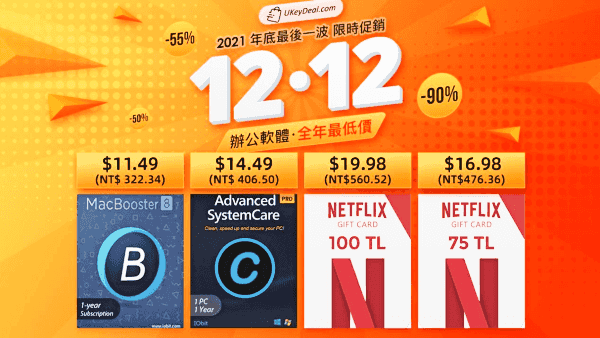 ### 工具軟體限時1折(不需要折扣碼): - [適用於 Mac 的 BetterZip 5](https://tw.ukeydeal.com/betterzip-5-for-mac.html?ukd=buk01):$21.49 約(NT$595) - [MacBooster 8 終身訂閱](https://tw.ukeydeal.com/macbooster-8-lifetime-subscription.html?ukd=buk01):$19.99 約(NT$554) - [Advanced SystemCare 14 Pro — 1 PC 1 Year](https://tw.ukeydeal.com/advanced-systemcare-14-pro-1-pc-1-year.html?ukd=buk01):$14.49 約(NT$401) - [Ashampoo Photo Commander 16](https://tw.ukeydeal.com/ashampoo-photo-commander-16.html?ukd=buk01):$21.49 約(NT$595) - [適用於 Windows / Mac / Android / iOS 的 Adguard](https://tw.ukeydeal.com/adguard-for-windows-mac-android-ios.html?ukd=buk01):$14.49 約(NT$401) - [CleanMyMac X](https://tw.ukeydeal.com/cleanmymac-x.html?ukd=buk01):$56.99 約(NT$1,578) ### 特惠禮品卡(不需要使用折扣碼): - [網飛禮品卡 75TL](https://tw.ukeydeal.com/netflix-gift-card-75-tl.html?ukd=buk01):$16.98約(NT$468.65 ) - [網飛禮品卡 150 TL](https://tw.ukeydeal.com/netflix-gift-card-150-tl.html?ukd=buk01):$29.99約(NT$827.72 ) - [網飛禮品卡 100TL](https://tw.ukeydeal.com/netflix-gift-card-100-tl.html?ukd=buk01):$19.98 約(NT$551.45 更多好康可直接[點擊](https://tw.ukeydeal.com/12-12-shopping-day.html?ukd=buk01)查看,有任何問題,可以隨時聯繫客服郵箱(24小時在線):[[email protected]](mailto:[email protected]) ### 相關文章 - [UKEYDEAL 2021 CYBER WEEK大促 — 黑五優惠還沒完!辦公軟體低至1折 Windows 10 NT$200起!Office 2021 NT$490 起](https://techmoon.xyz/ukeydeal-2021-cyber-monday/) - [UKEYDEAL 2021 Black Friday — 辦公軟體全年最低價 Windows 10 低至 1 折 NT$200起!限時瘋搶!](https://techmoon.xyz/ukeydeal-2021-black-friday/) - [Windows 10 國外便宜序號怎麼來的?幾個常見的 Win10 購買平台價格比較](https://techmoon.xyz/win10-1003/) - [便宜 Office 2019 與 300 元的 Windows 10 序號能不能買?購買使用前要了解的 2 件事!](https://techmoon.xyz/win10-0904/) - [Windows 與 Office 序號這麼便宜能買嗎?完整分析便宜序號來源與到底合不合法!](https://techmoon.xyz/windows-office/) - [台灣微軟表示:Gofunco 非微軟授權經銷商,Windows 與 Office 序號為非法取得切勿購買](https://techmoon.xyz/gofunco-illegal/) - [Windows 10 國外便宜正版序號能買嗎?該如何挑選便宜正版的 Office 序號?](https://techmoon.xyz/win10-0918/) - [Ukeydeal — 2021 秋季特惠,正版 Mac 與 Windows 電腦工具軟體最低只需 300 台幣起,另有 NETFLIX 禮品卡可透過優惠折扣購買](https://techmoon.xyz/ukeydeal-discount-1012/) - [兩個小妙招快速解決 Windows 10 聲音忽大忽小的問題](https://techmoon.xyz/how-to-fix-windows-volume-increases-up-suddenly/) - [AOMEI Partition Assistant Professional — 超便宜正版序號購買只需 565 元!快速調整電腦硬碟容量大小,還能進行硬碟複製與移轉!](https://techmoon.xyz/aomei-partition-assistant-professional-keys/) ### 熱門文章 - [Adobe Photoshop Express — 免費線上圖片編輯服務,提供圖片裁切、調整大小、修飾與套用濾鏡效果](https://techmoon.xyz/adobe-photoshop-express/) - [Windows 與 Office 序號這麼便宜能買嗎?完整分析便宜序號來源與到底合不合法!](https://techmoon.xyz/windows-office/) - [Ukeydeal — 2021 秋季特惠,正版 Mac 與 Windows 電腦工具軟體最低只需 300 台幣起,另有 NETFLIX 禮品卡可透過優惠折扣購買](https://techmoon.xyz/ukeydeal-discount-1012/) - [PureVPN — 超好用的 VPN 翻牆工具,超過 180 個國家伺服器,可跨區觀看 Netflix 各國影集](https://techmoon.xyz/purevpn/) - [CleverPDF — 免費線上 PDF 轉檔工具大全,44 種 Office、PDF 格式轉換與壓縮加密一鍵搞定](https://techmoon.xyz/cleverpdf/) - [Pure Photos — 線上圖片免費去背工具,每月免費 100 張去背額度,可導出 PSD 圖層與提供大量免費範本](https://techmoon.xyz/pure-photos/) - [A2 Hosting 評價(2021 年 12 月) — 每月 $2.49 美元折扣優惠,WordPress 一鍵安裝虛擬主機推薦高達 66% OFF](https://techmoon.xyz/a2hosting/) - [ProtonMail — 免費加密電子郵件服務,瑞士級隱私保障可取代 Gmail 保護你重要的 Email 信件](https://techmoon.xyz/protonmail/) - [便宜 Office 2019 與 300 元的 Windows 10 序號能不能買?購買使用前要了解的 2 件事!](https://techmoon.xyz/win10-0904/) - [ZapBG — 線上免費圖片去背工具,透過 AI 快速圖片去除背景並可自訂去背區塊與柔邊效果](https://techmoon.xyz/zapbg/) - [AOMEI Partition Assistant Professional — 超便宜正版序號購買只需 565 元!快速調整電腦硬碟容量大小,還能進行硬碟複製與移轉!](https://techmoon.xyz/aomei-partition-assistant-professional-keys/) - [Microsoft Defender 即將提供 iOS 與 Android 版本](https://techmoon.xyz/microsoft-defender-plans-for-ios-android/) |
| json metadata | {"tags":["windows"],"image":["https://cdn-images-1.medium.com/max/800/0*e6-UvcswIE9p5W2x"],"links":["https://techmoon.xyz/ukeydeal-2021-black-friday/","https://techmoon.xyz/ukeydeal-2021-cyber-monday/","https://techmoon.xyz/ukeydeal-1212/","https://tw.ukeydeal.com/12-12-shopping-day.html?ukd=buk01","https://techmoon.xyz/gofunco-illegal/","https://www.mobile01.com/topicdetail.php?f=300&t=5901809&p=1#74701469","https://www.ptt.cc/bbs/PC_Shopping/M.1485902724.A.242.html","https://techmoon.xyz/windows-office/","https://tw.ukeydeal.com/windows-11-professional-key.html?ukd=buk01","https://tw.ukeydeal.com/windows-10-professional-key.html?ukd=buk01","https://tw.ukeydeal.com/windows-10-professional-cd-key-2-pcs.html?ukd=buk01","https://tw.ukeydeal.com/office-2016-professional-plus.html?ukd=buk01","https://tw.ukeydeal.com/office-2021-professional-plus-1pc.html?ukd=buk01","https://tw.ukeydeal.com/windows-10-home-key.html?ukd=buk01","https://tw.ukeydeal.com/office-2019-pro-plus-1pc.html?ukd=buk01","https://tw.ukeydeal.com/microsoft-office-2019-professional-plus.html?ukd=buk01","https://tw.ukeydeal.com/windows-10-pro-microsoft-office-2021-pro-plus-bundle.html?ukd=buk01","https://tw.ukeydeal.com/windows-11-pro-microsoft-office-2019-pro-plus-bundle.html?ukd=buk01","https://tw.ukeydeal.com/windows-11-pro-microsoft-office-2021-pro-plus-bundle.html?ukd=buk01","https://tw.ukeydeal.com/windows-11-professional-5-pcs.html?ukd=buk01","https://tw.ukeydeal.com/windows-10-home-2-pcs.html?ukd=buk01","https://tw.ukeydeal.com/microsoft-visio-professional-2019-1pc.html?ukd=buk01","https://tw.ukeydeal.com/microsoft-project-professional-2019-1pc.html?ukd=buk01","https://tw.ukeydeal.com/windows-server-2019-essentials.html?ukd=buk01","https://tw.ukeydeal.com/microsoft-office-2019-home-and-student-1-user.html?ukd=buk01","https://tw.ukeydeal.com/office-2019-home-and-business-for-mac.html?ukd=buk01","https://tw.ukeydeal.com/microsoft-office-2016-home-and-student-1-user.html?ukd=buk01","https://tw.ukeydeal.com/office-2016-home-and-business-for-mac.html?ukd=buk01","https://tw.ukeydeal.com/betterzip-5-for-mac.html?ukd=buk01","https://tw.ukeydeal.com/macbooster-8-lifetime-subscription.html?ukd=buk01","https://tw.ukeydeal.com/advanced-systemcare-14-pro-1-pc-1-year.html?ukd=buk01","https://tw.ukeydeal.com/ashampoo-photo-commander-16.html?ukd=buk01","https://tw.ukeydeal.com/adguard-for-windows-mac-android-ios.html?ukd=buk01","https://tw.ukeydeal.com/cleanmymac-x.html?ukd=buk01","https://tw.ukeydeal.com/netflix-gift-card-75-tl.html?ukd=buk01","https://tw.ukeydeal.com/netflix-gift-card-150-tl.html?ukd=buk01","https://tw.ukeydeal.com/netflix-gift-card-100-tl.html?ukd=buk01","mailto:[email protected]","https://techmoon.xyz/win10-1003/","https://techmoon.xyz/win10-0904/","https://techmoon.xyz/win10-0918/","https://techmoon.xyz/ukeydeal-discount-1012/","https://techmoon.xyz/how-to-fix-windows-volume-increases-up-suddenly/","https://techmoon.xyz/aomei-partition-assistant-professional-keys/","https://techmoon.xyz/adobe-photoshop-express/","https://techmoon.xyz/purevpn/","https://techmoon.xyz/cleverpdf/","https://techmoon.xyz/pure-photos/","https://techmoon.xyz/a2hosting/","https://techmoon.xyz/protonmail/","https://techmoon.xyz/zapbg/","https://techmoon.xyz/microsoft-defender-plans-for-ios-android/"],"app":"steemit/0.2","format":"markdown"} |
| parent author | |
| parent permlink | windows |
| permlink | ukeydeal-1212-12-2021-office-2021-ntusd470 |
| title | UKEYDEAL 1212 雙 12 優惠 – 2021 年末促銷 辦公軟體全年最低特價 Office 2021 NT$470起 |
| Transaction Info | Block #59718826/Trx 7f53250566a3e4ab0bdeff0c8f875b391e4f8bda |
View Raw JSON Data
{
"block": 59718826,
"op": [
"comment",
{
"author": "sliven",
"body": "**雙12 促銷**日已經被普遍認為是東南亞版的光棍節和黑色星期五。如果您錯過了[黑色星期五](https://techmoon.xyz/ukeydeal-2021-black-friday/)或是[網路星期一](https://techmoon.xyz/ukeydeal-2021-cyber-monday/)的優惠活動,那麼在即將到來的[雙 12 在線促銷活動](https://techmoon.xyz/ukeydeal-1212/)中,現在是獲得所需商品的最佳時機!國外知名網站 ukeydeal 也推出了[**全年最後一波低價特賣**](https://tw.ukeydeal.com/12-12-shopping-day.html?ukd=buk01),先前都是使用折扣券購買,這次直接有限時特價秒殺,不需要使用任何折扣券,其中**最熱門的 Windows11 專業版僅需 $22.12 約(NT$621),新品熱門辦公軟體 Office 2021 專業增強版限時 $58.12 約(NT$1,630),如果一次購買 5 台電腦授權,單價甚至只要 $17 約(NT$470)。**當然大家關注的 **Windows10 僅需 $8.12 約 (NT$228)**,還有更多**辦公、工具軟體以及熱門網飛禮品卡低至 1 折**,千萬不要錯過這次全年最後一波最低特價的機會喔,**優惠檔期即日起至 12/12。**\n\n先前台灣微軟近期發布了通知,指稱 [Gofunco](https://techmoon.xyz/gofunco-illegal/) 網站並非是微軟的代理商或經銷商,其次,當中所販售的所有 Windows 序號或是 Office 序號均為非法販售的金鑰。因此在台灣的消費者若是購買了這些非法取得的序號,很有可能就助長了盜版的風氣,更可能會涉及到法律相關的刑責。\n\n若針對購得的 Windows 或 Office 產品序號或金鑰有任何疑問,皆可透過台灣微軟客服中心 (電話00801–128–000) 查詢處理。\n\n不過,這次 UKEYDEAL 團隊特別保證他們所販售的 Windows 序號與 Office 序號為與國外經銷合作,因此能夠取得較便宜的正版 OEM 序號。經過我們的了解,一般來說,非常便宜的 Windows 或 Office 序號的來源我們不得而知,某些情況下他是合法的但很便宜;某些情況下,他是不可法的所以很便宜。常見的情況如下:\n\n1. [利用企業版本與使用腳本非法取得大量序號,轉出來賣](https://www.mobile01.com/topicdetail.php?f=300&t=5901809&p=1#74701469)\n2. [德國 OEM 版本的序號是可以無限轉賣的](https://www.ptt.cc/bbs/PC_Shopping/M.1485902724.A.242.html)\n\n因此,這些便宜的序號有可能是從非法的腳本產出的,也有可能是在合法轉賣地區所流出的。使用非法產生的序號肯定是違法的,而在德國這種合法轉售 OEM 序號的地區所流出的序號,能否在其他地區使用呢?理論上看起來是不行,微軟官方的說法也一直很含糊不清。為了確保自身的權益,以及避免違法的風險,在德國以外的使用者,目前建議還是從 PChome、MOMO 購物網或授權經銷、代理商,購買正版的 OEM Windows、Office 序號,如此就絕對不會有任何問題。\n\n> 延伸閱讀:[Windows 與 Office 序號這麼便宜能買嗎?完整分析便宜序號來源與到底合不合法!](https://techmoon.xyz/windows-office/)\n\n**因此,台灣微軟合法授權的代理商(聯強、展碁、捷元) 所販售的 Windows 序號才能夠在台灣地區使用,而以上述的例子來說,若你身處於德國或是其他能夠合法販售 Windows 序號的國家與地區,就可以合法的購買與使用這些正版 Windows 序號。**\n\n### 年底最後一波 全年最低 限時特價:(不需要使用折扣碼)\n\n無需折扣碼,直接點擊購買美金價格台幣價格[Windows 11 專業版](https://tw.ukeydeal.com/windows-11-professional-key.html?ukd=buk01)$22.12NT$621[Windows 10 專業版](https://tw.ukeydeal.com/windows-11-professional-key.html?ukd=buk01)$8.12NT$228[Windows 10 專業版 — 2 台電腦](https://tw.ukeydeal.com/windows-10-professional-key.html?ukd=buk01)$12.12NT$340[Windows 10 家庭版](https://tw.ukeydeal.com/windows-10-professional-cd-key-2-pcs.html?ukd=buk01)$8.52NT$239[辦公軟體Office 2021專業增強版 — 1台電腦授權](https://tw.ukeydeal.com/office-2016-professional-plus.html?ukd=buk01)$58.12NT$1,630[辦公軟體Office 2021專業增強版 — 5台電腦授權](https://tw.ukeydeal.com/office-2021-professional-plus-1pc.html?ukd=buk01)$85.12NT$2,388[Microsoft Office 2019 專業增強版1 台](https://tw.ukeydeal.com/windows-10-home-key.html?ukd=buk01)$38.12NT$1,069[Microsoft Office 2016 專業增強版1 台](https://tw.ukeydeal.com/office-2019-pro-plus-1pc.html?ukd=buk01)$21.12NT$592\n\n### Office 最優搭配推薦限時4.5折(使用折扣碼:BKD55)\n\n- [Windows 10 專業版 + Office 2019 專業增強版捆綁包](https://tw.ukeydeal.com/microsoft-office-2019-professional-plus.html?ukd=buk01):4.5折扣價:$45.41 約(NT$1,274)\n- [Windows 10 專業版 + Office 2021 專業增強版捆綁包](https://tw.ukeydeal.com/windows-10-pro-microsoft-office-2021-pro-plus-bundle.html?ukd=buk01):4.5折扣價:$68.40 約(NT$1,919)\n- [Windows 11 專業版 + Office 2019 專業增強版捆綁包](https://tw.ukeydeal.com/windows-11-pro-microsoft-office-2019-pro-plus-bundle.html?ukd=buk01):4.5折扣價:$58.27 約(NT$1,635)\n- [Windows 11 專業版 + Office 2021 專業增強版捆綁包](https://tw.ukeydeal.com/windows-11-pro-microsoft-office-2021-pro-plus-bundle.html?ukd=buk01):4.5折扣價:$82.80 約(NT$2,323)\n\n### 系統熱賣推薦 限時5折:(使用折扣碼 BKD50)\n\n- [Windows 11 專業版 — 5 台電腦](https://tw.ukeydeal.com/windows-11-professional-5-pcs.html?ukd=buk01):5折扣價:$58.01約 (NT$1,627)\n- [Windows 10家庭版 — 2台電腦授權](https://tw.ukeydeal.com/windows-10-home-2-pcs.html?ukd=buk01):5折扣價:$15.04約(NT$416)\n- [Microsoft Visio Professional 2019–1 台](https://tw.ukeydeal.com/microsoft-visio-professional-2019-1pc.html?ukd=buk01):5折扣價:$25.65約(NT$710)\n- [Microsoft Project Professional 2019–1 台](https://tw.ukeydeal.com/microsoft-project-professional-2019-1pc.html?ukd=buk01):5折扣價:$15.64約(NT$433)\n- [伺服器 Windows Server 2019精華版](https://tw.ukeydeal.com/windows-server-2019-essentials.html?ukd=buk01):5折扣價:$13.53約(NT$375)\n\n### Office熱賣單品限時4.5 (折使用折扣碼:BKD55)\n\n- [辦公軟體Office 2019家庭版和學生版 — 1用戶](https://tw.ukeydeal.com/microsoft-office-2019-home-and-student-1-user.html?ukd=buk01):4.5折扣價:$39.52約(NT$1,094)\n- [Mac版Office 2019家庭和企業版](https://tw.ukeydeal.com/office-2019-home-and-business-for-mac.html?ukd=buk01):4.5折扣價:$135.36約(NT$3,748)\n- [辦公軟體Office 2016家庭版和學生版 — 1用戶](https://tw.ukeydeal.com/microsoft-office-2016-home-and-student-1-user.html?ukd=buk01):4.5折扣價:$34.59約(NT$958)\n- [Mac版Office 2016家庭和企業版](https://tw.ukeydeal.com/office-2016-home-and-business-for-mac.html?ukd=buk01):4.5折扣價:$79.59約(NT$2,204)\n\n\n\n### 工具軟體限時1折(不需要折扣碼):\n\n- [適用於 Mac 的 BetterZip 5](https://tw.ukeydeal.com/betterzip-5-for-mac.html?ukd=buk01):$21.49 約(NT$595)\n- [MacBooster 8 終身訂閱](https://tw.ukeydeal.com/macbooster-8-lifetime-subscription.html?ukd=buk01):$19.99 約(NT$554)\n- [Advanced SystemCare 14 Pro — 1 PC 1 Year](https://tw.ukeydeal.com/advanced-systemcare-14-pro-1-pc-1-year.html?ukd=buk01):$14.49 約(NT$401)\n- [Ashampoo Photo Commander 16](https://tw.ukeydeal.com/ashampoo-photo-commander-16.html?ukd=buk01):$21.49 約(NT$595)\n- [適用於 Windows / Mac / Android / iOS 的 Adguard](https://tw.ukeydeal.com/adguard-for-windows-mac-android-ios.html?ukd=buk01):$14.49 約(NT$401)\n- [CleanMyMac X](https://tw.ukeydeal.com/cleanmymac-x.html?ukd=buk01):$56.99 約(NT$1,578)\n\n### 特惠禮品卡(不需要使用折扣碼):\n\n- [網飛禮品卡 75TL](https://tw.ukeydeal.com/netflix-gift-card-75-tl.html?ukd=buk01):$16.98約(NT$468.65 )\n- [網飛禮品卡 150 TL](https://tw.ukeydeal.com/netflix-gift-card-150-tl.html?ukd=buk01):$29.99約(NT$827.72 )\n- [網飛禮品卡 100TL](https://tw.ukeydeal.com/netflix-gift-card-100-tl.html?ukd=buk01):$19.98 約(NT$551.45\n\n更多好康可直接[點擊](https://tw.ukeydeal.com/12-12-shopping-day.html?ukd=buk01)查看,有任何問題,可以隨時聯繫客服郵箱(24小時在線):[[email protected]](mailto:[email protected])\n\n### 相關文章\n\n- [UKEYDEAL 2021 CYBER WEEK大促 — 黑五優惠還沒完!辦公軟體低至1折 Windows 10 NT$200起!Office 2021 NT$490 起](https://techmoon.xyz/ukeydeal-2021-cyber-monday/)\n- [UKEYDEAL 2021 Black Friday — 辦公軟體全年最低價 Windows 10 低至 1 折 NT$200起!限時瘋搶!](https://techmoon.xyz/ukeydeal-2021-black-friday/)\n- [Windows 10 國外便宜序號怎麼來的?幾個常見的 Win10 購買平台價格比較](https://techmoon.xyz/win10-1003/)\n- [便宜 Office 2019 與 300 元的 Windows 10 序號能不能買?購買使用前要了解的 2 件事!](https://techmoon.xyz/win10-0904/)\n- [Windows 與 Office 序號這麼便宜能買嗎?完整分析便宜序號來源與到底合不合法!](https://techmoon.xyz/windows-office/)\n- [台灣微軟表示:Gofunco 非微軟授權經銷商,Windows 與 Office 序號為非法取得切勿購買](https://techmoon.xyz/gofunco-illegal/)\n- [Windows 10 國外便宜正版序號能買嗎?該如何挑選便宜正版的 Office 序號?](https://techmoon.xyz/win10-0918/)\n- [Ukeydeal — 2021 秋季特惠,正版 Mac 與 Windows 電腦工具軟體最低只需 300 台幣起,另有 NETFLIX 禮品卡可透過優惠折扣購買](https://techmoon.xyz/ukeydeal-discount-1012/)\n- [兩個小妙招快速解決 Windows 10 聲音忽大忽小的問題](https://techmoon.xyz/how-to-fix-windows-volume-increases-up-suddenly/)\n- [AOMEI Partition Assistant Professional — 超便宜正版序號購買只需 565 元!快速調整電腦硬碟容量大小,還能進行硬碟複製與移轉!](https://techmoon.xyz/aomei-partition-assistant-professional-keys/)\n\n### 熱門文章\n\n- [Adobe Photoshop Express — 免費線上圖片編輯服務,提供圖片裁切、調整大小、修飾與套用濾鏡效果](https://techmoon.xyz/adobe-photoshop-express/)\n- [Windows 與 Office 序號這麼便宜能買嗎?完整分析便宜序號來源與到底合不合法!](https://techmoon.xyz/windows-office/)\n- [Ukeydeal — 2021 秋季特惠,正版 Mac 與 Windows 電腦工具軟體最低只需 300 台幣起,另有 NETFLIX 禮品卡可透過優惠折扣購買](https://techmoon.xyz/ukeydeal-discount-1012/)\n- [PureVPN — 超好用的 VPN 翻牆工具,超過 180 個國家伺服器,可跨區觀看 Netflix 各國影集](https://techmoon.xyz/purevpn/)\n- [CleverPDF — 免費線上 PDF 轉檔工具大全,44 種 Office、PDF 格式轉換與壓縮加密一鍵搞定](https://techmoon.xyz/cleverpdf/)\n- [Pure Photos — 線上圖片免費去背工具,每月免費 100 張去背額度,可導出 PSD 圖層與提供大量免費範本](https://techmoon.xyz/pure-photos/)\n- [A2 Hosting 評價(2021 年 12 月) — 每月 $2.49 美元折扣優惠,WordPress 一鍵安裝虛擬主機推薦高達 66% OFF](https://techmoon.xyz/a2hosting/)\n- [ProtonMail — 免費加密電子郵件服務,瑞士級隱私保障可取代 Gmail 保護你重要的 Email 信件](https://techmoon.xyz/protonmail/)\n- [便宜 Office 2019 與 300 元的 Windows 10 序號能不能買?購買使用前要了解的 2 件事!](https://techmoon.xyz/win10-0904/)\n- [ZapBG — 線上免費圖片去背工具,透過 AI 快速圖片去除背景並可自訂去背區塊與柔邊效果](https://techmoon.xyz/zapbg/)\n- [AOMEI Partition Assistant Professional — 超便宜正版序號購買只需 565 元!快速調整電腦硬碟容量大小,還能進行硬碟複製與移轉!](https://techmoon.xyz/aomei-partition-assistant-professional-keys/)\n- [Microsoft Defender 即將提供 iOS 與 Android 版本](https://techmoon.xyz/microsoft-defender-plans-for-ios-android/)",
"json_metadata": "{\"tags\":[\"windows\"],\"image\":[\"https://cdn-images-1.medium.com/max/800/0*e6-UvcswIE9p5W2x\"],\"links\":[\"https://techmoon.xyz/ukeydeal-2021-black-friday/\",\"https://techmoon.xyz/ukeydeal-2021-cyber-monday/\",\"https://techmoon.xyz/ukeydeal-1212/\",\"https://tw.ukeydeal.com/12-12-shopping-day.html?ukd=buk01\",\"https://techmoon.xyz/gofunco-illegal/\",\"https://www.mobile01.com/topicdetail.php?f=300&t=5901809&p=1#74701469\",\"https://www.ptt.cc/bbs/PC_Shopping/M.1485902724.A.242.html\",\"https://techmoon.xyz/windows-office/\",\"https://tw.ukeydeal.com/windows-11-professional-key.html?ukd=buk01\",\"https://tw.ukeydeal.com/windows-10-professional-key.html?ukd=buk01\",\"https://tw.ukeydeal.com/windows-10-professional-cd-key-2-pcs.html?ukd=buk01\",\"https://tw.ukeydeal.com/office-2016-professional-plus.html?ukd=buk01\",\"https://tw.ukeydeal.com/office-2021-professional-plus-1pc.html?ukd=buk01\",\"https://tw.ukeydeal.com/windows-10-home-key.html?ukd=buk01\",\"https://tw.ukeydeal.com/office-2019-pro-plus-1pc.html?ukd=buk01\",\"https://tw.ukeydeal.com/microsoft-office-2019-professional-plus.html?ukd=buk01\",\"https://tw.ukeydeal.com/windows-10-pro-microsoft-office-2021-pro-plus-bundle.html?ukd=buk01\",\"https://tw.ukeydeal.com/windows-11-pro-microsoft-office-2019-pro-plus-bundle.html?ukd=buk01\",\"https://tw.ukeydeal.com/windows-11-pro-microsoft-office-2021-pro-plus-bundle.html?ukd=buk01\",\"https://tw.ukeydeal.com/windows-11-professional-5-pcs.html?ukd=buk01\",\"https://tw.ukeydeal.com/windows-10-home-2-pcs.html?ukd=buk01\",\"https://tw.ukeydeal.com/microsoft-visio-professional-2019-1pc.html?ukd=buk01\",\"https://tw.ukeydeal.com/microsoft-project-professional-2019-1pc.html?ukd=buk01\",\"https://tw.ukeydeal.com/windows-server-2019-essentials.html?ukd=buk01\",\"https://tw.ukeydeal.com/microsoft-office-2019-home-and-student-1-user.html?ukd=buk01\",\"https://tw.ukeydeal.com/office-2019-home-and-business-for-mac.html?ukd=buk01\",\"https://tw.ukeydeal.com/microsoft-office-2016-home-and-student-1-user.html?ukd=buk01\",\"https://tw.ukeydeal.com/office-2016-home-and-business-for-mac.html?ukd=buk01\",\"https://tw.ukeydeal.com/betterzip-5-for-mac.html?ukd=buk01\",\"https://tw.ukeydeal.com/macbooster-8-lifetime-subscription.html?ukd=buk01\",\"https://tw.ukeydeal.com/advanced-systemcare-14-pro-1-pc-1-year.html?ukd=buk01\",\"https://tw.ukeydeal.com/ashampoo-photo-commander-16.html?ukd=buk01\",\"https://tw.ukeydeal.com/adguard-for-windows-mac-android-ios.html?ukd=buk01\",\"https://tw.ukeydeal.com/cleanmymac-x.html?ukd=buk01\",\"https://tw.ukeydeal.com/netflix-gift-card-75-tl.html?ukd=buk01\",\"https://tw.ukeydeal.com/netflix-gift-card-150-tl.html?ukd=buk01\",\"https://tw.ukeydeal.com/netflix-gift-card-100-tl.html?ukd=buk01\",\"mailto:[email protected]\",\"https://techmoon.xyz/win10-1003/\",\"https://techmoon.xyz/win10-0904/\",\"https://techmoon.xyz/win10-0918/\",\"https://techmoon.xyz/ukeydeal-discount-1012/\",\"https://techmoon.xyz/how-to-fix-windows-volume-increases-up-suddenly/\",\"https://techmoon.xyz/aomei-partition-assistant-professional-keys/\",\"https://techmoon.xyz/adobe-photoshop-express/\",\"https://techmoon.xyz/purevpn/\",\"https://techmoon.xyz/cleverpdf/\",\"https://techmoon.xyz/pure-photos/\",\"https://techmoon.xyz/a2hosting/\",\"https://techmoon.xyz/protonmail/\",\"https://techmoon.xyz/zapbg/\",\"https://techmoon.xyz/microsoft-defender-plans-for-ios-android/\"],\"app\":\"steemit/0.2\",\"format\":\"markdown\"}",
"parent_author": "",
"parent_permlink": "windows",
"permlink": "ukeydeal-1212-12-2021-office-2021-ntusd470",
"title": "UKEYDEAL 1212 雙 12 優惠 – 2021 年末促銷 辦公軟體全年最低特價 Office 2021 NT$470起"
}
],
"op_in_trx": 0,
"timestamp": "2021-12-10T04:32:12",
"trx_id": "7f53250566a3e4ab0bdeff0c8f875b391e4f8bda",
"trx_in_block": 9,
"virtual_op": 0
}2021/10/14 10:21:27
2021/10/14 10:21:27
| delegatee | sliven |
| delegator | steem |
| vesting shares | 27274.605458 VESTS |
| Transaction Info | Block #58099999/Trx 391a6249bb0f0a5b398195268320b7e1eb9d2650 |
View Raw JSON Data
{
  "block": 58099999,
  "op": [
    "delegate_vesting_shares",
    {
      "delegatee": "sliven",
      "delegator": "steem",
      "vesting_shares": "27274.605458 VESTS"
    }
  ],
  "op_in_trx": 0,
  "timestamp": "2021-10-14T10:21:27",
  "trx_id": "391a6249bb0f0a5b398195268320b7e1eb9d2650",
  "trx_in_block": 13,
  "virtual_op": 0
}squbeupvoted (2.50%) @sliven / pcloud-10-gb-3-500-gb2021/10/14 08:19:24
squbeupvoted (2.50%) @sliven / pcloud-10-gb-3-500-gb
2021/10/14 08:19:24
| author | sliven |
| permlink | pcloud-10-gb-3-500-gb |
| voter | sqube |
| weight | 250 (2.50%) |
| Transaction Info | Block #58097574/Trx 8fb04347b08cdbfacfa9dea60595e01f6dd2d261 |
View Raw JSON Data
{
  "block": 58097574,
  "op": [
    "vote",
    {
      "author": "sliven",
      "permlink": "pcloud-10-gb-3-500-gb",
      "voter": "sqube",
      "weight": 250
    }
  ],
  "op_in_trx": 0,
  "timestamp": "2021-10-14T08:19:24",
  "trx_id": "8fb04347b08cdbfacfa9dea60595e01f6dd2d261",
  "trx_in_block": 8,
  "virtual_op": 0
}slivenpublished a new post: pcloud-10-gb-3-500-gb2021/10/14 08:19:18
slivenpublished a new post: pcloud-10-gb-3-500-gb
2021/10/14 08:19:18
| author | sliven |
| body | ###  [**pCloud**](https://techmoon.xyz/go/pcloud) 是一間註冊於瑞士的 IT 資訊公司,目前主要提供專業的線上[雲端空間](https://techmoon.xyz/tag/%e9%9b%b2%e7%ab%af%e7%a9%ba%e9%96%93/)服務,所有使用者都可以**免費註冊並取得最高 10 GB 的免費雲端儲存空間**,並且由於 pCloud 註冊於瑞士的緣故,因此你可以放心所有檔案的安全性與機密性,可以將重要的檔案存放於 pCloud 之中。 目前 **pCloud** 有提供一個限時的優惠序號,無論新舊會員,都可以在免費註冊或登入後,到指定頁面填入「[**PCLOUDFORMUSIC**](https://partner.pcloud.com/r/54551)」的專屬優惠碼,即可獲得高達 500 GB 的免費儲存空間,而且時間持續長達 3 個月,可以[點此連結前往索取](https://partner.pcloud.com/r/54551)。 [取得 3 個月免費 500 GB 雲端空間](https://partner.pcloud.com/r/54551) 我們之前有介紹過其他類似的好用免費雲端儲存空間,像是:[Koofr](https://techmoon.xyz/koofr-eu/)、[Mirrored](https://techmoon.xyz/mirrored-to/)、[Internxt Drive](https://techmoon.xyz/internxt-drive/)、[Dubox](https://techmoon.xyz/dubox/)…等等,都能提供不錯的服務連線品質與下載速度,並且可以提供非常大容量的免費雲端空間讓你使用。 今天介紹的「[**pCloud**](https://techmoon.xyz/pcloud/) 」雲端空間提供 10 GB 的免費容量,除了能夠透過瀏覽器登入,上傳各種類型的檔案之外,他還**提供了免費的跨平台工具,支援了像是 Windows、Mac、Mobile…等等不同的裝置,能夠透過這些平台裝置上傳與同步你的檔案。** 此外,pCloud 結合了第三方的程式,可以讓你**同步與備份其他平台系統的檔案與資料,像是:Google Photos、Google Drive、One Drive、Dropbox、Facebook…等等。** 而如果你特別在意存放至雲端的檔案安全性,更可以使用他的「**pCloud Crypto**」,加密功能,他能夠保護你最敏感的檔案資料,除了握有你唯一金鑰的人之外,沒有人可以存取與訪問你的檔案。 網站名稱:pCloud — 最安全的雲端儲存服務 網站網址:[https://www.pcloud.com/](https://techmoon.xyz/go/pcloud) ### pCloud 簡介教學 ### 免費註冊 進入 pCloud 網站之後,即可在首頁右方輸入電子郵件與密碼進行免費帳號的註冊,在資料區域的選擇當中,你可以自由選擇要將資料存放於「**美國**」或「**歐盟**」兩個區域,基本上是差不多的,但是若你對於法規方面的嚴密性,那麼建議選擇「**歐盟**」。 除了透過 Email 註冊建立帳號之外,你可以直接透過 Apple、Facebook 或是 Google 帳號進行串接,不過串接之後還是需要使用 Email 建立 pCloud 的帳號,因此建議一開始還是先透過 Email 建立帳號,後續登入後再進行各種平台帳號的同步與串接動作。  ### 解鎖更多雲端空間 在你剛登入的時候,一開始只會有 2 GB 的免費空間,不過你可以透過幾個非常簡單的小任務就取得更多的免費雲端空間,目前提供的任務有: - 驗證電子郵件(解鎖 1 GB) - 上傳檔案(解鎖 1 GB) - 安裝 pCloud Drive(解鎖 1 GB) - 下載 pCloud APP(解鎖 1 GB) - 啟用自動上船功能(解鎖 1 GB) - 邀請好友(每位解鎖 1 GB) 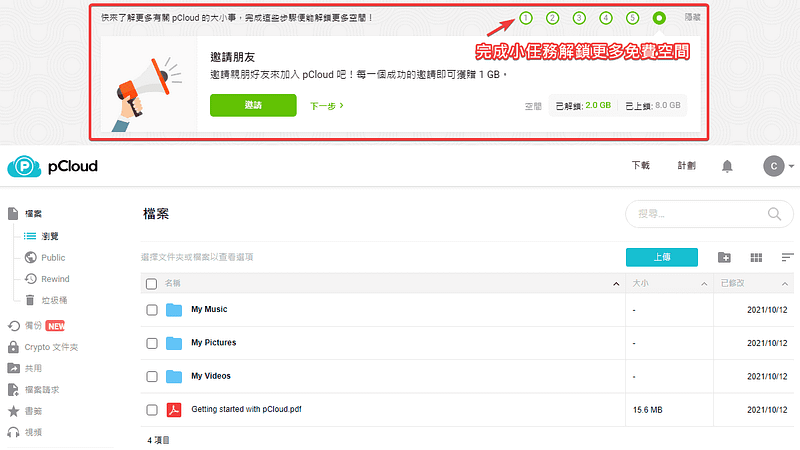 ### 還原功能 pCloud 與其他雲端空間不同的特別之處有非常多,其中之一的功能就是「**Rewind**」還原功能,他能夠幫助你找到並還原舊版本的檔案,即便你不小心將檔案刪除(**請注意,永久刪除的檔案無法復原**),或是在期間內有許多不同的檔案版本,他都能夠免費還原 15 天內的檔案: 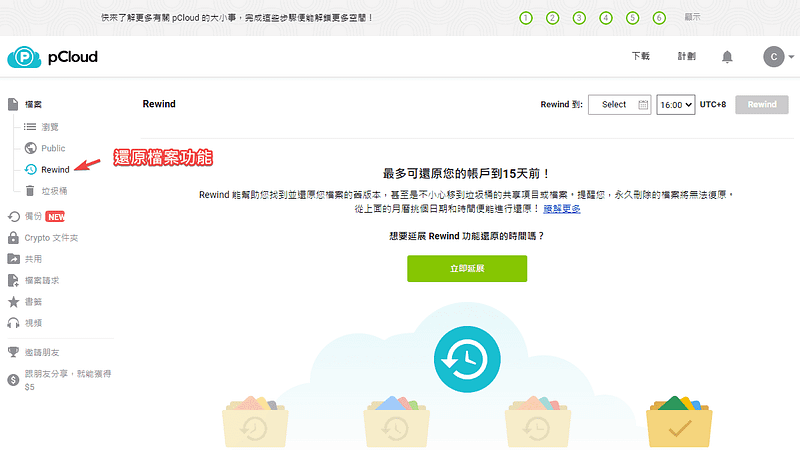 如果需要更久的恢復期間,也可以額外付費購買,最多可以享有長達 1 年的還原期間。 ### pCloud Crypto 加密檔案 pCloud 提供專屬的 Crypto 加密檔案功能,你可以透過 pCloud 的客戶端加密軟體進行檔案上傳,他能夠幫助你將所有上傳的檔案進行加密,只有握有金鑰的你才能夠訪問存取,大大加強你的檔案安全性: 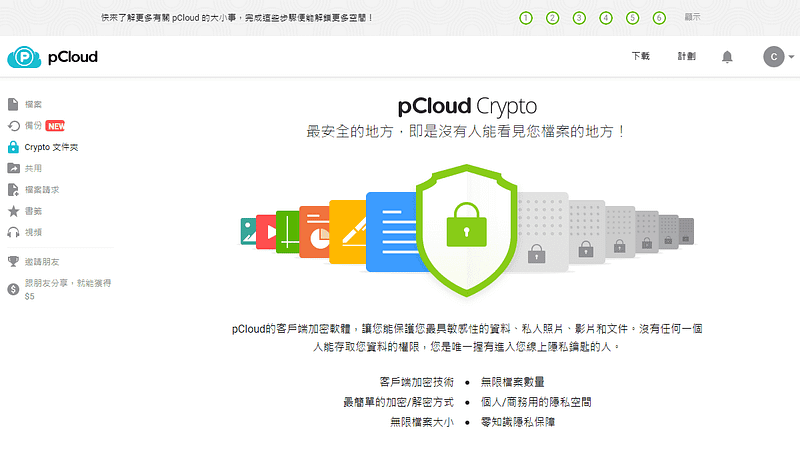 其他還有許多好用的功能,就讓你自由去親身體驗看看了,與其他的免費空間大同小異。 ### pCloud 專屬折扣優惠碼 目前 pCloud 提供了專屬的折扣優惠碼,你只要透過連結前往,並在頁面中輸入「**PCLOUDFORMUSIC**」的一次性折扣碼,就可以立即取得為期 3 個月容量 500 GB 的免費雲端空間來使用,不需要信用卡也不需要訂閱,可直接一次性的開通。  提交後記得到 Email 去收取確認信,啟用後你就可以享有 500 GB 的免費雲端空間了:  ### pCloud 評價推薦優點 免費 10 GB 雲端硬碟空間9 提供多種裝置軟體可跨平台使用9 提供還原功能可免費回朔 15 天內檔案9 提供 Crypto 加密功能保護敏感資料9 專屬折扣優惠碼免費獲得 500 GB 空間10 ### 更多相關文章 - [【WordPress 付費主題免費下載】Vihan | Personal & Travel WordPress Blog Theme](https://techmoon.xyz/vihan-personal-travel-wordpress-blog-theme/) - [HostPapa 主機評價(2021 年 10 月)- 70% 折價優惠每月僅需 $3.95 美元,一鍵快速鍵立 WordPress 網站教學](https://techmoon.xyz/hostpapa/) - [ImgBB — 免費圖片雲端儲存空間,免註冊單檔 32 MB 空間可設定自動刪除機制的好用臨時圖床](https://techmoon.xyz/imgbb/) - [Loader.io — 免費線上壓力測試工具,檢測網站主機的負載能力](https://techmoon.xyz/loader-io/) - [CloudAccess Free WordPress Hosting — 免費 WordPress 虛擬主機申請與免費一鍵安裝 WordPress & Joomla](https://techmoon.xyz/cloudaccess-free-wordpress-hosting/) - [G Suite 教育版更名為 Google Workspace for Education,並取消無限制儲存空間限制至 100 TB](https://techmoon.xyz/google-workspace-for-education/) - [Uncommon Illustrations by Artify — 免費下載 190 個向量插圖 PNG 格式,可供個人用途使用](https://techmoon.xyz/uncommon-illustrations-by-artify/) - [SugarHosts 主機評價(2021 年 10 月)- 糖果主機 6 折優惠碼一鍵安裝 WordPress,使用超過 4 年的虛擬主機推薦經驗與教學](https://techmoon.xyz/sugarhosts/) - [Koofr — 免費 10 GB 雲端儲存空間,可連結同步 Google Drive、Dropbox 與OneDrive 實現聚合管理功能](https://techmoon.xyz/koofr-eu/) - [ScreenApp.io — 免費線上螢幕錄製工具,透過瀏覽器即可進行錄製](https://techmoon.xyz/screenapp-io/) - [PlagiaShield — 免費線上抄襲檢查器,掃描網站內容尋找剽竊的對象,解決導致網站排名下降的問題](https://techmoon.xyz/plagiashield/) - [MyStockPhotos — 1222+ CC0 可商用圖片免費下載,提供多種圖片尺寸的免費圖庫](https://techmoon.xyz/mystockphotos/) |
| json metadata | {"tags":["techmoon"],"image":["https://cdn-images-1.medium.com/max/800/0*9xBnH42-LEz_tSib.png","https://cdn-images-1.medium.com/max/800/0*pCTRK6Rs3uahwcZ8","https://cdn-images-1.medium.com/max/800/0*a2C4F2gwYZ6I45xH","https://cdn-images-1.medium.com/max/800/0*Mgrpx2Aj8KrQFX8T","https://cdn-images-1.medium.com/max/800/0*c6xktjRJZGspnWUY","https://cdn-images-1.medium.com/max/800/0*4bcG7F_bZmnSg8Ep","https://cdn-images-1.medium.com/max/800/0*DMGRaQaeBlrD4E4s"],"links":["https://techmoon.xyz/go/pcloud","https://techmoon.xyz/tag/%e9%9b%b2%e7%ab%af%e7%a9%ba%e9%96%93/","https://partner.pcloud.com/r/54551","https://techmoon.xyz/koofr-eu/","https://techmoon.xyz/mirrored-to/","https://techmoon.xyz/internxt-drive/","https://techmoon.xyz/dubox/","https://techmoon.xyz/pcloud/","https://techmoon.xyz/vihan-personal-travel-wordpress-blog-theme/","https://techmoon.xyz/hostpapa/","https://techmoon.xyz/imgbb/","https://techmoon.xyz/loader-io/","https://techmoon.xyz/cloudaccess-free-wordpress-hosting/","https://techmoon.xyz/google-workspace-for-education/","https://techmoon.xyz/uncommon-illustrations-by-artify/","https://techmoon.xyz/sugarhosts/","https://techmoon.xyz/screenapp-io/","https://techmoon.xyz/plagiashield/","https://techmoon.xyz/mystockphotos/"],"app":"steemit/0.2","format":"markdown"} |
| parent author | |
| parent permlink | techmoon |
| permlink | pcloud-10-gb-3-500-gb |
| title | pCloud – 免費 10 GB 雲端空間,輸入限時優惠碼即可取得 3 個月免費 500 GB 儲存空間 |
| Transaction Info | Block #58097572/Trx 5de02d4c89215acc1cea8b31fd9518b8f9016675 |
View Raw JSON Data
{
"block": 58097572,
"op": [
"comment",
{
"author": "sliven",
"body": "### \n\n\n\n[**pCloud**](https://techmoon.xyz/go/pcloud) 是一間註冊於瑞士的 IT 資訊公司,目前主要提供專業的線上[雲端空間](https://techmoon.xyz/tag/%e9%9b%b2%e7%ab%af%e7%a9%ba%e9%96%93/)服務,所有使用者都可以**免費註冊並取得最高 10 GB 的免費雲端儲存空間**,並且由於 pCloud 註冊於瑞士的緣故,因此你可以放心所有檔案的安全性與機密性,可以將重要的檔案存放於 pCloud 之中。\n\n目前 **pCloud** 有提供一個限時的優惠序號,無論新舊會員,都可以在免費註冊或登入後,到指定頁面填入「[**PCLOUDFORMUSIC**](https://partner.pcloud.com/r/54551)」的專屬優惠碼,即可獲得高達 500 GB 的免費儲存空間,而且時間持續長達 3 個月,可以[點此連結前往索取](https://partner.pcloud.com/r/54551)。\n\n[取得 3 個月免費 500 GB 雲端空間](https://partner.pcloud.com/r/54551)\n\n我們之前有介紹過其他類似的好用免費雲端儲存空間,像是:[Koofr](https://techmoon.xyz/koofr-eu/)、[Mirrored](https://techmoon.xyz/mirrored-to/)、[Internxt Drive](https://techmoon.xyz/internxt-drive/)、[Dubox](https://techmoon.xyz/dubox/)…等等,都能提供不錯的服務連線品質與下載速度,並且可以提供非常大容量的免費雲端空間讓你使用。\n\n今天介紹的「[**pCloud**](https://techmoon.xyz/pcloud/) 」雲端空間提供 10 GB 的免費容量,除了能夠透過瀏覽器登入,上傳各種類型的檔案之外,他還**提供了免費的跨平台工具,支援了像是 Windows、Mac、Mobile…等等不同的裝置,能夠透過這些平台裝置上傳與同步你的檔案。**\n\n此外,pCloud 結合了第三方的程式,可以讓你**同步與備份其他平台系統的檔案與資料,像是:Google Photos、Google Drive、One Drive、Dropbox、Facebook…等等。**\n\n而如果你特別在意存放至雲端的檔案安全性,更可以使用他的「**pCloud Crypto**」,加密功能,他能夠保護你最敏感的檔案資料,除了握有你唯一金鑰的人之外,沒有人可以存取與訪問你的檔案。\n\n網站名稱:pCloud — 最安全的雲端儲存服務 \n網站網址:[https://www.pcloud.com/](https://techmoon.xyz/go/pcloud)\n\n### pCloud 簡介教學\n\n### 免費註冊\n\n進入 pCloud 網站之後,即可在首頁右方輸入電子郵件與密碼進行免費帳號的註冊,在資料區域的選擇當中,你可以自由選擇要將資料存放於「**美國**」或「**歐盟**」兩個區域,基本上是差不多的,但是若你對於法規方面的嚴密性,那麼建議選擇「**歐盟**」。\n\n除了透過 Email 註冊建立帳號之外,你可以直接透過 Apple、Facebook 或是 Google 帳號進行串接,不過串接之後還是需要使用 Email 建立 pCloud 的帳號,因此建議一開始還是先透過 Email 建立帳號,後續登入後再進行各種平台帳號的同步與串接動作。\n\n\n\n### 解鎖更多雲端空間\n\n在你剛登入的時候,一開始只會有 2 GB 的免費空間,不過你可以透過幾個非常簡單的小任務就取得更多的免費雲端空間,目前提供的任務有:\n\n- 驗證電子郵件(解鎖 1 GB)\n- 上傳檔案(解鎖 1 GB)\n- 安裝 pCloud Drive(解鎖 1 GB)\n- 下載 pCloud APP(解鎖 1 GB)\n- 啟用自動上船功能(解鎖 1 GB)\n- 邀請好友(每位解鎖 1 GB)\n\n\n\n### 還原功能\n\npCloud 與其他雲端空間不同的特別之處有非常多,其中之一的功能就是「**Rewind**」還原功能,他能夠幫助你找到並還原舊版本的檔案,即便你不小心將檔案刪除(**請注意,永久刪除的檔案無法復原**),或是在期間內有許多不同的檔案版本,他都能夠免費還原 15 天內的檔案:\n\n\n\n如果需要更久的恢復期間,也可以額外付費購買,最多可以享有長達 1 年的還原期間。\n\n### pCloud Crypto 加密檔案\n\npCloud 提供專屬的 Crypto 加密檔案功能,你可以透過 pCloud 的客戶端加密軟體進行檔案上傳,他能夠幫助你將所有上傳的檔案進行加密,只有握有金鑰的你才能夠訪問存取,大大加強你的檔案安全性:\n\n\n\n其他還有許多好用的功能,就讓你自由去親身體驗看看了,與其他的免費空間大同小異。\n\n### pCloud 專屬折扣優惠碼\n\n目前 pCloud 提供了專屬的折扣優惠碼,你只要透過連結前往,並在頁面中輸入「**PCLOUDFORMUSIC**」的一次性折扣碼,就可以立即取得為期 3 個月容量 500 GB 的免費雲端空間來使用,不需要信用卡也不需要訂閱,可直接一次性的開通。\n\n\n\n提交後記得到 Email 去收取確認信,啟用後你就可以享有 500 GB 的免費雲端空間了:\n\n\n\n### pCloud 評價推薦優點\n\n免費 10 GB 雲端硬碟空間9\n\n提供多種裝置軟體可跨平台使用9\n\n提供還原功能可免費回朔 15 天內檔案9\n\n提供 Crypto 加密功能保護敏感資料9\n\n專屬折扣優惠碼免費獲得 500 GB 空間10\n\n### 更多相關文章\n\n- [【WordPress 付費主題免費下載】Vihan | Personal & Travel WordPress Blog Theme](https://techmoon.xyz/vihan-personal-travel-wordpress-blog-theme/)\n- [HostPapa 主機評價(2021 年 10 月)- 70% 折價優惠每月僅需 $3.95 美元,一鍵快速鍵立 WordPress 網站教學](https://techmoon.xyz/hostpapa/)\n- [ImgBB — 免費圖片雲端儲存空間,免註冊單檔 32 MB 空間可設定自動刪除機制的好用臨時圖床](https://techmoon.xyz/imgbb/)\n- [Loader.io — 免費線上壓力測試工具,檢測網站主機的負載能力](https://techmoon.xyz/loader-io/)\n- [CloudAccess Free WordPress Hosting — 免費 WordPress 虛擬主機申請與免費一鍵安裝 WordPress & Joomla](https://techmoon.xyz/cloudaccess-free-wordpress-hosting/)\n- [G Suite 教育版更名為 Google Workspace for Education,並取消無限制儲存空間限制至 100 TB](https://techmoon.xyz/google-workspace-for-education/)\n- [Uncommon Illustrations by Artify — 免費下載 190 個向量插圖 PNG 格式,可供個人用途使用](https://techmoon.xyz/uncommon-illustrations-by-artify/)\n- [SugarHosts 主機評價(2021 年 10 月)- 糖果主機 6 折優惠碼一鍵安裝 WordPress,使用超過 4 年的虛擬主機推薦經驗與教學](https://techmoon.xyz/sugarhosts/)\n- [Koofr — 免費 10 GB 雲端儲存空間,可連結同步 Google Drive、Dropbox 與OneDrive 實現聚合管理功能](https://techmoon.xyz/koofr-eu/)\n- [ScreenApp.io — 免費線上螢幕錄製工具,透過瀏覽器即可進行錄製](https://techmoon.xyz/screenapp-io/)\n- [PlagiaShield — 免費線上抄襲檢查器,掃描網站內容尋找剽竊的對象,解決導致網站排名下降的問題](https://techmoon.xyz/plagiashield/)\n- [MyStockPhotos — 1222+ CC0 可商用圖片免費下載,提供多種圖片尺寸的免費圖庫](https://techmoon.xyz/mystockphotos/)",
"json_metadata": "{\"tags\":[\"techmoon\"],\"image\":[\"https://cdn-images-1.medium.com/max/800/0*9xBnH42-LEz_tSib.png\",\"https://cdn-images-1.medium.com/max/800/0*pCTRK6Rs3uahwcZ8\",\"https://cdn-images-1.medium.com/max/800/0*a2C4F2gwYZ6I45xH\",\"https://cdn-images-1.medium.com/max/800/0*Mgrpx2Aj8KrQFX8T\",\"https://cdn-images-1.medium.com/max/800/0*c6xktjRJZGspnWUY\",\"https://cdn-images-1.medium.com/max/800/0*4bcG7F_bZmnSg8Ep\",\"https://cdn-images-1.medium.com/max/800/0*DMGRaQaeBlrD4E4s\"],\"links\":[\"https://techmoon.xyz/go/pcloud\",\"https://techmoon.xyz/tag/%e9%9b%b2%e7%ab%af%e7%a9%ba%e9%96%93/\",\"https://partner.pcloud.com/r/54551\",\"https://techmoon.xyz/koofr-eu/\",\"https://techmoon.xyz/mirrored-to/\",\"https://techmoon.xyz/internxt-drive/\",\"https://techmoon.xyz/dubox/\",\"https://techmoon.xyz/pcloud/\",\"https://techmoon.xyz/vihan-personal-travel-wordpress-blog-theme/\",\"https://techmoon.xyz/hostpapa/\",\"https://techmoon.xyz/imgbb/\",\"https://techmoon.xyz/loader-io/\",\"https://techmoon.xyz/cloudaccess-free-wordpress-hosting/\",\"https://techmoon.xyz/google-workspace-for-education/\",\"https://techmoon.xyz/uncommon-illustrations-by-artify/\",\"https://techmoon.xyz/sugarhosts/\",\"https://techmoon.xyz/screenapp-io/\",\"https://techmoon.xyz/plagiashield/\",\"https://techmoon.xyz/mystockphotos/\"],\"app\":\"steemit/0.2\",\"format\":\"markdown\"}",
"parent_author": "",
"parent_permlink": "techmoon",
"permlink": "pcloud-10-gb-3-500-gb",
"title": "pCloud – 免費 10 GB 雲端空間,輸入限時優惠碼即可取得 3 個月免費 500 GB 儲存空間"
}
],
"op_in_trx": 0,
"timestamp": "2021-10-14T08:19:18",
"trx_id": "5de02d4c89215acc1cea8b31fd9518b8f9016675",
"trx_in_block": 3,
"virtual_op": 0
}2021/09/21 09:37:57
2021/09/21 09:37:57
| delegatee | sliven |
| delegator | steem |
| vesting shares | 8257.633127 VESTS |
| Transaction Info | Block #57441486/Trx 317684af8b09fcbc0cee628144b85757f50bb2d6 |
View Raw JSON Data
{
  "block": 57441486,
  "op": [
    "delegate_vesting_shares",
    {
      "delegatee": "sliven",
      "delegator": "steem",
      "vesting_shares": "8257.633127 VESTS"
    }
  ],
  "op_in_trx": 0,
  "timestamp": "2021-09-21T09:37:57",
  "trx_id": "317684af8b09fcbc0cee628144b85757f50bb2d6",
  "trx_in_block": 0,
  "virtual_op": 0
}2021/08/30 11:17:12
2021/08/30 11:17:12
| delegatee | sliven |
| delegator | steem |
| vesting shares | 27386.365367 VESTS |
| Transaction Info | Block #56814427/Trx 6b55ce81600b35931865b658681365ce4b58e8d4 |
View Raw JSON Data
{
  "block": 56814427,
  "op": [
    "delegate_vesting_shares",
    {
      "delegatee": "sliven",
      "delegator": "steem",
      "vesting_shares": "27386.365367 VESTS"
    }
  ],
  "op_in_trx": 0,
  "timestamp": "2021-08-30T11:17:12",
  "trx_id": "6b55ce81600b35931865b658681365ce4b58e8d4",
  "trx_in_block": 4,
  "virtual_op": 0
}2021/06/22 10:58:36
2021/06/22 10:58:36
| delegatee | sliven |
| delegator | steem |
| vesting shares | 27572.492645 VESTS |
| Transaction Info | Block #54848559/Trx d28556c183534857f848ec4d065f864d4fcc4dcb |
View Raw JSON Data
{
  "block": 54848559,
  "op": [
    "delegate_vesting_shares",
    {
      "delegatee": "sliven",
      "delegator": "steem",
      "vesting_shares": "27572.492645 VESTS"
    }
  ],
  "op_in_trx": 0,
  "timestamp": "2021-06-22T10:58:36",
  "trx_id": "d28556c183534857f848ec4d065f864d4fcc4dcb",
  "trx_in_block": 3,
  "virtual_op": 0
}slivenpublished a new post: gofunco-618-windows-10-ntusd168-techmoon2021/06/22 09:24:00
slivenpublished a new post: gofunco-618-windows-10-ntusd168-techmoon
2021/06/22 09:24:00
| author | sliven |
| body | 又到了 618 購物節,各個電商平台紛紛舉辦優惠活動,Gofunco 序號網同樣推出專屬 618 的年中最低特價限時活動, Windows 10 序號只要 NT$227,一次購買 2 組平均一組只要 NT$168 更是便宜 ,Office 2016/2019 也都有今年以來的最低價格, 需要居家辦公、遠距教學的朋友可以參考一下,多少能為荷包省一筆來買口罩,千萬別錯過這次機會囉。 更詳細的優惠資訊及折扣碼一併整理在下方分享給各位讀者朋友。 - 活動鏈接:[6.18 年中最低特價限時促銷](https://www.gofunco.com/618-sale-2021.html/?gfc=xyz01) 客服信箱:[email protected] **618年中最低限時特惠. 居家防疫. 輕鬆辦公 4款特惠秒殺爆款(不需要使用折扣码):** - [Windows 10專業版 — 32/64位元作業系統](https://www.gofunco.com/microsoft-windows-10-professional-32-64-bit.html?gfc=xyz01) :特價:$8.18 約(NT$227) - [Windows 10專業版 — 32/64位元作業系統 — 2台電腦授權](https://www.gofunco.com/microsoft-windows-10-professional-32-64-bit-2-pcs.html?gfc=xyz01):特價:$12.18約(NT$337) - [辦公軟體Office 2016專業增強版](https://www.gofunco.com/microsoft-office-2016-professional-plus.html?gfc=xyz01):特價:$25.18約(NT$697) - [辦公軟體Office 2019專業增強版](https://www.gofunco.com/microsoft-office-2019-professional-plus-1-pc.html?gfc=xyz01):特價:$39.18 約(NT$1,085) **Office2019&office2016全年最低4.5折,使用折扣碼:BTM55** - [Windows 10專業版與Office 2016專業版捆綁銷售產品](https://www.gofunco.com/windows-10-professional-office-2016-professional-bundle.html?gfc=xyz01):4.5折價:$25.07 約(NT$694 ) - [Windows 10家庭版與Office 2016專業版捆綁銷售產品](https://www.gofunco.com/windows-10-home-office-2016-professional-bundle.html?gfc=xyz01):4.5折價:$24.03 約(NT$665 ) - [辦公軟體Office 2016家庭版和學生版 — 1用戶](https://www.gofunco.com/ms-office-2016-home-student-1-user.html?gfc=xyz01):4.5折價:$34.59 約(NT$958 ) - [辦公軟體Office2016家庭和商務版適用於Mac版本](https://www.gofunco.com/ms-office-2016-home-business-for-mac.html?gfc=xyz01):4.5折價:$79.59 約(NT$2,204) - [Windows 10專業版與Office 2019專業版捆綁銷售產品](https://www.gofunco.com/windows-10-professional-office-2019-professional-bundle.html?gfc=xyz01):4.5折價:$45.41 約(NT$1,257 ) - [Windows 10 家庭版+ Office 2019 專業版捆綁銷售產品](https://www.gofunco.com/windows-10-home-office-2019-professional-bundle.html?gfc=xyz01):4.5折價:$45.47 約(NT$1,259) - [辦公軟體Office 2019家庭版和學生版 — 1用戶](https://www.gofunco.com/ms-office-2019-home-student-1-user.html?gfc=xyz01):4.5折價:$39.52 約(NT$1,094) - [辦公軟體Office2019家庭和商務版適用於Mac版本](https://www.gofunco.com/ms-office-2019-home-business-for-mac.html?gfc=xyz01):4.5折價:$135.36 約(NT$3,748) **超值5折,使用折扣碼:BTM50** - [Windows 10家庭版 — 32/64位元作業系統](https://www.gofunco.com/windows-10-home-32-64-bit.html?gfc=xyz01):五折價:$8.84 約(NT$245 ) - [Windows 10家庭版 — 32/64位元 — 2台電腦授權](https://www.gofunco.com/windows-10-home-32-64-bit-2-pcs.html?gfc=xyz01):五折價:$15.04 約(NT$416 ) - [Windows 10企業版2019長期服務版本 — 1台電腦授權](https://www.gofunco.com/windows-10-enterprise-ltsc-2019-1-pc.html?gfc=xyz01):五折價:$9.98 約(NT$276) - [Microsoft Visio Professional 2019 Key (1 PC)](https://www.gofunco.com/microsoft-visio-professional-2019-key-1-pc.html?gfc=xyz01): 五折價:$25.65 約(NT$710 ) - [Microsoft Project Professional 2019 Key (1 PC)](https://www.gofunco.com/microsoft-project-professional-2019-key-1-pc.html?gfc=xyz01): 五折價:$15.64 約(NT$433 ) # GoFunco 購買 Q&A? # 1.下單超過 12 小時沒收到或缺序號怎麼辦? 注意垃圾收件匣看看,如果還是沒有請直接寫信給網站客服,客服 Email:[email protected],可以寫中文,請不要找我們網站哦。 # 2.序號無法順利啟用或授權次數已達限制? 請直接寫信給網站客服更換序號,客服 Email:[email protected],可以寫中文。 # 3.使用 Office 2019&office2016限制有哪些? Office 2019 只能使用在 Windows 10 以上,如果你是 Windows 7 作業系統的話,請購買 Office 2016 版本。 # 4.關於軟體的語系? 不論 Windows 或 Office 全版本都是多國語系,當然包括繁體中文,所以不用擔心這個問題。 # 5.售後服務 若是在購買方面有任何問題,也可以透過官方的客服信箱來詢問哦! *客服信箱:[email protected] # 便宜 Win10 或者 Office 序號能不能買呢? 如果你本人是在**德國境內**,那麼,在網站上所購買的 Windows & Office 序號就可以安心的使用了。**因為在德國,這些 OEM 的序號是合法可以被轉售使用的。** 不過,由於線上聲稱販售正版 Windows & Office 序號的網站非常多,且雖然網站聲稱所販售的是德國合法轉售的 OEM 版本,但是經過台灣微軟與我們的溝通之下,仍然發現有部分網站的部分 Windows & Office 序號是屬於不可轉售販賣的 MSDN 版本。 所以,若你本身對這些網站的授權有疑慮,或是本身沒有足夠的專業知識能夠分辨出哪些網站所販售的哪些序號是合法授權且你也能合法使用的,那麼就建議你尋求你所在地區的合法經銷商進行購買,以免受到盜版的侵害。 # GoFunco 的便宜序號是否合法 那麼,GoFunco 網站上的便宜 Windows 與 Office 序號是合法正版的嗎?可以買嗎? GoFunco 網站所販售的便宜 Windwos/Office 序號,其來源可能是從微軟官方代理商取得正版的貨源,其所販售的序號為 OEM 版本,而非 MSDN 版本。 # MSDN 版本 MSDN (Microsoft Developer Network)是微軟公司面對軟體開發者所推出的一種版本,其涵蓋了所有的平台和應用程式。 # OEM 版本 OEM(Original Equipment Manufacturer)軟體只能跟著主機出貨,無法單獨零售,因此也被稱為隨機版本。OEM 軟體只能全新安裝,不能從舊的主機上進行升級。 據 G2deal 指出,目前微軟官方並沒有授權任何一家廠商販售 OEM 版本,但目前做法卻仍默認這種版本在市面上出售。接著他們指出,他們所販售的版本是官方版本,不存在違不違法的問題,唯一有可能的是會有區域銷售限制問題。 而根台灣據微軟表示,網路上某些便宜序號,許多是來自微軟與其供應鏈合作夥伴之間的 OEM 隨機版授權,這些序號確實是真實存在,也可以被啟動生效,但僅限於授權該供應鏈夥伴所販售的電腦、筆電產品當中使用。 # 推薦購買便宜序號嗎? 我們絕對不會推廣叫你購買這些國外的便宜序號,如果你擔心會有以上的責任,那就強力建議你購買台灣微軟在國內授權的合法通路進行購買,尤其是企業用戶更是如此。 事件從 2017 年發生至 2020 年 1 月,微軟已針對未授權販售的 G2deal 網站祭出警告,且其非法販賣連結也已取下。並且,若台灣微軟在後續查後,證實其他管道所賣飯的金鑰屬於未授權而販賣,他們也會通報微軟總部,使用阻擋或是使金鑰失效的措施。 **以下是台灣微軟對於使用這些國外網站購買便宜序號的說明:** 首先,感謝您多年來對於台灣微軟的支持,也感激您一直以來對於正版軟體的推廣。近日,我們接到經銷夥伴的反應,不肖網站如 G2Deal、POMOONLINE 等 (包括但不限於此) 提供低價的 Windows 和 Office 產品金鑰,或將產品金鑰作為產品促銷組合的一部份、甚至是贈品送出;經微軟法務調查及蒐證後,已經確認這類網站如 Hotcdkeys、Goodoffer24、G2Deal、Bzfuture、POMOONLINE (包括但不限於此)等皆屬非法販賣微軟金鑰。此類網站即使明白其販售之產品皆未取得微軟授權、不具合法性,卻依然將非法取得的產品金鑰上架,並不斷以不同名稱流竄於網路中,罔顧消費者權益、使協助推廣者及從中營利者同樣陷入觸法行為中。 為保障消費者權益,微軟全球法務正持續積極蒐查違法販售產品金鑰的網站,因為其販賣的金鑰(包括大量授權金鑰以及OEM 金鑰)皆屬使用者合約中禁止在網路上販賣的金鑰。以下列出三種可能的非合法販售金鑰來源,並逐一說明其違法性,希望可有助於您的辨別: **OEM金鑰:** 根據 Windows 產品授權合約第四條規定:裝置中預先裝載的 OEM 軟體,只可隨原本、經授權的裝置以及產品金鑰一起移轉。 **→ 因此,OEM金鑰不可單獨、未隨裝置一起在網路上被販賣。** **大量授權金鑰 (VL Key):** 根據大量授權金鑰合約(包括教育版)第十條規定:金鑰屬於微軟機密資訊,使用者不可對第三方揭露金鑰。 **→ 因此,沒有任何大量授權金鑰(VL Key)可以單獨在網路上被販賣。** **Microsoft 開發人員網路 (MSDN) 金鑰:** 根據 Microsoft 開發人員網路金鑰授權合約第二條規定:使用者不可與他人分享 MSDN 金鑰。(「分享」在此包括有償的販賣以及無償的贈送。) **→ 因此,沒有任何 MSDN 金鑰可在網路上被販賣或贈送。** 除了以上所提到,三種金鑰的販售本身即觸犯產品授權合約外,若涉及未經微軟授權而推廣散布、販賣金鑰或從其中營利,更會觸犯《著作權法》80條之2「破解、破壞或規避防盜拷措施之設備、器材、零件、技術或資訊,未經合法授權不得製造、輸入、提供公眾使用或為公眾提供服務。」為消歧義,請見智財局的解釋:「由於電腦軟體之產品序號,係軟體業者等著作財產權人,為避免他人非法安裝其軟體產品,所採取有效禁止或限制他人擅自進入或利用著作之『防盜拷措施』。倘若破解或規避該『防盜拷措施』,**或未經著作財產權人同意,擅自於網路上提供電腦軟體序號,將會違反『防盜拷措施』之規定,須負民刑事責任。**」 事實上,只要是非微軟授權的代理商及經銷商所販售的各類 Windows 或 Office 金鑰,皆為非法取得。微軟在台灣的合法授權代理商為聯強、展碁、捷元,消費者購買合法金鑰可洽聯強、展碁、捷元及旗下之經銷商;只要是非微軟授權的代理商及經銷商所販售的各類 Windows/Office 產品金鑰,都是非法取得。此原則並不限於台灣或任何地區,而是由微軟總部訂定並嚴格執行,以保障從合法管道購買產品的消費者權益與安全保障。 取而代之的,如果你身處於當前地區是能夠合法交易 Windows OEM 序號的國家,那麼可以研究看看 Bzfuture 網站所提供的 Windows/Office 正版便宜序號。 **因此,這些超便宜的序號,有可能真的是合法授權的序號,但你卻有可能不是合法授權的對象。**所以,如果怕對版權使用上有疑慮,那麼建議還是透過國內大型平台所販售的授權序號,他們通常都已取得微軟的經銷權,因此可以放心的進行購買,絕對是正版合法。 依據你自身的情況以及使用環境而定,選擇適合自己的方式,並且遵守當地的法律,使用正確、合理、合法的有效正版序號,才是對自己與尊重智慧財產權最好的方法。 _Originally published at_ [_https://techmoon.xyz_](https://techmoon.xyz/gofunco-618-windows-office-discount/) _on June 22, 2021._ [ ](https://medium.com/techmoon?source=post_sidebar--------------------------post_sidebar-----------) |
| json metadata | {"tags":["windows"],"links":["https://www.gofunco.com/618-sale-2021.html/?gfc=xyz01","https://www.gofunco.com/microsoft-windows-10-professional-32-64-bit.html?gfc=xyz01","https://www.gofunco.com/microsoft-windows-10-professional-32-64-bit-2-pcs.html?gfc=xyz01","https://www.gofunco.com/microsoft-office-2016-professional-plus.html?gfc=xyz01","https://www.gofunco.com/microsoft-office-2019-professional-plus-1-pc.html?gfc=xyz01","https://www.gofunco.com/windows-10-professional-office-2016-professional-bundle.html?gfc=xyz01","https://www.gofunco.com/windows-10-home-office-2016-professional-bundle.html?gfc=xyz01","https://www.gofunco.com/ms-office-2016-home-student-1-user.html?gfc=xyz01","https://www.gofunco.com/ms-office-2016-home-business-for-mac.html?gfc=xyz01","https://www.gofunco.com/windows-10-professional-office-2019-professional-bundle.html?gfc=xyz01","https://www.gofunco.com/windows-10-home-office-2019-professional-bundle.html?gfc=xyz01","https://www.gofunco.com/ms-office-2019-home-student-1-user.html?gfc=xyz01","https://www.gofunco.com/ms-office-2019-home-business-for-mac.html?gfc=xyz01","https://www.gofunco.com/windows-10-home-32-64-bit.html?gfc=xyz01","https://www.gofunco.com/windows-10-home-32-64-bit-2-pcs.html?gfc=xyz01","https://www.gofunco.com/windows-10-enterprise-ltsc-2019-1-pc.html?gfc=xyz01","https://www.gofunco.com/microsoft-visio-professional-2019-key-1-pc.html?gfc=xyz01","https://www.gofunco.com/microsoft-project-professional-2019-key-1-pc.html?gfc=xyz01","https://techmoon.xyz/gofunco-618-windows-office-discount/","https://techmoon.xyz","https://medium.com/techmoon?source=post_sidebar--------------------------post_sidebar-----------"],"app":"steemit/0.2","format":"markdown"} |
| parent author | |
| parent permlink | windows |
| permlink | gofunco-618-windows-10-ntusd168-techmoon |
| title | GoFunco — 618 年中慶,Windows 10 序號最低特價 只需 NT$168,幫助你輕鬆度過遠距辦公的時刻 — TechMoon 科技月球 |
| Transaction Info | Block #54846680/Trx 7a672eea8adbd51f708618414957fea60065c310 |
View Raw JSON Data
{
  "block": 54846680,
  "op": [
    "comment",
    {
      "author": "sliven",
      "body": "又到了 618 購物節,各個電商平台紛紛舉辦優惠活動,Gofunco 序號網同樣推出專屬 618 的年中最低特價限時活動, Windows 10 序號只要 NT$227,一次購買 2 組平均一組只要 NT$168 更是便宜 ,Office 2016/2019 也都有今年以來的最低價格, 需要居家辦公、遠距教學的朋友可以參考一下,多少能為荷包省一筆來買口罩,千萬別錯過這次機會囉。\n\n更詳細的優惠資訊及折扣碼一併整理在下方分享給各位讀者朋友。\n\n-   活動鏈接:[6.18 年中最低特價限時促銷](https://www.gofunco.com/618-sale-2021.html/?gfc=xyz01)\n\n客服信箱:[email protected]\n\n**618年中最低限時特惠. 居家防疫. 輕鬆辦公 4款特惠秒殺爆款(不需要使用折扣码):**\n\n-   [Windows 10專業版 — 32/64位元作業系統](https://www.gofunco.com/microsoft-windows-10-professional-32-64-bit.html?gfc=xyz01) :特價:$8.18 約(NT$227)\n-   [Windows 10專業版 — 32/64位元作業系統 — 2台電腦授權](https://www.gofunco.com/microsoft-windows-10-professional-32-64-bit-2-pcs.html?gfc=xyz01):特價:$12.18約(NT$337)\n-   [辦公軟體Office 2016專業增強版](https://www.gofunco.com/microsoft-office-2016-professional-plus.html?gfc=xyz01):特價:$25.18約(NT$697)\n-   [辦公軟體Office 2019專業增強版](https://www.gofunco.com/microsoft-office-2019-professional-plus-1-pc.html?gfc=xyz01):特價:$39.18 約(NT$1,085)\n\n**Office2019&office2016全年最低4.5折,使用折扣碼:BTM55**\n\n-   [Windows 10專業版與Office 2016專業版捆綁銷售產品](https://www.gofunco.com/windows-10-professional-office-2016-professional-bundle.html?gfc=xyz01):4.5折價:$25.07 約(NT$694 )\n-   [Windows 10家庭版與Office 2016專業版捆綁銷售產品](https://www.gofunco.com/windows-10-home-office-2016-professional-bundle.html?gfc=xyz01):4.5折價:$24.03 約(NT$665 )\n-   [辦公軟體Office 2016家庭版和學生版 — 1用戶](https://www.gofunco.com/ms-office-2016-home-student-1-user.html?gfc=xyz01):4.5折價:$34.59 約(NT$958 )\n-   [辦公軟體Office2016家庭和商務版適用於Mac版本](https://www.gofunco.com/ms-office-2016-home-business-for-mac.html?gfc=xyz01):4.5折價:$79.59 約(NT$2,204)\n-   [Windows 10專業版與Office 2019專業版捆綁銷售產品](https://www.gofunco.com/windows-10-professional-office-2019-professional-bundle.html?gfc=xyz01):4.5折價:$45.41 約(NT$1,257 )\n-   [Windows 10 家庭版+ Office 2019 專業版捆綁銷售產品](https://www.gofunco.com/windows-10-home-office-2019-professional-bundle.html?gfc=xyz01):4.5折價:$45.47 約(NT$1,259)\n-   [辦公軟體Office 2019家庭版和學生版 — 1用戶](https://www.gofunco.com/ms-office-2019-home-student-1-user.html?gfc=xyz01):4.5折價:$39.52 約(NT$1,094)\n-   [辦公軟體Office2019家庭和商務版適用於Mac版本](https://www.gofunco.com/ms-office-2019-home-business-for-mac.html?gfc=xyz01):4.5折價:$135.36 約(NT$3,748)\n\n**超值5折,使用折扣碼:BTM50**\n\n-   [Windows 10家庭版 — 32/64位元作業系統](https://www.gofunco.com/windows-10-home-32-64-bit.html?gfc=xyz01):五折價:$8.84 約(NT$245 )\n-   [Windows 10家庭版 — 32/64位元 — 2台電腦授權](https://www.gofunco.com/windows-10-home-32-64-bit-2-pcs.html?gfc=xyz01):五折價:$15.04 約(NT$416 )\n-   [Windows 10企業版2019長期服務版本 — 1台電腦授權](https://www.gofunco.com/windows-10-enterprise-ltsc-2019-1-pc.html?gfc=xyz01):五折價:$9.98 約(NT$276)\n-   [Microsoft Visio Professional 2019 Key (1 PC)](https://www.gofunco.com/microsoft-visio-professional-2019-key-1-pc.html?gfc=xyz01): 五折價:$25.65 約(NT$710 )\n-   [Microsoft Project Professional 2019 Key (1 PC)](https://www.gofunco.com/microsoft-project-professional-2019-key-1-pc.html?gfc=xyz01): 五折價:$15.64 約(NT$433 )\n\n# GoFunco 購買 Q&A?\n\n# 1.下單超過 12 小時沒收到或缺序號怎麼辦?\n\n注意垃圾收件匣看看,如果還是沒有請直接寫信給網站客服,客服 Email:[email protected],可以寫中文,請不要找我們網站哦。\n\n# 2.序號無法順利啟用或授權次數已達限制?\n\n請直接寫信給網站客服更換序號,客服 Email:[email protected],可以寫中文。\n\n# 3.使用 Office 2019&office2016限制有哪些?\n\nOffice 2019 只能使用在 Windows 10 以上,如果你是 Windows 7 作業系統的話,請購買 Office 2016 版本。\n\n# 4.關於軟體的語系?\n\n不論 Windows 或 Office 全版本都是多國語系,當然包括繁體中文,所以不用擔心這個問題。\n\n# 5.售後服務\n\n若是在購買方面有任何問題,也可以透過官方的客服信箱來詢問哦!  \n*客服信箱:[email protected]\n\n# 便宜 Win10 或者 Office 序號能不能買呢?\n\n如果你本人是在**德國境內**,那麼,在網站上所購買的 Windows & Office 序號就可以安心的使用了。**因為在德國,這些 OEM 的序號是合法可以被轉售使用的。**\n\n不過,由於線上聲稱販售正版 Windows & Office 序號的網站非常多,且雖然網站聲稱所販售的是德國合法轉售的 OEM 版本,但是經過台灣微軟與我們的溝通之下,仍然發現有部分網站的部分 Windows & Office 序號是屬於不可轉售販賣的 MSDN 版本。\n\n所以,若你本身對這些網站的授權有疑慮,或是本身沒有足夠的專業知識能夠分辨出哪些網站所販售的哪些序號是合法授權且你也能合法使用的,那麼就建議你尋求你所在地區的合法經銷商進行購買,以免受到盜版的侵害。\n\n# GoFunco 的便宜序號是否合法\n\n那麼,GoFunco 網站上的便宜 Windows 與 Office 序號是合法正版的嗎?可以買嗎?\n\nGoFunco 網站所販售的便宜 Windwos/Office 序號,其來源可能是從微軟官方代理商取得正版的貨源,其所販售的序號為 OEM 版本,而非 MSDN 版本。\n\n# MSDN 版本\n\nMSDN (Microsoft Developer Network)是微軟公司面對軟體開發者所推出的一種版本,其涵蓋了所有的平台和應用程式。\n\n# OEM 版本\n\nOEM(Original Equipment Manufacturer)軟體只能跟著主機出貨,無法單獨零售,因此也被稱為隨機版本。OEM 軟體只能全新安裝,不能從舊的主機上進行升級。\n\n據 G2deal 指出,目前微軟官方並沒有授權任何一家廠商販售 OEM 版本,但目前做法卻仍默認這種版本在市面上出售。接著他們指出,他們所販售的版本是官方版本,不存在違不違法的問題,唯一有可能的是會有區域銷售限制問題。\n\n而根台灣據微軟表示,網路上某些便宜序號,許多是來自微軟與其供應鏈合作夥伴之間的 OEM 隨機版授權,這些序號確實是真實存在,也可以被啟動生效,但僅限於授權該供應鏈夥伴所販售的電腦、筆電產品當中使用。\n\n# 推薦購買便宜序號嗎?\n\n我們絕對不會推廣叫你購買這些國外的便宜序號,如果你擔心會有以上的責任,那就強力建議你購買台灣微軟在國內授權的合法通路進行購買,尤其是企業用戶更是如此。\n\n事件從 2017 年發生至 2020 年 1 月,微軟已針對未授權販售的 G2deal 網站祭出警告,且其非法販賣連結也已取下。並且,若台灣微軟在後續查後,證實其他管道所賣飯的金鑰屬於未授權而販賣,他們也會通報微軟總部,使用阻擋或是使金鑰失效的措施。\n\n**以下是台灣微軟對於使用這些國外網站購買便宜序號的說明:**\n\n首先,感謝您多年來對於台灣微軟的支持,也感激您一直以來對於正版軟體的推廣。近日,我們接到經銷夥伴的反應,不肖網站如 G2Deal、POMOONLINE 等 (包括但不限於此) 提供低價的 Windows 和 Office 產品金鑰,或將產品金鑰作為產品促銷組合的一部份、甚至是贈品送出;經微軟法務調查及蒐證後,已經確認這類網站如 Hotcdkeys、Goodoffer24、G2Deal、Bzfuture、POMOONLINE (包括但不限於此)等皆屬非法販賣微軟金鑰。此類網站即使明白其販售之產品皆未取得微軟授權、不具合法性,卻依然將非法取得的產品金鑰上架,並不斷以不同名稱流竄於網路中,罔顧消費者權益、使協助推廣者及從中營利者同樣陷入觸法行為中。\n\n為保障消費者權益,微軟全球法務正持續積極蒐查違法販售產品金鑰的網站,因為其販賣的金鑰(包括大量授權金鑰以及OEM 金鑰)皆屬使用者合約中禁止在網路上販賣的金鑰。以下列出三種可能的非合法販售金鑰來源,並逐一說明其違法性,希望可有助於您的辨別:\n\n**OEM金鑰:**\n\n根據 Windows 產品授權合約第四條規定:裝置中預先裝載的 OEM 軟體,只可隨原本、經授權的裝置以及產品金鑰一起移轉。\n\n**→ 因此,OEM金鑰不可單獨、未隨裝置一起在網路上被販賣。**\n\n**大量授權金鑰 (VL Key):**\n\n根據大量授權金鑰合約(包括教育版)第十條規定:金鑰屬於微軟機密資訊,使用者不可對第三方揭露金鑰。  \n**→ 因此,沒有任何大量授權金鑰(VL Key)可以單獨在網路上被販賣。**\n\n**Microsoft 開發人員網路 (MSDN) 金鑰:**\n\n根據 Microsoft 開發人員網路金鑰授權合約第二條規定:使用者不可與他人分享 MSDN 金鑰。(「分享」在此包括有償的販賣以及無償的贈送。)  \n**→ 因此,沒有任何 MSDN 金鑰可在網路上被販賣或贈送。**\n\n除了以上所提到,三種金鑰的販售本身即觸犯產品授權合約外,若涉及未經微軟授權而推廣散布、販賣金鑰或從其中營利,更會觸犯《著作權法》80條之2「破解、破壞或規避防盜拷措施之設備、器材、零件、技術或資訊,未經合法授權不得製造、輸入、提供公眾使用或為公眾提供服務。」為消歧義,請見智財局的解釋:「由於電腦軟體之產品序號,係軟體業者等著作財產權人,為避免他人非法安裝其軟體產品,所採取有效禁止或限制他人擅自進入或利用著作之『防盜拷措施』。倘若破解或規避該『防盜拷措施』,**或未經著作財產權人同意,擅自於網路上提供電腦軟體序號,將會違反『防盜拷措施』之規定,須負民刑事責任。**」\n\n事實上,只要是非微軟授權的代理商及經銷商所販售的各類 Windows 或 Office 金鑰,皆為非法取得。微軟在台灣的合法授權代理商為聯強、展碁、捷元,消費者購買合法金鑰可洽聯強、展碁、捷元及旗下之經銷商;只要是非微軟授權的代理商及經銷商所販售的各類 Windows/Office 產品金鑰,都是非法取得。此原則並不限於台灣或任何地區,而是由微軟總部訂定並嚴格執行,以保障從合法管道購買產品的消費者權益與安全保障。\n\n取而代之的,如果你身處於當前地區是能夠合法交易 Windows OEM 序號的國家,那麼可以研究看看 Bzfuture 網站所提供的 Windows/Office 正版便宜序號。\n\n**因此,這些超便宜的序號,有可能真的是合法授權的序號,但你卻有可能不是合法授權的對象。**所以,如果怕對版權使用上有疑慮,那麼建議還是透過國內大型平台所販售的授權序號,他們通常都已取得微軟的經銷權,因此可以放心的進行購買,絕對是正版合法。\n\n依據你自身的情況以及使用環境而定,選擇適合自己的方式,並且遵守當地的法律,使用正確、合理、合法的有效正版序號,才是對自己與尊重智慧財產權最好的方法。\n\n_Originally published at_ [_https://techmoon.xyz_](https://techmoon.xyz/gofunco-618-windows-office-discount/) _on June 22, 2021._\n\n[  \n](https://medium.com/techmoon?source=post_sidebar--------------------------post_sidebar-----------)",
      "json_metadata": "{\"tags\":[\"windows\"],\"links\":[\"https://www.gofunco.com/618-sale-2021.html/?gfc=xyz01\",\"https://www.gofunco.com/microsoft-windows-10-professional-32-64-bit.html?gfc=xyz01\",\"https://www.gofunco.com/microsoft-windows-10-professional-32-64-bit-2-pcs.html?gfc=xyz01\",\"https://www.gofunco.com/microsoft-office-2016-professional-plus.html?gfc=xyz01\",\"https://www.gofunco.com/microsoft-office-2019-professional-plus-1-pc.html?gfc=xyz01\",\"https://www.gofunco.com/windows-10-professional-office-2016-professional-bundle.html?gfc=xyz01\",\"https://www.gofunco.com/windows-10-home-office-2016-professional-bundle.html?gfc=xyz01\",\"https://www.gofunco.com/ms-office-2016-home-student-1-user.html?gfc=xyz01\",\"https://www.gofunco.com/ms-office-2016-home-business-for-mac.html?gfc=xyz01\",\"https://www.gofunco.com/windows-10-professional-office-2019-professional-bundle.html?gfc=xyz01\",\"https://www.gofunco.com/windows-10-home-office-2019-professional-bundle.html?gfc=xyz01\",\"https://www.gofunco.com/ms-office-2019-home-student-1-user.html?gfc=xyz01\",\"https://www.gofunco.com/ms-office-2019-home-business-for-mac.html?gfc=xyz01\",\"https://www.gofunco.com/windows-10-home-32-64-bit.html?gfc=xyz01\",\"https://www.gofunco.com/windows-10-home-32-64-bit-2-pcs.html?gfc=xyz01\",\"https://www.gofunco.com/windows-10-enterprise-ltsc-2019-1-pc.html?gfc=xyz01\",\"https://www.gofunco.com/microsoft-visio-professional-2019-key-1-pc.html?gfc=xyz01\",\"https://www.gofunco.com/microsoft-project-professional-2019-key-1-pc.html?gfc=xyz01\",\"https://techmoon.xyz/gofunco-618-windows-office-discount/\",\"https://techmoon.xyz\",\"https://medium.com/techmoon?source=post_sidebar--------------------------post_sidebar-----------\"],\"app\":\"steemit/0.2\",\"format\":\"markdown\"}",
      "parent_author": "",
      "parent_permlink": "windows",
      "permlink": "gofunco-618-windows-10-ntusd168-techmoon",
      "title": "GoFunco — 618 年中慶,Windows 10 序號最低特價 只需 NT$168,幫助你輕鬆度過遠距辦公的時刻 — TechMoon 科技月球"
    }
  ],
  "op_in_trx": 0,
  "timestamp": "2021-06-22T09:24:00",
  "trx_id": "7a672eea8adbd51f708618414957fea60065c310",
  "trx_in_block": 4,
  "virtual_op": 0
}2021/05/07 10:15:45
2021/05/07 10:15:45
| delegatee | sliven |
| delegator | steem |
| vesting shares | 8382.698053 VESTS |
| Transaction Info | Block #53533119/Trx 9c4d322a555e6595e25b485bc81a2e483ef7b657 |
View Raw JSON Data
{
  "block": 53533119,
  "op": [
    "delegate_vesting_shares",
    {
      "delegatee": "sliven",
      "delegator": "steem",
      "vesting_shares": "8382.698053 VESTS"
    }
  ],
  "op_in_trx": 0,
  "timestamp": "2021-05-07T10:15:45",
  "trx_id": "9c4d322a555e6595e25b485bc81a2e483ef7b657",
  "trx_in_block": 0,
  "virtual_op": 0
}2021/04/12 11:26:03
2021/04/12 11:26:03
| delegatee | sliven |
| delegator | steem |
| vesting shares | 27780.576244 VESTS |
| Transaction Info | Block #52821437/Trx c76d9680d68cbdc53c182d24dac7c8002c737358 |
View Raw JSON Data
{
  "block": 52821437,
  "op": [
    "delegate_vesting_shares",
    {
      "delegatee": "sliven",
      "delegator": "steem",
      "vesting_shares": "27780.576244 VESTS"
    }
  ],
  "op_in_trx": 0,
  "timestamp": "2021-04-12T11:26:03",
  "trx_id": "c76d9680d68cbdc53c182d24dac7c8002c737358",
  "trx_in_block": 3,
  "virtual_op": 0
}2021/02/08 05:50:12
2021/02/08 05:50:12
| delegatee | sliven |
| delegator | steem |
| vesting shares | 27969.438263 VESTS |
| Transaction Info | Block #51027223/Trx 0c4231fb5aa924dab2f1b02c5bac128f4234f6f5 |
View Raw JSON Data
{
  "block": 51027223,
  "op": [
    "delegate_vesting_shares",
    {
      "delegatee": "sliven",
      "delegator": "steem",
      "vesting_shares": "27969.438263 VESTS"
    }
  ],
  "op_in_trx": 0,
  "timestamp": "2021-02-08T05:50:12",
  "trx_id": "0c4231fb5aa924dab2f1b02c5bac128f4234f6f5",
  "trx_in_block": 1,
  "virtual_op": 0
}gruntprimeupvoted (50.00%) @sliven / bluehost-wordpress-wordpress-bluehost2021/02/05 08:59:54
gruntprimeupvoted (50.00%) @sliven / bluehost-wordpress-wordpress-bluehost
2021/02/05 08:59:54
| author | sliven |
| permlink | bluehost-wordpress-wordpress-bluehost |
| voter | gruntprime |
| weight | 5000 (50.00%) |
| Transaction Info | Block #50945586/Trx a8a375cd9622d65225dbe7ee055e9e055c8bf4cf |
View Raw JSON Data
{
  "block": 50945586,
  "op": [
    "vote",
    {
      "author": "sliven",
      "permlink": "bluehost-wordpress-wordpress-bluehost",
      "voter": "gruntprime",
      "weight": 5000
    }
  ],
  "op_in_trx": 0,
  "timestamp": "2021-02-05T08:59:54",
  "trx_id": "a8a375cd9622d65225dbe7ee055e9e055c8bf4cf",
  "trx_in_block": 2,
  "virtual_op": 0
}gruntupvoted (50.00%) @sliven / bluehost-wordpress-wordpress-bluehost2021/02/05 08:59:24
gruntupvoted (50.00%) @sliven / bluehost-wordpress-wordpress-bluehost
2021/02/05 08:59:24
| author | sliven |
| permlink | bluehost-wordpress-wordpress-bluehost |
| voter | grunt |
| weight | 5000 (50.00%) |
| Transaction Info | Block #50945576/Trx c244af12815f05f6fc02c4708ffded482bfb6a68 |
View Raw JSON Data
{
  "block": 50945576,
  "op": [
    "vote",
    {
      "author": "sliven",
      "permlink": "bluehost-wordpress-wordpress-bluehost",
      "voter": "grunt",
      "weight": 5000
    }
  ],
  "op_in_trx": 0,
  "timestamp": "2021-02-05T08:59:24",
  "trx_id": "c244af12815f05f6fc02c4708ffded482bfb6a68",
  "trx_in_block": 1,
  "virtual_op": 0
}slivenpublished a new post: bluehost-wordpress-wordpress-bluehost2021/02/05 08:55:12
slivenpublished a new post: bluehost-wordpress-wordpress-bluehost
2021/02/05 08:55:12
| author | sliven |
| body |  [**Bluehost**](https://techmoon.xyz/go/bluehost "Bluehost") 是 WordPress 官方推薦的虛擬主機商之一,如果你想要踏入網站架設的領域當中,尤其是想要使用 WordPress 建立網站,那麼 Bluehost 是一個兼具價格與品質,推薦你使用的一款虛擬主機。 想要架設一個網站主要由兩個部分組成,分別是「網域名稱」與「虛擬主機」。首先我們需要先購買一個網域名稱,接著租賃一個虛擬主機,再來只需要將網域名稱指向至虛擬主機的 IP 位置,如此一來,當使用者在網址列輸入你的網址,就能夠訪問你的在虛擬主機上建立的網站。 [Bluehost $2.95 專屬優惠連結](https://techmoon.xyz/go/bluehost "Bluehost") **目錄** [1. 架設網站 4 步驟](https://techmoon.xyz/bluehost-wordpress/#lwptoc1) [1.1. 什麼是網域名稱?](https://techmoon.xyz/bluehost-wordpress/#lwptoc2) [1.1.1. 網域名稱的迷思 — .com 的網域比較好嗎?](https://techmoon.xyz/bluehost-wordpress/#lwptoc3) [1.1.2. 不建議你堅持使用 .com 頂級域名的原因](https://techmoon.xyz/bluehost-wordpress/#lwptoc4) [1.2. 什麼是虛擬主機?](https://techmoon.xyz/bluehost-wordpress/#lwptoc5) [1.3. 如何挑選 WordPress 虛擬主機?](https://techmoon.xyz/bluehost-wordpress/#lwptoc6) [1.4. 什麼是 WordPress 網站?](https://techmoon.xyz/bluehost-wordpress/#lwptoc7) [2. Bluehost 虛擬主機推薦](https://techmoon.xyz/bluehost-wordpress/#lwptoc8) [3. Bluehost 主機購買教學](https://techmoon.xyz/bluehost-wordpress/#lwptoc9) [3.1. 透過優惠前往頁面](https://techmoon.xyz/bluehost-wordpress/#lwptoc10) [3.2. 挑選主機方案](https://techmoon.xyz/bluehost-wordpress/#lwptoc11) [3.3. Bluehost 價格比較](https://techmoon.xyz/bluehost-wordpress/#lwptoc12) [3.4. 設定主機網域](https://techmoon.xyz/bluehost-wordpress/#lwptoc13) [3.5. 註冊帳號資訊](https://techmoon.xyz/bluehost-wordpress/#lwptoc14) [3.6. 確認最終方案金額](https://techmoon.xyz/bluehost-wordpress/#lwptoc15) [3.7. 輸入信用卡資訊](https://techmoon.xyz/bluehost-wordpress/#lwptoc16) [4. Bluehost WordPress 安裝教學](https://techmoon.xyz/bluehost-wordpress/#lwptoc17) [4.1. 前往產品頁面](https://techmoon.xyz/bluehost-wordpress/#lwptoc18) [4.2. 前往網站管理頁面](https://techmoon.xyz/bluehost-wordpress/#lwptoc19) [4.3. 建立新 WordPress 網站](https://techmoon.xyz/bluehost-wordpress/#lwptoc20) [4.4. 選擇 WordPress 安裝方式](https://techmoon.xyz/bluehost-wordpress/#lwptoc21) [4.5. 設定 WordPress 網站與登入帳號密碼](https://techmoon.xyz/bluehost-wordpress/#lwptoc22) [4.6. 選擇建立的網域名稱](https://techmoon.xyz/bluehost-wordpress/#lwptoc23) [4.7. 登入網站後台](https://techmoon.xyz/bluehost-wordpress/#lwptoc24) [4.8. 變更臨時網域名稱](https://techmoon.xyz/bluehost-wordpress/#lwptoc25) [4.9. 更改 Site URL](https://techmoon.xyz/bluehost-wordpress/#lwptoc26) [4.10. DNS 網址設定(NameCheap + CloudFlare + Bluehost)](https://techmoon.xyz/bluehost-wordpress/#lwptoc27) [4.11. 免費註冊 CloudFlare](https://techmoon.xyz/bluehost-wordpress/#lwptoc28) [4.12. 建立免費 CloudFlare 帳號](https://techmoon.xyz/bluehost-wordpress/#lwptoc29) [4.13. 輸入網站網址](https://techmoon.xyz/bluehost-wordpress/#lwptoc30) [4.13.1. 選擇免費方案](https://techmoon.xyz/bluehost-wordpress/#lwptoc31) [4.13.2. 索引 DNS 紀錄](https://techmoon.xyz/bluehost-wordpress/#lwptoc32) [4.13.3. 更換 Name Server IP](https://techmoon.xyz/bluehost-wordpress/#lwptoc33) [4.14. 前往 NameCheap 更換 Name Server](https://techmoon.xyz/bluehost-wordpress/#lwptoc34) [4.15. Bluehost 主機 IP 位置](https://techmoon.xyz/bluehost-wordpress/#lwptoc35) [4.16. 網域 A 紀錄指向至主機 IP](https://techmoon.xyz/bluehost-wordpress/#lwptoc36) [5. 如何學習 WordPress 架設網站](https://techmoon.xyz/bluehost-wordpress/#lwptoc37) [6. 你可能有興趣](https://techmoon.xyz/bluehost-wordpress/#lwptoc38) [7. 更多相關文章](https://techmoon.xyz/bluehost-wordpress/#lwptoc39) ### 架設網站 4 步驟 ### [購買網域名稱](https://techmoon.xyz/buy-domain/)[購買虛擬主機](https://techmoon.xyz/go/bluehost "Bluehost")綁定網域與主機架設 WORDPRESS才能被網路搜尋才能存放網站內容將網址對應網站建立網站內容透過上述 4 步驟自己輕鬆架設網站 想要自己架設網站,購買「[網域名稱](https://techmoon.xyz/buy-domain/)」與「[虛擬主機](https://techmoon.xyz/virtual-host/)」就是固定成本,你一定需要購買這兩項服務,才有辦法建立網站以及使用瀏覽器訪問你的網站。 而不同的網域名稱與虛擬主機,價格也是玲瓏滿目,透過我的網站架設教學,能夠讓你以最優惠的價格來購買網域與虛擬主機,最終以最低成本來架設網站。 [Bluehost $2.95 專屬優惠連結](https://techmoon.xyz/go/bluehost "Bluehost") ### 什麼是網域名稱? ### 網域名稱有時簡稱為域名,是所有網站都需要的一個東西。域名就像電話號碼一樣,你需要先申請一個號碼,這樣當別人輸入號碼時,才能找到你。 那麼,該如何決定網域名稱呢?你可以使用以下幾個小技巧來幫助你申請適合的網域名稱: 1. [越短越好](https://techmoon.xyz/choice-domain-name/#lwptoc3):簡單的網域名稱通常較方便記憶與輸入。 2. [有意義越好](https://techmoon.xyz/choice-domain-name/#lwptoc2):如果網域名稱能夠有意義,那麼更容易記憶。 3. [品牌名稱](https://techmoon.xyz/choice-domain-name/#lwptoc4):像我的網站是 TechMoon,那麼就可以使用 techmoon 作為網域名稱。 #### 網域名稱的迷思 — .com 的網域比較好嗎? #### **先說結論:**[**網站排名並不會因為 .com 的網域而排名較高**](https://seo.whoops.com.tw/domain-ranking-factor/)**,所有的網域名稱都是一樣的。** 如果你想要[購買便宜的網域名稱](https://techmoon.xyz/buy-domain/),那麼 NameCheap 很值得推薦給你,透過我們的 [NameCheap 優惠購買連結](https://techmoon.xyz/go/namecheap),就可以用 0.99 美元/年的價格購買網域名稱。 除了NameCheap 有提供部分的網域名稱首購優惠,假設你想要查詢所想要的網域後綴在哪個網域名台夠買是最便宜的,**該在哪個地方註冊才能註冊到最便宜的網域呢?** 這時,我們可以透過 [Domcomp 線上域名價格查詢工具](https://techmoon.xyz/go/domcomp),來幫我們快速找到我們想要註冊的網域,在哪個域名註冊平台購買會是最低的價格。 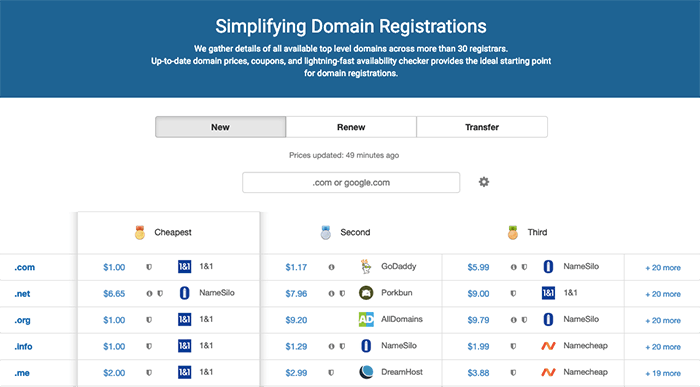 [Domcomp](https://techmoon.xyz/go/domcomp) 就像網域名稱的 Trivago…等等的飯店訂房比價網站,只不過是幫你[找出購買網域最便宜的網站](https://techmoon.xyz/go/domcomp)。 只要在 [Domcomp](https://techmoon.xyz/go/domcomp) 的搜尋框當中輸入你要購買的頂級域名,例如 .com or .xyz,系統就會馬上幫你篩選出首購網址(New)、續約網址(Renew)、移轉網域(Transfer)當中,最便宜註冊購買網域的平台。 想了解更多有關網域名稱與 SEO 之間的關係,可以[前往「網域名稱與 SEO 的關聯性」了解更多](https://seo.whoops.com.tw/domain-ranking-factor/)。 #### 不建議你堅持使用 .com 頂級域名的原因 #### **過去已經有許多你想要的網域名稱都已經被註冊過了,因此你很難可以在 .com 的頂級域名當中註冊到你想要的網域名稱。** 舉例來說,你想要開一間名為 Pizzahotshop 的披薩餐廳,你的網域名稱理所當然想要跟你的餐廳名稱一樣,因此最常見的做法是註冊「Pizzahotshop.com」這個網址。 但是,此時 Pizzahotshop.com 這個網域可能早已經被其他人註冊過了,**如果此時你堅持要使用 .com 這個頂級網域,那就可能會面臨「已經被註冊」與「對方不願意轉賣網域給你」或是「對方販賣的價格過高」…等等問題。** 剛剛提到,網域名稱就像是電話號碼一樣,是能夠讓別人找到你的唯一途徑。而不同的網域名稱會有不同的價格,有的價格較高,有的價格較低。就像是電話號碼一樣,好的數字比較貴,也有一般的價格。但是最終,都是具備同樣的聯繫功能。 因此,網域名稱的價格高低,取決於該名稱的熱門程度與是否有意義。通常名稱較短且具有意義的網域,其價格相對較高,想要租用這類型的網域名稱,通常是較為困難的。但是,使用不同的網域後綴,不僅可以讓你購買到喜歡的域名,也能讓你獲得便宜的網域。 因此,你可以改採其他新的頂級網域註冊使用,例如像是「Pizzahot.shop」來作為你的網址,不僅明確的告訴使用者你的網站是「shop」,也能同時融合你的品牌名稱「Pizzahot」於其中,簡直是一舉兩得。 如果你想更深入了解如何挑選網域名稱,可以[前往了解「如何挑選網域名」](https://techmoon.xyz/choice-domain-name/),也可以[前往了解「如何購買便宜網域名稱」](https://techmoon.xyz/buy-domain/)。 [Bluehost $2.95 專屬優惠連結](https://techmoon.xyz/go/bluehost "Bluehost") ### 什麼是虛擬主機? ### 虛擬主機就像是你的實體電腦一樣,你的網站資料需要存放在硬碟當中,當訪客想要瀏覽網站時,就需要先訪問你的硬碟,才能下載資料內容。 而實體主機是非常昂貴的,除了需要購買實際主機之外,你還需要有專業軟體、專業人才來進行維護管理,並且要考慮到不斷電系統、資料異地備份、頻寬網路…等等技術,因此實務上的做法是,購買雲端虛擬主機,這些主機由大公司進行維護管理,將實際的硬碟使用軟體技術切分許多區塊,並分割出售給許多網站管理者,讓他們能夠建立網站與上傳資料內容,並用很划算的價格獲得相當好的服務。 剛剛提到網域名稱就像是電話號碼,而虛擬主機就像是電信公司,每個號碼都需要註冊在不同的公司底下,這樣當其他人撥打電話時,才能藉由這些公司的通訊系統,聯繫到你。 虛擬主機也是如此。市面上有非常多的虛擬主機提供商,由於自己架設實體主機對於一班人甚至中小企業是不划算的,因此較快速有效的方式就是租賃虛擬主機。 當你有了網域名稱之後,接著就需要租賃虛擬主機,並將你的網站放在最佳的虛擬主機,這樣不僅可以讓你的網站能夠被其他人訪問,同時也可以確保網站不會輕易地受到攻擊,甚至[挑選優秀的主機](https://techmoon.xyz/hosting-reviews/),能夠使得網站的加載速度與正常運行時間獲得最佳的保障。 [Bluehost $2.95 專屬優惠連結](https://techmoon.xyz/go/bluehost "Bluehost") ### 如何挑選 WordPress 虛擬主機? ### **共享主機(Shared Hosting):**這通常是最便宜的虛擬主機方案。共享主機意味著一台主機透過軟體切分成許多空間,因此可以同時間容納多個網站。對於個人部落格與中小型網站,這通常是 CP 值最高的最佳選擇。 **VPS 主機(Virtual Private Server):**虛擬專用主機(VPS)就像是共享主機的加強版,一般來說,VPS 主機所使用的硬體設備更為強大,同時也透過專用的軟體使每個網站都能獨立運作,讓每個網站都能享受到專用的小型伺服器一般的性能。 **專用主機(Dedicated Hosting):**專用主機適用於大型企業或專門提供給專業人士使用,與共享主機、VPS 主機不同,專用主機不必與他人分享主機空間與主機資源,換句話說,你擁有了一個獨立的實體主機,只供你使用。 **雲主機(Cloud Hosting):**雲主機讓網站管理員可以同時間使用大量的主機資源,每一個主機都是相互連接的,能依據網站所需的資源,隨時調用性能與資源來支援。如果你希望網站能夠 100% 正常運行,不受瞬間大流量的注入導致網站滿載,那麼使用雲主機是你最佳的選擇。 [Bluehost $2.95 專屬優惠連結](https://techmoon.xyz/go/bluehost "Bluehost") ### 什麼是 WordPress 網站? ### [WordPress](https://techmoon.xyz/what-is-wordpress/) 是目前全世界最流行的內容管理系統(Content Management System),目前全世界[超過 33% 以上的網站都是使用 WordPress 建立的](https://techmoon.xyz/wordpress-market-share-2019-march/),同時在所有 CMS 系統當中,WordPress 足足佔了 [60%的市佔率](https://www.opensourcecms.com/cms-market-share/)。 WordPress 作為一套內容管理系統,意味著你能夠輕鬆的透過它來管理網站、發表文章…等等功能,最重要的是,你不需要自己造輪子、不需要會寫程式,也能夠輕鬆地**利用 WordPress 來快速建立網站**。 如果你是程式開發人員,那麼 WordPress 的自由度與靈活度,也能好好的讓你大展身手,透過開發外掛,你能夠在 WordPress 網站當中實現各種想要的特殊功能,只要你寫的出來,就絕對能夠應用與實現在 WordPress 網站當中。 WordPress 擁有非常活躍的社群,其中大量的佈景主題與外掛,能夠讓你在當中找到各種適合的主題樣板,並且安裝應用各種所需要的功能,而且完全免費。 如果你不知道該如何挑選主題與外掛,可以[前往了解更多「最佳 WordPress 佈景主題」](https://techmoon.xyz/best-wordpress-themes/)。 [Bluehost $2.95 專屬優惠連結](https://techmoon.xyz/go/bluehost "Bluehost") ### Bluehost 虛擬主機推薦 ### Bluehost 是全球最大的虛擬主機商之一,目前已經提供了全球負責超過200多萬個網站的網站託管服務,同時也是 [WordPress 官方推薦的虛擬主機之一](https://wordpress.org/hosting/),可以說是最受歡迎與最便宜的共享虛擬主機服務商之一。 這加公司位於 Provo, Utah,由 Matt Heaton 和 Danny Ashworth 在 2003 年[創立](https://www.bluehost.com/about),至今擁有超過 750 名員工,託管超過 200 萬個網站,提供非常優質的主機託管服務,非常受到讚賞。 歷史這麼悠久的公司,網路上自然有眾多人寫過關於 BlueHost 的評價,不論是寫 BlueHost 的優點或是 BlueHost 的缺點,兩方都有各自擁護的人。 但大多數的文章都沒有考慮到各項客觀的數據(正常運行時間、網站加載時間…等等),因此本篇 BlueHost 教學文章,會蒐集實際的數據,給你一個公允的分析結果,得出最後的結論,非常公正。 想要了解 Bluehost 的詳細正常運行時間、網站載入時間…等等數據,可以[前往「Bluehost 主機評價」了解更多](https://techmoon.xyz/bluehost/)。 若你想要了解 Bluehost 主機購買教學以及 Bluehost WordPress 架站教學,可以繼續往下閱讀。 [Bluehost $2.95 專屬優惠連結](https://techmoon.xyz/go/bluehost "Bluehost") ### Bluehost 主機購買教學 ### ### 透過優惠前往頁面 ### 首先我們前往 [Bluehost](https://techmoon.xyz/go/bluehost "Bluehost") 的頁面,在首頁當中你可以看到使用我的[專屬優惠連結](https://techmoon.xyz/go/bluehost "Bluehost"),可以獲得高達 60% 的首購優惠,在畫面中可點選「**Get Started**」即可前往方案選擇頁面。 因此,你可以看到,此時 Bluehost 主機價格就會從原價 $8.99 美元(相當於台幣 275 元)折扣至只要 $2.95 美元(相當於台幣 87 元)。  [Bluehost $2.95 專屬優惠連結](https://techmoon.xyz/go/bluehost "Bluehost") ### 挑選主機方案 ### 接著你會抵達 Bluehost 方案選擇頁面,目前有提供 4 種不同方案,分別是:BASIC 方案、PLUS 方案、CHOICE PLUS 方案與 PRO 方案。只有透過我的專屬優惠連結前往購買,才能夠享有圖中的優惠價格。 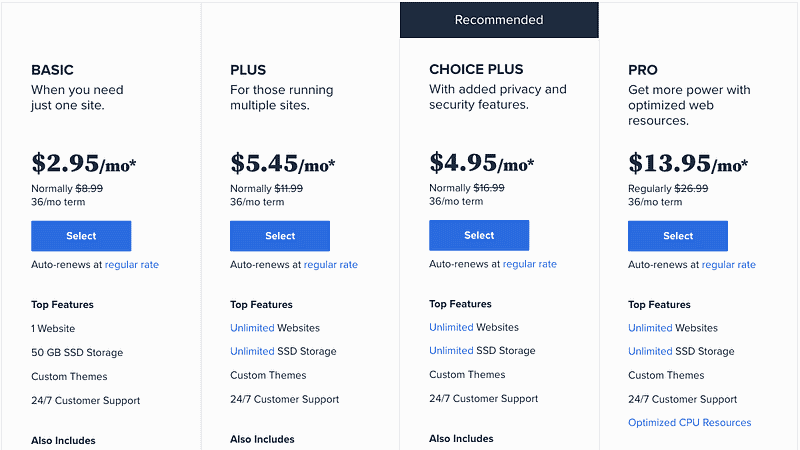 上圖為 Bluehost 全年最低的優惠價目表,只有在 [Bluehost Black Friday Deal](https://techmoon.xyz/bluehost-black-friday-cyber-monday/) 的優惠期間,搭配我的[專屬優惠連結](https://techmoon.xyz/go/bluehost "Bluehost")才能享有這種優惠。 根據你的需求,選擇相對應的價格方案,從最便宜的 $2.95 美元~$13.95 美元,各個方案都有提供不同的內容。而所有的方案內容都包括了:WordPress 一鍵安裝功能、免費 1 年網域註冊、免費 SSL 憑證申請、免費網站搬家服務、免費 24/7 線上客戶支援服務與免費 CDN 服務。 - 如果你是新手 or 只有一個網站的需求:適合 [**Basic 方案**](https://techmoon.xyz/go/bluehost "Bluehost")。 - 如果你是中手 or 你有多個網站的需求:適合 [**Choice Plus 方案**](https://techmoon.xyz/go/bluehost "Bluehost")。 如果你是新手,想要入門架設網站的領域,那麼便宜絕對是你的首選。因此[**最便宜的 Basic 方案**](https://techmoon.xyz/go/bluehost "Bluehost")就是你最佳的夥伴,其 50GB 的容量也絕對綽綽有餘,搭配無限量的頻寬流量,非常適合新手。 如果你不是新手,或是你有建立多個網站的需求,那麼 Choice Plus 就是你最佳的首選。由於你是透過我的專屬優惠前往購買,因此 Choice Plus 方案會與 Plus 方案價格相同,但是卻多了域名隱私保護與免費網站自動備份的功能,那麼[**當然是選擇 Choice Plus 方案**](https://techmoon.xyz/go/bluehost "Bluehost")。 [Bluehost $2.95 專屬優惠連結](https://techmoon.xyz/go/bluehost "Bluehost") ### Bluehost 價格比較 ### Bluehost 主機方案價格最便宜的是 Basic 方案的 $2.95 美元(約台幣 87 元),最划算的方案是 Choice Plus 方案的 $5.45 美元(約台幣 161 元)。請注意,這個優惠價格只有透過本站連結前往購買,才能夠享有的。 [**BluehostBasic 方案Choice Plus 方案**](https://techmoon.xyz/go/bluehost "Bluehost")費用 ( 36 個月 )[$2.95 美元/月$5.45 美元/月](https://techmoon.xyz/go/bluehost "Bluehost")費用 ( 12 個月 )[$4.95 美元/月$7.45 美元/月](https://techmoon.xyz/go/bluehost "Bluehost")網站數量僅 1 個網站無限制空間容量50 GB無限制贈送網址贈送 1 個網址贈送 1 個網址寄存網域1 個無限制Bluehost 方案比較 從上述方案表格中可以看出,當你購買期限越長,所獲能獲得的價格最優惠,因此最低的每月優惠價格是一次購買 36 個月的方案。 但是,若你不確定是否一次需要購買到 36 個月的時間,那麼可以選擇 12 個月的期限,那麼最便宜的價格一年就僅需 $59.4 美元(約台幣 1752 元)。 價格最便宜(BASIC 方案)方案最划算(CHOICE PLUS 方案)12 個月:約台幣 1779 元(原價 3590 元)12 個月:約台幣 2678 元(原價 6825 元)24 個月:約台幣 2839 元(原價 6821 元)24 個月:約台幣 4996 元(原價 12931 元)36 個月:約台幣 3181 元(原價 9693 元)36 個月:約台幣 5337 元(原價 18319 元)Bluehost 最便宜與最划算方案總價格比較 Bluehost 的每個方案當中都有贈送免費 1 年網域名稱的優惠,因此在 Bluehost 申請網域以及購買主機,最短可以購買 1 年 1779 台幣就可以建議一個線上 WordPress 網站,這個價格即便對於學生來說,都是輕易可以負擔的。 [Bluehost $2.95 專屬優惠連結](https://techmoon.xyz/go/bluehost "Bluehost") ### 設定主機網域 ### 接下來我將會以總金額最低的 Basic 購買 12 個月方案做範例介紹。 下一個畫面會請你設定要綁定主機的網域名稱。由於「[**Basic 方案**](https://techmoon.xyz/go/bluehost "Bluehost")」中有提供免費網域名稱,因此你可以在「**Create a new domain**」欄位中,註冊一個免費的新網域。 但是,如果你不想要/不需要這個免費的網域名稱,你想要使用自己在其他網域註冊商所購買的網域名稱來設定在主機當中,那麼就請填寫你自己的網域名稱到「**Use a domain you own**」欄位當中。填寫完畢後點選下方的「**Next**」按鈕,即可進入下一步的最終結帳頁面: 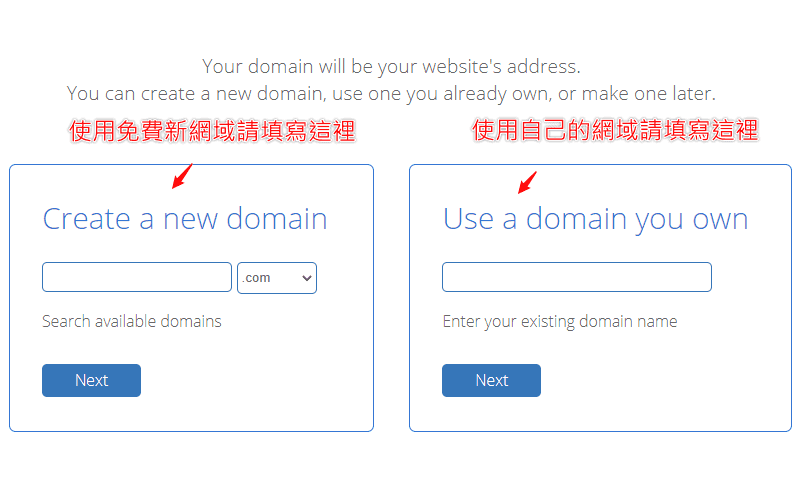 ### 註冊帳號資訊 ### 到了最後一個頁面了。首先最上方你會看到一個 Google 登入的按鈕,上方說明寫著「**Use Google Single Sign-On to make creating your account even easier.**」你可以透過點選「**Sign in with Google**」按鈕,使用你的 Google 帳號綁定進入你的 Bluehost 帳號。 接著下方就是你註冊帳號所需的個人資料,所有的內容請使用英文填寫,其中姓名英文可以參考外交部領事事務局的[外文姓名中譯英系統](https://www.boca.gov.tw/sp-natr-singleform-1.html),地址英文可以使用中華郵政全球資訊網的[中文地址英譯系統](https://www.post.gov.tw/post/internet/SearchZone/index.jsp?ID=130112)。 從上而下請你依序輸入名子 (First Name)、姓氏 (Last Name)、公司名稱 (Business Name)、國家/地區 (Country)、Street Address (居住地址)、City (居住城市)、Postal Code (居住地郵遞區號)、Phone Number (連絡電話)、Email Address (Email 信箱地址): 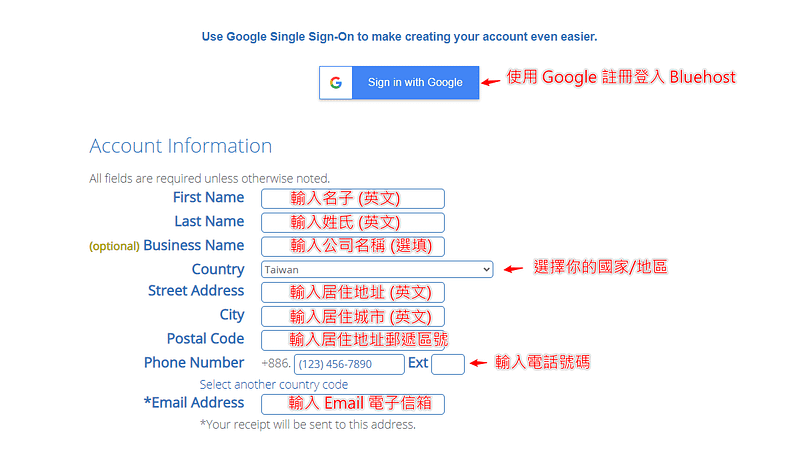 其中 Email Address 是絕對必填的項目,**這個 Email 地址就是你未來要登入 Bluehost 的帳號**,且當你購買完成後,**Bluehost 會自動寄送你的密碼到這個信箱當中**,因此你不會在這個頁面中看到輸入密碼的欄位,所以 Email 地址要再三確認是否正確。 ### 確認最終方案金額 ### 接著下方請確認你的方案與金額。在 **Account Plan** 的部分請確認所選的方案為「**Basic 12 Month Price — $4.95/mo.**」,**Hosting Price** 的部分金額為「**$59.40 ($4.95 for 12 months)**」。 在預設情況下,「**Codeguard Basic**」與「**SiteLock Security — Essential**」選項會被勾選,因此這邊要注意別忘記將這兩個欄位的選項取消勾選,以免增加不必要的服務以及費用。 最後請確認「**Total**」欄位的數值是否為「**$59.40**」,若金額正確的話就沒問題了! 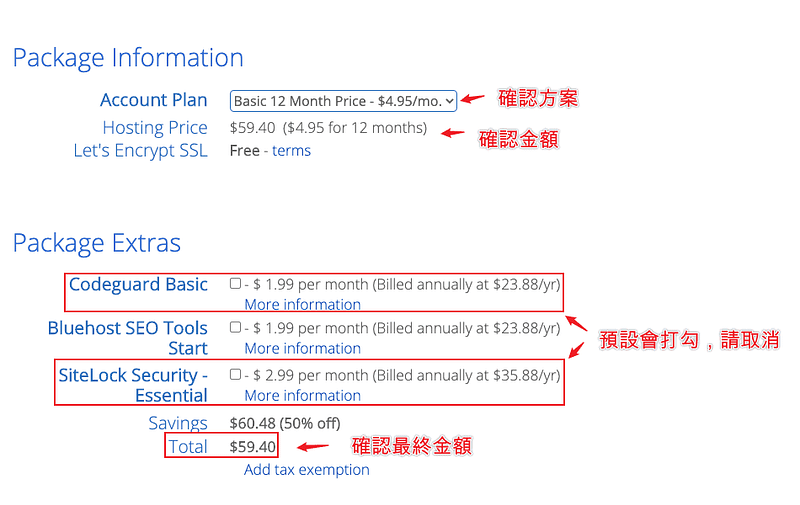 ### 輸入信用卡資訊 ### 最後是選擇你的付款方式。Bluehost 提供 2 種支付方式,分別是「**Credit Card**」與「**PayPal**」。在預設的情況下,只會顯示信用卡的輸入選項,你可以根據欄位,在「**Credit Card Number**」欄位中填入你的信用卡卡號,在「**Signature/CVV2 Code**」欄位中輸入信用卡的驗證碼,在「**Expiration Date**」欄位中點選信用卡的到期日: 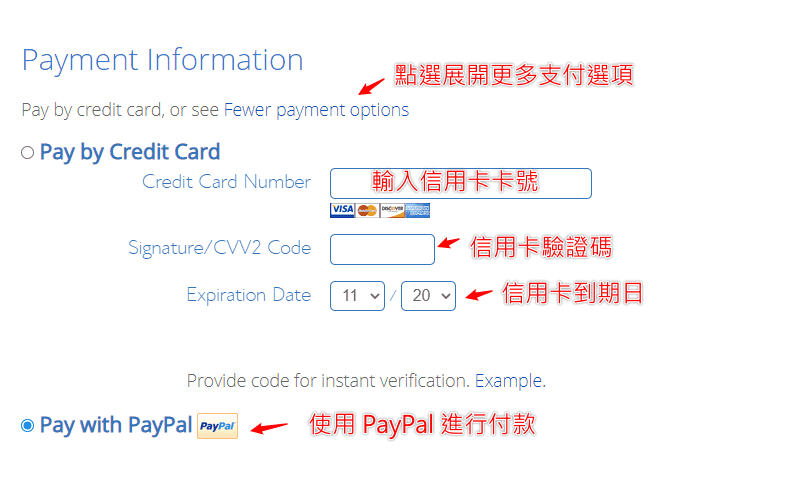 在預設情況下,只會出現信用卡的付款方式,此時只要點選「**More payment options**」的連結,就會出現「**Pay With PayPal**」的選項。 完成後將最下方的「**I have read and agree to Bluehost’s Auto Renewal Terms, Terms of Service and Cancellation Policy and acknowledge receipt of the Privacy Notice.**」選項打勾,最後點選「**submit**」按鈕,就可以完成 Bluehost 主機的購買了。 [Bluehost $2.95 專屬優惠連結](https://techmoon.xyz/go/bluehost "Bluehost") ### Bluehost WordPress 安裝教學 ### ### 前往產品頁面 ### 購買完成後,你就會收到購買成功的通知,同時 Bluehost 也會送登入的密碼給你。接著你就可以在 Bluehost 登入頁面中,使用你的 Email 信箱與密碼登入。 登入到 Bluehost 後台後,有時可能會是空白的,這時可以點選右上角的圖示,在下拉選單中點選「**Products**」連結,先前往產品頁面: 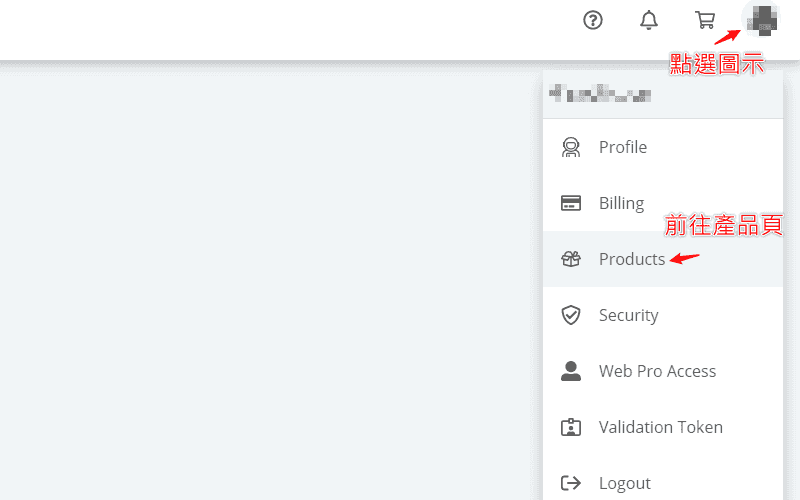 ### 前往網站管理頁面 ### 到了產品頁面後,此時你會看到左側出現許多功能列表。這時點選「**My Sites**」功能列表連結,就可以前往至網站管理的頁面當中: 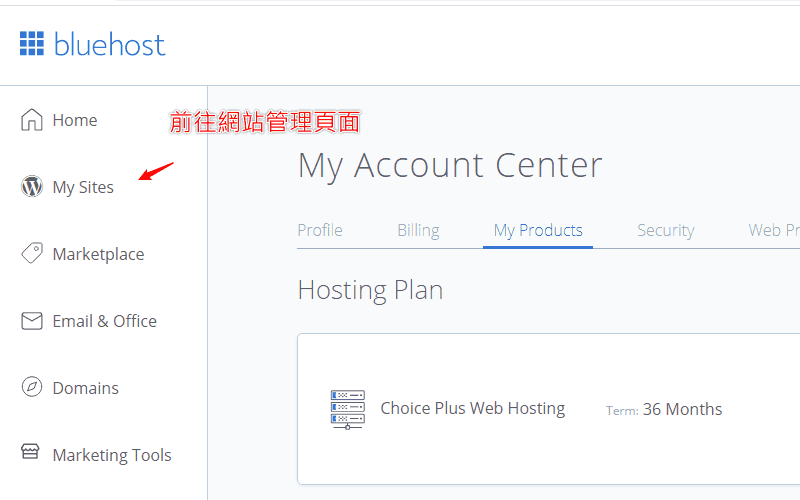 ### 建立新 WordPress 網站 ### 到了網站管理頁面後,在這裡會能夠查看與管理所有你所建立的 WordPress 網站。在一開始的時候都是空白的。此時在畫面中點選「**Add Site**」按鈕,即可開始新增一個新的 WordPress 網站: 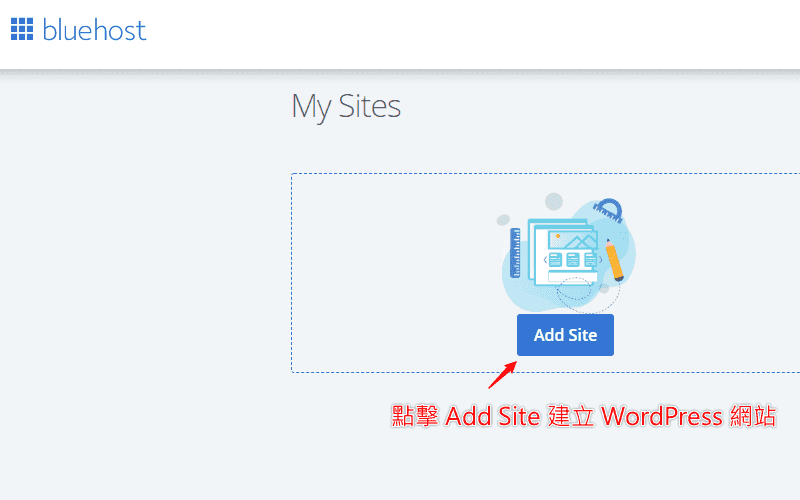 ### 選擇 WordPress 安裝方式 ### 下一個頁面會提供你兩個 WordPress 的安裝方法。一個是基本的 WordPress 安裝,選擇這個方式所安裝的 WordPress 就會跟預設的安裝一樣,適合你本身知道該如何操作的使用者。另一個是由 Bluehost 自己專門提供的 Builder 方式,其中會幫助你安裝一些 Bluehost 所開發的主題與外掛功能,對於非常新手的使用者來說,或許能夠有一些幫助。 如果你習慣或想要安裝原始的 WordPress 網站,請選擇左邊的「**Use WordPress**」按鈕新增網站;如果你想要嘗試 Bluehost 所開發的 Bluehost Builder,那麼請選擇右邊的「**Use Bluehost Builder**」。我個人會比較推薦你選擇安裝左邊原始的 WordPress 網站: 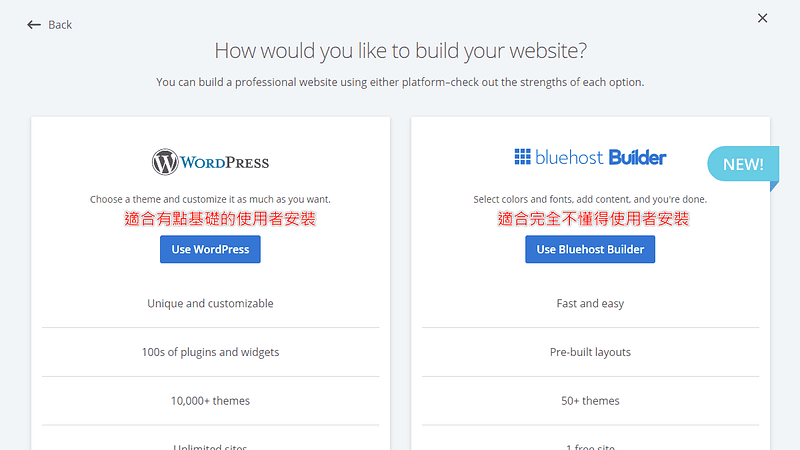 ### 設定 WordPress 網站與登入帳號密碼 ### 下一步就是設定 WordPress 的網站標題、網站說明,這兩個地方之後在後台還是可以任意更改的,因此不用擔心這裡打錯,也可以先暫時用替代名稱填入即可。 接著點選下方的「**Advanced**」按鈕,點選後就會展開 **Email Address、WordPress Admin Username 與 WordPress Admin Password** 的欄位,在這三個欄位中依序輸入你未來要登入的 **Email 地址、使用者名稱與使用者密碼**,這是未來系統管理員的登入權限設定: 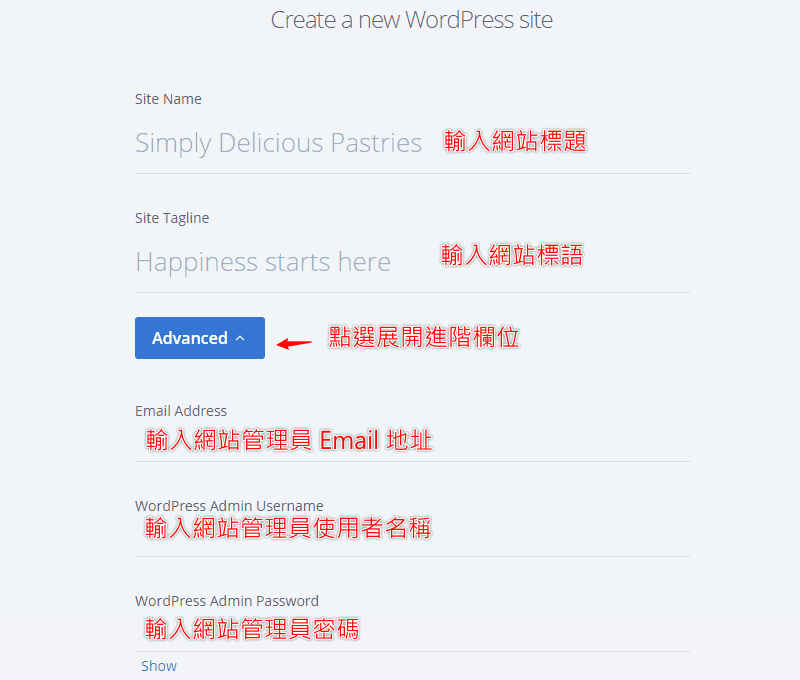 完成後點選右下角的「**Next**」即可前往下一步。 ### 選擇建立的網域名稱 ### 最後要選擇你要使用哪個網域名稱來建立 WordPress 網站。在你的下拉選單當中挑選你要綁定的網域名稱。由於我們是使用「[**CHOICE PLUS**](https://techmoon.xyz/go/bluehost "Bluehost")」方案,因此你可以添加許多附加網域,在當中建立多個網域、多個網站。 除此之外,Bluehost 也能提供你臨時的網域名稱,讓你用來建立一個臨時的網站。這樣的好處在於,你能夠先使用它的臨時網域建立網站,在編輯完成之後,再從後台去更改網域名稱,將其變更成為你的正式網域。如此一來,就不會遇到網站需要先關閉,或是有一段時間使用者所看到的網站是不完全的狀態。 選擇好網域之後,後方的「**Directory**」欄位基本上是留空不用填,除非你希望你所建立的網站是使用「**子目錄**」顯示,如果你聽不懂,那基本上就代表你不需要動到該欄位。 下方預設會提供並幫你勾選三個外掛,分別是:WP Forms、Opt-in Monster 與 Monster Insight。它們的功能分別是:表單外掛、訂閱外掛,以及流量統計外掛。你可以依據你的喜好,選擇是否在安裝 WordPress 時就預先裝好這些外掛。 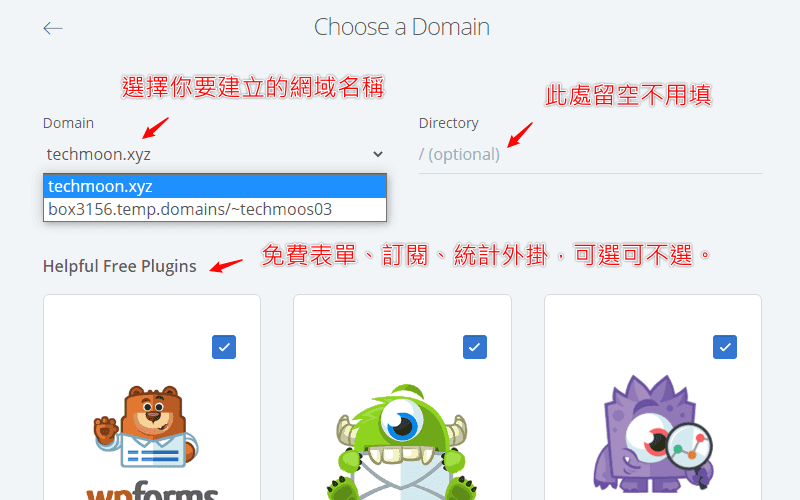 完成後點選右下角的「**Next**」按鈕,即可開始建立網站。 ### 登入網站後台 ### 網站建立完成後,就會跳轉至建立成功畫面。當中會顯示你的網站管理者登入名稱、登入密碼、網站網址與登入的後台網址。此時這裡會顯示 Bluehost 提供給你的專屬臨時網址,請不用擔心,這是為了避免使用者直接看到赤裸裸的空白網站,因此即便你剛剛所選擇的是正確的網址 (例如:techmoon.xyz),Bluehost 都會自動先幫你先使用臨時網址建立,這個後續再從後台進行修改即可。 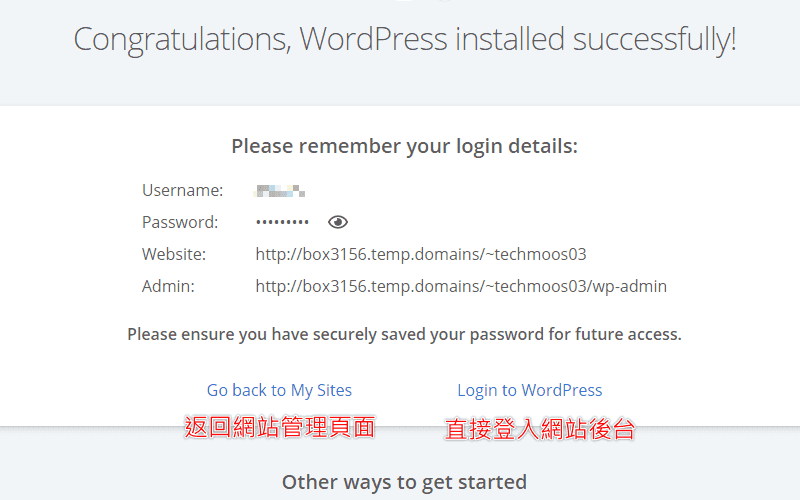 下方你可以直接點選「**Login to WordPress**」連結,直接登入 WordPress 網站後台,也可以點選「**Go back to My Sites**」返回網站管理頁面。 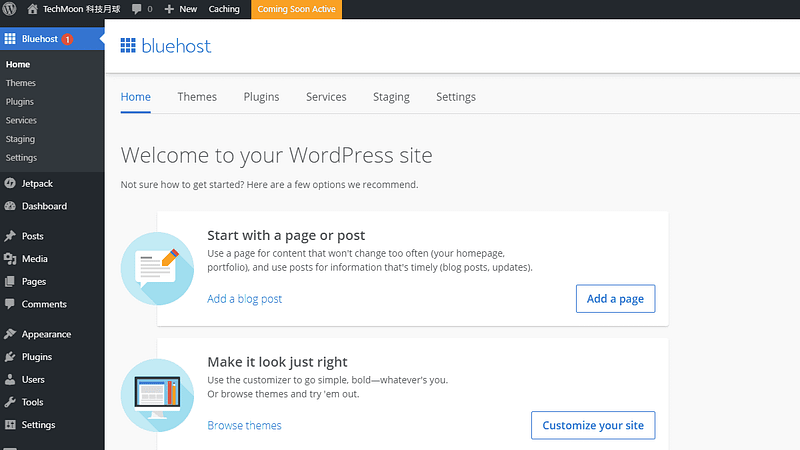 現在,你就可以盡情開始打造你的網站! ### 變更臨時網域名稱 ### 剛剛提到 Bluehost 在建立網站時會自動先幫你產生一個臨時網址,那麼要如何將 Bluehost 的臨時網址改回你的正式網域名稱呢?非常簡單。 首先,我們回到剛剛的「**網站管理頁面**」當中,此時可以看到有一個剛剛你已經建立的網站。這時點選「**Manage Site**」按鈕,進入該網站的管理頁面: 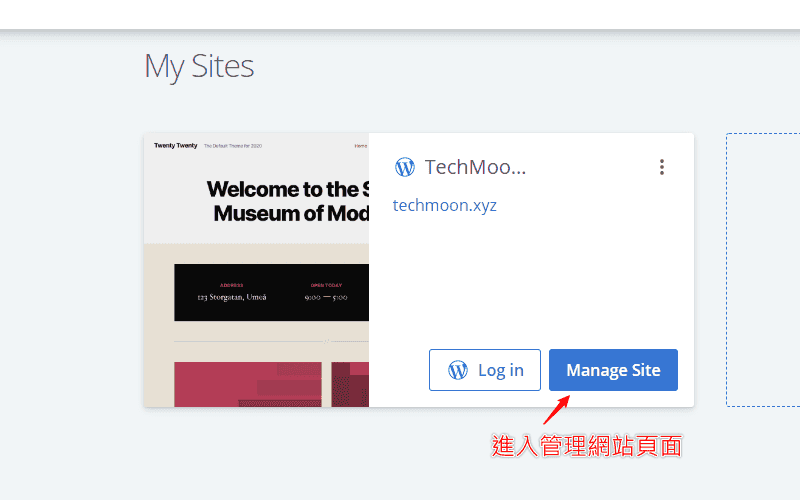 ### 更改 Site URL ### 基本上 Manage Site 的功能就是可以直接從 Bluehost 的後台控制面板中,去調整原先在 WordPress 後台才能改動的相關設定。這樣的好處是,當你的 WordPress 後台因各種錯誤而無法登入時,你就可以透過 Bluehost 的 Manage Site 功能進行修復。 進入 Manage Site 之後,點選「**Settings**」功能,在此頁面當中你會看到「**Site URL**」所顯示的就是由 Bluehost 自動幫你建立的臨時網址,在此欄位中可以進行編輯,將其從臨時網址變更為你的正式網址。修改完畢後點選「**Save Updates**」即可儲存變更。 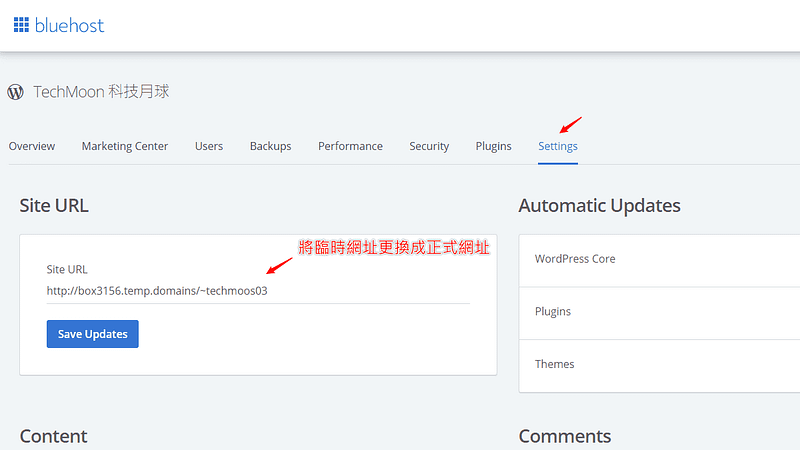 如此一來,你的網站就能透過你的正式網址訪問進入了。 [Bluehost $2.95 專屬優惠連結](https://techmoon.xyz/go/bluehost "Bluehost") ### DNS 網址設定(NameCheap + CloudFlare + Bluehost) ### 如果你是透過購買 Bluehost 時順便註冊免費的網域名稱的話,在你設定 WordPress 成自己的網域時,就會自動套用 DNS 網址指向的設定,因此就不需要手動調整,即可訪問網站。 但是,如果你是[透過 NameCheap 購買網域](https://techmoon.xyz/go/namecheap),或是透過 [Domcomp](https://techmoon.xyz/go/domcomp) 尋找網域平台所購買的網址,那麼就需要手動去更改 DNS 的 IP 位置,將其指向至你的 Bluehost 的 IP 位置,如此一來才能在輸入網址時,順利訪問至 Bluehost 的 WordPress 網站。 無論你是在哪個平台購買網域,我都會建議你[使用 Cloudflare 作為你的 DNS 管理工具](https://techmoon.xyz/cloudflare/)。你可以根據以下步驟將各個不同的網域註冊平台綁定至 Cloudflare: ### 免費註冊 CloudFlare ### 首先進入 CloudFlare 官網之後,點選右上角的「**註冊**」按鈕即可免費註冊:  ### 建立免費 CloudFlare 帳號 ### 點擊註冊按鈕之後,接著到下一個頁面中,在「**Email**」欄位中輸入你電子信箱,在「**Password**」欄位中輸入你的密碼。填寫完畢後點選下方的「**Create Account**」按鈕,即可免費建立 CloudFlare 帳號: 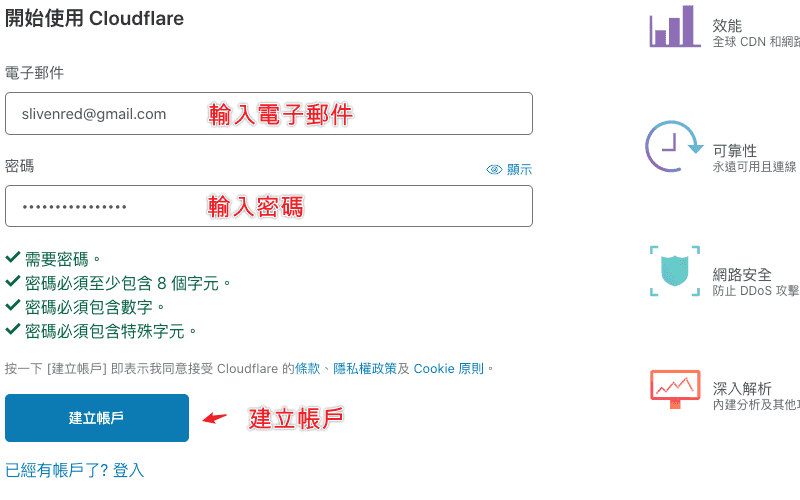 ### 輸入網站網址 ### 接著就是輸入你要代管的網址。前面不需要加入 `http://`。舉例來說,只需要輸入 `techmoon.xyz` 就可以了。輸入完後點選「**新增網站**」按鈕,CloudFlare 就會開始抓取你的 DNS 資料: 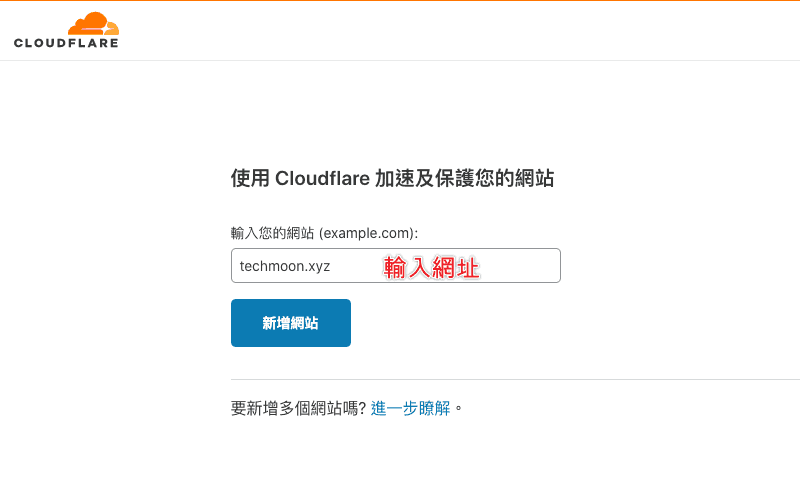 #### 選擇免費方案 #### CloudFlare 有 4 種不同的方案,分別為:免費、Pro、Business、Enterprise。根據你所需要的功能,可以挑選適合的方案。 如果你是屬於個人或中小企業,那麼選擇「**免費**」方案就已經非常足夠使用了。會需要升級至 Pro 或以上的方案,通常是你需要用到更多的進階功能,那對於大部分的網站來說,都是比較沒有這麼必要的,如果你有在考慮「**不知道需不需要升級進階方案**」的想法,那麼基本上你通常是不需要的。 在方案選擇的畫面中選擇「**免費**」方案後,點選下方的「**確認方案**」按鈕: 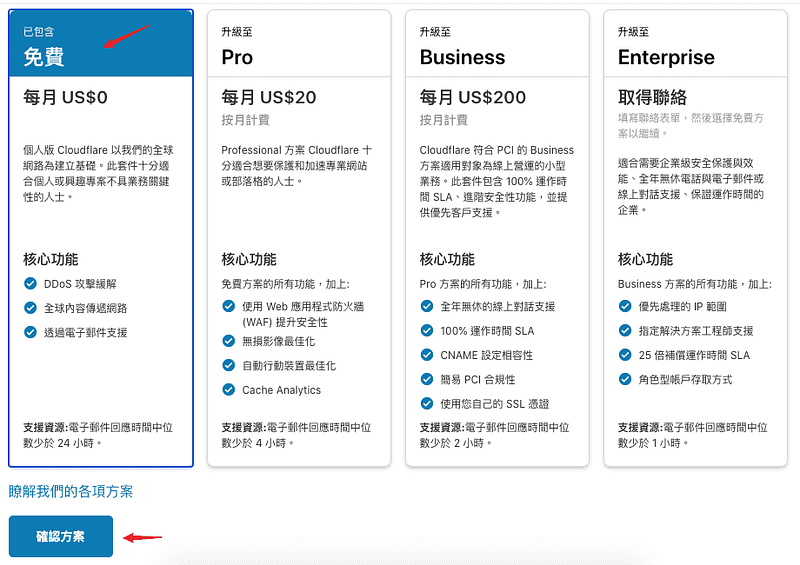 #### 索引 DNS 紀錄 #### 很快的,CloudFlare 就會索引你原始的 DNS,幫你自動匯入進來,因此你不用像以前一樣,還要先記下原本的所有紀錄,或是下載下來再上傳。現在 CloudFlare 就會直接幫你自動掃瞄並匯入過往的 DNS 紀錄。 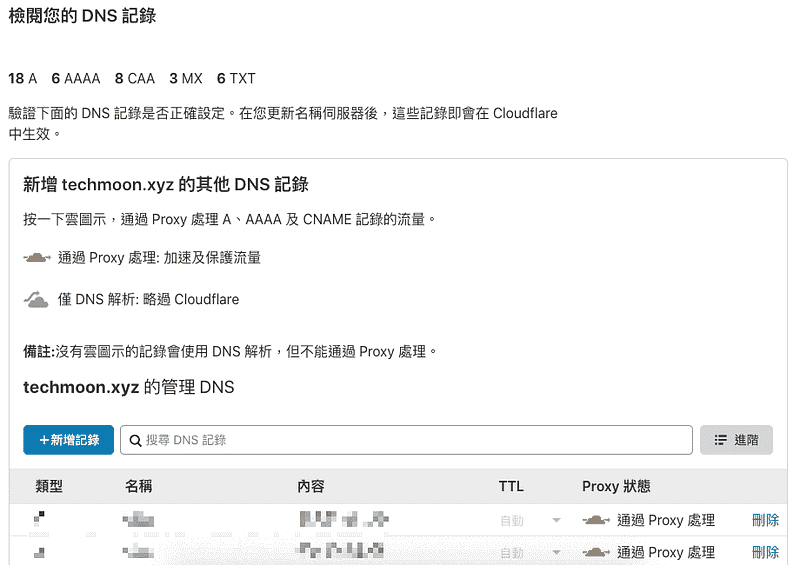 匯入後,你可以再次檢查看看是否所有的 DNS 紀錄都已匯入,完成後點選最下方的「**繼續**」按鈕。 #### 更換 Name Server IP #### 要讓 CloudFlare 代管你的網域,就需要到你的網域註冊商當中,將網域的 Nameserver 更換為 CloudFlare 給你的 Nameserver IP,才能讓 CloudFlare 代管你的網域: 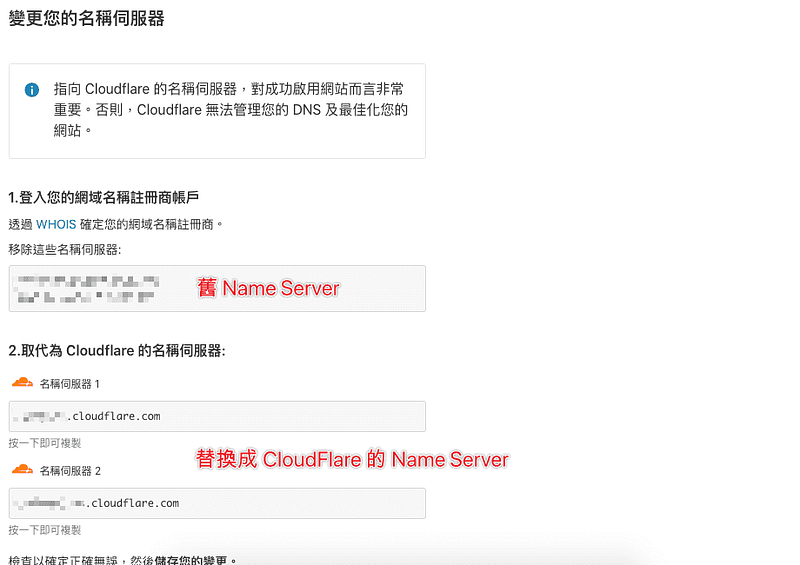 一般名稱伺服器會有 2 組,每個網域註冊商都會有預設的 Name Server,你可以進入網域的 DNS 後台,並將其更改為 CloudFlare 給你的 Name Server 進行替換。 替換完成後點選下方的「**完成,請檢查名稱伺服器**」按鈕,過幾分鐘後,CloudFlare 就能正式的開始代管你的網域。 ### 前往 NameCheap 更換 Name Server ### 接著我們來到 NameCheap 前往我們的網域,將 Name Server 更換成 Cloudflare 所提供的 Name Server IP,如此才能完成串接。 因此,前往 [NameCheap](https://techmoon.xyz/go/namecheap) 後台後,在「**Domain List**」的功能列表中,找到你的網域名稱,並點選後方的「**Manage**」按鈕: 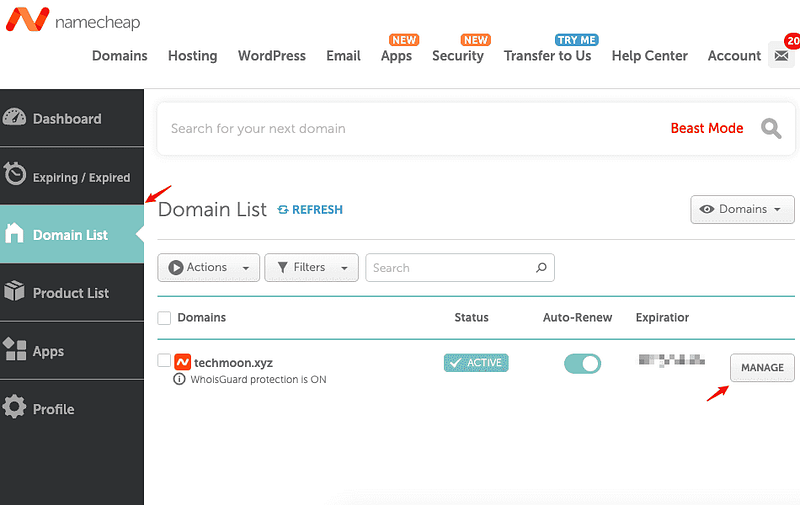 進入後,找到「**NAMESERVERS**」的區塊,將選項點選下拉更改為「**Custom DNS**」後,即可輸入剛剛 Cloudflare 提供給你的「**名稱伺服器 1**」與「**名稱伺服器 2**」,完成後記得要打勾確認才會生效。 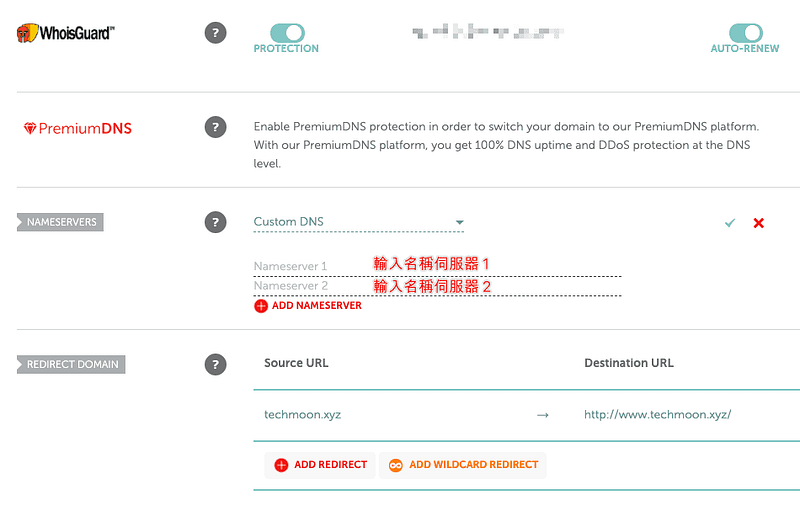 完成後,通常大約 5~10 分鐘 Cloudflare 就能完成 DNS 指向了。更多 Cloudflare 的進階應用教學,可以[**前往「CloudFlare 免費 CDN 與 DNS 教學」了解更多**](https://techmoon.xyz/cloudflare/)。 ### Bluehost 主機 IP 位置 ### 接著,我們要找到 Bluehost 的虛擬主機 IP 位置。我們前往 Bluehost 的後台介面,在左側的選單中點選「**Advenced**」,你會進入 cPanel 頁面,在當中你可以看到右側的「**Shared IP Address**」,這個 IP 位置就是你的 Bluehost 主機 IP,將其複製起來: 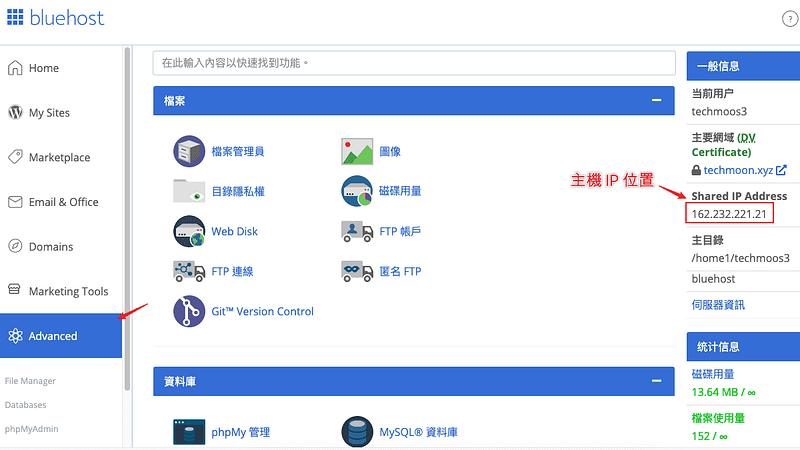 ### 網域 A 紀錄指向至主機 IP ### 接著我們前往 Cloudflare 的 DNS 功能選單中,將剛剛在 Bluehost 所複製的 IP 位置,複製到網域名稱的 A 紀錄內容: 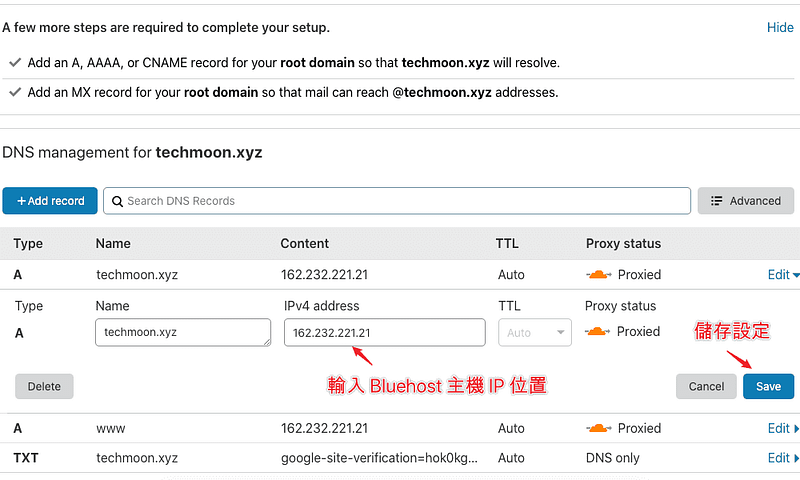 設定完成後,訪問你的網址就能夠順利連至你的 Bluehost WordPress 網站。 [Bluehost $2.95 專屬優惠連結](https://techmoon.xyz/go/bluehost "Bluehost") [更多 Bluehost 虛擬主機評價](https://techmoon.xyz/bluehost/) ### 如何學習 WordPress 架設網站 ### 如果你在建立 WordPress 網站或是有任何相關的問題,除了能夠在下方留言或是透過 Email、Facebook 聯繫我之外,也可以加入 TechMoon 社團,我都會盡力的幫助你解決問題。 如果你還想了解更多適合建立 [WordPress 的虛擬主機](https://techmoon.xyz/hosting-reviews/),可以參考:[A2 Hosting](https://techmoon.xyz/a2hosting/)、[Bluehost WordPress](https://techmoon.xyz/bluehost-wordpress/)、[SiteGround](https://techmoon.xyz/siteground/)、[Bluehost](https://techmoon.xyz/bluehost/)、[WPWebHost](https://techmoon.xyz/wpwebhost/)、[SugarHosts](https://techmoon.xyz/sugarhosts/)、[WPX Hosting](https://techmoon.xyz/wpxhosting/)、[GreenGeeks](https://techmoon.xyz/greengeeks/)、[Hostinger](https://techmoon.xyz/hostinger-wordpress/)、[HostPapa](https://techmoon.xyz/hostpapa/)、[SiteGround](https://techmoon.xyz/siteground-wordpress/)、[iPage Hosting](https://techmoon.xyz/ipage/)、[DreamHost](https://techmoon.xyz/dreamhost/)、[SiteGround](https://techmoon.xyz/siteground-coupon/)、[WPWebHost](https://techmoon.xyz/wpwebhost-wordpress/)、[HostGator](https://techmoon.xyz/hostgator/)、[FastComet](https://techmoon.xyz/fastcomet/)、[WP Hosting Australia](https://techmoon.xyz/wp-hosting-australia/)…等等其他優秀的虛擬主機。 希望今天的 [**Bluehost WordPress 教學**](https://techmoon.xyz/bluehost-wordpress/)對你有幫助,如果喜歡的話,歡迎在下方留言給我支持與鼓勵,這會讓我更有動力分享更多免費學習資源給大家,謝謝你! ### 你可能有興趣 ### - [Bluehost 教學 — 2020 Black Friday/Cyber Monday 70% 特價優惠 — 全年最低價格每月低至 $2.65 美元](https://techmoon.xyz/bluehost-black-friday-cyber-monday/) - [SiteGround 主機評價(2021 年 2 月)- 虛擬主機 + WordPress 網站一鍵安裝完整教學](https://techmoon.xyz/siteground-wordpress/) - [Bluehost 主機評價(2021 年 2 月)- 每月 $2.95 美元,4 折 60% OFF 優惠續約折扣,WordPress 官方推薦虛擬主機](https://techmoon.xyz/bluehost/) - [(2021 年 2 月)A2 Hosting 評價 — 每月 $2.99 美元折扣優惠,WordPress 一鍵安裝虛擬主機推薦高達 66% OFF](https://techmoon.xyz/a2hosting/) - [如何解決 WordPress 中「目前正在執行另一項更新程序」導致無法升級/更新的問題](https://techmoon.xyz/how-to-fix-another-update-in-process-error-in-wordpress/) - [如何修復 WordPress 網站無法顯示更新後最新內容的問題?](https://techmoon.xyz/how-to-fix-wordpress-updating-content-issues/) - [UpdraftPlus — WordPress 免費自動備份外掛,一鍵輕鬆打包網站與資料庫內容,還可免費上傳至多個雲端儲存空間](https://techmoon.xyz/updraftplus/) - [tiiny.host — 免費靜態網站上傳空間,支援 3MB 檔案並提供三天存活時間!](https://techmoon.xyz/tiiny-host/) - [SiteGround for COVID-19 — WordPress 主機每月僅需 $0.33 美元,特惠 $0.99 美元即可購買 3 個月主機](https://techmoon.xyz/siteground-for-covid-19/) - [【網站狀態】7 個提升 WordPress 安全性與網站性能的小技巧](https://techmoon.xyz/improve-site-health/) - [如何讓使用者在 WordPress 中檢舉不當留言並回報給網站管理員](https://techmoon.xyz/report-inappropriate-comments-in-wordpress/) - [如何修復 WordPress 出現 500 Internal Server Error 的解決方法](https://techmoon.xyz/500-internal-server-error/) ### 更多相關文章 ### - [【WordPress 付費主題免費下載】GlobeCo — Transportation & Logistics WordPress Theme](https://techmoon.xyz/globeco-transportation-logistics-wordpress-theme/) - [【WordPress 付費主題免費下載】Kallem — Creative Portfolio WordPress Theme](https://techmoon.xyz/kallem-creative-portfolio-wordpress-theme/) - [DreamHost 主機評價(2021 年 2 月)- 醉心折價優惠每月最低 $2.59 美元,一鍵快速安裝 WordPress 網站心得教學](https://techmoon.xyz/dreamhost/) - [【WordPress 付費外掛免費下載】Live Chat — Support-Chat for WordPress with AI](https://techmoon.xyz/live-chat-support-chat-for-wordpress-with-ai/) - [【WordPress 付費主題免費下載】MetaMax — SEO and Marketing WordPress Theme](https://techmoon.xyz/metamax-seo-and-marketing-wordpress-theme/) - [CloudAccess Free WordPress Hosting — 免費 WordPress 虛擬主機申請與免費一鍵安裝 WordPress & Joomla](https://techmoon.xyz/cloudaccess-free-wordpress-hosting/) - [14 個最佳 WordPress Cache Plugins 緩存快取外掛推薦 — 2020 免費/付費通通有](https://techmoon.xyz/wordpress-cache-plugins/) - [WordPress 是什麼?新手入門教學 — 深入淺出帶你了解什麼是 WordPress 網站](https://techmoon.xyz/what-is-wordpress/) - [Brandbuilder — 線上品牌 Logo 設計工具](https://techmoon.xyz/brandbuilder/) - [2020 年該如何申請註冊網域?如何購買最便宜的網址?一篇從購買網址、網域設定到管理的完整教學!](https://techmoon.xyz/buy-domain/) - [【WordPress 付費主題免費下載】Essential — Responsive Minimal WordPress Theme](https://techmoon.xyz/essential-responsive-minimal-wordpress-theme/) - [【WordPress 付費主題免費下載】Aiteko — Creative Portfolio Ajax Elementor WordPress Theme](https://techmoon.xyz/aiteko-creative-portfolio-ajax-elementor-wordpress-theme/) 如果你喜歡這篇文章,請幫我們將這篇文章分享出去。你也可以在 [Facebook](https://www.facebook.com/techmoon.xyz/) 與 [Instagram](https://www.instagram.com/techmoon.xyz/) 上按讚追蹤我們,也歡迎加入 [Facebook 粉絲團](https://www.facebook.com/groups/357360178172688/)和我們一同交流! |
| json metadata | {"tags":["hive-180932","bluehost"],"image":["https://cdn-images-1.medium.com/max/800/0*YSHLEw1l0u0VmxzN.png","https://cdn-images-1.medium.com/max/800/0*CiMLrP7iP3UGfLLr","https://cdn-images-1.medium.com/max/800/0*9YYOMUiO9Gv7TcPt","https://cdn-images-1.medium.com/max/800/0*WDni8kBg5WTrKMe6","https://cdn-images-1.medium.com/max/800/0*mepszfXEdjNPxavs","https://cdn-images-1.medium.com/max/800/0*DaVhiT-StuUi6mye","https://cdn-images-1.medium.com/max/800/0*1IwJ4IFnWDpiMwtg","https://cdn-images-1.medium.com/max/800/0*lRRMwD3COBVdEMw1","https://cdn-images-1.medium.com/max/800/0*5-q-HD_9BaJ1Ab_w","https://cdn-images-1.medium.com/max/800/0*fSxWxyqSSMaVx5-j","https://cdn-images-1.medium.com/max/800/0*WhrwPoPqh4ogSQGJ","https://cdn-images-1.medium.com/max/800/0*p4nHtdb8xNULeNdK","https://cdn-images-1.medium.com/max/800/0*X5wEbhg2Z2jX40MX","https://cdn-images-1.medium.com/max/800/0*AUIO-uMH13Ha0h5_","https://cdn-images-1.medium.com/max/800/0*UfM7mFLq9yvWNIyx","https://cdn-images-1.medium.com/max/800/0*sHJZuZg2FMtBCvZT","https://cdn-images-1.medium.com/max/800/0*rZM2S4wPT7tMmKA-","https://cdn-images-1.medium.com/max/800/0*vdW1Yq1uVcOQi-Ny","https://cdn-images-1.medium.com/max/800/0*lpPASFQ-Ch3Wkw-R","https://cdn-images-1.medium.com/max/800/0*tCbEtnXkjDyzfPz_","https://cdn-images-1.medium.com/max/800/0*RQ_zN8LDz2BR3R95","https://cdn-images-1.medium.com/max/800/0*2oiklsHBXS9A1AZE","https://cdn-images-1.medium.com/max/800/0*nGbnOQOF04w0ljeA","https://cdn-images-1.medium.com/max/800/0*Z4vzM2LLZReexfxn","https://cdn-images-1.medium.com/max/800/0*DeWXsA5WOJrbRSbf","https://cdn-images-1.medium.com/max/800/0*IwrJ3l7uNB4xHtwv","https://cdn-images-1.medium.com/max/800/0*2pTiYNji0onvV0-r","https://cdn-images-1.medium.com/max/800/0*O45YMNaY7e73IUbd"],"links":["https://techmoon.xyz/go/bluehost","https://techmoon.xyz/bluehost-wordpress/#lwptoc1","https://techmoon.xyz/bluehost-wordpress/#lwptoc2","https://techmoon.xyz/bluehost-wordpress/#lwptoc3","https://techmoon.xyz/bluehost-wordpress/#lwptoc4","https://techmoon.xyz/bluehost-wordpress/#lwptoc5","https://techmoon.xyz/bluehost-wordpress/#lwptoc6","https://techmoon.xyz/bluehost-wordpress/#lwptoc7","https://techmoon.xyz/bluehost-wordpress/#lwptoc8","https://techmoon.xyz/bluehost-wordpress/#lwptoc9","https://techmoon.xyz/bluehost-wordpress/#lwptoc10","https://techmoon.xyz/bluehost-wordpress/#lwptoc11","https://techmoon.xyz/bluehost-wordpress/#lwptoc12","https://techmoon.xyz/bluehost-wordpress/#lwptoc13","https://techmoon.xyz/bluehost-wordpress/#lwptoc14","https://techmoon.xyz/bluehost-wordpress/#lwptoc15","https://techmoon.xyz/bluehost-wordpress/#lwptoc16","https://techmoon.xyz/bluehost-wordpress/#lwptoc17","https://techmoon.xyz/bluehost-wordpress/#lwptoc18","https://techmoon.xyz/bluehost-wordpress/#lwptoc19","https://techmoon.xyz/bluehost-wordpress/#lwptoc20","https://techmoon.xyz/bluehost-wordpress/#lwptoc21","https://techmoon.xyz/bluehost-wordpress/#lwptoc22","https://techmoon.xyz/bluehost-wordpress/#lwptoc23","https://techmoon.xyz/bluehost-wordpress/#lwptoc24","https://techmoon.xyz/bluehost-wordpress/#lwptoc25","https://techmoon.xyz/bluehost-wordpress/#lwptoc26","https://techmoon.xyz/bluehost-wordpress/#lwptoc27","https://techmoon.xyz/bluehost-wordpress/#lwptoc28","https://techmoon.xyz/bluehost-wordpress/#lwptoc29","https://techmoon.xyz/bluehost-wordpress/#lwptoc30","https://techmoon.xyz/bluehost-wordpress/#lwptoc31","https://techmoon.xyz/bluehost-wordpress/#lwptoc32","https://techmoon.xyz/bluehost-wordpress/#lwptoc33","https://techmoon.xyz/bluehost-wordpress/#lwptoc34","https://techmoon.xyz/bluehost-wordpress/#lwptoc35","https://techmoon.xyz/bluehost-wordpress/#lwptoc36","https://techmoon.xyz/bluehost-wordpress/#lwptoc37","https://techmoon.xyz/bluehost-wordpress/#lwptoc38","https://techmoon.xyz/bluehost-wordpress/#lwptoc39","https://techmoon.xyz/buy-domain/","https://techmoon.xyz/virtual-host/","https://techmoon.xyz/choice-domain-name/#lwptoc3","https://techmoon.xyz/choice-domain-name/#lwptoc2","https://techmoon.xyz/choice-domain-name/#lwptoc4","https://seo.whoops.com.tw/domain-ranking-factor/","https://techmoon.xyz/go/namecheap","https://techmoon.xyz/go/domcomp","https://techmoon.xyz/choice-domain-name/","https://techmoon.xyz/hosting-reviews/","https://techmoon.xyz/what-is-wordpress/","https://techmoon.xyz/wordpress-market-share-2019-march/","https://www.opensourcecms.com/cms-market-share/","https://techmoon.xyz/best-wordpress-themes/","https://wordpress.org/hosting/","https://www.bluehost.com/about","https://techmoon.xyz/bluehost/","https://techmoon.xyz/bluehost-black-friday-cyber-monday/","https://www.boca.gov.tw/sp-natr-singleform-1.html","https://www.post.gov.tw/post/internet/SearchZone/index.jsp?ID=130112","https://techmoon.xyz/cloudflare/","https://techmoon.xyz/a2hosting/","https://techmoon.xyz/bluehost-wordpress/","https://techmoon.xyz/siteground/","https://techmoon.xyz/wpwebhost/","https://techmoon.xyz/sugarhosts/","https://techmoon.xyz/wpxhosting/","https://techmoon.xyz/greengeeks/","https://techmoon.xyz/hostinger-wordpress/","https://techmoon.xyz/hostpapa/","https://techmoon.xyz/siteground-wordpress/","https://techmoon.xyz/ipage/","https://techmoon.xyz/dreamhost/","https://techmoon.xyz/siteground-coupon/","https://techmoon.xyz/wpwebhost-wordpress/","https://techmoon.xyz/hostgator/","https://techmoon.xyz/fastcomet/","https://techmoon.xyz/wp-hosting-australia/","https://techmoon.xyz/how-to-fix-another-update-in-process-error-in-wordpress/","https://techmoon.xyz/how-to-fix-wordpress-updating-content-issues/","https://techmoon.xyz/updraftplus/","https://techmoon.xyz/tiiny-host/","https://techmoon.xyz/siteground-for-covid-19/","https://techmoon.xyz/improve-site-health/","https://techmoon.xyz/report-inappropriate-comments-in-wordpress/","https://techmoon.xyz/500-internal-server-error/","https://techmoon.xyz/globeco-transportation-logistics-wordpress-theme/","https://techmoon.xyz/kallem-creative-portfolio-wordpress-theme/","https://techmoon.xyz/live-chat-support-chat-for-wordpress-with-ai/","https://techmoon.xyz/metamax-seo-and-marketing-wordpress-theme/","https://techmoon.xyz/cloudaccess-free-wordpress-hosting/","https://techmoon.xyz/wordpress-cache-plugins/","https://techmoon.xyz/brandbuilder/","https://techmoon.xyz/essential-responsive-minimal-wordpress-theme/","https://techmoon.xyz/aiteko-creative-portfolio-ajax-elementor-wordpress-theme/","https://www.facebook.com/techmoon.xyz/","https://www.instagram.com/techmoon.xyz/","https://www.facebook.com/groups/357360178172688/"],"app":"steemit/0.2","format":"markdown"} |
| parent author | |
| parent permlink | hive-180932 |
| permlink | bluehost-wordpress-wordpress-bluehost |
| title | Bluehost WordPress 教學 – 詳細圖文教你如何從購買主機到安裝 WordPress 網站 Bluehost 中文教學 |
| Transaction Info | Block #50945493/Trx a954ee7de9104369bc5d045a16622314c3da86aa |
View Raw JSON Data
{
"block": 50945493,
"op": [
"comment",
{
"author": "sliven",
"body": "\n\n \n\n[**Bluehost**](https://techmoon.xyz/go/bluehost \"Bluehost\") 是 WordPress 官方推薦的虛擬主機商之一,如果你想要踏入網站架設的領域當中,尤其是想要使用 WordPress 建立網站,那麼 Bluehost 是一個兼具價格與品質,推薦你使用的一款虛擬主機。\n\n想要架設一個網站主要由兩個部分組成,分別是「網域名稱」與「虛擬主機」。首先我們需要先購買一個網域名稱,接著租賃一個虛擬主機,再來只需要將網域名稱指向至虛擬主機的 IP 位置,如此一來,當使用者在網址列輸入你的網址,就能夠訪問你的在虛擬主機上建立的網站。\n\n[Bluehost $2.95 專屬優惠連結](https://techmoon.xyz/go/bluehost \"Bluehost\")\n\n**目錄**\n\n[1. 架設網站 4 步驟](https://techmoon.xyz/bluehost-wordpress/#lwptoc1)\n\n[1.1. 什麼是網域名稱?](https://techmoon.xyz/bluehost-wordpress/#lwptoc2)\n\n[1.1.1. 網域名稱的迷思 — .com 的網域比較好嗎?](https://techmoon.xyz/bluehost-wordpress/#lwptoc3)\n\n[1.1.2. 不建議你堅持使用 .com 頂級域名的原因](https://techmoon.xyz/bluehost-wordpress/#lwptoc4)\n\n[1.2. 什麼是虛擬主機?](https://techmoon.xyz/bluehost-wordpress/#lwptoc5)\n\n[1.3. 如何挑選 WordPress 虛擬主機?](https://techmoon.xyz/bluehost-wordpress/#lwptoc6)\n\n[1.4. 什麼是 WordPress 網站?](https://techmoon.xyz/bluehost-wordpress/#lwptoc7)\n\n[2. Bluehost 虛擬主機推薦](https://techmoon.xyz/bluehost-wordpress/#lwptoc8)\n\n[3. Bluehost 主機購買教學](https://techmoon.xyz/bluehost-wordpress/#lwptoc9)\n\n[3.1. 透過優惠前往頁面](https://techmoon.xyz/bluehost-wordpress/#lwptoc10)\n\n[3.2. 挑選主機方案](https://techmoon.xyz/bluehost-wordpress/#lwptoc11)\n\n[3.3. Bluehost 價格比較](https://techmoon.xyz/bluehost-wordpress/#lwptoc12)\n\n[3.4. 設定主機網域](https://techmoon.xyz/bluehost-wordpress/#lwptoc13)\n\n[3.5. 註冊帳號資訊](https://techmoon.xyz/bluehost-wordpress/#lwptoc14)\n\n[3.6. 確認最終方案金額](https://techmoon.xyz/bluehost-wordpress/#lwptoc15)\n\n[3.7. 輸入信用卡資訊](https://techmoon.xyz/bluehost-wordpress/#lwptoc16)\n\n[4. Bluehost WordPress 安裝教學](https://techmoon.xyz/bluehost-wordpress/#lwptoc17)\n\n[4.1. 前往產品頁面](https://techmoon.xyz/bluehost-wordpress/#lwptoc18)\n\n[4.2. 前往網站管理頁面](https://techmoon.xyz/bluehost-wordpress/#lwptoc19)\n\n[4.3. 建立新 WordPress 網站](https://techmoon.xyz/bluehost-wordpress/#lwptoc20)\n\n[4.4. 選擇 WordPress 安裝方式](https://techmoon.xyz/bluehost-wordpress/#lwptoc21)\n\n[4.5. 設定 WordPress 網站與登入帳號密碼](https://techmoon.xyz/bluehost-wordpress/#lwptoc22)\n\n[4.6. 選擇建立的網域名稱](https://techmoon.xyz/bluehost-wordpress/#lwptoc23)\n\n[4.7. 登入網站後台](https://techmoon.xyz/bluehost-wordpress/#lwptoc24)\n\n[4.8. 變更臨時網域名稱](https://techmoon.xyz/bluehost-wordpress/#lwptoc25)\n\n[4.9. 更改 Site URL](https://techmoon.xyz/bluehost-wordpress/#lwptoc26)\n\n[4.10. DNS 網址設定(NameCheap + CloudFlare + Bluehost)](https://techmoon.xyz/bluehost-wordpress/#lwptoc27)\n\n[4.11. 免費註冊 CloudFlare](https://techmoon.xyz/bluehost-wordpress/#lwptoc28)\n\n[4.12. 建立免費 CloudFlare 帳號](https://techmoon.xyz/bluehost-wordpress/#lwptoc29)\n\n[4.13. 輸入網站網址](https://techmoon.xyz/bluehost-wordpress/#lwptoc30)\n\n[4.13.1. 選擇免費方案](https://techmoon.xyz/bluehost-wordpress/#lwptoc31)\n\n[4.13.2. 索引 DNS 紀錄](https://techmoon.xyz/bluehost-wordpress/#lwptoc32)\n\n[4.13.3. 更換 Name Server IP](https://techmoon.xyz/bluehost-wordpress/#lwptoc33)\n\n[4.14. 前往 NameCheap 更換 Name Server](https://techmoon.xyz/bluehost-wordpress/#lwptoc34)\n\n[4.15. Bluehost 主機 IP 位置](https://techmoon.xyz/bluehost-wordpress/#lwptoc35)\n\n[4.16. 網域 A 紀錄指向至主機 IP](https://techmoon.xyz/bluehost-wordpress/#lwptoc36)\n\n[5. 如何學習 WordPress 架設網站](https://techmoon.xyz/bluehost-wordpress/#lwptoc37)\n\n[6. 你可能有興趣](https://techmoon.xyz/bluehost-wordpress/#lwptoc38)\n\n[7. 更多相關文章](https://techmoon.xyz/bluehost-wordpress/#lwptoc39)\n\n### 架設網站 4 步驟\n\n### \n\n[購買網域名稱](https://techmoon.xyz/buy-domain/)[購買虛擬主機](https://techmoon.xyz/go/bluehost \"Bluehost\")綁定網域與主機架設 WORDPRESS才能被網路搜尋才能存放網站內容將網址對應網站建立網站內容透過上述 4 步驟自己輕鬆架設網站\n\n想要自己架設網站,購買「[網域名稱](https://techmoon.xyz/buy-domain/)」與「[虛擬主機](https://techmoon.xyz/virtual-host/)」就是固定成本,你一定需要購買這兩項服務,才有辦法建立網站以及使用瀏覽器訪問你的網站。\n\n而不同的網域名稱與虛擬主機,價格也是玲瓏滿目,透過我的網站架設教學,能夠讓你以最優惠的價格來購買網域與虛擬主機,最終以最低成本來架設網站。\n\n[Bluehost $2.95 專屬優惠連結](https://techmoon.xyz/go/bluehost \"Bluehost\")\n\n### 什麼是網域名稱?\n\n### \n\n網域名稱有時簡稱為域名,是所有網站都需要的一個東西。域名就像電話號碼一樣,你需要先申請一個號碼,這樣當別人輸入號碼時,才能找到你。\n\n那麼,該如何決定網域名稱呢?你可以使用以下幾個小技巧來幫助你申請適合的網域名稱:\n\n1. [越短越好](https://techmoon.xyz/choice-domain-name/#lwptoc3):簡單的網域名稱通常較方便記憶與輸入。\n2. [有意義越好](https://techmoon.xyz/choice-domain-name/#lwptoc2):如果網域名稱能夠有意義,那麼更容易記憶。\n3. [品牌名稱](https://techmoon.xyz/choice-domain-name/#lwptoc4):像我的網站是 TechMoon,那麼就可以使用 techmoon 作為網域名稱。\n\n#### 網域名稱的迷思 — .com 的網域比較好嗎?\n\n#### \n\n**先說結論:**[**網站排名並不會因為 .com 的網域而排名較高**](https://seo.whoops.com.tw/domain-ranking-factor/)**,所有的網域名稱都是一樣的。**\n\n如果你想要[購買便宜的網域名稱](https://techmoon.xyz/buy-domain/),那麼 NameCheap 很值得推薦給你,透過我們的 [NameCheap 優惠購買連結](https://techmoon.xyz/go/namecheap),就可以用 0.99 美元/年的價格購買網域名稱。\n\n除了NameCheap 有提供部分的網域名稱首購優惠,假設你想要查詢所想要的網域後綴在哪個網域名台夠買是最便宜的,**該在哪個地方註冊才能註冊到最便宜的網域呢?**\n\n這時,我們可以透過 [Domcomp 線上域名價格查詢工具](https://techmoon.xyz/go/domcomp),來幫我們快速找到我們想要註冊的網域,在哪個域名註冊平台購買會是最低的價格。\n\n\n\n[Domcomp](https://techmoon.xyz/go/domcomp) 就像網域名稱的 Trivago…等等的飯店訂房比價網站,只不過是幫你[找出購買網域最便宜的網站](https://techmoon.xyz/go/domcomp)。\n\n只要在 [Domcomp](https://techmoon.xyz/go/domcomp) 的搜尋框當中輸入你要購買的頂級域名,例如 .com or .xyz,系統就會馬上幫你篩選出首購網址(New)、續約網址(Renew)、移轉網域(Transfer)當中,最便宜註冊購買網域的平台。\n\n想了解更多有關網域名稱與 SEO 之間的關係,可以[前往「網域名稱與 SEO 的關聯性」了解更多](https://seo.whoops.com.tw/domain-ranking-factor/)。\n\n#### 不建議你堅持使用 .com 頂級域名的原因\n\n#### \n\n**過去已經有許多你想要的網域名稱都已經被註冊過了,因此你很難可以在 .com 的頂級域名當中註冊到你想要的網域名稱。**\n\n舉例來說,你想要開一間名為 Pizzahotshop 的披薩餐廳,你的網域名稱理所當然想要跟你的餐廳名稱一樣,因此最常見的做法是註冊「Pizzahotshop.com」這個網址。\n\n但是,此時 Pizzahotshop.com 這個網域可能早已經被其他人註冊過了,**如果此時你堅持要使用 .com 這個頂級網域,那就可能會面臨「已經被註冊」與「對方不願意轉賣網域給你」或是「對方販賣的價格過高」…等等問題。**\n\n剛剛提到,網域名稱就像是電話號碼一樣,是能夠讓別人找到你的唯一途徑。而不同的網域名稱會有不同的價格,有的價格較高,有的價格較低。就像是電話號碼一樣,好的數字比較貴,也有一般的價格。但是最終,都是具備同樣的聯繫功能。\n\n因此,網域名稱的價格高低,取決於該名稱的熱門程度與是否有意義。通常名稱較短且具有意義的網域,其價格相對較高,想要租用這類型的網域名稱,通常是較為困難的。但是,使用不同的網域後綴,不僅可以讓你購買到喜歡的域名,也能讓你獲得便宜的網域。\n\n因此,你可以改採其他新的頂級網域註冊使用,例如像是「Pizzahot.shop」來作為你的網址,不僅明確的告訴使用者你的網站是「shop」,也能同時融合你的品牌名稱「Pizzahot」於其中,簡直是一舉兩得。\n\n如果你想更深入了解如何挑選網域名稱,可以[前往了解「如何挑選網域名」](https://techmoon.xyz/choice-domain-name/),也可以[前往了解「如何購買便宜網域名稱」](https://techmoon.xyz/buy-domain/)。\n\n[Bluehost $2.95 專屬優惠連結](https://techmoon.xyz/go/bluehost \"Bluehost\")\n\n### 什麼是虛擬主機?\n\n### \n\n虛擬主機就像是你的實體電腦一樣,你的網站資料需要存放在硬碟當中,當訪客想要瀏覽網站時,就需要先訪問你的硬碟,才能下載資料內容。\n\n而實體主機是非常昂貴的,除了需要購買實際主機之外,你還需要有專業軟體、專業人才來進行維護管理,並且要考慮到不斷電系統、資料異地備份、頻寬網路…等等技術,因此實務上的做法是,購買雲端虛擬主機,這些主機由大公司進行維護管理,將實際的硬碟使用軟體技術切分許多區塊,並分割出售給許多網站管理者,讓他們能夠建立網站與上傳資料內容,並用很划算的價格獲得相當好的服務。\n\n剛剛提到網域名稱就像是電話號碼,而虛擬主機就像是電信公司,每個號碼都需要註冊在不同的公司底下,這樣當其他人撥打電話時,才能藉由這些公司的通訊系統,聯繫到你。\n\n虛擬主機也是如此。市面上有非常多的虛擬主機提供商,由於自己架設實體主機對於一班人甚至中小企業是不划算的,因此較快速有效的方式就是租賃虛擬主機。\n\n當你有了網域名稱之後,接著就需要租賃虛擬主機,並將你的網站放在最佳的虛擬主機,這樣不僅可以讓你的網站能夠被其他人訪問,同時也可以確保網站不會輕易地受到攻擊,甚至[挑選優秀的主機](https://techmoon.xyz/hosting-reviews/),能夠使得網站的加載速度與正常運行時間獲得最佳的保障。\n\n[Bluehost $2.95 專屬優惠連結](https://techmoon.xyz/go/bluehost \"Bluehost\")\n\n### 如何挑選 WordPress 虛擬主機?\n\n### \n\n**共享主機(Shared Hosting):**這通常是最便宜的虛擬主機方案。共享主機意味著一台主機透過軟體切分成許多空間,因此可以同時間容納多個網站。對於個人部落格與中小型網站,這通常是 CP 值最高的最佳選擇。\n\n**VPS 主機(Virtual Private Server):**虛擬專用主機(VPS)就像是共享主機的加強版,一般來說,VPS 主機所使用的硬體設備更為強大,同時也透過專用的軟體使每個網站都能獨立運作,讓每個網站都能享受到專用的小型伺服器一般的性能。\n\n**專用主機(Dedicated Hosting):**專用主機適用於大型企業或專門提供給專業人士使用,與共享主機、VPS 主機不同,專用主機不必與他人分享主機空間與主機資源,換句話說,你擁有了一個獨立的實體主機,只供你使用。\n\n**雲主機(Cloud Hosting):**雲主機讓網站管理員可以同時間使用大量的主機資源,每一個主機都是相互連接的,能依據網站所需的資源,隨時調用性能與資源來支援。如果你希望網站能夠 100% 正常運行,不受瞬間大流量的注入導致網站滿載,那麼使用雲主機是你最佳的選擇。\n\n[Bluehost $2.95 專屬優惠連結](https://techmoon.xyz/go/bluehost \"Bluehost\")\n\n### 什麼是 WordPress 網站?\n\n### \n\n[WordPress](https://techmoon.xyz/what-is-wordpress/) 是目前全世界最流行的內容管理系統(Content Management System),目前全世界[超過 33% 以上的網站都是使用 WordPress 建立的](https://techmoon.xyz/wordpress-market-share-2019-march/),同時在所有 CMS 系統當中,WordPress 足足佔了 [60%的市佔率](https://www.opensourcecms.com/cms-market-share/)。\n\nWordPress 作為一套內容管理系統,意味著你能夠輕鬆的透過它來管理網站、發表文章…等等功能,最重要的是,你不需要自己造輪子、不需要會寫程式,也能夠輕鬆地**利用 WordPress 來快速建立網站**。\n\n如果你是程式開發人員,那麼 WordPress 的自由度與靈活度,也能好好的讓你大展身手,透過開發外掛,你能夠在 WordPress 網站當中實現各種想要的特殊功能,只要你寫的出來,就絕對能夠應用與實現在 WordPress 網站當中。\n\nWordPress 擁有非常活躍的社群,其中大量的佈景主題與外掛,能夠讓你在當中找到各種適合的主題樣板,並且安裝應用各種所需要的功能,而且完全免費。\n\n如果你不知道該如何挑選主題與外掛,可以[前往了解更多「最佳 WordPress 佈景主題」](https://techmoon.xyz/best-wordpress-themes/)。\n\n[Bluehost $2.95 專屬優惠連結](https://techmoon.xyz/go/bluehost \"Bluehost\")\n\n### Bluehost 虛擬主機推薦\n\n### \n\nBluehost 是全球最大的虛擬主機商之一,目前已經提供了全球負責超過200多萬個網站的網站託管服務,同時也是 [WordPress 官方推薦的虛擬主機之一](https://wordpress.org/hosting/),可以說是最受歡迎與最便宜的共享虛擬主機服務商之一。\n\n這加公司位於 Provo, Utah,由 Matt Heaton 和 Danny Ashworth 在 2003 年[創立](https://www.bluehost.com/about),至今擁有超過 750 名員工,託管超過 200 萬個網站,提供非常優質的主機託管服務,非常受到讚賞。\n\n歷史這麼悠久的公司,網路上自然有眾多人寫過關於 BlueHost 的評價,不論是寫 BlueHost 的優點或是 BlueHost 的缺點,兩方都有各自擁護的人。\n\n但大多數的文章都沒有考慮到各項客觀的數據(正常運行時間、網站加載時間…等等),因此本篇 BlueHost 教學文章,會蒐集實際的數據,給你一個公允的分析結果,得出最後的結論,非常公正。\n\n想要了解 Bluehost 的詳細正常運行時間、網站載入時間…等等數據,可以[前往「Bluehost 主機評價」了解更多](https://techmoon.xyz/bluehost/)。\n\n若你想要了解 Bluehost 主機購買教學以及 Bluehost WordPress 架站教學,可以繼續往下閱讀。\n\n[Bluehost $2.95 專屬優惠連結](https://techmoon.xyz/go/bluehost \"Bluehost\")\n\n### Bluehost 主機購買教學\n\n### \n\n### 透過優惠前往頁面\n\n### \n\n首先我們前往 [Bluehost](https://techmoon.xyz/go/bluehost \"Bluehost\") 的頁面,在首頁當中你可以看到使用我的[專屬優惠連結](https://techmoon.xyz/go/bluehost \"Bluehost\"),可以獲得高達 60% 的首購優惠,在畫面中可點選「**Get Started**」即可前往方案選擇頁面。\n\n因此,你可以看到,此時 Bluehost 主機價格就會從原價 $8.99 美元(相當於台幣 275 元)折扣至只要 $2.95 美元(相當於台幣 87 元)。\n\n\n\n[Bluehost $2.95 專屬優惠連結](https://techmoon.xyz/go/bluehost \"Bluehost\")\n\n### 挑選主機方案\n\n### \n\n接著你會抵達 Bluehost 方案選擇頁面,目前有提供 4 種不同方案,分別是:BASIC 方案、PLUS 方案、CHOICE PLUS 方案與 PRO 方案。只有透過我的專屬優惠連結前往購買,才能夠享有圖中的優惠價格。\n\n\n\n上圖為 Bluehost 全年最低的優惠價目表,只有在 [Bluehost Black Friday Deal](https://techmoon.xyz/bluehost-black-friday-cyber-monday/) 的優惠期間,搭配我的[專屬優惠連結](https://techmoon.xyz/go/bluehost \"Bluehost\")才能享有這種優惠。\n\n根據你的需求,選擇相對應的價格方案,從最便宜的 $2.95 美元~$13.95 美元,各個方案都有提供不同的內容。而所有的方案內容都包括了:WordPress 一鍵安裝功能、免費 1 年網域註冊、免費 SSL 憑證申請、免費網站搬家服務、免費 24/7 線上客戶支援服務與免費 CDN 服務。\n\n- 如果你是新手 or 只有一個網站的需求:適合 [**Basic 方案**](https://techmoon.xyz/go/bluehost \"Bluehost\")。\n- 如果你是中手 or 你有多個網站的需求:適合 [**Choice Plus 方案**](https://techmoon.xyz/go/bluehost \"Bluehost\")。\n\n如果你是新手,想要入門架設網站的領域,那麼便宜絕對是你的首選。因此[**最便宜的 Basic 方案**](https://techmoon.xyz/go/bluehost \"Bluehost\")就是你最佳的夥伴,其 50GB 的容量也絕對綽綽有餘,搭配無限量的頻寬流量,非常適合新手。\n\n如果你不是新手,或是你有建立多個網站的需求,那麼 Choice Plus 就是你最佳的首選。由於你是透過我的專屬優惠前往購買,因此 Choice Plus 方案會與 Plus 方案價格相同,但是卻多了域名隱私保護與免費網站自動備份的功能,那麼[**當然是選擇 Choice Plus 方案**](https://techmoon.xyz/go/bluehost \"Bluehost\")。\n\n[Bluehost $2.95 專屬優惠連結](https://techmoon.xyz/go/bluehost \"Bluehost\")\n\n### Bluehost 價格比較\n\n### \n\nBluehost 主機方案價格最便宜的是 Basic 方案的 $2.95 美元(約台幣 87 元),最划算的方案是 Choice Plus 方案的 $5.45 美元(約台幣 161 元)。請注意,這個優惠價格只有透過本站連結前往購買,才能夠享有的。\n\n[**BluehostBasic 方案Choice Plus 方案**](https://techmoon.xyz/go/bluehost \"Bluehost\")費用 ( 36 個月 )[$2.95 美元/月$5.45 美元/月](https://techmoon.xyz/go/bluehost \"Bluehost\")費用 ( 12 個月 )[$4.95 美元/月$7.45 美元/月](https://techmoon.xyz/go/bluehost \"Bluehost\")網站數量僅 1 個網站無限制空間容量50 GB無限制贈送網址贈送 1 個網址贈送 1 個網址寄存網域1 個無限制Bluehost 方案比較\n\n從上述方案表格中可以看出,當你購買期限越長,所獲能獲得的價格最優惠,因此最低的每月優惠價格是一次購買 36 個月的方案。\n\n但是,若你不確定是否一次需要購買到 36 個月的時間,那麼可以選擇 12 個月的期限,那麼最便宜的價格一年就僅需 $59.4 美元(約台幣 1752 元)。\n\n價格最便宜(BASIC 方案)方案最划算(CHOICE PLUS 方案)12 個月:約台幣 1779 元(原價 3590 元)12 個月:約台幣 2678 元(原價 6825 元)24 個月:約台幣 2839 元(原價 6821 元)24 個月:約台幣 4996 元(原價 12931 元)36 個月:約台幣 3181 元(原價 9693 元)36 個月:約台幣 5337 元(原價 18319 元)Bluehost 最便宜與最划算方案總價格比較\n\nBluehost 的每個方案當中都有贈送免費 1 年網域名稱的優惠,因此在 Bluehost 申請網域以及購買主機,最短可以購買 1 年 1779 台幣就可以建議一個線上 WordPress 網站,這個價格即便對於學生來說,都是輕易可以負擔的。\n\n[Bluehost $2.95 專屬優惠連結](https://techmoon.xyz/go/bluehost \"Bluehost\")\n\n### 設定主機網域\n\n### \n\n接下來我將會以總金額最低的 Basic 購買 12 個月方案做範例介紹。\n\n下一個畫面會請你設定要綁定主機的網域名稱。由於「[**Basic 方案**](https://techmoon.xyz/go/bluehost \"Bluehost\")」中有提供免費網域名稱,因此你可以在「**Create a new domain**」欄位中,註冊一個免費的新網域。\n\n但是,如果你不想要/不需要這個免費的網域名稱,你想要使用自己在其他網域註冊商所購買的網域名稱來設定在主機當中,那麼就請填寫你自己的網域名稱到「**Use a domain you own**」欄位當中。填寫完畢後點選下方的「**Next**」按鈕,即可進入下一步的最終結帳頁面:\n\n\n\n### 註冊帳號資訊\n\n### \n\n到了最後一個頁面了。首先最上方你會看到一個 Google 登入的按鈕,上方說明寫著「**Use Google Single Sign-On to make creating your account even easier.**」你可以透過點選「**Sign in with Google**」按鈕,使用你的 Google 帳號綁定進入你的 Bluehost 帳號。\n\n接著下方就是你註冊帳號所需的個人資料,所有的內容請使用英文填寫,其中姓名英文可以參考外交部領事事務局的[外文姓名中譯英系統](https://www.boca.gov.tw/sp-natr-singleform-1.html),地址英文可以使用中華郵政全球資訊網的[中文地址英譯系統](https://www.post.gov.tw/post/internet/SearchZone/index.jsp?ID=130112)。\n\n從上而下請你依序輸入名子 (First Name)、姓氏 (Last Name)、公司名稱 (Business Name)、國家/地區 (Country)、Street Address (居住地址)、City (居住城市)、Postal Code (居住地郵遞區號)、Phone Number (連絡電話)、Email Address (Email 信箱地址):\n\n\n\n其中 Email Address 是絕對必填的項目,**這個 Email 地址就是你未來要登入 Bluehost 的帳號**,且當你購買完成後,**Bluehost 會自動寄送你的密碼到這個信箱當中**,因此你不會在這個頁面中看到輸入密碼的欄位,所以 Email 地址要再三確認是否正確。\n\n### 確認最終方案金額\n\n### \n\n接著下方請確認你的方案與金額。在 **Account Plan** 的部分請確認所選的方案為「**Basic 12 Month Price — $4.95/mo.**」,**Hosting Price** 的部分金額為「**$59.40 ($4.95 for 12 months)**」。\n\n在預設情況下,「**Codeguard Basic**」與「**SiteLock Security — Essential**」選項會被勾選,因此這邊要注意別忘記將這兩個欄位的選項取消勾選,以免增加不必要的服務以及費用。\n\n最後請確認「**Total**」欄位的數值是否為「**$59.40**」,若金額正確的話就沒問題了!\n\n\n\n### 輸入信用卡資訊\n\n### \n\n最後是選擇你的付款方式。Bluehost 提供 2 種支付方式,分別是「**Credit Card**」與「**PayPal**」。在預設的情況下,只會顯示信用卡的輸入選項,你可以根據欄位,在「**Credit Card Number**」欄位中填入你的信用卡卡號,在「**Signature/CVV2 Code**」欄位中輸入信用卡的驗證碼,在「**Expiration Date**」欄位中點選信用卡的到期日:\n\n\n\n在預設情況下,只會出現信用卡的付款方式,此時只要點選「**More payment options**」的連結,就會出現「**Pay With PayPal**」的選項。\n\n完成後將最下方的「**I have read and agree to Bluehost’s Auto Renewal Terms, Terms of Service and Cancellation Policy and acknowledge receipt of the Privacy Notice.**」選項打勾,最後點選「**submit**」按鈕,就可以完成 Bluehost 主機的購買了。\n\n[Bluehost $2.95 專屬優惠連結](https://techmoon.xyz/go/bluehost \"Bluehost\")\n\n### Bluehost WordPress 安裝教學\n\n### \n\n### 前往產品頁面\n\n### \n\n購買完成後,你就會收到購買成功的通知,同時 Bluehost 也會送登入的密碼給你。接著你就可以在 Bluehost 登入頁面中,使用你的 Email 信箱與密碼登入。\n\n登入到 Bluehost 後台後,有時可能會是空白的,這時可以點選右上角的圖示,在下拉選單中點選「**Products**」連結,先前往產品頁面:\n\n\n\n### 前往網站管理頁面\n\n### \n\n到了產品頁面後,此時你會看到左側出現許多功能列表。這時點選「**My Sites**」功能列表連結,就可以前往至網站管理的頁面當中:\n\n\n\n### 建立新 WordPress 網站\n\n### \n\n到了網站管理頁面後,在這裡會能夠查看與管理所有你所建立的 WordPress 網站。在一開始的時候都是空白的。此時在畫面中點選「**Add Site**」按鈕,即可開始新增一個新的 WordPress 網站:\n\n\n\n### 選擇 WordPress 安裝方式\n\n### \n\n下一個頁面會提供你兩個 WordPress 的安裝方法。一個是基本的 WordPress 安裝,選擇這個方式所安裝的 WordPress 就會跟預設的安裝一樣,適合你本身知道該如何操作的使用者。另一個是由 Bluehost 自己專門提供的 Builder 方式,其中會幫助你安裝一些 Bluehost 所開發的主題與外掛功能,對於非常新手的使用者來說,或許能夠有一些幫助。\n\n如果你習慣或想要安裝原始的 WordPress 網站,請選擇左邊的「**Use WordPress**」按鈕新增網站;如果你想要嘗試 Bluehost 所開發的 Bluehost Builder,那麼請選擇右邊的「**Use Bluehost Builder**」。我個人會比較推薦你選擇安裝左邊原始的 WordPress 網站:\n\n\n\n### 設定 WordPress 網站與登入帳號密碼\n\n### \n\n下一步就是設定 WordPress 的網站標題、網站說明,這兩個地方之後在後台還是可以任意更改的,因此不用擔心這裡打錯,也可以先暫時用替代名稱填入即可。\n\n接著點選下方的「**Advanced**」按鈕,點選後就會展開 **Email Address、WordPress Admin Username 與 WordPress Admin Password** 的欄位,在這三個欄位中依序輸入你未來要登入的 **Email 地址、使用者名稱與使用者密碼**,這是未來系統管理員的登入權限設定:\n\n\n\n完成後點選右下角的「**Next**」即可前往下一步。\n\n### 選擇建立的網域名稱\n\n### \n\n最後要選擇你要使用哪個網域名稱來建立 WordPress 網站。在你的下拉選單當中挑選你要綁定的網域名稱。由於我們是使用「[**CHOICE PLUS**](https://techmoon.xyz/go/bluehost \"Bluehost\")」方案,因此你可以添加許多附加網域,在當中建立多個網域、多個網站。\n\n除此之外,Bluehost 也能提供你臨時的網域名稱,讓你用來建立一個臨時的網站。這樣的好處在於,你能夠先使用它的臨時網域建立網站,在編輯完成之後,再從後台去更改網域名稱,將其變更成為你的正式網域。如此一來,就不會遇到網站需要先關閉,或是有一段時間使用者所看到的網站是不完全的狀態。\n\n選擇好網域之後,後方的「**Directory**」欄位基本上是留空不用填,除非你希望你所建立的網站是使用「**子目錄**」顯示,如果你聽不懂,那基本上就代表你不需要動到該欄位。\n\n下方預設會提供並幫你勾選三個外掛,分別是:WP Forms、Opt-in Monster 與 Monster Insight。它們的功能分別是:表單外掛、訂閱外掛,以及流量統計外掛。你可以依據你的喜好,選擇是否在安裝 WordPress 時就預先裝好這些外掛。\n\n\n\n完成後點選右下角的「**Next**」按鈕,即可開始建立網站。\n\n### 登入網站後台\n\n### \n\n網站建立完成後,就會跳轉至建立成功畫面。當中會顯示你的網站管理者登入名稱、登入密碼、網站網址與登入的後台網址。此時這裡會顯示 Bluehost 提供給你的專屬臨時網址,請不用擔心,這是為了避免使用者直接看到赤裸裸的空白網站,因此即便你剛剛所選擇的是正確的網址 (例如:techmoon.xyz),Bluehost 都會自動先幫你先使用臨時網址建立,這個後續再從後台進行修改即可。\n\n\n\n下方你可以直接點選「**Login to WordPress**」連結,直接登入 WordPress 網站後台,也可以點選「**Go back to My Sites**」返回網站管理頁面。\n\n\n\n現在,你就可以盡情開始打造你的網站!\n\n### 變更臨時網域名稱\n\n### \n\n剛剛提到 Bluehost 在建立網站時會自動先幫你產生一個臨時網址,那麼要如何將 Bluehost 的臨時網址改回你的正式網域名稱呢?非常簡單。\n\n首先,我們回到剛剛的「**網站管理頁面**」當中,此時可以看到有一個剛剛你已經建立的網站。這時點選「**Manage Site**」按鈕,進入該網站的管理頁面:\n\n\n\n### 更改 Site URL\n\n### \n\n基本上 Manage Site 的功能就是可以直接從 Bluehost 的後台控制面板中,去調整原先在 WordPress 後台才能改動的相關設定。這樣的好處是,當你的 WordPress 後台因各種錯誤而無法登入時,你就可以透過 Bluehost 的 Manage Site 功能進行修復。\n\n進入 Manage Site 之後,點選「**Settings**」功能,在此頁面當中你會看到「**Site URL**」所顯示的就是由 Bluehost 自動幫你建立的臨時網址,在此欄位中可以進行編輯,將其從臨時網址變更為你的正式網址。修改完畢後點選「**Save Updates**」即可儲存變更。\n\n\n\n如此一來,你的網站就能透過你的正式網址訪問進入了。\n\n[Bluehost $2.95 專屬優惠連結](https://techmoon.xyz/go/bluehost \"Bluehost\")\n\n### DNS 網址設定(NameCheap + CloudFlare + Bluehost)\n\n### \n\n如果你是透過購買 Bluehost 時順便註冊免費的網域名稱的話,在你設定 WordPress 成自己的網域時,就會自動套用 DNS 網址指向的設定,因此就不需要手動調整,即可訪問網站。\n\n但是,如果你是[透過 NameCheap 購買網域](https://techmoon.xyz/go/namecheap),或是透過 [Domcomp](https://techmoon.xyz/go/domcomp) 尋找網域平台所購買的網址,那麼就需要手動去更改 DNS 的 IP 位置,將其指向至你的 Bluehost 的 IP 位置,如此一來才能在輸入網址時,順利訪問至 Bluehost 的 WordPress 網站。\n\n無論你是在哪個平台購買網域,我都會建議你[使用 Cloudflare 作為你的 DNS 管理工具](https://techmoon.xyz/cloudflare/)。你可以根據以下步驟將各個不同的網域註冊平台綁定至 Cloudflare:\n\n### 免費註冊 CloudFlare\n\n### \n\n首先進入 CloudFlare 官網之後,點選右上角的「**註冊**」按鈕即可免費註冊:\n\n\n\n### 建立免費 CloudFlare 帳號\n\n### \n\n點擊註冊按鈕之後,接著到下一個頁面中,在「**Email**」欄位中輸入你電子信箱,在「**Password**」欄位中輸入你的密碼。填寫完畢後點選下方的「**Create Account**」按鈕,即可免費建立 CloudFlare 帳號:\n\n\n\n### 輸入網站網址\n\n### \n\n接著就是輸入你要代管的網址。前面不需要加入 `http://`。舉例來說,只需要輸入 `techmoon.xyz` 就可以了。輸入完後點選「**新增網站**」按鈕,CloudFlare 就會開始抓取你的 DNS 資料:\n\n\n\n#### 選擇免費方案\n\n#### \n\nCloudFlare 有 4 種不同的方案,分別為:免費、Pro、Business、Enterprise。根據你所需要的功能,可以挑選適合的方案。\n\n如果你是屬於個人或中小企業,那麼選擇「**免費**」方案就已經非常足夠使用了。會需要升級至 Pro 或以上的方案,通常是你需要用到更多的進階功能,那對於大部分的網站來說,都是比較沒有這麼必要的,如果你有在考慮「**不知道需不需要升級進階方案**」的想法,那麼基本上你通常是不需要的。\n\n在方案選擇的畫面中選擇「**免費**」方案後,點選下方的「**確認方案**」按鈕:\n\n\n\n#### 索引 DNS 紀錄\n\n#### \n\n很快的,CloudFlare 就會索引你原始的 DNS,幫你自動匯入進來,因此你不用像以前一樣,還要先記下原本的所有紀錄,或是下載下來再上傳。現在 CloudFlare 就會直接幫你自動掃瞄並匯入過往的 DNS 紀錄。\n\n\n\n匯入後,你可以再次檢查看看是否所有的 DNS 紀錄都已匯入,完成後點選最下方的「**繼續**」按鈕。\n\n#### 更換 Name Server IP\n\n#### \n\n要讓 CloudFlare 代管你的網域,就需要到你的網域註冊商當中,將網域的 Nameserver 更換為 CloudFlare 給你的 Nameserver IP,才能讓 CloudFlare 代管你的網域:\n\n\n\n一般名稱伺服器會有 2 組,每個網域註冊商都會有預設的 Name Server,你可以進入網域的 DNS 後台,並將其更改為 CloudFlare 給你的 Name Server 進行替換。\n\n替換完成後點選下方的「**完成,請檢查名稱伺服器**」按鈕,過幾分鐘後,CloudFlare 就能正式的開始代管你的網域。\n\n### 前往 NameCheap 更換 Name Server\n\n### \n\n接著我們來到 NameCheap 前往我們的網域,將 Name Server 更換成 Cloudflare 所提供的 Name Server IP,如此才能完成串接。\n\n因此,前往 [NameCheap](https://techmoon.xyz/go/namecheap) 後台後,在「**Domain List**」的功能列表中,找到你的網域名稱,並點選後方的「**Manage**」按鈕:\n\n\n\n進入後,找到「**NAMESERVERS**」的區塊,將選項點選下拉更改為「**Custom DNS**」後,即可輸入剛剛 Cloudflare 提供給你的「**名稱伺服器 1**」與「**名稱伺服器 2**」,完成後記得要打勾確認才會生效。\n\n\n\n完成後,通常大約 5~10 分鐘 Cloudflare 就能完成 DNS 指向了。更多 Cloudflare 的進階應用教學,可以[**前往「CloudFlare 免費 CDN 與 DNS 教學」了解更多**](https://techmoon.xyz/cloudflare/)。\n\n### Bluehost 主機 IP 位置\n\n### \n\n接著,我們要找到 Bluehost 的虛擬主機 IP 位置。我們前往 Bluehost 的後台介面,在左側的選單中點選「**Advenced**」,你會進入 cPanel 頁面,在當中你可以看到右側的「**Shared IP Address**」,這個 IP 位置就是你的 Bluehost 主機 IP,將其複製起來:\n\n\n\n### 網域 A 紀錄指向至主機 IP\n\n### \n\n接著我們前往 Cloudflare 的 DNS 功能選單中,將剛剛在 Bluehost 所複製的 IP 位置,複製到網域名稱的 A 紀錄內容:\n\n\n\n設定完成後,訪問你的網址就能夠順利連至你的 Bluehost WordPress 網站。\n\n[Bluehost $2.95 專屬優惠連結](https://techmoon.xyz/go/bluehost \"Bluehost\")\n\n[更多 Bluehost 虛擬主機評價](https://techmoon.xyz/bluehost/)\n\n### 如何學習 WordPress 架設網站\n\n### \n\n如果你在建立 WordPress 網站或是有任何相關的問題,除了能夠在下方留言或是透過 Email、Facebook 聯繫我之外,也可以加入 TechMoon 社團,我都會盡力的幫助你解決問題。\n\n如果你還想了解更多適合建立 [WordPress 的虛擬主機](https://techmoon.xyz/hosting-reviews/),可以參考:[A2 Hosting](https://techmoon.xyz/a2hosting/)、[Bluehost WordPress](https://techmoon.xyz/bluehost-wordpress/)、[SiteGround](https://techmoon.xyz/siteground/)、[Bluehost](https://techmoon.xyz/bluehost/)、[WPWebHost](https://techmoon.xyz/wpwebhost/)、[SugarHosts](https://techmoon.xyz/sugarhosts/)、[WPX Hosting](https://techmoon.xyz/wpxhosting/)、[GreenGeeks](https://techmoon.xyz/greengeeks/)、[Hostinger](https://techmoon.xyz/hostinger-wordpress/)、[HostPapa](https://techmoon.xyz/hostpapa/)、[SiteGround](https://techmoon.xyz/siteground-wordpress/)、[iPage Hosting](https://techmoon.xyz/ipage/)、[DreamHost](https://techmoon.xyz/dreamhost/)、[SiteGround](https://techmoon.xyz/siteground-coupon/)、[WPWebHost](https://techmoon.xyz/wpwebhost-wordpress/)、[HostGator](https://techmoon.xyz/hostgator/)、[FastComet](https://techmoon.xyz/fastcomet/)、[WP Hosting Australia](https://techmoon.xyz/wp-hosting-australia/)…等等其他優秀的虛擬主機。\n\n希望今天的 [**Bluehost WordPress 教學**](https://techmoon.xyz/bluehost-wordpress/)對你有幫助,如果喜歡的話,歡迎在下方留言給我支持與鼓勵,這會讓我更有動力分享更多免費學習資源給大家,謝謝你!\n\n \n\n### 你可能有興趣\n\n### \n\n- [Bluehost 教學 — 2020 Black Friday/Cyber Monday 70% 特價優惠 — 全年最低價格每月低至 $2.65 美元](https://techmoon.xyz/bluehost-black-friday-cyber-monday/)\n- [SiteGround 主機評價(2021 年 2 月)- 虛擬主機 + WordPress 網站一鍵安裝完整教學](https://techmoon.xyz/siteground-wordpress/)\n- [Bluehost 主機評價(2021 年 2 月)- 每月 $2.95 美元,4 折 60% OFF 優惠續約折扣,WordPress 官方推薦虛擬主機](https://techmoon.xyz/bluehost/)\n- [(2021 年 2 月)A2 Hosting 評價 — 每月 $2.99 美元折扣優惠,WordPress 一鍵安裝虛擬主機推薦高達 66% OFF](https://techmoon.xyz/a2hosting/)\n- [如何解決 WordPress 中「目前正在執行另一項更新程序」導致無法升級/更新的問題](https://techmoon.xyz/how-to-fix-another-update-in-process-error-in-wordpress/)\n- [如何修復 WordPress 網站無法顯示更新後最新內容的問題?](https://techmoon.xyz/how-to-fix-wordpress-updating-content-issues/)\n- [UpdraftPlus — WordPress 免費自動備份外掛,一鍵輕鬆打包網站與資料庫內容,還可免費上傳至多個雲端儲存空間](https://techmoon.xyz/updraftplus/)\n- [tiiny.host — 免費靜態網站上傳空間,支援 3MB 檔案並提供三天存活時間!](https://techmoon.xyz/tiiny-host/)\n- [SiteGround for COVID-19 — WordPress 主機每月僅需 $0.33 美元,特惠 $0.99 美元即可購買 3 個月主機](https://techmoon.xyz/siteground-for-covid-19/)\n- [【網站狀態】7 個提升 WordPress 安全性與網站性能的小技巧](https://techmoon.xyz/improve-site-health/)\n- [如何讓使用者在 WordPress 中檢舉不當留言並回報給網站管理員](https://techmoon.xyz/report-inappropriate-comments-in-wordpress/)\n- [如何修復 WordPress 出現 500 Internal Server Error 的解決方法](https://techmoon.xyz/500-internal-server-error/)\n\n### 更多相關文章\n\n### \n\n- [【WordPress 付費主題免費下載】GlobeCo — Transportation & Logistics WordPress Theme](https://techmoon.xyz/globeco-transportation-logistics-wordpress-theme/)\n- [【WordPress 付費主題免費下載】Kallem — Creative Portfolio WordPress Theme](https://techmoon.xyz/kallem-creative-portfolio-wordpress-theme/)\n- [DreamHost 主機評價(2021 年 2 月)- 醉心折價優惠每月最低 $2.59 美元,一鍵快速安裝 WordPress 網站心得教學](https://techmoon.xyz/dreamhost/)\n- [【WordPress 付費外掛免費下載】Live Chat — Support-Chat for WordPress with AI](https://techmoon.xyz/live-chat-support-chat-for-wordpress-with-ai/)\n- [【WordPress 付費主題免費下載】MetaMax — SEO and Marketing WordPress Theme](https://techmoon.xyz/metamax-seo-and-marketing-wordpress-theme/)\n- [CloudAccess Free WordPress Hosting — 免費 WordPress 虛擬主機申請與免費一鍵安裝 WordPress & Joomla](https://techmoon.xyz/cloudaccess-free-wordpress-hosting/)\n- [14 個最佳 WordPress Cache Plugins 緩存快取外掛推薦 — 2020 免費/付費通通有](https://techmoon.xyz/wordpress-cache-plugins/)\n- [WordPress 是什麼?新手入門教學 — 深入淺出帶你了解什麼是 WordPress 網站](https://techmoon.xyz/what-is-wordpress/)\n- [Brandbuilder — 線上品牌 Logo 設計工具](https://techmoon.xyz/brandbuilder/)\n- [2020 年該如何申請註冊網域?如何購買最便宜的網址?一篇從購買網址、網域設定到管理的完整教學!](https://techmoon.xyz/buy-domain/)\n- [【WordPress 付費主題免費下載】Essential — Responsive Minimal WordPress Theme](https://techmoon.xyz/essential-responsive-minimal-wordpress-theme/)\n- [【WordPress 付費主題免費下載】Aiteko — Creative Portfolio Ajax Elementor WordPress Theme](https://techmoon.xyz/aiteko-creative-portfolio-ajax-elementor-wordpress-theme/)\n\n如果你喜歡這篇文章,請幫我們將這篇文章分享出去。你也可以在 [Facebook](https://www.facebook.com/techmoon.xyz/) 與 [Instagram](https://www.instagram.com/techmoon.xyz/) 上按讚追蹤我們,也歡迎加入 [Facebook 粉絲團](https://www.facebook.com/groups/357360178172688/)和我們一同交流!",
"json_metadata": "{\"tags\":[\"hive-180932\",\"bluehost\"],\"image\":[\"https://cdn-images-1.medium.com/max/800/0*YSHLEw1l0u0VmxzN.png\",\"https://cdn-images-1.medium.com/max/800/0*CiMLrP7iP3UGfLLr\",\"https://cdn-images-1.medium.com/max/800/0*9YYOMUiO9Gv7TcPt\",\"https://cdn-images-1.medium.com/max/800/0*WDni8kBg5WTrKMe6\",\"https://cdn-images-1.medium.com/max/800/0*mepszfXEdjNPxavs\",\"https://cdn-images-1.medium.com/max/800/0*DaVhiT-StuUi6mye\",\"https://cdn-images-1.medium.com/max/800/0*1IwJ4IFnWDpiMwtg\",\"https://cdn-images-1.medium.com/max/800/0*lRRMwD3COBVdEMw1\",\"https://cdn-images-1.medium.com/max/800/0*5-q-HD_9BaJ1Ab_w\",\"https://cdn-images-1.medium.com/max/800/0*fSxWxyqSSMaVx5-j\",\"https://cdn-images-1.medium.com/max/800/0*WhrwPoPqh4ogSQGJ\",\"https://cdn-images-1.medium.com/max/800/0*p4nHtdb8xNULeNdK\",\"https://cdn-images-1.medium.com/max/800/0*X5wEbhg2Z2jX40MX\",\"https://cdn-images-1.medium.com/max/800/0*AUIO-uMH13Ha0h5_\",\"https://cdn-images-1.medium.com/max/800/0*UfM7mFLq9yvWNIyx\",\"https://cdn-images-1.medium.com/max/800/0*sHJZuZg2FMtBCvZT\",\"https://cdn-images-1.medium.com/max/800/0*rZM2S4wPT7tMmKA-\",\"https://cdn-images-1.medium.com/max/800/0*vdW1Yq1uVcOQi-Ny\",\"https://cdn-images-1.medium.com/max/800/0*lpPASFQ-Ch3Wkw-R\",\"https://cdn-images-1.medium.com/max/800/0*tCbEtnXkjDyzfPz_\",\"https://cdn-images-1.medium.com/max/800/0*RQ_zN8LDz2BR3R95\",\"https://cdn-images-1.medium.com/max/800/0*2oiklsHBXS9A1AZE\",\"https://cdn-images-1.medium.com/max/800/0*nGbnOQOF04w0ljeA\",\"https://cdn-images-1.medium.com/max/800/0*Z4vzM2LLZReexfxn\",\"https://cdn-images-1.medium.com/max/800/0*DeWXsA5WOJrbRSbf\",\"https://cdn-images-1.medium.com/max/800/0*IwrJ3l7uNB4xHtwv\",\"https://cdn-images-1.medium.com/max/800/0*2pTiYNji0onvV0-r\",\"https://cdn-images-1.medium.com/max/800/0*O45YMNaY7e73IUbd\"],\"links\":[\"https://techmoon.xyz/go/bluehost\",\"https://techmoon.xyz/bluehost-wordpress/#lwptoc1\",\"https://techmoon.xyz/bluehost-wordpress/#lwptoc2\",\"https://techmoon.xyz/bluehost-wordpress/#lwptoc3\",\"https://techmoon.xyz/bluehost-wordpress/#lwptoc4\",\"https://techmoon.xyz/bluehost-wordpress/#lwptoc5\",\"https://techmoon.xyz/bluehost-wordpress/#lwptoc6\",\"https://techmoon.xyz/bluehost-wordpress/#lwptoc7\",\"https://techmoon.xyz/bluehost-wordpress/#lwptoc8\",\"https://techmoon.xyz/bluehost-wordpress/#lwptoc9\",\"https://techmoon.xyz/bluehost-wordpress/#lwptoc10\",\"https://techmoon.xyz/bluehost-wordpress/#lwptoc11\",\"https://techmoon.xyz/bluehost-wordpress/#lwptoc12\",\"https://techmoon.xyz/bluehost-wordpress/#lwptoc13\",\"https://techmoon.xyz/bluehost-wordpress/#lwptoc14\",\"https://techmoon.xyz/bluehost-wordpress/#lwptoc15\",\"https://techmoon.xyz/bluehost-wordpress/#lwptoc16\",\"https://techmoon.xyz/bluehost-wordpress/#lwptoc17\",\"https://techmoon.xyz/bluehost-wordpress/#lwptoc18\",\"https://techmoon.xyz/bluehost-wordpress/#lwptoc19\",\"https://techmoon.xyz/bluehost-wordpress/#lwptoc20\",\"https://techmoon.xyz/bluehost-wordpress/#lwptoc21\",\"https://techmoon.xyz/bluehost-wordpress/#lwptoc22\",\"https://techmoon.xyz/bluehost-wordpress/#lwptoc23\",\"https://techmoon.xyz/bluehost-wordpress/#lwptoc24\",\"https://techmoon.xyz/bluehost-wordpress/#lwptoc25\",\"https://techmoon.xyz/bluehost-wordpress/#lwptoc26\",\"https://techmoon.xyz/bluehost-wordpress/#lwptoc27\",\"https://techmoon.xyz/bluehost-wordpress/#lwptoc28\",\"https://techmoon.xyz/bluehost-wordpress/#lwptoc29\",\"https://techmoon.xyz/bluehost-wordpress/#lwptoc30\",\"https://techmoon.xyz/bluehost-wordpress/#lwptoc31\",\"https://techmoon.xyz/bluehost-wordpress/#lwptoc32\",\"https://techmoon.xyz/bluehost-wordpress/#lwptoc33\",\"https://techmoon.xyz/bluehost-wordpress/#lwptoc34\",\"https://techmoon.xyz/bluehost-wordpress/#lwptoc35\",\"https://techmoon.xyz/bluehost-wordpress/#lwptoc36\",\"https://techmoon.xyz/bluehost-wordpress/#lwptoc37\",\"https://techmoon.xyz/bluehost-wordpress/#lwptoc38\",\"https://techmoon.xyz/bluehost-wordpress/#lwptoc39\",\"https://techmoon.xyz/buy-domain/\",\"https://techmoon.xyz/virtual-host/\",\"https://techmoon.xyz/choice-domain-name/#lwptoc3\",\"https://techmoon.xyz/choice-domain-name/#lwptoc2\",\"https://techmoon.xyz/choice-domain-name/#lwptoc4\",\"https://seo.whoops.com.tw/domain-ranking-factor/\",\"https://techmoon.xyz/go/namecheap\",\"https://techmoon.xyz/go/domcomp\",\"https://techmoon.xyz/choice-domain-name/\",\"https://techmoon.xyz/hosting-reviews/\",\"https://techmoon.xyz/what-is-wordpress/\",\"https://techmoon.xyz/wordpress-market-share-2019-march/\",\"https://www.opensourcecms.com/cms-market-share/\",\"https://techmoon.xyz/best-wordpress-themes/\",\"https://wordpress.org/hosting/\",\"https://www.bluehost.com/about\",\"https://techmoon.xyz/bluehost/\",\"https://techmoon.xyz/bluehost-black-friday-cyber-monday/\",\"https://www.boca.gov.tw/sp-natr-singleform-1.html\",\"https://www.post.gov.tw/post/internet/SearchZone/index.jsp?ID=130112\",\"https://techmoon.xyz/cloudflare/\",\"https://techmoon.xyz/a2hosting/\",\"https://techmoon.xyz/bluehost-wordpress/\",\"https://techmoon.xyz/siteground/\",\"https://techmoon.xyz/wpwebhost/\",\"https://techmoon.xyz/sugarhosts/\",\"https://techmoon.xyz/wpxhosting/\",\"https://techmoon.xyz/greengeeks/\",\"https://techmoon.xyz/hostinger-wordpress/\",\"https://techmoon.xyz/hostpapa/\",\"https://techmoon.xyz/siteground-wordpress/\",\"https://techmoon.xyz/ipage/\",\"https://techmoon.xyz/dreamhost/\",\"https://techmoon.xyz/siteground-coupon/\",\"https://techmoon.xyz/wpwebhost-wordpress/\",\"https://techmoon.xyz/hostgator/\",\"https://techmoon.xyz/fastcomet/\",\"https://techmoon.xyz/wp-hosting-australia/\",\"https://techmoon.xyz/how-to-fix-another-update-in-process-error-in-wordpress/\",\"https://techmoon.xyz/how-to-fix-wordpress-updating-content-issues/\",\"https://techmoon.xyz/updraftplus/\",\"https://techmoon.xyz/tiiny-host/\",\"https://techmoon.xyz/siteground-for-covid-19/\",\"https://techmoon.xyz/improve-site-health/\",\"https://techmoon.xyz/report-inappropriate-comments-in-wordpress/\",\"https://techmoon.xyz/500-internal-server-error/\",\"https://techmoon.xyz/globeco-transportation-logistics-wordpress-theme/\",\"https://techmoon.xyz/kallem-creative-portfolio-wordpress-theme/\",\"https://techmoon.xyz/live-chat-support-chat-for-wordpress-with-ai/\",\"https://techmoon.xyz/metamax-seo-and-marketing-wordpress-theme/\",\"https://techmoon.xyz/cloudaccess-free-wordpress-hosting/\",\"https://techmoon.xyz/wordpress-cache-plugins/\",\"https://techmoon.xyz/brandbuilder/\",\"https://techmoon.xyz/essential-responsive-minimal-wordpress-theme/\",\"https://techmoon.xyz/aiteko-creative-portfolio-ajax-elementor-wordpress-theme/\",\"https://www.facebook.com/techmoon.xyz/\",\"https://www.instagram.com/techmoon.xyz/\",\"https://www.facebook.com/groups/357360178172688/\"],\"app\":\"steemit/0.2\",\"format\":\"markdown\"}",
"parent_author": "",
"parent_permlink": "hive-180932",
"permlink": "bluehost-wordpress-wordpress-bluehost",
"title": "Bluehost WordPress 教學 – 詳細圖文教你如何從購買主機到安裝 WordPress 網站 Bluehost 中文教學"
}
],
"op_in_trx": 0,
"timestamp": "2021-02-05T08:55:12",
"trx_id": "a954ee7de9104369bc5d045a16622314c3da86aa",
"trx_in_block": 5,
"virtual_op": 0
}slivenpublished a new post: 3z1pof-a2-hosting-usd2-99-cny-wordpress-66-off2020/12/23 02:11:30
slivenpublished a new post: 3z1pof-a2-hosting-usd2-99-cny-wordpress-66-off
2020/12/23 02:11:30
| author | sliven |
| body | A2 Hosting 成立於 2001 年,它的頁面載入速度在所有的虛擬主機當中相比,屬於屬二的優秀主機。而且我也直接購買他們的主機進行測試,在以下的主機推薦當中可以看到詳細的介紹。 他們總共提供 4 個數據中心,分別位於密西根州(美國東海岸)、亞利桑那州(美國西海岸)、阿姆斯特丹(歐洲)與新加坡(亞洲/印度),因此,你可以根據你的客戶目標所在的地區,選擇離客群最近的數據中心存放你的網站,這對你的網站速度會有更好的幫助。 我從幾年前就收到此主機的邀請對他們虛擬主機進行評測,因此有了今天這篇評論,即便你沒有購買主機,也能夠直接看到他的後台,並且透過我為你蒐集好的各項資訊,可以讓你快速了解他們的主機性能。 除此之外,他們的客戶支援服務是相當快速且具有專業的技術能力,所有的問題都可以直接透過 24/7 即時客戶服務進行詢問與解決,而且所有的主機方案不論對於初學者或進階的使用者來說都相當友善,其中「隨時」保證退款是一項非常特別的服務。 購買虛擬主機時,續約價格是一個值得關注的地方。每個主機都有首購優惠價格,在到期後,就會恢復成原價進行續約。因此在挑選虛擬主機時,最好使用首購優惠來購買虛擬主機,其中最便宜的首購優惠價格為 $2.99 美元,因此對於初學者來說,是相當好入門的價格,隨著後續網站不斷增長,你也能夠隨時升級虛擬主機的規格,因此 A2 hosting 絕對是你首要的選擇之一。 取得 A2 Hosting $2.99 美元優惠折扣 A2 Hosting 方案介紹 A2 Hosting 虛擬主機優點 A2 Hosting 是一個相當優秀的虛擬主機公司之一,你可能比較少聽過他的名字,但是他們在全球可是擁有相當多的客戶,這點從他們的規模以及提供 4 個不同的數據中心可以讓你自由選擇這點來說,就可見一斑。 他們的優異表現在於主機載入速度、正常運行時間、客戶支援服務…等等都能夠讓你非常容易的體會到。更重要的是,他的退款政策相當的寬鬆,因此你不必擔心購買之後無法退款。只要你購買之後有一點的不滿意,在 30 天之內都可以隨時全額退款,完全不會受到刁難。 取得 A2 Hosting $2.99 美元優惠折扣 #1 優異的網站載入速度 此主機的特色之一就是他的頁面載入速度,在所有的虛擬主機之中,它的訪問速度可說是數一數二的水準。頁面加載時間是使用者進入你的網站當中非常重要的一個關鍵,這會大大地影響到網站的 SEO 排名。 取得 A2 Hosting $2.99 美元優惠折扣 #2 可靠的網站運行時間 除了快速的載入速度之外,主機的正常運行時間也是評價主機的重要因素之一。你的網站必須隨時維持在正常運作的情況,否則當使用者進入網站卻不斷無法連線時,就會讓你損失大量的使用者。這對於一般網站甚至於購物車網站來說,損失都會非常慘重。 因此,選擇此主機的另一項優點在於,它的平均正常運行時間非常的優異,在許多月份當中都穩定的達到 100% 的運行時間,而整年平均下來,也有 99.8% 的優異表現。因此,當你選則他們的主機之後,就不需要擔心網站無法連線的問題。 取得 A2 Hosting $2.99 美元優惠折扣 #3 優異的即時線上客服 對於購買虛擬主機來說,有時可能會遇到一些技術或是帳務上的問題。當你遇到問題時,如果有可靠的線上客服能夠詢問,那麼就能夠輕鬆的解決問題,同時也能讓你安心購買他們的主機後,有任何疑問都能隨時獲得解答。 你可以透過網站當中的線上即時聊天系統進行詢問,即便你尚未成為他們的客戶,他們都會為你提供 24/7 的即時線上服務,為你解決任何的疑難雜症。 我透過網站中的線上客服系統進行即時詢問,開啟後馬上就有專人服務,等待的過程不到 1 分鐘,而且他的回覆內容也相當專業、清楚。因此非常推薦這家主機原因之一就是因為他們擁有優異的線上客戶服務,這點可說是媲美 SiteGround 主機。 除了線上即時客戶服務之外,你也可以透過 Email 或是直接撥打電話的方式直接聯繫他們,他們都會非常樂意地為你服務。或者,你也可以直接瀏覽他們的知識庫自行尋找各種疑難雜症的解答。他們擁有相當優異的免費資源,將所有常見的問題都收納於 Knowledge Base 當中,方便讓你透過圖文方式解決你的疑問。 取得 A2 Hosting $2.99 美元優惠折扣 #4 主機監控與惡意軟體掃描 網站安全是一個非常重要的資安問題。但如果架設額外的掃描或是設置過多的加密系統,這都會拖慢使用者在瀏覽網站時的載入速度。 因此,你需要的是在安全與性能上兼具的一套系統。 他們採用「HackScan」的保護系統,它能夠 24 小時的監控你的主機,並能夠掃描整個主機,查看是否存在著惡意軟體或是其他潛在的攻擊。 此外,它的數據中心因具有擴增性,因此當你的網站受到 DDoS 的攻擊時,你可以受到即時的保護,並幫助你應對這些突發性的攻擊事件。 此外,由於它可以與 CloudFlare 兼容,因此你的網域更可以使用 CloudFlare 作為 DNS 進行代管,它能有效的啟用 CDN,並提供你基礎的 DDoS 防護,大大的加強你的網站安全性。 取得 A2 Hosting $2.99 美元優惠折扣 #5 免費網站搬家 在所有的方案中他們都提供了非常優秀的免費搬家服務。當你從其他虛擬主機中想要遷移至到這家主機時,它就能協助你進行整個網站資料的遷移,整個過程是完全免費的。 不過,他所提供的免費搬家只有一次性的,因此如果你有多個網站,每多一個站點都需要額外收費 10 美元。但是,如果你是使用更高階的 VPS 主機或是專用主機,那麼就可以或的 25 個免費遷移的額度。 要獲得免費的搬家服務相當簡單。你只需要在購買主機之後,與線上客服聯繫,並提供上一個虛擬主機提供商的 cPanel 存取權限,他們就可以幫你迅速的進行網站遷移。 如果你上一個虛擬主機供應商並不是採用 cPanel 的控制面板,那麼在網站搬家的過程中,就有可能需要支付少量的額外費用,以因應額外的作業程序。 取得 A2 Hosting $2.99 美元優惠折扣 #6 一鍵安裝 WordPress CMS 系統 後台中他們也提供了一鍵安裝各種主流內容管理系統的功能,其中也包括主流的 WordPress、OpenCart、Drupal、Joomla 與 Magento 網站,所有的系統都可以一鍵進行安裝,即便你不是程式相關人員,也能夠輕易的建立。 如果你是程式開發人員,需要更進一步的權限,那麼他們也有提供網站回朔備份,以及提供 PHP、MySQL、Apache、Python、Ruby…等等,各種不同版本。 取得 A2 Hosting $2.99 美元優惠折扣 #7 隨時 30 天退款保證 幾乎所有的虛擬主機提供商都會提供至少 30 天的退款保證。但是 A2 Hosting 不僅如此,還更進一步的提供了「隨時」退款保證。 什麼是「隨時」退款保證呢?在初次購買主機的前 30 天之內,你除了基本的可以隨時取消並退回「全額」的款項之外。在過了 30 天之後,在任何時間內,當你想要退款時,也仍然能夠進行退款,此時退款的金額就會按照你所使用的比例進行扣除,剩下未使用的金額就會返回給你,這點在其他虛擬主機當中是非常少見的。 值得注意的是,超過 120 天之後,所有的退款請求都將透過 PayPal 進行支付。另外,如果你有使用他們的網域註冊服務或是在設定、網站遷移的過程中有產生費用,這類型的款項是不可退款的。 如果你想要註冊便宜的網域名稱,建議你可以使用 NameCheap 的網域註冊服務。 取得 A2 Hosting $2.99 美元優惠折扣 #8 環保綠色主機 A2 Hosting 的發源地始於密西根州的安娜堡,安娜堡又被稱為是「樹鎮」。名字的由來是因為安娜堡有高達 150+ 座的公園,以及超過 50,000+ 棵的樹。因此 A2 Hosting 與 Carbonfund.org 合作,實施了多種再生能源與造林的計畫,幫助他們設置大量主機伺服器所產生的二氧化碳排放,使主機能更加的綠能。 雖然這並不會使得這家的主機會更加的有效率或是更便宜(相反的,這甚至會產生額外的成本)。但是,得知你所使用的主機並不會對環境產生過多污染(或者說,會實施其他綠色環保的作法,來抵消他們所產生的廢氣),這會對你使用它們的產品服務更加有歸屬感與榮譽心,支持這一家產品對於綠能的貢獻也是一舉兩得。 取得 A2 Hosting $2.99 美元優惠折扣 A2 Hosting 的缺點 儘管 A2 Hosting 擁有許多令人驚嘆的優點,但是他還是有一些美中不足的地方,在你購買之前還是需要參考一下反面的說法。 #1 較高的續約價格 首購便宜的價格是基於長期的方案。以最便宜的 STARTUP 方案來說,如果你想要獲得最低的 $2.99 美元價格,你就需要一次購買 36 個月。 若是你購買 24 個月,那麼每月的價格就會變成 $4.39 美元,12 個月就會變成 $6.99 美元,1 個月就會變成高達 $10.99 美元。 此外,一但你使用初次購買優惠的主機到期後,接著的續約價格就會變成原始價格進行自動續約,而續約價格幾乎是首次優惠的 2 倍。這也是為什麼我一般會建議一開始就購買最長的週期(36 個月),因此這會最大化你使用首購優惠的期限。 而另一個壞消息是,根據他們的條款中表示,你必須在主機週期快到期的前 15 天以前,透過 Email 發送至「[email protected]」提出取消續約的程序。一但你在到期前的 15 天以前沒有發送取消請求,那麼你就必須自動進行續約下一個週期,你沒有辦法獲得退款或者取消。 取得 A2 Hosting $2.99 美元優惠折扣 #2 最便宜方案的限制 目前 A2 Hosting 最便宜的方案是 STARTUP 方案的 $2.99 美元/月。但是,由於它是最陽春的方案,因此這意味著它擁有許多限制。 舉例來說,它只能建立一個網站,而且主機只提供 100GB 的 SSD 儲存空間,並且在這個方案中,並沒有提供自動備份功能,也沒有提供站回朔功能,這對於初學者或許夠用,但是一旦你發展越來越大,這些缺失的功能就顯得你的網站非常不足。 取得 A2 Hosting $2.99 美元優惠折扣 我會推薦 A2 Hosting 主機嗎? 答案是會的。 從平均載入時間與正常運行時間這兩個標準來看,A2 Hosting 的水準實在是相當高,這在同業當中可謂是所一屬二的高水準。此外,他們的線上客服也是具有非常高的水準,除了有即時的真人對談之外,其專業度與態度也非常的好。 此外,所有的方案都提供了免費網站遷移的服務,這對於你要從一個虛擬主機搬到另一個虛擬主機來說,是相當優秀的服務。而且每個方案也都有提供免費的 SSL 憑證與 CloudFlare CDN 服務。 最特別的地方在於,A2 Hosting 除了有前 30 天全額退款保證之外,超過 30 天之後也能夠隨時要求退款,而退款的金額會按照你所使用的比例進行計算,將剩餘未使用的金額退還給你。 取得 A2 Hosting $2.99 美元優惠折扣 A2 Hosting vs. Bluehost Bluehost 與 A2 Hosting 都是非常優秀的虛擬主機,不過由於 Bluehost 是 WordPress 官方所推薦的主機,因此 A2 Hosting 要與 Bluehost 競爭,還是會有許多困難。 這兩個虛擬主機實際上都是相當優秀的主機,從我們之前的評測中可以看出,A2 Hosting 與 Bluehost 的正常運行時間與平均載入時間的表現都非常不錯,因此不管你最終選擇哪一個主機,都能獲得不錯的服務品質。 如果你想了解更多虛擬主機,可以參考:Bluehost WordPress、SiteGround、Bluehost、WPWebHost、SugarHosts、WPX Hosting、GreenGeeks、Hostinger、HostPapa、SiteGround、iPage Hosting、DreamHost、SiteGround、WPWebHost、HostGator、FastComet、WP Hosting Australia、A2 Hosting…等等其他優秀的虛擬主機。 你可能有興趣 WordPlus.host – WordPress 專用免費虛擬主機,提供 WordPress 自動安裝功能 HostPapa 主機評價 (2020 年 12 月) – 70% 折價優惠每月僅需 $3.95 美元,一鍵快速鍵立 WordPress 網站教學 Hostinger 主機評價 (2020 年 12 月) – 90% 優惠折扣每月僅需 $0.99 美元,一鍵建立 WordPress 網站教學 Bluehost 主機評價 (2020 年 12 月) – 每月 $2.95 美元,4 折 60% OFF 優惠續約折扣,WordPress 官方推薦虛擬主機 FastComet 虛擬主機評價 (2020 年 12 月) – 70% 折價優惠每月僅需 $2.95 美元,一鍵安裝 WordPress 網站教學 WordPress 虛擬主機推薦比較 (2020 年 12 月) – 最熱門 16 個 WordPress 主機費用、速度與方案完整評價介紹 DreamHost 主機評價 (2020 年 12 月) – 醉心折價優惠每月最低 $2.59 美元,一鍵快速安裝 WordPress 網站心得教學 SiteGround 主機評價 (2020 年 12 月) – 虛擬主機 + WordPress 網站一鍵安裝完整教學 WP Hosting Australia 虛擬主機評價 (2020 年 12 月) – 澳洲 WordPress 虛擬主機每月僅需 $19 美元,一鍵安裝 WordPress 網站教學 網易資訊虛擬主機評價 (2020 年 12 月) – 台灣 WordPress 虛擬主機商,提供免費主機試用,簡訊驗證後滿意再付費! HostGator 虛擬主機評價 (2020 年 12 月) – 60% 優惠券折扣碼每月僅需 $2.75 美元,一鍵安裝 WordPress 網站教學 SiteGround 主機更新重點 – 更快的 CPU、更多的數據中心、更大的 GoGeek 方案 更多相關文章 【WordPress 付費主題免費下載】Vispa for Startups - Responsive Business WordPress Theme DreamHost 主機評價 (2020 年 12 月) - 醉心折價優惠每月最低 $2.59 美元,一鍵快速安裝 WordPress 網站心得教學 【WordPress 付費外掛免費下載】Live Chat - Support-Chat for WordPress with AI SiteGround 2020 黑色星期五優惠 - WordPress #1 最佳虛擬主機 3 分鐘了解 WordPress.com 與 WordPress.org 之間的分別與差異 新手如何挑選 WordPress 主題?免費與付費主題的差異與建議 (2020 更新) DemosWP - 免費快速建立 WordPress 測試網站,提供 SSL、phpMyAdmin 與 SFTP 功能 【WordPress 付費主題免費下載】Aiteko - Creative Portfolio Ajax Elementor WordPress Theme SugarHosts 主機評價 (2020 年 12 月) - 糖果主機 6 折優惠碼一鍵安裝 WordPress,使用超過 4 年的虛擬主機推薦經驗與教學 【WordPress 付費主題免費下載】Kloud - Creative Multipurpose WordPress Theme SiteGround 主機評價 (2020 年 12 月) - 首購優惠折扣購買 WordPress 官方推薦虛擬主機,完整優缺點費用評價與測試心得 Bluehost 主機評價 (2020 年 12 月) - 每月 $2.95 美元,4 折 60% OFF 優惠續約折扣,WordPress 官方推薦虛擬主機 |
| json metadata | {"tags":["a2hosting"],"app":"steemit/0.2","format":"markdown"} |
| parent author | |
| parent permlink | hive-180932 |
| permlink | 3z1pof-a2-hosting-usd2-99-cny-wordpress-66-off |
| title | A2 Hosting 評價 – 每月 $2.99 美元折扣優惠,WordPress 一鍵安裝虛擬主機推薦高達 66% OFF |
| Transaction Info | Block #49684893/Trx 7786918e0a03ee509eb3df8cf7c062243be24cf4 |
View Raw JSON Data
{
  "block": 49684893,
  "op": [
    "comment",
    {
      "author": "sliven",
      "body": "A2 Hosting 成立於 2001 年,它的頁面載入速度在所有的虛擬主機當中相比,屬於屬二的優秀主機。而且我也直接購買他們的主機進行測試,在以下的主機推薦當中可以看到詳細的介紹。\n\n他們總共提供 4 個數據中心,分別位於密西根州(美國東海岸)、亞利桑那州(美國西海岸)、阿姆斯特丹(歐洲)與新加坡(亞洲/印度),因此,你可以根據你的客戶目標所在的地區,選擇離客群最近的數據中心存放你的網站,這對你的網站速度會有更好的幫助。\n\n我從幾年前就收到此主機的邀請對他們虛擬主機進行評測,因此有了今天這篇評論,即便你沒有購買主機,也能夠直接看到他的後台,並且透過我為你蒐集好的各項資訊,可以讓你快速了解他們的主機性能。\n\n除此之外,他們的客戶支援服務是相當快速且具有專業的技術能力,所有的問題都可以直接透過 24/7 即時客戶服務進行詢問與解決,而且所有的主機方案不論對於初學者或進階的使用者來說都相當友善,其中「隨時」保證退款是一項非常特別的服務。\n\n購買虛擬主機時,續約價格是一個值得關注的地方。每個主機都有首購優惠價格,在到期後,就會恢復成原價進行續約。因此在挑選虛擬主機時,最好使用首購優惠來購買虛擬主機,其中最便宜的首購優惠價格為 $2.99 美元,因此對於初學者來說,是相當好入門的價格,隨著後續網站不斷增長,你也能夠隨時升級虛擬主機的規格,因此 A2 hosting 絕對是你首要的選擇之一。\n\n取得 A2 Hosting $2.99 美元優惠折扣\n\nA2 Hosting 方案介紹\nA2 Hosting 虛擬主機優點\nA2 Hosting 是一個相當優秀的虛擬主機公司之一,你可能比較少聽過他的名字,但是他們在全球可是擁有相當多的客戶,這點從他們的規模以及提供 4 個不同的數據中心可以讓你自由選擇這點來說,就可見一斑。\n\n他們的優異表現在於主機載入速度、正常運行時間、客戶支援服務…等等都能夠讓你非常容易的體會到。更重要的是,他的退款政策相當的寬鬆,因此你不必擔心購買之後無法退款。只要你購買之後有一點的不滿意,在 30 天之內都可以隨時全額退款,完全不會受到刁難。\n\n取得 A2 Hosting $2.99 美元優惠折扣\n\n#1 優異的網站載入速度\n此主機的特色之一就是他的頁面載入速度,在所有的虛擬主機之中,它的訪問速度可說是數一數二的水準。頁面加載時間是使用者進入你的網站當中非常重要的一個關鍵,這會大大地影響到網站的 SEO 排名。\n\n取得 A2 Hosting $2.99 美元優惠折扣\n\n#2 可靠的網站運行時間\n除了快速的載入速度之外,主機的正常運行時間也是評價主機的重要因素之一。你的網站必須隨時維持在正常運作的情況,否則當使用者進入網站卻不斷無法連線時,就會讓你損失大量的使用者。這對於一般網站甚至於購物車網站來說,損失都會非常慘重。\n\n因此,選擇此主機的另一項優點在於,它的平均正常運行時間非常的優異,在許多月份當中都穩定的達到 100% 的運行時間,而整年平均下來,也有 99.8% 的優異表現。因此,當你選則他們的主機之後,就不需要擔心網站無法連線的問題。\n\n取得 A2 Hosting $2.99 美元優惠折扣\n\n#3 優異的即時線上客服\n對於購買虛擬主機來說,有時可能會遇到一些技術或是帳務上的問題。當你遇到問題時,如果有可靠的線上客服能夠詢問,那麼就能夠輕鬆的解決問題,同時也能讓你安心購買他們的主機後,有任何疑問都能隨時獲得解答。\n\n你可以透過網站當中的線上即時聊天系統進行詢問,即便你尚未成為他們的客戶,他們都會為你提供 24/7 的即時線上服務,為你解決任何的疑難雜症。\n\n我透過網站中的線上客服系統進行即時詢問,開啟後馬上就有專人服務,等待的過程不到 1 分鐘,而且他的回覆內容也相當專業、清楚。因此非常推薦這家主機原因之一就是因為他們擁有優異的線上客戶服務,這點可說是媲美 SiteGround 主機。\n\n除了線上即時客戶服務之外,你也可以透過 Email 或是直接撥打電話的方式直接聯繫他們,他們都會非常樂意地為你服務。或者,你也可以直接瀏覽他們的知識庫自行尋找各種疑難雜症的解答。他們擁有相當優異的免費資源,將所有常見的問題都收納於 Knowledge Base 當中,方便讓你透過圖文方式解決你的疑問。\n\n取得 A2 Hosting $2.99 美元優惠折扣\n\n#4 主機監控與惡意軟體掃描\n網站安全是一個非常重要的資安問題。但如果架設額外的掃描或是設置過多的加密系統,這都會拖慢使用者在瀏覽網站時的載入速度。 因此,你需要的是在安全與性能上兼具的一套系統。\n\n他們採用「HackScan」的保護系統,它能夠 24 小時的監控你的主機,並能夠掃描整個主機,查看是否存在著惡意軟體或是其他潛在的攻擊。\n\n此外,它的數據中心因具有擴增性,因此當你的網站受到 DDoS 的攻擊時,你可以受到即時的保護,並幫助你應對這些突發性的攻擊事件。\n\n此外,由於它可以與 CloudFlare 兼容,因此你的網域更可以使用 CloudFlare 作為 DNS 進行代管,它能有效的啟用 CDN,並提供你基礎的 DDoS 防護,大大的加強你的網站安全性。\n\n取得 A2 Hosting $2.99 美元優惠折扣\n\n#5 免費網站搬家\n在所有的方案中他們都提供了非常優秀的免費搬家服務。當你從其他虛擬主機中想要遷移至到這家主機時,它就能協助你進行整個網站資料的遷移,整個過程是完全免費的。\n\n不過,他所提供的免費搬家只有一次性的,因此如果你有多個網站,每多一個站點都需要額外收費 10 美元。但是,如果你是使用更高階的 VPS 主機或是專用主機,那麼就可以或的 25 個免費遷移的額度。\n\n要獲得免費的搬家服務相當簡單。你只需要在購買主機之後,與線上客服聯繫,並提供上一個虛擬主機提供商的 cPanel 存取權限,他們就可以幫你迅速的進行網站遷移。\n\n如果你上一個虛擬主機供應商並不是採用 cPanel 的控制面板,那麼在網站搬家的過程中,就有可能需要支付少量的額外費用,以因應額外的作業程序。\n\n取得 A2 Hosting $2.99 美元優惠折扣\n\n#6 一鍵安裝 WordPress CMS 系統\n後台中他們也提供了一鍵安裝各種主流內容管理系統的功能,其中也包括主流的 WordPress、OpenCart、Drupal、Joomla 與 Magento 網站,所有的系統都可以一鍵進行安裝,即便你不是程式相關人員,也能夠輕易的建立。\n\n如果你是程式開發人員,需要更進一步的權限,那麼他們也有提供網站回朔備份,以及提供 PHP、MySQL、Apache、Python、Ruby…等等,各種不同版本。\n\n取得 A2 Hosting $2.99 美元優惠折扣\n\n#7 隨時 30 天退款保證\n幾乎所有的虛擬主機提供商都會提供至少 30 天的退款保證。但是 A2 Hosting 不僅如此,還更進一步的提供了「隨時」退款保證。\n\n什麼是「隨時」退款保證呢?在初次購買主機的前 30 天之內,你除了基本的可以隨時取消並退回「全額」的款項之外。在過了 30 天之後,在任何時間內,當你想要退款時,也仍然能夠進行退款,此時退款的金額就會按照你所使用的比例進行扣除,剩下未使用的金額就會返回給你,這點在其他虛擬主機當中是非常少見的。\n\n值得注意的是,超過 120 天之後,所有的退款請求都將透過 PayPal 進行支付。另外,如果你有使用他們的網域註冊服務或是在設定、網站遷移的過程中有產生費用,這類型的款項是不可退款的。\n\n如果你想要註冊便宜的網域名稱,建議你可以使用 NameCheap 的網域註冊服務。\n\n取得 A2 Hosting $2.99 美元優惠折扣\n\n#8 環保綠色主機\nA2 Hosting 的發源地始於密西根州的安娜堡,安娜堡又被稱為是「樹鎮」。名字的由來是因為安娜堡有高達 150+ 座的公園,以及超過 50,000+ 棵的樹。因此 A2 Hosting 與 Carbonfund.org 合作,實施了多種再生能源與造林的計畫,幫助他們設置大量主機伺服器所產生的二氧化碳排放,使主機能更加的綠能。\n\n雖然這並不會使得這家的主機會更加的有效率或是更便宜(相反的,這甚至會產生額外的成本)。但是,得知你所使用的主機並不會對環境產生過多污染(或者說,會實施其他綠色環保的作法,來抵消他們所產生的廢氣),這會對你使用它們的產品服務更加有歸屬感與榮譽心,支持這一家產品對於綠能的貢獻也是一舉兩得。\n\n取得 A2 Hosting $2.99 美元優惠折扣\n\nA2 Hosting 的缺點\n儘管 A2 Hosting 擁有許多令人驚嘆的優點,但是他還是有一些美中不足的地方,在你購買之前還是需要參考一下反面的說法。\n\n#1 較高的續約價格\n首購便宜的價格是基於長期的方案。以最便宜的 STARTUP 方案來說,如果你想要獲得最低的 $2.99 美元價格,你就需要一次購買 36 個月。\n\n若是你購買 24 個月,那麼每月的價格就會變成 $4.39 美元,12 個月就會變成 $6.99 美元,1 個月就會變成高達 $10.99 美元。\n\n此外,一但你使用初次購買優惠的主機到期後,接著的續約價格就會變成原始價格進行自動續約,而續約價格幾乎是首次優惠的 2 倍。這也是為什麼我一般會建議一開始就購買最長的週期(36 個月),因此這會最大化你使用首購優惠的期限。\n\n而另一個壞消息是,根據他們的條款中表示,你必須在主機週期快到期的前 15 天以前,透過 Email 發送至「[email protected]」提出取消續約的程序。一但你在到期前的 15 天以前沒有發送取消請求,那麼你就必須自動進行續約下一個週期,你沒有辦法獲得退款或者取消。\n\n取得 A2 Hosting $2.99 美元優惠折扣\n\n#2 最便宜方案的限制\n目前 A2 Hosting 最便宜的方案是 STARTUP 方案的 $2.99 美元/月。但是,由於它是最陽春的方案,因此這意味著它擁有許多限制。\n\n舉例來說,它只能建立一個網站,而且主機只提供 100GB 的 SSD 儲存空間,並且在這個方案中,並沒有提供自動備份功能,也沒有提供站回朔功能,這對於初學者或許夠用,但是一旦你發展越來越大,這些缺失的功能就顯得你的網站非常不足。\n\n取得 A2 Hosting $2.99 美元優惠折扣\n\n我會推薦 A2 Hosting 主機嗎?\n答案是會的。\n\n從平均載入時間與正常運行時間這兩個標準來看,A2 Hosting 的水準實在是相當高,這在同業當中可謂是所一屬二的高水準。此外,他們的線上客服也是具有非常高的水準,除了有即時的真人對談之外,其專業度與態度也非常的好。\n\n此外,所有的方案都提供了免費網站遷移的服務,這對於你要從一個虛擬主機搬到另一個虛擬主機來說,是相當優秀的服務。而且每個方案也都有提供免費的 SSL 憑證與 CloudFlare CDN 服務。\n\n最特別的地方在於,A2 Hosting 除了有前 30 天全額退款保證之外,超過 30 天之後也能夠隨時要求退款,而退款的金額會按照你所使用的比例進行計算,將剩餘未使用的金額退還給你。\n\n取得 A2 Hosting $2.99 美元優惠折扣\n\nA2 Hosting vs. Bluehost\nBluehost 與 A2 Hosting 都是非常優秀的虛擬主機,不過由於 Bluehost 是 WordPress 官方所推薦的主機,因此 A2 Hosting 要與 Bluehost 競爭,還是會有許多困難。\n\n這兩個虛擬主機實際上都是相當優秀的主機,從我們之前的評測中可以看出,A2 Hosting 與 Bluehost 的正常運行時間與平均載入時間的表現都非常不錯,因此不管你最終選擇哪一個主機,都能獲得不錯的服務品質。\n\n如果你想了解更多虛擬主機,可以參考:Bluehost WordPress、SiteGround、Bluehost、WPWebHost、SugarHosts、WPX Hosting、GreenGeeks、Hostinger、HostPapa、SiteGround、iPage Hosting、DreamHost、SiteGround、WPWebHost、HostGator、FastComet、WP Hosting Australia、A2 Hosting…等等其他優秀的虛擬主機。\n\n你可能有興趣\nWordPlus.host – WordPress 專用免費虛擬主機,提供 WordPress 自動安裝功能\nHostPapa 主機評價 (2020 年 12 月) – 70% 折價優惠每月僅需 $3.95 美元,一鍵快速鍵立 WordPress 網站教學\nHostinger 主機評價 (2020 年 12 月) – 90% 優惠折扣每月僅需 $0.99 美元,一鍵建立 WordPress 網站教學\nBluehost 主機評價 (2020 年 12 月) – 每月 $2.95 美元,4 折 60% OFF 優惠續約折扣,WordPress 官方推薦虛擬主機\nFastComet 虛擬主機評價 (2020 年 12 月) – 70% 折價優惠每月僅需 $2.95 美元,一鍵安裝 WordPress 網站教學\nWordPress 虛擬主機推薦比較 (2020 年 12 月) – 最熱門 16 個 WordPress 主機費用、速度與方案完整評價介紹\nDreamHost 主機評價 (2020 年 12 月) – 醉心折價優惠每月最低 $2.59 美元,一鍵快速安裝 WordPress 網站心得教學\nSiteGround 主機評價 (2020 年 12 月) – 虛擬主機 + WordPress 網站一鍵安裝完整教學\nWP Hosting Australia 虛擬主機評價 (2020 年 12 月) – 澳洲 WordPress 虛擬主機每月僅需 $19 美元,一鍵安裝 WordPress 網站教學\n網易資訊虛擬主機評價 (2020 年 12 月) – 台灣 WordPress 虛擬主機商,提供免費主機試用,簡訊驗證後滿意再付費!\nHostGator 虛擬主機評價 (2020 年 12 月) – 60% 優惠券折扣碼每月僅需 $2.75 美元,一鍵安裝 WordPress 網站教學\nSiteGround 主機更新重點 – 更快的 CPU、更多的數據中心、更大的 GoGeek 方案\n更多相關文章\n【WordPress 付費主題免費下載】Vispa for Startups - Responsive Business WordPress Theme\nDreamHost 主機評價 (2020 年 12 月) - 醉心折價優惠每月最低 $2.59 美元,一鍵快速安裝 WordPress 網站心得教學\n【WordPress 付費外掛免費下載】Live Chat - Support-Chat for WordPress with AI\nSiteGround 2020 黑色星期五優惠 - WordPress #1 最佳虛擬主機\n3 分鐘了解 WordPress.com 與 WordPress.org 之間的分別與差異\n新手如何挑選 WordPress 主題?免費與付費主題的差異與建議 (2020 更新)\nDemosWP - 免費快速建立 WordPress 測試網站,提供 SSL、phpMyAdmin 與 SFTP 功能\n【WordPress 付費主題免費下載】Aiteko - Creative Portfolio Ajax Elementor WordPress Theme\nSugarHosts 主機評價 (2020 年 12 月) - 糖果主機 6 折優惠碼一鍵安裝 WordPress,使用超過 4 年的虛擬主機推薦經驗與教學\n【WordPress 付費主題免費下載】Kloud - Creative Multipurpose WordPress Theme\nSiteGround 主機評價 (2020 年 12 月) - 首購優惠折扣購買 WordPress 官方推薦虛擬主機,完整優缺點費用評價與測試心得\nBluehost 主機評價 (2020 年 12 月) - 每月 $2.95 美元,4 折 60% OFF 優惠續約折扣,WordPress 官方推薦虛擬主機",
      "json_metadata": "{\"tags\":[\"a2hosting\"],\"app\":\"steemit/0.2\",\"format\":\"markdown\"}",
      "parent_author": "",
      "parent_permlink": "hive-180932",
      "permlink": "3z1pof-a2-hosting-usd2-99-cny-wordpress-66-off",
      "title": "A2 Hosting 評價 – 每月 $2.99 美元折扣優惠,WordPress 一鍵安裝虛擬主機推薦高達 66% OFF"
    }
  ],
  "op_in_trx": 0,
  "timestamp": "2020-12-23T02:11:30",
  "trx_id": "7786918e0a03ee509eb3df8cf7c062243be24cf4",
  "trx_in_block": 7,
  "virtual_op": 0
}slivencustom json: notify2020/12/23 02:01:51
slivencustom json: notify
2020/12/23 02:01:51
| id | notify |
| json | ["setLastRead",{"date":"2020-12-23T02:01:54"}] |
| required auths | [] |
| required posting auths | ["sliven"] |
| Transaction Info | Block #49684702/Trx 99555ab9c230bf8e969d3407c48dc0243564f27a |
View Raw JSON Data
{
  "block": 49684702,
  "op": [
    "custom_json",
    {
      "id": "notify",
      "json": "[\"setLastRead\",{\"date\":\"2020-12-23T02:01:54\"}]",
      "required_auths": [],
      "required_posting_auths": [
        "sliven"
      ]
    }
  ],
  "op_in_trx": 0,
  "timestamp": "2020-12-23T02:01:51",
  "trx_id": "99555ab9c230bf8e969d3407c48dc0243564f27a",
  "trx_in_block": 8,
  "virtual_op": 0
}slivenpublished a new post: a2-hosting-usd2-99-cny-wordpress-66-off2020/12/23 02:01:06
slivenpublished a new post: a2-hosting-usd2-99-cny-wordpress-66-off
2020/12/23 02:01:06
| author | sliven |
| body | [**A2 Hosting**](https://techmoon.xyz/a2hosting/) 成立於 2001 年,它的頁面載入速度在[所有的虛擬主機](https://techmoon.xyz/hosting-reviews/)當中相比,屬於屬二的優秀主機。而且我也直接購買他們的主機進行測試,在以下的主機推薦當中可以看到詳細的介紹。 他們總共提供 4 個數據中心,分別位於密西根州(美國東海岸)、亞利桑那州(美國西海岸)、阿姆斯特丹(歐洲)與新加坡(亞洲/印度),因此,你可以根據你的客戶目標所在的地區,選擇離客群最近的數據中心存放你的網站,這對你的[網站速度](https://seo.whoops.com.tw/website-speed-matters/)會有更好的幫助。 我從幾年前就收到此主機的邀請對他們虛擬主機進行評測,因此有了今天這篇評論,即便你沒有購買主機,也能夠直接看到他的後台,並且透過我為你蒐集好的各項資訊,可以讓你快速了解他們的主機性能。 除此之外,他們的客戶支援服務是相當快速且具有專業的技術能力,所有的問題都可以直接透過 24/7 即時客戶服務進行詢問與解決,而且所有的主機方案不論對於初學者或進階的使用者來說都相當友善,其中「隨時」保證退款是一項非常特別的服務。 購買虛擬主機時,續約價格是一個值得關注的地方。每個主機都有首購優惠價格,在到期後,就會恢復成原價進行續約。因此在[挑選虛擬主機](https://techmoon.xyz/virtual-host/)時,最好使用首購優惠來購買虛擬主機,其中最便宜的[首購優惠價格為 $2.99 美元](https://techmoon.xyz/go/a2hosting),因此對於初學者來說,是相當好入門的價格,隨著後續網站不斷增長,你也能夠隨時升級虛擬主機的規格,因此 A2 hosting 絕對是你首要的選擇之一。 [取得 A2 Hosting $2.99 美元優惠折扣](https://techmoon.xyz/go/a2hosting) ### A2 Hosting 虛擬主機優點 A2 Hosting 是一個相當優秀的虛擬主機公司之一,你可能比較少聽過他的名字,但是他們在全球可是擁有相當多的客戶,這點從他們的規模以及提供 4 個不同的數據中心可以讓你自由選擇這點來說,就可見一斑。 他們的優異表現在於主機載入速度、正常運行時間、客戶支援服務…等等都能夠讓你非常容易的體會到。更重要的是,他的退款政策相當的寬鬆,因此你不必擔心購買之後無法退款。只要你購買之後有一點的不滿意,在 30 天之內都可以隨時全額退款,完全不會受到刁難。 [取得 A2 Hosting $2.99 美元優惠折扣](https://techmoon.xyz/go/a2hosting) ### #1 優異的網站載入速度 此主機的特色之一就是他的頁面載入速度,在[所有的虛擬主機](https://techmoon.xyz/hosting-reviews/)之中,它的訪問速度可說是數一數二的水準。[頁面加載時間](https://techmoon.xyz/loading-time/)是使用者進入你的網站當中非常重要的一個關鍵,這會大大地影響到網站的 [SEO 排名](https://techmoon.xyz/what-is-seo/)。 [取得 A2 Hosting $2.99 美元優惠折扣](https://techmoon.xyz/go/a2hosting) ### #2 可靠的網站運行時間 除了快速的載入速度之外,主機的正常運行時間也是評價主機的重要因素之一。你的網站必須隨時維持在正常運作的情況,否則當使用者進入網站卻不斷無法連線時,就會讓你損失大量的使用者。這對於一般網站甚至於購物車網站來說,損失都會非常慘重。 因此,選擇此主機的另一項優點在於,它的平均正常運行時間非常的優異,在許多月份當中都穩定的達到 100% 的運行時間,而整年平均下來,也有 99.8% 的優異表現。因此,當你選則他們的主機之後,就不需要擔心網站無法連線的問題。 [取得 A2 Hosting $2.99 美元優惠折扣](https://techmoon.xyz/go/a2hosting) ### #3 優異的即時線上客服 對於購買虛擬主機來說,有時可能會遇到一些技術或是帳務上的問題。當你遇到問題時,如果有可靠的線上客服能夠詢問,那麼就能夠輕鬆的解決問題,同時也能讓你安心購買他們的主機後,有任何疑問都能隨時獲得解答。 你可以透過網站當中的線上即時聊天系統進行詢問,即便你尚未成為他們的客戶,他們都會為你提供 24/7 的即時線上服務,為你解決任何的疑難雜症。 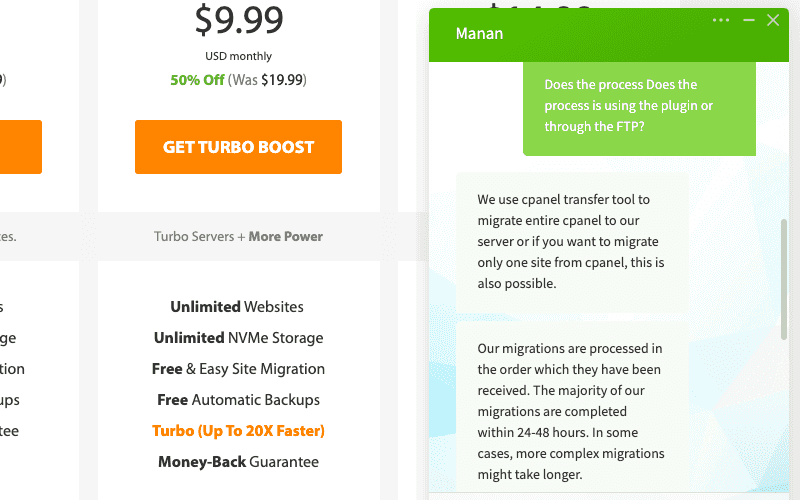 我透過網站中的線上客服系統進行即時詢問,開啟後馬上就有專人服務,等待的過程不到 1 分鐘,而且他的回覆內容也相當專業、清楚。因此非常推薦這家主機原因之一就是因為他們擁有優異的線上客戶服務,這點可說是媲美 [SiteGround 主機](https://techmoon.xyz/siteground/)。 除了線上即時客戶服務之外,你也可以透過 Email 或是直接撥打電話的方式直接聯繫他們,他們都會非常樂意地為你服務。或者,你也可以直接瀏覽他們的知識庫自行尋找各種疑難雜症的解答。他們擁有相當優異的免費資源,將所有常見的問題都收納於 Knowledge Base 當中,方便讓你透過圖文方式解決你的疑問。 [取得 A2 Hosting $2.99 美元優惠折扣](https://techmoon.xyz/go/a2hosting) ### #4 主機監控與惡意軟體掃描 網站安全是一個非常重要的資安問題。但如果架設額外的掃描或是設置過多的加密系統,這都會拖慢使用者在瀏覽網站時的載入速度。 因此,你需要的是在安全與性能上兼具的一套系統。 他們採用「[**HackScan**](https://www.a2hosting.com/kb/security/perpetual-security/hackscan)」的保護系統,它能夠 24 小時的監控你的主機,並能夠掃描整個主機,查看是否存在著惡意軟體或是其他潛在的攻擊。 此外,它的數據中心因具有擴增性,因此當你的網站受到 DDoS 的攻擊時,你可以受到即時的保護,並幫助你應對這些突發性的攻擊事件。 此外,由於它可以與 [CloudFlare](https://techmoon.xyz/cloudflare/) 兼容,因此你的網域更可以使用 CloudFlare 作為 DNS 進行代管,它能有效的啟用 CDN,並提供你基礎的 DDoS 防護,大大的加強你的網站安全性。 [取得 A2 Hosting $2.99 美元優惠折扣](https://techmoon.xyz/go/a2hosting) ### #5 免費網站搬家 在所有的方案中他們都提供了非常優秀的免費搬家服務。當你從其他虛擬主機中想要遷移至到這家主機時,它就能協助你進行整個網站資料的遷移,整個過程是完全免費的。 不過,他所提供的免費搬家只有一次性的,因此如果你有多個網站,每多一個站點都需要額外收費 10 美元。但是,如果你是使用[更高階的 VPS 主機或是專用主機](https://techmoon.xyz/go/a2hosting-vps),那麼就可以或的 25 個免費遷移的額度。 要獲得免費的搬家服務相當簡單。你只需要在購買主機之後,與線上客服聯繫,並提供上一個虛擬主機提供商的 cPanel 存取權限,他們就可以幫你迅速的進行網站遷移。 如果你上一個虛擬主機供應商並不是採用 cPanel 的控制面板,那麼在網站搬家的過程中,就有可能需要支付少量的額外費用,以因應額外的作業程序。 [取得 A2 Hosting $2.99 美元優惠折扣](https://techmoon.xyz/go/a2hosting) ### #6 一鍵安裝 WordPress CMS 系統 後台中他們也提供了一鍵安裝各種主流內容管理系統的功能,其中也包括主流的 WordPress、OpenCart、Drupal、Joomla 與 Magento 網站,所有的系統都可以一鍵進行安裝,即便你不是程式相關人員,也能夠輕易的建立。 如果你是程式開發人員,需要更進一步的權限,那麼他們也有提供網站回朔備份,以及提供 PHP、MySQL、Apache、Python、Ruby…等等,各種不同版本。 [取得 A2 Hosting $2.99 美元優惠折扣](https://techmoon.xyz/go/a2hosting) ### #7 隨時 30 天退款保證 幾乎所有的虛擬主機提供商都會提供至少 30 天的退款保證。但是 A2 Hosting 不僅如此,還更進一步的提供了「**隨時**」退款保證。 什麼是「**隨時**」退款保證呢?在初次購買主機的前 30 天之內,你除了基本的可以隨時取消並退回「**全額**」的款項之外。在過了 30 天之後,在任何時間內,當你想要退款時,也仍然能夠進行退款,此時退款的金額就會按照你所使用的比例進行扣除,剩下未使用的金額就會返回給你,這點在其他虛擬主機當中是非常少見的。 值得注意的是,超過 120 天之後,所有的退款請求都將透過 PayPal 進行支付。另外,如果你有使用他們的網域註冊服務或是在設定、網站遷移的過程中有產生費用,這類型的款項是不可退款的。 如果你想要[註冊便宜的網域名稱](https://techmoon.xyz/buy-domain/),建議你可以使用 [NameCheap](https://techmoon.xyz/namecheap-domain/) 的網域註冊服務。 [取得 A2 Hosting $2.99 美元優惠折扣](https://techmoon.xyz/go/a2hosting) ### #8 環保綠色主機 A2 Hosting 的發源地始於密西根州的安娜堡,安娜堡又被稱為是「**樹鎮**」。名字的由來是因為安娜堡有高達 150+ 座的公園,以及超過 50,000+ 棵的樹。因此 A2 Hosting 與 Carbonfund.org 合作,實施了多種再生能源與造林的計畫,幫助他們設置大量主機伺服器所產生的二氧化碳排放,使主機能更加的綠能。 雖然這並不會使得這家的主機會更加的有效率或是更便宜(相反的,這甚至會產生額外的成本)。但是,得知你所使用的主機並不會對環境產生過多污染(或者說,會實施其他綠色環保的作法,來抵消他們所產生的廢氣),這會對你使用它們的產品服務更加有歸屬感與榮譽心,支持這一家產品對於綠能的貢獻也是一舉兩得。 [取得 A2 Hosting $2.99 美元優惠折扣](https://techmoon.xyz/go/a2hosting) ### A2 Hosting 的缺點 儘管 A2 Hosting 擁有許多令人驚嘆的優點,但是他還是有一些美中不足的地方,在你購買之前還是需要參考一下反面的說法。 ### #1 較高的續約價格 首購便宜的價格是基於長期的方案。以最便宜的 [**STARTUP 方案**](https://techmoon.xyz/go/a2hosting)來說,如果你想要獲得最低的 $2.99 美元價格,你就需要一次購買 36 個月。 若是你購買 24 個月,那麼每月的價格就會變成 $4.39 美元,12 個月就會變成 $6.99 美元,1 個月就會變成高達 $10.99 美元。 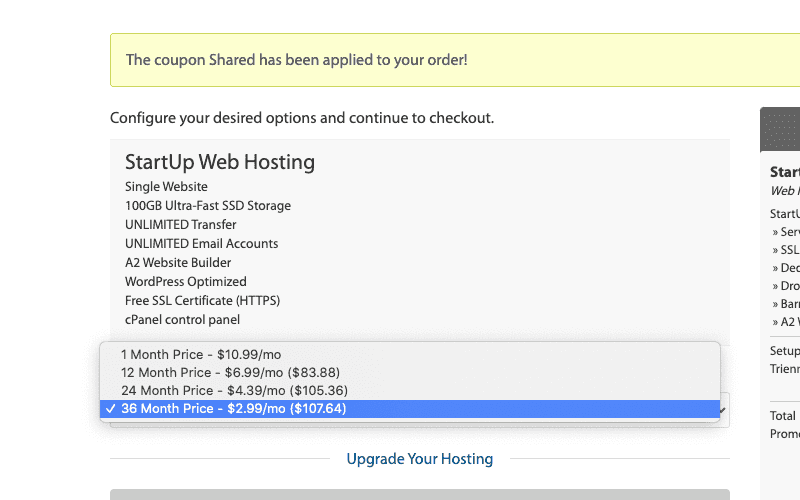 此外,一但你使用初次購買優惠的主機到期後,接著的續約價格就會變成原始價格進行自動續約,而續約價格幾乎是首次優惠的 2 倍。這也是為什麼我一般會建議一開始就購買最長的週期(36 個月),因此這會最大化你使用首購優惠的期限。 而另一個壞消息是,根據他們的條款中表示,你必須在主機週期快到期的前 15 天以前,透過 Email 發送至「**[email protected]**」提出取消續約的程序。一但你在到期前的 15 天以前沒有發送取消請求,那麼你就必須自動進行續約下一個週期,你沒有辦法獲得退款或者取消。 [取得 A2 Hosting $2.99 美元優惠折扣](https://techmoon.xyz/go/a2hosting) ### #2 最便宜方案的限制 目前 [**A2 Hosting 最便宜的方案是 STARTUP 方案的 $2.99 美元/月**](https://techmoon.xyz/go/a2hosting)。但是,由於它是最陽春的方案,因此這意味著它擁有許多限制。 舉例來說,它只能建立一個網站,而且主機只提供 100GB 的 SSD 儲存空間,並且在這個方案中,並沒有提供自動備份功能,也沒有提供站回朔功能,這對於初學者或許夠用,但是一旦你發展越來越大,這些缺失的功能就顯得你的網站非常不足。 [取得 A2 Hosting $2.99 美元優惠折扣](https://techmoon.xyz/go/a2hosting) ---------- ### 我會推薦 A2 Hosting 主機嗎? **答案是會的。** 從平均載入時間與正常運行時間這兩個標準來看,A2 Hosting 的水準實在是相當高,這在同業當中可謂是所一屬二的高水準。此外,他們的線上客服也是具有非常高的水準,除了有即時的真人對談之外,其專業度與態度也非常的好。 此外,所有的方案都提供了免費網站遷移的服務,這對於你要從一個虛擬主機搬到另一個虛擬主機來說,是相當優秀的服務。而且每個方案也都有提供免費的 SSL 憑證與 CloudFlare CDN 服務。 最特別的地方在於,A2 Hosting 除了有前 30 天全額退款保證之外,超過 30 天之後也能夠隨時要求退款,而退款的金額會按照你所使用的比例進行計算,將剩餘未使用的金額退還給你。 [取得 A2 Hosting $2.99 美元優惠折扣](https://techmoon.xyz/go/a2hosting) ### A2 Hosting vs. Bluehost [**Bluehost**](https://techmoon.xyz/go/bluehost "Bluehost") 與 [**A2 Hosting**](https://techmoon.xyz/go/a2hosting) 都是非常優秀的虛擬主機,不過由於 Bluehost 是 WordPress 官方所推薦的主機,因此 A2 Hosting 要與 Bluehost 競爭,還是會有許多困難。 這兩個虛擬主機實際上都是相當優秀的主機,從我們之前的評測中可以看出,A2 Hosting 與 Bluehost 的正常運行時間與平均載入時間的表現都非常不錯,因此不管你最終選擇哪一個主機,都能獲得不錯的服務品質。 主機比較A2 HostingBlueHost主機方案[**TURBO BOOST 方案**](https://techmoon.xyz/go/a2hosting)[**Choice Plus 方案**](https://techmoon.xyz/go/bluehost "Bluehost")網站數量無限制無限制儲存空間無限制無限制免費域名無有數據中心4 個1 個退款保證30 天 + 隨時30 天主機費用[$9.99 /月](https://techmoon.xyz/go/a2hosting)[$5.45 /月](https://techmoon.xyz/go/bluehost "Bluehost")續約費用[$19.99 /月](https://techmoon.xyz/go/a2hosting)[$16.99 /月](https://techmoon.xyz/go/bluehost "Bluehost")取得優惠[A2Hosting.com](https://techmoon.xyz/go/a2hosting)[Bluehost.com](https://techmoon.xyz/go/bluehost "Bluehost")A2 Hosting VS Bluehost 如果你想了解更多虛擬主機,可以參考:[Bluehost WordPress](https://techmoon.xyz/bluehost-wordpress/)、[SiteGround](https://techmoon.xyz/siteground/)、[Bluehost](https://techmoon.xyz/bluehost/)、[WPWebHost](https://techmoon.xyz/wpwebhost/)、[SugarHosts](https://techmoon.xyz/sugarhosts/)、[WPX Hosting](https://techmoon.xyz/wpxhosting/)、[GreenGeeks](https://techmoon.xyz/greengeeks/)、[Hostinger](https://techmoon.xyz/hostinger-wordpress/)、[HostPapa](https://techmoon.xyz/hostpapa/)、[SiteGround](https://techmoon.xyz/siteground-wordpress/)、[iPage Hosting](https://techmoon.xyz/ipage/)、[DreamHost](https://techmoon.xyz/dreamhost/)、[SiteGround](https://techmoon.xyz/siteground-coupon/)、[WPWebHost](https://techmoon.xyz/wpwebhost-wordpress/)、[HostGator](https://techmoon.xyz/hostgator/)、[FastComet](https://techmoon.xyz/fastcomet/)、[WP Hosting Australia](https://techmoon.xyz/wp-hosting-australia/)、[A2 Hosting](https://techmoon.xyz/a2hosting/)…等等其他優秀的虛擬主機。 ### 你可能有興趣 - [WordPlus.host — WordPress 專用免費虛擬主機,提供 WordPress 自動安裝功能](https://techmoon.xyz/wordplus/) - [HostPapa 主機評價 (2020 年 12 月) — 70% 折價優惠每月僅需 $3.95 美元,一鍵快速鍵立 WordPress 網站教學](https://techmoon.xyz/hostpapa/) - [Hostinger 主機評價 (2020 年 12 月) — 90% 優惠折扣每月僅需 $0.99 美元,一鍵建立 WordPress 網站教學](https://techmoon.xyz/hostinger-wordpress/) - [Bluehost 主機評價 (2020 年 12 月) — 每月 $2.95 美元,4 折 60% OFF 優惠續約折扣,WordPress 官方推薦虛擬主機](https://techmoon.xyz/bluehost/) - [FastComet 虛擬主機評價 (2020 年 12 月) — 70% 折價優惠每月僅需 $2.95 美元,一鍵安裝 WordPress 網站教學](https://techmoon.xyz/fastcomet/) - [WordPress 虛擬主機推薦比較 (2020 年 12 月) — 最熱門 16 個 WordPress 主機費用、速度與方案完整評價介紹](https://techmoon.xyz/hosting-reviews/) - [DreamHost 主機評價 (2020 年 12 月) — 醉心折價優惠每月最低 $2.59 美元,一鍵快速安裝 WordPress 網站心得教學](https://techmoon.xyz/dreamhost/) - [SiteGround 主機評價 (2020 年 12 月) — 虛擬主機 + WordPress 網站一鍵安裝完整教學](https://techmoon.xyz/siteground-wordpress/) - [WP Hosting Australia 虛擬主機評價 (2020 年 12 月) — 澳洲 WordPress 虛擬主機每月僅需 $19 美元,一鍵安裝 WordPress 網站教學](https://techmoon.xyz/wp-hosting-australia/) - [網易資訊虛擬主機評價 (2020 年 12 月) — 台灣 WordPress 虛擬主機商,提供免費主機試用,簡訊驗證後滿意再付費!](https://techmoon.xyz/wanteasy/) - [HostGator 虛擬主機評價 (2020 年 12 月) — 60% 優惠券折扣碼每月僅需 $2.75 美元,一鍵安裝 WordPress 網站教學](https://techmoon.xyz/hostgator/) - [SiteGround 主機更新重點 — 更快的 CPU、更多的數據中心、更大的 GoGeek 方案](https://techmoon.xyz/siteground-upgrade-may-2020/) ### 更多相關文章 - [【WordPress 付費主題免費下載】Vispa for Startups — Responsive Business WordPress Theme](https://techmoon.xyz/vispa-for-startups-responsive-business-wordpress-theme/) - [DreamHost 主機評價 (2020 年 12 月) — 醉心折價優惠每月最低 $2.59 美元,一鍵快速安裝 WordPress 網站心得教學](https://techmoon.xyz/dreamhost/) - [【WordPress 付費外掛免費下載】Live Chat — Support-Chat for WordPress with AI](https://techmoon.xyz/live-chat-support-chat-for-wordpress-with-ai/) - [SiteGround 2020 黑色星期五優惠 — WordPress #1 最佳虛擬主機](https://techmoon.xyz/siteground-black-friday-deal/) - [3 分鐘了解 WordPress.com 與 WordPress.org 之間的分別與差異](https://techmoon.xyz/wpcom-wporg/) - [新手如何挑選 WordPress 主題?免費與付費主題的差異與建議 (2020 更新)](https://techmoon.xyz/how-to-choose-wordpress-themes/) - [DemosWP — 免費快速建立 WordPress 測試網站,提供 SSL、phpMyAdmin 與 SFTP 功能](https://techmoon.xyz/demoswp/) - [【WordPress 付費主題免費下載】Aiteko — Creative Portfolio Ajax Elementor WordPress Theme](https://techmoon.xyz/aiteko-creative-portfolio-ajax-elementor-wordpress-theme/) - [SugarHosts 主機評價 (2020 年 12 月) — 糖果主機 6 折優惠碼一鍵安裝 WordPress,使用超過 4 年的虛擬主機推薦經驗與教學](https://techmoon.xyz/sugarhosts/) - [【WordPress 付費主題免費下載】Kloud — Creative Multipurpose WordPress Theme](https://techmoon.xyz/kloud-creative-multipurpose-wordpress-theme/) - [SiteGround 主機評價 (2020 年 12 月) — 首購優惠折扣購買 WordPress 官方推薦虛擬主機,完整優缺點費用評價與測試心得](https://techmoon.xyz/siteground/) - [Bluehost 主機評價 (2020 年 12 月) — 每月 $2.95 美元,4 折 60% OFF 優惠續約折扣,WordPress 官方推薦虛擬主機](https://techmoon.xyz/bluehost/) |
| json metadata | {"tags":["a2hosting"],"image":["https://cdn-images-1.medium.com/max/800/0*jzFTsrtZKKBczWqy","https://cdn-images-1.medium.com/max/800/0*kK0wj7ppuox8QxO5"],"links":["https://techmoon.xyz/a2hosting/","https://techmoon.xyz/hosting-reviews/","https://seo.whoops.com.tw/website-speed-matters/","https://techmoon.xyz/virtual-host/","https://techmoon.xyz/go/a2hosting","https://techmoon.xyz/loading-time/","https://techmoon.xyz/what-is-seo/","https://techmoon.xyz/siteground/","https://www.a2hosting.com/kb/security/perpetual-security/hackscan","https://techmoon.xyz/cloudflare/","https://techmoon.xyz/go/a2hosting-vps","https://techmoon.xyz/buy-domain/","https://techmoon.xyz/namecheap-domain/","https://techmoon.xyz/go/bluehost","https://techmoon.xyz/bluehost-wordpress/","https://techmoon.xyz/bluehost/","https://techmoon.xyz/wpwebhost/","https://techmoon.xyz/sugarhosts/","https://techmoon.xyz/wpxhosting/","https://techmoon.xyz/greengeeks/","https://techmoon.xyz/hostinger-wordpress/","https://techmoon.xyz/hostpapa/","https://techmoon.xyz/siteground-wordpress/","https://techmoon.xyz/ipage/","https://techmoon.xyz/dreamhost/","https://techmoon.xyz/siteground-coupon/","https://techmoon.xyz/wpwebhost-wordpress/","https://techmoon.xyz/hostgator/","https://techmoon.xyz/fastcomet/","https://techmoon.xyz/wp-hosting-australia/","https://techmoon.xyz/wordplus/","https://techmoon.xyz/wanteasy/","https://techmoon.xyz/siteground-upgrade-may-2020/","https://techmoon.xyz/vispa-for-startups-responsive-business-wordpress-theme/","https://techmoon.xyz/live-chat-support-chat-for-wordpress-with-ai/","https://techmoon.xyz/siteground-black-friday-deal/","https://techmoon.xyz/wpcom-wporg/","https://techmoon.xyz/how-to-choose-wordpress-themes/","https://techmoon.xyz/demoswp/","https://techmoon.xyz/aiteko-creative-portfolio-ajax-elementor-wordpress-theme/","https://techmoon.xyz/kloud-creative-multipurpose-wordpress-theme/"],"app":"steemit/0.2","format":"markdown"} |
| parent author | |
| parent permlink | a2hosting |
| permlink | a2-hosting-usd2-99-cny-wordpress-66-off |
| title | A2 Hosting 評價 – 每月 $2.99 美元折扣優惠,WordPress 一鍵安裝虛擬主機推薦高達 66% OFF |
| Transaction Info | Block #49684687/Trx e14c6b81994c4320f48c1db2fcfc38c76b02aa24 |
View Raw JSON Data
{
"block": 49684687,
"op": [
"comment",
{
"author": "sliven",
"body": "[**A2 Hosting**](https://techmoon.xyz/a2hosting/) 成立於 2001 年,它的頁面載入速度在[所有的虛擬主機](https://techmoon.xyz/hosting-reviews/)當中相比,屬於屬二的優秀主機。而且我也直接購買他們的主機進行測試,在以下的主機推薦當中可以看到詳細的介紹。\n\n他們總共提供 4 個數據中心,分別位於密西根州(美國東海岸)、亞利桑那州(美國西海岸)、阿姆斯特丹(歐洲)與新加坡(亞洲/印度),因此,你可以根據你的客戶目標所在的地區,選擇離客群最近的數據中心存放你的網站,這對你的[網站速度](https://seo.whoops.com.tw/website-speed-matters/)會有更好的幫助。\n\n我從幾年前就收到此主機的邀請對他們虛擬主機進行評測,因此有了今天這篇評論,即便你沒有購買主機,也能夠直接看到他的後台,並且透過我為你蒐集好的各項資訊,可以讓你快速了解他們的主機性能。\n\n除此之外,他們的客戶支援服務是相當快速且具有專業的技術能力,所有的問題都可以直接透過 24/7 即時客戶服務進行詢問與解決,而且所有的主機方案不論對於初學者或進階的使用者來說都相當友善,其中「隨時」保證退款是一項非常特別的服務。\n\n購買虛擬主機時,續約價格是一個值得關注的地方。每個主機都有首購優惠價格,在到期後,就會恢復成原價進行續約。因此在[挑選虛擬主機](https://techmoon.xyz/virtual-host/)時,最好使用首購優惠來購買虛擬主機,其中最便宜的[首購優惠價格為 $2.99 美元](https://techmoon.xyz/go/a2hosting),因此對於初學者來說,是相當好入門的價格,隨著後續網站不斷增長,你也能夠隨時升級虛擬主機的規格,因此 A2 hosting 絕對是你首要的選擇之一。\n\n[取得 A2 Hosting $2.99 美元優惠折扣](https://techmoon.xyz/go/a2hosting)\n\n### A2 Hosting 虛擬主機優點\n\nA2 Hosting 是一個相當優秀的虛擬主機公司之一,你可能比較少聽過他的名字,但是他們在全球可是擁有相當多的客戶,這點從他們的規模以及提供 4 個不同的數據中心可以讓你自由選擇這點來說,就可見一斑。\n\n他們的優異表現在於主機載入速度、正常運行時間、客戶支援服務…等等都能夠讓你非常容易的體會到。更重要的是,他的退款政策相當的寬鬆,因此你不必擔心購買之後無法退款。只要你購買之後有一點的不滿意,在 30 天之內都可以隨時全額退款,完全不會受到刁難。\n\n[取得 A2 Hosting $2.99 美元優惠折扣](https://techmoon.xyz/go/a2hosting)\n\n### #1 優異的網站載入速度\n\n此主機的特色之一就是他的頁面載入速度,在[所有的虛擬主機](https://techmoon.xyz/hosting-reviews/)之中,它的訪問速度可說是數一數二的水準。[頁面加載時間](https://techmoon.xyz/loading-time/)是使用者進入你的網站當中非常重要的一個關鍵,這會大大地影響到網站的 [SEO 排名](https://techmoon.xyz/what-is-seo/)。\n\n[取得 A2 Hosting $2.99 美元優惠折扣](https://techmoon.xyz/go/a2hosting)\n\n### #2 可靠的網站運行時間\n\n除了快速的載入速度之外,主機的正常運行時間也是評價主機的重要因素之一。你的網站必須隨時維持在正常運作的情況,否則當使用者進入網站卻不斷無法連線時,就會讓你損失大量的使用者。這對於一般網站甚至於購物車網站來說,損失都會非常慘重。\n\n因此,選擇此主機的另一項優點在於,它的平均正常運行時間非常的優異,在許多月份當中都穩定的達到 100% 的運行時間,而整年平均下來,也有 99.8% 的優異表現。因此,當你選則他們的主機之後,就不需要擔心網站無法連線的問題。\n\n[取得 A2 Hosting $2.99 美元優惠折扣](https://techmoon.xyz/go/a2hosting)\n\n### #3 優異的即時線上客服\n\n對於購買虛擬主機來說,有時可能會遇到一些技術或是帳務上的問題。當你遇到問題時,如果有可靠的線上客服能夠詢問,那麼就能夠輕鬆的解決問題,同時也能讓你安心購買他們的主機後,有任何疑問都能隨時獲得解答。\n\n你可以透過網站當中的線上即時聊天系統進行詢問,即便你尚未成為他們的客戶,他們都會為你提供 24/7 的即時線上服務,為你解決任何的疑難雜症。\n\n\n\n我透過網站中的線上客服系統進行即時詢問,開啟後馬上就有專人服務,等待的過程不到 1 分鐘,而且他的回覆內容也相當專業、清楚。因此非常推薦這家主機原因之一就是因為他們擁有優異的線上客戶服務,這點可說是媲美 [SiteGround 主機](https://techmoon.xyz/siteground/)。\n\n除了線上即時客戶服務之外,你也可以透過 Email 或是直接撥打電話的方式直接聯繫他們,他們都會非常樂意地為你服務。或者,你也可以直接瀏覽他們的知識庫自行尋找各種疑難雜症的解答。他們擁有相當優異的免費資源,將所有常見的問題都收納於 Knowledge Base 當中,方便讓你透過圖文方式解決你的疑問。\n\n[取得 A2 Hosting $2.99 美元優惠折扣](https://techmoon.xyz/go/a2hosting)\n\n### #4 主機監控與惡意軟體掃描\n\n網站安全是一個非常重要的資安問題。但如果架設額外的掃描或是設置過多的加密系統,這都會拖慢使用者在瀏覽網站時的載入速度。 因此,你需要的是在安全與性能上兼具的一套系統。\n\n他們採用「[**HackScan**](https://www.a2hosting.com/kb/security/perpetual-security/hackscan)」的保護系統,它能夠 24 小時的監控你的主機,並能夠掃描整個主機,查看是否存在著惡意軟體或是其他潛在的攻擊。\n\n此外,它的數據中心因具有擴增性,因此當你的網站受到 DDoS 的攻擊時,你可以受到即時的保護,並幫助你應對這些突發性的攻擊事件。\n\n此外,由於它可以與 [CloudFlare](https://techmoon.xyz/cloudflare/) 兼容,因此你的網域更可以使用 CloudFlare 作為 DNS 進行代管,它能有效的啟用 CDN,並提供你基礎的 DDoS 防護,大大的加強你的網站安全性。\n\n[取得 A2 Hosting $2.99 美元優惠折扣](https://techmoon.xyz/go/a2hosting)\n\n### #5 免費網站搬家\n\n在所有的方案中他們都提供了非常優秀的免費搬家服務。當你從其他虛擬主機中想要遷移至到這家主機時,它就能協助你進行整個網站資料的遷移,整個過程是完全免費的。\n\n不過,他所提供的免費搬家只有一次性的,因此如果你有多個網站,每多一個站點都需要額外收費 10 美元。但是,如果你是使用[更高階的 VPS 主機或是專用主機](https://techmoon.xyz/go/a2hosting-vps),那麼就可以或的 25 個免費遷移的額度。\n\n要獲得免費的搬家服務相當簡單。你只需要在購買主機之後,與線上客服聯繫,並提供上一個虛擬主機提供商的 cPanel 存取權限,他們就可以幫你迅速的進行網站遷移。\n\n如果你上一個虛擬主機供應商並不是採用 cPanel 的控制面板,那麼在網站搬家的過程中,就有可能需要支付少量的額外費用,以因應額外的作業程序。\n\n[取得 A2 Hosting $2.99 美元優惠折扣](https://techmoon.xyz/go/a2hosting)\n\n### #6 一鍵安裝 WordPress CMS 系統\n\n後台中他們也提供了一鍵安裝各種主流內容管理系統的功能,其中也包括主流的 WordPress、OpenCart、Drupal、Joomla 與 Magento 網站,所有的系統都可以一鍵進行安裝,即便你不是程式相關人員,也能夠輕易的建立。\n\n如果你是程式開發人員,需要更進一步的權限,那麼他們也有提供網站回朔備份,以及提供 PHP、MySQL、Apache、Python、Ruby…等等,各種不同版本。\n\n[取得 A2 Hosting $2.99 美元優惠折扣](https://techmoon.xyz/go/a2hosting)\n\n### #7 隨時 30 天退款保證\n\n幾乎所有的虛擬主機提供商都會提供至少 30 天的退款保證。但是 A2 Hosting 不僅如此,還更進一步的提供了「**隨時**」退款保證。\n\n什麼是「**隨時**」退款保證呢?在初次購買主機的前 30 天之內,你除了基本的可以隨時取消並退回「**全額**」的款項之外。在過了 30 天之後,在任何時間內,當你想要退款時,也仍然能夠進行退款,此時退款的金額就會按照你所使用的比例進行扣除,剩下未使用的金額就會返回給你,這點在其他虛擬主機當中是非常少見的。\n\n值得注意的是,超過 120 天之後,所有的退款請求都將透過 PayPal 進行支付。另外,如果你有使用他們的網域註冊服務或是在設定、網站遷移的過程中有產生費用,這類型的款項是不可退款的。\n\n如果你想要[註冊便宜的網域名稱](https://techmoon.xyz/buy-domain/),建議你可以使用 [NameCheap](https://techmoon.xyz/namecheap-domain/) 的網域註冊服務。\n\n[取得 A2 Hosting $2.99 美元優惠折扣](https://techmoon.xyz/go/a2hosting)\n\n### #8 環保綠色主機\n\nA2 Hosting 的發源地始於密西根州的安娜堡,安娜堡又被稱為是「**樹鎮**」。名字的由來是因為安娜堡有高達 150+ 座的公園,以及超過 50,000+ 棵的樹。因此 A2 Hosting 與 Carbonfund.org 合作,實施了多種再生能源與造林的計畫,幫助他們設置大量主機伺服器所產生的二氧化碳排放,使主機能更加的綠能。\n\n雖然這並不會使得這家的主機會更加的有效率或是更便宜(相反的,這甚至會產生額外的成本)。但是,得知你所使用的主機並不會對環境產生過多污染(或者說,會實施其他綠色環保的作法,來抵消他們所產生的廢氣),這會對你使用它們的產品服務更加有歸屬感與榮譽心,支持這一家產品對於綠能的貢獻也是一舉兩得。\n\n[取得 A2 Hosting $2.99 美元優惠折扣](https://techmoon.xyz/go/a2hosting)\n\n### A2 Hosting 的缺點\n\n儘管 A2 Hosting 擁有許多令人驚嘆的優點,但是他還是有一些美中不足的地方,在你購買之前還是需要參考一下反面的說法。\n\n### #1 較高的續約價格\n\n首購便宜的價格是基於長期的方案。以最便宜的 [**STARTUP 方案**](https://techmoon.xyz/go/a2hosting)來說,如果你想要獲得最低的 $2.99 美元價格,你就需要一次購買 36 個月。\n\n若是你購買 24 個月,那麼每月的價格就會變成 $4.39 美元,12 個月就會變成 $6.99 美元,1 個月就會變成高達 $10.99 美元。\n\n\n\n此外,一但你使用初次購買優惠的主機到期後,接著的續約價格就會變成原始價格進行自動續約,而續約價格幾乎是首次優惠的 2 倍。這也是為什麼我一般會建議一開始就購買最長的週期(36 個月),因此這會最大化你使用首購優惠的期限。\n\n而另一個壞消息是,根據他們的條款中表示,你必須在主機週期快到期的前 15 天以前,透過 Email 發送至「**[email protected]**」提出取消續約的程序。一但你在到期前的 15 天以前沒有發送取消請求,那麼你就必須自動進行續約下一個週期,你沒有辦法獲得退款或者取消。\n\n[取得 A2 Hosting $2.99 美元優惠折扣](https://techmoon.xyz/go/a2hosting)\n\n### #2 最便宜方案的限制\n\n目前 [**A2 Hosting 最便宜的方案是 STARTUP 方案的 $2.99 美元/月**](https://techmoon.xyz/go/a2hosting)。但是,由於它是最陽春的方案,因此這意味著它擁有許多限制。\n\n舉例來說,它只能建立一個網站,而且主機只提供 100GB 的 SSD 儲存空間,並且在這個方案中,並沒有提供自動備份功能,也沒有提供站回朔功能,這對於初學者或許夠用,但是一旦你發展越來越大,這些缺失的功能就顯得你的網站非常不足。\n\n[取得 A2 Hosting $2.99 美元優惠折扣](https://techmoon.xyz/go/a2hosting)\n\n----------\n\n### 我會推薦 A2 Hosting 主機嗎?\n\n**答案是會的。**\n\n從平均載入時間與正常運行時間這兩個標準來看,A2 Hosting 的水準實在是相當高,這在同業當中可謂是所一屬二的高水準。此外,他們的線上客服也是具有非常高的水準,除了有即時的真人對談之外,其專業度與態度也非常的好。\n\n此外,所有的方案都提供了免費網站遷移的服務,這對於你要從一個虛擬主機搬到另一個虛擬主機來說,是相當優秀的服務。而且每個方案也都有提供免費的 SSL 憑證與 CloudFlare CDN 服務。\n\n最特別的地方在於,A2 Hosting 除了有前 30 天全額退款保證之外,超過 30 天之後也能夠隨時要求退款,而退款的金額會按照你所使用的比例進行計算,將剩餘未使用的金額退還給你。\n\n[取得 A2 Hosting $2.99 美元優惠折扣](https://techmoon.xyz/go/a2hosting)\n\n### A2 Hosting vs. Bluehost\n\n[**Bluehost**](https://techmoon.xyz/go/bluehost \"Bluehost\") 與 [**A2 Hosting**](https://techmoon.xyz/go/a2hosting) 都是非常優秀的虛擬主機,不過由於 Bluehost 是 WordPress 官方所推薦的主機,因此 A2 Hosting 要與 Bluehost 競爭,還是會有許多困難。\n\n這兩個虛擬主機實際上都是相當優秀的主機,從我們之前的評測中可以看出,A2 Hosting 與 Bluehost 的正常運行時間與平均載入時間的表現都非常不錯,因此不管你最終選擇哪一個主機,都能獲得不錯的服務品質。\n\n主機比較A2 HostingBlueHost主機方案[**TURBO BOOST 方案**](https://techmoon.xyz/go/a2hosting)[**Choice Plus 方案**](https://techmoon.xyz/go/bluehost \"Bluehost\")網站數量無限制無限制儲存空間無限制無限制免費域名無有數據中心4 個1 個退款保證30 天 + 隨時30 天主機費用[$9.99 /月](https://techmoon.xyz/go/a2hosting)[$5.45 /月](https://techmoon.xyz/go/bluehost \"Bluehost\")續約費用[$19.99 /月](https://techmoon.xyz/go/a2hosting)[$16.99 /月](https://techmoon.xyz/go/bluehost \"Bluehost\")取得優惠[A2Hosting.com](https://techmoon.xyz/go/a2hosting)[Bluehost.com](https://techmoon.xyz/go/bluehost \"Bluehost\")A2 Hosting VS Bluehost\n\n如果你想了解更多虛擬主機,可以參考:[Bluehost WordPress](https://techmoon.xyz/bluehost-wordpress/)、[SiteGround](https://techmoon.xyz/siteground/)、[Bluehost](https://techmoon.xyz/bluehost/)、[WPWebHost](https://techmoon.xyz/wpwebhost/)、[SugarHosts](https://techmoon.xyz/sugarhosts/)、[WPX Hosting](https://techmoon.xyz/wpxhosting/)、[GreenGeeks](https://techmoon.xyz/greengeeks/)、[Hostinger](https://techmoon.xyz/hostinger-wordpress/)、[HostPapa](https://techmoon.xyz/hostpapa/)、[SiteGround](https://techmoon.xyz/siteground-wordpress/)、[iPage Hosting](https://techmoon.xyz/ipage/)、[DreamHost](https://techmoon.xyz/dreamhost/)、[SiteGround](https://techmoon.xyz/siteground-coupon/)、[WPWebHost](https://techmoon.xyz/wpwebhost-wordpress/)、[HostGator](https://techmoon.xyz/hostgator/)、[FastComet](https://techmoon.xyz/fastcomet/)、[WP Hosting Australia](https://techmoon.xyz/wp-hosting-australia/)、[A2 Hosting](https://techmoon.xyz/a2hosting/)…等等其他優秀的虛擬主機。\n\n### 你可能有興趣\n\n- [WordPlus.host — WordPress 專用免費虛擬主機,提供 WordPress 自動安裝功能](https://techmoon.xyz/wordplus/)\n- [HostPapa 主機評價 (2020 年 12 月) — 70% 折價優惠每月僅需 $3.95 美元,一鍵快速鍵立 WordPress 網站教學](https://techmoon.xyz/hostpapa/)\n- [Hostinger 主機評價 (2020 年 12 月) — 90% 優惠折扣每月僅需 $0.99 美元,一鍵建立 WordPress 網站教學](https://techmoon.xyz/hostinger-wordpress/)\n- [Bluehost 主機評價 (2020 年 12 月) — 每月 $2.95 美元,4 折 60% OFF 優惠續約折扣,WordPress 官方推薦虛擬主機](https://techmoon.xyz/bluehost/)\n- [FastComet 虛擬主機評價 (2020 年 12 月) — 70% 折價優惠每月僅需 $2.95 美元,一鍵安裝 WordPress 網站教學](https://techmoon.xyz/fastcomet/)\n- [WordPress 虛擬主機推薦比較 (2020 年 12 月) — 最熱門 16 個 WordPress 主機費用、速度與方案完整評價介紹](https://techmoon.xyz/hosting-reviews/)\n- [DreamHost 主機評價 (2020 年 12 月) — 醉心折價優惠每月最低 $2.59 美元,一鍵快速安裝 WordPress 網站心得教學](https://techmoon.xyz/dreamhost/)\n- [SiteGround 主機評價 (2020 年 12 月) — 虛擬主機 + WordPress 網站一鍵安裝完整教學](https://techmoon.xyz/siteground-wordpress/)\n- [WP Hosting Australia 虛擬主機評價 (2020 年 12 月) — 澳洲 WordPress 虛擬主機每月僅需 $19 美元,一鍵安裝 WordPress 網站教學](https://techmoon.xyz/wp-hosting-australia/)\n- [網易資訊虛擬主機評價 (2020 年 12 月) — 台灣 WordPress 虛擬主機商,提供免費主機試用,簡訊驗證後滿意再付費!](https://techmoon.xyz/wanteasy/)\n- [HostGator 虛擬主機評價 (2020 年 12 月) — 60% 優惠券折扣碼每月僅需 $2.75 美元,一鍵安裝 WordPress 網站教學](https://techmoon.xyz/hostgator/)\n- [SiteGround 主機更新重點 — 更快的 CPU、更多的數據中心、更大的 GoGeek 方案](https://techmoon.xyz/siteground-upgrade-may-2020/)\n\n### 更多相關文章\n\n- [【WordPress 付費主題免費下載】Vispa for Startups — Responsive Business WordPress Theme](https://techmoon.xyz/vispa-for-startups-responsive-business-wordpress-theme/)\n- [DreamHost 主機評價 (2020 年 12 月) — 醉心折價優惠每月最低 $2.59 美元,一鍵快速安裝 WordPress 網站心得教學](https://techmoon.xyz/dreamhost/)\n- [【WordPress 付費外掛免費下載】Live Chat — Support-Chat for WordPress with AI](https://techmoon.xyz/live-chat-support-chat-for-wordpress-with-ai/)\n- [SiteGround 2020 黑色星期五優惠 — WordPress #1 最佳虛擬主機](https://techmoon.xyz/siteground-black-friday-deal/)\n- [3 分鐘了解 WordPress.com 與 WordPress.org 之間的分別與差異](https://techmoon.xyz/wpcom-wporg/)\n- [新手如何挑選 WordPress 主題?免費與付費主題的差異與建議 (2020 更新)](https://techmoon.xyz/how-to-choose-wordpress-themes/)\n- [DemosWP — 免費快速建立 WordPress 測試網站,提供 SSL、phpMyAdmin 與 SFTP 功能](https://techmoon.xyz/demoswp/)\n- [【WordPress 付費主題免費下載】Aiteko — Creative Portfolio Ajax Elementor WordPress Theme](https://techmoon.xyz/aiteko-creative-portfolio-ajax-elementor-wordpress-theme/)\n- [SugarHosts 主機評價 (2020 年 12 月) — 糖果主機 6 折優惠碼一鍵安裝 WordPress,使用超過 4 年的虛擬主機推薦經驗與教學](https://techmoon.xyz/sugarhosts/)\n- [【WordPress 付費主題免費下載】Kloud — Creative Multipurpose WordPress Theme](https://techmoon.xyz/kloud-creative-multipurpose-wordpress-theme/)\n- [SiteGround 主機評價 (2020 年 12 月) — 首購優惠折扣購買 WordPress 官方推薦虛擬主機,完整優缺點費用評價與測試心得](https://techmoon.xyz/siteground/)\n- [Bluehost 主機評價 (2020 年 12 月) — 每月 $2.95 美元,4 折 60% OFF 優惠續約折扣,WordPress 官方推薦虛擬主機](https://techmoon.xyz/bluehost/)",
"json_metadata": "{\"tags\":[\"a2hosting\"],\"image\":[\"https://cdn-images-1.medium.com/max/800/0*jzFTsrtZKKBczWqy\",\"https://cdn-images-1.medium.com/max/800/0*kK0wj7ppuox8QxO5\"],\"links\":[\"https://techmoon.xyz/a2hosting/\",\"https://techmoon.xyz/hosting-reviews/\",\"https://seo.whoops.com.tw/website-speed-matters/\",\"https://techmoon.xyz/virtual-host/\",\"https://techmoon.xyz/go/a2hosting\",\"https://techmoon.xyz/loading-time/\",\"https://techmoon.xyz/what-is-seo/\",\"https://techmoon.xyz/siteground/\",\"https://www.a2hosting.com/kb/security/perpetual-security/hackscan\",\"https://techmoon.xyz/cloudflare/\",\"https://techmoon.xyz/go/a2hosting-vps\",\"https://techmoon.xyz/buy-domain/\",\"https://techmoon.xyz/namecheap-domain/\",\"https://techmoon.xyz/go/bluehost\",\"https://techmoon.xyz/bluehost-wordpress/\",\"https://techmoon.xyz/bluehost/\",\"https://techmoon.xyz/wpwebhost/\",\"https://techmoon.xyz/sugarhosts/\",\"https://techmoon.xyz/wpxhosting/\",\"https://techmoon.xyz/greengeeks/\",\"https://techmoon.xyz/hostinger-wordpress/\",\"https://techmoon.xyz/hostpapa/\",\"https://techmoon.xyz/siteground-wordpress/\",\"https://techmoon.xyz/ipage/\",\"https://techmoon.xyz/dreamhost/\",\"https://techmoon.xyz/siteground-coupon/\",\"https://techmoon.xyz/wpwebhost-wordpress/\",\"https://techmoon.xyz/hostgator/\",\"https://techmoon.xyz/fastcomet/\",\"https://techmoon.xyz/wp-hosting-australia/\",\"https://techmoon.xyz/wordplus/\",\"https://techmoon.xyz/wanteasy/\",\"https://techmoon.xyz/siteground-upgrade-may-2020/\",\"https://techmoon.xyz/vispa-for-startups-responsive-business-wordpress-theme/\",\"https://techmoon.xyz/live-chat-support-chat-for-wordpress-with-ai/\",\"https://techmoon.xyz/siteground-black-friday-deal/\",\"https://techmoon.xyz/wpcom-wporg/\",\"https://techmoon.xyz/how-to-choose-wordpress-themes/\",\"https://techmoon.xyz/demoswp/\",\"https://techmoon.xyz/aiteko-creative-portfolio-ajax-elementor-wordpress-theme/\",\"https://techmoon.xyz/kloud-creative-multipurpose-wordpress-theme/\"],\"app\":\"steemit/0.2\",\"format\":\"markdown\"}",
"parent_author": "",
"parent_permlink": "a2hosting",
"permlink": "a2-hosting-usd2-99-cny-wordpress-66-off",
"title": "A2 Hosting 評價 – 每月 $2.99 美元折扣優惠,WordPress 一鍵安裝虛擬主機推薦高達 66% OFF"
}
],
"op_in_trx": 0,
"timestamp": "2020-12-23T02:01:06",
"trx_id": "e14c6b81994c4320f48c1db2fcfc38c76b02aa24",
"trx_in_block": 4,
"virtual_op": 0
}blurtofficialsent 0.001 STEEM to @sliven- "CONGRATS! You have a 1:1 BLURT AIRDROP of 0.279 BLURT and 0.524000 BLURT POWER waiting for you. Check out https://blurtwallet.com/@sliven and https://blurt.blog/ TODAY!"2020/12/18 06:38:24
blurtofficialsent 0.001 STEEM to @sliven- "CONGRATS! You have a 1:1 BLURT AIRDROP of 0.279 BLURT and 0.524000 BLURT POWER waiting for you. Check out https://blurtwallet.com/@sliven and https://blurt.blog/ TODAY!"
2020/12/18 06:38:24
| amount | 0.001 STEEM |
| from | blurtofficial |
| memo | CONGRATS! You have a 1:1 BLURT AIRDROP of 0.279 BLURT and 0.524000 BLURT POWER waiting for you. Check out https://blurtwallet.com/@sliven and https://blurt.blog/ TODAY! |
| to | sliven |
| Transaction Info | Block #49547966/Trx 1b0189067df8162397015f6651719d680f383ef7 |
View Raw JSON Data
{
  "block": 49547966,
  "op": [
    "transfer",
    {
      "amount": "0.001 STEEM",
      "from": "blurtofficial",
      "memo": "CONGRATS! You have a 1:1 BLURT AIRDROP of 0.279 BLURT and 0.524000 BLURT POWER waiting for you. Check out https://blurtwallet.com/@sliven and https://blurt.blog/ TODAY!",
      "to": "sliven"
    }
  ],
  "op_in_trx": 0,
  "timestamp": "2020-12-18T06:38:24",
  "trx_id": "1b0189067df8162397015f6651719d680f383ef7",
  "trx_in_block": 4,
  "virtual_op": 0
}2020/12/11 16:44:54
2020/12/11 16:44:54
| delegatee | sliven |
| delegator | steem |
| vesting shares | 28159.386793 VESTS |
| Transaction Info | Block #49361809/Trx a86b9e39e0bec4177c96e59b12f84ebb090e1e85 |
View Raw JSON Data
{
  "block": 49361809,
  "op": [
    "delegate_vesting_shares",
    {
      "delegatee": "sliven",
      "delegator": "steem",
      "vesting_shares": "28159.386793 VESTS"
    }
  ],
  "op_in_trx": 0,
  "timestamp": "2020-12-11T16:44:54",
  "trx_id": "a86b9e39e0bec4177c96e59b12f84ebb090e1e85",
  "trx_in_block": 1,
  "virtual_op": 0
}2020/12/06 10:20:24
2020/12/06 10:20:24
| delegatee | sliven |
| delegator | steem |
| vesting shares | 8539.292936 VESTS |
| Transaction Info | Block #49213324/Trx 5aad62b160171e2099b3b4c09eba6e4a16d91c4d |
View Raw JSON Data
{
  "block": 49213324,
  "op": [
    "delegate_vesting_shares",
    {
      "delegatee": "sliven",
      "delegator": "steem",
      "vesting_shares": "8539.292936 VESTS"
    }
  ],
  "op_in_trx": 0,
  "timestamp": "2020-12-06T10:20:24",
  "trx_id": "5aad62b160171e2099b3b4c09eba6e4a16d91c4d",
  "trx_in_block": 5,
  "virtual_op": 0
}2020/12/05 20:22:45
2020/12/05 20:22:45
| delegatee | sliven |
| delegator | steem |
| vesting shares | 28178.010356 VESTS |
| Transaction Info | Block #49196894/Trx 63ec0939a822748ef7e14e4915f1dab1bb777526 |
View Raw JSON Data
{
  "block": 49196894,
  "op": [
    "delegate_vesting_shares",
    {
      "delegatee": "sliven",
      "delegator": "steem",
      "vesting_shares": "28178.010356 VESTS"
    }
  ],
  "op_in_trx": 0,
  "timestamp": "2020-12-05T20:22:45",
  "trx_id": "63ec0939a822748ef7e14e4915f1dab1bb777526",
  "trx_in_block": 4,
  "virtual_op": 0
}2020/11/24 20:18:33
2020/11/24 20:18:33
| delegatee | sliven |
| delegator | steem |
| vesting shares | 8551.984864 VESTS |
| Transaction Info | Block #48884745/Trx e9809e2d151bf40b3e29f1ac17692f449e9aec01 |
View Raw JSON Data
{
  "block": 48884745,
  "op": [
    "delegate_vesting_shares",
    {
      "delegatee": "sliven",
      "delegator": "steem",
      "vesting_shares": "8551.984864 VESTS"
    }
  ],
  "op_in_trx": 0,
  "timestamp": "2020-11-24T20:18:33",
  "trx_id": "e9809e2d151bf40b3e29f1ac17692f449e9aec01",
  "trx_in_block": 5,
  "virtual_op": 0
}2020/10/01 15:37:21
2020/10/01 15:37:21
| delegatee | sliven |
| delegator | steem |
| vesting shares | 28396.593837 VESTS |
| Transaction Info | Block #47350061/Trx 465621f478b7f7d2713bacb245cbbc718d635136 |
View Raw JSON Data
{
  "block": 47350061,
  "op": [
    "delegate_vesting_shares",
    {
      "delegatee": "sliven",
      "delegator": "steem",
      "vesting_shares": "28396.593837 VESTS"
    }
  ],
  "op_in_trx": 0,
  "timestamp": "2020-10-01T15:37:21",
  "trx_id": "465621f478b7f7d2713bacb245cbbc718d635136",
  "trx_in_block": 3,
  "virtual_op": 0
}slivenpublished a new post: dubox-1-tb2020/09/24 10:40:24
slivenpublished a new post: dubox-1-tb
2020/09/24 10:40:24
| author | sliven |
| body |  最近,中國各大網盤的競爭如火如荼的展開,除了先前迅雷雲盤強勢的加入雲端空間的戰場之外,阿里雲盤也來勢洶洶,而最近百度雲盤更是在本週推出了一款名為「**Dubox**」的網盤進行公測當中,現在只要註冊即可立即獲得 1 TB 超大容量的免費網盤空間,且上傳與下載皆不限制速度,可望在免費雲端空間的戰場佔有一席之地。 目前經營 Dubox 的公司為「**PopIn Inc.**」,它是百度在日本所創立的子公司,因此才會稱「[**Dubox**](https://techmoon.xyz/dubox/)」為百度網盤的國際海外版本。 [Dubox](https://techmoon.xyz/dubox/) 作為百度網盤的海外國際版本,自然是不能在中國地區使用。因此,如果你是處於中國地區的使用者,則不能使用 Dubox,需要透過像 [Ivacy VPN](https://techmoon.xyz/ivacy-vpn-discount/)、[Express VPN](https://techmoon.xyz/expressvpn/)…等等的翻牆工具才能夠進行訪問。 Dubox 的特色在於,不僅提供了 1 TB 超大網盤雲端空間之外,同時還打著「**上傳與下載不限速**」的招牌,對於有在使用各家網盤的使用者來說,不限制上下載速度這點如果是真的,那麼搭配上 1 TB 的超大空間,肯定會吸引到不少的使用者。 網站名稱:Dubox: Cloud Storage, Cloud Backup FREE, Sync&File upload 網站網址:[https://www.dubox.com/](https://www.dubox.com/) - [1) Dubox 簡介教學](https://techmoon.xyz/dubox/#lwptoc1) - [1.1) 免費註冊 Dubox](https://techmoon.xyz/dubox/#lwptoc2) - [1.2) 獲得 1 TB 免費空間與上傳檔案](https://techmoon.xyz/dubox/#lwptoc3) - [1.3) 分享雲端檔案](https://techmoon.xyz/dubox/#lwptoc4) - [1.4) 下載分享檔案](https://techmoon.xyz/dubox/#lwptoc5) - [1.5) Android 與 iOS 應用程式](https://techmoon.xyz/dubox/#lwptoc6) - [1.6) 你可能有興趣](https://techmoon.xyz/dubox/#lwptoc7) - [1.7) 更多相關文章](https://techmoon.xyz/dubox/#lwptoc8) # Dubox 簡介教學 ## Step 1 免費註冊 Dubox 進入 Dubox 首頁後,可以從右方透過三種方式進行免費註冊,分別為: - 透過 Facebook 登入 - 透過 Google 登入 - 透過 Apple ID 登入  ## Step 2 獲得 1 TB 免費空間與上傳檔案 舉例來說,我們透過 Google 進行登入,連結 Google 帳號後,就會立即跳轉至 Dubox 的雲盤後台介面。在左下角的地方,你可以看到容量是 1024 GB,也就是 1 TB 的超大容量空間:  接著你可以將滑鼠移至「**上傳**」按鈕當中,它會跳出下拉選單顯示「**上傳文件**」與「**上傳資料夾**」。如果你想要上傳單獨的文件,可以點選上傳文件按鈕,將個別檔案進行上傳;如果你想要上傳整個資料夾內的檔案,就可以點選上傳資料夾按鈕,就可以選取單個資料夾,並將整個資料夾包含其內容完整的上傳至 Dubox 當中: 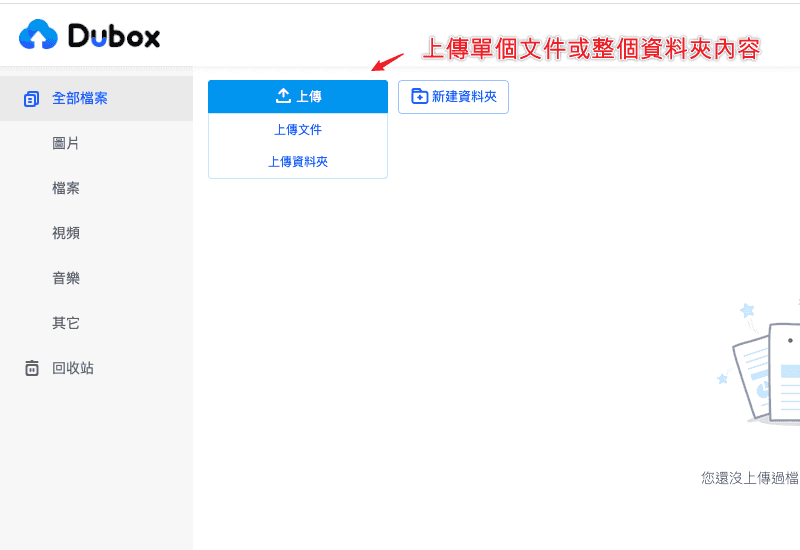 除了點擊上傳按鈕之外,你也可以直接透過拖曳方式,將檔案或資料夾直接上傳到 Dubox 當中。 ## Step 3 分享雲端檔案 Dubox 的後台介面非常的簡潔,同時也沒有任何的廣告干擾,因此在現在階段來說,是讓人覺得非常乾淨的一款好用的免費網盤空間。 在左側的地方,也會根據你所上傳的檔案類型,幫你進行圖片、檔案、影片、音樂與其他…等等的分類。 使用雲端網盤空間的好處在於,你可以將檔案上傳至雲端硬碟當中,而不會佔用到自己的電腦容量。同時,還讓你可以在不同的平台、設備與環境當中,進行檔案資料的存取。因此,你不必侷限於某一台電腦或設備當中,隨時隨地都可以存取檔案。 在 Dubox 當中,你可以將上傳的檔案進行私密檔案的分享。選取完檔案後,點選點選上方功能列的「**分享**」按鈕,隨即就會跳出視窗,讓你可以選擇建立 1 天、7 天或 30 天的有效期限,選取完成時間後,點選「**創建連結**」即可建立私密連結: 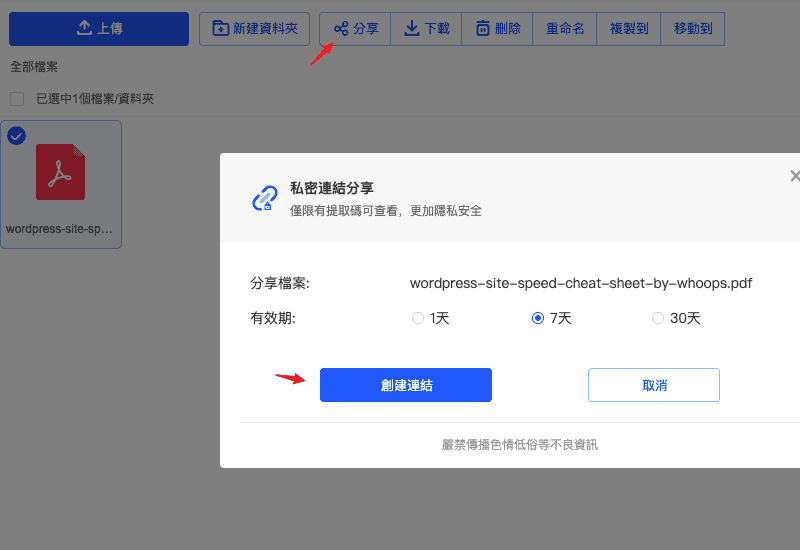 連結建立完成後,就會顯示該檔案的「**唯一網址**」,以及獲取該檔案的「**提取碼**」,當其他人訪問你的檔案分享網址後,還需要輸入提取碼,才能夠訪問檔案並進行下載: 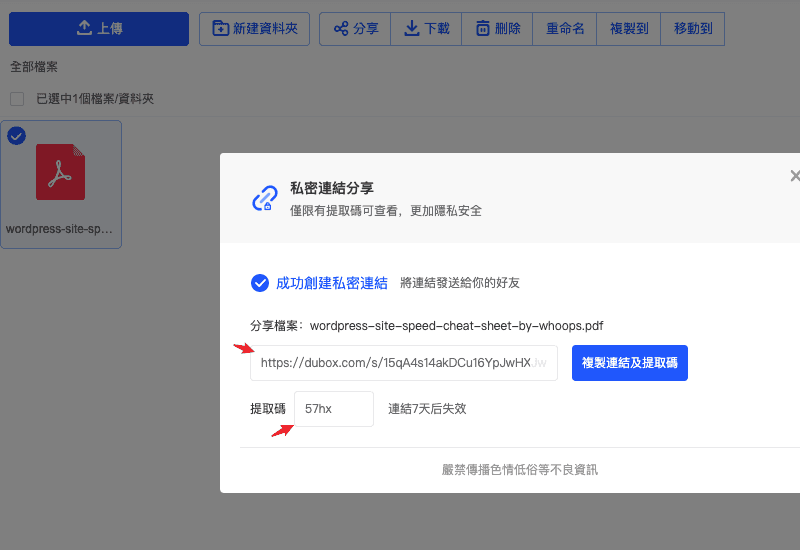 ## Step 4 下載分享檔案 當你訪問私密檔案連結後,你還需要輸入提取碼,才能夠進入並訪問檔案。因此,你會先看到輸入提取碼的提示頁面:  輸入提取密碼後,就可以訪問分享的檔案頁面。點選檔案後,你就可以點選「**下載**」按鈕將檔案下載到電腦當中,或是點選「**保存到 dubox**」在登入 Dubox 之後,將檔案保存至自己得 Dubox 雲端空間當中: 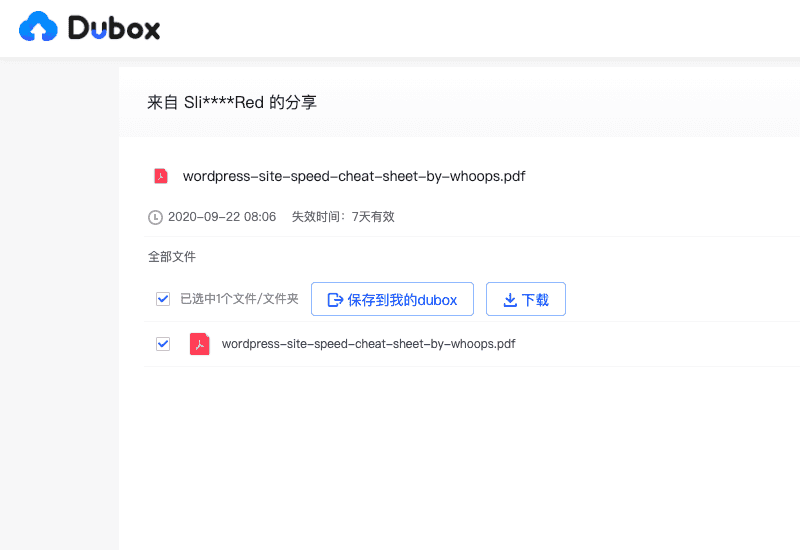 ## Step 5 Android 與 iOS 應用程式 Dubox 目前除了支援線上版本之外,還提供了 Android 與 iOS 的應用程式能夠下載使用。 - Dubox Android APP 載點:[點此下載](https://play.google.com/store/apps/details?id=com.dubox.drive) - Dubxo iOS APP 載點:[點此下載](https://apps.apple.com/app/id1509453185?ref=techmoon) 在手機使用 Dubox 應用程式的好處在於,手機版本中提供了相片自動備份功能,就像是 Google 相簿或 Dropbox 自動備份檔案功能一樣,能夠自動將你手機的圖片、影片、檔案…等等,自動備份上傳至 Dubox 的免費空間當中,而且它所上傳的檔案並不會經過壓縮,而是會將原始的檔案直接備份上傳。對於有使用大量手機容量的使用者來說,是一個非常棒的功能。 如果你對於免費雲端空間有興趣,想了解更多其他免費空間服務,可以參考:[奶牛快傳](https://techmoon.xyz/cowtransfer/)、[MailBigFile](https://techmoon.xyz/mailbigfile/)、[Firefox Send](https://techmoon.xyz/firefox-send/)、[Dropbox Transfer](https://techmoon.xyz/dropbox-transfer/) 與 [Tresorit Send](https://techmoon.xyz/tresorit-send/)…等等,都是提供相同的服務,讓使用者能自行上傳檔案與分享檔案給其他人觀看下載。 **Dubox 評價推薦心得** - 免費 1 TB 超大雲端空間 - 不限制上傳與下載速度 - 提供 Android 與 iOS 應用程式 - 可自動備份手機圖片檔案 - 無廣告與乾淨的操作介面 ## 你可能有興趣 - [Removal Editing Tool – 強大的免費線上圖片編輯器,將圖片去背後自動匯入即可立即設計自訂橫幅廣告](https://techmoon.xyz/removal-editing-tool/) - [SVGOMG – 可複製貼上 SVG HTML 程式碼,壓縮優化 SVG 檔案大小與下載 SVG 檔案](https://techmoon.xyz/svgomg/) - [Iconpie – 快速免費產生網站圖標 Icons,上傳圖片後自動產生 Web、iOS、Android 圖標](https://techmoon.xyz/iconpie/) - [Free Online File Converter – 免費線上圖片格式快速轉換工具,一鍵轉換 SVG、PNG、JPG 與 PDF 檔案格式](https://techmoon.xyz/free-online-file-converter/) - [InPixio Remove Background – 線上免費摳圖去背工具,輕鬆將圖片與照片根據標記區塊進行去背](https://techmoon.xyz/inpixio-remove-background/) - [Clipping Magic – 線上圖片去背神器,透過 AI 技術一鍵上傳自動去除圖片背景還可自訂去背區塊](https://techmoon.xyz/clipping-magic/) - [KOLpower 自動剪輯神器 – 線上免費影片自動剪輯工具,自動刪除空白間隔一鍵完成初剪解救 YouTuber 創作者](https://techmoon.xyz/kolpower-video-editor/) - [AI Image Denoiser – 透過 AI 技術線上自動處理圖片降噪,免費提升模糊圖片的畫質並增強整張照片](https://techmoon.xyz/ai-image-denoiser/) - [AI Image Enhancer – 免費線上增強圖片畫質與色彩,使用 AI 技術媲美 Photoshop 的圖片強化功能](https://techmoon.xyz/ai-image-enhancer/) - [AI Image Upscaler – 免費線上圖片放大工具,採用 AI 技術可快速將小圖無損放大 2、4 倍](https://techmoon.xyz/ai-image-upscaler/) - [Removal.ai – 免費線上圖片去背工具,使用 AI 技術自動識別並移除背景圖樣,精準連毛髮都能完美剔除](https://techmoon.xyz/removal-ai/) - [PDF.new – Adobe 攜手 Google 提供「.new」相關 PDF 免費線上轉檔服務](https://techmoon.xyz/pdf-new/) ## 更多相關文章 - [QuickFin.AI - 透過英語提問立即獲得美股 S&P 500 公司財報數據與相關資訊,新手投資美股的好幫手](https://techmoon.xyz/quickfin-ai/) 如果你喜歡這篇文章,請幫我們將這篇文章分享出去。你也可以在 [Facebook](https://www.facebook.com/techmoon.xyz/) 與 [Instagram](https://www.instagram.com/techmoon.xyz/) 上按讚追蹤我們,也歡迎加入 [Facebook 粉絲團](https://www.facebook.com/groups/357360178172688/)和我們一同交流! |
| json metadata | {"tags":["dubox"],"image":["https://assets.matters.news/embed/b406be3d-d73d-4564-89d6-48ef7f3fdd9f.png","https://assets.matters.news/embed/a36c635e-162f-4b98-8eb5-9f2ea7f7838a.png","https://assets.matters.news/embed/e0b1142f-3e15-446d-9807-8870add1889c.png","https://assets.matters.news/embed/6e1ec9dd-6d68-47d7-9b35-4528574b5399.png","https://assets.matters.news/embed/7356c951-d5b6-49b3-b697-12e6cafb0a93.png","https://assets.matters.news/embed/3b51c979-3457-480a-b307-40b72bea39da.png","https://assets.matters.news/embed/e3c302d2-569a-42ef-b28b-678614738cb2.png","https://assets.matters.news/embed/a5a1063b-3534-43b6-81c5-c6fa499df122.png"],"links":["https://techmoon.xyz/dubox/","https://techmoon.xyz/ivacy-vpn-discount/","https://techmoon.xyz/expressvpn/","https://www.dubox.com/","https://techmoon.xyz/dubox/#lwptoc1","https://techmoon.xyz/dubox/#lwptoc2","https://techmoon.xyz/dubox/#lwptoc3","https://techmoon.xyz/dubox/#lwptoc4","https://techmoon.xyz/dubox/#lwptoc5","https://techmoon.xyz/dubox/#lwptoc6","https://techmoon.xyz/dubox/#lwptoc7","https://techmoon.xyz/dubox/#lwptoc8","https://play.google.com/store/apps/details?id=com.dubox.drive","https://apps.apple.com/app/id1509453185?ref=techmoon","https://techmoon.xyz/cowtransfer/","https://techmoon.xyz/mailbigfile/","https://techmoon.xyz/firefox-send/","https://techmoon.xyz/dropbox-transfer/","https://techmoon.xyz/tresorit-send/","https://techmoon.xyz/removal-editing-tool/","https://techmoon.xyz/svgomg/","https://techmoon.xyz/iconpie/","https://techmoon.xyz/free-online-file-converter/","https://techmoon.xyz/inpixio-remove-background/","https://techmoon.xyz/clipping-magic/","https://techmoon.xyz/kolpower-video-editor/","https://techmoon.xyz/ai-image-denoiser/","https://techmoon.xyz/ai-image-enhancer/","https://techmoon.xyz/ai-image-upscaler/","https://techmoon.xyz/removal-ai/","https://techmoon.xyz/pdf-new/","https://techmoon.xyz/quickfin-ai/","https://www.facebook.com/techmoon.xyz/","https://www.instagram.com/techmoon.xyz/","https://www.facebook.com/groups/357360178172688/"],"app":"steemit/0.2","format":"markdown"} |
| parent author | |
| parent permlink | dubox |
| permlink | dubox-1-tb |
| title | Dubox — 百度網盤國際版,1 TB 超大容量不限速上下載僅開放中國地區以外的使用者註冊使用 |
| Transaction Info | Block #47145014/Trx 49bacf8c6f1fd463ad1fba8d71c307fc431e90a1 |
View Raw JSON Data
{
"block": 47145014,
"op": [
"comment",
{
"author": "sliven",
"body": "\n\n最近,中國各大網盤的競爭如火如荼的展開,除了先前迅雷雲盤強勢的加入雲端空間的戰場之外,阿里雲盤也來勢洶洶,而最近百度雲盤更是在本週推出了一款名為「**Dubox**」的網盤進行公測當中,現在只要註冊即可立即獲得 1 TB 超大容量的免費網盤空間,且上傳與下載皆不限制速度,可望在免費雲端空間的戰場佔有一席之地。\n\n目前經營 Dubox 的公司為「**PopIn Inc.**」,它是百度在日本所創立的子公司,因此才會稱「[**Dubox**](https://techmoon.xyz/dubox/)」為百度網盤的國際海外版本。\n\n[Dubox](https://techmoon.xyz/dubox/) 作為百度網盤的海外國際版本,自然是不能在中國地區使用。因此,如果你是處於中國地區的使用者,則不能使用 Dubox,需要透過像 [Ivacy VPN](https://techmoon.xyz/ivacy-vpn-discount/)、[Express VPN](https://techmoon.xyz/expressvpn/)…等等的翻牆工具才能夠進行訪問。\n\nDubox 的特色在於,不僅提供了 1 TB 超大網盤雲端空間之外,同時還打著「**上傳與下載不限速**」的招牌,對於有在使用各家網盤的使用者來說,不限制上下載速度這點如果是真的,那麼搭配上 1 TB 的超大空間,肯定會吸引到不少的使用者。\n\n網站名稱:Dubox: Cloud Storage, Cloud Backup FREE, Sync&File upload\n\n網站網址:[https://www.dubox.com/](https://www.dubox.com/)\n\n- [1) Dubox 簡介教學](https://techmoon.xyz/dubox/#lwptoc1)\n- [1.1) 免費註冊 Dubox](https://techmoon.xyz/dubox/#lwptoc2)\n- [1.2) 獲得 1 TB 免費空間與上傳檔案](https://techmoon.xyz/dubox/#lwptoc3)\n- [1.3) 分享雲端檔案](https://techmoon.xyz/dubox/#lwptoc4)\n- [1.4) 下載分享檔案](https://techmoon.xyz/dubox/#lwptoc5)\n- [1.5) Android 與 iOS 應用程式](https://techmoon.xyz/dubox/#lwptoc6)\n- [1.6) 你可能有興趣](https://techmoon.xyz/dubox/#lwptoc7)\n- [1.7) 更多相關文章](https://techmoon.xyz/dubox/#lwptoc8)\n\n# Dubox 簡介教學\n\n## Step 1 免費註冊 Dubox\n\n進入 Dubox 首頁後,可以從右方透過三種方式進行免費註冊,分別為:\n\n- 透過 Facebook 登入\n- 透過 Google 登入\n- 透過 Apple ID 登入\n\n\n\n## Step 2 獲得 1 TB 免費空間與上傳檔案\n\n舉例來說,我們透過 Google 進行登入,連結 Google 帳號後,就會立即跳轉至 Dubox 的雲盤後台介面。在左下角的地方,你可以看到容量是 1024 GB,也就是 1 TB 的超大容量空間:\n\n\n\n接著你可以將滑鼠移至「**上傳**」按鈕當中,它會跳出下拉選單顯示「**上傳文件**」與「**上傳資料夾**」。如果你想要上傳單獨的文件,可以點選上傳文件按鈕,將個別檔案進行上傳;如果你想要上傳整個資料夾內的檔案,就可以點選上傳資料夾按鈕,就可以選取單個資料夾,並將整個資料夾包含其內容完整的上傳至 Dubox 當中:\n\n\n\n除了點擊上傳按鈕之外,你也可以直接透過拖曳方式,將檔案或資料夾直接上傳到 Dubox 當中。\n\n## Step 3 分享雲端檔案\n\nDubox 的後台介面非常的簡潔,同時也沒有任何的廣告干擾,因此在現在階段來說,是讓人覺得非常乾淨的一款好用的免費網盤空間。\n\n在左側的地方,也會根據你所上傳的檔案類型,幫你進行圖片、檔案、影片、音樂與其他…等等的分類。\n\n使用雲端網盤空間的好處在於,你可以將檔案上傳至雲端硬碟當中,而不會佔用到自己的電腦容量。同時,還讓你可以在不同的平台、設備與環境當中,進行檔案資料的存取。因此,你不必侷限於某一台電腦或設備當中,隨時隨地都可以存取檔案。\n\n在 Dubox 當中,你可以將上傳的檔案進行私密檔案的分享。選取完檔案後,點選點選上方功能列的「**分享**」按鈕,隨即就會跳出視窗,讓你可以選擇建立 1 天、7 天或 30 天的有效期限,選取完成時間後,點選「**創建連結**」即可建立私密連結:\n\n\n\n連結建立完成後,就會顯示該檔案的「**唯一網址**」,以及獲取該檔案的「**提取碼**」,當其他人訪問你的檔案分享網址後,還需要輸入提取碼,才能夠訪問檔案並進行下載:\n\n\n\n## Step 4 下載分享檔案\n\n當你訪問私密檔案連結後,你還需要輸入提取碼,才能夠進入並訪問檔案。因此,你會先看到輸入提取碼的提示頁面:\n\n\n\n輸入提取密碼後,就可以訪問分享的檔案頁面。點選檔案後,你就可以點選「**下載**」按鈕將檔案下載到電腦當中,或是點選「**保存到 dubox**」在登入 Dubox 之後,將檔案保存至自己得 Dubox 雲端空間當中:\n\n\n\n## Step 5 Android 與 iOS 應用程式\n\nDubox 目前除了支援線上版本之外,還提供了 Android 與 iOS 的應用程式能夠下載使用。\n\n- Dubox Android APP 載點:[點此下載](https://play.google.com/store/apps/details?id=com.dubox.drive)\n- Dubxo iOS APP 載點:[點此下載](https://apps.apple.com/app/id1509453185?ref=techmoon)\n\n在手機使用 Dubox 應用程式的好處在於,手機版本中提供了相片自動備份功能,就像是 Google 相簿或 Dropbox 自動備份檔案功能一樣,能夠自動將你手機的圖片、影片、檔案…等等,自動備份上傳至 Dubox 的免費空間當中,而且它所上傳的檔案並不會經過壓縮,而是會將原始的檔案直接備份上傳。對於有使用大量手機容量的使用者來說,是一個非常棒的功能。\n\n如果你對於免費雲端空間有興趣,想了解更多其他免費空間服務,可以參考:[奶牛快傳](https://techmoon.xyz/cowtransfer/)、[MailBigFile](https://techmoon.xyz/mailbigfile/)、[Firefox Send](https://techmoon.xyz/firefox-send/)、[Dropbox Transfer](https://techmoon.xyz/dropbox-transfer/) 與 [Tresorit Send](https://techmoon.xyz/tresorit-send/)…等等,都是提供相同的服務,讓使用者能自行上傳檔案與分享檔案給其他人觀看下載。\n\n**Dubox 評價推薦心得**\n\n- 免費 1 TB 超大雲端空間\n- 不限制上傳與下載速度\n- 提供 Android 與 iOS 應用程式\n- 可自動備份手機圖片檔案\n- 無廣告與乾淨的操作介面\n\n## 你可能有興趣\n\n- [Removal Editing Tool – 強大的免費線上圖片編輯器,將圖片去背後自動匯入即可立即設計自訂橫幅廣告](https://techmoon.xyz/removal-editing-tool/)\n- [SVGOMG – 可複製貼上 SVG HTML 程式碼,壓縮優化 SVG 檔案大小與下載 SVG 檔案](https://techmoon.xyz/svgomg/)\n- [Iconpie – 快速免費產生網站圖標 Icons,上傳圖片後自動產生 Web、iOS、Android 圖標](https://techmoon.xyz/iconpie/)\n- [Free Online File Converter – 免費線上圖片格式快速轉換工具,一鍵轉換 SVG、PNG、JPG 與 PDF 檔案格式](https://techmoon.xyz/free-online-file-converter/)\n- [InPixio Remove Background – 線上免費摳圖去背工具,輕鬆將圖片與照片根據標記區塊進行去背](https://techmoon.xyz/inpixio-remove-background/)\n- [Clipping Magic – 線上圖片去背神器,透過 AI 技術一鍵上傳自動去除圖片背景還可自訂去背區塊](https://techmoon.xyz/clipping-magic/)\n- [KOLpower 自動剪輯神器 – 線上免費影片自動剪輯工具,自動刪除空白間隔一鍵完成初剪解救 YouTuber 創作者](https://techmoon.xyz/kolpower-video-editor/)\n- [AI Image Denoiser – 透過 AI 技術線上自動處理圖片降噪,免費提升模糊圖片的畫質並增強整張照片](https://techmoon.xyz/ai-image-denoiser/)\n- [AI Image Enhancer – 免費線上增強圖片畫質與色彩,使用 AI 技術媲美 Photoshop 的圖片強化功能](https://techmoon.xyz/ai-image-enhancer/)\n- [AI Image Upscaler – 免費線上圖片放大工具,採用 AI 技術可快速將小圖無損放大 2、4 倍](https://techmoon.xyz/ai-image-upscaler/)\n- [Removal.ai – 免費線上圖片去背工具,使用 AI 技術自動識別並移除背景圖樣,精準連毛髮都能完美剔除](https://techmoon.xyz/removal-ai/)\n- [PDF.new – Adobe 攜手 Google 提供「.new」相關 PDF 免費線上轉檔服務](https://techmoon.xyz/pdf-new/)\n\n## 更多相關文章\n\n- [QuickFin.AI - 透過英語提問立即獲得美股 S&P 500 公司財報數據與相關資訊,新手投資美股的好幫手](https://techmoon.xyz/quickfin-ai/)\n\n如果你喜歡這篇文章,請幫我們將這篇文章分享出去。你也可以在 [Facebook](https://www.facebook.com/techmoon.xyz/) 與 [Instagram](https://www.instagram.com/techmoon.xyz/) 上按讚追蹤我們,也歡迎加入 [Facebook 粉絲團](https://www.facebook.com/groups/357360178172688/)和我們一同交流!",
"json_metadata": "{\"tags\":[\"dubox\"],\"image\":[\"https://assets.matters.news/embed/b406be3d-d73d-4564-89d6-48ef7f3fdd9f.png\",\"https://assets.matters.news/embed/a36c635e-162f-4b98-8eb5-9f2ea7f7838a.png\",\"https://assets.matters.news/embed/e0b1142f-3e15-446d-9807-8870add1889c.png\",\"https://assets.matters.news/embed/6e1ec9dd-6d68-47d7-9b35-4528574b5399.png\",\"https://assets.matters.news/embed/7356c951-d5b6-49b3-b697-12e6cafb0a93.png\",\"https://assets.matters.news/embed/3b51c979-3457-480a-b307-40b72bea39da.png\",\"https://assets.matters.news/embed/e3c302d2-569a-42ef-b28b-678614738cb2.png\",\"https://assets.matters.news/embed/a5a1063b-3534-43b6-81c5-c6fa499df122.png\"],\"links\":[\"https://techmoon.xyz/dubox/\",\"https://techmoon.xyz/ivacy-vpn-discount/\",\"https://techmoon.xyz/expressvpn/\",\"https://www.dubox.com/\",\"https://techmoon.xyz/dubox/#lwptoc1\",\"https://techmoon.xyz/dubox/#lwptoc2\",\"https://techmoon.xyz/dubox/#lwptoc3\",\"https://techmoon.xyz/dubox/#lwptoc4\",\"https://techmoon.xyz/dubox/#lwptoc5\",\"https://techmoon.xyz/dubox/#lwptoc6\",\"https://techmoon.xyz/dubox/#lwptoc7\",\"https://techmoon.xyz/dubox/#lwptoc8\",\"https://play.google.com/store/apps/details?id=com.dubox.drive\",\"https://apps.apple.com/app/id1509453185?ref=techmoon\",\"https://techmoon.xyz/cowtransfer/\",\"https://techmoon.xyz/mailbigfile/\",\"https://techmoon.xyz/firefox-send/\",\"https://techmoon.xyz/dropbox-transfer/\",\"https://techmoon.xyz/tresorit-send/\",\"https://techmoon.xyz/removal-editing-tool/\",\"https://techmoon.xyz/svgomg/\",\"https://techmoon.xyz/iconpie/\",\"https://techmoon.xyz/free-online-file-converter/\",\"https://techmoon.xyz/inpixio-remove-background/\",\"https://techmoon.xyz/clipping-magic/\",\"https://techmoon.xyz/kolpower-video-editor/\",\"https://techmoon.xyz/ai-image-denoiser/\",\"https://techmoon.xyz/ai-image-enhancer/\",\"https://techmoon.xyz/ai-image-upscaler/\",\"https://techmoon.xyz/removal-ai/\",\"https://techmoon.xyz/pdf-new/\",\"https://techmoon.xyz/quickfin-ai/\",\"https://www.facebook.com/techmoon.xyz/\",\"https://www.instagram.com/techmoon.xyz/\",\"https://www.facebook.com/groups/357360178172688/\"],\"app\":\"steemit/0.2\",\"format\":\"markdown\"}",
"parent_author": "",
"parent_permlink": "dubox",
"permlink": "dubox-1-tb",
"title": "Dubox — 百度網盤國際版,1 TB 超大容量不限速上下載僅開放中國地區以外的使用者註冊使用"
}
],
"op_in_trx": 0,
"timestamp": "2020-09-24T10:40:24",
"trx_id": "49bacf8c6f1fd463ad1fba8d71c307fc431e90a1",
"trx_in_block": 0,
"virtual_op": 0
}ceskyupvoted (10.00%) @sliven / udemy-2020-92020/09/11 15:40:39
ceskyupvoted (10.00%) @sliven / udemy-2020-9
2020/09/11 15:40:39
| author | sliven |
| permlink | udemy-2020-9 |
| voter | cesky |
| weight | 1000 (10.00%) |
| Transaction Info | Block #46781004/Trx a20f59f0ab8d46cb53154eb0adc58c170392395e |
View Raw JSON Data
{
  "block": 46781004,
  "op": [
    "vote",
    {
      "author": "sliven",
      "permlink": "udemy-2020-9",
      "voter": "cesky",
      "weight": 1000
    }
  ],
  "op_in_trx": 0,
  "timestamp": "2020-09-11T15:40:39",
  "trx_id": "a20f59f0ab8d46cb53154eb0adc58c170392395e",
  "trx_in_block": 3,
  "virtual_op": 0
}slivenpublished a new post: udemy-2020-92020/09/11 15:28:57
slivenpublished a new post: udemy-2020-9
2020/09/11 15:28:57
| author | sliven |
| body | 以往 [Udemy](https://techmoon.xyz/free-udemy-course/) 許多課程可能從 1000、2000 甚至是 7000 的付費課程,現在透過我們的免費課程優惠券,點選連結前往 Udemy 頁面,該課程即可立即變成「**0 元免費購買**」,[TechMoon](https://techmoon.xyz/) 也會不斷更新免費優惠碼,讓你可以免費學習到更多 [Udemy 免費課程](https://techmoon.xyz/free-udemy-course/)! ### Udemy 程式語言相關課程 — 免費折價優惠 - [Python Scrapy : For Beginners](https://click.linksynergy.com/deeplink?id=SOxEMxRk3cc&mid=39197&murl=https%3A%2F%2Fwww.udemy.com%2Fcourse%2Fpython-scrapy-for-beginners%2F) - [Vue.js Fast Crash Course](https://click.linksynergy.com/deeplink?id=SOxEMxRk3cc&mid=39197&murl=https://www.udemy.com/vuejs-fast-crash-course/) - [Infinite Scroll Project AJAX MySQL API PHP jQuery](https://click.linksynergy.com/deeplink?id=SOxEMxRk3cc&mid=39197&murl=https://www.udemy.com/course/ajax-project/) - [CCNA VLOGs](https://click.linksynergy.com/deeplink?id=SOxEMxRk3cc&mid=39197&murl=https://www.udemy.com/ccna-vlogs-pass-your-ccna-200-125-icnd1-or-icnd2-exam/) - [Python & Cryptocurrency: Build 5 Real World Applications](https://click.linksynergy.com/deeplink?id=SOxEMxRk3cc&mid=39197&murl=https%3A%2F%2Fwww.udemy.com%2Fcourse%2Fcoinmarketcap%2F) - [Introduction To Python Programming](https://click.linksynergy.com/deeplink?id=SOxEMxRk3cc&mid=39197&murl=https%3A%2F%2Fwww.udemy.com%2Fcourse%2Fpythonforbeginnersintro%2F) - [WordPress Basics: Learn WordPress in one hour!](https://click.linksynergy.com/deeplink?id=SOxEMxRk3cc&mid=39197&murl=https%3A%2F%2Fwww.udemy.com%2Fcourse%2Fwordpress-basics-learn-wordpress-in-one-hour%2F) - [Quick-start with JavaScript in 2020](https://click.linksynergy.com/deeplink?id=SOxEMxRk3cc&mid=39197&murl=https%3A%2F%2Fwww.udemy.com%2Fcourse%2Fquick-start-with-javascript-in-2020%2F) - [React basic in just 1 hour](https://click.linksynergy.com/deeplink?id=SOxEMxRk3cc&mid=39197&murl=https://www.udemy.com/react-basic-in-just-1-hour/) - [Code Your First Game: Arcade Classic in JavaScript on Canvas](https://click.linksynergy.com/deeplink?id=SOxEMxRk3cc&mid=39197&murl=https%3A%2F%2Fwww.udemy.com%2Fcourse%2Fcode-your-first-game%2F) - [Ionic 3 para iniciantes](https://click.linksynergy.com/deeplink?id=SOxEMxRk3cc&mid=39197&murl=https://www.udemy.com/course/ionic-3-para-iniciantes/) - [Build Your First Games in GameMaker Studio](https://click.linksynergy.com/deeplink?id=SOxEMxRk3cc&mid=39197&murl=https%3A%2F%2Fwww.udemy.com%2Fcourse%2Fbuild-your-first-games-in-gamemaker-studio%2F) - [Python Core and Advanced](https://click.linksynergy.com/deeplink?id=SOxEMxRk3cc&mid=39197&murl=https%3A%2F%2Fwww.udemy.com%2Fcourse%2Fpython-core-and-advanced%2F) - [Useful Excel for Beginners](https://click.linksynergy.com/deeplink?id=SOxEMxRk3cc&mid=39197&murl=https://www.udemy.com/useful-excel-for-beginners/) - [Git & GitHub Crash Course: Create a Repository From Scratch!](https://click.linksynergy.com/deeplink?id=SOxEMxRk3cc&mid=39197&murl=https%3A%2F%2Fwww.udemy.com%2Fcourse%2Fgit-and-github-crash-course-creating-a-repository-from-scratch%2F) - [Introduction to iOS 11 Development: Swift 4 and Xcode 9](https://click.linksynergy.com/deeplink?id=SOxEMxRk3cc&mid=39197&murl=https://www.udemy.com/ios11development/) - [Learn Android Application Development](https://click.linksynergy.com/deeplink?id=SOxEMxRk3cc&mid=39197&murl=https://www.udemy.com/learn-android-application-development-y/) - [Build a Responsive Website with a Modern Flat Design](https://click.linksynergy.com/deeplink?id=SOxEMxRk3cc&mid=39197&murl=https://www.udemy.com/build-responsive-website-designs-with-html5-and-css/) - [Spring Framework And Dependency Injection For Beginners](https://click.linksynergy.com/deeplink?id=SOxEMxRk3cc&mid=39197&murl=https://www.udemy.com/spring-framework-video-tutorial/) - [C++, Short and Sweet, Part 1](https://click.linksynergy.com/deeplink?id=SOxEMxRk3cc&mid=39197&murl=https://www.udemy.com/cpp-short-and-sweet/) - [Learn Webpack 2 from scratch](https://click.linksynergy.com/deeplink?id=SOxEMxRk3cc&mid=39197&murl=https://www.udemy.com/learn-webpack-2-from-scratch/) - [Getting Started with Angular 2+](https://click.linksynergy.com/deeplink?id=SOxEMxRk3cc&mid=39197&murl=https%3A%2F%2Fwww.udemy.com%2Fcourse%2Fgetting-started-with-angular-2%2F) - [Angular Fast Crash Course](https://click.linksynergy.com/deeplink?id=SOxEMxRk3cc&mid=39197&murl=https://www.udemy.com/angular-fast-crash-course/) - [EMMET Faster HTML & CSS workflow](https://click.linksynergy.com/deeplink?id=SOxEMxRk3cc&mid=39197&murl=https%3A%2F%2Fwww.udemy.com%2Fcourse%2Femmet-start-coding-html-and-css-fast-and-easy%2F) - [How To Get a Web Domain and Unlimited Hosting for Free](https://click.linksynergy.com/deeplink?id=SOxEMxRk3cc&mid=39197&murl=https://www.udemy.com/how-to-get-a-web-domain-and-unlimited-hosting-for-free/) - [Getting Started as a Web Developer](https://click.linksynergy.com/deeplink?id=SOxEMxRk3cc&mid=39197&murl=https://www.udemy.com/refactoru-getting-started-as-a-web-developer/) - [Material for Angular 6 — UI UX Ivy League Instructor](https://click.linksynergy.com/deeplink?id=SOxEMxRk3cc&mid=39197&murl=https://www.udemy.com/course/materialangular/) - [React vs Angular vs Vue.js by Example](https://click.linksynergy.com/deeplink?id=SOxEMxRk3cc&mid=39197&murl=https://www.udemy.com/react-vs-angular-vs-vuejs-by-example/) - [Java Tutorial for Complete Beginners](https://click.linksynergy.com/deeplink?id=SOxEMxRk3cc&mid=39197&murl=https://www.udemy.com/java-tutorial/) - [The Advanced HTML5 Bootcamp](https://click.linksynergy.com/deeplink?id=SOxEMxRk3cc&mid=39197&murl=https://www.udemy.com/course/the-advanced-html5-bootcamp/) - [HTML Introduction Course: Learn HTML in 2 hours!!!](https://click.linksynergy.com/deeplink?id=SOxEMxRk3cc&mid=39197&murl=https://www.udemy.com/html-introduction-course-learn-html-in-2-hours/) - [Setup OS X development environments](https://click.linksynergy.com/deeplink?id=SOxEMxRk3cc&mid=39197&murl=https://www.udemy.com/setup-os-x-development-environments/) - [CSS Flexbox — Mastering the Basics](https://click.linksynergy.com/deeplink?id=SOxEMxRk3cc&mid=39197&murl=https%3A%2F%2Fwww.udemy.com%2Fcourse%2Fcss-flexbox-mastering-the-basics%2F) - [The Complete IP Subnetting Course](https://click.linksynergy.com/deeplink?id=SOxEMxRk3cc&mid=39197&murl=https://www.udemy.com/ip-subnetting/) - [Introduction to Databases and SQL Querying](https://click.linksynergy.com/deeplink?id=SOxEMxRk3cc&mid=39197&murl=https://www.udemy.com/introduction-to-databases-and-sql-querying/) - [Code a ‘Coming Soon’ Landing Page in Bootstrap 4](https://click.linksynergy.com/deeplink?id=SOxEMxRk3cc&mid=39197&murl=https%3A%2F%2Fwww.udemy.com%2Fcourse%2Fcode-a-coming-soon-landing-page-in-bootstrap-4%2F) - [Building a Facebook Chatbot in Chatfuel](https://click.linksynergy.com/deeplink?id=SOxEMxRk3cc&mid=39197&murl=https://www.udemy.com/building-a-facebook-messenger-chat-bot-in-chatfuel/) - [Database Design and Management](https://click.linksynergy.com/deeplink?id=SOxEMxRk3cc&mid=39197&murl=https://www.udemy.com/database-design-and-management/) - [Introduction to Internet of Things and Cloud](https://click.linksynergy.com/deeplink?id=SOxEMxRk3cc&mid=39197&murl=https://www.udemy.com/a4iot-intro-iot-cloud/) - [Introduction to Data Science using Python (Module 1/3)](https://click.linksynergy.com/deeplink?id=SOxEMxRk3cc&mid=39197&murl=https://www.udemy.com/introduction-to-data-science-using-python/) - [Real Time Chat With Laravel Broadcast, Pusher and Vuejs](https://click.linksynergy.com/deeplink?id=SOxEMxRk3cc&mid=39197&murl=https://www.udemy.com/laravel-real-time-chat-with/) - [Getting Started with TypeScript // A Javascript Compiler](https://click.linksynergy.com/deeplink?id=SOxEMxRk3cc&mid=39197&murl=https://www.udemy.com/getting-started-with-typescript/) - [Leveling up to ES6](https://click.linksynergy.com/deeplink?id=SOxEMxRk3cc&mid=39197&murl=https://www.udemy.com/leveling-up-to-es6/) - [Golang — JumpStart on Cloud](https://click.linksynergy.com/deeplink?id=SOxEMxRk3cc&mid=39197&murl=https://www.udemy.com/goprogramming/) - [Learn Test Automation with Boozang](https://click.linksynergy.com/deeplink?id=SOxEMxRk3cc&mid=39197&murl=https://www.udemy.com/code-less-test-automation-with-boozang/) - [Big Data and Hadoop Essentials](https://click.linksynergy.com/deeplink?id=SOxEMxRk3cc&mid=39197&murl=https://www.udemy.com/big-data-and-hadoop-essentials-free-tutorial/) - [Introduction to Developing QGIS Python Plugins](https://click.linksynergy.com/deeplink?id=SOxEMxRk3cc&mid=39197&murl=https%3A%2F%2Fwww.udemy.com%2Fcourse%2Fintroduction-to-developing-qgis-python-plugins%2F) - [How To Build And Make A WordPress Website](https://click.linksynergy.com/deeplink?id=SOxEMxRk3cc&mid=39197&murl=https%3A%2F%2Fwww.udemy.com%2Fcourse%2Fhow-to-build-and-make-a-wordpress-website-from-scratch-2017%2F) - [Build a Quiz App with HTML, CSS, and JavaScript](https://click.linksynergy.com/deeplink?id=SOxEMxRk3cc&mid=39197&murl=https%3A%2F%2Fwww.udemy.com%2Fcourse%2Fbuild-a-quiz-app-with-html-css-and-javascript%2F) 如果你還想索取更多 [Udemy 付費課程的免費優惠連結](https://techmoon.xyz/free-udemy-course/),可以點此前往索取:[https://techmoon.xyz/free-udemy-course/](https://techmoon.xyz/free-udemy-course/) |
| json metadata | {"tags":["udemy"],"links":["https://techmoon.xyz/free-udemy-course/","https://techmoon.xyz/","https://click.linksynergy.com/deeplink?id=SOxEMxRk3cc&mid=39197&murl=https%3A%2F%2Fwww.udemy.com%2Fcourse%2Fpython-scrapy-for-beginners%2F","https://click.linksynergy.com/deeplink?id=SOxEMxRk3cc&mid=39197&murl=https://www.udemy.com/vuejs-fast-crash-course/","https://click.linksynergy.com/deeplink?id=SOxEMxRk3cc&mid=39197&murl=https://www.udemy.com/course/ajax-project/","https://click.linksynergy.com/deeplink?id=SOxEMxRk3cc&mid=39197&murl=https://www.udemy.com/ccna-vlogs-pass-your-ccna-200-125-icnd1-or-icnd2-exam/","https://click.linksynergy.com/deeplink?id=SOxEMxRk3cc&mid=39197&murl=https%3A%2F%2Fwww.udemy.com%2Fcourse%2Fcoinmarketcap%2F","https://click.linksynergy.com/deeplink?id=SOxEMxRk3cc&mid=39197&murl=https%3A%2F%2Fwww.udemy.com%2Fcourse%2Fpythonforbeginnersintro%2F","https://click.linksynergy.com/deeplink?id=SOxEMxRk3cc&mid=39197&murl=https%3A%2F%2Fwww.udemy.com%2Fcourse%2Fwordpress-basics-learn-wordpress-in-one-hour%2F","https://click.linksynergy.com/deeplink?id=SOxEMxRk3cc&mid=39197&murl=https%3A%2F%2Fwww.udemy.com%2Fcourse%2Fquick-start-with-javascript-in-2020%2F","https://click.linksynergy.com/deeplink?id=SOxEMxRk3cc&mid=39197&murl=https://www.udemy.com/react-basic-in-just-1-hour/","https://click.linksynergy.com/deeplink?id=SOxEMxRk3cc&mid=39197&murl=https%3A%2F%2Fwww.udemy.com%2Fcourse%2Fcode-your-first-game%2F","https://click.linksynergy.com/deeplink?id=SOxEMxRk3cc&mid=39197&murl=https://www.udemy.com/course/ionic-3-para-iniciantes/","https://click.linksynergy.com/deeplink?id=SOxEMxRk3cc&mid=39197&murl=https%3A%2F%2Fwww.udemy.com%2Fcourse%2Fbuild-your-first-games-in-gamemaker-studio%2F","https://click.linksynergy.com/deeplink?id=SOxEMxRk3cc&mid=39197&murl=https%3A%2F%2Fwww.udemy.com%2Fcourse%2Fpython-core-and-advanced%2F","https://click.linksynergy.com/deeplink?id=SOxEMxRk3cc&mid=39197&murl=https://www.udemy.com/useful-excel-for-beginners/","https://click.linksynergy.com/deeplink?id=SOxEMxRk3cc&mid=39197&murl=https%3A%2F%2Fwww.udemy.com%2Fcourse%2Fgit-and-github-crash-course-creating-a-repository-from-scratch%2F","https://click.linksynergy.com/deeplink?id=SOxEMxRk3cc&mid=39197&murl=https://www.udemy.com/ios11development/","https://click.linksynergy.com/deeplink?id=SOxEMxRk3cc&mid=39197&murl=https://www.udemy.com/learn-android-application-development-y/","https://click.linksynergy.com/deeplink?id=SOxEMxRk3cc&mid=39197&murl=https://www.udemy.com/build-responsive-website-designs-with-html5-and-css/","https://click.linksynergy.com/deeplink?id=SOxEMxRk3cc&mid=39197&murl=https://www.udemy.com/spring-framework-video-tutorial/","https://click.linksynergy.com/deeplink?id=SOxEMxRk3cc&mid=39197&murl=https://www.udemy.com/cpp-short-and-sweet/","https://click.linksynergy.com/deeplink?id=SOxEMxRk3cc&mid=39197&murl=https://www.udemy.com/learn-webpack-2-from-scratch/","https://click.linksynergy.com/deeplink?id=SOxEMxRk3cc&mid=39197&murl=https%3A%2F%2Fwww.udemy.com%2Fcourse%2Fgetting-started-with-angular-2%2F","https://click.linksynergy.com/deeplink?id=SOxEMxRk3cc&mid=39197&murl=https://www.udemy.com/angular-fast-crash-course/","https://click.linksynergy.com/deeplink?id=SOxEMxRk3cc&mid=39197&murl=https%3A%2F%2Fwww.udemy.com%2Fcourse%2Femmet-start-coding-html-and-css-fast-and-easy%2F","https://click.linksynergy.com/deeplink?id=SOxEMxRk3cc&mid=39197&murl=https://www.udemy.com/how-to-get-a-web-domain-and-unlimited-hosting-for-free/","https://click.linksynergy.com/deeplink?id=SOxEMxRk3cc&mid=39197&murl=https://www.udemy.com/refactoru-getting-started-as-a-web-developer/","https://click.linksynergy.com/deeplink?id=SOxEMxRk3cc&mid=39197&murl=https://www.udemy.com/course/materialangular/","https://click.linksynergy.com/deeplink?id=SOxEMxRk3cc&mid=39197&murl=https://www.udemy.com/react-vs-angular-vs-vuejs-by-example/","https://click.linksynergy.com/deeplink?id=SOxEMxRk3cc&mid=39197&murl=https://www.udemy.com/java-tutorial/","https://click.linksynergy.com/deeplink?id=SOxEMxRk3cc&mid=39197&murl=https://www.udemy.com/course/the-advanced-html5-bootcamp/","https://click.linksynergy.com/deeplink?id=SOxEMxRk3cc&mid=39197&murl=https://www.udemy.com/html-introduction-course-learn-html-in-2-hours/","https://click.linksynergy.com/deeplink?id=SOxEMxRk3cc&mid=39197&murl=https://www.udemy.com/setup-os-x-development-environments/","https://click.linksynergy.com/deeplink?id=SOxEMxRk3cc&mid=39197&murl=https%3A%2F%2Fwww.udemy.com%2Fcourse%2Fcss-flexbox-mastering-the-basics%2F","https://click.linksynergy.com/deeplink?id=SOxEMxRk3cc&mid=39197&murl=https://www.udemy.com/ip-subnetting/","https://click.linksynergy.com/deeplink?id=SOxEMxRk3cc&mid=39197&murl=https://www.udemy.com/introduction-to-databases-and-sql-querying/","https://click.linksynergy.com/deeplink?id=SOxEMxRk3cc&mid=39197&murl=https%3A%2F%2Fwww.udemy.com%2Fcourse%2Fcode-a-coming-soon-landing-page-in-bootstrap-4%2F","https://click.linksynergy.com/deeplink?id=SOxEMxRk3cc&mid=39197&murl=https://www.udemy.com/building-a-facebook-messenger-chat-bot-in-chatfuel/","https://click.linksynergy.com/deeplink?id=SOxEMxRk3cc&mid=39197&murl=https://www.udemy.com/database-design-and-management/","https://click.linksynergy.com/deeplink?id=SOxEMxRk3cc&mid=39197&murl=https://www.udemy.com/a4iot-intro-iot-cloud/","https://click.linksynergy.com/deeplink?id=SOxEMxRk3cc&mid=39197&murl=https://www.udemy.com/introduction-to-data-science-using-python/","https://click.linksynergy.com/deeplink?id=SOxEMxRk3cc&mid=39197&murl=https://www.udemy.com/laravel-real-time-chat-with/","https://click.linksynergy.com/deeplink?id=SOxEMxRk3cc&mid=39197&murl=https://www.udemy.com/getting-started-with-typescript/","https://click.linksynergy.com/deeplink?id=SOxEMxRk3cc&mid=39197&murl=https://www.udemy.com/leveling-up-to-es6/","https://click.linksynergy.com/deeplink?id=SOxEMxRk3cc&mid=39197&murl=https://www.udemy.com/goprogramming/","https://click.linksynergy.com/deeplink?id=SOxEMxRk3cc&mid=39197&murl=https://www.udemy.com/code-less-test-automation-with-boozang/","https://click.linksynergy.com/deeplink?id=SOxEMxRk3cc&mid=39197&murl=https://www.udemy.com/big-data-and-hadoop-essentials-free-tutorial/","https://click.linksynergy.com/deeplink?id=SOxEMxRk3cc&mid=39197&murl=https%3A%2F%2Fwww.udemy.com%2Fcourse%2Fintroduction-to-developing-qgis-python-plugins%2F","https://click.linksynergy.com/deeplink?id=SOxEMxRk3cc&mid=39197&murl=https%3A%2F%2Fwww.udemy.com%2Fcourse%2Fhow-to-build-and-make-a-wordpress-website-from-scratch-2017%2F","https://click.linksynergy.com/deeplink?id=SOxEMxRk3cc&mid=39197&murl=https%3A%2F%2Fwww.udemy.com%2Fcourse%2Fbuild-a-quiz-app-with-html-css-and-javascript%2F"],"app":"steemit/0.2","format":"markdown"} |
| parent author | |
| parent permlink | udemy |
| permlink | udemy-2020-9 |
| title | [乾貨] Udemy 免費課程優惠碼 (2020 年 9 月) |
| Transaction Info | Block #46780774/Trx 1044cfb660ab0965cf54484998dad104ee88dc72 |
View Raw JSON Data
{
  "block": 46780774,
  "op": [
    "comment",
    {
      "author": "sliven",
      "body": "以往 [Udemy](https://techmoon.xyz/free-udemy-course/) 許多課程可能從 1000、2000 甚至是 7000 的付費課程,現在透過我們的免費課程優惠券,點選連結前往 Udemy 頁面,該課程即可立即變成「**0 元免費購買**」,[TechMoon](https://techmoon.xyz/) 也會不斷更新免費優惠碼,讓你可以免費學習到更多 [Udemy 免費課程](https://techmoon.xyz/free-udemy-course/)!\n\n### Udemy 程式語言相關課程 — 免費折價優惠\n\n-   [Python Scrapy : For Beginners](https://click.linksynergy.com/deeplink?id=SOxEMxRk3cc&mid=39197&murl=https%3A%2F%2Fwww.udemy.com%2Fcourse%2Fpython-scrapy-for-beginners%2F)\n-   [Vue.js Fast Crash Course](https://click.linksynergy.com/deeplink?id=SOxEMxRk3cc&mid=39197&murl=https://www.udemy.com/vuejs-fast-crash-course/)\n-   [Infinite Scroll Project AJAX MySQL API PHP jQuery](https://click.linksynergy.com/deeplink?id=SOxEMxRk3cc&mid=39197&murl=https://www.udemy.com/course/ajax-project/)\n-   [CCNA VLOGs](https://click.linksynergy.com/deeplink?id=SOxEMxRk3cc&mid=39197&murl=https://www.udemy.com/ccna-vlogs-pass-your-ccna-200-125-icnd1-or-icnd2-exam/)\n-   [Python & Cryptocurrency: Build 5 Real World Applications](https://click.linksynergy.com/deeplink?id=SOxEMxRk3cc&mid=39197&murl=https%3A%2F%2Fwww.udemy.com%2Fcourse%2Fcoinmarketcap%2F)\n-   [Introduction To Python Programming](https://click.linksynergy.com/deeplink?id=SOxEMxRk3cc&mid=39197&murl=https%3A%2F%2Fwww.udemy.com%2Fcourse%2Fpythonforbeginnersintro%2F)\n-   [WordPress Basics: Learn WordPress in one hour!](https://click.linksynergy.com/deeplink?id=SOxEMxRk3cc&mid=39197&murl=https%3A%2F%2Fwww.udemy.com%2Fcourse%2Fwordpress-basics-learn-wordpress-in-one-hour%2F)\n-   [Quick-start with JavaScript in 2020](https://click.linksynergy.com/deeplink?id=SOxEMxRk3cc&mid=39197&murl=https%3A%2F%2Fwww.udemy.com%2Fcourse%2Fquick-start-with-javascript-in-2020%2F)\n-   [React basic in just 1 hour](https://click.linksynergy.com/deeplink?id=SOxEMxRk3cc&mid=39197&murl=https://www.udemy.com/react-basic-in-just-1-hour/)\n-   [Code Your First Game: Arcade Classic in JavaScript on Canvas](https://click.linksynergy.com/deeplink?id=SOxEMxRk3cc&mid=39197&murl=https%3A%2F%2Fwww.udemy.com%2Fcourse%2Fcode-your-first-game%2F)\n-   [Ionic 3 para iniciantes](https://click.linksynergy.com/deeplink?id=SOxEMxRk3cc&mid=39197&murl=https://www.udemy.com/course/ionic-3-para-iniciantes/)\n-   [Build Your First Games in GameMaker Studio](https://click.linksynergy.com/deeplink?id=SOxEMxRk3cc&mid=39197&murl=https%3A%2F%2Fwww.udemy.com%2Fcourse%2Fbuild-your-first-games-in-gamemaker-studio%2F)\n-   [Python Core and Advanced](https://click.linksynergy.com/deeplink?id=SOxEMxRk3cc&mid=39197&murl=https%3A%2F%2Fwww.udemy.com%2Fcourse%2Fpython-core-and-advanced%2F)\n-   [Useful Excel for Beginners](https://click.linksynergy.com/deeplink?id=SOxEMxRk3cc&mid=39197&murl=https://www.udemy.com/useful-excel-for-beginners/)\n-   [Git & GitHub Crash Course: Create a Repository From Scratch!](https://click.linksynergy.com/deeplink?id=SOxEMxRk3cc&mid=39197&murl=https%3A%2F%2Fwww.udemy.com%2Fcourse%2Fgit-and-github-crash-course-creating-a-repository-from-scratch%2F)\n-   [Introduction to iOS 11 Development: Swift 4 and Xcode 9](https://click.linksynergy.com/deeplink?id=SOxEMxRk3cc&mid=39197&murl=https://www.udemy.com/ios11development/)\n-   [Learn Android Application Development](https://click.linksynergy.com/deeplink?id=SOxEMxRk3cc&mid=39197&murl=https://www.udemy.com/learn-android-application-development-y/)\n-   [Build a Responsive Website with a Modern Flat Design](https://click.linksynergy.com/deeplink?id=SOxEMxRk3cc&mid=39197&murl=https://www.udemy.com/build-responsive-website-designs-with-html5-and-css/)\n-   [Spring Framework And Dependency Injection For Beginners](https://click.linksynergy.com/deeplink?id=SOxEMxRk3cc&mid=39197&murl=https://www.udemy.com/spring-framework-video-tutorial/)\n-   [C++, Short and Sweet, Part 1](https://click.linksynergy.com/deeplink?id=SOxEMxRk3cc&mid=39197&murl=https://www.udemy.com/cpp-short-and-sweet/)\n-   [Learn Webpack 2 from scratch](https://click.linksynergy.com/deeplink?id=SOxEMxRk3cc&mid=39197&murl=https://www.udemy.com/learn-webpack-2-from-scratch/)\n-   [Getting Started with Angular 2+](https://click.linksynergy.com/deeplink?id=SOxEMxRk3cc&mid=39197&murl=https%3A%2F%2Fwww.udemy.com%2Fcourse%2Fgetting-started-with-angular-2%2F)\n-   [Angular Fast Crash Course](https://click.linksynergy.com/deeplink?id=SOxEMxRk3cc&mid=39197&murl=https://www.udemy.com/angular-fast-crash-course/)\n-   [EMMET Faster HTML & CSS workflow](https://click.linksynergy.com/deeplink?id=SOxEMxRk3cc&mid=39197&murl=https%3A%2F%2Fwww.udemy.com%2Fcourse%2Femmet-start-coding-html-and-css-fast-and-easy%2F)\n-   [How To Get a Web Domain and Unlimited Hosting for Free](https://click.linksynergy.com/deeplink?id=SOxEMxRk3cc&mid=39197&murl=https://www.udemy.com/how-to-get-a-web-domain-and-unlimited-hosting-for-free/)\n-   [Getting Started as a Web Developer](https://click.linksynergy.com/deeplink?id=SOxEMxRk3cc&mid=39197&murl=https://www.udemy.com/refactoru-getting-started-as-a-web-developer/)\n-   [Material for Angular 6 — UI UX Ivy League Instructor](https://click.linksynergy.com/deeplink?id=SOxEMxRk3cc&mid=39197&murl=https://www.udemy.com/course/materialangular/)\n-   [React vs Angular vs Vue.js by Example](https://click.linksynergy.com/deeplink?id=SOxEMxRk3cc&mid=39197&murl=https://www.udemy.com/react-vs-angular-vs-vuejs-by-example/)\n-   [Java Tutorial for Complete Beginners](https://click.linksynergy.com/deeplink?id=SOxEMxRk3cc&mid=39197&murl=https://www.udemy.com/java-tutorial/)\n-   [The Advanced HTML5 Bootcamp](https://click.linksynergy.com/deeplink?id=SOxEMxRk3cc&mid=39197&murl=https://www.udemy.com/course/the-advanced-html5-bootcamp/)\n-   [HTML Introduction Course: Learn HTML in 2 hours!!!](https://click.linksynergy.com/deeplink?id=SOxEMxRk3cc&mid=39197&murl=https://www.udemy.com/html-introduction-course-learn-html-in-2-hours/)\n-   [Setup OS X development environments](https://click.linksynergy.com/deeplink?id=SOxEMxRk3cc&mid=39197&murl=https://www.udemy.com/setup-os-x-development-environments/)\n-   [CSS Flexbox — Mastering the Basics](https://click.linksynergy.com/deeplink?id=SOxEMxRk3cc&mid=39197&murl=https%3A%2F%2Fwww.udemy.com%2Fcourse%2Fcss-flexbox-mastering-the-basics%2F)\n-   [The Complete IP Subnetting Course](https://click.linksynergy.com/deeplink?id=SOxEMxRk3cc&mid=39197&murl=https://www.udemy.com/ip-subnetting/)\n-   [Introduction to Databases and SQL Querying](https://click.linksynergy.com/deeplink?id=SOxEMxRk3cc&mid=39197&murl=https://www.udemy.com/introduction-to-databases-and-sql-querying/)\n-   [Code a ‘Coming Soon’ Landing Page in Bootstrap 4](https://click.linksynergy.com/deeplink?id=SOxEMxRk3cc&mid=39197&murl=https%3A%2F%2Fwww.udemy.com%2Fcourse%2Fcode-a-coming-soon-landing-page-in-bootstrap-4%2F)\n-   [Building a Facebook Chatbot in Chatfuel](https://click.linksynergy.com/deeplink?id=SOxEMxRk3cc&mid=39197&murl=https://www.udemy.com/building-a-facebook-messenger-chat-bot-in-chatfuel/)\n-   [Database Design and Management](https://click.linksynergy.com/deeplink?id=SOxEMxRk3cc&mid=39197&murl=https://www.udemy.com/database-design-and-management/)\n-   [Introduction to Internet of Things and Cloud](https://click.linksynergy.com/deeplink?id=SOxEMxRk3cc&mid=39197&murl=https://www.udemy.com/a4iot-intro-iot-cloud/)\n-   [Introduction to Data Science using Python (Module 1/3)](https://click.linksynergy.com/deeplink?id=SOxEMxRk3cc&mid=39197&murl=https://www.udemy.com/introduction-to-data-science-using-python/)\n-   [Real Time Chat With Laravel Broadcast, Pusher and Vuejs](https://click.linksynergy.com/deeplink?id=SOxEMxRk3cc&mid=39197&murl=https://www.udemy.com/laravel-real-time-chat-with/)\n-   [Getting Started with TypeScript // A Javascript Compiler](https://click.linksynergy.com/deeplink?id=SOxEMxRk3cc&mid=39197&murl=https://www.udemy.com/getting-started-with-typescript/)\n-   [Leveling up to ES6](https://click.linksynergy.com/deeplink?id=SOxEMxRk3cc&mid=39197&murl=https://www.udemy.com/leveling-up-to-es6/)\n-   [Golang — JumpStart on Cloud](https://click.linksynergy.com/deeplink?id=SOxEMxRk3cc&mid=39197&murl=https://www.udemy.com/goprogramming/)\n-   [Learn Test Automation with Boozang](https://click.linksynergy.com/deeplink?id=SOxEMxRk3cc&mid=39197&murl=https://www.udemy.com/code-less-test-automation-with-boozang/)\n-   [Big Data and Hadoop Essentials](https://click.linksynergy.com/deeplink?id=SOxEMxRk3cc&mid=39197&murl=https://www.udemy.com/big-data-and-hadoop-essentials-free-tutorial/)\n-   [Introduction to Developing QGIS Python Plugins](https://click.linksynergy.com/deeplink?id=SOxEMxRk3cc&mid=39197&murl=https%3A%2F%2Fwww.udemy.com%2Fcourse%2Fintroduction-to-developing-qgis-python-plugins%2F)\n-   [How To Build And Make A WordPress Website](https://click.linksynergy.com/deeplink?id=SOxEMxRk3cc&mid=39197&murl=https%3A%2F%2Fwww.udemy.com%2Fcourse%2Fhow-to-build-and-make-a-wordpress-website-from-scratch-2017%2F)\n-   [Build a Quiz App with HTML, CSS, and JavaScript](https://click.linksynergy.com/deeplink?id=SOxEMxRk3cc&mid=39197&murl=https%3A%2F%2Fwww.udemy.com%2Fcourse%2Fbuild-a-quiz-app-with-html-css-and-javascript%2F)\n\n如果你還想索取更多 [Udemy 付費課程的免費優惠連結](https://techmoon.xyz/free-udemy-course/),可以點此前往索取:[https://techmoon.xyz/free-udemy-course/](https://techmoon.xyz/free-udemy-course/)",
      "json_metadata": "{\"tags\":[\"udemy\"],\"links\":[\"https://techmoon.xyz/free-udemy-course/\",\"https://techmoon.xyz/\",\"https://click.linksynergy.com/deeplink?id=SOxEMxRk3cc&mid=39197&murl=https%3A%2F%2Fwww.udemy.com%2Fcourse%2Fpython-scrapy-for-beginners%2F\",\"https://click.linksynergy.com/deeplink?id=SOxEMxRk3cc&mid=39197&murl=https://www.udemy.com/vuejs-fast-crash-course/\",\"https://click.linksynergy.com/deeplink?id=SOxEMxRk3cc&mid=39197&murl=https://www.udemy.com/course/ajax-project/\",\"https://click.linksynergy.com/deeplink?id=SOxEMxRk3cc&mid=39197&murl=https://www.udemy.com/ccna-vlogs-pass-your-ccna-200-125-icnd1-or-icnd2-exam/\",\"https://click.linksynergy.com/deeplink?id=SOxEMxRk3cc&mid=39197&murl=https%3A%2F%2Fwww.udemy.com%2Fcourse%2Fcoinmarketcap%2F\",\"https://click.linksynergy.com/deeplink?id=SOxEMxRk3cc&mid=39197&murl=https%3A%2F%2Fwww.udemy.com%2Fcourse%2Fpythonforbeginnersintro%2F\",\"https://click.linksynergy.com/deeplink?id=SOxEMxRk3cc&mid=39197&murl=https%3A%2F%2Fwww.udemy.com%2Fcourse%2Fwordpress-basics-learn-wordpress-in-one-hour%2F\",\"https://click.linksynergy.com/deeplink?id=SOxEMxRk3cc&mid=39197&murl=https%3A%2F%2Fwww.udemy.com%2Fcourse%2Fquick-start-with-javascript-in-2020%2F\",\"https://click.linksynergy.com/deeplink?id=SOxEMxRk3cc&mid=39197&murl=https://www.udemy.com/react-basic-in-just-1-hour/\",\"https://click.linksynergy.com/deeplink?id=SOxEMxRk3cc&mid=39197&murl=https%3A%2F%2Fwww.udemy.com%2Fcourse%2Fcode-your-first-game%2F\",\"https://click.linksynergy.com/deeplink?id=SOxEMxRk3cc&mid=39197&murl=https://www.udemy.com/course/ionic-3-para-iniciantes/\",\"https://click.linksynergy.com/deeplink?id=SOxEMxRk3cc&mid=39197&murl=https%3A%2F%2Fwww.udemy.com%2Fcourse%2Fbuild-your-first-games-in-gamemaker-studio%2F\",\"https://click.linksynergy.com/deeplink?id=SOxEMxRk3cc&mid=39197&murl=https%3A%2F%2Fwww.udemy.com%2Fcourse%2Fpython-core-and-advanced%2F\",\"https://click.linksynergy.com/deeplink?id=SOxEMxRk3cc&mid=39197&murl=https://www.udemy.com/useful-excel-for-beginners/\",\"https://click.linksynergy.com/deeplink?id=SOxEMxRk3cc&mid=39197&murl=https%3A%2F%2Fwww.udemy.com%2Fcourse%2Fgit-and-github-crash-course-creating-a-repository-from-scratch%2F\",\"https://click.linksynergy.com/deeplink?id=SOxEMxRk3cc&mid=39197&murl=https://www.udemy.com/ios11development/\",\"https://click.linksynergy.com/deeplink?id=SOxEMxRk3cc&mid=39197&murl=https://www.udemy.com/learn-android-application-development-y/\",\"https://click.linksynergy.com/deeplink?id=SOxEMxRk3cc&mid=39197&murl=https://www.udemy.com/build-responsive-website-designs-with-html5-and-css/\",\"https://click.linksynergy.com/deeplink?id=SOxEMxRk3cc&mid=39197&murl=https://www.udemy.com/spring-framework-video-tutorial/\",\"https://click.linksynergy.com/deeplink?id=SOxEMxRk3cc&mid=39197&murl=https://www.udemy.com/cpp-short-and-sweet/\",\"https://click.linksynergy.com/deeplink?id=SOxEMxRk3cc&mid=39197&murl=https://www.udemy.com/learn-webpack-2-from-scratch/\",\"https://click.linksynergy.com/deeplink?id=SOxEMxRk3cc&mid=39197&murl=https%3A%2F%2Fwww.udemy.com%2Fcourse%2Fgetting-started-with-angular-2%2F\",\"https://click.linksynergy.com/deeplink?id=SOxEMxRk3cc&mid=39197&murl=https://www.udemy.com/angular-fast-crash-course/\",\"https://click.linksynergy.com/deeplink?id=SOxEMxRk3cc&mid=39197&murl=https%3A%2F%2Fwww.udemy.com%2Fcourse%2Femmet-start-coding-html-and-css-fast-and-easy%2F\",\"https://click.linksynergy.com/deeplink?id=SOxEMxRk3cc&mid=39197&murl=https://www.udemy.com/how-to-get-a-web-domain-and-unlimited-hosting-for-free/\",\"https://click.linksynergy.com/deeplink?id=SOxEMxRk3cc&mid=39197&murl=https://www.udemy.com/refactoru-getting-started-as-a-web-developer/\",\"https://click.linksynergy.com/deeplink?id=SOxEMxRk3cc&mid=39197&murl=https://www.udemy.com/course/materialangular/\",\"https://click.linksynergy.com/deeplink?id=SOxEMxRk3cc&mid=39197&murl=https://www.udemy.com/react-vs-angular-vs-vuejs-by-example/\",\"https://click.linksynergy.com/deeplink?id=SOxEMxRk3cc&mid=39197&murl=https://www.udemy.com/java-tutorial/\",\"https://click.linksynergy.com/deeplink?id=SOxEMxRk3cc&mid=39197&murl=https://www.udemy.com/course/the-advanced-html5-bootcamp/\",\"https://click.linksynergy.com/deeplink?id=SOxEMxRk3cc&mid=39197&murl=https://www.udemy.com/html-introduction-course-learn-html-in-2-hours/\",\"https://click.linksynergy.com/deeplink?id=SOxEMxRk3cc&mid=39197&murl=https://www.udemy.com/setup-os-x-development-environments/\",\"https://click.linksynergy.com/deeplink?id=SOxEMxRk3cc&mid=39197&murl=https%3A%2F%2Fwww.udemy.com%2Fcourse%2Fcss-flexbox-mastering-the-basics%2F\",\"https://click.linksynergy.com/deeplink?id=SOxEMxRk3cc&mid=39197&murl=https://www.udemy.com/ip-subnetting/\",\"https://click.linksynergy.com/deeplink?id=SOxEMxRk3cc&mid=39197&murl=https://www.udemy.com/introduction-to-databases-and-sql-querying/\",\"https://click.linksynergy.com/deeplink?id=SOxEMxRk3cc&mid=39197&murl=https%3A%2F%2Fwww.udemy.com%2Fcourse%2Fcode-a-coming-soon-landing-page-in-bootstrap-4%2F\",\"https://click.linksynergy.com/deeplink?id=SOxEMxRk3cc&mid=39197&murl=https://www.udemy.com/building-a-facebook-messenger-chat-bot-in-chatfuel/\",\"https://click.linksynergy.com/deeplink?id=SOxEMxRk3cc&mid=39197&murl=https://www.udemy.com/database-design-and-management/\",\"https://click.linksynergy.com/deeplink?id=SOxEMxRk3cc&mid=39197&murl=https://www.udemy.com/a4iot-intro-iot-cloud/\",\"https://click.linksynergy.com/deeplink?id=SOxEMxRk3cc&mid=39197&murl=https://www.udemy.com/introduction-to-data-science-using-python/\",\"https://click.linksynergy.com/deeplink?id=SOxEMxRk3cc&mid=39197&murl=https://www.udemy.com/laravel-real-time-chat-with/\",\"https://click.linksynergy.com/deeplink?id=SOxEMxRk3cc&mid=39197&murl=https://www.udemy.com/getting-started-with-typescript/\",\"https://click.linksynergy.com/deeplink?id=SOxEMxRk3cc&mid=39197&murl=https://www.udemy.com/leveling-up-to-es6/\",\"https://click.linksynergy.com/deeplink?id=SOxEMxRk3cc&mid=39197&murl=https://www.udemy.com/goprogramming/\",\"https://click.linksynergy.com/deeplink?id=SOxEMxRk3cc&mid=39197&murl=https://www.udemy.com/code-less-test-automation-with-boozang/\",\"https://click.linksynergy.com/deeplink?id=SOxEMxRk3cc&mid=39197&murl=https://www.udemy.com/big-data-and-hadoop-essentials-free-tutorial/\",\"https://click.linksynergy.com/deeplink?id=SOxEMxRk3cc&mid=39197&murl=https%3A%2F%2Fwww.udemy.com%2Fcourse%2Fintroduction-to-developing-qgis-python-plugins%2F\",\"https://click.linksynergy.com/deeplink?id=SOxEMxRk3cc&mid=39197&murl=https%3A%2F%2Fwww.udemy.com%2Fcourse%2Fhow-to-build-and-make-a-wordpress-website-from-scratch-2017%2F\",\"https://click.linksynergy.com/deeplink?id=SOxEMxRk3cc&mid=39197&murl=https%3A%2F%2Fwww.udemy.com%2Fcourse%2Fbuild-a-quiz-app-with-html-css-and-javascript%2F\"],\"app\":\"steemit/0.2\",\"format\":\"markdown\"}",
      "parent_author": "",
      "parent_permlink": "udemy",
      "permlink": "udemy-2020-9",
      "title": "[乾貨] Udemy 免費課程優惠碼 (2020 年 9 月)"
    }
  ],
  "op_in_trx": 0,
  "timestamp": "2020-09-11T15:28:57",
  "trx_id": "1044cfb660ab0965cf54484998dad104ee88dc72",
  "trx_in_block": 1,
  "virtual_op": 0
}slivenpublished a new post: wordpress-intrinsic-creative-personal-portfolio-wordpress-themes2020/09/03 14:12:03
slivenpublished a new post: wordpress-intrinsic-creative-personal-portfolio-wordpress-themes
2020/09/03 14:12:03
| author | sliven |
| body | **[Intrinsic](https://techmoon.xyz/intrinsic-creative-personal-portfolio-wordpress-themes/)** 是一個適用於個人作品集的 WordPress 主題。這個主題採用內建的 WordPress 核心進行網站架構的建置,因此 100% 相容與最新的 WordPress 核心版本。同時,**Intrinsic** 與知名的 [Elementor](https://techmoon.xyz/go/elementor)、[WPBakery](https://techmoon.xyz/go/wpbakery) 頁面編輯器 100% 相容。因此,你可以在 **Intrinsic** 主題當中,安裝 [Elementor](https://techmoon.xyz/go/elementor) 或 [WPBakery](https://techmoon.xyz/go/wpbakery) 頁面編輯器,讓你更輕鬆的設計 WordPress 網站佈局。 這個主題的適用範圍不僅僅適用於設計師打造個人作品集使用,同時你也可以輕鬆的利用這個主題建立像是攝影師作品集網站、個人創意設計網站、婚禮網站、時尚網站…等等,同時也能直接使用此主題作為一個時尚部落格網站。 目前 **[Intrinsic 主題](https://techmoon.xyz/intrinsic-creative-personal-portfolio-wordpress-themes/)**擁有 2 個不同的風格樣式(淺色與深色),你可以在 **Intrinsic** 主題上安裝 [Elementor 頁面編輯器](https://techmoon.xyz/go/elementor),抑或是安裝 [WPBakery 頁面編輯器](https://techmoon.xyz/go/wpbakery)來客製化你的頁面佈局。 **Intrinsic** 主題支援 RWD 響應式設計,因此它可以自動使網站符合訪客的裝置大小顯示,使網站不論在桌電或是手機上,都能夠以正常大小顯示內容。 如果你想要在下載前瀏覽 Demo 網站,可以[點此前往了解更多](https://1.envato.market/R3n7R)。 如果你想要了解更多[如何選擇付費與免費 WordPress 主題](https://techmoon.xyz/how-to-choose-wordpress-themes/),可以[點此前往了解更多](https://techmoon.xyz/how-to-choose-wordpress-themes/)。 如果你想要查看更多[付費 WordPress 主題](https://techmoon.xyz/best-wordpress-themes/),可以[點此前往了解更多](https://techmoon.xyz/best-wordpress-themes/)。 如果你想要了解更多 [WordPress 虛擬主機](https://techmoon.xyz/hosting-reviews/),可以[點此前往了解更多](https://techmoon.xyz/hosting-reviews/)。 [免費下載 Intrinsic 付費 WordPress 主題](https://1.envato.market/R3n7R) WordPress 付費主題免費下載期限 Intrinsic – Creative Personal Portfolio WordPress Themes 免費下載期間從即日起到本月底為止,敬請把握! **你在尋找 WordPress 專用主機嗎?** 建立 WordPress 網站的第一步就是要有一個[**可靠的虛擬主機**](https://techmoon.xyz/virtual-host/)。現在你已經有了一個好看的 [WordPress 佈景主題](https://techmoon.xyz/best-wordpress-themes/),那麼你更應該[擁有一個性能極佳,且價格又便宜的虛擬主機](https://techmoon.xyz/siteground-coupon/)來建立你的網站,這樣,你的網站 [SEO](https://techmoon.xyz/what-is-seo/) 排名才會比其他人更具有優勢。 如果你想要快速了解官方推薦的 [**WordPress 推薦主機**](https://techmoon.xyz/hosting-reviews/),可以前往了解:[**SiteGround**](https://techmoon.xyz/go/siteground)、[**Bluehost**](https://techmoon.xyz/go/bluehost "Bluehost")、[**DreamHost**](https://techmoon.xyz/go/dreamhost) 三大官方認證主機。 如果你還想要了解如何在虛擬主機上安裝 WordPress,可以參考: - [**在 SiteGround 中安裝 WordPress**](https://techmoon.xyz/siteground-wordpress/) - [**在 Bluehost 中安裝 WordPress**](https://techmoon.xyz/bluehost/) 如果你還想了解更多適合建立 [WordPress 的虛擬主機](https://techmoon.xyz/hosting-reviews/),可以參考:[SiteGround](https://techmoon.xyz/siteground/)、[BlueHost](https://techmoon.xyz/bluehost/)、[Hostinger](https://techmoon.xyz/hostinger-wordpress/)、[GreenGeeks](https://techmoon.xyz/greengeeks/)、[WPX Hosting](https://techmoon.xyz/wpxhosting/)、[SugarHosts](https://techmoon.xyz/sugarhosts/)、[WPWebHost](https://techmoon.xyz/wpwebhost/)、[iPage](https://techmoon.xyz/ipage/)、[HostGator](https://techmoon.xyz/hostgator/)、[HostPapa](https://techmoon.xyz/hostpapa/)、[DreamHost](https://techmoon.xyz/dreamhost/)、[WP Hosting Australia](https://techmoon.xyz/wp-hosting-australia/)、[FastComet](https://techmoon.xyz/fastcomet/)。 [](https://1.envato.market/R3n7R) [](https://1.envato.market/R3n7R) ## 你可能有興趣 - [【WordPress 付費主題免費下載】Paperio – Responsive and Multipurpose WordPress Blog Theme](https://techmoon.xyz/paperio-responsive-and-multipurpose-wordpress-blog-theme/) - [【WordPress 付費主題免費下載】Mifo – Creative Minimal Portfolio WordPress Theme](https://techmoon.xyz/mifo-creative-minimal-portfolio-wordpress-theme/) - [【WordPress 付費主題免費下載】Revity – OnePage Parallax](https://techmoon.xyz/revity-onepage-parallax/) - [【WordPress 付費主題免費下載】Batiment – Construction & Building WordPress Theme](https://techmoon.xyz/batiment-construction-building-wordpress-theme/) - [【WordPress 付費主題免費下載】Talkie – Chatbot and Tech Startup WordPress Theme](https://techmoon.xyz/talkie-chatbot-and-tech-startup-wordpress-theme/) - [【WordPress 付費主題免費下載】Payton – Business Creative WordPress Multipurpose Theme](https://techmoon.xyz/payton-business-creative-wordpress-multipurpose-theme/) - [【WordPress 付費主題免費下載】Vispa for Startups – Responsive Business WordPress Theme](https://techmoon.xyz/vispa-for-startups-responsive-business-wordpress-theme/) - [【WordPress 付費主題免費下載】Mara – Beautiful Photo WordPress Blog Theme](https://techmoon.xyz/mara-beautiful-photo-wordpress-blog-theme/) - [【WordPress 付費主題免費下載】LordCros – Hotel Booking WordPress Theme](https://techmoon.xyz/lordcros-hotel-booking-wordpress-theme/) - [【WordPress 付費主題免費下載】Tokoo – Electronics Store WooCommerce Theme for Affiliates, Dropship and Multi-vendor Websites](https://techmoon.xyz/tokoo-electronics-store-woocommerce-theme-for-affiliates-dropship-and-multi-vendor-websites/) - [【WordPress 付費主題免費下載】Kyoto – Innovative Portfolio Theme for Creatives](https://techmoon.xyz/kyoto-innovative-portfolio-theme-for-creatives/) - [【WordPress 付費主題免費下載】Essential – Responsive Minimal WordPress Theme](https://techmoon.xyz/essential-responsive-minimal-wordpress-theme/) ## 更多相關文章 - [【2020 更新】32 個可商用免版權免費圖庫素材懶人包,各種圖片、影片素材通通有!](https://techmoon.xyz/free-img/) - [15 個 WordPress Newsletter 電子報訂閱外掛(2019 更新)](https://techmoon.xyz/wordpress-newsletter-plugins/) - [【WordPress 付費外掛免費下載】Smooth Scroll for WordPress — Site Scrolling without Jerky and Clunky Effects.](https://techmoon.xyz/smooth-scroll-for-wordpress-site-scrolling-without-jerky-and-clunky-effects/) - [SiteGround 主機評價 (2020 年 9 月) - 70% 優惠折扣購買 WordPress 官方推薦虛擬主機,完整優缺點費用評價與測試心得](https://techmoon.xyz/siteground/) - [【WordPress 付費主題免費下載】Payton - Business Creative WordPress Multipurpose Theme](https://techmoon.xyz/payton-business-creative-wordpress-multipurpose-theme/) - [【WordPress 付費主題免費下載】Kunco - Charity & Fundraising WordPress Theme](https://techmoon.xyz/kunco-charity-fundraising-wordpress-theme/) - [【WordPress 付費主題免費下載】Soho Pro - Photography Portfolio](https://techmoon.xyz/soho-pro-photography-portfolio/) - [【WordPress 付費主題免費下載】Unica - Personal Resume and Portfolio Theme](https://techmoon.xyz/unica-personal-resume-and-portfolio-theme/) - [SiteGround 主機評價 (2020 年 9 月) - 使用 70% 優惠折扣碼,購買主機 + 一鍵安裝 WordPress 網站完整教學](https://techmoon.xyz/siteground-wordpress/) - [CloudAccess Free WordPress Hosting - 免費 WordPress 虛擬主機申請與免費一鍵安裝 WordPress & Joomla](https://techmoon.xyz/cloudaccess-free-wordpress-hosting/) - [【WordPress 付費主題免費下載】Kyoto - Innovative Portfolio Theme for Creatives](https://techmoon.xyz/kyoto-innovative-portfolio-theme-for-creatives/) - [14 個最佳 WordPress Cache Plugins 緩存快取外掛推薦 - 2020 免費/付費通通有](https://techmoon.xyz/wordpress-cache-plugins/) |
| json metadata | {"tags":["wordpress"],"image":["https://cdn.statically.io/img/camo.envatousercontent.com/117762288d412f9a04e4519908598f8238db4dbf/687474703a2f2f696e7472696e7369632e736f6674686f707065722e6e65742f696e7472696e7369632d64656d6f732f6465736372697470696f6e2d322e6a7067?quality=80&f=auto","https://cdn.statically.io/img/camo.envatousercontent.com/373bd26c630cc5c4f54f8ba6a33099e61c0aca81/687474703a2f2f696e7472696e7369632e736f6674686f707065722e6e65742f696e7472696e7369632d64656d6f732f6465736372697470696f6e2d332e6a7067?quality=80&f=auto"],"links":["https://techmoon.xyz/intrinsic-creative-personal-portfolio-wordpress-themes/","https://techmoon.xyz/go/elementor","https://techmoon.xyz/go/wpbakery","https://1.envato.market/R3n7R","https://techmoon.xyz/how-to-choose-wordpress-themes/","https://techmoon.xyz/best-wordpress-themes/","https://techmoon.xyz/hosting-reviews/","https://techmoon.xyz/virtual-host/","https://techmoon.xyz/siteground-coupon/","https://techmoon.xyz/what-is-seo/","https://techmoon.xyz/go/siteground","https://techmoon.xyz/go/bluehost","https://techmoon.xyz/go/dreamhost","https://techmoon.xyz/siteground-wordpress/","https://techmoon.xyz/bluehost/","https://techmoon.xyz/siteground/","https://techmoon.xyz/hostinger-wordpress/","https://techmoon.xyz/greengeeks/","https://techmoon.xyz/wpxhosting/","https://techmoon.xyz/sugarhosts/","https://techmoon.xyz/wpwebhost/","https://techmoon.xyz/ipage/","https://techmoon.xyz/hostgator/","https://techmoon.xyz/hostpapa/","https://techmoon.xyz/dreamhost/","https://techmoon.xyz/wp-hosting-australia/","https://techmoon.xyz/fastcomet/","https://techmoon.xyz/paperio-responsive-and-multipurpose-wordpress-blog-theme/","https://techmoon.xyz/mifo-creative-minimal-portfolio-wordpress-theme/","https://techmoon.xyz/revity-onepage-parallax/","https://techmoon.xyz/batiment-construction-building-wordpress-theme/","https://techmoon.xyz/talkie-chatbot-and-tech-startup-wordpress-theme/","https://techmoon.xyz/payton-business-creative-wordpress-multipurpose-theme/","https://techmoon.xyz/vispa-for-startups-responsive-business-wordpress-theme/","https://techmoon.xyz/mara-beautiful-photo-wordpress-blog-theme/","https://techmoon.xyz/lordcros-hotel-booking-wordpress-theme/","https://techmoon.xyz/tokoo-electronics-store-woocommerce-theme-for-affiliates-dropship-and-multi-vendor-websites/","https://techmoon.xyz/kyoto-innovative-portfolio-theme-for-creatives/","https://techmoon.xyz/essential-responsive-minimal-wordpress-theme/","https://techmoon.xyz/free-img/","https://techmoon.xyz/wordpress-newsletter-plugins/","https://techmoon.xyz/smooth-scroll-for-wordpress-site-scrolling-without-jerky-and-clunky-effects/","https://techmoon.xyz/kunco-charity-fundraising-wordpress-theme/","https://techmoon.xyz/soho-pro-photography-portfolio/","https://techmoon.xyz/unica-personal-resume-and-portfolio-theme/","https://techmoon.xyz/cloudaccess-free-wordpress-hosting/","https://techmoon.xyz/wordpress-cache-plugins/"],"app":"steemit/0.2","format":"markdown"} |
| parent author | |
| parent permlink | wordpress |
| permlink | wordpress-intrinsic-creative-personal-portfolio-wordpress-themes |
| title | 【WordPress 付費主題免費下載】Intrinsic – Creative Personal Portfolio WordPress Themes |
| Transaction Info | Block #46551676/Trx dd7315fe63b8420a650b95ab1556b36c07f79807 |
View Raw JSON Data
{
"block": 46551676,
"op": [
"comment",
{
"author": "sliven",
"body": "**[Intrinsic](https://techmoon.xyz/intrinsic-creative-personal-portfolio-wordpress-themes/)** 是一個適用於個人作品集的 WordPress 主題。這個主題採用內建的 WordPress 核心進行網站架構的建置,因此 100% 相容與最新的 WordPress 核心版本。同時,**Intrinsic** 與知名的 [Elementor](https://techmoon.xyz/go/elementor)、[WPBakery](https://techmoon.xyz/go/wpbakery) 頁面編輯器 100% 相容。因此,你可以在 **Intrinsic** 主題當中,安裝 [Elementor](https://techmoon.xyz/go/elementor) 或 [WPBakery](https://techmoon.xyz/go/wpbakery) 頁面編輯器,讓你更輕鬆的設計 WordPress 網站佈局。\n\n這個主題的適用範圍不僅僅適用於設計師打造個人作品集使用,同時你也可以輕鬆的利用這個主題建立像是攝影師作品集網站、個人創意設計網站、婚禮網站、時尚網站…等等,同時也能直接使用此主題作為一個時尚部落格網站。\n\n目前 **[Intrinsic 主題](https://techmoon.xyz/intrinsic-creative-personal-portfolio-wordpress-themes/)**擁有 2 個不同的風格樣式(淺色與深色),你可以在 **Intrinsic** 主題上安裝 [Elementor 頁面編輯器](https://techmoon.xyz/go/elementor),抑或是安裝 [WPBakery 頁面編輯器](https://techmoon.xyz/go/wpbakery)來客製化你的頁面佈局。\n\n**Intrinsic** 主題支援 RWD 響應式設計,因此它可以自動使網站符合訪客的裝置大小顯示,使網站不論在桌電或是手機上,都能夠以正常大小顯示內容。\n\n如果你想要在下載前瀏覽 Demo 網站,可以[點此前往了解更多](https://1.envato.market/R3n7R)。\n\n如果你想要了解更多[如何選擇付費與免費 WordPress 主題](https://techmoon.xyz/how-to-choose-wordpress-themes/),可以[點此前往了解更多](https://techmoon.xyz/how-to-choose-wordpress-themes/)。\n\n如果你想要查看更多[付費 WordPress 主題](https://techmoon.xyz/best-wordpress-themes/),可以[點此前往了解更多](https://techmoon.xyz/best-wordpress-themes/)。\n\n如果你想要了解更多 [WordPress 虛擬主機](https://techmoon.xyz/hosting-reviews/),可以[點此前往了解更多](https://techmoon.xyz/hosting-reviews/)。\n\n[免費下載 Intrinsic 付費 WordPress 主題](https://1.envato.market/R3n7R)\n\nWordPress 付費主題免費下載期限\n\nIntrinsic – Creative Personal Portfolio WordPress Themes 免費下載期間從即日起到本月底為止,敬請把握!\n\n**你在尋找 WordPress 專用主機嗎?**\n\n建立 WordPress 網站的第一步就是要有一個[**可靠的虛擬主機**](https://techmoon.xyz/virtual-host/)。現在你已經有了一個好看的 [WordPress 佈景主題](https://techmoon.xyz/best-wordpress-themes/),那麼你更應該[擁有一個性能極佳,且價格又便宜的虛擬主機](https://techmoon.xyz/siteground-coupon/)來建立你的網站,這樣,你的網站 [SEO](https://techmoon.xyz/what-is-seo/) 排名才會比其他人更具有優勢。\n\n如果你想要快速了解官方推薦的 [**WordPress 推薦主機**](https://techmoon.xyz/hosting-reviews/),可以前往了解:[**SiteGround**](https://techmoon.xyz/go/siteground)、[**Bluehost**](https://techmoon.xyz/go/bluehost \"Bluehost\")、[**DreamHost**](https://techmoon.xyz/go/dreamhost) 三大官方認證主機。\n\n如果你還想要了解如何在虛擬主機上安裝 WordPress,可以參考:\n\n- [**在 SiteGround 中安裝 WordPress**](https://techmoon.xyz/siteground-wordpress/)\n- [**在 Bluehost 中安裝 WordPress**](https://techmoon.xyz/bluehost/)\n\n如果你還想了解更多適合建立 [WordPress 的虛擬主機](https://techmoon.xyz/hosting-reviews/),可以參考:[SiteGround](https://techmoon.xyz/siteground/)、[BlueHost](https://techmoon.xyz/bluehost/)、[Hostinger](https://techmoon.xyz/hostinger-wordpress/)、[GreenGeeks](https://techmoon.xyz/greengeeks/)、[WPX Hosting](https://techmoon.xyz/wpxhosting/)、[SugarHosts](https://techmoon.xyz/sugarhosts/)、[WPWebHost](https://techmoon.xyz/wpwebhost/)、[iPage](https://techmoon.xyz/ipage/)、[HostGator](https://techmoon.xyz/hostgator/)、[HostPapa](https://techmoon.xyz/hostpapa/)、[DreamHost](https://techmoon.xyz/dreamhost/)、[WP Hosting Australia](https://techmoon.xyz/wp-hosting-australia/)、[FastComet](https://techmoon.xyz/fastcomet/)。\n\n[](https://1.envato.market/R3n7R)\n\n[](https://1.envato.market/R3n7R)\n\n## 你可能有興趣\n\n- [【WordPress 付費主題免費下載】Paperio – Responsive and Multipurpose WordPress Blog Theme](https://techmoon.xyz/paperio-responsive-and-multipurpose-wordpress-blog-theme/)\n- [【WordPress 付費主題免費下載】Mifo – Creative Minimal Portfolio WordPress Theme](https://techmoon.xyz/mifo-creative-minimal-portfolio-wordpress-theme/)\n- [【WordPress 付費主題免費下載】Revity – OnePage Parallax](https://techmoon.xyz/revity-onepage-parallax/)\n- [【WordPress 付費主題免費下載】Batiment – Construction & Building WordPress Theme](https://techmoon.xyz/batiment-construction-building-wordpress-theme/)\n- [【WordPress 付費主題免費下載】Talkie – Chatbot and Tech Startup WordPress Theme](https://techmoon.xyz/talkie-chatbot-and-tech-startup-wordpress-theme/)\n- [【WordPress 付費主題免費下載】Payton – Business Creative WordPress Multipurpose Theme](https://techmoon.xyz/payton-business-creative-wordpress-multipurpose-theme/)\n- [【WordPress 付費主題免費下載】Vispa for Startups – Responsive Business WordPress Theme](https://techmoon.xyz/vispa-for-startups-responsive-business-wordpress-theme/)\n- [【WordPress 付費主題免費下載】Mara – Beautiful Photo WordPress Blog Theme](https://techmoon.xyz/mara-beautiful-photo-wordpress-blog-theme/)\n- [【WordPress 付費主題免費下載】LordCros – Hotel Booking WordPress Theme](https://techmoon.xyz/lordcros-hotel-booking-wordpress-theme/)\n- [【WordPress 付費主題免費下載】Tokoo – Electronics Store WooCommerce Theme for Affiliates, Dropship and Multi-vendor Websites](https://techmoon.xyz/tokoo-electronics-store-woocommerce-theme-for-affiliates-dropship-and-multi-vendor-websites/)\n- [【WordPress 付費主題免費下載】Kyoto – Innovative Portfolio Theme for Creatives](https://techmoon.xyz/kyoto-innovative-portfolio-theme-for-creatives/)\n- [【WordPress 付費主題免費下載】Essential – Responsive Minimal WordPress Theme](https://techmoon.xyz/essential-responsive-minimal-wordpress-theme/)\n\n## 更多相關文章\n\n- [【2020 更新】32 個可商用免版權免費圖庫素材懶人包,各種圖片、影片素材通通有!](https://techmoon.xyz/free-img/)\n- [15 個 WordPress Newsletter 電子報訂閱外掛(2019 更新)](https://techmoon.xyz/wordpress-newsletter-plugins/)\n- [【WordPress 付費外掛免費下載】Smooth Scroll for WordPress — Site Scrolling without Jerky and Clunky Effects.](https://techmoon.xyz/smooth-scroll-for-wordpress-site-scrolling-without-jerky-and-clunky-effects/)\n- [SiteGround 主機評價 (2020 年 9 月) - 70% 優惠折扣購買 WordPress 官方推薦虛擬主機,完整優缺點費用評價與測試心得](https://techmoon.xyz/siteground/)\n- [【WordPress 付費主題免費下載】Payton - Business Creative WordPress Multipurpose Theme](https://techmoon.xyz/payton-business-creative-wordpress-multipurpose-theme/)\n- [【WordPress 付費主題免費下載】Kunco - Charity & Fundraising WordPress Theme](https://techmoon.xyz/kunco-charity-fundraising-wordpress-theme/)\n- [【WordPress 付費主題免費下載】Soho Pro - Photography Portfolio](https://techmoon.xyz/soho-pro-photography-portfolio/)\n- [【WordPress 付費主題免費下載】Unica - Personal Resume and Portfolio Theme](https://techmoon.xyz/unica-personal-resume-and-portfolio-theme/)\n- [SiteGround 主機評價 (2020 年 9 月) - 使用 70% 優惠折扣碼,購買主機 + 一鍵安裝 WordPress 網站完整教學](https://techmoon.xyz/siteground-wordpress/)\n- [CloudAccess Free WordPress Hosting - 免費 WordPress 虛擬主機申請與免費一鍵安裝 WordPress & Joomla](https://techmoon.xyz/cloudaccess-free-wordpress-hosting/)\n- [【WordPress 付費主題免費下載】Kyoto - Innovative Portfolio Theme for Creatives](https://techmoon.xyz/kyoto-innovative-portfolio-theme-for-creatives/)\n- [14 個最佳 WordPress Cache Plugins 緩存快取外掛推薦 - 2020 免費/付費通通有](https://techmoon.xyz/wordpress-cache-plugins/)",
"json_metadata": "{\"tags\":[\"wordpress\"],\"image\":[\"https://cdn.statically.io/img/camo.envatousercontent.com/117762288d412f9a04e4519908598f8238db4dbf/687474703a2f2f696e7472696e7369632e736f6674686f707065722e6e65742f696e7472696e7369632d64656d6f732f6465736372697470696f6e2d322e6a7067?quality=80&f=auto\",\"https://cdn.statically.io/img/camo.envatousercontent.com/373bd26c630cc5c4f54f8ba6a33099e61c0aca81/687474703a2f2f696e7472696e7369632e736f6674686f707065722e6e65742f696e7472696e7369632d64656d6f732f6465736372697470696f6e2d332e6a7067?quality=80&f=auto\"],\"links\":[\"https://techmoon.xyz/intrinsic-creative-personal-portfolio-wordpress-themes/\",\"https://techmoon.xyz/go/elementor\",\"https://techmoon.xyz/go/wpbakery\",\"https://1.envato.market/R3n7R\",\"https://techmoon.xyz/how-to-choose-wordpress-themes/\",\"https://techmoon.xyz/best-wordpress-themes/\",\"https://techmoon.xyz/hosting-reviews/\",\"https://techmoon.xyz/virtual-host/\",\"https://techmoon.xyz/siteground-coupon/\",\"https://techmoon.xyz/what-is-seo/\",\"https://techmoon.xyz/go/siteground\",\"https://techmoon.xyz/go/bluehost\",\"https://techmoon.xyz/go/dreamhost\",\"https://techmoon.xyz/siteground-wordpress/\",\"https://techmoon.xyz/bluehost/\",\"https://techmoon.xyz/siteground/\",\"https://techmoon.xyz/hostinger-wordpress/\",\"https://techmoon.xyz/greengeeks/\",\"https://techmoon.xyz/wpxhosting/\",\"https://techmoon.xyz/sugarhosts/\",\"https://techmoon.xyz/wpwebhost/\",\"https://techmoon.xyz/ipage/\",\"https://techmoon.xyz/hostgator/\",\"https://techmoon.xyz/hostpapa/\",\"https://techmoon.xyz/dreamhost/\",\"https://techmoon.xyz/wp-hosting-australia/\",\"https://techmoon.xyz/fastcomet/\",\"https://techmoon.xyz/paperio-responsive-and-multipurpose-wordpress-blog-theme/\",\"https://techmoon.xyz/mifo-creative-minimal-portfolio-wordpress-theme/\",\"https://techmoon.xyz/revity-onepage-parallax/\",\"https://techmoon.xyz/batiment-construction-building-wordpress-theme/\",\"https://techmoon.xyz/talkie-chatbot-and-tech-startup-wordpress-theme/\",\"https://techmoon.xyz/payton-business-creative-wordpress-multipurpose-theme/\",\"https://techmoon.xyz/vispa-for-startups-responsive-business-wordpress-theme/\",\"https://techmoon.xyz/mara-beautiful-photo-wordpress-blog-theme/\",\"https://techmoon.xyz/lordcros-hotel-booking-wordpress-theme/\",\"https://techmoon.xyz/tokoo-electronics-store-woocommerce-theme-for-affiliates-dropship-and-multi-vendor-websites/\",\"https://techmoon.xyz/kyoto-innovative-portfolio-theme-for-creatives/\",\"https://techmoon.xyz/essential-responsive-minimal-wordpress-theme/\",\"https://techmoon.xyz/free-img/\",\"https://techmoon.xyz/wordpress-newsletter-plugins/\",\"https://techmoon.xyz/smooth-scroll-for-wordpress-site-scrolling-without-jerky-and-clunky-effects/\",\"https://techmoon.xyz/kunco-charity-fundraising-wordpress-theme/\",\"https://techmoon.xyz/soho-pro-photography-portfolio/\",\"https://techmoon.xyz/unica-personal-resume-and-portfolio-theme/\",\"https://techmoon.xyz/cloudaccess-free-wordpress-hosting/\",\"https://techmoon.xyz/wordpress-cache-plugins/\"],\"app\":\"steemit/0.2\",\"format\":\"markdown\"}",
"parent_author": "",
"parent_permlink": "wordpress",
"permlink": "wordpress-intrinsic-creative-personal-portfolio-wordpress-themes",
"title": "【WordPress 付費主題免費下載】Intrinsic – Creative Personal Portfolio WordPress Themes"
}
],
"op_in_trx": 0,
"timestamp": "2020-09-03T14:12:03",
"trx_id": "dd7315fe63b8420a650b95ab1556b36c07f79807",
"trx_in_block": 80,
"virtual_op": 0
}2020/07/31 10:42:21
2020/07/31 10:42:21
| delegatee | sliven |
| delegator | steem |
| vesting shares | 28590.317294 VESTS |
| Transaction Info | Block #45581122/Trx 6231df9563a2aa143925e6a760059fd5bd453652 |
View Raw JSON Data
{
  "block": 45581122,
  "op": [
    "delegate_vesting_shares",
    {
      "delegatee": "sliven",
      "delegator": "steem",
      "vesting_shares": "28590.317294 VESTS"
    }
  ],
  "op_in_trx": 0,
  "timestamp": "2020-07-31T10:42:21",
  "trx_id": "6231df9563a2aa143925e6a760059fd5bd453652",
  "trx_in_block": 1,
  "virtual_op": 0
}kyrex12upvoted (100.00%) @sliven / 6btytn-siteground2020/06/20 10:21:06
kyrex12upvoted (100.00%) @sliven / 6btytn-siteground
2020/06/20 10:21:06
| author | sliven |
| permlink | 6btytn-siteground |
| voter | kyrex12 |
| weight | 10000 (100.00%) |
| Transaction Info | Block #44410884/Trx 6cd8516bcae95e72a4f01bd20358d2dc0e74f714 |
View Raw JSON Data
{
  "block": 44410884,
  "op": [
    "vote",
    {
      "author": "sliven",
      "permlink": "6btytn-siteground",
      "voter": "kyrex12",
      "weight": 10000
    }
  ],
  "op_in_trx": 0,
  "timestamp": "2020-06-20T10:21:06",
  "trx_id": "6cd8516bcae95e72a4f01bd20358d2dc0e74f714",
  "trx_in_block": 5,
  "virtual_op": 0
}limkaupvoted (100.00%) @sliven / 6btytn-siteground2020/06/20 10:15:54
limkaupvoted (100.00%) @sliven / 6btytn-siteground
2020/06/20 10:15:54
| author | sliven |
| permlink | 6btytn-siteground |
| voter | limka |
| weight | 10000 (100.00%) |
| Transaction Info | Block #44410781/Trx 559de930bdd9b9b5f5fe48b34f23a4d43e1f254c |
View Raw JSON Data
{
  "block": 44410781,
  "op": [
    "vote",
    {
      "author": "sliven",
      "permlink": "6btytn-siteground",
      "voter": "limka",
      "weight": 10000
    }
  ],
  "op_in_trx": 0,
  "timestamp": "2020-06-20T10:15:54",
  "trx_id": "559de930bdd9b9b5f5fe48b34f23a4d43e1f254c",
  "trx_in_block": 0,
  "virtual_op": 0
}slivenupdated options for 6btytn-siteground2020/06/20 10:15:51
slivenupdated options for 6btytn-siteground
2020/06/20 10:15:51
| allow curation rewards | true |
| allow votes | true |
| author | sliven |
| extensions | [] |
| max accepted payout | 1000000.000 SBD |
| percent steem dollars | 10000 |
| permlink | 6btytn-siteground |
| Transaction Info | Block #44410780/Trx 3d87bf1f268d19b42d39fe34e7cc7e3c07159cef |
View Raw JSON Data
{
  "block": 44410780,
  "op": [
    "comment_options",
    {
      "allow_curation_rewards": true,
      "allow_votes": true,
      "author": "sliven",
      "extensions": [],
      "max_accepted_payout": "1000000.000 SBD",
      "percent_steem_dollars": 10000,
      "permlink": "6btytn-siteground"
    }
  ],
  "op_in_trx": 0,
  "timestamp": "2020-06-20T10:15:51",
  "trx_id": "3d87bf1f268d19b42d39fe34e7cc7e3c07159cef",
  "trx_in_block": 0,
  "virtual_op": 0
}slivenpublished a new post: 6btytn-siteground2020/06/20 10:15:51
slivenpublished a new post: 6btytn-siteground
2020/06/20 10:15:51
| author | sliven |
| body | SiteGround 一直是許多人進行 [Web 託管](https://techmoon.xyz/hosting-reviews/)的首選之一,並且大多數用戶都讚揚其服務器的質量和客戶服務水平,這也是始終可以推薦它的原因之一。 SiteGround 最近表示,價格在 6/18 上調,[所有計劃都將至少上調 $3 美元以上](https://techmoon.xyz/siteground-price-increase/)。 我們知道 SiteGround 最近不僅完全更新了[最新站點工具控制面板](https://techmoon.xyz/siteground-new-client-area-and-control-panel/)的背景,而且還將SiteGround 上託管的[所有網站引入了 Google Cloud Platform](https://techmoon.xyz/siteground-upgrade-may-2020/)。這兩種方法不僅可以顯著改善後台管理的用戶體驗,而且可以從安全性和速度上直接提高網站性能。 SiteGround 表示 SiteGround 提供高 C/P 值服務,與其他競爭對手相比,SiteGround 的服務水平已經超過了許多水平。因此,與 SiteGround 的競爭對手相比,他們的託管服務比當前價格更有價值,並且 SiteGround 的目標是更充分地將產品和服務推向市場。 SiteGround 表示,他們的的目標是繼續以合理的價格提供高質量的服務。為了滿足此要求,需要在成本和收入之間找到更好的平衡。 同時,經過外部研究結果表明,SiteGround 的品牌知名度處於頂峰,因此對 SiteGround 服務的需求並不完全取決於價格,而是取決於服務的價值。 那麼,價格上漲後,新的 SIteGround 價格是多少? ## SiteGround 即將調整價格 為了方便讓大家了解 SiteGround 主機的漲幅,你可以參考以下的價格調漲前後變化: - [StartUp 方案:$6.99 美元](https://techmoon.xyz/go/siteground) - [GrowBig 方案:$9.99 美元](https://techmoon.xyz/go/siteground) - [GoGeek 方案:$14.99 美元](https://techmoon.xyz/go/siteground) 以上調漲的價格都是以「年」為基準,若你是想要以「月」為基準購買 SiteGround 主機,那麼新的價格為如下: - [StartUp 方案:$19.99美元](https://techmoon.xyz/go/siteground) - [GrowBig 方案:$24.99美元](https://techmoon.xyz/go/siteground) - [GoGeek 方案:$44.99美元](https://techmoon.xyz/go/siteground) 我個人不建議採用月度計費方式,因為除了月度價格非常昂貴外,當您選擇使用虛擬主機創建網站時,從長遠來看,建立的價值將遠遠高於從短期看。 因此,我希望創建網站的每個人都應該以長期目標為基礎,以便您的努力在一段時間後能看到成果。在短期內,這不僅會花費時間和精力,而且最終不會太成功。 ## 漲價後 SiteGround 會產生什麼影響? 為了最近大規模更新 SIteGround 的後台界面以及將所有網站遷移到 Google Cloud Platform 以提高服務質量,繼續維持相同的價格是不合理的。因此,對於 SiteGround 這次提高價格,這實際上是合理的期望。 為了獲得 SiteGround 提供的品質,用戶不僅必須考慮價格變化,還必須了解 SiteGround 主機的當前受眾和所提供的服務水平。 SiteGround 從未將“低成本”作為主要的銷售動機。大多數使用 SiteGround 的用戶都根據其“高質量託管服務”和“高水平的客戶服務”選擇購買 SiteGround 產品。 我認為任何在虛擬主機租賃方面有豐富經驗的人都知道,好的主機和壞的主機之間的區別有多大。有時,為了不節省少量資金,解決後續問題最終將花費更多。 ## 如何選擇 SiteGround 計劃? 在 SiteGround 調整銷售價格後,大多數人會不可避免地將價格考慮因素視為選擇的因素之一。 但是,其服務與性能實際上是更加優異的。作為長期用戶,我們建議您選擇 "[GrowBig](https://techmoon.xyz/go/siteground)" 或 "[GoGeek](https://techmoon.xyz/go/siteground)" 計劃。 與入門級 StartUp 計劃相比,這兩個計劃都提供了更多的功能和服務。 他們不僅擁有更多的空間和更多的網站,而 "[GrowBig](https://techmoon.xyz/go/siteground)" 或 "[GoGeek](https://techmoon.xyz/go/siteground)" 計劃具有緩存功能。 越來越好的服務。 與購買其他虛擬主機相比,這將使您的網站在起跑線上顯著領先於其他網站。 因此,如果你需要 Web 託管,則可以繼續考慮選擇高性能的 [SiteGround 主機](https://wphosts.review/siteground/)。 如果你不曉得該如何購買,可以參考這篇 [SiteGround + WordPress 教學](https://techmoon.xyz/siteground-wordpress/)。 |
| json metadata | {"tags":["siteground","zzan","dblog","diamondtoken","marlians","upfundme","actnearn"],"links":["https://techmoon.xyz/hosting-reviews/","https://techmoon.xyz/siteground-price-increase/","https://techmoon.xyz/siteground-new-client-area-and-control-panel/","https://techmoon.xyz/siteground-upgrade-may-2020/","https://techmoon.xyz/go/siteground","https://wphosts.review/siteground/","https://techmoon.xyz/siteground-wordpress/"],"app":"steemcn/0.1","format":"markdown"} |
| parent author | |
| parent permlink | hive-180932 |
| permlink | 6btytn-siteground |
| title | SiteGround 虛擬主機應聲漲價,更好的服務與品質值得購買嗎? |
| Transaction Info | Block #44410780/Trx 3d87bf1f268d19b42d39fe34e7cc7e3c07159cef |
View Raw JSON Data
{
  "block": 44410780,
  "op": [
    "comment",
    {
      "author": "sliven",
      "body": "SiteGround 一直是許多人進行 [Web 託管](https://techmoon.xyz/hosting-reviews/)的首選之一,並且大多數用戶都讚揚其服務器的質量和客戶服務水平,這也是始終可以推薦它的原因之一。 SiteGround 最近表示,價格在 6/18 上調,[所有計劃都將至少上調 $3 美元以上](https://techmoon.xyz/siteground-price-increase/)。\n\n我們知道 SiteGround 最近不僅完全更新了[最新站點工具控制面板](https://techmoon.xyz/siteground-new-client-area-and-control-panel/)的背景,而且還將SiteGround 上託管的[所有網站引入了 Google Cloud Platform](https://techmoon.xyz/siteground-upgrade-may-2020/)。這兩種方法不僅可以顯著改善後台管理的用戶體驗,而且可以從安全性和速度上直接提高網站性能。\n\nSiteGround 表示 SiteGround 提供高 C/P 值服務,與其他競爭對手相比,SiteGround 的服務水平已經超過了許多水平。因此,與 SiteGround 的競爭對手相比,他們的託管服務比當前價格更有價值,並且 SiteGround 的目標是更充分地將產品和服務推向市場。\n\nSiteGround 表示,他們的的目標是繼續以合理的價格提供高質量的服務。為了滿足此要求,需要在成本和收入之間找到更好的平衡。\n\n同時,經過外部研究結果表明,SiteGround 的品牌知名度處於頂峰,因此對 SiteGround 服務的需求並不完全取決於價格,而是取決於服務的價值。\n\n那麼,價格上漲後,新的 SIteGround 價格是多少?\n\n## SiteGround 即將調整價格\n\n為了方便讓大家了解 SiteGround 主機的漲幅,你可以參考以下的價格調漲前後變化:\n\n-   [StartUp 方案:$6.99 美元](https://techmoon.xyz/go/siteground)\n-   [GrowBig 方案:$9.99 美元](https://techmoon.xyz/go/siteground)\n-   [GoGeek 方案:$14.99 美元](https://techmoon.xyz/go/siteground)\n\n以上調漲的價格都是以「年」為基準,若你是想要以「月」為基準購買 SiteGround 主機,那麼新的價格為如下:\n\n-   [StartUp 方案:$19.99美元](https://techmoon.xyz/go/siteground)\n-   [GrowBig 方案:$24.99美元](https://techmoon.xyz/go/siteground)\n-   [GoGeek 方案:$44.99美元](https://techmoon.xyz/go/siteground)\n\n我個人不建議採用月度計費方式,因為除了月度價格非常昂貴外,當您選擇使用虛擬主機創建網站時,從長遠來看,建立的價值將遠遠高於從短期看。\n\n因此,我希望創建網站的每個人都應該以長期目標為基礎,以便您的努力在一段時間後能看到成果。在短期內,這不僅會花費時間和精力,而且最終不會太成功。\n\n## 漲價後 SiteGround 會產生什麼影響?\n\n為了最近大規模更新 SIteGround 的後台界面以及將所有網站遷移到 Google Cloud Platform 以提高服務質量,繼續維持相同的價格是不合理的。因此,對於 SiteGround 這次提高價格,這實際上是合理的期望。\n\n為了獲得 SiteGround 提供的品質,用戶不僅必須考慮價格變化,還必須了解 SiteGround 主機的當前受眾和所提供的服務水平。 SiteGround 從未將“低成本”作為主要的銷售動機。大多數使用 SiteGround 的用戶都根據其“高質量託管服務”和“高水平的客戶服務”選擇購買 SiteGround 產品。\n\n我認為任何在虛擬主機租賃方面有豐富經驗的人都知道,好的主機和壞的主機之間的區別有多大。有時,為了不節省少量資金,解決後續問題最終將花費更多。\n\n## 如何選擇 SiteGround 計劃?\n\n在 SiteGround 調整銷售價格後,大多數人會不可避免地將價格考慮因素視為選擇的因素之一。 但是,其服務與性能實際上是更加優異的。作為長期用戶,我們建議您選擇 \"[GrowBig](https://techmoon.xyz/go/siteground)\" 或 \"[GoGeek](https://techmoon.xyz/go/siteground)\" 計劃。\n\n與入門級 StartUp 計劃相比,這兩個計劃都提供了更多的功能和服務。 他們不僅擁有更多的空間和更多的網站,而 \"[GrowBig](https://techmoon.xyz/go/siteground)\" 或 \"[GoGeek](https://techmoon.xyz/go/siteground)\" 計劃具有緩存功能。 越來越好的服務。 與購買其他虛擬主機相比,這將使您的網站在起跑線上顯著領先於其他網站。\n\n因此,如果你需要 Web 託管,則可以繼續考慮選擇高性能的 [SiteGround 主機](https://wphosts.review/siteground/)。\n\n如果你不曉得該如何購買,可以參考這篇 [SiteGround + WordPress 教學](https://techmoon.xyz/siteground-wordpress/)。",
      "json_metadata": "{\"tags\":[\"siteground\",\"zzan\",\"dblog\",\"diamondtoken\",\"marlians\",\"upfundme\",\"actnearn\"],\"links\":[\"https://techmoon.xyz/hosting-reviews/\",\"https://techmoon.xyz/siteground-price-increase/\",\"https://techmoon.xyz/siteground-new-client-area-and-control-panel/\",\"https://techmoon.xyz/siteground-upgrade-may-2020/\",\"https://techmoon.xyz/go/siteground\",\"https://wphosts.review/siteground/\",\"https://techmoon.xyz/siteground-wordpress/\"],\"app\":\"steemcn/0.1\",\"format\":\"markdown\"}",
      "parent_author": "",
      "parent_permlink": "hive-180932",
      "permlink": "6btytn-siteground",
      "title": "SiteGround 虛擬主機應聲漲價,更好的服務與品質值得購買嗎?"
    }
  ],
  "op_in_trx": 0,
  "timestamp": "2020-06-20T10:15:51",
  "trx_id": "3d87bf1f268d19b42d39fe34e7cc7e3c07159cef",
  "trx_in_block": 0,
  "virtual_op": 0
}executive-boardsent 0.001 STEEM to @sliven- "❗ Hello sliven, great that you are using the STEEM blockchain. The Executive Board invites you to visit https://discord.gg/KyBbmhh where you will get some insider infos on how you will earn the most c..."2020/06/20 10:11:03
executive-boardsent 0.001 STEEM to @sliven- "❗ Hello sliven, great that you are using the STEEM blockchain. The Executive Board invites you to visit https://discord.gg/KyBbmhh where you will get some insider infos on how you will earn the most c..."
2020/06/20 10:11:03
| amount | 0.001 STEEM |
| from | executive-board |
| memo | ❗ Hello sliven, great that you are using the STEEM blockchain. The Executive Board invites you to visit https://discord.gg/KyBbmhh where you will get some insider infos on how you will earn the most coins. It's easy, just follow the instructions. Warm regards, The Executive Board. |
| to | sliven |
| Transaction Info | Block #44410684/Trx 8e6b7f7cad3c37f32b327e5afcbc79c7cb591e0a |
View Raw JSON Data
{
  "block": 44410684,
  "op": [
    "transfer",
    {
      "amount": "0.001 STEEM",
      "from": "executive-board",
      "memo": "❗ Hello sliven, great that you are using the STEEM blockchain. The Executive Board invites you to visit https://discord.gg/KyBbmhh where you will get some insider infos on how you will earn the most coins. It's easy, just follow the instructions. Warm regards, The Executive Board.",
      "to": "sliven"
    }
  ],
  "op_in_trx": 0,
  "timestamp": "2020-06-20T10:11:03",
  "trx_id": "8e6b7f7cad3c37f32b327e5afcbc79c7cb591e0a",
  "trx_in_block": 1,
  "virtual_op": 0
}slivenpublished a new post: siteground2020/06/20 10:09:57
slivenpublished a new post: siteground
2020/06/20 10:09:57
| author | sliven |
| body | SiteGround 一直是許多人進行 [Web 託管](https://techmoon.xyz/hosting-reviews/)的首選之一,並且大多數用戶都讚揚其服務器的質量和客戶服務水平,這也是始終可以推薦它的原因之一。 SiteGround 最近表示,價格在 6/18 上調,[所有計劃都將至少上調 $3 美元以上](https://techmoon.xyz/siteground-price-increase/)。 我們知道 SiteGround 最近不僅完全更新了[最新站點工具控制面板](https://techmoon.xyz/siteground-new-client-area-and-control-panel/)的背景,而且還將SiteGround 上託管的[所有網站引入了 Google Cloud Platform](https://techmoon.xyz/siteground-upgrade-may-2020/)。這兩種方法不僅可以顯著改善後台管理的用戶體驗,而且可以從安全性和速度上直接提高網站性能。 SiteGround 表示 SiteGround 提供高 C/P 值服務,與其他競爭對手相比,SiteGround 的服務水平已經超過了許多水平。因此,與 SiteGround 的競爭對手相比,他們的託管服務比當前價格更有價值,並且 SiteGround 的目標是更充分地將產品和服務推向市場。 SiteGround 表示,他們的的目標是繼續以合理的價格提供高質量的服務。為了滿足此要求,需要在成本和收入之間找到更好的平衡。 同時,經過外部研究結果表明,SiteGround 的品牌知名度處於頂峰,因此對 SiteGround 服務的需求並不完全取決於價格,而是取決於服務的價值。 那麼,價格上漲後,新的 SIteGround 價格是多少? ## SiteGround 即將調整價格 為了方便讓大家了解 SiteGround 主機的漲幅,你可以參考以下的價格調漲前後變化: - [StartUp 方案:$6.99 美元](https://techmoon.xyz/go/siteground) - [GrowBig 方案:$9.99 美元](https://techmoon.xyz/go/siteground) - [GoGeek 方案:$14.99 美元](https://techmoon.xyz/go/siteground) 以上調漲的價格都是以「年」為基準,若你是想要以「月」為基準購買 SiteGround 主機,那麼新的價格為如下: - [StartUp 方案:$19.99美元](https://techmoon.xyz/go/siteground) - [GrowBig 方案:$24.99美元](https://techmoon.xyz/go/siteground) - [GoGeek 方案:$44.99美元](https://techmoon.xyz/go/siteground) 我個人不建議採用月度計費方式,因為除了月度價格非常昂貴外,當您選擇使用虛擬主機創建網站時,從長遠來看,建立的價值將遠遠高於從短期看。 因此,我希望創建網站的每個人都應該以長期目標為基礎,以便您的努力在一段時間後能看到成果。在短期內,這不僅會花費時間和精力,而且最終不會太成功。 ## 漲價後 SiteGround 會產生什麼影響? 為了最近大規模更新 SIteGround 的後台界面以及將所有網站遷移到 Google Cloud Platform 以提高服務質量,繼續維持相同的價格是不合理的。因此,對於 SiteGround 這次提高價格,這實際上是合理的期望。 為了獲得 SiteGround 提供的品質,用戶不僅必須考慮價格變化,還必須了解 SiteGround 主機的當前受眾和所提供的服務水平。 SiteGround 從未將“低成本”作為主要的銷售動機。大多數使用 SiteGround 的用戶都根據其“高質量託管服務”和“高水平的客戶服務”選擇購買 SiteGround 產品。 我認為任何在虛擬主機租賃方面有豐富經驗的人都知道,好的主機和壞的主機之間的區別有多大。有時,為了不節省少量資金,解決後續問題最終將花費更多。 ## 如何選擇 SiteGround 計劃? 在 SiteGround 調整銷售價格後,大多數人會不可避免地將價格考慮因素視為選擇的因素之一。 但是,其服務與性能實際上是更加優異的。作為長期用戶,我們建議您選擇 "[GrowBig](https://techmoon.xyz/go/siteground)" 或 "[GoGeek](https://techmoon.xyz/go/siteground)" 計劃。 與入門級 StartUp 計劃相比,這兩個計劃都提供了更多的功能和服務。 他們不僅擁有更多的空間和更多的網站,而 "[GrowBig](https://techmoon.xyz/go/siteground)" 或 "[GoGeek](https://techmoon.xyz/go/siteground)" 計劃具有緩存功能。 越來越好的服務。 與購買其他虛擬主機相比,這將使您的網站在起跑線上顯著領先於其他網站。 因此,如果你需要 Web 託管,則可以繼續考慮選擇高性能的 [SiteGround 主機](https://wphosts.review/siteground/)。 如果你不曉得該如何購買,可以參考這篇 [SiteGround + WordPress 教學](https://techmoon.xyz/siteground-wordpress/)。 |
| json metadata | {"tags":["siteground"],"links":["https://techmoon.xyz/hosting-reviews/","https://techmoon.xyz/siteground-price-increase/","https://techmoon.xyz/siteground-new-client-area-and-control-panel/","https://techmoon.xyz/siteground-upgrade-may-2020/","https://techmoon.xyz/go/siteground","https://wphosts.review/siteground/","https://techmoon.xyz/siteground-wordpress/"],"app":"steemit/0.2","format":"markdown"} |
| parent author | |
| parent permlink | siteground |
| permlink | siteground |
| title | SiteGround 虛擬主機應聲漲價,更好的服務與品質值得購買嗎? |
| Transaction Info | Block #44410663/Trx ccb23f8c935291733efd3fd7174577d70df31dae |
View Raw JSON Data
{
  "block": 44410663,
  "op": [
    "comment",
    {
      "author": "sliven",
      "body": "SiteGround 一直是許多人進行 [Web 託管](https://techmoon.xyz/hosting-reviews/)的首選之一,並且大多數用戶都讚揚其服務器的質量和客戶服務水平,這也是始終可以推薦它的原因之一。 SiteGround 最近表示,價格在 6/18 上調,[所有計劃都將至少上調 $3 美元以上](https://techmoon.xyz/siteground-price-increase/)。\n\n我們知道 SiteGround 最近不僅完全更新了[最新站點工具控制面板](https://techmoon.xyz/siteground-new-client-area-and-control-panel/)的背景,而且還將SiteGround 上託管的[所有網站引入了 Google Cloud Platform](https://techmoon.xyz/siteground-upgrade-may-2020/)。這兩種方法不僅可以顯著改善後台管理的用戶體驗,而且可以從安全性和速度上直接提高網站性能。\n\nSiteGround 表示 SiteGround 提供高 C/P 值服務,與其他競爭對手相比,SiteGround 的服務水平已經超過了許多水平。因此,與 SiteGround 的競爭對手相比,他們的託管服務比當前價格更有價值,並且 SiteGround 的目標是更充分地將產品和服務推向市場。\n\nSiteGround 表示,他們的的目標是繼續以合理的價格提供高質量的服務。為了滿足此要求,需要在成本和收入之間找到更好的平衡。\n\n同時,經過外部研究結果表明,SiteGround 的品牌知名度處於頂峰,因此對 SiteGround 服務的需求並不完全取決於價格,而是取決於服務的價值。\n\n那麼,價格上漲後,新的 SIteGround 價格是多少?\n\n## SiteGround 即將調整價格\n\n為了方便讓大家了解 SiteGround 主機的漲幅,你可以參考以下的價格調漲前後變化:\n\n-   [StartUp 方案:$6.99 美元](https://techmoon.xyz/go/siteground)\n-   [GrowBig 方案:$9.99 美元](https://techmoon.xyz/go/siteground)\n-   [GoGeek 方案:$14.99 美元](https://techmoon.xyz/go/siteground)\n\n以上調漲的價格都是以「年」為基準,若你是想要以「月」為基準購買 SiteGround 主機,那麼新的價格為如下:\n\n-   [StartUp 方案:$19.99美元](https://techmoon.xyz/go/siteground)\n-   [GrowBig 方案:$24.99美元](https://techmoon.xyz/go/siteground)\n-   [GoGeek 方案:$44.99美元](https://techmoon.xyz/go/siteground)\n\n我個人不建議採用月度計費方式,因為除了月度價格非常昂貴外,當您選擇使用虛擬主機創建網站時,從長遠來看,建立的價值將遠遠高於從短期看。\n\n因此,我希望創建網站的每個人都應該以長期目標為基礎,以便您的努力在一段時間後能看到成果。在短期內,這不僅會花費時間和精力,而且最終不會太成功。\n\n## 漲價後 SiteGround 會產生什麼影響?\n\n為了最近大規模更新 SIteGround 的後台界面以及將所有網站遷移到 Google Cloud Platform 以提高服務質量,繼續維持相同的價格是不合理的。因此,對於 SiteGround 這次提高價格,這實際上是合理的期望。\n\n為了獲得 SiteGround 提供的品質,用戶不僅必須考慮價格變化,還必須了解 SiteGround 主機的當前受眾和所提供的服務水平。 SiteGround 從未將“低成本”作為主要的銷售動機。大多數使用 SiteGround 的用戶都根據其“高質量託管服務”和“高水平的客戶服務”選擇購買 SiteGround 產品。\n\n我認為任何在虛擬主機租賃方面有豐富經驗的人都知道,好的主機和壞的主機之間的區別有多大。有時,為了不節省少量資金,解決後續問題最終將花費更多。\n\n## 如何選擇 SiteGround 計劃?\n\n在 SiteGround 調整銷售價格後,大多數人會不可避免地將價格考慮因素視為選擇的因素之一。 但是,其服務與性能實際上是更加優異的。作為長期用戶,我們建議您選擇 \"[GrowBig](https://techmoon.xyz/go/siteground)\" 或 \"[GoGeek](https://techmoon.xyz/go/siteground)\" 計劃。\n\n與入門級 StartUp 計劃相比,這兩個計劃都提供了更多的功能和服務。 他們不僅擁有更多的空間和更多的網站,而 \"[GrowBig](https://techmoon.xyz/go/siteground)\" 或 \"[GoGeek](https://techmoon.xyz/go/siteground)\" 計劃具有緩存功能。 越來越好的服務。 與購買其他虛擬主機相比,這將使您的網站在起跑線上顯著領先於其他網站。\n\n因此,如果你需要 Web 託管,則可以繼續考慮選擇高性能的 [SiteGround 主機](https://wphosts.review/siteground/)。\n\n如果你不曉得該如何購買,可以參考這篇 [SiteGround + WordPress 教學](https://techmoon.xyz/siteground-wordpress/)。",
      "json_metadata": "{\"tags\":[\"siteground\"],\"links\":[\"https://techmoon.xyz/hosting-reviews/\",\"https://techmoon.xyz/siteground-price-increase/\",\"https://techmoon.xyz/siteground-new-client-area-and-control-panel/\",\"https://techmoon.xyz/siteground-upgrade-may-2020/\",\"https://techmoon.xyz/go/siteground\",\"https://wphosts.review/siteground/\",\"https://techmoon.xyz/siteground-wordpress/\"],\"app\":\"steemit/0.2\",\"format\":\"markdown\"}",
      "parent_author": "",
      "parent_permlink": "siteground",
      "permlink": "siteground",
      "title": "SiteGround 虛擬主機應聲漲價,更好的服務與品質值得購買嗎?"
    }
  ],
  "op_in_trx": 0,
  "timestamp": "2020-06-20T10:09:57",
  "trx_id": "ccb23f8c935291733efd3fd7174577d70df31dae",
  "trx_in_block": 0,
  "virtual_op": 0
}2020/05/28 14:01:27
2020/05/28 14:01:27
| author | sliven |
| body | 很多剛接觸 SEO 的人都會問的問題兩個就是「**SEO 是什麼?**」以及「**SEO 怎麼做?**」。今天這篇 [SEO 入門](https://techmoon.xyz/what-is-seo/)介紹就來幫大家解惑一下正確的 [SEO 意思](https://techmoon.xyz/what-is-seo/)以及學習正確的 SEO 觀念與操作技巧,保證輕輕鬆鬆就能快速搞懂 SEO 與 Google 搜尋引擎之間的關聯性,保證比大多數的 SEO 課程都還要言簡意賅,讓你很容易就能快速了解 SEO 是什麼! ## **SEO 簡介教學** ### SEO 是什麼? 要學習如何優化,首先我們要先了解什麼是 SEO?SEO 中文是「**搜尋引擎優化**」,或稱「**搜尋引擎最佳化**」,英文為「**Search Engine Optimization**」,簡稱「SEO」,意思是網路行銷的一環,目的是提升自然搜尋結果排名的能見度。它有很多個面向,其中包含了提升[網站排名](https://techmoon.xyz/on-page-seo-example/)、增加流量、網路行銷…等等。 一般來說,所有的網站都需要進行優化,以確保搜尋引擎能夠收錄你的網站,當搜尋引擎知道你網站的存在之後,你才有可能曝光在搜尋結果的第一頁當中,才有辦法接觸到真正的使用者,產生實際的流量與後續的商業行為。 優化的目的不僅僅是為了搜尋引擎而建立一個網站,而是為了提供使用者更好的內容與服務而產生的,因此你對目標關鍵不能僅僅是為了搜尋引擎,更要是為了你的使用者著想而去進行優化。 這篇 [SEO 教學指南](https://seo.whoops.com.tw/what-is-seo/)能夠讓你了解優化領域的完整面貌,包括流量優化、關鍵字優化、網站標題優化、網站敘述優化、連結優化…等等,透過這些教學讓你的網站更具有競爭力,讓你的產品與內容能夠獲得更多的流量與價值。如果你不熟悉,對搜尋引擎優化非常困惑,那麼透過這篇的 SEO 介紹,你可以完全了解 SEO 的真面目。 ### 為什麼你的網站需要 SEO ? 如今 2020 年,大部分的人都善於使用搜尋引擎來尋找他們想要的產品、服務或內容,主要的搜尋引擎大致上有 Google、Bing、Yahoo、Baidu…等等。當然每個國家與地區會有不同的主流搜尋引擎,但我們要表達的是,搜尋引擎是大部分人日常生活中不可或缺的一部分,不管要找什麼樣的資訊,Google 就對了!因此,如果你的網站能夠出現在搜尋結果的第一頁,那麼就能獲得大量的流量,有了流量,你才能將其轉化成客戶,有客戶才能銷售產品,最終才會有收益,這就是 SEO 的價值所在。 搜尋引擎與社群媒體不同之處在於,搜尋引擎能夠提供針對性的關鍵字帶來針對性地流量,當任何一個人打開搜尋引擎進行搜尋時,勢必會找尋一個特定的關鍵字,透過獲得這個特定關鍵字的排名結果,就能提升你的品牌與產品的能見度,有人看的商品才有銷售成功的機會,沒有人進入你的網站,你就不可能會產生交易,也就不會有收益。因此,當你沒有進行網站的優化時,你就會錯過這個提升你網站流量的大好機會,白白錯失了獲得免費流量與客戶的大好機會。 為什麼沒有優化,搜尋引擎就沒辦法找到我的網站? 想要搜尋引擎能夠顯示你的網站,首先你必須要先確保搜尋引擎的資料庫當中擁有你的資料。如果你沒有適當的[提交你的網站給搜尋引擎收錄](https://seo.whoops.com.tw/15-website-optimization-projects-improve-website-quality/),那麼它的資料庫當中就不會有你的網站資料,自然的你的網站就不可能會出現在搜尋結果當中。 因此,如果你的網站完全沒有進行初步的優化,那麼你的網站就不可能出現在搜尋引擎當中。 此外,透過正確的優化,除了能夠正確被搜尋引擎收錄其中之外,也能夠讓你在被收入逾搜尋引擎的資料庫之際,也讓你的排名能提升到搜尋結果的第一頁當中,大大的提升你網站的曝光度,為你的網站帶來龐大的流量,更重要的是,這樣的流量是完全免費的! ### SEO 怎麼做? 搜尋引擎優化是專業的技術,在優化的領域中,大部分的人雖然可以很容易的了解搜尋引擎優化的基礎優化技巧與知識,往往卻無法真正的去執行正確的操作。因此,當你要真正的幫助網站提升正確與大量的關鍵字與流量時,你不免需要專業的專家或是一個 [SEO 公司](https://seo.whoops.com.tw/),來幫助你正確的執行網站優化。 如果你只是一個初學者,或是只想自己先花一點時間來學習 **SEO 課程**,那麼網路上不乏有許多優質的教學,透過這些線上教學,你也可以從菜鳥逐漸成為專家。 如果你學習的速度非常緩慢,或是你非常急需現在就替你的公司、網站執行優化來提升網站排名,那麼建議你還是提早尋找 SEO 公司來協助你處理網站優化的事宜,或是你也可以聘請 SEO 顧問來輔助你優化網站。 無論你最終採用哪種方式,建議你應該還是多少要學習一點有關於 SEO 的知識,如此一來不管要聘請專家或委託公司時,你才能了解對方在做什麼,才能了解對方是不是真的能夠幫助你進行網站優化。 ### 學習 SEO 要花多久時間? 如果你想真正成為專家或大師,時間絕對是永無止境的。 由於優化技術會不斷隨著時間推移而逐漸改進,因此學習 SEO 這條路是永無止盡的,在這個行業當中,你必須要每一天都不斷的學習,不斷的進步。 因此,如果你是真心要走入網路行銷並學習搜尋引擎優化領域的話,那麼你必須抱持著終身學習的態度來面對它。 我們建議你先從 [SEO 入門教學](https://seo.whoops.com.tw/what-is-seo/)開始學起,未來,我們也會慢慢的提供相關的 SEO 教學,如果你想要收到我們最新的消息,歡迎你追蹤與訂閱我們,當我們發表新的內容時,你才能即時的收到我們的消息。 如果你想要學習更多 [SEO 的進階技巧](https://seo.whoops.com.tw/google-rank-1-seo/),可以參考這篇:[SEO 2020 入門指南 – 5 分鐘搞懂 SEO 怎麼做 + 進階操作課程](https://seo.whoops.com.tw/what-is-seo/) ## **相關內容** - [2020 年網站頁面載入速度對於 Google SEO 排名的影響](https://techmoon.xyz/loading-time/) - [On-page SEO 網站優化 – 改善內容提升排名的秘訣](https://techmoon.xyz/on-page-seo-example/) - [Detailed SEO Extension – Google Chrome 免費 Google SEO 分析工具擴充功能](https://techmoon.xyz/detailed-seo-extension/) - [SendPulse – 整合 Email 電子報寄送、SMS 簡訊發送、Web Push Notification 網站瀏覽器推播、SMTP 協議服務,全方位的數位行銷工具](https://techmoon.xyz/sendpulse/) - [【WordPress SEO 外掛】 11 個 WordPress SEO Plugins 最佳推薦外掛(2020)](https://techmoon.xyz/wordpress-plugins-seo/) - [LambdaTest – 瀏覽器相容性測試工具,檢測你的網站在所有平台裝置上的相容性](https://techmoon.xyz/lambdatest/) - [3 個最佳的結構化資料測試工具(Structured Data Testing Tools)【2019】](https://techmoon.xyz/best-structured-data-testing-tools/) - [2020 年該如何申請註冊網域?如何購買最便宜的網址?一篇從購買網址、網域設定到管理的完整教學!](https://techmoon.xyz/buy-domain/) - [Blogspot/Blogger – 2020 年不推薦你使用的 10 個原因](https://techmoon.xyz/blogspot/) - [14 個最佳 WordPress Cache Plugins 緩存快取外掛推薦 – 2020 免費/付費通通有](https://techmoon.xyz/wordpress-cache-plugins/) - [Squoosh 免費線上圖片壓縮工具,Google 推出可離線使用跨平台功能](https://techmoon.xyz/squoosh/) - [PageSpeed Reports 每週自動 Email 寄送 PageSpeed Insights 測速報告](https://techmoon.xyz/pagespeed-reports/) ## **延伸閱讀** - [6 個實用的小技巧,告別 WordPress 網站速度變慢的問題,加速你的 WP 網站](https://techmoon.xyz/wordpress-speed-tips/) - [WordPress 是什麼?新手入門教學 - 深入淺出帶你了解什麼是 WordPress 網站](https://techmoon.xyz/what-is-wordpress/) - [EasyPDF 免費線上轉檔服務,無上傳大小、次數、數量的限制,整合 Google Drive 與 Dropbox 的超強雲端服務](https://techmoon.xyz/easypdf/) - [2020 年戰國策虛擬主機 - 專屬優惠 8 折 20% OFF 優惠券,國內 WordPress 架站的好選擇](https://techmoon.xyz/nss/) - [WPX Hosting 2020 年 5 月 - 主機評測 - VPS 規格 Shared Hosting 價格,是你 WordPress 網站託管的最佳選擇](https://techmoon.xyz/wpxhosting/) - [【WordPress SEO 外掛】 11 個 WordPress SEO Plugins 最佳推薦外掛(2020)](https://techmoon.xyz/wordpress-plugins-seo/) - [WordPress 虛擬主機推薦與費用比較清單【2020 最新版】](https://techmoon.xyz/hosting-reviews/) - [Detailed SEO Extension - Google Chrome 免費 Google SEO 分析工具擴充功能](https://techmoon.xyz/detailed-seo-extension/) - [【WordPress 付費主題免費下載】Revity - OnePage Parallax](https://techmoon.xyz/revity-onepage-parallax/) - [【WordPress 付費主題免費下載】Minera - Minimalist WooCommerce WordPress Theme](https://techmoon.xyz/minera-minimalist-woocommerce-wordpress-theme/) - [【WordPress 付費主題免費下載】Ariana - Digital Agency One Page WordPress Theme](https://techmoon.xyz/ariana-digital-agency-one-page-wordpress-theme/) - [全新 Microsoft Office APP - 整合 Word、Excel、PowerPoint 於一身免費使用](https://techmoon.xyz/microsoft-office-app/) |
| json metadata | {"tags":["seo"],"links":["https://techmoon.xyz/what-is-seo/","https://techmoon.xyz/on-page-seo-example/","https://seo.whoops.com.tw/what-is-seo/","https://seo.whoops.com.tw/15-website-optimization-projects-improve-website-quality/","https://seo.whoops.com.tw/","https://seo.whoops.com.tw/google-rank-1-seo/","https://techmoon.xyz/loading-time/","https://techmoon.xyz/detailed-seo-extension/","https://techmoon.xyz/sendpulse/","https://techmoon.xyz/wordpress-plugins-seo/","https://techmoon.xyz/lambdatest/","https://techmoon.xyz/best-structured-data-testing-tools/","https://techmoon.xyz/buy-domain/","https://techmoon.xyz/blogspot/","https://techmoon.xyz/wordpress-cache-plugins/","https://techmoon.xyz/squoosh/","https://techmoon.xyz/pagespeed-reports/","https://techmoon.xyz/wordpress-speed-tips/","https://techmoon.xyz/what-is-wordpress/","https://techmoon.xyz/easypdf/","https://techmoon.xyz/nss/","https://techmoon.xyz/wpxhosting/","https://techmoon.xyz/hosting-reviews/","https://techmoon.xyz/revity-onepage-parallax/","https://techmoon.xyz/minera-minimalist-woocommerce-wordpress-theme/","https://techmoon.xyz/ariana-digital-agency-one-page-wordpress-theme/","https://techmoon.xyz/microsoft-office-app/"],"app":"steemit/0.2","format":"markdown"} |
| parent author | |
| parent permlink | seo |
| permlink | seo-seo |
| title | SEO 是什麼?教你如何自學 SEO 優化網站,快速提升網站排名! |
| Transaction Info | Block #43762350/Trx b6a9edad7c4c6cc4b9a1978be11e8be0175d11c6 |
View Raw JSON Data
{
  "block": 43762350,
  "op": [
    "comment",
    {
      "author": "sliven",
      "body": "很多剛接觸 SEO 的人都會問的問題兩個就是「**SEO 是什麼?**」以及「**SEO 怎麼做?**」。今天這篇 [SEO 入門](https://techmoon.xyz/what-is-seo/)介紹就來幫大家解惑一下正確的 [SEO 意思](https://techmoon.xyz/what-is-seo/)以及學習正確的 SEO 觀念與操作技巧,保證輕輕鬆鬆就能快速搞懂 SEO 與 Google 搜尋引擎之間的關聯性,保證比大多數的 SEO 課程都還要言簡意賅,讓你很容易就能快速了解 SEO 是什麼!\n\n## **SEO 簡介教學**\n\n### SEO 是什麼?\n\n要學習如何優化,首先我們要先了解什麼是 SEO?SEO 中文是「**搜尋引擎優化**」,或稱「**搜尋引擎最佳化**」,英文為「**Search Engine Optimization**」,簡稱「SEO」,意思是網路行銷的一環,目的是提升自然搜尋結果排名的能見度。它有很多個面向,其中包含了提升[網站排名](https://techmoon.xyz/on-page-seo-example/)、增加流量、網路行銷…等等。\n\n一般來說,所有的網站都需要進行優化,以確保搜尋引擎能夠收錄你的網站,當搜尋引擎知道你網站的存在之後,你才有可能曝光在搜尋結果的第一頁當中,才有辦法接觸到真正的使用者,產生實際的流量與後續的商業行為。\n\n優化的目的不僅僅是為了搜尋引擎而建立一個網站,而是為了提供使用者更好的內容與服務而產生的,因此你對目標關鍵不能僅僅是為了搜尋引擎,更要是為了你的使用者著想而去進行優化。\n\n這篇 [SEO 教學指南](https://seo.whoops.com.tw/what-is-seo/)能夠讓你了解優化領域的完整面貌,包括流量優化、關鍵字優化、網站標題優化、網站敘述優化、連結優化…等等,透過這些教學讓你的網站更具有競爭力,讓你的產品與內容能夠獲得更多的流量與價值。如果你不熟悉,對搜尋引擎優化非常困惑,那麼透過這篇的 SEO 介紹,你可以完全了解 SEO 的真面目。\n\n### 為什麼你的網站需要 SEO ?\n\n如今 2020 年,大部分的人都善於使用搜尋引擎來尋找他們想要的產品、服務或內容,主要的搜尋引擎大致上有 Google、Bing、Yahoo、Baidu…等等。當然每個國家與地區會有不同的主流搜尋引擎,但我們要表達的是,搜尋引擎是大部分人日常生活中不可或缺的一部分,不管要找什麼樣的資訊,Google 就對了!因此,如果你的網站能夠出現在搜尋結果的第一頁,那麼就能獲得大量的流量,有了流量,你才能將其轉化成客戶,有客戶才能銷售產品,最終才會有收益,這就是 SEO 的價值所在。\n\n搜尋引擎與社群媒體不同之處在於,搜尋引擎能夠提供針對性的關鍵字帶來針對性地流量,當任何一個人打開搜尋引擎進行搜尋時,勢必會找尋一個特定的關鍵字,透過獲得這個特定關鍵字的排名結果,就能提升你的品牌與產品的能見度,有人看的商品才有銷售成功的機會,沒有人進入你的網站,你就不可能會產生交易,也就不會有收益。因此,當你沒有進行網站的優化時,你就會錯過這個提升你網站流量的大好機會,白白錯失了獲得免費流量與客戶的大好機會。\n\n為什麼沒有優化,搜尋引擎就沒辦法找到我的網站?\n\n想要搜尋引擎能夠顯示你的網站,首先你必須要先確保搜尋引擎的資料庫當中擁有你的資料。如果你沒有適當的[提交你的網站給搜尋引擎收錄](https://seo.whoops.com.tw/15-website-optimization-projects-improve-website-quality/),那麼它的資料庫當中就不會有你的網站資料,自然的你的網站就不可能會出現在搜尋結果當中。\n\n因此,如果你的網站完全沒有進行初步的優化,那麼你的網站就不可能出現在搜尋引擎當中。\n\n此外,透過正確的優化,除了能夠正確被搜尋引擎收錄其中之外,也能夠讓你在被收入逾搜尋引擎的資料庫之際,也讓你的排名能提升到搜尋結果的第一頁當中,大大的提升你網站的曝光度,為你的網站帶來龐大的流量,更重要的是,這樣的流量是完全免費的!\n\n### SEO 怎麼做?\n\n搜尋引擎優化是專業的技術,在優化的領域中,大部分的人雖然可以很容易的了解搜尋引擎優化的基礎優化技巧與知識,往往卻無法真正的去執行正確的操作。因此,當你要真正的幫助網站提升正確與大量的關鍵字與流量時,你不免需要專業的專家或是一個 [SEO 公司](https://seo.whoops.com.tw/),來幫助你正確的執行網站優化。\n\n如果你只是一個初學者,或是只想自己先花一點時間來學習 **SEO 課程**,那麼網路上不乏有許多優質的教學,透過這些線上教學,你也可以從菜鳥逐漸成為專家。\n\n如果你學習的速度非常緩慢,或是你非常急需現在就替你的公司、網站執行優化來提升網站排名,那麼建議你還是提早尋找 SEO 公司來協助你處理網站優化的事宜,或是你也可以聘請 SEO 顧問來輔助你優化網站。\n\n無論你最終採用哪種方式,建議你應該還是多少要學習一點有關於 SEO 的知識,如此一來不管要聘請專家或委託公司時,你才能了解對方在做什麼,才能了解對方是不是真的能夠幫助你進行網站優化。\n\n### 學習 SEO 要花多久時間?\n\n如果你想真正成為專家或大師,時間絕對是永無止境的。\n\n由於優化技術會不斷隨著時間推移而逐漸改進,因此學習 SEO 這條路是永無止盡的,在這個行業當中,你必須要每一天都不斷的學習,不斷的進步。\n\n因此,如果你是真心要走入網路行銷並學習搜尋引擎優化領域的話,那麼你必須抱持著終身學習的態度來面對它。\n\n我們建議你先從 [SEO 入門教學](https://seo.whoops.com.tw/what-is-seo/)開始學起,未來,我們也會慢慢的提供相關的 SEO 教學,如果你想要收到我們最新的消息,歡迎你追蹤與訂閱我們,當我們發表新的內容時,你才能即時的收到我們的消息。\n\n如果你想要學習更多 [SEO 的進階技巧](https://seo.whoops.com.tw/google-rank-1-seo/),可以參考這篇:[SEO 2020 入門指南 – 5 分鐘搞懂 SEO 怎麼做 + 進階操作課程](https://seo.whoops.com.tw/what-is-seo/)\n\n## **相關內容**\n\n-   [2020 年網站頁面載入速度對於 Google SEO 排名的影響](https://techmoon.xyz/loading-time/)\n-   [On-page SEO 網站優化 – 改善內容提升排名的秘訣](https://techmoon.xyz/on-page-seo-example/)\n-   [Detailed SEO Extension – Google Chrome 免費 Google SEO 分析工具擴充功能](https://techmoon.xyz/detailed-seo-extension/)\n-   [SendPulse – 整合 Email 電子報寄送、SMS 簡訊發送、Web Push Notification 網站瀏覽器推播、SMTP 協議服務,全方位的數位行銷工具](https://techmoon.xyz/sendpulse/)\n-   [【WordPress SEO 外掛】 11 個 WordPress SEO Plugins 最佳推薦外掛(2020)](https://techmoon.xyz/wordpress-plugins-seo/)\n-   [LambdaTest – 瀏覽器相容性測試工具,檢測你的網站在所有平台裝置上的相容性](https://techmoon.xyz/lambdatest/)\n-   [3 個最佳的結構化資料測試工具(Structured Data Testing Tools)【2019】](https://techmoon.xyz/best-structured-data-testing-tools/)\n-   [2020 年該如何申請註冊網域?如何購買最便宜的網址?一篇從購買網址、網域設定到管理的完整教學!](https://techmoon.xyz/buy-domain/)\n-   [Blogspot/Blogger – 2020 年不推薦你使用的 10 個原因](https://techmoon.xyz/blogspot/)\n-   [14 個最佳 WordPress Cache Plugins 緩存快取外掛推薦 – 2020 免費/付費通通有](https://techmoon.xyz/wordpress-cache-plugins/)\n-   [Squoosh 免費線上圖片壓縮工具,Google 推出可離線使用跨平台功能](https://techmoon.xyz/squoosh/)\n-   [PageSpeed Reports 每週自動 Email 寄送 PageSpeed Insights 測速報告](https://techmoon.xyz/pagespeed-reports/)\n\n## **延伸閱讀**\n\n-   [6 個實用的小技巧,告別 WordPress 網站速度變慢的問題,加速你的 WP 網站](https://techmoon.xyz/wordpress-speed-tips/)\n-   [WordPress 是什麼?新手入門教學 - 深入淺出帶你了解什麼是 WordPress 網站](https://techmoon.xyz/what-is-wordpress/)\n-   [EasyPDF 免費線上轉檔服務,無上傳大小、次數、數量的限制,整合 Google Drive 與 Dropbox 的超強雲端服務](https://techmoon.xyz/easypdf/)\n-   [2020 年戰國策虛擬主機 - 專屬優惠 8 折 20% OFF 優惠券,國內 WordPress 架站的好選擇](https://techmoon.xyz/nss/)\n-   [WPX Hosting 2020 年 5 月 - 主機評測 - VPS 規格 Shared Hosting 價格,是你 WordPress 網站託管的最佳選擇](https://techmoon.xyz/wpxhosting/)\n-   [【WordPress SEO 外掛】 11 個 WordPress SEO Plugins 最佳推薦外掛(2020)](https://techmoon.xyz/wordpress-plugins-seo/)\n-   [WordPress 虛擬主機推薦與費用比較清單【2020 最新版】](https://techmoon.xyz/hosting-reviews/)\n-   [Detailed SEO Extension - Google Chrome 免費 Google SEO 分析工具擴充功能](https://techmoon.xyz/detailed-seo-extension/)\n-   [【WordPress 付費主題免費下載】Revity - OnePage Parallax](https://techmoon.xyz/revity-onepage-parallax/)\n-   [【WordPress 付費主題免費下載】Minera - Minimalist WooCommerce WordPress Theme](https://techmoon.xyz/minera-minimalist-woocommerce-wordpress-theme/)\n-   [【WordPress 付費主題免費下載】Ariana - Digital Agency One Page WordPress Theme](https://techmoon.xyz/ariana-digital-agency-one-page-wordpress-theme/)\n-   [全新 Microsoft Office APP - 整合 Word、Excel、PowerPoint 於一身免費使用](https://techmoon.xyz/microsoft-office-app/)",
      "json_metadata": "{\"tags\":[\"seo\"],\"links\":[\"https://techmoon.xyz/what-is-seo/\",\"https://techmoon.xyz/on-page-seo-example/\",\"https://seo.whoops.com.tw/what-is-seo/\",\"https://seo.whoops.com.tw/15-website-optimization-projects-improve-website-quality/\",\"https://seo.whoops.com.tw/\",\"https://seo.whoops.com.tw/google-rank-1-seo/\",\"https://techmoon.xyz/loading-time/\",\"https://techmoon.xyz/detailed-seo-extension/\",\"https://techmoon.xyz/sendpulse/\",\"https://techmoon.xyz/wordpress-plugins-seo/\",\"https://techmoon.xyz/lambdatest/\",\"https://techmoon.xyz/best-structured-data-testing-tools/\",\"https://techmoon.xyz/buy-domain/\",\"https://techmoon.xyz/blogspot/\",\"https://techmoon.xyz/wordpress-cache-plugins/\",\"https://techmoon.xyz/squoosh/\",\"https://techmoon.xyz/pagespeed-reports/\",\"https://techmoon.xyz/wordpress-speed-tips/\",\"https://techmoon.xyz/what-is-wordpress/\",\"https://techmoon.xyz/easypdf/\",\"https://techmoon.xyz/nss/\",\"https://techmoon.xyz/wpxhosting/\",\"https://techmoon.xyz/hosting-reviews/\",\"https://techmoon.xyz/revity-onepage-parallax/\",\"https://techmoon.xyz/minera-minimalist-woocommerce-wordpress-theme/\",\"https://techmoon.xyz/ariana-digital-agency-one-page-wordpress-theme/\",\"https://techmoon.xyz/microsoft-office-app/\"],\"app\":\"steemit/0.2\",\"format\":\"markdown\"}",
      "parent_author": "",
      "parent_permlink": "seo",
      "permlink": "seo-seo",
      "title": "SEO 是什麼?教你如何自學 SEO 優化網站,快速提升網站排名!"
    }
  ],
  "op_in_trx": 0,
  "timestamp": "2020-05-28T14:01:27",
  "trx_id": "b6a9edad7c4c6cc4b9a1978be11e8be0175d11c6",
  "trx_in_block": 9,
  "virtual_op": 0
}slivenpublished a new post: shutterstock-10-techmoon2020/05/26 13:19:03
slivenpublished a new post: shutterstock-10-techmoon
2020/05/26 13:19:03
| author | sliven |
| body |  [**Shutterstock**](https://techmoon.xyz/shutterstock/) 是一個擁有非常大量圖片、影片、音樂…等等媒體資源的網站。許多人個人或是中大型媒體網站,都常常會見到下方有註明出處來自 Shutterstock,可見 Shutterstock 是許多編輯在選用圖片時的媒體資源網站之一。 Shutterstock 的版權費用非常合理,對於設計師來說,他們可以獲取更合理的銷售收入,而對於消費者來說,又不會使得購買圖片的成本太高,Shutterstock 在這一方面取得了不錯的平衡。[前往了解更多](https://shutterstock.7eer.net/c/1348018/276847/1305) 除了這兩種基本的方案之外,現在 Shutterstock 有推出另外一種方案,是我覺得比較適合大部分人所選擇的,那就是「[**包年方案每月收費**](https://shutterstock.7eer.net/c/1348018/276847/1305)」。 與上面「包月方案」不同的地方在於,「包月方案」指的是購買一個月,可隨時取消,在該月中,你可以購買 10 張圖片,該月僅需支付 $49 美元,相當於每張圖片僅需 $4.9 美元。 而「包年方案每月收費」,指的是你每月僅需支付 $29 美元,相當於每張圖片僅需 $2.9 美元,但你不能隨時取消,必須要支付 12 個月。 對於有經常性需求的使用者來說,「包年方案每月收費」的方式更為划算,但若你只是短期需求,那麼「包月方案」甚至是「額度方案」會比較適合你。 Shutterstock 還有另一個是「包年預付方案」,以年作為收費單位,每年 $299 美元,需預付。與「包年方案每月收費」相較來說,等於打將近 9 折,但需要一次支付 $299 美元,我個人是會比較傾向於選擇「[**包年方案每月收費**](https://shutterstock.7eer.net/c/1348018/276847/1305)」的方式。 而現在,Shutterstock 提供「包年月收費」方案首月免費的優惠碼,只要你在結帳時輸入折扣碼「**PICK10FREE**」,就可以享有第一個月不用錢的優惠。另外,在你訂購之後一個月內取消,也不需要支付任何的費用。**等於免費獲得 10 張免版稅圖片**。 網站名稱:庫存圖片、照片、向量圖、影片和音樂 | Shutterstock 網站網址:[https://www.shutterstock.com/](https://techmoon.xyz/go/shutterstock) ### Shutterstock 簡介教學 如何在 Shutterstock 中下載每月 10 張免費圖片,並取得首月免費的優惠? 前往 10 張免費圖片優惠頁面 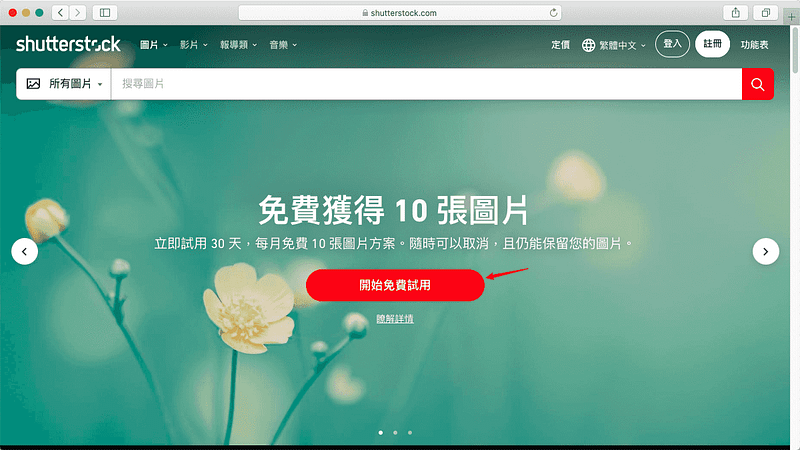 目前 Shutterstock 提供每月每費 10 張圖片,且首月免費的優惠促銷,因此,我們首先前往該首頁:[點此前往](https://techmoon.xyz/go/shutterstock)。進入首頁後,你就可以看到 ### 註冊 Shutterstock 免費會員 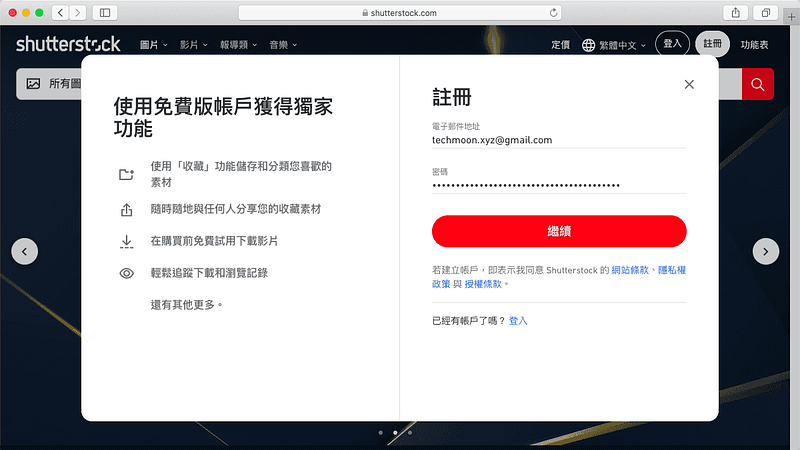 點選開始免費試用後,就會跳出註冊 Shutterstock 的視窗,輸入你的 Email 與密碼,即可免費註冊 Shutterstock 會員。 ### 確認訂單資訊與輸入付款資訊 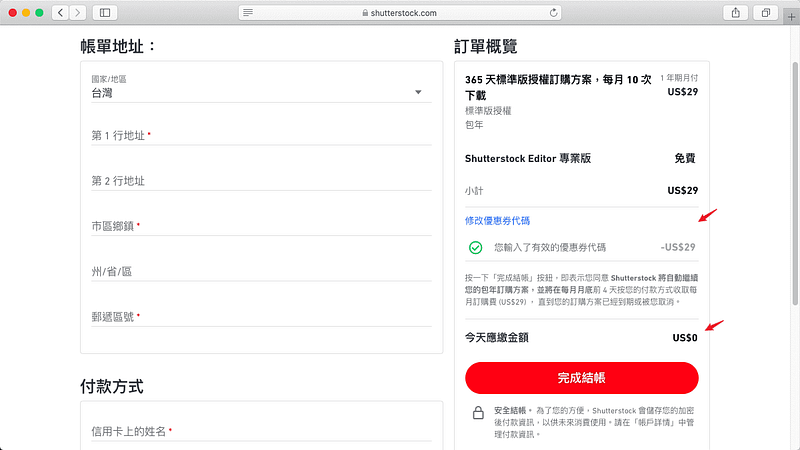 下一步就是檢視訂單資訊,每月免費 10 張圖片就是「包年每月付款」的方案,但是你只要輸入優惠碼「**PICK10FREE**」,就能獲得首月免費的優惠。在訂單檢視畫面,你只需填入帳單地址與信用卡資訊,即可完成結帳。 完成後,你就可以開始享受每月 10 張免費圖片的下載,如果你在使用一個月之內就取消,也不需要支付任何費用,等同免費獲得 10 張 Shutterstock 的圖片。 但如果你使用第一個月之後覺得好用,那麼接下來每月就僅需支付 $29 美元,可每月下載 10 張免費圖片,對於購買正版圖片來說,也是相當便宜划算的。 ### 每週免費 1 張圖片或照片 除了上述透過優惠碼購買可獲得免費 10 張圖片之外,Shutterstock 在每周也會提供 1 張圖片與 1 張向量圖免費下載。因此你每週都能在 Shutterstock 當中獲得兩個免費的圖片。  因此,不管你最終有沒有購買 Shutterstock 的付費方案,都可以[免費註冊 Shutterstock](https://techmoon.xyz/go/shutterstock),然後每週都到 Shutterstock 中獲取免費的圖片。 除了 Shutterstock 有提供免費圖片之外,我們也介紹過許多[**免費圖庫**](https://techmoon.xyz/free-img/)的資源網站,如果你有興趣,可以參考:[2020 最新 26 個 CC0 免版權免費圖庫、圖片、素材懶人包](https://techmoon.xyz/free-img/) ### Shutterstock 價格方案 ### [單月無合約 10 張圖片 — $49 美元](https://shutterstock.7eer.net/c/1348018/276847/1305) 無合約,單月可下載 10 張圖片,相當於每張圖片 $4.9 美元。 ### [年約單月 10 張圖片 — $29 美元](https://shutterstock.7eer.net/c/1348018/276847/1305) 每次訂購有一年合約,每月付款 $29 美元,每月都可下載 10 張圖片,相當於每張圖片 $2.9 美元。 ### [隨需組合包 5 張圖片 — $49 美元](https://shutterstock.7eer.net/c/1348018/276847/1305) 等於是購買下載圖片的額度,每張圖片在一年內都可重複下載,相當於每張圖片 $9.8 美元。 以上就是「[Shutterstock — 每月免費 10 張圖片下載,首月免費試用,無需付費隨時可以取消](https://techmoon.xyz/shutterstock/)」的完整內容,如果對你有幫助,歡迎幫我分享出去,讓更多人知道。 ### 相關內容 - [Free Stock Photos Icons8 — 免費無版權線上圖庫,只需註明來源即可下載免費使用大量高清圖片](https://techmoon.xyz/free-stock-photos-icons8/) - [Hippopx 線上免費圖庫 — CC0 可商用無需署名,多尺寸高畫質解析度免費下載](https://techmoon.xyz/hippopx/) - [IM Free — 線上無版權免費圖庫,CC0 可商用高品質圖片免費下載](https://techmoon.xyz/im-free/) - [2020 最新 26 個 CC0 免版權免費圖庫、圖片、素材懶人包](https://techmoon.xyz/free-img/) - [Generated Photos — 透過 AI 製作出獨特的人物照片,可免費下載與提供個人使用,還可付費進行商業使用](https://techmoon.xyz/generated-photos/) - [iconmonstr — 4496+ 可商用 CC0 大量圖標 Icons 免費下載,另提供 Iconic Font 字體線上使用](https://techmoon.xyz/iconmonstr/) - [Remix Icon — 免費開源圖標庫,多達 2 千以上的線性圖標免版權可商用下載](https://techmoon.xyz/remix-icon/) - [Gifing — 線上免費無版權影片、Gifs 圖片素材,可下載與商業使用無須註明出處來源](https://techmoon.xyz/gifing/) - [Icons8 — 大量圖標免費下載、嵌入 HTML,更提供免費圖片、向量插圖、音樂下載使用](https://techmoon.xyz/icons8/) - [Slidesgo — 大量 PowerPoint 模板、Google Slides 主題免費下載,且有詳細教學文章可供學習](https://techmoon.xyz/slidesgo/) - [FindIcons — 全球最大圖示 Icon 搜尋引擎,可商用 Icon 圖示免費下載](https://techmoon.xyz/findicons/) - [Fotor 評價 — 跨平台 APP 免費線上圖片編輯軟體,照片美化與合併完整教學](https://techmoon.xyz/fotor/) ### 延伸閱讀 - [2020 最新 26 個 CC0 免版權免費圖庫、圖片、素材懶人包](https://techmoon.xyz/free-img/) ---------- _Originally published at_ [_https://techmoon.xyz_](https://techmoon.xyz/shutterstock/) _on May 15, 2020._ |
| json metadata | {"tags":["shutterstock"],"image":["https://cdn-images-1.medium.com/max/800/0*9_T95WrF3zKe236p.png","https://cdn-images-1.medium.com/max/800/0*9gq1XM3QVG6QEuMw","https://cdn-images-1.medium.com/max/800/0*PCadAj80mrxOVDFE","https://cdn-images-1.medium.com/max/800/0*7dv9O4XKKGHfzHso","https://cdn-images-1.medium.com/max/800/0*zoyVBJ0b6UQ2ljmV"],"links":["https://techmoon.xyz/shutterstock/","https://shutterstock.7eer.net/c/1348018/276847/1305","https://techmoon.xyz/go/shutterstock","https://techmoon.xyz/free-img/","https://techmoon.xyz/free-stock-photos-icons8/","https://techmoon.xyz/hippopx/","https://techmoon.xyz/im-free/","https://techmoon.xyz/generated-photos/","https://techmoon.xyz/iconmonstr/","https://techmoon.xyz/remix-icon/","https://techmoon.xyz/gifing/","https://techmoon.xyz/icons8/","https://techmoon.xyz/slidesgo/","https://techmoon.xyz/findicons/","https://techmoon.xyz/fotor/","https://techmoon.xyz"],"app":"steemit/0.2","format":"markdown"} |
| parent author | |
| parent permlink | shutterstock |
| permlink | shutterstock-10-techmoon |
| title | Shutterstock - 每月免費 10 張圖片下載,首月免費試用,無需付費隨時可以取消 - TechMoon 科技月球 |
| Transaction Info | Block #43704991/Trx ac8eb550865b78866bfd7575e66428f5b71d337e |
View Raw JSON Data
{
"block": 43704991,
"op": [
"comment",
{
"author": "sliven",
"body": "\n\n[**Shutterstock**](https://techmoon.xyz/shutterstock/) 是一個擁有非常大量圖片、影片、音樂…等等媒體資源的網站。許多人個人或是中大型媒體網站,都常常會見到下方有註明出處來自 Shutterstock,可見 Shutterstock 是許多編輯在選用圖片時的媒體資源網站之一。\n\nShutterstock 的版權費用非常合理,對於設計師來說,他們可以獲取更合理的銷售收入,而對於消費者來說,又不會使得購買圖片的成本太高,Shutterstock 在這一方面取得了不錯的平衡。[前往了解更多](https://shutterstock.7eer.net/c/1348018/276847/1305)\n\n除了這兩種基本的方案之外,現在 Shutterstock 有推出另外一種方案,是我覺得比較適合大部分人所選擇的,那就是「[**包年方案每月收費**](https://shutterstock.7eer.net/c/1348018/276847/1305)」。\n\n與上面「包月方案」不同的地方在於,「包月方案」指的是購買一個月,可隨時取消,在該月中,你可以購買 10 張圖片,該月僅需支付 $49 美元,相當於每張圖片僅需 $4.9 美元。\n\n而「包年方案每月收費」,指的是你每月僅需支付 $29 美元,相當於每張圖片僅需 $2.9 美元,但你不能隨時取消,必須要支付 12 個月。\n\n對於有經常性需求的使用者來說,「包年方案每月收費」的方式更為划算,但若你只是短期需求,那麼「包月方案」甚至是「額度方案」會比較適合你。\n\nShutterstock 還有另一個是「包年預付方案」,以年作為收費單位,每年 $299 美元,需預付。與「包年方案每月收費」相較來說,等於打將近 9 折,但需要一次支付 $299 美元,我個人是會比較傾向於選擇「[**包年方案每月收費**](https://shutterstock.7eer.net/c/1348018/276847/1305)」的方式。\n\n而現在,Shutterstock 提供「包年月收費」方案首月免費的優惠碼,只要你在結帳時輸入折扣碼「**PICK10FREE**」,就可以享有第一個月不用錢的優惠。另外,在你訂購之後一個月內取消,也不需要支付任何的費用。**等於免費獲得 10 張免版稅圖片**。\n\n網站名稱:庫存圖片、照片、向量圖、影片和音樂 | Shutterstock \n網站網址:[https://www.shutterstock.com/](https://techmoon.xyz/go/shutterstock)\n\n### Shutterstock 簡介教學\n\n如何在 Shutterstock 中下載每月 10 張免費圖片,並取得首月免費的優惠?\n\n前往 10 張免費圖片優惠頁面\n\n\n\n目前 Shutterstock 提供每月每費 10 張圖片,且首月免費的優惠促銷,因此,我們首先前往該首頁:[點此前往](https://techmoon.xyz/go/shutterstock)。進入首頁後,你就可以看到\n\n### 註冊 Shutterstock 免費會員\n\n\n\n點選開始免費試用後,就會跳出註冊 Shutterstock 的視窗,輸入你的 Email 與密碼,即可免費註冊 Shutterstock 會員。\n\n### 確認訂單資訊與輸入付款資訊\n\n\n\n下一步就是檢視訂單資訊,每月免費 10 張圖片就是「包年每月付款」的方案,但是你只要輸入優惠碼「**PICK10FREE**」,就能獲得首月免費的優惠。在訂單檢視畫面,你只需填入帳單地址與信用卡資訊,即可完成結帳。\n\n完成後,你就可以開始享受每月 10 張免費圖片的下載,如果你在使用一個月之內就取消,也不需要支付任何費用,等同免費獲得 10 張 Shutterstock 的圖片。\n\n但如果你使用第一個月之後覺得好用,那麼接下來每月就僅需支付 $29 美元,可每月下載 10 張免費圖片,對於購買正版圖片來說,也是相當便宜划算的。\n\n### 每週免費 1 張圖片或照片\n\n除了上述透過優惠碼購買可獲得免費 10 張圖片之外,Shutterstock 在每周也會提供 1 張圖片與 1 張向量圖免費下載。因此你每週都能在 Shutterstock 當中獲得兩個免費的圖片。\n\n\n\n因此,不管你最終有沒有購買 Shutterstock 的付費方案,都可以[免費註冊 Shutterstock](https://techmoon.xyz/go/shutterstock),然後每週都到 Shutterstock 中獲取免費的圖片。\n\n除了 Shutterstock 有提供免費圖片之外,我們也介紹過許多[**免費圖庫**](https://techmoon.xyz/free-img/)的資源網站,如果你有興趣,可以參考:[2020 最新 26 個 CC0 免版權免費圖庫、圖片、素材懶人包](https://techmoon.xyz/free-img/)\n\n### Shutterstock 價格方案\n\n### [單月無合約 10 張圖片 — $49 美元](https://shutterstock.7eer.net/c/1348018/276847/1305)\n\n無合約,單月可下載 10 張圖片,相當於每張圖片 $4.9 美元。\n\n### [年約單月 10 張圖片 — $29 美元](https://shutterstock.7eer.net/c/1348018/276847/1305)\n\n每次訂購有一年合約,每月付款 $29 美元,每月都可下載 10 張圖片,相當於每張圖片 $2.9 美元。\n\n### [隨需組合包 5 張圖片 — $49 美元](https://shutterstock.7eer.net/c/1348018/276847/1305)\n\n等於是購買下載圖片的額度,每張圖片在一年內都可重複下載,相當於每張圖片 $9.8 美元。\n\n以上就是「[Shutterstock — 每月免費 10 張圖片下載,首月免費試用,無需付費隨時可以取消](https://techmoon.xyz/shutterstock/)」的完整內容,如果對你有幫助,歡迎幫我分享出去,讓更多人知道。\n\n### 相關內容\n\n- [Free Stock Photos Icons8 — 免費無版權線上圖庫,只需註明來源即可下載免費使用大量高清圖片](https://techmoon.xyz/free-stock-photos-icons8/)\n- [Hippopx 線上免費圖庫 — CC0 可商用無需署名,多尺寸高畫質解析度免費下載](https://techmoon.xyz/hippopx/)\n- [IM Free — 線上無版權免費圖庫,CC0 可商用高品質圖片免費下載](https://techmoon.xyz/im-free/)\n- [2020 最新 26 個 CC0 免版權免費圖庫、圖片、素材懶人包](https://techmoon.xyz/free-img/)\n- [Generated Photos — 透過 AI 製作出獨特的人物照片,可免費下載與提供個人使用,還可付費進行商業使用](https://techmoon.xyz/generated-photos/)\n- [iconmonstr — 4496+ 可商用 CC0 大量圖標 Icons 免費下載,另提供 Iconic Font 字體線上使用](https://techmoon.xyz/iconmonstr/)\n- [Remix Icon — 免費開源圖標庫,多達 2 千以上的線性圖標免版權可商用下載](https://techmoon.xyz/remix-icon/)\n- [Gifing — 線上免費無版權影片、Gifs 圖片素材,可下載與商業使用無須註明出處來源](https://techmoon.xyz/gifing/)\n- [Icons8 — 大量圖標免費下載、嵌入 HTML,更提供免費圖片、向量插圖、音樂下載使用](https://techmoon.xyz/icons8/)\n- [Slidesgo — 大量 PowerPoint 模板、Google Slides 主題免費下載,且有詳細教學文章可供學習](https://techmoon.xyz/slidesgo/)\n- [FindIcons — 全球最大圖示 Icon 搜尋引擎,可商用 Icon 圖示免費下載](https://techmoon.xyz/findicons/)\n- [Fotor 評價 — 跨平台 APP 免費線上圖片編輯軟體,照片美化與合併完整教學](https://techmoon.xyz/fotor/)\n\n### 延伸閱讀\n\n- [2020 最新 26 個 CC0 免版權免費圖庫、圖片、素材懶人包](https://techmoon.xyz/free-img/)\n\n----------\n\n_Originally published at_ [_https://techmoon.xyz_](https://techmoon.xyz/shutterstock/) _on May 15, 2020._",
"json_metadata": "{\"tags\":[\"shutterstock\"],\"image\":[\"https://cdn-images-1.medium.com/max/800/0*9_T95WrF3zKe236p.png\",\"https://cdn-images-1.medium.com/max/800/0*9gq1XM3QVG6QEuMw\",\"https://cdn-images-1.medium.com/max/800/0*PCadAj80mrxOVDFE\",\"https://cdn-images-1.medium.com/max/800/0*7dv9O4XKKGHfzHso\",\"https://cdn-images-1.medium.com/max/800/0*zoyVBJ0b6UQ2ljmV\"],\"links\":[\"https://techmoon.xyz/shutterstock/\",\"https://shutterstock.7eer.net/c/1348018/276847/1305\",\"https://techmoon.xyz/go/shutterstock\",\"https://techmoon.xyz/free-img/\",\"https://techmoon.xyz/free-stock-photos-icons8/\",\"https://techmoon.xyz/hippopx/\",\"https://techmoon.xyz/im-free/\",\"https://techmoon.xyz/generated-photos/\",\"https://techmoon.xyz/iconmonstr/\",\"https://techmoon.xyz/remix-icon/\",\"https://techmoon.xyz/gifing/\",\"https://techmoon.xyz/icons8/\",\"https://techmoon.xyz/slidesgo/\",\"https://techmoon.xyz/findicons/\",\"https://techmoon.xyz/fotor/\",\"https://techmoon.xyz\"],\"app\":\"steemit/0.2\",\"format\":\"markdown\"}",
"parent_author": "",
"parent_permlink": "shutterstock",
"permlink": "shutterstock-10-techmoon",
"title": "Shutterstock - 每月免費 10 張圖片下載,首月免費試用,無需付費隨時可以取消 - TechMoon 科技月球"
}
],
"op_in_trx": 0,
"timestamp": "2020-05-26T13:19:03",
"trx_id": "ac8eb550865b78866bfd7575e66428f5b71d337e",
"trx_in_block": 12,
"virtual_op": 0
}slivenpublished a new post: siteground-cpu-gogeek-techmoon2020/05/25 11:56:15
slivenpublished a new post: siteground-cpu-gogeek-techmoon
2020/05/25 11:56:15
| author | sliven |
| body |  幾個月前,SiteGround 全面提升他們的主機服務,將所有的基礎架構移轉至 Google Cloud Platform。而 SiteGround 馬不停蹄的加快他們的腳步,在最近,它們更是針對主機的 CPU 進行大規模的升級,同時也擴增兩個新的數據中心,更棒的是,在 [**GoGeek 方案**](https://techmoon.xyz/go/siteground)當中,它們提供了比以往更多的主機空間,而且價格不變,現在購買相當划算。 ### CPU 處理速度提升 40% SiteGround 此次的更新是針對之前所有移轉至 Google Cloud Platform 上的基礎架構,將所有 CPU 升級至新的 N2 CPU,新的 CPU 處理效率比過去提升了至少 40% 以上。因此,所有購買 SiteGround 主機的客戶,都會立即感受到網站比過去的處理效能增快了許多,無論是舊客戶或新客戶,都能從中受益。 通過此次 CPU 的升級,當你的網站訪客進行瀏覽請求時,你的主機所發出的回應會相較以往花費更少的 CPU 秒數,從另外一個方面來說,相當於受益於此次更新,你的 [網站載入速度會提升](https://techmoon.xyz/loading-time/)。這將有益於你的網站排名,也就是有利於 [SEO](https://techmoon.xyz/what-is-seo/) 。 目前 SiteGround 已經開始進行 CPU 的升級,預計在未來的幾週之內,就會完全覆蓋到所有的客戶。當 SiteGroud 要更新你的主機時,你將會在 24 小時之前收到通知,SiteGround 會在流量離峰的最佳時間點進行更新,使網站受到影響的衝擊最小化。整個主機的更新大約落在 15 分鐘左右,基本上,大部分的主機預估都會在凌晨訪客較少時進行升級動作。 ### 新增 2 個數據中心 — 雪梨(Sydney)與 法蘭克福(Frankfurt) SiteGround 將所有基礎服務移到 Google Could Platform 的其中一個好處是,現在 SiteGround 能夠更有效率的提供更多的數據中心位置。在過去 15 年當中,SiteGround 一直以來是許多澳大利亞人的首選主機,而現在 SiteGround 終於能提供新的數據中心 — 澳洲的雪梨。 此外,SiteGround 還提供了位於德國 — 法蘭克福的數據中心,以因應龐大德國地區使用者的需求。現在,你可以在所有新購買的 SiteGround 主機中選擇這兩個新增加的數據中心。而舊客戶也可以透過 [Client Area](https://techmoon.xyz/siteground-new-client-area-and-control-panel/) 當中的 Marketplace 頁面來變更新的數據中心位置。 ### 擴增 GoGeek 方案的儲存空間 大多數有多個網站需求的客戶都會選擇 SiteGround 的 GoGeek 方案,其原因是因為它能提供建立多個 WordPress 網站,且價格是相當划算的。而遷移至 Google Cloud Platform 之後,SiteGround 現在能夠增加我們最需要的資源之一「網路空間」。因此,所有的新舊客戶將受益於這點,不需要變更任何的方案,現在所有 GoGeek 方案的使用者都將自動從原本所提供的 10 GB,提升至新的 40 GB 網路空間。 以上就是 [SiteGround 主機近期的重點更新內容](https://techmoon.xyz/siteground-upgrade-may-2020/),如果你對 [架設 WordPress 網站](https://techmoon.xyz/what-is-wordpress/) 有興趣,可以參考這篇教學,將會帶你一步步購買 SIteGround 主機,並教你如何快速建立一個 WordPress 網站:[2020 SiteGround 5 月 — 購買註冊教學 + WordPress 安裝教學 — 註冊購買與一鍵 WordPress 快速安裝教學](https://techmoon.xyz/siteground-wordpress/) ### 相關內容 - [2020 SiteGround 5 月 — 購買註冊教學 + WordPress 安裝教學 — 註冊購買與一鍵 WordPress 快速安裝教學](https://techmoon.xyz/siteground-wordpress/) - [SiteGround 2020 年 5 月:WordPress 官方推薦虛擬主機完整評價與測試心得](https://techmoon.xyz/siteground/) - [SiteGround for COVID-19 — WordPress 主機每月僅需 $0.33 美元,特惠 $0.99 美元即可購買 3 個月主機](https://techmoon.xyz/siteground-for-covid-19/) - [SiteGround 2020 年 5 月 — 首購優惠與續約方案完整註冊教學](https://techmoon.xyz/siteground-coupon/) - [FastComet 2020 年 5 月 — WordPress 主機評價,優點缺點詳細介紹](https://techmoon.xyz/fastcomet/) - [WordPress 虛擬主機推薦與費用比較清單【2020 最新版】](https://techmoon.xyz/hosting-reviews/) - [WordPlus.host — WordPress 專用免費虛擬主機,提供 WordPress 自動安裝功能。](https://techmoon.xyz/wordplus/) - [HostPapa 2020 年 5 月 — 優質的 Linux Web Hosting 主機,適用於建立 WordPress 網站](https://techmoon.xyz/hostpapa/) - [DreamHost 2020 年 5 月 — 虛擬主機主機評價 — 每月最低 $2.59 美元讓你一鍵安裝 WordPress 方便又快速](https://techmoon.xyz/dreamhost/) - [WP Hosting Australia 2020 年 5 月 — 來自澳洲的 WordPress 主機商,提供澳大力亞最穩定的主機服務](https://techmoon.xyz/wp-hosting-australia/) - [網易資訊評價 — 台灣 WordPress 虛擬主機商,提供免費主機試用,簡訊驗證後滿意再付費!](https://techmoon.xyz/wanteasy/) - [HostGator 2020 年 5 月評測 — 優異的運行時間與支持一鍵安裝 WordPress,內含 4 折 60% 折扣優惠購買連結!](https://techmoon.xyz/hostgator/) ### 延伸閱讀 - [6 個實用的小技巧,告別 WordPress 網站速度變慢的問題,加速你的 WP 網站](https://techmoon.xyz/wordpress-speed-tips/) - [5GBFree — 免費 5GB 虛擬主機空間,無廣告並支持一鍵安裝 WordPress 網站](https://techmoon.xyz/5gbfree/) - [RunCloud — 幫助你輕鬆在 VPS 主機上架設 WordPress 網站的 SaaS 服務](https://techmoon.xyz/runcloud-gcp-wordpress/) - [Dropbox Transfer — 上限 100 MB ~ 100 GB 線上檔案免費快傳,不限對象又安全的傳送大型檔案](https://techmoon.xyz/dropbox-transfer/) - [SiteGround SG Optimizer — 免費又強大的 WordPress 緩存快取外掛,加快網站速度的好幫手](https://techmoon.xyz/sg-optimizer/) - [Namecheap 評價 — 購買便宜網域懶人包完整註冊與續約教學](https://techmoon.xyz/namecheap-domain/) - [2020 Udemy Coupon 折價券 — 100% Free 免費線上課程](https://techmoon.xyz/free-udemy-course/) - [TiDeal — 來自香港的加密貨幣交易平台 feat. LikeCoin](https://techmoon.xyz/tideal/) - [DreamHost 2020 年 5 月 — 虛擬主機主機評價 — 每月最低 $2.59 美元讓你一鍵安裝 WordPress 方便又快速](https://techmoon.xyz/dreamhost/) - [HostGator 2020 年 5 月評測 — 優異的運行時間與支持一鍵安裝 WordPress,內含 4 折 60% 折扣優惠購買連結!](https://techmoon.xyz/hostgator/) - [SiteGround 2020 年 5 月 — 首購優惠與續約方案完整註冊教學](https://techmoon.xyz/siteground-coupon/) - [虛擬主機是什麼?2020 年新手該如何選擇與比較?](https://techmoon.xyz/virtual-host/) ---------- _Originally published at_ [_https://techmoon.xyz_](https://techmoon.xyz/) _on May 20, 2020._ |
| json metadata | {"tags":["siteground"],"image":["https://cdn-images-1.medium.com/max/800/0*6TRu93iFjqK9WQUb.png"],"links":["https://techmoon.xyz/go/siteground","https://techmoon.xyz/loading-time/","https://techmoon.xyz/what-is-seo/","https://techmoon.xyz/siteground-new-client-area-and-control-panel/","https://techmoon.xyz/siteground-upgrade-may-2020/","https://techmoon.xyz/what-is-wordpress/","https://techmoon.xyz/siteground-wordpress/","https://techmoon.xyz/siteground/","https://techmoon.xyz/siteground-for-covid-19/","https://techmoon.xyz/siteground-coupon/","https://techmoon.xyz/fastcomet/","https://techmoon.xyz/hosting-reviews/","https://techmoon.xyz/wordplus/","https://techmoon.xyz/hostpapa/","https://techmoon.xyz/dreamhost/","https://techmoon.xyz/wp-hosting-australia/","https://techmoon.xyz/wanteasy/","https://techmoon.xyz/hostgator/","https://techmoon.xyz/wordpress-speed-tips/","https://techmoon.xyz/5gbfree/","https://techmoon.xyz/runcloud-gcp-wordpress/","https://techmoon.xyz/dropbox-transfer/","https://techmoon.xyz/sg-optimizer/","https://techmoon.xyz/namecheap-domain/","https://techmoon.xyz/free-udemy-course/","https://techmoon.xyz/tideal/","https://techmoon.xyz/virtual-host/","https://techmoon.xyz/","https://techmoon.xyz"],"app":"steemit/0.2","format":"markdown"} |
| parent author | |
| parent permlink | siteground |
| permlink | siteground-cpu-gogeek-techmoon |
| title | SiteGround 主機更新重點 - 更快的 CPU、更多的數據中心、更大的 GoGeek 方案 - TechMoon 科技月球 |
| Transaction Info | Block #43675115/Trx 70e91b3412aba9622e892f85c21c0f4e14a2b19d |
View Raw JSON Data
{
"block": 43675115,
"op": [
"comment",
{
"author": "sliven",
"body": "\n幾個月前,SiteGround 全面提升他們的主機服務,將所有的基礎架構移轉至 Google Cloud Platform。而 SiteGround 馬不停蹄的加快他們的腳步,在最近,它們更是針對主機的 CPU 進行大規模的升級,同時也擴增兩個新的數據中心,更棒的是,在 [**GoGeek 方案**](https://techmoon.xyz/go/siteground)當中,它們提供了比以往更多的主機空間,而且價格不變,現在購買相當划算。\n\n### CPU 處理速度提升 40%\n\nSiteGround 此次的更新是針對之前所有移轉至 Google Cloud Platform 上的基礎架構,將所有 CPU 升級至新的 N2 CPU,新的 CPU 處理效率比過去提升了至少 40% 以上。因此,所有購買 SiteGround 主機的客戶,都會立即感受到網站比過去的處理效能增快了許多,無論是舊客戶或新客戶,都能從中受益。\n\n通過此次 CPU 的升級,當你的網站訪客進行瀏覽請求時,你的主機所發出的回應會相較以往花費更少的 CPU 秒數,從另外一個方面來說,相當於受益於此次更新,你的 [網站載入速度會提升](https://techmoon.xyz/loading-time/)。這將有益於你的網站排名,也就是有利於 [SEO](https://techmoon.xyz/what-is-seo/) 。\n\n目前 SiteGround 已經開始進行 CPU 的升級,預計在未來的幾週之內,就會完全覆蓋到所有的客戶。當 SiteGroud 要更新你的主機時,你將會在 24 小時之前收到通知,SiteGround 會在流量離峰的最佳時間點進行更新,使網站受到影響的衝擊最小化。整個主機的更新大約落在 15 分鐘左右,基本上,大部分的主機預估都會在凌晨訪客較少時進行升級動作。\n\n### 新增 2 個數據中心 — 雪梨(Sydney)與 法蘭克福(Frankfurt)\n\nSiteGround 將所有基礎服務移到 Google Could Platform 的其中一個好處是,現在 SiteGround 能夠更有效率的提供更多的數據中心位置。在過去 15 年當中,SiteGround 一直以來是許多澳大利亞人的首選主機,而現在 SiteGround 終於能提供新的數據中心 — 澳洲的雪梨。\n\n此外,SiteGround 還提供了位於德國 — 法蘭克福的數據中心,以因應龐大德國地區使用者的需求。現在,你可以在所有新購買的 SiteGround 主機中選擇這兩個新增加的數據中心。而舊客戶也可以透過 [Client Area](https://techmoon.xyz/siteground-new-client-area-and-control-panel/) 當中的 Marketplace 頁面來變更新的數據中心位置。\n\n### 擴增 GoGeek 方案的儲存空間\n\n大多數有多個網站需求的客戶都會選擇 SiteGround 的 GoGeek 方案,其原因是因為它能提供建立多個 WordPress 網站,且價格是相當划算的。而遷移至 Google Cloud Platform 之後,SiteGround 現在能夠增加我們最需要的資源之一「網路空間」。因此,所有的新舊客戶將受益於這點,不需要變更任何的方案,現在所有 GoGeek 方案的使用者都將自動從原本所提供的 10 GB,提升至新的 40 GB 網路空間。\n\n以上就是 [SiteGround 主機近期的重點更新內容](https://techmoon.xyz/siteground-upgrade-may-2020/),如果你對 [架設 WordPress 網站](https://techmoon.xyz/what-is-wordpress/) 有興趣,可以參考這篇教學,將會帶你一步步購買 SIteGround 主機,並教你如何快速建立一個 WordPress 網站:[2020 SiteGround 5 月 — 購買註冊教學 + WordPress 安裝教學 — 註冊購買與一鍵 WordPress 快速安裝教學](https://techmoon.xyz/siteground-wordpress/)\n\n### 相關內容\n\n- [2020 SiteGround 5 月 — 購買註冊教學 + WordPress 安裝教學 — 註冊購買與一鍵 WordPress 快速安裝教學](https://techmoon.xyz/siteground-wordpress/)\n- [SiteGround 2020 年 5 月:WordPress 官方推薦虛擬主機完整評價與測試心得](https://techmoon.xyz/siteground/)\n- [SiteGround for COVID-19 — WordPress 主機每月僅需 $0.33 美元,特惠 $0.99 美元即可購買 3 個月主機](https://techmoon.xyz/siteground-for-covid-19/)\n- [SiteGround 2020 年 5 月 — 首購優惠與續約方案完整註冊教學](https://techmoon.xyz/siteground-coupon/)\n- [FastComet 2020 年 5 月 — WordPress 主機評價,優點缺點詳細介紹](https://techmoon.xyz/fastcomet/)\n- [WordPress 虛擬主機推薦與費用比較清單【2020 最新版】](https://techmoon.xyz/hosting-reviews/)\n- [WordPlus.host — WordPress 專用免費虛擬主機,提供 WordPress 自動安裝功能。](https://techmoon.xyz/wordplus/)\n- [HostPapa 2020 年 5 月 — 優質的 Linux Web Hosting 主機,適用於建立 WordPress 網站](https://techmoon.xyz/hostpapa/)\n- [DreamHost 2020 年 5 月 — 虛擬主機主機評價 — 每月最低 $2.59 美元讓你一鍵安裝 WordPress 方便又快速](https://techmoon.xyz/dreamhost/)\n- [WP Hosting Australia 2020 年 5 月 — 來自澳洲的 WordPress 主機商,提供澳大力亞最穩定的主機服務](https://techmoon.xyz/wp-hosting-australia/)\n- [網易資訊評價 — 台灣 WordPress 虛擬主機商,提供免費主機試用,簡訊驗證後滿意再付費!](https://techmoon.xyz/wanteasy/)\n- [HostGator 2020 年 5 月評測 — 優異的運行時間與支持一鍵安裝 WordPress,內含 4 折 60% 折扣優惠購買連結!](https://techmoon.xyz/hostgator/)\n\n### 延伸閱讀\n\n- [6 個實用的小技巧,告別 WordPress 網站速度變慢的問題,加速你的 WP 網站](https://techmoon.xyz/wordpress-speed-tips/)\n- [5GBFree — 免費 5GB 虛擬主機空間,無廣告並支持一鍵安裝 WordPress 網站](https://techmoon.xyz/5gbfree/)\n- [RunCloud — 幫助你輕鬆在 VPS 主機上架設 WordPress 網站的 SaaS 服務](https://techmoon.xyz/runcloud-gcp-wordpress/)\n- [Dropbox Transfer — 上限 100 MB ~ 100 GB 線上檔案免費快傳,不限對象又安全的傳送大型檔案](https://techmoon.xyz/dropbox-transfer/)\n- [SiteGround SG Optimizer — 免費又強大的 WordPress 緩存快取外掛,加快網站速度的好幫手](https://techmoon.xyz/sg-optimizer/)\n- [Namecheap 評價 — 購買便宜網域懶人包完整註冊與續約教學](https://techmoon.xyz/namecheap-domain/)\n- [2020 Udemy Coupon 折價券 — 100% Free 免費線上課程](https://techmoon.xyz/free-udemy-course/)\n- [TiDeal — 來自香港的加密貨幣交易平台 feat. LikeCoin](https://techmoon.xyz/tideal/)\n- [DreamHost 2020 年 5 月 — 虛擬主機主機評價 — 每月最低 $2.59 美元讓你一鍵安裝 WordPress 方便又快速](https://techmoon.xyz/dreamhost/)\n- [HostGator 2020 年 5 月評測 — 優異的運行時間與支持一鍵安裝 WordPress,內含 4 折 60% 折扣優惠購買連結!](https://techmoon.xyz/hostgator/)\n- [SiteGround 2020 年 5 月 — 首購優惠與續約方案完整註冊教學](https://techmoon.xyz/siteground-coupon/)\n- [虛擬主機是什麼?2020 年新手該如何選擇與比較?](https://techmoon.xyz/virtual-host/)\n\n----------\n\n_Originally published at_ [_https://techmoon.xyz_](https://techmoon.xyz/) _on May 20, 2020._",
"json_metadata": "{\"tags\":[\"siteground\"],\"image\":[\"https://cdn-images-1.medium.com/max/800/0*6TRu93iFjqK9WQUb.png\"],\"links\":[\"https://techmoon.xyz/go/siteground\",\"https://techmoon.xyz/loading-time/\",\"https://techmoon.xyz/what-is-seo/\",\"https://techmoon.xyz/siteground-new-client-area-and-control-panel/\",\"https://techmoon.xyz/siteground-upgrade-may-2020/\",\"https://techmoon.xyz/what-is-wordpress/\",\"https://techmoon.xyz/siteground-wordpress/\",\"https://techmoon.xyz/siteground/\",\"https://techmoon.xyz/siteground-for-covid-19/\",\"https://techmoon.xyz/siteground-coupon/\",\"https://techmoon.xyz/fastcomet/\",\"https://techmoon.xyz/hosting-reviews/\",\"https://techmoon.xyz/wordplus/\",\"https://techmoon.xyz/hostpapa/\",\"https://techmoon.xyz/dreamhost/\",\"https://techmoon.xyz/wp-hosting-australia/\",\"https://techmoon.xyz/wanteasy/\",\"https://techmoon.xyz/hostgator/\",\"https://techmoon.xyz/wordpress-speed-tips/\",\"https://techmoon.xyz/5gbfree/\",\"https://techmoon.xyz/runcloud-gcp-wordpress/\",\"https://techmoon.xyz/dropbox-transfer/\",\"https://techmoon.xyz/sg-optimizer/\",\"https://techmoon.xyz/namecheap-domain/\",\"https://techmoon.xyz/free-udemy-course/\",\"https://techmoon.xyz/tideal/\",\"https://techmoon.xyz/virtual-host/\",\"https://techmoon.xyz/\",\"https://techmoon.xyz\"],\"app\":\"steemit/0.2\",\"format\":\"markdown\"}",
"parent_author": "",
"parent_permlink": "siteground",
"permlink": "siteground-cpu-gogeek-techmoon",
"title": "SiteGround 主機更新重點 - 更快的 CPU、更多的數據中心、更大的 GoGeek 方案 - TechMoon 科技月球"
}
],
"op_in_trx": 0,
"timestamp": "2020-05-25T11:56:15",
"trx_id": "70e91b3412aba9622e892f85c21c0f4e14a2b19d",
"trx_in_block": 10,
"virtual_op": 0
}slivenpublished a new post: wordpress-rabbit-exclusive-coming-soon-wordpress-theme2020/05/23 05:23:27
slivenpublished a new post: wordpress-rabbit-exclusive-coming-soon-wordpress-theme
2020/05/23 05:23:27
| author | sliven |
| body |  [**Rabbit – Exclusive Coming Soon WordPress Theme**](https://techmoon.xyz/rabbit-exclusive-coming-soon-wordpress-theme/) 是一款非常輕量的 [WordPress 佈景主題](https://techmoon.xyz/best-wordpress-themes/),他非常適合用來作為商業網站,其中它提供了 Landing Page 著陸頁設計、One Page 一頁式設計,以及 Coming Soon 的網站維護畫面,透過 Rabbit – Exclusive Coming Soon WordPress Theme,你可以非常靈活的去客製化你的網站。 Rabbit – Exclusive Coming Soon WordPress Theme 已兼容,並提供 MailChimp、Contact Form 7、[WPBakery Page Builder](https://techmoon.xyz/go/wpbakery)、[Ultimate VC Addons](https://1.envato.market/n5D3x)、ACF Pro、[WooCommerce](https://techmoon.xyz/what-is-woocommerce/)…等等知名 WordPress 外掛,讓你可以無需額外花費,就能在網站上使用這些外掛。 ## **Rabbit – Exclusive Coming Soon WordPress Theme 特色** - 簡潔與最小化設計 - 輕量化程式碼 - 100% 響應式網頁設計 - 內含 [Visual Composer](https://techmoon.xyz/go/visualcomposer) 外掛(節省 $34 美金) - 內含 [Ultimate VC Addons](https://1.envato.market/n5D3x)(節省 $20 美金) - 內含 ACF Pro 外掛(節省 $18 美金) - 多樣背景樣式 - 背景顏色 - 背景圖片 - 幻燈片效果 - YouTube 影片背景 - Vimeo 影片背景 - HTML5 影片背景 - 支援多層級 WordPress 選單 - 社群分享連結 - 圖片與文字 LOGO - 支援 Mailchimp 訂閱功能 - Kirki 客製化功能 - AJAX Load 延遲加載功能 - 支援 [WooCommerce](https://techmoon.xyz/what-is-woocommerce/) - 支援 Contact Form 7 - 採 [SEO](https://techmoon.xyz/what-is-seo/) 友善架構 - 一鍵安裝 Demo - 內建 Font Awesome Icons - 內建 Typekit 與 Google Fonts - 兼容 [WPML](https://techmoon.xyz/go/wpml) 多國語言翻譯外掛 - 詳細的說明教學文件 如果你想要在下載前瀏覽 Demo 網站,可以[點此前往了解更多](https://1.envato.market/XMzA5)。 如果你想要了解更多[如何選擇付費與免費 WordPress 主題](https://techmoon.xyz/how-to-choose-wordpress-themes/),可以[點此前往了解更多](https://techmoon.xyz/how-to-choose-wordpress-themes/)。 如果你想要查看更多[付費 WordPress 主題](https://techmoon.xyz/best-wordpress-themes/),可以[點此前往了解更多](https://techmoon.xyz/best-wordpress-themes/)。 如果你想要了解更多 [WordPress 虛擬主機](https://techmoon.xyz/hosting-reviews/),可以[點此前往了解更多](https://techmoon.xyz/hosting-reviews/)。 [免費下載 Rabbit – Exclusive Coming Soon WordPress Theme](https://1.envato.market/XMzA5) [SiteGround WordPress 主機 70% OFF 優惠](https://techmoon.xyz/go/siteground) **WordPress 付費主題免費下載期限** Rabbit – Exclusive Coming Soon WordPress Theme 免費下載期間從即日起到本月底為止,敬請把握! **你在尋找 WordPress 專用主機嗎?** 建立 WordPress 網站的第一步就是要有一個[**可靠的虛擬主機**](https://techmoon.xyz/virtual-host/)。現在你已經有了一個好看的 [WordPress 佈景主題](https://techmoon.xyz/best-wordpress-themes/),那麼你更應該[擁有一個性能極佳,且價格又便宜的虛擬主機](https://techmoon.xyz/siteground-coupon/)來建立你的網站,這樣,你的網站 [SEO](https://techmoon.xyz/what-is-seo/) 排名才會比其他人更具有優勢。 如果你想要快速了解官方推薦的 [**WordPress 推薦主機**](https://techmoon.xyz/hosting-reviews/),可以前往了解:[**SiteGround**](https://techmoon.xyz/siteground-wordpress/)、[**Bluehost**](https://techmoon.xyz/bluehost/)、[**DreamHost**](https://techmoon.xyz/dreamhost/) 三大官方認證主機。 如果你還想要了解如何在虛擬主機上安裝 WordPress,可以參考: - [**在 SiteGround 中安裝 WordPress**](https://techmoon.xyz/siteground-wordpress/) - [**在 Bluehost 中安裝 WordPress**](https://techmoon.xyz/bluehost/) 如果你還想了解更多適合建立 WordPress 的虛擬主機,可以參考:[SiteGround](https://techmoon.xyz/siteground/)、[BlueHost](https://techmoon.xyz/bluehost/)、[Hostinger](https://techmoon.xyz/hostinger-wordpress/)、[GreenGeeks](https://techmoon.xyz/greengeeks/)、[WPX Hosting](https://techmoon.xyz/wpxhosting/)、[SugarHosts](https://techmoon.xyz/sugarhosts/)、[WPWebHost](https://techmoon.xyz/wpwebhost/)、[iPage](https://techmoon.xyz/ipage/)、[HostGator](https://techmoon.xyz/hostgator/)、[HostPapa](https://techmoon.xyz/hostpapa/)、[DreamHost](https://techmoon.xyz/dreamhost/)、[WP Hosting Australia](https://techmoon.xyz/wp-hosting-australia/)、[FastComet](https://techmoon.xyz/fastcomet/)。 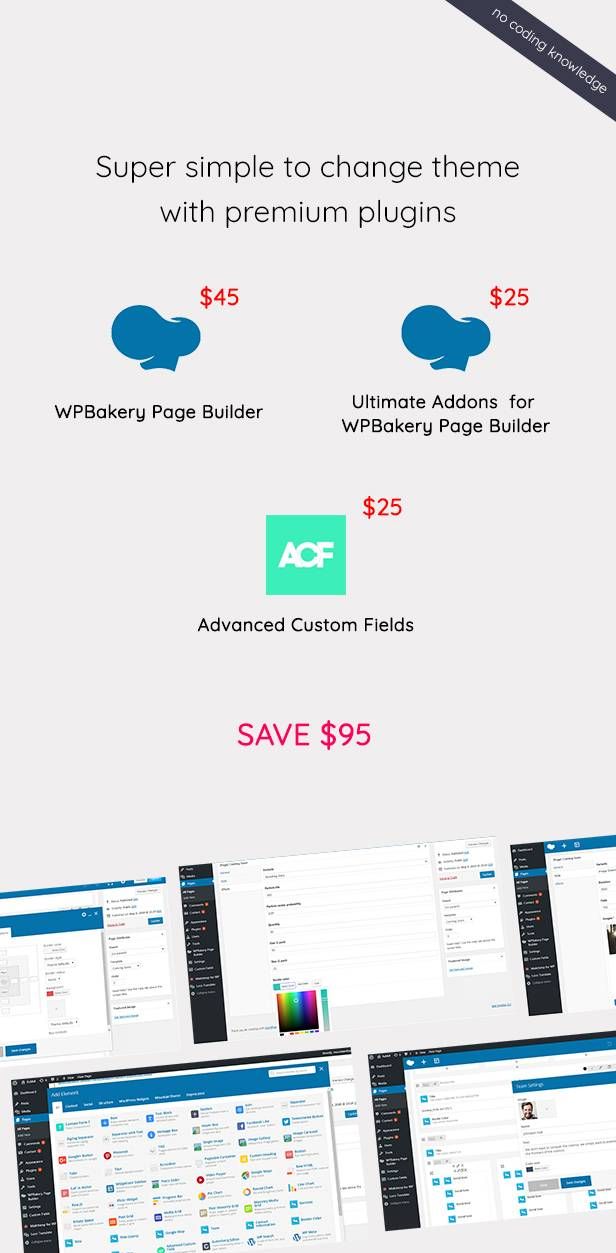 ## **相關內容** - [【WordPress 付費主題免費下載】Sigma – Multipurpose WordPress Theme](https://techmoon.xyz/sigma-multipurpose-wordpress-theme/) - [【WordPress 付費主題免費下載】Photography Photty](https://techmoon.xyz/photography-photty/) - [【WordPress 付費主題免費下載】Hala – Creative Multi-Purpose WordPress Theme](https://techmoon.xyz/hala-creative-multi-purpose-wordpress-theme/) - [【WordPress 付費主題免費下載】Revity – OnePage Parallax](https://techmoon.xyz/revity-onepage-parallax/) - [【WordPress 付費主題免費下載】Karis – Personal Blog & Magazine WordPress Theme](https://techmoon.xyz/karis-personal-blog-magazine-wordpress-theme/) - [【WordPress 付費主題免費下載】Tempus – Photography WordPress Theme](https://techmoon.xyz/tempus-photography-wordpress-theme/) - [【WordPress 付費主題免費下載】Ariana – Digital Agency One Page WordPress Theme](https://techmoon.xyz/ariana-digital-agency-one-page-wordpress-theme/) - [【WordPress 付費主題免費下載】Kunco – Charity & Fundraising WordPress Theme](https://techmoon.xyz/kunco-charity-fundraising-wordpress-theme/) - [【WordPress 付費主題免費下載】Minera – Minimalist WooCommerce WordPress Theme](https://techmoon.xyz/minera-minimalist-woocommerce-wordpress-theme/) - [【WordPress 付費主題免費下載】Unica – Personal Resume and Portfolio Theme](https://techmoon.xyz/unica-personal-resume-and-portfolio-theme/) - [【WordPress 付費主題免費下載】Soho Pro – Photography Portfolio](https://techmoon.xyz/soho-pro-photography-portfolio/) - [【WordPress 付費主題免費下載】DONA – Creative Multi-Purpose Parallax WordPress Theme](https://techmoon.xyz/dona-creative-multi-purpose-parallax-wordpress-theme/) ## **延伸閱讀** - [14 個最佳 WordPress Cache Plugins 緩存快取外掛推薦 - 2020 免費/付費通通有](https://techmoon.xyz/wordpress-cache-plugins/) - [DreamHost 2020 年 5 月 - 虛擬主機主機評價 - 每月最低 $2.59 美元讓你一鍵安裝 WordPress 方便又快速](https://techmoon.xyz/dreamhost/) - [【WordPress 付費主題免費下載】Soho Pro - Photography Portfolio](https://techmoon.xyz/soho-pro-photography-portfolio/) - [CloudAccess Free WordPress Hosting - 免費 WordPress 虛擬主機申請與免費一鍵安裝 WordPress & Joomla](https://techmoon.xyz/cloudaccess-free-wordpress-hosting/) - [【WordPress 付費主題免費下載】Maiden - Responsive One Page Portfolio WordPress Theme](https://techmoon.xyz/maiden-responsive-one-page-portfolio-wordpress-theme/) - [DemosWP - 免費快速建立 WordPress 測試網站,提供 SSL、phpMyAdmin 與 SFTP 功能](https://techmoon.xyz/demoswp/) - [2020 SiteGround 5 月 - 購買註冊教學 + WordPress 安裝教學 - 註冊購買與一鍵 WordPress 快速安裝教學](https://techmoon.xyz/siteground-wordpress/) - [新手如何挑選 WordPress 主題?免費與付費主題的差異與建議 (2020 更新)](https://techmoon.xyz/how-to-choose-wordpress-themes/) - [WPX Hosting 2020 年 5 月 - 主機評測 - VPS 規格 Shared Hosting 價格,是你 WordPress 網站託管的最佳選擇](https://techmoon.xyz/wpxhosting/) - [WordPress 虛擬主機推薦與費用比較清單【2020 最新版】](https://techmoon.xyz/hosting-reviews/) - [【WordPress 付費主題免費下載】Minera - Minimalist WooCommerce WordPress Theme](https://techmoon.xyz/minera-minimalist-woocommerce-wordpress-theme/) - [【WordPress 付費外掛免費下載】Responsive Posts Carousel WordPress Plugin](https://techmoon.xyz/responsive-posts-carousel-wordpress-plugin/) |
| json metadata | {"tags":["wordpress"],"image":["https://assets.matters.news/embed/e1643071-10ce-4696-91e0-f793d4ade775.png","https://assets.matters.news/embed/62c791f3-6292-43cf-9824-d5d39f837cc0.jpeg"],"links":["https://techmoon.xyz/rabbit-exclusive-coming-soon-wordpress-theme/","https://techmoon.xyz/best-wordpress-themes/","https://techmoon.xyz/go/wpbakery","https://1.envato.market/n5D3x","https://techmoon.xyz/what-is-woocommerce/","https://techmoon.xyz/go/visualcomposer","https://techmoon.xyz/what-is-seo/","https://techmoon.xyz/go/wpml","https://1.envato.market/XMzA5","https://techmoon.xyz/how-to-choose-wordpress-themes/","https://techmoon.xyz/hosting-reviews/","https://techmoon.xyz/go/siteground","https://techmoon.xyz/virtual-host/","https://techmoon.xyz/siteground-coupon/","https://techmoon.xyz/siteground-wordpress/","https://techmoon.xyz/bluehost/","https://techmoon.xyz/dreamhost/","https://techmoon.xyz/siteground/","https://techmoon.xyz/hostinger-wordpress/","https://techmoon.xyz/greengeeks/","https://techmoon.xyz/wpxhosting/","https://techmoon.xyz/sugarhosts/","https://techmoon.xyz/wpwebhost/","https://techmoon.xyz/ipage/","https://techmoon.xyz/hostgator/","https://techmoon.xyz/hostpapa/","https://techmoon.xyz/wp-hosting-australia/","https://techmoon.xyz/fastcomet/","https://techmoon.xyz/sigma-multipurpose-wordpress-theme/","https://techmoon.xyz/photography-photty/","https://techmoon.xyz/hala-creative-multi-purpose-wordpress-theme/","https://techmoon.xyz/revity-onepage-parallax/","https://techmoon.xyz/karis-personal-blog-magazine-wordpress-theme/","https://techmoon.xyz/tempus-photography-wordpress-theme/","https://techmoon.xyz/ariana-digital-agency-one-page-wordpress-theme/","https://techmoon.xyz/kunco-charity-fundraising-wordpress-theme/","https://techmoon.xyz/minera-minimalist-woocommerce-wordpress-theme/","https://techmoon.xyz/unica-personal-resume-and-portfolio-theme/","https://techmoon.xyz/soho-pro-photography-portfolio/","https://techmoon.xyz/dona-creative-multi-purpose-parallax-wordpress-theme/","https://techmoon.xyz/wordpress-cache-plugins/","https://techmoon.xyz/cloudaccess-free-wordpress-hosting/","https://techmoon.xyz/maiden-responsive-one-page-portfolio-wordpress-theme/","https://techmoon.xyz/demoswp/","https://techmoon.xyz/responsive-posts-carousel-wordpress-plugin/"],"app":"steemit/0.2","format":"markdown"} |
| parent author | |
| parent permlink | wordpress |
| permlink | wordpress-rabbit-exclusive-coming-soon-wordpress-theme |
| title | 【WordPress 付費主題免費下載】Rabbit – Exclusive Coming Soon WordPress Theme |
| Transaction Info | Block #43610943/Trx a5b270d1f81c182fc70e0e4cfc30d4449901d8e6 |
View Raw JSON Data
{
"block": 43610943,
"op": [
"comment",
{
"author": "sliven",
"body": "\n\n[**Rabbit – Exclusive Coming Soon WordPress Theme**](https://techmoon.xyz/rabbit-exclusive-coming-soon-wordpress-theme/) 是一款非常輕量的 [WordPress 佈景主題](https://techmoon.xyz/best-wordpress-themes/),他非常適合用來作為商業網站,其中它提供了 Landing Page 著陸頁設計、One Page 一頁式設計,以及 Coming Soon 的網站維護畫面,透過 Rabbit – Exclusive Coming Soon WordPress Theme,你可以非常靈活的去客製化你的網站。\n\nRabbit – Exclusive Coming Soon WordPress Theme 已兼容,並提供 MailChimp、Contact Form 7、[WPBakery Page Builder](https://techmoon.xyz/go/wpbakery)、[Ultimate VC Addons](https://1.envato.market/n5D3x)、ACF Pro、[WooCommerce](https://techmoon.xyz/what-is-woocommerce/)…等等知名 WordPress 外掛,讓你可以無需額外花費,就能在網站上使用這些外掛。\n\n## **Rabbit – Exclusive Coming Soon WordPress Theme 特色**\n\n- 簡潔與最小化設計\n- 輕量化程式碼\n- 100% 響應式網頁設計\n- 內含 [Visual Composer](https://techmoon.xyz/go/visualcomposer) 外掛(節省 $34 美金)\n- 內含 [Ultimate VC Addons](https://1.envato.market/n5D3x)(節省 $20 美金)\n- 內含 ACF Pro 外掛(節省 $18 美金)\n- 多樣背景樣式\n- 背景顏色\n- 背景圖片\n- 幻燈片效果\n- YouTube 影片背景\n- Vimeo 影片背景\n- HTML5 影片背景\n- 支援多層級 WordPress 選單\n- 社群分享連結\n- 圖片與文字 LOGO\n- 支援 Mailchimp 訂閱功能\n- Kirki 客製化功能\n- AJAX Load 延遲加載功能\n- 支援 [WooCommerce](https://techmoon.xyz/what-is-woocommerce/)\n- 支援 Contact Form 7\n- 採 [SEO](https://techmoon.xyz/what-is-seo/) 友善架構\n- 一鍵安裝 Demo\n- 內建 Font Awesome Icons\n- 內建 Typekit 與 Google Fonts\n- 兼容 [WPML](https://techmoon.xyz/go/wpml) 多國語言翻譯外掛\n- 詳細的說明教學文件\n\n如果你想要在下載前瀏覽 Demo 網站,可以[點此前往了解更多](https://1.envato.market/XMzA5)。\n\n如果你想要了解更多[如何選擇付費與免費 WordPress 主題](https://techmoon.xyz/how-to-choose-wordpress-themes/),可以[點此前往了解更多](https://techmoon.xyz/how-to-choose-wordpress-themes/)。\n\n如果你想要查看更多[付費 WordPress 主題](https://techmoon.xyz/best-wordpress-themes/),可以[點此前往了解更多](https://techmoon.xyz/best-wordpress-themes/)。\n\n如果你想要了解更多 [WordPress 虛擬主機](https://techmoon.xyz/hosting-reviews/),可以[點此前往了解更多](https://techmoon.xyz/hosting-reviews/)。\n\n[免費下載 Rabbit – Exclusive Coming Soon WordPress Theme](https://1.envato.market/XMzA5) [SiteGround WordPress 主機 70% OFF 優惠](https://techmoon.xyz/go/siteground)\n\n**WordPress 付費主題免費下載期限**\n\nRabbit – Exclusive Coming Soon WordPress Theme 免費下載期間從即日起到本月底為止,敬請把握!\n\n**你在尋找 WordPress 專用主機嗎?**\n\n建立 WordPress 網站的第一步就是要有一個[**可靠的虛擬主機**](https://techmoon.xyz/virtual-host/)。現在你已經有了一個好看的 [WordPress 佈景主題](https://techmoon.xyz/best-wordpress-themes/),那麼你更應該[擁有一個性能極佳,且價格又便宜的虛擬主機](https://techmoon.xyz/siteground-coupon/)來建立你的網站,這樣,你的網站 [SEO](https://techmoon.xyz/what-is-seo/) 排名才會比其他人更具有優勢。\n\n如果你想要快速了解官方推薦的 [**WordPress 推薦主機**](https://techmoon.xyz/hosting-reviews/),可以前往了解:[**SiteGround**](https://techmoon.xyz/siteground-wordpress/)、[**Bluehost**](https://techmoon.xyz/bluehost/)、[**DreamHost**](https://techmoon.xyz/dreamhost/) 三大官方認證主機。\n\n如果你還想要了解如何在虛擬主機上安裝 WordPress,可以參考:\n\n- [**在 SiteGround 中安裝 WordPress**](https://techmoon.xyz/siteground-wordpress/)\n- [**在 Bluehost 中安裝 WordPress**](https://techmoon.xyz/bluehost/)\n\n如果你還想了解更多適合建立 WordPress 的虛擬主機,可以參考:[SiteGround](https://techmoon.xyz/siteground/)、[BlueHost](https://techmoon.xyz/bluehost/)、[Hostinger](https://techmoon.xyz/hostinger-wordpress/)、[GreenGeeks](https://techmoon.xyz/greengeeks/)、[WPX Hosting](https://techmoon.xyz/wpxhosting/)、[SugarHosts](https://techmoon.xyz/sugarhosts/)、[WPWebHost](https://techmoon.xyz/wpwebhost/)、[iPage](https://techmoon.xyz/ipage/)、[HostGator](https://techmoon.xyz/hostgator/)、[HostPapa](https://techmoon.xyz/hostpapa/)、[DreamHost](https://techmoon.xyz/dreamhost/)、[WP Hosting Australia](https://techmoon.xyz/wp-hosting-australia/)、[FastComet](https://techmoon.xyz/fastcomet/)。\n\n\n\n## **相關內容**\n\n- [【WordPress 付費主題免費下載】Sigma – Multipurpose WordPress Theme](https://techmoon.xyz/sigma-multipurpose-wordpress-theme/)\n- [【WordPress 付費主題免費下載】Photography Photty](https://techmoon.xyz/photography-photty/)\n- [【WordPress 付費主題免費下載】Hala – Creative Multi-Purpose WordPress Theme](https://techmoon.xyz/hala-creative-multi-purpose-wordpress-theme/)\n- [【WordPress 付費主題免費下載】Revity – OnePage Parallax](https://techmoon.xyz/revity-onepage-parallax/)\n- [【WordPress 付費主題免費下載】Karis – Personal Blog & Magazine WordPress Theme](https://techmoon.xyz/karis-personal-blog-magazine-wordpress-theme/)\n- [【WordPress 付費主題免費下載】Tempus – Photography WordPress Theme](https://techmoon.xyz/tempus-photography-wordpress-theme/)\n- [【WordPress 付費主題免費下載】Ariana – Digital Agency One Page WordPress Theme](https://techmoon.xyz/ariana-digital-agency-one-page-wordpress-theme/)\n- [【WordPress 付費主題免費下載】Kunco – Charity & Fundraising WordPress Theme](https://techmoon.xyz/kunco-charity-fundraising-wordpress-theme/)\n- [【WordPress 付費主題免費下載】Minera – Minimalist WooCommerce WordPress Theme](https://techmoon.xyz/minera-minimalist-woocommerce-wordpress-theme/)\n- [【WordPress 付費主題免費下載】Unica – Personal Resume and Portfolio Theme](https://techmoon.xyz/unica-personal-resume-and-portfolio-theme/)\n- [【WordPress 付費主題免費下載】Soho Pro – Photography Portfolio](https://techmoon.xyz/soho-pro-photography-portfolio/)\n- [【WordPress 付費主題免費下載】DONA – Creative Multi-Purpose Parallax WordPress Theme](https://techmoon.xyz/dona-creative-multi-purpose-parallax-wordpress-theme/)\n\n## **延伸閱讀**\n\n- [14 個最佳 WordPress Cache Plugins 緩存快取外掛推薦 - 2020 免費/付費通通有](https://techmoon.xyz/wordpress-cache-plugins/)\n- [DreamHost 2020 年 5 月 - 虛擬主機主機評價 - 每月最低 $2.59 美元讓你一鍵安裝 WordPress 方便又快速](https://techmoon.xyz/dreamhost/)\n- [【WordPress 付費主題免費下載】Soho Pro - Photography Portfolio](https://techmoon.xyz/soho-pro-photography-portfolio/)\n- [CloudAccess Free WordPress Hosting - 免費 WordPress 虛擬主機申請與免費一鍵安裝 WordPress & Joomla](https://techmoon.xyz/cloudaccess-free-wordpress-hosting/)\n- [【WordPress 付費主題免費下載】Maiden - Responsive One Page Portfolio WordPress Theme](https://techmoon.xyz/maiden-responsive-one-page-portfolio-wordpress-theme/)\n- [DemosWP - 免費快速建立 WordPress 測試網站,提供 SSL、phpMyAdmin 與 SFTP 功能](https://techmoon.xyz/demoswp/)\n- [2020 SiteGround 5 月 - 購買註冊教學 + WordPress 安裝教學 - 註冊購買與一鍵 WordPress 快速安裝教學](https://techmoon.xyz/siteground-wordpress/)\n- [新手如何挑選 WordPress 主題?免費與付費主題的差異與建議 (2020 更新)](https://techmoon.xyz/how-to-choose-wordpress-themes/)\n- [WPX Hosting 2020 年 5 月 - 主機評測 - VPS 規格 Shared Hosting 價格,是你 WordPress 網站託管的最佳選擇](https://techmoon.xyz/wpxhosting/)\n- [WordPress 虛擬主機推薦與費用比較清單【2020 最新版】](https://techmoon.xyz/hosting-reviews/)\n- [【WordPress 付費主題免費下載】Minera - Minimalist WooCommerce WordPress Theme](https://techmoon.xyz/minera-minimalist-woocommerce-wordpress-theme/)\n- [【WordPress 付費外掛免費下載】Responsive Posts Carousel WordPress Plugin](https://techmoon.xyz/responsive-posts-carousel-wordpress-plugin/)",
"json_metadata": "{\"tags\":[\"wordpress\"],\"image\":[\"https://assets.matters.news/embed/e1643071-10ce-4696-91e0-f793d4ade775.png\",\"https://assets.matters.news/embed/62c791f3-6292-43cf-9824-d5d39f837cc0.jpeg\"],\"links\":[\"https://techmoon.xyz/rabbit-exclusive-coming-soon-wordpress-theme/\",\"https://techmoon.xyz/best-wordpress-themes/\",\"https://techmoon.xyz/go/wpbakery\",\"https://1.envato.market/n5D3x\",\"https://techmoon.xyz/what-is-woocommerce/\",\"https://techmoon.xyz/go/visualcomposer\",\"https://techmoon.xyz/what-is-seo/\",\"https://techmoon.xyz/go/wpml\",\"https://1.envato.market/XMzA5\",\"https://techmoon.xyz/how-to-choose-wordpress-themes/\",\"https://techmoon.xyz/hosting-reviews/\",\"https://techmoon.xyz/go/siteground\",\"https://techmoon.xyz/virtual-host/\",\"https://techmoon.xyz/siteground-coupon/\",\"https://techmoon.xyz/siteground-wordpress/\",\"https://techmoon.xyz/bluehost/\",\"https://techmoon.xyz/dreamhost/\",\"https://techmoon.xyz/siteground/\",\"https://techmoon.xyz/hostinger-wordpress/\",\"https://techmoon.xyz/greengeeks/\",\"https://techmoon.xyz/wpxhosting/\",\"https://techmoon.xyz/sugarhosts/\",\"https://techmoon.xyz/wpwebhost/\",\"https://techmoon.xyz/ipage/\",\"https://techmoon.xyz/hostgator/\",\"https://techmoon.xyz/hostpapa/\",\"https://techmoon.xyz/wp-hosting-australia/\",\"https://techmoon.xyz/fastcomet/\",\"https://techmoon.xyz/sigma-multipurpose-wordpress-theme/\",\"https://techmoon.xyz/photography-photty/\",\"https://techmoon.xyz/hala-creative-multi-purpose-wordpress-theme/\",\"https://techmoon.xyz/revity-onepage-parallax/\",\"https://techmoon.xyz/karis-personal-blog-magazine-wordpress-theme/\",\"https://techmoon.xyz/tempus-photography-wordpress-theme/\",\"https://techmoon.xyz/ariana-digital-agency-one-page-wordpress-theme/\",\"https://techmoon.xyz/kunco-charity-fundraising-wordpress-theme/\",\"https://techmoon.xyz/minera-minimalist-woocommerce-wordpress-theme/\",\"https://techmoon.xyz/unica-personal-resume-and-portfolio-theme/\",\"https://techmoon.xyz/soho-pro-photography-portfolio/\",\"https://techmoon.xyz/dona-creative-multi-purpose-parallax-wordpress-theme/\",\"https://techmoon.xyz/wordpress-cache-plugins/\",\"https://techmoon.xyz/cloudaccess-free-wordpress-hosting/\",\"https://techmoon.xyz/maiden-responsive-one-page-portfolio-wordpress-theme/\",\"https://techmoon.xyz/demoswp/\",\"https://techmoon.xyz/responsive-posts-carousel-wordpress-plugin/\"],\"app\":\"steemit/0.2\",\"format\":\"markdown\"}",
"parent_author": "",
"parent_permlink": "wordpress",
"permlink": "wordpress-rabbit-exclusive-coming-soon-wordpress-theme",
"title": "【WordPress 付費主題免費下載】Rabbit – Exclusive Coming Soon WordPress Theme"
}
],
"op_in_trx": 0,
"timestamp": "2020-05-23T05:23:27",
"trx_id": "a5b270d1f81c182fc70e0e4cfc30d4449901d8e6",
"trx_in_block": 10,
"virtual_op": 0
}2020/05/09 11:24:00
2020/05/09 11:24:00
| delegatee | sliven |
| delegator | steem |
| vesting shares | 28786.426433 VESTS |
| Transaction Info | Block #43223664/Trx 35cc92a67fda17bff92f2dc760ac709ec640d8d4 |
View Raw JSON Data
{
  "block": 43223664,
  "op": [
    "delegate_vesting_shares",
    {
      "delegatee": "sliven",
      "delegator": "steem",
      "vesting_shares": "28786.426433 VESTS"
    }
  ],
  "op_in_trx": 0,
  "timestamp": "2020-05-09T11:24:00",
  "trx_id": "35cc92a67fda17bff92f2dc760ac709ec640d8d4",
  "trx_in_block": 6,
  "virtual_op": 0
}2020/05/08 15:50:45
2020/05/08 15:50:45
| delegatee | sliven |
| delegator | steem |
| vesting shares | 5348.221106 VESTS |
| Transaction Info | Block #43200756/Trx 7a6b78d005275e9d5181642a5f52974366e4802f |
View Raw JSON Data
{
  "block": 43200756,
  "op": [
    "delegate_vesting_shares",
    {
      "delegatee": "sliven",
      "delegator": "steem",
      "vesting_shares": "5348.221106 VESTS"
    }
  ],
  "op_in_trx": 0,
  "timestamp": "2020-05-08T15:50:45",
  "trx_id": "7a6b78d005275e9d5181642a5f52974366e4802f",
  "trx_in_block": 8,
  "virtual_op": 0
}slivenreceived 0.020 SBD, 0.143 SP author reward for @sliven / siteground-usd0-33-cny2020/04/09 08:37:51
slivenreceived 0.020 SBD, 0.143 SP author reward for @sliven / siteground-usd0-33-cny
2020/04/09 08:37:51
| author | sliven |
| permlink | siteground-usd0-33-cny |
| sbd payout | 0.020 SBD |
| steem payout | 0.000 STEEM |
| vesting payout | 232.827531 VESTS |
| Transaction Info | Block #42378552/Virtual Operation #3 |
View Raw JSON Data
{
  "block": 42378552,
  "op": [
    "author_reward",
    {
      "author": "sliven",
      "permlink": "siteground-usd0-33-cny",
      "sbd_payout": "0.020 SBD",
      "steem_payout": "0.000 STEEM",
      "vesting_payout": "232.827531 VESTS"
    }
  ],
  "op_in_trx": 0,
  "timestamp": "2020-04-09T08:37:51",
  "trx_id": "0000000000000000000000000000000000000000",
  "trx_in_block": 4294967295,
  "virtual_op": 3
}payrollupvoted (4.00%) @sliven / siteground-usd0-33-cny2020/04/02 09:02:54
payrollupvoted (4.00%) @sliven / siteground-usd0-33-cny
2020/04/02 09:02:54
| author | sliven |
| permlink | siteground-usd0-33-cny |
| voter | payroll |
| weight | 400 (4.00%) |
| Transaction Info | Block #42181948/Trx 5b4c1637798898309c1304b8a3201ea05f3a827a |
View Raw JSON Data
{
  "block": 42181948,
  "op": [
    "vote",
    {
      "author": "sliven",
      "permlink": "siteground-usd0-33-cny",
      "voter": "payroll",
      "weight": 400
    }
  ],
  "op_in_trx": 0,
  "timestamp": "2020-04-02T09:02:54",
  "trx_id": "5b4c1637798898309c1304b8a3201ea05f3a827a",
  "trx_in_block": 3,
  "virtual_op": 0
}slivenpublished a new post: siteground-usd0-33-cny2020/04/02 08:37:51
slivenpublished a new post: siteground-usd0-33-cny
2020/04/02 08:37:51
| author | sliven |
| body | 近期由於新冠狀肺炎(COVID-19)影響全世界的人類遭受史無前例的感染傳播,一系列的封城與死亡導致許多人失去了工作,甚至因此影響了生活。而許多人則多出了許多時間,無論是在家隔離,或是被禁止出門。而正是你切入網路創業的大好時機!無論你是單純想要建立部落格,或是將你的線下產品服務,轉而建立網站,打造線上的新商機,都可以好好利用這個艱難的時刻。 有鑑於此,知名的 [SiteGround 虛擬主機](https://techmoon.xyz/siteground-wordpress/),特別與 [TechMoon 科技月球](https://techmoon.xyz/)合作,我們將展開為期幾週的時間,提供所有透過我們推薦連結購買 SiteGround 的使用者,[以 **$0.99 美元的超低價格,獲取 3 個月的 SiteGround 虛擬主機**](https://techmoon.xyz/go/siteground),讓你可以在這個艱難的時刻,尋找出一條嶄新的道路。 [點此獲取每月 0.33 美元 SiteGround 主機](https://techmoon.xyz/go/siteground) ## **SiteGround 新冠狀病毒特惠價格** ### 3 個月主機費用僅需 $0.99 美元 此價格僅適用於 StartUp 方案,每月僅需 $0.33 美元。 [點此連結獲取優惠](https://techmoon.xyz/go/siteground)。 ### 特惠價格到什麼時候? 根據疫情影響以及受惠的群眾多寡而定,暫時沒有確切的結束時間,但敬請把握這個機會。 ### 3 個月到期後的主機費用如何計算? 由於 SiteGround 與 TechMoon 有獨家合作,因此,透過我們的專屬推薦連結購買後,你可以使用 $0.99 美元獲得 3 個月的 SiteGround 主機。當 3 個月到期後,仍然可以使用我們的 70% Off 優惠繼續續約。因此,後續主機費用為每月 $3.95 美元。 [點此獲取每月 0.33 美元 SiteGround 主機](https://techmoon.xyz/go/siteground) ## **SiteGround $0.99 主機購買教學** 此篇教學將帶你一步步如何使用 $0.99 美元購買 3 個月 SiteGround WordPress 主機。 **Total Time:** 10 minutes ### 選擇 $0.33 StartUp 主機方案 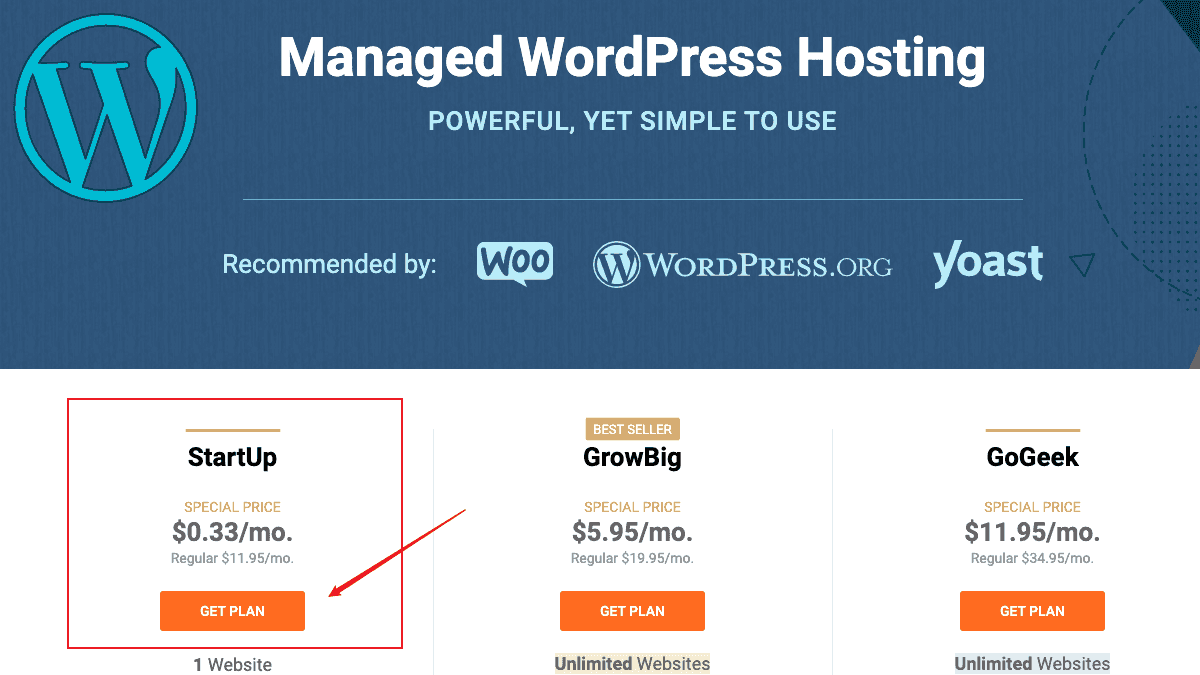 透過我們的 [SiteGround 推薦連結](https://techmoon.xyz/go/siteground)前往網站,你將會看到「StartUp」方案從原本的「$3.95 美元」變成特惠的「$0.99 美元」。點選「GET PLAN」即可進行下一步。 ### 輸入你的網域名稱 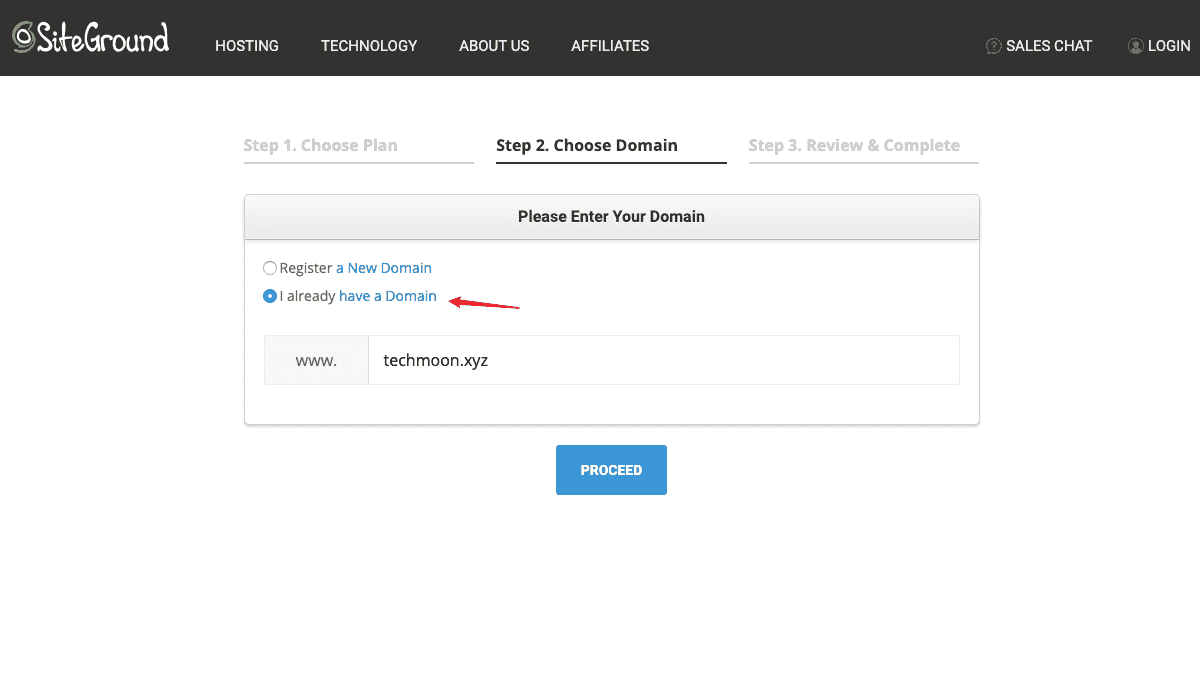 如果你本身有網域名稱的話,直接點選下方的「I already have a Domain」選項,輸入你的網域即可。如果你沒有網域名稱,那麼建議你先前往這篇[網域購買教學](https://techmoon.xyz/namecheap-domain/),自行購買。由於在 SiteGround 當中所提供的網域購買價格並不便宜,因此較經濟的做法是到其他地方[購買便宜網域](https://techmoon.xyz/choice-domain-name/),後續再將 DNS 紀錄指向至 SiteGround 即可。輸入完成後,點選「PROCEED」即可進入下一步。 ### 輸入購買與付款資訊 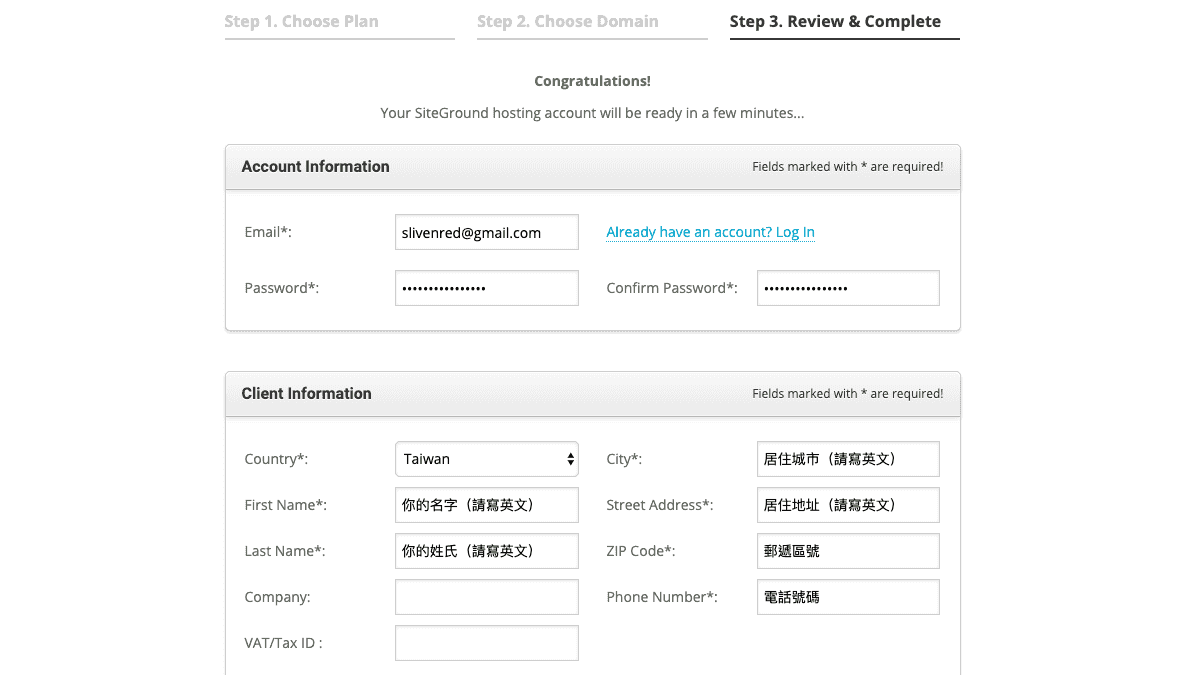 最後在付款頁面,你需要在此頁面中輸入將來登入 SiteGround 的帳號密碼、基本資料,以及信用卡付款資訊。 ### 再次檢視主機方案 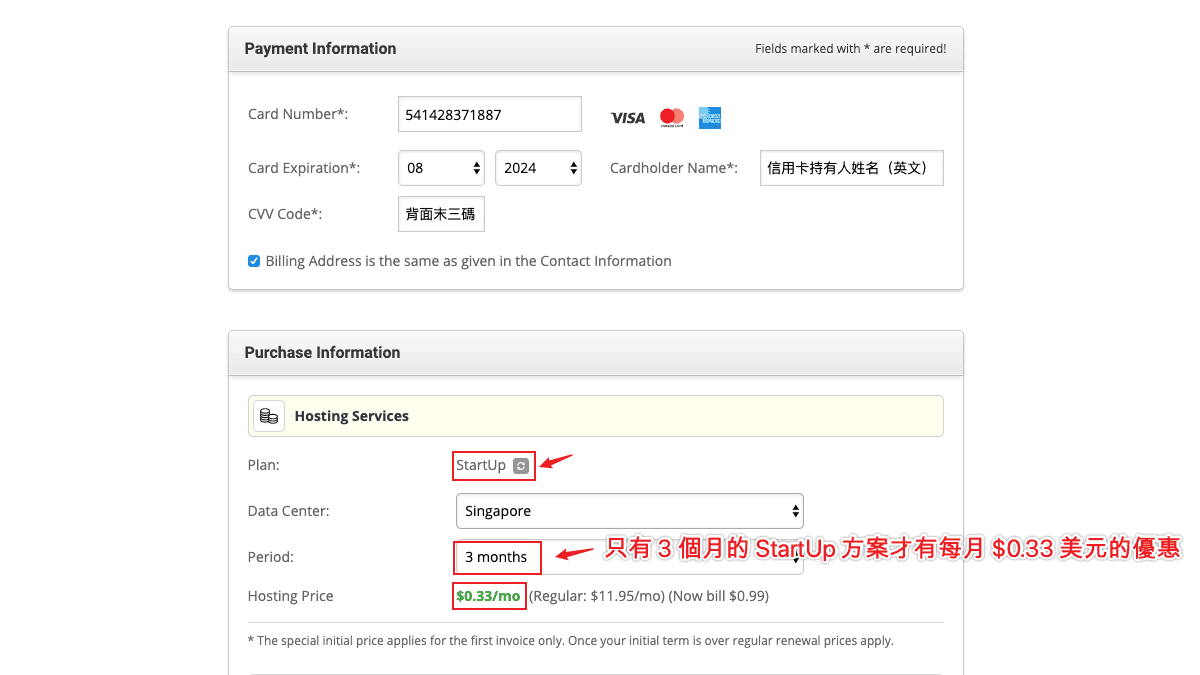 在信用卡付款資訊下方,你可以再次確認所選擇的主機方案、資料中心位置、主機租賃時間、主機費用…等等資訊。請確保你是選擇「StartUp」方案,且期間為 3 個月,價格每月是 $0.33 美元,總共費用是 $0.99 美元。資料中心的位置視你的需求而定,若你的目標客群在美國,那就選擇「USA」;若你的目標客群主要在亞洲,那就選擇「Singapore」。 ### 完成購買 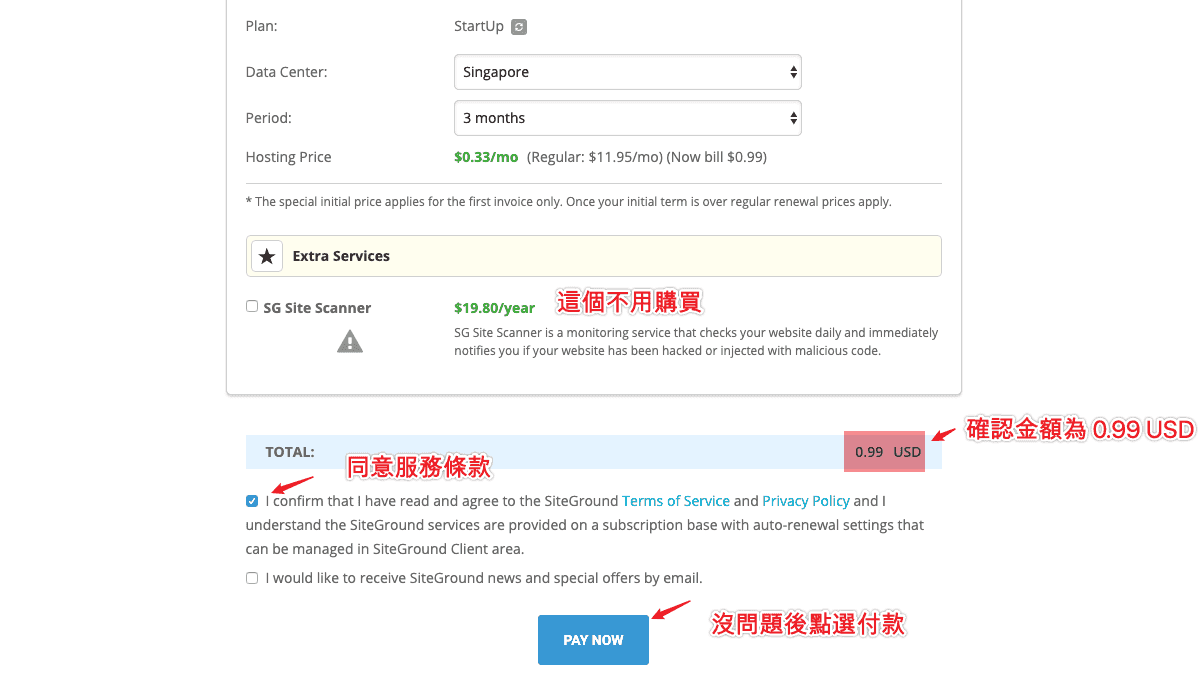 最後,在 Total 地方會顯示最終價格,請確認該價格為 $0.99 美元。沒問題的話,將下方的「I confirm that I have read and agree to the SiteGround Terms of Service and Privacy Policy and I understand the SiteGround services are provided on a subscription base with auto-renewal settings that can be managed in SiteGround Client area.」打勾。另外一項「I would like to receive SiteGround news and special offers by email.」則看你想不想收到來自 SiteGround 的新聞與促銷 Email,可勾可不勾。完成後點選下方「Pay Now」按鈕進行付款。 ### SiteGround WordPress 安裝教學 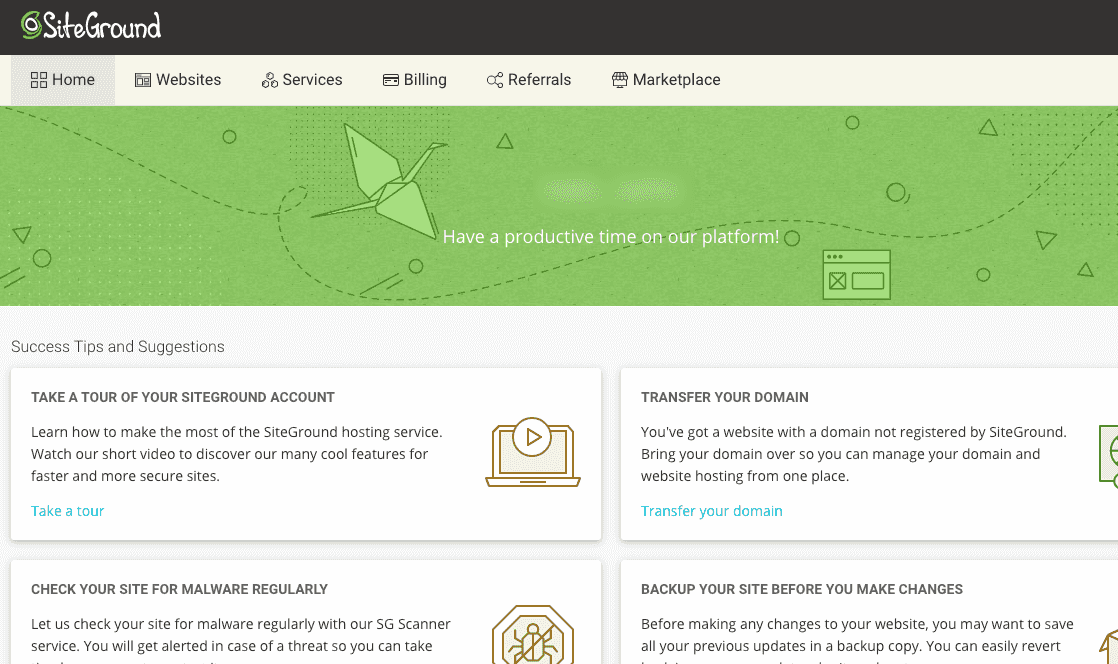 主機設定好之後,我們就可以登入 SiteGround 後台,準備開始安裝 WordPress 網站拉!由於 SiteGround 在 2019 年推出新的後台管理系統,因此,你現在進入 SiteGround 後台後,會看到新版首頁。 ### 建立 WordPress 網站 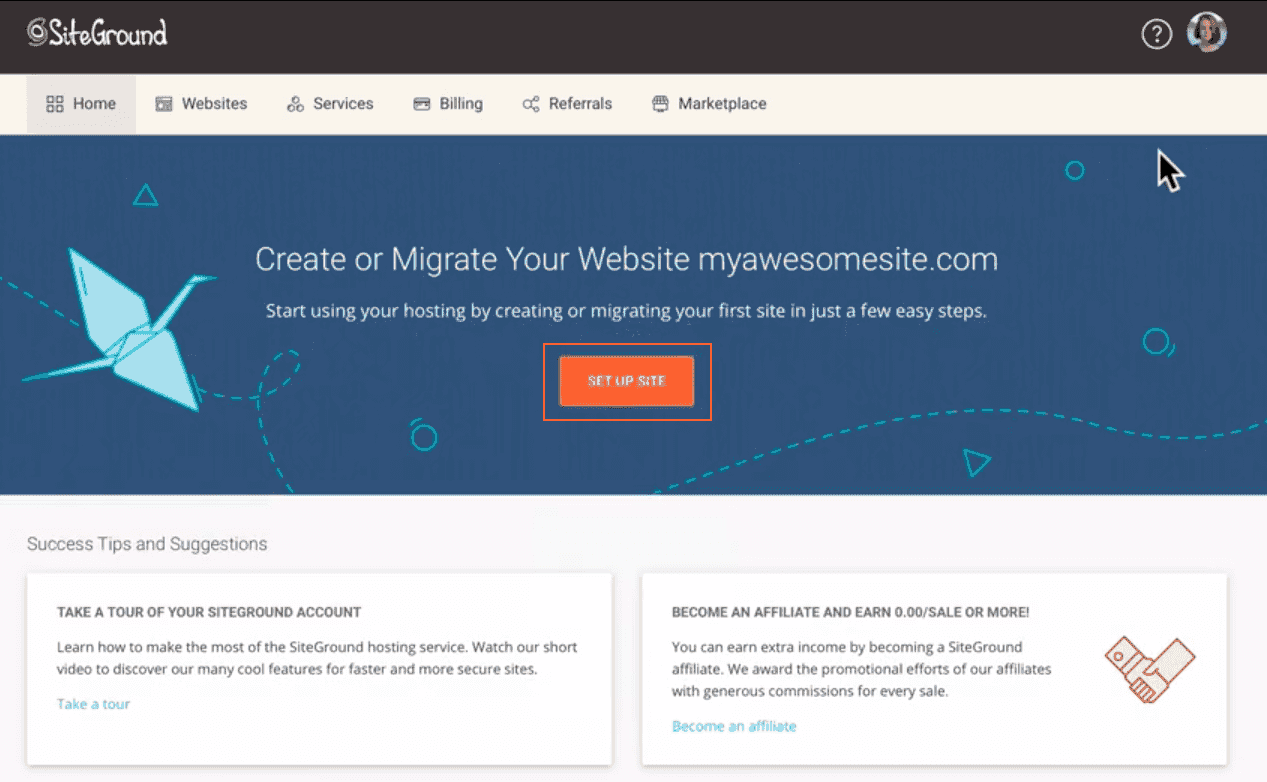 若你是剛購買後登入,就會看到畫面中間有一個「SET UP SITE」的按鈕,點選後就能立即帶領你建立新的 WordPress 網站,或是從其他地方搬家過來。 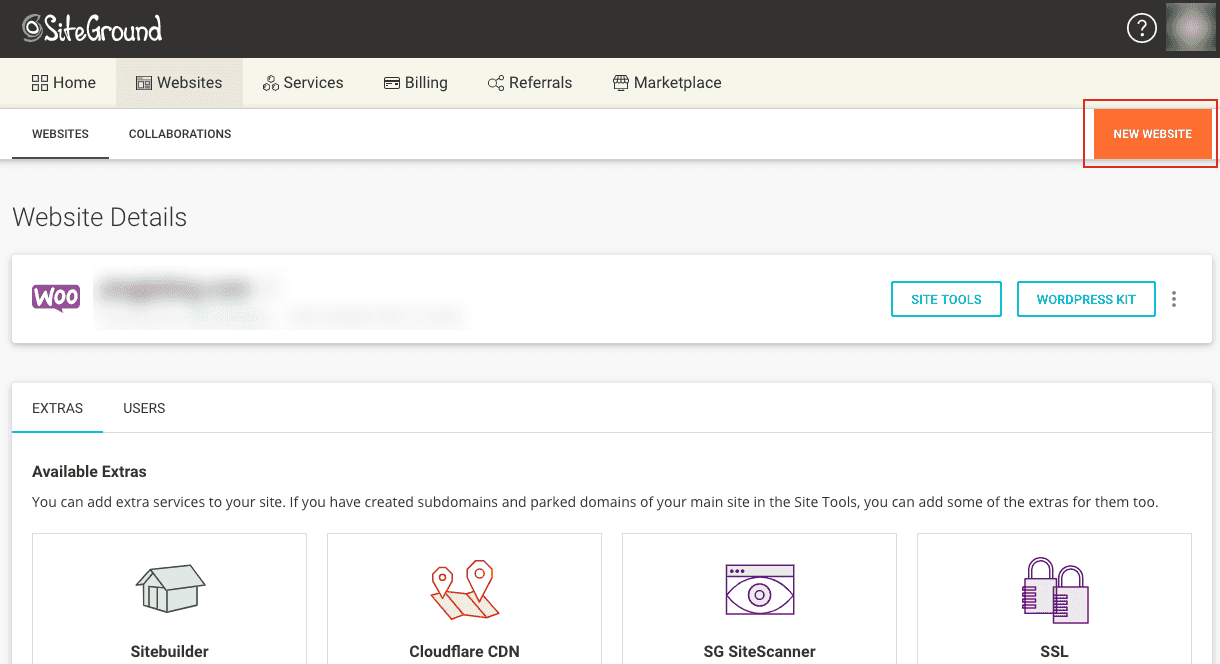 除了第一次登入透過首頁的「SET UP SITE」快速建立 WordPress 網站之外,你在後續也可以從上方「Websites」標籤中,找到「NEW WEBSITE」按鈕進行新網站的建立。 在此頁面中,會顯示先前我們已安裝過的網站。如果想要再新增一個新的網站,只需要點選右上角的「NEW WEBSITE」就可以繼續安裝一個新網站。 ### 選擇網域名稱 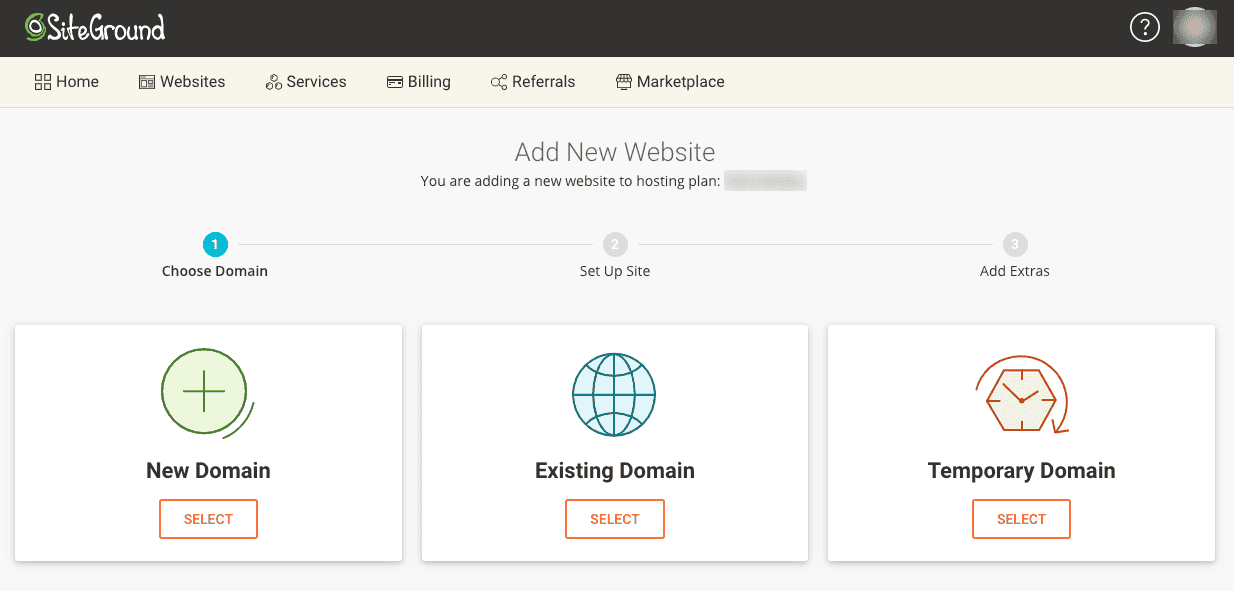 點選「NEW WEBSITE」之後,首先就會先請你選擇網域名稱,有三種可以選擇,分別是: New Domain:在 SiteGround 中尋找並購買網域 Existing Domain:輸入自己在其他地方購買的網域 Temporary Domain:使用 SiteGround 提供的免費子網域。 在這裡建議選擇「**Existing Domain**」,使用你在[其他網域註冊商所購買的便宜網域](https://techmoon.xyz/choice-domain-name/)。 如果你選擇「New Domain」的話,就表示需要在 SiteGround 中購買網域,而實際上,SiteGround 販售的網域價格,並不是非常便宜的。因此,才會建議從其他地方註冊比較便宜的網域,而不建議在 SiteGround 中註冊網域。而「Temporary Domain」則是使用一個由 SiteGround 所提供的免費子網域。其缺點在於,未來你無法將這個網域帶著走,也無法累積你網站的權重,當你的網站要遷移時,你就無法維持這個網域,喪失了網站的 [SEO](https://techmoon.xyz/what-is-seo/),因此也不建議使用免費的子網域。 ### 一鍵安裝 WordPress 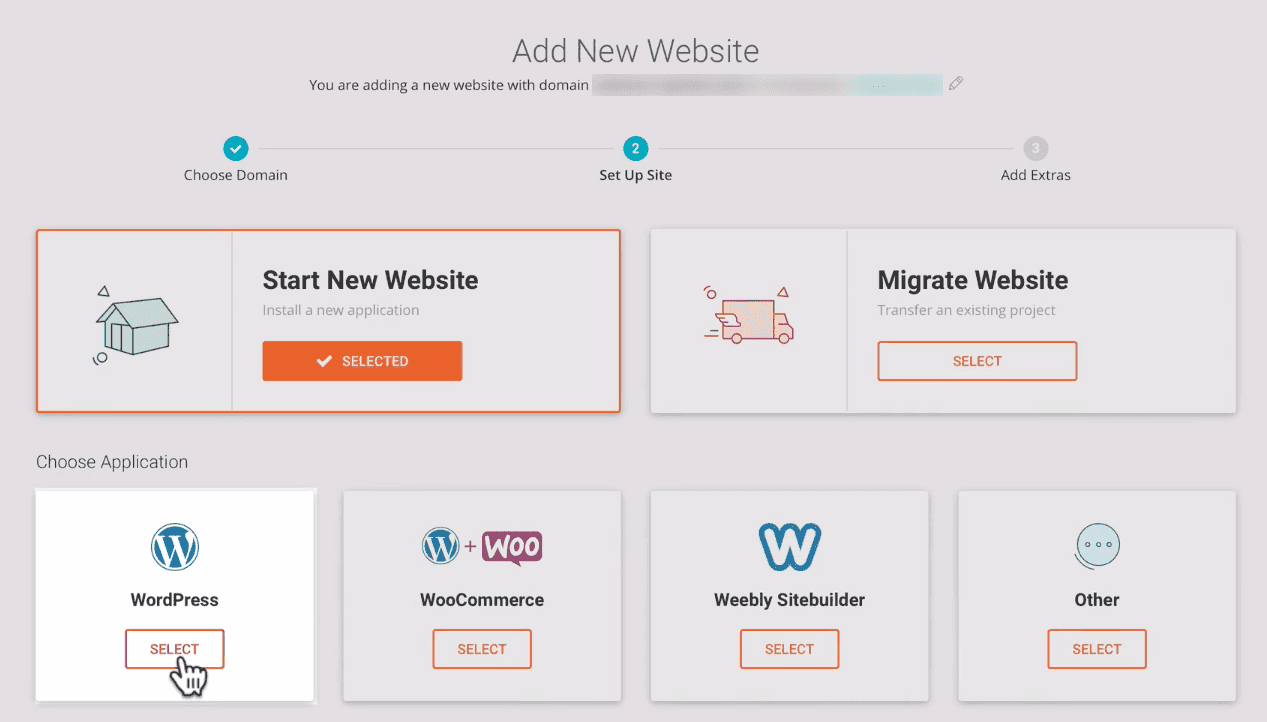 下一步就是選擇「Start New Website」或是「Migrate Website」。如果你是剛開始建立網站,而非從其他地方搬家到 SiteGround 主機,那麼就點選「Start New Website」。點選後,下方就會出現許多內容管理系統讓你進行挑選。 最主要的就是「WordPress」與「WooCommerce」,這兩個都是 WordPress 網站,差別在於,選擇「WooCommerce」時,所安裝的 WordPress 預設就會幫你也同時安裝 [WooCommerce 外掛](https://techmoon.xyz/what-is-woocommerce/)。 因此,一般使用者直接選擇「WordPress」建立即可。你如果真的需要 WooCommerce 這套購物車系統,之後也可以再從「外掛」當中,免費下載「WooCommerce」外掛。 ### 免費網站搬家 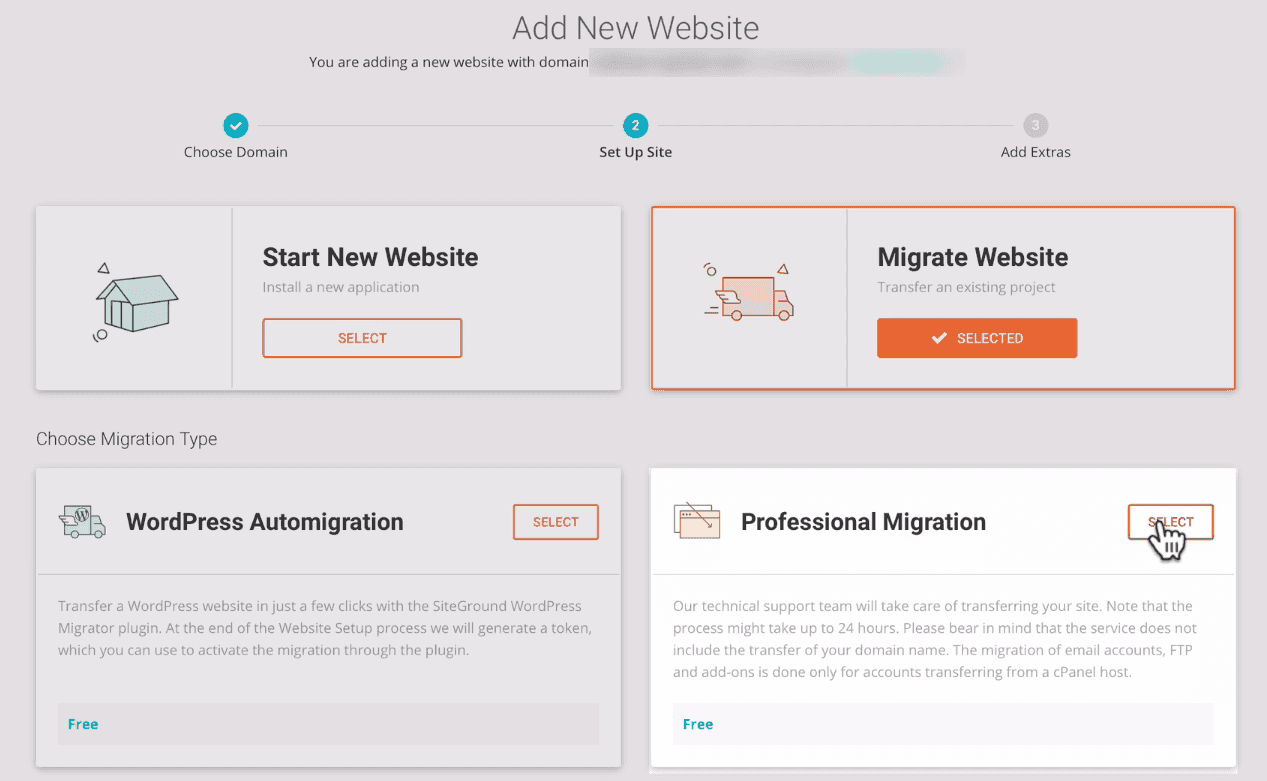 另外一方面,如果你是從其他地方搬家過來 SiteGround,那麼就可以選擇「Migrate Website」,將你的網站從其他地方遷移至 SiteGround 主機。SiteGround 提供了兩種搬家方法。 第一種是透過 SiteGround 所提供的免費搬家外掛「[SiteGround Migrator](https://wphosts.review/siteground/#%E5%85%8D%E8%B2%BB%E7%B6%B2%E7%AB%99%E6%90%AC%E5%AE%B6%E6%9C%8D%E5%8B%99)」進行網站遷移。 第二種則是透過 SiteGround 專業的客服專家,讓他們直接幫你進行遷移操作。由於 SiteGround 的人員不僅專業,且每一位的回覆速度都相當快速,同時這項服務是免費的。因此,這裡我會建議你直接採用「Professional Migration」,讓 SiteGround 的專家幫你進行網站遷移。 ### 加值服務 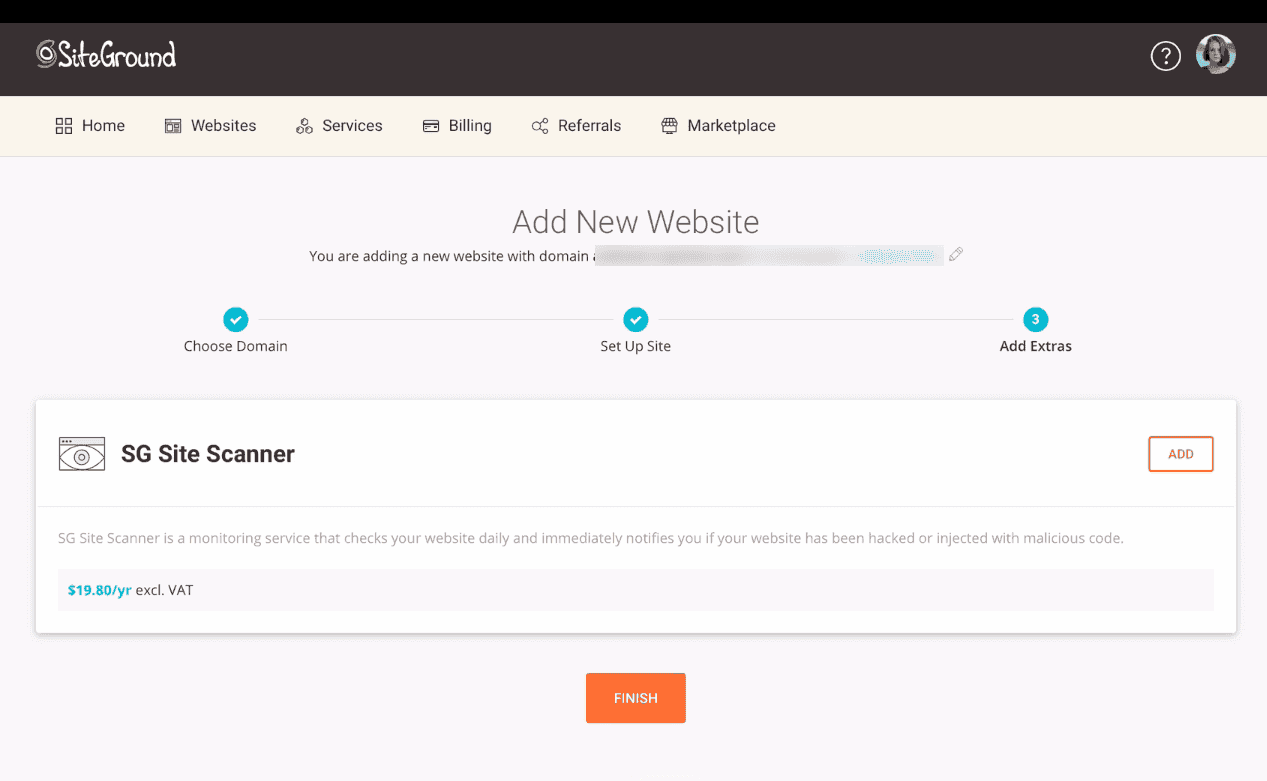 最後一步是 SiteGround 的加值服務「SG Site Scanner」,其功用在於全天候監控你的網站,使你的網站在被攻擊、注入惡意程式碼的時候,能夠隨時掃描並通知你。這項加值功能就看個人有沒有需求,我個人是不建議購買。 點選下方的「FINISH」按鈕後,你的網站過幾秒後就建立完成了。 ### 設定 DNS 紀錄 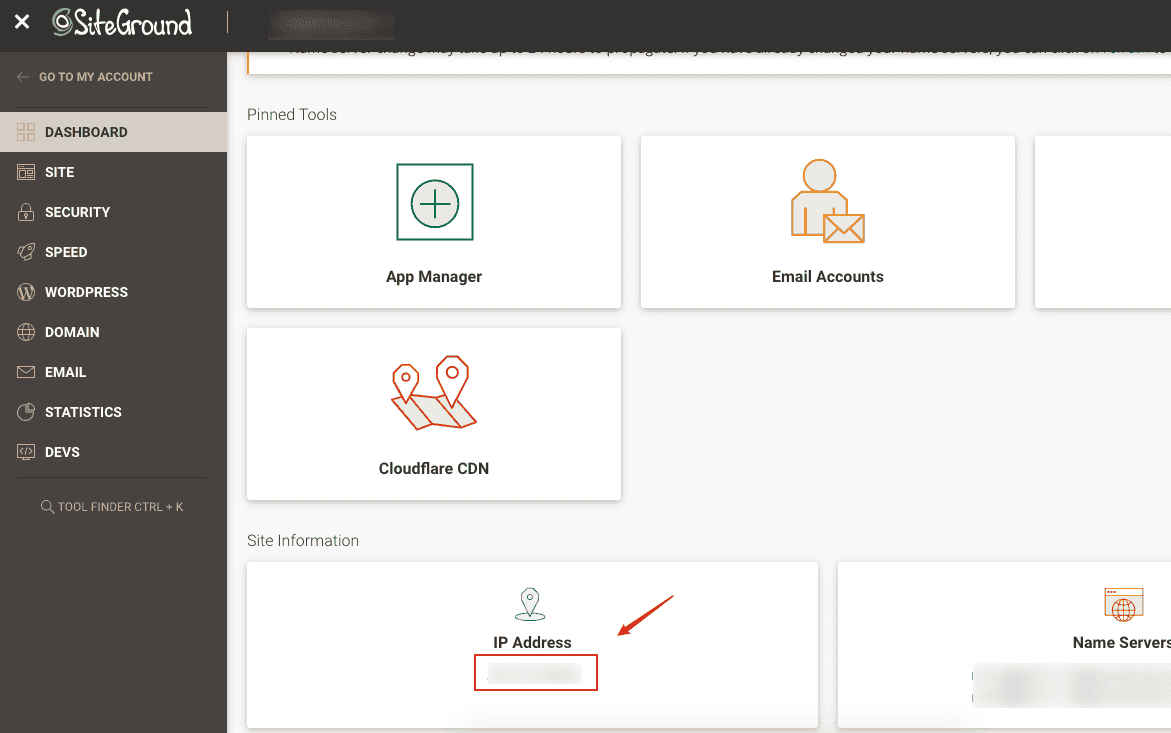 網站建立完成之後,你可能會發現當你瀏覽網站時,會出現「Error 522」錯誤,這表示你可能遺漏了一個重要的步驟,那就是「**將網域 IP 指向至主機 IP**」。 首先,你可以進入 **SiteGround > Site Tools > Dashboard**,往下拉即可看到主機的 IP Address。 取得 SiteGround 的主機 IP 位置之後,可以到你的 DNS 代管服務中,將網域的 IP 位置指向至 SiteGround 的主機 IP 位置。 我建議你的網域[使用 Cloudflare 進行 DNS 代管](https://techmoon.xyz/cloudflare/),下面就以 Cloudflare 為例,來作為示範。 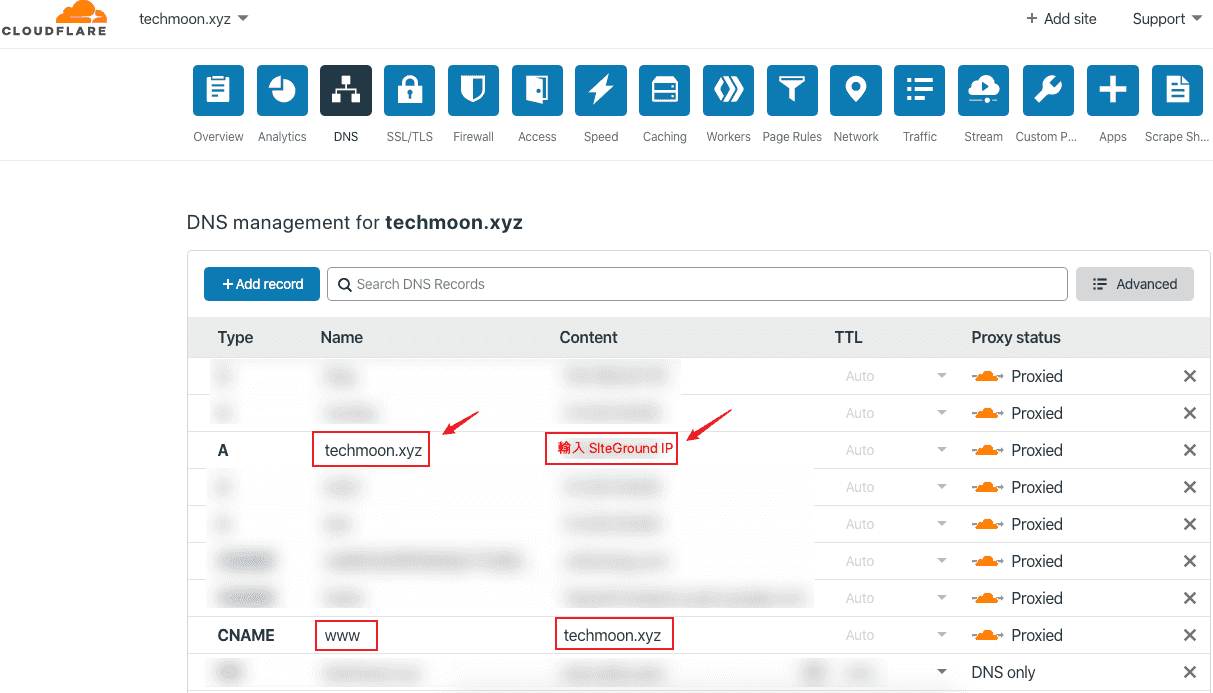 前往 **Cloudflare > DNS**,在 A 紀錄當中,將你的網域指向至 SiteGround 的 IP 位置。 除了在 A 紀錄中指向至 SiteGround 的 IP 位置之外,這裡也建議到你的 CNAME,將 WWW 的紀錄指向至你的網域。 設定完成後,你的網站就可以正常訪問了。 [點此獲取每月 0.33 美元 SiteGround 主機](https://techmoon.xyz/go/siteground) 以上就是 SiteGround 為了因新冠狀病毒而受影響的人,而提供的特[別獨家優惠 $0.99 美元 for 3 個月的主機](https://techmoon.xyz/go/siteground),讓大家可以利用幾乎是免費的價格,使用長達 3 個月的 SiteGround WordPress 虛擬主機,藉此來建立你的線上網站。 如果你想要參閱更完整的[在 SiteGround 上購買與安裝 WordPress 教學](https://techmoon.xyz/siteground-wordpress/),那麼可以[前往此篇文章](https://techmoon.xyz/siteground-wordpress/)獲取更多內容。 ## **相關內容** - [2020 SiteGround 4 月 – 購買註冊教學 + WordPress 安裝教學 – 註冊購買與一鍵 WordPress 快速安裝教學](https://techmoon.xyz/siteground-wordpress/) - [SiteGround 2020 年 4 月:WordPress 官方推薦虛擬主機完整評價與測試心得](https://techmoon.xyz/siteground/) - [SiteGround 2020 年 4 月 – 首購優惠與續約方案完整註冊教學](https://techmoon.xyz/siteground-coupon/) - [WPWebHost 2020 年 4 月 – 主機評價,每月 3 美元就可輕鬆建立 WordPress 網站](https://techmoon.xyz/wpwebhost/) - [Hostinger 2020 年 4 月 – 1 折 90% Off 購買註冊教學 + WordPress 安裝教學,一鍵 WordPress 快速安裝教學](https://techmoon.xyz/hostinger-wordpress/) - [SiteGround 替換 cPanel 大改版 – 全新的客戶區塊與自主開發 Site Tools 控制面板](https://techmoon.xyz/siteground-new-client-area-and-control-panel/) - [DemosWP – 免費快速建立 WordPress 測試網站,提供 SSL、phpMyAdmin 與 SFTP 功能](https://techmoon.xyz/demoswp/) - [WPWebHost 2020 年 4 月深度評測 – 從購買主機到建立 WordPress 網站完整教學](https://techmoon.xyz/wpwebhost-wordpress/) - [2020 年戰國策虛擬主機 – 專屬優惠 8 折 20% OFF 優惠券,國內 WordPress 架站的好選擇](https://techmoon.xyz/nss/) - [CloudAccess Free WordPress Hosting – 免費 WordPress 虛擬主機申請與免費一鍵安裝 WordPress & Joomla](https://techmoon.xyz/cloudaccess-free-wordpress-hosting/) - [WordPlus.host – WordPress 專用免費虛擬主機,提供 WordPress 自動安裝功能。](https://techmoon.xyz/wordplus/) - [HostPapa 2020 年 4 月 – 優質的 Linux Web Hosting 主機,適用於建立 WordPress 網站](https://techmoon.xyz/hostpapa/) ## **延伸閱讀** - [【WordPress 付費主題免費下載】Kunco - Charity & Fundraising WordPress Theme](https://techmoon.xyz/kunco-charity-fundraising-wordpress-theme/) - [【WordPress 付費外掛免費下載】Responsive Posts Carousel WordPress Plugin](https://techmoon.xyz/responsive-posts-carousel-wordpress-plugin/) - [Testmysite.io - 免費線上檢測網站速度,幫助你改善網站加載速度,提升網站排名](https://techmoon.xyz/testmysite-io/) - [【WordPress 付費主題免費下載】Unica - Personal Resume and Portfolio Theme](https://techmoon.xyz/unica-personal-resume-and-portfolio-theme/) - [BlueHost 2020 年 4 月:4 折 60% Off 優惠續約折扣,國外 WordPress 推薦主機評測](https://techmoon.xyz/bluehost/) - [SiteGround SG Optimizer - 免費又強大的 WordPress 緩存快取外掛,加快網站速度的好幫手](https://techmoon.xyz/sg-optimizer/) - [3 分鐘了解 WordPress.com 與 WordPress.org 之間的分別與差異](https://techmoon.xyz/wpcom-wporg/) - [14 個最佳 WordPress Cache Plugins 緩存快取外掛推薦 - 2020 免費/付費通通有](https://techmoon.xyz/wordpress-cache-plugins/) - [【WordPress 付費主題免費下載】Revity - OnePage Parallax](https://techmoon.xyz/revity-onepage-parallax/) - [【WordPress 付費主題免費下載】Minera - Minimalist WooCommerce WordPress Theme](https://techmoon.xyz/minera-minimalist-woocommerce-wordpress-theme/) - [DreamHost 2020 年 4 月 - 虛擬主機主機評價 - 每月最低 $2.59 美元讓你一鍵安裝 WordPress 方便又快速](https://techmoon.xyz/dreamhost/) - [WordPress 是什麼?新手入門教學 - 深入淺出帶你了解什麼是 WordPress 網站](https://techmoon.xyz/what-is-wordpress/) |
| json metadata | {"tags":["siteground"],"image":["https://assets.matters.news/embed/d2dbc48e-2731-4bbe-a676-6add30373962.png","https://assets.matters.news/embed/8756028c-0a20-4d63-b968-909ac111f377.png","https://assets.matters.news/embed/3dbd478e-dcd1-4b02-ac9d-8c7af9fe5bce.png","https://assets.matters.news/embed/e308b7d2-32dd-48d1-83b4-279e8d0e74ed.png","https://assets.matters.news/embed/2bd88d88-d798-4129-beee-54d107a8fe51.png","https://assets.matters.news/embed/52051e93-9c32-47cf-adf9-b046536a2d9c.png","https://assets.matters.news/embed/641f9779-3df8-4a00-97d1-8ed4df499e26.png","https://assets.matters.news/embed/d9607375-4fa7-480c-a85a-5f9ae9fd3356.png","https://assets.matters.news/embed/0a3cb6e0-38f1-48b6-98fa-4174775bf47f.png","https://assets.matters.news/embed/7f7e924e-dbf1-4896-ac2e-66f7ba9af32a.png","https://assets.matters.news/embed/0155a924-0a82-4b23-8d4b-8e43ea46e418.png","https://assets.matters.news/embed/dc3ec5a0-7713-4847-a4a5-4e9e0bcecd4b.png","https://assets.matters.news/embed/b6c48ab3-0192-4940-8858-6b9b9b4b2475.png","https://assets.matters.news/embed/6be29ea5-df81-48b2-a060-f0e647d25759.png"],"links":["https://techmoon.xyz/siteground-wordpress/","https://techmoon.xyz/","https://techmoon.xyz/go/siteground","https://techmoon.xyz/namecheap-domain/","https://techmoon.xyz/choice-domain-name/","https://techmoon.xyz/what-is-seo/","https://techmoon.xyz/what-is-woocommerce/","https://wphosts.review/siteground/#%E5%85%8D%E8%B2%BB%E7%B6%B2%E7%AB%99%E6%90%AC%E5%AE%B6%E6%9C%8D%E5%8B%99","https://techmoon.xyz/cloudflare/","https://techmoon.xyz/siteground/","https://techmoon.xyz/siteground-coupon/","https://techmoon.xyz/wpwebhost/","https://techmoon.xyz/hostinger-wordpress/","https://techmoon.xyz/siteground-new-client-area-and-control-panel/","https://techmoon.xyz/demoswp/","https://techmoon.xyz/wpwebhost-wordpress/","https://techmoon.xyz/nss/","https://techmoon.xyz/cloudaccess-free-wordpress-hosting/","https://techmoon.xyz/wordplus/","https://techmoon.xyz/hostpapa/","https://techmoon.xyz/kunco-charity-fundraising-wordpress-theme/","https://techmoon.xyz/responsive-posts-carousel-wordpress-plugin/","https://techmoon.xyz/testmysite-io/","https://techmoon.xyz/unica-personal-resume-and-portfolio-theme/","https://techmoon.xyz/bluehost/","https://techmoon.xyz/sg-optimizer/","https://techmoon.xyz/wpcom-wporg/","https://techmoon.xyz/wordpress-cache-plugins/","https://techmoon.xyz/revity-onepage-parallax/","https://techmoon.xyz/minera-minimalist-woocommerce-wordpress-theme/","https://techmoon.xyz/dreamhost/","https://techmoon.xyz/what-is-wordpress/"],"app":"steemit/0.2","format":"markdown"} |
| parent author | |
| parent permlink | siteground |
| permlink | siteground-usd0-33-cny |
| title | SiteGround 幫助疫情,主機特惠每月 $0.33 美元,建立線上網站的好幫手 |
| Transaction Info | Block #42181455/Trx b5f36c4535c52f0185827ba9c870f634d2690cdc |
View Raw JSON Data
{
"block": 42181455,
"op": [
"comment",
{
"author": "sliven",
"body": "近期由於新冠狀肺炎(COVID-19)影響全世界的人類遭受史無前例的感染傳播,一系列的封城與死亡導致許多人失去了工作,甚至因此影響了生活。而許多人則多出了許多時間,無論是在家隔離,或是被禁止出門。而正是你切入網路創業的大好時機!無論你是單純想要建立部落格,或是將你的線下產品服務,轉而建立網站,打造線上的新商機,都可以好好利用這個艱難的時刻。\n\n有鑑於此,知名的 [SiteGround 虛擬主機](https://techmoon.xyz/siteground-wordpress/),特別與 [TechMoon 科技月球](https://techmoon.xyz/)合作,我們將展開為期幾週的時間,提供所有透過我們推薦連結購買 SiteGround 的使用者,[以 **$0.99 美元的超低價格,獲取 3 個月的 SiteGround 虛擬主機**](https://techmoon.xyz/go/siteground),讓你可以在這個艱難的時刻,尋找出一條嶄新的道路。\n\n[點此獲取每月 0.33 美元 SiteGround 主機](https://techmoon.xyz/go/siteground)\n\n## **SiteGround 新冠狀病毒特惠價格**\n\n### 3 個月主機費用僅需 $0.99 美元\n\n此價格僅適用於 StartUp 方案,每月僅需 $0.33 美元。\n\n[點此連結獲取優惠](https://techmoon.xyz/go/siteground)。\n\n### 特惠價格到什麼時候?\n\n根據疫情影響以及受惠的群眾多寡而定,暫時沒有確切的結束時間,但敬請把握這個機會。\n\n### 3 個月到期後的主機費用如何計算?\n\n由於 SiteGround 與 TechMoon 有獨家合作,因此,透過我們的專屬推薦連結購買後,你可以使用 $0.99 美元獲得 3 個月的 SiteGround 主機。當 3 個月到期後,仍然可以使用我們的 70% Off 優惠繼續續約。因此,後續主機費用為每月 $3.95 美元。\n\n[點此獲取每月 0.33 美元 SiteGround 主機](https://techmoon.xyz/go/siteground)\n\n## **SiteGround $0.99 主機購買教學**\n\n此篇教學將帶你一步步如何使用 $0.99 美元購買 3 個月 SiteGround WordPress 主機。\n\n**Total Time:** 10 minutes\n\n### 選擇 $0.33 StartUp 主機方案\n\n\n\n透過我們的 [SiteGround 推薦連結](https://techmoon.xyz/go/siteground)前往網站,你將會看到「StartUp」方案從原本的「$3.95 美元」變成特惠的「$0.99 美元」。點選「GET PLAN」即可進行下一步。\n\n### 輸入你的網域名稱\n\n\n\n如果你本身有網域名稱的話,直接點選下方的「I already have a Domain」選項,輸入你的網域即可。如果你沒有網域名稱,那麼建議你先前往這篇[網域購買教學](https://techmoon.xyz/namecheap-domain/),自行購買。由於在 SiteGround 當中所提供的網域購買價格並不便宜,因此較經濟的做法是到其他地方[購買便宜網域](https://techmoon.xyz/choice-domain-name/),後續再將 DNS 紀錄指向至 SiteGround 即可。輸入完成後,點選「PROCEED」即可進入下一步。\n\n### 輸入購買與付款資訊\n\n\n\n最後在付款頁面,你需要在此頁面中輸入將來登入 SiteGround 的帳號密碼、基本資料,以及信用卡付款資訊。\n\n### 再次檢視主機方案\n\n\n\n在信用卡付款資訊下方,你可以再次確認所選擇的主機方案、資料中心位置、主機租賃時間、主機費用…等等資訊。請確保你是選擇「StartUp」方案,且期間為 3 個月,價格每月是 $0.33 美元,總共費用是 $0.99 美元。資料中心的位置視你的需求而定,若你的目標客群在美國,那就選擇「USA」;若你的目標客群主要在亞洲,那就選擇「Singapore」。\n\n### 完成購買\n\n\n\n最後,在 Total 地方會顯示最終價格,請確認該價格為 $0.99 美元。沒問題的話,將下方的「I confirm that I have read and agree to the SiteGround Terms of Service and Privacy Policy and I understand the SiteGround services are provided on a subscription base with auto-renewal settings that can be managed in SiteGround Client area.」打勾。另外一項「I would like to receive SiteGround news and special offers by email.」則看你想不想收到來自 SiteGround 的新聞與促銷 Email,可勾可不勾。完成後點選下方「Pay Now」按鈕進行付款。\n\n### SiteGround WordPress 安裝教學\n\n\n\n主機設定好之後,我們就可以登入 SiteGround 後台,準備開始安裝 WordPress 網站拉!由於 SiteGround 在 2019 年推出新的後台管理系統,因此,你現在進入 SiteGround 後台後,會看到新版首頁。\n\n### 建立 WordPress 網站\n\n\n\n若你是剛購買後登入,就會看到畫面中間有一個「SET UP SITE」的按鈕,點選後就能立即帶領你建立新的 WordPress 網站,或是從其他地方搬家過來。\n\n\n\n除了第一次登入透過首頁的「SET UP SITE」快速建立 WordPress 網站之外,你在後續也可以從上方「Websites」標籤中,找到「NEW WEBSITE」按鈕進行新網站的建立。\n\n在此頁面中,會顯示先前我們已安裝過的網站。如果想要再新增一個新的網站,只需要點選右上角的「NEW WEBSITE」就可以繼續安裝一個新網站。\n\n### 選擇網域名稱\n\n\n\n點選「NEW WEBSITE」之後,首先就會先請你選擇網域名稱,有三種可以選擇,分別是:\n\nNew Domain:在 SiteGround 中尋找並購買網域\n\nExisting Domain:輸入自己在其他地方購買的網域\n\nTemporary Domain:使用 SiteGround 提供的免費子網域。\n\n在這裡建議選擇「**Existing Domain**」,使用你在[其他網域註冊商所購買的便宜網域](https://techmoon.xyz/choice-domain-name/)。\n\n如果你選擇「New Domain」的話,就表示需要在 SiteGround 中購買網域,而實際上,SiteGround 販售的網域價格,並不是非常便宜的。因此,才會建議從其他地方註冊比較便宜的網域,而不建議在 SiteGround 中註冊網域。而「Temporary Domain」則是使用一個由 SiteGround 所提供的免費子網域。其缺點在於,未來你無法將這個網域帶著走,也無法累積你網站的權重,當你的網站要遷移時,你就無法維持這個網域,喪失了網站的 [SEO](https://techmoon.xyz/what-is-seo/),因此也不建議使用免費的子網域。\n\n### 一鍵安裝 WordPress\n\n\n\n下一步就是選擇「Start New Website」或是「Migrate Website」。如果你是剛開始建立網站,而非從其他地方搬家到 SiteGround 主機,那麼就點選「Start New Website」。點選後,下方就會出現許多內容管理系統讓你進行挑選。\n\n最主要的就是「WordPress」與「WooCommerce」,這兩個都是 WordPress 網站,差別在於,選擇「WooCommerce」時,所安裝的 WordPress 預設就會幫你也同時安裝 [WooCommerce 外掛](https://techmoon.xyz/what-is-woocommerce/)。\n\n因此,一般使用者直接選擇「WordPress」建立即可。你如果真的需要 WooCommerce 這套購物車系統,之後也可以再從「外掛」當中,免費下載「WooCommerce」外掛。\n\n### 免費網站搬家\n\n\n\n另外一方面,如果你是從其他地方搬家過來 SiteGround,那麼就可以選擇「Migrate Website」,將你的網站從其他地方遷移至 SiteGround 主機。SiteGround 提供了兩種搬家方法。\n\n第一種是透過 SiteGround 所提供的免費搬家外掛「[SiteGround Migrator](https://wphosts.review/siteground/#%E5%85%8D%E8%B2%BB%E7%B6%B2%E7%AB%99%E6%90%AC%E5%AE%B6%E6%9C%8D%E5%8B%99)」進行網站遷移。\n\n第二種則是透過 SiteGround 專業的客服專家,讓他們直接幫你進行遷移操作。由於 SiteGround 的人員不僅專業,且每一位的回覆速度都相當快速,同時這項服務是免費的。因此,這裡我會建議你直接採用「Professional Migration」,讓 SiteGround 的專家幫你進行網站遷移。\n\n### 加值服務\n\n\n\n最後一步是 SiteGround 的加值服務「SG Site Scanner」,其功用在於全天候監控你的網站,使你的網站在被攻擊、注入惡意程式碼的時候,能夠隨時掃描並通知你。這項加值功能就看個人有沒有需求,我個人是不建議購買。\n\n點選下方的「FINISH」按鈕後,你的網站過幾秒後就建立完成了。\n\n### 設定 DNS 紀錄\n\n\n\n網站建立完成之後,你可能會發現當你瀏覽網站時,會出現「Error 522」錯誤,這表示你可能遺漏了一個重要的步驟,那就是「**將網域 IP 指向至主機 IP**」。\n\n首先,你可以進入 **SiteGround > Site Tools > Dashboard**,往下拉即可看到主機的 IP Address。\n\n取得 SiteGround 的主機 IP 位置之後,可以到你的 DNS 代管服務中,將網域的 IP 位置指向至 SiteGround 的主機 IP 位置。\n\n我建議你的網域[使用 Cloudflare 進行 DNS 代管](https://techmoon.xyz/cloudflare/),下面就以 Cloudflare 為例,來作為示範。\n\n\n\n前往 **Cloudflare > DNS**,在 A 紀錄當中,將你的網域指向至 SiteGround 的 IP 位置。\n\n除了在 A 紀錄中指向至 SiteGround 的 IP 位置之外,這裡也建議到你的 CNAME,將 WWW 的紀錄指向至你的網域。\n\n設定完成後,你的網站就可以正常訪問了。\n\n[點此獲取每月 0.33 美元 SiteGround 主機](https://techmoon.xyz/go/siteground)\n\n以上就是 SiteGround 為了因新冠狀病毒而受影響的人,而提供的特[別獨家優惠 $0.99 美元 for 3 個月的主機](https://techmoon.xyz/go/siteground),讓大家可以利用幾乎是免費的價格,使用長達 3 個月的 SiteGround WordPress 虛擬主機,藉此來建立你的線上網站。\n\n如果你想要參閱更完整的[在 SiteGround 上購買與安裝 WordPress 教學](https://techmoon.xyz/siteground-wordpress/),那麼可以[前往此篇文章](https://techmoon.xyz/siteground-wordpress/)獲取更多內容。\n\n## **相關內容**\n\n- [2020 SiteGround 4 月 – 購買註冊教學 + WordPress 安裝教學 – 註冊購買與一鍵 WordPress 快速安裝教學](https://techmoon.xyz/siteground-wordpress/)\n- [SiteGround 2020 年 4 月:WordPress 官方推薦虛擬主機完整評價與測試心得](https://techmoon.xyz/siteground/)\n- [SiteGround 2020 年 4 月 – 首購優惠與續約方案完整註冊教學](https://techmoon.xyz/siteground-coupon/)\n- [WPWebHost 2020 年 4 月 – 主機評價,每月 3 美元就可輕鬆建立 WordPress 網站](https://techmoon.xyz/wpwebhost/)\n- [Hostinger 2020 年 4 月 – 1 折 90% Off 購買註冊教學 + WordPress 安裝教學,一鍵 WordPress 快速安裝教學](https://techmoon.xyz/hostinger-wordpress/)\n- [SiteGround 替換 cPanel 大改版 – 全新的客戶區塊與自主開發 Site Tools 控制面板](https://techmoon.xyz/siteground-new-client-area-and-control-panel/)\n- [DemosWP – 免費快速建立 WordPress 測試網站,提供 SSL、phpMyAdmin 與 SFTP 功能](https://techmoon.xyz/demoswp/)\n- [WPWebHost 2020 年 4 月深度評測 – 從購買主機到建立 WordPress 網站完整教學](https://techmoon.xyz/wpwebhost-wordpress/)\n- [2020 年戰國策虛擬主機 – 專屬優惠 8 折 20% OFF 優惠券,國內 WordPress 架站的好選擇](https://techmoon.xyz/nss/)\n- [CloudAccess Free WordPress Hosting – 免費 WordPress 虛擬主機申請與免費一鍵安裝 WordPress & Joomla](https://techmoon.xyz/cloudaccess-free-wordpress-hosting/)\n- [WordPlus.host – WordPress 專用免費虛擬主機,提供 WordPress 自動安裝功能。](https://techmoon.xyz/wordplus/)\n- [HostPapa 2020 年 4 月 – 優質的 Linux Web Hosting 主機,適用於建立 WordPress 網站](https://techmoon.xyz/hostpapa/)\n\n## **延伸閱讀**\n\n- [【WordPress 付費主題免費下載】Kunco - Charity & Fundraising WordPress Theme](https://techmoon.xyz/kunco-charity-fundraising-wordpress-theme/)\n- [【WordPress 付費外掛免費下載】Responsive Posts Carousel WordPress Plugin](https://techmoon.xyz/responsive-posts-carousel-wordpress-plugin/)\n- [Testmysite.io - 免費線上檢測網站速度,幫助你改善網站加載速度,提升網站排名](https://techmoon.xyz/testmysite-io/)\n- [【WordPress 付費主題免費下載】Unica - Personal Resume and Portfolio Theme](https://techmoon.xyz/unica-personal-resume-and-portfolio-theme/)\n- [BlueHost 2020 年 4 月:4 折 60% Off 優惠續約折扣,國外 WordPress 推薦主機評測](https://techmoon.xyz/bluehost/)\n- [SiteGround SG Optimizer - 免費又強大的 WordPress 緩存快取外掛,加快網站速度的好幫手](https://techmoon.xyz/sg-optimizer/)\n- [3 分鐘了解 WordPress.com 與 WordPress.org 之間的分別與差異](https://techmoon.xyz/wpcom-wporg/)\n- [14 個最佳 WordPress Cache Plugins 緩存快取外掛推薦 - 2020 免費/付費通通有](https://techmoon.xyz/wordpress-cache-plugins/)\n- [【WordPress 付費主題免費下載】Revity - OnePage Parallax](https://techmoon.xyz/revity-onepage-parallax/)\n- [【WordPress 付費主題免費下載】Minera - Minimalist WooCommerce WordPress Theme](https://techmoon.xyz/minera-minimalist-woocommerce-wordpress-theme/)\n- [DreamHost 2020 年 4 月 - 虛擬主機主機評價 - 每月最低 $2.59 美元讓你一鍵安裝 WordPress 方便又快速](https://techmoon.xyz/dreamhost/)\n- [WordPress 是什麼?新手入門教學 - 深入淺出帶你了解什麼是 WordPress 網站](https://techmoon.xyz/what-is-wordpress/)",
"json_metadata": "{\"tags\":[\"siteground\"],\"image\":[\"https://assets.matters.news/embed/d2dbc48e-2731-4bbe-a676-6add30373962.png\",\"https://assets.matters.news/embed/8756028c-0a20-4d63-b968-909ac111f377.png\",\"https://assets.matters.news/embed/3dbd478e-dcd1-4b02-ac9d-8c7af9fe5bce.png\",\"https://assets.matters.news/embed/e308b7d2-32dd-48d1-83b4-279e8d0e74ed.png\",\"https://assets.matters.news/embed/2bd88d88-d798-4129-beee-54d107a8fe51.png\",\"https://assets.matters.news/embed/52051e93-9c32-47cf-adf9-b046536a2d9c.png\",\"https://assets.matters.news/embed/641f9779-3df8-4a00-97d1-8ed4df499e26.png\",\"https://assets.matters.news/embed/d9607375-4fa7-480c-a85a-5f9ae9fd3356.png\",\"https://assets.matters.news/embed/0a3cb6e0-38f1-48b6-98fa-4174775bf47f.png\",\"https://assets.matters.news/embed/7f7e924e-dbf1-4896-ac2e-66f7ba9af32a.png\",\"https://assets.matters.news/embed/0155a924-0a82-4b23-8d4b-8e43ea46e418.png\",\"https://assets.matters.news/embed/dc3ec5a0-7713-4847-a4a5-4e9e0bcecd4b.png\",\"https://assets.matters.news/embed/b6c48ab3-0192-4940-8858-6b9b9b4b2475.png\",\"https://assets.matters.news/embed/6be29ea5-df81-48b2-a060-f0e647d25759.png\"],\"links\":[\"https://techmoon.xyz/siteground-wordpress/\",\"https://techmoon.xyz/\",\"https://techmoon.xyz/go/siteground\",\"https://techmoon.xyz/namecheap-domain/\",\"https://techmoon.xyz/choice-domain-name/\",\"https://techmoon.xyz/what-is-seo/\",\"https://techmoon.xyz/what-is-woocommerce/\",\"https://wphosts.review/siteground/#%E5%85%8D%E8%B2%BB%E7%B6%B2%E7%AB%99%E6%90%AC%E5%AE%B6%E6%9C%8D%E5%8B%99\",\"https://techmoon.xyz/cloudflare/\",\"https://techmoon.xyz/siteground/\",\"https://techmoon.xyz/siteground-coupon/\",\"https://techmoon.xyz/wpwebhost/\",\"https://techmoon.xyz/hostinger-wordpress/\",\"https://techmoon.xyz/siteground-new-client-area-and-control-panel/\",\"https://techmoon.xyz/demoswp/\",\"https://techmoon.xyz/wpwebhost-wordpress/\",\"https://techmoon.xyz/nss/\",\"https://techmoon.xyz/cloudaccess-free-wordpress-hosting/\",\"https://techmoon.xyz/wordplus/\",\"https://techmoon.xyz/hostpapa/\",\"https://techmoon.xyz/kunco-charity-fundraising-wordpress-theme/\",\"https://techmoon.xyz/responsive-posts-carousel-wordpress-plugin/\",\"https://techmoon.xyz/testmysite-io/\",\"https://techmoon.xyz/unica-personal-resume-and-portfolio-theme/\",\"https://techmoon.xyz/bluehost/\",\"https://techmoon.xyz/sg-optimizer/\",\"https://techmoon.xyz/wpcom-wporg/\",\"https://techmoon.xyz/wordpress-cache-plugins/\",\"https://techmoon.xyz/revity-onepage-parallax/\",\"https://techmoon.xyz/minera-minimalist-woocommerce-wordpress-theme/\",\"https://techmoon.xyz/dreamhost/\",\"https://techmoon.xyz/what-is-wordpress/\"],\"app\":\"steemit/0.2\",\"format\":\"markdown\"}",
"parent_author": "",
"parent_permlink": "siteground",
"permlink": "siteground-usd0-33-cny",
"title": "SiteGround 幫助疫情,主機特惠每月 $0.33 美元,建立線上網站的好幫手"
}
],
"op_in_trx": 0,
"timestamp": "2020-04-02T08:37:51",
"trx_id": "b5f36c4535c52f0185827ba9c870f634d2690cdc",
"trx_in_block": 0,
"virtual_op": 0
}2020/02/12 09:18:45
2020/02/12 09:18:45
| delegatee | sliven |
| delegator | steem |
| vesting shares | 28923.850686 VESTS |
| Transaction Info | Block #40750655/Trx 1b76954349fb5cbcb31a37516420766f8ae5a358 |
View Raw JSON Data
{
  "block": 40750655,
  "op": [
    "delegate_vesting_shares",
    {
      "delegatee": "sliven",
      "delegator": "steem",
      "vesting_shares": "28923.850686 VESTS"
    }
  ],
  "op_in_trx": 0,
  "timestamp": "2020-02-12T09:18:45",
  "trx_id": "1b76954349fb5cbcb31a37516420766f8ae5a358",
  "trx_in_block": 1,
  "virtual_op": 0
}laissez-faireupvoted (100.00%) @sliven / wordpress-kunco-charity-and-fundraising-wordpress-theme2020/02/12 08:35:12
laissez-faireupvoted (100.00%) @sliven / wordpress-kunco-charity-and-fundraising-wordpress-theme
2020/02/12 08:35:12
| author | sliven |
| permlink | wordpress-kunco-charity-and-fundraising-wordpress-theme |
| voter | laissez-faire |
| weight | 10000 (100.00%) |
| Transaction Info | Block #40749785/Trx ad81375c6c04c7d61cd4f5d894e4310e217e610c |
View Raw JSON Data
{
  "block": 40749785,
  "op": [
    "vote",
    {
      "author": "sliven",
      "permlink": "wordpress-kunco-charity-and-fundraising-wordpress-theme",
      "voter": "laissez-faire",
      "weight": 10000
    }
  ],
  "op_in_trx": 0,
  "timestamp": "2020-02-12T08:35:12",
  "trx_id": "ad81375c6c04c7d61cd4f5d894e4310e217e610c",
  "trx_in_block": 10,
  "virtual_op": 0
}raise-me-upupvoted (0.01%) @sliven / wordpress-kunco-charity-and-fundraising-wordpress-theme2020/02/12 08:35:06
raise-me-upupvoted (0.01%) @sliven / wordpress-kunco-charity-and-fundraising-wordpress-theme
2020/02/12 08:35:06
| author | sliven |
| permlink | wordpress-kunco-charity-and-fundraising-wordpress-theme |
| voter | raise-me-up |
| weight | 1 (0.01%) |
| Transaction Info | Block #40749783/Trx a3cccfc63eb676031a07063954573b5a7a47e663 |
View Raw JSON Data
{
  "block": 40749783,
  "op": [
    "vote",
    {
      "author": "sliven",
      "permlink": "wordpress-kunco-charity-and-fundraising-wordpress-theme",
      "voter": "raise-me-up",
      "weight": 1
    }
  ],
  "op_in_trx": 0,
  "timestamp": "2020-02-12T08:35:06",
  "trx_id": "a3cccfc63eb676031a07063954573b5a7a47e663",
  "trx_in_block": 6,
  "virtual_op": 0
}beemenginesent 0.001 STEEM to @sliven- "💎 Awesome Community Offer, Your Best STEEM Companion, automated 24/24 boosting your posts, guaranteed community extra votes, passive curation earnings and more, checkout https://www.steembeem.com 🤙 ..."2020/02/12 08:07:30
beemenginesent 0.001 STEEM to @sliven- "💎 Awesome Community Offer, Your Best STEEM Companion, automated 24/24 boosting your posts, guaranteed community extra votes, passive curation earnings and more, checkout https://www.steembeem.com 🤙 ..."
2020/02/12 08:07:30
| amount | 0.001 STEEM |
| from | beemengine |
| memo | 💎 Awesome Community Offer, Your Best STEEM Companion, automated 24/24 boosting your posts, guaranteed community extra votes, passive curation earnings and more, checkout https://www.steembeem.com 🤙 or join in for one month by sending ONLY 1 STEEM 🤯 to @beemengine with memo: subscribe |
| to | sliven |
| Transaction Info | Block #40749233/Trx 38f7e8e8cf4723dee877a553f04545d21b9811de |
View Raw JSON Data
{
  "block": 40749233,
  "op": [
    "transfer",
    {
      "amount": "0.001 STEEM",
      "from": "beemengine",
      "memo": "💎 Awesome Community Offer, Your Best STEEM Companion, automated 24/24 boosting your posts, guaranteed community extra votes, passive curation earnings and more, checkout https://www.steembeem.com 🤙 or join in for one month by sending ONLY 1 STEEM 🤯 to @beemengine with memo: subscribe",
      "to": "sliven"
    }
  ],
  "op_in_trx": 0,
  "timestamp": "2020-02-12T08:07:30",
  "trx_id": "38f7e8e8cf4723dee877a553f04545d21b9811de",
  "trx_in_block": 0,
  "virtual_op": 0
}slivenpublished a new post: wordpress-kunco-charity-and-fundraising-wordpress-theme2020/02/12 08:06:12
slivenpublished a new post: wordpress-kunco-charity-and-fundraising-wordpress-theme
2020/02/12 08:06:12
| author | sliven |
| body | [Kunco – Charity & Fundraising WordPress Theme](https://techmoon.xyz/kunco-charity-&-fundraising-wordpress-theme/) 是一款兼具簡潔、靈活,且提供 RWD 響應式設計的 [WordPress 主題](https://techmoon.xyz/how-to-choose-wordpress-themes/)。除此之外,它內建還提供了許多強大的功能選項,使你的網站能依照你的意思,隨心所欲的進行客製化設定。 **目次** [隱藏](#) * [1 Kunco – Charity & Fundraising WordPress Theme 特色](#kunco-–-charity-fundraising-wordpress-theme-特色) * [1.1 整合第三方外掛](#整合第三方外掛) * [1.2 一鍵安裝 Demo](#一鍵安裝-demo) * [1.3 WPML 多國語言翻譯](#wpml-多國語言翻譯) * [1.4 Google Fonts](#google-fonts) * [1.5 Child theme compatible](#child-theme-compatible) * [1.6 詳細教學文件](#詳細教學文件) * [1.7 線上客服支援](#線上客服支援) * [2 相關內容](#相關內容) * [3 延伸閱讀](#延伸閱讀) Kunco – Charity & Fundraising WordPress Theme 非常適合用來製作慈善、NGO、非營利組織、捐款、教堂、募款…等等目的的網站。剛剛提到 Kunco – Charity & Fundraising WordPress Theme 內建就提供了強大的控制選項,能讓你輕易的管理網站的各項功能。 Kunco – Charity & Fundraising WordPress Theme 是由 Bootstrap、SASS、HTML5、CSS3、Font Awesome…等等架構組成,且內建提供了許多付費 [WordPress 外掛](https://techmoon.xyz/wordpress/wordpress-plugins/),像是:WPBakery Page Builder、 Revolution Slider、Custom Icon Font…等等。 Kunco – Charity & Fundraising WordPress Theme 特色 ------------------------------------------------ * 5 Home Page Demo * One Click Demo Import – If you want to use some pages of our demo you just need to make one click to have our demo imported * Powerful customize color * Customize color, google font… * Use Google Fonts or Standard fonts * Fully responsive design, 100% Responsive Theme * Comes with the [WPBakery Page Builder](https://techmoon.xyz/go/wpbakery), most awesome visual page builder for WordPress * Include Amazing Revolution Slider Plugin – $19 Value * Parallax Feature and Video Section for any page * Child Theme Compatible – includes basic child theme * [WooCommerce](https://techmoon.xyz/what-is-woocommerce/) shop setup and products * [WPML supported](https://techmoon.xyz/go/wpml) * Portfolio filter, Portfolio carousel * Powered by Redux framework, bring to you unlimited color and Google fonts options * Fast & Friendly support * Full Documentation * Powered by HTML5/CSS3/Bootstrap * Tested with W3C validator * And more… ### 整合第三方外掛 * Give – Donation Plugin and Fundraising Platform * [WPBakery Page Builder](https://techmoon.xyz/go/wpbakery) * Slider Revolution * [WooCommerce](https://techmoon.xyz/what-is-woocommerce/) * Contact Form 7 * MailChimp for WP ### 一鍵安裝 Demo Kunco – Charity & Fundraising WordPress Theme 提供了一鍵安裝 Demo 功能,讓你可以在安裝主題後,快速的自動將網站 Demo 內容匯入。 ### WPML 多國語言翻譯 你可以透過 [WPML 外掛](https://techmoon.xyz/go/wpml)翻譯網站,讓你的網站具有多國語言的功能。 ### Google Fonts Kunco 內建兼融了 Google Web Fonts,讓你能夠選擇多種 Google Fonts 字型。 ### Child theme compatible Kunco 內建提供了 Child Theme 子佈景主題,讓你能在更新主佈景主題後,也不會失去你的客製化設定。 ### 詳細教學文件 Kunco 主題提供詳細的安裝說明文件,同時還製作了影片教學,幫助你輕易的學會安裝與客製化你的網站。 ### 線上客服支援 Contact us via email : **[[email protected]](mailto:[email protected])** 如果你想要在下載前瀏覽 Demo 網站,可以[點此前往了解更多](https://themeforest.net/item/kunco-charity-fundraising-wordpress-theme/22551147?irgwc=1&clickid=zNpVIP34vxyJWTZ0ElylqXhuUknxMIUtfRDFXI0&iradid=275988&irpid=1296005&iradtype=ONLINE_TRACKING_LINK&irmptype=mediapartner&mp_value1=&utm_campaign=af_impact_radius_1296005&utm_medium=affiliate&utm_source=impact_radius)。 如果你想要了解更多[如何選擇付費與免費 WordPress 主題](https://techmoon.xyz/how-to-choose-wordpress-themes/),可以[點此前往了解更多](https://techmoon.xyz/how-to-choose-wordpress-themes/)。 如果你想要查看更多[付費 WordPress 主題](https://techmoon.xyz/best-wordpress-themes/),可以[點此前往了解更多](https://techmoon.xyz/best-wordpress-themes/)。 如果你想要了解更多 [WordPress 虛擬主機](https://techmoon.xyz/hosting-reviews/),可以[點此前往了解更多](https://techmoon.xyz/hosting-reviews/)。 [免費下載 Kunco 付費 WordPress 主題](https://themeforest.net/item/kunco-charity-fundraising-wordpress-theme/22551147?irgwc=1&clickid=zNpVIP34vxyJWTZ0ElylqXhuUknxMIUtfRDFXI0&iradid=275988&irpid=1296005&iradtype=ONLINE_TRACKING_LINK&irmptype=mediapartner&mp_value1=&utm_campaign=af_impact_radius_1296005&utm_medium=affiliate&utm_source=impact_radius) WordPress 付費主題免費下載期限 Kunco – Charity & Fundraising WordPress Theme 免費下載期間從即日起到本月底為止,敬請把握! **你在尋找 WordPress 專用主機嗎?** 建立 WordPress 網站的第一步就是要有一個[**可靠的虛擬主機**](https://techmoon.xyz/virtual-host/)。現在你已經有了一個好看的 [WordPress 佈景主題](https://techmoon.xyz/best-wordpress-themes/),那麼你更應該[擁有一個性能極佳,且價格又便宜的虛擬主機](https://techmoon.xyz/siteground-coupon/)來建立你的網站,這樣,你的[網站 SEO 排名](https://techmoon.xyz/what-is-seo/)才會比其他人更具有優勢。 如果你想要快速了解官方推薦的 [**WordPress 推薦主機**](https://techmoon.xyz/hosting-reviews/),可以前往了解:[**SiteGround**](https://techmoon.xyz/siteground/)、[**Bluehost**](https://techmoon.xyz/bluehost/)、[**DreamHost**](https://techmoon.xyz/dreamhost/) 三大官方認證主機。 如果你還想要了解如何在虛擬主機上安裝 WordPress,可以參考: * [**在 SiteGround 中安裝 WordPress**](https://techmoon.xyz/siteground-wordpress/) * [**在 Hostinger 中安裝 WordPress**](https://techmoon.xyz/hostinger-wordpress/) 如果你還想了解更多適合建立 WordPress 的虛擬主機,可以參考:[SiteGround](https://techmoon.xyz/siteground/)、[BlueHost](https://techmoon.xyz/bluehost/)、[Hostinger](https://techmoon.xyz/hostinger-wordpress/)、[GreenGeeks](https://techmoon.xyz/greengeeks/)、[WPX Hosting](https://techmoon.xyz/wpxhosting/)、[SugarHosts](https://techmoon.xyz/sugarhosts/)、[WPWebHost](https://techmoon.xyz/wpwebhost/)、[iPage](https://techmoon.xyz/ipage/)、[HostGator](https://techmoon.xyz/hostgator/)、[HostPapa](https://techmoon.xyz/hostpapa/)、[DreamHost](https://techmoon.xyz/dreamhost/)、[WP Hosting Australia](https://techmoon.xyz/wp-hosting-australia/)、[FastComet](https://techmoon.xyz/fastcomet/)。  相關內容 ---- * [【WordPress 付費主題免費下載】Minera – Minimalist WooCommerce WordPress Theme](https://techmoon.xyz/minera-minimalist-woocommerce-wordpress-theme/) * [【WordPress 付費主題免費下載】Unica – Personal Resume and Portfolio Theme](https://techmoon.xyz/unica-personal-resume-and-portfolio-theme/) * [【WordPress 付費主題免費下載】Soho Pro – Photography Portfolio](https://techmoon.xyz/soho-pro-photography-portfolio/) * [【WordPress 付費主題免費下載】DONA – Creative Multi-Purpose Parallax WordPress Theme](https://techmoon.xyz/dona-creative-multi-purpose-parallax-wordpress-theme/) * [【WordPress 付費主題免費下載】Maiden – Responsive One Page Portfolio WordPress Theme](https://techmoon.xyz/maiden-responsive-one-page-portfolio-wordpress-theme/) * [【WordPress 付費主題免費下載】Karis – Personal Blog & Magazine WordPress Theme](https://techmoon.xyz/karis-personal-blog-magazine-wordpress-theme/) * [【WordPress 付費主題免費下載】Tempus – Photography WordPress Theme](https://techmoon.xyz/tempus-photography-wordpress-theme/) * [【WordPress 付費主題免費下載】Ariana – Digital Agency One Page WordPress Theme](https://techmoon.xyz/ariana-digital-agency-one-page-wordpress-theme/) * [【WordPress 付費主題免費下載】Shadower Pro – A Responsive WordPress Theme for Bloggers](https://techmoon.xyz/shadower-pro-a-responsive-wordpress-theme-for-bloggers/) * [【WordPress 付費主題免費下載】Asra – Minimalist Photography Portfolio WordPress Theme](https://techmoon.xyz/asra-minimalist-photography-portfolio-wordpress-theme/) * [【WordPress 付費主題免費下載】Mora – Creative Portfolio & Photography Theme](https://techmoon.xyz/mora-creative-portfolio-photography-theme/) * [【WordPress 主題免費下載】Screen Printing Layout Pack for Divi](https://techmoon.xyz/screen-printing-layout-pack-for-divi/) 延伸閱讀 ---- * [【WordPress 付費主題免費下載】Soho Pro - Photography Portfolio](https://techmoon.xyz/soho-pro-photography-portfolio/) * [【WordPress 付費主題免費下載】Tempus - Photography WordPress Theme](https://techmoon.xyz/tempus-photography-wordpress-theme/) * [【WordPress 付費主題免費下載】Maiden - Responsive One Page Portfolio WordPress Theme](https://techmoon.xyz/maiden-responsive-one-page-portfolio-wordpress-theme/) * [WordPress vs Blogger 哪一個比較好?](https://techmoon.xyz/wordpress-vs-blogger/) * [FindIcons - 全球最大圖示 Icon 搜尋引擎,可商用 Icon 圖示免費下載](https://techmoon.xyz/findicons/) * [【WordPress 付費主題免費下載】DONA - Creative Multi-Purpose Parallax WordPress Theme](https://techmoon.xyz/dona-creative-multi-purpose-parallax-wordpress-theme/) * [WooCommerce 是什麼?WooCommerce 中文懶人包,免費利用 WooCommerce 外掛建立購物車系統](https://techmoon.xyz/what-is-woocommerce/) * [Hostinger 2020 年 2 月 - 1 折 90% Off 購買註冊教學 + WordPress 安裝教學,一鍵 WordPress 快速安裝教學](https://techmoon.xyz/hostinger-wordpress/) * [2020 年戰國策虛擬主機 - 專屬優惠 8 折 20% OFF 優惠券,國內 WordPress 架站的好選擇](https://techmoon.xyz/nss/) * [WPWebHost 2020 年 2 月 - 主機評價,每月 3 美元就可輕鬆建立 WordPress 網站](https://techmoon.xyz/wpwebhost/) * [【WordPress 付費主題免費下載】Unica - Personal Resume and Portfolio Theme](https://techmoon.xyz/unica-personal-resume-and-portfolio-theme/) * [SiteGround 2020 年 2 月:WordPress 官方推薦虛擬主機完整評價與測試心得](https://techmoon.xyz/siteground/) |
| json metadata | {"tags":["techmoon"],"image":["https://i.ytimg.com/vi/mhxtVN2PyvE/hqdefault.jpg"],"links":["https://techmoon.xyz/kunco-charity-&-fundraising-wordpress-theme/","https://techmoon.xyz/how-to-choose-wordpress-themes/","#","#kunco-–-charity-fundraising-wordpress-theme-特色","#整合第三方外掛","#一鍵安裝-demo","#wpml-多國語言翻譯","#google-fonts","#child-theme-compatible","#詳細教學文件","#線上客服支援","#相關內容","#延伸閱讀","https://techmoon.xyz/wordpress/wordpress-plugins/","https://techmoon.xyz/go/wpbakery","https://techmoon.xyz/what-is-woocommerce/","https://techmoon.xyz/go/wpml","mailto:[email protected]","https://themeforest.net/item/kunco-charity-fundraising-wordpress-theme/22551147?irgwc=1&clickid=zNpVIP34vxyJWTZ0ElylqXhuUknxMIUtfRDFXI0&iradid=275988&irpid=1296005&iradtype=ONLINE_TRACKING_LINK&irmptype=mediapartner&mp_value1=&utm_campaign=af_impact_radius_1296005&utm_medium=affiliate&utm_source=impact_radius","https://techmoon.xyz/best-wordpress-themes/","https://techmoon.xyz/hosting-reviews/","https://techmoon.xyz/virtual-host/","https://techmoon.xyz/siteground-coupon/","https://techmoon.xyz/what-is-seo/","https://techmoon.xyz/siteground/","https://techmoon.xyz/bluehost/","https://techmoon.xyz/dreamhost/","https://techmoon.xyz/siteground-wordpress/","https://techmoon.xyz/hostinger-wordpress/","https://techmoon.xyz/greengeeks/","https://techmoon.xyz/wpxhosting/","https://techmoon.xyz/sugarhosts/","https://techmoon.xyz/wpwebhost/","https://techmoon.xyz/ipage/","https://techmoon.xyz/hostgator/","https://techmoon.xyz/hostpapa/","https://techmoon.xyz/wp-hosting-australia/","https://techmoon.xyz/fastcomet/","https://techmoon.xyz/minera-minimalist-woocommerce-wordpress-theme/","https://techmoon.xyz/unica-personal-resume-and-portfolio-theme/","https://techmoon.xyz/soho-pro-photography-portfolio/","https://techmoon.xyz/dona-creative-multi-purpose-parallax-wordpress-theme/","https://techmoon.xyz/maiden-responsive-one-page-portfolio-wordpress-theme/","https://techmoon.xyz/karis-personal-blog-magazine-wordpress-theme/","https://techmoon.xyz/tempus-photography-wordpress-theme/","https://techmoon.xyz/ariana-digital-agency-one-page-wordpress-theme/","https://techmoon.xyz/shadower-pro-a-responsive-wordpress-theme-for-bloggers/","https://techmoon.xyz/asra-minimalist-photography-portfolio-wordpress-theme/","https://techmoon.xyz/mora-creative-portfolio-photography-theme/","https://techmoon.xyz/screen-printing-layout-pack-for-divi/","https://techmoon.xyz/wordpress-vs-blogger/","https://techmoon.xyz/findicons/","https://techmoon.xyz/nss/"],"app":"steemit/0.1","format":"markdown"} |
| parent author | |
| parent permlink | techmoon |
| permlink | wordpress-kunco-charity-and-fundraising-wordpress-theme |
| title | 【WordPress 付費主題免費下載】Kunco – Charity & Fundraising WordPress Theme |
| Transaction Info | Block #40749207/Trx a65745a28592f90ff2f42235f2c661ccdab7af9a |
View Raw JSON Data
{
"block": 40749207,
"op": [
"comment",
{
"author": "sliven",
"body": "[Kunco – Charity & Fundraising WordPress Theme](https://techmoon.xyz/kunco-charity-&-fundraising-wordpress-theme/) 是一款兼具簡潔、靈活,且提供 RWD 響應式設計的 [WordPress 主題](https://techmoon.xyz/how-to-choose-wordpress-themes/)。除此之外,它內建還提供了許多強大的功能選項,使你的網站能依照你的意思,隨心所欲的進行客製化設定。\n\n**目次** [隱藏](#)\n\n* [1 Kunco – Charity & Fundraising WordPress Theme 特色](#kunco-–-charity-fundraising-wordpress-theme-特色)\n * [1.1 整合第三方外掛](#整合第三方外掛)\n * [1.2 一鍵安裝 Demo](#一鍵安裝-demo)\n * [1.3 WPML 多國語言翻譯](#wpml-多國語言翻譯)\n * [1.4 Google Fonts](#google-fonts)\n * [1.5 Child theme compatible](#child-theme-compatible)\n * [1.6 詳細教學文件](#詳細教學文件)\n * [1.7 線上客服支援](#線上客服支援)\n* [2 相關內容](#相關內容)\n* [3 延伸閱讀](#延伸閱讀)\n\nKunco – Charity & Fundraising WordPress Theme 非常適合用來製作慈善、NGO、非營利組織、捐款、教堂、募款…等等目的的網站。剛剛提到 Kunco – Charity & Fundraising WordPress Theme 內建就提供了強大的控制選項,能讓你輕易的管理網站的各項功能。\n\nKunco – Charity & Fundraising WordPress Theme 是由 Bootstrap、SASS、HTML5、CSS3、Font Awesome…等等架構組成,且內建提供了許多付費 [WordPress 外掛](https://techmoon.xyz/wordpress/wordpress-plugins/),像是:WPBakery Page Builder、 Revolution Slider、Custom Icon Font…等等。\n\nKunco – Charity & Fundraising WordPress Theme 特色\n------------------------------------------------\n\n* 5 Home Page Demo\n* One Click Demo Import – If you want to use some pages of our demo you just need to make one click to have our demo imported\n* Powerful customize color\n* Customize color, google font…\n* Use Google Fonts or Standard fonts\n* Fully responsive design, 100% Responsive Theme\n* Comes with the [WPBakery Page Builder](https://techmoon.xyz/go/wpbakery), most awesome visual page builder for WordPress\n* Include Amazing Revolution Slider Plugin – $19 Value\n* Parallax Feature and Video Section for any page\n* Child Theme Compatible – includes basic child theme\n* [WooCommerce](https://techmoon.xyz/what-is-woocommerce/) shop setup and products\n* [WPML supported](https://techmoon.xyz/go/wpml)\n* Portfolio filter, Portfolio carousel\n* Powered by Redux framework, bring to you unlimited color and Google fonts options\n* Fast & Friendly support\n* Full Documentation\n* Powered by HTML5/CSS3/Bootstrap\n* Tested with W3C validator\n* And more…\n\n### 整合第三方外掛\n\n* Give – Donation Plugin and Fundraising Platform\n* [WPBakery Page Builder](https://techmoon.xyz/go/wpbakery)\n* Slider Revolution\n* [WooCommerce](https://techmoon.xyz/what-is-woocommerce/)\n* Contact Form 7\n* MailChimp for WP\n\n### 一鍵安裝 Demo\n\nKunco – Charity & Fundraising WordPress Theme 提供了一鍵安裝 Demo 功能,讓你可以在安裝主題後,快速的自動將網站 Demo 內容匯入。\n\n### WPML 多國語言翻譯\n\n你可以透過 [WPML 外掛](https://techmoon.xyz/go/wpml)翻譯網站,讓你的網站具有多國語言的功能。\n\n### Google Fonts\n\nKunco 內建兼融了 Google Web Fonts,讓你能夠選擇多種 Google Fonts 字型。\n\n### Child theme compatible\n\nKunco 內建提供了 Child Theme 子佈景主題,讓你能在更新主佈景主題後,也不會失去你的客製化設定。\n\n### 詳細教學文件\n\nKunco 主題提供詳細的安裝說明文件,同時還製作了影片教學,幫助你輕易的學會安裝與客製化你的網站。\n\n### 線上客服支援\n\nContact us via email : **[[email protected]](mailto:[email protected])**\n\n如果你想要在下載前瀏覽 Demo 網站,可以[點此前往了解更多](https://themeforest.net/item/kunco-charity-fundraising-wordpress-theme/22551147?irgwc=1&clickid=zNpVIP34vxyJWTZ0ElylqXhuUknxMIUtfRDFXI0&iradid=275988&irpid=1296005&iradtype=ONLINE_TRACKING_LINK&irmptype=mediapartner&mp_value1=&utm_campaign=af_impact_radius_1296005&utm_medium=affiliate&utm_source=impact_radius)。\n\n如果你想要了解更多[如何選擇付費與免費 WordPress 主題](https://techmoon.xyz/how-to-choose-wordpress-themes/),可以[點此前往了解更多](https://techmoon.xyz/how-to-choose-wordpress-themes/)。\n\n如果你想要查看更多[付費 WordPress 主題](https://techmoon.xyz/best-wordpress-themes/),可以[點此前往了解更多](https://techmoon.xyz/best-wordpress-themes/)。\n\n如果你想要了解更多 [WordPress 虛擬主機](https://techmoon.xyz/hosting-reviews/),可以[點此前往了解更多](https://techmoon.xyz/hosting-reviews/)。\n\n[免費下載 Kunco 付費 WordPress 主題](https://themeforest.net/item/kunco-charity-fundraising-wordpress-theme/22551147?irgwc=1&clickid=zNpVIP34vxyJWTZ0ElylqXhuUknxMIUtfRDFXI0&iradid=275988&irpid=1296005&iradtype=ONLINE_TRACKING_LINK&irmptype=mediapartner&mp_value1=&utm_campaign=af_impact_radius_1296005&utm_medium=affiliate&utm_source=impact_radius)\n\nWordPress 付費主題免費下載期限\n\nKunco – Charity & Fundraising WordPress Theme 免費下載期間從即日起到本月底為止,敬請把握!\n\n**你在尋找 WordPress 專用主機嗎?**\n\n建立 WordPress 網站的第一步就是要有一個[**可靠的虛擬主機**](https://techmoon.xyz/virtual-host/)。現在你已經有了一個好看的 [WordPress 佈景主題](https://techmoon.xyz/best-wordpress-themes/),那麼你更應該[擁有一個性能極佳,且價格又便宜的虛擬主機](https://techmoon.xyz/siteground-coupon/)來建立你的網站,這樣,你的[網站 SEO 排名](https://techmoon.xyz/what-is-seo/)才會比其他人更具有優勢。\n\n如果你想要快速了解官方推薦的 [**WordPress 推薦主機**](https://techmoon.xyz/hosting-reviews/),可以前往了解:[**SiteGround**](https://techmoon.xyz/siteground/)、[**Bluehost**](https://techmoon.xyz/bluehost/)、[**DreamHost**](https://techmoon.xyz/dreamhost/) 三大官方認證主機。\n\n如果你還想要了解如何在虛擬主機上安裝 WordPress,可以參考:\n\n* [**在 SiteGround 中安裝 WordPress**](https://techmoon.xyz/siteground-wordpress/)\n* [**在 Hostinger 中安裝 WordPress**](https://techmoon.xyz/hostinger-wordpress/)\n\n如果你還想了解更多適合建立 WordPress 的虛擬主機,可以參考:[SiteGround](https://techmoon.xyz/siteground/)、[BlueHost](https://techmoon.xyz/bluehost/)、[Hostinger](https://techmoon.xyz/hostinger-wordpress/)、[GreenGeeks](https://techmoon.xyz/greengeeks/)、[WPX Hosting](https://techmoon.xyz/wpxhosting/)、[SugarHosts](https://techmoon.xyz/sugarhosts/)、[WPWebHost](https://techmoon.xyz/wpwebhost/)、[iPage](https://techmoon.xyz/ipage/)、[HostGator](https://techmoon.xyz/hostgator/)、[HostPapa](https://techmoon.xyz/hostpapa/)、[DreamHost](https://techmoon.xyz/dreamhost/)、[WP Hosting Australia](https://techmoon.xyz/wp-hosting-australia/)、[FastComet](https://techmoon.xyz/fastcomet/)。\n\n\n\n相關內容\n----\n\n* [【WordPress 付費主題免費下載】Minera – Minimalist WooCommerce WordPress Theme](https://techmoon.xyz/minera-minimalist-woocommerce-wordpress-theme/)\n* [【WordPress 付費主題免費下載】Unica – Personal Resume and Portfolio Theme](https://techmoon.xyz/unica-personal-resume-and-portfolio-theme/)\n* [【WordPress 付費主題免費下載】Soho Pro – Photography Portfolio](https://techmoon.xyz/soho-pro-photography-portfolio/)\n* [【WordPress 付費主題免費下載】DONA – Creative Multi-Purpose Parallax WordPress Theme](https://techmoon.xyz/dona-creative-multi-purpose-parallax-wordpress-theme/)\n* [【WordPress 付費主題免費下載】Maiden – Responsive One Page Portfolio WordPress Theme](https://techmoon.xyz/maiden-responsive-one-page-portfolio-wordpress-theme/)\n* [【WordPress 付費主題免費下載】Karis – Personal Blog & Magazine WordPress Theme](https://techmoon.xyz/karis-personal-blog-magazine-wordpress-theme/)\n* [【WordPress 付費主題免費下載】Tempus – Photography WordPress Theme](https://techmoon.xyz/tempus-photography-wordpress-theme/)\n* [【WordPress 付費主題免費下載】Ariana – Digital Agency One Page WordPress Theme](https://techmoon.xyz/ariana-digital-agency-one-page-wordpress-theme/)\n* [【WordPress 付費主題免費下載】Shadower Pro – A Responsive WordPress Theme for Bloggers](https://techmoon.xyz/shadower-pro-a-responsive-wordpress-theme-for-bloggers/)\n* [【WordPress 付費主題免費下載】Asra – Minimalist Photography Portfolio WordPress Theme](https://techmoon.xyz/asra-minimalist-photography-portfolio-wordpress-theme/)\n* [【WordPress 付費主題免費下載】Mora – Creative Portfolio & Photography Theme](https://techmoon.xyz/mora-creative-portfolio-photography-theme/)\n* [【WordPress 主題免費下載】Screen Printing Layout Pack for Divi](https://techmoon.xyz/screen-printing-layout-pack-for-divi/)\n\n延伸閱讀\n----\n\n* [【WordPress 付費主題免費下載】Soho Pro - Photography Portfolio](https://techmoon.xyz/soho-pro-photography-portfolio/)\n* [【WordPress 付費主題免費下載】Tempus - Photography WordPress Theme](https://techmoon.xyz/tempus-photography-wordpress-theme/)\n* [【WordPress 付費主題免費下載】Maiden - Responsive One Page Portfolio WordPress Theme](https://techmoon.xyz/maiden-responsive-one-page-portfolio-wordpress-theme/)\n* [WordPress vs Blogger 哪一個比較好?](https://techmoon.xyz/wordpress-vs-blogger/)\n* [FindIcons - 全球最大圖示 Icon 搜尋引擎,可商用 Icon 圖示免費下載](https://techmoon.xyz/findicons/)\n* [【WordPress 付費主題免費下載】DONA - Creative Multi-Purpose Parallax WordPress Theme](https://techmoon.xyz/dona-creative-multi-purpose-parallax-wordpress-theme/)\n* [WooCommerce 是什麼?WooCommerce 中文懶人包,免費利用 WooCommerce 外掛建立購物車系統](https://techmoon.xyz/what-is-woocommerce/)\n* [Hostinger 2020 年 2 月 - 1 折 90% Off 購買註冊教學 + WordPress 安裝教學,一鍵 WordPress 快速安裝教學](https://techmoon.xyz/hostinger-wordpress/)\n* [2020 年戰國策虛擬主機 - 專屬優惠 8 折 20% OFF 優惠券,國內 WordPress 架站的好選擇](https://techmoon.xyz/nss/)\n* [WPWebHost 2020 年 2 月 - 主機評價,每月 3 美元就可輕鬆建立 WordPress 網站](https://techmoon.xyz/wpwebhost/)\n* [【WordPress 付費主題免費下載】Unica - Personal Resume and Portfolio Theme](https://techmoon.xyz/unica-personal-resume-and-portfolio-theme/)\n* [SiteGround 2020 年 2 月:WordPress 官方推薦虛擬主機完整評價與測試心得](https://techmoon.xyz/siteground/)",
"json_metadata": "{\"tags\":[\"techmoon\"],\"image\":[\"https://i.ytimg.com/vi/mhxtVN2PyvE/hqdefault.jpg\"],\"links\":[\"https://techmoon.xyz/kunco-charity-&-fundraising-wordpress-theme/\",\"https://techmoon.xyz/how-to-choose-wordpress-themes/\",\"#\",\"#kunco-–-charity-fundraising-wordpress-theme-特色\",\"#整合第三方外掛\",\"#一鍵安裝-demo\",\"#wpml-多國語言翻譯\",\"#google-fonts\",\"#child-theme-compatible\",\"#詳細教學文件\",\"#線上客服支援\",\"#相關內容\",\"#延伸閱讀\",\"https://techmoon.xyz/wordpress/wordpress-plugins/\",\"https://techmoon.xyz/go/wpbakery\",\"https://techmoon.xyz/what-is-woocommerce/\",\"https://techmoon.xyz/go/wpml\",\"mailto:[email protected]\",\"https://themeforest.net/item/kunco-charity-fundraising-wordpress-theme/22551147?irgwc=1&clickid=zNpVIP34vxyJWTZ0ElylqXhuUknxMIUtfRDFXI0&iradid=275988&irpid=1296005&iradtype=ONLINE_TRACKING_LINK&irmptype=mediapartner&mp_value1=&utm_campaign=af_impact_radius_1296005&utm_medium=affiliate&utm_source=impact_radius\",\"https://techmoon.xyz/best-wordpress-themes/\",\"https://techmoon.xyz/hosting-reviews/\",\"https://techmoon.xyz/virtual-host/\",\"https://techmoon.xyz/siteground-coupon/\",\"https://techmoon.xyz/what-is-seo/\",\"https://techmoon.xyz/siteground/\",\"https://techmoon.xyz/bluehost/\",\"https://techmoon.xyz/dreamhost/\",\"https://techmoon.xyz/siteground-wordpress/\",\"https://techmoon.xyz/hostinger-wordpress/\",\"https://techmoon.xyz/greengeeks/\",\"https://techmoon.xyz/wpxhosting/\",\"https://techmoon.xyz/sugarhosts/\",\"https://techmoon.xyz/wpwebhost/\",\"https://techmoon.xyz/ipage/\",\"https://techmoon.xyz/hostgator/\",\"https://techmoon.xyz/hostpapa/\",\"https://techmoon.xyz/wp-hosting-australia/\",\"https://techmoon.xyz/fastcomet/\",\"https://techmoon.xyz/minera-minimalist-woocommerce-wordpress-theme/\",\"https://techmoon.xyz/unica-personal-resume-and-portfolio-theme/\",\"https://techmoon.xyz/soho-pro-photography-portfolio/\",\"https://techmoon.xyz/dona-creative-multi-purpose-parallax-wordpress-theme/\",\"https://techmoon.xyz/maiden-responsive-one-page-portfolio-wordpress-theme/\",\"https://techmoon.xyz/karis-personal-blog-magazine-wordpress-theme/\",\"https://techmoon.xyz/tempus-photography-wordpress-theme/\",\"https://techmoon.xyz/ariana-digital-agency-one-page-wordpress-theme/\",\"https://techmoon.xyz/shadower-pro-a-responsive-wordpress-theme-for-bloggers/\",\"https://techmoon.xyz/asra-minimalist-photography-portfolio-wordpress-theme/\",\"https://techmoon.xyz/mora-creative-portfolio-photography-theme/\",\"https://techmoon.xyz/screen-printing-layout-pack-for-divi/\",\"https://techmoon.xyz/wordpress-vs-blogger/\",\"https://techmoon.xyz/findicons/\",\"https://techmoon.xyz/nss/\"],\"app\":\"steemit/0.1\",\"format\":\"markdown\"}",
"parent_author": "",
"parent_permlink": "techmoon",
"permlink": "wordpress-kunco-charity-and-fundraising-wordpress-theme",
"title": "【WordPress 付費主題免費下載】Kunco – Charity & Fundraising WordPress Theme"
}
],
"op_in_trx": 0,
"timestamp": "2020-02-12T08:06:12",
"trx_id": "a65745a28592f90ff2f42235f2c661ccdab7af9a",
"trx_in_block": 9,
"virtual_op": 0
}2020/01/24 04:13:54
2020/01/24 04:13:54
| author | steemitboard |
| body | Congratulations @sliven! You received a personal award! <table><tr><td>https://steemitimages.com/70x70/http://steemitboard.com/@sliven/birthday2.png</td><td>Happy Birthday! - You are on the Steem blockchain for 2 years!</td></tr></table> <sub>_You can view [your badges on your Steem Board](https://steemitboard.com/@sliven) and compare to others on the [Steem Ranking](https://steemitboard.com/ranking/index.php?name=sliven)_</sub> ###### [Vote for @Steemitboard as a witness](https://v2.steemconnect.com/sign/account-witness-vote?witness=steemitboard&approve=1) to get one more award and increased upvotes! |
| json metadata | {"image":["https://steemitboard.com/img/notify.png"]} |
| parent author | sliven |
| parent permlink | 2019 |
| permlink | steemitboard-notify-sliven-20200124t041352000z |
| title | |
| Transaction Info | Block #40198521/Trx 3dd6f0f478dddc0dae473077e1ef4cdec31e17e1 |
View Raw JSON Data
{
  "block": 40198521,
  "op": [
    "comment",
    {
      "author": "steemitboard",
      "body": "Congratulations @sliven! You received a personal award!\n\n<table><tr><td>https://steemitimages.com/70x70/http://steemitboard.com/@sliven/birthday2.png</td><td>Happy Birthday! - You are on the Steem blockchain for 2 years!</td></tr></table>\n\n<sub>_You can view [your badges on your Steem Board](https://steemitboard.com/@sliven) and compare to others on the [Steem Ranking](https://steemitboard.com/ranking/index.php?name=sliven)_</sub>\n\n\n###### [Vote for @Steemitboard as a witness](https://v2.steemconnect.com/sign/account-witness-vote?witness=steemitboard&approve=1) to get one more award and increased upvotes!",
      "json_metadata": "{\"image\":[\"https://steemitboard.com/img/notify.png\"]}",
      "parent_author": "sliven",
      "parent_permlink": "2019",
      "permlink": "steemitboard-notify-sliven-20200124t041352000z",
      "title": ""
    }
  ],
  "op_in_trx": 0,
  "timestamp": "2020-01-24T04:13:54",
  "trx_id": "3dd6f0f478dddc0dae473077e1ef4cdec31e17e1",
  "trx_in_block": 4,
  "virtual_op": 0
}2019/07/05 09:58:45
2019/07/05 09:58:45
| delegatee | sliven |
| delegator | steem |
| vesting shares | 8919.979992 VESTS |
| Transaction Info | Block #34392859/Trx 76b2afa2dedd74e0fe5f6cb867c385675705d1ad |
View Raw JSON Data
{
  "block": 34392859,
  "op": [
    "delegate_vesting_shares",
    {
      "delegatee": "sliven",
      "delegator": "steem",
      "vesting_shares": "8919.979992 VESTS"
    }
  ],
  "op_in_trx": 0,
  "timestamp": "2019-07-05T09:58:45",
  "trx_id": "76b2afa2dedd74e0fe5f6cb867c385675705d1ad",
  "trx_in_block": 4,
  "virtual_op": 0
}2019/05/17 03:22:15
2019/05/17 03:22:15
| delegatee | sliven |
| delegator | steem |
| vesting shares | 28892.454164 VESTS |
| Transaction Info | Block #32975568/Trx fed555364ad317f0567c67bcb5e4a83fad2d3599 |
View Raw JSON Data
{
  "block": 32975568,
  "op": [
    "delegate_vesting_shares",
    {
      "delegatee": "sliven",
      "delegator": "steem",
      "vesting_shares": "28892.454164 VESTS"
    }
  ],
  "op_in_trx": 0,
  "timestamp": "2019-05-17T03:22:15",
  "trx_id": "fed555364ad317f0567c67bcb5e4a83fad2d3599",
  "trx_in_block": 23,
  "virtual_op": 0
}santosnetoupvoted (100.00%) @sliven / 20192019/04/05 09:10:09
santosnetoupvoted (100.00%) @sliven / 2019
2019/04/05 09:10:09
| author | sliven |
| permlink | 2019 |
| voter | santosneto |
| weight | 10000 (100.00%) |
| Transaction Info | Block #31775202/Trx 0c12d42f0544fa75bf08d869a9cb58fe2f439079 |
View Raw JSON Data
{
  "block": 31775202,
  "op": [
    "vote",
    {
      "author": "sliven",
      "permlink": "2019",
      "voter": "santosneto",
      "weight": 10000
    }
  ],
  "op_in_trx": 0,
  "timestamp": "2019-04-05T09:10:09",
  "trx_id": "0c12d42f0544fa75bf08d869a9cb58fe2f439079",
  "trx_in_block": 4,
  "virtual_op": 0
}2019/04/05 08:45:09
2019/04/05 08:45:09
| author | sliven |
| body | 原文連結:[熱門虛擬主機推薦與比較清單【2019 最新版】](https://techmoon.xyz/hosting-reviews/) [](https://techmoon.xyz/hosting-reviews/) 如今建立自己的網站的門檻已經變得非常低,而想要建立個人網站之前,你還必須要**購買一個**[**虛擬主機**](https://techmoon.xyz/hosting-reviews/)**來放置自己的網站內容**。每個人對於架設網站的目的都不同,因此相對的所需要的主機規格一定也不一樣。 對於剛接觸網站架設的新手來說,市面上的主機代管公司所提供服務琳瑯滿目,同時每個主機的價格更是高低不同。**那麼,你該如何才能得知與[挑選出適合你的主機](https://techmoon.xyz/hosting-reviews/)呢?** 今天這篇[**虛擬主機推薦清單**](https://techmoon.xyz/hosting-reviews/),就要來提供你我們購買與使用過的眾多主機服務,讓你[**了解每個主機公司所提供的主機規格與購買流程**](https://techmoon.xyz/hosting-reviews/),讓你在購買之前充分了解自己適合哪一種類型的主機,同時也能讓你以最優惠、最便宜價格與方式購買到最便宜的主機。 > [虛擬主機是什麼?](https://techmoon.xyz/virtual-host/) Sliven 使用過的主機代管商前前後後大約有 20 來個,其中包含了許多國外知名的主機,當然也使用過國內知名的主機商。而大部分的公司所提供的品質與服務都具有一定的規模與水準,同時價格也是能夠讓一般人能夠負擔得起的便宜主機,因此接下來就讓我們來看看到底有哪些執得推薦給你的主機。 **目錄** - [1 2019 年熱門主機推薦比較清單](https://techmoon.xyz/hosting-reviews/#lwptoc1) - [2 什麼是虛擬主機?](https://techmoon.xyz/hosting-reviews/#lwptoc2) - [3 使用虛擬主機的好處](https://techmoon.xyz/hosting-reviews/#lwptoc3) - [4 虛擬主機評測流程](https://techmoon.xyz/hosting-reviews/#lwptoc4) - [5 虛擬主機完整評測推薦(性能與價格)](https://techmoon.xyz/hosting-reviews/#lwptoc5) - [5.1 1.SiteGround](https://techmoon.xyz/hosting-reviews/#lwptoc6) - [5.2 2.BlueHost](https://techmoon.xyz/hosting-reviews/#lwptoc7) - [5.3 3.HostGator](https://techmoon.xyz/hosting-reviews/#lwptoc8) - [5.4 4.DreamHost](https://techmoon.xyz/hosting-reviews/#lwptoc9) - [5.5 5.GreenGeeks](https://techmoon.xyz/hosting-reviews/#lwptoc10) - [5.6 6.Hostinger](https://techmoon.xyz/hosting-reviews/#lwptoc11) - [5.7 7.糖果主機(SugarHosts)](https://techmoon.xyz/hosting-reviews/#lwptoc12) - [5.8 8.WPX Hosting](https://techmoon.xyz/hosting-reviews/#lwptoc13) - [5.9 9.iPage Hosting](https://techmoon.xyz/hosting-reviews/#lwptoc14) - [5.10 10.WPWebHost](https://techmoon.xyz/hosting-reviews/#lwptoc15) - [5.11 11.HostPapa](https://techmoon.xyz/hosting-reviews/#lwptoc16) - [5.12 12.戰國策 WordPress 主機](https://techmoon.xyz/hosting-reviews/#lwptoc17) - [6 如何挑選最佳的主機?](https://techmoon.xyz/hosting-reviews/#lwptoc18) - [6.1 1.主機正常運行時間(網站可靠性)](https://techmoon.xyz/hosting-reviews/#lwptoc19) - [6.2 2.主機網站載入時間(網站加載速度)](https://techmoon.xyz/hosting-reviews/#lwptoc20) - [6.3 3.主機價格與方案內容](https://techmoon.xyz/hosting-reviews/#lwptoc21) - [6.4 4.主機客戶支援服務](https://techmoon.xyz/hosting-reviews/#lwptoc22) - [7 選擇合適的網路主機](https://techmoon.xyz/hosting-reviews/#lwptoc23) - [7.1 主機/共享主機/便宜主機:適合流量低、內容少的網站:](https://techmoon.xyz/hosting-reviews/#lwptoc24) - [7.2 VPS 主機:適合懂伺服器架構的進階使用者](https://techmoon.xyz/hosting-reviews/#lwptoc25) - [7.3 WordPress 專用主機](https://techmoon.xyz/hosting-reviews/#lwptoc26) - [8 2019 年 WordPress 主機推薦清單總整理](https://techmoon.xyz/hosting-reviews/#lwptoc27) - [8.1 延伸閱讀](https://techmoon.xyz/hosting-reviews/#lwptoc28) - [8.2 猜你喜歡](https://techmoon.xyz/hosting-reviews/#lwptoc29) - [8.2.1 熱門虛擬主機推薦與比較清單【2019 最新版】 - TechMoon 科技月球](https://techmoon.xyz/hosting-reviews/#lwptoc30) ## **_2019 年熱門主機推薦比較清單_** 主機比較 主機費用比較 保證退款天數比較 網站加載時間比較 正常運行時間比較 推薦指數 **1. [SiteGround](https://techmoon.xyz/go/siteground)** US**$ 3.95 /月** **30天** **649毫秒** **99.98%** **10/10** **2. [Bluehost](https://techmoon.xyz/go/bluehost)** **$ 2.75 /月**US **30天** **689毫秒** **99.99%** **10/10** **3. [HostGator](https://techmoon.xyz/go/hostgator)** US**$ 2.75 /月** **45天** **691毫秒** **99.96%** **10/10** 4. [Dreamhost](https://techmoon.xyz/go/dreamhost) US$ 2.59 /月 97天 445毫秒 99.90% 7/10 5. [GreenGeeks](https://techmoon.xyz/go/greengeeks) US$ 2.95 /月 30天 697毫秒 99.92% 9/10 6. [iPage](https://techmoon.xyz/go/ipage) US$ 1.99 /月 30天 847毫秒 99.98% 8/10 7. [Hostinger](https://techmoon.xyz/go/hostinger) US$ 0.80 /月 30天 411毫秒 99.99% 8/10 8. [WPX Hosting](https://techmoon.xyz/go/wpx) US$ 20.83 /月 30天 637毫秒 99.99% 8/10 9. [WPWebHost](https://techmoon.xyz/go/wpwebhost) US$ 3.00 /月 30天 835毫秒 99.99% 9/10 10.[糖果主機(SugarHosts)](https://techmoon.xyz/go/sugarhosts) NT$ 79 /月 30天 798毫秒 99.99% 8/10 11. [Hostpapa](https://techmoon.xyz/go/hostpapa) US$ 1.95 /月 30天 864毫秒 99.99% 7/10 12. [戰國策主機](https://techmoon.xyz/go/nss) NT$ 249 /月 – 831毫秒 99.99% 7/10 ## 什麼是虛擬主機? 虛擬主機(Shared Web Hosting)顧名思義就是「虛擬」的「主機」,其方式是由一台「真實的實體主機」,經過軟體程式切割成數百個獨立的「虛擬空間」,而這些藉由軟體程式切分出來的每一個虛擬空間就成為一個各自獨立的「主機」來出租給需要的人,切割出來的「主機」一樣能夠建立網站、資料庫、電子郵件伺服器或是安裝各種管理系統與架設平台系統,就如同一個真實的主機一樣。 由於一台實體主機的價格非常昂貴,同時還需要由專業人員進行架設、運行與管理、維護…等等動作,因此除非是有點規模的公司,否則一般中小企業無力負擔如此高昂的費用,也沒有必要真的買一台價格高昂實體主機,就只為了放一個官方網站。 ## 使用虛擬主機的好處 主機的初衷就是為了降低架設主機的成本,只需要透過軟體將一台實體主機切割成上百個獨立虛擬空間,就能夠透過分租這些虛擬空間所成為的主機,來分擔一台實體主機的高昂價格。 因此,使用主機的好處與優勢就在於,能夠利用非常低的價格就取得一台主機所擁有的功能,同時也能享受到該實體主機的高速 CPU 與快速記憶體的規格,當然你能夠享受到的 CPU 規格與記憶體的大小取決於每個主機代管商所切分出來的規格與方案。 這也是為什麼市面上有眾多主機代管商,也是為什麼我們要提供這份主機的推薦清單,因為要讓你了解每個主機商所提供的各種規格與價格,還要實際使用過之後,每一家主機代管商所提供的主機性能、主機規格、主機評比以及主機價格是否是合理的。 ## 虛擬主機評測流程 我們建立這份主機清單只為了一個目標,就是為了幫助更多初學者更容易的選擇最適合自己的主機代理商。 但其他人所提供的評測不同,我們親自購買與使用數十家主機代管商所提供的主機,因此你可以安心的信任來自我們親自的評測體驗。 以下是我們幫助你找到最佳的主機所做的方式: 1. 購買數十家熱門主機託管商所販售的主機 2. 建立與安裝一個預設的 WordPress 測試網站 3. 測試每一個主機代理商主機的 WordPress 網站速度與性能測試 透過以上的方式來進行每一個主機最完整的評測,透過比較每一家主機代管商的網站載入速度、響應時間、正常運行時間、客戶服務…等等方面,讓你了解每一家主機代管商之間的不同,以及了解哪一家主機代管商是最適合你購買的。 接著就讓我們來看看以下的主機清單與介紹吧! ## 虛擬主機完整評測推薦(性能與價格) ### [1.SiteGround](https://techmoon.xyz/go/siteground)  - **網站加載時間**:710 毫秒 - **正常運行時間**:99.99% - **客服支援服務**:10/10 - **官方網站**:[SiteGround.com](https://techmoon.xyz/go/siteground) [使用 SiteGround 優惠](https://techmoon.xyz/go/siteground) 從 2004 年以來,[SiteGround](https://techmoon.xyz/siteground/) 一直提供非常優惠的網路託管服務,如果你還沒有試過,現在你有機會能夠以超低優惠價格註冊使用!在之前介紹 SiteGround 的文章當中,我會提供你在 2019 年 SiteGround 最優惠的註冊折扣碼,透過我們的優惠購買的連結即可獲得折扣,你完全不需要複製貼上任何的優惠代碼就可以享受到最佳的折扣。 作為 [WordPress官方推薦的合作夥伴](https://wordpress.org/hosting/),SiteGround 的品質絕對是經得起考驗的。SiteGround 作為**主機的首選**原因是:速度與客服的速度都非常快! 許多國內外的站長或評價網站對於 SiteGround 的主機服務品質都是讚不絕口,這不是買來的葉配文,而是真實的品質所建立起來的口碑行銷。 除了 [SiteGround](https://techmoon.xyz/siteground-coupon/) 的速度性能非常快之外,最主要的另一大原因是,SiteGround 的客戶服務相當快速,通常你提交 Ticket 客服單,經過不到 10 分鐘就會收到專人的回覆來協助你處理你的問題,同時 SiteGround 也有即時的線上客服,24 小時都有專人在線為你服務,通常只要等 3 分鐘就有專人跟你即時對談,是[主機](https://techmoon.xyz/hosting-reviews)當中客戶服務首屈一指的代理商。 [👉 閱讀更完整的 SiteGround 主機評測介紹文章。](https://techmoon.xyz/siteground/) [👉 閱讀更完整的 SiteGround 優惠券如何使用文章。](https://techmoon.xyz/siteground-coupon/) [👉 閱讀更完整的 SiteGround 主機上安裝 WordPress 網站。](https://techmoon.xyz/siteground-wordpress/) ---------- ### [2.BlueHost](https://techmoon.xyz/go/bluehost)  - **網站加載時間**:418 毫秒 - **正常運行時間**:99.99% - **客服支援服務**:10/10 - **官方網站**:[Bluehost.com](https://techmoon.xyz/go/bluehost) [使用 BlueHost 優惠](https://techmoon.xyz/go/bluehost) 在過去試過很多主機當中,我在其中一個網站使用了 [BlueHost](https://techmoon.xyz/bluehost/) 的服務,現在我可以運用我的經驗來幫助你來選擇最終主機的決定。 在這次的[主機評測](https://techmoon.xyz/hosting-reviews)當中,我會列出一些客觀的數據,例如正常運行時間、加載時間、客戶服務…等等的統計數據。 [BlueHost](https://techmoon.xyz/bluehost/) 在一項小型企業的調查當中,獲得了 WordPress 主機排名第一的殊榮,而其中最值得關注的是,他們提供第一次購買建立網站的使用者提供高達60%的折扣來購買他們的 WordPress 主機,[透過我的折扣碼註冊連結](https://techmoon.xyz/go/bluehost),你不僅可以[用高達 60% 的優惠價格購買](https://techmoon.xyz/go/bluehost),同時 Bluehost 還會贈送你免費域名、免費 SSL 加密證書、同時還有免費的網站編輯器。 不管從安全性、載入速度、可靠度…各方面來看,Bluhost 都是值得我推薦給你的主機選擇。 如果你還在猶豫選擇哪家主機,Bluehost 絕對是我推薦的名單之一。 [👉 閱讀更完整的 BlueHost 主機評測介紹文章。](https://techmoon.xyz/bluehost/) ---------- ### [3.HostGator](https://techmoon.xyz/go/hostgator)  - **網站加載時間**:988 毫秒 - **正常運行時間**:99.97% - **客服支援服務**:10/10 - **官方網站**:[HostGator.com](https://techmoon.xyz/go/hostgator) [使用 HostGator 優惠](https://techmoon.xyz/go/hostgator) [HostGator](https://techmoon.xyz/hostgator/) 是位於休士頓的知名大主機與網域託管服務商,超過 100 多萬的網域是由他們所進行註冊託管的。 HostGator 這個品牌同樣也是由之前所介紹過,與 [Bluehost](https://techmoon.xyz/bluehost/)、[iPage](https://techmoon.xyz/ipage/)…等等隸屬於 _Endurance International Group_ (EIG) 集團之下。 而他們的合作夥伴是 Cisco 與 Linux,因此在 [iPage 主機介紹](https://techmoon.xyz/ipage/)當中有介紹,他們的所有設備與網路環境都是由 Linux 與 Cisco 思科所建構與提供相關服務的。 HostGator 的共享主機一樣是出了名的便宜,每月僅需要 $2.75 美金(相當於每月約台幣 82 元左右),同時在這麼便宜的價格當中,是包含了無限制的網站流量、無限制的伺服器儲存空間與免費 SSL 證書的申請。 HostGator 雖然是非常知名且託管非常多網站的大型主機商,即使他們的正常運行時間高達 99.7%(真的不錯),但是他們的網站載入時間實在太慢了(988 毫秒)。 不過,如果你仍然喜歡 HostGator,我們也不排斥你[試用看看 HostGator](https://techmoon.xyz/go/hostgator),反正他們有高達 45 天的退款保證,假如真的不適合你,再退款換另外一家就可以了。 [👉 閱讀更完整的 HostGator 主機評測介紹文章。](https://techmoon.xyz/hostgator/) ---------- ### [4.DreamHost](https://techmoon.xyz/go/dreamhost)  - **網站加載時間**:668 毫秒 - **正常運行時間**:99.96% - **客服支援服務**:9/10 - **官方網站**:[DreamHost.com](https://techmoon.xyz/go/dreamhost) [使用 DreamHost 優惠](https://techmoon.xyz/go/dreamhost) [DreamHost](https://techmoon.xyz/dreamhost/) 成立於 1997 年,至今擁有超過 40 萬的客戶與建立超過 150 個網站,而其中 WordPress 網站超過 75 萬個。 DreamHost WordPress 主機在整個主機業界當中的評價非常好,甚至在 PCMag 網站連續兩年獲得「[最佳主機商](https://www.pcmag.com/article2/0,2817,2423650,00.asp)」的殊榮。 由此可見他們的主機是公認的高評價 WordPress 主機。 而 DreamHost 更加令人珮服的地方在於,它們提供高達 97 天的退款保證。 因此這表示,你在購買 DreamHost WordPress 主機的 3 個月內,在使用上不滿意,都可以全額退款。 從另外一個角度來看,這表示 DreamHost 對他們自家的主機非常有自信。 [👉 閱讀更完整的 DreamHost 主機評測介紹文章。](https://techmoon.xyz/dreamhost/) ---------- ### [5.GreenGeeks](https://techmoon.xyz/go/greengeeks)  - **網站加載時間**:473 毫秒 - **正常運行時間**:99.999% - **客服支援服務**:9/10 - **官方網站**:[GreenGeeks.com](https://techmoon.xyz/go/greengeeks) [使用 GreenGeeks 優惠](https://techmoon.xyz/go/greengeeks) [GreenGeeks](https://techmoon.xyz/greengeeks/) 是由 [Trey Gardner](https://www.greengeeks.com/about/) 於 2008 年創立,截至目前,他們已經託管超過 300,000 個網站, 而總部則是位於美國加州。 Trey 同時擁有八個不同的公司都是提供網路主機託管服務,包括 iPowerweb, StartLogic, Dot5Hosting, Globat、Lunarpages, Hostpapa, GreenGeeks 等等。 在這個網站當中,它提供更多 的服務與保證,其中包括: - 正常運行時間為 99.9% - 100% 的客戶滿意度 那麼那麼它不同的地方在哪? 他們真的有像宣稱的那樣擁有出色的運行時間與良好的伺服器性能嗎? 為了幫助你(也幫助我撰寫這篇評價文),我們在 2018 年 1 月購買了 **GreenGeeks 的”WordPress Hosting”計畫**。 這次我們特別購買了 GreenGeeks 來檢測他們的伺服器速度,在這段期間內我們在上面安裝了 WordPress 與感受它與其他伺服器供應商的差異,同時還監控了網站的加載時間、正常運行時間…等等相關資訊,統整出來這份評價。 [👉 閱讀更完整的 GreenGeeks 主機評測介紹文章。](https://techmoon.xyz/greengeeks/) ---------- ### [6.Hostinger](https://techmoon.xyz/go/hostinger)  - **網站加載時間**:411 毫秒 - **正常運行時間**:99.97% - **客服支援服務**:7/10 - **官方網站**:[Hostinger.com](https://techmoon.xyz/go/hostinger) [使用 Hostinger 優惠](https://techmoon.xyz/go/hostinger) 今天介紹這款「Hostinger」主機非常適合新手使用,原因在於價格非常便宜,時常會有高達 90% 的首購折購。對於初期不太熟悉或是沒有太多資金的使用者來說,Hostinger 是你不容錯過的一個好選擇。 而且 [Hostinger](https://techmoon.xyz/hostinger-wordpress/) 的主機並不會因為便宜就品質差,儘管它非常平民,但是其服務品質卻是毫不打折扣的,不管在性能、空間、速度、客服支援…等等方面,都豪不遜於 [SiteGround](https://techmoon.xyz/siteground/) 或是 [BlueHost](https://techmoon.xyz/bluehost/) 這些 [WordPress](https://techmoon.xyz/wordpress-vs-blogger/) 官方指定主機商。 以下就帶大家來瞧一瞧我推薦的 WordPress 主機「Hostinger」吧! 你可以依據你所屬的地區,來選擇適合的主機 目前 Hostinger 共有提供以下地區的主機: - [United States(English)](https://www.hostg.xyz/SH76) - [United Kingdom (English)](https://www.hostg.xyz/SHVw) - [Brasil(Português)](https://www.hostg.xyz/SHVx) - [Magyarország(Magyar)](https://www.hostg.xyz/SHVv) - [Nederland(Nederlands)](https://www.hostg.xyz/SHVy) - [Philippines(English)](https://www.hostg.xyz/SHVz) - [India(English)](https://www.hostg.xyz/SHW0) - [España(Español)](https://www.hostg.xyz/SHW1) - [Eesti(Eesti)](https://www.hostg.xyz/SHW2) - [Latvija(latviešu)](https://www.hostg.xyz/SHW3) - [中国(中文)](https://www.hostg.xyz/SH77) - [Hrvatska(Hrvatski)](https://www.hostg.xyz/SHW4) - [Norge(Norsk)](https://www.hostg.xyz/SHW5) - [Suomi(suomi)](https://www.hostg.xyz/SHW6) - [Danmark(Dansk)](https://www.hostg.xyz/SHW7) - [Sverige(Svenska)](https://www.hostg.xyz/SHW8) - [Česko(Čeština)](https://www.hostg.xyz/SHW9) - [Slovensko(Slovenčina)](https://www.hostg.xyz/SHWA) - [Ελλάδα(Ελληνικά)](https://www.hostg.xyz/SHWB) - [日本(English)](https://www.hostg.xyz/SHWC) - [Deutschland(Deutsch)](https://www.hostg.xyz/SHWD) - [Portugal(Português)](https://www.hostg.xyz/SHWE) - [Türkiye(Türkçe)](https://www.hostg.xyz/SHWF) - [ประเทศไทย(ไทย)](https://www.hostg.xyz/SHWG) - [Việt Nam (Tiếng Việt)](https://www.hostg.xyz/SHWH) - [대한민국(한국어)](https://www.hostg.xyz/SHWI) - [Malaysia(English)](https://www.hostg.xyz/SHWJ) - [دولة الإمارات العربية المتحدة (العَرَبِيَّة)](https://www.hostg.xyz/SHWK) - [Polska(Polski)](https://www.hostg.xyz/SHWL) - [Italia(Italiano)](https://www.hostg.xyz/SHWM) - [France(Français)](https://www.hostg.xyz/SHWN) - [Română(România)](https://www.hostg.xyz/SHWO) - [Colombia(Español)](https://www.hostg.xyz/SHWP) - [México(Español)](https://www.hostg.xyz/SHWQ) - [Argentina(Español)](https://www.hostg.xyz/SHWR) - [Україна(Українська)](https://www.hostg.xyz/SHWS) - [Lietuva(lietuvių)](https://www.hostg.xyz/SHWM) - [Россия(Русский)](https://www.hostg.xyz/SHWT) - [יִשְׂרָאֵל (מְדִינַת יִשְׂרָאֵל)](https://www.hostg.xyz/SHWU) - [Indonesia (Bahasa Indo.)](https://www.hostg.xyz/SHWV) 小提示:每個地區會根據不同情況有不同的折扣,因此在同一時間當中,每個地區的折扣 會有所不同,建議可以多看看幾個不同地區的價格。 以我的經驗來說,我會參考「[United States(English)](https://www.hostg.xyz/SH76)」、「[中国(中文)](https://techmoon.xyz/go/hostinger)」、「[日本(English)](https://www.hostg.xyz/SHWC)」這三個網站的價格。通常這三個當中挑選就可以了。 接下來就帶大家一步一步,在 Hostinger 上建立一個 WordPress 網站吧! [👉 閱讀更完整的 Hostinger 主機上安裝 WordPress 網站。](https://techmoon.xyz/hostinger-wordpress/) ---------- ### [7.糖果主機(SugarHosts)](https://techmoon.xyz/go/sugarhosts)  - **網站加載時間**:766 毫秒 - **正常運行時間**:99.93% - **客服支援服務**:8/10 - **官方網站**:[SugarHosts.com](https://techmoon.xyz/go/sugarhosts) [使用 SugarHosts 優惠](https://techmoon.xyz/go/sugarhosts) [SugarHosts 糖果主機](https://techmoon.xyz/go/sugarhosts)成立於 2009 年 7 月,一開始主要是提供歐洲地區的客戶,是歐洲的網路服務提供商,和之前介紹過的 [SiteGround](https://techmoon.xyz/siteground/)、[BlueHost](https://techmoon.xyz/bluehost/)、[Hostinger](https://techmoon.xyz/hostinger-wordpress/)、[000webhost](https://techmoon.xyz/000webhost/)、[GreenGeeks](https://techmoon.xyz/greengeeks/)、[WPX Hosting](https://techmoon.xyz/wpxhosting/)、[Sugarhosts](https://techmoon.xyz/sugarhosts/)、[5gbfree](https://techmoon.xyz/5gbfree/)、[WPWebHost](https://techmoon.xyz/wpwebhost/)、[iPage](https://techmoon.xyz/ipage/)、[Hostgator](https://techmoon.xyz/hostgator/)、[DreamHost](https://techmoon.xyz/dreamhost/)、[HostPapa](https://techmoon.xyz/hostpapa/)…等等主機來說,並不算是老牌的主機供應商。 目前主機提供的服務如下: - [網域搜尋](https://www.sugarhosts.com/zh-tw/domains/domain-search) - [WHOIS 域名保護](https://www.sugarhosts.com/zh-tw/domains/whois-privacy) - [網域註冊](https://www.sugarhosts.com/zh-tw/domains/domain-pricing) - [主機](https://www.sugarhosts.com/members/aff.php?aff=3085&page=hosting) - [專屬固定 IP](https://www.sugarhosts.com/zh-tw/hosting/dedicated-ip) - [DDoS 防護](https://www.sugarhosts.com/zh-tw/security/ddos-protection) - [遠端備份](https://www.sugarhosts.com/zh-tw/security/remote-backup) - [SSD VPS 主機](https://www.sugarhosts.com/members/aff.php?aff=3085&page=ssdvps) - [傳統 VPS 主機](https://www.sugarhosts.com/members/aff.php?aff=3085&page=classicvps) - [Windows VPS 主機](https://www.sugarhosts.com/members/aff.php?aff=3085&page=windowsvps) - [SSL 加密憑證](https://www.sugarhosts.com/zh-tw/security/ssl-certificates/overview) - [商務主機](https://www.sugarhosts.com/members/aff.php?aff=3085&page=businesshosting) 在我使用的經驗裡面,都是[購買 Shared Pro 方案的虛擬共享主機(Shared Web Hosting)](https://techmoon.xyz/go/sugarhosts),目前 SugarHosts 糖果主機提供以下地區的主機位置: - 亞太東部 (平價網路) – 適用於主要針對亞洲訪問者的網站,不包含中國大陸直連頻寬。 - 亞太東部 – 適用於主要針對亞洲訪問者的網站,包含中國大陸直連頻寬。 - 北美洲西部 (+ 中美極速專線) – 高品質中美極速專線,為中國訪問者提供最優質網路。 - 北美洲西部 – 適用於主要針對美洲和亞洲訪問者的網站。 - 歐洲中部 – 適用於主要針對歐洲訪問者、特別是德國訪問者的網站。 - 台灣新北機房 – 現在已經取消了。 原本 SugarHosts 糖果主機在去年 2017 年有提供過台灣新北機房(中華電信線路)的主機,但是由於中華電信的租賃費用過於昂貴,且現在大多數人都會使[用 CloudFlare 做 DNS 與 CDN 代管](https://techmoon.xyz/cloudflare/),導致很多比較不了解技術的客戶會將網站速度過慢歸咎於 SugarHosts 糖果主機的問題,而實際上是因為 CloudFlare Free Plan 當中不提供台灣節點(Pro 以上才有),因此 最終決定關閉新北機房,所有原本已購買在新北機房的主機會遷移至香港主機,也就是亞太東部 (平價網路) 的主機位置,因此我原本有購買兩個新北機房的主機,就被遷移至亞太東部 (平價網路) 的主機位置了。 [👉 閱讀更完整的糖果主機 SugarHosts 主機評測介紹文章。](https://techmoon.xyz/sugarhosts/) ---------- ### [8.WPX Hosting](https://techmoon.xyz/go/wpx)  - **網站加載時間**:573 毫秒 - **正常運行時間**:99.98% - **客服支援服務**:9/10 - **官方網站**:[WPXHosting.com](https://techmoon.xyz/go/wpx) [使用 WPXHosting 優惠](https://techmoon.xyz/go/wpx) [網站載入速度](https://techmoon.xyz/loading-time/)對於一個線上網站的成功與否息息相關。不管你的網站是提供什麼樣的服務,擁有一個快速響應的網站絕對是讓使用者滿意度上升的其中一個必要條件。 除了能讓使用者有良好的使用者體驗之外,[網站載入速度也是網站 SEO 排名的其中一項因素](https://seo.whoops.com.tw/page-speed-impacts-seo/)。想想看,你的網站排名如果出現在搜尋結果的第一頁當中,是不是就會幫你不斷帶來源源不絕的免費精準流量? 因此,想要讓網站能夠快速的載入,第一步就是**選擇一個值得推薦優秀的 WordPress 主機**。 提供更快的主機正是 [WPX Hosting](https://techmoon.xyz/go/wpx) 所追求的目標,在今天的 WPX Hosting 評測當中,我們將重點放在 [WPX Hosting](https://techmoon.xyz/wpxhosting/) 能夠為 WordPress 提供哪些速度上優化的服務。如果你正在打算開始建立你的 WordPress 網站,或是現有的主機供應商不好用或是想要升級更好的主機,那麼**請務必看完今天我們帶來的 WPX Hosting 主機介紹,或許它能夠滿足你的條件,成為你下一個網站伺服器主機**。 在我們開始進行 WPX Hosting 介紹之前,希望你可以先了解一下[為什麼網站速度如何重要](https://seo.whoops.com.tw/website-speed-matters/), 看完這篇教學之後,你就會知道網站速度在各種方面來說對網站排名、使用者體驗、銷售…等,都有至關重要的關聯性。 [👉 閱讀更完整的 WPX Hosting 主機評測介紹文章。](https://techmoon.xyz/wpxhosting/) ---------- ### [9.iPage Hosting](https://techmoon.xyz/go/ipage)  - **網站加載時間**:764 毫秒 - **正常運行時間**:99.92% - **客服支援服務**:7/10 - **官方網站**:[iPage.com](https://techmoon.xyz/go/ipage) [使用 iPage Hosting 優惠](https://techmoon.xyz/go/ipage) [iPage Hosting 主機](https://techmoon.xyz/go/ipage)是由 [Endurance International Group](https://en.wikipedia.org/wiki/Endurance_International_Group) (EIG) 集團在 2010 年由創始人 [Thomas Gorny](https://www.bloomberg.com/research/stocks/private/person.asp?personId=30967702&privcapId=204662558) 手中所併購來的。 EIG 集團已經成立超過 21 年(在 1997 年創立),集團主要業務是 主機託管,該集團底下擁有許多你一定聽過的主機供應商,如:FatCow、[Bluehost](https://techmoon.xyz/bluehost/)、HostMonster、Just Host、PowWeb、EasyCGI、StarLogic、Dot5Hosting、VPSLink…等,都是該集團所提供的服務。 iPage Hosting 從 1998 年創立以來,至今為在世界上擁有 6 個國家地區的服務據點,同時提供數百萬的網站,將其網站託管在 iPage Hosting 主機位於美國的數據資料中心。 今天的 [iPage 主機評價](https://techmoon.xyz/ipage/)主要是依據持續運行時間、主機速度、主機性能、主機價格、客戶服務…方面,綜合以上所得出的評價與結論。 當我們在評測其他家由 EIG 所擁有的主機供應商時,會發現其中有些主機商可能不是非常令人滿意,因此雖然 EIG 集團非常大且底下的主機託管公司眾多,但從另一方面也凸顯了其中的品質有良莠不齊的現象。 話雖如此,今天我們主要是針對 iPage Hosting 這家主機供應商進行評測,因此先不管 EIG 其他的主機供應商品質如何,我們就僅專注在 iPage Hosting 所測得的相關數據,來作為評測的依據。 為了更好的測試 iPage Hosting 主機的性能,我們特別[在 iPage 主機上建立了一個 WordPress 網站](https://hosting.techmoon.xyz/ipage/), 方案是選擇「WP Essential」的主機。 如此一來,我們更可以監控與了解在 iPage Hosting 上建立 WordPress 網站所得出的真實數據資料,包括實際運行時間、網站載入速度…等等。 [👉 閱讀更完整的 iPage Hosting 主機評測介紹文章。](https://techmoon.xyz/ipage/) ---------- ### [10.WPWebHost](https://techmoon.xyz/go/wpwebhost)  - **網站加載時間**:974 毫秒 - **正常運行時間**:99.91% - **客服支援服務**:8/10 - **官方網站**:[WPWebHost.com](https://techmoon.xyz/go/wpwebhost) [使用 WPWebHost 優惠](https://techmoon.xyz/go/wpwebhost) [WPWebHost](https://techmoon.xyz/wpwebhost/) 是創立於 2007 年,由 [Exabytes Group of Companies](https://www.exabytes.com/) 所投資的子公司,主要的業務範圍是提供東南亞的使用者有一個良好的 WordPress 主機託管服務。 WPWebHost 提出的願景與訴求是希望能提供使用者有一個無憂無慮的創作環境,讓使用者免於安全與速度上的困擾,能夠專注於創造他們喜歡的內容。 因此,WPWebHost 提供了 365 天全年無休的線上客戶服務,不管你何時需要他們,他們都會有線上專人幫助你解決各種問題。 WPWebHost 也自稱他們是 WordPress 極客,能夠幫你在 1 分鐘內就創建好一個 WordPress 網站。 因此儘管你今天不是懂技術的人,想要擁有一個 WordPress 網站不一定要一位技術人員才能幫助你達成,你自己也能輕鬆的透過購買 WordPress 主機與服務來架設網站。 舉例來說,WPWebHost 似乎就是以個人使用者為導向,主要服務小型/個人部落格他們的主要客群,因此我們可以看到 WPWebHost 的入門方案價格都非常便宜。 [👉 閱讀更完整的 WPWebHost 主機評測介紹文章。](https://techmoon.xyz/wpwebhost/) ---------- ### [11.HostPapa](https://techmoon.xyz/go/hostpapa)  - **網站加載時間**:937 毫秒 - **正常運行時間**:99.94% - **客服支援服務**:7/10 - **官方網站**:[HostPapa.com](https://techmoon.xyz/go/hostpapa) [使用 HostPapa 優惠](https://techmoon.xyz/go/hostpapa) TechMoon 提供 [HostPapa 獨家 3 折 70% OFF 的優惠購買註冊連結](https://techmoon.xyz/go/hostpapa),有興趣想要購買最便宜的 HostPapa 主機的朋友們千萬不要錯過! [HostPapa](https://techmoon.xyz/hostpapa/) 這間主機供應商成立於 2006 年,由 Jamie Opalchuk 所創立,其總部設立於加拿大的柏靈頓。 HostPapa 在全世界各地都提供網路託管服務,其範圍涵蓋以下地區: - [**澳大利亞** – 英語](https://www.hostpapa.com.au/) - [**BELGIQUE** – français](https://www.hostpapa.be/) - [**比利時** – 英語](https://www.hostpapa.be/en) - [**加拿大** – 英語](https://www.hostpapa.ca/) - [**加拿大** – français](https://www.hostpapa.ca/fr) - [**德國** – 德意志](https://www.hostpapa.de/) - [**ESPAÑA** – español](https://www.hostpapa.es/) - [**ESTADOS UNIDOS** – español](https://www.hostpapa.com/es) - [**EUROPA** – español](https://www.hostpapa.eu/es) - [**歐洲** – 英語](https://www.hostpapa.eu/en) - [**歐洲** – français](https://www.hostpapa.eu/) - [**法國** – français](https://www.hostpapa.fr/) - [**香港** – 英語](https://www.hostpapa.hk/) - [**印度** – 英語](https://www.hostpapa.in/) - [**愛爾蘭** – 英語](https://www.hostpapa.ie/) - [**墨西哥** – 西班牙語](https://www.hostpapa.com.mx/) - [**新西蘭** – 英語](https://www.hostpapa.co.nz/) - [**新加坡** – 英語](https://www.hostpapa.sg/) - [**英國** – 英語](https://www.hostpapa.co.uk/) - [**美國** – 英語](https://www.hostpapa.com/) 至 2019 年為止,它們已經為超過 500,000 個網站提供主機託管的服務。 [HostPapa](https://techmoon.xyz/hostpapa/) 的目標是致力於提供最完善的主機託管服務,不管是從客戶服務支援或是綠色能源再生的運用,它們都盡力做到最好。 作為一個私人企業,HostPapa 在主機界當中的聲譽不錯,其非常便宜的主機價格與相對高的主機性能更是受到許多使用者青睞的主要原因。 從 2006 至 2019 年,HostPapa 藉由其主機的安全性、可靠性、主機性能與客戶支援服務打造了良好的聲譽與客戶體驗,這也是它們歷經 13 個年頭還能屹立不搖的主因。 如果你還想看一下我們對 HostPapa 的相關介紹與評測,那麼可以繼續瀏覽以下的內容,再決定是否要購買 HostPapa 的主機。 [👉 閱讀更完整的 HostPapa 主機評測介紹文章。](https://techmoon.xyz/hostpapa/) ---------- ### [12.戰國策 WordPress 主機](https://techmoon.xyz/go/nss)  - **網站加載時間**:748 毫秒 - **正常運行時間**:99.95% - **客服支援服務**:6/10 - **官方網站**:[NSS.com.tw](https://techmoon.xyz/go/nss) [使用 戰國策 WordPress 主機 優惠](https://techmoon.xyz/go/nss) 今天要介紹國內一款老牌的主機商「[**戰國策 WordPress 主機**](https://techmoon.xyz/nss/)」。戰國策成立於 2001 年,在全台灣提供超過 30,000 家企業主機與網站寄存等相關服務,如果你正在尋找國內的主機商,那麼[**戰國策**](https://techmoon.xyz/nss/)或許是你可以考慮選擇的[主機商之一](https://techmoon.xyz/category/hosting/)。 戰國策提供的服務非常多,除了基本的各種不同的主機之外,也包括了線上金流、負載平衡、弱點掃描、電子發票…等等電子商務相關的服務,詳細的服務包括: - [WordPress 主機](https://hb.nss.com.tw/index.php?/cart/-lang-customline1131-/&step=0?affid=11531) - [Linux SSD主機](https://hb.nss.com.tw/index.php?/cart/web-hosting-linux-ssd-taiwan-/&step=0?affid=11531) - [Windows SSD主機](https://hb.nss.com.tw/index.php?/cart/-lang-customline584-/&step=0?affid=11531) - [Linux SSD經銷型主機](https://hb.nss.com.tw/index.php?/cart/linux-ssd-web-hosting-linux-reseller-taiwan-ssd-/&step=0?affid=11531) - [Windows SSD經銷型主機](https://hb.nss.com.tw/index.php?/cart/-lang-customline586-/&step=0?affid=11531) - [JSP主機](https://hb.nss.com.tw/index.php?/cart/jsp-web-hosting-jsp/&step=0?affid=11531) - [全球主機](https://hb.nss.com.tw/index.php?/cart/-global-webhosting-/&step=0?affid=11531) - [專屬主機及主機代管](https://hb.nss.com.tw/index.php?/cart/-dedicated-server---colocation-/&step=0?affid=11531) - [台灣及中國雲主機](https://hb.nss.com.tw/index.php?/cart/-cloud-server-/&step=0?affid=11531) - [全球雲主機Global Cloud](https://hb.nss.com.tw/index.php?/cart/-global-cloud/&step=0?affid=11531) - [美國雲主機(US Cloud server)](https://hb.nss.com.tw/index.php?/cart/100--us-cloud-server-/&step=0?affid=11531) - [SSL憑證](https://hb.nss.com.tw/index.php?/cart/ssl-ssl-certificate-/&step=0)[網頁設計+網路開店+APP開發](https://hb.nss.com.tw/index.php?/cart/-website-builder-packages-/&step=0?affid=11531) - [網路金流](https://hb.nss.com.tw/index.php?/cart/-online-payment-/&step=0?affid=11531) - [電子發票服務](https://hb.nss.com.tw/index.php?/cart/-lang-customline1141-/&step=0?affid=11531) - [網站SEO服務](https://hb.nss.com.tw/index.php?/cart/-lang-customline1143-/&step=0?affid=11531) - [網站客服系統](https://hb.nss.com.tw/index.php?/cart/-livechat-/&step=0?affid=11531) - [網站監測服務](https://hb.nss.com.tw/index.php?/cart/-web-monitoring--/&step=0?affid=11531) - [負載平衡服務](https://hb.nss.com.tw/index.php?/cart/-load-balancing-/&step=0?affid=11531) - [內容分散傳遞服務CDN](https://hb.nss.com.tw/index.php?/cart/cdn/&step=0?affid=11531) - [抗DDOS攻擊](https://hb.nss.com.tw/index.php?/cart/-ddos-/&step=0?affid=11531) - [網站備份服務(CodeGuard)](https://hb.nss.com.tw/index.php?/cart/-codeguard-/&step=0?affid=11531) - [網站弱點掃描(Site Lock)](https://hb.nss.com.tw/index.php?/cart/-site-lock-/&step=0?affid=11531) - [商用軟體](https://hb.nss.com.tw/index.php?/cart/softwares/&step=0?affid=11531) - [免費試用及換家方案](https://hb.nss.com.tw/index.php?/cart/-free-trial-and-changing-supply-/&step=0?affid=11531) - [台灣雲主機試用](https://hb.nss.com.tw/index.php?/cart/category-109/&step=0?affid=11531) - [加購及優惠方案](https://hb.nss.com.tw/index.php?/cart/-additional-/&step=0?affid=11531) - [限時促銷套餐](https://hb.nss.com.tw/index.php?/cart/-limited-on-sale-/&step=0?affid=11531) - [兩岸郵件通及代辦中國網站ICP備案與經營許可證](https://hb.nss.com.tw/index.php?/cart/icp/&step=0?affid=11531) 介紹完戰國策提供的服務項目之後,接著就來教大家[**如何在戰國策上購買 WordPress 主機**](https://techmoon.xyz/nss/)囉! [👉 閱讀更完整的 戰國策 WordPress 主機上安裝 WordPress 網站。](https://techmoon.xyz/nss/) ---------- ## 如何挑選最佳的主機? 要選擇最棒的主機代理商,我們主要可以依據四項因素來決定該主機代理商所提供的主機性能是否符合我們的需求: - 主機正常運行時間 - 主機網站載入時間 - 主機價格與方案內容 - 主機客戶支援服務 ### 1.主機正常運行時間(網站可靠性) 當你在挑選主機代理商時,必須要確保他們所提供的主機服務能夠提供趨近於 100% 的正常運行時間。主機的正常運行時間表示的是,在一年 365 當中,主機正常可以連線的狀態與可使用的時間所佔的比例是多少。 舉例來說,如果一個主機的正常運行時間是 99%,那麼就表示在一整年 365 天當中,該主機的網站總共有 3.65 天的時間是處於離線或不可訪問的狀態。 所以,[幾乎沒有任何一家主機商可以保證 100% 的正常運行時間](https://techmoon.xyz/greengeeks/), 因此只要是正常運行時間在 99.9X% 以上的主機,都是在可以接受的範圍之內。 ### 2.主機網站載入時間(網站加載速度) [網站速度是 Google 搜尋引擎演算法的因素之一](https://seo.whoops.com.tw/page-speed-impacts-seo/),這會對你的[網站 SEO 排名有著一定的影響](https://seo.whoops.com.tw/website-speed-matters/),因此主機的載入時間也成為了我們在選擇主機時的重要考量之一。 影響網站速度的原因有很多,從主機的選擇、系統平台的不同、建置環境的差異到網站的快取…等等,都會改變一個網站的載入時間。 雖然我們可以[透過優化技巧來改善 WordPress 網站的載入速度](https://techmoon.xyz/speed-up-wordpress/),但如果你的網站是存放在一個性能非常不好且緩慢的的主機上,那麼就很難彌補這個拖慢你網站速度的問題。 因此,如果你想要建立一個非常快的 WordPress 網站,那麼你可以從挑選一個性能高、響應速度快、且不會拖慢你網站速度的主機。 若你不曉得你的網站目前的載入速度是快還是慢,那麼可以透過「[Testmysite.io](https://techmoon.xyz/testmysite-io/)」這個免費的線上測速工具,來分析你的網站速度,以及幫助你找出拖慢你網站速度的問題點。 ### 3.主機價格與方案內容 每一家主機商所提供的服務與內容都是個不相同的,因此選擇一個最佳的代理商的關鍵就是了解他們所提供的主機方案內容與價格是否是符合你的需求的,讓我們在主機的價格與主機的方案內容當中,選擇一個 CP 值最高同時服務又最好的主機商。 一般來說,挑選主機方案內容不外乎要看看以下幾點: - 一鍵安裝功能:它能夠幫助你快速的在主機上安裝 WordPress、Joomla、Drupal…等等內容管理系統。 - 主機控制面板:大部分的主機所採用的控制面板都是使用 cPanel,有的是提供各自開發的控制台。要先弄清楚主機所使用的後台介面,才能了解是否符合你的建站需求,以及你是否會使用與操作。 - 硬碟空間與流量:大部分的主機商都會聲稱提供無限制的硬碟空間與流量頻寬,但是有的會在使用條款當中加入一些限制,這也是你在挑選主機時必須要小心注意的。 - 免費網域名稱:若你購買主機,大部分的主機商都會提供你註冊一個免費的網域名稱,但如果你退款或不續約,這個免費的優惠就會變回原始價格(比市價高),因此你可以選擇是否要使用主機商所提供的免費網域,或者是[透過 NameCheap 網站來先行購買網域名稱](https://techmoon.xyz/buy-domain/)。 ### 4.主機客戶支援服務 24/7 全年無休的客戶服務幾乎是所有主機代理商都有提供的標準服務,除了傳統的電話客服、提交問題表單與電子郵件之外,如今大多數的主機商都提供了即時客服 Live Chat,大大提升了客戶支援的即時性。 因此,在購買主機時,要注意主機商所提供的客戶支援服務過往的評價,看看他們處理問題的時間以及專業度是否能夠幫助你快速解決你所遇到的問題。 ## 選擇合適的網路主機 主機的類別有多,除了主機之外,你也可以在線上購買到實體主機、Windows 主機、Linux 主機…等等,不同的主機方案規格適用於不同的情況。 想了解你的網站適合哪一種網路主機嗎?讓我們來看看有哪些不同的主機: ### 主機/共享主機/便宜主機:適合流量低、內容少的網站: 主機也稱為共享主機(Shared Web Hosting),一般能夠以非常便宜的價格就購買到,也因此這類型的主機適合運行流量較低、內容數量不多的網站。 在共享環境當中,你的網站會同時和其他人的網站一起共享同一台伺服器的資源與性能,包括主機 CPU 使用量、記憶體 RAM 的使用量…等等。這也是為什麼主機的價格可以這麼便宜的原因之一。 儘管你的網站和其他人的網站都是存放在同一個實體主機當中,但你的網站並不會因此受到安全上的疑慮,你的主機只有你才有權限能夠進入,其他人也是看不到的。 如果你的網站是屬於每月流量小於 1 萬人次的網站,那麼挑選便宜的主機對你來說,就已經非常足夠了。 ### VPS 主機:適合懂伺服器架構的進階使用者 VPS 主機是 Virtual Private Server 的縮寫。隨著你的網站不斷的成長,你可能會需要對你的主機有更多的控制權與靈活性。例如,要在主機上安裝 Vanish 快取的功能。 VPS 主機雖然仍然是主機,你仍然會需要和其他人共用一台實體主機的資源,但其規格能夠隨心所欲的調整,因此相較於共享主機來說,VPS 的性能會更好一些。 但從另外一方面來看,購買 VPS 主機意味著你需要非常了解伺服器的相關概念,以及如何透過程式碼來安裝、查看、命令你的主機。 如果你對這方面不了解,那麼建議你還是選擇共享主機會比較好。 ### WordPress 專用主機 想要使用 WordPress 建立一個專屬的個人網站,但是又不曉得該如何開始與安裝?那麼使用 WordPress 專屬主機會是你的選擇之一。 有鑒於 WordPress 使用者人數龐大,全球有將近 4 成的網站都是使用 WordPress 管理系統架設而成的,因此許多主機商看準商機,也逐漸提供了 WordPress 專用主機。 和一般主機不同的地方是,WordPress 專用主機已經專門為了 WordPress 網站而進行主機端的相關優化,讓你的主機能夠更適合運行 WordPress 網站,在速度與性能上相較於未調整之前,會來的快上許多。 如果你不曉得如何自己優化 WordPress 網站,或是希望在使用 WordPress 網站時,能夠有 WordPress 專家能夠協助你,那麼選擇 WordPress 主機準沒錯! ## 2019 年 WordPress 主機推薦清單總整理 在經過我們的評測之後,我們會推薦你使用 [SiteGround](https://techmoon.xyz/siteground/) 或是 [BlueHost](https://techmoon.xyz/bluehost/) 的主機。這兩個主機商所提供的主機性能與價格都非常的穩定且合理,同時也提供各種主機方案滿足你不同的需求。 如果你在尋找便宜、合理的主機價格,同時又擁有良好的主機性能與客戶支援服務,那麼 [SiteGround](https://techmoon.xyz/siteground-coupon/) 是你的最佳選擇! 如果你喜歡這份 [WordPress 主機評測懶人包](https://techmoon.xyz/hosting-reviews/),歡迎分享給妳身邊的朋友! 原文連結:[https://techmoon.xyz/hosting-reviews/](https://techmoon.xyz/hosting-reviews/) ### 延伸閱讀 - [2019 DreamHost 虛擬主機主機評價 – 每月最低 $2.59 美元讓你一鍵安裝 WordPress 方便又快速](https://techmoon.xyz/dreamhost/) - [2019 Hostinger 1 折 90% OFF 購買註冊教學 + WordPress 安裝教學 – 註冊購買與一鍵 WordPress 快速安裝教學](https://techmoon.xyz/hostinger-wordpress/) - [2019 HostGator 評價 – 優異的運行時間與支持一鍵安裝 WordPress,內含 4 折 60% 折扣優惠購買連結!](https://techmoon.xyz/hostgator/) - [2019 GreenGeeks 主機推薦評測,獨家 3 折優惠低至 $2.95 美元](https://techmoon.xyz/greengeeks/) - [2019 iPage Hosting 高 CP 值主機評測 – 便宜的共享虛擬主機卻具備速度與性能](https://techmoon.xyz/ipage/) - [WordPlus.host – WordPress 專用免費虛擬主機,提供 WordPress 自動安裝功能。](https://techmoon.xyz/wordplus/) - [2019 SugarHosts 糖果主機評價:購買 8 個主機,使用超過 3 年的經驗與教學](https://techmoon.xyz/sugarhosts/) - [2019 HostPapa – 獨家 3 折 70% OFF 折扣優惠註冊碼,適合初學者建立 WordPress 的虛擬主機](https://techmoon.xyz/hostpapa/) - [BlueHost 2019 年 4 月:4 折 60% OFF 優惠續約折扣,國外 WordPress 推薦主機評測](https://techmoon.xyz/bluehost/) - [2019 WPWebHost 主機評價 – 每月 3 美元就可輕鬆建立 WordPress 網站](https://techmoon.xyz/wpwebhost/) ### 猜你喜歡 - [Udemy 免費學習 Coupon 折價券 – 100% Free 免費線上課程](https://techmoon.xyz/free-udemy-course/) Udemy 線上課程 100% 免費折價券讓你不用花錢就能學習原價 $7600 … - [2019 SiteGround 主機續約優惠方案費用與折價券、優惠券註冊使用教學](https://techmoon.xyz/siteground-coupon/) 2019 如何獲得 SiteGround 3 折優惠 70% off 的折價優惠… - [2019 Hostinger 1 折 90% OFF 購買註冊教學 + WordPress 安裝教學 – 註冊購買與一鍵 WordPress 快速安裝教學](https://techmoon.xyz/hostinger-wordpress/) 帶大家在 2019 年從註冊 Hostinger 到使用高達 1 折 90% O… - [2019 HostPapa – 獨家 3 折 70% OFF 折扣優惠註冊碼,適合初學者建立 WordPress 的虛擬主機](https://techmoon.xyz/hostpapa/) TechMoon 提供 2019 HostPapa 獨家 3 折 70% OFF… - [SiteGround 2019 年 4 月:3 折 70% off 優惠續約折扣,台灣 WordPress 推薦主機評測](https://techmoon.xyz/siteground/) 2019 年 4 月 SiteGround 最優惠的促銷折扣優惠代碼 3 折 7… - [2019 SugarHosts 糖果主機評價:購買 8 個主機,使用超過 3 年的經驗與教學](https://techmoon.xyz/sugarhosts/) 以下的 2019 SugarHosts 糖果主機 評價都是來自於我本身親自使用的… - [CloudAccess Free WordPress Hosting – 免費 WordPress 虛擬主機申請與免費一鍵安裝 WordPress & Joomla](https://techmoon.xyz/cloudaccess-free-wordpress-hosting/) 今天要來介紹另外一個提供免費 WordPress 虛擬主機空間的主機商「Clou… - [2019 WPX Hosting 主機評測 – VPS 規格 Shared Hosting 價格,是你 WordPress 網站託管的最佳選擇](https://techmoon.xyz/wpxhosting/) 提供更快的主機正是 WPX Hosting 在 2019 年所追求的目標,在今天… - [BlueHost 2019 年 4 月:4 折 60% OFF 優惠續約折扣,國外 WordPress 推薦主機評測](https://techmoon.xyz/bluehost/) 2019 年 4 月 BlueHost 最優惠的折扣優惠 4 折 60% OFF… - [2019 SiteGround 購買註冊教學 + WordPress 安裝教學 – 註冊購買與一鍵 WordPress 快速安裝教學](https://techmoon.xyz/siteground-wordpress/) 帶大家在 2019 年從註冊 SiteGround 到購買 SiteGround… |
| json metadata | {"tags":["hosting"],"image":["https://ml8clbe1nnoc.i.optimole.com/DCamIj73uHE/w:700/h:350/q:auto/wm:1:0.5:soea/https://techmoon.xyz/wp-content/uploads/2019/03/hosting-reviews.png","https://ml8clbe1nnoc.i.optimole.com/7V0QH9aa5es/w:auto/h:auto/q:auto/wm:1:0.5:soea/https://techmoon.xyz/wp-content/uploads/2019/01/siteground-coupon.png","https://ml8clbe1nnoc.i.optimole.com/Jmjvav66nT8/w:auto/h:auto/q:auto/wm:1:0.5:soea/https://techmoon.xyz/wp-content/uploads/2018/08/bluehost.png","https://ml8clbe1nnoc.i.optimole.com/X7TcjaxReQY/w:auto/h:auto/q:auto/wm:1:0.5:soea/https://techmoon.xyz/wp-content/uploads/2019/01/hostgator.png","https://ml8clbe1nnoc.i.optimole.com/gUS8OeMt0Ao/w:auto/h:auto/q:auto/wm:1:0.5:soea/https://techmoon.xyz/wp-content/uploads/2019/02/dreamhost.png","https://ml8clbe1nnoc.i.optimole.com/ZGu13ZRze3U/w:auto/h:auto/q:auto/wm:1:0.5:soea/https://techmoon.xyz/wp-content/uploads/2018/11/what-is-greengeeks.png","https://ml8clbe1nnoc.i.optimole.com/4rlmMvUX9gg/w:auto/h:auto/q:auto/wm:1:0.5:soea/https://techmoon.xyz/wp-content/uploads/2018/11/hostinger.png","https://ml8clbe1nnoc.i.optimole.com/koFHlbWox_Y/w:auto/h:auto/q:auto/wm:1:0.5:soea/https://techmoon.xyz/wp-content/uploads/2018/12/sugarhosts.png","https://ml8clbe1nnoc.i.optimole.com/i89hKk-005M/w:auto/h:auto/q:auto/wm:1:0.5:soea/https://techmoon.xyz/wp-content/uploads/2018/12/wpx-fast-wordpress-host.png","https://ml8clbe1nnoc.i.optimole.com/4KiJwis0FMY/w:auto/h:auto/q:auto/wm:1:0.5:soea/https://techmoon.xyz/wp-content/uploads/2018/12/ipage-index.png","https://ml8clbe1nnoc.i.optimole.com/PSBjOHVqM0o/w:auto/h:auto/q:auto/wm:1:0.5:soea/https://techmoon.xyz/wp-content/uploads/2018/12/wpwebhost.png","https://ml8clbe1nnoc.i.optimole.com/qBkPIH2AYZc/w:auto/h:auto/q:auto/wm:1:0.5:soea/https://techmoon.xyz/wp-content/uploads/2019/02/hostpapa.png","https://ml8clbe1nnoc.i.optimole.com/mizTGoNj1Ek/w:auto/h:auto/q:auto/wm:1:0.5:soea/https://techmoon.xyz/wp-content/uploads/2019/03/nss.png"],"links":["https://techmoon.xyz/hosting-reviews/","https://techmoon.xyz/virtual-host/","https://techmoon.xyz/hosting-reviews/#lwptoc1","https://techmoon.xyz/hosting-reviews/#lwptoc2","https://techmoon.xyz/hosting-reviews/#lwptoc3","https://techmoon.xyz/hosting-reviews/#lwptoc4","https://techmoon.xyz/hosting-reviews/#lwptoc5","https://techmoon.xyz/hosting-reviews/#lwptoc6","https://techmoon.xyz/hosting-reviews/#lwptoc7","https://techmoon.xyz/hosting-reviews/#lwptoc8","https://techmoon.xyz/hosting-reviews/#lwptoc9","https://techmoon.xyz/hosting-reviews/#lwptoc10","https://techmoon.xyz/hosting-reviews/#lwptoc11","https://techmoon.xyz/hosting-reviews/#lwptoc12","https://techmoon.xyz/hosting-reviews/#lwptoc13","https://techmoon.xyz/hosting-reviews/#lwptoc14","https://techmoon.xyz/hosting-reviews/#lwptoc15","https://techmoon.xyz/hosting-reviews/#lwptoc16","https://techmoon.xyz/hosting-reviews/#lwptoc17","https://techmoon.xyz/hosting-reviews/#lwptoc18","https://techmoon.xyz/hosting-reviews/#lwptoc19","https://techmoon.xyz/hosting-reviews/#lwptoc20","https://techmoon.xyz/hosting-reviews/#lwptoc21","https://techmoon.xyz/hosting-reviews/#lwptoc22","https://techmoon.xyz/hosting-reviews/#lwptoc23","https://techmoon.xyz/hosting-reviews/#lwptoc24","https://techmoon.xyz/hosting-reviews/#lwptoc25","https://techmoon.xyz/hosting-reviews/#lwptoc26","https://techmoon.xyz/hosting-reviews/#lwptoc27","https://techmoon.xyz/hosting-reviews/#lwptoc28","https://techmoon.xyz/hosting-reviews/#lwptoc29","https://techmoon.xyz/hosting-reviews/#lwptoc30","https://techmoon.xyz/go/siteground","https://techmoon.xyz/go/bluehost","https://techmoon.xyz/go/hostgator","https://techmoon.xyz/go/dreamhost","https://techmoon.xyz/go/greengeeks","https://techmoon.xyz/go/ipage","https://techmoon.xyz/go/hostinger","https://techmoon.xyz/go/wpx","https://techmoon.xyz/go/wpwebhost","https://techmoon.xyz/go/sugarhosts","https://techmoon.xyz/go/hostpapa","https://techmoon.xyz/go/nss","https://techmoon.xyz/siteground/","https://wordpress.org/hosting/","https://techmoon.xyz/siteground-coupon/","https://techmoon.xyz/hosting-reviews","https://techmoon.xyz/siteground-wordpress/","https://techmoon.xyz/bluehost/","https://techmoon.xyz/hostgator/","https://techmoon.xyz/ipage/","https://techmoon.xyz/dreamhost/","https://www.pcmag.com/article2/0,2817,2423650,00.asp","https://techmoon.xyz/greengeeks/","https://www.greengeeks.com/about/","https://techmoon.xyz/hostinger-wordpress/","https://techmoon.xyz/wordpress-vs-blogger/","https://www.hostg.xyz/SH76","https://www.hostg.xyz/SHVw","https://www.hostg.xyz/SHVx","https://www.hostg.xyz/SHVv","https://www.hostg.xyz/SHVy","https://www.hostg.xyz/SHVz","https://www.hostg.xyz/SHW0","https://www.hostg.xyz/SHW1","https://www.hostg.xyz/SHW2","https://www.hostg.xyz/SHW3","https://www.hostg.xyz/SH77","https://www.hostg.xyz/SHW4","https://www.hostg.xyz/SHW5","https://www.hostg.xyz/SHW6","https://www.hostg.xyz/SHW7","https://www.hostg.xyz/SHW8","https://www.hostg.xyz/SHW9","https://www.hostg.xyz/SHWA","https://www.hostg.xyz/SHWB","https://www.hostg.xyz/SHWC","https://www.hostg.xyz/SHWD","https://www.hostg.xyz/SHWE","https://www.hostg.xyz/SHWF","https://www.hostg.xyz/SHWG","https://www.hostg.xyz/SHWH","https://www.hostg.xyz/SHWI","https://www.hostg.xyz/SHWJ","https://www.hostg.xyz/SHWK","https://www.hostg.xyz/SHWL","https://www.hostg.xyz/SHWM","https://www.hostg.xyz/SHWN","https://www.hostg.xyz/SHWO","https://www.hostg.xyz/SHWP","https://www.hostg.xyz/SHWQ","https://www.hostg.xyz/SHWR","https://www.hostg.xyz/SHWS","https://www.hostg.xyz/SHWT","https://www.hostg.xyz/SHWU","https://www.hostg.xyz/SHWV","https://techmoon.xyz/000webhost/","https://techmoon.xyz/wpxhosting/","https://techmoon.xyz/sugarhosts/","https://techmoon.xyz/5gbfree/","https://techmoon.xyz/wpwebhost/","https://techmoon.xyz/hostpapa/","https://www.sugarhosts.com/zh-tw/domains/domain-search","https://www.sugarhosts.com/zh-tw/domains/whois-privacy","https://www.sugarhosts.com/zh-tw/domains/domain-pricing","https://www.sugarhosts.com/members/aff.php?aff=3085&page=hosting","https://www.sugarhosts.com/zh-tw/hosting/dedicated-ip","https://www.sugarhosts.com/zh-tw/security/ddos-protection","https://www.sugarhosts.com/zh-tw/security/remote-backup","https://www.sugarhosts.com/members/aff.php?aff=3085&page=ssdvps","https://www.sugarhosts.com/members/aff.php?aff=3085&page=classicvps","https://www.sugarhosts.com/members/aff.php?aff=3085&page=windowsvps","https://www.sugarhosts.com/zh-tw/security/ssl-certificates/overview","https://www.sugarhosts.com/members/aff.php?aff=3085&page=businesshosting","https://techmoon.xyz/cloudflare/","https://techmoon.xyz/loading-time/","https://seo.whoops.com.tw/page-speed-impacts-seo/","https://seo.whoops.com.tw/website-speed-matters/","https://en.wikipedia.org/wiki/Endurance_International_Group","https://www.bloomberg.com/research/stocks/private/person.asp?personId=30967702&privcapId=204662558","https://hosting.techmoon.xyz/ipage/","https://www.exabytes.com/","https://www.hostpapa.com.au/","https://www.hostpapa.be/","https://www.hostpapa.be/en","https://www.hostpapa.ca/","https://www.hostpapa.ca/fr","https://www.hostpapa.de/","https://www.hostpapa.es/","https://www.hostpapa.com/es","https://www.hostpapa.eu/es","https://www.hostpapa.eu/en","https://www.hostpapa.eu/","https://www.hostpapa.fr/","https://www.hostpapa.hk/","https://www.hostpapa.in/","https://www.hostpapa.ie/","https://www.hostpapa.com.mx/","https://www.hostpapa.co.nz/","https://www.hostpapa.sg/","https://www.hostpapa.co.uk/","https://www.hostpapa.com/","https://techmoon.xyz/nss/","https://techmoon.xyz/category/hosting/","https://hb.nss.com.tw/index.php?/cart/-lang-customline1131-/&step=0?affid=11531","https://hb.nss.com.tw/index.php?/cart/web-hosting-linux-ssd-taiwan-/&step=0?affid=11531","https://hb.nss.com.tw/index.php?/cart/-lang-customline584-/&step=0?affid=11531","https://hb.nss.com.tw/index.php?/cart/linux-ssd-web-hosting-linux-reseller-taiwan-ssd-/&step=0?affid=11531","https://hb.nss.com.tw/index.php?/cart/-lang-customline586-/&step=0?affid=11531","https://hb.nss.com.tw/index.php?/cart/jsp-web-hosting-jsp/&step=0?affid=11531","https://hb.nss.com.tw/index.php?/cart/-global-webhosting-/&step=0?affid=11531","https://hb.nss.com.tw/index.php?/cart/-dedicated-server---colocation-/&step=0?affid=11531","https://hb.nss.com.tw/index.php?/cart/-cloud-server-/&step=0?affid=11531","https://hb.nss.com.tw/index.php?/cart/-global-cloud/&step=0?affid=11531","https://hb.nss.com.tw/index.php?/cart/100--us-cloud-server-/&step=0?affid=11531","https://hb.nss.com.tw/index.php?/cart/ssl-ssl-certificate-/&step=0","https://hb.nss.com.tw/index.php?/cart/-website-builder-packages-/&step=0?affid=11531","https://hb.nss.com.tw/index.php?/cart/-online-payment-/&step=0?affid=11531","https://hb.nss.com.tw/index.php?/cart/-lang-customline1141-/&step=0?affid=11531","https://hb.nss.com.tw/index.php?/cart/-lang-customline1143-/&step=0?affid=11531","https://hb.nss.com.tw/index.php?/cart/-livechat-/&step=0?affid=11531","https://hb.nss.com.tw/index.php?/cart/-web-monitoring--/&step=0?affid=11531","https://hb.nss.com.tw/index.php?/cart/-load-balancing-/&step=0?affid=11531","https://hb.nss.com.tw/index.php?/cart/cdn/&step=0?affid=11531","https://hb.nss.com.tw/index.php?/cart/-ddos-/&step=0?affid=11531","https://hb.nss.com.tw/index.php?/cart/-codeguard-/&step=0?affid=11531","https://hb.nss.com.tw/index.php?/cart/-site-lock-/&step=0?affid=11531","https://hb.nss.com.tw/index.php?/cart/softwares/&step=0?affid=11531","https://hb.nss.com.tw/index.php?/cart/-free-trial-and-changing-supply-/&step=0?affid=11531","https://hb.nss.com.tw/index.php?/cart/category-109/&step=0?affid=11531","https://hb.nss.com.tw/index.php?/cart/-additional-/&step=0?affid=11531","https://hb.nss.com.tw/index.php?/cart/-limited-on-sale-/&step=0?affid=11531","https://hb.nss.com.tw/index.php?/cart/icp/&step=0?affid=11531","https://techmoon.xyz/speed-up-wordpress/","https://techmoon.xyz/testmysite-io/","https://techmoon.xyz/buy-domain/","https://techmoon.xyz/wordplus/","https://techmoon.xyz/free-udemy-course/","https://techmoon.xyz/cloudaccess-free-wordpress-hosting/"],"app":"steemit/0.1","format":"markdown"} |
| parent author | |
| parent permlink | hosting |
| permlink | 2019 |
| title | 熱門虛擬主機推薦與比較清單【2019 最新版】 |
| Transaction Info | Block #31774702/Trx fdfcfaa06dbe17bf00a5cdd4086d2cb5a085691d |
View Raw JSON Data
{
"block": 31774702,
"op": [
"comment",
{
"author": "sliven",
"body": "原文連結:[熱門虛擬主機推薦與比較清單【2019 最新版】](https://techmoon.xyz/hosting-reviews/)\n\n \n\n[](https://techmoon.xyz/hosting-reviews/)\n\n如今建立自己的網站的門檻已經變得非常低,而想要建立個人網站之前,你還必須要**購買一個**[**虛擬主機**](https://techmoon.xyz/hosting-reviews/)**來放置自己的網站內容**。每個人對於架設網站的目的都不同,因此相對的所需要的主機規格一定也不一樣。 \n\n對於剛接觸網站架設的新手來說,市面上的主機代管公司所提供服務琳瑯滿目,同時每個主機的價格更是高低不同。**那麼,你該如何才能得知與[挑選出適合你的主機](https://techmoon.xyz/hosting-reviews/)呢?** \n\n今天這篇[**虛擬主機推薦清單**](https://techmoon.xyz/hosting-reviews/),就要來提供你我們購買與使用過的眾多主機服務,讓你[**了解每個主機公司所提供的主機規格與購買流程**](https://techmoon.xyz/hosting-reviews/),讓你在購買之前充分了解自己適合哪一種類型的主機,同時也能讓你以最優惠、最便宜價格與方式購買到最便宜的主機。\n\n> [虛擬主機是什麼?](https://techmoon.xyz/virtual-host/)\n\nSliven 使用過的主機代管商前前後後大約有 20 來個,其中包含了許多國外知名的主機,當然也使用過國內知名的主機商。而大部分的公司所提供的品質與服務都具有一定的規模與水準,同時價格也是能夠讓一般人能夠負擔得起的便宜主機,因此接下來就讓我們來看看到底有哪些執得推薦給你的主機。\n\n**目錄**\n\n- [1 2019 年熱門主機推薦比較清單](https://techmoon.xyz/hosting-reviews/#lwptoc1)\n- [2 什麼是虛擬主機?](https://techmoon.xyz/hosting-reviews/#lwptoc2)\n- [3 使用虛擬主機的好處](https://techmoon.xyz/hosting-reviews/#lwptoc3)\n- [4 虛擬主機評測流程](https://techmoon.xyz/hosting-reviews/#lwptoc4)\n- [5 虛擬主機完整評測推薦(性能與價格)](https://techmoon.xyz/hosting-reviews/#lwptoc5)\n - [5.1 1.SiteGround](https://techmoon.xyz/hosting-reviews/#lwptoc6)\n - [5.2 2.BlueHost](https://techmoon.xyz/hosting-reviews/#lwptoc7)\n - [5.3 3.HostGator](https://techmoon.xyz/hosting-reviews/#lwptoc8)\n - [5.4 4.DreamHost](https://techmoon.xyz/hosting-reviews/#lwptoc9)\n - [5.5 5.GreenGeeks](https://techmoon.xyz/hosting-reviews/#lwptoc10)\n - [5.6 6.Hostinger](https://techmoon.xyz/hosting-reviews/#lwptoc11)\n - [5.7 7.糖果主機(SugarHosts)](https://techmoon.xyz/hosting-reviews/#lwptoc12)\n - [5.8 8.WPX Hosting](https://techmoon.xyz/hosting-reviews/#lwptoc13)\n - [5.9 9.iPage Hosting](https://techmoon.xyz/hosting-reviews/#lwptoc14)\n - [5.10 10.WPWebHost](https://techmoon.xyz/hosting-reviews/#lwptoc15)\n - [5.11 11.HostPapa](https://techmoon.xyz/hosting-reviews/#lwptoc16)\n - [5.12 12.戰國策 WordPress 主機](https://techmoon.xyz/hosting-reviews/#lwptoc17)\n- [6 如何挑選最佳的主機?](https://techmoon.xyz/hosting-reviews/#lwptoc18)\n - [6.1 1.主機正常運行時間(網站可靠性)](https://techmoon.xyz/hosting-reviews/#lwptoc19)\n - [6.2 2.主機網站載入時間(網站加載速度)](https://techmoon.xyz/hosting-reviews/#lwptoc20)\n - [6.3 3.主機價格與方案內容](https://techmoon.xyz/hosting-reviews/#lwptoc21)\n - [6.4 4.主機客戶支援服務](https://techmoon.xyz/hosting-reviews/#lwptoc22)\n\n- [7 選擇合適的網路主機](https://techmoon.xyz/hosting-reviews/#lwptoc23)\n - [7.1 主機/共享主機/便宜主機:適合流量低、內容少的網站:](https://techmoon.xyz/hosting-reviews/#lwptoc24)\n - [7.2 VPS 主機:適合懂伺服器架構的進階使用者](https://techmoon.xyz/hosting-reviews/#lwptoc25)\n - [7.3 WordPress 專用主機](https://techmoon.xyz/hosting-reviews/#lwptoc26)\n- [8 2019 年 WordPress 主機推薦清單總整理](https://techmoon.xyz/hosting-reviews/#lwptoc27)\n - [8.1 延伸閱讀](https://techmoon.xyz/hosting-reviews/#lwptoc28)\n - [8.2 猜你喜歡](https://techmoon.xyz/hosting-reviews/#lwptoc29)\n - [8.2.1 熱門虛擬主機推薦與比較清單【2019 最新版】 - TechMoon 科技月球](https://techmoon.xyz/hosting-reviews/#lwptoc30)\n\n## **_2019 年熱門主機推薦比較清單_**\n\n主機比較\n\n主機費用比較\n\n保證退款天數比較\n\n網站加載時間比較\n\n正常運行時間比較\n\n推薦指數\n\n**1. [SiteGround](https://techmoon.xyz/go/siteground)**\n\nUS**$ 3.95 /月**\n\n**30天**\n\n**649毫秒**\n\n**99.98%**\n\n**10/10**\n\n**2. [Bluehost](https://techmoon.xyz/go/bluehost)**\n\n**$ 2.75 /月**US\n\n**30天**\n\n**689毫秒**\n\n**99.99%**\n\n**10/10**\n\n**3. [HostGator](https://techmoon.xyz/go/hostgator)**\n\nUS**$ 2.75 /月**\n\n**45天**\n\n**691毫秒**\n\n**99.96%**\n\n**10/10**\n\n4. [Dreamhost](https://techmoon.xyz/go/dreamhost)\n\nUS$ 2.59 /月\n\n97天\n\n445毫秒\n\n99.90%\n\n7/10\n\n5. [GreenGeeks](https://techmoon.xyz/go/greengeeks)\n\nUS$ 2.95 /月\n\n30天\n\n697毫秒\n\n99.92%\n\n9/10\n\n6. [iPage](https://techmoon.xyz/go/ipage)\n\nUS$ 1.99 /月\n\n30天\n\n847毫秒\n\n99.98%\n\n8/10\n\n7. [Hostinger](https://techmoon.xyz/go/hostinger)\n\nUS$ 0.80 /月\n\n30天\n\n411毫秒\n\n99.99%\n\n8/10\n\n8. [WPX Hosting](https://techmoon.xyz/go/wpx)\n\nUS$ 20.83 /月\n\n30天\n\n637毫秒\n\n99.99%\n\n8/10\n\n9. [WPWebHost](https://techmoon.xyz/go/wpwebhost)\n\nUS$ 3.00 /月\n\n30天\n\n835毫秒\n\n99.99%\n\n9/10\n\n10.[糖果主機(SugarHosts)](https://techmoon.xyz/go/sugarhosts)\n\nNT$ 79 /月\n\n30天\n\n798毫秒\n\n99.99%\n\n8/10\n\n11. [Hostpapa](https://techmoon.xyz/go/hostpapa)\n\nUS$ 1.95 /月\n\n30天\n\n864毫秒\n\n99.99%\n\n7/10\n\n12. [戰國策主機](https://techmoon.xyz/go/nss)\n\nNT$ 249 /月\n\n–\n\n831毫秒\n\n99.99%\n\n7/10\n\n## 什麼是虛擬主機?\n\n虛擬主機(Shared Web Hosting)顧名思義就是「虛擬」的「主機」,其方式是由一台「真實的實體主機」,經過軟體程式切割成數百個獨立的「虛擬空間」,而這些藉由軟體程式切分出來的每一個虛擬空間就成為一個各自獨立的「主機」來出租給需要的人,切割出來的「主機」一樣能夠建立網站、資料庫、電子郵件伺服器或是安裝各種管理系統與架設平台系統,就如同一個真實的主機一樣。\n\n由於一台實體主機的價格非常昂貴,同時還需要由專業人員進行架設、運行與管理、維護…等等動作,因此除非是有點規模的公司,否則一般中小企業無力負擔如此高昂的費用,也沒有必要真的買一台價格高昂實體主機,就只為了放一個官方網站。\n\n## 使用虛擬主機的好處\n\n主機的初衷就是為了降低架設主機的成本,只需要透過軟體將一台實體主機切割成上百個獨立虛擬空間,就能夠透過分租這些虛擬空間所成為的主機,來分擔一台實體主機的高昂價格。\n\n因此,使用主機的好處與優勢就在於,能夠利用非常低的價格就取得一台主機所擁有的功能,同時也能享受到該實體主機的高速 CPU 與快速記憶體的規格,當然你能夠享受到的 CPU 規格與記憶體的大小取決於每個主機代管商所切分出來的規格與方案。\n\n \n\n這也是為什麼市面上有眾多主機代管商,也是為什麼我們要提供這份主機的推薦清單,因為要讓你了解每個主機商所提供的各種規格與價格,還要實際使用過之後,每一家主機代管商所提供的主機性能、主機規格、主機評比以及主機價格是否是合理的。\n\n## 虛擬主機評測流程\n\n我們建立這份主機清單只為了一個目標,就是為了幫助更多初學者更容易的選擇最適合自己的主機代理商。\n\n但其他人所提供的評測不同,我們親自購買與使用數十家主機代管商所提供的主機,因此你可以安心的信任來自我們親自的評測體驗。\n\n以下是我們幫助你找到最佳的主機所做的方式:\n\n1. 購買數十家熱門主機託管商所販售的主機\n2. 建立與安裝一個預設的 WordPress 測試網站\n3. 測試每一個主機代理商主機的 WordPress 網站速度與性能測試\n\n透過以上的方式來進行每一個主機最完整的評測,透過比較每一家主機代管商的網站載入速度、響應時間、正常運行時間、客戶服務…等等方面,讓你了解每一家主機代管商之間的不同,以及了解哪一家主機代管商是最適合你購買的。\n\n接著就讓我們來看看以下的主機清單與介紹吧!\n\n## 虛擬主機完整評測推薦(性能與價格)\n\n### [1.SiteGround](https://techmoon.xyz/go/siteground)\n\n\n\n- **網站加載時間**:710 毫秒\n- **正常運行時間**:99.99%\n- **客服支援服務**:10/10\n- **官方網站**:[SiteGround.com](https://techmoon.xyz/go/siteground)\n\n[使用 SiteGround 優惠](https://techmoon.xyz/go/siteground)\n\n從 2004 年以來,[SiteGround](https://techmoon.xyz/siteground/) 一直提供非常優惠的網路託管服務,如果你還沒有試過,現在你有機會能夠以超低優惠價格註冊使用!在之前介紹 SiteGround 的文章當中,我會提供你在 2019 年 SiteGround 最優惠的註冊折扣碼,透過我們的優惠購買的連結即可獲得折扣,你完全不需要複製貼上任何的優惠代碼就可以享受到最佳的折扣。\n\n作為 [WordPress官方推薦的合作夥伴](https://wordpress.org/hosting/),SiteGround 的品質絕對是經得起考驗的。SiteGround 作為**主機的首選**原因是:速度與客服的速度都非常快!\n\n \n\n許多國內外的站長或評價網站對於 SiteGround 的主機服務品質都是讚不絕口,這不是買來的葉配文,而是真實的品質所建立起來的口碑行銷。\n\n除了 [SiteGround](https://techmoon.xyz/siteground-coupon/) 的速度性能非常快之外,最主要的另一大原因是,SiteGround 的客戶服務相當快速,通常你提交 Ticket 客服單,經過不到 10 分鐘就會收到專人的回覆來協助你處理你的問題,同時 SiteGround 也有即時的線上客服,24 小時都有專人在線為你服務,通常只要等 3 分鐘就有專人跟你即時對談,是[主機](https://techmoon.xyz/hosting-reviews)當中客戶服務首屈一指的代理商。 \n\n[👉 閱讀更完整的 SiteGround 主機評測介紹文章。](https://techmoon.xyz/siteground/)\n\n[👉 閱讀更完整的 SiteGround 優惠券如何使用文章。](https://techmoon.xyz/siteground-coupon/)\n\n[👉 閱讀更完整的 SiteGround 主機上安裝 WordPress 網站。](https://techmoon.xyz/siteground-wordpress/)\n\n----------\n\n### [2.BlueHost](https://techmoon.xyz/go/bluehost)\n\n\n\n- **網站加載時間**:418 毫秒\n- **正常運行時間**:99.99%\n- **客服支援服務**:10/10\n- **官方網站**:[Bluehost.com](https://techmoon.xyz/go/bluehost)\n\n[使用 BlueHost 優惠](https://techmoon.xyz/go/bluehost)\n\n在過去試過很多主機當中,我在其中一個網站使用了 [BlueHost](https://techmoon.xyz/bluehost/) 的服務,現在我可以運用我的經驗來幫助你來選擇最終主機的決定。\n\n在這次的[主機評測](https://techmoon.xyz/hosting-reviews)當中,我會列出一些客觀的數據,例如正常運行時間、加載時間、客戶服務…等等的統計數據。\n\n[BlueHost](https://techmoon.xyz/bluehost/) 在一項小型企業的調查當中,獲得了 WordPress 主機排名第一的殊榮,而其中最值得關注的是,他們提供第一次購買建立網站的使用者提供高達60%的折扣來購買他們的 WordPress 主機,[透過我的折扣碼註冊連結](https://techmoon.xyz/go/bluehost),你不僅可以[用高達 60% 的優惠價格購買](https://techmoon.xyz/go/bluehost),同時 Bluehost 還會贈送你免費域名、免費 SSL 加密證書、同時還有免費的網站編輯器。\n\n不管從安全性、載入速度、可靠度…各方面來看,Bluhost 都是值得我推薦給你的主機選擇。\n\n如果你還在猶豫選擇哪家主機,Bluehost 絕對是我推薦的名單之一。 \n\n[👉 閱讀更完整的 BlueHost 主機評測介紹文章。](https://techmoon.xyz/bluehost/)\n\n----------\n\n### [3.HostGator](https://techmoon.xyz/go/hostgator)\n\n\n\n- **網站加載時間**:988 毫秒\n- **正常運行時間**:99.97%\n- **客服支援服務**:10/10\n- **官方網站**:[HostGator.com](https://techmoon.xyz/go/hostgator)\n\n[使用 HostGator 優惠](https://techmoon.xyz/go/hostgator)\n\n[HostGator](https://techmoon.xyz/hostgator/) 是位於休士頓的知名大主機與網域託管服務商,超過 100 多萬的網域是由他們所進行註冊託管的。\n\nHostGator 這個品牌同樣也是由之前所介紹過,與 [Bluehost](https://techmoon.xyz/bluehost/)、[iPage](https://techmoon.xyz/ipage/)…等等隸屬於 _Endurance International Group_ (EIG) 集團之下。 \n\n而他們的合作夥伴是 Cisco 與 Linux,因此在 [iPage 主機介紹](https://techmoon.xyz/ipage/)當中有介紹,他們的所有設備與網路環境都是由 Linux 與 Cisco 思科所建構與提供相關服務的。\n\nHostGator 的共享主機一樣是出了名的便宜,每月僅需要 $2.75 美金(相當於每月約台幣 82 元左右),同時在這麼便宜的價格當中,是包含了無限制的網站流量、無限制的伺服器儲存空間與免費 SSL 證書的申請。 \n\nHostGator 雖然是非常知名且託管非常多網站的大型主機商,即使他們的正常運行時間高達 99.7%(真的不錯),但是他們的網站載入時間實在太慢了(988 毫秒)。 \n\n不過,如果你仍然喜歡 HostGator,我們也不排斥你[試用看看 HostGator](https://techmoon.xyz/go/hostgator),反正他們有高達 45 天的退款保證,假如真的不適合你,再退款換另外一家就可以了。 \n\n[👉 閱讀更完整的 HostGator 主機評測介紹文章。](https://techmoon.xyz/hostgator/)\n\n----------\n\n### [4.DreamHost](https://techmoon.xyz/go/dreamhost)\n\n\n\n- **網站加載時間**:668 毫秒\n- **正常運行時間**:99.96%\n- **客服支援服務**:9/10\n- **官方網站**:[DreamHost.com](https://techmoon.xyz/go/dreamhost)\n\n[使用 DreamHost 優惠](https://techmoon.xyz/go/dreamhost)\n\n[DreamHost](https://techmoon.xyz/dreamhost/) 成立於 1997 年,至今擁有超過 40 萬的客戶與建立超過 150 個網站,而其中 WordPress 網站超過 75 萬個。\n\nDreamHost WordPress 主機在整個主機業界當中的評價非常好,甚至在 PCMag 網站連續兩年獲得「[最佳主機商](https://www.pcmag.com/article2/0,2817,2423650,00.asp)」的殊榮。\n\n由此可見他們的主機是公認的高評價 WordPress 主機。\n\n而 DreamHost 更加令人珮服的地方在於,它們提供高達 97 天的退款保證。\n\n因此這表示,你在購買 DreamHost WordPress 主機的 3 個月內,在使用上不滿意,都可以全額退款。\n\n從另外一個角度來看,這表示 DreamHost 對他們自家的主機非常有自信。 \n\n[👉 閱讀更完整的 DreamHost 主機評測介紹文章。](https://techmoon.xyz/dreamhost/)\n\n----------\n\n### [5.GreenGeeks](https://techmoon.xyz/go/greengeeks)\n\n\n\n- **網站加載時間**:473 毫秒\n- **正常運行時間**:99.999%\n- **客服支援服務**:9/10\n- **官方網站**:[GreenGeeks.com](https://techmoon.xyz/go/greengeeks)\n\n[使用 GreenGeeks 優惠](https://techmoon.xyz/go/greengeeks)\n\n[GreenGeeks](https://techmoon.xyz/greengeeks/) 是由 [Trey Gardner](https://www.greengeeks.com/about/) 於 2008 年創立,截至目前,他們已經託管超過 300,000 個網站, 而總部則是位於美國加州。\n\nTrey 同時擁有八個不同的公司都是提供網路主機託管服務,包括 iPowerweb, StartLogic, Dot5Hosting, Globat、Lunarpages, Hostpapa, GreenGeeks 等等。\n\n在這個網站當中,它提供更多 的服務與保證,其中包括:\n\n- 正常運行時間為 99.9%\n- 100% 的客戶滿意度\n\n那麼那麼它不同的地方在哪?\n\n他們真的有像宣稱的那樣擁有出色的運行時間與良好的伺服器性能嗎?\n\n為了幫助你(也幫助我撰寫這篇評價文),我們在 2018 年 1 月購買了 **GreenGeeks 的”WordPress Hosting”計畫**。 \n\n這次我們特別購買了 GreenGeeks 來檢測他們的伺服器速度,在這段期間內我們在上面安裝了 WordPress 與感受它與其他伺服器供應商的差異,同時還監控了網站的加載時間、正常運行時間…等等相關資訊,統整出來這份評價。\n\n[👉 閱讀更完整的 GreenGeeks 主機評測介紹文章。](https://techmoon.xyz/greengeeks/)\n\n----------\n\n### [6.Hostinger](https://techmoon.xyz/go/hostinger)\n\n\n\n- **網站加載時間**:411 毫秒\n- **正常運行時間**:99.97%\n- **客服支援服務**:7/10\n- **官方網站**:[Hostinger.com](https://techmoon.xyz/go/hostinger)\n\n[使用 Hostinger 優惠](https://techmoon.xyz/go/hostinger)\n\n今天介紹這款「Hostinger」主機非常適合新手使用,原因在於價格非常便宜,時常會有高達 90% 的首購折購。對於初期不太熟悉或是沒有太多資金的使用者來說,Hostinger 是你不容錯過的一個好選擇。\n\n而且 [Hostinger](https://techmoon.xyz/hostinger-wordpress/) 的主機並不會因為便宜就品質差,儘管它非常平民,但是其服務品質卻是毫不打折扣的,不管在性能、空間、速度、客服支援…等等方面,都豪不遜於 [SiteGround](https://techmoon.xyz/siteground/) 或是 [BlueHost](https://techmoon.xyz/bluehost/) 這些 [WordPress](https://techmoon.xyz/wordpress-vs-blogger/) 官方指定主機商。\n\n以下就帶大家來瞧一瞧我推薦的 WordPress 主機「Hostinger」吧!\n\n你可以依據你所屬的地區,來選擇適合的主機\n\n目前 Hostinger 共有提供以下地區的主機:\n\n- [United States(English)](https://www.hostg.xyz/SH76)\n- [United Kingdom (English)](https://www.hostg.xyz/SHVw)\n- [Brasil(Português)](https://www.hostg.xyz/SHVx)\n- [Magyarország(Magyar)](https://www.hostg.xyz/SHVv)\n- [Nederland(Nederlands)](https://www.hostg.xyz/SHVy)\n- [Philippines(English)](https://www.hostg.xyz/SHVz)\n- [India(English)](https://www.hostg.xyz/SHW0)\n- [España(Español)](https://www.hostg.xyz/SHW1)\n- [Eesti(Eesti)](https://www.hostg.xyz/SHW2)\n- [Latvija(latviešu)](https://www.hostg.xyz/SHW3)\n- [中国(中文)](https://www.hostg.xyz/SH77)\n- [Hrvatska(Hrvatski)](https://www.hostg.xyz/SHW4)\n- [Norge(Norsk)](https://www.hostg.xyz/SHW5)\n- [Suomi(suomi)](https://www.hostg.xyz/SHW6)\n- [Danmark(Dansk)](https://www.hostg.xyz/SHW7)\n- [Sverige(Svenska)](https://www.hostg.xyz/SHW8)\n- [Česko(Čeština)](https://www.hostg.xyz/SHW9)\n- [Slovensko(Slovenčina)](https://www.hostg.xyz/SHWA)\n- [Ελλάδα(Ελληνικά)](https://www.hostg.xyz/SHWB)\n- [日本(English)](https://www.hostg.xyz/SHWC)\n- [Deutschland(Deutsch)](https://www.hostg.xyz/SHWD)\n- [Portugal(Português)](https://www.hostg.xyz/SHWE)\n- [Türkiye(Türkçe)](https://www.hostg.xyz/SHWF)\n- [ประเทศไทย(ไทย)](https://www.hostg.xyz/SHWG)\n- [Việt Nam (Tiếng Việt)](https://www.hostg.xyz/SHWH)\n- [대한민국(한국어)](https://www.hostg.xyz/SHWI)\n- [Malaysia(English)](https://www.hostg.xyz/SHWJ)\n- [دولة الإمارات العربية المتحدة (العَرَبِيَّة)](https://www.hostg.xyz/SHWK)\n- [Polska(Polski)](https://www.hostg.xyz/SHWL)\n- [Italia(Italiano)](https://www.hostg.xyz/SHWM)\n- [France(Français)](https://www.hostg.xyz/SHWN)\n- [Română(România)](https://www.hostg.xyz/SHWO)\n- [Colombia(Español)](https://www.hostg.xyz/SHWP)\n- [México(Español)](https://www.hostg.xyz/SHWQ)\n- [Argentina(Español)](https://www.hostg.xyz/SHWR)\n- [Україна(Українська)](https://www.hostg.xyz/SHWS)\n- [Lietuva(lietuvių)](https://www.hostg.xyz/SHWM)\n- [Россия(Русский)](https://www.hostg.xyz/SHWT)\n- [יִשְׂרָאֵל (מְדִינַת יִשְׂרָאֵל)](https://www.hostg.xyz/SHWU)\n- [Indonesia (Bahasa Indo.)](https://www.hostg.xyz/SHWV)\n\n小提示:每個地區會根據不同情況有不同的折扣,因此在同一時間當中,每個地區的折扣 會有所不同,建議可以多看看幾個不同地區的價格。\n\n以我的經驗來說,我會參考「[United States(English)](https://www.hostg.xyz/SH76)」、「[中国(中文)](https://techmoon.xyz/go/hostinger)」、「[日本(English)](https://www.hostg.xyz/SHWC)」這三個網站的價格。通常這三個當中挑選就可以了。 \n\n接下來就帶大家一步一步,在 Hostinger 上建立一個 WordPress 網站吧!\n\n[👉 閱讀更完整的 Hostinger 主機上安裝 WordPress 網站。](https://techmoon.xyz/hostinger-wordpress/) \n\n----------\n\n### [7.糖果主機(SugarHosts)](https://techmoon.xyz/go/sugarhosts)\n\n\n\n- **網站加載時間**:766 毫秒\n- **正常運行時間**:99.93%\n- **客服支援服務**:8/10\n- **官方網站**:[SugarHosts.com](https://techmoon.xyz/go/sugarhosts)\n\n[使用 SugarHosts 優惠](https://techmoon.xyz/go/sugarhosts)\n\n[SugarHosts 糖果主機](https://techmoon.xyz/go/sugarhosts)成立於 2009 年 7 月,一開始主要是提供歐洲地區的客戶,是歐洲的網路服務提供商,和之前介紹過的 [SiteGround](https://techmoon.xyz/siteground/)、[BlueHost](https://techmoon.xyz/bluehost/)、[Hostinger](https://techmoon.xyz/hostinger-wordpress/)、[000webhost](https://techmoon.xyz/000webhost/)、[GreenGeeks](https://techmoon.xyz/greengeeks/)、[WPX Hosting](https://techmoon.xyz/wpxhosting/)、[Sugarhosts](https://techmoon.xyz/sugarhosts/)、[5gbfree](https://techmoon.xyz/5gbfree/)、[WPWebHost](https://techmoon.xyz/wpwebhost/)、[iPage](https://techmoon.xyz/ipage/)、[Hostgator](https://techmoon.xyz/hostgator/)、[DreamHost](https://techmoon.xyz/dreamhost/)、[HostPapa](https://techmoon.xyz/hostpapa/)…等等主機來說,並不算是老牌的主機供應商。\n\n目前主機提供的服務如下:\n\n- [網域搜尋](https://www.sugarhosts.com/zh-tw/domains/domain-search)\n- [WHOIS 域名保護](https://www.sugarhosts.com/zh-tw/domains/whois-privacy)\n- [網域註冊](https://www.sugarhosts.com/zh-tw/domains/domain-pricing)\n- [主機](https://www.sugarhosts.com/members/aff.php?aff=3085&page=hosting)\n- [專屬固定 IP](https://www.sugarhosts.com/zh-tw/hosting/dedicated-ip)\n- [DDoS 防護](https://www.sugarhosts.com/zh-tw/security/ddos-protection)\n- [遠端備份](https://www.sugarhosts.com/zh-tw/security/remote-backup)\n- [SSD VPS 主機](https://www.sugarhosts.com/members/aff.php?aff=3085&page=ssdvps)\n- [傳統 VPS 主機](https://www.sugarhosts.com/members/aff.php?aff=3085&page=classicvps)\n- [Windows VPS 主機](https://www.sugarhosts.com/members/aff.php?aff=3085&page=windowsvps)\n- [SSL 加密憑證](https://www.sugarhosts.com/zh-tw/security/ssl-certificates/overview)\n- [商務主機](https://www.sugarhosts.com/members/aff.php?aff=3085&page=businesshosting)\n\n在我使用的經驗裡面,都是[購買 Shared Pro 方案的虛擬共享主機(Shared Web Hosting)](https://techmoon.xyz/go/sugarhosts),目前 SugarHosts 糖果主機提供以下地區的主機位置:\n\n- 亞太東部 (平價網路) – 適用於主要針對亞洲訪問者的網站,不包含中國大陸直連頻寬。\n- 亞太東部 – 適用於主要針對亞洲訪問者的網站,包含中國大陸直連頻寬。\n- 北美洲西部 (+ 中美極速專線) – 高品質中美極速專線,為中國訪問者提供最優質網路。\n- 北美洲西部 – 適用於主要針對美洲和亞洲訪問者的網站。\n- 歐洲中部 – 適用於主要針對歐洲訪問者、特別是德國訪問者的網站。\n- 台灣新北機房 – 現在已經取消了。\n\n原本 SugarHosts 糖果主機在去年 2017 年有提供過台灣新北機房(中華電信線路)的主機,但是由於中華電信的租賃費用過於昂貴,且現在大多數人都會使[用 CloudFlare 做 DNS 與 CDN 代管](https://techmoon.xyz/cloudflare/),導致很多比較不了解技術的客戶會將網站速度過慢歸咎於 SugarHosts 糖果主機的問題,而實際上是因為 CloudFlare Free Plan 當中不提供台灣節點(Pro 以上才有),因此 最終決定關閉新北機房,所有原本已購買在新北機房的主機會遷移至香港主機,也就是亞太東部 (平價網路) 的主機位置,因此我原本有購買兩個新北機房的主機,就被遷移至亞太東部 (平價網路) 的主機位置了。 \n\n[👉 閱讀更完整的糖果主機 SugarHosts 主機評測介紹文章。](https://techmoon.xyz/sugarhosts/)\n\n----------\n\n### [8.WPX Hosting](https://techmoon.xyz/go/wpx)\n\n\n\n- **網站加載時間**:573 毫秒\n- **正常運行時間**:99.98%\n- **客服支援服務**:9/10\n- **官方網站**:[WPXHosting.com](https://techmoon.xyz/go/wpx)\n\n[使用 WPXHosting 優惠](https://techmoon.xyz/go/wpx)\n\n[網站載入速度](https://techmoon.xyz/loading-time/)對於一個線上網站的成功與否息息相關。不管你的網站是提供什麼樣的服務,擁有一個快速響應的網站絕對是讓使用者滿意度上升的其中一個必要條件。\n\n除了能讓使用者有良好的使用者體驗之外,[網站載入速度也是網站 SEO 排名的其中一項因素](https://seo.whoops.com.tw/page-speed-impacts-seo/)。想想看,你的網站排名如果出現在搜尋結果的第一頁當中,是不是就會幫你不斷帶來源源不絕的免費精準流量?\n\n因此,想要讓網站能夠快速的載入,第一步就是**選擇一個值得推薦優秀的 WordPress 主機**。\n\n提供更快的主機正是 [WPX Hosting](https://techmoon.xyz/go/wpx) 所追求的目標,在今天的 WPX Hosting 評測當中,我們將重點放在 [WPX Hosting](https://techmoon.xyz/wpxhosting/) 能夠為 WordPress 提供哪些速度上優化的服務。如果你正在打算開始建立你的 WordPress 網站,或是現有的主機供應商不好用或是想要升級更好的主機,那麼**請務必看完今天我們帶來的 WPX Hosting 主機介紹,或許它能夠滿足你的條件,成為你下一個網站伺服器主機**。 \n\n在我們開始進行 WPX Hosting 介紹之前,希望你可以先了解一下[為什麼網站速度如何重要](https://seo.whoops.com.tw/website-speed-matters/), 看完這篇教學之後,你就會知道網站速度在各種方面來說對網站排名、使用者體驗、銷售…等,都有至關重要的關聯性。 \n\n[👉 閱讀更完整的 WPX Hosting 主機評測介紹文章。](https://techmoon.xyz/wpxhosting/)\n\n----------\n\n### [9.iPage Hosting](https://techmoon.xyz/go/ipage)\n\n\n\n- **網站加載時間**:764 毫秒\n- **正常運行時間**:99.92%\n- **客服支援服務**:7/10\n- **官方網站**:[iPage.com](https://techmoon.xyz/go/ipage)\n\n[使用 iPage Hosting 優惠](https://techmoon.xyz/go/ipage)\n\n[iPage Hosting 主機](https://techmoon.xyz/go/ipage)是由 [Endurance International Group](https://en.wikipedia.org/wiki/Endurance_International_Group) (EIG) 集團在 2010 年由創始人 [Thomas Gorny](https://www.bloomberg.com/research/stocks/private/person.asp?personId=30967702&privcapId=204662558) 手中所併購來的。\n\nEIG 集團已經成立超過 21 年(在 1997 年創立),集團主要業務是 主機託管,該集團底下擁有許多你一定聽過的主機供應商,如:FatCow、[Bluehost](https://techmoon.xyz/bluehost/)、HostMonster、Just Host、PowWeb、EasyCGI、StarLogic、Dot5Hosting、VPSLink…等,都是該集團所提供的服務。\n\n \n\niPage Hosting 從 1998 年創立以來,至今為在世界上擁有 6 個國家地區的服務據點,同時提供數百萬的網站,將其網站託管在 iPage Hosting 主機位於美國的數據資料中心。 \n\n今天的 [iPage 主機評價](https://techmoon.xyz/ipage/)主要是依據持續運行時間、主機速度、主機性能、主機價格、客戶服務…方面,綜合以上所得出的評價與結論。 \n\n當我們在評測其他家由 EIG 所擁有的主機供應商時,會發現其中有些主機商可能不是非常令人滿意,因此雖然 EIG 集團非常大且底下的主機託管公司眾多,但從另一方面也凸顯了其中的品質有良莠不齊的現象。\n\n話雖如此,今天我們主要是針對 iPage Hosting 這家主機供應商進行評測,因此先不管 EIG 其他的主機供應商品質如何,我們就僅專注在 iPage Hosting 所測得的相關數據,來作為評測的依據。\n\n為了更好的測試 iPage Hosting 主機的性能,我們特別[在 iPage 主機上建立了一個 WordPress 網站](https://hosting.techmoon.xyz/ipage/), 方案是選擇「WP Essential」的主機。\n\n如此一來,我們更可以監控與了解在 iPage Hosting 上建立 WordPress 網站所得出的真實數據資料,包括實際運行時間、網站載入速度…等等。 \n\n[👉 閱讀更完整的 iPage Hosting 主機評測介紹文章。](https://techmoon.xyz/ipage/)\n\n----------\n\n### [10.WPWebHost](https://techmoon.xyz/go/wpwebhost)\n\n\n\n- **網站加載時間**:974 毫秒\n- **正常運行時間**:99.91%\n- **客服支援服務**:8/10\n- **官方網站**:[WPWebHost.com](https://techmoon.xyz/go/wpwebhost)\n\n[使用 WPWebHost 優惠](https://techmoon.xyz/go/wpwebhost)\n\n[WPWebHost](https://techmoon.xyz/wpwebhost/) 是創立於 2007 年,由 [Exabytes Group of Companies](https://www.exabytes.com/) 所投資的子公司,主要的業務範圍是提供東南亞的使用者有一個良好的 WordPress 主機託管服務。\n\nWPWebHost 提出的願景與訴求是希望能提供使用者有一個無憂無慮的創作環境,讓使用者免於安全與速度上的困擾,能夠專注於創造他們喜歡的內容。\n\n因此,WPWebHost 提供了 365 天全年無休的線上客戶服務,不管你何時需要他們,他們都會有線上專人幫助你解決各種問題。\n\nWPWebHost 也自稱他們是 WordPress 極客,能夠幫你在 1 分鐘內就創建好一個 WordPress 網站。 \n\n因此儘管你今天不是懂技術的人,想要擁有一個 WordPress 網站不一定要一位技術人員才能幫助你達成,你自己也能輕鬆的透過購買 WordPress 主機與服務來架設網站。\n\n舉例來說,WPWebHost 似乎就是以個人使用者為導向,主要服務小型/個人部落格他們的主要客群,因此我們可以看到 WPWebHost 的入門方案價格都非常便宜。\n\n[👉 閱讀更完整的 WPWebHost 主機評測介紹文章。](https://techmoon.xyz/wpwebhost/) \n\n----------\n\n### [11.HostPapa](https://techmoon.xyz/go/hostpapa)\n\n\n\n- **網站加載時間**:937 毫秒\n- **正常運行時間**:99.94%\n- **客服支援服務**:7/10\n- **官方網站**:[HostPapa.com](https://techmoon.xyz/go/hostpapa)\n\n[使用 HostPapa 優惠](https://techmoon.xyz/go/hostpapa)\n\nTechMoon 提供 [HostPapa 獨家 3 折 70% OFF 的優惠購買註冊連結](https://techmoon.xyz/go/hostpapa),有興趣想要購買最便宜的 HostPapa 主機的朋友們千萬不要錯過!\n\n[HostPapa](https://techmoon.xyz/hostpapa/) 這間主機供應商成立於 2006 年,由 Jamie Opalchuk 所創立,其總部設立於加拿大的柏靈頓。\n\nHostPapa 在全世界各地都提供網路託管服務,其範圍涵蓋以下地區:\n\n- [**澳大利亞** – 英語](https://www.hostpapa.com.au/)\n- [**BELGIQUE** – français](https://www.hostpapa.be/)\n- [**比利時** – 英語](https://www.hostpapa.be/en)\n- [**加拿大** – 英語](https://www.hostpapa.ca/)\n- [**加拿大** – français](https://www.hostpapa.ca/fr)\n- [**德國** – 德意志](https://www.hostpapa.de/)\n- [**ESPAÑA** – español](https://www.hostpapa.es/)\n- [**ESTADOS UNIDOS** – español](https://www.hostpapa.com/es)\n- [**EUROPA** – español](https://www.hostpapa.eu/es)\n- [**歐洲** – 英語](https://www.hostpapa.eu/en)\n- [**歐洲** – français](https://www.hostpapa.eu/)\n- [**法國** – français](https://www.hostpapa.fr/)\n- [**香港** – 英語](https://www.hostpapa.hk/)\n- [**印度** – 英語](https://www.hostpapa.in/)\n- [**愛爾蘭** – 英語](https://www.hostpapa.ie/)\n- [**墨西哥** – 西班牙語](https://www.hostpapa.com.mx/)\n- [**新西蘭** – 英語](https://www.hostpapa.co.nz/)\n- [**新加坡** – 英語](https://www.hostpapa.sg/)\n- [**英國** – 英語](https://www.hostpapa.co.uk/)\n- [**美國** – 英語](https://www.hostpapa.com/)\n\n至 2019 年為止,它們已經為超過 500,000 個網站提供主機託管的服務。\n\n[HostPapa](https://techmoon.xyz/hostpapa/) 的目標是致力於提供最完善的主機託管服務,不管是從客戶服務支援或是綠色能源再生的運用,它們都盡力做到最好。\n\n作為一個私人企業,HostPapa 在主機界當中的聲譽不錯,其非常便宜的主機價格與相對高的主機性能更是受到許多使用者青睞的主要原因。 \n\n \n\n從 2006 至 2019 年,HostPapa 藉由其主機的安全性、可靠性、主機性能與客戶支援服務打造了良好的聲譽與客戶體驗,這也是它們歷經 13 個年頭還能屹立不搖的主因。\n\n如果你還想看一下我們對 HostPapa 的相關介紹與評測,那麼可以繼續瀏覽以下的內容,再決定是否要購買 HostPapa 的主機。 \n\n[👉 閱讀更完整的 HostPapa 主機評測介紹文章。](https://techmoon.xyz/hostpapa/)\n\n----------\n\n### [12.戰國策 WordPress 主機](https://techmoon.xyz/go/nss)\n\n\n\n- **網站加載時間**:748 毫秒\n- **正常運行時間**:99.95%\n- **客服支援服務**:6/10\n- **官方網站**:[NSS.com.tw](https://techmoon.xyz/go/nss)\n\n[使用 戰國策 WordPress 主機 優惠](https://techmoon.xyz/go/nss)\n\n今天要介紹國內一款老牌的主機商「[**戰國策 WordPress 主機**](https://techmoon.xyz/nss/)」。戰國策成立於 2001 年,在全台灣提供超過 30,000 家企業主機與網站寄存等相關服務,如果你正在尋找國內的主機商,那麼[**戰國策**](https://techmoon.xyz/nss/)或許是你可以考慮選擇的[主機商之一](https://techmoon.xyz/category/hosting/)。 \n\n戰國策提供的服務非常多,除了基本的各種不同的主機之外,也包括了線上金流、負載平衡、弱點掃描、電子發票…等等電子商務相關的服務,詳細的服務包括:\n\n- [WordPress 主機](https://hb.nss.com.tw/index.php?/cart/-lang-customline1131-/&step=0?affid=11531)\n- [Linux SSD主機](https://hb.nss.com.tw/index.php?/cart/web-hosting-linux-ssd-taiwan-/&step=0?affid=11531)\n- [Windows SSD主機](https://hb.nss.com.tw/index.php?/cart/-lang-customline584-/&step=0?affid=11531)\n- [Linux SSD經銷型主機](https://hb.nss.com.tw/index.php?/cart/linux-ssd-web-hosting-linux-reseller-taiwan-ssd-/&step=0?affid=11531)\n- [Windows SSD經銷型主機](https://hb.nss.com.tw/index.php?/cart/-lang-customline586-/&step=0?affid=11531)\n- [JSP主機](https://hb.nss.com.tw/index.php?/cart/jsp-web-hosting-jsp/&step=0?affid=11531)\n- [全球主機](https://hb.nss.com.tw/index.php?/cart/-global-webhosting-/&step=0?affid=11531)\n- [專屬主機及主機代管](https://hb.nss.com.tw/index.php?/cart/-dedicated-server---colocation-/&step=0?affid=11531)\n- [台灣及中國雲主機](https://hb.nss.com.tw/index.php?/cart/-cloud-server-/&step=0?affid=11531)\n- [全球雲主機Global Cloud](https://hb.nss.com.tw/index.php?/cart/-global-cloud/&step=0?affid=11531)\n- [美國雲主機(US Cloud server)](https://hb.nss.com.tw/index.php?/cart/100--us-cloud-server-/&step=0?affid=11531)\n- [SSL憑證](https://hb.nss.com.tw/index.php?/cart/ssl-ssl-certificate-/&step=0)[網頁設計+網路開店+APP開發](https://hb.nss.com.tw/index.php?/cart/-website-builder-packages-/&step=0?affid=11531)\n- [網路金流](https://hb.nss.com.tw/index.php?/cart/-online-payment-/&step=0?affid=11531)\n- [電子發票服務](https://hb.nss.com.tw/index.php?/cart/-lang-customline1141-/&step=0?affid=11531)\n- [網站SEO服務](https://hb.nss.com.tw/index.php?/cart/-lang-customline1143-/&step=0?affid=11531)\n- [網站客服系統](https://hb.nss.com.tw/index.php?/cart/-livechat-/&step=0?affid=11531)\n- [網站監測服務](https://hb.nss.com.tw/index.php?/cart/-web-monitoring--/&step=0?affid=11531)\n- [負載平衡服務](https://hb.nss.com.tw/index.php?/cart/-load-balancing-/&step=0?affid=11531)\n- [內容分散傳遞服務CDN](https://hb.nss.com.tw/index.php?/cart/cdn/&step=0?affid=11531)\n- [抗DDOS攻擊](https://hb.nss.com.tw/index.php?/cart/-ddos-/&step=0?affid=11531)\n- [網站備份服務(CodeGuard)](https://hb.nss.com.tw/index.php?/cart/-codeguard-/&step=0?affid=11531)\n- [網站弱點掃描(Site Lock)](https://hb.nss.com.tw/index.php?/cart/-site-lock-/&step=0?affid=11531)\n- [商用軟體](https://hb.nss.com.tw/index.php?/cart/softwares/&step=0?affid=11531)\n- [免費試用及換家方案](https://hb.nss.com.tw/index.php?/cart/-free-trial-and-changing-supply-/&step=0?affid=11531)\n- [台灣雲主機試用](https://hb.nss.com.tw/index.php?/cart/category-109/&step=0?affid=11531)\n- [加購及優惠方案](https://hb.nss.com.tw/index.php?/cart/-additional-/&step=0?affid=11531)\n- [限時促銷套餐](https://hb.nss.com.tw/index.php?/cart/-limited-on-sale-/&step=0?affid=11531)\n- [兩岸郵件通及代辦中國網站ICP備案與經營許可證](https://hb.nss.com.tw/index.php?/cart/icp/&step=0?affid=11531)\n\n介紹完戰國策提供的服務項目之後,接著就來教大家[**如何在戰國策上購買 WordPress 主機**](https://techmoon.xyz/nss/)囉!\n\n[👉 閱讀更完整的 戰國策 WordPress 主機上安裝 WordPress 網站。](https://techmoon.xyz/nss/)\n\n----------\n\n## 如何挑選最佳的主機?\n\n要選擇最棒的主機代理商,我們主要可以依據四項因素來決定該主機代理商所提供的主機性能是否符合我們的需求:\n\n- 主機正常運行時間\n- 主機網站載入時間\n- 主機價格與方案內容\n- 主機客戶支援服務\n\n### 1.主機正常運行時間(網站可靠性)\n\n當你在挑選主機代理商時,必須要確保他們所提供的主機服務能夠提供趨近於 100% 的正常運行時間。主機的正常運行時間表示的是,在一年 365 當中,主機正常可以連線的狀態與可使用的時間所佔的比例是多少。\n\n舉例來說,如果一個主機的正常運行時間是 99%,那麼就表示在一整年 365 天當中,該主機的網站總共有 3.65 天的時間是處於離線或不可訪問的狀態。\n\n所以,[幾乎沒有任何一家主機商可以保證 100% 的正常運行時間](https://techmoon.xyz/greengeeks/), 因此只要是正常運行時間在 99.9X% 以上的主機,都是在可以接受的範圍之內。\n\n### 2.主機網站載入時間(網站加載速度)\n\n[網站速度是 Google 搜尋引擎演算法的因素之一](https://seo.whoops.com.tw/page-speed-impacts-seo/),這會對你的[網站 SEO 排名有著一定的影響](https://seo.whoops.com.tw/website-speed-matters/),因此主機的載入時間也成為了我們在選擇主機時的重要考量之一。\n\n影響網站速度的原因有很多,從主機的選擇、系統平台的不同、建置環境的差異到網站的快取…等等,都會改變一個網站的載入時間。\n\n雖然我們可以[透過優化技巧來改善 WordPress 網站的載入速度](https://techmoon.xyz/speed-up-wordpress/),但如果你的網站是存放在一個性能非常不好且緩慢的的主機上,那麼就很難彌補這個拖慢你網站速度的問題。\n\n因此,如果你想要建立一個非常快的 WordPress 網站,那麼你可以從挑選一個性能高、響應速度快、且不會拖慢你網站速度的主機。\n\n若你不曉得你的網站目前的載入速度是快還是慢,那麼可以透過「[Testmysite.io](https://techmoon.xyz/testmysite-io/)」這個免費的線上測速工具,來分析你的網站速度,以及幫助你找出拖慢你網站速度的問題點。\n\n### 3.主機價格與方案內容\n\n每一家主機商所提供的服務與內容都是個不相同的,因此選擇一個最佳的代理商的關鍵就是了解他們所提供的主機方案內容與價格是否是符合你的需求的,讓我們在主機的價格與主機的方案內容當中,選擇一個 CP 值最高同時服務又最好的主機商。\n\n一般來說,挑選主機方案內容不外乎要看看以下幾點:\n\n- 一鍵安裝功能:它能夠幫助你快速的在主機上安裝 WordPress、Joomla、Drupal…等等內容管理系統。\n- 主機控制面板:大部分的主機所採用的控制面板都是使用 cPanel,有的是提供各自開發的控制台。要先弄清楚主機所使用的後台介面,才能了解是否符合你的建站需求,以及你是否會使用與操作。\n- 硬碟空間與流量:大部分的主機商都會聲稱提供無限制的硬碟空間與流量頻寬,但是有的會在使用條款當中加入一些限制,這也是你在挑選主機時必須要小心注意的。\n- 免費網域名稱:若你購買主機,大部分的主機商都會提供你註冊一個免費的網域名稱,但如果你退款或不續約,這個免費的優惠就會變回原始價格(比市價高),因此你可以選擇是否要使用主機商所提供的免費網域,或者是[透過 NameCheap 網站來先行購買網域名稱](https://techmoon.xyz/buy-domain/)。\n\n### 4.主機客戶支援服務\n\n24/7 全年無休的客戶服務幾乎是所有主機代理商都有提供的標準服務,除了傳統的電話客服、提交問題表單與電子郵件之外,如今大多數的主機商都提供了即時客服 Live Chat,大大提升了客戶支援的即時性。\n\n因此,在購買主機時,要注意主機商所提供的客戶支援服務過往的評價,看看他們處理問題的時間以及專業度是否能夠幫助你快速解決你所遇到的問題。\n\n## 選擇合適的網路主機\n\n主機的類別有多,除了主機之外,你也可以在線上購買到實體主機、Windows 主機、Linux 主機…等等,不同的主機方案規格適用於不同的情況。\n\n想了解你的網站適合哪一種網路主機嗎?讓我們來看看有哪些不同的主機:\n\n### 主機/共享主機/便宜主機:適合流量低、內容少的網站:\n\n主機也稱為共享主機(Shared Web Hosting),一般能夠以非常便宜的價格就購買到,也因此這類型的主機適合運行流量較低、內容數量不多的網站。\n\n在共享環境當中,你的網站會同時和其他人的網站一起共享同一台伺服器的資源與性能,包括主機 CPU 使用量、記憶體 RAM 的使用量…等等。這也是為什麼主機的價格可以這麼便宜的原因之一。\n\n儘管你的網站和其他人的網站都是存放在同一個實體主機當中,但你的網站並不會因此受到安全上的疑慮,你的主機只有你才有權限能夠進入,其他人也是看不到的。\n\n如果你的網站是屬於每月流量小於 1 萬人次的網站,那麼挑選便宜的主機對你來說,就已經非常足夠了。\n\n### VPS 主機:適合懂伺服器架構的進階使用者\n\nVPS 主機是 Virtual Private Server 的縮寫。隨著你的網站不斷的成長,你可能會需要對你的主機有更多的控制權與靈活性。例如,要在主機上安裝 Vanish 快取的功能。\n\nVPS 主機雖然仍然是主機,你仍然會需要和其他人共用一台實體主機的資源,但其規格能夠隨心所欲的調整,因此相較於共享主機來說,VPS 的性能會更好一些。\n\n但從另外一方面來看,購買 VPS 主機意味著你需要非常了解伺服器的相關概念,以及如何透過程式碼來安裝、查看、命令你的主機。\n\n如果你對這方面不了解,那麼建議你還是選擇共享主機會比較好。\n\n### WordPress 專用主機\n\n想要使用 WordPress 建立一個專屬的個人網站,但是又不曉得該如何開始與安裝?那麼使用 WordPress 專屬主機會是你的選擇之一。\n\n有鑒於 WordPress 使用者人數龐大,全球有將近 4 成的網站都是使用 WordPress 管理系統架設而成的,因此許多主機商看準商機,也逐漸提供了 WordPress 專用主機。\n\n和一般主機不同的地方是,WordPress 專用主機已經專門為了 WordPress 網站而進行主機端的相關優化,讓你的主機能夠更適合運行 WordPress 網站,在速度與性能上相較於未調整之前,會來的快上許多。\n\n如果你不曉得如何自己優化 WordPress 網站,或是希望在使用 WordPress 網站時,能夠有 WordPress 專家能夠協助你,那麼選擇 WordPress 主機準沒錯!\n\n## 2019 年 WordPress 主機推薦清單總整理\n\n在經過我們的評測之後,我們會推薦你使用 [SiteGround](https://techmoon.xyz/siteground/) 或是 [BlueHost](https://techmoon.xyz/bluehost/) 的主機。這兩個主機商所提供的主機性能與價格都非常的穩定且合理,同時也提供各種主機方案滿足你不同的需求。\n\n如果你在尋找便宜、合理的主機價格,同時又擁有良好的主機性能與客戶支援服務,那麼 [SiteGround](https://techmoon.xyz/siteground-coupon/) 是你的最佳選擇!\n\n如果你喜歡這份 [WordPress 主機評測懶人包](https://techmoon.xyz/hosting-reviews/),歡迎分享給妳身邊的朋友!\n\n原文連結:[https://techmoon.xyz/hosting-reviews/](https://techmoon.xyz/hosting-reviews/)\n\n### 延伸閱讀\n\n- [2019 DreamHost 虛擬主機主機評價 – 每月最低 $2.59 美元讓你一鍵安裝 WordPress 方便又快速](https://techmoon.xyz/dreamhost/)\n- [2019 Hostinger 1 折 90% OFF 購買註冊教學 + WordPress 安裝教學 – 註冊購買與一鍵 WordPress 快速安裝教學](https://techmoon.xyz/hostinger-wordpress/)\n- [2019 HostGator 評價 – 優異的運行時間與支持一鍵安裝 WordPress,內含 4 折 60% 折扣優惠購買連結!](https://techmoon.xyz/hostgator/)\n- [2019 GreenGeeks 主機推薦評測,獨家 3 折優惠低至 $2.95 美元](https://techmoon.xyz/greengeeks/)\n- [2019 iPage Hosting 高 CP 值主機評測 – 便宜的共享虛擬主機卻具備速度與性能](https://techmoon.xyz/ipage/)\n- [WordPlus.host – WordPress 專用免費虛擬主機,提供 WordPress 自動安裝功能。](https://techmoon.xyz/wordplus/)\n- [2019 SugarHosts 糖果主機評價:購買 8 個主機,使用超過 3 年的經驗與教學](https://techmoon.xyz/sugarhosts/)\n- [2019 HostPapa – 獨家 3 折 70% OFF 折扣優惠註冊碼,適合初學者建立 WordPress 的虛擬主機](https://techmoon.xyz/hostpapa/)\n- [BlueHost 2019 年 4 月:4 折 60% OFF 優惠續約折扣,國外 WordPress 推薦主機評測](https://techmoon.xyz/bluehost/)\n- [2019 WPWebHost 主機評價 – 每月 3 美元就可輕鬆建立 WordPress 網站](https://techmoon.xyz/wpwebhost/)\n\n### 猜你喜歡\n\n- [Udemy 免費學習 Coupon 折價券 – 100% Free 免費線上課程](https://techmoon.xyz/free-udemy-course/) Udemy 線上課程 100% 免費折價券讓你不用花錢就能學習原價 $7600 …\n- [2019 SiteGround 主機續約優惠方案費用與折價券、優惠券註冊使用教學](https://techmoon.xyz/siteground-coupon/) 2019 如何獲得 SiteGround 3 折優惠 70% off 的折價優惠…\n- [2019 Hostinger 1 折 90% OFF 購買註冊教學 + WordPress 安裝教學 – 註冊購買與一鍵 WordPress 快速安裝教學](https://techmoon.xyz/hostinger-wordpress/) 帶大家在 2019 年從註冊 Hostinger 到使用高達 1 折 90% O…\n- [2019 HostPapa – 獨家 3 折 70% OFF 折扣優惠註冊碼,適合初學者建立 WordPress 的虛擬主機](https://techmoon.xyz/hostpapa/) TechMoon 提供 2019 HostPapa 獨家 3 折 70% OFF…\n- [SiteGround 2019 年 4 月:3 折 70% off 優惠續約折扣,台灣 WordPress 推薦主機評測](https://techmoon.xyz/siteground/) 2019 年 4 月 SiteGround 最優惠的促銷折扣優惠代碼 3 折 7…\n- [2019 SugarHosts 糖果主機評價:購買 8 個主機,使用超過 3 年的經驗與教學](https://techmoon.xyz/sugarhosts/) 以下的 2019 SugarHosts 糖果主機 評價都是來自於我本身親自使用的…\n- [CloudAccess Free WordPress Hosting – 免費 WordPress 虛擬主機申請與免費一鍵安裝 WordPress & Joomla](https://techmoon.xyz/cloudaccess-free-wordpress-hosting/) 今天要來介紹另外一個提供免費 WordPress 虛擬主機空間的主機商「Clou…\n- [2019 WPX Hosting 主機評測 – VPS 規格 Shared Hosting 價格,是你 WordPress 網站託管的最佳選擇](https://techmoon.xyz/wpxhosting/) 提供更快的主機正是 WPX Hosting 在 2019 年所追求的目標,在今天…\n- [BlueHost 2019 年 4 月:4 折 60% OFF 優惠續約折扣,國外 WordPress 推薦主機評測](https://techmoon.xyz/bluehost/) 2019 年 4 月 BlueHost 最優惠的折扣優惠 4 折 60% OFF…\n- [2019 SiteGround 購買註冊教學 + WordPress 安裝教學 – 註冊購買與一鍵 WordPress 快速安裝教學](https://techmoon.xyz/siteground-wordpress/) 帶大家在 2019 年從註冊 SiteGround 到購買 SiteGround…",
"json_metadata": "{\"tags\":[\"hosting\"],\"image\":[\"https://ml8clbe1nnoc.i.optimole.com/DCamIj73uHE/w:700/h:350/q:auto/wm:1:0.5:soea/https://techmoon.xyz/wp-content/uploads/2019/03/hosting-reviews.png\",\"https://ml8clbe1nnoc.i.optimole.com/7V0QH9aa5es/w:auto/h:auto/q:auto/wm:1:0.5:soea/https://techmoon.xyz/wp-content/uploads/2019/01/siteground-coupon.png\",\"https://ml8clbe1nnoc.i.optimole.com/Jmjvav66nT8/w:auto/h:auto/q:auto/wm:1:0.5:soea/https://techmoon.xyz/wp-content/uploads/2018/08/bluehost.png\",\"https://ml8clbe1nnoc.i.optimole.com/X7TcjaxReQY/w:auto/h:auto/q:auto/wm:1:0.5:soea/https://techmoon.xyz/wp-content/uploads/2019/01/hostgator.png\",\"https://ml8clbe1nnoc.i.optimole.com/gUS8OeMt0Ao/w:auto/h:auto/q:auto/wm:1:0.5:soea/https://techmoon.xyz/wp-content/uploads/2019/02/dreamhost.png\",\"https://ml8clbe1nnoc.i.optimole.com/ZGu13ZRze3U/w:auto/h:auto/q:auto/wm:1:0.5:soea/https://techmoon.xyz/wp-content/uploads/2018/11/what-is-greengeeks.png\",\"https://ml8clbe1nnoc.i.optimole.com/4rlmMvUX9gg/w:auto/h:auto/q:auto/wm:1:0.5:soea/https://techmoon.xyz/wp-content/uploads/2018/11/hostinger.png\",\"https://ml8clbe1nnoc.i.optimole.com/koFHlbWox_Y/w:auto/h:auto/q:auto/wm:1:0.5:soea/https://techmoon.xyz/wp-content/uploads/2018/12/sugarhosts.png\",\"https://ml8clbe1nnoc.i.optimole.com/i89hKk-005M/w:auto/h:auto/q:auto/wm:1:0.5:soea/https://techmoon.xyz/wp-content/uploads/2018/12/wpx-fast-wordpress-host.png\",\"https://ml8clbe1nnoc.i.optimole.com/4KiJwis0FMY/w:auto/h:auto/q:auto/wm:1:0.5:soea/https://techmoon.xyz/wp-content/uploads/2018/12/ipage-index.png\",\"https://ml8clbe1nnoc.i.optimole.com/PSBjOHVqM0o/w:auto/h:auto/q:auto/wm:1:0.5:soea/https://techmoon.xyz/wp-content/uploads/2018/12/wpwebhost.png\",\"https://ml8clbe1nnoc.i.optimole.com/qBkPIH2AYZc/w:auto/h:auto/q:auto/wm:1:0.5:soea/https://techmoon.xyz/wp-content/uploads/2019/02/hostpapa.png\",\"https://ml8clbe1nnoc.i.optimole.com/mizTGoNj1Ek/w:auto/h:auto/q:auto/wm:1:0.5:soea/https://techmoon.xyz/wp-content/uploads/2019/03/nss.png\"],\"links\":[\"https://techmoon.xyz/hosting-reviews/\",\"https://techmoon.xyz/virtual-host/\",\"https://techmoon.xyz/hosting-reviews/#lwptoc1\",\"https://techmoon.xyz/hosting-reviews/#lwptoc2\",\"https://techmoon.xyz/hosting-reviews/#lwptoc3\",\"https://techmoon.xyz/hosting-reviews/#lwptoc4\",\"https://techmoon.xyz/hosting-reviews/#lwptoc5\",\"https://techmoon.xyz/hosting-reviews/#lwptoc6\",\"https://techmoon.xyz/hosting-reviews/#lwptoc7\",\"https://techmoon.xyz/hosting-reviews/#lwptoc8\",\"https://techmoon.xyz/hosting-reviews/#lwptoc9\",\"https://techmoon.xyz/hosting-reviews/#lwptoc10\",\"https://techmoon.xyz/hosting-reviews/#lwptoc11\",\"https://techmoon.xyz/hosting-reviews/#lwptoc12\",\"https://techmoon.xyz/hosting-reviews/#lwptoc13\",\"https://techmoon.xyz/hosting-reviews/#lwptoc14\",\"https://techmoon.xyz/hosting-reviews/#lwptoc15\",\"https://techmoon.xyz/hosting-reviews/#lwptoc16\",\"https://techmoon.xyz/hosting-reviews/#lwptoc17\",\"https://techmoon.xyz/hosting-reviews/#lwptoc18\",\"https://techmoon.xyz/hosting-reviews/#lwptoc19\",\"https://techmoon.xyz/hosting-reviews/#lwptoc20\",\"https://techmoon.xyz/hosting-reviews/#lwptoc21\",\"https://techmoon.xyz/hosting-reviews/#lwptoc22\",\"https://techmoon.xyz/hosting-reviews/#lwptoc23\",\"https://techmoon.xyz/hosting-reviews/#lwptoc24\",\"https://techmoon.xyz/hosting-reviews/#lwptoc25\",\"https://techmoon.xyz/hosting-reviews/#lwptoc26\",\"https://techmoon.xyz/hosting-reviews/#lwptoc27\",\"https://techmoon.xyz/hosting-reviews/#lwptoc28\",\"https://techmoon.xyz/hosting-reviews/#lwptoc29\",\"https://techmoon.xyz/hosting-reviews/#lwptoc30\",\"https://techmoon.xyz/go/siteground\",\"https://techmoon.xyz/go/bluehost\",\"https://techmoon.xyz/go/hostgator\",\"https://techmoon.xyz/go/dreamhost\",\"https://techmoon.xyz/go/greengeeks\",\"https://techmoon.xyz/go/ipage\",\"https://techmoon.xyz/go/hostinger\",\"https://techmoon.xyz/go/wpx\",\"https://techmoon.xyz/go/wpwebhost\",\"https://techmoon.xyz/go/sugarhosts\",\"https://techmoon.xyz/go/hostpapa\",\"https://techmoon.xyz/go/nss\",\"https://techmoon.xyz/siteground/\",\"https://wordpress.org/hosting/\",\"https://techmoon.xyz/siteground-coupon/\",\"https://techmoon.xyz/hosting-reviews\",\"https://techmoon.xyz/siteground-wordpress/\",\"https://techmoon.xyz/bluehost/\",\"https://techmoon.xyz/hostgator/\",\"https://techmoon.xyz/ipage/\",\"https://techmoon.xyz/dreamhost/\",\"https://www.pcmag.com/article2/0,2817,2423650,00.asp\",\"https://techmoon.xyz/greengeeks/\",\"https://www.greengeeks.com/about/\",\"https://techmoon.xyz/hostinger-wordpress/\",\"https://techmoon.xyz/wordpress-vs-blogger/\",\"https://www.hostg.xyz/SH76\",\"https://www.hostg.xyz/SHVw\",\"https://www.hostg.xyz/SHVx\",\"https://www.hostg.xyz/SHVv\",\"https://www.hostg.xyz/SHVy\",\"https://www.hostg.xyz/SHVz\",\"https://www.hostg.xyz/SHW0\",\"https://www.hostg.xyz/SHW1\",\"https://www.hostg.xyz/SHW2\",\"https://www.hostg.xyz/SHW3\",\"https://www.hostg.xyz/SH77\",\"https://www.hostg.xyz/SHW4\",\"https://www.hostg.xyz/SHW5\",\"https://www.hostg.xyz/SHW6\",\"https://www.hostg.xyz/SHW7\",\"https://www.hostg.xyz/SHW8\",\"https://www.hostg.xyz/SHW9\",\"https://www.hostg.xyz/SHWA\",\"https://www.hostg.xyz/SHWB\",\"https://www.hostg.xyz/SHWC\",\"https://www.hostg.xyz/SHWD\",\"https://www.hostg.xyz/SHWE\",\"https://www.hostg.xyz/SHWF\",\"https://www.hostg.xyz/SHWG\",\"https://www.hostg.xyz/SHWH\",\"https://www.hostg.xyz/SHWI\",\"https://www.hostg.xyz/SHWJ\",\"https://www.hostg.xyz/SHWK\",\"https://www.hostg.xyz/SHWL\",\"https://www.hostg.xyz/SHWM\",\"https://www.hostg.xyz/SHWN\",\"https://www.hostg.xyz/SHWO\",\"https://www.hostg.xyz/SHWP\",\"https://www.hostg.xyz/SHWQ\",\"https://www.hostg.xyz/SHWR\",\"https://www.hostg.xyz/SHWS\",\"https://www.hostg.xyz/SHWT\",\"https://www.hostg.xyz/SHWU\",\"https://www.hostg.xyz/SHWV\",\"https://techmoon.xyz/000webhost/\",\"https://techmoon.xyz/wpxhosting/\",\"https://techmoon.xyz/sugarhosts/\",\"https://techmoon.xyz/5gbfree/\",\"https://techmoon.xyz/wpwebhost/\",\"https://techmoon.xyz/hostpapa/\",\"https://www.sugarhosts.com/zh-tw/domains/domain-search\",\"https://www.sugarhosts.com/zh-tw/domains/whois-privacy\",\"https://www.sugarhosts.com/zh-tw/domains/domain-pricing\",\"https://www.sugarhosts.com/members/aff.php?aff=3085&page=hosting\",\"https://www.sugarhosts.com/zh-tw/hosting/dedicated-ip\",\"https://www.sugarhosts.com/zh-tw/security/ddos-protection\",\"https://www.sugarhosts.com/zh-tw/security/remote-backup\",\"https://www.sugarhosts.com/members/aff.php?aff=3085&page=ssdvps\",\"https://www.sugarhosts.com/members/aff.php?aff=3085&page=classicvps\",\"https://www.sugarhosts.com/members/aff.php?aff=3085&page=windowsvps\",\"https://www.sugarhosts.com/zh-tw/security/ssl-certificates/overview\",\"https://www.sugarhosts.com/members/aff.php?aff=3085&page=businesshosting\",\"https://techmoon.xyz/cloudflare/\",\"https://techmoon.xyz/loading-time/\",\"https://seo.whoops.com.tw/page-speed-impacts-seo/\",\"https://seo.whoops.com.tw/website-speed-matters/\",\"https://en.wikipedia.org/wiki/Endurance_International_Group\",\"https://www.bloomberg.com/research/stocks/private/person.asp?personId=30967702&privcapId=204662558\",\"https://hosting.techmoon.xyz/ipage/\",\"https://www.exabytes.com/\",\"https://www.hostpapa.com.au/\",\"https://www.hostpapa.be/\",\"https://www.hostpapa.be/en\",\"https://www.hostpapa.ca/\",\"https://www.hostpapa.ca/fr\",\"https://www.hostpapa.de/\",\"https://www.hostpapa.es/\",\"https://www.hostpapa.com/es\",\"https://www.hostpapa.eu/es\",\"https://www.hostpapa.eu/en\",\"https://www.hostpapa.eu/\",\"https://www.hostpapa.fr/\",\"https://www.hostpapa.hk/\",\"https://www.hostpapa.in/\",\"https://www.hostpapa.ie/\",\"https://www.hostpapa.com.mx/\",\"https://www.hostpapa.co.nz/\",\"https://www.hostpapa.sg/\",\"https://www.hostpapa.co.uk/\",\"https://www.hostpapa.com/\",\"https://techmoon.xyz/nss/\",\"https://techmoon.xyz/category/hosting/\",\"https://hb.nss.com.tw/index.php?/cart/-lang-customline1131-/&step=0?affid=11531\",\"https://hb.nss.com.tw/index.php?/cart/web-hosting-linux-ssd-taiwan-/&step=0?affid=11531\",\"https://hb.nss.com.tw/index.php?/cart/-lang-customline584-/&step=0?affid=11531\",\"https://hb.nss.com.tw/index.php?/cart/linux-ssd-web-hosting-linux-reseller-taiwan-ssd-/&step=0?affid=11531\",\"https://hb.nss.com.tw/index.php?/cart/-lang-customline586-/&step=0?affid=11531\",\"https://hb.nss.com.tw/index.php?/cart/jsp-web-hosting-jsp/&step=0?affid=11531\",\"https://hb.nss.com.tw/index.php?/cart/-global-webhosting-/&step=0?affid=11531\",\"https://hb.nss.com.tw/index.php?/cart/-dedicated-server---colocation-/&step=0?affid=11531\",\"https://hb.nss.com.tw/index.php?/cart/-cloud-server-/&step=0?affid=11531\",\"https://hb.nss.com.tw/index.php?/cart/-global-cloud/&step=0?affid=11531\",\"https://hb.nss.com.tw/index.php?/cart/100--us-cloud-server-/&step=0?affid=11531\",\"https://hb.nss.com.tw/index.php?/cart/ssl-ssl-certificate-/&step=0\",\"https://hb.nss.com.tw/index.php?/cart/-website-builder-packages-/&step=0?affid=11531\",\"https://hb.nss.com.tw/index.php?/cart/-online-payment-/&step=0?affid=11531\",\"https://hb.nss.com.tw/index.php?/cart/-lang-customline1141-/&step=0?affid=11531\",\"https://hb.nss.com.tw/index.php?/cart/-lang-customline1143-/&step=0?affid=11531\",\"https://hb.nss.com.tw/index.php?/cart/-livechat-/&step=0?affid=11531\",\"https://hb.nss.com.tw/index.php?/cart/-web-monitoring--/&step=0?affid=11531\",\"https://hb.nss.com.tw/index.php?/cart/-load-balancing-/&step=0?affid=11531\",\"https://hb.nss.com.tw/index.php?/cart/cdn/&step=0?affid=11531\",\"https://hb.nss.com.tw/index.php?/cart/-ddos-/&step=0?affid=11531\",\"https://hb.nss.com.tw/index.php?/cart/-codeguard-/&step=0?affid=11531\",\"https://hb.nss.com.tw/index.php?/cart/-site-lock-/&step=0?affid=11531\",\"https://hb.nss.com.tw/index.php?/cart/softwares/&step=0?affid=11531\",\"https://hb.nss.com.tw/index.php?/cart/-free-trial-and-changing-supply-/&step=0?affid=11531\",\"https://hb.nss.com.tw/index.php?/cart/category-109/&step=0?affid=11531\",\"https://hb.nss.com.tw/index.php?/cart/-additional-/&step=0?affid=11531\",\"https://hb.nss.com.tw/index.php?/cart/-limited-on-sale-/&step=0?affid=11531\",\"https://hb.nss.com.tw/index.php?/cart/icp/&step=0?affid=11531\",\"https://techmoon.xyz/speed-up-wordpress/\",\"https://techmoon.xyz/testmysite-io/\",\"https://techmoon.xyz/buy-domain/\",\"https://techmoon.xyz/wordplus/\",\"https://techmoon.xyz/free-udemy-course/\",\"https://techmoon.xyz/cloudaccess-free-wordpress-hosting/\"],\"app\":\"steemit/0.1\",\"format\":\"markdown\"}",
"parent_author": "",
"parent_permlink": "hosting",
"permlink": "2019",
"title": "熱門虛擬主機推薦與比較清單【2019 最新版】"
}
],
"op_in_trx": 0,
"timestamp": "2019-04-05T08:45:09",
"trx_id": "fdfcfaa06dbe17bf00a5cdd4086d2cb5a085691d",
"trx_in_block": 0,
"virtual_op": 0
}pinoyupvoted (10.00%) @sliven / wordpress-techmoon2019/02/26 02:17:36
pinoyupvoted (10.00%) @sliven / wordpress-techmoon
2019/02/26 02:17:36
| author | sliven |
| permlink | wordpress-techmoon |
| voter | pinoy |
| weight | 1000 (10.00%) |
| Transaction Info | Block #30673274/Trx d642942de95dc89b4ba6a000c1f48af6169f35d5 |
View Raw JSON Data
{
  "block": 30673274,
  "op": [
    "vote",
    {
      "author": "sliven",
      "permlink": "wordpress-techmoon",
      "voter": "pinoy",
      "weight": 1000
    }
  ],
  "op_in_trx": 0,
  "timestamp": "2019-02-26T02:17:36",
  "trx_id": "d642942de95dc89b4ba6a000c1f48af6169f35d5",
  "trx_in_block": 7,
  "virtual_op": 0
}yeheyupvoted (10.00%) @sliven / wordpress-techmoon2019/02/26 02:02:18
yeheyupvoted (10.00%) @sliven / wordpress-techmoon
2019/02/26 02:02:18
| author | sliven |
| permlink | wordpress-techmoon |
| voter | yehey |
| weight | 1000 (10.00%) |
| Transaction Info | Block #30672968/Trx 3306367e2b7466e3f3f4192cc26eba5cb979b5e5 |
View Raw JSON Data
{
  "block": 30672968,
  "op": [
    "vote",
    {
      "author": "sliven",
      "permlink": "wordpress-techmoon",
      "voter": "yehey",
      "weight": 1000
    }
  ],
  "op_in_trx": 0,
  "timestamp": "2019-02-26T02:02:18",
  "trx_id": "3306367e2b7466e3f3f4192cc26eba5cb979b5e5",
  "trx_in_block": 0,
  "virtual_op": 0
}ascorphatupvoted (2.50%) @sliven / wordpress-techmoon2019/02/26 01:26:27
ascorphatupvoted (2.50%) @sliven / wordpress-techmoon
2019/02/26 01:26:27
| author | sliven |
| permlink | wordpress-techmoon |
| voter | ascorphat |
| weight | 250 (2.50%) |
| Transaction Info | Block #30672251/Trx f1d1bef00fed23b76cbee6bf96092f8d2356f71c |
View Raw JSON Data
{
  "block": 30672251,
  "op": [
    "vote",
    {
      "author": "sliven",
      "permlink": "wordpress-techmoon",
      "voter": "ascorphat",
      "weight": 250
    }
  ],
  "op_in_trx": 0,
  "timestamp": "2019-02-26T01:26:27",
  "trx_id": "f1d1bef00fed23b76cbee6bf96092f8d2356f71c",
  "trx_in_block": 3,
  "virtual_op": 0
}hashbrownhustlaupvoted (10.00%) @sliven / wordpress-techmoon2019/02/26 01:26:24
hashbrownhustlaupvoted (10.00%) @sliven / wordpress-techmoon
2019/02/26 01:26:24
| author | sliven |
| permlink | wordpress-techmoon |
| voter | hashbrownhustla |
| weight | 1000 (10.00%) |
| Transaction Info | Block #30672250/Trx b15e4465277d54fc4b9d749441fe298aae9d68d5 |
View Raw JSON Data
{
  "block": 30672250,
  "op": [
    "vote",
    {
      "author": "sliven",
      "permlink": "wordpress-techmoon",
      "voter": "hashbrownhustla",
      "weight": 1000
    }
  ],
  "op_in_trx": 0,
  "timestamp": "2019-02-26T01:26:24",
  "trx_id": "b15e4465277d54fc4b9d749441fe298aae9d68d5",
  "trx_in_block": 20,
  "virtual_op": 0
}2019/02/26 01:26:21
2019/02/26 01:26:21
| author | berniesanders |
| body | Enjoy the free vote! I hope you continue to enjoy your time here in this wonderful community we call Steemit! |
| json metadata | |
| parent author | sliven |
| parent permlink | wordpress-techmoon |
| permlink | berniesanders-re-slivenwordpress-techmoon |
| title | |
| Transaction Info | Block #30672249/Trx f1879f32fc23714804dd7a7057fb725e0d09e970 |
View Raw JSON Data
{
  "block": 30672249,
  "op": [
    "comment",
    {
      "author": "berniesanders",
      "body": "Enjoy the free vote!  I hope you continue to enjoy your time here in this wonderful community we call Steemit!",
      "json_metadata": "",
      "parent_author": "sliven",
      "parent_permlink": "wordpress-techmoon",
      "permlink": "berniesanders-re-slivenwordpress-techmoon",
      "title": ""
    }
  ],
  "op_in_trx": 0,
  "timestamp": "2019-02-26T01:26:21",
  "trx_id": "f1879f32fc23714804dd7a7057fb725e0d09e970",
  "trx_in_block": 2,
  "virtual_op": 0
}berniesandersupvoted (1.00%) @sliven / wordpress-techmoon2019/02/26 01:26:18
berniesandersupvoted (1.00%) @sliven / wordpress-techmoon
2019/02/26 01:26:18
| author | sliven |
| permlink | wordpress-techmoon |
| voter | berniesanders |
| weight | 100 (1.00%) |
| Transaction Info | Block #30672248/Trx 18c89a482d94710314643efa7d154e7079b286a2 |
View Raw JSON Data
{
  "block": 30672248,
  "op": [
    "vote",
    {
      "author": "sliven",
      "permlink": "wordpress-techmoon",
      "voter": "berniesanders",
      "weight": 100
    }
  ],
  "op_in_trx": 0,
  "timestamp": "2019-02-26T01:26:18",
  "trx_id": "18c89a482d94710314643efa7d154e7079b286a2",
  "trx_in_block": 9,
  "virtual_op": 0
}jejamelupvoted (100.00%) @sliven / wordpress-techmoon2019/02/26 01:14:36
jejamelupvoted (100.00%) @sliven / wordpress-techmoon
2019/02/26 01:14:36
| author | sliven |
| permlink | wordpress-techmoon |
| voter | jejamel |
| weight | 10000 (100.00%) |
| Transaction Info | Block #30672014/Trx ec3b17d387829c5dcec7c1218f235ca2cacd66a8 |
View Raw JSON Data
{
  "block": 30672014,
  "op": [
    "vote",
    {
      "author": "sliven",
      "permlink": "wordpress-techmoon",
      "voter": "jejamel",
      "weight": 10000
    }
  ],
  "op_in_trx": 0,
  "timestamp": "2019-02-26T01:14:36",
  "trx_id": "ec3b17d387829c5dcec7c1218f235ca2cacd66a8",
  "trx_in_block": 49,
  "virtual_op": 0
}slivenpublished a new post: wordpress-techmoon2019/02/26 01:11:03
slivenpublished a new post: wordpress-techmoon
2019/02/26 01:11:03
| author | sliven |
| body | > 本文原始連結:[WordPress 是什麼?新手入門教學 – 深入淺出帶你了解什麼是 WordPress 網站](https://techmoon.xyz/what-is-wordpress/) > > 發表來源:[TechMoon - 科技月球](https://techmoon.xyz/) [](https://techmoon.xyz/siteground-wordpress/) SiteGround 3 折主機優惠 + WordPress 一鍵安裝完整教學 [](https://techmoon.xyz/hostinger-wordpress/) Hostinger 1.2 折主機優惠 + WordPress 一鍵安裝完整教學 你可能常常聽到網站是使用 WordPress 建立的,但到底**[什麼是 WordPress?](https://techmoon.xyz/what-is-wordpress/)** [WordPress](https://techmoon.xyz/what-is-wordpress/) 是目前全世界最流行的內容管理系統(Content Management System),目前全世界[超過 33%](https://venturebeat.com/2018/03/05/wordpress-now-powers-30-of-websites/) 以上的網站都是使用 WordPress 建立的,同時在所有 CMS 系統當中,WordPress 足足佔了 [60%的市佔率](https://www.opensourcecms.com/cms-market-share/)。 因此如今當你要建立一個新網站時,WordPress 絕對是一個不錯的選擇。 **目錄** - [1 WordPress 簡介](https://techmoon.xyz/what-is-wordpress/#lwptoc1) - [1.1 你在尋找能夠安裝 WordPress 的主機嗎?](https://techmoon.xyz/what-is-wordpress/#lwptoc2) - [2 WordPress 適合建立哪些網站?](https://techmoon.xyz/what-is-wordpress/#lwptoc3) - [3 WordPress.org 與 WordPress.com 差異](https://techmoon.xyz/what-is-wordpress/#lwptoc4) - [4 有哪些網站是使用 WordPress 建立的?](https://techmoon.xyz/what-is-wordpress/#lwptoc5) - [4.1 美國白宮 WhiteHouse 官網](https://techmoon.xyz/what-is-wordpress/#lwptoc6) - [4.2 微軟 Microsoft 官方部落格](https://techmoon.xyz/what-is-wordpress/#lwptoc7) - [4.3 巫普斯 Whoops SEO 官方網站](https://techmoon.xyz/what-is-wordpress/#lwptoc8) - [5 為什麼要使用 WordPress 建立網站?](https://techmoon.xyz/what-is-wordpress/#lwptoc9) - [5.1 WordPress 是免費的](https://techmoon.xyz/what-is-wordpress/#lwptoc10) - [5.2 WordPress 有大量的主題與外掛](https://techmoon.xyz/what-is-wordpress/#lwptoc11) - [5.3 WordPress 非常容易安裝](https://techmoon.xyz/what-is-wordpress/#lwptoc12) - [6 我推薦使用 WordPress 架設網站嗎?](https://techmoon.xyz/what-is-wordpress/#lwptoc13) - [6.1 相關文章:](https://techmoon.xyz/what-is-wordpress/#lwptoc14) ## WordPress 簡介 WordPress 採用 GPL v2 的開源協議,是一款開放式的內容管理系統,因此全世界每個人都能夠免費的修改與編輯 WordPress 這套系統,就像是 Linux 一樣。 WordPress 作為一套內容管理系統,意味著你能夠輕鬆的透過它來管理網站、發表文章…等等功能,最重要的是,你不需要自己造輪子、不需要會寫程式,也能夠輕鬆地[**利用 WordPress 來快速建立網站**](https://techmoon.xyz/siteground-wordpress/)。 如果你是程式開發人員,那麼 WordPress 的自由度與靈活度,也能好好的讓你大展身手,透過開發外掛,你能夠在 WordPress 網站當中實現各種想要的特殊功能,只要你寫的出來,就絕對能夠應用與實現在 WordPress 網站當中。 ### 你在尋找能夠安裝 WordPress 的主機嗎? 試試看我們針對能夠安裝 WordPress 的高性能主機的評價吧,或許能夠幫助你在挑選 WordPress 主機前,幫你事先做好功課。 - [SiteGround](https://techmoon.xyz/siteground/) - [BlueHost](https://techmoon.xyz/bluehost/) - [Hostinger](https://techmoon.xyz/hostinger-wordpress/) - [000webhost](https://techmoon.xyz/000webhost/) - [GreenGeeks](https://techmoon.xyz/greengeeks/) - [WPX Hosting](https://techmoon.xyz/wpxhosting/) - [Sugarhosts](https://techmoon.xyz/sugarhosts/) - [5gbfree](https://techmoon.xyz/5gbfree/) - [WPWebHost](https://techmoon.xyz/wpwebhost/) - [iPage](https://techmoon.xyz/ipage/) - [Hostgator](https://techmoon.xyz/hostgator/) - [DreamHost](https://techmoon.xyz/dreamhost/) ## WordPress 適合建立哪些網站? 一開始,WordPress 主要是用來作為部落格的一套內容管理系統,其功能非常簡單,且沒有太多的主題與外掛能夠使用。 但如今,WordPress 經過許多人的推廣與各路開發者的努力,現在的 WordPress 擁有非常健全的社區與開發環境,同時也累積了大量的主題與外掛, 整個 WordPress 的生態系統可謂是相當完整。 **因此,不管你現在想要建立哪一種類型的網站,都能夠使用 WordPress 來幫你完成。** **不管你現在想要建立哪一種類型的網站,都能夠使用 WordPress 來幫你完成。** Click to tweet WordPress 可以幫助你建立: - 公司行號網站 - 電子商務網站 - 部落格網站 - 個人網站 - 履歷網站 - 加密貨幣網站 - BBS 論壇 - 社交平台網站 - 購物網站 - 會員系統網站 - …more。 ## WordPress.org 與 WordPress.com 差異  WordPress.org 是一款能讓你建立出色網站、部落格或應用程式的開放原始碼軟體。 **WordPress.org 是讓你能夠自己選擇安裝在任何雲端虛擬主機或是本地主機的一套開源系統,自由度非常高。**  WordPress.com 是由官方團隊所建立的平台系統。WordPress 的服務範圍涵蓋了 33% 的網際網路內容。 **WordPress.com 是建立在官方團隊的平台系統上,是基於 WordPress.org 所開發的商業網站,自由度相較於 WordPress.org 來說,受限了不少。** 在之間我們有介紹過[**關於 WordPress.org 與 WordPress.com 之間的差異與區別**](https://techmoon.xyz/wpcom-wporg/),這裡快速帶你瀏覽一次: - **WordPress.org 是讓你能夠自己選擇安裝在任何雲端虛擬主機或是本地主機的一套開源系統,自由度非常高。** - **WordPress.com 是建立在官方團隊的平台系統上,是基於 WordPress.org 所開發的商業網站,自由度相較於 WordPress.org 來說,受限了不少。** 通常當我們稱「WordPress」時,一般指的是 WordPress.org 而非 WordPress.com。 **如果你想要完全掌握自己的網站,那麼 WordPress.org 是你最佳的選擇;** **如果你是初學者,只想要一個部落格平台來寫作,那麼 WordPress.com 是你最佳的選擇。** 當你使用 WordPress.org 來建立網站時,你會需要[自行購買網域名稱](https://techmoon.xyz/go/namecheap)與[自行購買虛擬主機](https://techmoon.xyz/category/hosting/)。 ## 有哪些網站是使用 WordPress 建立的? WordPress 的應用層面非常廣,包含政府、大企業、中小企業、學校、個人…等等,都有使用 WordPress 來建立網站。 以下是我們蒐集來,各種領域使用 WordPress 來建立官網的實際案例: ### 美國白宮 WhiteHouse 官網  美國白宮 WhiteHouse 的網站是使用 WordPress 所建立的 [美國白宮政府 WhiteHouse 官網是使用 WordPress 所建立的。](https://www.whitehouse.gov/) ### 微軟 Microsoft 官方部落格  微軟 Microsoft 官方部落格的網站是使用 WordPress 所建立的 [微軟 Microsoft 的官方部落格是使用 WordPress 所建立的。](https://blogs.microsoft.com/) ### 巫普斯 Whoops SEO 官方網站  巫普斯 Whoops SEO 官方網站是使用 WordPress 所建立的。 [國內知名 SEO 公司 Whoops SEO 官網是使用 WordPress 所建立的。](https://seo.whoops.com.tw/) ## 為什麼要使用 WordPress 建立網站? 全世界有超過 33% 的網站都是使用 WordPress 所建立的,連美國白宮與微軟…等等知名大公司也是使用 WordPress 架設網站, 而使用 WordPress 建立網站的 Whoops SEO 官網在搜尋引擎的排名也是非常高。 **連上面這些企業網站都是使用 WordPress 建立了,你有哪些理由不使用 WordPress 建立網站?** ### WordPress 是免費的 **WordPress 的優點之一就是:它是一款開源且免費的軟體系統。** 儘管使用 WordPress 建立網站需要租賃虛擬主機來存放檔案,但是只要你是自己架設網站,那麼虛擬主機都是必要的條件。 **因此,WordPress 這套系統本身是完全免費的,同時健全的生態讓你擁有大量免費的主題與外掛,來更換你的網站風格與實現各種強大的功能。** 如果你是使用 [Blogspot](https://techmoon.xyz/blogspot/) 這類型的部落格平台,那麼你不需要花費租賃主機的費用,但同時也會失去了對網站的靈活度與掌控權。 ### WordPress 有大量的主題與外掛 即便你不會寫程式,依然可以透過 WordPress 良好的生態系統當中,找到各種各式各樣的免費/付費主題與免費/付費外掛,來更換你的網站風格、達成各種功能。 - **WordPress 主題(WordPress Themes)**:更改你的網站外觀與風格。 - **WordPress 外掛(WordPress Plugins)**:添加各種網站功能。 由於 WordPress 的開源特性,且生態系統發展非常健全良好,目前 WordPress 擁有超過 60,000 個免費的 WordPress 外掛與超過 6,000 個免費的 WordPress 主題供你使用。 如果你有需求,還能夠付費購買獨立開發者或公司所開發的 WordPress 付費主題與 WordPress 付費外掛。 **總而言之,WordPress 讓你的網站多了更多選擇與擁有了更多的可能性!** ### WordPress 非常容易安裝 過去要自行建立一個網站是非常複雜且困難的,但如今 WordPress 不僅能夠讓不會程式的人輕鬆的架設,同時只要點選幾個按鈕就能夠快速的在虛擬主機當中建立 WordPress 網站。 此外,現在大多數的虛擬主機都提供了**[一件安裝 WordPress 的功能](https://techmoon.xyz/siteground-wordpress/)**,這更加大大降低了建立 WordPress 網站所需要的時間。 > [SiteGround 購買註冊教學 + WordPress 安裝教學 – 註冊購買與一鍵 WordPress 快速安裝教學](https://techmoon.xyz/siteground-wordpress/) ## 我推薦使用 WordPress 架設網站嗎? **答案是:非常推薦你使用 WordPress 建立網站。** 出於上述各種 WordPress 的優點,不管你今天想要建立的是哪一種類型的網站,WordPress 都是你最佳的選擇之一。 但在建立時,你要確定已經了解「WordPress.org」與「WordPress.com」之間的差異,否則可能會導致你在使用的初期會有一些混亂,發生你在網路上學到的 WordPress 教學和你正在使用的 WordPress 有一點不一樣的狀況。 **看完今天的 WordPress 介紹,你會選擇 WordPress 建立網站嗎?歡迎在下方留言告訴我們!我已經迫不及待看到更多人加入 WordPress 的行列當中了!** ### 相關文章: - [14 個最佳 WordPress Cache Plugins 緩存快取外掛推薦 – 2019…](https://techmoon.xyz/wordpress-cache-plugins/) - [15 個 WordPress Newsletter 電子報訂閱外掛 [2018]](https://techmoon.xyz/wordpress-newsletter-plugins/) - [SiteGround 購買註冊教學 + WordPress 安裝教學 – 註冊購買與一鍵…](https://techmoon.xyz/siteground-wordpress/) - [Hostinger 購買註冊教學 + WordPress 安裝教學 – 註冊購買與一鍵 WordPress 快速安裝教學](https://techmoon.xyz/hostinger-wordpress/) - [3 分鐘了解 WordPress.com 與 WordPress.org 之間的不同](https://techmoon.xyz/wpcom-wporg/) - [SiteGround 2019 年 2 月:3 折 70% off 優惠續約折扣,台灣 WordPress 推薦主機評測](https://techmoon.xyz/siteground/) - [RunCloud 整合 GCP 主機,建立 WordPres 網站教學](https://techmoon.xyz/runcloud-gcp-wordpress/) - [如何在 WordPress 當中實現 WebP 圖片壓縮格式](https://techmoon.xyz/webp-wordpress/) - [DreamHost 虛擬主機主機評價 – 每月最低 $2.59 美元讓你一鍵安裝…](https://techmoon.xyz/dreamhost/) - [[2019] 11個 WordPress SEO 推薦外掛教學](https://techmoon.xyz/wordpress-plugins-seo/) |
| json metadata | {"tags":["wordpress","techmoon"],"image":["https://techmoon.xyz/wp-content/uploads/2019/01/siteground-promote-0214.png","https://techmoon.xyz/wp-content/uploads/2019/01/hostinger-promote-0214.png","https://techmoon.xyz/wp-content/uploads/2019/02/wordpress.org_.png","https://techmoon.xyz/wp-content/uploads/2019/02/wordpress-com.png","https://techmoon.xyz/wp-content/uploads/2019/02/whitehouse.png","https://techmoon.xyz/wp-content/uploads/2019/02/microsoft-blogs.png","https://techmoon.xyz/wp-content/uploads/2019/02/whoops-seo.png"],"links":["https://techmoon.xyz/what-is-wordpress/","https://techmoon.xyz/","https://techmoon.xyz/siteground-wordpress/","https://techmoon.xyz/hostinger-wordpress/","https://venturebeat.com/2018/03/05/wordpress-now-powers-30-of-websites/","https://www.opensourcecms.com/cms-market-share/","https://techmoon.xyz/what-is-wordpress/#lwptoc1","https://techmoon.xyz/what-is-wordpress/#lwptoc2","https://techmoon.xyz/what-is-wordpress/#lwptoc3","https://techmoon.xyz/what-is-wordpress/#lwptoc4","https://techmoon.xyz/what-is-wordpress/#lwptoc5","https://techmoon.xyz/what-is-wordpress/#lwptoc6","https://techmoon.xyz/what-is-wordpress/#lwptoc7","https://techmoon.xyz/what-is-wordpress/#lwptoc8","https://techmoon.xyz/what-is-wordpress/#lwptoc9","https://techmoon.xyz/what-is-wordpress/#lwptoc10","https://techmoon.xyz/what-is-wordpress/#lwptoc11","https://techmoon.xyz/what-is-wordpress/#lwptoc12","https://techmoon.xyz/what-is-wordpress/#lwptoc13","https://techmoon.xyz/what-is-wordpress/#lwptoc14","https://techmoon.xyz/siteground/","https://techmoon.xyz/bluehost/","https://techmoon.xyz/000webhost/","https://techmoon.xyz/greengeeks/","https://techmoon.xyz/wpxhosting/","https://techmoon.xyz/sugarhosts/","https://techmoon.xyz/5gbfree/","https://techmoon.xyz/wpwebhost/","https://techmoon.xyz/ipage/","https://techmoon.xyz/hostgator/","https://techmoon.xyz/dreamhost/","https://techmoon.xyz/wpcom-wporg/","https://techmoon.xyz/go/namecheap","https://techmoon.xyz/category/hosting/","https://www.whitehouse.gov/","https://blogs.microsoft.com/","https://seo.whoops.com.tw/","https://techmoon.xyz/blogspot/","https://techmoon.xyz/wordpress-cache-plugins/","https://techmoon.xyz/wordpress-newsletter-plugins/","https://techmoon.xyz/runcloud-gcp-wordpress/","https://techmoon.xyz/webp-wordpress/","https://techmoon.xyz/wordpress-plugins-seo/"],"app":"steemit/0.1","format":"markdown"} |
| parent author | |
| parent permlink | wordpress |
| permlink | wordpress-techmoon |
| title | WordPress 是什麼?TechMoon 科技月球 - 新手入門教學 |
| Transaction Info | Block #30671943/Trx ef245d7a836c11823b60ce0a384f1197ee9d3e51 |
View Raw JSON Data
{
"block": 30671943,
"op": [
"comment",
{
"author": "sliven",
"body": "> 本文原始連結:[WordPress 是什麼?新手入門教學 – 深入淺出帶你了解什麼是 WordPress 網站](https://techmoon.xyz/what-is-wordpress/)\n> \n> 發表來源:[TechMoon - 科技月球](https://techmoon.xyz/)\n\n[](https://techmoon.xyz/siteground-wordpress/)\n\nSiteGround 3 折主機優惠 + WordPress 一鍵安裝完整教學\n\n[](https://techmoon.xyz/hostinger-wordpress/)\n\nHostinger 1.2 折主機優惠 + WordPress 一鍵安裝完整教學\n\n你可能常常聽到網站是使用 WordPress 建立的,但到底**[什麼是 WordPress?](https://techmoon.xyz/what-is-wordpress/)**\n\n[WordPress](https://techmoon.xyz/what-is-wordpress/) 是目前全世界最流行的內容管理系統(Content Management System),目前全世界[超過 33%](https://venturebeat.com/2018/03/05/wordpress-now-powers-30-of-websites/) 以上的網站都是使用 WordPress 建立的,同時在所有 CMS 系統當中,WordPress 足足佔了 [60%的市佔率](https://www.opensourcecms.com/cms-market-share/)。\n\n因此如今當你要建立一個新網站時,WordPress 絕對是一個不錯的選擇。\n\n**目錄**\n\n- [1 WordPress 簡介](https://techmoon.xyz/what-is-wordpress/#lwptoc1)\n - [1.1 你在尋找能夠安裝 WordPress 的主機嗎?](https://techmoon.xyz/what-is-wordpress/#lwptoc2)\n- [2 WordPress 適合建立哪些網站?](https://techmoon.xyz/what-is-wordpress/#lwptoc3)\n- [3 WordPress.org 與 WordPress.com 差異](https://techmoon.xyz/what-is-wordpress/#lwptoc4)\n- [4 有哪些網站是使用 WordPress 建立的?](https://techmoon.xyz/what-is-wordpress/#lwptoc5)\n - [4.1 美國白宮 WhiteHouse 官網](https://techmoon.xyz/what-is-wordpress/#lwptoc6)\n - [4.2 微軟 Microsoft 官方部落格](https://techmoon.xyz/what-is-wordpress/#lwptoc7)\n - [4.3 巫普斯 Whoops SEO 官方網站](https://techmoon.xyz/what-is-wordpress/#lwptoc8)\n- [5 為什麼要使用 WordPress 建立網站?](https://techmoon.xyz/what-is-wordpress/#lwptoc9)\n - [5.1 WordPress 是免費的](https://techmoon.xyz/what-is-wordpress/#lwptoc10)\n - [5.2 WordPress 有大量的主題與外掛](https://techmoon.xyz/what-is-wordpress/#lwptoc11)\n - [5.3 WordPress 非常容易安裝](https://techmoon.xyz/what-is-wordpress/#lwptoc12)\n- [6 我推薦使用 WordPress 架設網站嗎?](https://techmoon.xyz/what-is-wordpress/#lwptoc13)\n - [6.1 相關文章:](https://techmoon.xyz/what-is-wordpress/#lwptoc14)\n\n## WordPress 簡介\n\nWordPress 採用 GPL v2 的開源協議,是一款開放式的內容管理系統,因此全世界每個人都能夠免費的修改與編輯 WordPress 這套系統,就像是 Linux 一樣。\n\nWordPress 作為一套內容管理系統,意味著你能夠輕鬆的透過它來管理網站、發表文章…等等功能,最重要的是,你不需要自己造輪子、不需要會寫程式,也能夠輕鬆地[**利用 WordPress 來快速建立網站**](https://techmoon.xyz/siteground-wordpress/)。\n\n如果你是程式開發人員,那麼 WordPress 的自由度與靈活度,也能好好的讓你大展身手,透過開發外掛,你能夠在 WordPress 網站當中實現各種想要的特殊功能,只要你寫的出來,就絕對能夠應用與實現在 WordPress 網站當中。\n\n### 你在尋找能夠安裝 WordPress 的主機嗎?\n\n試試看我們針對能夠安裝 WordPress 的高性能主機的評價吧,或許能夠幫助你在挑選 WordPress 主機前,幫你事先做好功課。\n\n- [SiteGround](https://techmoon.xyz/siteground/)\n- [BlueHost](https://techmoon.xyz/bluehost/)\n- [Hostinger](https://techmoon.xyz/hostinger-wordpress/)\n- [000webhost](https://techmoon.xyz/000webhost/)\n- [GreenGeeks](https://techmoon.xyz/greengeeks/)\n- [WPX Hosting](https://techmoon.xyz/wpxhosting/)\n- [Sugarhosts](https://techmoon.xyz/sugarhosts/)\n- [5gbfree](https://techmoon.xyz/5gbfree/)\n- [WPWebHost](https://techmoon.xyz/wpwebhost/)\n- [iPage](https://techmoon.xyz/ipage/)\n- [Hostgator](https://techmoon.xyz/hostgator/)\n- [DreamHost](https://techmoon.xyz/dreamhost/)\n\n## WordPress 適合建立哪些網站?\n\n一開始,WordPress 主要是用來作為部落格的一套內容管理系統,其功能非常簡單,且沒有太多的主題與外掛能夠使用。\n\n但如今,WordPress 經過許多人的推廣與各路開發者的努力,現在的 WordPress 擁有非常健全的社區與開發環境,同時也累積了大量的主題與外掛, 整個 WordPress 的生態系統可謂是相當完整。\n\n**因此,不管你現在想要建立哪一種類型的網站,都能夠使用 WordPress 來幫你完成。**\n\n**不管你現在想要建立哪一種類型的網站,都能夠使用 WordPress 來幫你完成。**\n\nClick to tweet\n\nWordPress 可以幫助你建立:\n\n- 公司行號網站\n- 電子商務網站\n- 部落格網站\n- 個人網站\n- 履歷網站\n- 加密貨幣網站\n- BBS 論壇\n- 社交平台網站\n- 購物網站\n- 會員系統網站\n- …more。\n\n## WordPress.org 與 WordPress.com 差異\n\n\n\nWordPress.org 是一款能讓你建立出色網站、部落格或應用程式的開放原始碼軟體。\n\n**WordPress.org 是讓你能夠自己選擇安裝在任何雲端虛擬主機或是本地主機的一套開源系統,自由度非常高。**\n\n\n\nWordPress.com 是由官方團隊所建立的平台系統。WordPress 的服務範圍涵蓋了 33% 的網際網路內容。\n\n**WordPress.com 是建立在官方團隊的平台系統上,是基於 WordPress.org 所開發的商業網站,自由度相較於 WordPress.org 來說,受限了不少。**\n\n在之間我們有介紹過[**關於 WordPress.org 與 WordPress.com 之間的差異與區別**](https://techmoon.xyz/wpcom-wporg/),這裡快速帶你瀏覽一次:\n\n- **WordPress.org 是讓你能夠自己選擇安裝在任何雲端虛擬主機或是本地主機的一套開源系統,自由度非常高。**\n- **WordPress.com 是建立在官方團隊的平台系統上,是基於 WordPress.org 所開發的商業網站,自由度相較於 WordPress.org 來說,受限了不少。**\n\n通常當我們稱「WordPress」時,一般指的是 WordPress.org 而非 WordPress.com。\n\n**如果你想要完全掌握自己的網站,那麼 WordPress.org 是你最佳的選擇;**\n\n**如果你是初學者,只想要一個部落格平台來寫作,那麼 WordPress.com 是你最佳的選擇。**\n\n當你使用 WordPress.org 來建立網站時,你會需要[自行購買網域名稱](https://techmoon.xyz/go/namecheap)與[自行購買虛擬主機](https://techmoon.xyz/category/hosting/)。\n\n## 有哪些網站是使用 WordPress 建立的?\n\nWordPress 的應用層面非常廣,包含政府、大企業、中小企業、學校、個人…等等,都有使用 WordPress 來建立網站。\n\n以下是我們蒐集來,各種領域使用 WordPress 來建立官網的實際案例:\n\n### 美國白宮 WhiteHouse 官網\n\n\n\n美國白宮 WhiteHouse 的網站是使用 WordPress 所建立的\n\n[美國白宮政府 WhiteHouse 官網是使用 WordPress 所建立的。](https://www.whitehouse.gov/)\n\n### 微軟 Microsoft 官方部落格\n\n\n\n微軟 Microsoft 官方部落格的網站是使用 WordPress 所建立的\n\n[微軟 Microsoft 的官方部落格是使用 WordPress 所建立的。](https://blogs.microsoft.com/)\n\n### 巫普斯 Whoops SEO 官方網站\n\n\n\n巫普斯 Whoops SEO 官方網站是使用 WordPress 所建立的。\n\n[國內知名 SEO 公司 Whoops SEO 官網是使用 WordPress 所建立的。](https://seo.whoops.com.tw/)\n\n## 為什麼要使用 WordPress 建立網站?\n\n全世界有超過 33% 的網站都是使用 WordPress 所建立的,連美國白宮與微軟…等等知名大公司也是使用 WordPress 架設網站, 而使用 WordPress 建立網站的 Whoops SEO 官網在搜尋引擎的排名也是非常高。\n\n**連上面這些企業網站都是使用 WordPress 建立了,你有哪些理由不使用 WordPress 建立網站?**\n\n### WordPress 是免費的\n\n**WordPress 的優點之一就是:它是一款開源且免費的軟體系統。**\n\n儘管使用 WordPress 建立網站需要租賃虛擬主機來存放檔案,但是只要你是自己架設網站,那麼虛擬主機都是必要的條件。\n\n**因此,WordPress 這套系統本身是完全免費的,同時健全的生態讓你擁有大量免費的主題與外掛,來更換你的網站風格與實現各種強大的功能。**\n\n如果你是使用 [Blogspot](https://techmoon.xyz/blogspot/) 這類型的部落格平台,那麼你不需要花費租賃主機的費用,但同時也會失去了對網站的靈活度與掌控權。\n\n### WordPress 有大量的主題與外掛\n\n即便你不會寫程式,依然可以透過 WordPress 良好的生態系統當中,找到各種各式各樣的免費/付費主題與免費/付費外掛,來更換你的網站風格、達成各種功能。\n\n- **WordPress 主題(WordPress Themes)**:更改你的網站外觀與風格。\n- **WordPress 外掛(WordPress Plugins)**:添加各種網站功能。\n\n由於 WordPress 的開源特性,且生態系統發展非常健全良好,目前 WordPress 擁有超過 60,000 個免費的 WordPress 外掛與超過 6,000 個免費的 WordPress 主題供你使用。\n\n如果你有需求,還能夠付費購買獨立開發者或公司所開發的 WordPress 付費主題與 WordPress 付費外掛。\n\n**總而言之,WordPress 讓你的網站多了更多選擇與擁有了更多的可能性!**\n\n### WordPress 非常容易安裝\n\n過去要自行建立一個網站是非常複雜且困難的,但如今 WordPress 不僅能夠讓不會程式的人輕鬆的架設,同時只要點選幾個按鈕就能夠快速的在虛擬主機當中建立 WordPress 網站。\n\n此外,現在大多數的虛擬主機都提供了**[一件安裝 WordPress 的功能](https://techmoon.xyz/siteground-wordpress/)**,這更加大大降低了建立 WordPress 網站所需要的時間。\n\n> [SiteGround 購買註冊教學 + WordPress 安裝教學 – 註冊購買與一鍵 WordPress 快速安裝教學](https://techmoon.xyz/siteground-wordpress/)\n\n## 我推薦使用 WordPress 架設網站嗎?\n\n**答案是:非常推薦你使用 WordPress 建立網站。**\n\n出於上述各種 WordPress 的優點,不管你今天想要建立的是哪一種類型的網站,WordPress 都是你最佳的選擇之一。\n\n但在建立時,你要確定已經了解「WordPress.org」與「WordPress.com」之間的差異,否則可能會導致你在使用的初期會有一些混亂,發生你在網路上學到的 WordPress 教學和你正在使用的 WordPress 有一點不一樣的狀況。\n\n**看完今天的 WordPress 介紹,你會選擇 WordPress 建立網站嗎?歡迎在下方留言告訴我們!我已經迫不及待看到更多人加入 WordPress 的行列當中了!**\n\n### 相關文章:\n\n- [14 個最佳 WordPress Cache Plugins 緩存快取外掛推薦 – 2019…](https://techmoon.xyz/wordpress-cache-plugins/)\n- [15 個 WordPress Newsletter 電子報訂閱外掛 [2018]](https://techmoon.xyz/wordpress-newsletter-plugins/)\n- [SiteGround 購買註冊教學 + WordPress 安裝教學 – 註冊購買與一鍵…](https://techmoon.xyz/siteground-wordpress/)\n- [Hostinger 購買註冊教學 + WordPress 安裝教學 – 註冊購買與一鍵 WordPress 快速安裝教學](https://techmoon.xyz/hostinger-wordpress/)\n- [3 分鐘了解 WordPress.com 與 WordPress.org 之間的不同](https://techmoon.xyz/wpcom-wporg/)\n- [SiteGround 2019 年 2 月:3 折 70% off 優惠續約折扣,台灣 WordPress 推薦主機評測](https://techmoon.xyz/siteground/)\n- [RunCloud 整合 GCP 主機,建立 WordPres 網站教學](https://techmoon.xyz/runcloud-gcp-wordpress/)\n- [如何在 WordPress 當中實現 WebP 圖片壓縮格式](https://techmoon.xyz/webp-wordpress/)\n- [DreamHost 虛擬主機主機評價 – 每月最低 $2.59 美元讓你一鍵安裝…](https://techmoon.xyz/dreamhost/)\n- [[2019] 11個 WordPress SEO 推薦外掛教學](https://techmoon.xyz/wordpress-plugins-seo/)",
"json_metadata": "{\"tags\":[\"wordpress\",\"techmoon\"],\"image\":[\"https://techmoon.xyz/wp-content/uploads/2019/01/siteground-promote-0214.png\",\"https://techmoon.xyz/wp-content/uploads/2019/01/hostinger-promote-0214.png\",\"https://techmoon.xyz/wp-content/uploads/2019/02/wordpress.org_.png\",\"https://techmoon.xyz/wp-content/uploads/2019/02/wordpress-com.png\",\"https://techmoon.xyz/wp-content/uploads/2019/02/whitehouse.png\",\"https://techmoon.xyz/wp-content/uploads/2019/02/microsoft-blogs.png\",\"https://techmoon.xyz/wp-content/uploads/2019/02/whoops-seo.png\"],\"links\":[\"https://techmoon.xyz/what-is-wordpress/\",\"https://techmoon.xyz/\",\"https://techmoon.xyz/siteground-wordpress/\",\"https://techmoon.xyz/hostinger-wordpress/\",\"https://venturebeat.com/2018/03/05/wordpress-now-powers-30-of-websites/\",\"https://www.opensourcecms.com/cms-market-share/\",\"https://techmoon.xyz/what-is-wordpress/#lwptoc1\",\"https://techmoon.xyz/what-is-wordpress/#lwptoc2\",\"https://techmoon.xyz/what-is-wordpress/#lwptoc3\",\"https://techmoon.xyz/what-is-wordpress/#lwptoc4\",\"https://techmoon.xyz/what-is-wordpress/#lwptoc5\",\"https://techmoon.xyz/what-is-wordpress/#lwptoc6\",\"https://techmoon.xyz/what-is-wordpress/#lwptoc7\",\"https://techmoon.xyz/what-is-wordpress/#lwptoc8\",\"https://techmoon.xyz/what-is-wordpress/#lwptoc9\",\"https://techmoon.xyz/what-is-wordpress/#lwptoc10\",\"https://techmoon.xyz/what-is-wordpress/#lwptoc11\",\"https://techmoon.xyz/what-is-wordpress/#lwptoc12\",\"https://techmoon.xyz/what-is-wordpress/#lwptoc13\",\"https://techmoon.xyz/what-is-wordpress/#lwptoc14\",\"https://techmoon.xyz/siteground/\",\"https://techmoon.xyz/bluehost/\",\"https://techmoon.xyz/000webhost/\",\"https://techmoon.xyz/greengeeks/\",\"https://techmoon.xyz/wpxhosting/\",\"https://techmoon.xyz/sugarhosts/\",\"https://techmoon.xyz/5gbfree/\",\"https://techmoon.xyz/wpwebhost/\",\"https://techmoon.xyz/ipage/\",\"https://techmoon.xyz/hostgator/\",\"https://techmoon.xyz/dreamhost/\",\"https://techmoon.xyz/wpcom-wporg/\",\"https://techmoon.xyz/go/namecheap\",\"https://techmoon.xyz/category/hosting/\",\"https://www.whitehouse.gov/\",\"https://blogs.microsoft.com/\",\"https://seo.whoops.com.tw/\",\"https://techmoon.xyz/blogspot/\",\"https://techmoon.xyz/wordpress-cache-plugins/\",\"https://techmoon.xyz/wordpress-newsletter-plugins/\",\"https://techmoon.xyz/runcloud-gcp-wordpress/\",\"https://techmoon.xyz/webp-wordpress/\",\"https://techmoon.xyz/wordpress-plugins-seo/\"],\"app\":\"steemit/0.1\",\"format\":\"markdown\"}",
"parent_author": "",
"parent_permlink": "wordpress",
"permlink": "wordpress-techmoon",
"title": "WordPress 是什麼?TechMoon 科技月球 - 新手入門教學"
}
],
"op_in_trx": 0,
"timestamp": "2019-02-26T01:11:03",
"trx_id": "ef245d7a836c11823b60ce0a384f1197ee9d3e51",
"trx_in_block": 3,
"virtual_op": 0
}slivenpublished a new post: tencent-lemon-cleaner-mac-from-techmoon2019/02/14 09:54:21
slivenpublished a new post: tencent-lemon-cleaner-mac-from-techmoon
2019/02/14 09:54:21
| author | sliven |
| body | **[Tencent Lemon Cleaner](https://techmoon.xyz/tencent-lemon-cleaner/)** 是騰訊集團底下電腦團管家團隊,針對 Mac 系統所開發的清理軟體,經過半年以上的設計與內測,想要打造最新、最好用的新一代 Mac 優化軟體。 **[Tencent Lemon Cleaner 騰訊檸檬清理](https://techmoon.xyz/tencent-lemon-cleaner/)**擁有簡約的設計與極簡化的設計,功能聚焦在清理 Mac 電腦當中重複的檔案、無效的檔案、上網 Cookie 隱私功能、重複的圖片…等等,對於想要[加速優化 Mac 電腦](https://techmoon.xyz/tencent-lemon-cleaner/)的人來說,Tencent Lemon Cleaner 無疑是下一個可以期待的好用清理軟體。  Tencent Lemon Cleaner – Mac 優化加速軟體 網站名稱:[騰訊檸檬清理 – 全新的 Mac 清理,隱私保護工具](https://techmoon.xyz/tencent-lemon-cleaner/) 網站網址:[https://mac.gj.qq.com/](https://mac.gj.qq.com/) 軟體下載:[https://techmoon.ctfile.com/fs/19204204-335101941](https://techmoon.ctfile.com/fs/19204204-335101941) **Tencent Lemon Cleaner 除了強大的清理優化功能之外,還具有哪些特別的功能與特典嗎?**  Tencent Lemon Cleaner Mac 專用清理優化功能 作為 QQ 集團耗時版年以上開發的軟體,Tencent Lemon Cleaner 除了擁有美觀的介面與強大的清理優化功能之外,還具有以下 5 大功能,加速優化 Mac 系統電腦。 更多 **Tencent Lemon Cleaner 騰訊檸檬清理相關介紹,[點此了解更多詳細內容](https://techmoon.xyz/tencent-lemon-cleaner/)。** |
| json metadata | {"tags":["tencent","lemon","cleaner"],"image":["https://techmoon.xyz/wp-content/uploads/2019/02/tencent-lemon-mac-cleaner.png","https://techmoon.xyz/wp-content/uploads/2019/02/tencent-lemon-cleaner-feature.png"],"links":["https://techmoon.xyz/tencent-lemon-cleaner/","https://mac.gj.qq.com/","https://techmoon.ctfile.com/fs/19204204-335101941"],"app":"steemit/0.1","format":"markdown"} |
| parent author | |
| parent permlink | tencent |
| permlink | tencent-lemon-cleaner-mac-from-techmoon |
| title | Tencent Lemon Cleaner 騰訊檸檬清理 - Mac 清理軟體工具 From TechMoon 科技月球 |
| Transaction Info | Block #30337066/Trx 2760be97a614607d83faea9755ce8c434e4e08e1 |
View Raw JSON Data
{
"block": 30337066,
"op": [
"comment",
{
"author": "sliven",
"body": "**[Tencent Lemon Cleaner](https://techmoon.xyz/tencent-lemon-cleaner/)** 是騰訊集團底下電腦團管家團隊,針對 Mac 系統所開發的清理軟體,經過半年以上的設計與內測,想要打造最新、最好用的新一代 Mac 優化軟體。\n\n**[Tencent Lemon Cleaner 騰訊檸檬清理](https://techmoon.xyz/tencent-lemon-cleaner/)**擁有簡約的設計與極簡化的設計,功能聚焦在清理 Mac 電腦當中重複的檔案、無效的檔案、上網 Cookie 隱私功能、重複的圖片…等等,對於想要[加速優化 Mac 電腦](https://techmoon.xyz/tencent-lemon-cleaner/)的人來說,Tencent Lemon Cleaner 無疑是下一個可以期待的好用清理軟體。\n\n\n\n \n\nTencent Lemon Cleaner – Mac 優化加速軟體 \n\n網站名稱:[騰訊檸檬清理 – 全新的 Mac 清理,隱私保護工具](https://techmoon.xyz/tencent-lemon-cleaner/) \n網站網址:[https://mac.gj.qq.com/](https://mac.gj.qq.com/) \n軟體下載:[https://techmoon.ctfile.com/fs/19204204-335101941](https://techmoon.ctfile.com/fs/19204204-335101941)\n\n**Tencent Lemon Cleaner 除了強大的清理優化功能之外,還具有哪些特別的功能與特典嗎?**\n\n\n\nTencent Lemon Cleaner Mac 專用清理優化功能\n\n作為 QQ 集團耗時版年以上開發的軟體,Tencent Lemon Cleaner 除了擁有美觀的介面與強大的清理優化功能之外,還具有以下 5 大功能,加速優化 Mac 系統電腦。\n\n更多 **Tencent Lemon Cleaner 騰訊檸檬清理相關介紹,[點此了解更多詳細內容](https://techmoon.xyz/tencent-lemon-cleaner/)。**",
"json_metadata": "{\"tags\":[\"tencent\",\"lemon\",\"cleaner\"],\"image\":[\"https://techmoon.xyz/wp-content/uploads/2019/02/tencent-lemon-mac-cleaner.png\",\"https://techmoon.xyz/wp-content/uploads/2019/02/tencent-lemon-cleaner-feature.png\"],\"links\":[\"https://techmoon.xyz/tencent-lemon-cleaner/\",\"https://mac.gj.qq.com/\",\"https://techmoon.ctfile.com/fs/19204204-335101941\"],\"app\":\"steemit/0.1\",\"format\":\"markdown\"}",
"parent_author": "",
"parent_permlink": "tencent",
"permlink": "tencent-lemon-cleaner-mac-from-techmoon",
"title": "Tencent Lemon Cleaner 騰訊檸檬清理 - Mac 清理軟體工具 From TechMoon 科技月球"
}
],
"op_in_trx": 0,
"timestamp": "2019-02-14T09:54:21",
"trx_id": "2760be97a614607d83faea9755ce8c434e4e08e1",
"trx_in_block": 13,
"virtual_op": 0
}Manabar
Voting Power100.00%
Downvote Power100.00%
Resource Credits100.00%
Reputation Progress1.22%
{
  "voting_manabar": {
    "current_mana": "8143659806",
    "last_update_time": 1779086304
  },
  "downvote_manabar": {
    "current_mana": 2035914951,
    "last_update_time": 1779086304
  },
  "rc_account": {
    "account": "sliven",
    "max_rc": "10164408779",
    "max_rc_creation_adjustment": {
      "amount": "2020748973",
      "nai": "@@000000037",
      "precision": 6
    },
    "rc_manabar": {
      "current_mana": "10164408779",
      "last_update_time": 1779086304
    }
  }
}
Account Metadata
| POSTING JSON METADATA | |
| None | |
| JSON METADATA | |
| None |
{
  "posting_json_metadata": {},
  "json_metadata": {}
}
Auth Keys
Owner
Single Signature
Public Keys
STM5UCs5zfnjL4qbVMZ4APky4sEATy9HAaqFmhQGrrWtLGTHxUCYm1/1
Active
Single Signature
Public Keys
STM5uRamgcPyg9oqb3H9eh2PsWACDC9AZ4LwYhTpPqM2FP1QGUh891/1
Posting
Single Signature
Public Keys
STM5wGvsa6ZXbEfuvQWmNJPbhcT6oxu5vAcjQifenxaEeUfy5SgG61/1
Memo
STM8bhSoT5cuzghZuKKDgvTLwpjPKoSYQyWfFT4hwUzSNogTrrjSY
{
  "owner": {
    "account_auths": [],
    "key_auths": [
      [
        "STM5UCs5zfnjL4qbVMZ4APky4sEATy9HAaqFmhQGrrWtLGTHxUCYm",
        1
      ]
    ],
    "weight_threshold": 1
  },
  "active": {
    "account_auths": [],
    "key_auths": [
      [
        "STM5uRamgcPyg9oqb3H9eh2PsWACDC9AZ4LwYhTpPqM2FP1QGUh89",
        1
      ]
    ],
    "weight_threshold": 1
  },
  "posting": {
    "account_auths": [],
    "key_auths": [
      [
        "STM5wGvsa6ZXbEfuvQWmNJPbhcT6oxu5vAcjQifenxaEeUfy5SgG6",
        1
      ]
    ],
    "weight_threshold": 1
  },
  "memo": "STM8bhSoT5cuzghZuKKDgvTLwpjPKoSYQyWfFT4hwUzSNogTrrjSY"
}
Witness Votes
0 / 30
No active witness votes.
[]